
State Management The most significant difference between programming
State Management The most significant difference between programming for the web and programming for the desktop is state management—how you store information over the lifetime of your application. 1
The Problem of State In a traditional Windows program, users interact with a continuously running application. A portion of memory on the desktop computer is allocated to store the current set of working information. In a web application, the story is quite a bit different. A professional ASP. NET site might look like a continuously running application, but that’s really just a clever illusion. In a typical web request, the client connects to the web server and requests a page. When the page is delivered, the connection is severed, and the web server abandons any information it has about the client. By the time the user receives a page, the web page code has already stopped running, and there’s no information left in the web server’s memory. 2
View State One of the most common ways to store information is in view state. View state uses a hidden field that ASP. NET automatically inserts in the final, rendered HTML of a web page. It’s a perfect place to store information that’s used for multiple postbacks in a single web page. However, view state isn’t limited to web controls. Your web page code can add bits of information directly to the view state of the containing page and retrieve it later after the page is posted back. The type of information you can store includes simple data types and your own custom objects. 3
The View. State Collection The View. State property of the page provides the current view state information. This property is an instance of the State. Bag collection class. The State. Bag is a dictionary collection, which means every item is stored in a separate “slot” using a unique string name. For example, consider this code: // The this keyword refers to the current Page object. It's optional. this. View. State["Counter"] = 1; This places the value 1 (or rather, an integer that contains the value 1) into the View. State collection and gives it the descriptive name Counter. If currently no item has the name Counter, a new item will be added automatically. If an item is already stored under the name Counter, it will be replaced. When retrieving a value, you use the key name. You also need to cast the retrieved value to the appropriate data type using the casting syntax you saw. This extra step is required because the View. State collection stores all items as basic objects, which allows it to handle many different data types. Here’s the code that retrieves the counter from view state and converts it to 4 an integer:
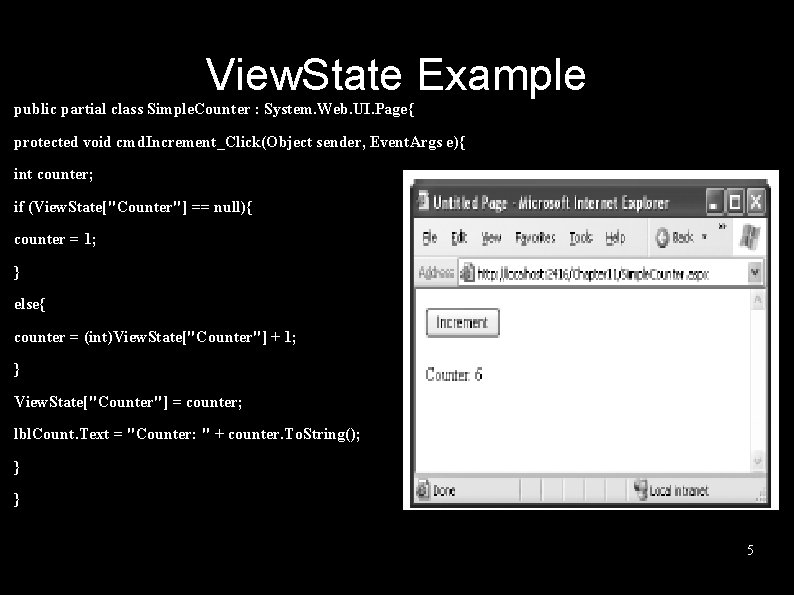
View. State Example public partial class Simple. Counter : System. Web. UI. Page{ protected void cmd. Increment_Click(Object sender, Event. Args e){ int counter; if (View. State["Counter"] == null){ counter = 1; } else{ counter = (int)View. State["Counter"] + 1; } View. State["Counter"] = counter; lbl. Count. Text = "Counter: " + counter. To. String(); } } 5

Making View State Secure You probably remember from previous lectures that view state information is stored in a single jumbled string that looks like this: <input type="hidden" name="__VIEWSTATE" id="__VIEWSTATE" value="d. Dw 3 NDg 2 NTI 5 MDg 7 Oz 4=" /> As you add more information to view state, this value can become much longer. Because this value isn’t formatted as clear text, many ASP. NET programmers assume that their view state data is encrypted. It isn’t. Instead, the view state information is simply patched together in memory and converted to a Base 64 string (which is a special type of string that’s always acceptable in an HTML document because it doesn’t include any extended characters). A clever hacker could reverse-engineer this string and examine your view state data in a matter of seconds. 6

Tamperproof View State If you want to make view state more secure, you have two choices. First, you can make sure the view state information is tamperproof by instructing ASP. NET to use a hash code. You might think a really clever user could get around this by generating fake view state information and a matching hash code. However, malicious users can’t generate the right hash code, because they don’t have the same cryptographic key as ASP. NET. This means the hash codes they create won’t match. 7
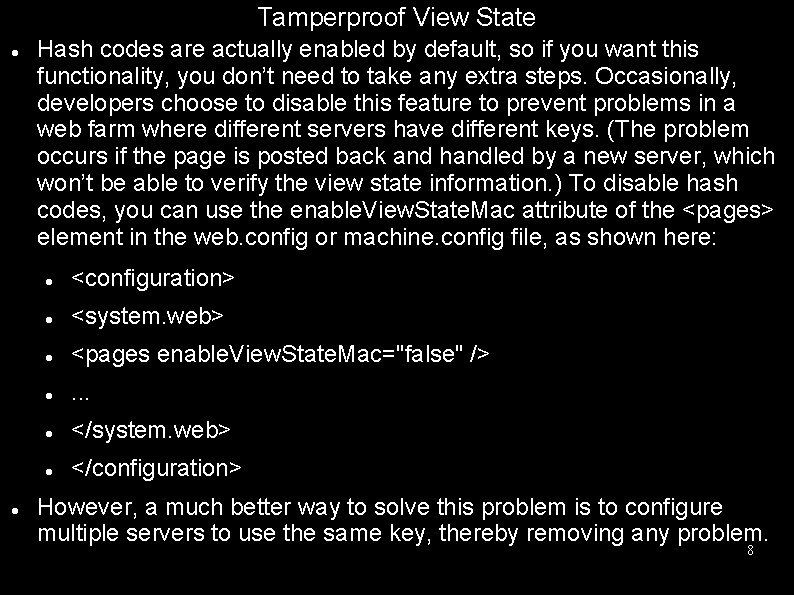
Tamperproof View State Hash codes are actually enabled by default, so if you want this functionality, you don’t need to take any extra steps. Occasionally, developers choose to disable this feature to prevent problems in a web farm where different servers have different keys. (The problem occurs if the page is posted back and handled by a new server, which won’t be able to verify the view state information. ) To disable hash codes, you can use the enable. View. State. Mac attribute of the <pages> element in the web. config or machine. config file, as shown here: <configuration> <system. web> <pages enable. View. State. Mac="false" /> . . . </system. web> </configuration> However, a much better way to solve this problem is to configure multiple servers to use the same key, thereby removing any problem. 8

Private View State Even when you use hash codes, the view state data will still be readable by the user. In many cases, this is completely acceptable—after all, the view state tracks information that’s often provided directly through other controls. However, if your view state contains some information you want to keep secret, you can enable view state encryption. You can turn on encryption for an individual page using the View. State. Encryption. Mode property of the Page directive: <%@Page View. State. Encryption. Mode="Always" %> Or you can set the same attribute in a configuration file: <configuration> <system. web> <pages view. State. Encryption. Mode="Always" /> . . . </system. web> 9

Private View State Either way, this enforces encryption. You have three choices for your view state encryption setting—always encrypt (Always), never encrypt (Never), or encrypt only if a control specifically requests it (Auto). The default is Auto, which means that the page won’t encrypt its view state unless a control on that page specifically requests it. (Technically, a control makes this request by calling the Page. Register. Requires. View. State. Encryption() method. ) If no control calls this method to indicate it has sensitive information, the view state is not encrypted, thereby saving the encryption overhead. On the other hand, a control doesn’t have absolute power—if it calls Page. Register. Requires. View. State. Encryption() and the encryption mode is Never, the view state won’t be encrypted. 10
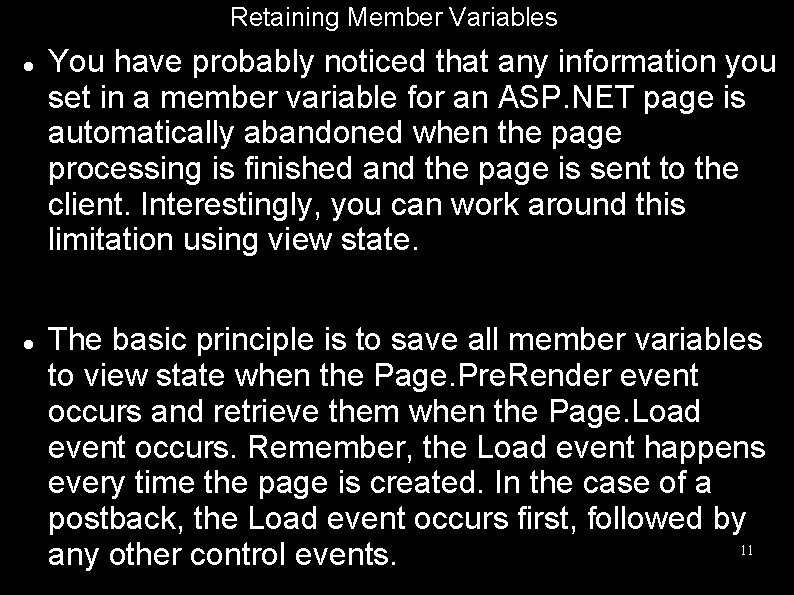
Retaining Member Variables You have probably noticed that any information you set in a member variable for an ASP. NET page is automatically abandoned when the page processing is finished and the page is sent to the client. Interestingly, you can work around this limitation using view state. The basic principle is to save all member variables to view state when the Page. Pre. Render event occurs and retrieve them when the Page. Load event occurs. Remember, the Load event happens every time the page is created. In the case of a postback, the Load event occurs first, followed by 11 any other control events.
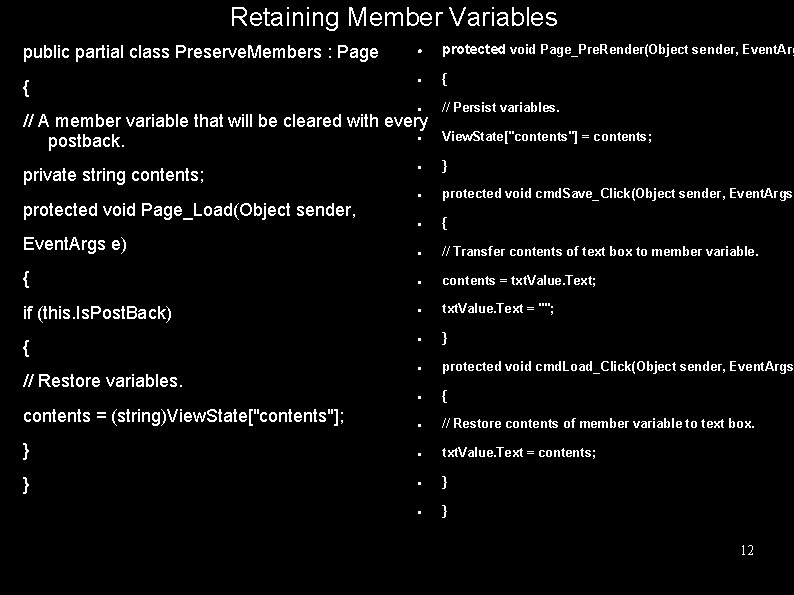
Retaining Member Variables public partial class Preserve. Members : Page { protected void Page_Pre. Render(Object sender, Event. Arg { // Persist variables. View. State["contents"] = contents; } protected void cmd. Save_Click(Object sender, Event. Args { // Transfer contents of text box to member variable. contents = txt. Value. Text; txt. Value. Text = ""; } protected void cmd. Load_Click(Object sender, Event. Args { // Restore contents of member variable to text box. txt. Value. Text = contents; } } // A member variable that will be cleared with every postback. private string contents; protected void Page_Load(Object sender, Event. Args e) { if (this. Is. Post. Back) { // Restore variables. contents = (string)View. State["contents"]; } } 12

Transferring Information Between Pages One of the most significant limitations with view state is that it’s tightly bound to a specific page. If the user navigates to another page, this information is lost. This problem has several solutions, and the best approach depends on your requirements. 13
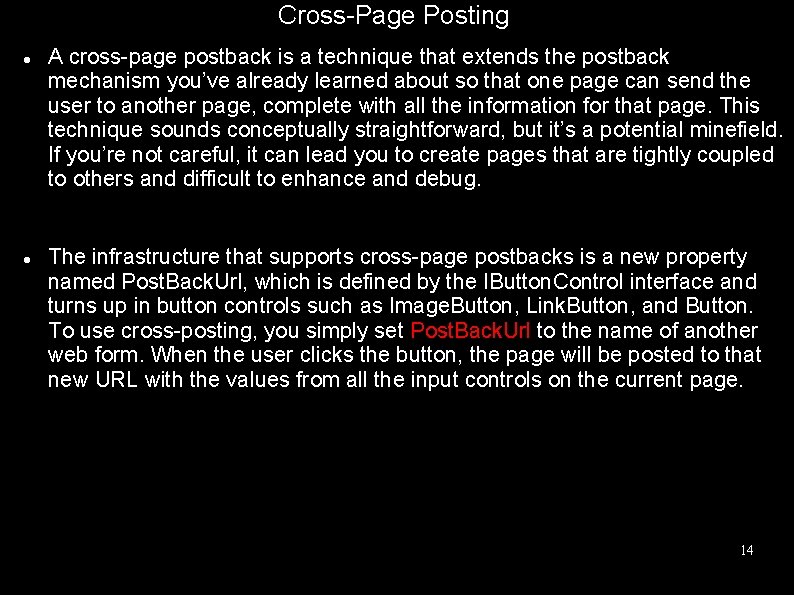
Cross-Page Posting A cross-page postback is a technique that extends the postback mechanism you’ve already learned about so that one page can send the user to another page, complete with all the information for that page. This technique sounds conceptually straightforward, but it’s a potential minefield. If you’re not careful, it can lead you to create pages that are tightly coupled to others and difficult to enhance and debug. The infrastructure that supports cross-page postbacks is a new property named Post. Back. Url, which is defined by the IButton. Control interface and turns up in button controls such as Image. Button, Link. Button, and Button. To use cross-posting, you simply set Post. Back. Url to the name of another web form. When the user clicks the button, the page will be posted to that new URL with the values from all the input controls on the current page. 14
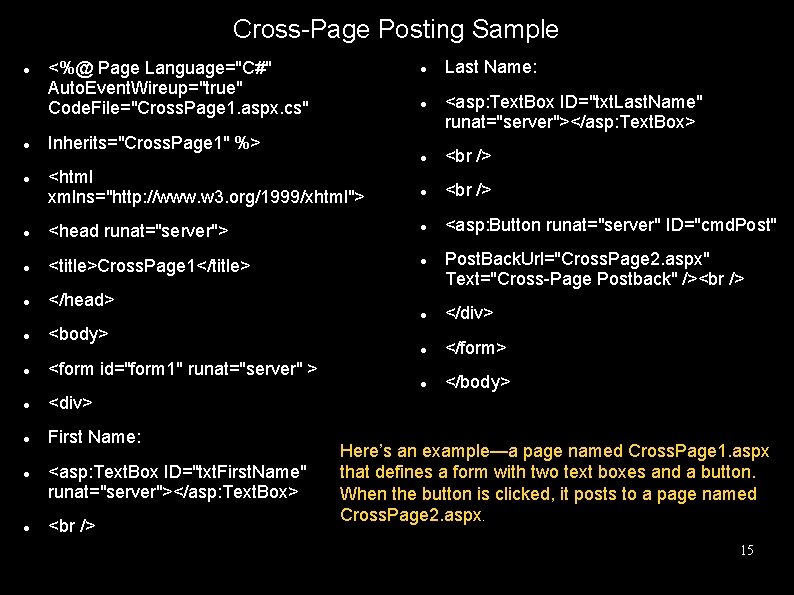
Cross-Page Posting Sample <%@ Page Language="C#" Auto. Event. Wireup="true" Code. File="Cross. Page 1. aspx. cs" Inherits="Cross. Page 1" %> <html xmlns="http: //www. w 3. org/1999/xhtml"> <asp: Button runat="server" ID="cmd. Post" <head runat="server"> <title>Cross. Page 1</title> </head> First Name: </div> </form> </body> <form id="form 1" runat="server" > <div> <asp: Text. Box ID="txt. First. Name" runat="server"></asp: Text. Box> Post. Back. Url="Cross. Page 2. aspx" Text="Cross-Page Postback" /> <body> <asp: Text. Box ID="txt. Last. Name" runat="server"></asp: Text. Box> Last Name: Here’s an example—a page named Cross. Page 1. aspx that defines a form with two text boxes and a button. When the button is clicked, it posts to a page named Cross. Page 2. aspx. 15
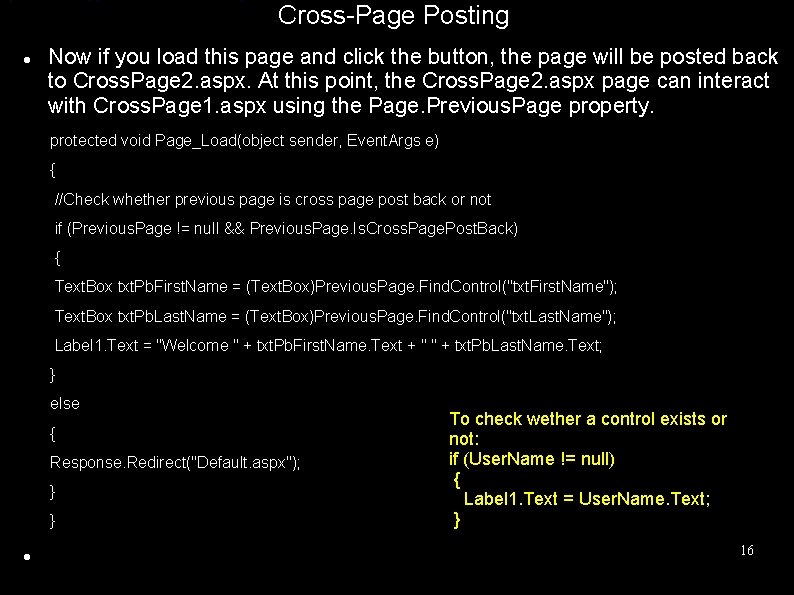
Cross-Page Posting Now if you load this page and click the button, the page will be posted back to Cross. Page 2. aspx. At this point, the Cross. Page 2. aspx page can interact with Cross. Page 1. aspx using the Page. Previous. Page property. protected void Page_Load(object sender, Event. Args e) { //Check whether previous page is cross page post back or not if (Previous. Page != null && Previous. Page. Is. Cross. Page. Post. Back) { Text. Box txt. Pb. First. Name = (Text. Box)Previous. Page. Find. Control("txt. First. Name"); Text. Box txt. Pb. Last. Name = (Text. Box)Previous. Page. Find. Control("txt. Last. Name"); Label 1. Text = "Welcome " + txt. Pb. First. Name. Text + " " + txt. Pb. Last. Name. Text; } else { Response. Redirect("Default. aspx"); } } To check wether a control exists or not: if (User. Name != null) { Label 1. Text = User. Name. Text; } 16
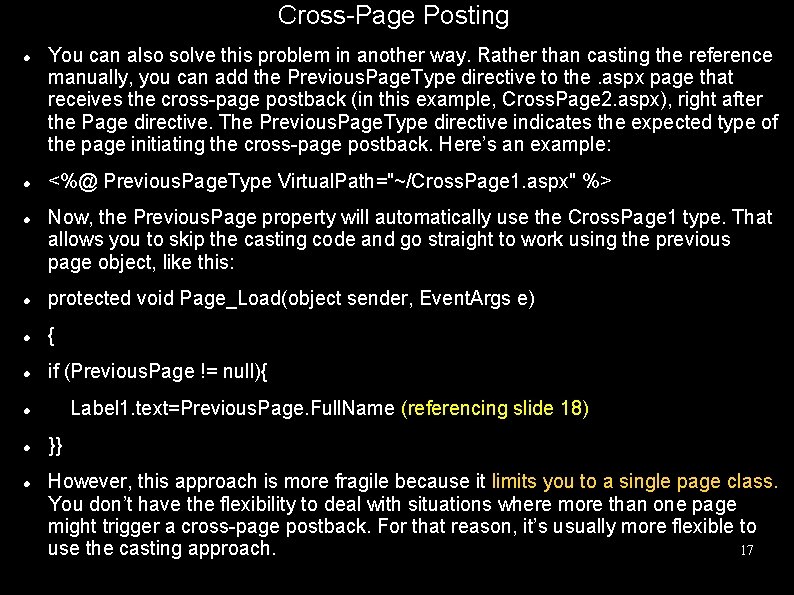
Cross-Page Posting You can also solve this problem in another way. Rather than casting the reference manually, you can add the Previous. Page. Type directive to the. aspx page that receives the cross-page postback (in this example, Cross. Page 2. aspx), right after the Page directive. The Previous. Page. Type directive indicates the expected type of the page initiating the cross-page postback. Here’s an example: <%@ Previous. Page. Type Virtual. Path="~/Cross. Page 1. aspx" %> Now, the Previous. Page property will automatically use the Cross. Page 1 type. That allows you to skip the casting code and go straight to work using the previous page object, like this: protected void Page_Load(object sender, Event. Args e) { if (Previous. Page != null){ Label 1. text=Previous. Page. Full. Name (referencing slide 18) }} However, this approach is more fragile because it limits you to a single page class. You don’t have the flexibility to deal with situations where more than one page might trigger a cross-page postback. For that reason, it’s usually more flexible to 17 use the casting approach.
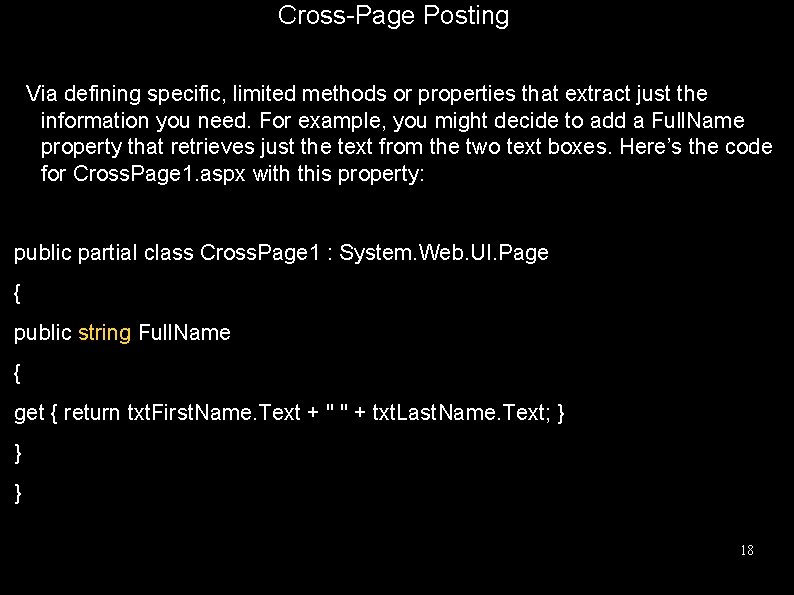
Cross-Page Posting Via defining specific, limited methods or properties that extract just the information you need. For example, you might decide to add a Full. Name property that retrieves just the text from the two text boxes. Here’s the code for Cross. Page 1. aspx with this property: public partial class Cross. Page 1 : System. Web. UI. Page { public string Full. Name { get { return txt. First. Name. Text + " " + txt. Last. Name. Text; } } } 18
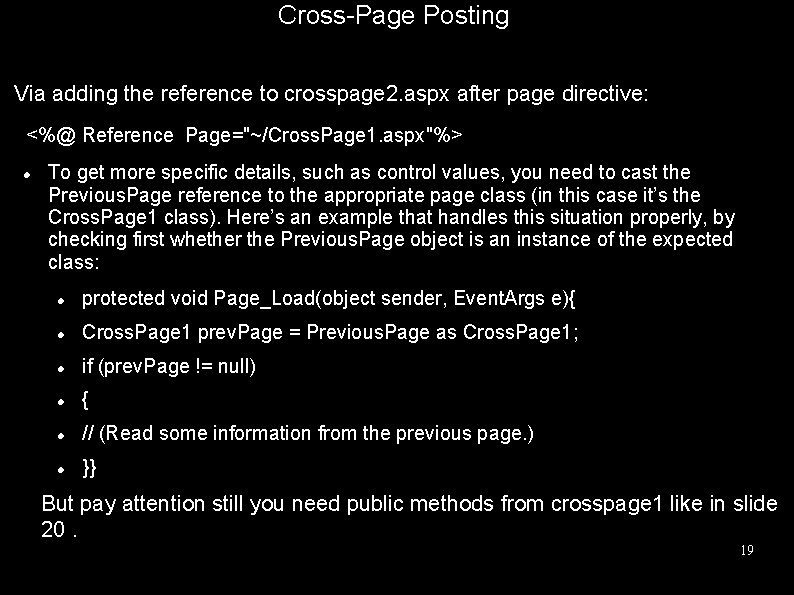
Cross-Page Posting Via adding the reference to crosspage 2. aspx after page directive: <%@ Reference Page="~/Cross. Page 1. aspx"%> To get more specific details, such as control values, you need to cast the Previous. Page reference to the appropriate page class (in this case it’s the Cross. Page 1 class). Here’s an example that handles this situation properly, by checking first whether the Previous. Page object is an instance of the expected class: protected void Page_Load(object sender, Event. Args e){ Cross. Page 1 prev. Page = Previous. Page as Cross. Page 1; if (prev. Page != null) { // (Read some information from the previous page. ) }} But pay attention still you need public methods from crosspage 1 like in slide 20. 19
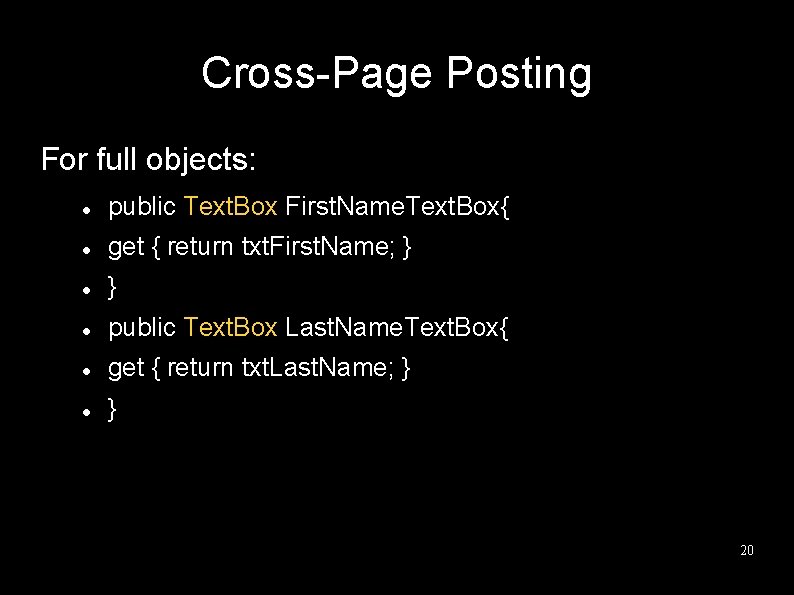
Cross-Page Posting For full objects: public Text. Box First. Name. Text. Box{ get { return txt. First. Name; } } public Text. Box Last. Name. Text. Box{ get { return txt. Last. Name; } } 20
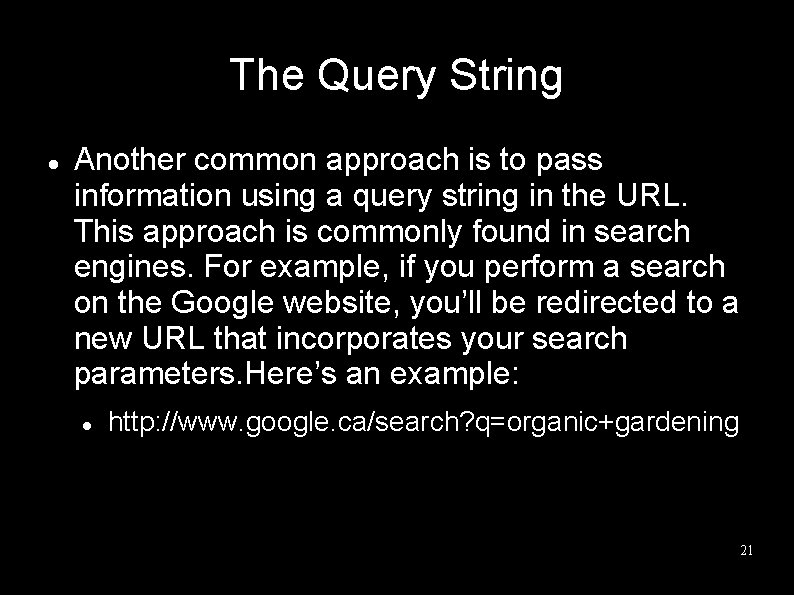
The Query String Another common approach is to pass information using a query string in the URL. This approach is commonly found in search engines. For example, if you perform a search on the Google website, you’ll be redirected to a new URL that incorporates your search parameters. Here’s an example: http: //www. google. ca/search? q=organic+gardening 21
The Query String The advantage of the query string is that it’s lightweight and doesn’t exert any kind of burden on the server. However, it also has several limitations: Information is limited to simple strings, which must contain URLlegal characters. Information is clearly visible to the user and to anyone else who cares to eavesdrop on the Internet. The enterprising user might decide to modify the query string and supply new values, which your program won’t expect and can’t protect against. Many browsers impose a limit on the length of a URL (usually from 1 KB to 2 KB). For that reason, you can’t place a large amount of information in the query string and still be assured of compatibility with most browsers. 22
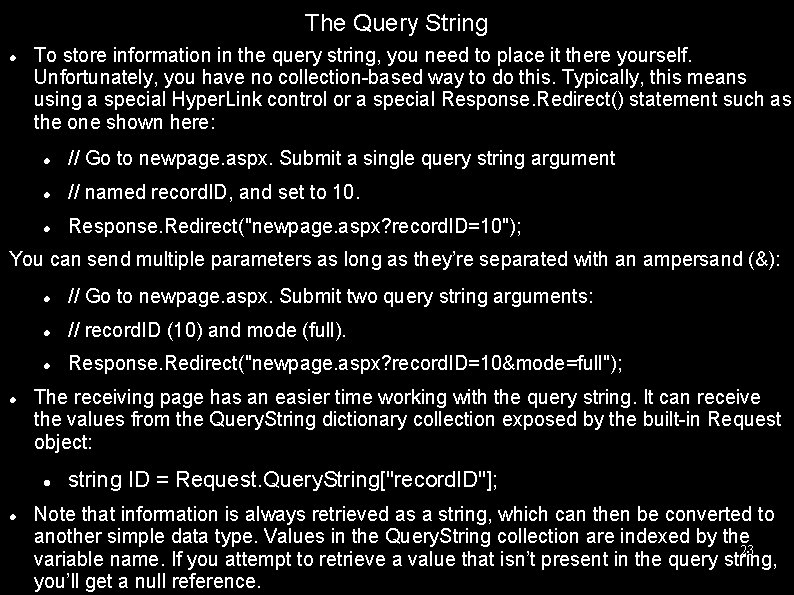
The Query String To store information in the query string, you need to place it there yourself. Unfortunately, you have no collection-based way to do this. Typically, this means using a special Hyper. Link control or a special Response. Redirect() statement such as the one shown here: // Go to newpage. aspx. Submit a single query string argument // named record. ID, and set to 10. Response. Redirect("newpage. aspx? record. ID=10"); You can send multiple parameters as long as they’re separated with an ampersand (&): // Go to newpage. aspx. Submit two query string arguments: // record. ID (10) and mode (full). Response. Redirect("newpage. aspx? record. ID=10&mode=full"); The receiving page has an easier time working with the query string. It can receive the values from the Query. String dictionary collection exposed by the built-in Request object: string ID = Request. Query. String["record. ID"]; Note that information is always retrieved as a string, which can then be converted to another simple data type. Values in the Query. String collection are indexed by the 23 variable name. If you attempt to retrieve a value that isn’t present in the query string, you’ll get a null reference.
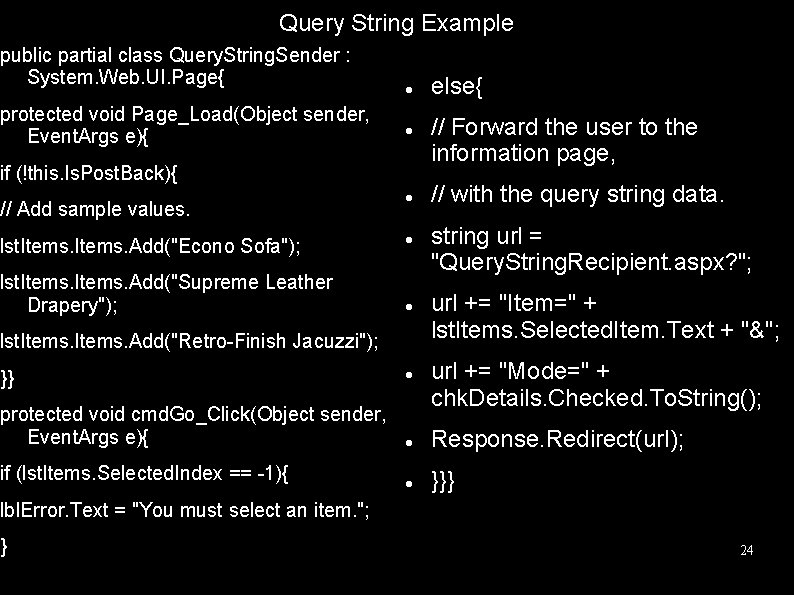
Query String Example public partial class Query. String. Sender : System. Web. UI. Page{ protected void Page_Load(Object sender, Event. Args e){ if (!this. Is. Post. Back){ // Add sample values. lst. Items. Add("Econo Sofa"); lst. Items. Add("Supreme Leather Drapery"); lst. Items. Add("Retro-Finish Jacuzzi"); }} protected void cmd. Go_Click(Object sender, Event. Args e){ if (lst. Items. Selected. Index == -1){ else{ // Forward the user to the information page, // with the query string data. string url = "Query. String. Recipient. aspx? "; url += "Item=" + lst. Items. Selected. Item. Text + "&"; url += "Mode=" + chk. Details. Checked. To. String(); Response. Redirect(url); }}} lbl. Error. Text = "You must select an item. "; } 24
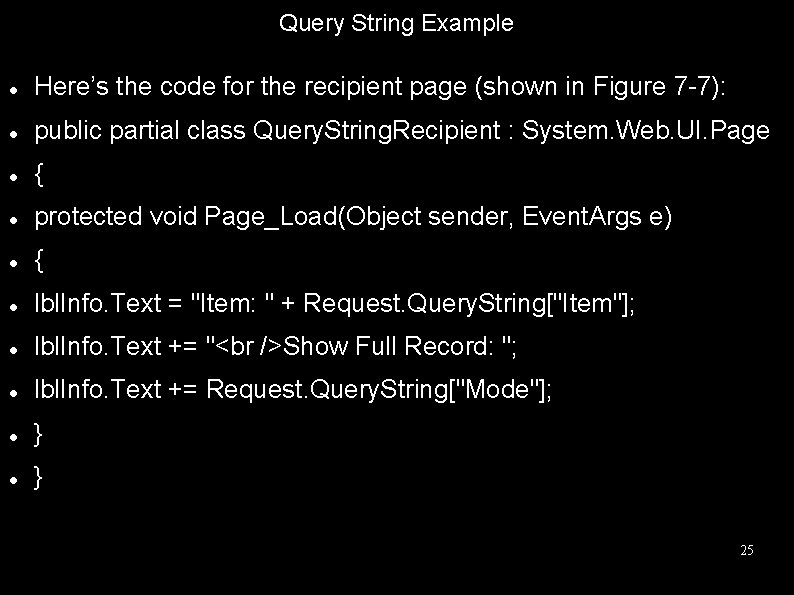
Query String Example Here’s the code for the recipient page (shown in Figure 7 -7): public partial class Query. String. Recipient : System. Web. UI. Page { protected void Page_Load(Object sender, Event. Args e) { lbl. Info. Text = "Item: " + Request. Query. String["Item"]; lbl. Info. Text += " Show Full Record: "; lbl. Info. Text += Request. Query. String["Mode"]; } } 25

URL Encoding Special characters like (&+#) will not pass by url due to the fact that they will be processed as commands instead of characters. For these special characters we need special functions. While submitting If submission made with Server. Url. Encode than for retrieving Server. Url. Encode(firstvarvalue)+”&”+Server. Url. Encode(secondvarvalue) Server. Url. Decode(my. String) Url Decode must be applied to the text where urlencode is applied otherwise problems will occur 26 like + will be replaced with a space character.
Cookies provide another way that you can store information for later use. Cookies are small files that are created on the client’s hard drive (or, if they’re temporary, in the web browser’s memory). One advantage of cookies is that they work transparently without the user being aware that information needs to be stored. They also can be easily used by any page in your application and even be retained between visits, which allows for truly long-term storage. They suffer from some of the same drawbacks that affect query strings—namely, they’re limitedto simple string information, and they’re easily accessible and readable if the user finds and opens the corresponding file. These factors make them a poor choice for complex or private information or large amounts of data. Some users disable cookies on their browsers, which will cause problems for web applications that require them. Also, users might manually delete the cookie files stored on theirhard drives. But for the most part, cookies are widely adopted and used extensively on many websites. 27
Cookies Before you can use cookies, you should import the System. Net namespace so you can easily work with the appropriate types: using System. Net; Cookies are fairly easy to use. Both the Request and Response objects (which are provided through Page properties) provide a Cookies collection. The important trick to remember is that you retrieve cookies from the Request object, and you set cookies using the Response object. 28
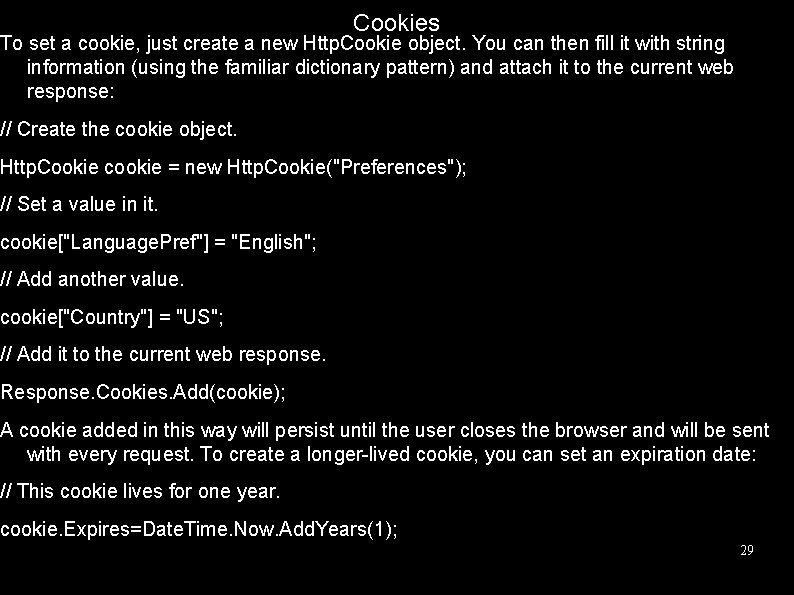
Cookies To set a cookie, just create a new Http. Cookie object. You can then fill it with string information (using the familiar dictionary pattern) and attach it to the current web response: // Create the cookie object. Http. Cookie cookie = new Http. Cookie("Preferences"); // Set a value in it. cookie["Language. Pref"] = "English"; // Add another value. cookie["Country"] = "US"; // Add it to the current web response. Response. Cookies. Add(cookie); A cookie added in this way will persist until the user closes the browser and will be sent with every request. To create a longer-lived cookie, you can set an expiration date: // This cookie lives for one year. cookie. Expires=Date. Time. Now. Add. Years(1); 29
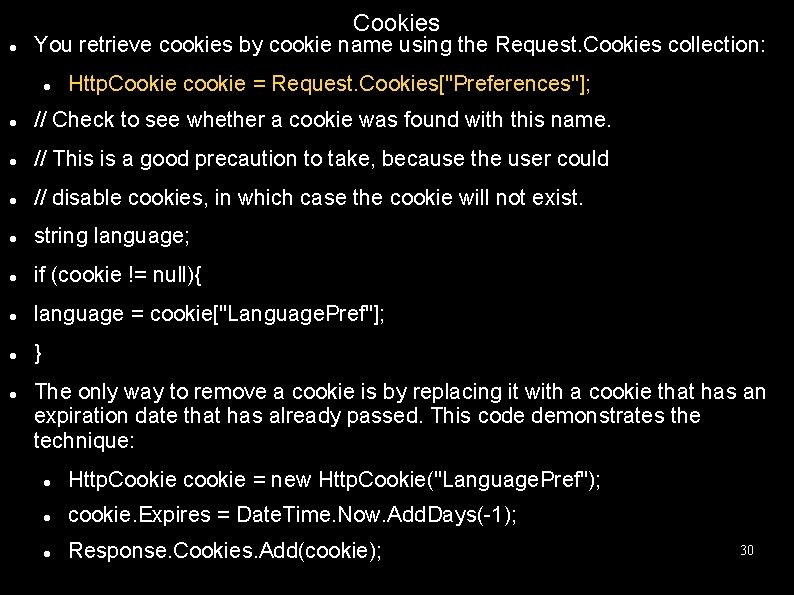
Cookies You retrieve cookies by cookie name using the Request. Cookies collection: Http. Cookie cookie = Request. Cookies["Preferences"]; // Check to see whether a cookie was found with this name. // This is a good precaution to take, because the user could // disable cookies, in which case the cookie will not exist. string language; if (cookie != null){ language = cookie["Language. Pref"]; } The only way to remove a cookie is by replacing it with a cookie that has an expiration date that has already passed. This code demonstrates the technique: Http. Cookie cookie = new Http. Cookie("Language. Pref"); cookie. Expires = Date. Time. Now. Add. Days(-1); Response. Cookies. Add(cookie); 30
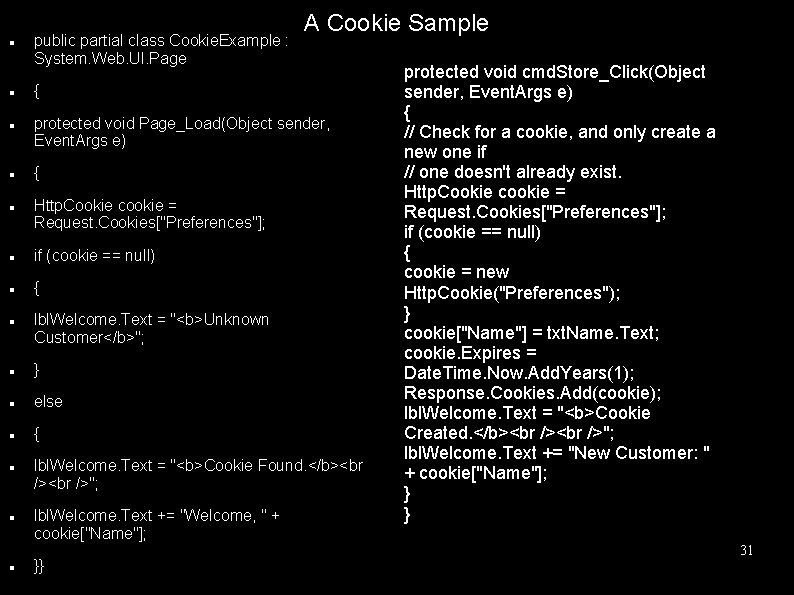
public partial class Cookie. Example : System. Web. UI. Page { protected void Page_Load(Object sender, Event. Args e) { Http. Cookie cookie = Request. Cookies["Preferences"]; if (cookie == null) { lbl. Welcome. Text = "<b>Unknown Customer</b>"; } else { A Cookie Sample lbl. Welcome. Text = "<b>Cookie Found. </b><br /> "; lbl. Welcome. Text += "Welcome, " + cookie["Name"]; }} protected void cmd. Store_Click(Object sender, Event. Args e) { // Check for a cookie, and only create a new one if // one doesn't already exist. Http. Cookie cookie = Request. Cookies["Preferences"]; if (cookie == null) { cookie = new Http. Cookie("Preferences"); } cookie["Name"] = txt. Name. Text; cookie. Expires = Date. Time. Now. Add. Years(1); Response. Cookies. Add(cookie); lbl. Welcome. Text = "<b>Cookie Created. </b> "; lbl. Welcome. Text += "New Customer: " + cookie["Name"]; } } 31
Session State Session state management is one of ASP. NET’s premiere features. It allows you to store any type of data in memory on the server. The information is protected, because it is never transmitted to the client, and it’s uniquely bound to a specific session. Every client that accesses the application has a different session and a distinct collection of information. Session state is ideal for storing information such as the items in the current user’s shopping basket when the user browses from one page to another. 32
Session Tracking ASP. NET tracks each session using a unique 120 -bit identifier. ASP. NET uses a proprietary algorithm to generate this value, thereby guaranteeing (statistically speaking) that the number is unique and it’s random enough that a malicious user can’t reverse-engineer or “guess” what session ID a given client will be using. This ID is the only piece of session-related information that is transmitted between the web server and the client. When the client presents the session ID, ASP. NET looks up the corresponding session, retrieves the objects you stored previously, and places them into a special collection so they can be accessed in your code. This process takes place automatically. For this system to work, the client must present the appropriate session ID with each request. You can accomplish this in two ways: Using cookies: In this case, the session ID is transmitted in a special cookie (named ASP. NET_Session. Id), which ASP. NET creates automatically when the session collection is used. This is the default, and it’s also the same approach that was used in earlier versions of ASP. Using modified URLs: In this case, the session ID is transmitted in a specially modified (or munged) URL. This allows you to create applications that use session state with clients that don’t support cookies. 33 Session state doesn’t come for free. Comsumes server resources!
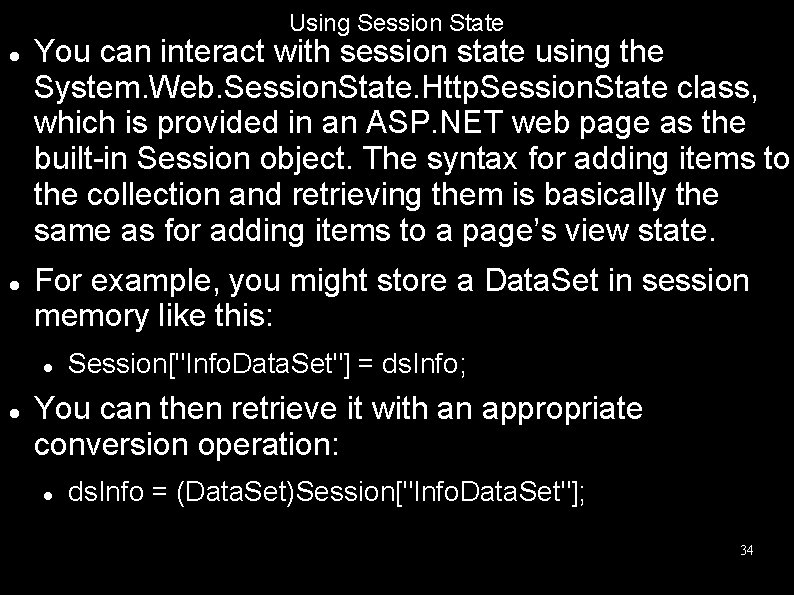
Using Session State You can interact with session state using the System. Web. Session. State. Http. Session. State class, which is provided in an ASP. NET web page as the built-in Session object. The syntax for adding items to the collection and retrieving them is basically the same as for adding items to a page’s view state. For example, you might store a Data. Set in session memory like this: Session["Info. Data. Set"] = ds. Info; You can then retrieve it with an appropriate conversion operation: ds. Info = (Data. Set)Session["Info. Data. Set"]; 34
Using Session State Session state is global to your entire application for the current user. However, session state can be lost in several ways: If the user closes and restarts the browser. If the user accesses the same page through a different browser window, although the session will still exist if a web page is accessed through the original browser window. Browsers differ on how they handle this situation. If the session times out due to inactivity. More information about session timeout can be found in the configuration section. If your web page code ends the session by calling the Session. Abandon() method. 35
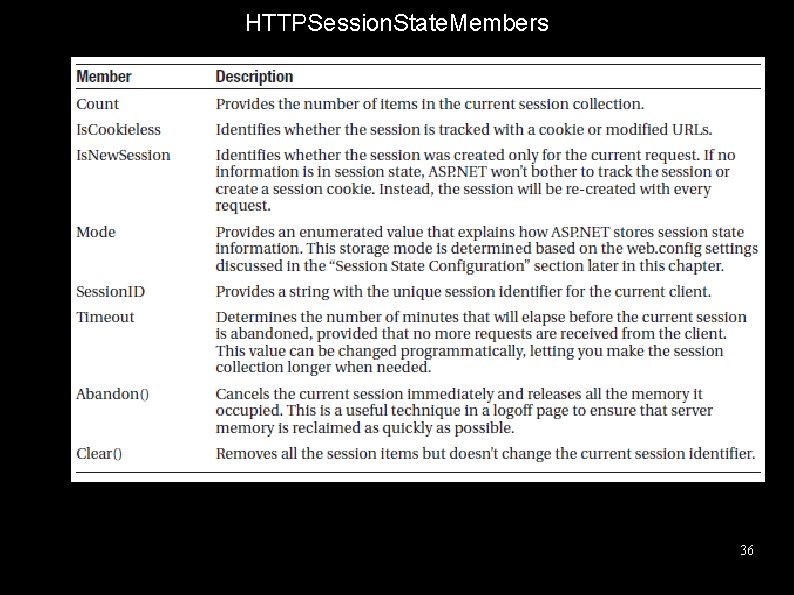
HTTPSession. State. Members 36
Session State Configuration You configure session state through the web. config file for your current application (which is found in the same virtual directory as the. aspx web page files). The configuration file allows you to set advanced options such as the timeout and the session state mode. If you’re creating your web application in Visual Studio, your project will include an automatically generated web. config file. The following listing shows the most important options that you can set for the <session. State> element. Keep in mind that you won’t use all of these details at the same time. Some settings only apply to certain session state modes, as you’ll see shortly. 37
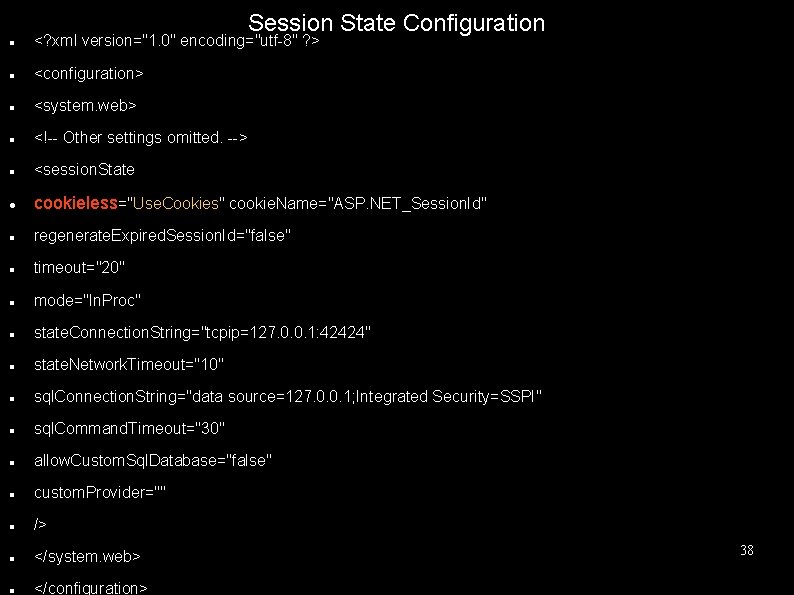
Session State Configuration <? xml version="1. 0" encoding="utf-8" ? > <configuration> <system. web> <!-- Other settings omitted. --> <session. State cookieless="Use. Cookies" cookie. Name="ASP. NET_Session. Id" regenerate. Expired. Session. Id="false" timeout="20" mode="In. Proc" state. Connection. String="tcpip=127. 0. 0. 1: 42424" state. Network. Timeout="10" sql. Connection. String="data source=127. 0. 0. 1; Integrated Security=SSPI" sql. Command. Timeout="30" allow. Custom. Sql. Database="false" custom. Provider="" /> </system. web> </configuration> 38
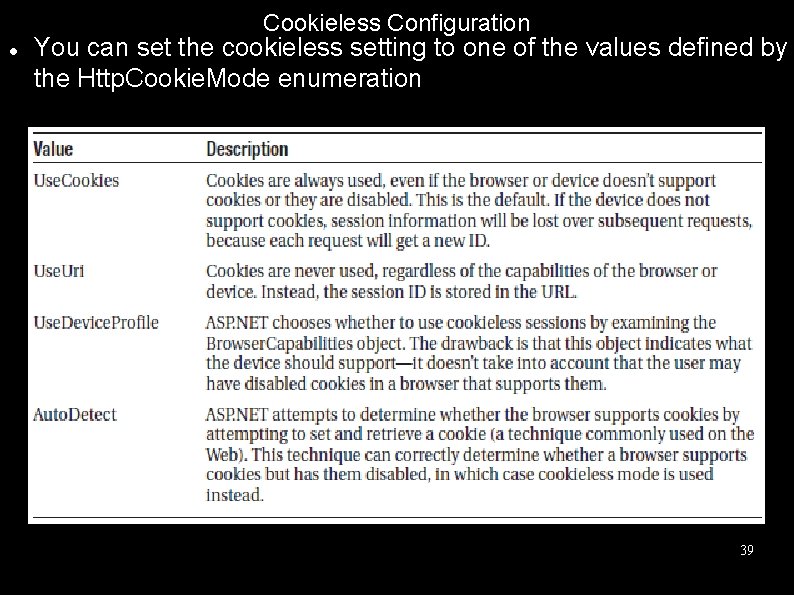
Cookieless Configuration You can set the cookieless setting to one of the values defined by the Http. Cookie. Mode enumeration 39
Cookieless In cookieless mode, the session ID will automatically be inserted into the URL. When ASP. NET receives a request, it will remove the ID, retrieve the session collection, and forward the request to the appropriate directory. Because the session ID is inserted in the current URL, relative links also automatically gain the session ID. In other words, if the user is currently stationed on Page 1. aspx and clicks a relative link to Page 2. aspx, the relative link includes the current session ID as part of the URL. The same is true if you call Response. Redirect() with a relative URL, as shown here: Response. Redirect("Page 2. aspx"); 40
Timeout Another important session state setting in the web. config file is the timeout. This specifies the number of minutes that ASP. NET will wait, without receiving a request, before it abandons the session. This setting represents one of the most important compromises of session state. A difference of minutes can have a dramatic effect on the load of your server and the performance of your application. Ideally, you will choose a timeframe that is short enough to allow the server to reclaim valuable memory after a client stops using the application but long enough to allow a client to pause and continue a session without losing it. You can also programmatically change the session timeout in code. For example, if you know a session contains an unusually large amount of information, you may need to limit the amount of time the session can be stored. You would then warn the user and change the timeout property. Here’s a sample line of code that changes the timeout to 10 minutes: Session. Timeout = 10; 41
Mode Allows you to configure some other session state services. Instead of Inproc, if you set mode to SQLServer than ASP. NET will use an SQL server to store the session information. Then the connection string must be supplied with the web. config file <session. State sql. Connection. String="data source=127. 0. 0. 1; Integrated Security=SSPI" . . . /> For further info check 2008 book pages 241 -244. 42
Application State Application state allows you to store global objects that can be accessed by any client. Application state is based on the System. Web. Http. Application. State class, which is provided in all web pages through the built-in Application object. Application state is similar to session state. It supports the same type of objects, retains information on the server, and uses the same dictionary-based syntax. A common example with application state is a global counter that tracks how many times an operation has been performed by all the web application’s clients. 43
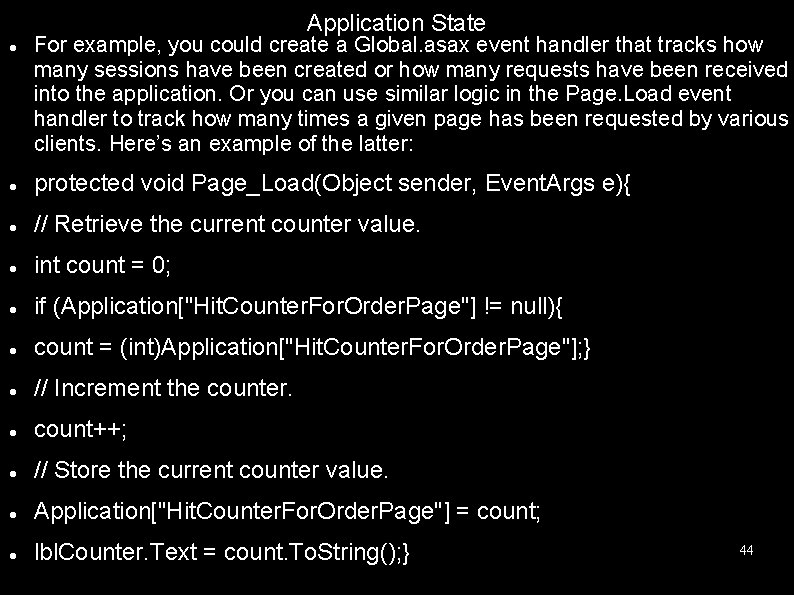
Application State For example, you could create a Global. asax event handler that tracks how many sessions have been created or how many requests have been received into the application. Or you can use similar logic in the Page. Load event handler to track how many times a given page has been requested by various clients. Here’s an example of the latter: protected void Page_Load(Object sender, Event. Args e){ // Retrieve the current counter value. int count = 0; if (Application["Hit. Counter. For. Order. Page"] != null){ count = (int)Application["Hit. Counter. For. Order. Page"]; } // Increment the counter. count++; // Store the current counter value. Application["Hit. Counter. For. Order. Page"] = count; lbl. Counter. Text = count. To. String(); } 44
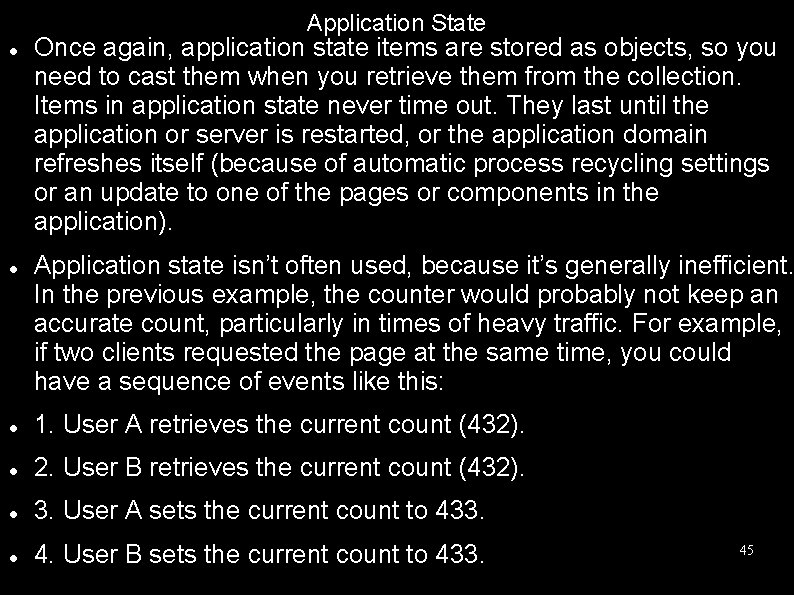
Application State Once again, application state items are stored as objects, so you need to cast them when you retrieve them from the collection. Items in application state never time out. They last until the application or server is restarted, or the application domain refreshes itself (because of automatic process recycling settings or an update to one of the pages or components in the application). Application state isn’t often used, because it’s generally inefficient. In the previous example, the counter would probably not keep an accurate count, particularly in times of heavy traffic. For example, if two clients requested the page at the same time, you could have a sequence of events like this: 1. User A retrieves the current count (432). 2. User B retrieves the current count (432). 3. User A sets the current count to 433. 4. User B sets the current count to 433. 45
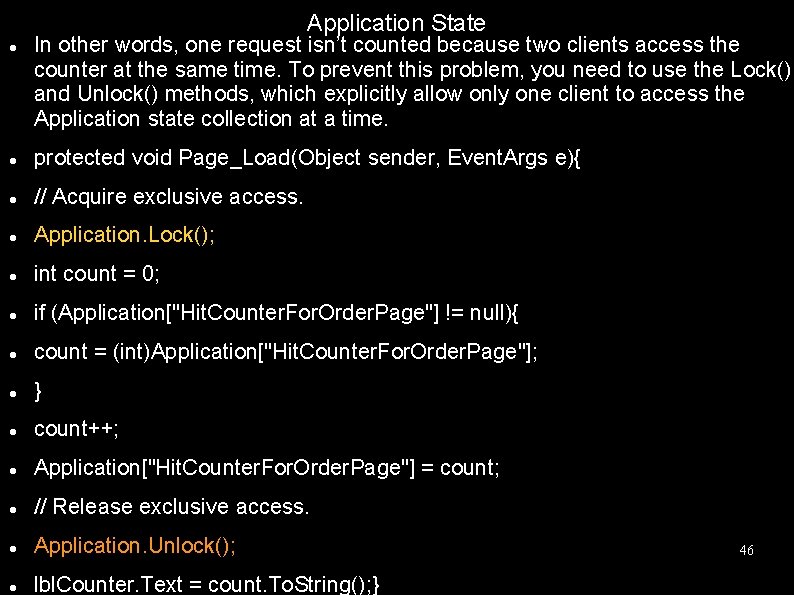
Application State In other words, one request isn’t counted because two clients access the counter at the same time. To prevent this problem, you need to use the Lock() and Unlock() methods, which explicitly allow only one client to access the Application state collection at a time. protected void Page_Load(Object sender, Event. Args e){ // Acquire exclusive access. Application. Lock(); int count = 0; if (Application["Hit. Counter. For. Order. Page"] != null){ count = (int)Application["Hit. Counter. For. Order. Page"]; } count++; Application["Hit. Counter. For. Order. Page"] = count; // Release exclusive access. Application. Unlock(); lbl. Counter. Text = count. To. String(); } 46

Application State Unfortunately, all other clients requesting the page will be stalled until the Application collection is released. This can drastically reduce performance. Generally, frequently modified values are poor candidates for application state. In fact, application state is rarely used in the. NET world because its most common uses have been replaced by easier, more efficient methods, (like with the new files introduced web. config) 47
- Slides: 47