
Start End Note Start Programs End Note Program












- Slides: 66
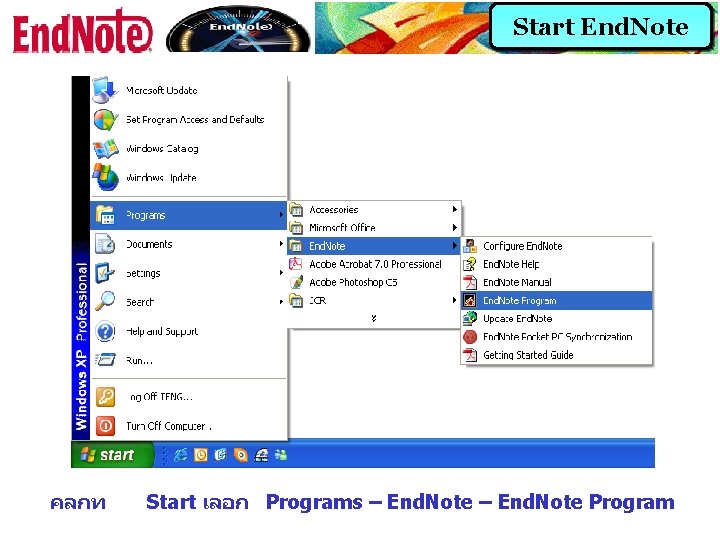
Start End. Note คลกท Start เลอก Programs – End. Note Program
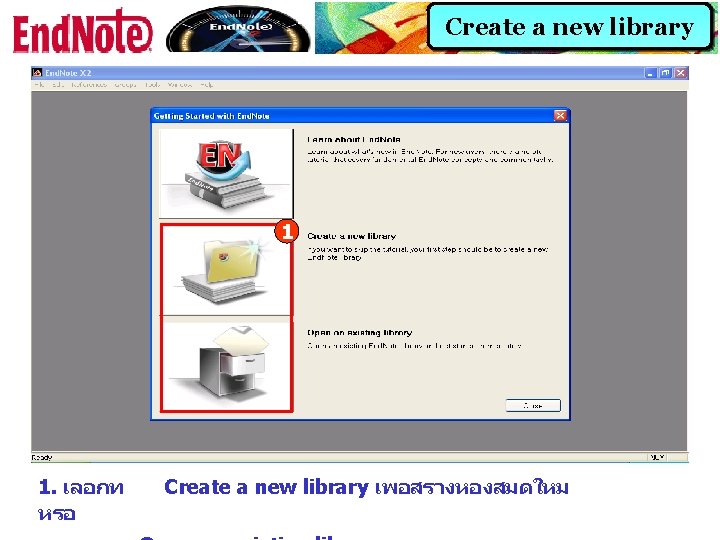
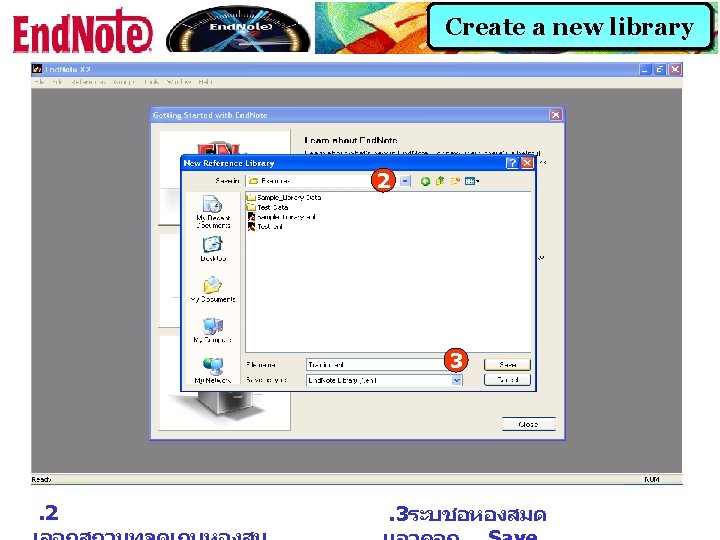
Create a new library 2 3 . 2 . 3ระบชอหองสมด
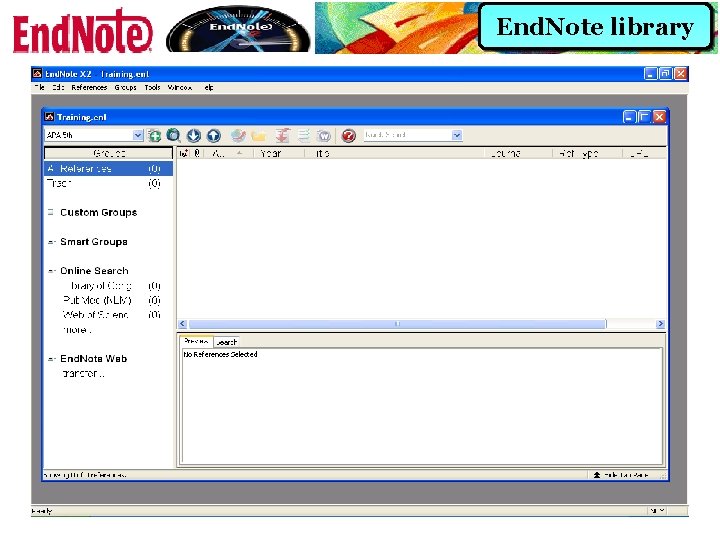
End. Note library
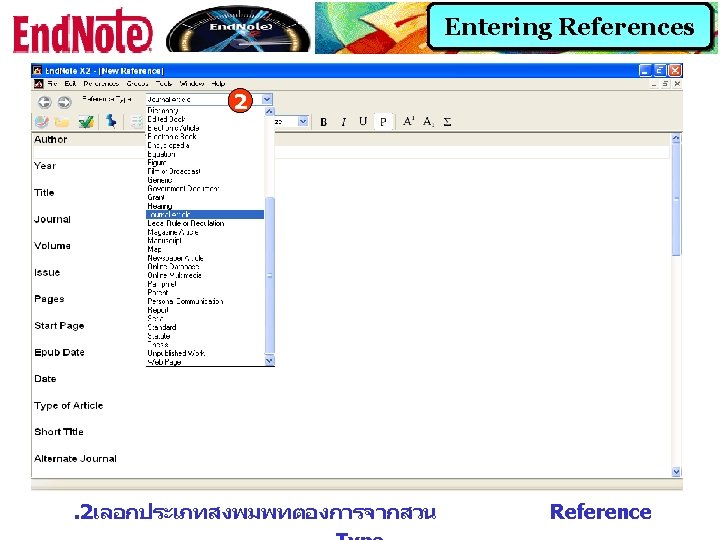
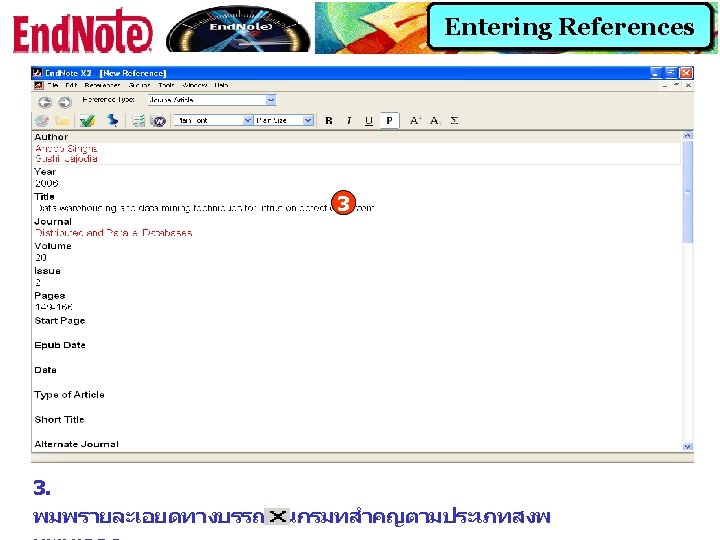
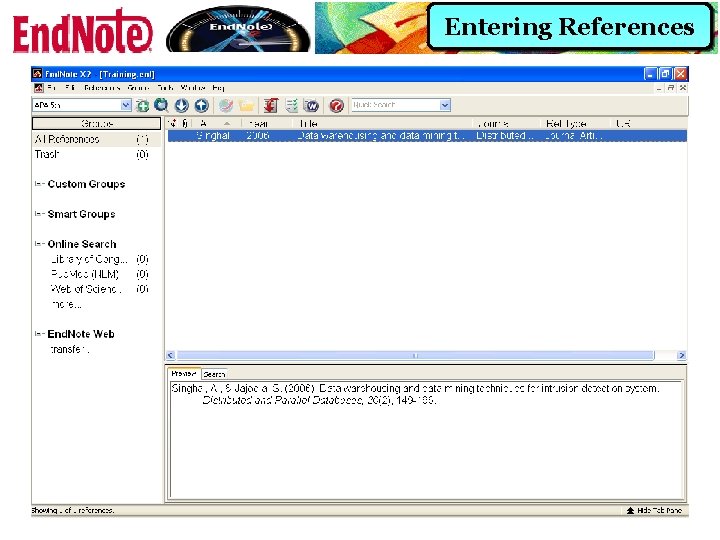
Entering References
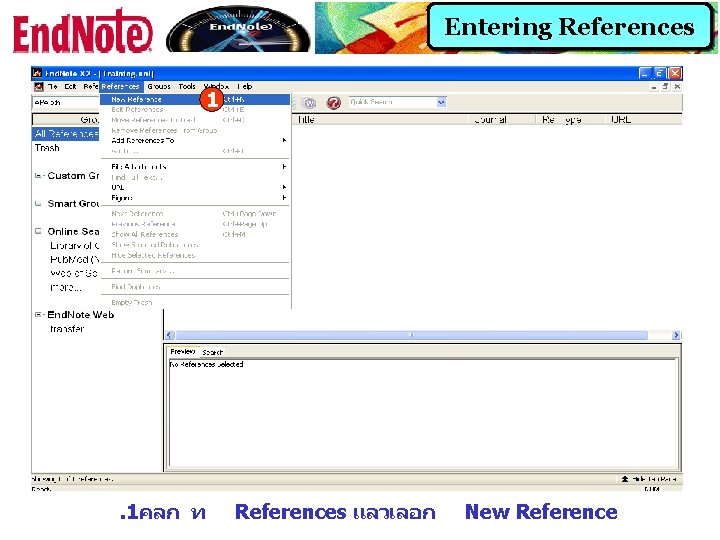
Entering References 1 . 1คลก ท References แลวเลอก New Reference
Entering References
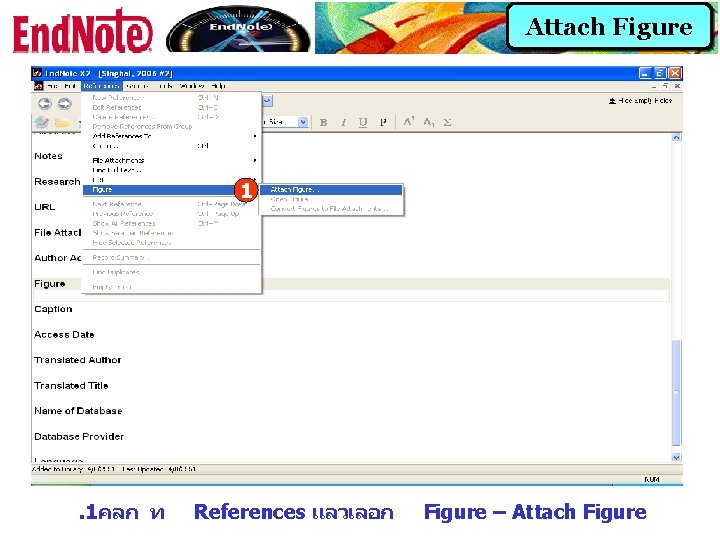
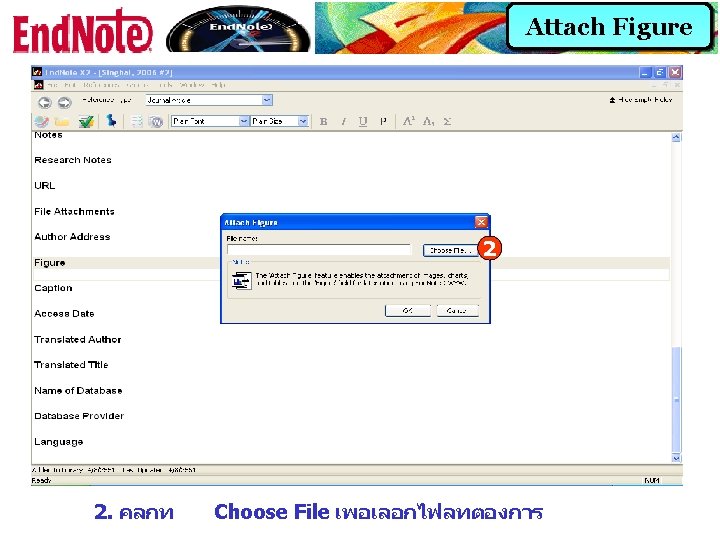
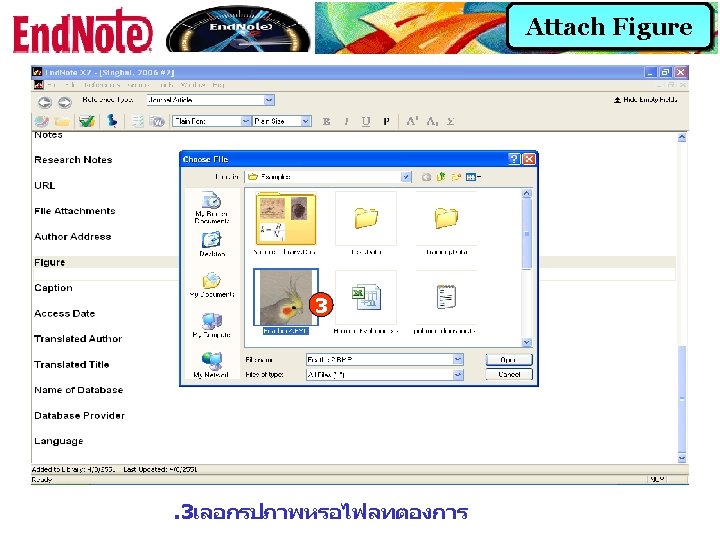
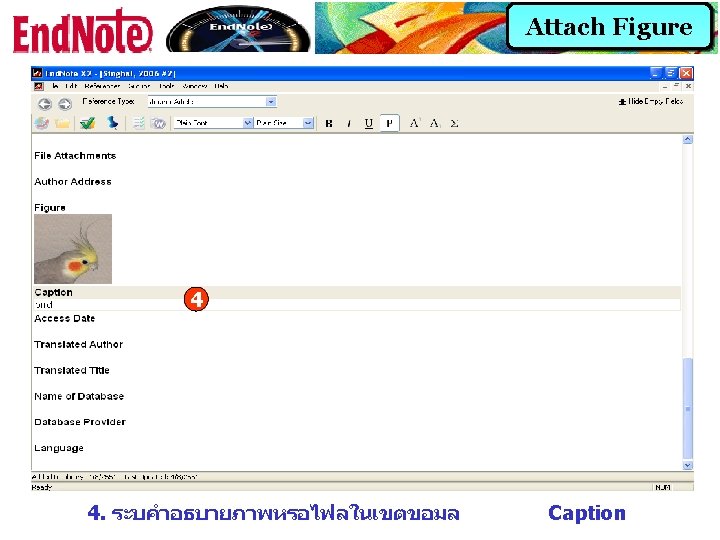
Attach Figure 1 . 1คลก ท References แลวเลอก Figure – Attach Figure
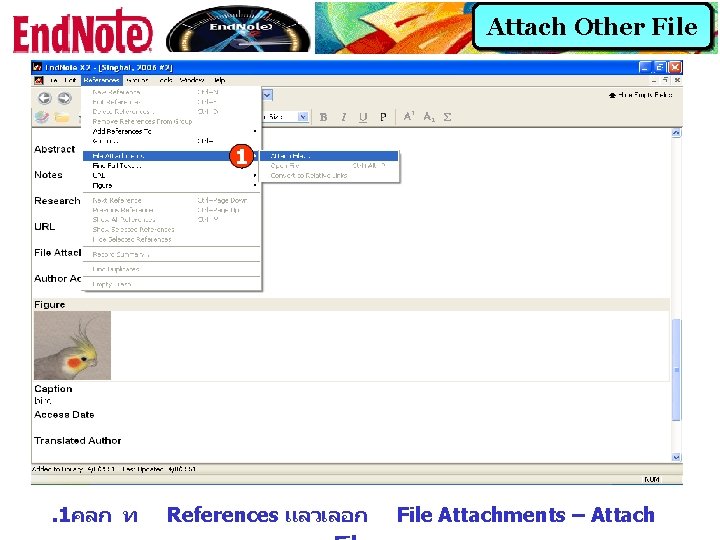
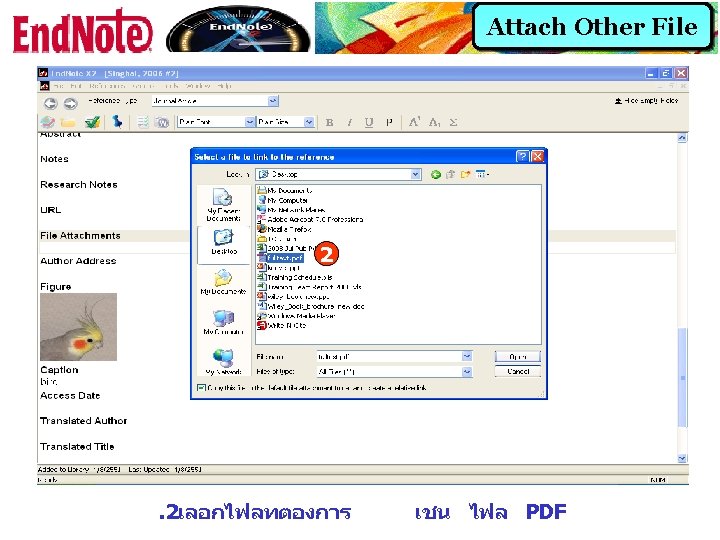
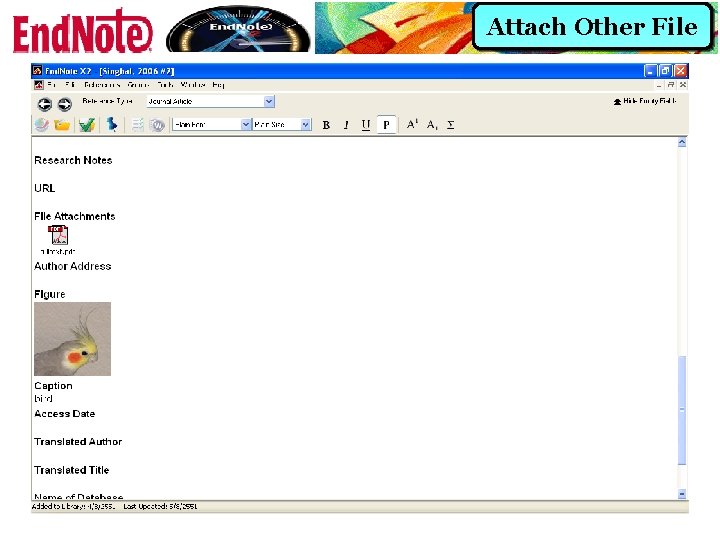
Attach Other File 1 . 1คลก ท References แลวเลอก File Attachments – Attach
Attach Other File
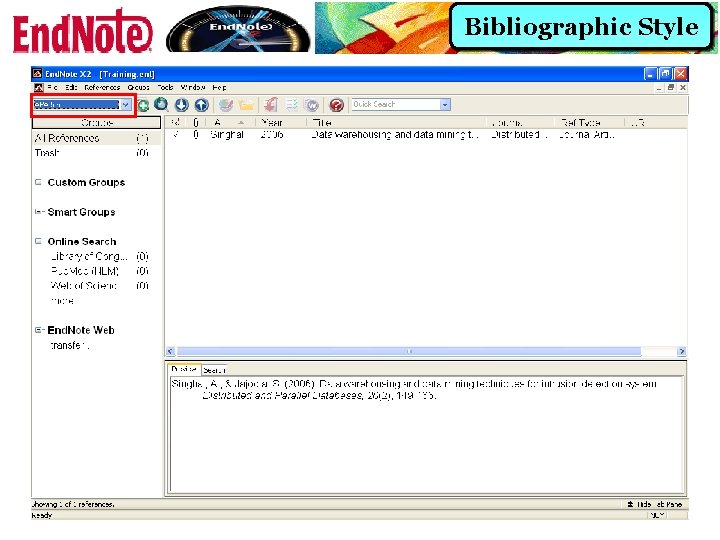
Bibliographic Styles
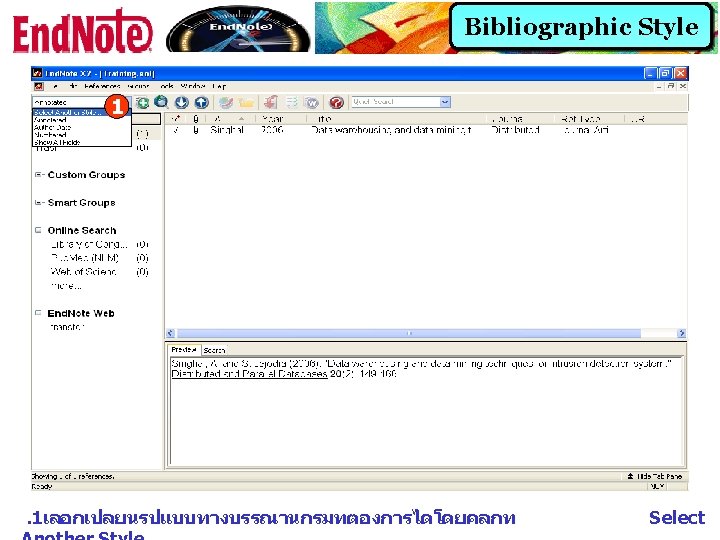
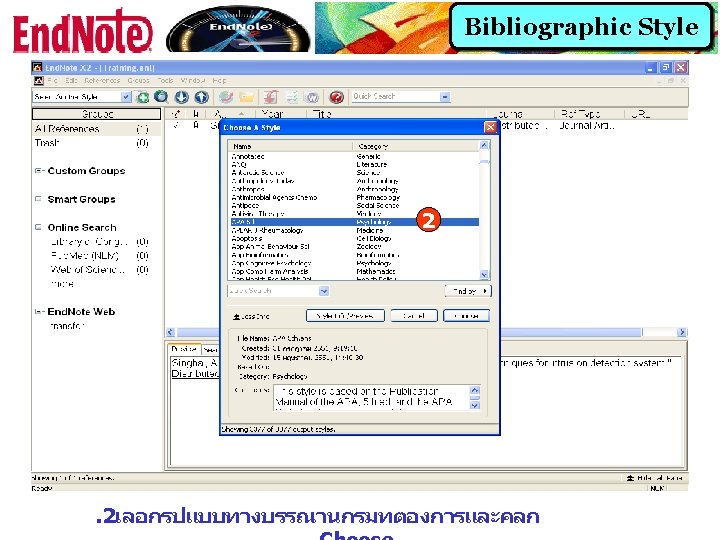
Bibliographic Style
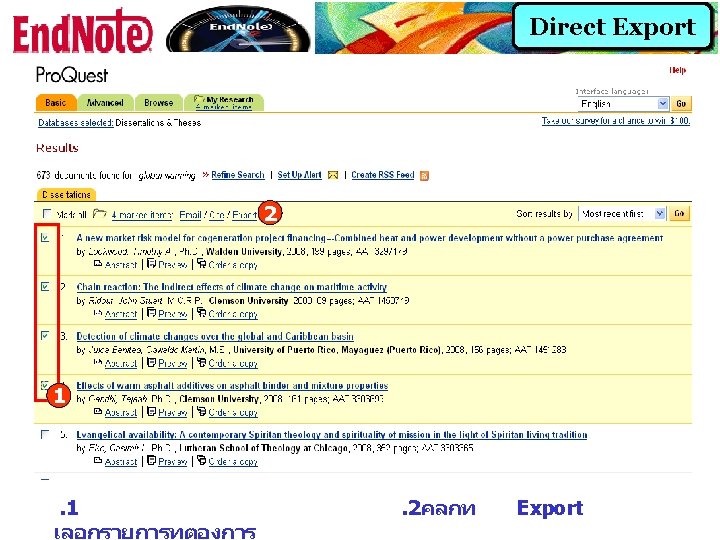
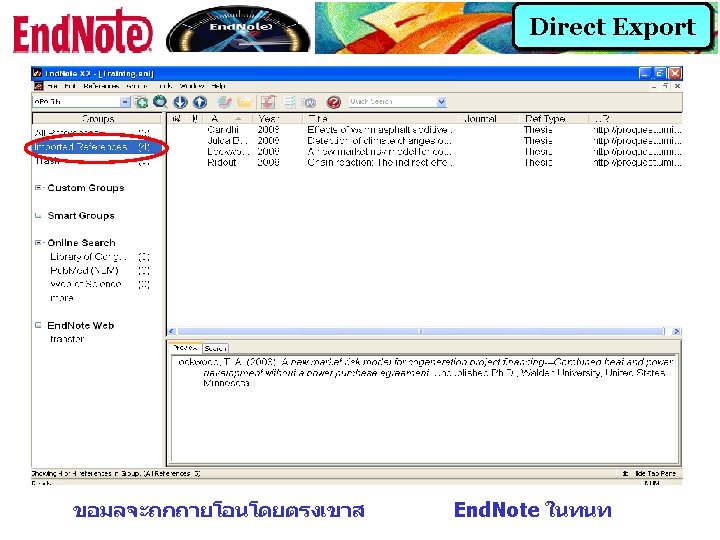
Direct Export
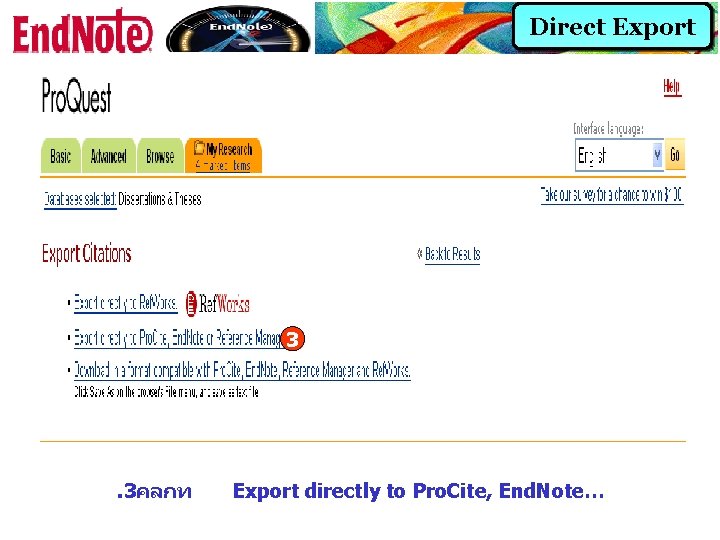
Direct Export 3 . 3คลกท Export directly to Pro. Cite, End. Note…
Importing Reference Data into End. Note
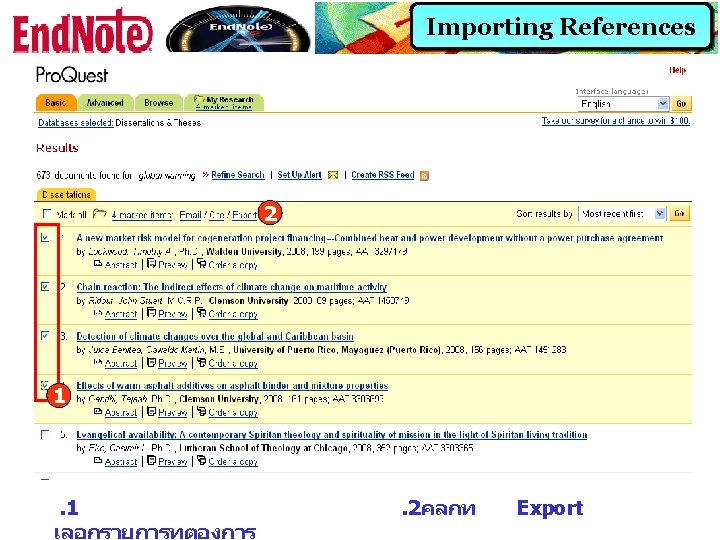
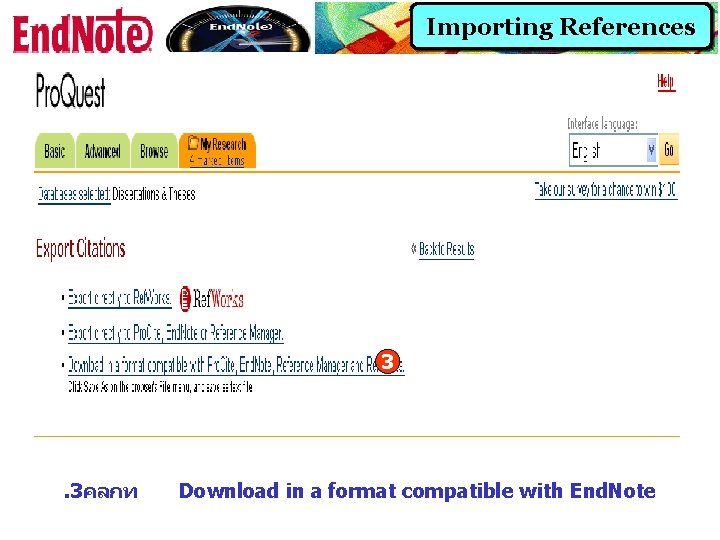
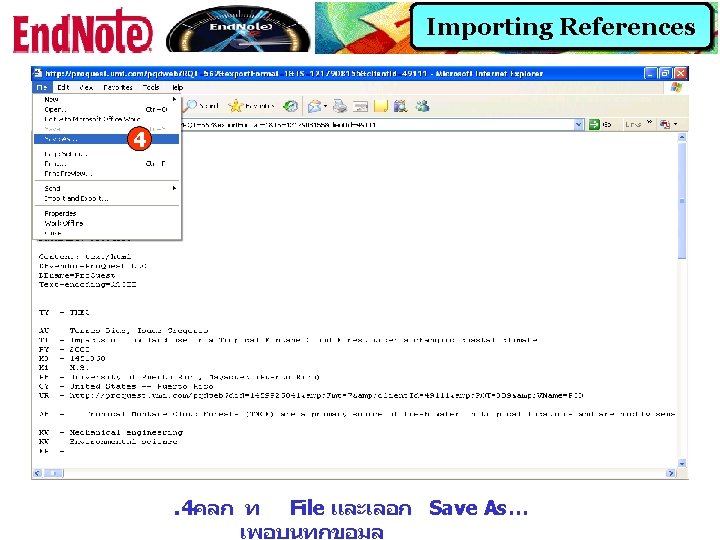
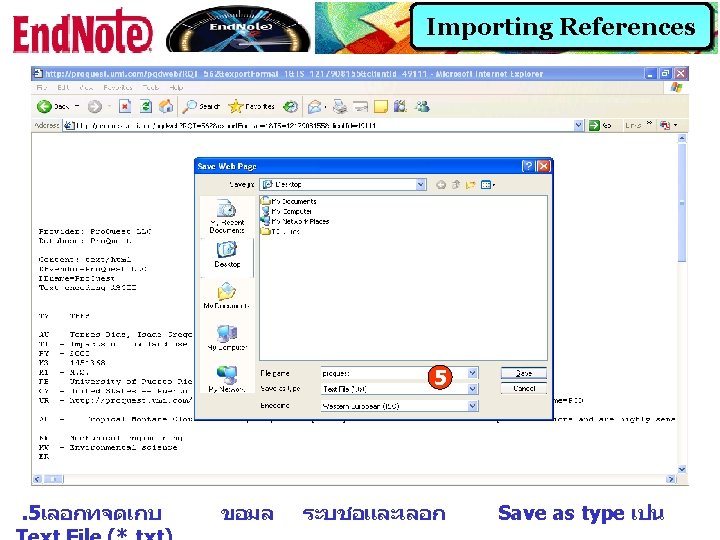
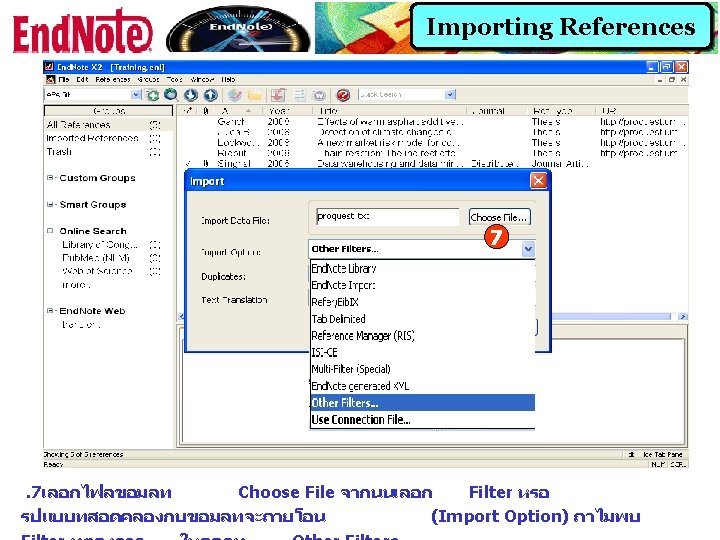
Importing References 3 . 3คลกท Download in a format compatible with End. Note
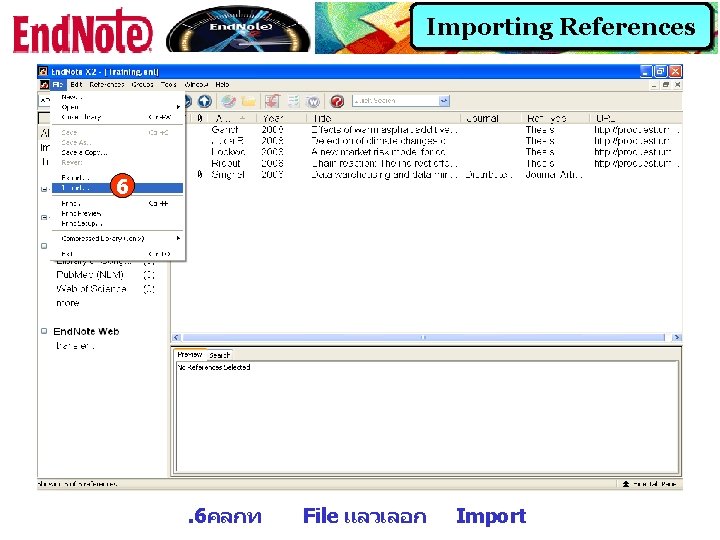
Importing References 6 . 6คลกท File แลวเลอก Import
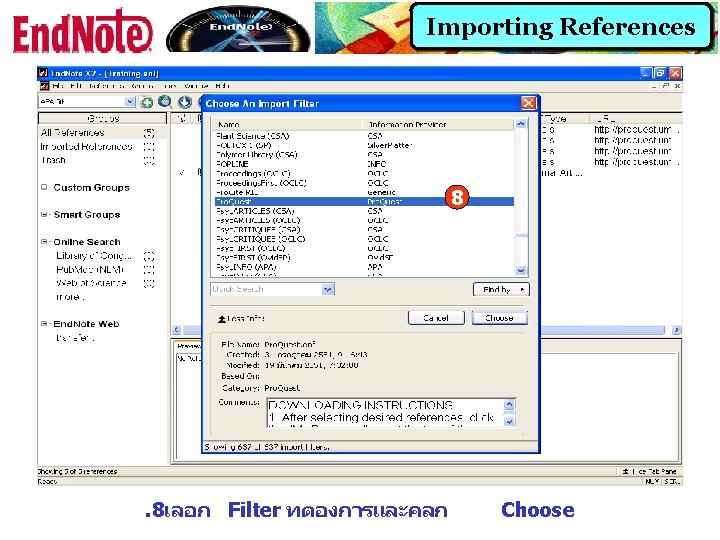
Importing References 8 . 8เลอก Filter ทตองการและคลก Choose
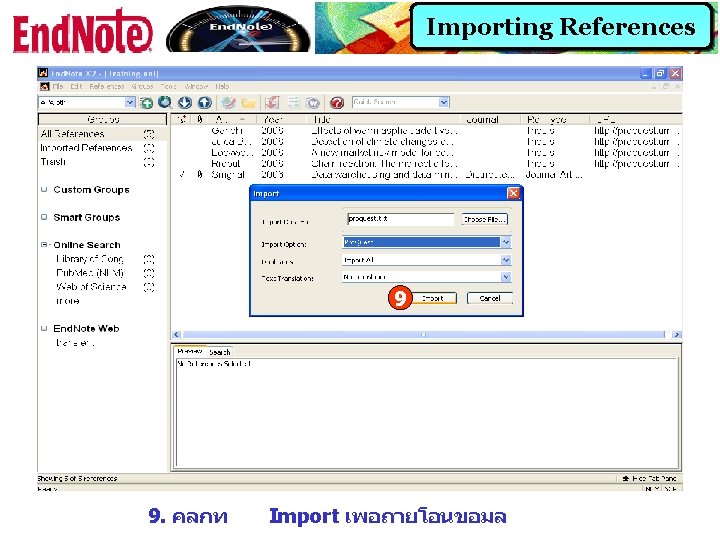
Importing References 9 9. คลกท Import เพอถายโอนขอมล
Searching Online Databases
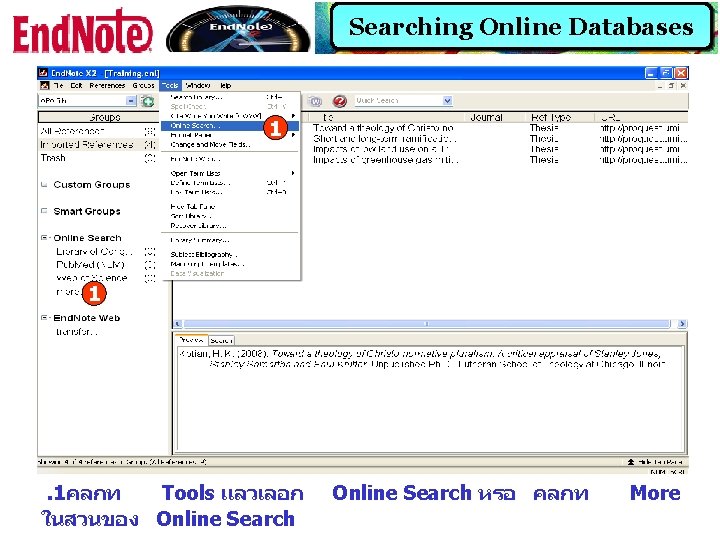
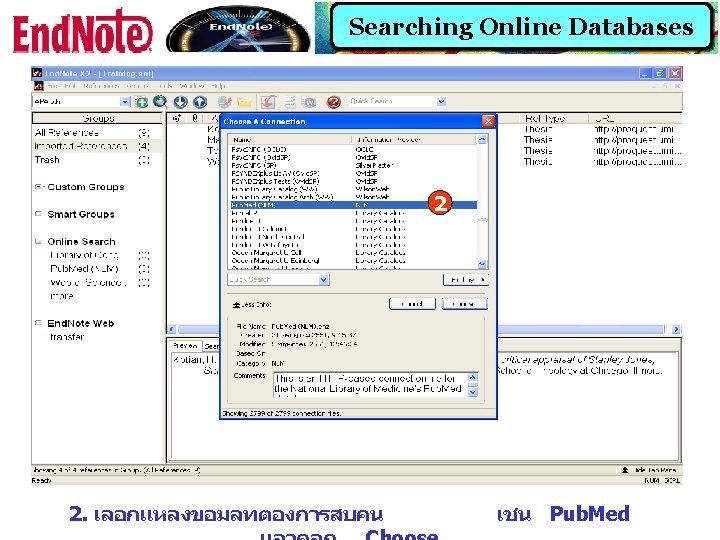
Searching Online Databases 1 1 . 1คลกท Tools แลวเลอก ในสวนของ Online Search หรอ คลกท More
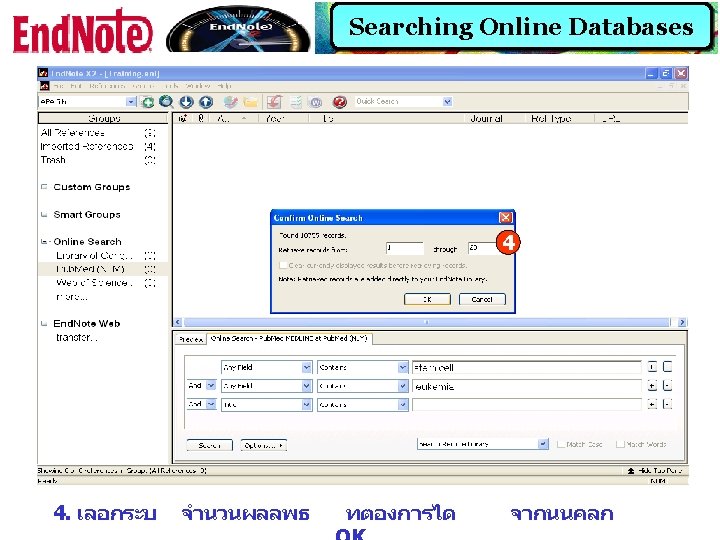
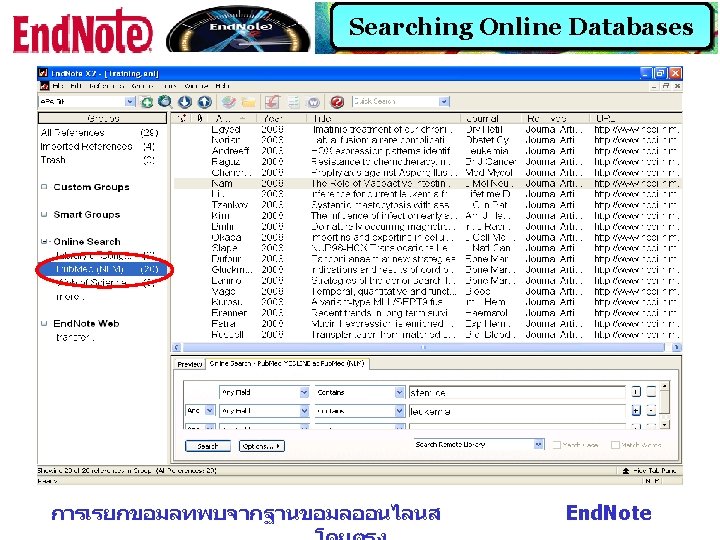
Searching Online Databases 3 3. พมพคำคนทตองการ แลวคลก Search
Create Custom Group
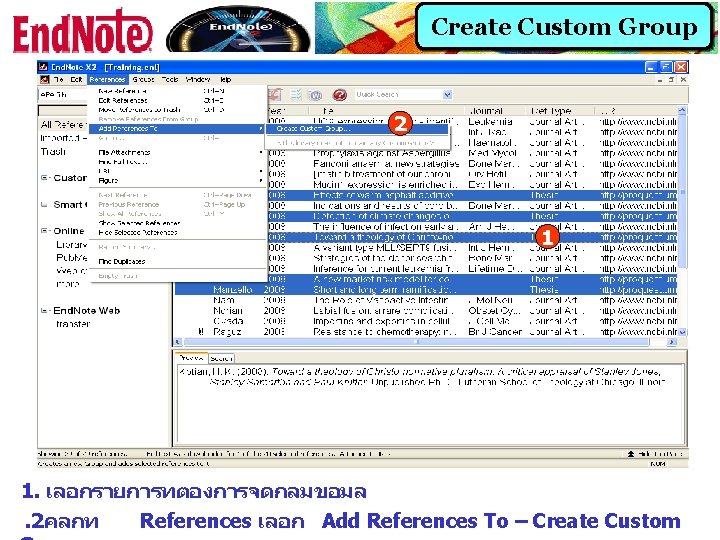
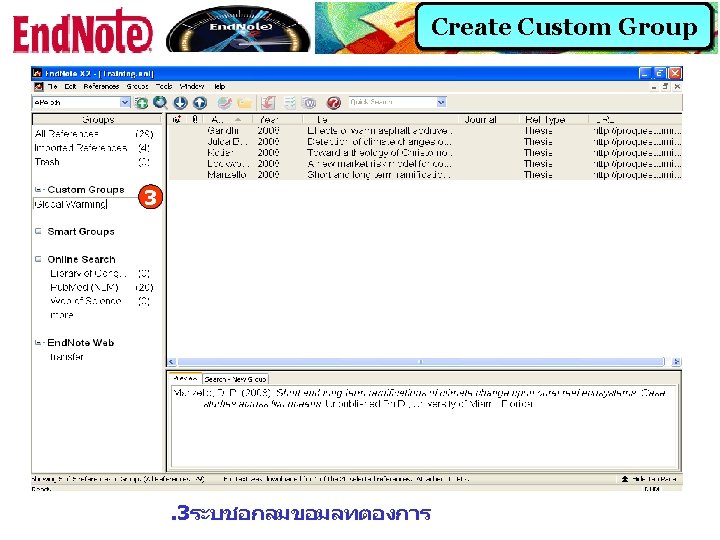
Create Custom Group 2 1 1. เลอกรายการทตองการจดกลมขอมล. 2คลกท References เลอก Add References To – Create Custom
Create Smart Group
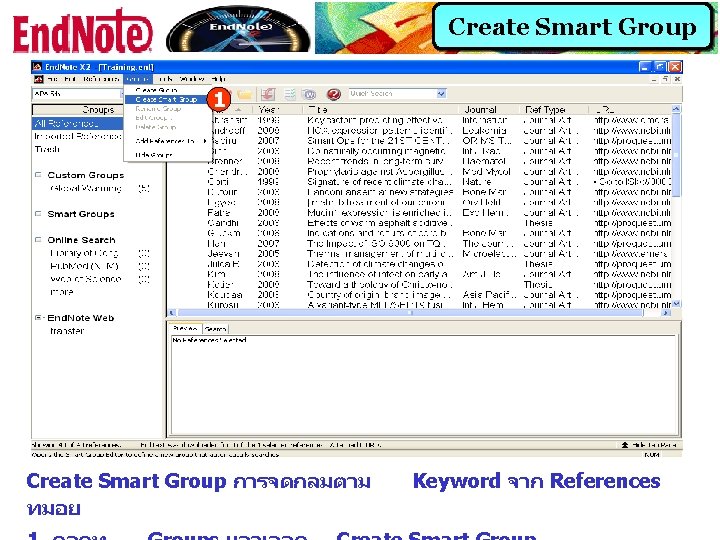
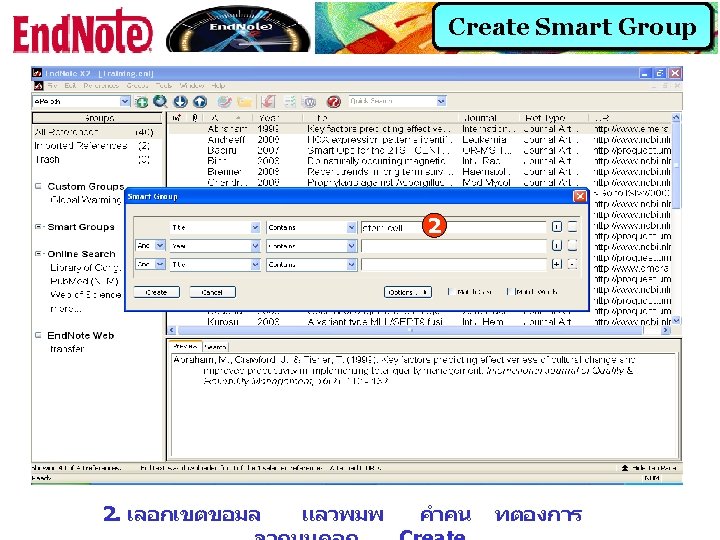
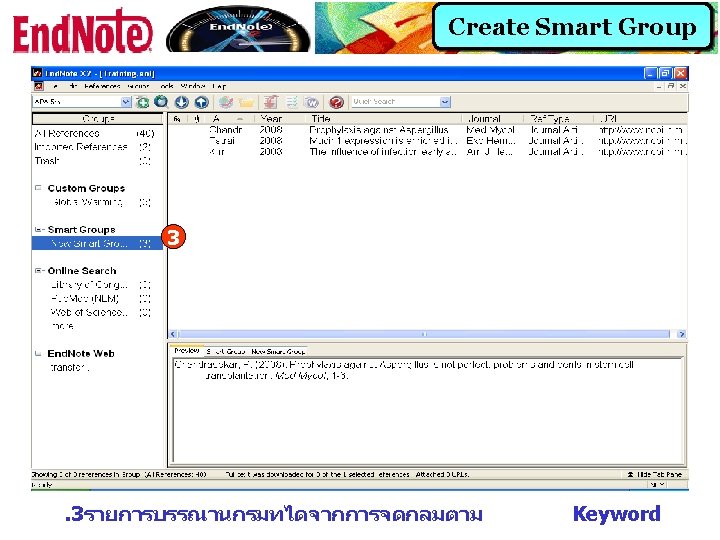
Create Smart Group 1 Create Smart Group การจดกลมตาม ทมอย Keyword จาก References
Transferring between End. Note Desktop and End. Note Web Libraries
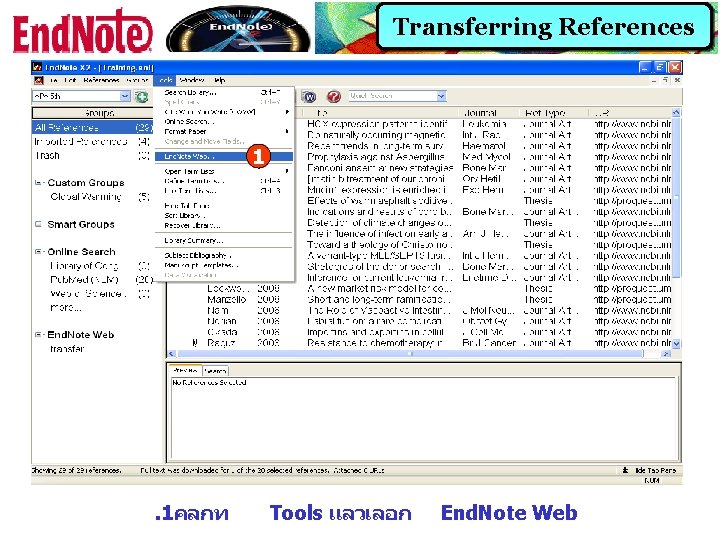
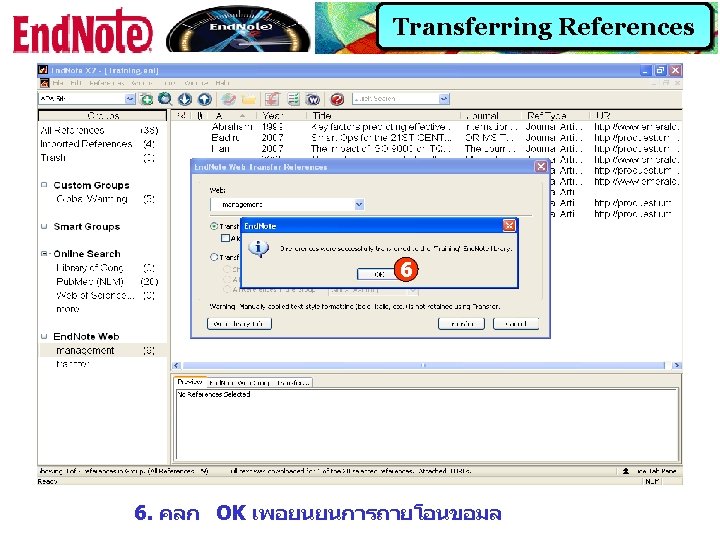
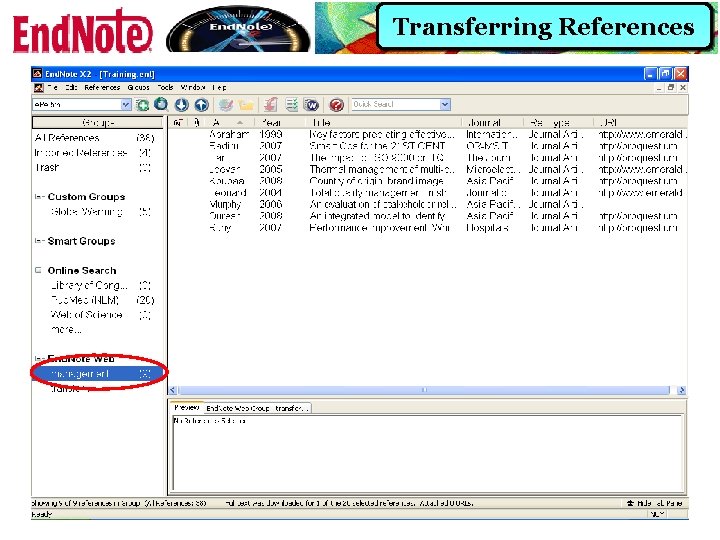
Transferring References 1 . 1คลกท Tools แลวเลอก End. Note Web
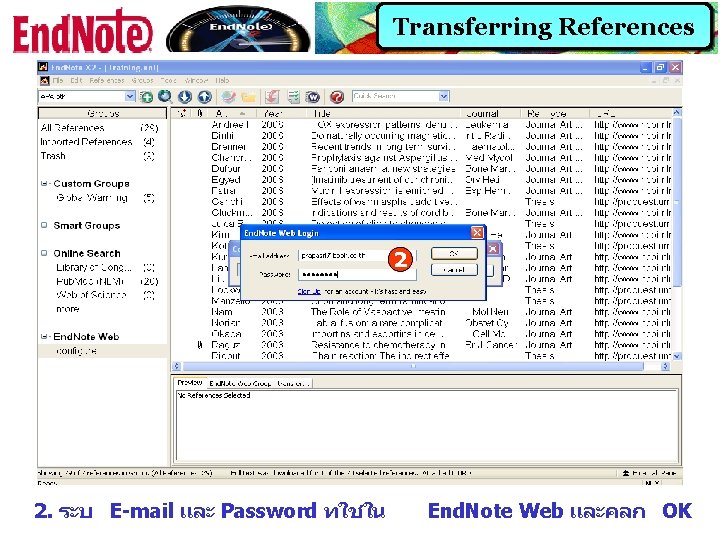
Transferring References 2 2. ระบ E-mail และ Password ทใชใน End. Note Web และคลก OK
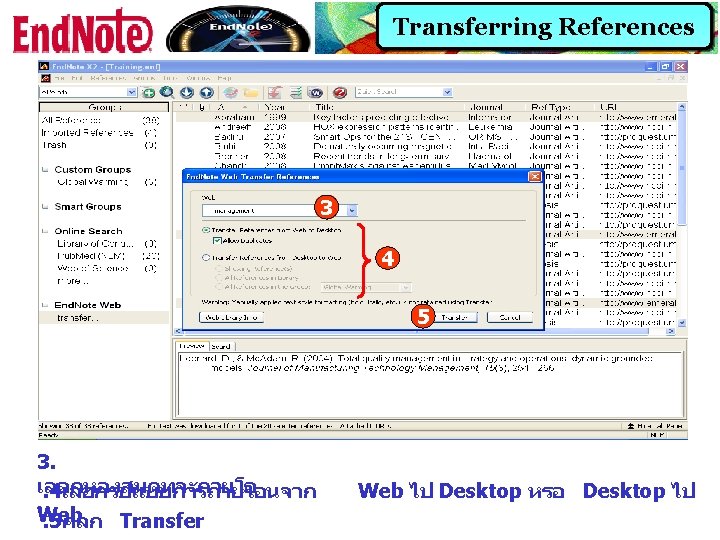
Transferring References
Using End. Note With Microsoft Word
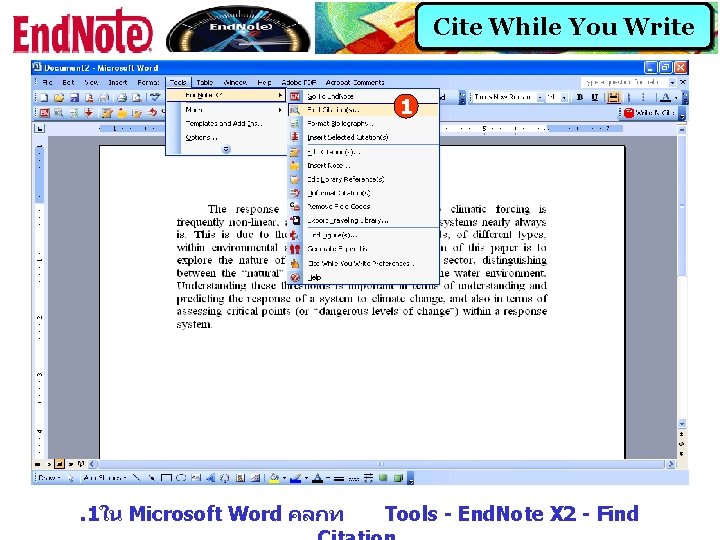
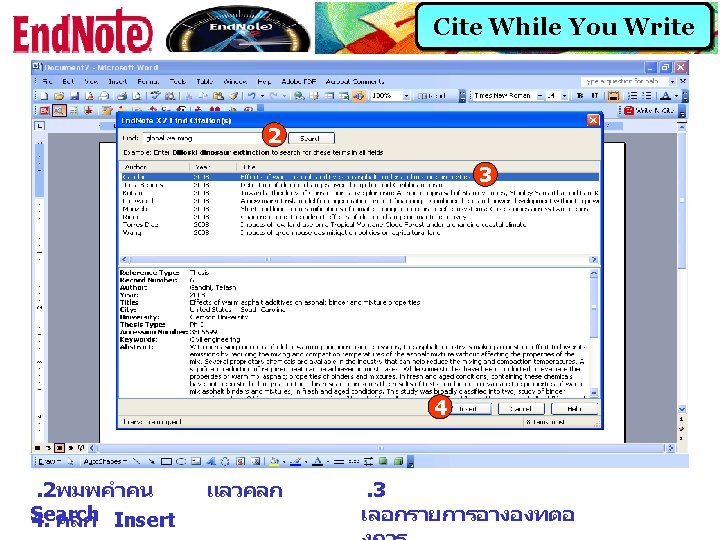
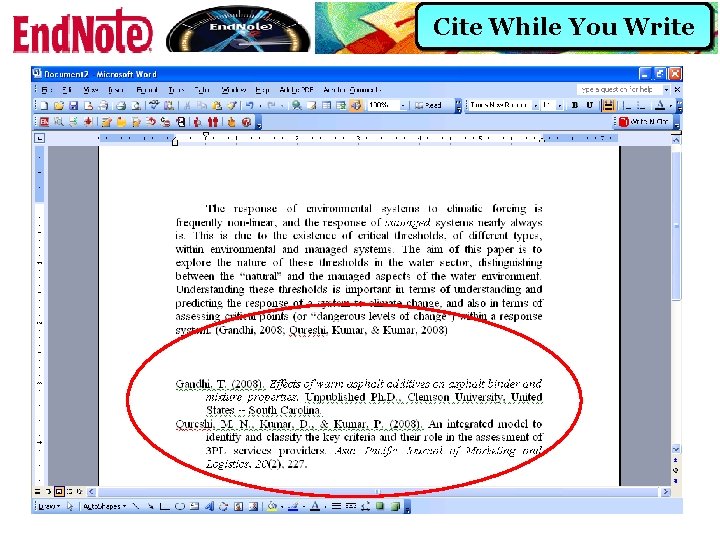
Cite While You Write 1 . 1ใน Microsoft Word คลกท Tools - End. Note X 2 - Find
Cite While You Write
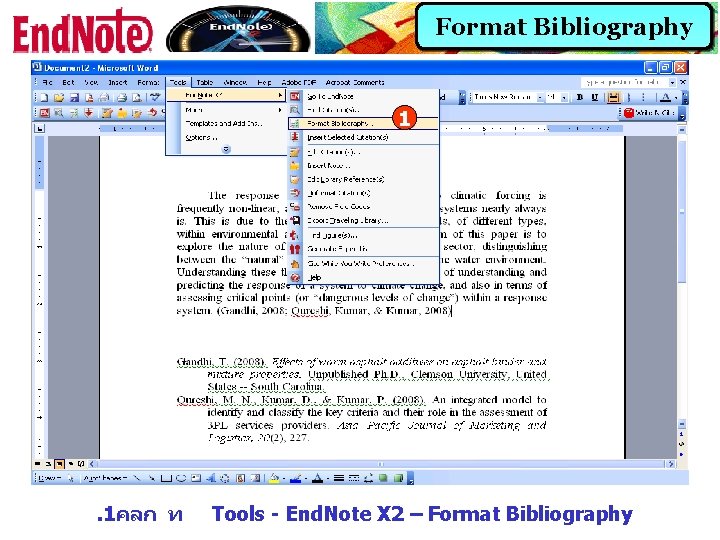
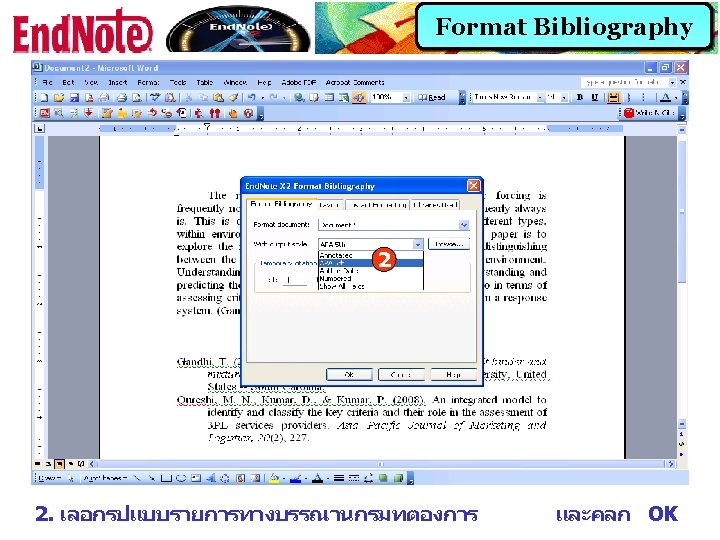
Format Bibliography 1 . 1คลก ท Tools - End. Note X 2 – Format Bibliography
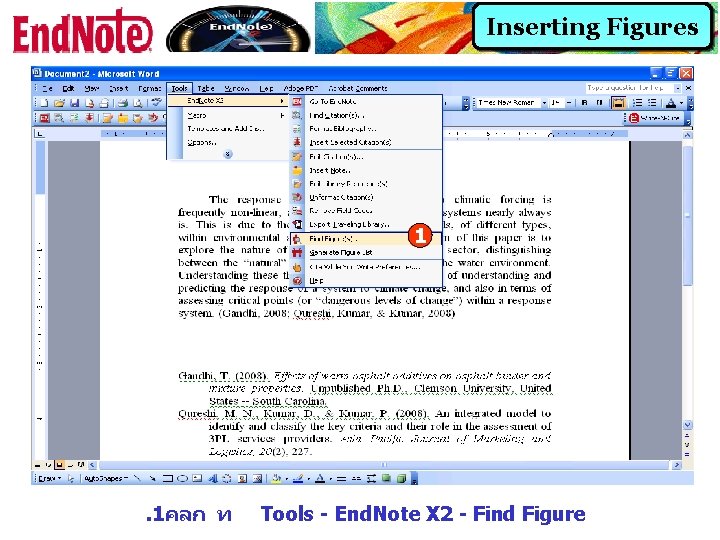
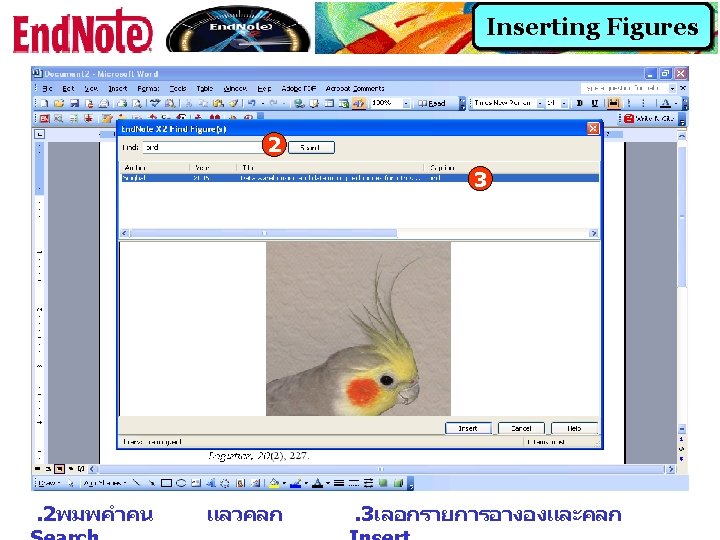
Inserting Figures 1 . 1คลก ท Tools - End. Note X 2 - Find Figure
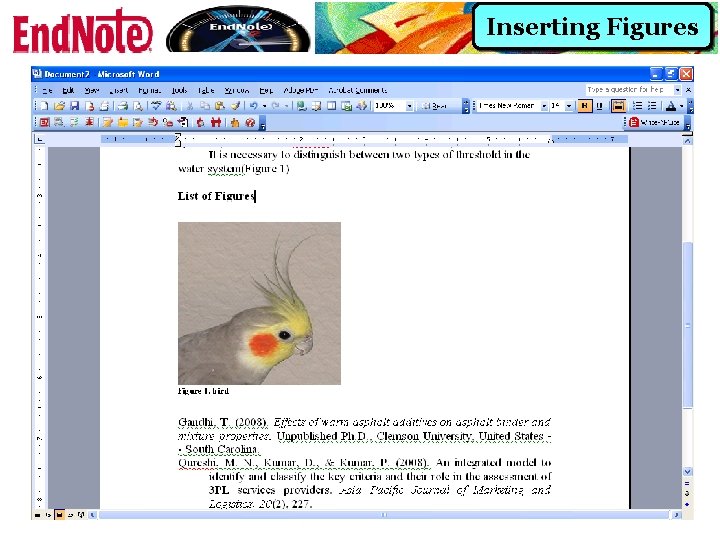
Inserting Figures