
STARREZ Presented by Becki Bury Ricky Boggs Learning
STARREZ Presented by: Becki Bury & Ricky Boggs
Learning Outcomes • Participants will be provided instruction on the use and scope of Star. Rez for different levels of staff • Participants will be provided instruction on key management using Star. Rez • Participants will be provided instruction on package management using Star. Rez • Participants will be provided instruction on occupancy management in Star. Rez • Participants will be provided instruction on the closing appointment procedures in Star. Rez • Participants will be provided instruction on viewing a resident’s information in Star. Rez
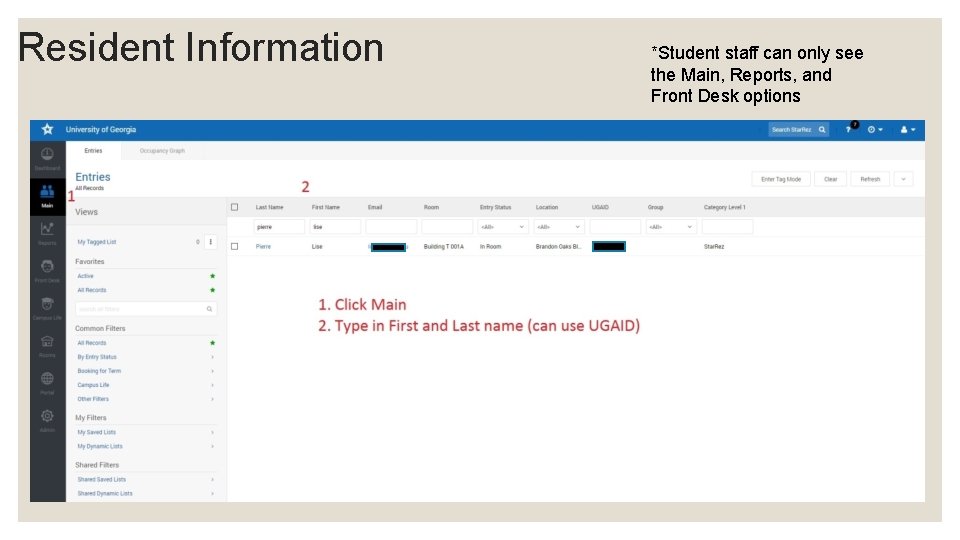
Resident Information *Student staff can only see the Main, Reports, and Front Desk options
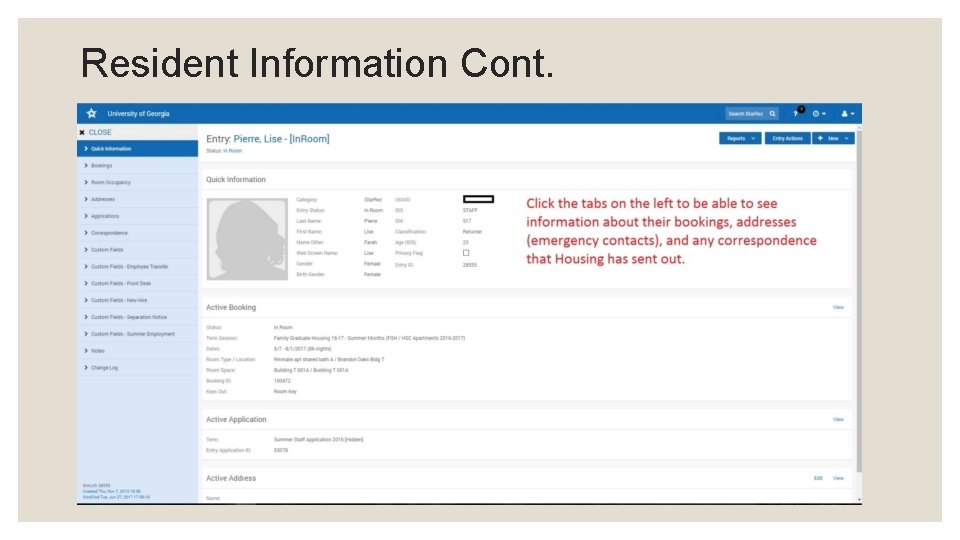
Resident Information Cont.

RUNNING A REPORT
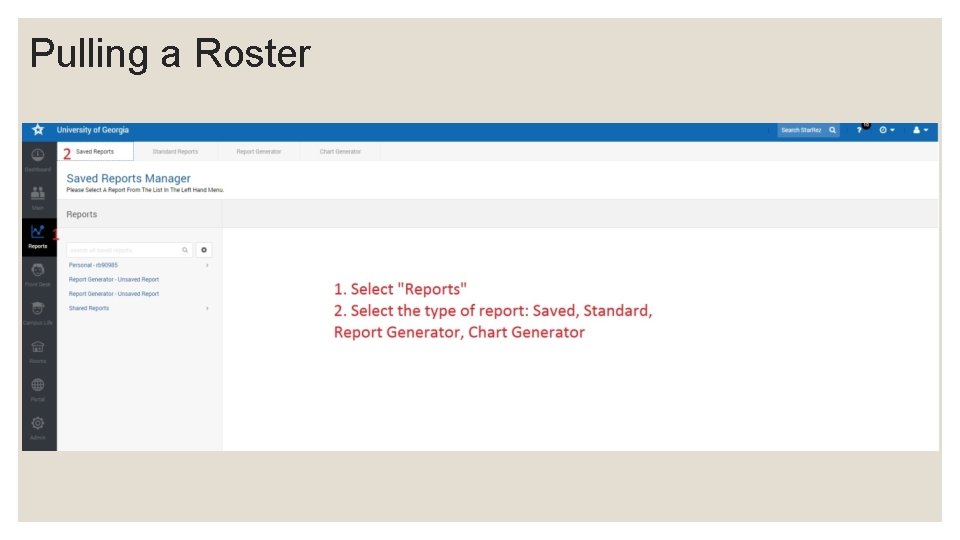
Pulling a Roster
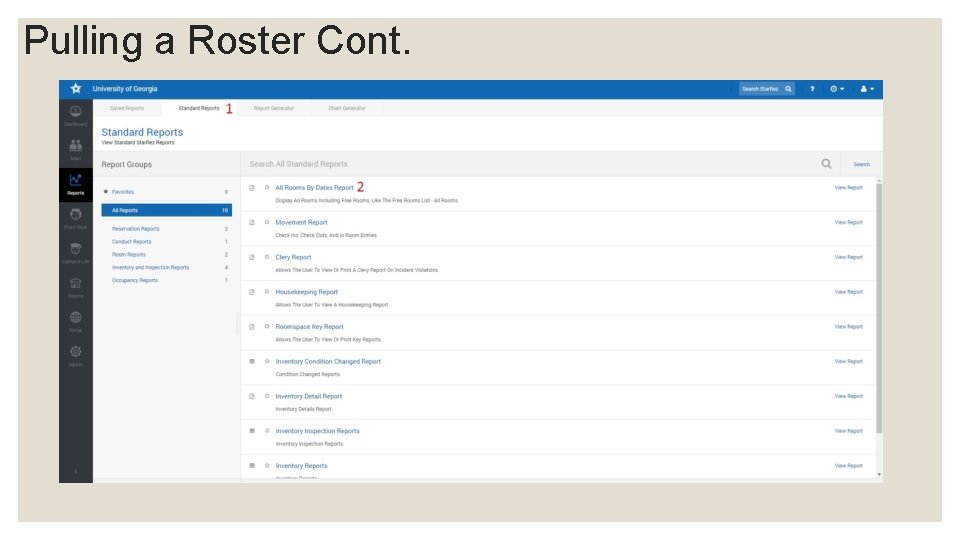
Pulling a Roster Cont.
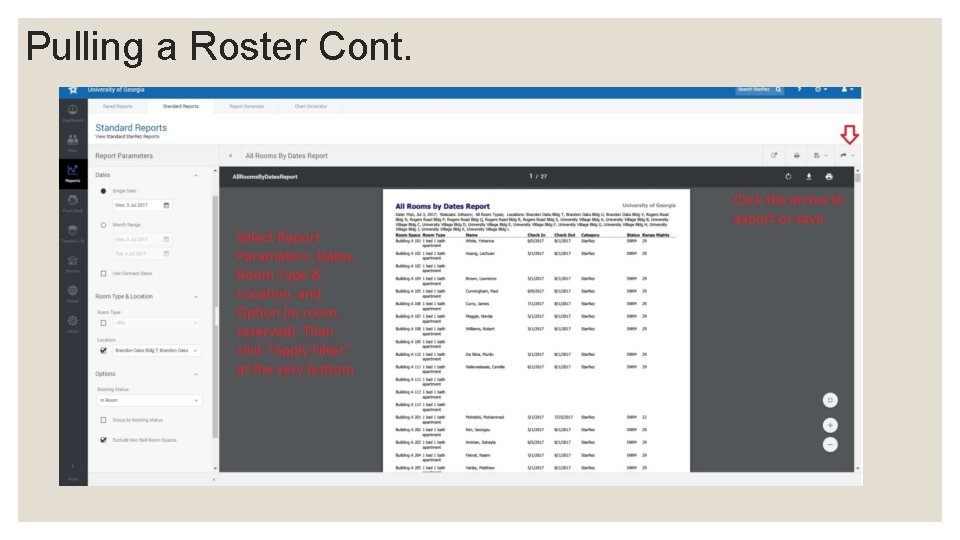
Pulling a Roster Cont.
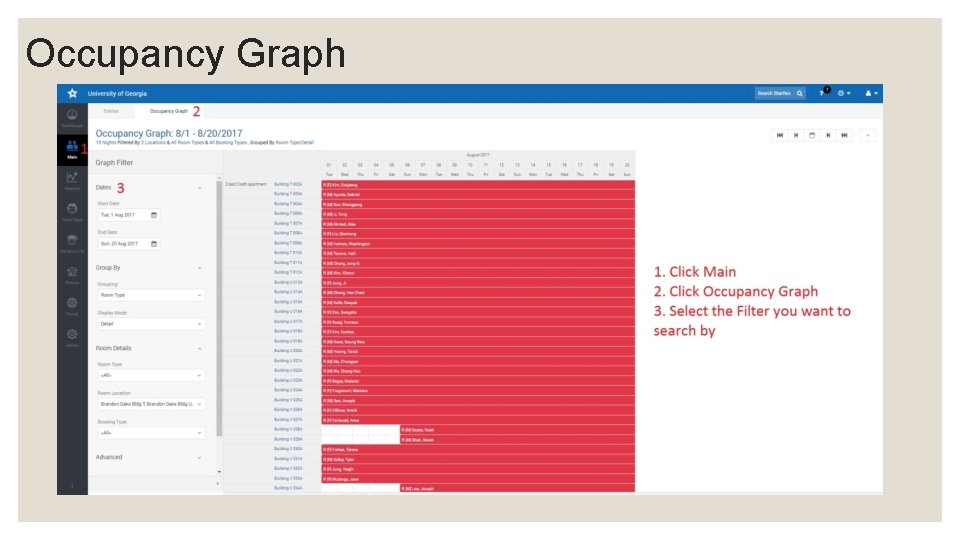
Occupancy Graph
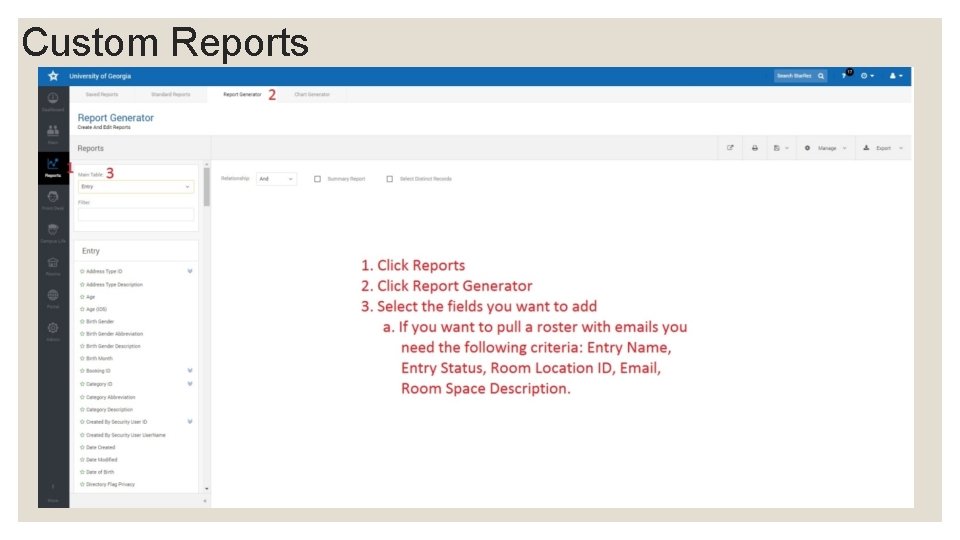
Custom Reports
EMPLOYEE INFORMATION
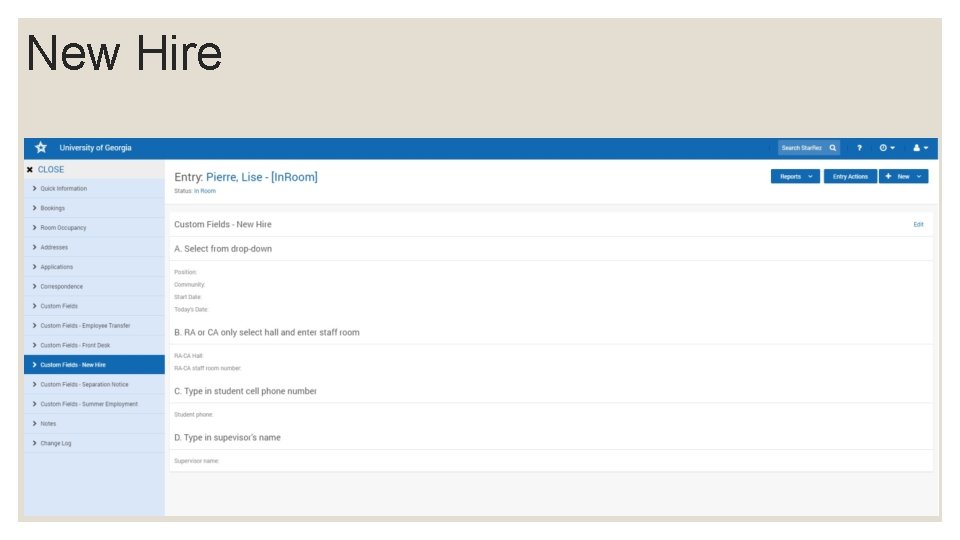
New Hire
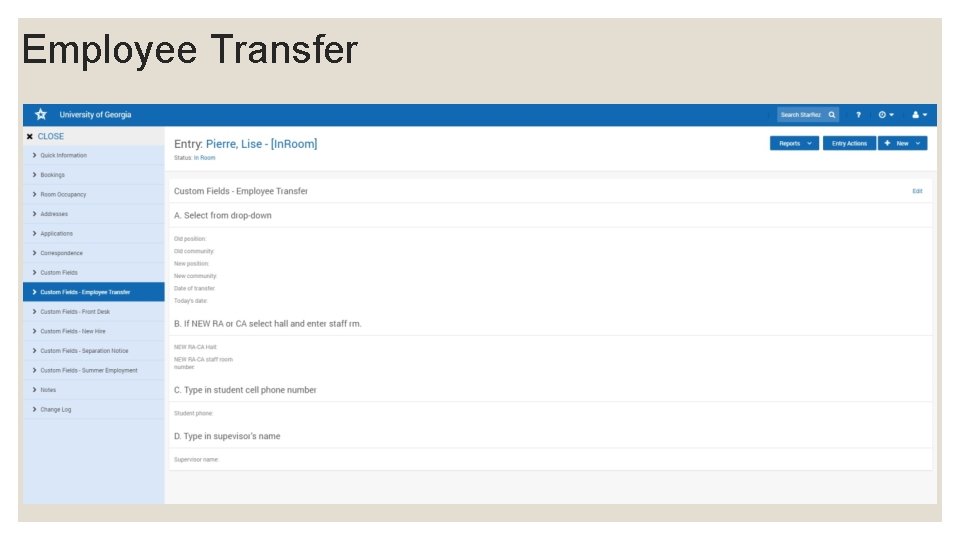
Employee Transfer
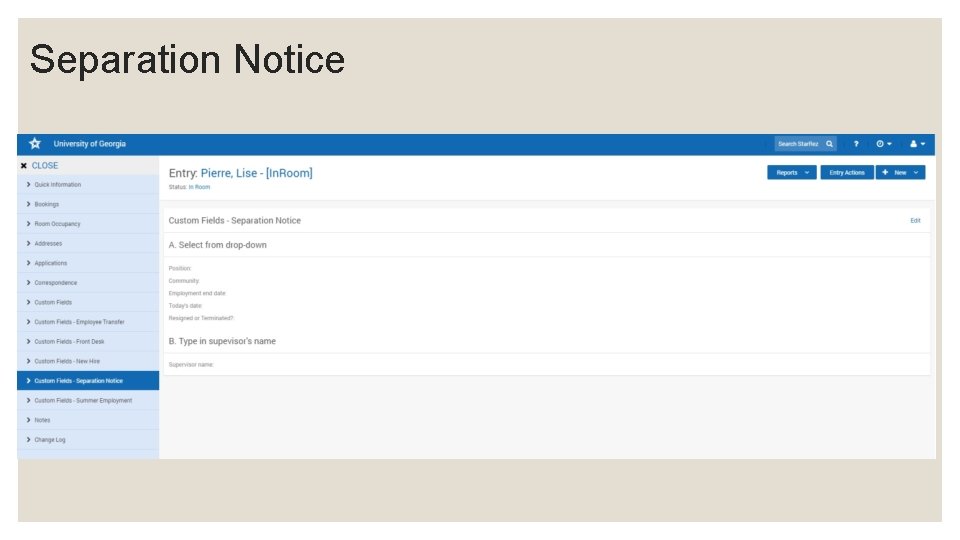
Separation Notice

KEY INFORMATION
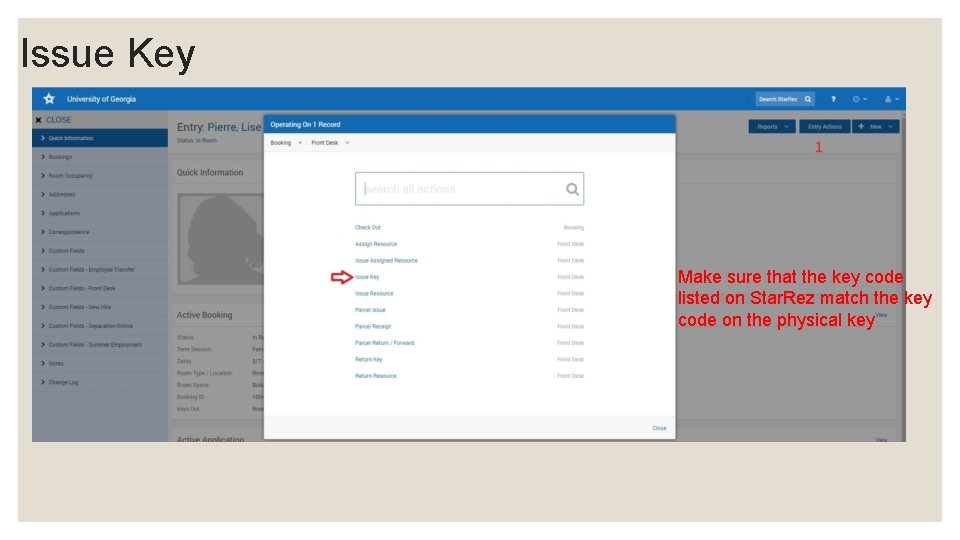
Issue Key Make sure that the key code listed on Star. Rez match the key code on the physical key
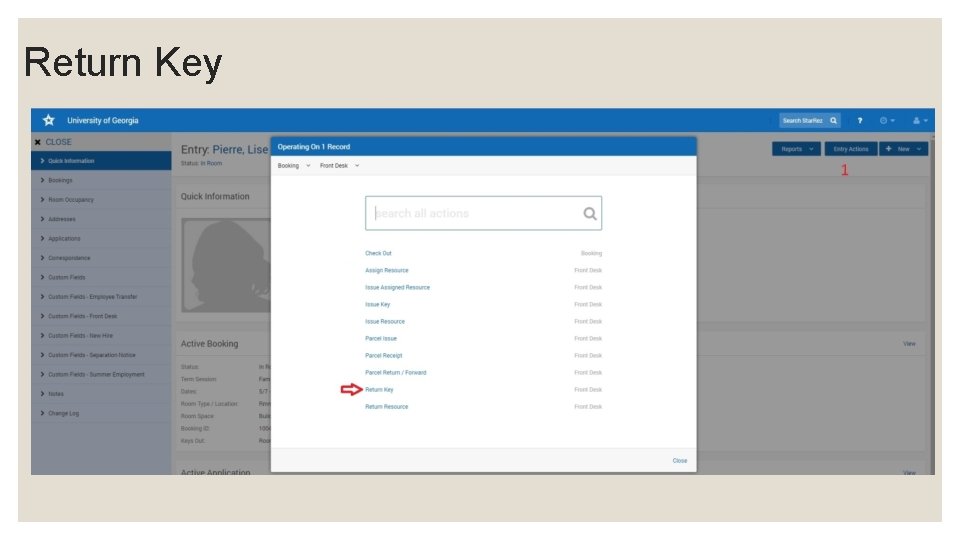
Return Key
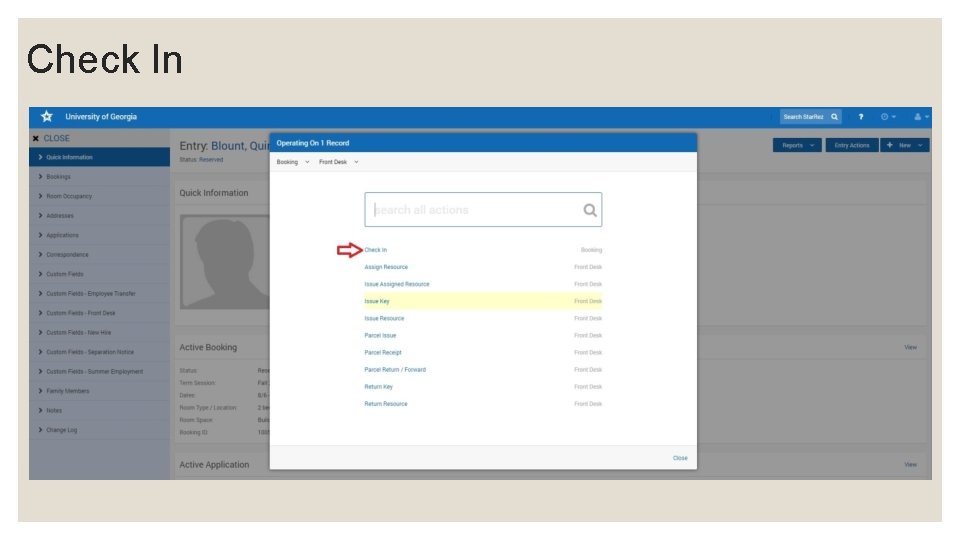
Check In
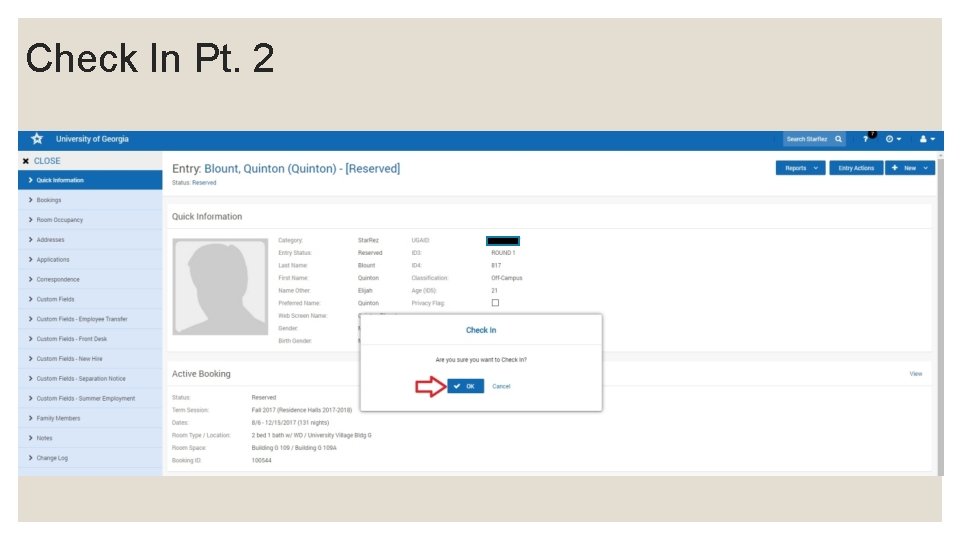
Check In Pt. 2
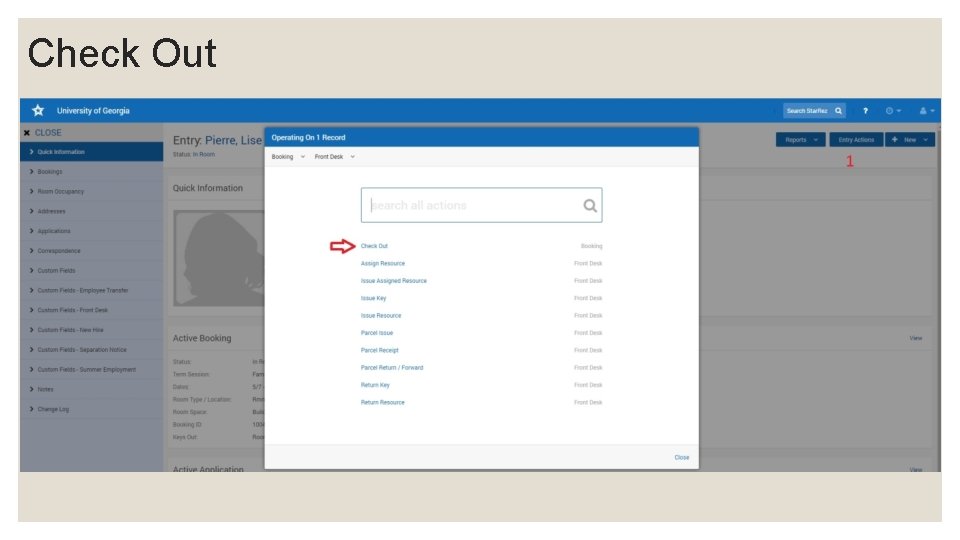
Check Out
LOCK CHANGE
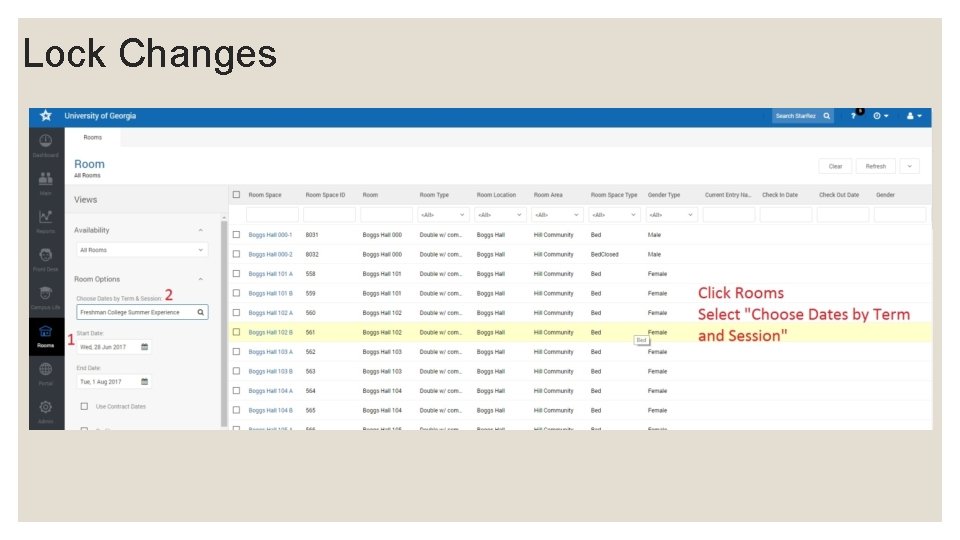
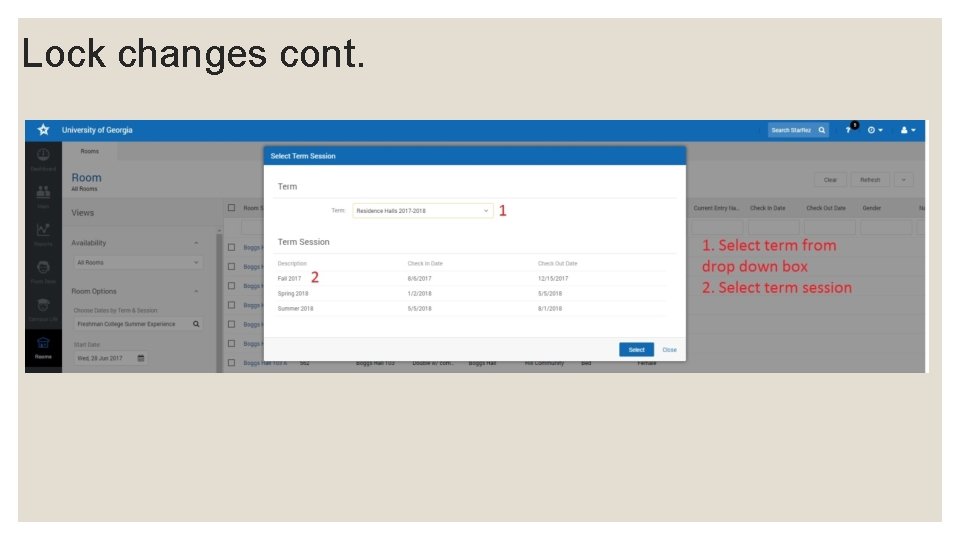
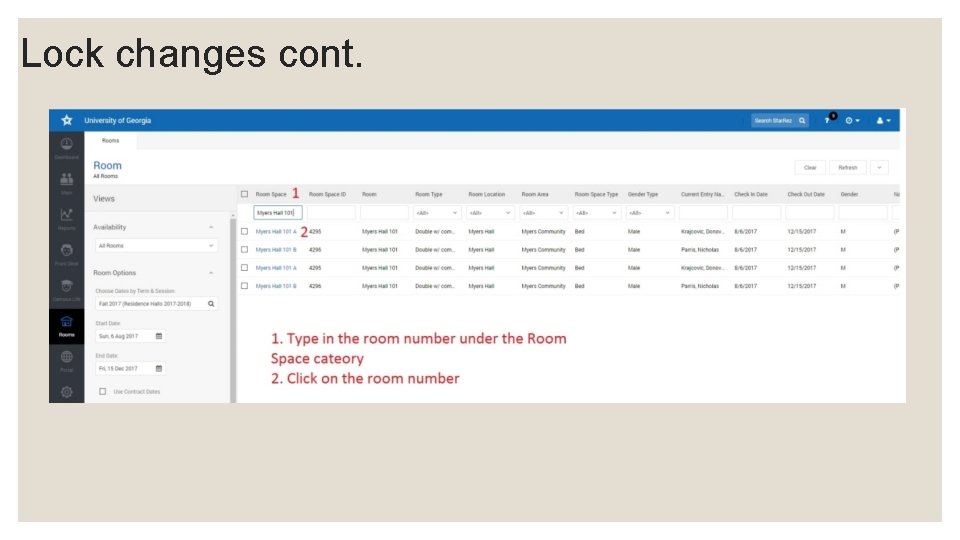
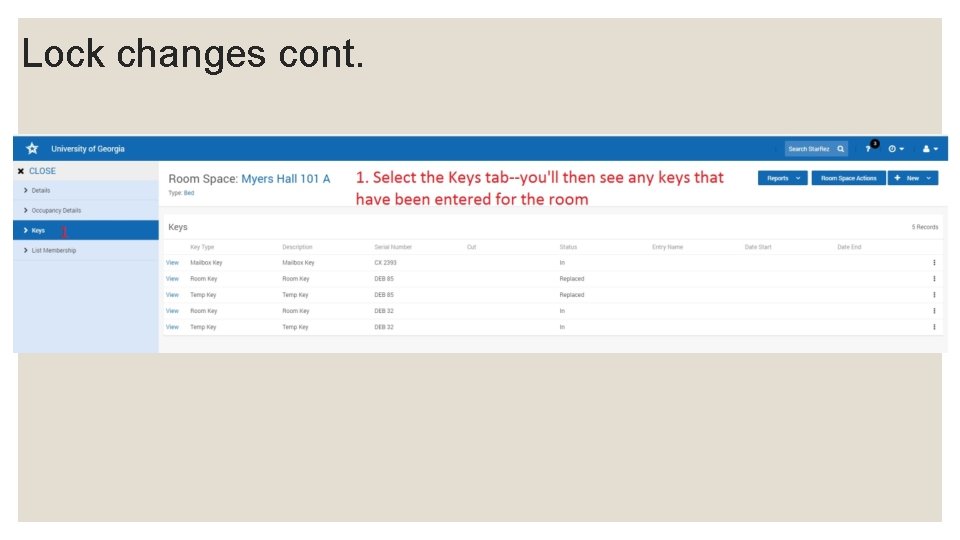
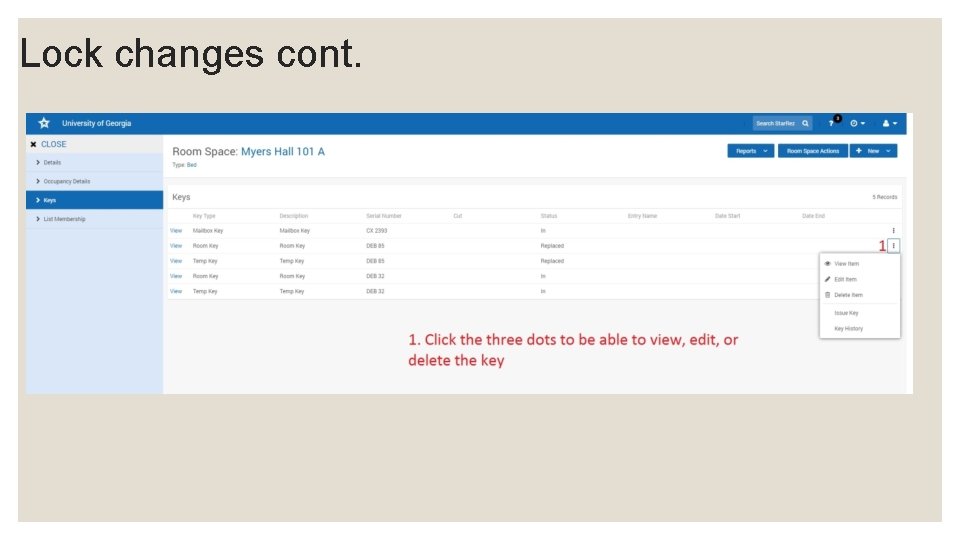
Lock Changes
Lock changes cont.
Lock changes cont.
Lock changes cont.
Lock changes cont.
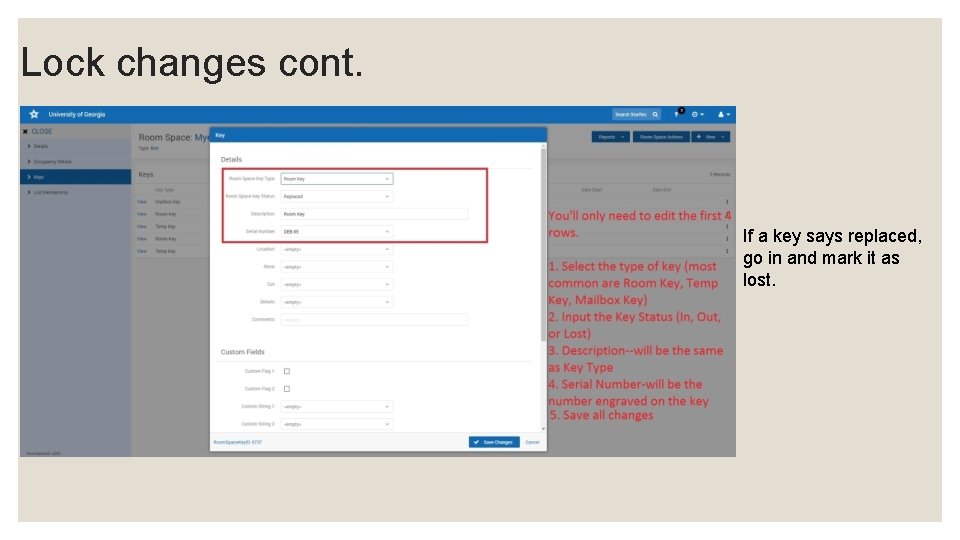
Lock changes cont. If a key says replaced, go in and mark it as lost.
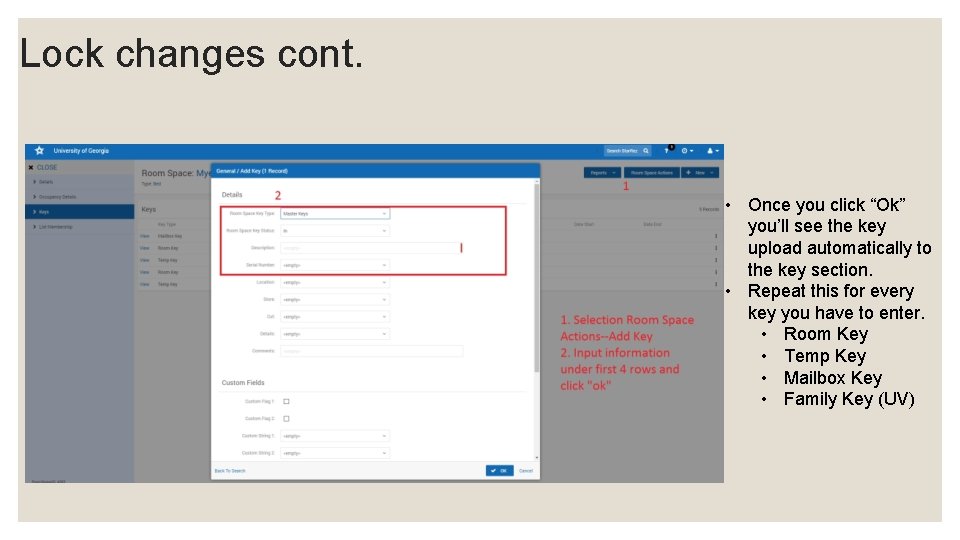
Lock changes cont. • Once you click “Ok” you’ll see the key upload automatically to the key section. • Repeat this for every key you have to enter. • Room Key • Temp Key • Mailbox Key • Family Key (UV)
TIMESLOT MODULE
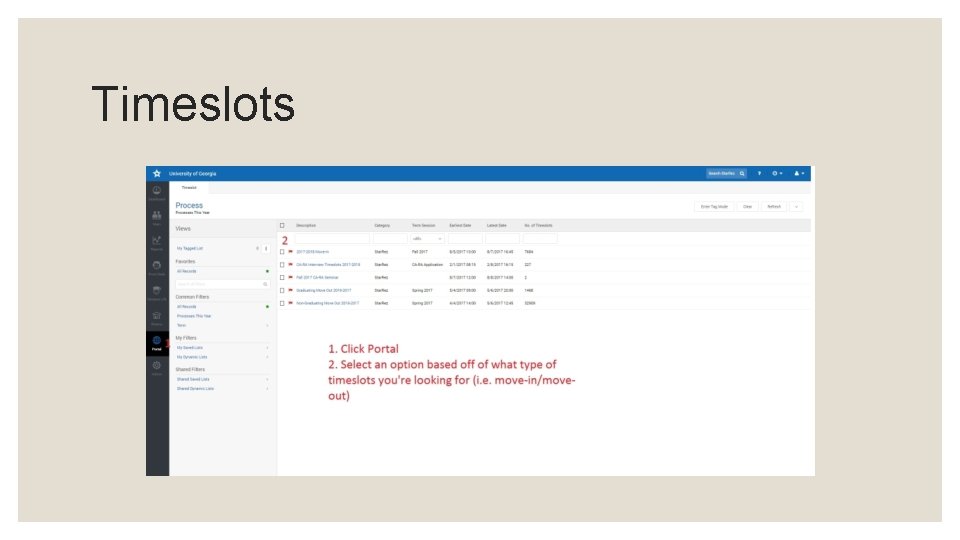
Timeslots
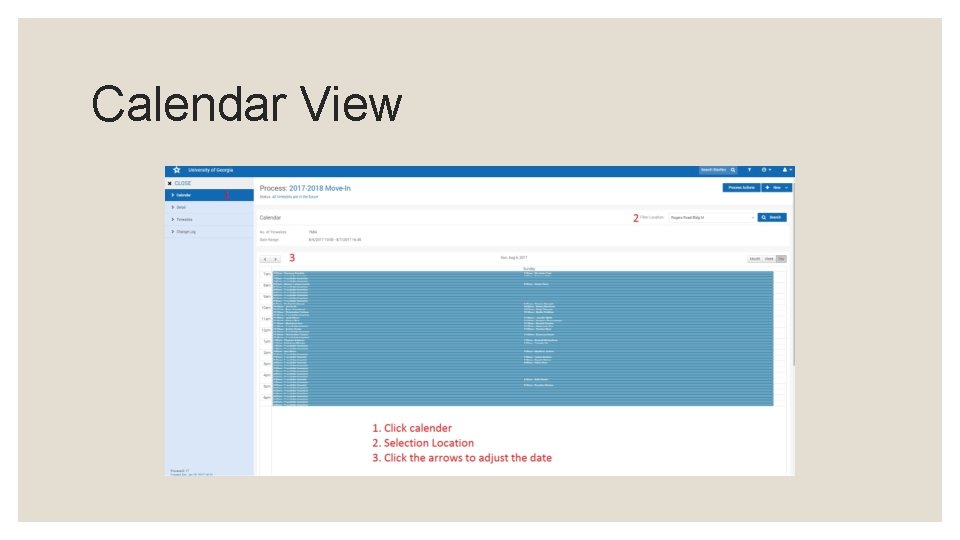
Calendar View
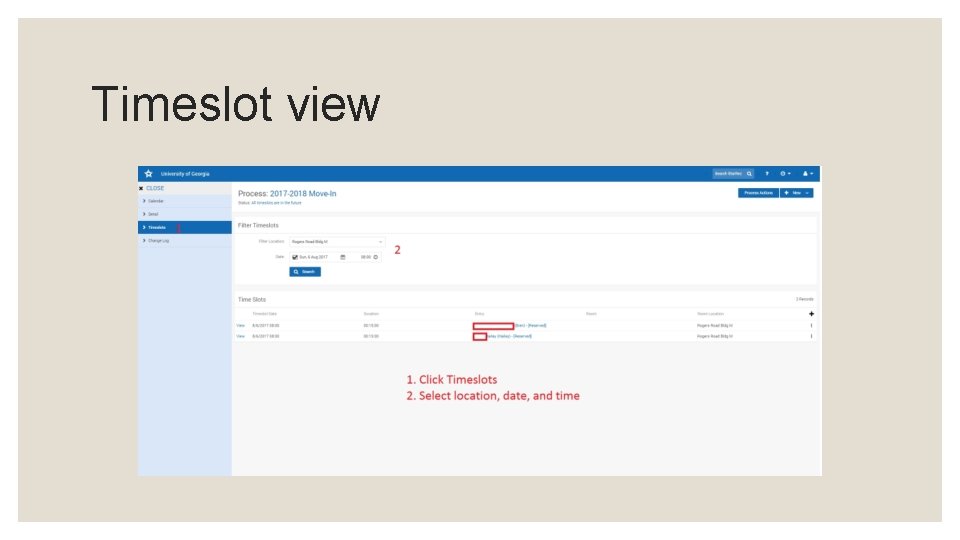
Timeslot view
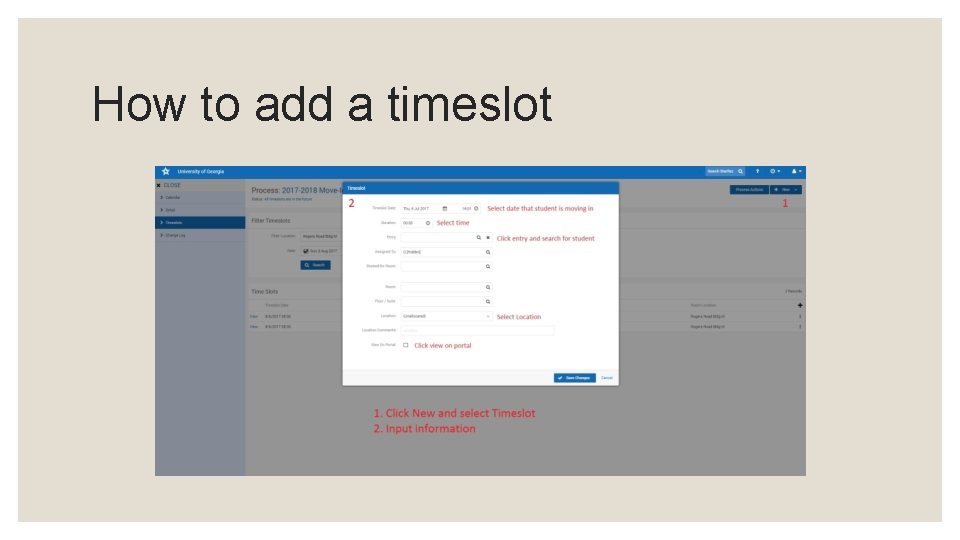
How to add a timeslot
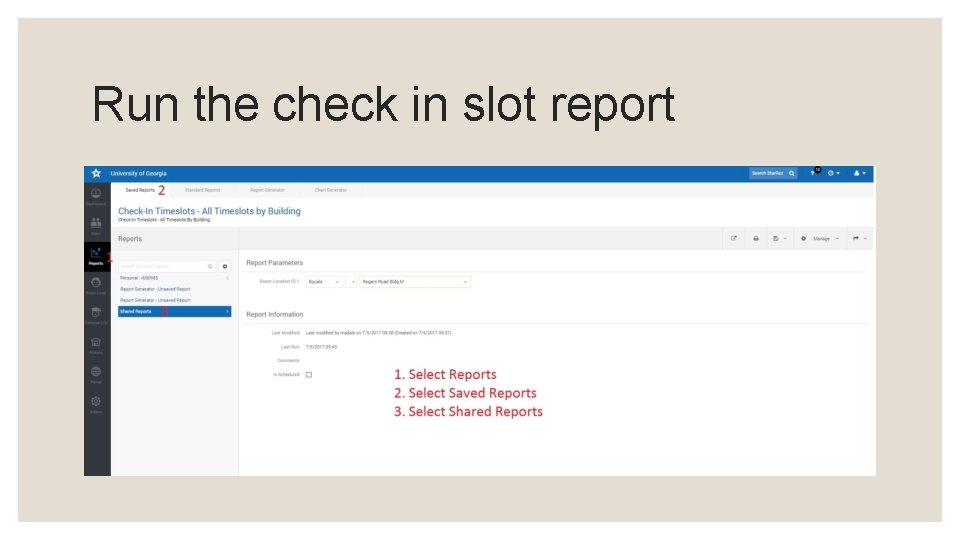
Run the check in slot report
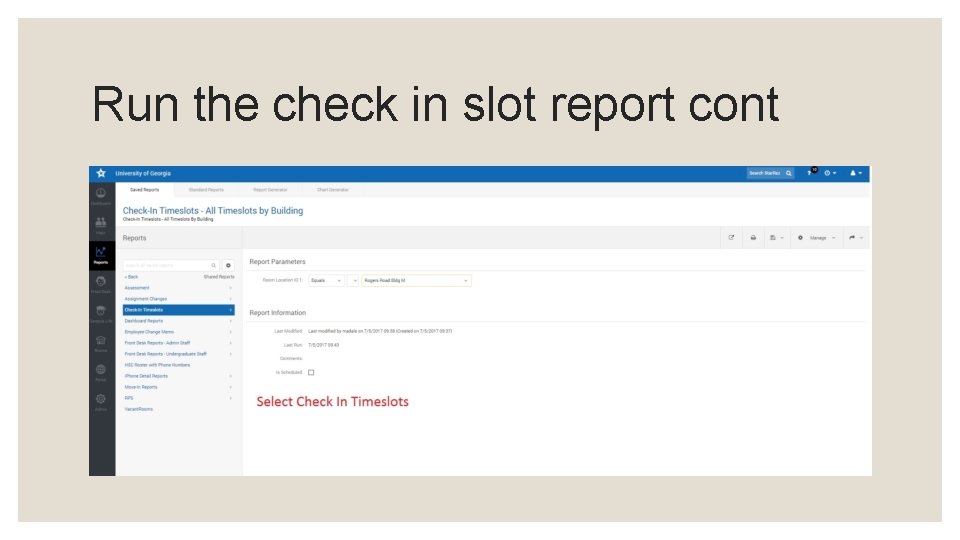
Run the check in slot report cont
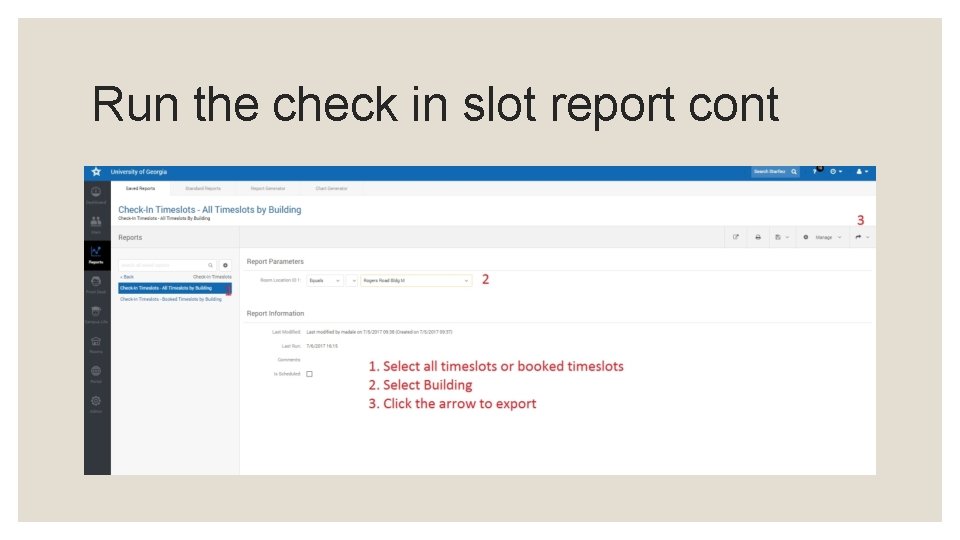
Run the check in slot report cont
CATALOGUING AND SORTING MAIL
Part 1: Receiving A Parcel In Starrez
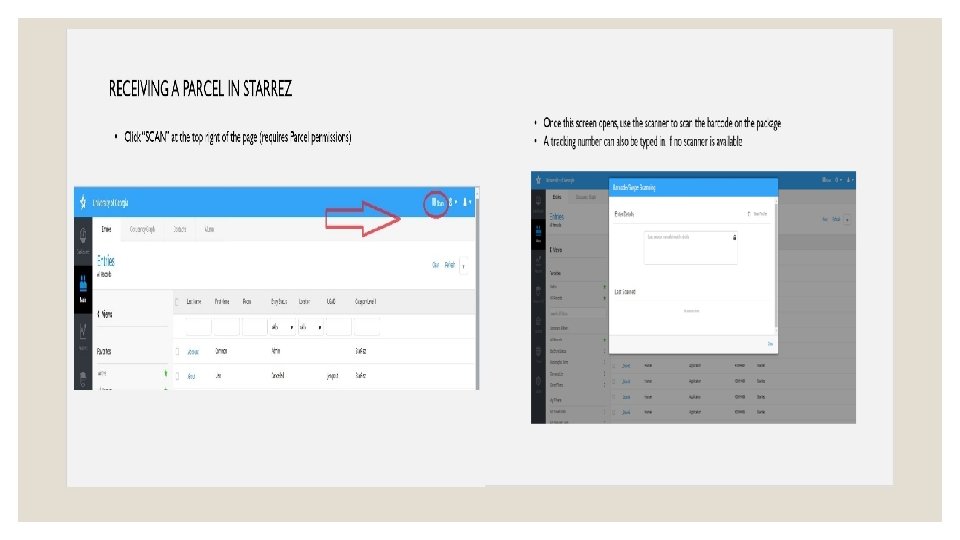
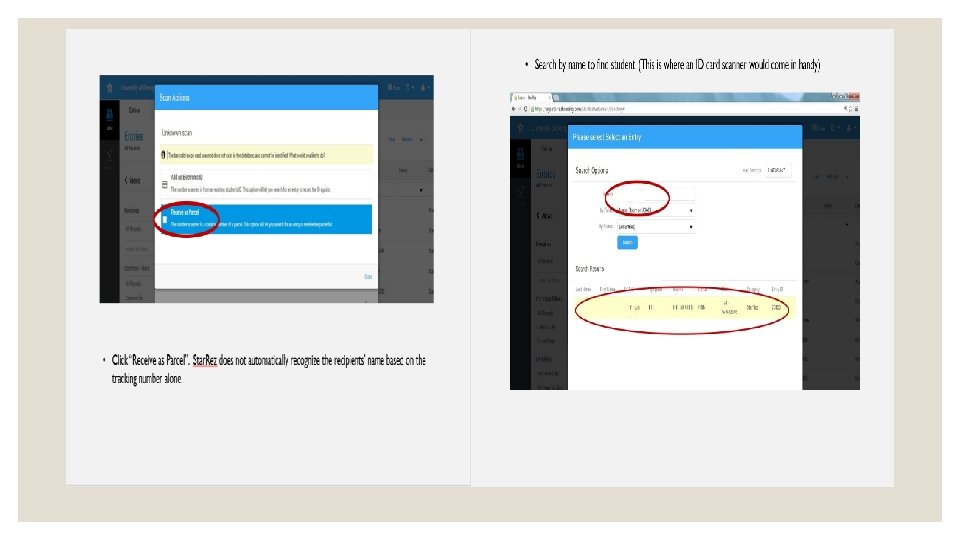
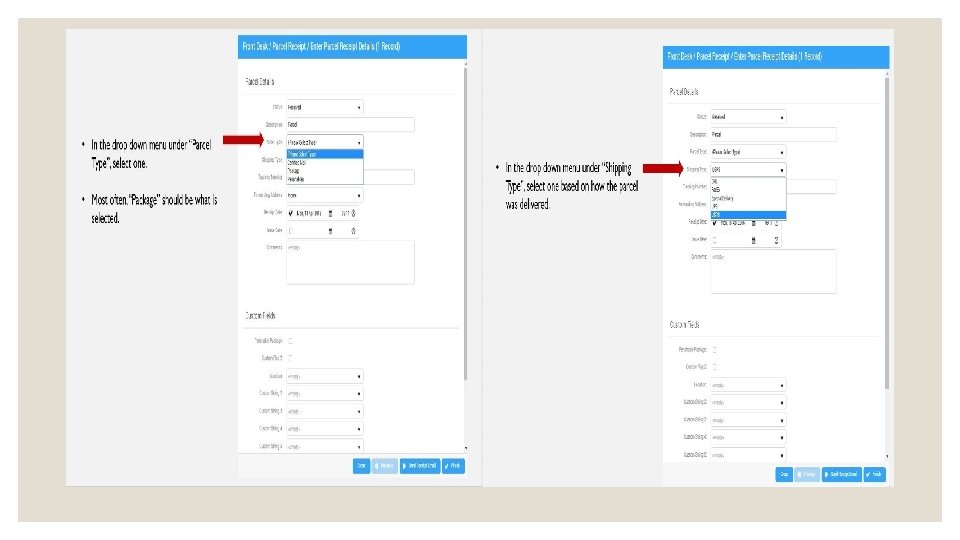
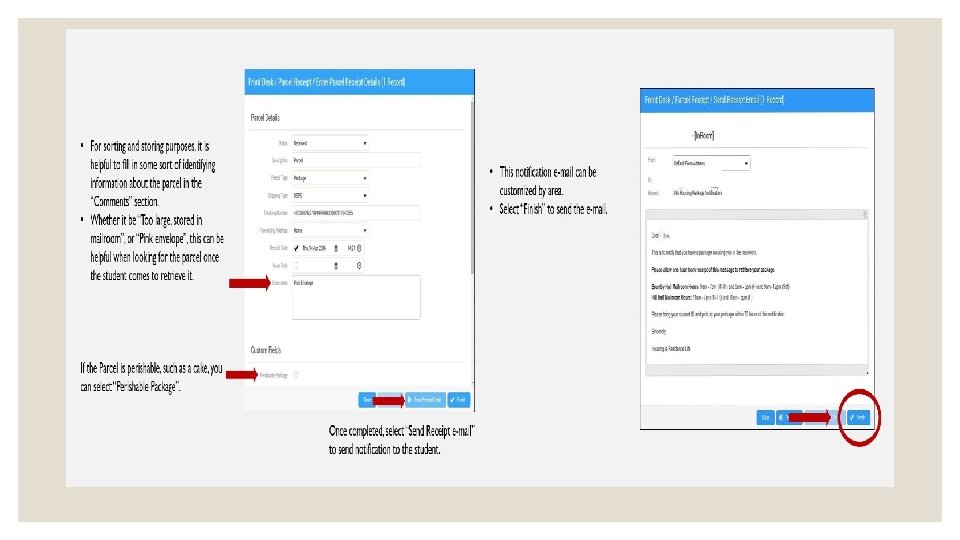
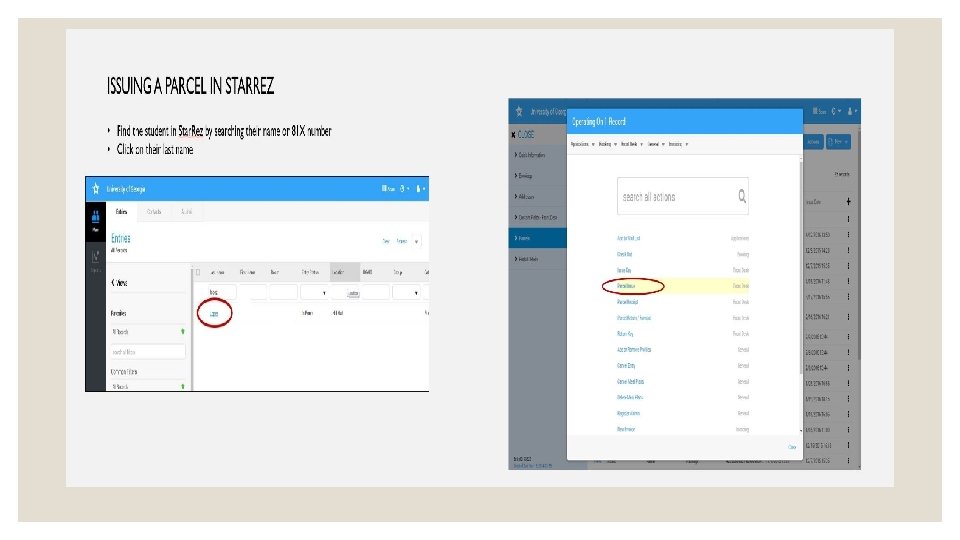
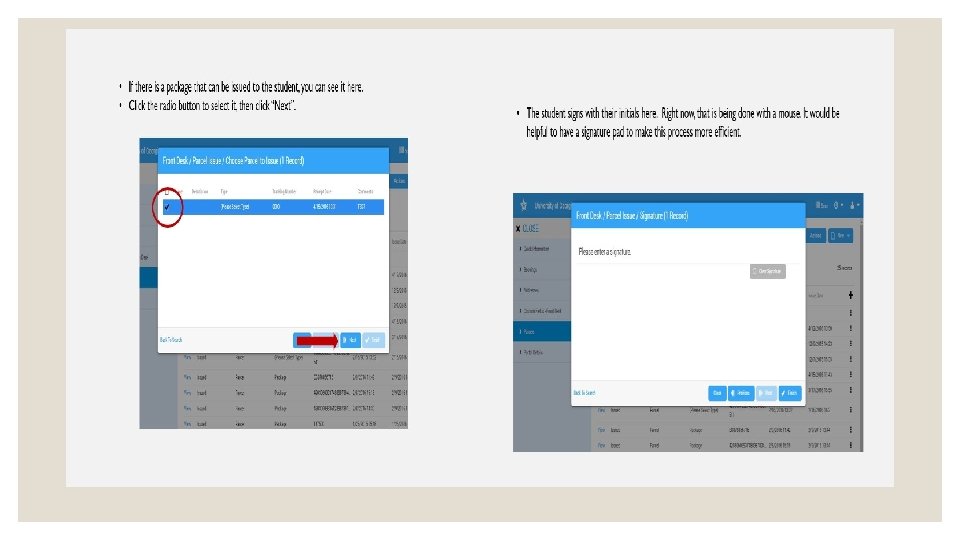
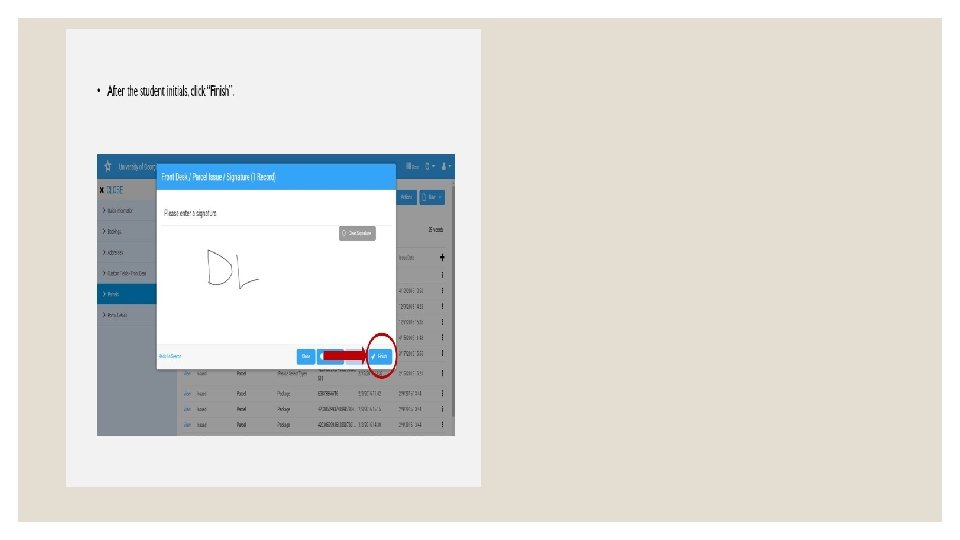
Part 2: Issuing A Parcel In Starrez
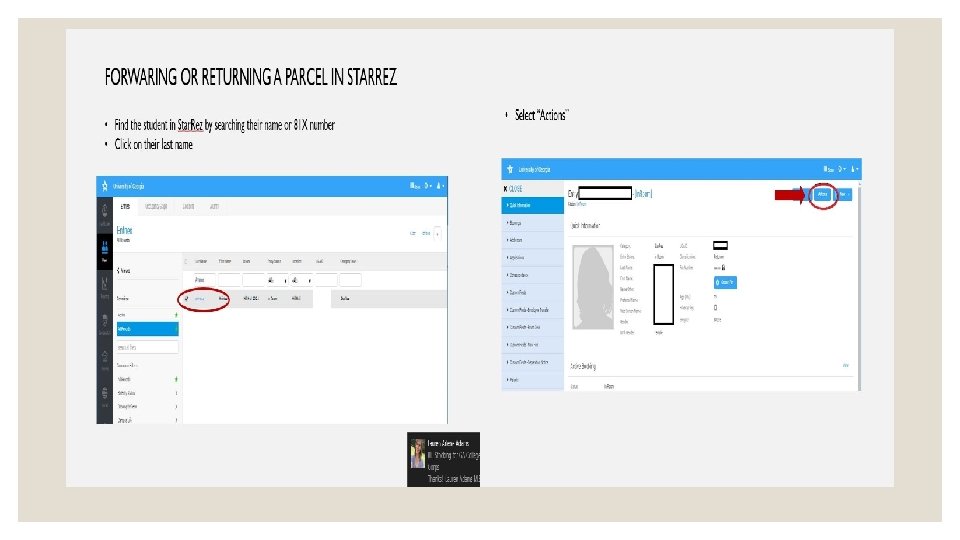
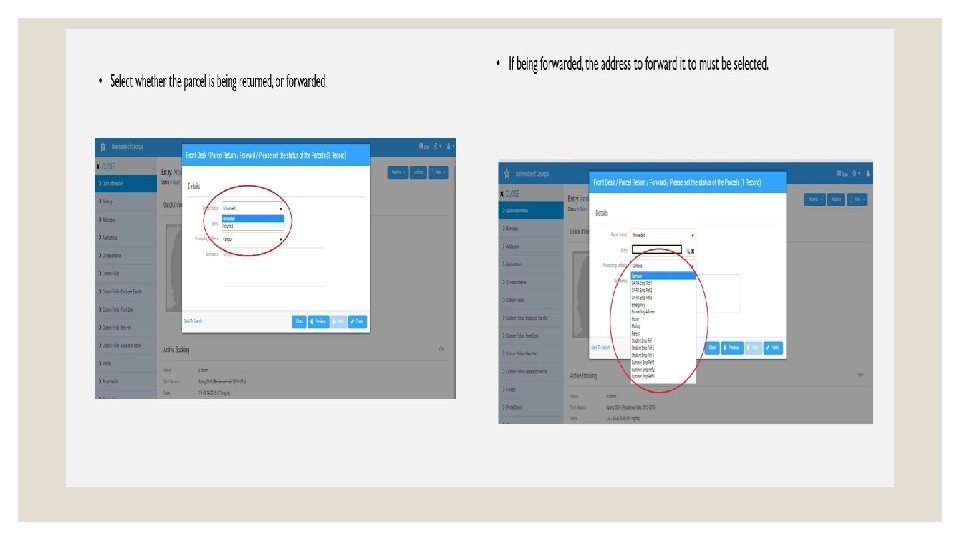
Part 3: Forwarding Or Returning A Parcel In Starrez
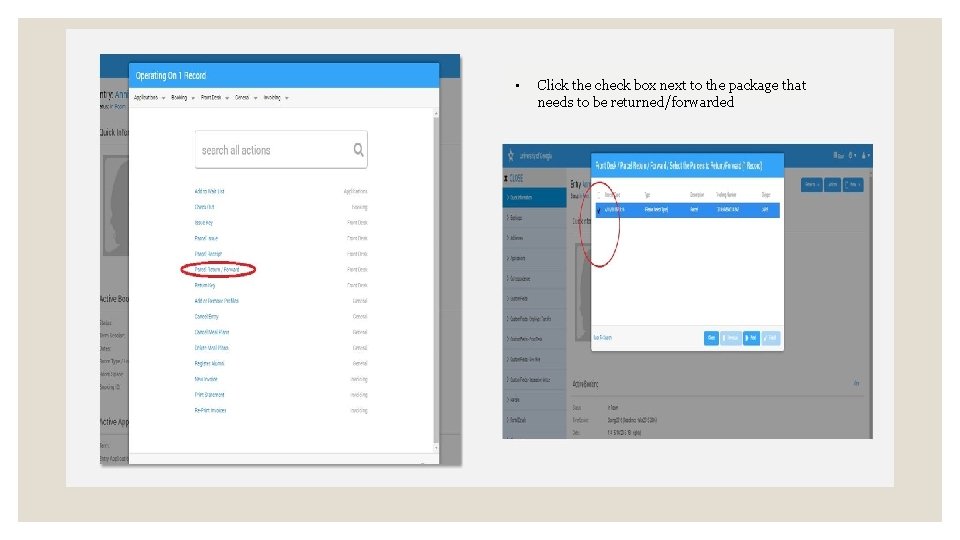
• Click the check box next to the package that needs to be returned/forwarded

QUESTIONS?
- Slides: 52