
Star Logo Building a Modeling Construction Kit for
Star. Logo Building a Modeling Construction Kit for Kids The Star. Logo Team at MIT: Prof. Mitchel Resnick Brian Silverman Andrew Begel Bill Thies Vanessa Colella Andrew Begel University of California, Berkeley Agent Simulation Workshop October 16, 1999 1/32
Big Ideas • Star. Logo: a programmable modeling environment • Intended for non-expert users and nonprogrammers – Great for kids, great for researchers! • Emphasis on decentralized behaviors with local interactions. 2/32

Talk Outline • • • History of Star. Logo Models of Parallelism Parallel Communication Parallel Debugging Star. Logo Workshop Star. Logo for Java 3/32
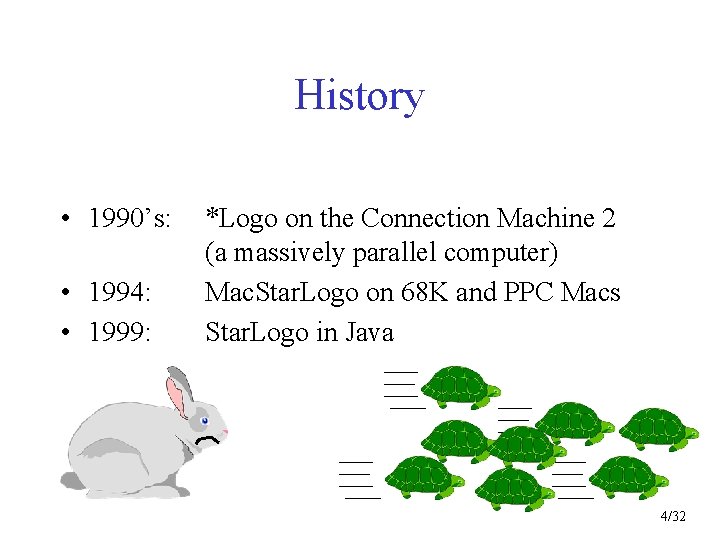
History • 1990’s: • 1994: • 1999: *Logo on the Connection Machine 2 (a massively parallel computer) Mac. Star. Logo on 68 K and PPC Macs Star. Logo in Java 4/32
Logo • Developed by Feurzeig and Papert in 60’s • Based on Lisp – simpler syntax – incorporates elements of natural language. • Interactive programming environment 5/32
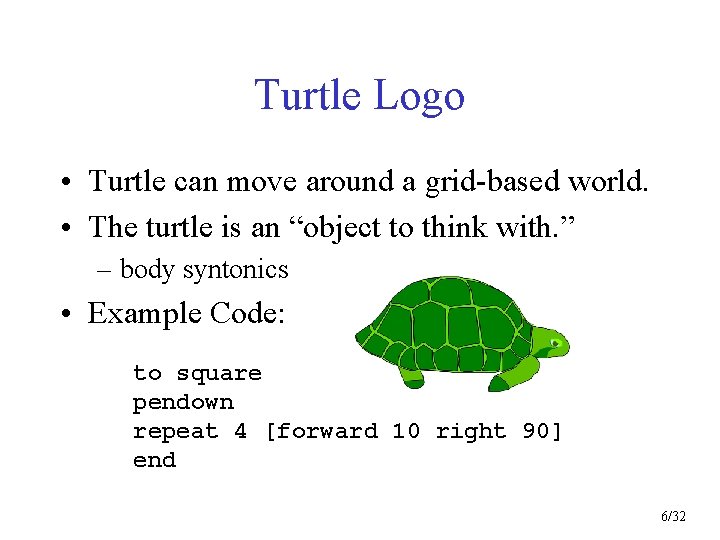
Turtle Logo • Turtle can move around a grid-based world. • The turtle is an “object to think with. ” – body syntonics • Example Code: to square pendown repeat 4 [forward 10 right 90] end 6/32
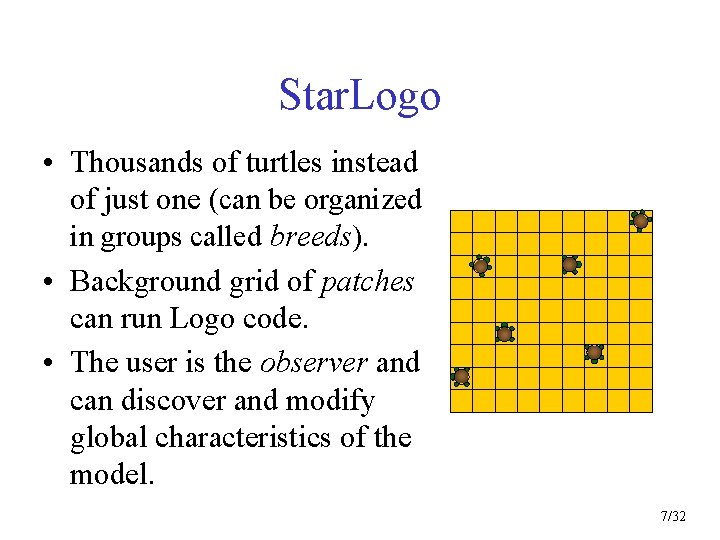
Star. Logo • Thousands of turtles instead of just one (can be organized in groups called breeds). • Background grid of patches can run Logo code. • The user is the observer and can discover and modify global characteristics of the model. 7/32
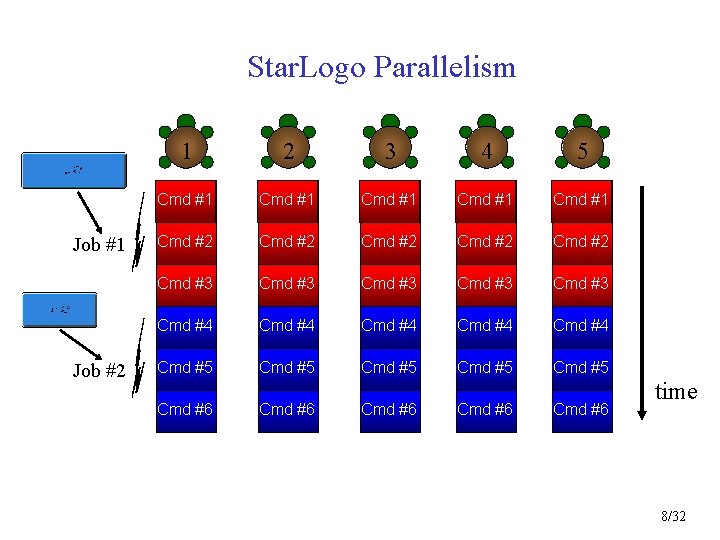
Star. Logo Parallelism Job #1 Job #2 1 2 3 4 5 Cmd #1 Cmd #1 Cmd #2 Cmd #2 Cmd #3 Cmd #3 Cmd #4 Cmd #4 Cmd #5 Cmd #5 Cmd #6 Cmd #6 time 8/32
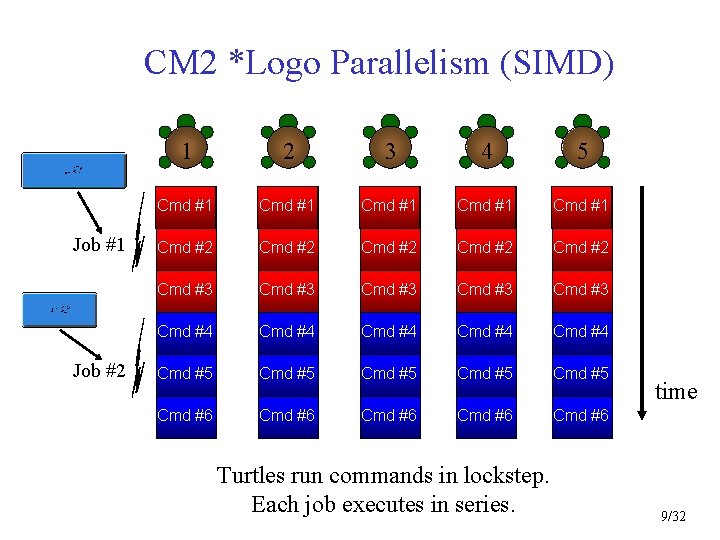
CM 2 *Logo Parallelism (SIMD) Job #1 Job #2 1 2 3 4 5 Cmd #1 Cmd #1 Cmd #2 Cmd #2 Cmd #3 Cmd #3 Cmd #4 Cmd #4 Cmd #5 Cmd #5 Cmd #6 Cmd #6 Turtles run commands in lockstep. Each job executes in series. time 9/32
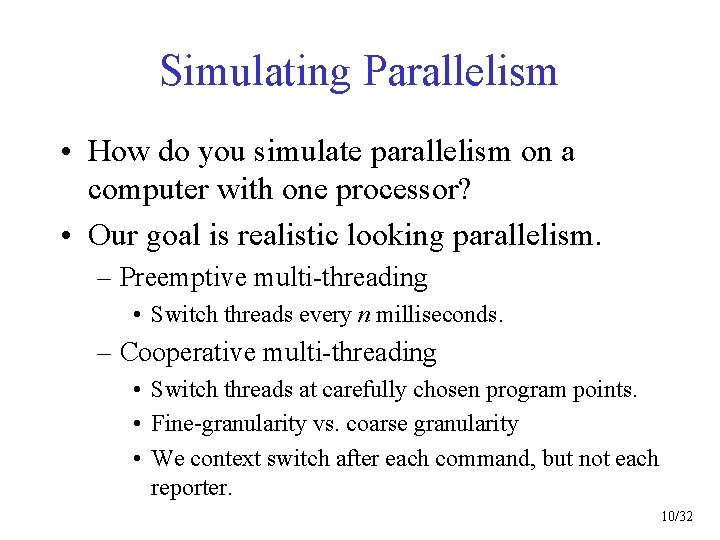
Simulating Parallelism • How do you simulate parallelism on a computer with one processor? • Our goal is realistic looking parallelism. – Preemptive multi-threading • Switch threads every n milliseconds. – Cooperative multi-threading • Switch threads at carefully chosen program points. • Fine-granularity vs. coarse granularity • We context switch after each command, but not each reporter. 10/32
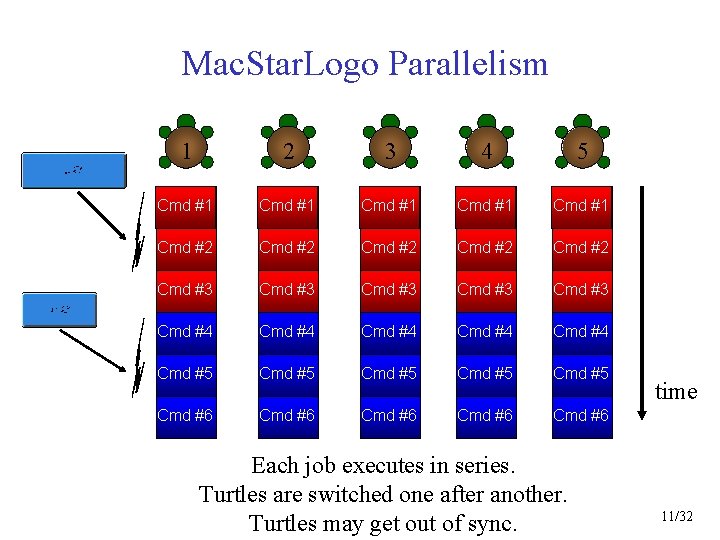
Mac. Star. Logo Parallelism 1 2 3 4 5 Cmd #1 Cmd #1 Cmd #2 Cmd #2 Cmd #3 Cmd #3 Cmd #4 Cmd #4 Cmd #5 Cmd #5 Cmd #6 Cmd #6 Each job executes in series. Turtles are switched one after another. Turtles may get out of sync. time 11/32
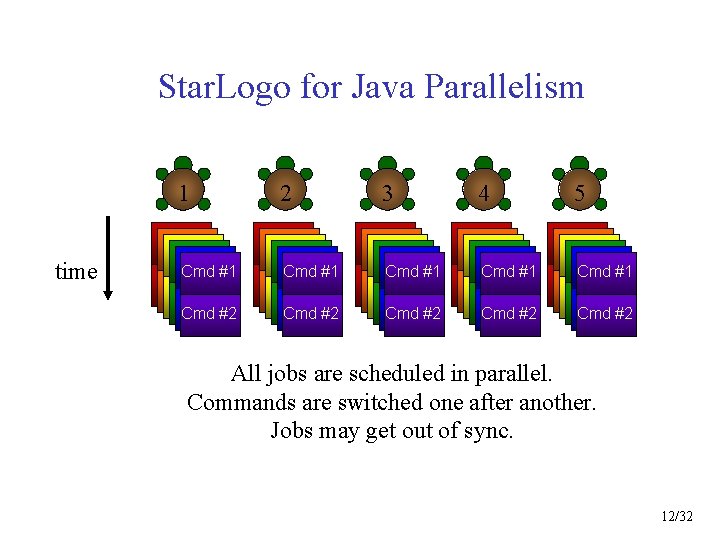
Star. Logo for Java Parallelism 1 time Cmd #1 Cmd #2 Cmd #3 Cmd #4 Cmd #5 Cmd #2 2 Cmd #1 Cmd #2 Cmd #3 Cmd #4 Cmd #5 Cmd #2 3 4 5 Cmd #1 Cmd #2 Cmd #3 Cmd #4 Cmd #5 Cmd #1 Cmd #1 Cmd #2 Cmd #3 Cmd #4 Cmd #5 Cmd #2 All jobs are scheduled in parallel. Commands are switched one after another. Jobs may get out of sync. 12/32
Patch Parallelism • CM 2: – All patches execute the same code in lockstep. • Mac: – Each patch runs through the code one by one. – Context switch after each patch has finished. • Java: – Patches may no longer run code. 13/32
Observer Execution • There’s only one observer. • It’s like a lifeguard sitting in a high chair at (0, 0). • May view and modify global characteristics of the model. – Create turtles. – Gather statistics about turtles and patches. • Performs various auxiliary functions: – Plotting, Movies, File I/O, Data Collection 14/32
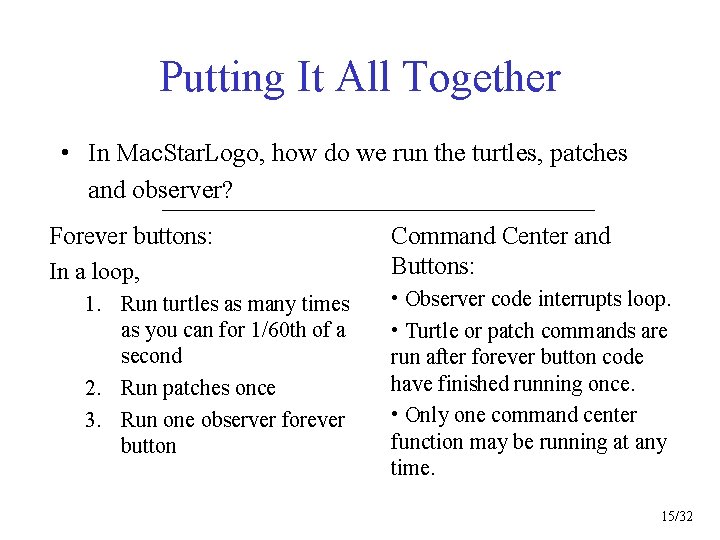
Putting It All Together • In Mac. Star. Logo, how do we run the turtles, patches and observer? Forever buttons: In a loop, 1. Run turtles as many times as you can for 1/60 th of a second 2. Run patches once 3. Run one observer forever button Command Center and Buttons: • Observer code interrupts loop. • Turtle or patch commands are run after forever button code have finished running once. • Only one command center function may be running at any time. 15/32
Putting It All Together (2) • In Star. Logo for Java: • All jobs are scheduled in a round-robin queue. • Each job has equal priority. • Forever buttons are the same as normal buttons, but the code has a loop [ button-code ] around it. • Monitors spawn jobs, too. – While anything is running, monitors are run in a loop with a wait delay at the end. – When everything stops, monitors are run once more to show current values. 16/32
Model Timing • How do you relate “real time” (in seconds, minutes, hours, days or years) to “model time” (in observer/turtle commands)? • Answer: It’s not easy. – Star. Logo is qualitative, not quantitative. – One idea: Use the observer to time how long the turtles take to finish one cycle. 17/32
Parallel Communication • Goal: Turtles must communicate with each other. – Message passing – Action at a distance • How can we do it? 1. Set a global variable 2. Set a patch variable 3. Set a turtle variable 18/32
Communicating Through Globals • Visible from anywhere in the world. • There’s only one copy, so it better not change quickly (else only monotonically) in order that all turtles have a chance to see it. • Example (next slide). 19/32
![globals [season [fall winter spring summer]] to go every 10 [change-seasons] end to change-seasons](http://slidetodoc.com/presentation_image_h2/664401a40315ebb152e06ea85f11379b/image-20.jpg "globals [season [fall winter spring summer]] to go every 10 [change-seasons] end to change-seasons")
globals [season [fall winter spring summer]] to go every 10 [change-seasons] end to change-seasons case season [fall [set season winter [set season spring [set season summer [set season end winter] spring] summer] fall]] to grow-grass case season [spring [repeat 100 [plant-grass]] summer [repeat 85 [plant-grass]] fall [turn-all-grass-brown] winter [kill-all-grass]] end 20/32
Communicating Through Patches • Only visible on that patch • Useful for communicating information to all turtles on that location (i. e. infection) • Example (next slide) 21/32
![patches-own [sick-here? ] turtles-own [sick? ] to infect ifelse sick? [set sick-here? true] ;](http://slidetodoc.com/presentation_image_h2/664401a40315ebb152e06ea85f11379b/image-22.jpg "patches-own [sick-here? ] turtles-own [sick? ] to infect ifelse sick? [set sick-here? true] ;")
patches-own [sick-here? ] turtles-own [sick? ] to infect ifelse sick? [set sick-here? true] ; ; I’m sick. [if sick-here? [set sick? true]] ; ; healthy wiggle end to wiggle right random 100 left random 100 if sick? and count-turtles-here-with [sick? ] = 1 [set sick-here? false] forward 1 end 22/32
![Communication via Turtles • Directly read and modify other turtles’ variables. turtles-own [dead? ]](http://slidetodoc.com/presentation_image_h2/664401a40315ebb152e06ea85f11379b/image-23.jpg "Communication via Turtles • Directly read and modify other turtles’ variables. turtles-own [dead? ]")
Communication via Turtles • Directly read and modify other turtles’ variables. turtles-own [dead? ] to kill : turtle-id set dead? -of : turtle-id true end to check-if-dead if dead? [die] end 23/32
Turtle-Turtle Communication Issues • Must be able to find a turtle to talk to it. – one-of-turtles-here, one-of-frogs, one-of-turtles-with [color = red] • Must remember its name to talk to it more than once. – i. e. one-of-turtles-here changes over time. – Other turtles never stop moving. • Communication is asymmetric. – Just because turtle #1 talks to turtle #2 doesn’t mean that turtle #2 talks to turtle #1. 24/32
![Example: Turtle Mating • Buggy Mac. Star. Logo code: breeds [girls guys] turtles-own [father-color](http://slidetodoc.com/presentation_image_h2/664401a40315ebb152e06ea85f11379b/image-25.jpg "Example: Turtle Mating • Buggy Mac. Star. Logo code: breeds [girls guys] turtles-own [father-color")
Example: Turtle Mating • Buggy Mac. Star. Logo code: breeds [girls guys] turtles-own [father-color mygene child-gene] to procreate ask-girls [if count-guys-here > 1 [setfather-color-of one-of-guys-here setchild-gene combine mygene-of one-of-guys-here hatch [ifelse (random 2) = 0 [setbreed guys] [setbreed girls] setmygene child-gene setcolor father-color]]] end 25/32
![Example: Turtle Mating (2) • Correct Mac. Star. Logo code: breeds [girls guys] turtles-own](http://slidetodoc.com/presentation_image_h2/664401a40315ebb152e06ea85f11379b/image-26.jpg "Example: Turtle Mating (2) • Correct Mac. Star. Logo code: breeds [girls guys] turtles-own")
Example: Turtle Mating (2) • Correct Mac. Star. Logo code: breeds [girls guys] turtles-own [partner father-color mygene child-gene] to procreate ask-girls [if count-guys-here > 1 [set partner one-of-guys-here setfather-color-of partner setchild-gene combine mygene-of partner hatch [ifelse (random 2) = 0 [setbreed guys] [setbreed girls] setmygene child-gene setcolor father-color]]] end 26/32
![Grab! • Star. Logo for Java breeds [girls guys] turtles-own [mygene child-gene father-color] to](http://slidetodoc.com/presentation_image_h2/664401a40315ebb152e06ea85f11379b/image-27.jpg "Grab! • Star. Logo for Java breeds [girls guys] turtles-own [mygene child-gene father-color] to")
Grab! • Star. Logo for Java breeds [girls guys] turtles-own [mygene child-gene father-color] to procreate if breed = girls [grab one-of-guys-here [set father-color-of partner set child-gene combine mygene-of partner hatch [ifelse (random 2) = 0 [set breed guys] [set breed girls] set mygene child-gene set color father-color]]] end 27/32
Parallel Debugging • In Mac. Star. Logo, with 2000 turtles, how do you figure out if something went wrong? • Stack overflow (too many nested functions) and divide by zero in turtles and patches are ignored. • Unexpected behaviors due to not knowing how the compiler interpreted your code. • Look at turtle or patch state: – Oops, no print capability for turtles or patches. – Use turtle monitors to view all variables for a turtle. – Use command center to ask turtles or patches to set observer variables (or set turtle variables that are visible from the turtle monitor). 28/32
Parallel Debugging (2) • Java Star. Logo o Simpler programming model (separate turtle and observer procedures) to eliminate certain kinds of programming bugs. – Turtles and observer can use print (output shows up in the appropriate command center). – Runtime errors in turtles and observer pop up in a dialog box. • (What happens if all 2000 turtles have the error? 2000 dialog boxes? ) – Much better compiler error messages. They even report the line number of the error! – Turtle monitors and patch monitors will be added soon. 29/32
Star. Logo for Java: New Features • • Works on PC, Mac and Unix! Rectangular (non-square) patch grid. Turtles and observer can play sounds. (count, one-of, list-of)-(turtles, breeds)-(here, at, towards) reporters. 64 -bit double math. Unlimited number of turtles and number of variables. All math and list operations work for both turtles and observer. New primitives: case, let, loop, wait-until, randomgaussian, pick, kill, nmin 4, nmax 4, diffuse 4 30/32
Workshops • Teacher and student workshops held at Santa Fe Institute in Summer ‘ 99. – Learning through Adaptive Agent Computer Models (Pictures: http: //www. taumoda. com/web/sfi 99/) – Run by Vanessa Colella, Eric Klopfer and Monica Linden from MIT, Larry Latour from U. Maine, and Nigel Snoad from SFI – Project Building (Star. Logo Workbook Challenges) – Group Activities (Star. People) – Predator/Prey Badge Activity 31/32
What’s next? • Jan 2000: Finish Star. Logo for Java 1. 0 – Plotting, Shapes, Paint Tools, Turtle and Patch Monitors, Output and Information Windows – Star. Logo Project Web Player – GIS Support • Finish Star. Logo Workbook • For more information: http: //www. media. mit. edu/starlogo 32/32
- Slides: 32