
stanford hci group cs 147 Fitts and GOMS
- Slides: 39
stanford hci group / cs 147 Fitts and GOMS Scott Klemmer (sub: Anoop Sinha) tas: Marcello Bastea-Forte, Joel Brandt, Neil Patel, Leslie Wu, Mike Cammarano 09 October 2007 http: //cs 147. stanford. edu
A little bit about this lecture http: //www. youtube. com/watch? v=p 5 c. PVP_llfo#
A little bit about this lecture Why is the Wii controller so much fun to use? Minimizing the distance between our human capabilities and what we want to the computer to do
A little about myself – Anoop Sinha Ph. D. ’ 03 UC Berkeley / B. S. ’ 96 Stanford Group-mate with Scott Did research on speech, pen, multimodal, multidevice user interfaces: Sinha’s Law: the number of electronic devices each person uses regularly increases on average by +1 every year Worked in industry in Consulting and previously cofounded Danoo, which puts interactive digital screens in public places aks@cs. stanford. edu
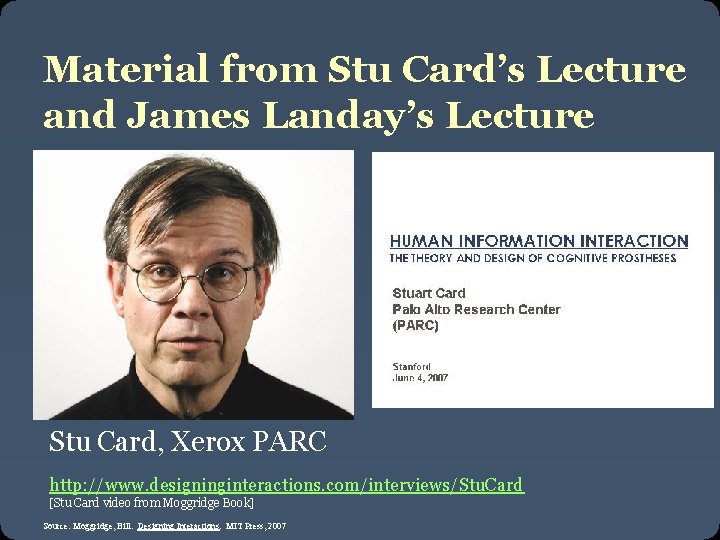
Material from Stu Card’s Lecture and James Landay’s Lecture Stu Card, Xerox PARC http: //www. designinginteractions. com/interviews/Stu. Card [Stu Card video from Moggridge Book] Source: Moggridge, Bill. Designing Interactions. MIT Press, 2007
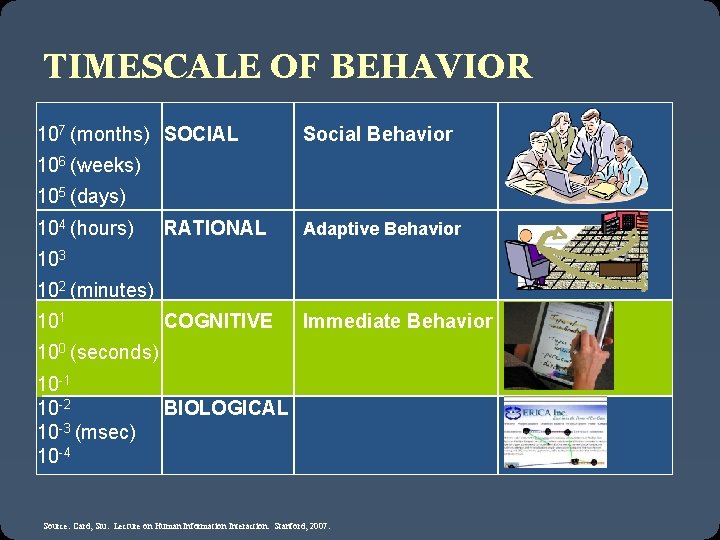
TIMESCALE OF BEHAVIOR 107 (months) SOCIAL Social Behavior 106 (weeks) 105 (days) 104 (hours) 103 RATIONAL Adaptive Behavior 102 (minutes) 101 COGNITIVE Immediate Behavior 100 (seconds) 10 -1 10 -2 10 -3 (msec) 10 -4 BIOLOGICAL Source: Card, Stu. Lecture on Human Information Interaction. Stanford, 2007.
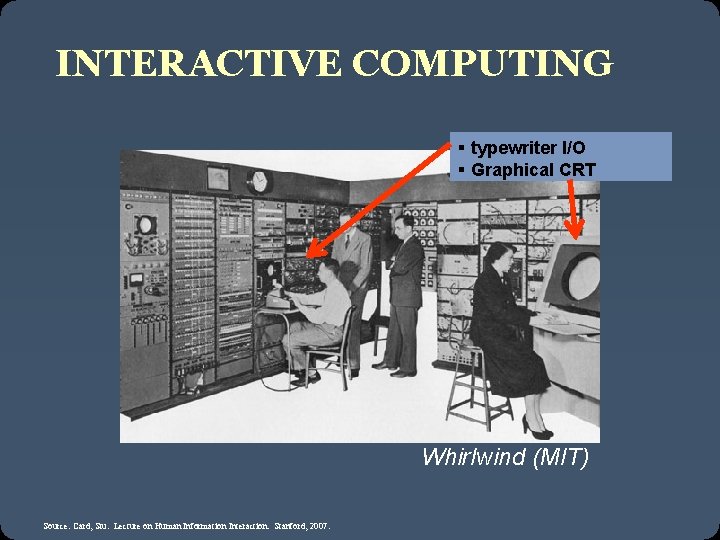
INTERACTIVE COMPUTING § typewriter I/O § Graphical CRT Whirlwind (MIT) Source: Card, Stu. Lecture on Human Information Interaction. Stanford, 2007.
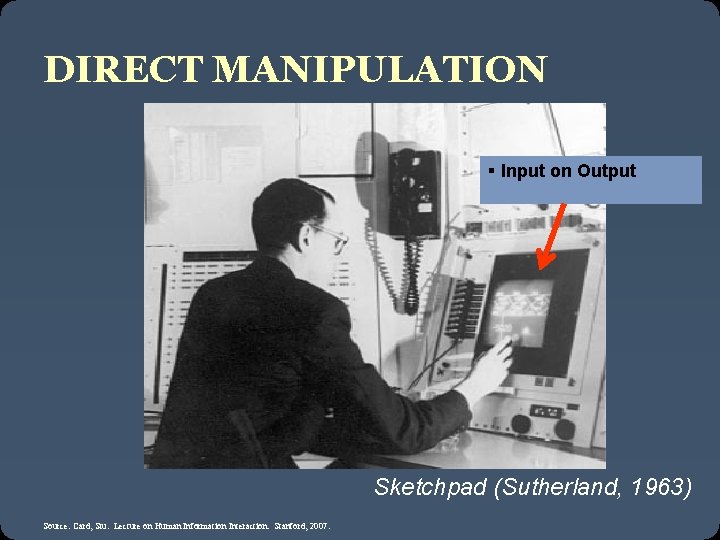
DIRECT MANIPULATION § Input on Output Sketchpad (Sutherland, 1963) Source: Card, Stu. Lecture on Human Information Interaction. Stanford, 2007.
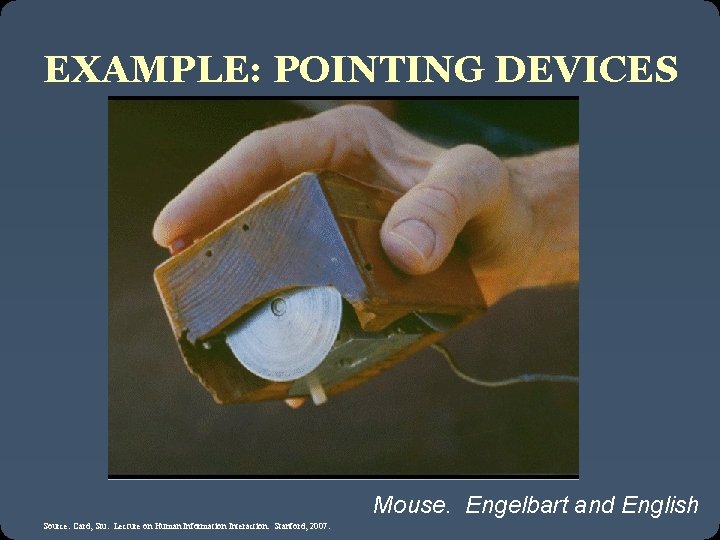
EXAMPLE: POINTING DEVICES Mouse. Engelbart and English Source: Card, Stu. Lecture on Human Information Interaction. Stanford, 2007.
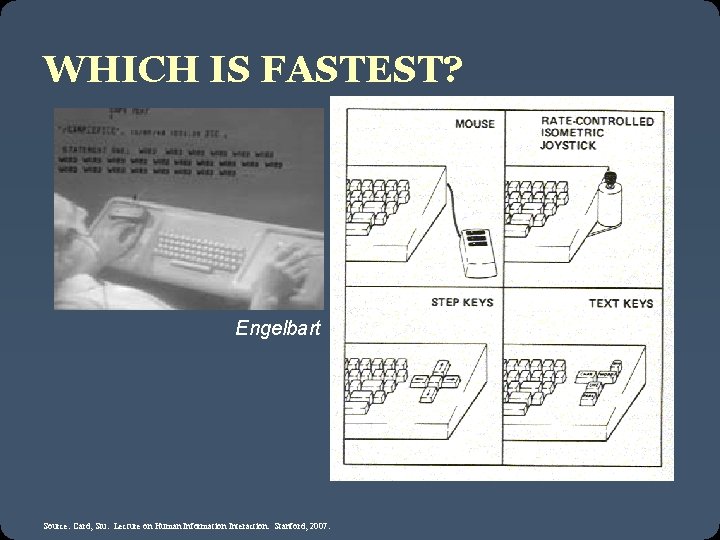
WHICH IS FASTEST? Engelbart Source: Card, Stu. Lecture on Human Information Interaction. Stanford, 2007.
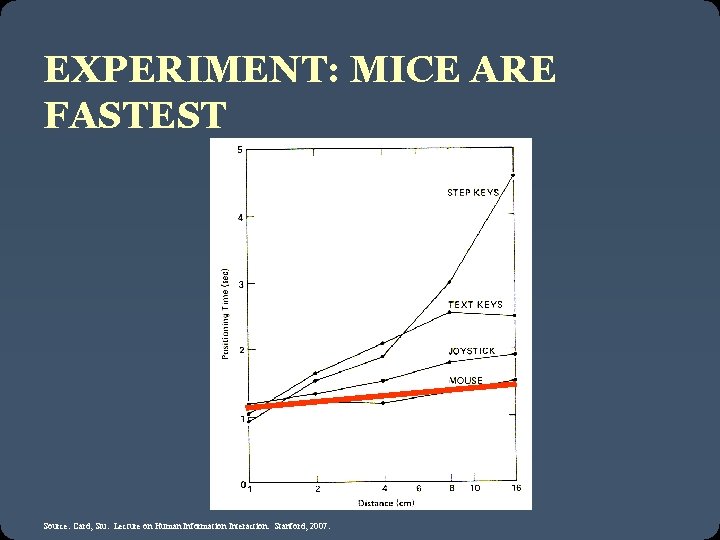
EXPERIMENT: MICE ARE FASTEST Source: Card, Stu. Lecture on Human Information Interaction. Stanford, 2007.
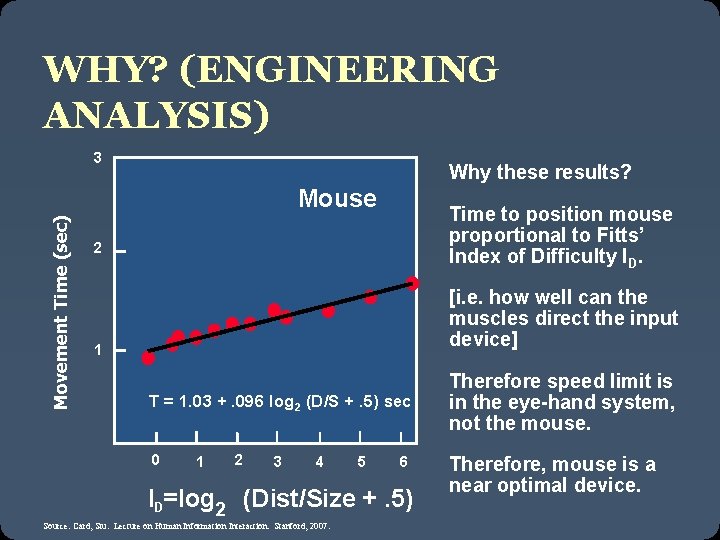
WHY? (ENGINEERING ANALYSIS) 3 Why these results? Movement Time (sec) Mouse Time to position mouse proportional to Fitts’ Index of Difficulty ID. 2 [i. e. how well can the muscles direct the input device] 1 T = 1. 03 +. 096 log 2 (D/S +. 5) sec 0 1 2 3 4 5 6 ID=log 2 (Dist/Size +. 5) Source: Card, Stu. Lecture on Human Information Interaction. Stanford, 2007. Therefore speed limit is in the eye-hand system, not the mouse. Therefore, mouse is a near optimal device.
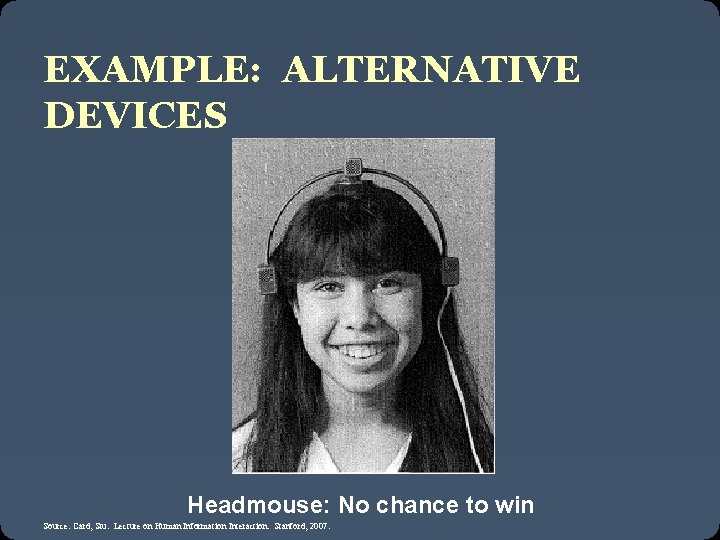
EXAMPLE: ALTERNATIVE DEVICES Headmouse: No chance to win Source: Card, Stu. Lecture on Human Information Interaction. Stanford, 2007.
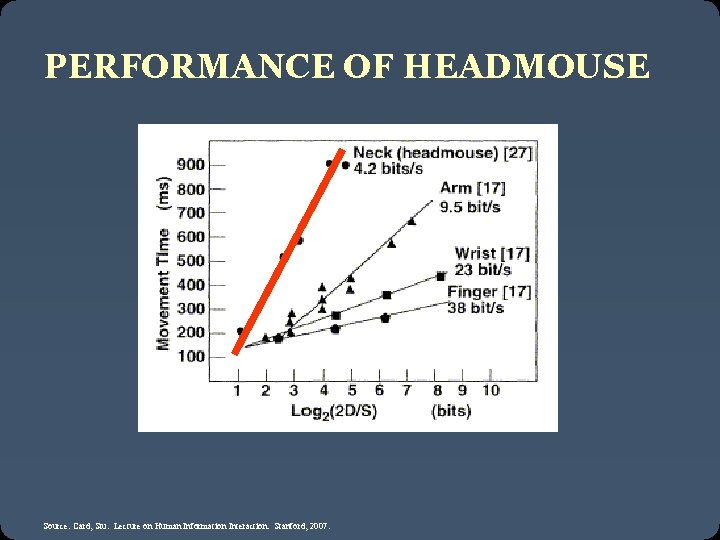
PERFORMANCE OF HEADMOUSE Source: Card, Stu. Lecture on Human Information Interaction. Stanford, 2007.
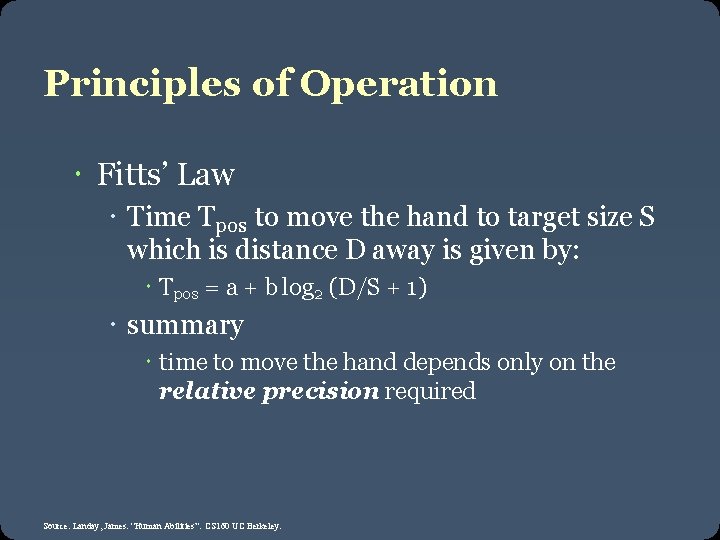
Principles of Operation Fitts’ Law Time Tpos to move the hand to target size S which is distance D away is given by: Tpos = a + b log 2 (D/S + 1) summary time to move the hand depends only on the relative precision required Source: Landay, James. “Human Abilities”. CS 160 UC Berkeley.
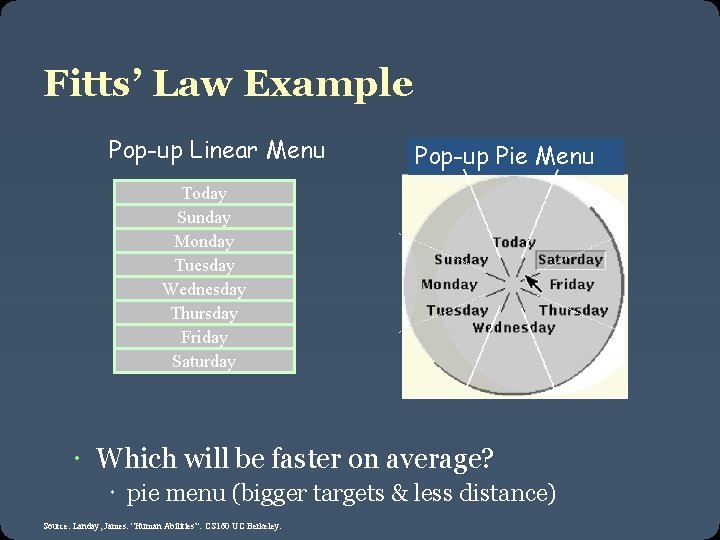
Fitts’ Law Example Pop-up Linear Menu Pop-up Pie Menu Today Sunday Monday Tuesday Wednesday Thursday Friday Saturday Which will be faster on average? pie menu (bigger targets & less distance) Source: Landay, James. “Human Abilities”. CS 160 UC Berkeley.
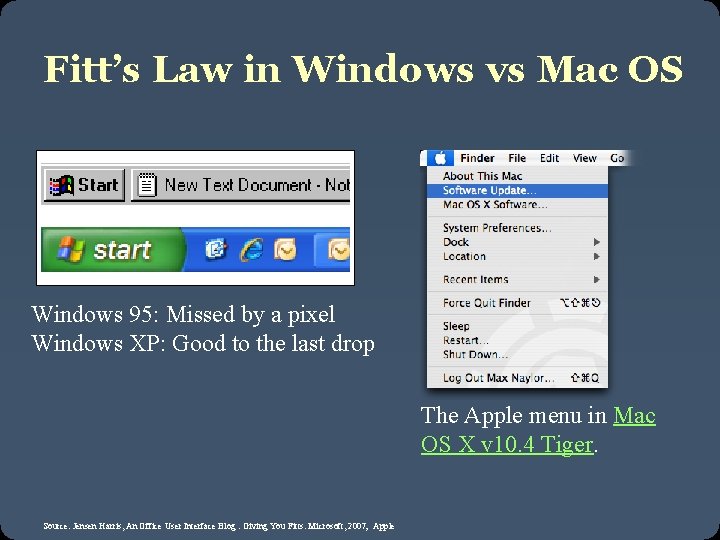
Fitt’s Law in Windows vs Mac OS Windows 95: Missed by a pixel Windows XP: Good to the last drop The Apple menu in Mac OS X v 10. 4 Tiger. Source: Jensen Harris, An Office User Interface Blog : Giving You Fitts. Microsoft, 2007; Apple
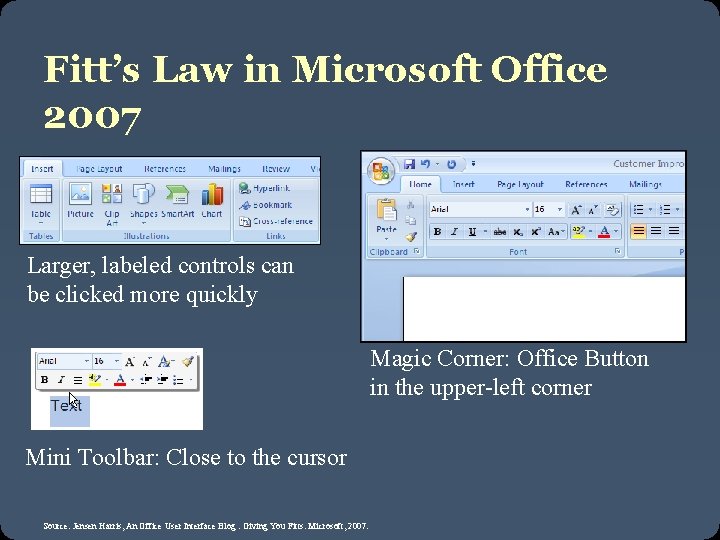
Fitt’s Law in Microsoft Office 2007 Larger, labeled controls can be clicked more quickly Mini Toolbar: Close to the cursor Source: Jensen Harris, An Office User Interface Blog : Giving You Fitts. Microsoft, 2007. Magic Corner: Office Button in the upper-left corner
CLASS FITT’S LAW CONTEST Need 5 volunteers
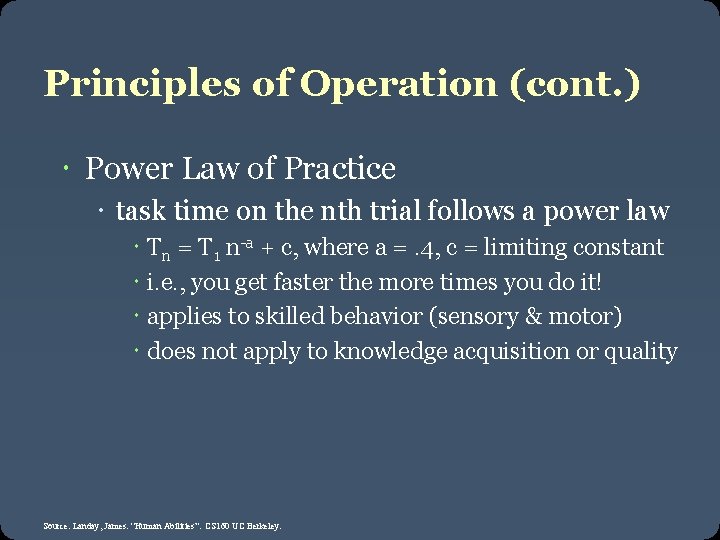
Principles of Operation (cont. ) Power Law of Practice task time on the nth trial follows a power law Tn = T 1 n-a + c, where a =. 4, c = limiting constant i. e. , you get faster the more times you do it! applies to skilled behavior (sensory & motor) does not apply to knowledge acquisition or quality Source: Landay, James. “Human Abilities”. CS 160 UC Berkeley.
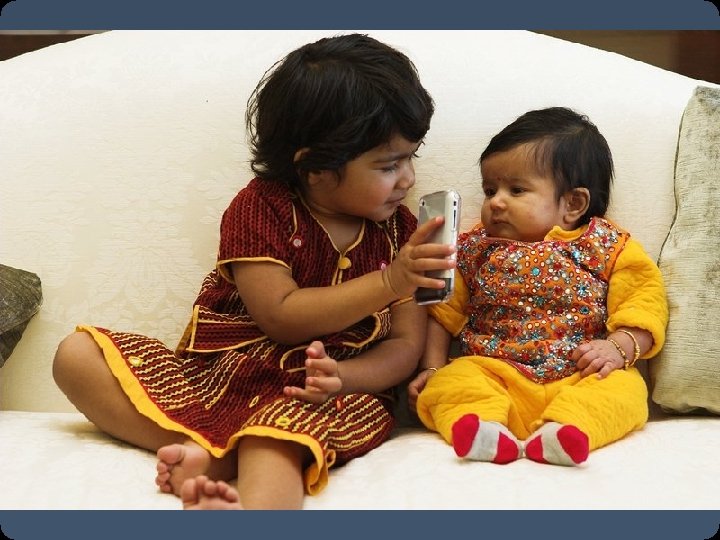
Implications for mobile design Nokia N 95 interface designs? i. Phone? What might happen to mobile device “inputs” in the future?
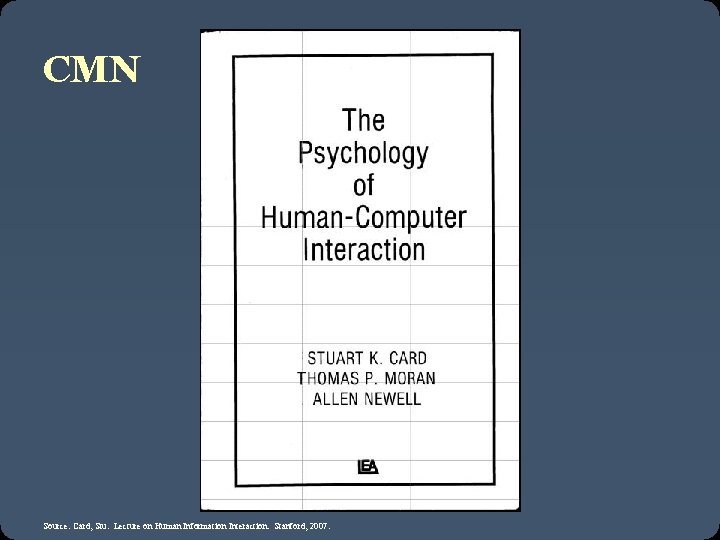
CMN Source: Card, Stu. Lecture on Human Information Interaction. Stanford, 2007.
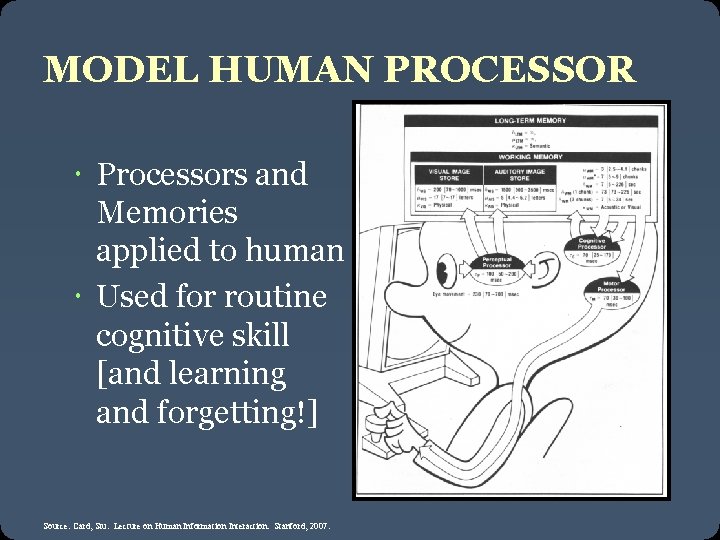
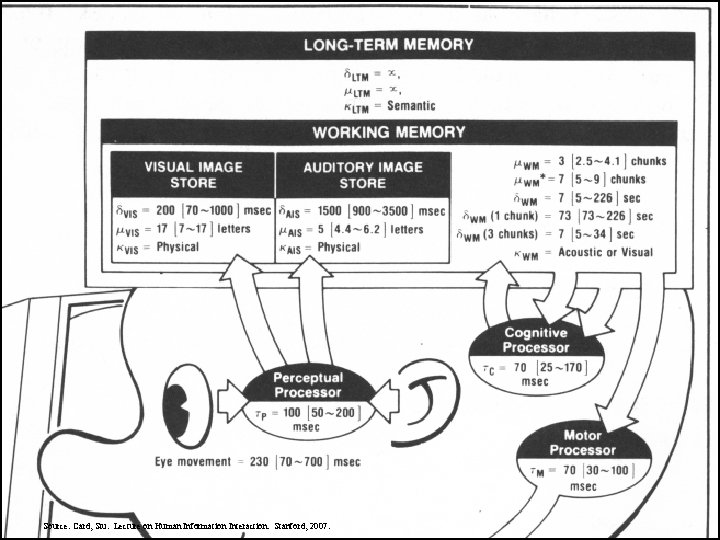
MODEL HUMAN PROCESSOR Processors and Memories applied to human Used for routine cognitive skill [and learning and forgetting!] Source: Card, Stu. Lecture on Human Information Interaction. Stanford, 2007.
MHP Source: Card, Stu. Lecture on Human Information Interaction. Stanford, 2007.
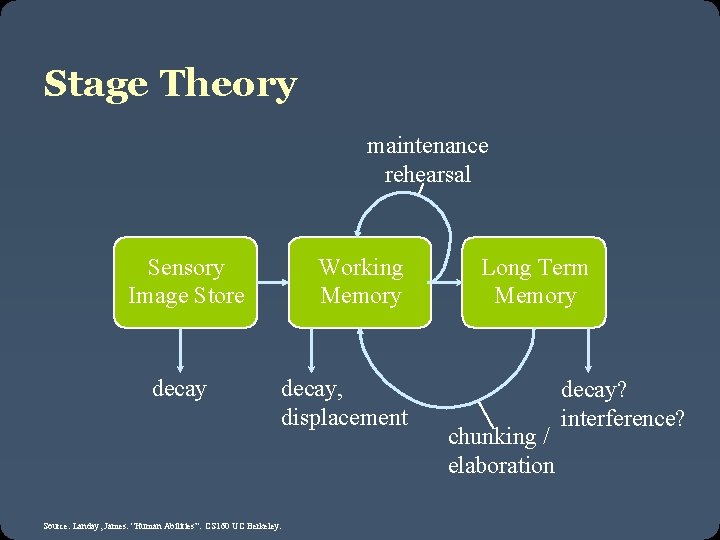
Stage Theory maintenance rehearsal Sensory Image Store decay Working Memory decay, displacement Source: Landay, James. “Human Abilities”. CS 160 UC Berkeley. Long Term Memory chunking / elaboration decay? interference?
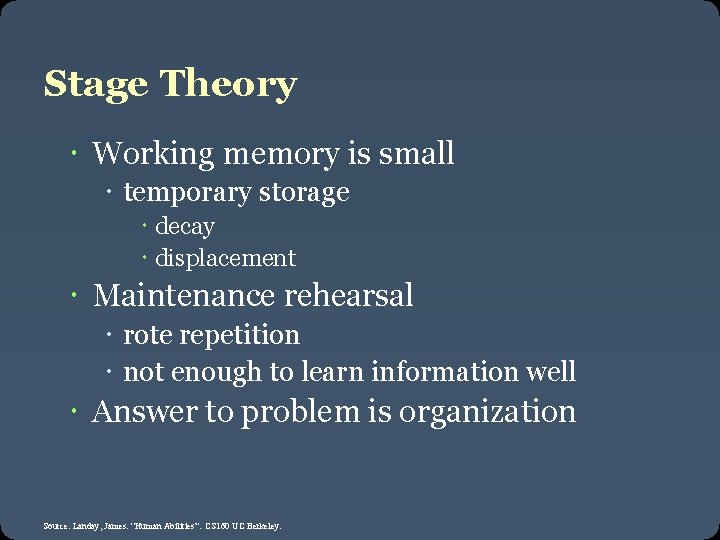
Stage Theory Working memory is small temporary storage decay displacement Maintenance rehearsal rote repetition not enough to learn information well Answer to problem is organization Source: Landay, James. “Human Abilities”. CS 160 UC Berkeley.
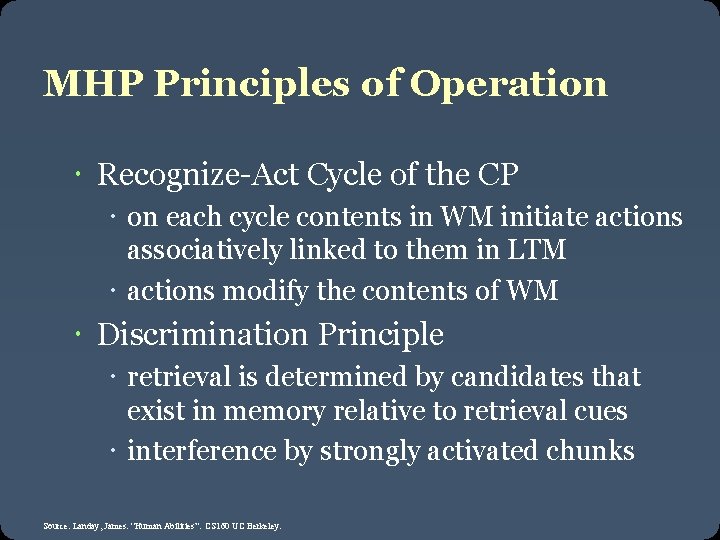
MHP Principles of Operation Recognize-Act Cycle of the CP on each cycle contents in WM initiate actions associatively linked to them in LTM actions modify the contents of WM Discrimination Principle retrieval is determined by candidates that exist in memory relative to retrieval cues interference by strongly activated chunks Source: Landay, James. “Human Abilities”. CS 160 UC Berkeley.
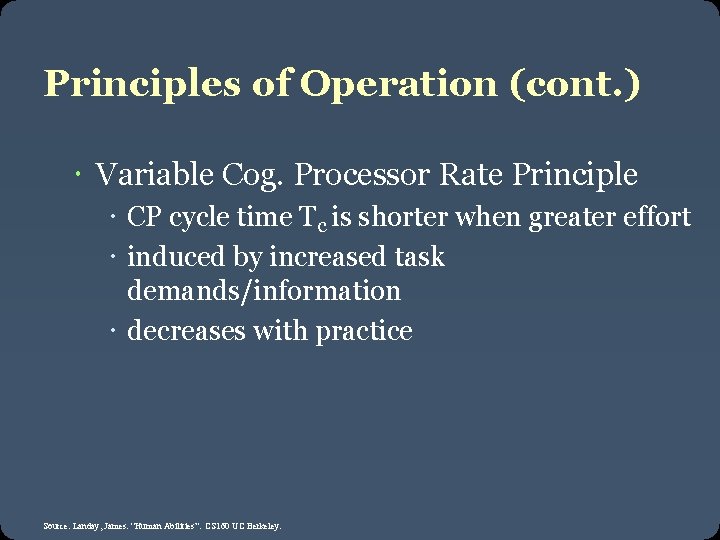
Principles of Operation (cont. ) Variable Cog. Processor Rate Principle CP cycle time Tc is shorter when greater effort induced by increased task demands/information decreases with practice Source: Landay, James. “Human Abilities”. CS 160 UC Berkeley.
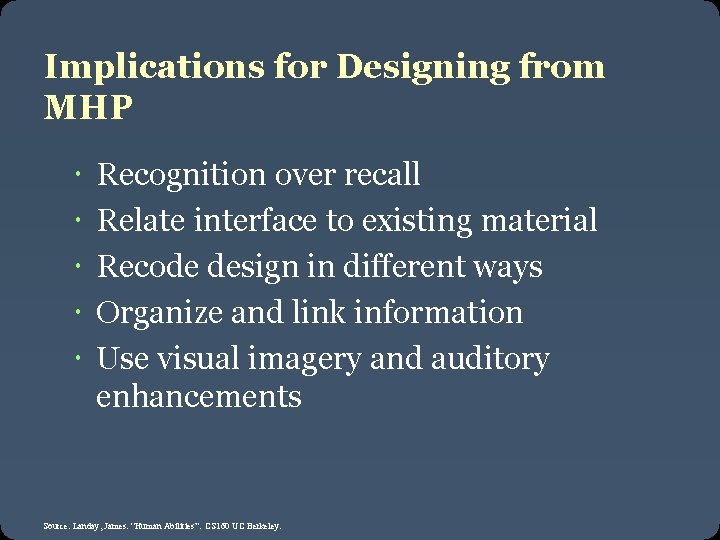
Implications for Designing from MHP Recognition over recall Relate interface to existing material Recode design in different ways Organize and link information Use visual imagery and auditory enhancements Source: Landay, James. “Human Abilities”. CS 160 UC Berkeley.
CLASS MHP CONTEST Need 4 volunteers
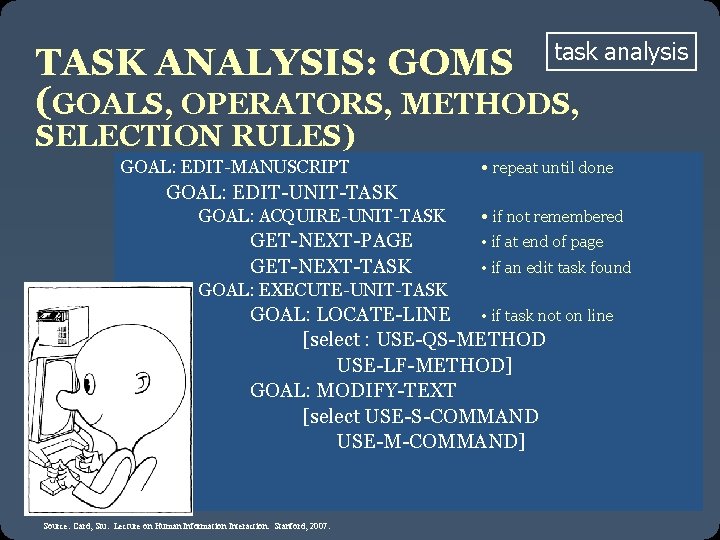
TASK ANALYSIS: GOMS task analysis (GOALS, OPERATORS, METHODS, SELECTION RULES) GOAL: EDIT-MANUSCRIPT • repeat until done GOAL: EDIT-UNIT-TASK GOAL: ACQUIRE-UNIT-TASK GET-NEXT-PAGE GET-NEXT-TASK • if not remembered • if at end of page • if an edit task found GOAL: EXECUTE-UNIT-TASK GOAL: LOCATE-LINE • if task not on line [select : USE-QS-METHOD USE-LF-METHOD] GOAL: MODIFY-TEXT [select USE-S-COMMAND USE-M-COMMAND] Source: Card, Stu. Lecture on Human Information Interaction. Stanford, 2007.
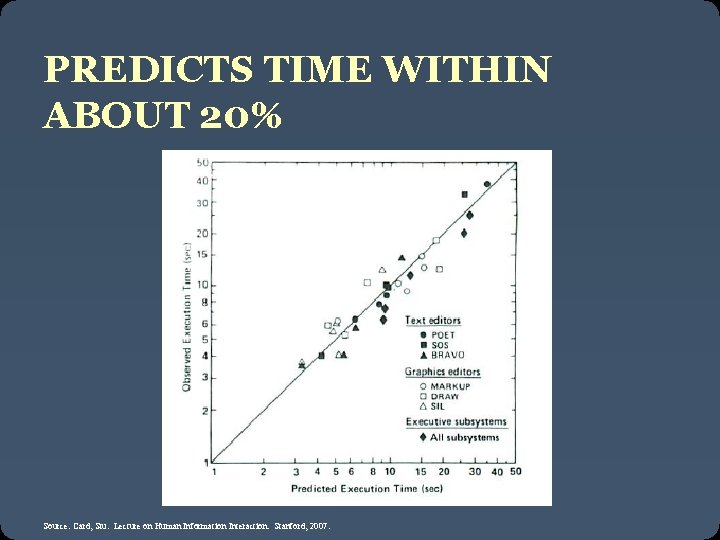
PREDICTS TIME WITHIN ABOUT 20% Source: Card, Stu. Lecture on Human Information Interaction. Stanford, 2007.
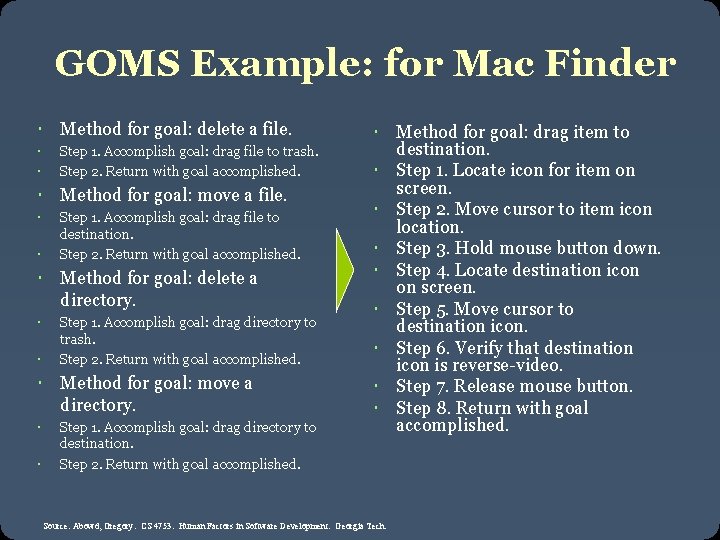
GOMS Example: for Mac Finder Method for goal: delete a file. Step 1. Accomplish goal: drag file to trash. Step 2. Return with goal accomplished. Method for goal: move a file. Step 1. Accomplish goal: drag file to destination. Step 2. Return with goal accomplished. Method for goal: delete a directory. Step 1. Accomplish goal: drag directory to trash. Step 2. Return with goal accomplished. Method for goal: move a directory. Step 1. Accomplish goal: drag directory to destination. Step 2. Return with goal accomplished. Method for goal: drag item to destination. Step 1. Locate icon for item on screen. Step 2. Move cursor to item icon location. Step 3. Hold mouse button down. Step 4. Locate destination icon on screen. Step 5. Move cursor to destination icon. Step 6. Verify that destination icon is reverse-video. Step 7. Release mouse button. Step 8. Return with goal accomplished. Source: Abowd, Gregory. CS 4753. Human Factors in Software Development. Georgia Tech.
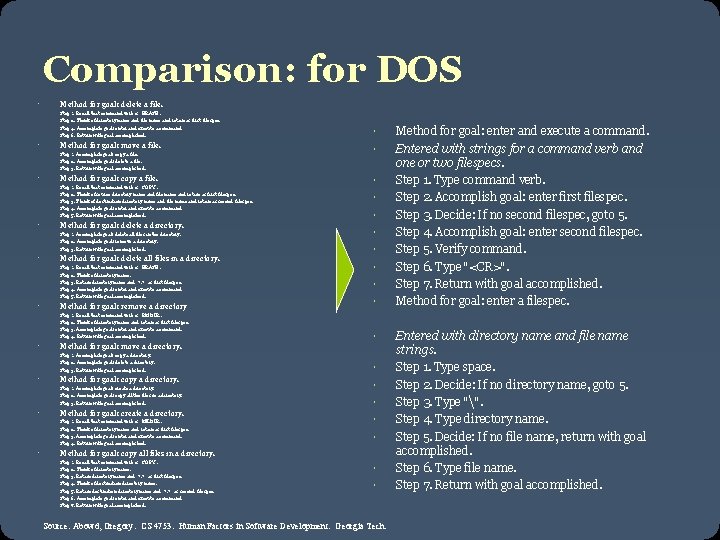
Comparison: for DOS Method for goal: delete a file. Step 1. Recall that command verb is "ERASE". Step 2. Think of directory name and file name and retain as first filespec. Step 4. Accomplish goal: enter and execute a command. Step 6. Return with goal accomplished. Method for goal: move a file. Step 1. Accomplish goal: copy a file. Step 2. Accomplish goal: delete a file. Step 3. Return with goal accomplished. Method for goal: copy a file. Step 1. Recall that command verb is "COPY". Step 2. Think of source directory name and file name and retain as first filespec. Step 3. Think of destination directory name and file name and retain as second filespec. Step 4. Accomplish goal: enter and execute a command. Step 5. Return with goal accomplished. Method for goal: delete a directory. Step 1. Accomplish goal: delete all files in the directory. Step 2. Accomplish goal: remove a directory. Step 3. Return with goal accomplished. Method for goal: delete all files in a directory. Step 1. Recall that command verb is "ERASE". Step 2. Think of directory name. Step 3. Retain directory name and "*. *" as first filespec. Step 4. Accomplish goal: enter and execute a command. Step 5. Return with goal accomplished. Method for goal: remove a directory Step 1. Recall that command verb is "RMDIR". Step 2. Think of directory name and retain as first filespec. Step 3. Accomplish goal: enter and execute a command. Step 4. Return with goal accomplished. Method for goal: move a directory. Step 1. Accomplish goal: copy a directory. Step 2. Accomplish goal: delete a directory. Step 3. Return with goal accomplished. Method for goal: copy a directory. Step 1. Accomplish goal: create a directory. Step 2. Accomplish goal: copy all the files in a directory. Step 3. Return with goal accomplished. Method for goal: create a directory. Step 1. Recall that command verb is "MKDIR". Step 2. Think of directory name and retain as first filespec. Step 3. Accomplish goal: enter and execute a command. Step 4. Return with goal accomplished. Method for goal: copy all files in a directory. Step 1. Recall that command verb is "COPY". Step 2. Think of directory name. Step 3. Retain directory name and "*. *" as first filespec. Step 4. Think of destination directory name. Step 5. Retain destination directory name and "*. *" as second filespec. Step 6. Accomplish goal: enter and execute a command. Step 7. Return with goal accomplished. Source: Abowd, Gregory. CS 4753. Human Factors in Software Development. Georgia Tech. Method for goal: enter and execute a command. Entered with strings for a command verb and one or two filespecs. Step 1. Type command verb. Step 2. Accomplish goal: enter first filespec. Step 3. Decide: If no second filespec, goto 5. Step 4. Accomplish goal: enter second filespec. Step 5. Verify command. Step 6. Type "<CR>". Step 7. Return with goal accomplished. Method for goal: enter a filespec. Entered with directory name and file name strings. Step 1. Type space. Step 2. Decide: If no directory name, goto 5. Step 3. Type "". Step 4. Type directory name. Step 5. Decide: If no file name, return with goal accomplished. Step 6. Type file name. Step 7. Return with goal accomplished.
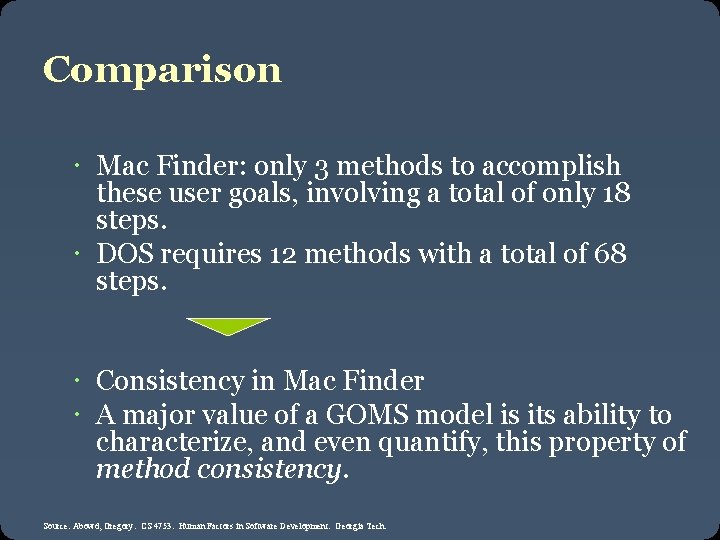
Comparison Mac Finder: only 3 methods to accomplish these user goals, involving a total of only 18 steps. DOS requires 12 methods with a total of 68 steps. Consistency in Mac Finder A major value of a GOMS model is its ability to characterize, and even quantify, this property of method consistency. Source: Abowd, Gregory. CS 4753. Human Factors in Software Development. Georgia Tech.
Implications for interface design GOMS not often used formally But thinking through consistency of subtasks very useful! Good for comparing different systems
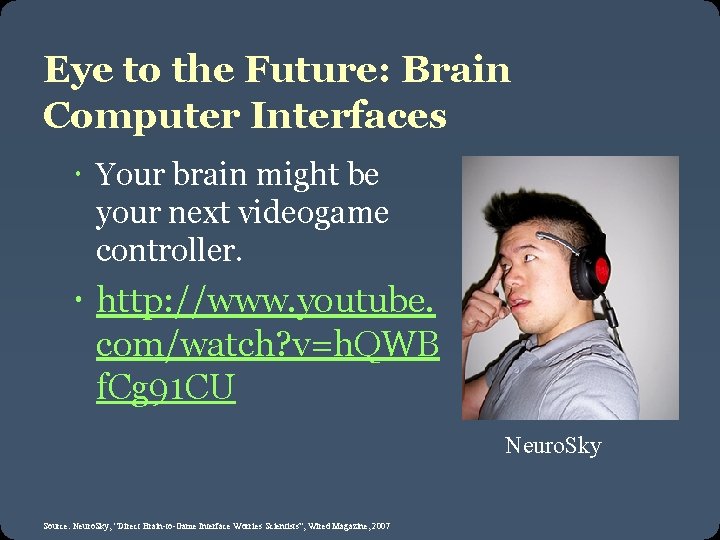
Eye to the Future: Brain Computer Interfaces Your brain might be your next videogame controller. http: //www. youtube. com/watch? v=h. QWB f. Cg 91 CU Neuro. Sky Source: Neuro. Sky, “Direct Brain-to-Game Interface Worries Scientists”, Wired Magazine, 2007
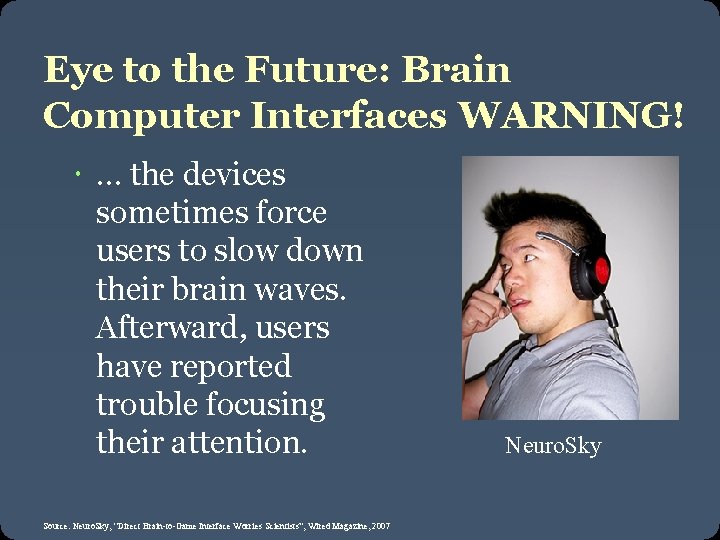
Eye to the Future: Brain Computer Interfaces WARNING! … the devices sometimes force users to slow down their brain waves. Afterward, users have reported trouble focusing their attention. Source: Neuro. Sky, “Direct Brain-to-Game Interface Worries Scientists”, Wired Magazine, 2007 Neuro. Sky