
Standard based web design Overview of Dynamic HTML
Standard based web design Overview of Dynamic HTML 1
What is DHTML? Dynamic Hypertext Markup Language is comprised of: n n CSS (cascading style sheets) DOM (document object module) Scripting (Javascript and VBscript) Allows for more interactivity and special effects on web pages. 2
Document Object Model (DOM) n n DOM is an interface that permits scripts to access and update the content, structure and style of the document. Every element of the web page can be dynamically updated in response to input from the user or other programs HTML elements are treated as objects, their attributes are treated as properties of the objects The DOM has a hierarchy of elements with the window as the top level object 3
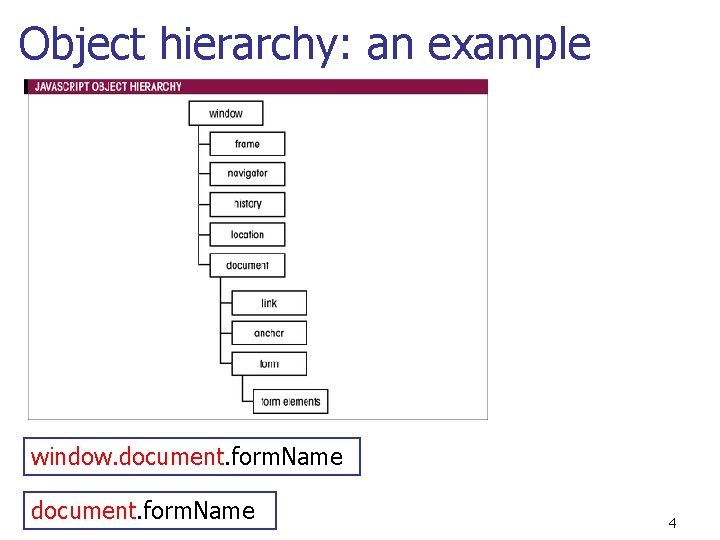
Object hierarchy: an example window. document. form. Name 4
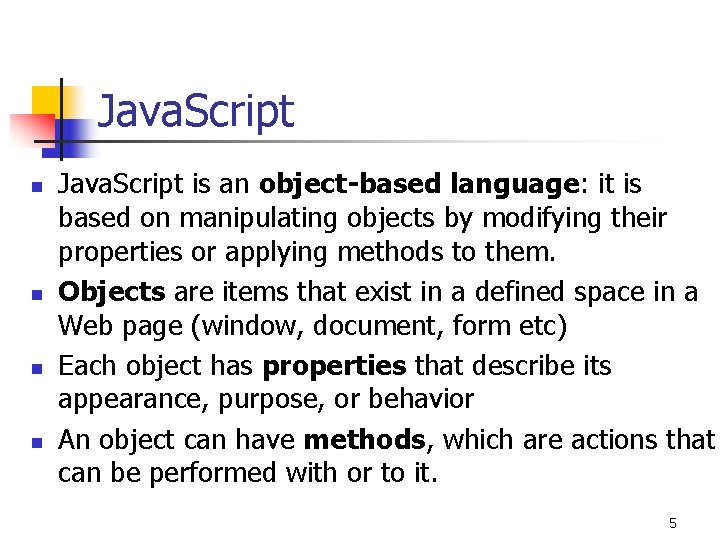
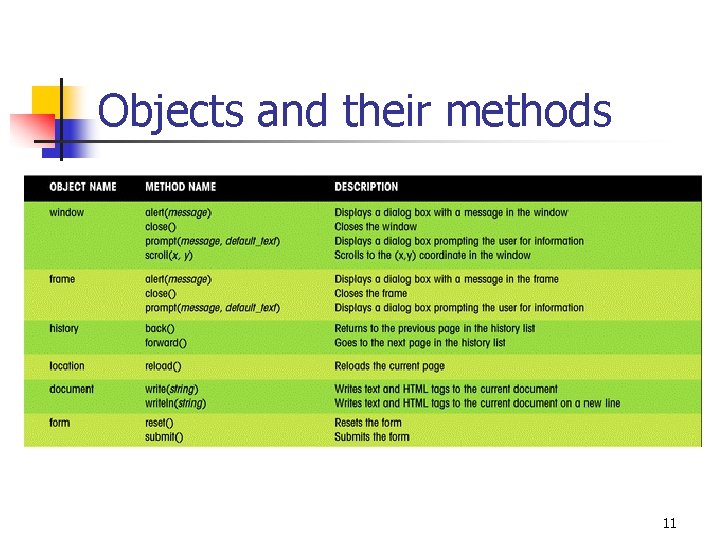
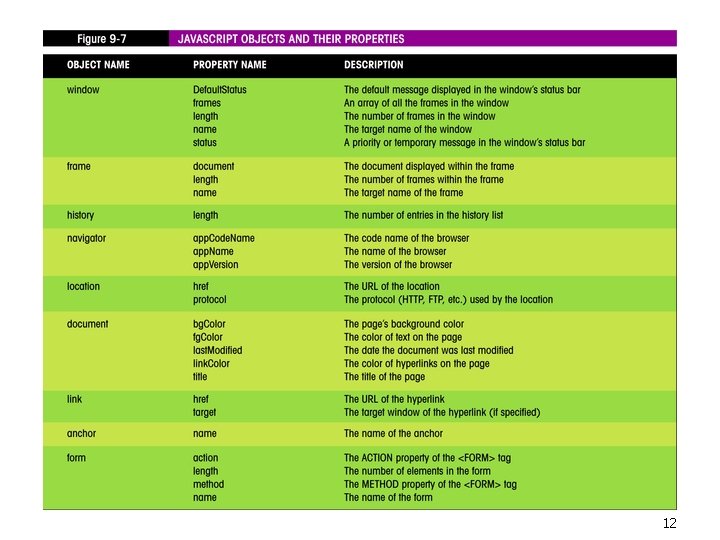
Java. Script n n Java. Script is an object-based language: it is based on manipulating objects by modifying their properties or applying methods to them. Objects are items that exist in a defined space in a Web page (window, document, form etc) Each object has properties that describe its appearance, purpose, or behavior An object can have methods, which are actions that can be performed with or to it. 5
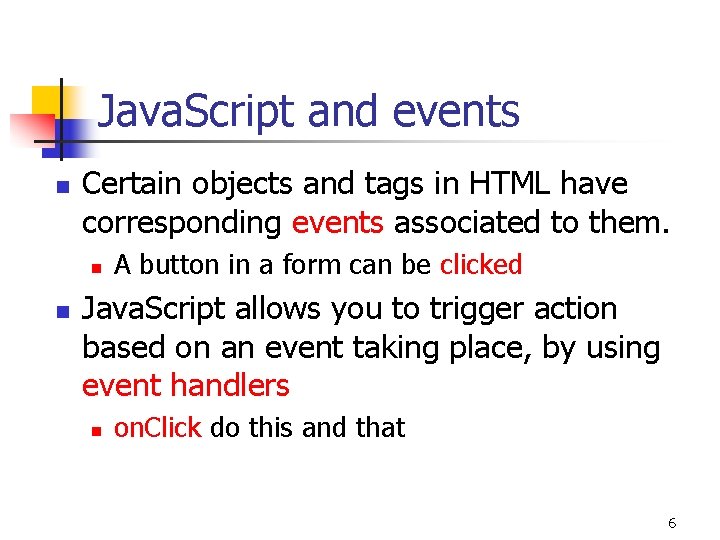
Java. Script and events n Certain objects and tags in HTML have corresponding events associated to them. n n A button in a form can be clicked Java. Script allows you to trigger action based on an event taking place, by using event handlers n on. Click do this and that 6
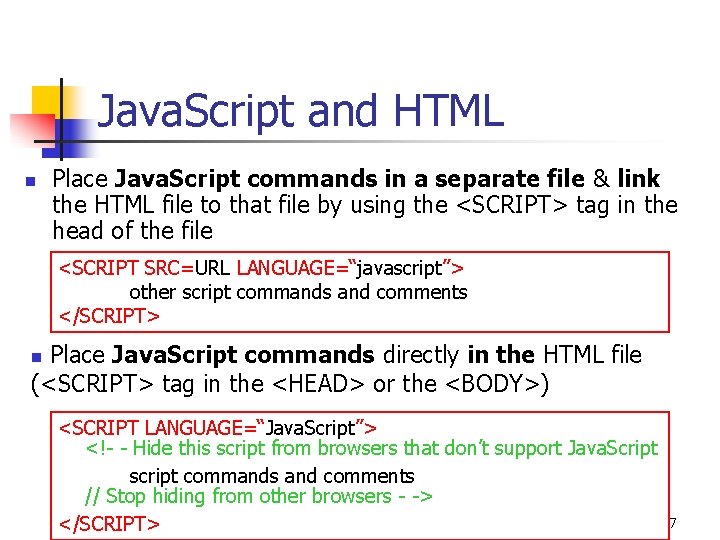
Java. Script and HTML n Place Java. Script commands in a separate file & link the HTML file to that file by using the <SCRIPT> tag in the head of the file <SCRIPT SRC=URL LANGUAGE=“javascript”> other script commands and comments </SCRIPT> Place Java. Script commands directly in the HTML file (<SCRIPT> tag in the <HEAD> or the <BODY>) n <SCRIPT LANGUAGE=“Java. Script”> <!- - Hide this script from browsers that don’t support Java. Script script commands and comments // Stop hiding from other browsers - -> </SCRIPT> 7
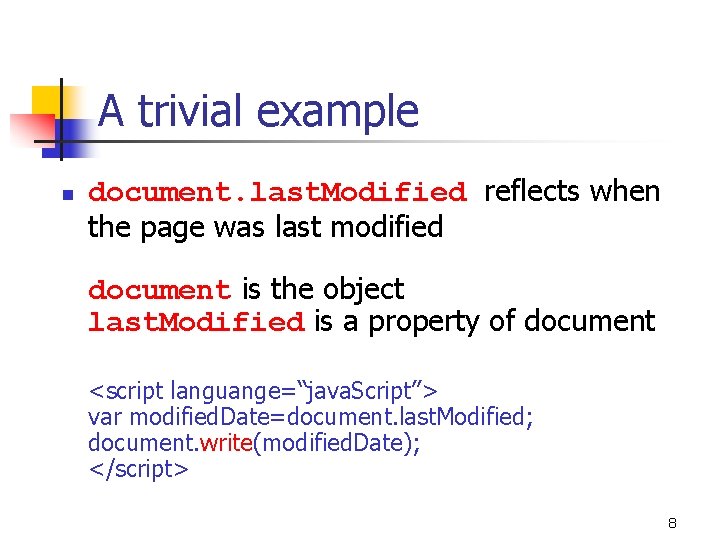
A trivial example n document. last. Modified reflects when the page was last modified document is the object last. Modified is a property of document <script languange=“java. Script”> var modified. Date=document. last. Modified; document. write(modified. Date); </script> 8
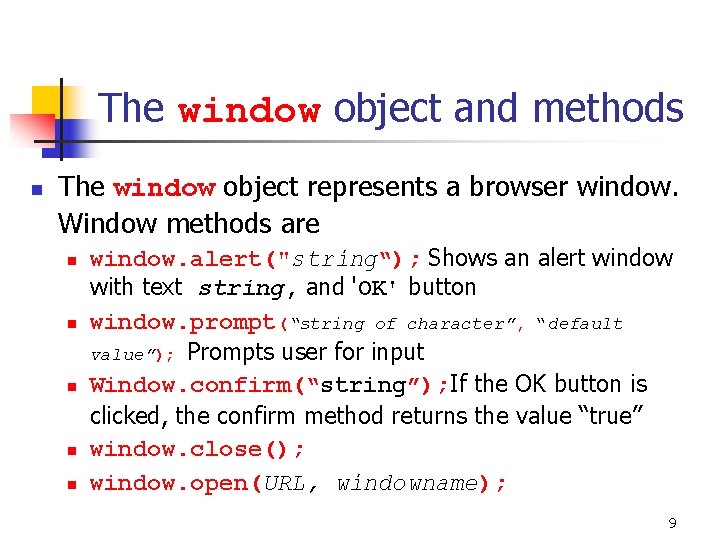
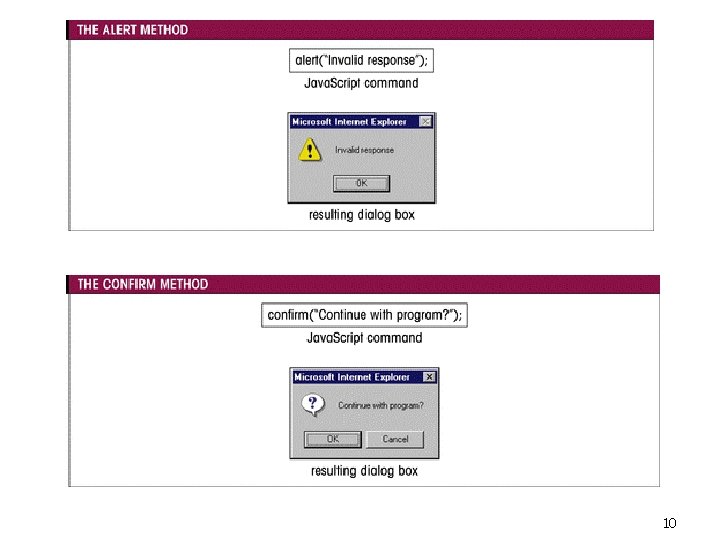
The window object and methods n The window object represents a browser window. Window methods are n n n window. alert("string“); Shows an alert window with text string, and 'OK' button window. prompt(“string of character”, “default value”); Prompts user for input Window. confirm(“string”); If the OK button is clicked, the confirm method returns the value “true” window. close(); window. open(URL, windowname); 9
10
Objects and their methods 11
12
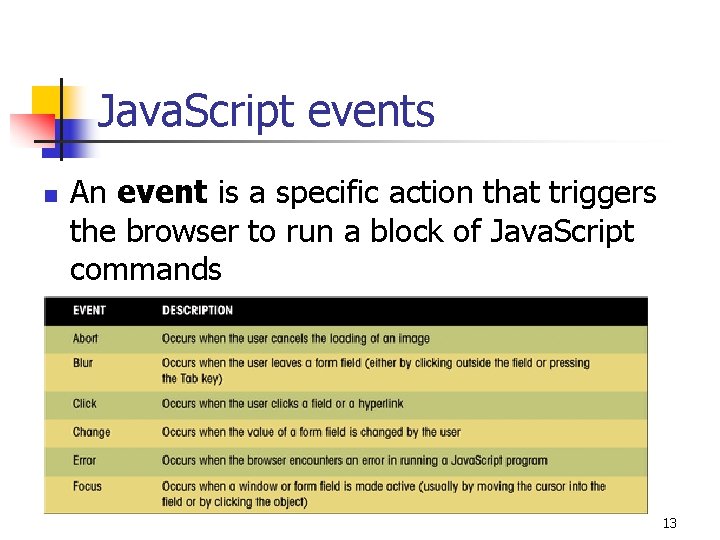
Java. Script events n An event is a specific action that triggers the browser to run a block of Java. Script commands 13
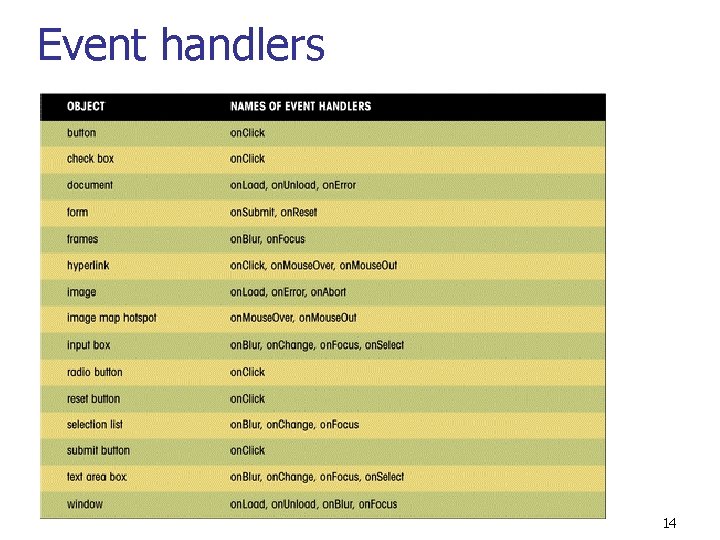
Event handlers 14
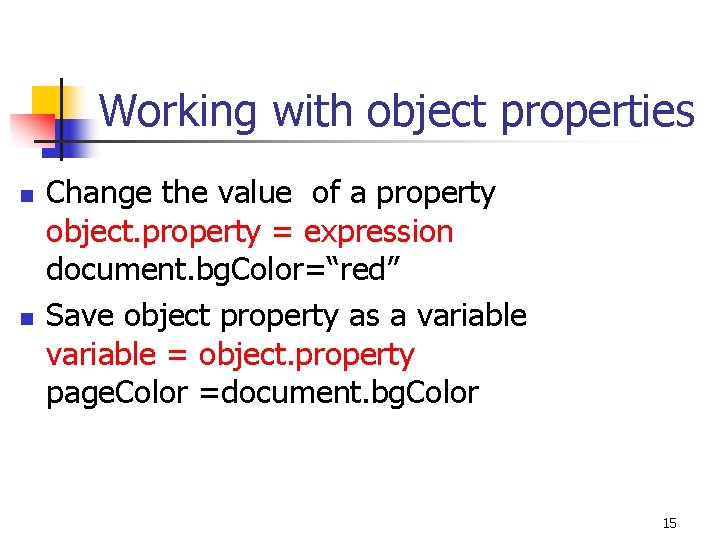
Working with object properties n n Change the value of a property object. property = expression document. bg. Color=“red” Save object property as a variable = object. property page. Color =document. bg. Color 15
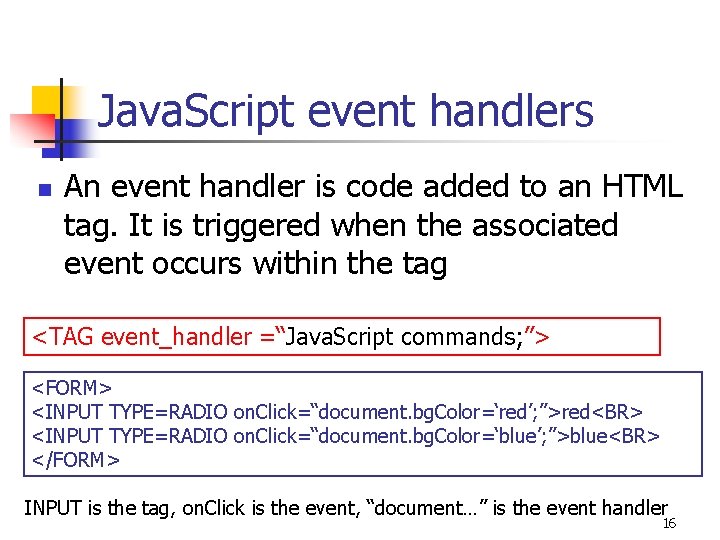
Java. Script event handlers n An event handler is code added to an HTML tag. It is triggered when the associated event occurs within the tag <TAG event_handler =“Java. Script commands; ”> <FORM> <INPUT TYPE=RADIO on. Click=“document. bg. Color=‘red’; ”>red<BR> <INPUT TYPE=RADIO on. Click=“document. bg. Color=‘blue’; ”>blue<BR> </FORM> INPUT is the tag, on. Click is the event, “document…” is the event handler 16
Coming up n n n Form validation Mathematical manipulations Changing style: visibility, display, clip (menus) Repeating commands (Slide shows, banners) Filters and transitions Moving object on the screen 17
Validating forms You can use Java. Script to n Make sure that your form contain valid information n Check data in one field against data in another field (choose a new password) n Highlight incorrect information to let the user know what needs to be changed 18
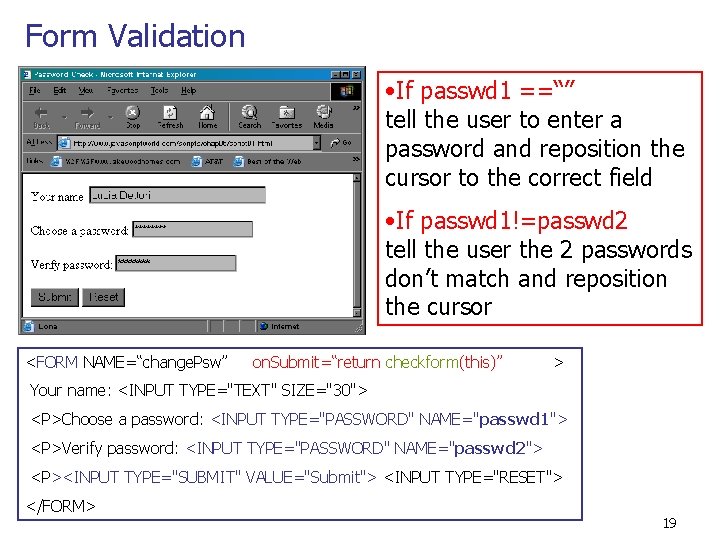
Form Validation • If passwd 1 ==“” tell the user to enter a password and reposition the cursor to the correct field • If passwd 1!=passwd 2 tell the user the 2 passwords don’t match and reposition the cursor <FORM NAME=“change. Psw” on. Submit=“return checkform(this)” > Your name: <INPUT TYPE="TEXT" SIZE="30"> <P>Choose a password: <INPUT TYPE="PASSWORD" NAME="passwd 1"> <P>Verify password: <INPUT TYPE="PASSWORD" NAME="passwd 2"> <P><INPUT TYPE="SUBMIT" VALUE="Submit"> <INPUT TYPE="RESET"> </FORM> 19
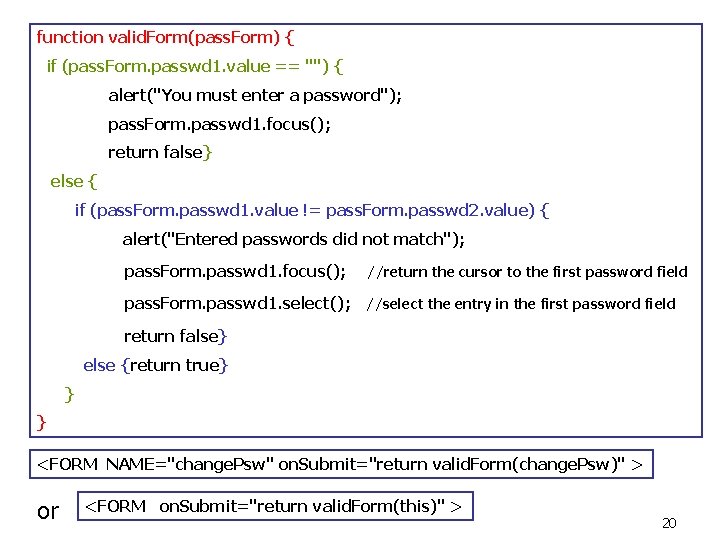
function valid. Form(pass. Form) { if (pass. Form. passwd 1. value == "") { alert("You must enter a password"); pass. Form. passwd 1. focus(); return false} else { if (pass. Form. passwd 1. value != pass. Form. passwd 2. value) { alert("Entered passwords did not match"); pass. Form. passwd 1. focus(); //return the cursor to the first password field pass. Form. passwd 1. select(); //select the entry in the first password field return false} else {return true} } } <FORM NAME="change. Psw" on. Submit="return valid. Form(change. Psw)" > or <FORM on. Submit="return valid. Form(this)" > 20
More on forms n n n Copying the values entered in one field to another field Convert F degrees into Celsius A mortgage calculator 21
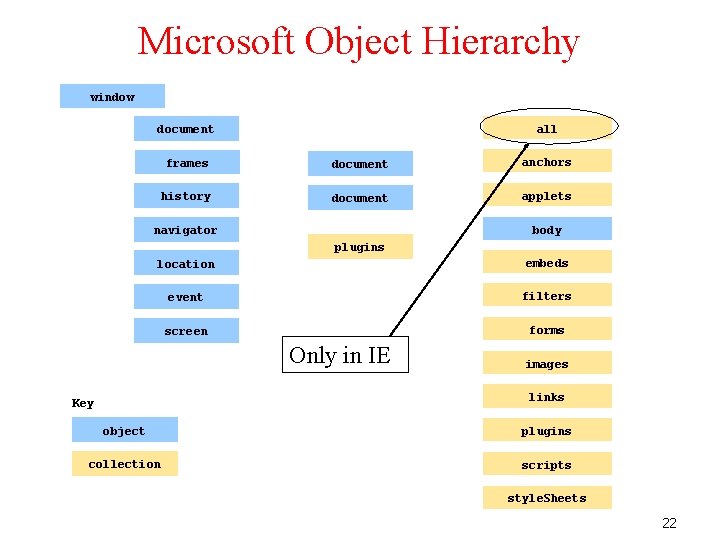
Microsoft Object Hierarchy window all document frames document anchors history document applets body navigator plugins location embeds event filters screen forms Only in IE images links Key object plugins collection scripts style. Sheets 22
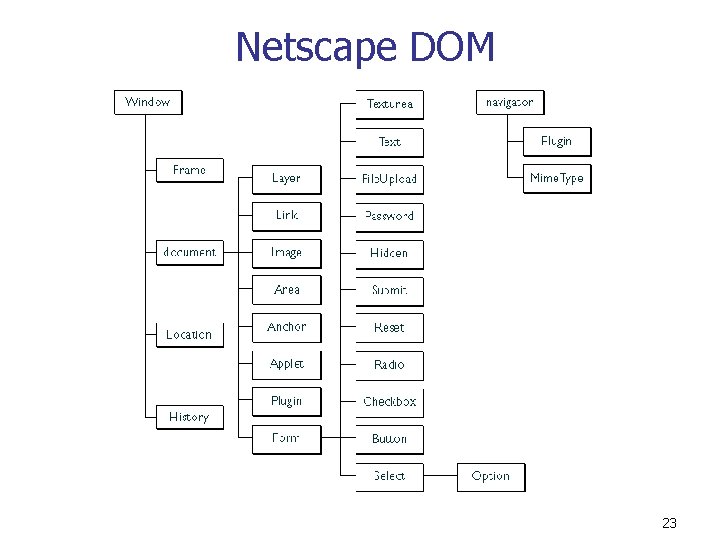
Netscape DOM 23
Element collections In JS you translate this hierarchy into reference names which indicate the location of the element in the DOM n Elements can be grouped into element collections which are arrays of all the elements of a particular type document. images. my. Image. ID. property document. images[“my. Image. ID”]. property n 24
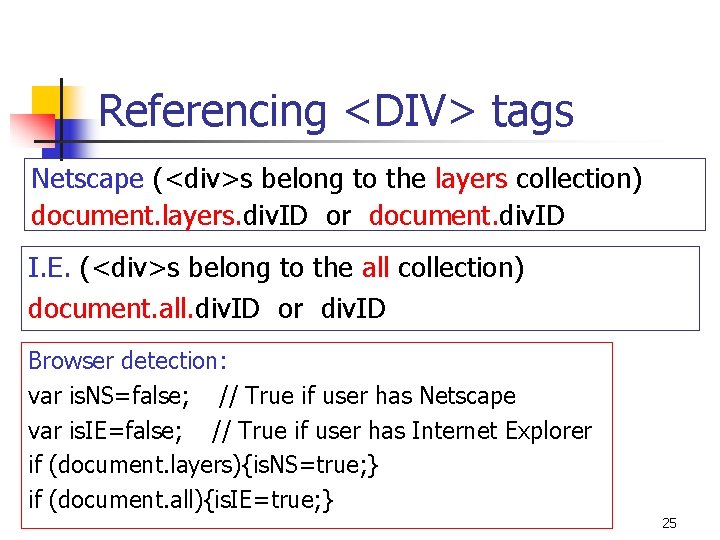
Referencing <DIV> tags Netscape (<div>s belong to the layers collection) document. layers. div. ID or document. div. ID I. E. (<div>s belong to the all collection) document. all. div. ID or div. ID Browser detection: var is. NS=false; // True if user has Netscape var is. IE=false; // True if user has Internet Explorer if (document. layers){is. NS=true; } if (document. all){is. IE=true; } 25
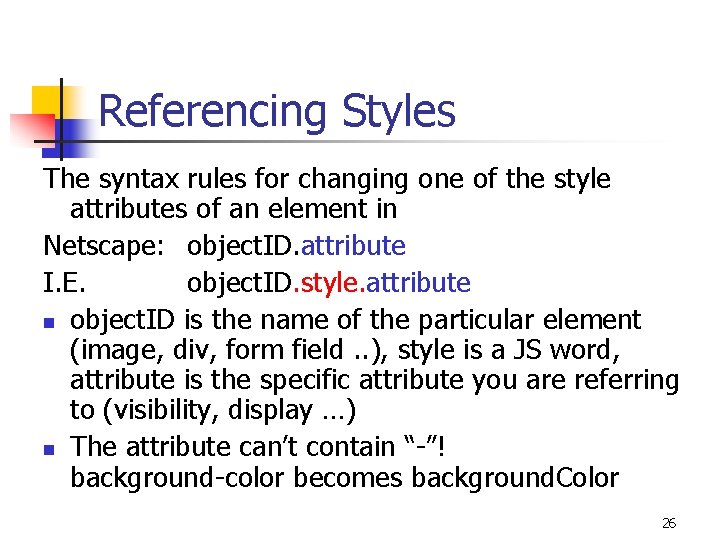
Referencing Styles The syntax rules for changing one of the style attributes of an element in Netscape: object. ID. attribute I. E. object. ID. style. attribute n object. ID is the name of the particular element (image, div, form field. . ), style is a JS word, attribute is the specific attribute you are referring to (visibility, display …) n The attribute can’t contain “-”! background-color becomes background. Color 26
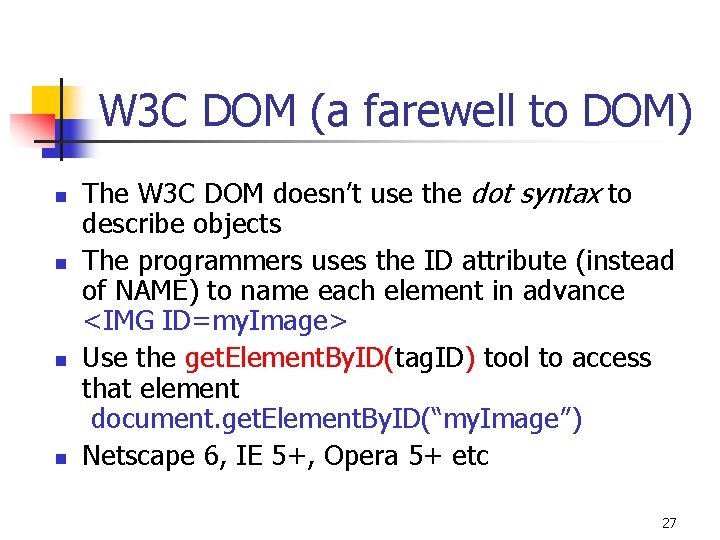
W 3 C DOM (a farewell to DOM) n n The W 3 C DOM doesn’t use the dot syntax to describe objects The programmers uses the ID attribute (instead of NAME) to name each element in advance <IMG ID=my. Image> Use the get. Element. By. ID(tag. ID) tool to access that element document. get. Element. By. ID(“my. Image”) Netscape 6, IE 5+, Opera 5+ etc 27
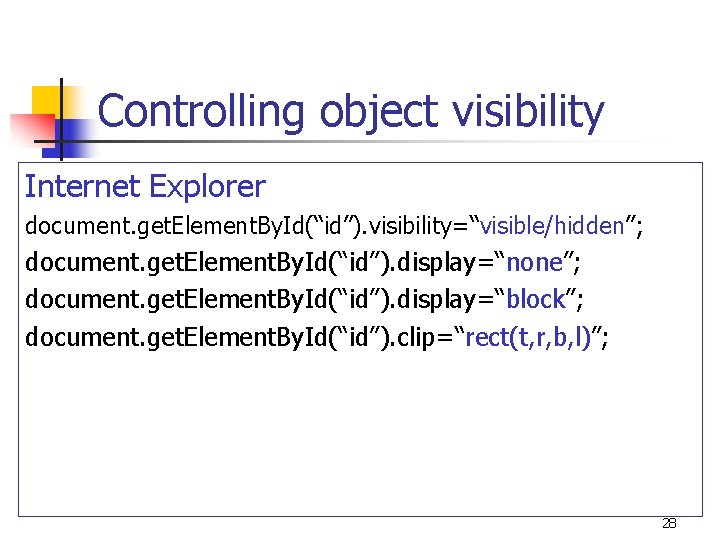
Controlling object visibility Internet Explorer document. get. Element. By. Id(“id”). visibility=“visible/hidden”; document. get. Element. By. Id(“id”). display=“none”; document. get. Element. By. Id(“id”). display=“block”; document. get. Element. By. Id(“id”). clip=“rect(t, r, b, l)”; 28
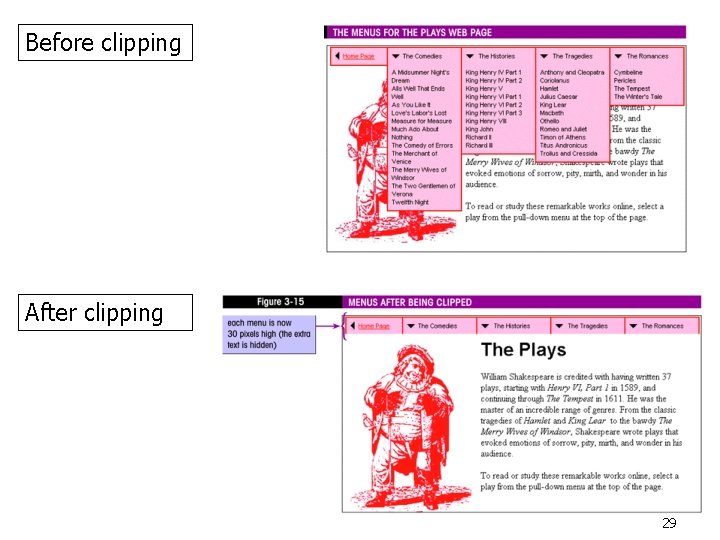
Before clipping After clipping 29
Menus n n Side menu: MSNBC Metra. Rail Drop Down: T-Mobile In-Style Magazine 30
Rollovers n n n De. Paul website Bloomingdale’s wedding channel CBS 31
Repeating commands variable=set. Interval(“fct. Name()”, # of millisec); tells the script to run the function fct. Name at the specified interval of milliseconds. clear. Interval (variable); Cancels the set. Interval command 32
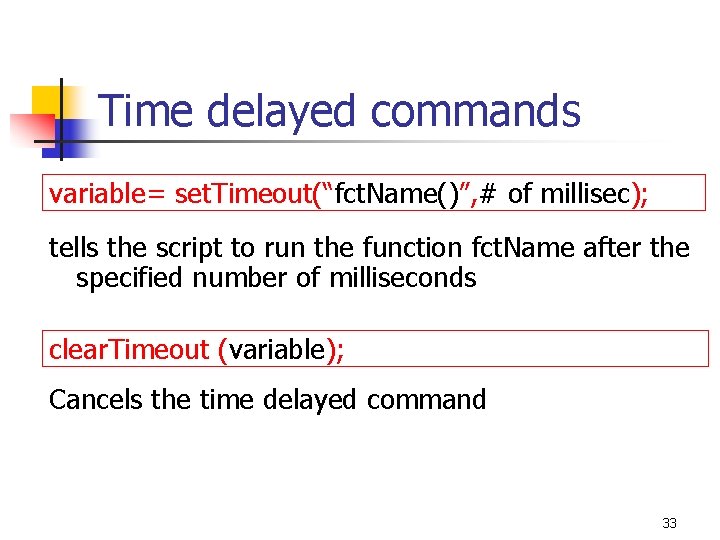
Time delayed commands variable= set. Timeout(“fct. Name()”, # of millisec); tells the script to run the function fct. Name after the specified number of milliseconds clear. Timeout (variable); Cancels the time delayed command 33
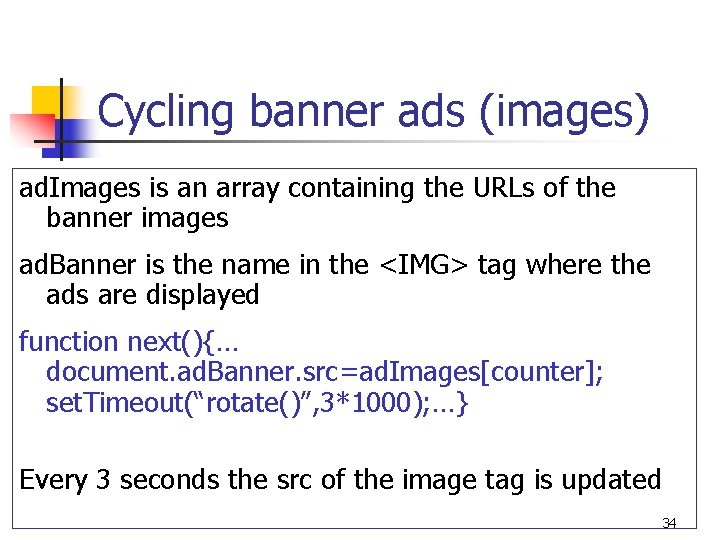
Cycling banner ads (images) ad. Images is an array containing the URLs of the banner images ad. Banner is the name in the <IMG> tag where the ads are displayed function next(){… document. ad. Banner. src=ad. Images[counter]; set. Timeout(“rotate()”, 3*1000); …} Every 3 seconds the src of the image tag is updated 34
Photo gallery and slide shows n n Prev-Next: Chicago tribune Automatic show: MSNBC 35
Other effects n n Scrolling news: metrarail Filters Increasing font size Cursor Images 36
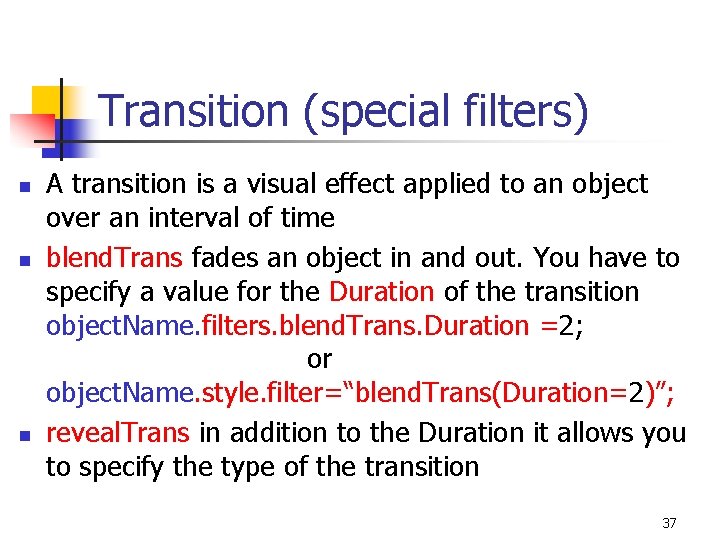
Transition (special filters) n n n A transition is a visual effect applied to an object over an interval of time blend. Trans fades an object in and out. You have to specify a value for the Duration of the transition object. Name. filters. blend. Trans. Duration =2; or object. Name. style. filter=“blend. Trans(Duration=2)”; reveal. Trans in addition to the Duration it allows you to specify the type of the transition 37
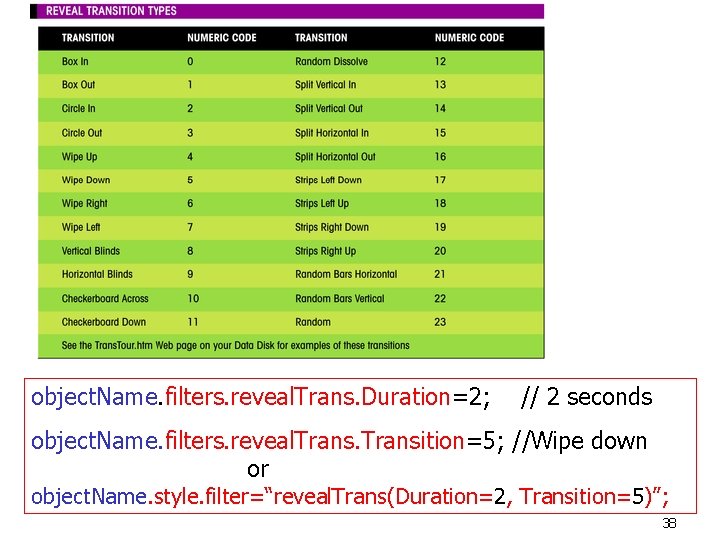
object. Name. filters. reveal. Trans. Duration=2; // 2 seconds object. Name. filters. reveal. Transition=5; //Wipe down or object. Name. style. filter=“reveal. Trans(Duration=2, Transition=5)”; 38
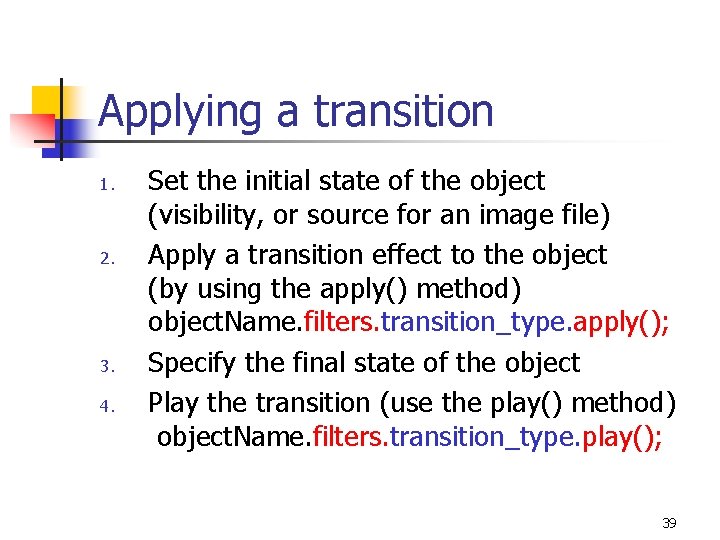
Applying a transition 1. 2. 3. 4. Set the initial state of the object (visibility, or source for an image file) Apply a transition effect to the object (by using the apply() method) object. Name. filters. transition_type. apply(); Specify the final state of the object Play the transition (use the play() method) object. Name. filters. transition_type. play(); 39
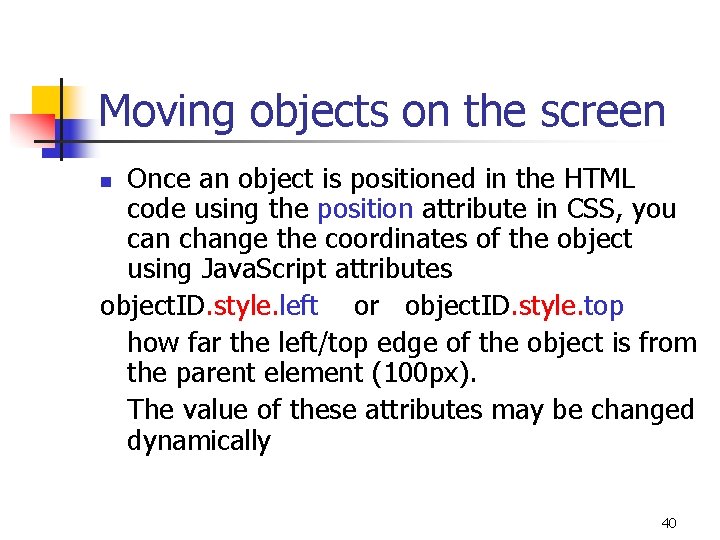
Moving objects on the screen Once an object is positioned in the HTML code using the position attribute in CSS, you can change the coordinates of the object using Java. Script attributes object. ID. style. left or object. ID. style. top how far the left/top edge of the object is from the parent element (100 px). The value of these attributes may be changed dynamically n 40
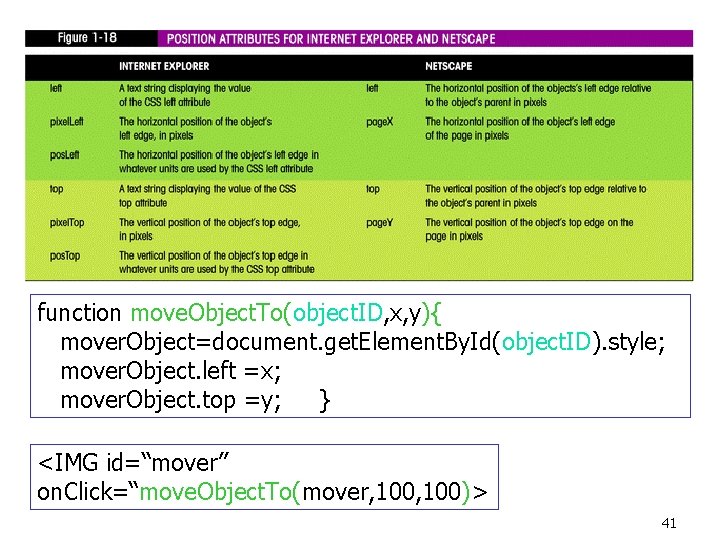
function move. Object. To(object. ID, x, y){ mover. Object=document. get. Element. By. Id(object. ID). style; mover. Object. left =x; mover. Object. top =y; } <IMG id=“mover” on. Click=“move. Object. To(mover, 100)> 41
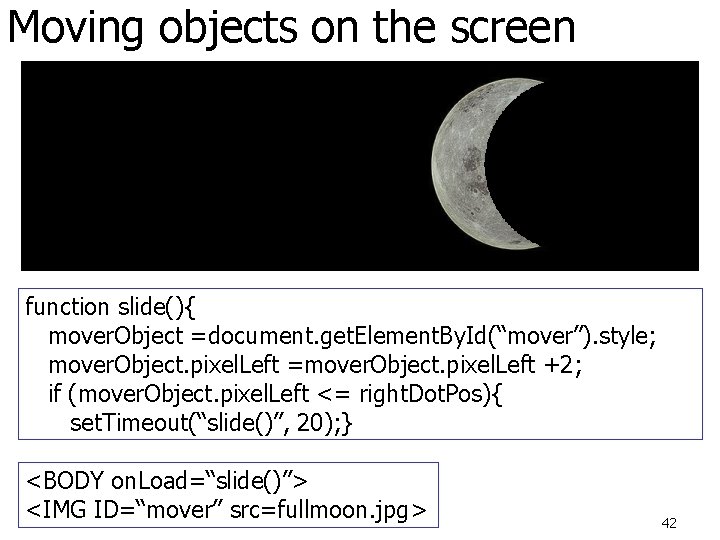
Moving objects on the screen function slide(){ mover. Object =document. get. Element. By. Id(“mover”). style; mover. Object. pixel. Left =mover. Object. pixel. Left +2; if (mover. Object. pixel. Left <= right. Dot. Pos){ set. Timeout(“slide()”, 20); } <BODY on. Load=“slide()”> <IMG ID=“mover” src=fullmoon. jpg> 42
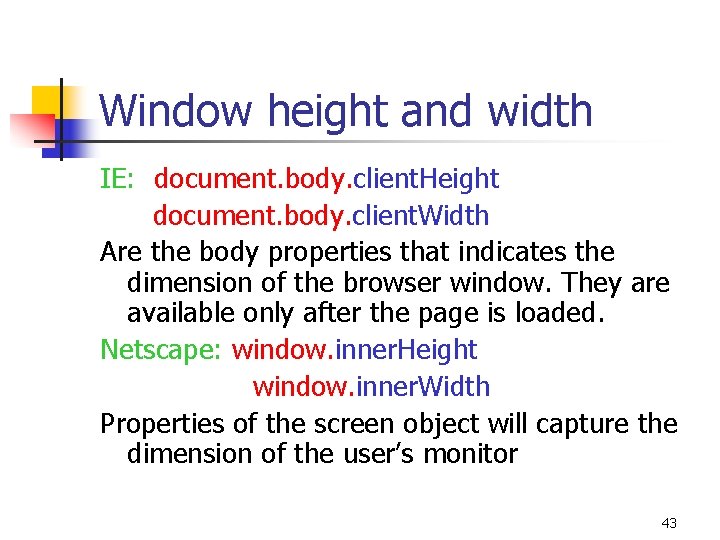
Window height and width IE: document. body. client. Height document. body. client. Width Are the body properties that indicates the dimension of the browser window. They are available only after the page is loaded. Netscape: window. inner. Height window. inner. Width Properties of the screen object will capture the dimension of the user’s monitor 43
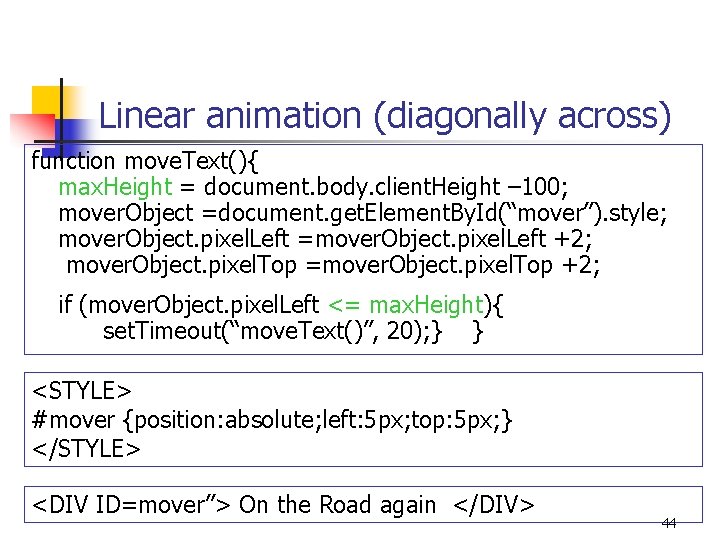
Linear animation (diagonally across) function move. Text(){ max. Height = document. body. client. Height – 100; mover. Object =document. get. Element. By. Id(“mover”). style; mover. Object. pixel. Left =mover. Object. pixel. Left +2; mover. Object. pixel. Top =mover. Object. pixel. Top +2; if (mover. Object. pixel. Left <= max. Height){ set. Timeout(“move. Text()”, 20); } } <STYLE> #mover {position: absolute; left: 5 px; top: 5 px; } </STYLE> <DIV ID=mover”> On the Road again </DIV> 44
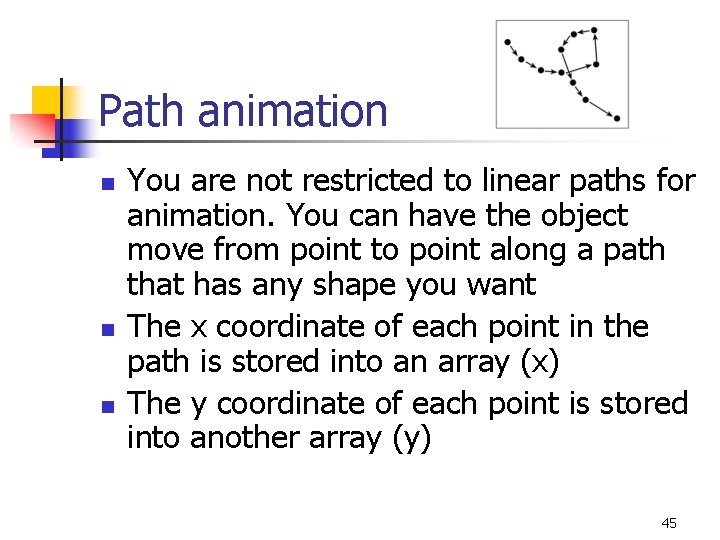
Path animation n You are not restricted to linear paths for animation. You can have the object move from point to point along a path that has any shape you want The x coordinate of each point in the path is stored into an array (x) The y coordinate of each point is stored into another array (y) 45
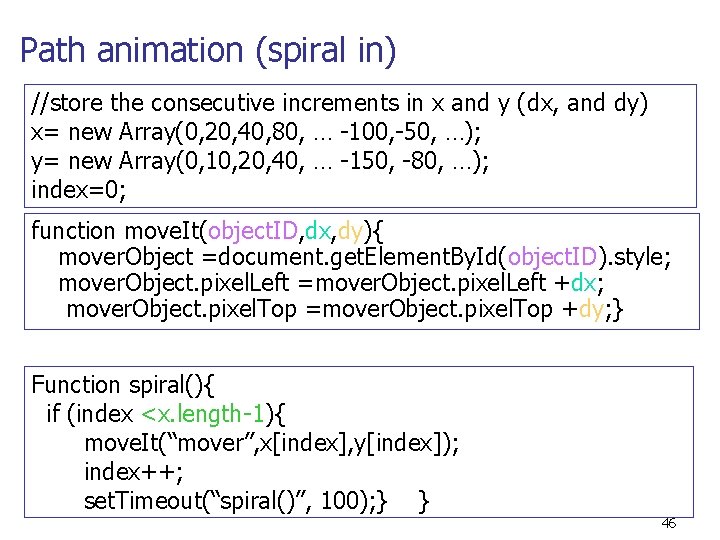
Path animation (spiral in) //store the consecutive increments in x and y (dx, and dy) x= new Array(0, 20, 40, 80, … -100, -50, …); y= new Array(0, 10, 20, 40, … -150, -80, …); index=0; function move. It(object. ID, dx, dy){ mover. Object =document. get. Element. By. Id(object. ID). style; mover. Object. pixel. Left =mover. Object. pixel. Left +dx; mover. Object. pixel. Top =mover. Object. pixel. Top +dy; } Function spiral(){ if (index <x. length-1){ move. It(“mover”, x[index], y[index]); index++; set. Timeout(“spiral()”, 100); } } 46
End of Lecture 47
- Slides: 47