
Stack and Queue Introduction to Stacks A stack

![STACKS Algorithm: -1 PUSH(STACK, TOP, MAXSTK, ITEM) 1. [Stack already filled] If TOP=MAXSTK, then](https://slidetodoc.com/presentation_image_h2/00228aff6e9d0d96afcc1002277ba001/image-6.jpg "STACKS Algorithm: -1 PUSH(STACK, TOP, MAXSTK, ITEM) 1. [Stack already filled] If TOP=MAXSTK, then")
![Algorithm: -2 POP(STACK, TOP, ITEM) 1. [Stack has an item to be removed] If](https://slidetodoc.com/presentation_image_h2/00228aff6e9d0d96afcc1002277ba001/image-7.jpg "Algorithm: -2 POP(STACK, TOP, ITEM) 1. [Stack has an item to be removed] If")


![LINKED REPRESENTATION[INSERT] 1. 2. 3. 4. 5. If AVAIL=NULL then Write: OVERFLOW and EXIT](https://slidetodoc.com/presentation_image_h2/00228aff6e9d0d96afcc1002277ba001/image-16.jpg "LINKED REPRESENTATION[INSERT] 1. 2. 3. 4. 5. If AVAIL=NULL then Write: OVERFLOW and EXIT")
![LINKED REPRESENTATION[DELETE] 1. If FRONT=NULL then Write: UNDERFLOW and EXIT [end of if structure]](https://slidetodoc.com/presentation_image_h2/00228aff6e9d0d96afcc1002277ba001/image-17.jpg "LINKED REPRESENTATION[DELETE] 1. If FRONT=NULL then Write: UNDERFLOW and EXIT [end of if structure]")
![Quick sort algorithm QUICK(A, N, BEG, END, LOC) 1. [Initialize] Set LEFT = BEG,](https://slidetodoc.com/presentation_image_h2/00228aff6e9d0d96afcc1002277ba001/image-41.jpg "Quick sort algorithm QUICK(A, N, BEG, END, LOC) 1. [Initialize] Set LEFT = BEG,")
![Quick sort algorithm QUICKSORT() 1. [Initialize] TOP = 0 2. [Push boundary value of](https://slidetodoc.com/presentation_image_h2/00228aff6e9d0d96afcc1002277ba001/image-42.jpg "Quick sort algorithm QUICKSORT() 1. [Initialize] TOP = 0 2. [Push boundary value of")


- Slides: 75
Stack and Queue
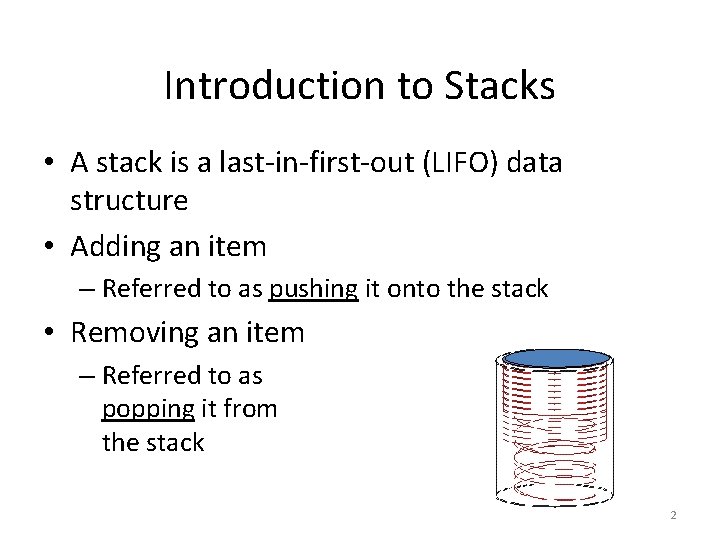
Introduction to Stacks • A stack is a last-in-first-out (LIFO) data structure • Adding an item – Referred to as pushing it onto the stack • Removing an item – Referred to as popping it from the stack 2
A Stack • Definition: – An ordered collection of data items – Can be accessed at only one end (the top) • Operations: – construct a stack (usually empty) – check if it is empty – Push: add an element to the top – Top: retrieve the top element – Pop: remove the top element 3
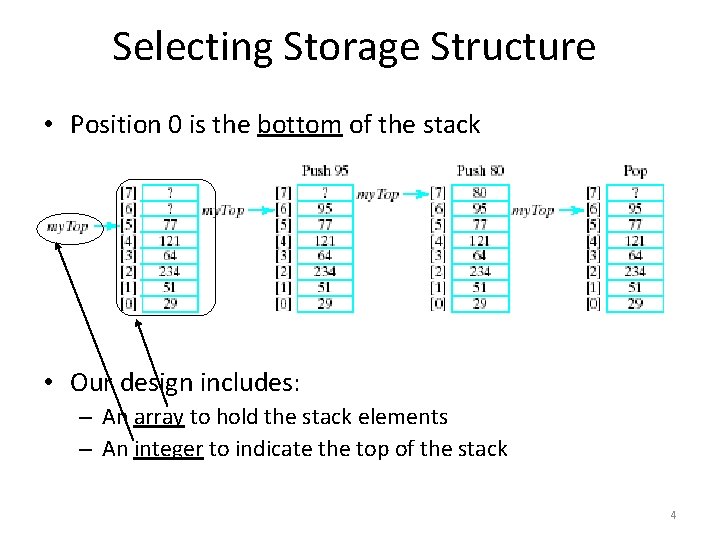
Selecting Storage Structure • Position 0 is the bottom of the stack • Our design includes: – An array to hold the stack elements – An integer to indicate the top of the stack 4
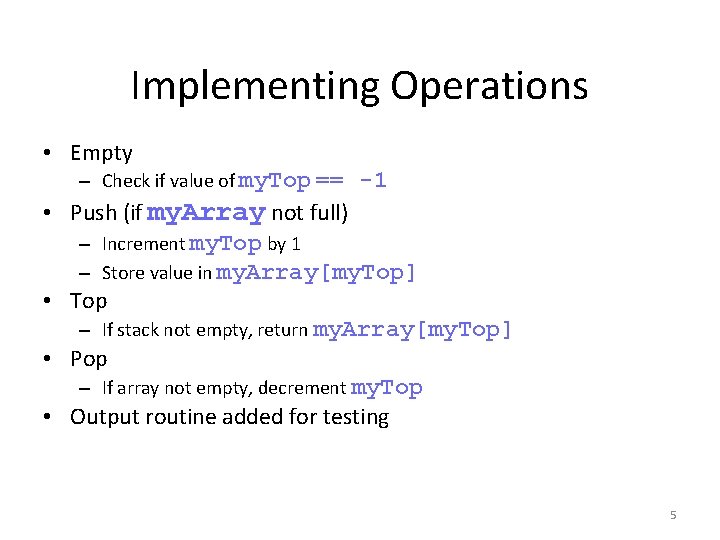
Implementing Operations • Empty – Check if value of my. Top == -1 • Push (if my. Array not full) – Increment my. Top by 1 – Store value in my. Array[my. Top] • Top – If stack not empty, return my. Array[my. Top] • Pop – If array not empty, decrement my. Top • Output routine added for testing 5
STACKS Algorithm: -1 PUSH(STACK, TOP, MAXSTK, ITEM) 1. [Stack already filled] If TOP=MAXSTK, then Write: OVERFLOW and Return [end of if structure] 2. Set TOP: =TOP+1 [increases TOP by 1] 3. Set STACK[TOP]: =ITEM [insert ITEM in new TOP position] 4. Return
Algorithm: -2 POP(STACK, TOP, ITEM) 1. [Stack has an item to be removed] If TOP=0, then Write: UNDERFLOW and Return [end of if structure] 2. Set ITEM: =STACK[TOP] [Assigns TOP element to ITEM] 3. Set TOP: =TOP-1 [Decreases TOP by 1] 4. Return
Linked Stacks • Another alternative to allowing stacks to grow as needed • Linked list stack needs only one data member – Pointer my. Top – Nodes allocated (but not part of stack class)
Implementing Linked Stack Operations • Empty – Check for my. Top == null • Push – Insertion at beginning of list • Top – Return data to which my. Top points
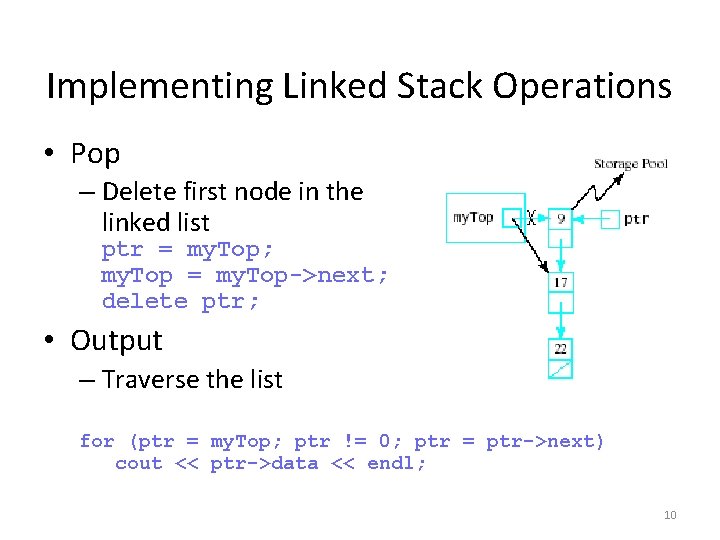
Implementing Linked Stack Operations • Pop – Delete first node in the linked list ptr = my. Top; my. Top = my. Top->next; delete ptr; • Output – Traverse the list for (ptr = my. Top; ptr != 0; ptr = ptr->next) cout << ptr->data << endl; 10
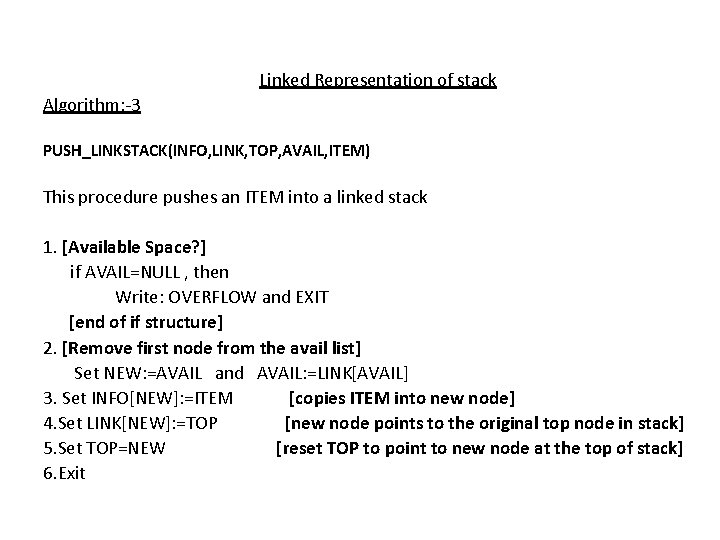
Linked Representation of stack Algorithm: -3 PUSH_LINKSTACK(INFO, LINK, TOP, AVAIL, ITEM) This procedure pushes an ITEM into a linked stack 1. [Available Space? ] if AVAIL=NULL , then Write: OVERFLOW and EXIT [end of if structure] 2. [Remove first node from the avail list] Set NEW: =AVAIL and AVAIL: =LINK[AVAIL] 3. Set INFO[NEW]: =ITEM [copies ITEM into new node] 4. Set LINK[NEW]: =TOP [new node points to the original top node in stack] 5. Set TOP=NEW [reset TOP to point to new node at the top of stack] 6. Exit
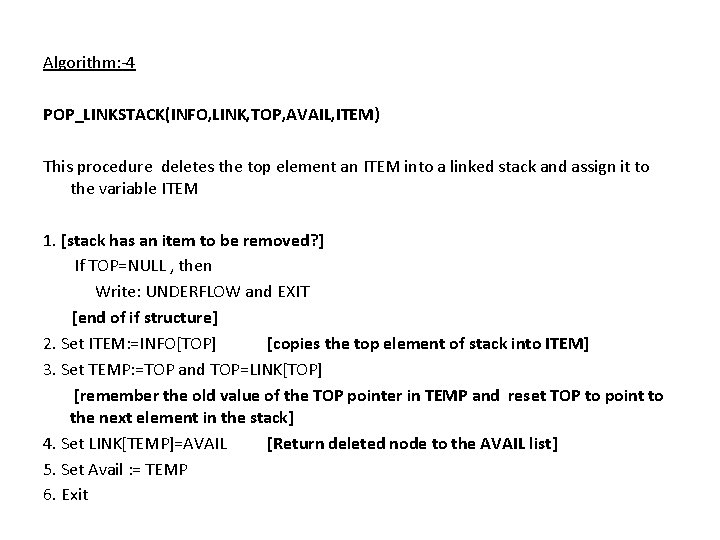
Algorithm: -4 POP_LINKSTACK(INFO, LINK, TOP, AVAIL, ITEM) This procedure deletes the top element an ITEM into a linked stack and assign it to the variable ITEM 1. [stack has an item to be removed? ] If TOP=NULL , then Write: UNDERFLOW and EXIT [end of if structure] 2. Set ITEM: =INFO[TOP] [copies the top element of stack into ITEM] 3. Set TEMP: =TOP and TOP=LINK[TOP] [remember the old value of the TOP pointer in TEMP and reset TOP to point to the next element in the stack] 4. Set LINK[TEMP]=AVAIL [Return deleted node to the AVAIL list] 5. Set Avail : = TEMP 6. Exit
QUEUE
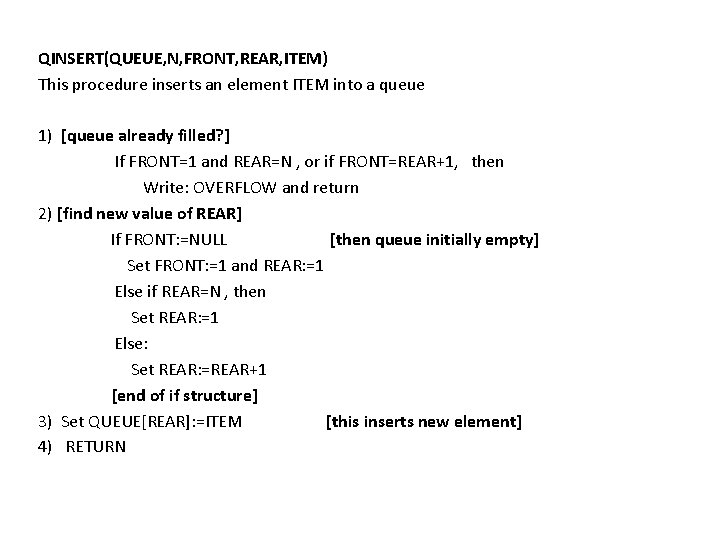
QINSERT(QUEUE, N, FRONT, REAR, ITEM) This procedure inserts an element ITEM into a queue 1) [queue already filled? ] If FRONT=1 and REAR=N , or if FRONT=REAR+1, then Write: OVERFLOW and return 2) [find new value of REAR] If FRONT: =NULL [then queue initially empty] Set FRONT: =1 and REAR: =1 Else if REAR=N , then Set REAR: =1 Else: Set REAR: =REAR+1 [end of if structure] 3) Set QUEUE[REAR]: =ITEM [this inserts new element] 4) RETURN
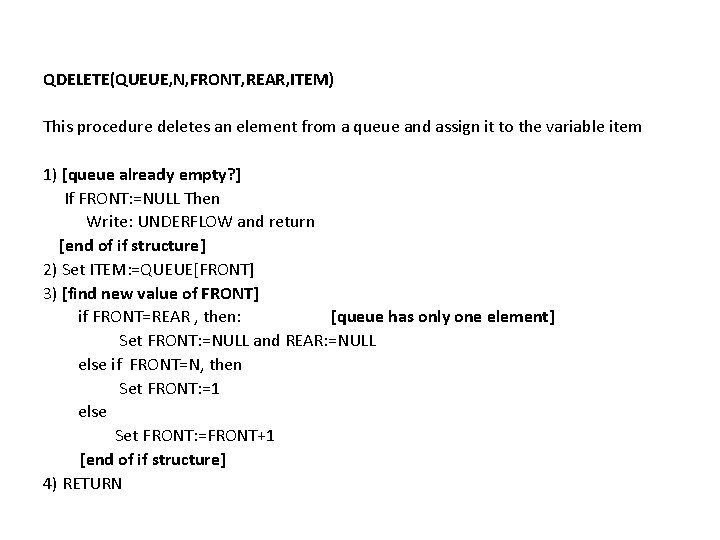
QDELETE(QUEUE, N, FRONT, REAR, ITEM) This procedure deletes an element from a queue and assign it to the variable item 1) [queue already empty? ] If FRONT: =NULL Then Write: UNDERFLOW and return [end of if structure] 2) Set ITEM: =QUEUE[FRONT] 3) [find new value of FRONT] if FRONT=REAR , then: [queue has only one element] Set FRONT: =NULL and REAR: =NULL else if FRONT=N, then Set FRONT: =1 else Set FRONT: =FRONT+1 [end of if structure] 4) RETURN
LINKED REPRESENTATION[INSERT] 1. 2. 3. 4. 5. If AVAIL=NULL then Write: OVERFLOW and EXIT [end of if structure] Set NEW: =AVAIL and AVAIL: =LINK[AVAIL] Set INFO[NEW]: =ITEM and LINK[NEW]: =NULL If FRONT=NULL then FRONT=REAR=NEW else Set LINK[REAR]=NEW and REAR=NEW [end of if structure] Exit
LINKED REPRESENTATION[DELETE] 1. If FRONT=NULL then Write: UNDERFLOW and EXIT [end of if structure] 2. Set TEMP: =FRONT 3. ITEM: =INFO[TEMP] 4. FRONT: =LINK[TEMP] 5. LINK[TEMP]: =AVAIL and AVAIL: =TEMP 6. Exit
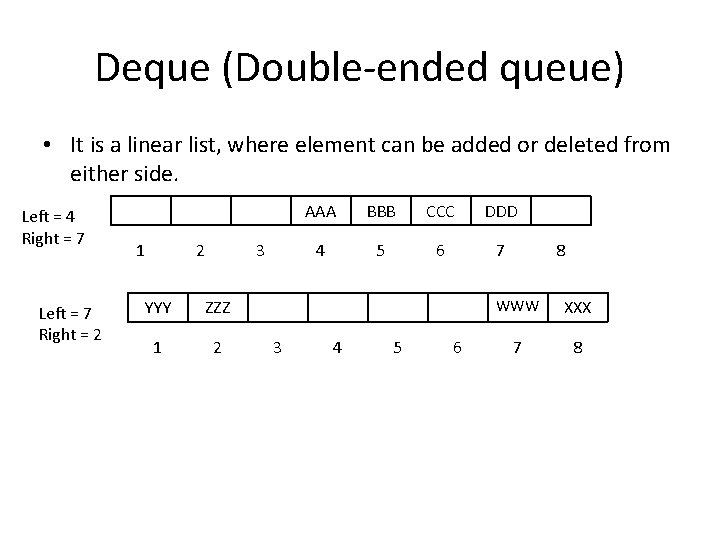
Deque (Double-ended queue) • It is a linear list, where element can be added or deleted from either side. Left = 4 Right = 7 Left = 7 Right = 2 1 2 3 YYY ZZZ 1 2 3 AAA BBB CCC DDD 4 5 6 7 4 5 6 8 WWW XXX 7 8
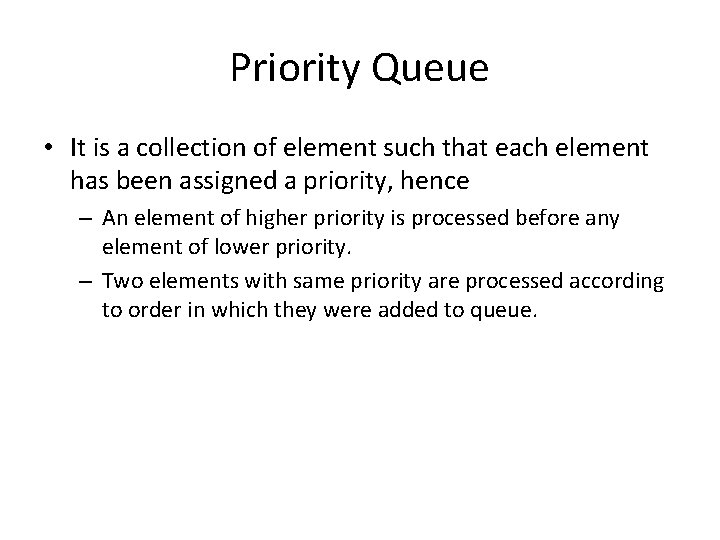
Priority Queue • It is a collection of element such that each element has been assigned a priority, hence – An element of higher priority is processed before any element of lower priority. – Two elements with same priority are processed according to order in which they were added to queue.
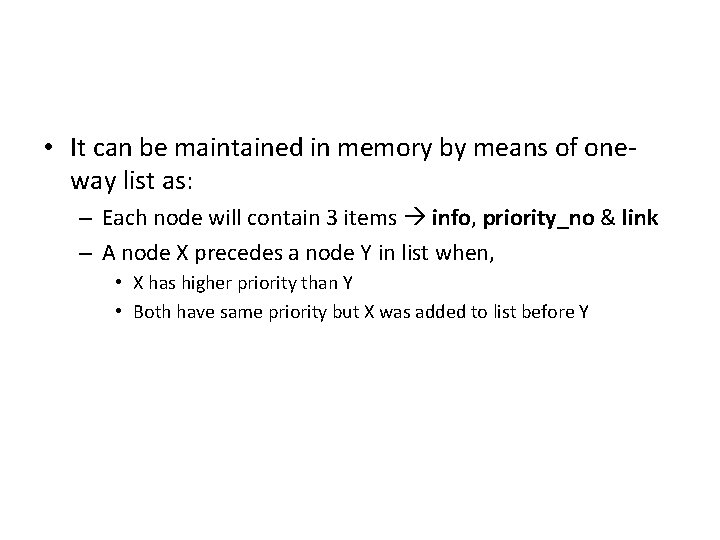
• It can be maintained in memory by means of oneway list as: – Each node will contain 3 items info, priority_no & link – A node X precedes a node Y in list when, • X has higher priority than Y • Both have same priority but X was added to list before Y
Polish (Prefix) Notation
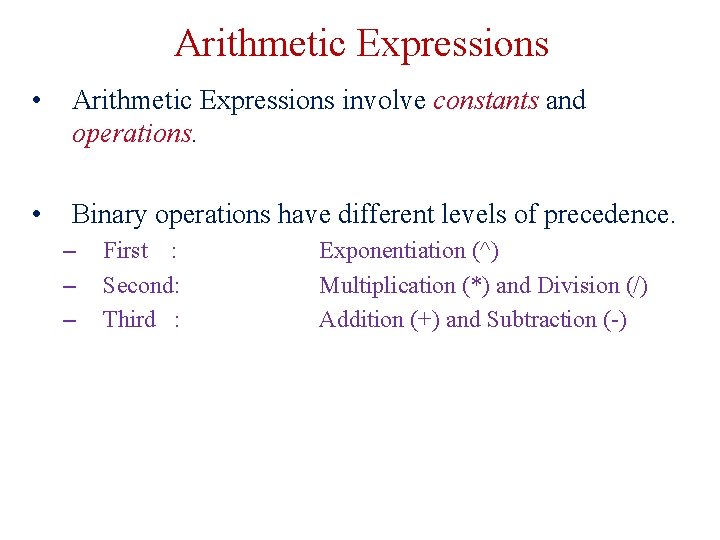
Arithmetic Expressions • Arithmetic Expressions involve constants and operations. • Binary operations have different levels of precedence. – – – First : Second: Third : Exponentiation (^) Multiplication (*) and Division (/) Addition (+) and Subtraction (-)
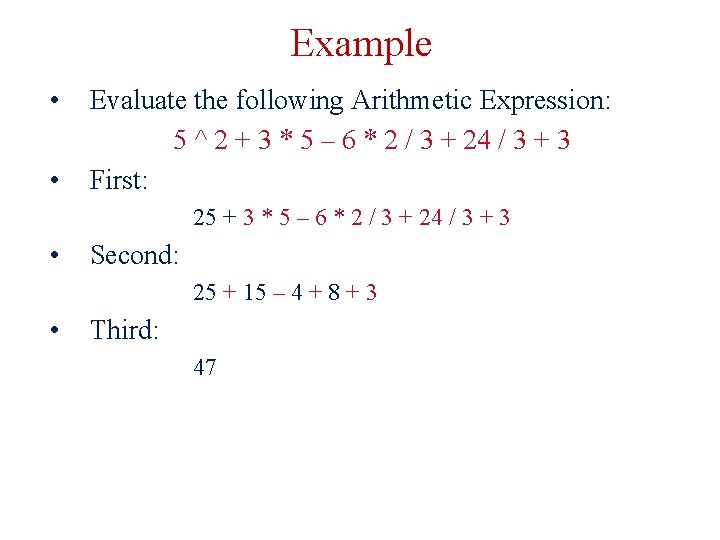
Example • • Evaluate the following Arithmetic Expression: 5 ^ 2 + 3 * 5 – 6 * 2 / 3 + 24 / 3 + 3 First: 25 + 3 * 5 – 6 * 2 / 3 + 24 / 3 + 3 • Second: 25 + 15 – 4 + 8 + 3 • Third: 47
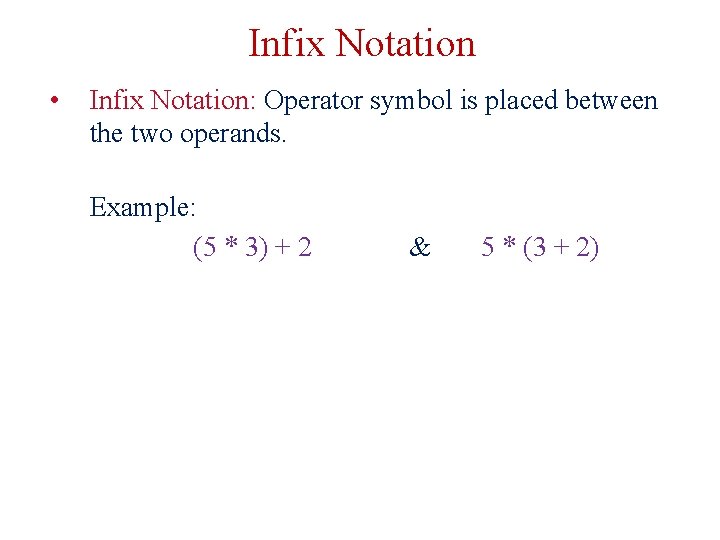
Infix Notation • Infix Notation: Operator symbol is placed between the two operands. Example: (5 * 3) + 2 & 5 * (3 + 2)
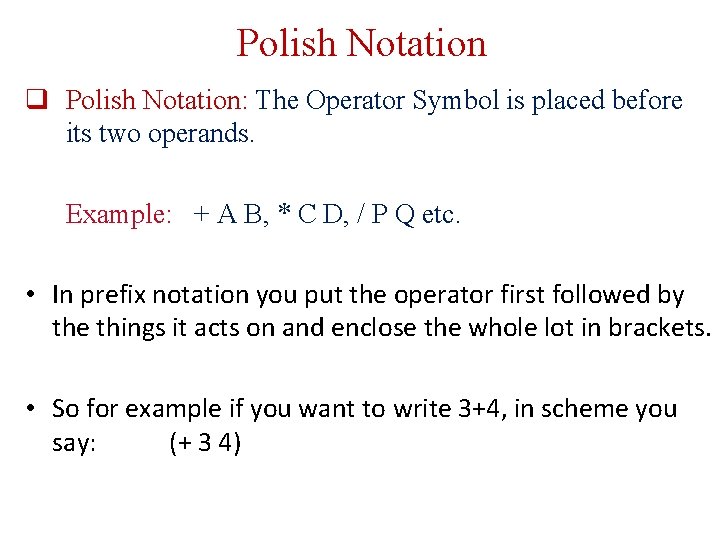
Polish Notation q Polish Notation: The Operator Symbol is placed before its two operands. Example: + A B, * C D, / P Q etc. • In prefix notation you put the operator first followed by the things it acts on and enclose the whole lot in brackets. • So for example if you want to write 3+4, in scheme you say: (+ 3 4)
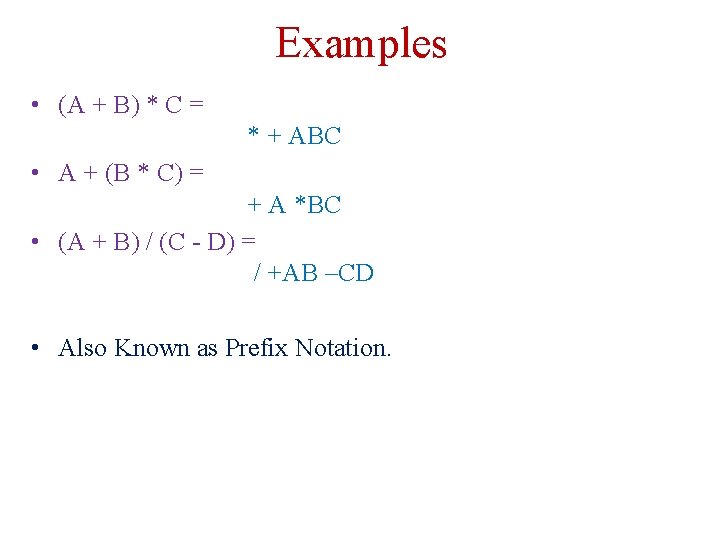
Examples • (A + B) * C = * + ABC • A + (B * C) = + A *BC • (A + B) / (C - D) = / +AB –CD • Also Known as Prefix Notation.
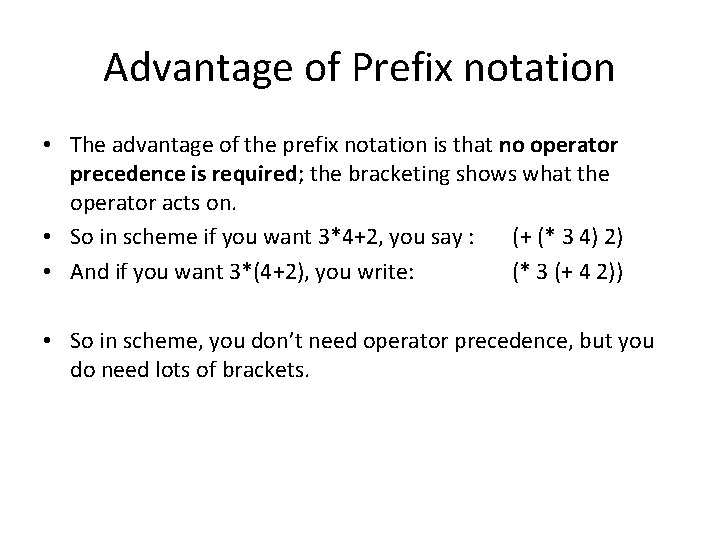
Advantage of Prefix notation • The advantage of the prefix notation is that no operator precedence is required; the bracketing shows what the operator acts on. • So in scheme if you want 3*4+2, you say : (+ (* 3 4) 2) • And if you want 3*(4+2), you write: (* 3 (+ 4 2)) • So in scheme, you don’t need operator precedence, but you do need lots of brackets.
Reverse-Polish (Postfix) Notation
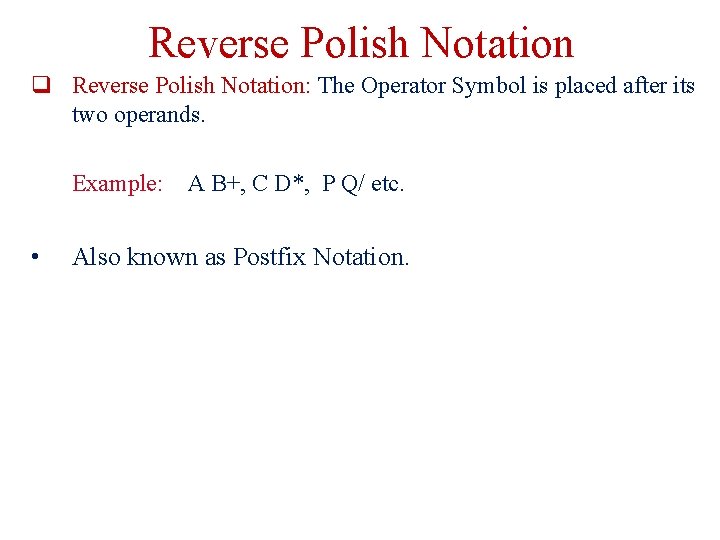
Reverse Polish Notation q Reverse Polish Notation: The Operator Symbol is placed after its two operands. Example: • A B+, C D*, P Q/ etc. Also known as Postfix Notation.
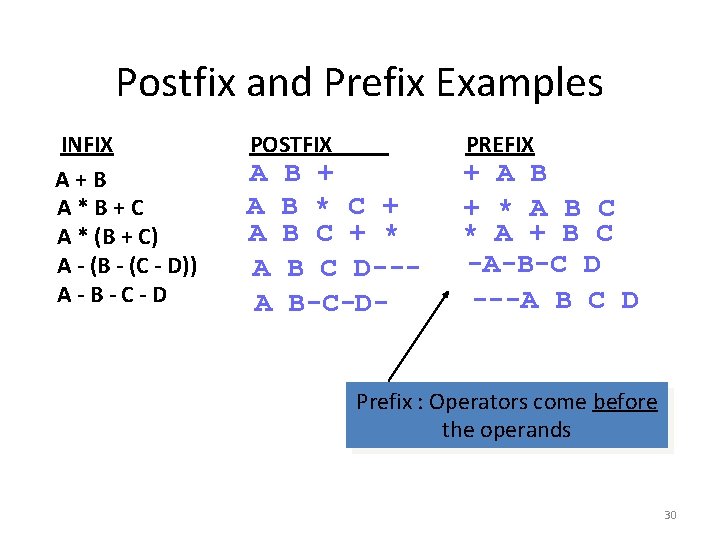
Postfix and Prefix Examples INFIX A+B A*B+C A * (B + C) A - (B - (C - D)) A-B-C-D POSTFIX A A A B + B * C + B C + * B C D--B-C-D- PREFIX + A B + * A B C * A + B C -A-B-C D ---A B C D Prefix : Operators come before the operands 30
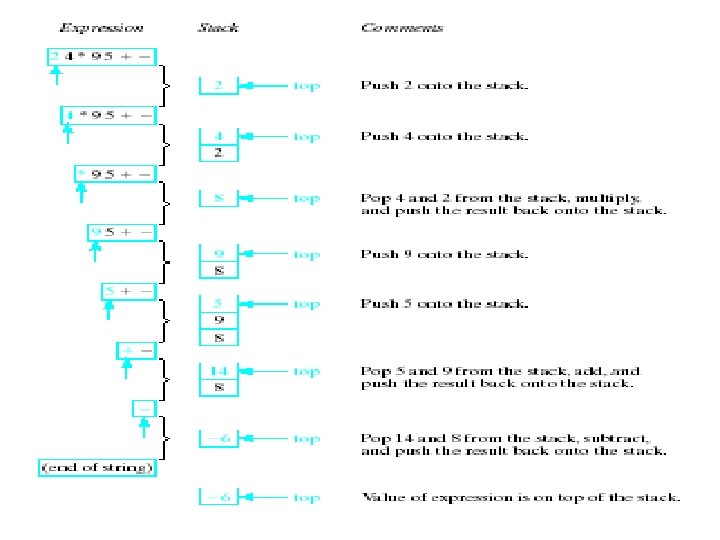
Advantage of Postfix notation • You can easily evaluate a postfix expression in a single scan from left to right with the help of a stack (unlike evaluating infix expressions). • There is no need of the concept of parentheses and precedence rules etc. in a postfix expression.
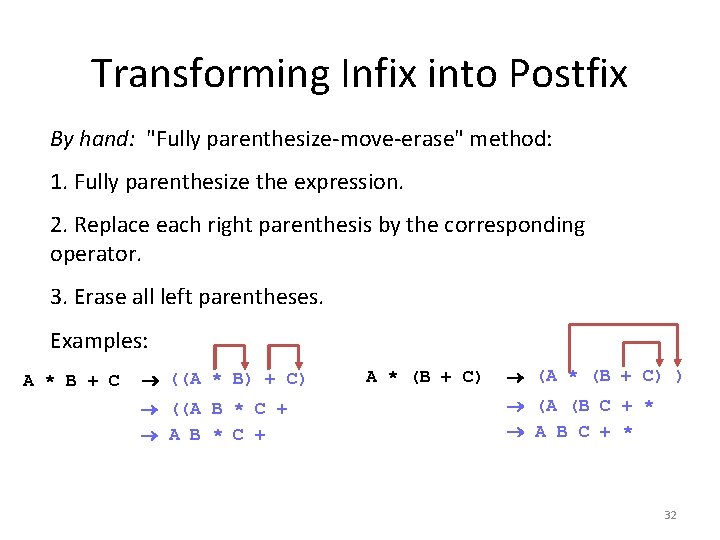
Transforming Infix into Postfix By hand: "Fully parenthesize-move-erase" method: 1. Fully parenthesize the expression. 2. Replace each right parenthesis by the corresponding operator. 3. Erase all left parentheses. Examples: A * B + C ((A * B) + C) ((A B * C + A * (B + C) (A * (B + C) ) (A (B C + * A B C + * 32
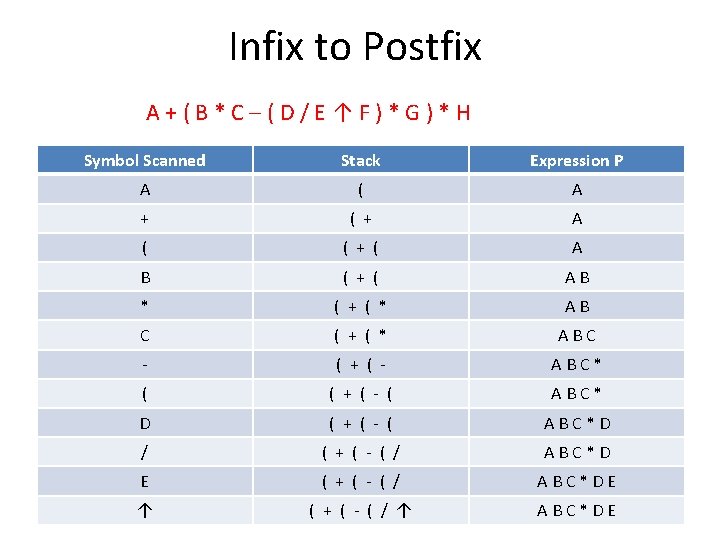
Infix to Postfix A+(B*C–(D/E↑F)*G)*H Symbol Scanned Stack Expression P A ( A + ( + A ( ( + ( A B ( + ( AB * ( + ( * AB C ( + ( * ABC - ( + ( - ABC* ( ( + ( - ( ABC* D ( + ( - ( ABC*D / ( + ( - ( / ABC*D E ( + ( - ( / ABC*DE ↑ ( + ( - ( / ↑ ABC*DE
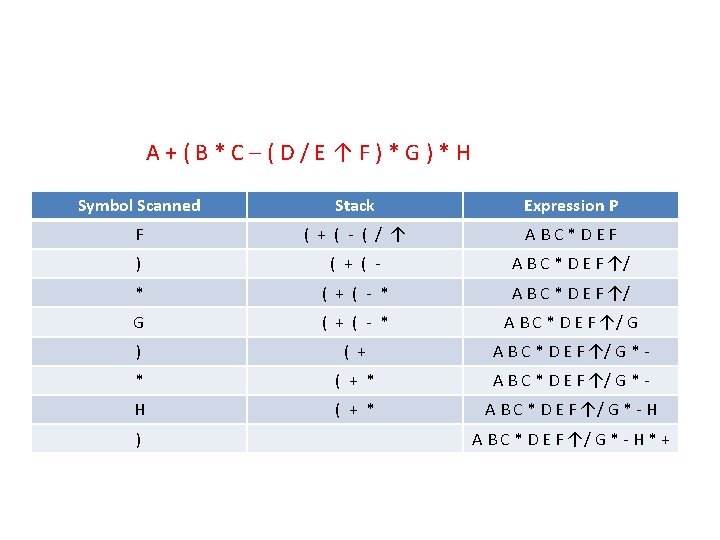
A+(B*C–(D/E↑F)*G)*H Symbol Scanned Stack Expression P F ( + ( - ( / ↑ ABC*DEF ) ( + ( - A B C * D E F ↑/ * ( + ( - * A B C * D E F ↑/ G ) ( + A B C * D E F ↑/ G * - * ( + * A B C * D E F ↑/ G * - H ) A B C * D E F ↑/ G * - H * +
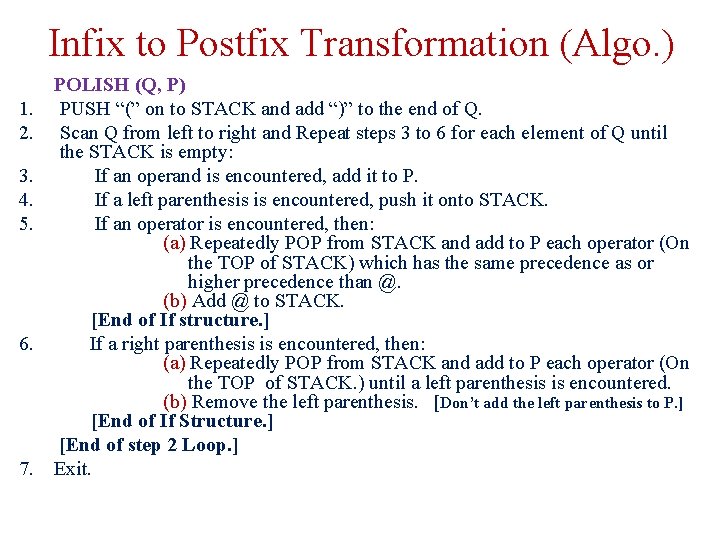
Infix to Postfix Transformation (Algo. ) 1. 2. 3. 4. 5. 6. 7. POLISH (Q, P) PUSH “(” on to STACK and add “)” to the end of Q. Scan Q from left to right and Repeat steps 3 to 6 for each element of Q until the STACK is empty: If an operand is encountered, add it to P. If a left parenthesis is encountered, push it onto STACK. If an operator is encountered, then: (a) Repeatedly POP from STACK and add to P each operator (On the TOP of STACK) which has the same precedence as or higher precedence than @. (b) Add @ to STACK. [End of If structure. ] If a right parenthesis is encountered, then: (a) Repeatedly POP from STACK and add to P each operator (On the TOP of STACK. ) until a left parenthesis is encountered. (b) Remove the left parenthesis. [Don’t add the left parenthesis to P. ] [End of If Structure. ] [End of step 2 Loop. ] Exit.
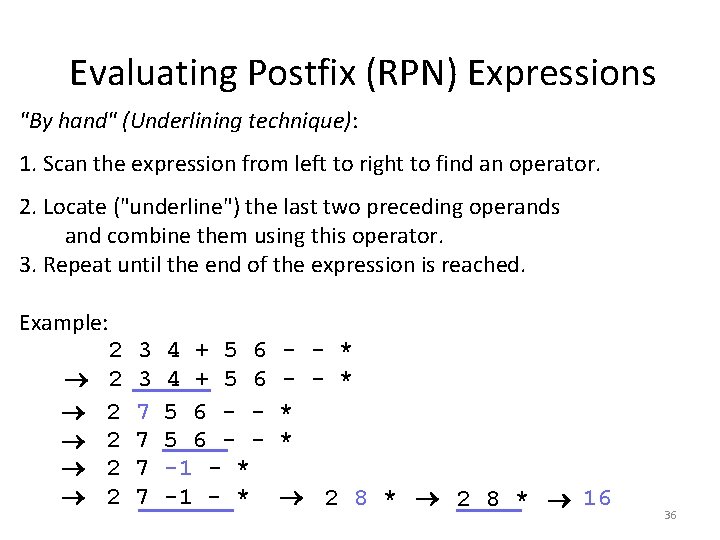
Evaluating Postfix (RPN) Expressions "By hand" (Underlining technique): 1. Scan the expression from left to right to find an operator. 2. Locate ("underline") the last two preceding operands and combine them using this operator. 3. Repeat until the end of the expression is reached. Example: 2 2 2 3 3 7 7 4 + 5 6 5 6 - -1 - * - - * * * 2 8 * 16 36
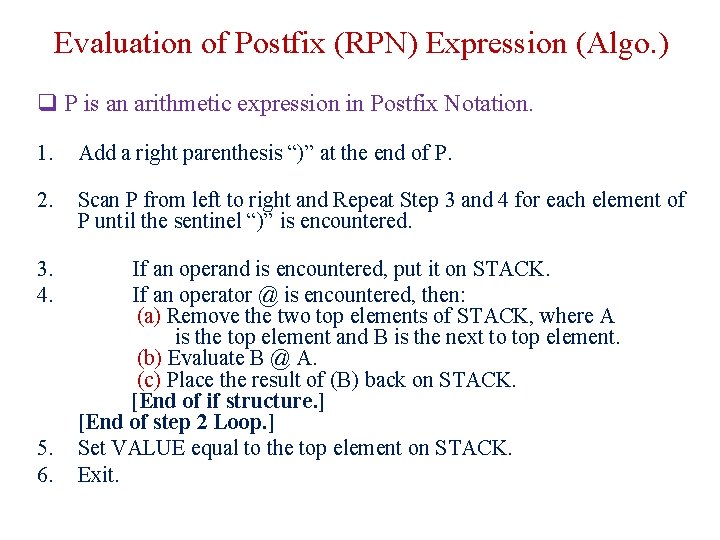
Evaluation of Postfix (RPN) Expression (Algo. ) q P is an arithmetic expression in Postfix Notation. 1. Add a right parenthesis “)” at the end of P. 2. Scan P from left to right and Repeat Step 3 and 4 for each element of P until the sentinel “)” is encountered. 3. 4. If an operand is encountered, put it on STACK. If an operator @ is encountered, then: (a) Remove the two top elements of STACK, where A is the top element and B is the next to top element. (b) Evaluate B @ A. (c) Place the result of (B) back on STACK. [End of if structure. ] [End of step 2 Loop. ] Set VALUE equal to the top element on STACK. Exit. 5. 6.
Evaluating RPN Expressions
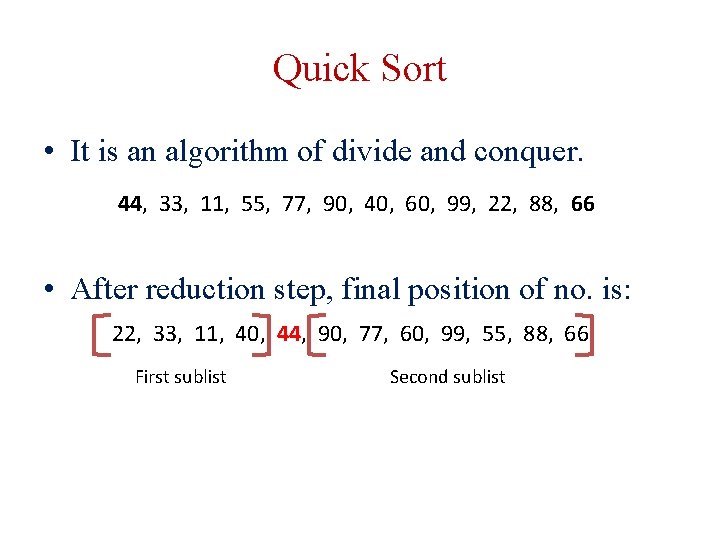
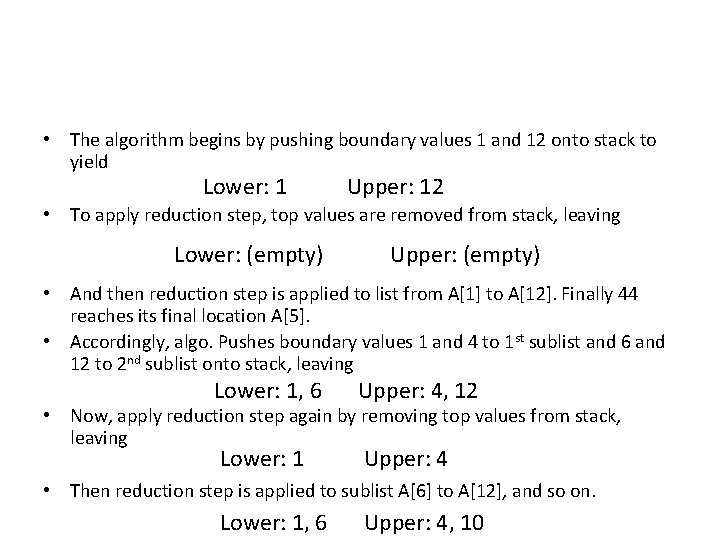
Quick Sort • It is an algorithm of divide and conquer. 44, 33, 11, 55, 77, 90, 40, 60, 99, 22, 88, 66 • After reduction step, final position of no. is: 22, 33, 11, 40, 44, 90, 77, 60, 99, 55, 88, 66 First sublist Second sublist
• The algorithm begins by pushing boundary values 1 and 12 onto stack to yield Lower: 1 Upper: 12 • To apply reduction step, top values are removed from stack, leaving Lower: (empty) Upper: (empty) • And then reduction step is applied to list from A[1] to A[12]. Finally 44 reaches its final location A[5]. • Accordingly, algo. Pushes boundary values 1 and 4 to 1 st sublist and 6 and 12 to 2 nd sublist onto stack, leaving Lower: 1, 6 Upper: 4, 12 Lower: 1 Upper: 4 • Now, apply reduction step again by removing top values from stack, leaving • Then reduction step is applied to sublist A[6] to A[12], and so on. Lower: 1, 6 Upper: 4, 10
Quick sort algorithm QUICK(A, N, BEG, END, LOC) 1. [Initialize] Set LEFT = BEG, RIGHT=END, LOC=BEG 2. [Scan from right to left] a. Repeat while A[LOC] <=A[RIGHT] and LOC != RIGHT i. RIGHT = RIGHT-1 b. If LOC = RIGHT then return c. If A[LOC] > A[RIGHT] then i. [Interchange A[LOC] and A[RIGHT] ] Temp = A[LOC], A[LOC] = A[RIGHT], A[RIGHT] = Temp ii. Set LOC = RIGHT iii. Go to step 3. 3. [Scan from left to right] a. Repeat while A[LEFT] <=A[LOC] and LEFT != LOC i. LEFT = LEFT+1 b. If LOC = LEFT then return c. If A[LEFT] > A[LOC] then i. [Interchange A[LEFT] and A[LOC] ] Temp = A[LOC], A[LOC] = A[LEFT], A[LEFT] = Temp ii. Set LOC = LEFT iii. Go to step 2.
Quick sort algorithm QUICKSORT() 1. [Initialize] TOP = 0 2. [Push boundary value of A onto stacks when A has 2 or more elements] If N >1 then TOP = TOP + 1, LOWER[1] = 1, UPPER[1] = N 3. Repeat steps 4 to 7 while TOP != 0 4. [Pop sublist from stacks] Set BEG = LOWER[TOP] , END = UPPER[TOP] TOP = TOP – 1 5. Call QUICK(A, N, BEG, END, LOC) 6. [ Push left sublist onto stacks when it has 2 or more elements] If BEG < LOC-1 then TOP = TOP + 1, LOWER[TOP] = BEG, UPPER[TOP] = LOC-1 7. [ Push right sublist onto stacks when it has 2 or more elements] If LOC+1 < END then TOP = TOP+1, LOWER[TOP] = LOC + 1, UPPER[TOP] = END 8. Exit.
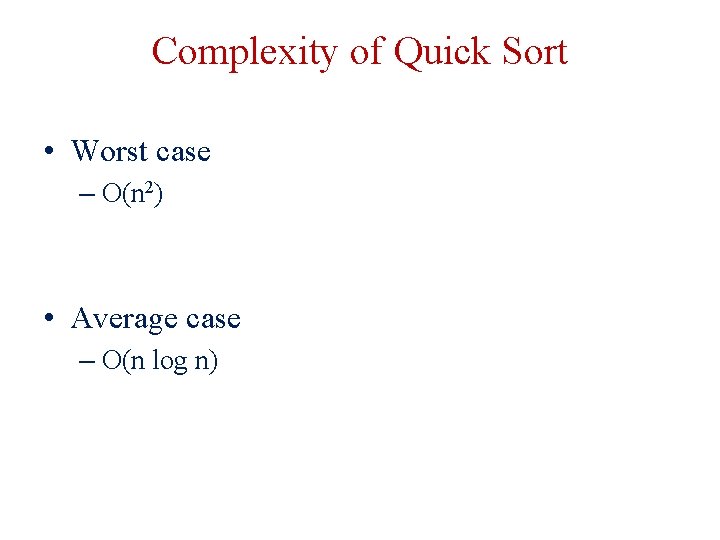
Complexity of Quick Sort • Worst case – O(n 2) • Average case – O(n log n)
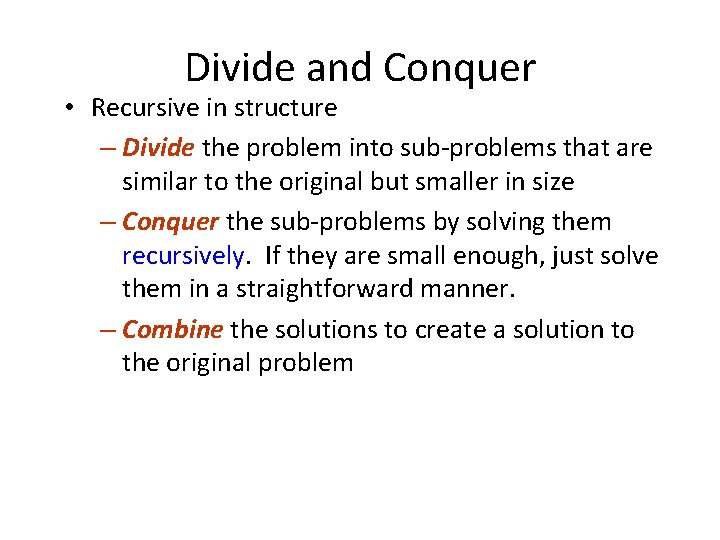
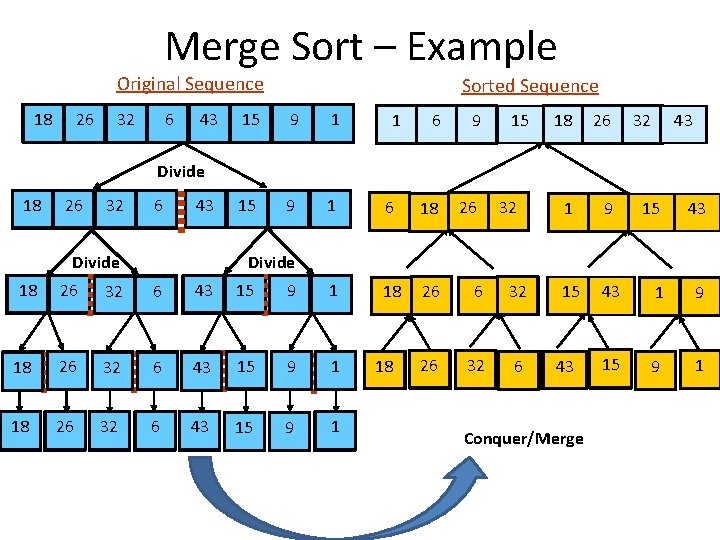
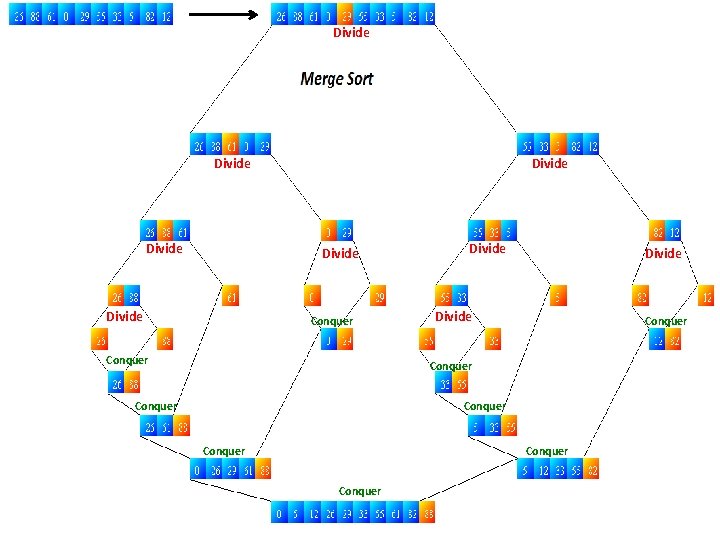
Divide and Conquer • Recursive in structure – Divide the problem into sub-problems that are similar to the original but smaller in size – Conquer the sub-problems by solving them recursively. If they are small enough, just solve them in a straightforward manner. – Combine the solutions to create a solution to the original problem
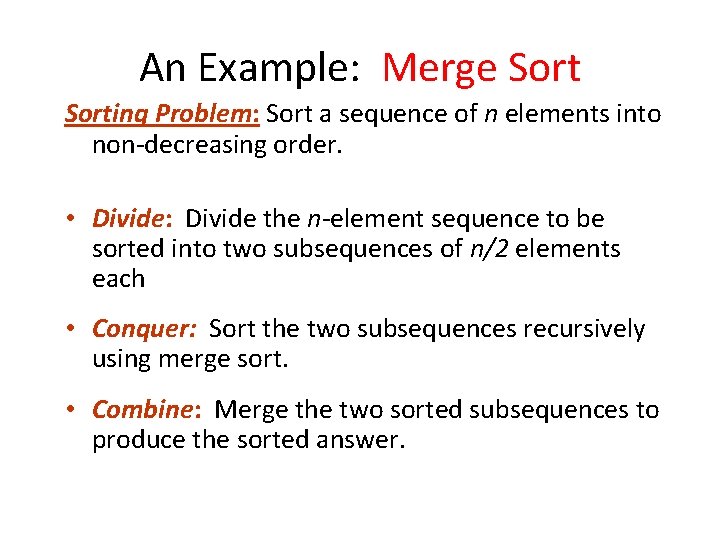
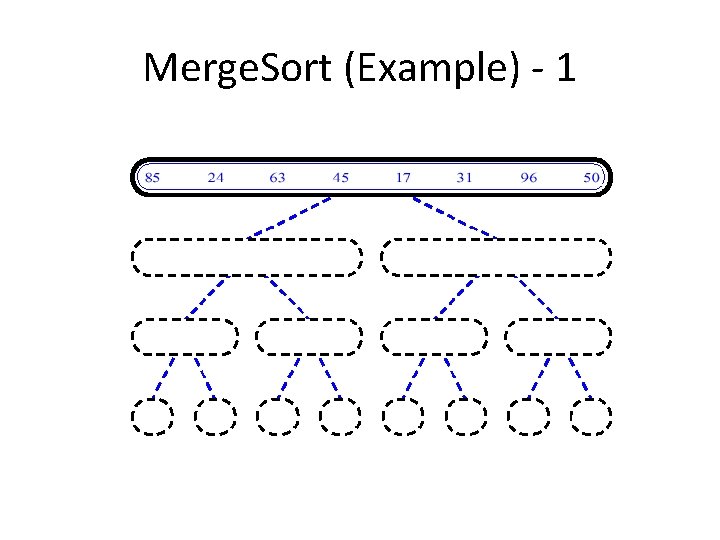
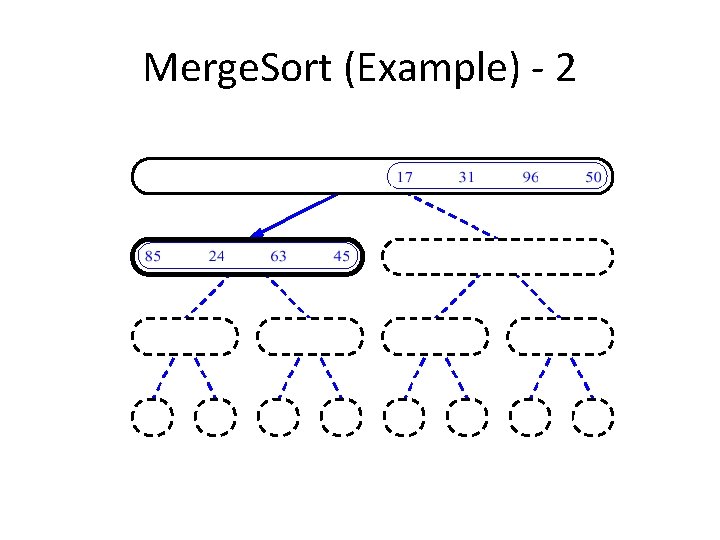
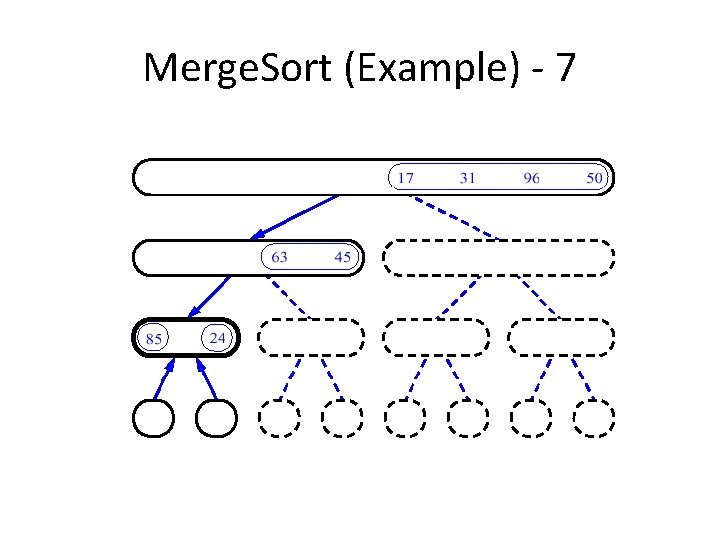
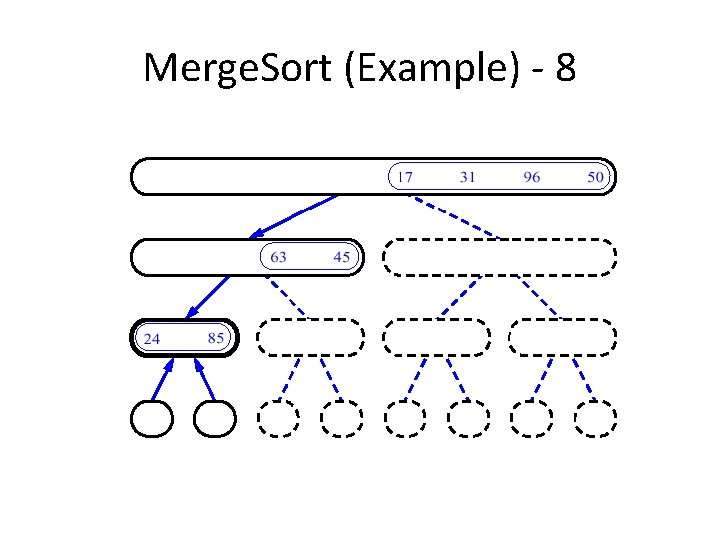
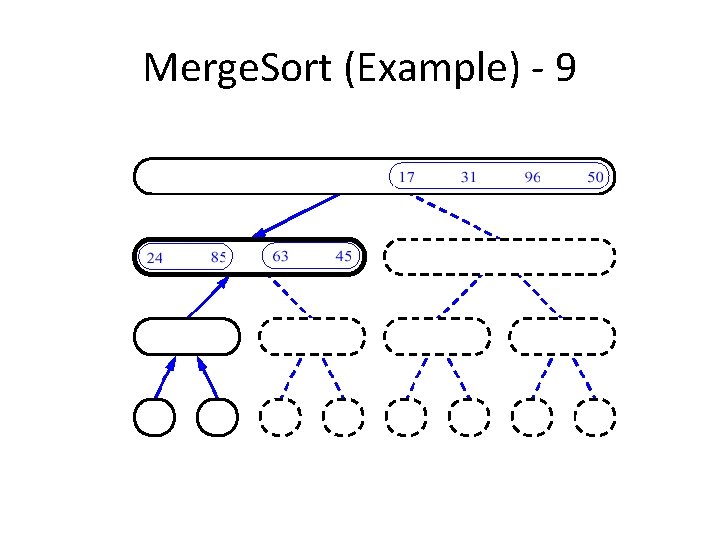
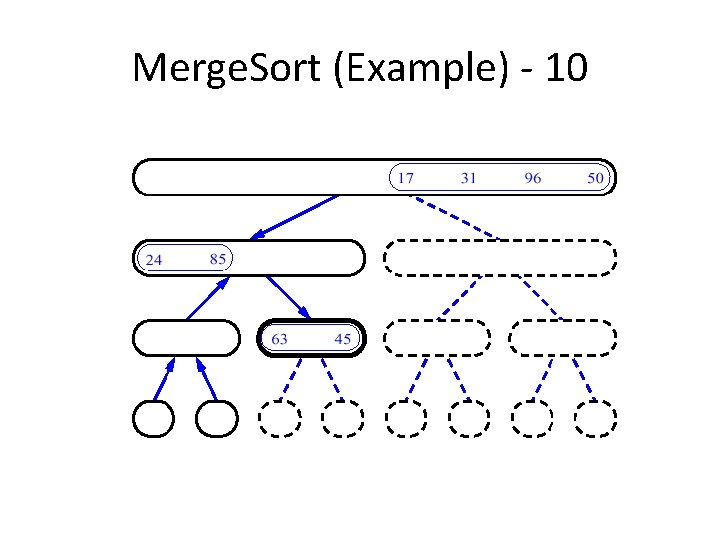
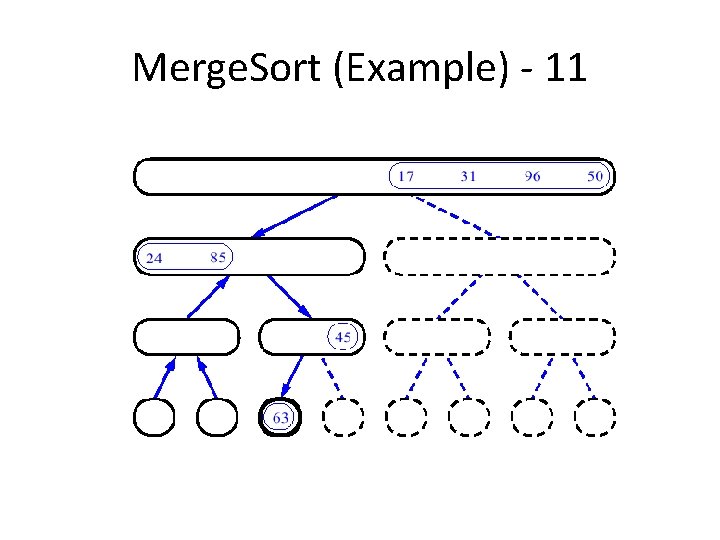
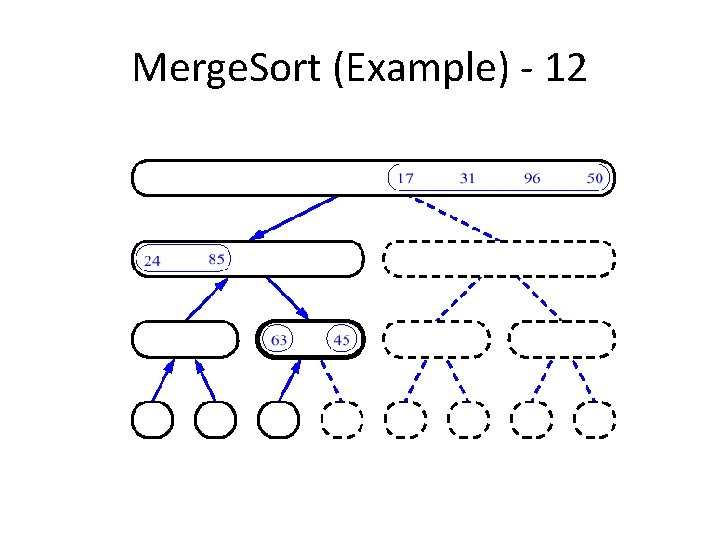
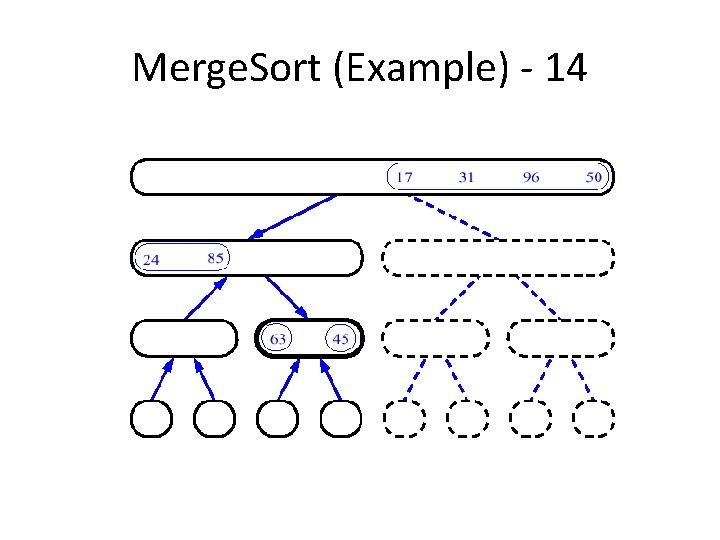
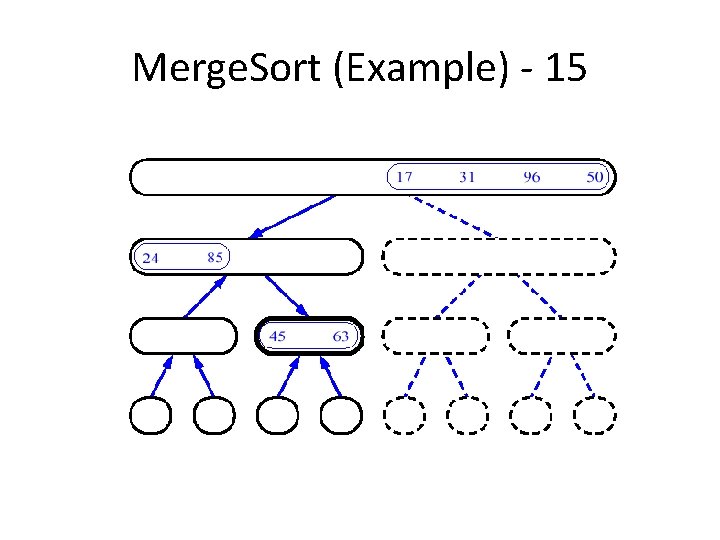
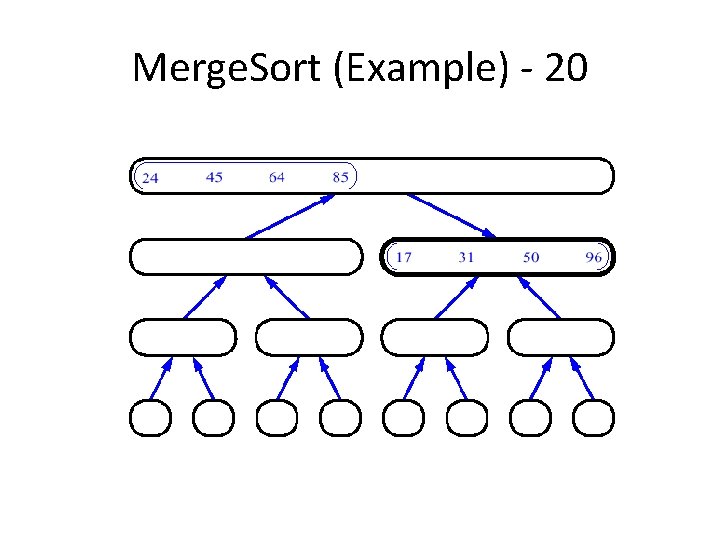
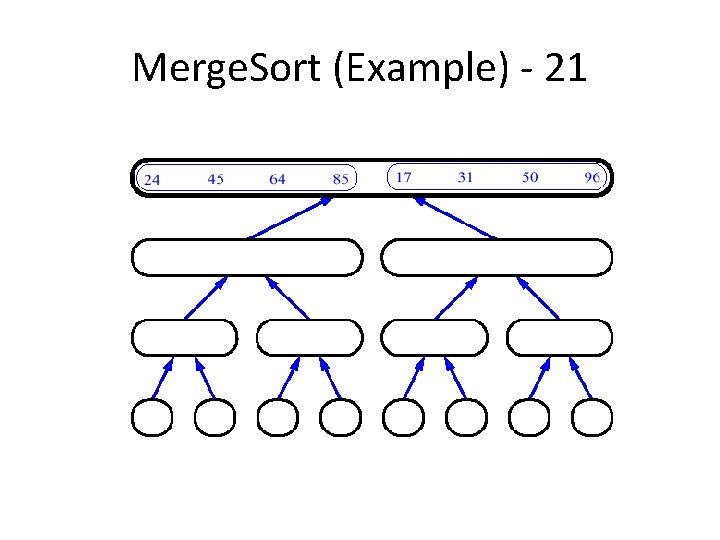
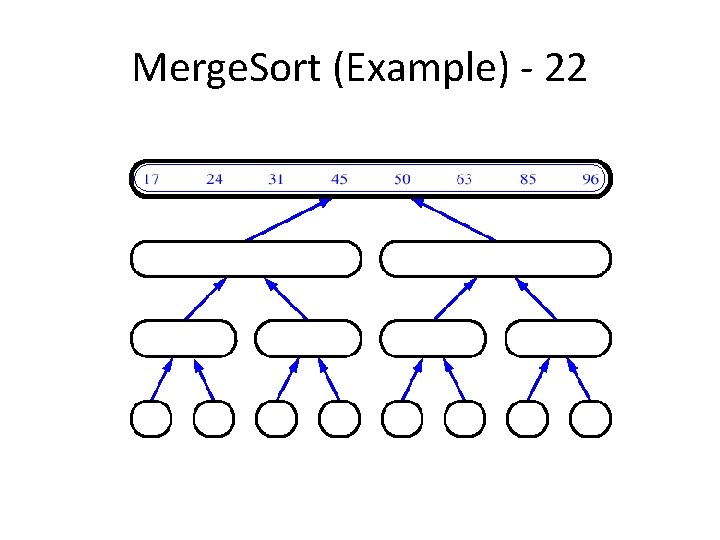
An Example: Merge Sorting Problem: Sort a sequence of n elements into non-decreasing order. • Divide: Divide the n-element sequence to be sorted into two subsequences of n/2 elements each • Conquer: Sort the two subsequences recursively using merge sort. • Combine: Merge the two sorted subsequences to produce the sorted answer.
Merge Sort – Example Original Sequence 18 26 32 6 43 Sorted Sequence 15 9 1 1 6 9 15 6 18 26 6 32 26 32 6 18 26 1 9 15 32 43 Divide 18 26 32 6 43 Divide 32 15 43 43 43 1 9 15 9 1 Divide 18 26 32 6 43 15 9 1 18 43 Conquer/Merge
Divide Divide Conquer Divide Conquer Conquer
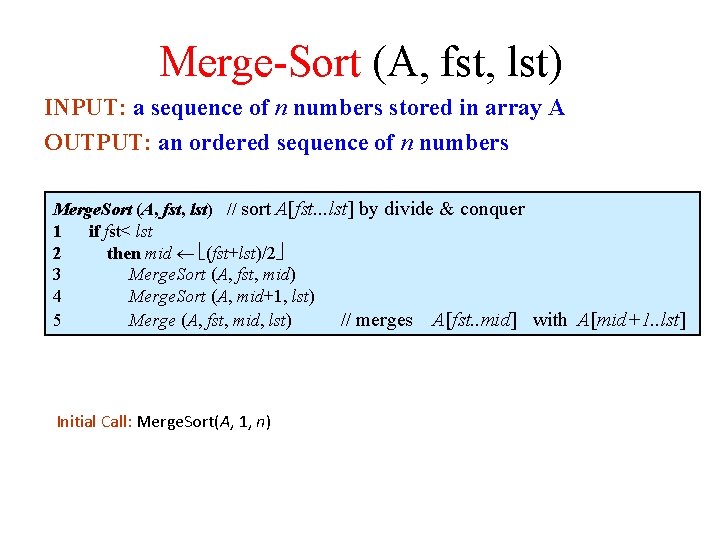
Merge-Sort (A, fst, lst) INPUT: a sequence of n numbers stored in array A OUTPUT: an ordered sequence of n numbers Merge. Sort (A, fst, lst) // sort A[fst. . . lst] by divide & conquer 1 if fst< lst 2 then mid (fst+lst)/2 3 Merge. Sort (A, fst, mid) 4 Merge. Sort (A, mid+1, lst) 5 Merge (A, fst, mid, lst) // merges A[fst. . mid] with A[mid+1. . lst] Initial Call: Merge. Sort(A, 1, n)
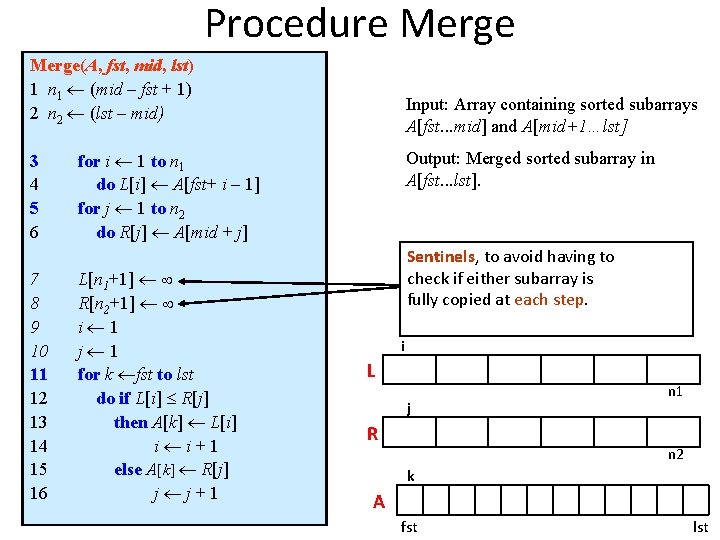
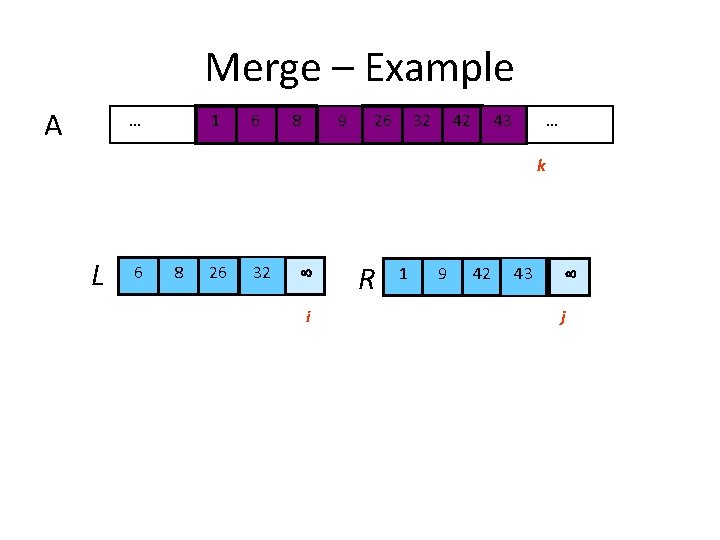
Procedure Merge(A, fst, mid, lst) 1 n 1 (mid – fst + 1) 2 n 2 (lst – mid) 3 4 5 6 7 8 9 10 11 12 13 14 15 16 Input: Array containing sorted subarrays A[fst. . . mid] and A[mid+1…lst] Output: Merged sorted subarray in A[fst. . . lst]. for i 1 to n 1 do L[i] A[fst+ i – 1] for j 1 to n 2 do R[j] A[mid + j] L[n 1+1] R[n 2+1] i 1 j 1 for k fst to lst do if L[i] R[j] then A[k] L[i] i i+1 else A[k] R[j] j j+1 Sentinels, to avoid having to check if either subarray is fully copied at each step. i L j R n 1 n 2 k A fst lst
Merge – Example A … 61 k L 6 i 8 i k k 26 i 86 i 32 26 8 32 9 k k k i 1 26 k R 9 32 42 43 … k k 1 j j 9 42 j j 43 j
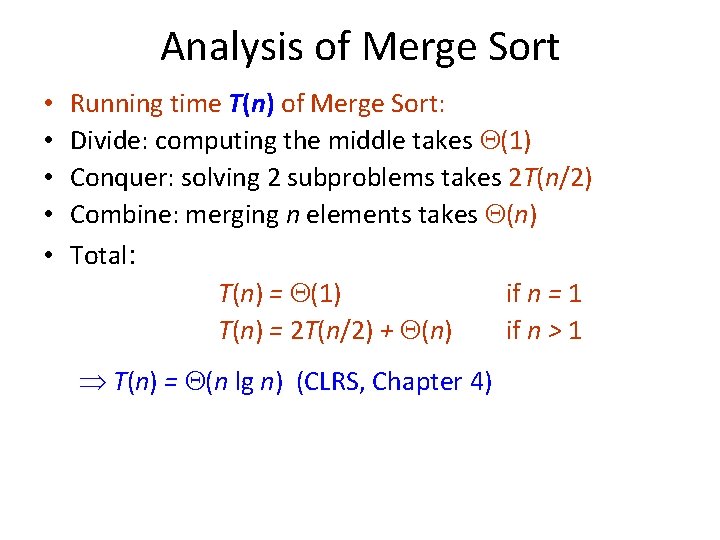
Analysis of Merge Sort • • • Running time T(n) of Merge Sort: Divide: computing the middle takes (1) Conquer: solving 2 subproblems takes 2 T(n/2) Combine: merging n elements takes (n) Total: T(n) = (1) if n = 1 T(n) = 2 T(n/2) + (n) if n > 1 T(n) = (n lg n) (CLRS, Chapter 4)
Merge. Sort (Example) - 1
Merge. Sort (Example) - 2
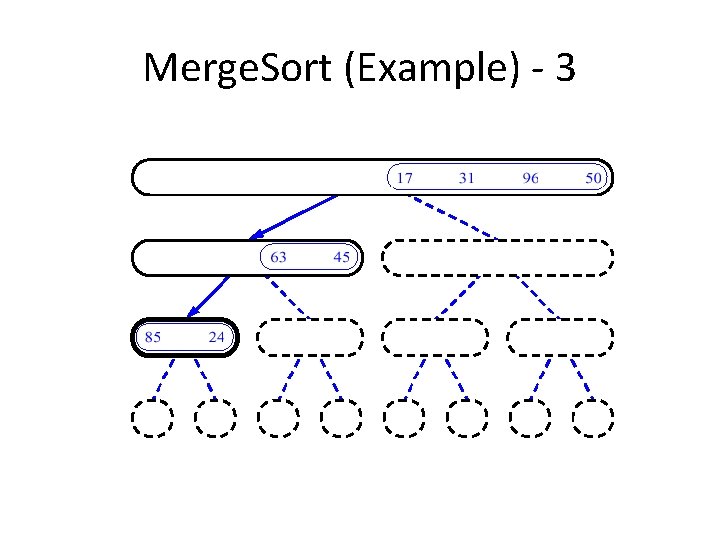
Merge. Sort (Example) - 3
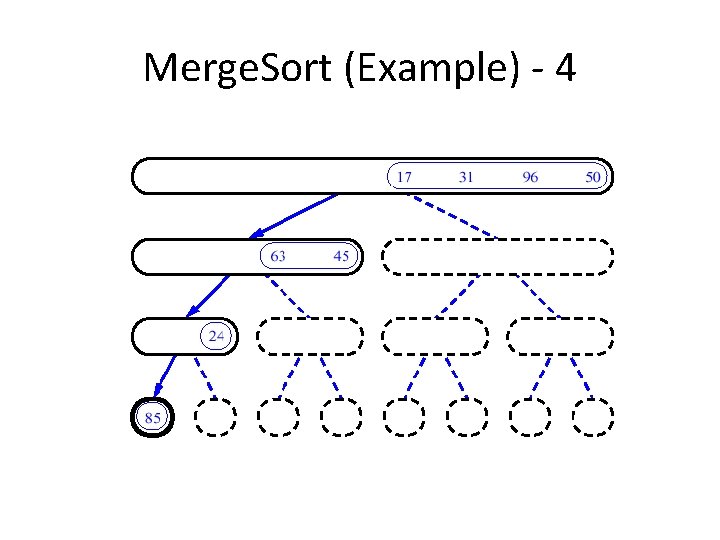
Merge. Sort (Example) - 4
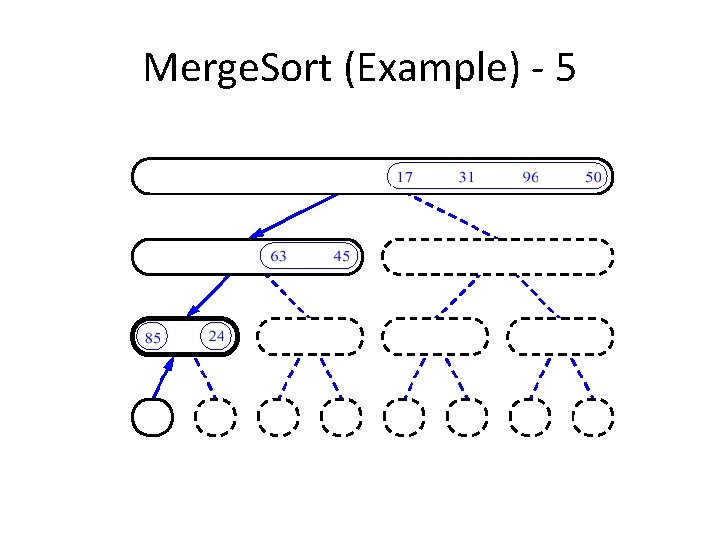
Merge. Sort (Example) - 5
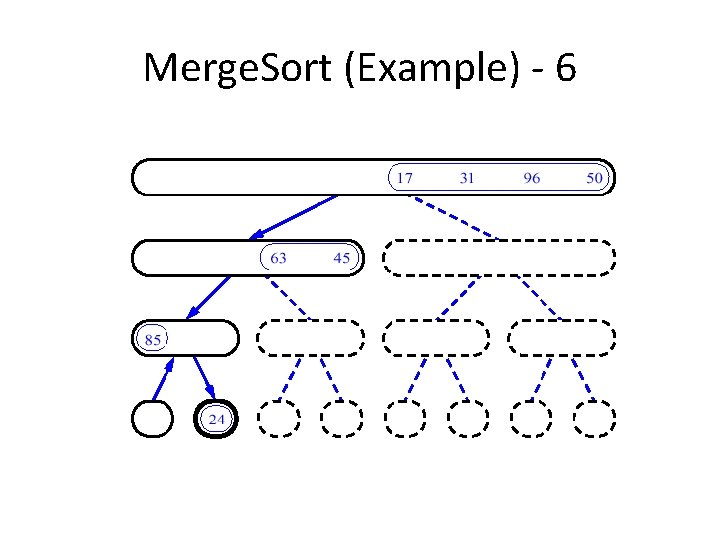
Merge. Sort (Example) - 6
Merge. Sort (Example) - 7
Merge. Sort (Example) - 8
Merge. Sort (Example) - 9
Merge. Sort (Example) - 10
Merge. Sort (Example) - 11
Merge. Sort (Example) - 12
Merge. Sort (Example) - 13
Merge. Sort (Example) - 14
Merge. Sort (Example) - 15
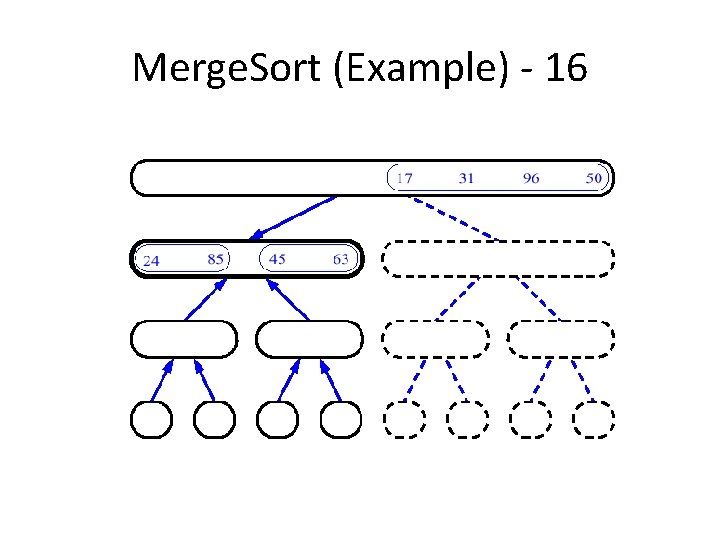
Merge. Sort (Example) - 16
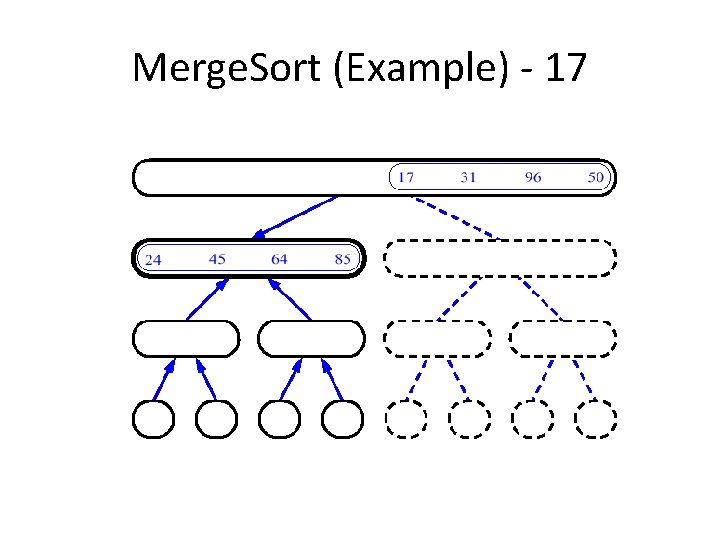
Merge. Sort (Example) - 17
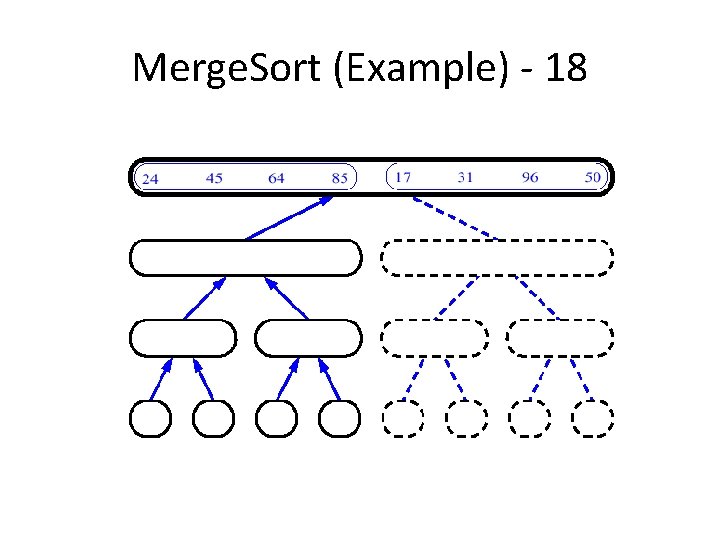
Merge. Sort (Example) - 18
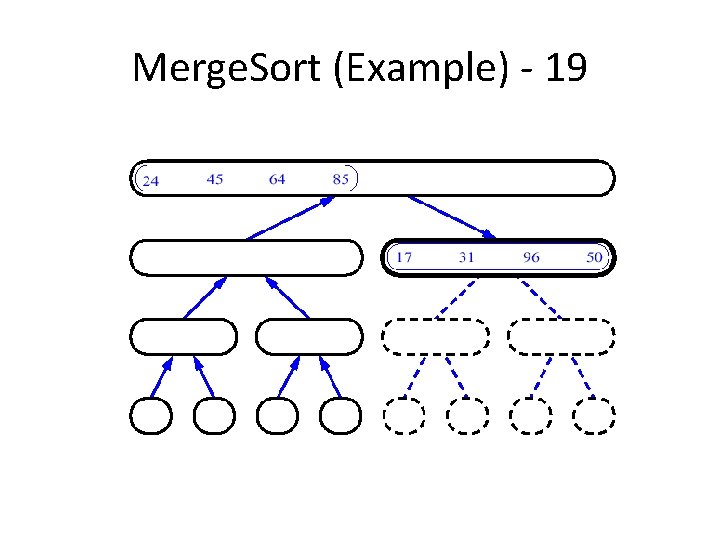
Merge. Sort (Example) - 19
Merge. Sort (Example) - 20
Merge. Sort (Example) - 21
Merge. Sort (Example) - 22
Tower of Hanoi
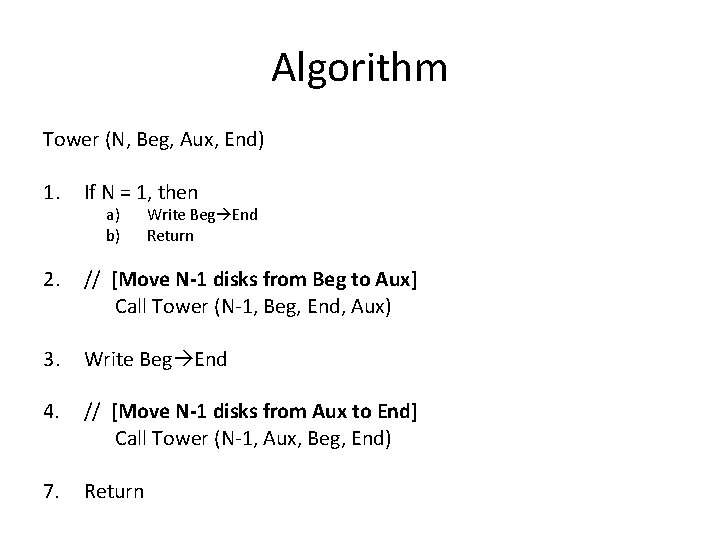
Algorithm Tower (N, Beg, Aux, End) 1. If N = 1, then 2. // [Move N-1 disks from Beg to Aux] Call Tower (N-1, Beg, End, Aux) 3. Write Beg End 4. // [Move N-1 disks from Aux to End] Call Tower (N-1, Aux, Beg, End) 7. Return a) b) Write Beg End Return