
SSM visit for PSS Architecture and Software Denis
- Slides: 22
SSM visit for PSS Architecture and Software Denis Paulic PLC Engineer, Personnel Safety Systems ESS/ICS/PS Date: 2016 -11 -29
My Background M. Sc. in Electrical Engineering and Information Technology Experience: • Equipment qualification specialist @ PLIVA Croatia (7 months) • Testing and validation of computerized systems following the 21 CFR Part 11 FDA requirements and GAMP. • Fellow @ CERN (2, 5 years) • Development of the inspection monorail train (TIM) • Development, analysis, testing, commissioning and operation of TIM’s control system • Machinery Directive, IEC 62061 and ISO 13849 • Safety critical PLC interlock systems for MEDICIS and ISOLDE experiments • IEC 61508, IEC 61511 • Visual odometry system and image processing for loop closure detection • PLC engineer @ ESS (1, 5 years) • Concept, design, development, commissioning, operation and maintenance of the safety critical PSS systems, following the IEC 61508 and IEC 61511 standards. 2
Contents • • • PSS Software Decisions PLC network architecture Cyber security study and measures PLC software architecture Requirements for operator interface Software realisation requirements 3
Personnel Safety System • Safety interlock system – If the Beam is ON No Access – If Access is allowed No Beam permit – If Emergency Hard switch-off hazardous equipment • Access control system – Authorisation and authentication (databases, counters. . . ) – Access point systems (message display, card readers. . . ) • ODH monitoring system – If oxygen level low No Access, activate lights and sounders • Radiation monitoring system – If radiation level high Emergency 4
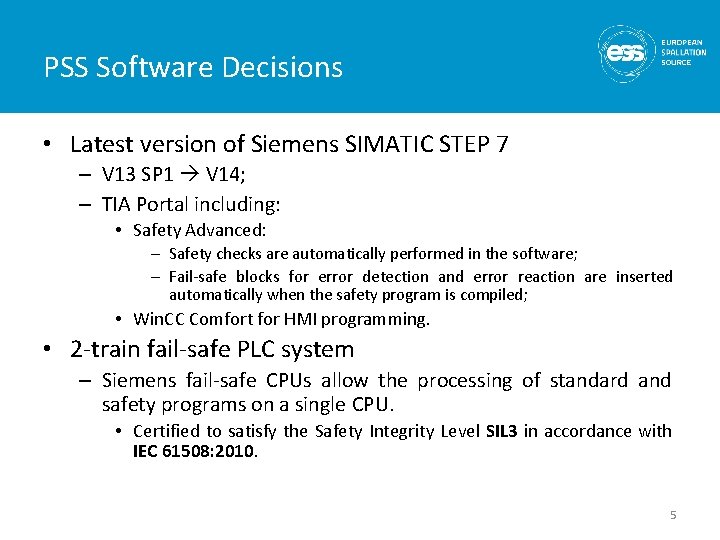
PSS Software Decisions • Latest version of Siemens SIMATIC STEP 7 – V 13 SP 1 V 14; – TIA Portal including: • Safety Advanced: – Safety checks are automatically performed in the software; – Fail-safe blocks for error detection and error reaction are inserted automatically when the safety program is compiled; • Win. CC Comfort for HMI programming. • 2 -train fail-safe PLC system – Siemens fail-safe CPUs allow the processing of standard and safety programs on a single CPU. • Certified to satisfy the Safety Integrity Level SIL 3 in accordance with IEC 61508: 2010. 5
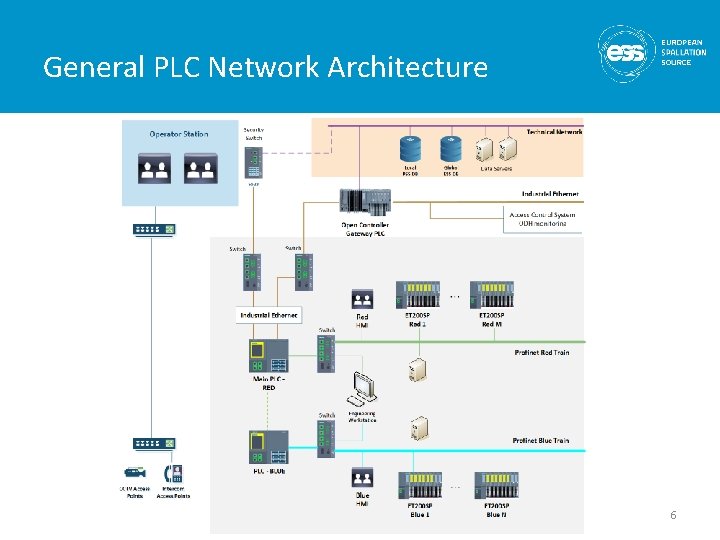
General PLC Network Architecture 6
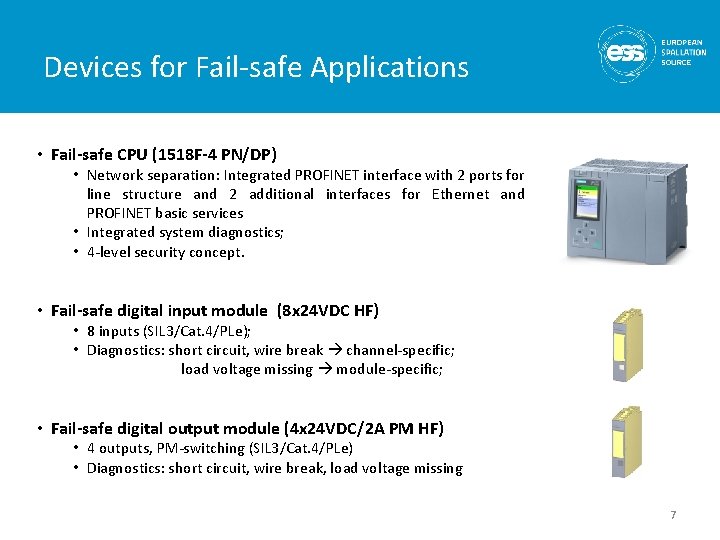
Devices for Fail-safe Applications • Fail-safe CPU (1518 F-4 PN/DP) • Network separation: Integrated PROFINET interface with 2 ports for line structure and 2 additional interfaces for Ethernet and PROFINET basic services • Integrated system diagnostics; • 4 -level security concept. • Fail-safe digital input module (8 x 24 VDC HF) • 8 inputs (SIL 3/Cat. 4/PLe); • Diagnostics: short circuit, wire break channel-specific; load voltage missing module-specific; • Fail-safe digital output module (4 x 24 VDC/2 A PM HF) • 4 outputs, PM-switching (SIL 3/Cat. 4/PLe) • Diagnostics: short circuit, wire break, load voltage missing 7
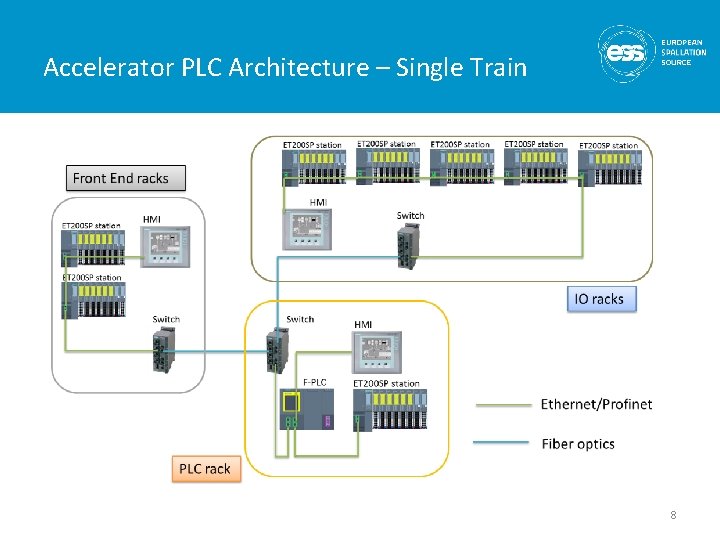
Accelerator PLC Architecture – Single Train 8
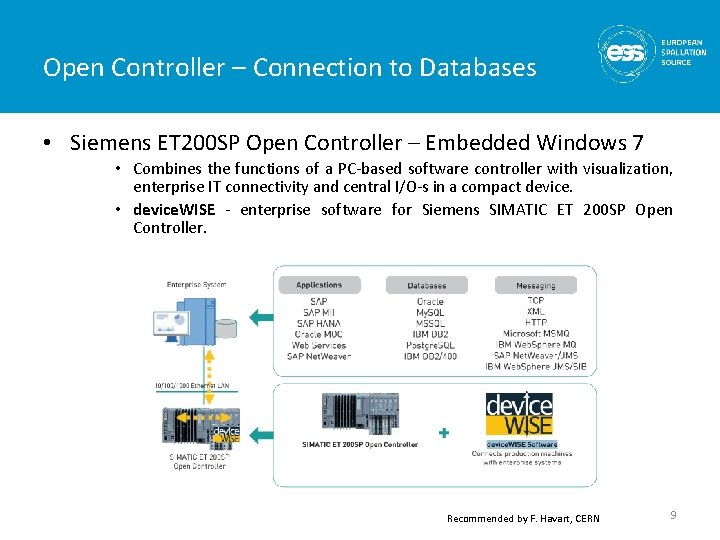
Open Controller – Connection to Databases • Siemens ET 200 SP Open Controller – Embedded Windows 7 • Combines the functions of a PC-based software controller with visualization, enterprise IT connectivity and central I/O-s in a compact device. • device. WISE - enterprise software for Siemens SIMATIC ET 200 SP Open Controller. Recommended by F. Havart, CERN 9
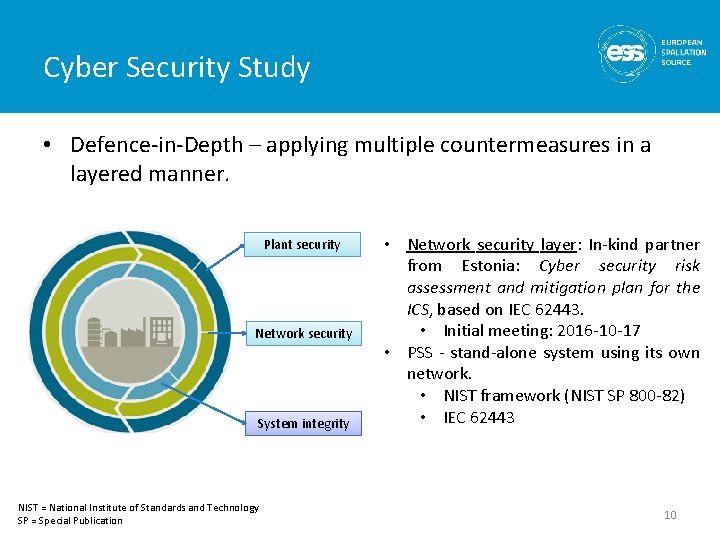
Cyber Security Study • Defence-in-Depth – applying multiple countermeasures in a layered manner. Plant security Network security System integrity NIST = National Institute of Standards and Technology SP = Special Publication • Network security layer: In-kind partner from Estonia: Cyber security risk assessment and mitigation plan for the ICS, based on IEC 62443. • Initial meeting: 2016 -10 -17 • PSS - stand-alone system using its own network. • NIST framework (NIST SP 800 -82) • IEC 62443 10
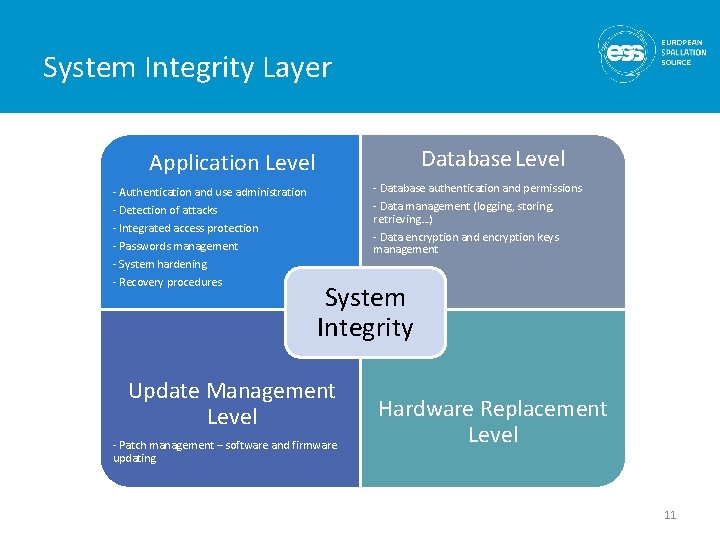
System Integrity Layer Database Level Application Level - Database authentication and permissions - Data management (logging, storing, retrieving…) - Data encryption and encryption keys management - Authentication and use administration - Detection of attacks - Integrated access protection - Passwords management - System hardening - Recovery procedures System Integrity Update Management Level - Patch management – software and firmware updating Hardware Replacement Level 11
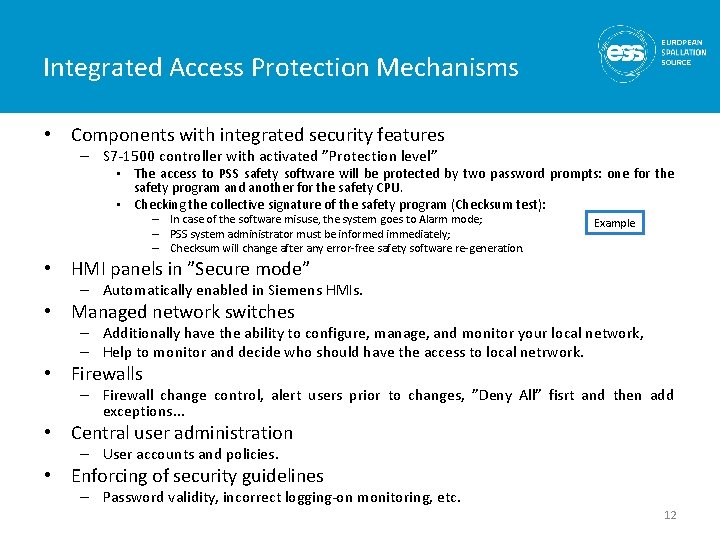
Integrated Access Protection Mechanisms • Components with integrated security features – S 7 -1500 controller with activated ”Protection level” • The access to PSS safety software will be protected by two password prompts: one for the safety program and another for the safety CPU. • Checking the collective signature of the safety program (Checksum test): – In case of the software misuse, the system goes to Alarm mode; – PSS system administrator must be informed immediately; – Checksum will change after any error-free safety software re-generation. Example • HMI panels in ”Secure mode” – Automatically enabled in Siemens HMIs. • Managed network switches – Additionally have the ability to configure, manage, and monitor your local network, – Help to monitor and decide who should have the access to local netrwork. • Firewalls – Firewall change control, alert users prior to changes, ”Deny All” fisrt and then add exceptions. . . • Central user administration – User accounts and policies. • Enforcing of security guidelines – Password validity, incorrect logging-on monitoring, etc. 12
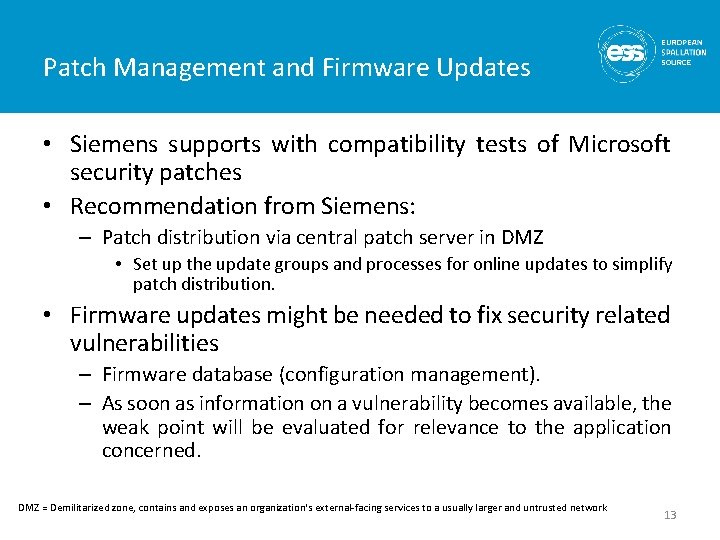
Patch Management and Firmware Updates • Siemens supports with compatibility tests of Microsoft security patches • Recommendation from Siemens: – Patch distribution via central patch server in DMZ • Set up the update groups and processes for online updates to simplify patch distribution. • Firmware updates might be needed to fix security related vulnerabilities – Firmware database (configuration management). – As soon as information on a vulnerability becomes available, the weak point will be evaluated for relevance to the application concerned. DMZ = Demilitarized zone, contains and exposes an organization's external-facing services to a usually larger and untrusted network 13
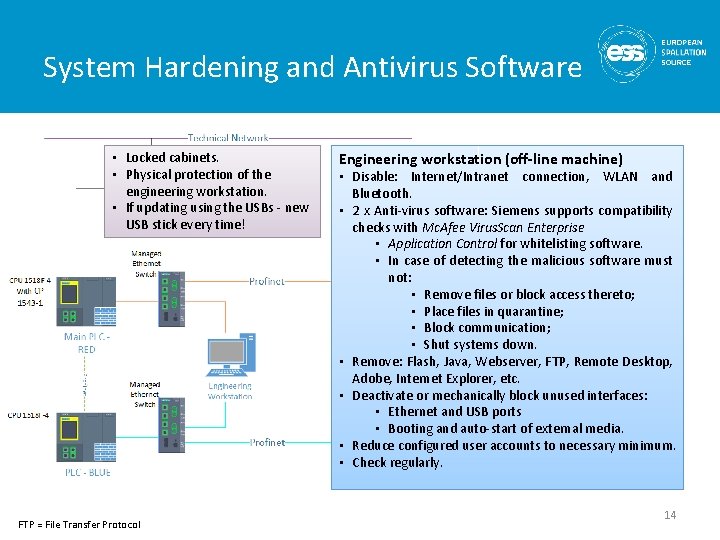
System Hardening and Antivirus Software • Locked cabinets. • Physical protection of the engineering workstation. • If updating using the USBs - new USB stick every time! FTP = File Transfer Protocol Engineering workstation (off-line machine) • Disable: Internet/Intranet connection, WLAN and Bluetooth. • 2 x Anti-virus software: Siemens supports compatibility checks with Mc. Afee Virus. Scan Enterprise • Application Control for whitelisting software. • In case of detecting the malicious software must not: • Remove files or block access thereto; • Place files in quarantine; • Block communication; • Shut systems down. • Remove: Flash, Java, Webserver, FTP, Remote Desktop, Adobe, Internet Explorer, etc. • Deactivate or mechanically block unused interfaces: • Ethernet and USB ports • Booting and auto-start of external media. • Reduce configured user accounts to necessary minimum. • Check regularly. 14
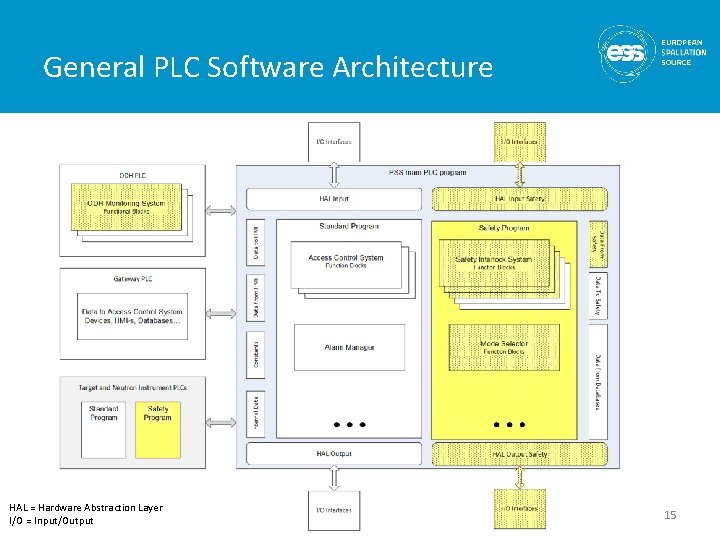
General PLC Software Architecture HAL = Hardware Abstraction Layer I/O = Input/Output 15
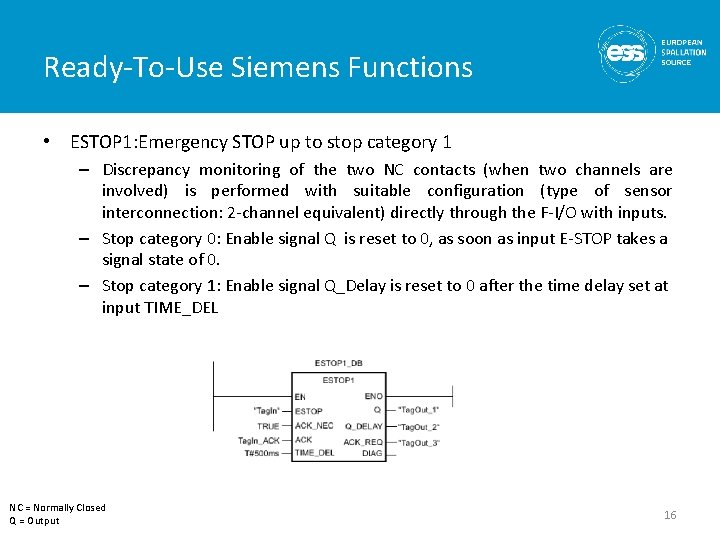
Ready-To-Use Siemens Functions • ESTOP 1: Emergency STOP up to stop category 1 – Discrepancy monitoring of the two NC contacts (when two channels are involved) is performed with suitable configuration (type of sensor interconnection: 2 -channel equivalent) directly through the F-I/O with inputs. – Stop category 0: Enable signal Q is reset to 0, as soon as input E-STOP takes a signal state of 0. – Stop category 1: Enable signal Q_Delay is reset to 0 after the time delay set at input TIME_DEL NC = Normally Closed Q = Output 16
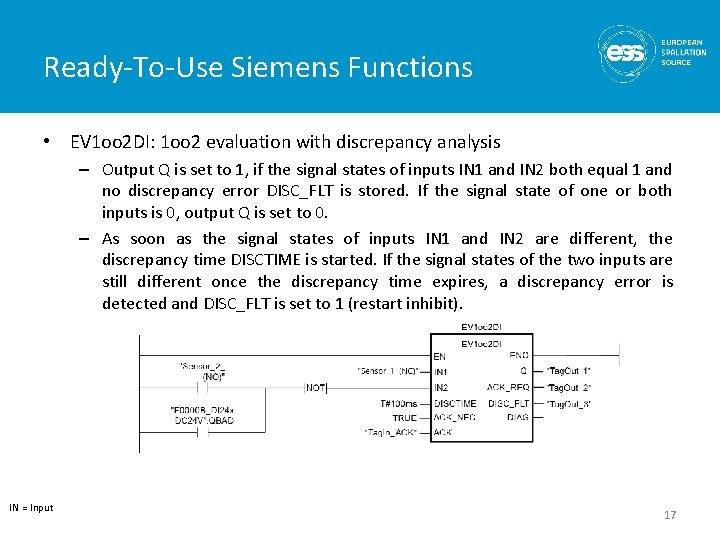
Ready-To-Use Siemens Functions • EV 1 oo 2 DI: 1 oo 2 evaluation with discrepancy analysis – Output Q is set to 1, if the signal states of inputs IN 1 and IN 2 both equal 1 and no discrepancy error DISC_FLT is stored. If the signal state of one or both inputs is 0, output Q is set to 0. – As soon as the signal states of inputs IN 1 and IN 2 are different, the discrepancy time DISCTIME is started. If the signal states of the two inputs are still different once the discrepancy time expires, a discrepancy error is detected and DISC_FLT is set to 1 (restart inhibit). IN = Input 17
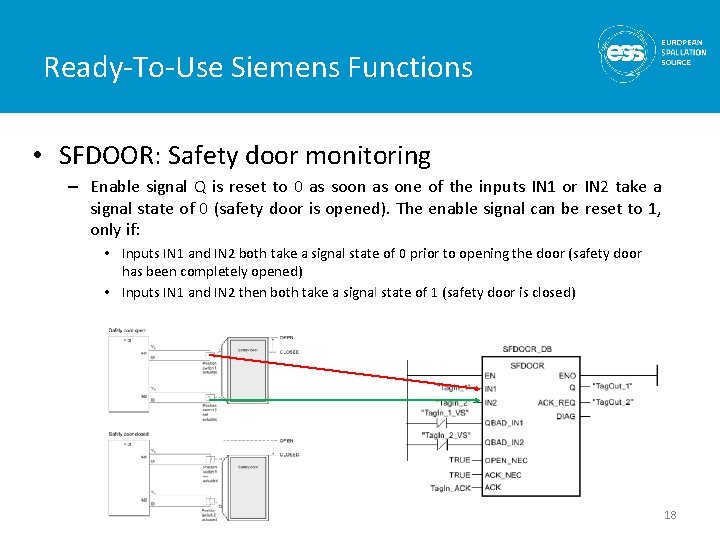
Ready-To-Use Siemens Functions • SFDOOR: Safety door monitoring – Enable signal Q is reset to 0 as soon as one of the inputs IN 1 or IN 2 take a signal state of 0 (safety door is opened). The enable signal can be reset to 1, only if: • Inputs IN 1 and IN 2 both take a signal state of 0 prior to opening the door (safety door has been completely opened) • Inputs IN 1 and IN 2 then both take a signal state of 1 (safety door is closed) 18
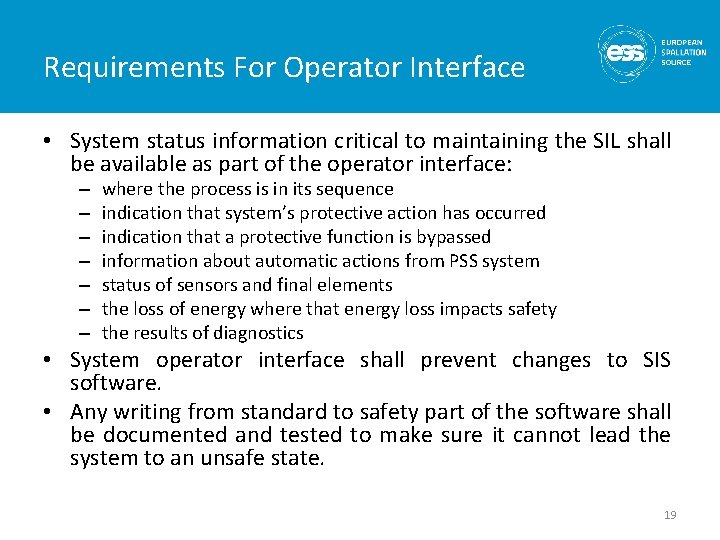
Requirements For Operator Interface • System status information critical to maintaining the SIL shall be available as part of the operator interface: – – – – where the process is in its sequence indication that system’s protective action has occurred indication that a protective function is bypassed information about automatic actions from PSS system status of sensors and final elements the loss of energy where that energy loss impacts safety the results of diagnostics • System operator interface shall prevent changes to SIS software. • Any writing from standard to safety part of the software shall be documented and tested to make sure it cannot lead the system to an unsafe state. 19
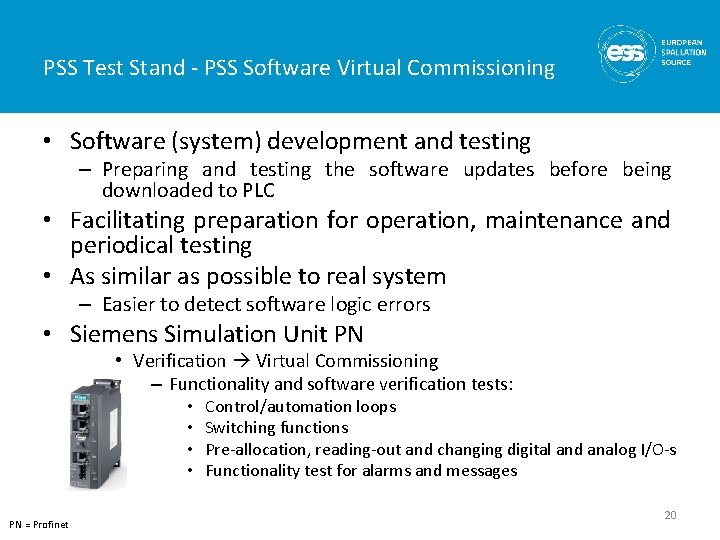
PSS Test Stand - PSS Software Virtual Commissioning • Software (system) development and testing – Preparing and testing the software updates before being downloaded to PLC • Facilitating preparation for operation, maintenance and periodical testing • As similar as possible to real system – Easier to detect software logic errors • Siemens Simulation Unit PN • Verification Virtual Commissioning – Functionality and software verification tests: • • PN = Profinet Control/automation loops Switching functions Pre-allocation, reading-out and changing digital and analog I/O-s Functionality test for alarms and messages 20
Software Realisation Requirements • During realisation records shall be created, including: – decisions and their rationale; – problems and their solutions; – testing performed on each module. • Software manuals will be generated at a later stages of development process, and shall include: – drawings, diagrams, descriptions and explanations necessary for the use, maintenance and repair of the system and procedures for checking functionalities; – warnings concerning ways in which the system shall not be used; – instructions for the training of operators; – the description of the adjustment and maintenance operations (including preventive measures); – instructions for safe adjustment and maintenance actions; – the specifications of the spare parts and tools to be used and provided; – instructions for commissioning. • Documentation shall enable the Operator to create maintenance records. 21
Questions 22