
SSL HTTPS and the Lock Icon Borrowed from
SSL, HTTPS and the Lock Icon Borrowed from Dan Boneh & others
Goals for this lecture • Brief overview of HTTPS: • How the SSL/TLS protocol works (very briefly) • How to use HTTPS • Integrating HTTPS into the browser • Lots of user interface problems to watch for 2
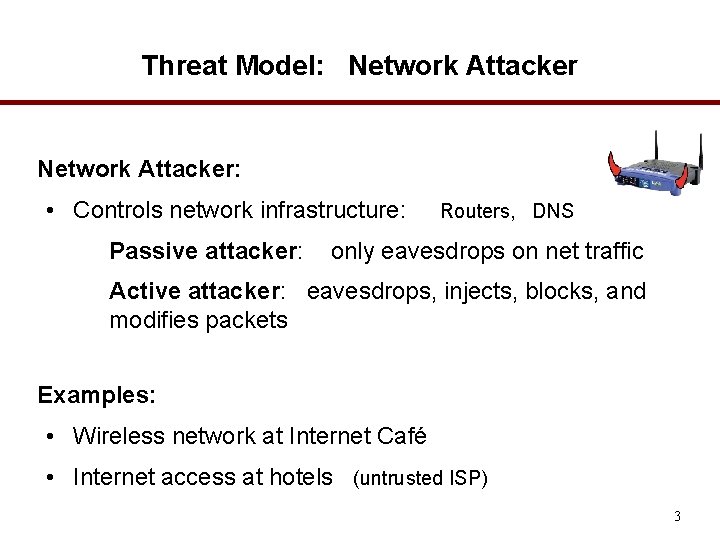
Threat Model: Network Attacker: • Controls network infrastructure: Passive attacker: Routers, DNS only eavesdrops on net traffic Active attacker: eavesdrops, injects, blocks, and modifies packets Examples: • Wireless network at Internet Café • Internet access at hotels (untrusted ISP) 3
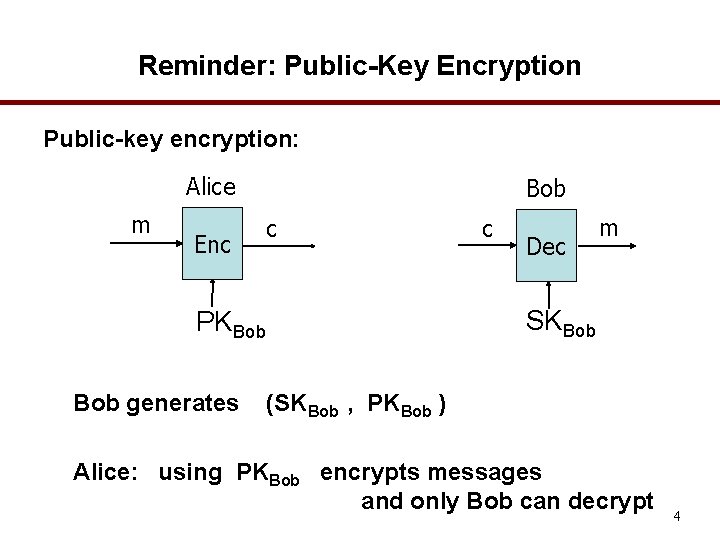
Reminder: Public-Key Encryption Public-key encryption: Alice m Enc Bob c Dec m SKBob PKBob generates c (SKBob , PKBob ) Alice: using PKBob encrypts messages and only Bob can decrypt 4
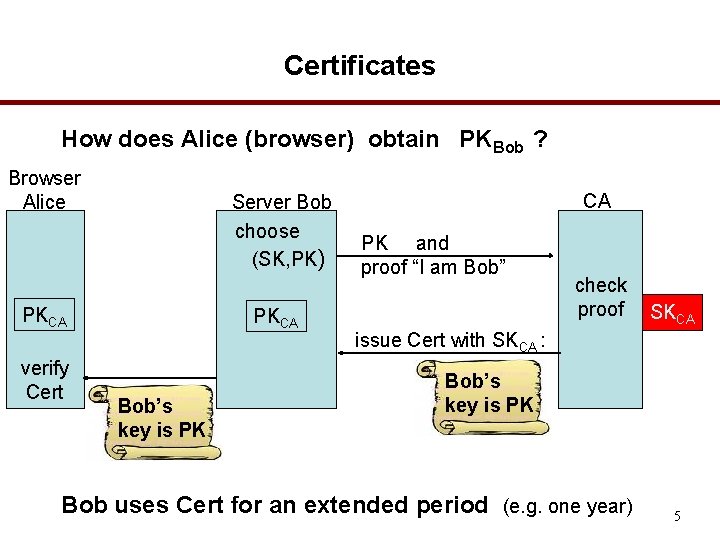
Certificates How does Alice (browser) obtain PKBob ? Browser Alice Server Bob choose (SK, PK) PKCA verify Cert PKCA Bob’s key is PK CA PK and proof “I am Bob” check proof SKCA issue Cert with SKCA : Bob’s key is PK Bob uses Cert for an extended period (e. g. one year) 5
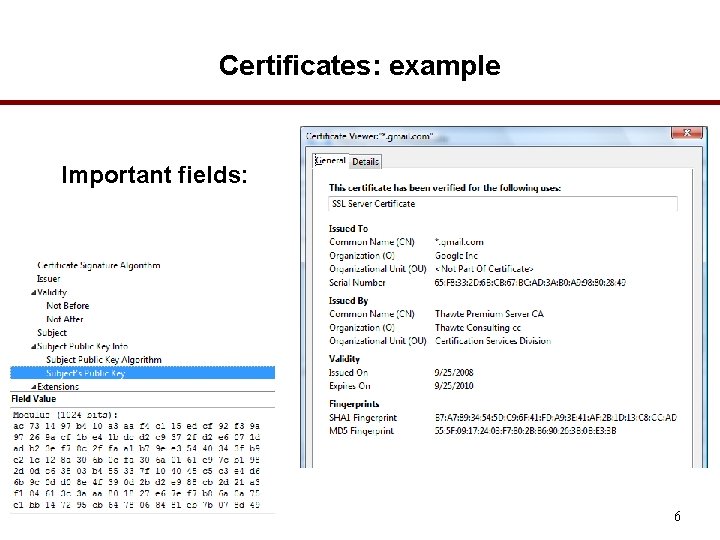
Certificates: example Important fields: 6
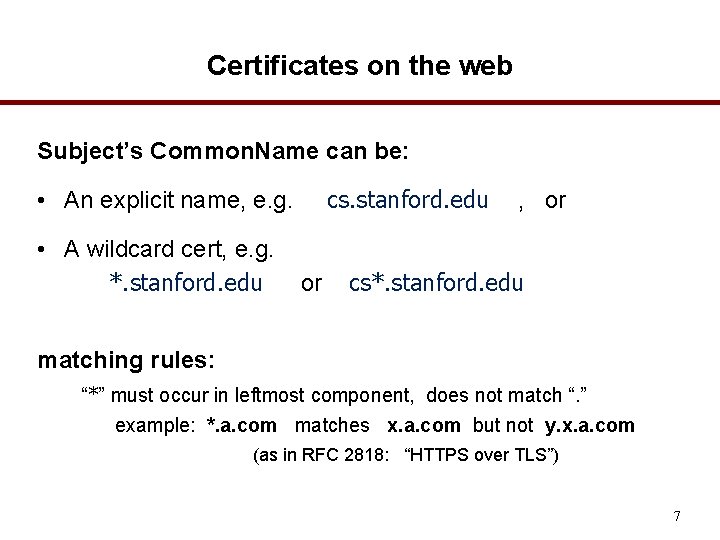
Certificates on the web Subject’s Common. Name can be: cs. stanford. edu • An explicit name, e. g. • A wildcard cert, e. g. *. stanford. edu or , or cs*. stanford. edu matching rules: “*” must occur in leftmost component, does not match “. ” example: *. a. com matches x. a. com but not y. x. a. com (as in RFC 2818: “HTTPS over TLS”) 7
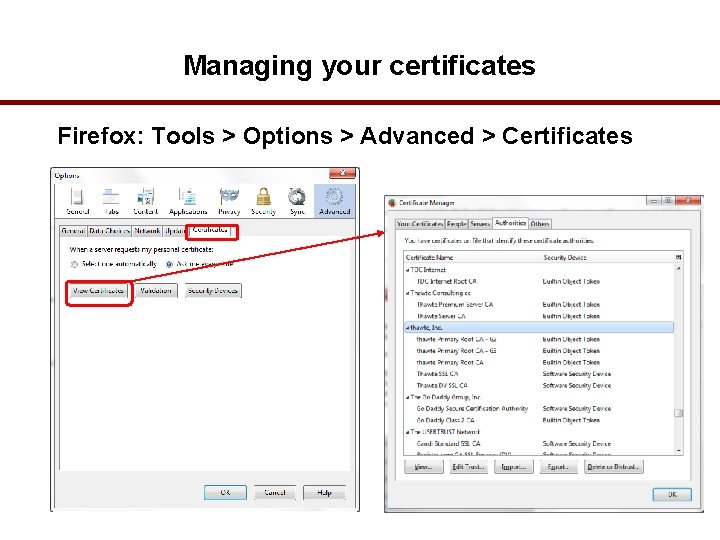
Managing your certificates Firefox: Tools > Options > Advanced > Certificates
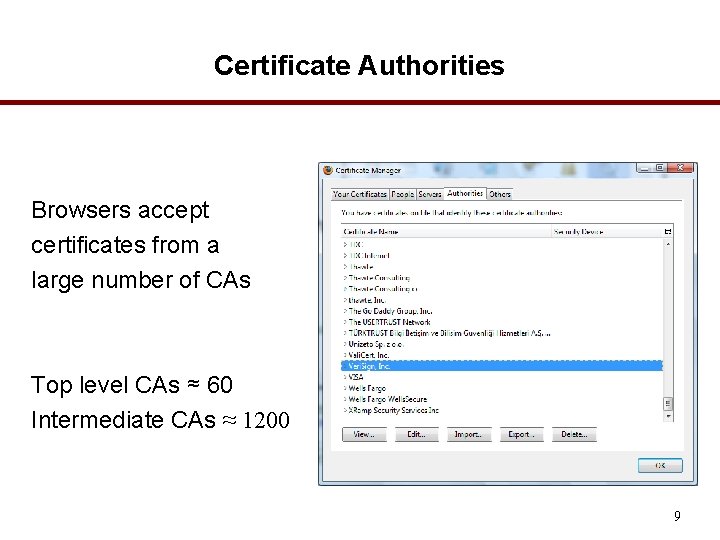
Certificate Authorities Browsers accept certificates from a large number of CAs Top level CAs ≈ 60 Intermediate CAs ≈ 1200 9
SSL/TLS
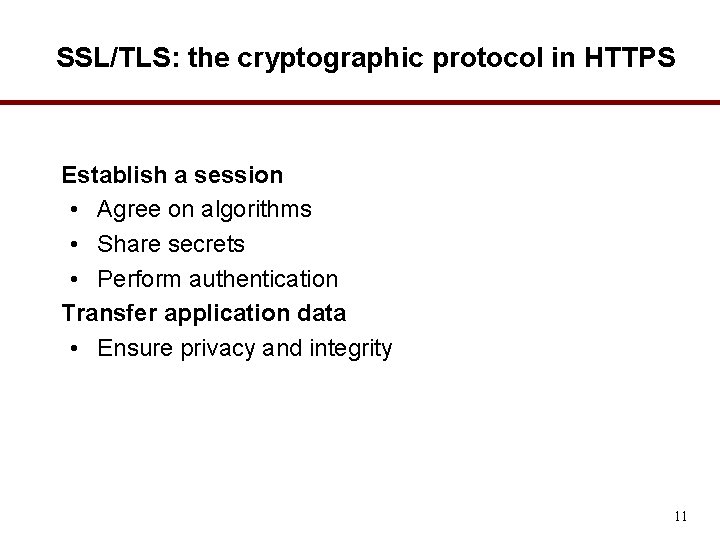
SSL/TLS: the cryptographic protocol in HTTPS Establish a session • Agree on algorithms • Share secrets • Perform authentication Transfer application data • Ensure privacy and integrity 11
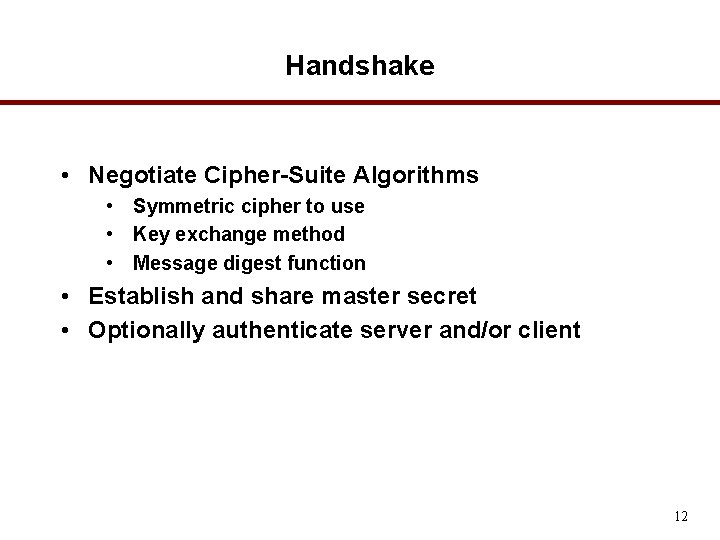
Handshake • Negotiate Cipher-Suite Algorithms • Symmetric cipher to use • Key exchange method • Message digest function • Establish and share master secret • Optionally authenticate server and/or client 12
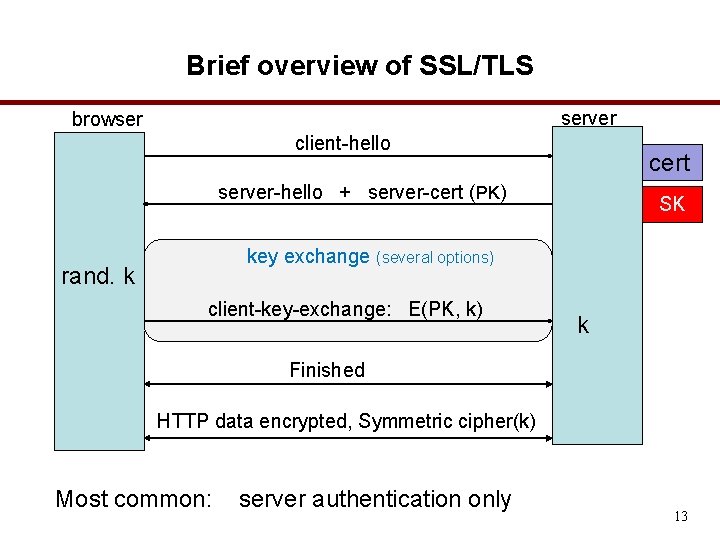
Brief overview of SSL/TLS server browser client-hello cert server-hello + server-cert (PK) SK key exchange (several options) rand. k client-key-exchange: E(PK, k) k Finished HTTP data encrypted, Symmetric cipher(k) Most common: server authentication only 13
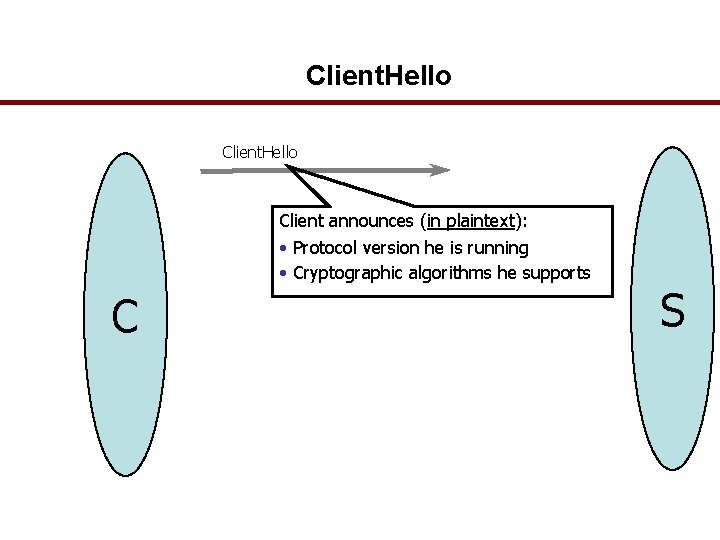
Client. Hello Client announces (in plaintext): • Protocol version he is running • Cryptographic algorithms he supports C S
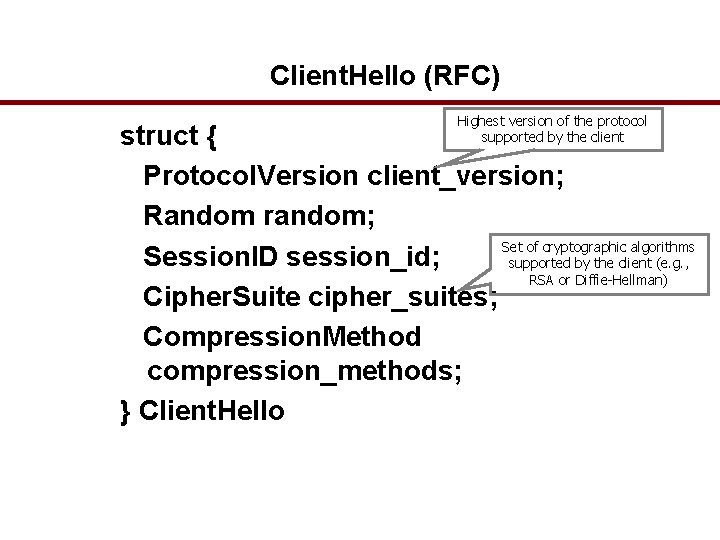
Client. Hello (RFC) Highest version of the protocol supported by the client struct { Protocol. Version client_version; Random random; Set of cryptographic algorithms Session. ID session_id; supported by the client (e. g. , RSA or Diffie-Hellman) Cipher. Suite cipher_suites; Compression. Method compression_methods; } Client. Hello
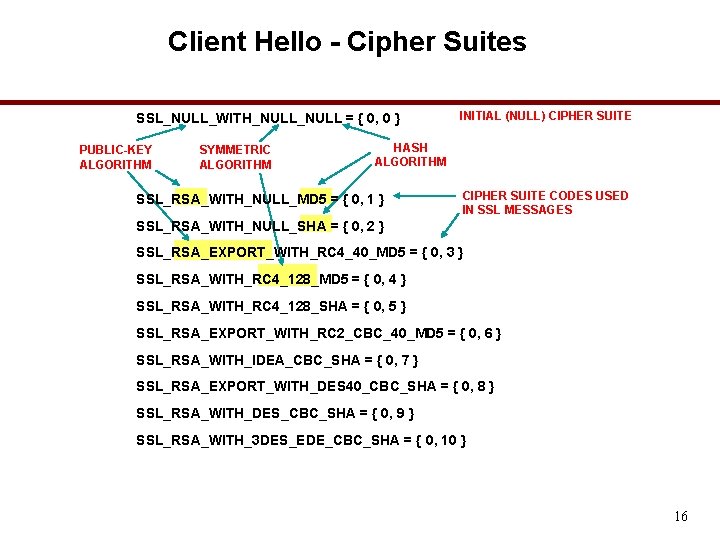
Client Hello - Cipher Suites SSL_NULL_WITH_NULL = { 0, 0 } PUBLIC-KEY ALGORITHM SYMMETRIC ALGORITHM INITIAL (NULL) CIPHER SUITE HASH ALGORITHM SSL_RSA_WITH_NULL_MD 5 = { 0, 1 } CIPHER SUITE CODES USED IN SSL MESSAGES SSL_RSA_WITH_NULL_SHA = { 0, 2 } SSL_RSA_EXPORT_WITH_RC 4_40_MD 5 = { 0, 3 } SSL_RSA_WITH_RC 4_128_MD 5 = { 0, 4 } SSL_RSA_WITH_RC 4_128_SHA = { 0, 5 } SSL_RSA_EXPORT_WITH_RC 2_CBC_40_MD 5 = { 0, 6 } SSL_RSA_WITH_IDEA_CBC_SHA = { 0, 7 } SSL_RSA_EXPORT_WITH_DES 40_CBC_SHA = { 0, 8 } SSL_RSA_WITH_DES_CBC_SHA = { 0, 9 } SSL_RSA_WITH_3 DES_EDE_CBC_SHA = { 0, 10 } 16
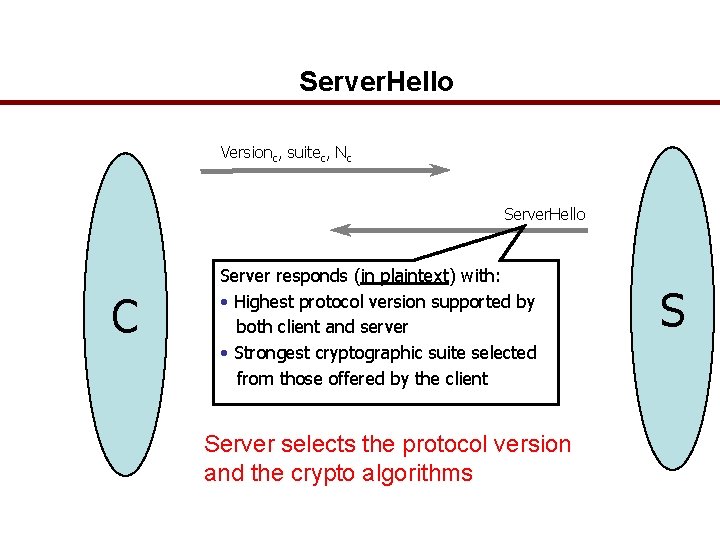
Server. Hello Versionc, suitec, Nc Server. Hello C Server responds (in plaintext) with: • Highest protocol version supported by both client and server • Strongest cryptographic suite selected from those offered by the client Server selects the protocol version and the crypto algorithms S
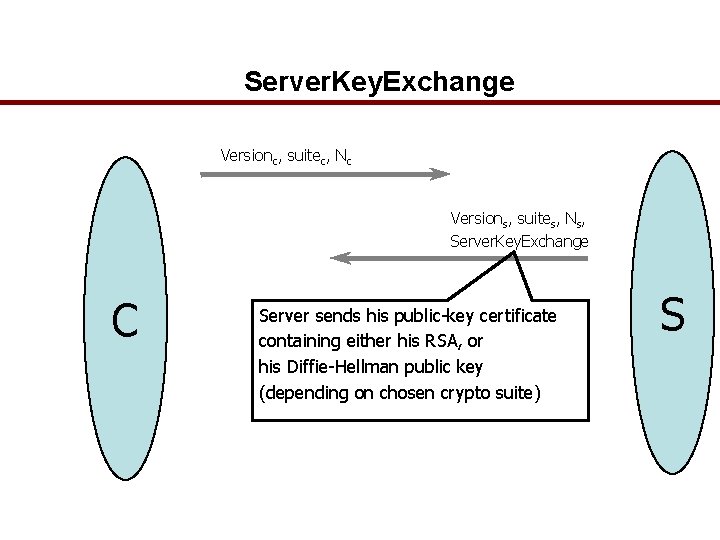
Server. Key. Exchange Versionc, suitec, Nc Versions, suites, Ns, Server. Key. Exchange C Server sends his public-key certificate containing either his RSA, or his Diffie-Hellman public key (depending on chosen crypto suite) S
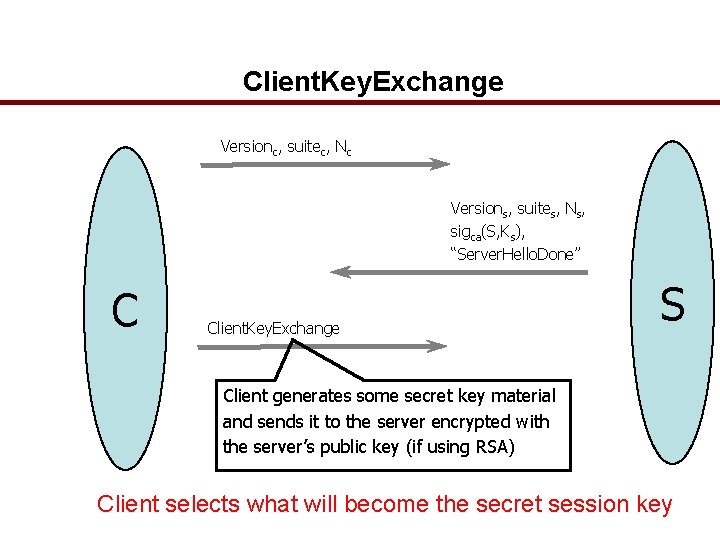
Client. Key. Exchange Versionc, suitec, Nc Versions, suites, Ns, sigca(S, Ks), “Server. Hello. Done” C Client. Key. Exchange S Client generates some secret key material and sends it to the server encrypted with the server’s public key (if using RSA) Client selects what will become the secret session key
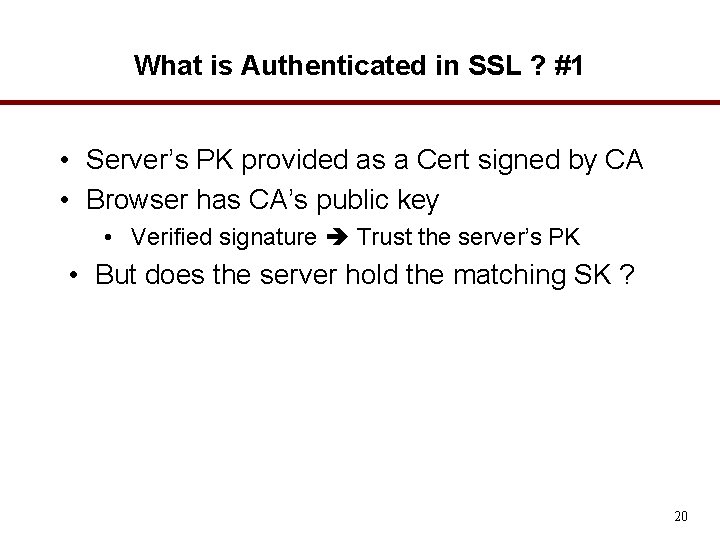
What is Authenticated in SSL ? #1 • Server’s PK provided as a Cert signed by CA • Browser has CA’s public key • Verified signature Trust the server’s PK • But does the server hold the matching SK ? 20
What is Authenticated in SSL? #2 • • Browser’s secret random k encrypted by PK Server decrypts k Browser & server derive shared secret key All subsequent messages are encrypted • With symmetric cipher, e. g. RC 4 • If browser decrypts successfully Server got the correct k Server had the SK matching the Cert Server is authenticated • Client is NOT authenticated: usually has to login (through the encrypted channel) 21
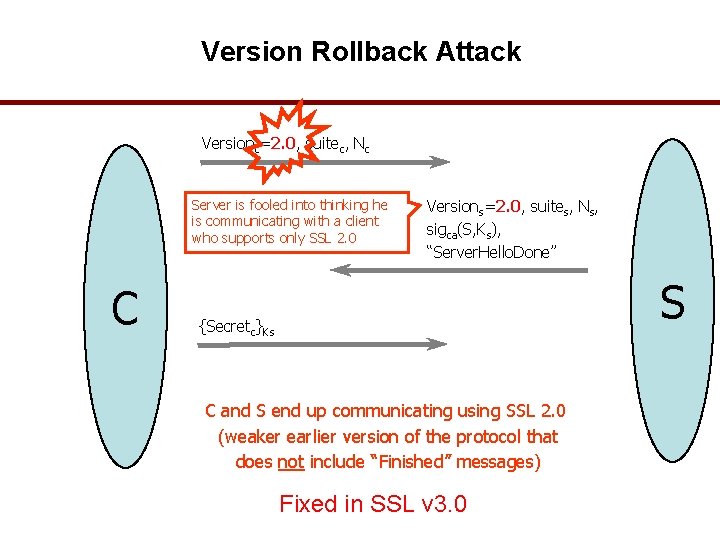
Version Rollback Attack Versionc=2. 0, suitec, Nc Server is fooled into thinking he is communicating with a client who supports only SSL 2. 0 C Versions=2. 0, suites, Ns, sigca(S, Ks), “Server. Hello. Done” S {Secretc}Ks C and S end up communicating using SSL 2. 0 (weaker earlier version of the protocol that does not include “Finished” messages) Fixed in SSL v 3. 0
“Chosen-Protocol” Attacks • Why do people release new versions of security protocols? Because the old version got broken! • New version must be backward-compatible Not everybody upgrades right away • Attacker can fool someone into using the old, broken version and exploit known vulnerability Similar: fool victim into using weak crypto algorithms • Defense is hard: must authenticate version early • Many protocols had “version rollback” attacks SSL, SSH, GSM (cell phones)
HTTPS in the Browser
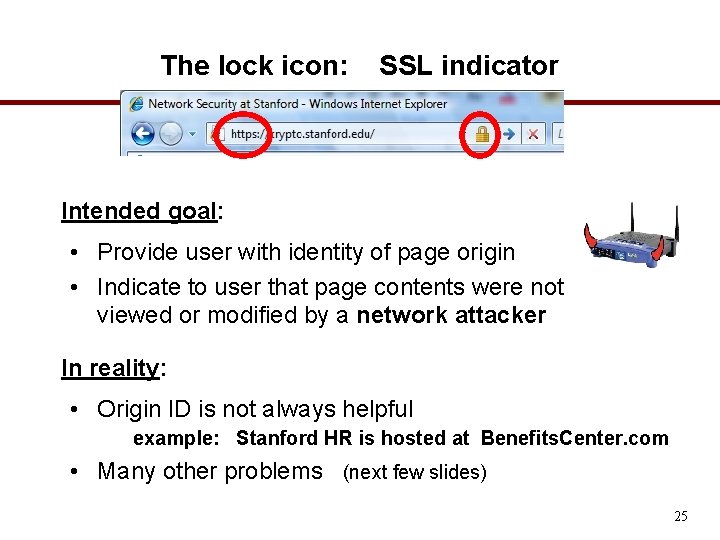
The lock icon: SSL indicator Intended goal: • Provide user with identity of page origin • Indicate to user that page contents were not viewed or modified by a network attacker In reality: • Origin ID is not always helpful example: Stanford HR is hosted at Benefits. Center. com • Many other problems (next few slides) 25
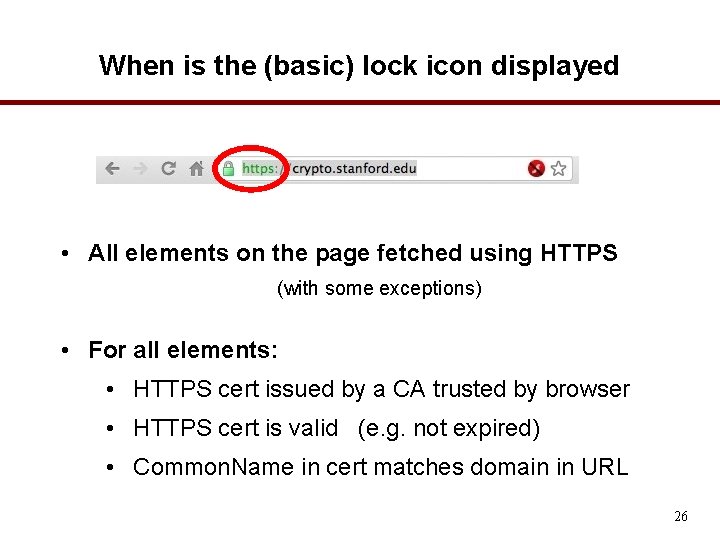
When is the (basic) lock icon displayed • All elements on the page fetched using HTTPS (with some exceptions) • For all elements: • HTTPS cert issued by a CA trusted by browser • HTTPS cert is valid (e. g. not expired) • Common. Name in cert matches domain in URL 26
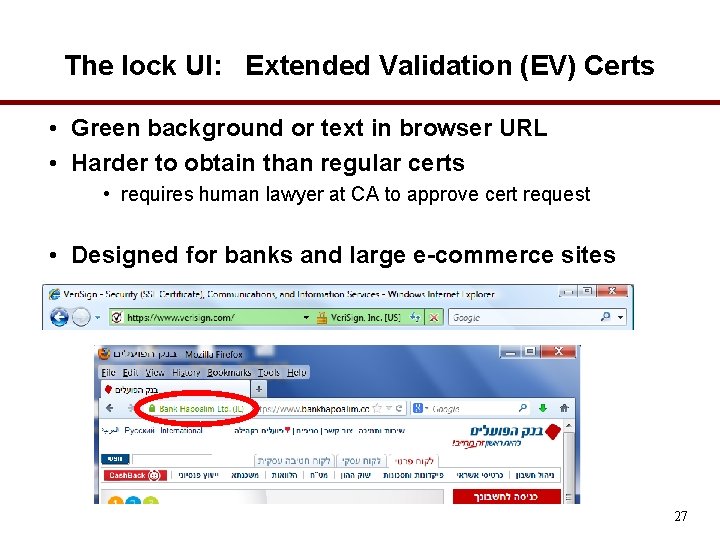
The lock UI: Extended Validation (EV) Certs • Green background or text in browser URL • Harder to obtain than regular certs • requires human lawyer at CA to approve cert request • Designed for banks and large e-commerce sites 27
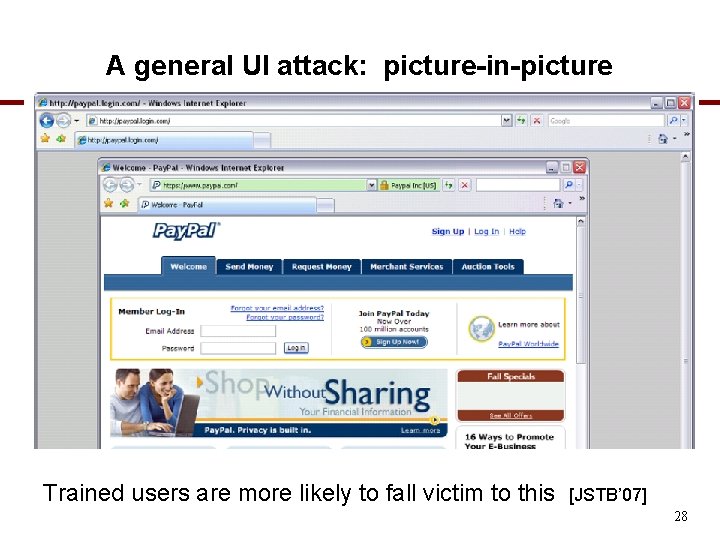
A general UI attack: picture-in-picture Trained users are more likely to fall victim to this [JSTB’ 07] 28
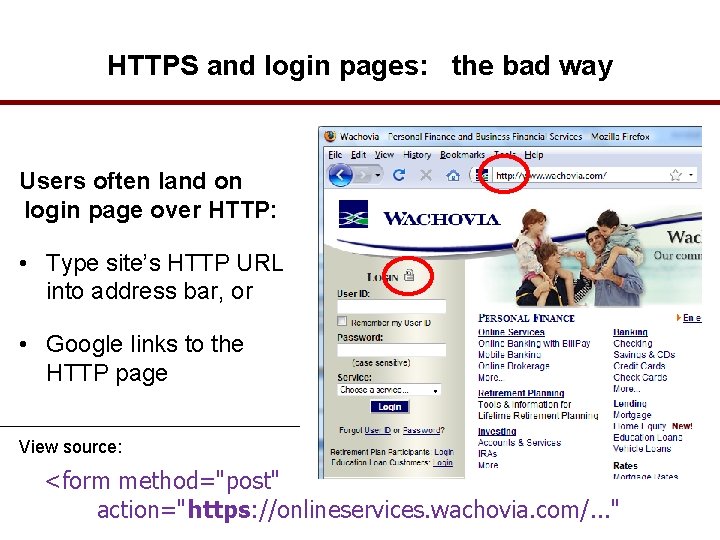
HTTPS and login pages: the bad way Users often land on login page over HTTP: • Type site’s HTTP URL into address bar, or • Google links to the HTTP page View source: <form method="post" action="https: //onlineservices. wachovia. com/. . . "
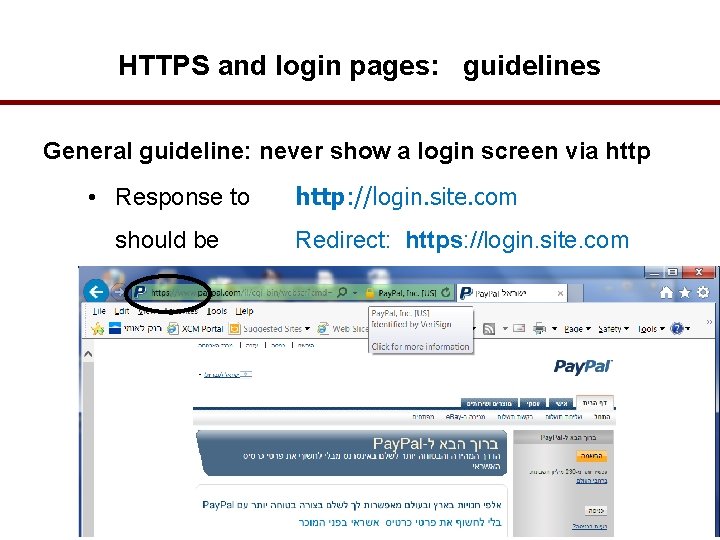
HTTPS and login pages: guidelines General guideline: never show a login screen via http • Response to should be http: //login. site. com Redirect: https: //login. site. com
Problems with HTTPS and the Lock Icon
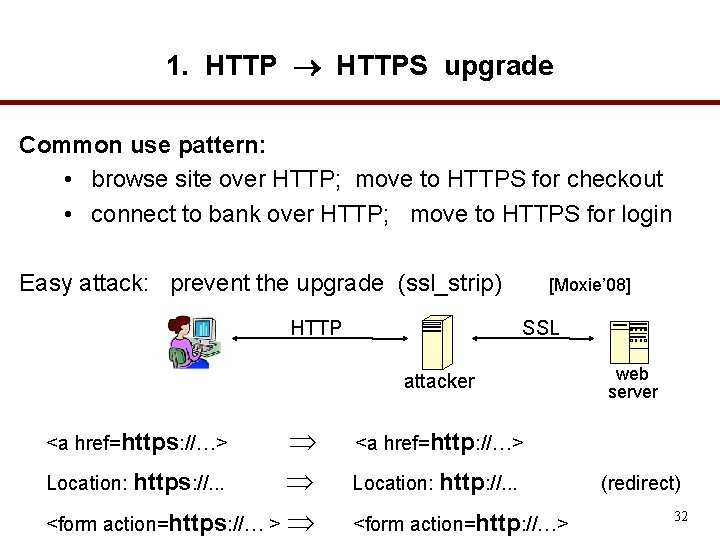
1. HTTPS upgrade Common use pattern: • browse site over HTTP; move to HTTPS for checkout • connect to bank over HTTP; move to HTTPS for login Easy attack: prevent the upgrade (ssl_strip) HTTP [Moxie’ 08] SSL attacker Location: https: //. . . <form action=https: //… > <a href=https: //…> web server <a href=http: //…> Location: http: //. . . <form action=http: //…> (redirect) 32
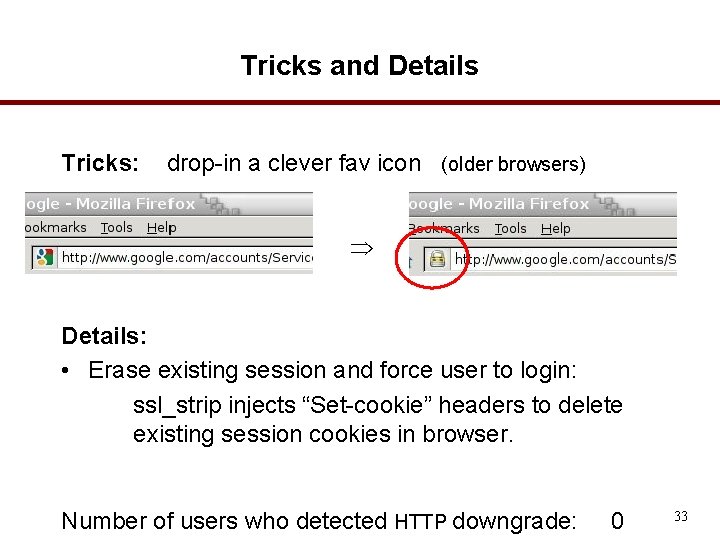
Tricks and Details Tricks: drop-in a clever fav icon (older browsers) Details: • Erase existing session and force user to login: ssl_strip injects “Set-cookie” headers to delete existing session cookies in browser. Number of users who detected HTTP downgrade: 0 33
2. Semantic attacks on certs International domains: xyz. cn • Rendered using international character set • Observation: Chinese character set contains chars that look like “/” and “? ” and “=” Attack: buy domain cert for *. badguy. cn setup domain called: www. bank. com/accounts/login. php? q=me. baguy. cn note: single cert *. badguy. cn works for all sites Extended validation (EV) certs may help defeat this 34
![[Moxie’ 08] 35](http://slidetodoc.com/presentation_image/7174c465b9d2dd04088fce29ee603847/image-35.jpg "[Moxie’ 08] 35")
[Moxie’ 08] 35
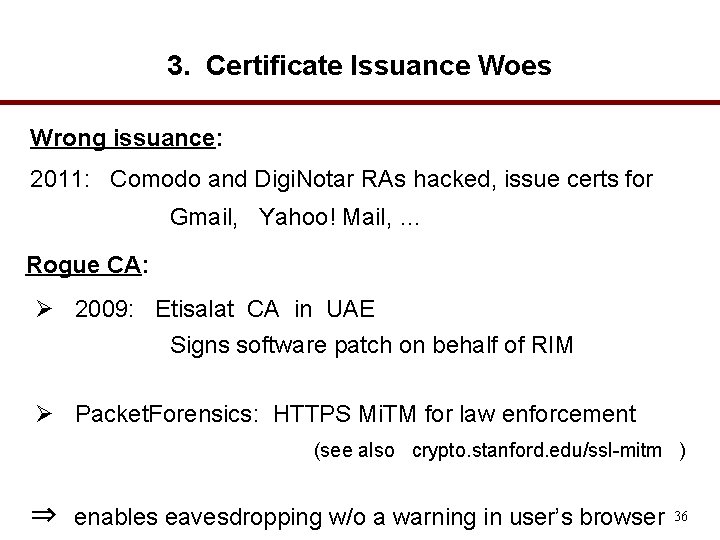
3. Certificate Issuance Woes Wrong issuance: 2011: Comodo and Digi. Notar RAs hacked, issue certs for Gmail, Yahoo! Mail, … Rogue CA: Ø 2009: Etisalat CA in UAE Signs software patch on behalf of RIM Ø Packet. Forensics: HTTPS Mi. TM for law enforcement (see also crypto. stanford. edu/ssl-mitm ) ⇒ enables eavesdropping w/o a warning in user’s browser 36
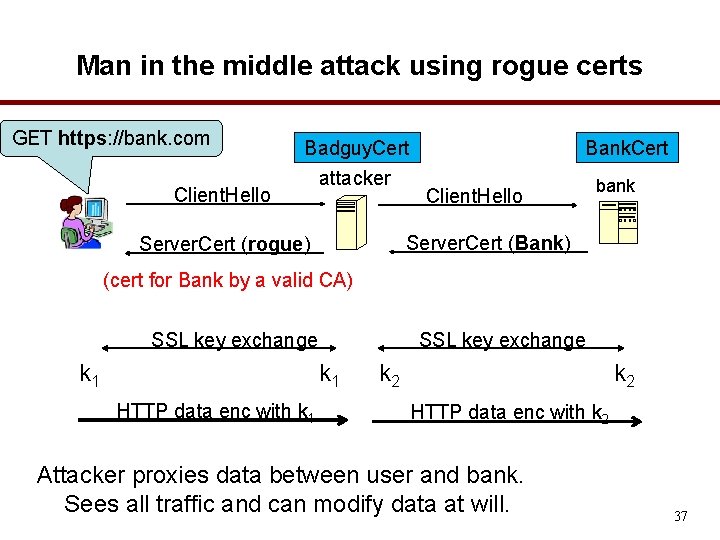
Man in the middle attack using rogue certs GET https: //bank. com Client. Hello Badguy. Cert attacker Bank. Cert Client. Hello bank Server. Cert (Bank) Server. Cert (rogue) (cert for Bank by a valid CA) SSL key exchange k 1 HTTP data enc with k 1 k 2 HTTP data enc with k 2 Attacker proxies data between user and bank. Sees all traffic and can modify data at will. 37
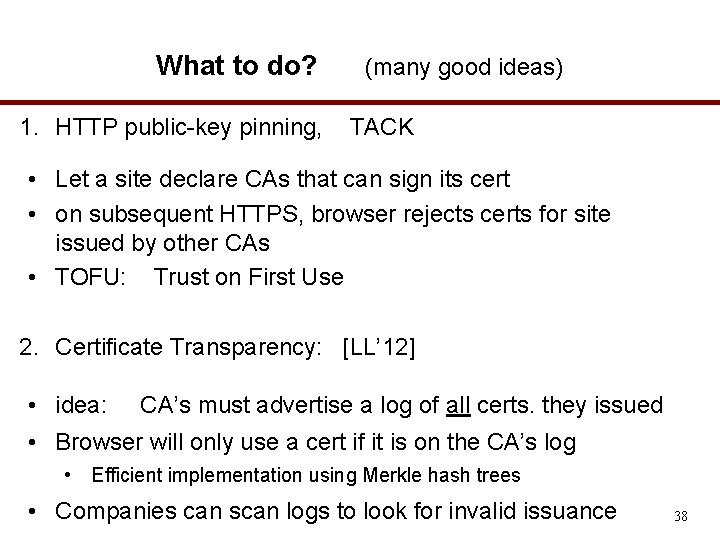
What to do? 1. HTTP public-key pinning, (many good ideas) TACK • Let a site declare CAs that can sign its cert • on subsequent HTTPS, browser rejects certs for site issued by other CAs • TOFU: Trust on First Use 2. Certificate Transparency: [LL’ 12] • idea: CA’s must advertise a log of all certs. they issued • Browser will only use a cert if it is on the CA’s log • Efficient implementation using Merkle hash trees • Companies can scan logs to look for invalid issuance 38
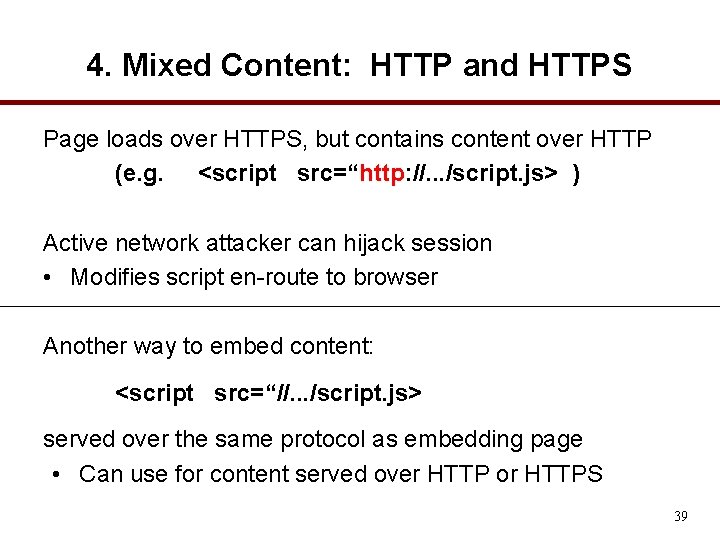
4. Mixed Content: HTTP and HTTPS Page loads over HTTPS, but contains content over HTTP (e. g. <script src=“http: //. . . /script. js> ) Active network attacker can hijack session • Modifies script en-route to browser Another way to embed content: <script src=“//. . . /script. js> served over the same protocol as embedding page • Can use for content served over HTTP or HTTPS 39
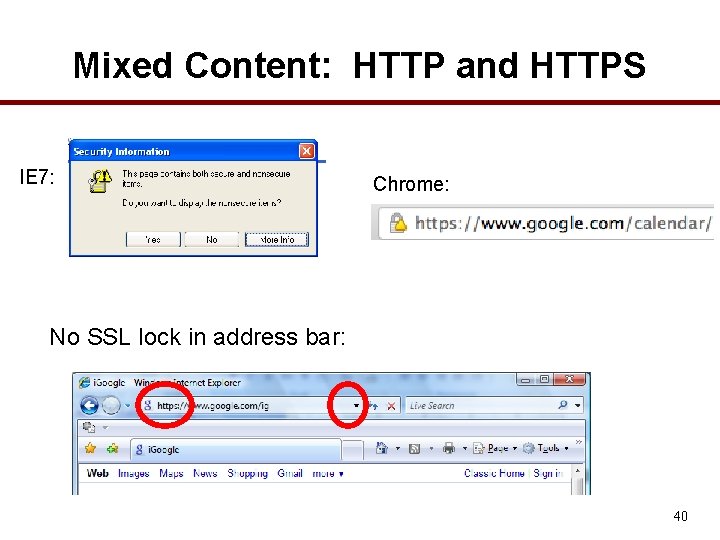
Mixed Content: HTTP and HTTPS IE 7: Chrome: No SSL lock in address bar: 40
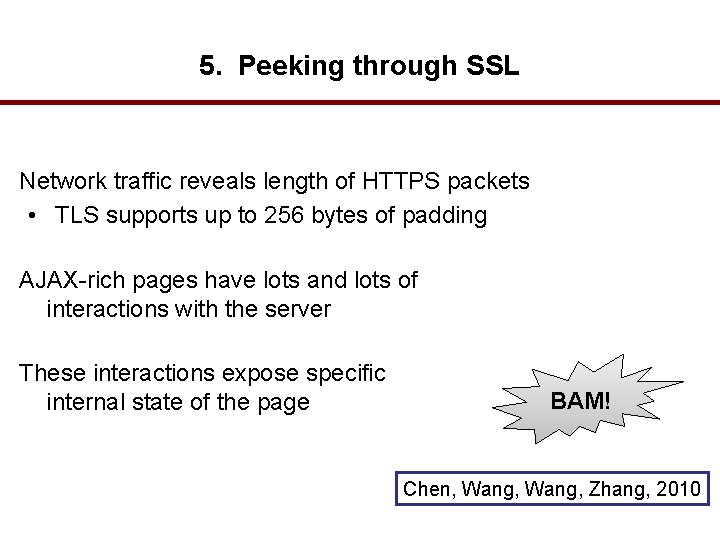
5. Peeking through SSL Network traffic reveals length of HTTPS packets • TLS supports up to 256 bytes of padding AJAX-rich pages have lots and lots of interactions with the server These interactions expose specific internal state of the page BAM! Chen, Wang, Zhang, 2010
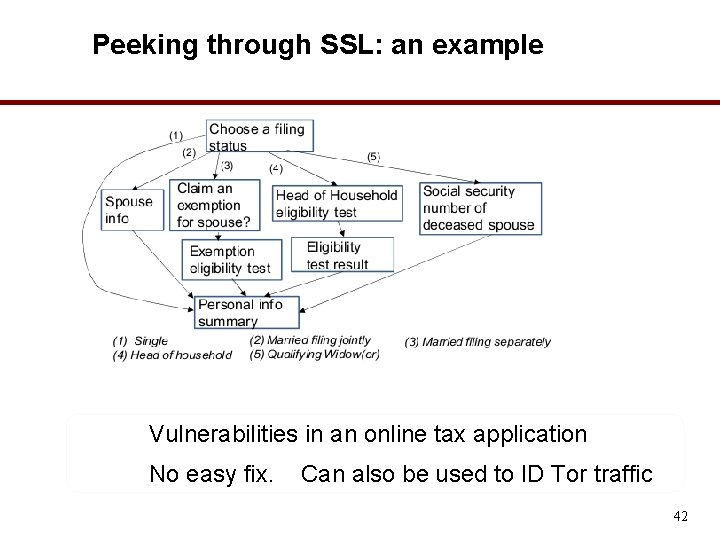
Peeking through SSL: an example Vulnerabilities in an online tax application No easy fix. Can also be used to ID Tor traffic 42

THE END
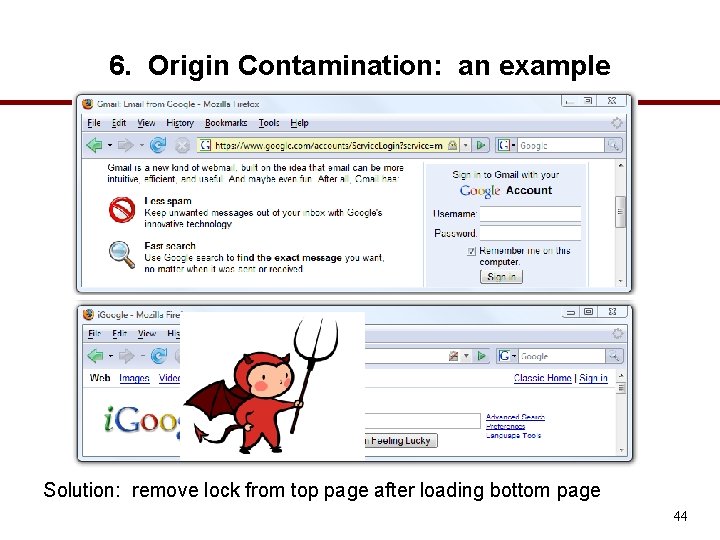
6. Origin Contamination: an example Solution: remove lock from top page after loading bottom page 44
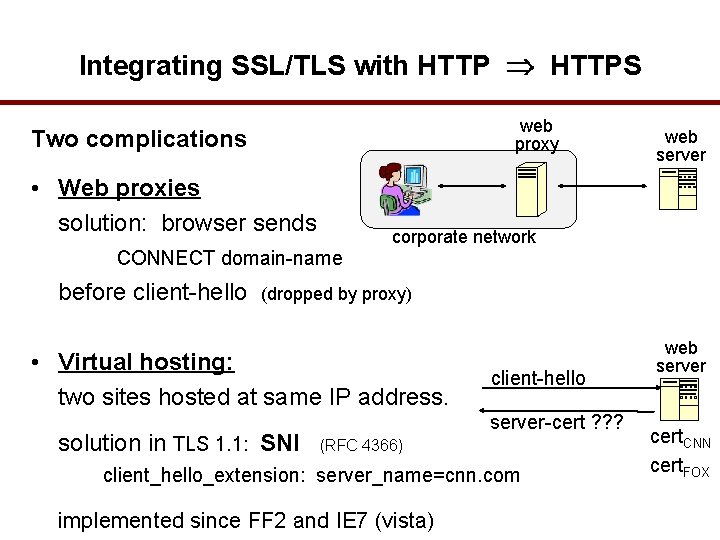
Integrating SSL/TLS with HTTPS web proxy Two complications • Web proxies solution: browser sends web server corporate network CONNECT domain-name before client-hello (dropped by proxy) • Virtual hosting: two sites hosted at same IP address. solution in TLS 1. 1: SNI client-hello server-cert ? ? ? (RFC 4366) client_hello_extension: server_name=cnn. com implemented since FF 2 and IE 7 (vista) web server cert. CNN cert. FOX
Why is HTTPS not used for all web traffic? • Slows down web servers • Breaks Internet caching • ISPs cannot cache HTTPS traffic • Results in increased traffic at web site • Incompatible with virtual hosting (older browsers) May. 2013: IE 6 ≈ 7% (ie 6 countdown. com)
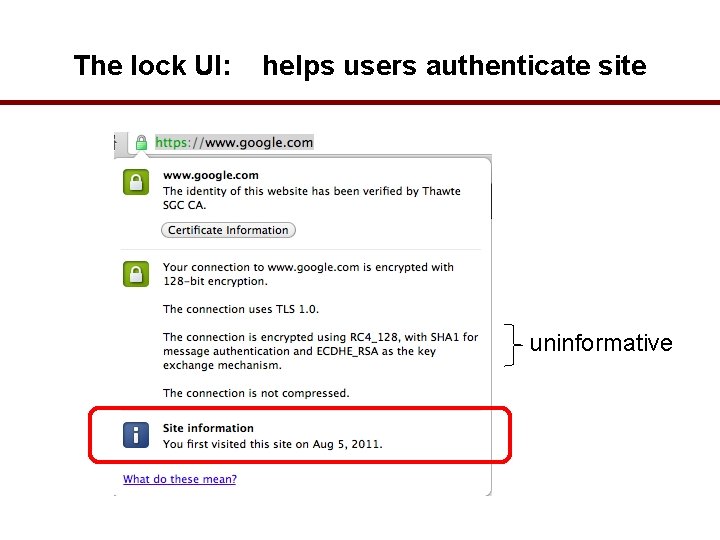
The lock UI: helps users authenticate site uninformative
Problems with HTTPS and the Lock Icon 1. Upgrade from HTTP to HTTPS 2. Semantic attacks on certs 3. Forged certs 4. Mixed content • HTTP and HTTPS on the same page 5. Origin contamination • Weak HTTPS page contaminates stronger HTTPS page 6. Does HTTPS hide web traffic? 48
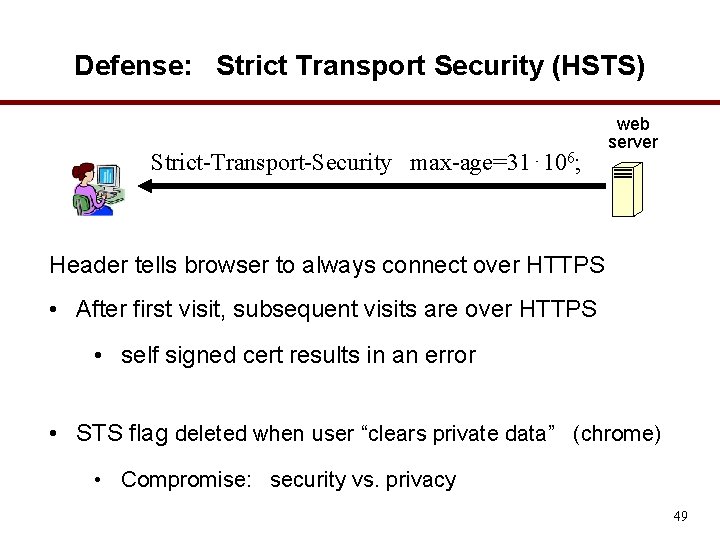
Defense: Strict Transport Security (HSTS) Strict-Transport-Security max-age=31⋅106; web server Header tells browser to always connect over HTTPS • After first visit, subsequent visits are over HTTPS • self signed cert results in an error • STS flag deleted when user “clears private data” (chrome) • Compromise: security vs. privacy 49
- Slides: 49