
SS 5305 Advanced Motion Capture 1 SS 5305
- Slides: 36
SS 5305 – Advanced Motion Capture 1
SS 5305 – Advanced Motion Capture • 3 D motion capture for entertainment • Data capturing using a motion capture system • Pre-processing of 3 D motion capture data • Analysis of processed motion data • Motion regeneration of entertainment (traditional dancing) Assessment: Examination: NONE Course Work: 100% The course work comprises of the following: - 2 Class Tests – (20% each) - Project Assignment – (60%) 2
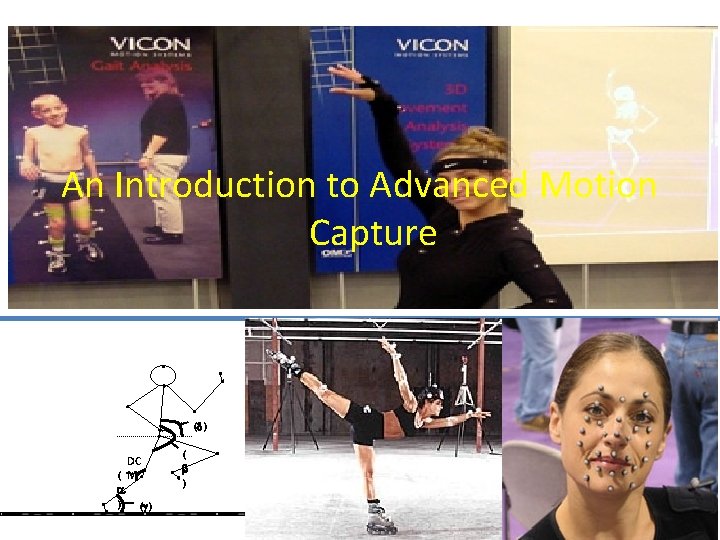
An Introduction to Advanced Motion Capture ( ) DC ( M ) ( ) 3
Objectives • History of Motion Capture • Basic Motion Capture System using Digital Video Cameras • Optical/Video Motion Capture Systems • Introduction to Qualisys • Motion Capture Trends 4
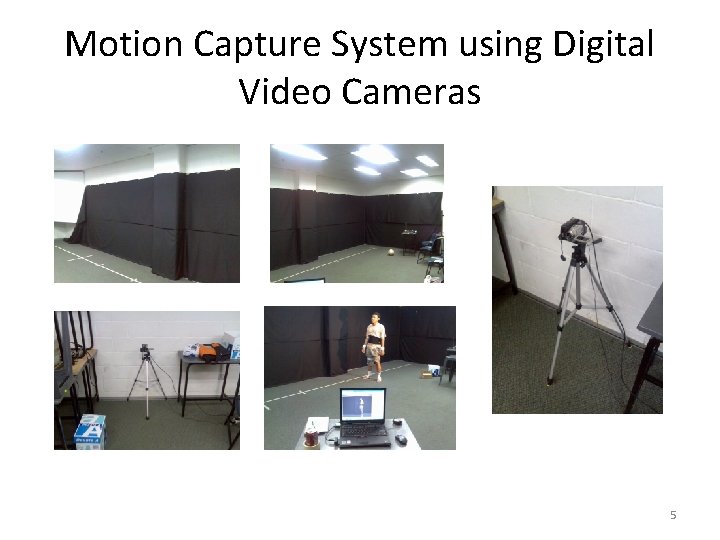
Motion Capture System using Digital Video Cameras 5
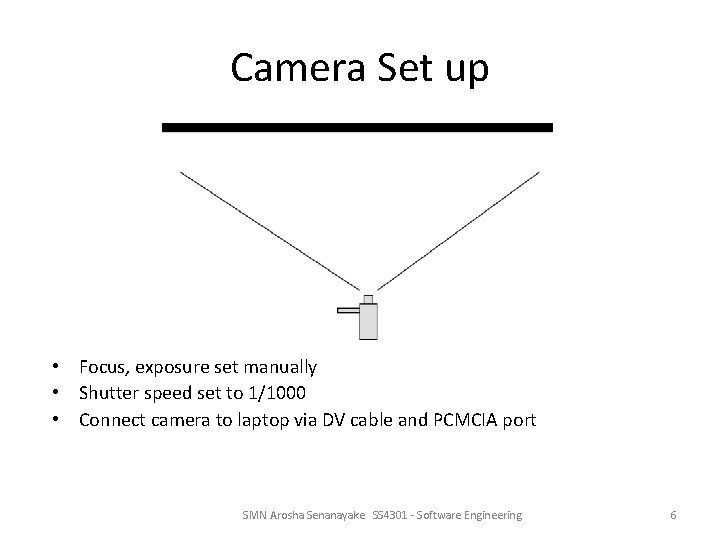
Camera Set up • Focus, exposure set manually • Shutter speed set to 1/1000 • Connect camera to laptop via DV cable and PCMCIA port SMN Arosha Senanayake SS 4301 - Software Engineering 6
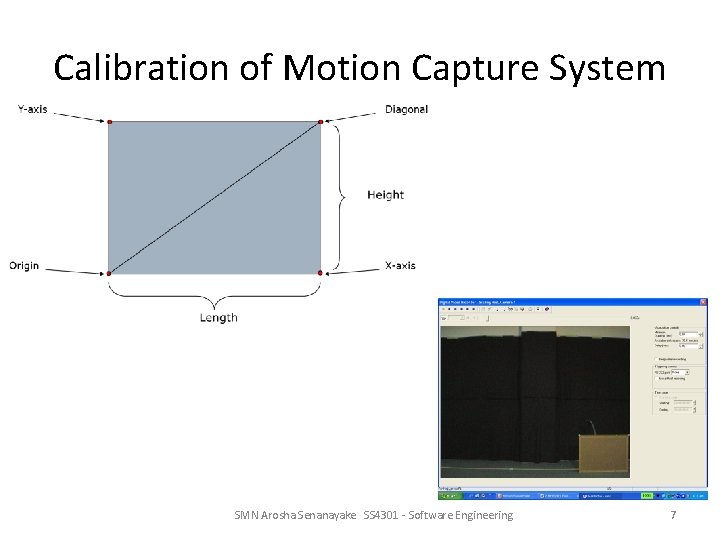
Calibration of Motion Capture System SMN Arosha Senanayake SS 4301 - Software Engineering 7
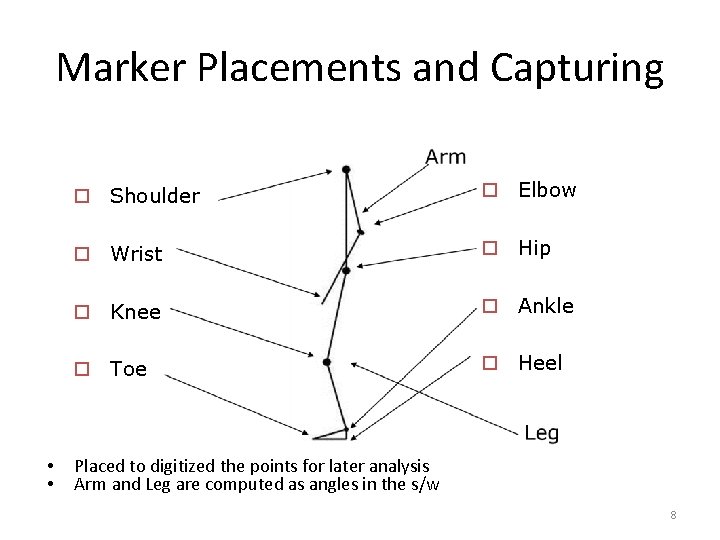
Marker Placements and Capturing • • o Shoulder o Elbow o Wrist o Hip o Knee o Ankle o Toe o Heel Placed to digitized the points for later analysis Arm and Leg are computed as angles in the s/w 8
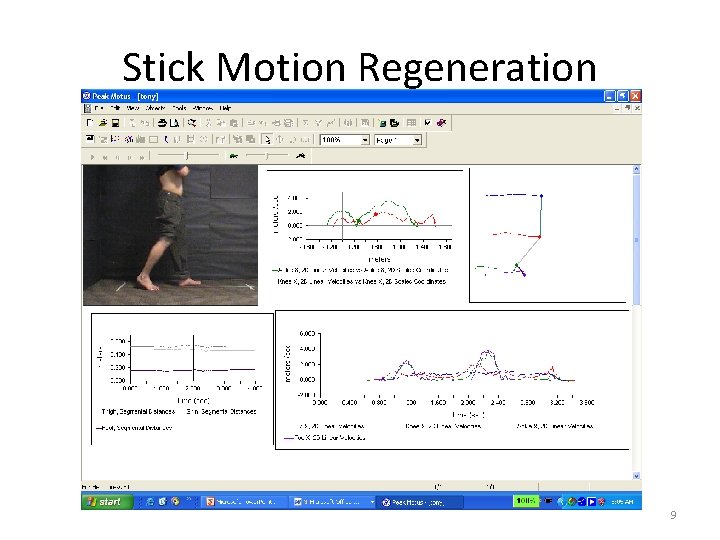
Stick Motion Regeneration 9
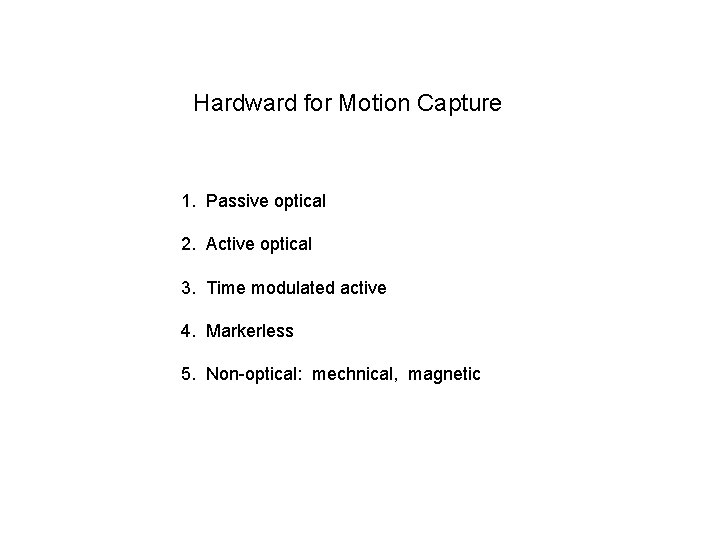
Hardward for Motion Capture 1. Passive optical 2. Active optical 3. Time modulated active 4. Markerless 5. Non-optical: mechnical, magnetic
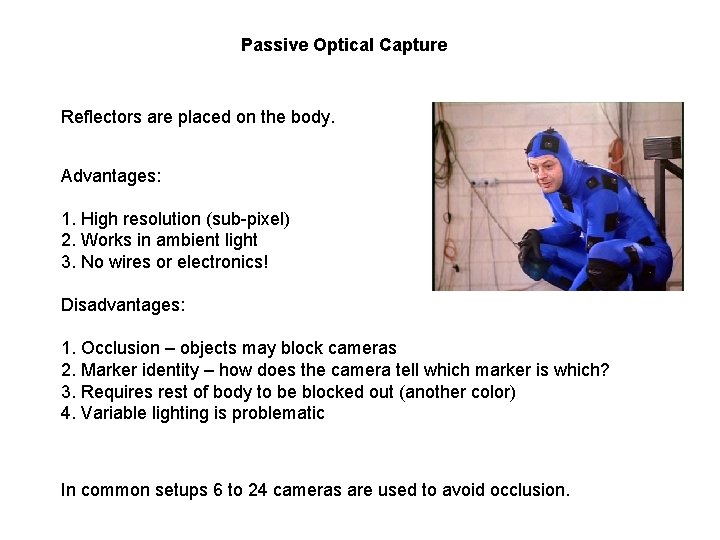
Passive Optical Capture Reflectors are placed on the body. Advantages: 1. High resolution (sub-pixel) 2. Works in ambient light 3. No wires or electronics! Disadvantages: 1. Occlusion – objects may block cameras 2. Marker identity – how does the camera tell which marker is which? 3. Requires rest of body to be blocked out (another color) 4. Variable lighting is problematic In common setups 6 to 24 cameras are used to avoid occlusion.
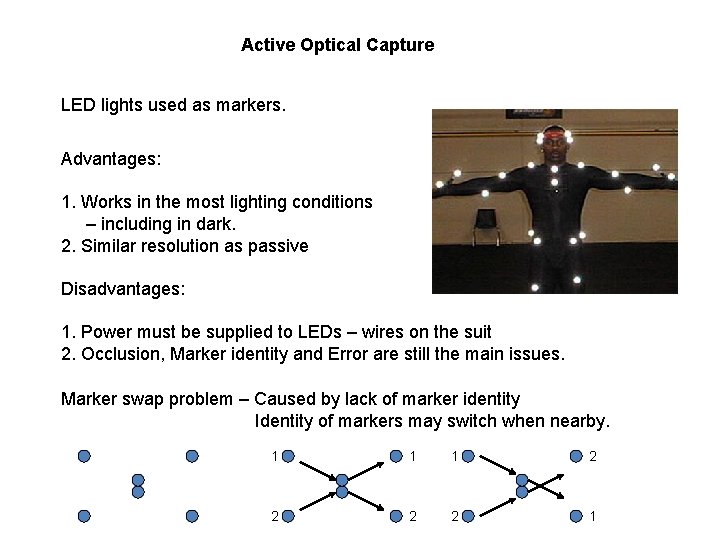
Active Optical Capture LED lights used as markers. Advantages: 1. Works in the most lighting conditions – including in dark. 2. Similar resolution as passive Disadvantages: 1. Power must be supplied to LEDs – wires on the suit 2. Occlusion, Marker identity and Error are still the main issues. Marker swap problem – Caused by lack of marker identity Identity of markers may switch when nearby. 1 1 1 2 2 1
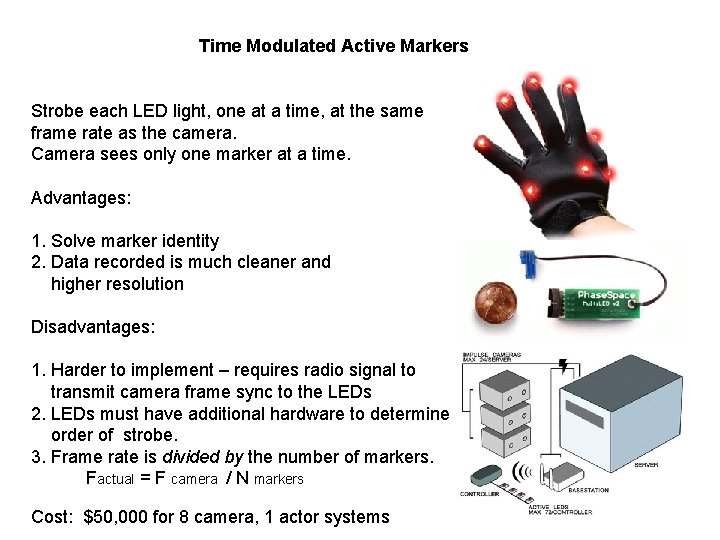
Time Modulated Active Markers Strobe each LED light, one at a time, at the same frame rate as the camera. Camera sees only one marker at a time. Advantages: 1. Solve marker identity 2. Data recorded is much cleaner and higher resolution Disadvantages: 1. Harder to implement – requires radio signal to transmit camera frame sync to the LEDs 2. LEDs must have additional hardware to determine order of strobe. 3. Frame rate is divided by the number of markers. Factual = F camera / N markers Cost: $50, 000 for 8 camera, 1 actor systems
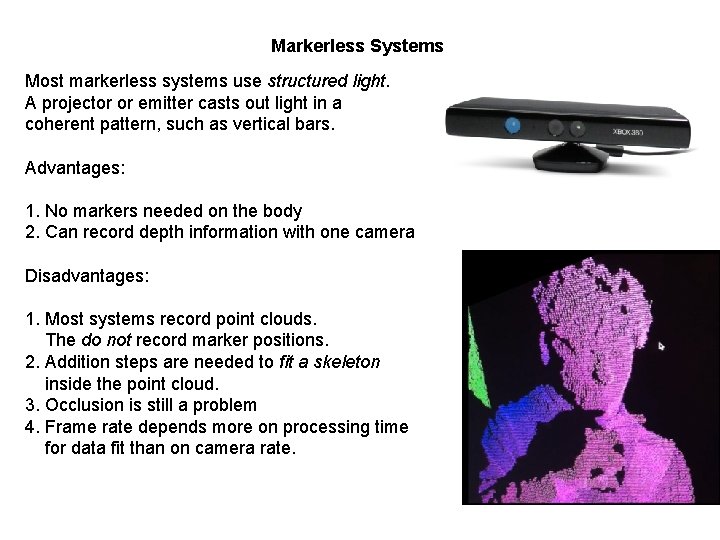
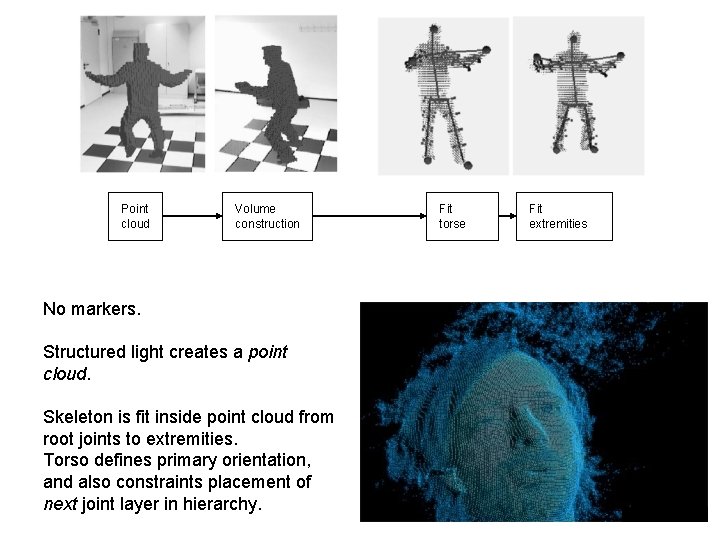
Markerless Systems Most markerless systems use structured light. A projector or emitter casts out light in a coherent pattern, such as vertical bars. Advantages: 1. No markers needed on the body 2. Can record depth information with one camera Disadvantages: 1. Most systems record point clouds. The do not record marker positions. 2. Addition steps are needed to fit a skeleton inside the point cloud. 3. Occlusion is still a problem 4. Frame rate depends more on processing time for data fit than on camera rate.
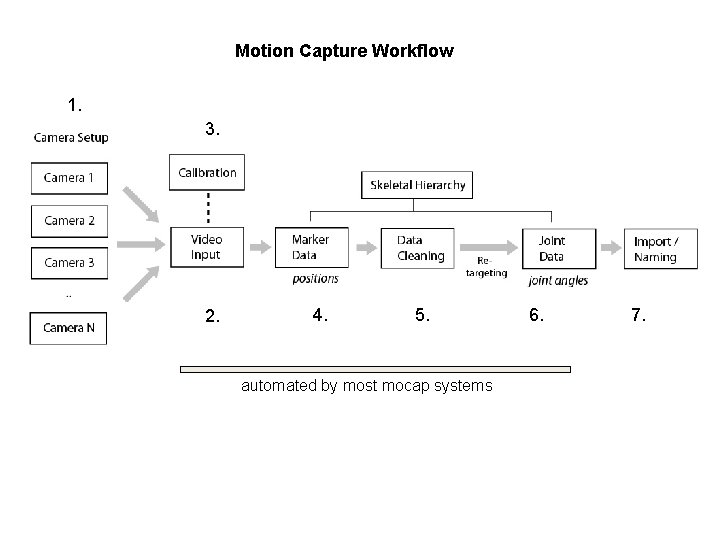
Motion Capture Workflow 1. 3. 2. 4. 5. automated by most mocap systems 6. 7.
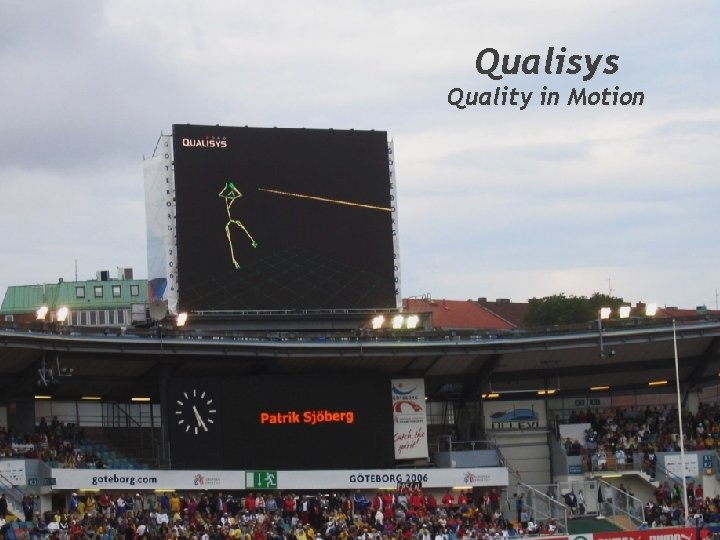
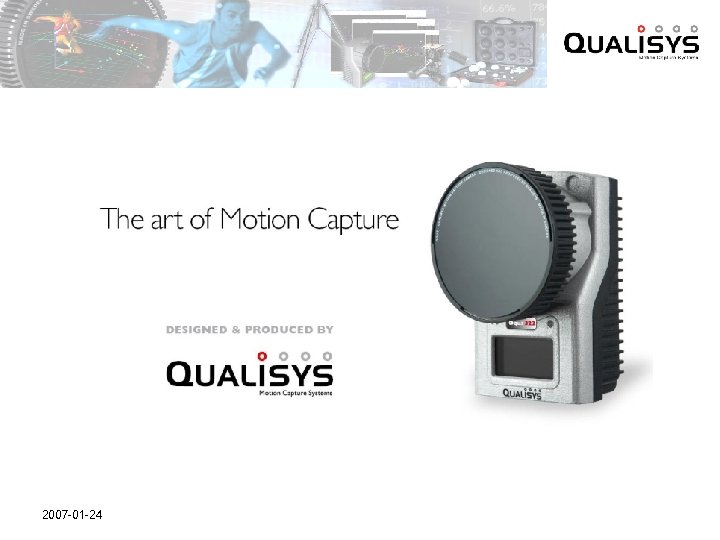
Qualisys Quality in Motion 2007 -01 -24
2007 -01 -24
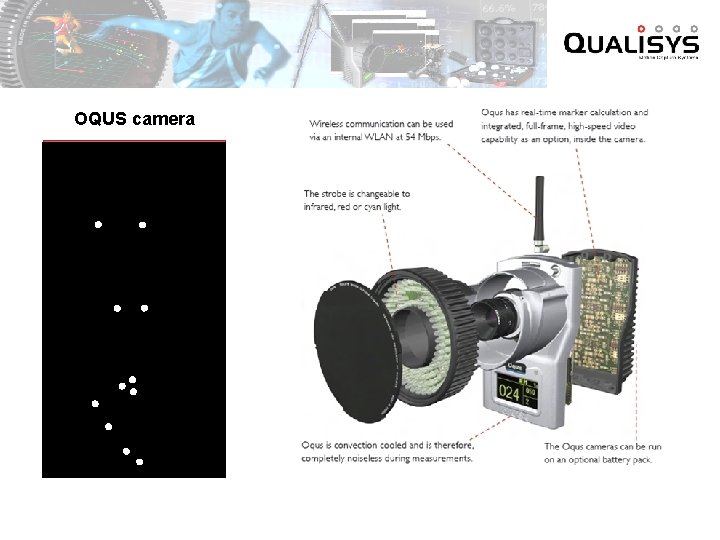
OQUS camera
2007 -01 -24
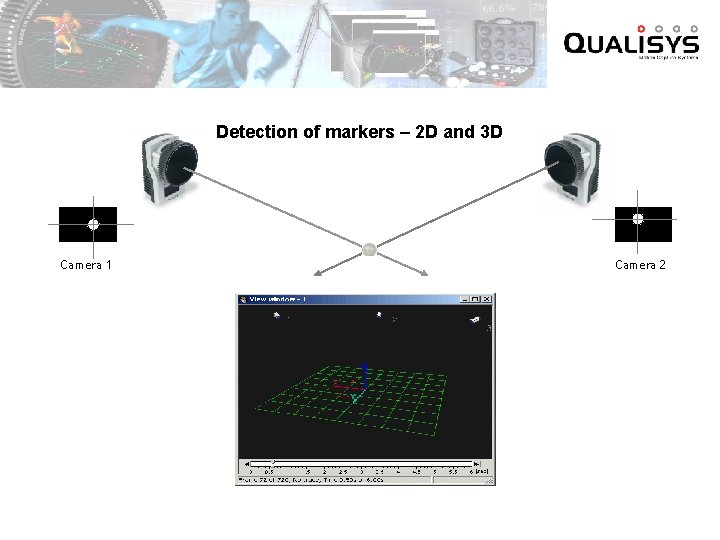
Detection of markers – 2 D and 3 D Camera 1 Camera 2
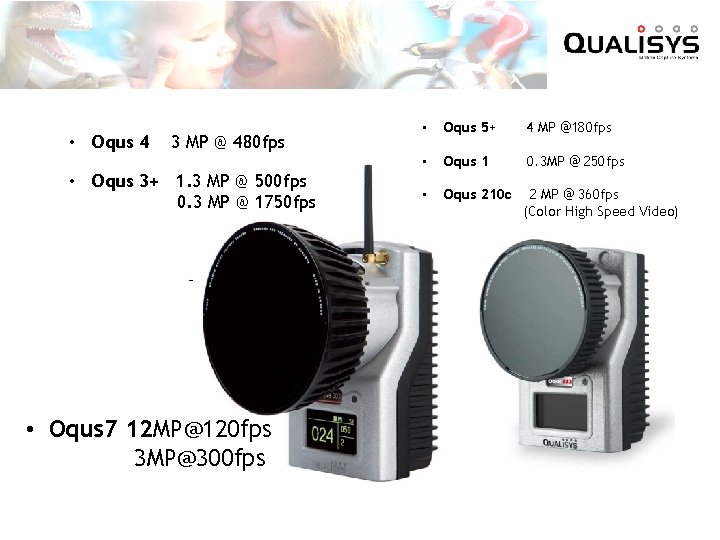
• Oqus 4 3 MP @ 480 fps • Oqus 3+ 1. 3 MP @ 500 fps 0. 3 MP @ 1750 fps • Oqus 7 12 MP@120 fps 3 MP@300 fps • Oqus 5+ 4 MP @180 fps • Oqus 1 0. 3 MP @ 250 fps • Oqus 210 c 2 MP @ 360 fps (Color High Speed Video)
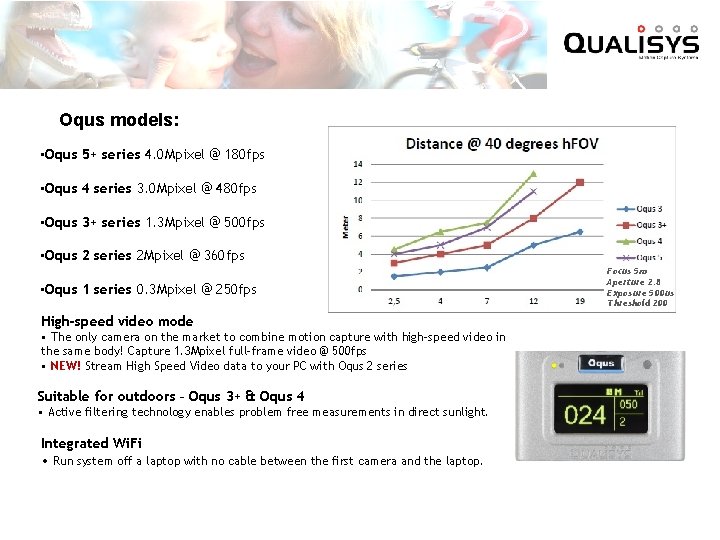
Oqus models: • Oqus 5+ series 4. 0 Mpixel @ 180 fps • Oqus 4 series 3. 0 Mpixel @ 480 fps • Oqus 3+ series 1. 3 Mpixel @ 500 fps • Oqus 2 series 2 Mpixel @ 360 fps • Oqus 1 series 0. 3 Mpixel @ 250 fps High-speed video mode • The only camera on the market to combine motion capture with high-speed video in the same body! Capture 1. 3 Mpixel full-frame video @ 500 fps • NEW! Stream High Speed Video data to your PC with Oqus 2 series Suitable for outdoors – Oqus 3+ & Oqus 4 • Active filtering technology enables problem free measurements in direct sunlight. Integrated Wi. Fi • Run system off a laptop with no cable between the first camera and the laptop. Focus 5 m Aperture 2. 8 Exposure 500 us Threshold 200
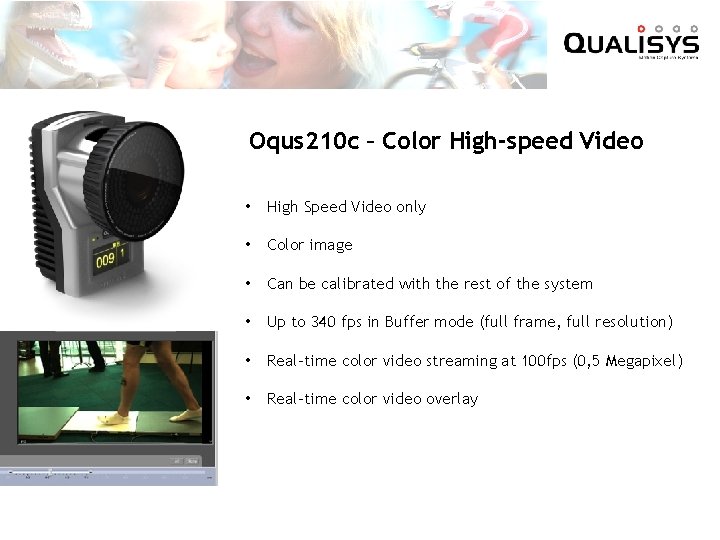
Oqus 210 c – Color High-speed Video • High Speed Video only • Color image • Can be calibrated with the rest of the system • Up to 340 fps in Buffer mode (full frame, full resolution) • Real-time color video streaming at 100 fps (0, 5 Megapixel) • Real-time color video overlay
2007 -01 -24
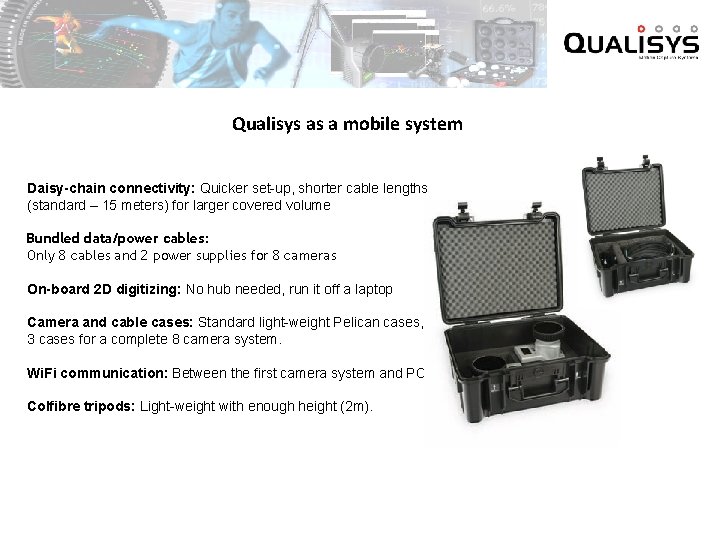
Qualisys as a mobile system Daisy-chain connectivity: Quicker set-up, shorter cable lengths (standard – 15 meters) for larger covered volume Bundled data/power cables: Only 8 cables and 2 power supplies for 8 cameras On-board 2 D digitizing: No hub needed, run it off a laptop Camera and cable cases: Standard light-weight Pelican cases, 3 cases for a complete 8 camera system. Wi. Fi communication: Between the first camera system and PC Colfibre tripods: Light-weight with enough height (2 m).
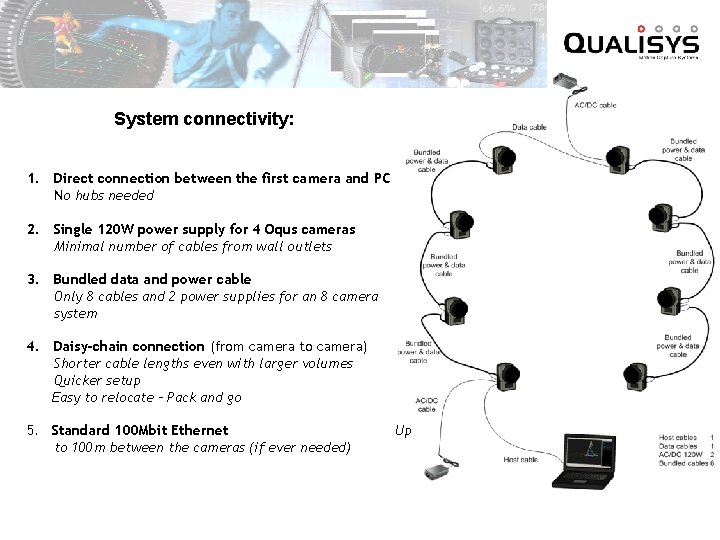
System connectivity: 1. Direct connection between the first camera and PC No hubs needed 2. Single 120 W power supply for 4 Oqus cameras Minimal number of cables from wall outlets 3. Bundled data and power cable Only 8 cables and 2 power supplies for an 8 camera system 4. Daisy-chain connection (from camera to camera) Shorter cable lengths even with larger volumes Quicker setup Easy to relocate – Pack and go 5. Standard 100 Mbit Ethernet to 100 m between the cameras (if ever needed) Up
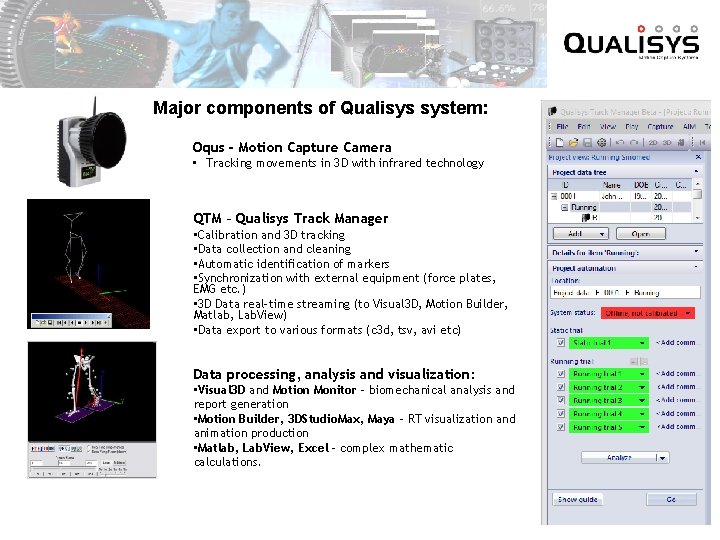
Major components of Qualisys system: Oqus - Motion Capture Camera • Tracking movements in 3 D with infrared technology QTM – Qualisys Track Manager • Calibration and 3 D tracking • Data collection and cleaning • Automatic identification of markers • Synchronization with external equipment (force plates, EMG etc. ) • 3 D Data real-time streaming (to Visual 3 D, Motion Builder, Matlab, Lab. View) • Data export to various formats (c 3 d, tsv, avi etc) Data processing, analysis and visualization: • Visual 3 D and Motion Monitor - biomechanical analysis and report generation • Motion Builder, 3 DStudio. Max, Maya – RT visualization and animation production • Matlab, Lab. View, Excel - complex mathematic calculations.
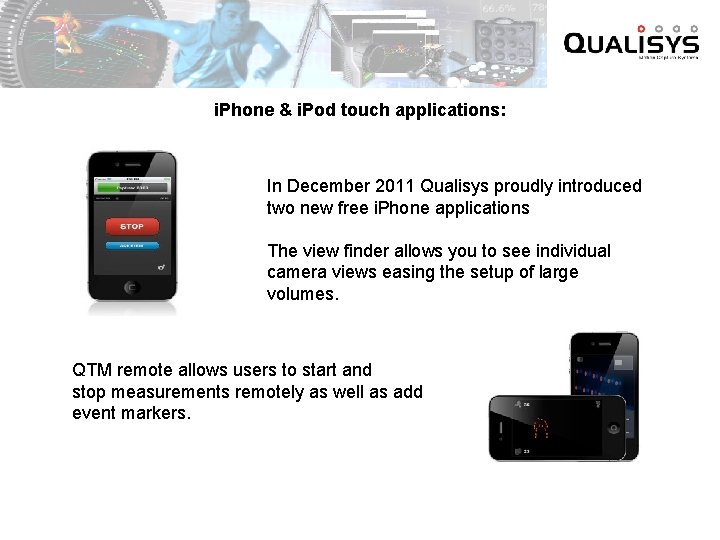
i. Phone & i. Pod touch applications: In December 2011 Qualisys proudly introduced two new free i. Phone applications The view finder allows you to see individual camera views easing the setup of large volumes. QTM remote allows users to start and stop measurements remotely as well as add event markers.
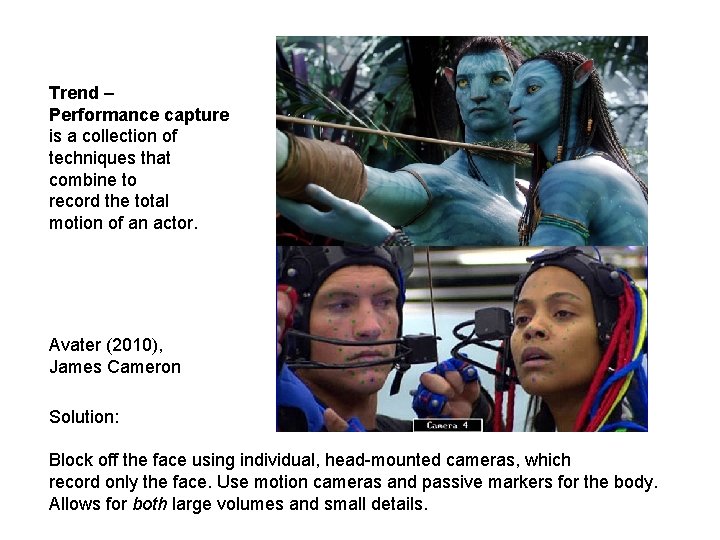
Trend – Performance capture is a collection of techniques that combine to record the total motion of an actor. Avater (2010), James Cameron Solution: Block off the face using individual, head-mounted cameras, which record only the face. Use motion cameras and passive markers for the body. Allows for both large volumes and small details.
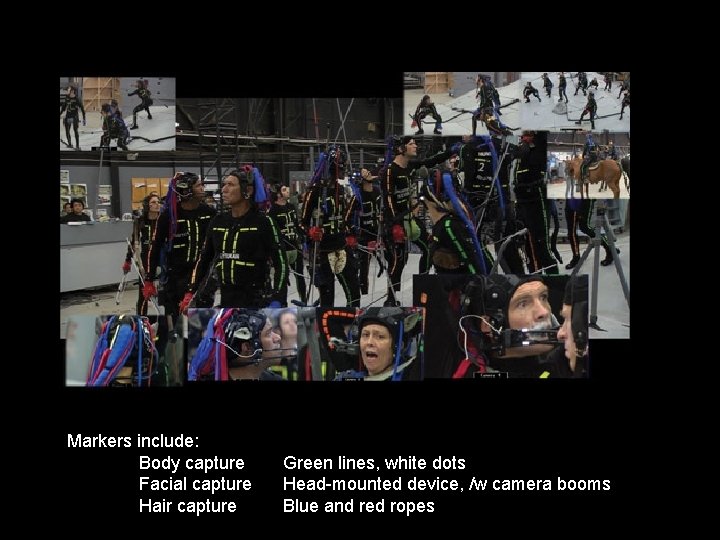
Markers include: Body capture Facial capture Hair capture Green lines, white dots Head-mounted device, /w camera booms Blue and red ropes
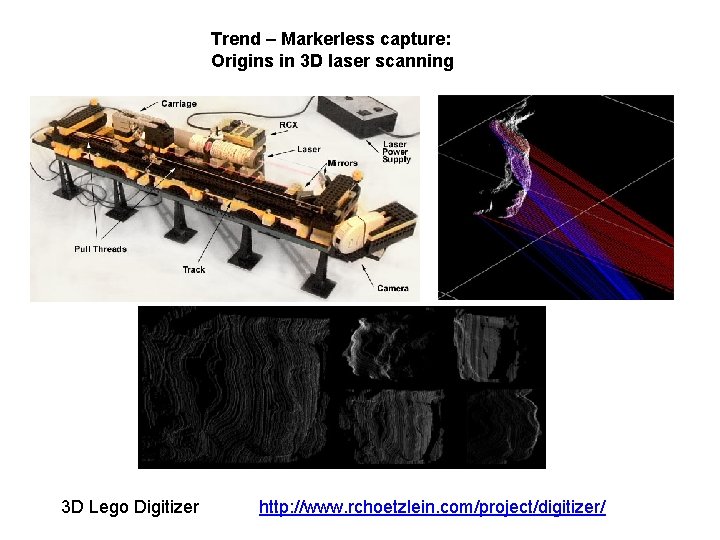
Trend – Markerless capture: Origins in 3 D laser scanning 3 D Lego Digitizer http: //www. rchoetzlein. com/project/digitizer/
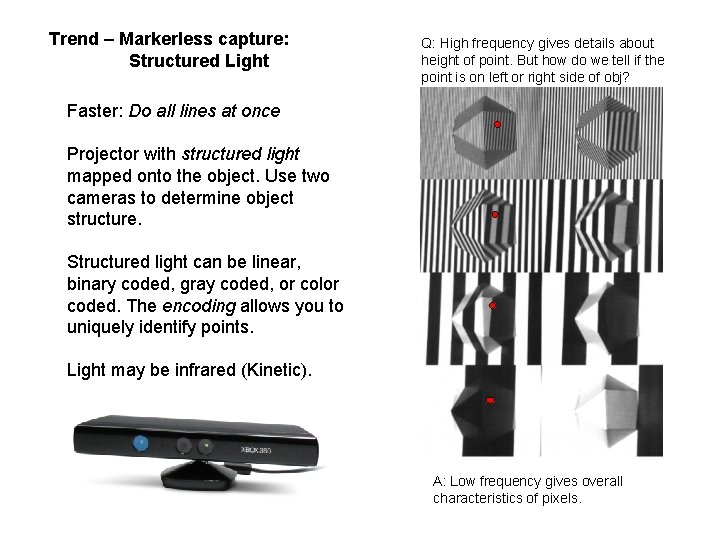
Trend – Markerless capture: Structured Light Q: High frequency gives details about height of point. But how do we tell if the point is on left or right side of obj? Faster: Do all lines at once Projector with structured light mapped onto the object. Use two cameras to determine object structure. Structured light can be linear, binary coded, gray coded, or color coded. The encoding allows you to uniquely identify points. Light may be infrared (Kinetic). A: Low frequency gives overall characteristics of pixels.
Point cloud Volume construction No markers. Structured light creates a point cloud. Skeleton is fit inside point cloud from root joints to extremities. Torso defines primary orientation, and also constraints placement of next joint layer in hierarchy. Fit torse Fit extremities
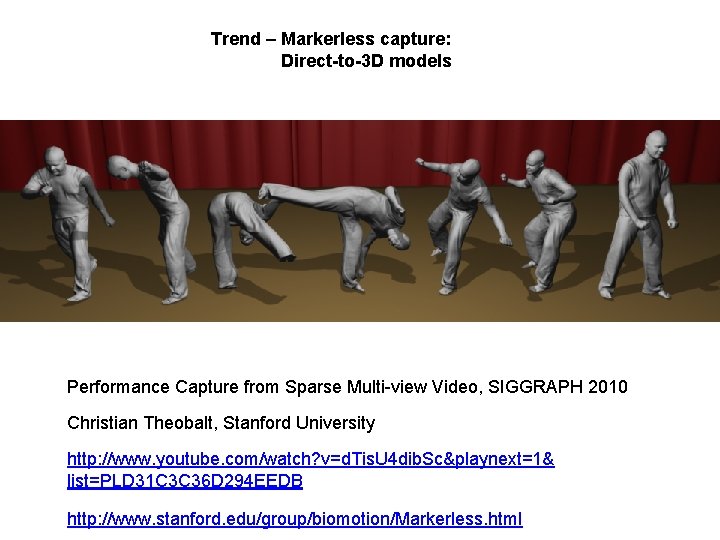
Trend – Markerless capture: Direct-to-3 D models Performance Capture from Sparse Multi-view Video, SIGGRAPH 2010 Christian Theobalt, Stanford University http: //www. youtube. com/watch? v=d. Tis. U 4 dib. Sc&playnext=1& list=PLD 31 C 3 C 36 D 294 EEDB http: //www. stanford. edu/group/biomotion/Markerless. html
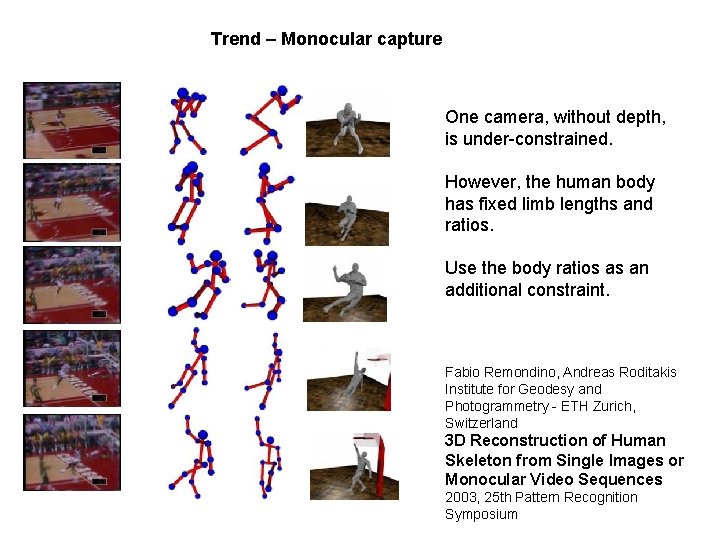
Trend – Monocular capture One camera, without depth, is under-constrained. However, the human body has fixed limb lengths and ratios. Use the body ratios as an additional constraint. Fabio Remondino, Andreas Roditakis Institute for Geodesy and Photogrammetry - ETH Zurich, Switzerland 3 D Reconstruction of Human Skeleton from Single Images or Monocular Video Sequences 2003, 25 th Pattern Recognition Symposium
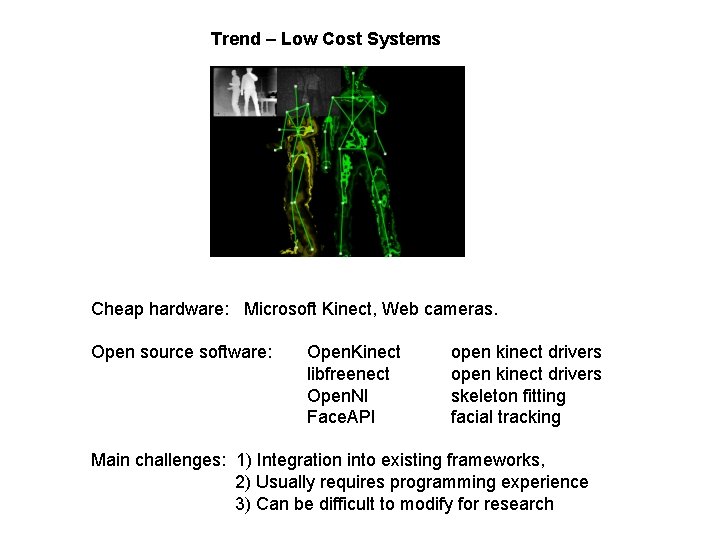
Trend – Low Cost Systems Cheap hardware: Microsoft Kinect, Web cameras. Open source software: Open. Kinect libfreenect Open. NI Face. API open kinect drivers skeleton fitting facial tracking Main challenges: 1) Integration into existing frameworks, 2) Usually requires programming experience 3) Can be difficult to modify for research