
SQL Server Internals 101 AYMAN ELG HAZAL I



- Slides: 34
SQL Server Internals 101 AYMAN EL-G HAZAL I- WWW. THESQLPRO. COM-@THESQLPRO SE NIOR C ONSU LTANT @ MICROSOFT
Agenda • How Data is Stored: Pages & Extents • How Data is Retrieved: The Query Lifecycle • How the Infrastructure Works: Storage (HDD, SSD, RAID) & Memory • Speed Assessment
How Data is Stored and Organized: Pages, Extents, Allocation Bitmap Pages
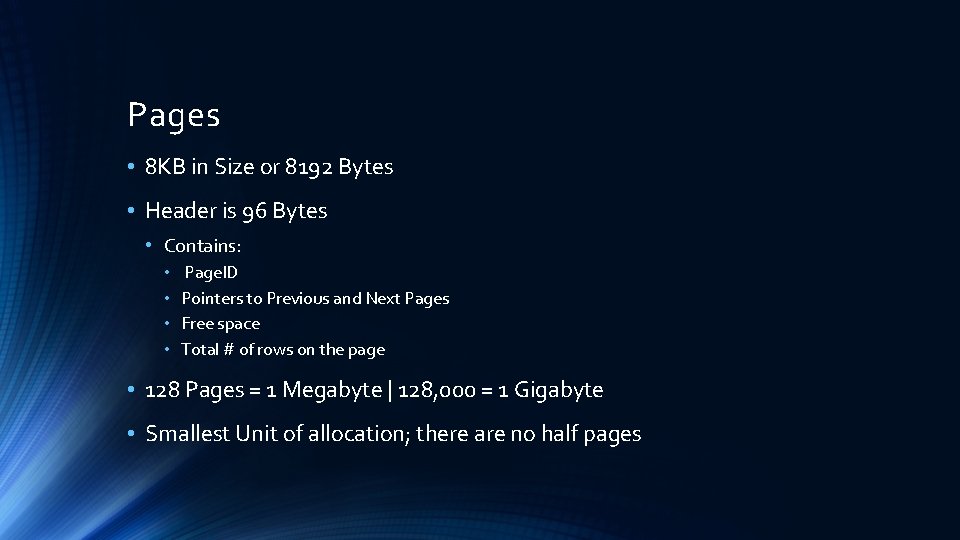
Pages • 8 KB in Size or 8192 Bytes • Header is 96 Bytes • Contains: • • Page. ID Pointers to Previous and Next Pages Free space Total # of rows on the page • 128 Pages = 1 Megabyte | 128, 000 = 1 Gigabyte • Smallest Unit of allocation; there are no half pages
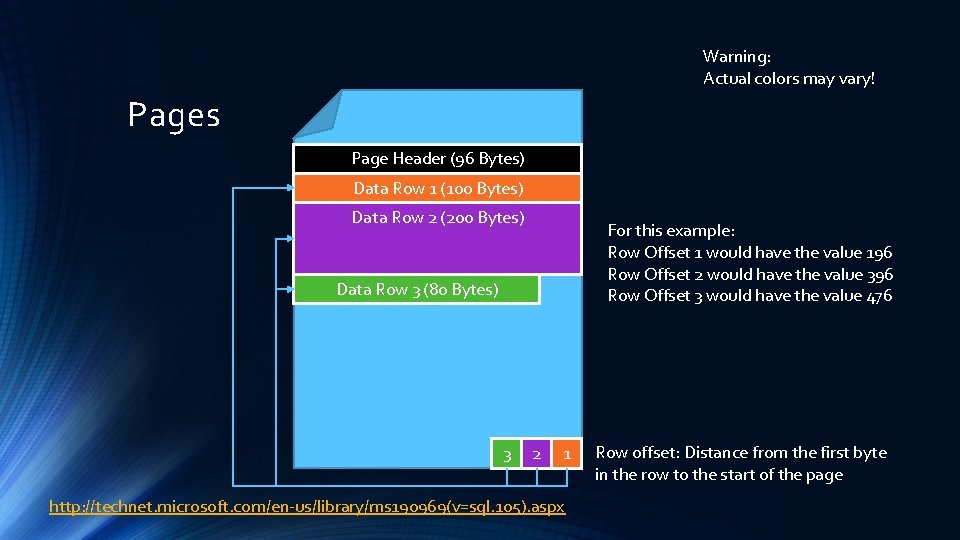
Warning: Actual colors may vary! Pages Page Header (96 Bytes) Data Row 1 (100 Bytes) Data Row 2 (200 Bytes) For this example: Row Offset 1 would have the value 196 Row Offset 2 would have the value 396 Row Offset 3 would have the value 476 Data Row 3 (80 Bytes) 3 2 1 http: //technet. microsoft. com/en-us/library/ms 190969(v=sql. 105). aspx Row offset: Distance from the first byte in the row to the start of the page
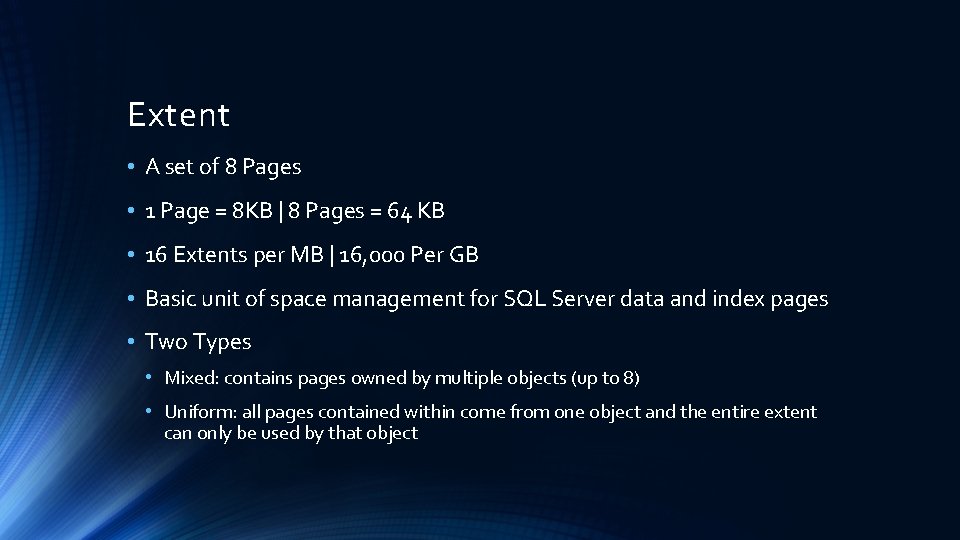
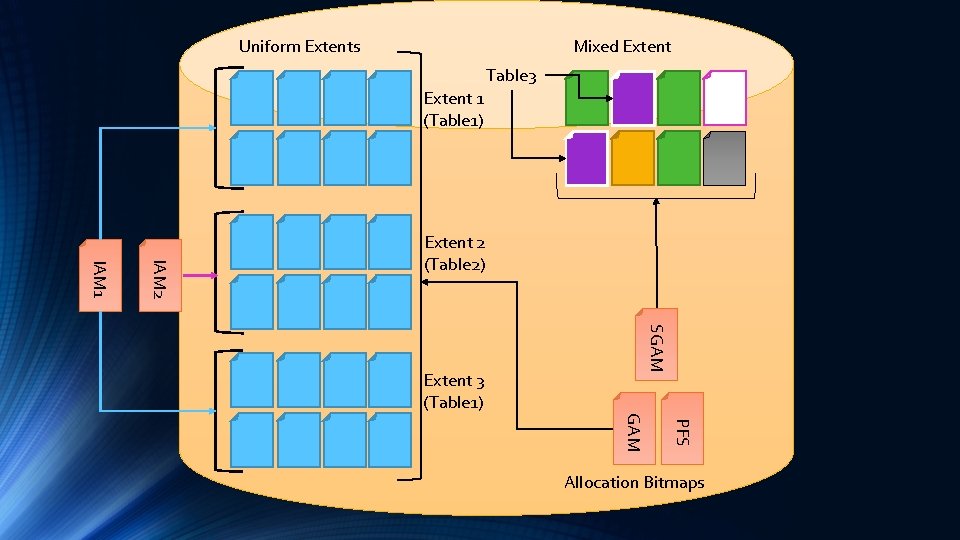
Extent • A set of 8 Pages • 1 Page = 8 KB | 8 Pages = 64 KB • 16 Extents per MB | 16, 000 Per GB • Basic unit of space management for SQL Server data and index pages • Two Types • Mixed: contains pages owned by multiple objects (up to 8) • Uniform: all pages contained within come from one object and the entire extent can only be used by that object
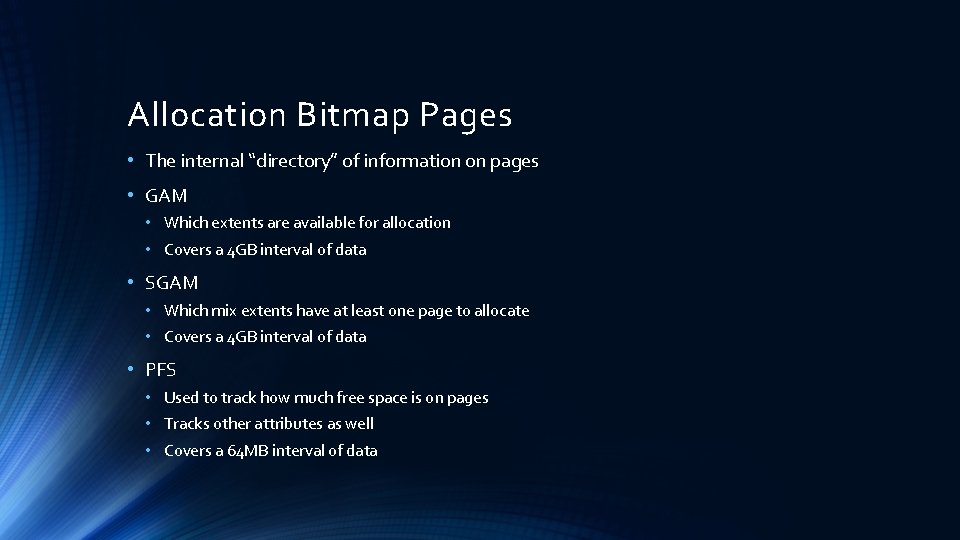
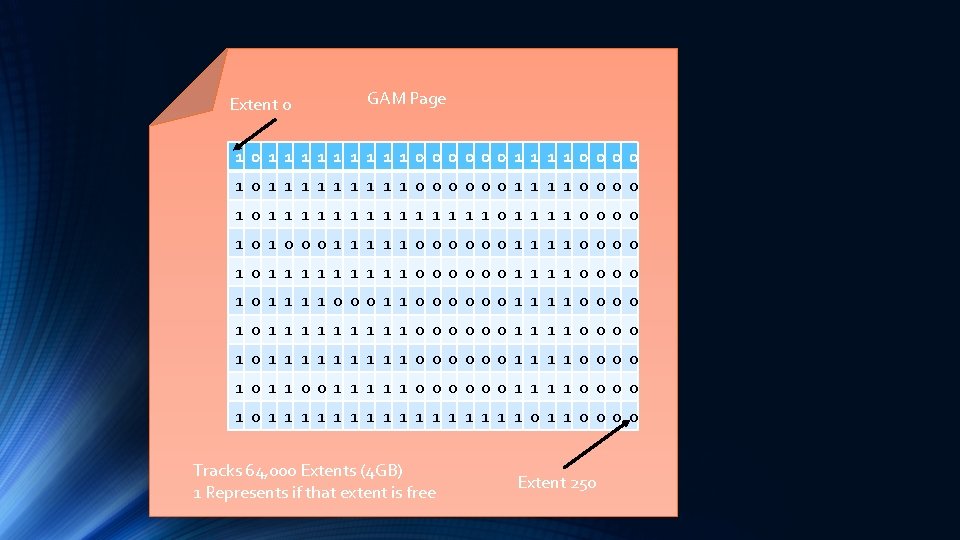
Allocation Bitmap Pages • The internal “directory” of information on pages • GAM • Which extents are available for allocation • Covers a 4 GB interval of data • SGAM • Which mix extents have at least one page to allocate • Covers a 4 GB interval of data • PFS • Used to track how much free space is on pages • Tracks other attributes as well • Covers a 64 MB interval of data
Extent 0 GAM Page 1 01 1 1 1 1 0000001 1 1 1 0000 1 01 1 1 1 01 1 0000 1 01 0001 1 1 0000001 1 0000 1 01 1 1 1 1 0000001 1 0000 GAM 1 01 1 0001 1 0000001 1 1 1 0000 1 01 1 1 1 1 0000001 1 0000 1 01 1 001 1 1 0000001 1 0000 1 01 1 1 1 01 1 0000 Tracks 64, 000 Extents (4 GB) 1 Represents if that extent is free Extent 250
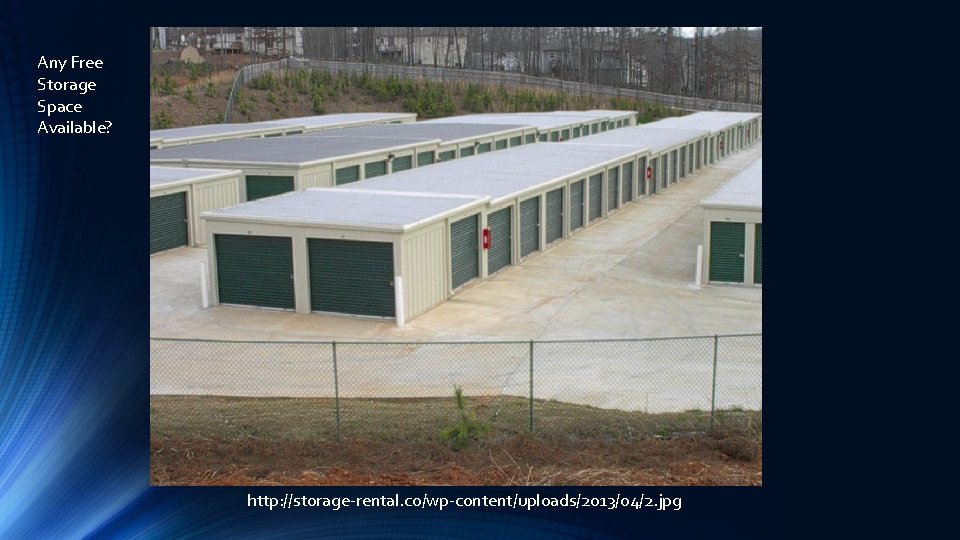
Any Free Storage Space Available? http: //storage-rental. co/wp-content/uploads/2013/04/2. jpg
Index Allocation Map (IAM) • Special internal page on a data file that tracks all extent allocations for tables, indexes, and partitions • Basically, lets SQL Server know what extent belongs to what specific entity • Covers a 4 GB interval of data
Uniform Extents Mixed Extent Table 3 Extent 1 (Table 1) IAM 2 IAM 1 Extent 2 (Table 2) SGAM Extent 3 (Table 1) PFS GAM Allocation Bitmaps
Does it sound Greek? • PFS, GAM and SGAM help SQL Server determine where free space is and how much so that it can allocate it appropriately without having to scan all the pages • IAM pages and indexes help SQL Server fulfil queries • The take away is that these few pages help keep an internal “directory” for SQL Server to be able to find what it needs quickly and pull back as few pages as necessary • It’s all about reduction of cost to the system
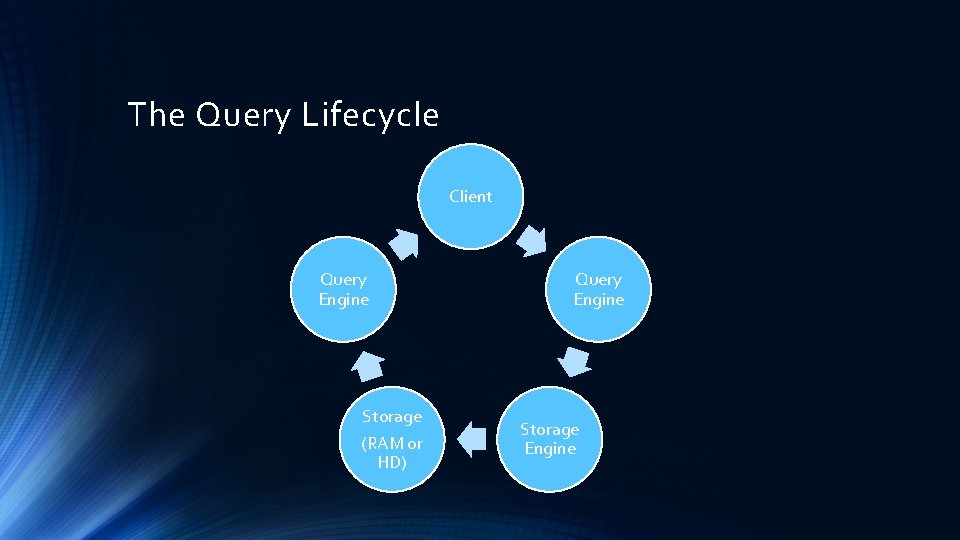
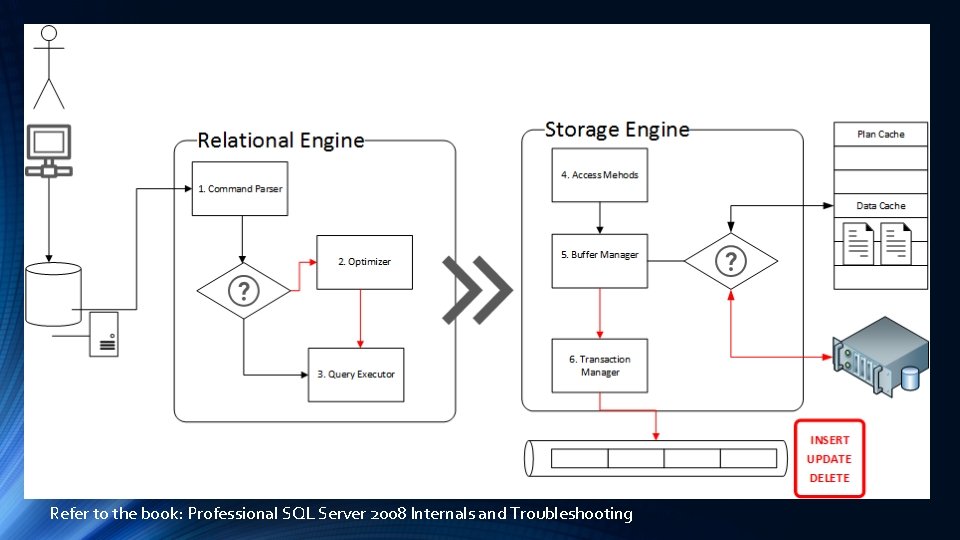
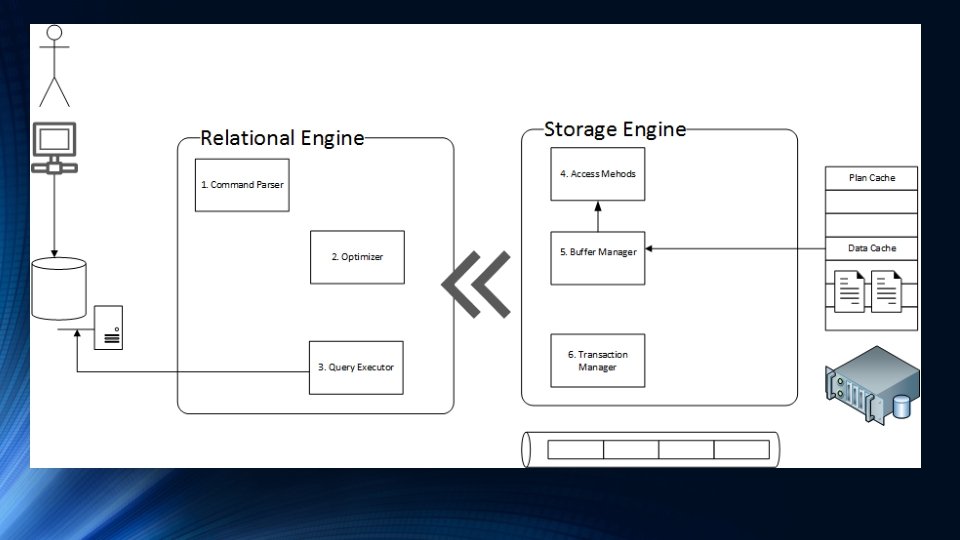
The Query Lifecycle Client Query Engine Storage (RAM or HD) Query Engine Storage Engine
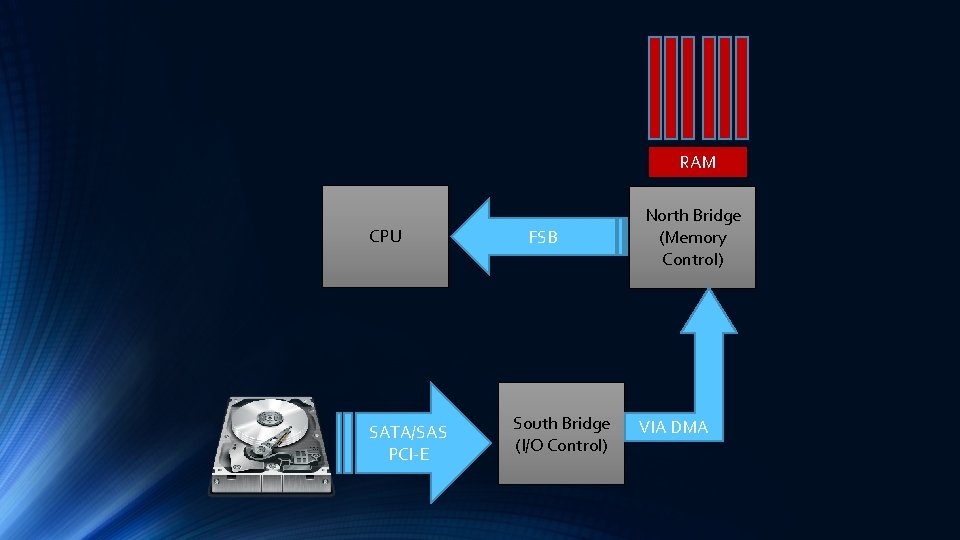
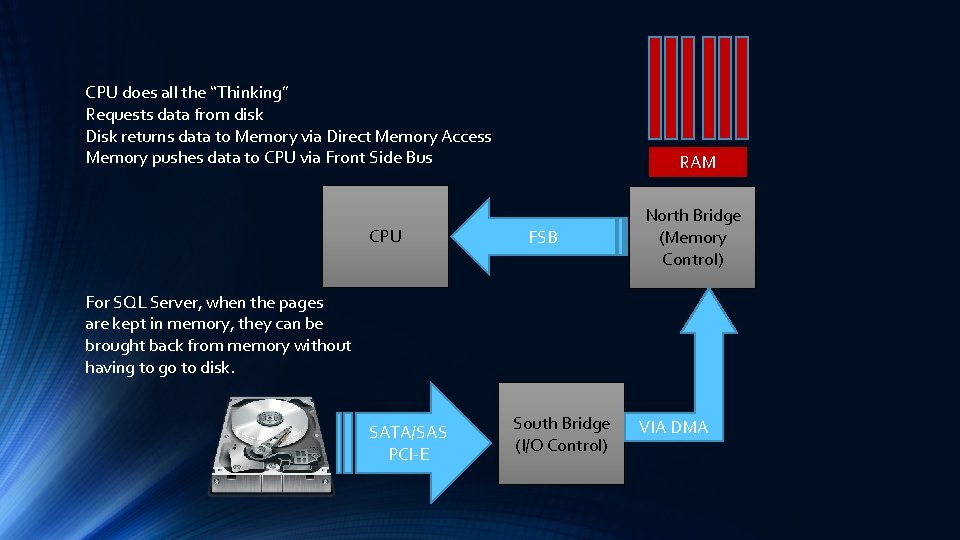
RAM CPU SATA/SAS PCI-E FSB South Bridge (I/O Control) North Bridge (Memory Control) VIA DMA
Refer to the book: Professional SQL Server 2008 Internals and Troubleshooting
How the Infrastructure Works: Storage (HDD, SDD, RAID) & Memory
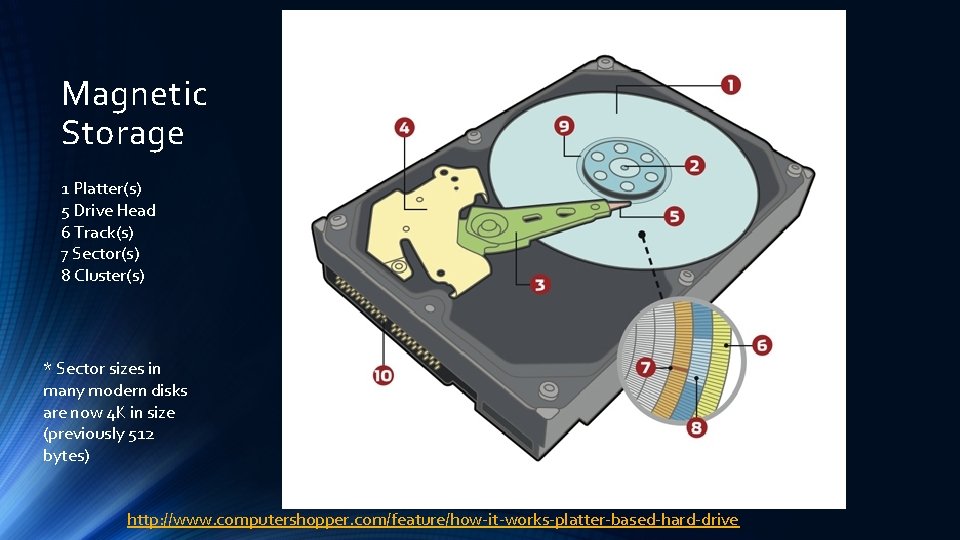
Magnetic Storage 1 Platter(s) 5 Drive Head 6 Track(s) 7 Sector(s) 8 Cluster(s) * Sector sizes in many modern disks are now 4 K in size (previously 512 bytes) http: //www. computershopper. com/feature/how-it-works-platter-based-hard-drive
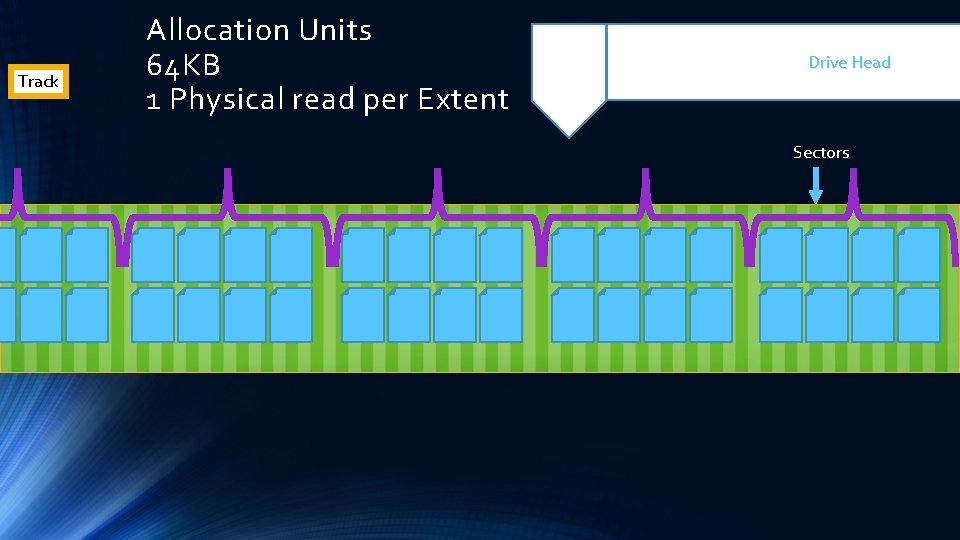
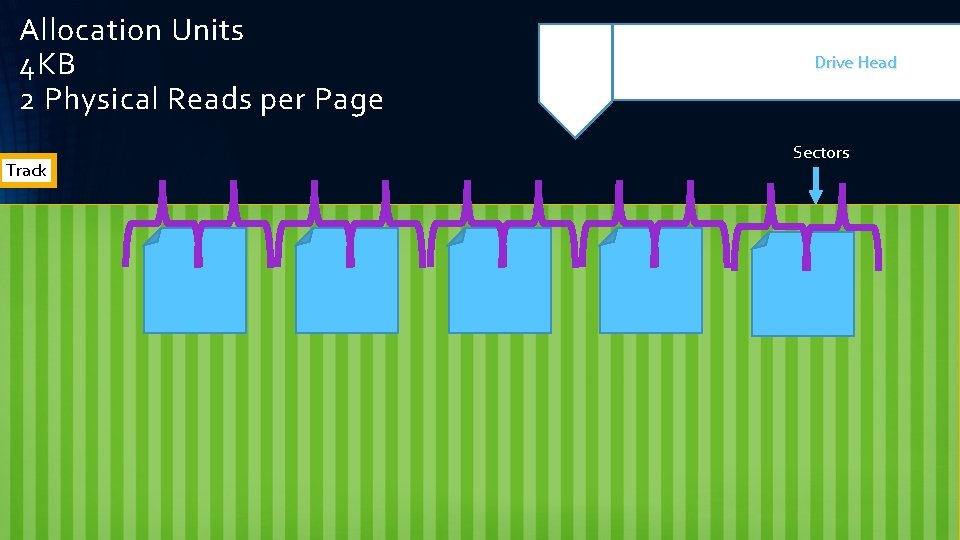
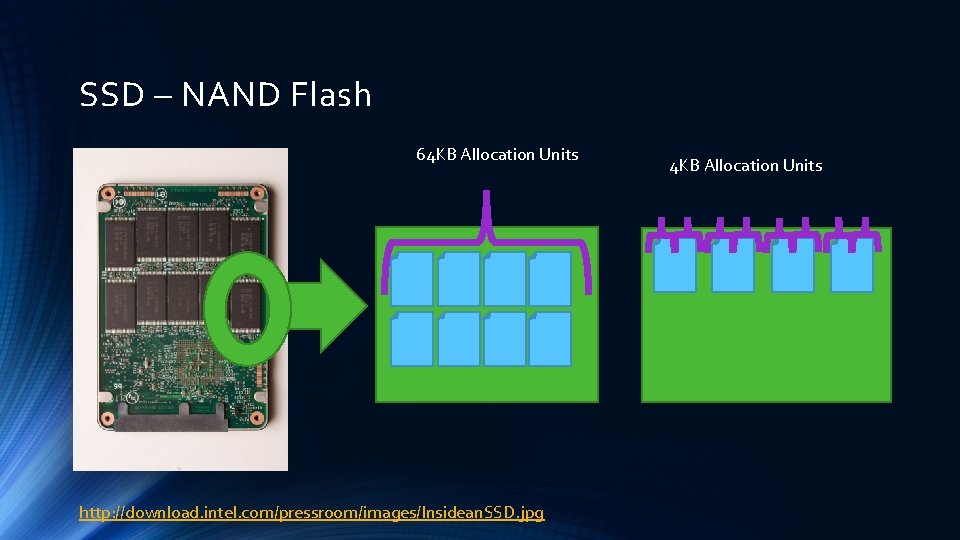
Magnetic Storage • Depending on how you format your partitions (cluster size), disk performance can be affected • Microsoft recommends formatting the clusters to 64 K allocation units • Why? Extents are 64 K in size and this can help with Read operations since tables/indexes are organizes in Extents by SQL Server • Think of clusters as data “shopping bags” • You could use several huge bags to carry all your groceries • You can use a larger quantity of smaller bags to carry all your groceries • Each bag costs you 5 cents from the grocery store, and all bags are equal in strength
Track Allocation Units 64 KB 1 Physical read per Extent Drive Head Sectors
Allocation Units 4 KB 2 Physical Reads per Page Track Drive Head Sectors
SSD – NAND Flash 64 KB Allocation Units http: //download. intel. com/pressroom/images/Insidean. SSD. jpg 4 KB Allocation Units
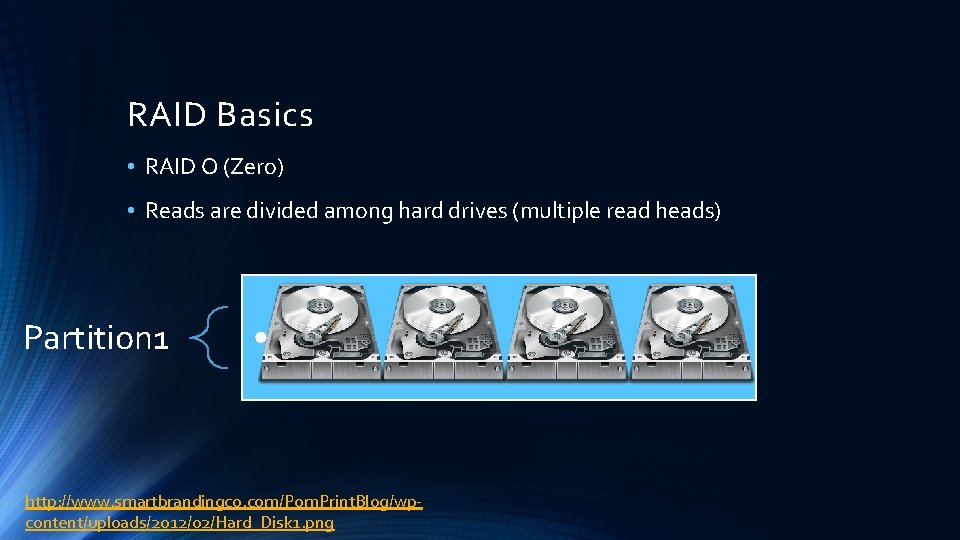
RAID Basics • RAID O (Zero) • Reads are divided among hard drives (multiple read heads) Partition 1 • http: //www. smartbrandingco. com/Pom. Print. Blog/wpcontent/uploads/2012/02/Hard_Disk 1. png
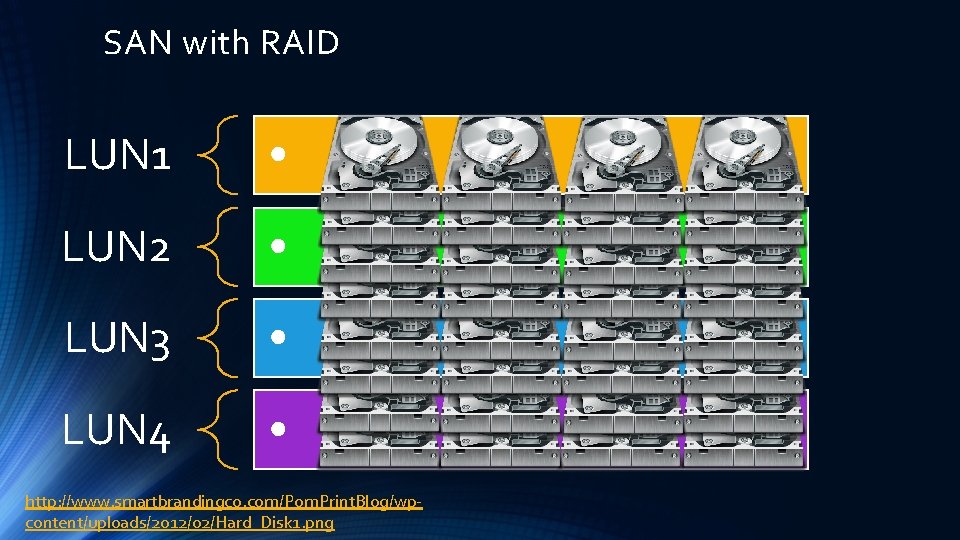
SAN with RAID LUN 1 • LUN 2 • LUN 3 • LUN 4 • http: //www. smartbrandingco. com/Pom. Print. Blog/wpcontent/uploads/2012/02/Hard_Disk 1. png
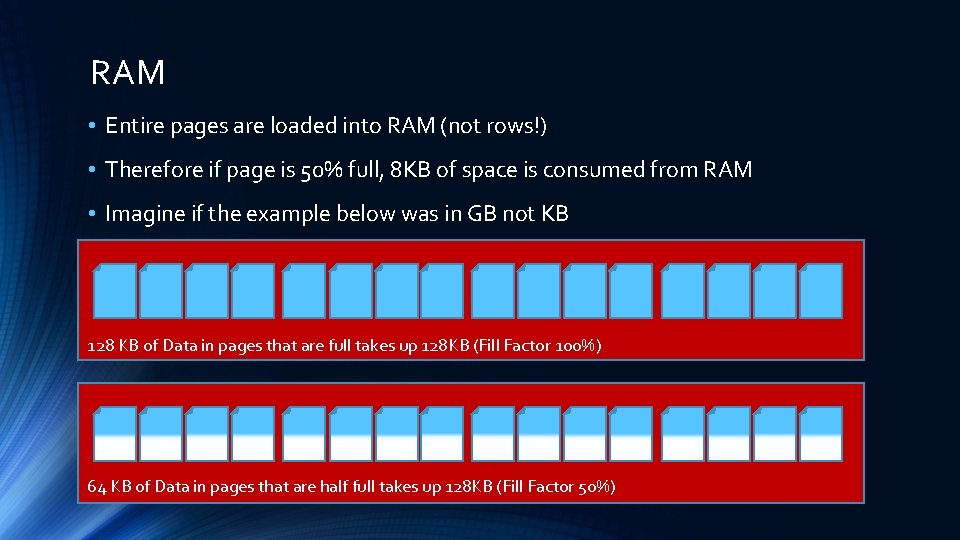
RAM • Entire pages are loaded into RAM (not rows!) • Therefore if page is 50% full, 8 KB of space is consumed from RAM • Imagine if the example below was in GB not KB 128 KB of Data in pages that are full takes up 128 KB (Fill Factor 100%) 64 KB of Data in pages that are half full takes up 128 KB (Fill Factor 50%)
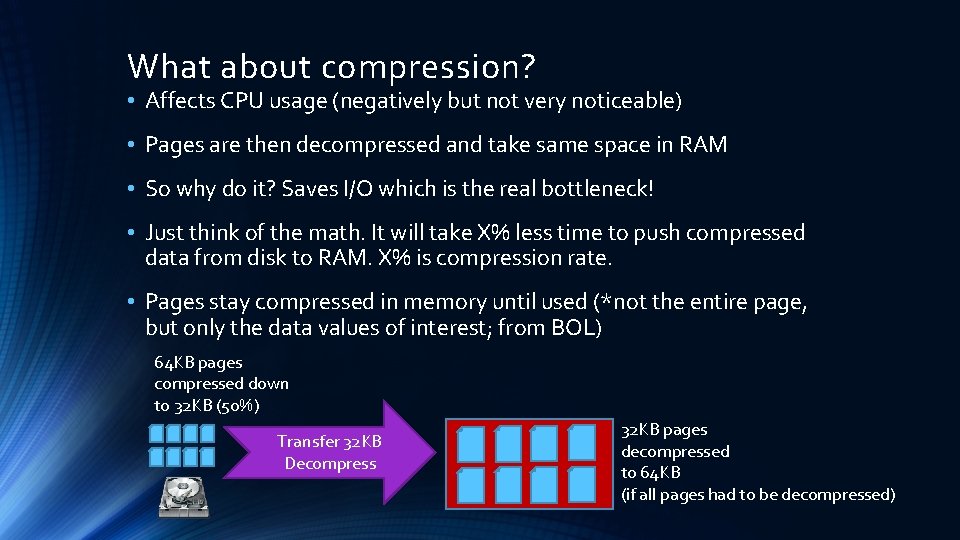
What about compression? • Affects CPU usage (negatively but not very noticeable) • Pages are then decompressed and take same space in RAM • So why do it? Saves I/O which is the real bottleneck! • Just think of the math. It will take X% less time to push compressed data from disk to RAM. X% is compression rate. • Pages stay compressed in memory until used (*not the entire page, but only the data values of interest; from BOL) 64 KB pages compressed down to 32 KB (50%) Transfer 32 KB Decompress 32 KB pages decompressed to 64 KB (if all pages had to be decompressed)
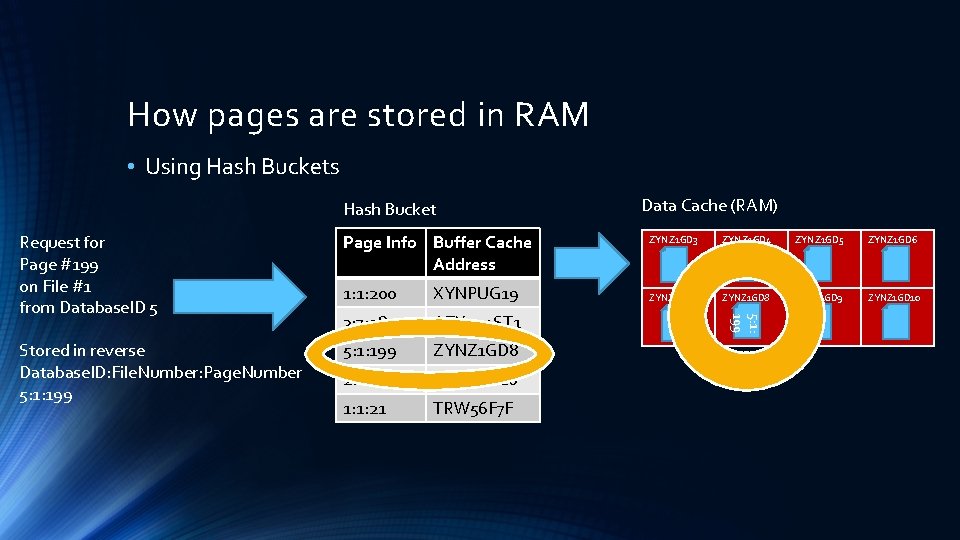
How pages are stored in RAM • Using Hash Buckets Hash Bucket Page Info Buffer Cache Address Stored in reverse Database. ID: File. Number: Page. Number 5: 1: 199 1: 1: 200 XYNPUG 19 3: 7: 98 AZX 444 ST 1 5: 1: 199 ZYNZ 1 GD 8 2: 2: 17 XYAPUG 10 1: 1: 21 TRW 56 F 7 F ZYNZ 1 GD 3 ZYNZ 1 GD 4 ZYNZ 1 GD 5 ZYNZ 1 GD 6 ZYNZ 1 GD 7 ZYNZ 1 GD 8 ZYNZ 1 GD 9 ZYNZ 1 GD 10 5: 1: 199 Request for Page #199 on File #1 from Database. ID 5 Data Cache (RAM)
Speed Assessment
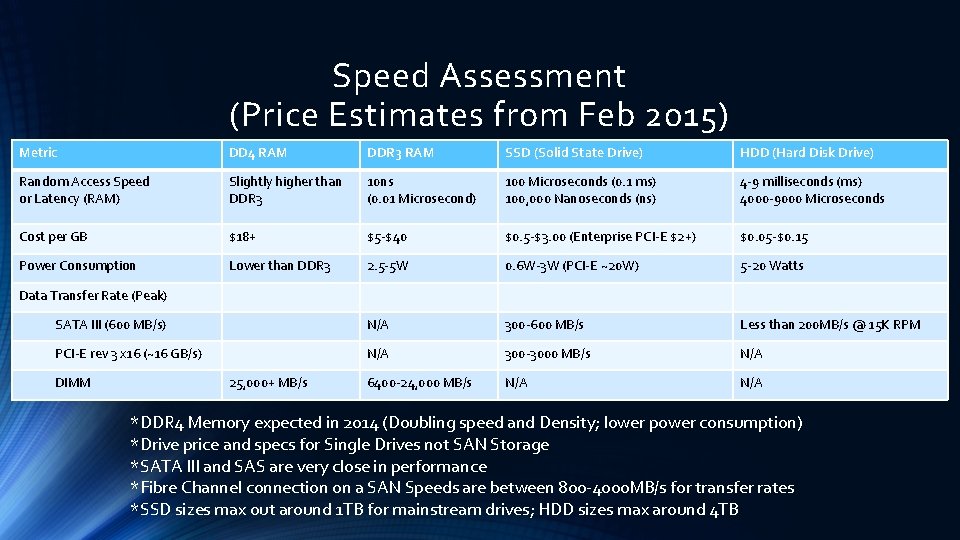
Speed Assessment (Price Estimates from Feb 2015) Metric DD 4 RAM DDR 3 RAM SSD (Solid State Drive) HDD (Hard Disk Drive) Random Access Speed or Latency (RAM) Slightly higher than DDR 3 10 ns (0. 01 Microsecond) 100 Microseconds (0. 1 ms) 100, 000 Nanoseconds (ns) 4 -9 milliseconds (ms) 4000 -9000 Microseconds Cost per GB $18+ $5 -$40 $0. 5 -$3. 00 (Enterprise PCI-E $2+) $0. 05 -$0. 15 Power Consumption Lower than DDR 3 2. 5 -5 W 0. 6 W-3 W (PCI-E ~20 W) 5 -20 Watts SATA III (600 MB/s) N/A 300 -600 MB/s Less than 200 MB/s @ 15 K RPM PCI-E rev 3 x 16 (~16 GB/s) N/A 300 -3000 MB/s N/A 6400 -24, 000 MB/s N/A Data Transfer Rate (Peak) DIMM 25, 000+ MB/s *DDR 4 Memory expected in 2014 (Doubling speed and Density; lower power consumption) *Drive price and specs for Single Drives not SAN Storage *SATA III and SAS are very close in performance *Fibre Channel connection on a SAN Speeds are between 800 -4000 MB/s for transfer rates *SSD sizes max out around 1 TB for mainstream drives; HDD sizes max around 4 TB
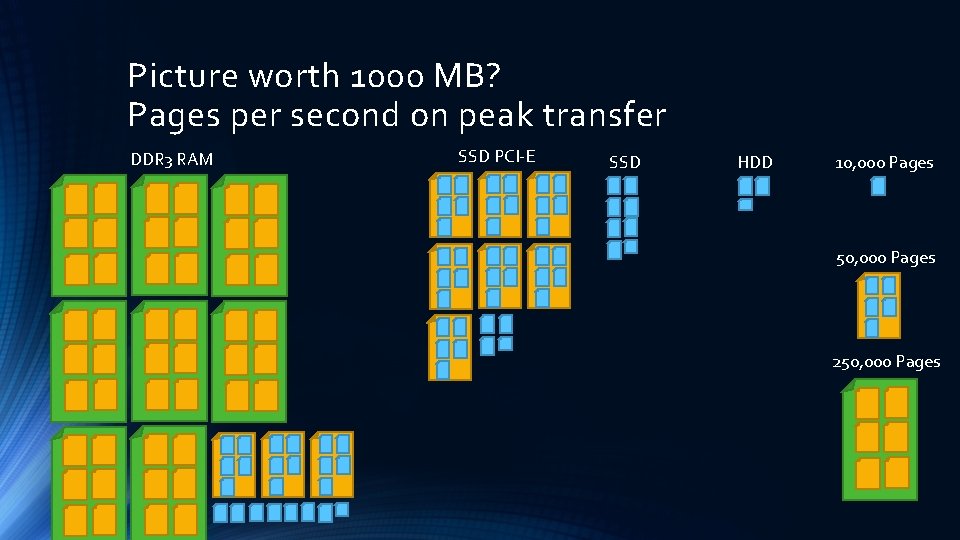
Picture worth 1000 MB? Pages per second on peak transfer DDR 3 RAM SSD PCI-E SSD HDD 10, 000 Pages 50, 000 Pages 250, 000 Pages
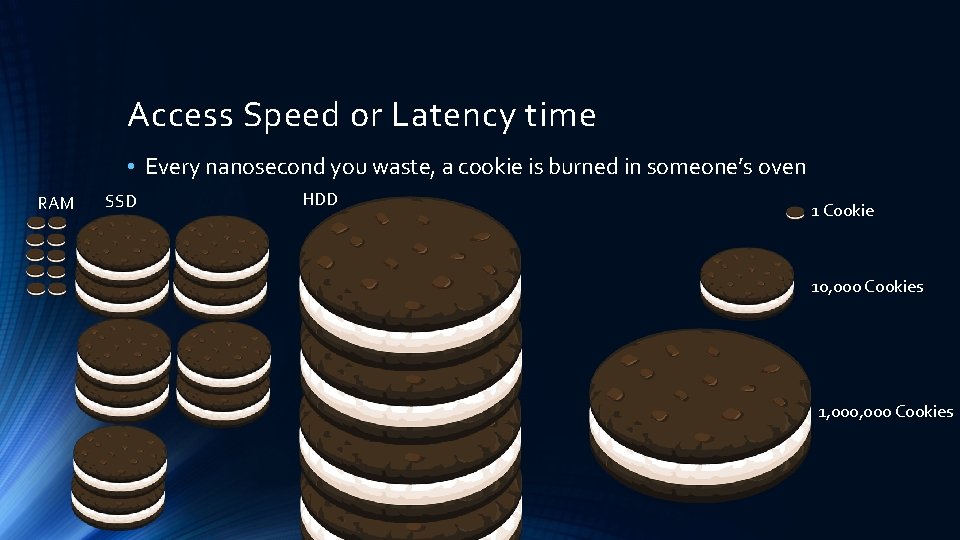
Access Speed or Latency time • Every nanosecond you waste, a cookie is burned in someone’s oven RAM SSD HDD 1 Cookie 10, 000 Cookies 1, 000 Cookies
Why does all this matter? • We are Geeks, we should be excited by this stuff, the world depends on us! • Truth is, the CPU is a busy worker on the system that pulls data from RAM • Data from disk goes to RAM, and it is the main bottle neck for performance • The slower the data request goes from CPU – Disk – Back to CPU the slower work is performed
CPU does all the “Thinking” Requests data from disk Disk returns data to Memory via Direct Memory Access Memory pushes data to CPU via Front Side Bus CPU RAM FSB North Bridge (Memory Control) For SQL Server, when the pages are kept in memory, they can be brought back from memory without having to go to disk. SATA/SAS PCI-E South Bridge (I/O Control) VIA DMA
Thank you! AYMA N EL-G HAZAL I-WWW. THESQLPRO. COM-@THESQLPRO