
SQL Server Failover Effects on Applications Connected to
- Slides: 1
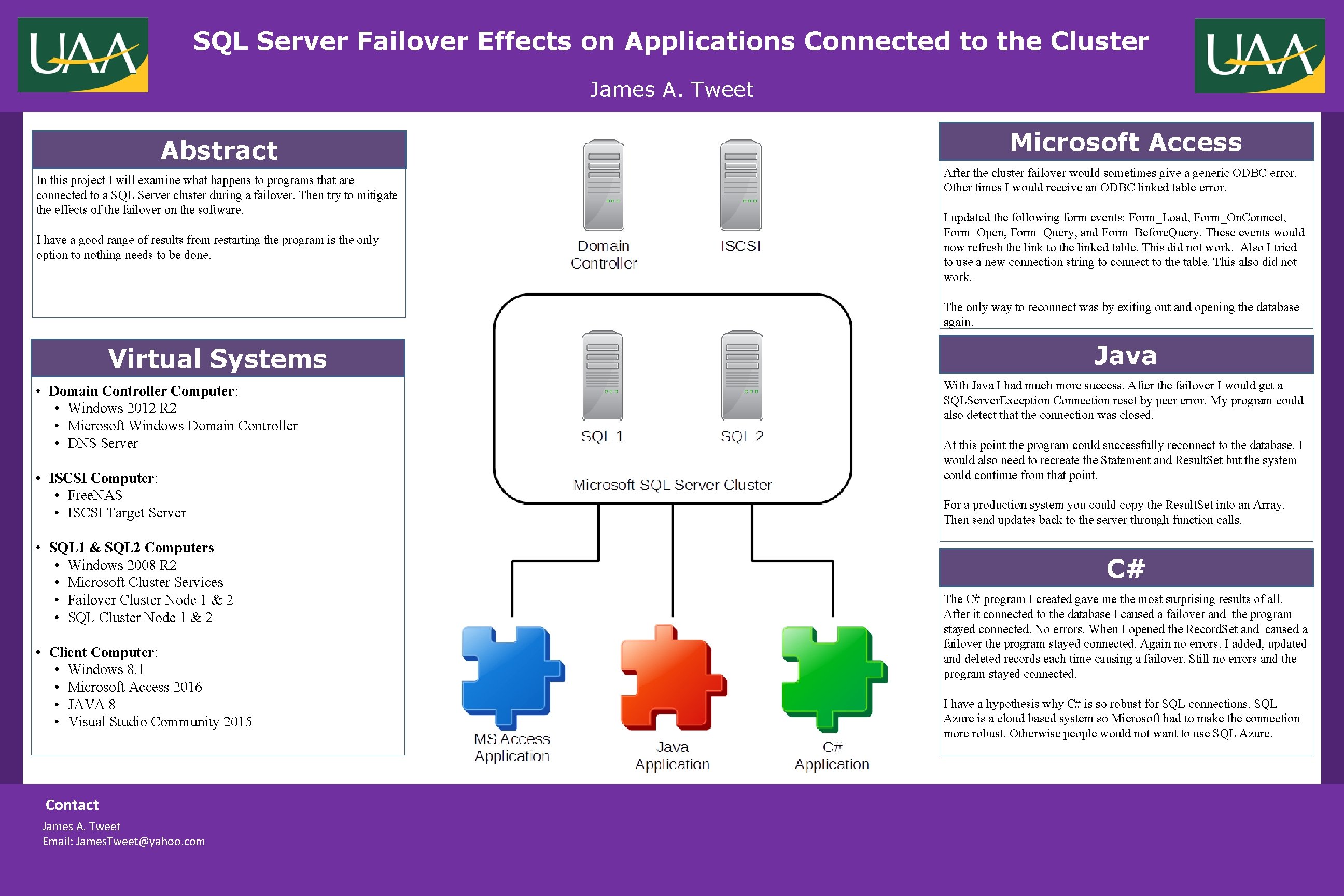
SQL Server Failover Effects on Applications Connected to the Cluster REPLACE THIS BOX WITH YOUR ORGANIZATION’S HIGH RESOLUTION LOGO James A. Tweet Abstract In this project I will examine what happens to programs that are connected to a SQL Server cluster during a failover. Then try to mitigate the effects of the failover on the software. I have a good range of results from restarting the program is the only option to nothing needs to be done. Microsoft Access After the cluster failover would sometimes give a generic ODBC error. Other times I would receive an ODBC linked table error. I updated the following form events: Form_Load, Form_On. Connect, Form_Open, Form_Query, and Form_Before. Query. These events would now refresh the link to the linked table. This did not work. Also I tried to use a new connection string to connect to the table. This also did not work. The only way to reconnect was by exiting out and opening the database again. Virtual Systems • Domain Controller Computer: • Windows 2012 R 2 • Microsoft Windows Domain Controller • DNS Server • ISCSI Computer: • Free. NAS • ISCSI Target Server • SQL 1 & SQL 2 Computers • Windows 2008 R 2 • Microsoft Cluster Services • Failover Cluster Node 1 & 2 • SQL Cluster Node 1 & 2 • Client Computer: • Windows 8. 1 • Microsoft Access 2016 • JAVA 8 • Visual Studio Community 2015 Contact James A. Tweet Email: James. Tweet@yahoo. com Java With Java I had much more success. After the failover I would get a SQLServer. Exception Connection reset by peer error. My program could also detect that the connection was closed. At this point the program could successfully reconnect to the database. I would also need to recreate the Statement and Result. Set but the system could continue from that point. For a production system you could copy the Result. Set into an Array. Then send updates back to the server through function calls. C# The C# program I created gave me the most surprising results of all. After it connected to the database I caused a failover and the program stayed connected. No errors. When I opened the Record. Set and caused a failover the program stayed connected. Again no errors. I added, updated and deleted records each time causing a failover. Still no errors and the program stayed connected. I have a hypothesis why C# is so robust for SQL connections. SQL Azure is a cloud based system so Microsoft had to make the connection more robust. Otherwise people would not want to use SQL Azure.