
SQL Server Crash Dump Analysis A brief tour
SQL Server Crash Dump Analysis A brief tour with Win. Dbg and other ugly tools Pablo Álvarez Doval Debugging & Optimization Team Lead pablod@plainconcepts. com

Who am I?
Session Objectives � What is this session about? � What isn’t this session about?

Who are you?
Agenda � Tools of the Trade � Brief Windows Architecture Refresher � SQL Server Post-mortem Debugging � Handling SQL Server dumps � Analyzing SQL Server dumps � Debugging. NET Applications with SOS
Debugging Tools for Windows � Free download: � http: //www. microsoft. com/whdc/devtools/debugging � Updated several times a year � Debuggers, extensions, tools and a great help file: � windbg. exe, kd. exe, cdb. exe � gflags. exe, tlist. exe, etc � debugger. chm � Can be installed via xcopy

Demo 0: … is it really so ugly?
Thesaurus � Just to keep with the forensics analogy: � Corpse Dump file � Forensic Lab Win. Dbg � Forensic Scientist You! � Gray’s Anathomy Windows Internals 5 th Ed. � We are not going to get into details, but we will do a little refresher of some key concepts
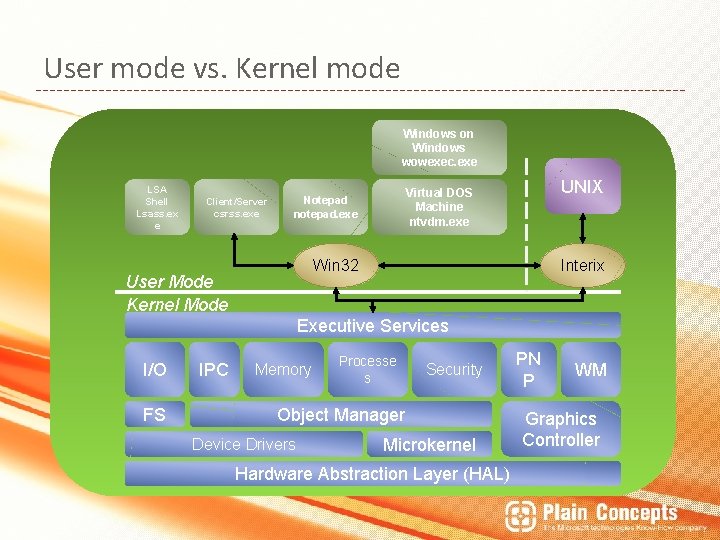
User mode vs. Kernel mode Windows on Windows wowexec. exe LSA Shell Lsass. ex e Client/Server csrss. exe UNIX Virtual DOS Machine ntvdm. exe Notepad notepad. exe Win 32 User Mode Kernel Mode Interix Executive Services I/O FS IPC Memory Processe s Security Object Manager Device Drivers Microkernel Hardware Abstraction Layer (HAL) PN P WM Graphics Controller
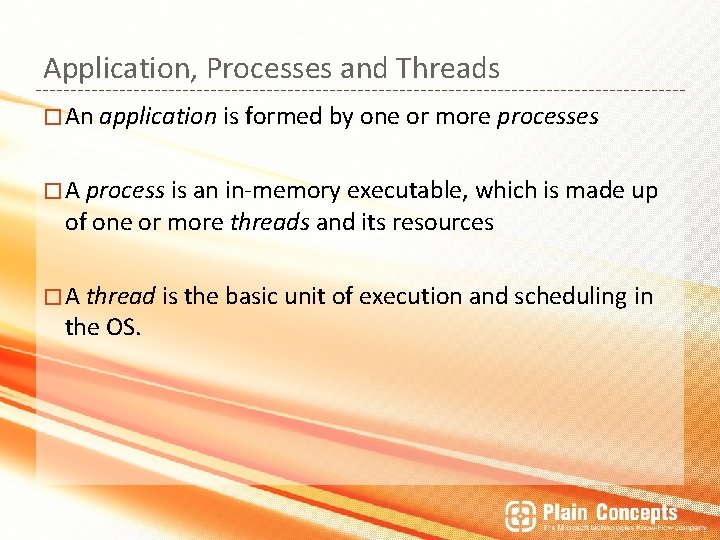
Application, Processes and Threads � An application is formed by one or more processes � A process is an in-memory executable, which is made up of one or more threads and its resources � A thread is the basic unit of execution and scheduling the OS. in

… is it really worth it?

Other good reasons…
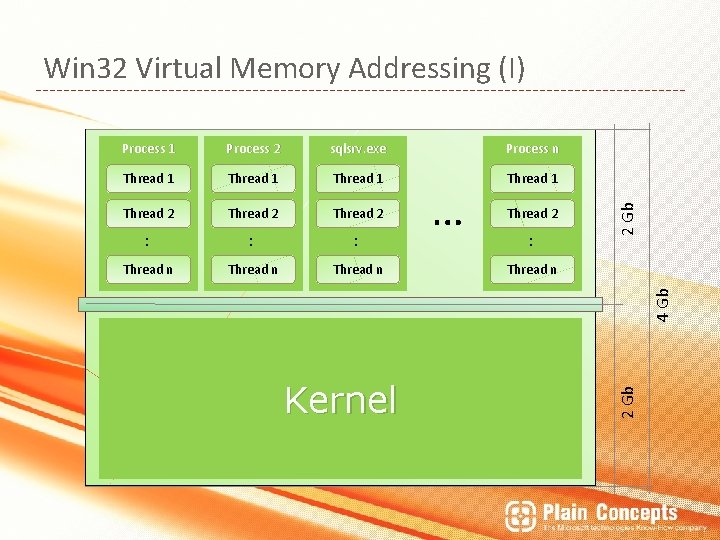
Process 1 Process 2 sqlsrv. exe Process n Thread 1 Thread 2 : : : Thread n Thread 2 : Thread n Kernel 2 Gb 4 Gb … 2 Gb Win 32 Virtual Memory Addressing (I)
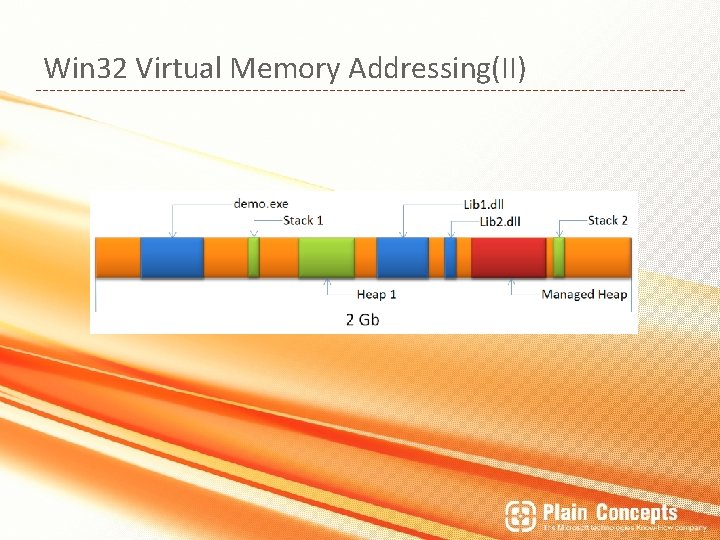
Win 32 Virtual Memory Addressing(II)
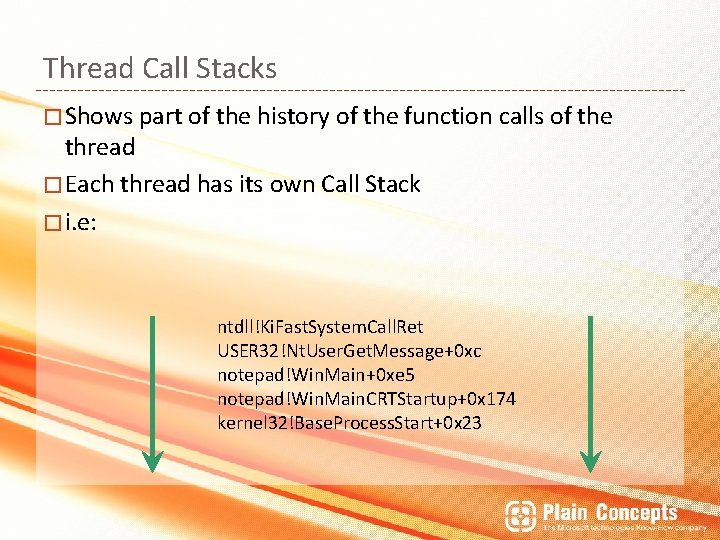
Thread Call Stacks � Shows part of the history of the function calls of the thread � Each thread has its own Call Stack � i. e: ntdll!Ki. Fast. System. Call. Ret USER 32!Nt. User. Get. Message+0 xc notepad!Win. Main+0 xe 5 notepad!Win. Main. CRTStartup+0 x 174 kernel 32!Base. Process. Start+0 x 23
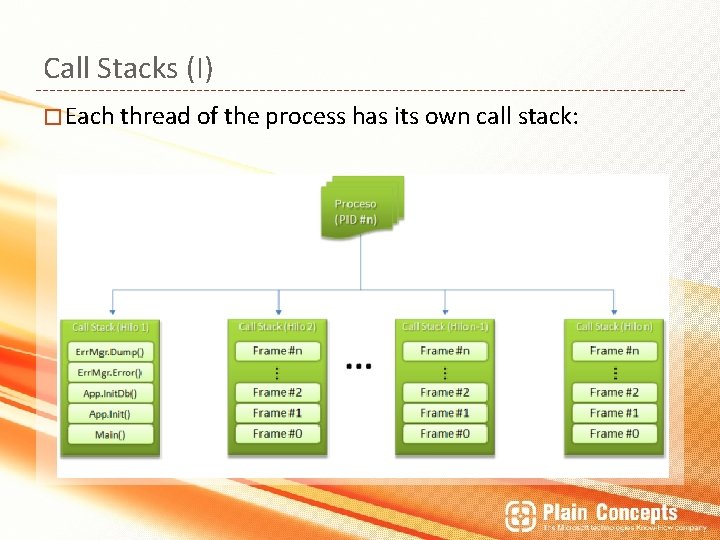
Call Stacks (I) � Each thread of the process has its own call stack:
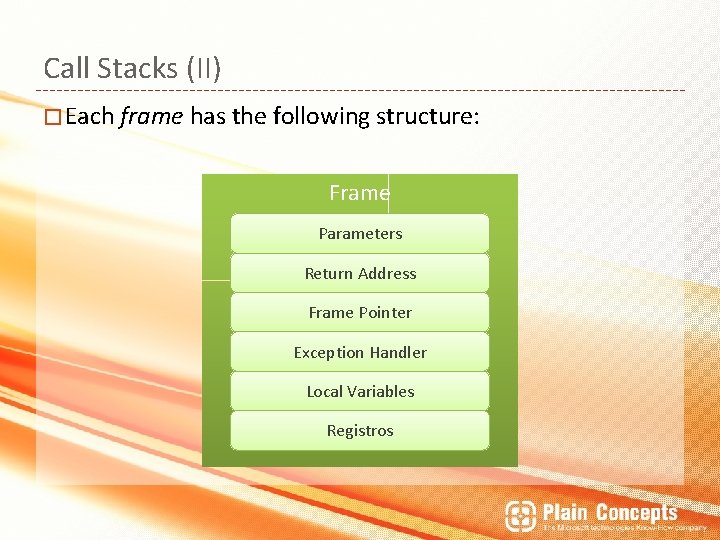
Call Stacks (II) � Each frame has the following structure: Frame Parameters Return Address Frame Pointer Exception Handler Local Variables Registros
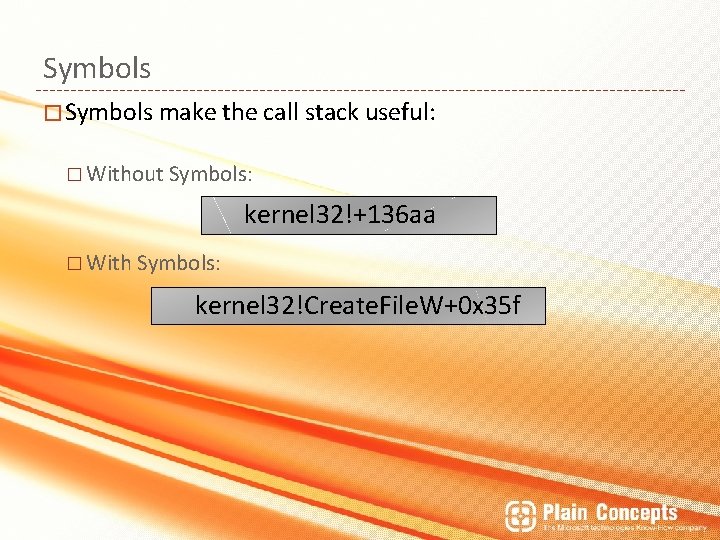
Symbols � Symbols make the call stack useful: � Without Symbols: kernel 32!+136 aa � With Symbols: kernel 32!Create. File. W+0 x 35 f
Symbol formats �Current format: . PDB �Old Format: . DBG �Retail vs. Debug (Free vs. Checked) builds �Private symbols vs. public symbols
Symbol Servers � Uses the File System as a Symbol’s database: � Organized by name and a unique identifier � Folder structure: \Sym. Srvfile_name. pdbunique_number____ � i. e: \Symbolsntdll. pdb3 B 5 EDCA 52ntdll. pdb \Symbolsntdll. pdb380 FCC 4 F 2ntdll. pdb
Demo 1: Scheduler Non-Yielding
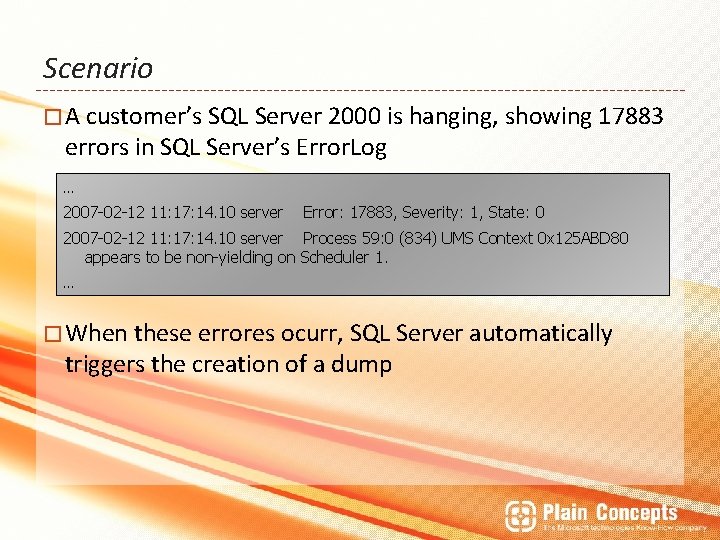
Scenario � A customer’s SQL Server 2000 is hanging, showing 17883 errors in SQL Server’s Error. Log … 2007 -02 -12 11: 17: 14. 10 server Error: 17883, Severity: 1, State: 0 2007 -02 -12 11: 17: 14. 10 server Process 59: 0 (834) UMS Context 0 x 125 ABD 80 appears to be non-yielding on Scheduler 1. … � When these errores ocurr, SQL Server automatically triggers the creation of a dump
Demo 2: DBCC CHECKDB
Demo 3: Cluster Resources
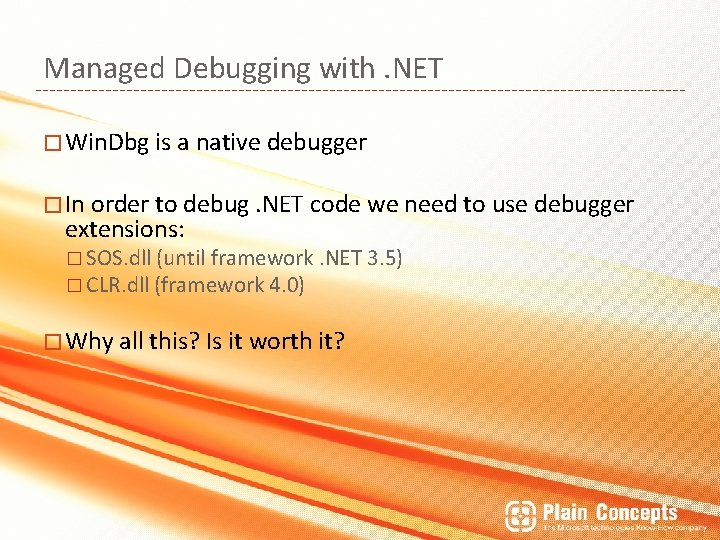
Managed Debugging with. NET � Win. Dbg is a native debugger � In order to debug. NET code we need to use debugger extensions: � SOS. dll (until framework. NET 3. 5) � CLR. dll (framework 4. 0) � Why all this? Is it worth it?
Demo 4: Managed Debugging with SOS
Some cool tips… � Did we really get to this slide in time? ! � Well. . enjoy some free tips! � Using SOS from VS. NET � Memory dump analysis from inside VS 2010
Resources � pablod@plainconcepts. com � @Plain Concepts http: //www. geeks. ms/blogs/palvarez � http: //www. geeks. ms/blogs/rcorral � http: //www. geeks. ms/blogs/luisguerrero � � @MSDN: � http: //blogs. msdn. com/tess/ � Books: Microsoft Windows Internals, 5 th Ed. [Mark E. Russinovich and David A. Solomon] Microsoft Press. � Debugging Applications for Microsoft. NET and Microsoft Windows [John Robbins] Microsoft Press. �

Any Questions? Thanks!
- Slides: 33