
SQL Server Central Webinar Series 5 Setup Your
SQL Server Central Webinar Series # 5: Setup Your Source Control With Help from Power. Shell. Thanks for coming along to the webinar. Things will get started shortly…

SQL Server Central Webinar Series # 5: Setup Your Source Control With Help from Power. Shell. Steve Jones, SQL Server MVP and Editor-in-Chief of SQLServer. Central. com
About Me • SQL Server Consultant with Up. Search • Over 35 years in IT • Career covered multiple disciplines – operations, development, telecommunications, network design/administration and database design and administration • Started using Sybase in 1992, MS SQL Server in 1995 • Microsoft Certified IT Professional: Database Administrator and Database Developer, Microsoft Certified Trainer (MCT) • Awarded Microsoft MVP Award for SQL Server for last 4 years
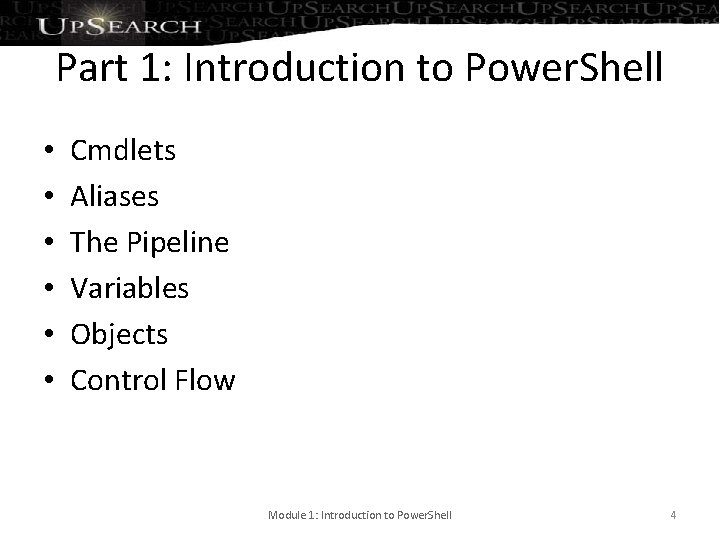
Part 1: Introduction to Power. Shell • • • Cmdlets Aliases The Pipeline Variables Objects Control Flow Module 1: Introduction to Power. Shell 4
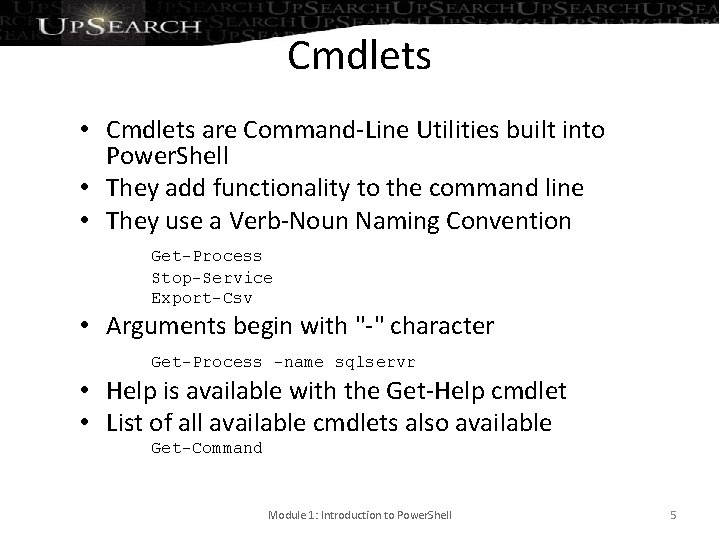
Cmdlets • Cmdlets are Command-Line Utilities built into Power. Shell • They add functionality to the command line • They use a Verb-Noun Naming Convention Get-Process Stop-Service Export-Csv • Arguments begin with "-" character Get-Process -name sqlservr • Help is available with the Get-Help cmdlet • List of all available cmdlets also available Get-Command Module 1: Introduction to Power. Shell 5
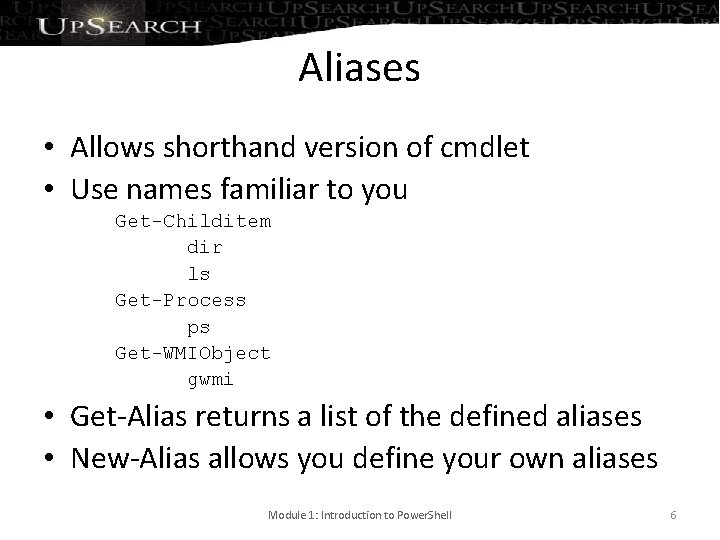
Aliases • Allows shorthand version of cmdlet • Use names familiar to you Get-Childitem dir ls Get-Process ps Get-WMIObject gwmi • Get-Alias returns a list of the defined aliases • New-Alias allows you define your own aliases Module 1: Introduction to Power. Shell 6
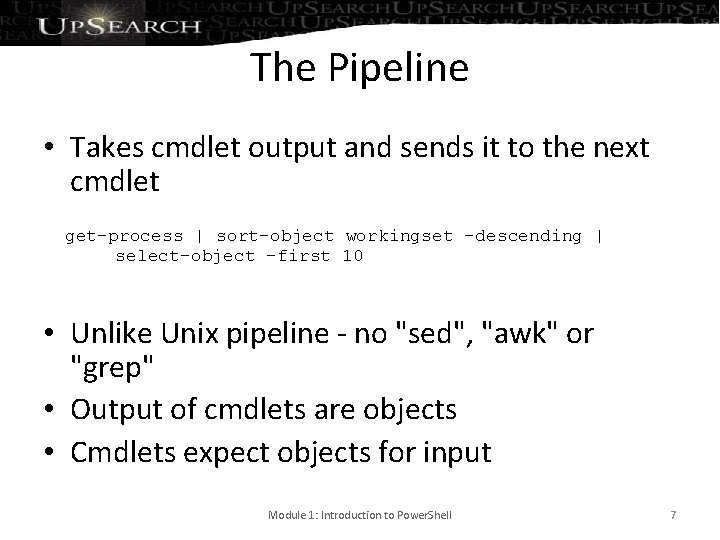
The Pipeline • Takes cmdlet output and sends it to the next cmdlet get-process | sort-object workingset -descending | select-object -first 10 • Unlike Unix pipeline - no "sed", "awk" or "grep" • Output of cmdlets are objects • Cmdlets expect objects for input Module 1: Introduction to Power. Shell 7
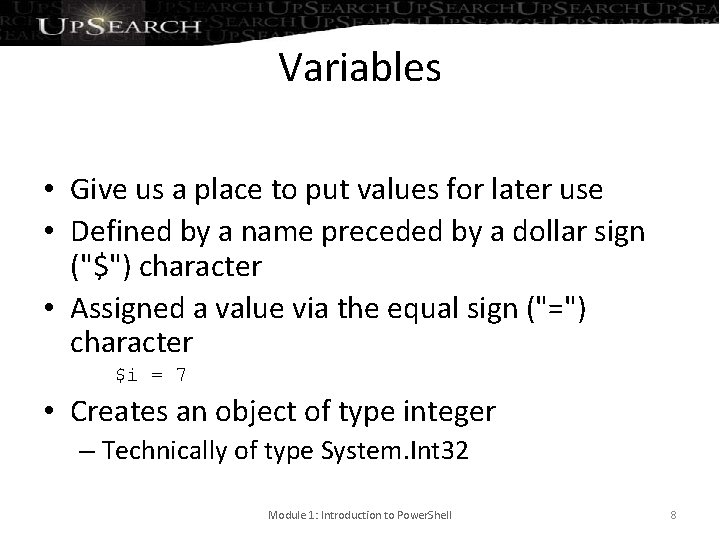
Variables • Give us a place to put values for later use • Defined by a name preceded by a dollar sign ("$") character • Assigned a value via the equal sign ("=") character $i = 7 • Creates an object of type integer – Technically of type System. Int 32 Module 1: Introduction to Power. Shell 8
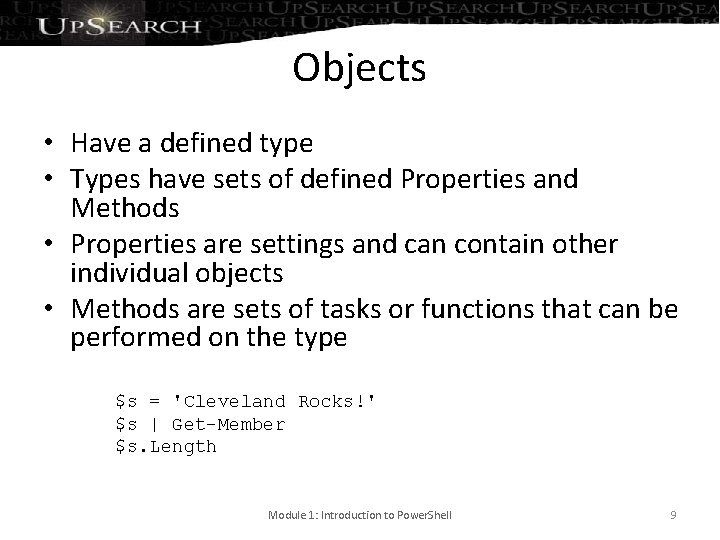
Objects • Have a defined type • Types have sets of defined Properties and Methods • Properties are settings and can contain other individual objects • Methods are sets of tasks or functions that can be performed on the type $s = 'Cleveland Rocks!' $s | Get-Member $s. Length Module 1: Introduction to Power. Shell 9
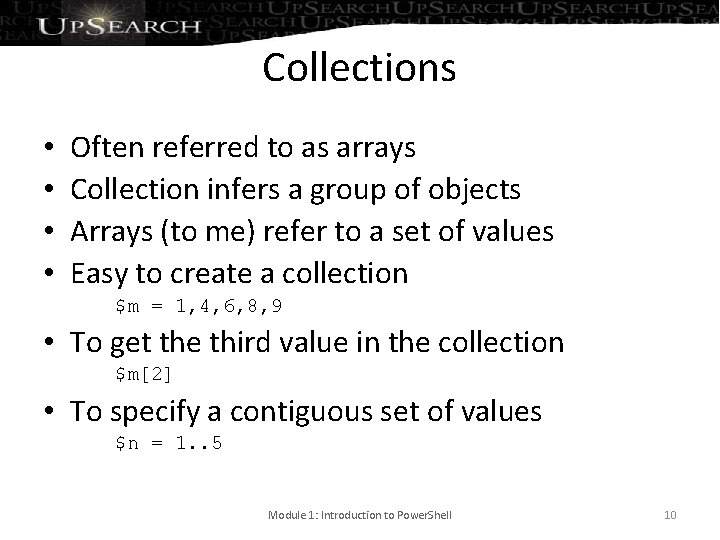
Collections • • Often referred to as arrays Collection infers a group of objects Arrays (to me) refer to a set of values Easy to create a collection $m = 1, 4, 6, 8, 9 • To get the third value in the collection $m[2] • To specify a contiguous set of values $n = 1. . 5 Module 1: Introduction to Power. Shell 10
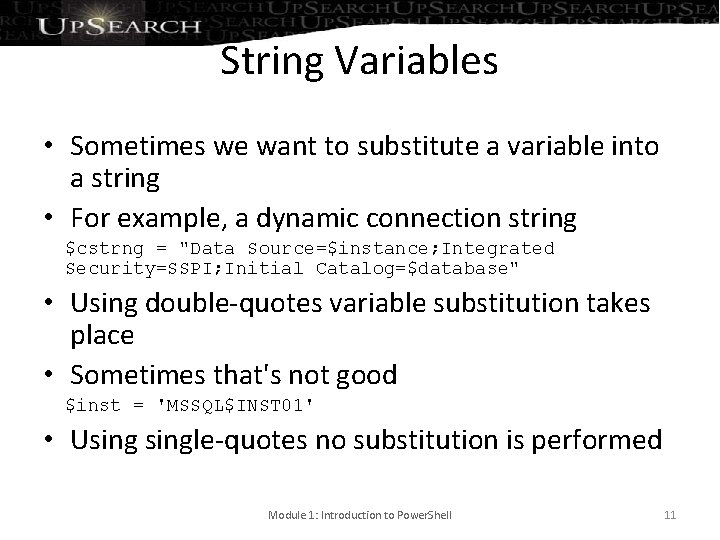
String Variables • Sometimes we want to substitute a variable into a string • For example, a dynamic connection string $cstrng = "Data Source=$instance; Integrated Security=SSPI; Initial Catalog=$database" • Using double-quotes variable substitution takes place • Sometimes that's not good $inst = 'MSSQL$INST 01' • Usingle-quotes no substitution is performed Module 1: Introduction to Power. Shell 11
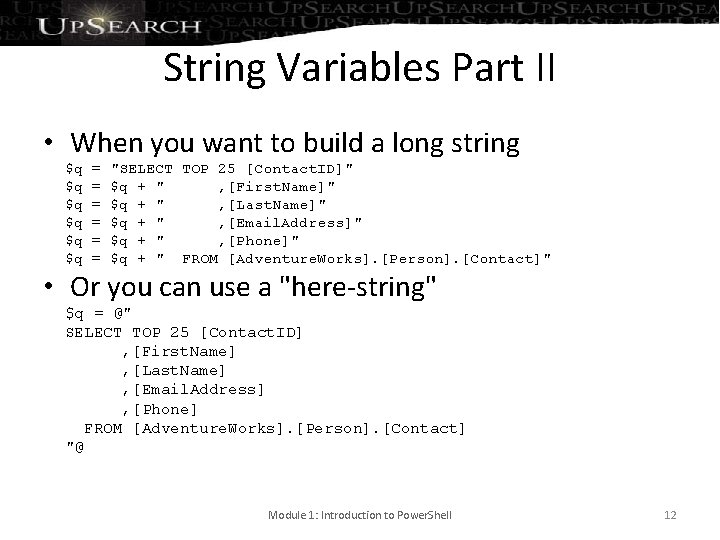
String Variables Part II • When you want to build a long string $q $q $q = = = "SELECT TOP 25 [Contact. ID]" $q + " , [First. Name]" $q + " , [Last. Name]" $q + " , [Email. Address]" $q + " , [Phone]" $q + " FROM [Adventure. Works]. [Person]. [Contact]" • Or you can use a "here-string" $q = @" SELECT TOP 25 [Contact. ID] , [First. Name] , [Last. Name] , [Email. Address] , [Phone] FROM [Adventure. Works]. [Person]. [Contact] "@ Module 1: Introduction to Power. Shell 12
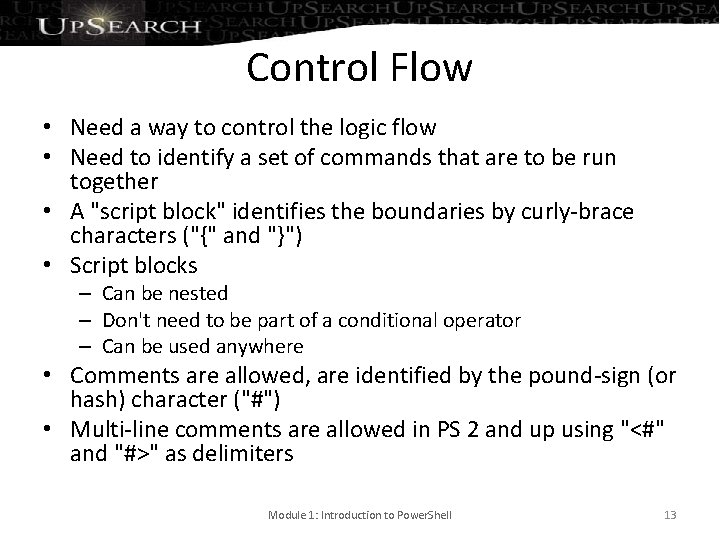
Control Flow • Need a way to control the logic flow • Need to identify a set of commands that are to be run together • A "script block" identifies the boundaries by curly-brace characters ("{" and "}") • Script blocks – Can be nested – Don't need to be part of a conditional operator – Can be used anywhere • Comments are allowed, are identified by the pound-sign (or hash) character ("#") • Multi-line comments are allowed in PS 2 and up using "<#" and "#>" as delimiters Module 1: Introduction to Power. Shell 13
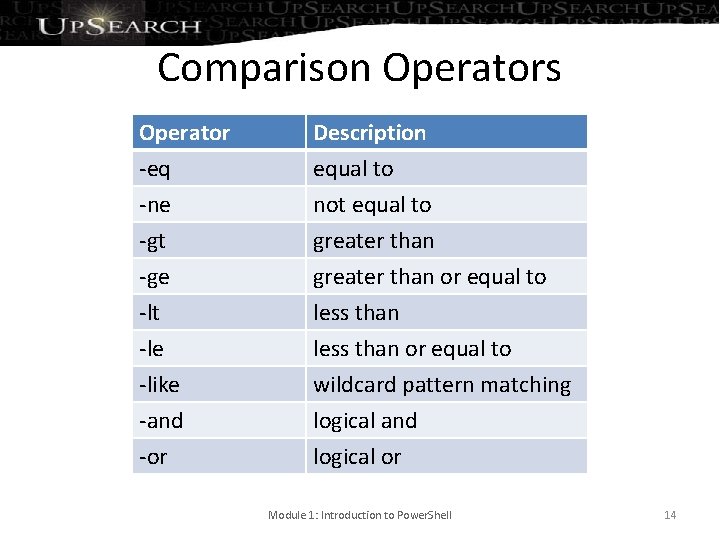
Comparison Operators Operator -eq -ne -gt Description equal to not equal to greater than -ge -lt -le -like -and -or greater than or equal to less than or equal to wildcard pattern matching logical and logical or Module 1: Introduction to Power. Shell 14
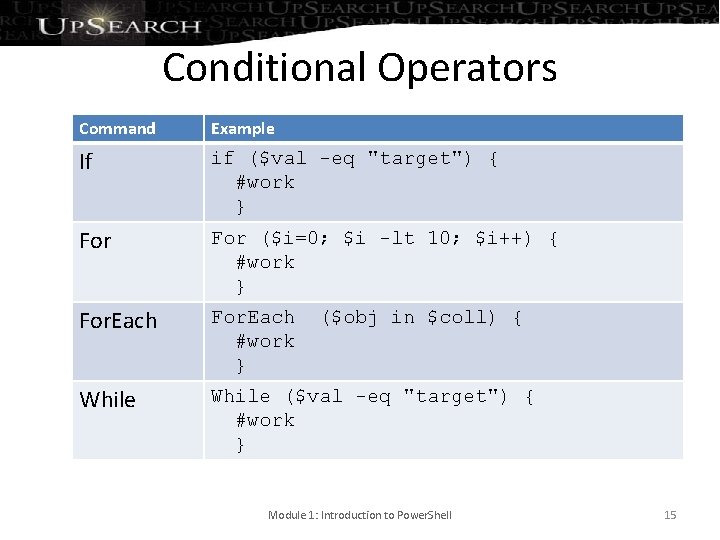
Conditional Operators Command Example If if ($val -eq "target") { #work } For ($i=0; $i -lt 10; $i++) { #work } For. Each #work } While ($val -eq "target") { #work } ($obj in $coll) { Module 1: Introduction to Power. Shell 15
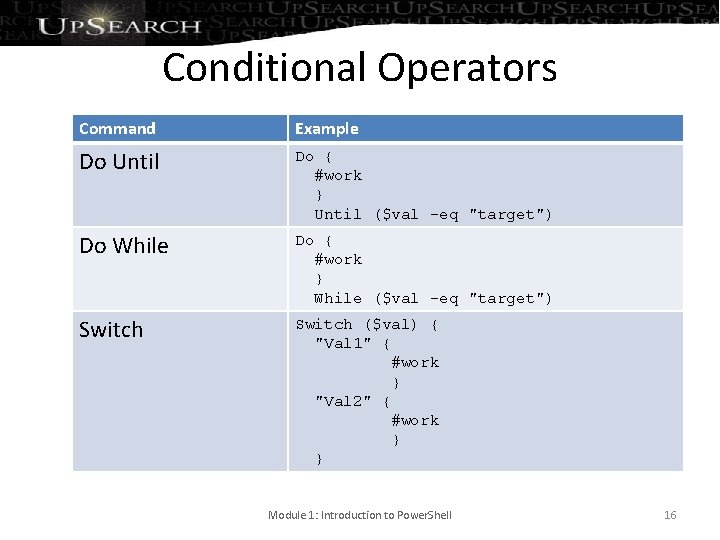
Conditional Operators Command Example Do Until Do { #work } Until ($val -eq "target") Do While Do { #work } While ($val -eq "target") Switch ($val) { "Val 1" { #work } "Val 2" { #work } } Module 1: Introduction to Power. Shell 16
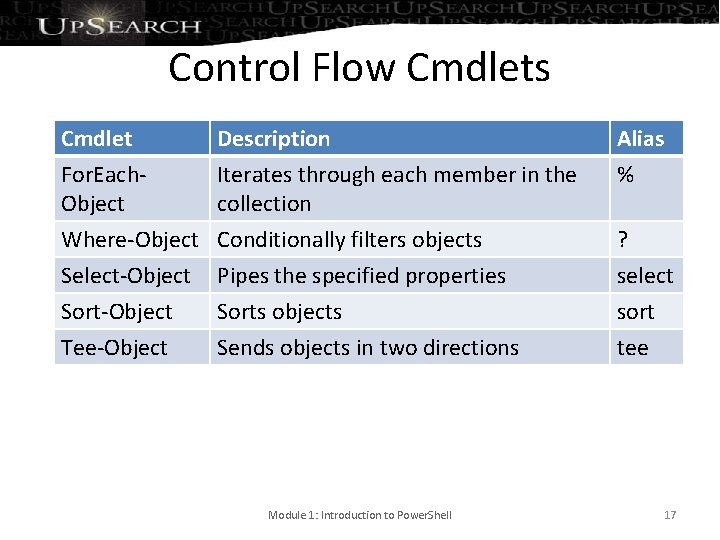
Control Flow Cmdlets Cmdlet For. Each. Object Description Iterates through each member in the collection Alias % Where-Object Select-Object Sort-Object Tee-Object Conditionally filters objects Pipes the specified properties Sorts objects Sends objects in two directions ? select sort tee Module 1: Introduction to Power. Shell 17
Part 2: Introduction to SMO • Introduction to the SMO Library • The SMO Object Model Module 2: Introduction to SMO 18
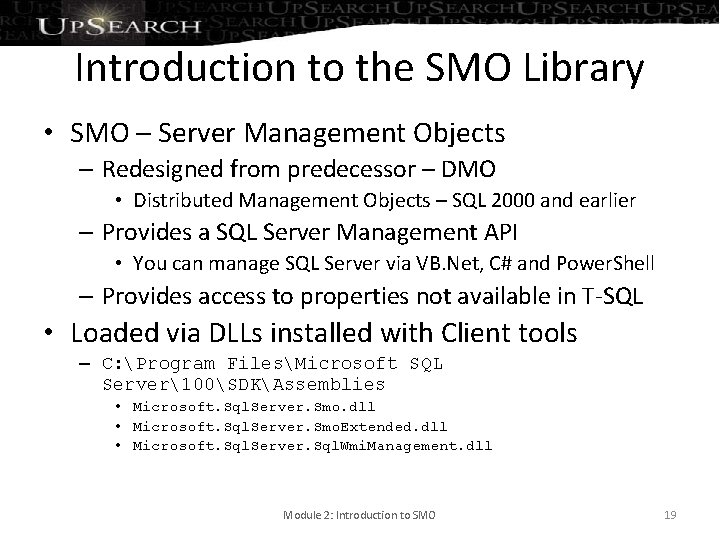
Introduction to the SMO Library • SMO – Server Management Objects – Redesigned from predecessor – DMO • Distributed Management Objects – SQL 2000 and earlier – Provides a SQL Server Management API • You can manage SQL Server via VB. Net, C# and Power. Shell – Provides access to properties not available in T-SQL • Loaded via DLLs installed with Client tools – C: Program FilesMicrosoft SQL Server100SDKAssemblies • Microsoft. Sql. Server. Smo. dll • Microsoft. Sql. Server. Smo. Extended. dll • Microsoft. Sql. Server. Sql. Wmi. Management. dll Module 2: Introduction to SMO 19
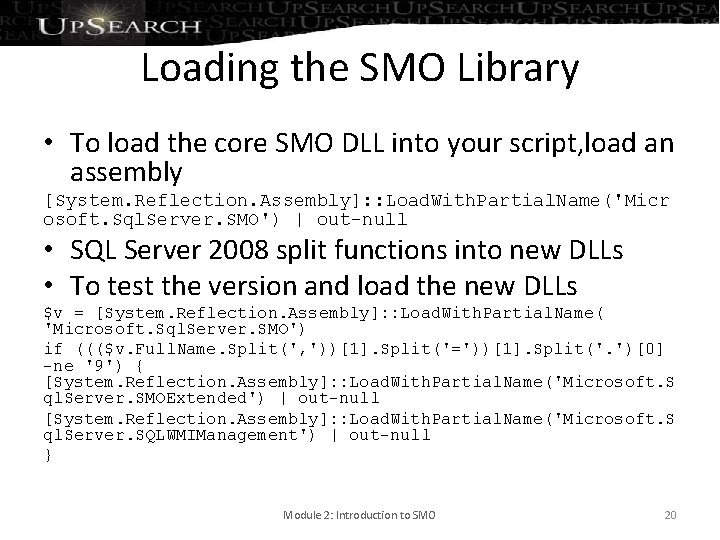
Loading the SMO Library • To load the core SMO DLL into your script, load an assembly [System. Reflection. Assembly]: : Load. With. Partial. Name('Micr osoft. Sql. Server. SMO') | out-null • SQL Server 2008 split functions into new DLLs • To test the version and load the new DLLs $v = [System. Reflection. Assembly]: : Load. With. Partial. Name( 'Microsoft. Sql. Server. SMO') if ((($v. Full. Name. Split(', '))[1]. Split('='))[1]. Split('. ')[0] -ne '9') { [System. Reflection. Assembly]: : Load. With. Partial. Name('Microsoft. S ql. Server. SMOExtended') | out-null [System. Reflection. Assembly]: : Load. With. Partial. Name('Microsoft. S ql. Server. SQLWMIManagement') | out-null } Module 2: Introduction to SMO 20
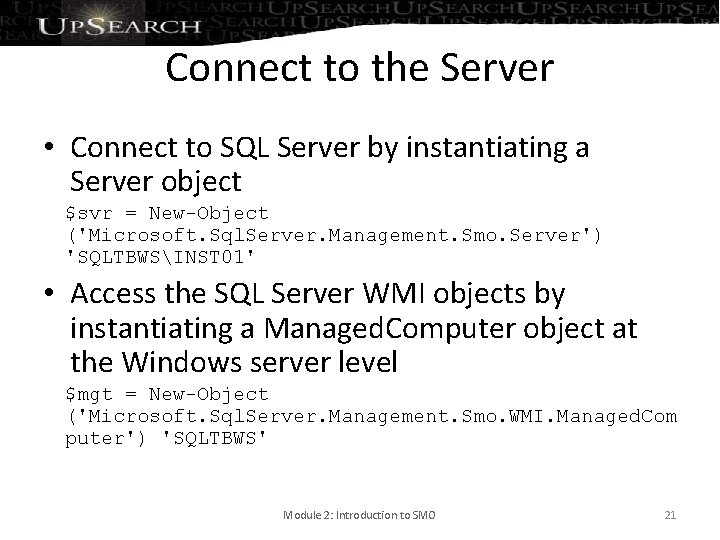
Connect to the Server • Connect to SQL Server by instantiating a Server object $svr = New-Object ('Microsoft. Sql. Server. Management. Smo. Server') 'SQLTBWSINST 01' • Access the SQL Server WMI objects by instantiating a Managed. Computer object at the Windows server level $mgt = New-Object ('Microsoft. Sql. Server. Management. Smo. WMI. Managed. Com puter') 'SQLTBWS' Module 2: Introduction to SMO 21
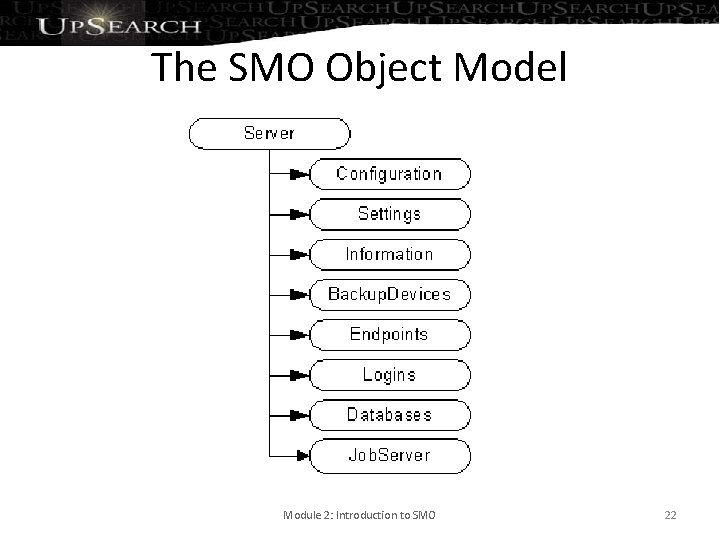
The SMO Object Model Module 2: Introduction to SMO 22
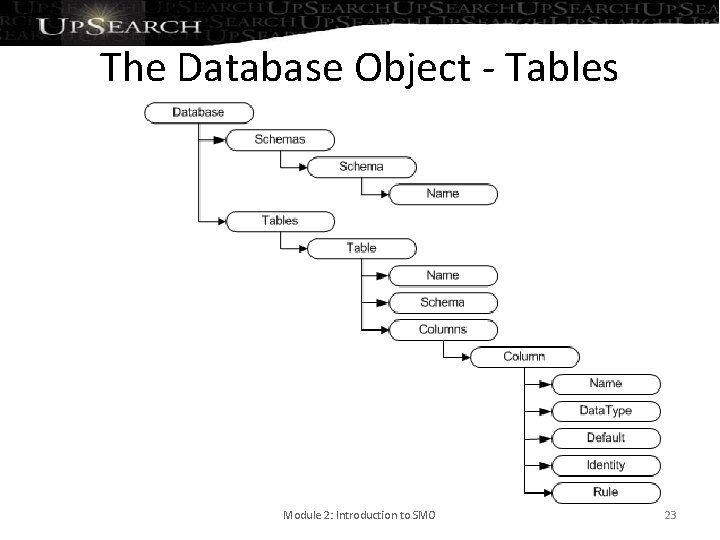
The Database Object - Tables Module 2: Introduction to SMO 23
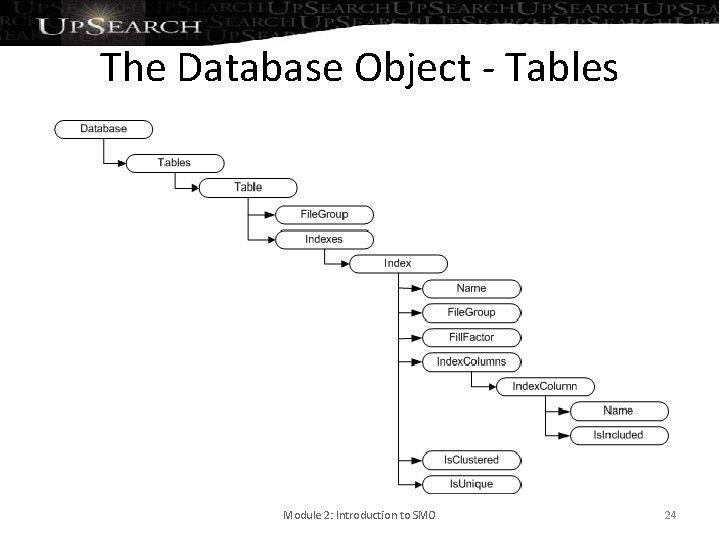
The Database Object - Tables Module 2: Introduction to SMO 24
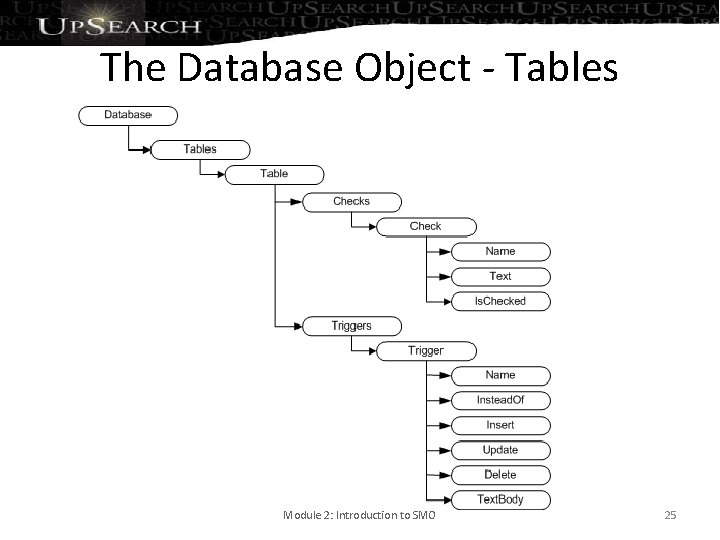
The Database Object - Tables Module 2: Introduction to SMO 25
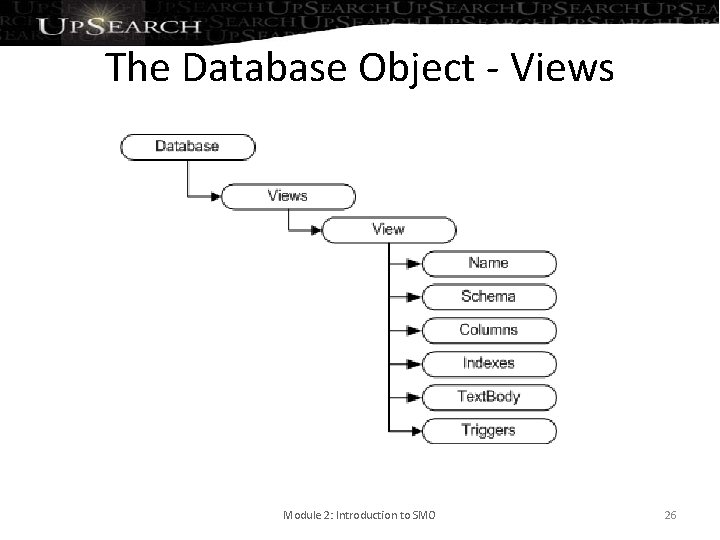
The Database Object - Views Module 2: Introduction to SMO 26
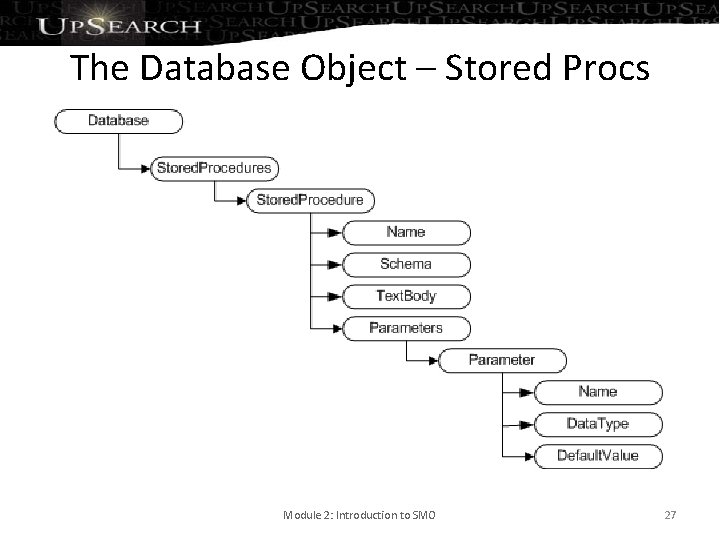
The Database Object – Stored Procs Module 2: Introduction to SMO 27
Part 3: Scripting Database Objects • The SMO Scripter Object • Scripting the Scripts Module 3: Scripting Database Objects 28
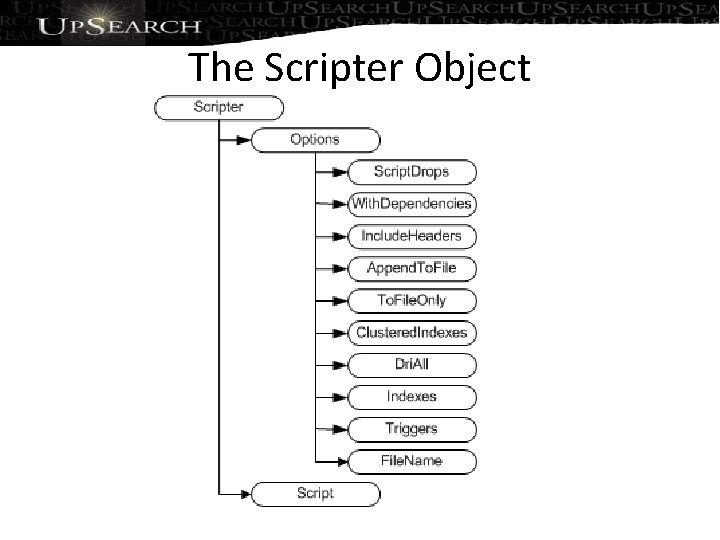
The Scripter Object
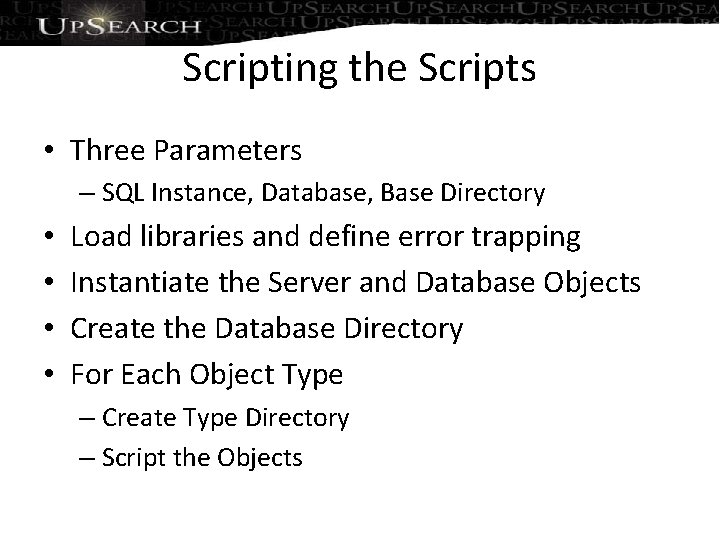
Scripting the Scripts • Three Parameters – SQL Instance, Database, Base Directory • • Load libraries and define error trapping Instantiate the Server and Database Objects Create the Database Directory For Each Object Type – Create Type Directory – Script the Objects
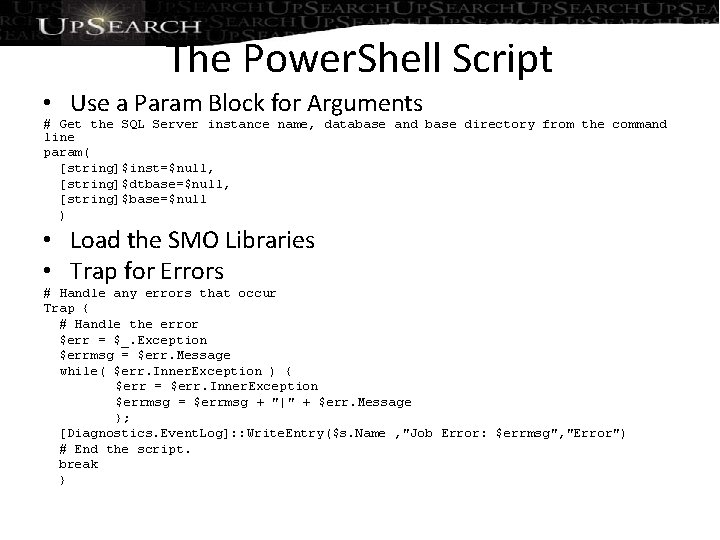
The Power. Shell Script • Use a Param Block for Arguments # Get the SQL Server instance name, database and base directory from the command line param( [string]$inst=$null, [string]$dtbase=$null, [string]$base=$null ) • Load the SMO Libraries • Trap for Errors # Handle any errors that occur Trap { # Handle the error $err = $_. Exception $errmsg = $err. Message while( $err. Inner. Exception ) { $err = $err. Inner. Exception $errmsg = $errmsg + "|" + $err. Message }; [Diagnostics. Event. Log]: : Write. Entry($s. Name , "Job Error: $errmsg", "Error") # End the script. break }
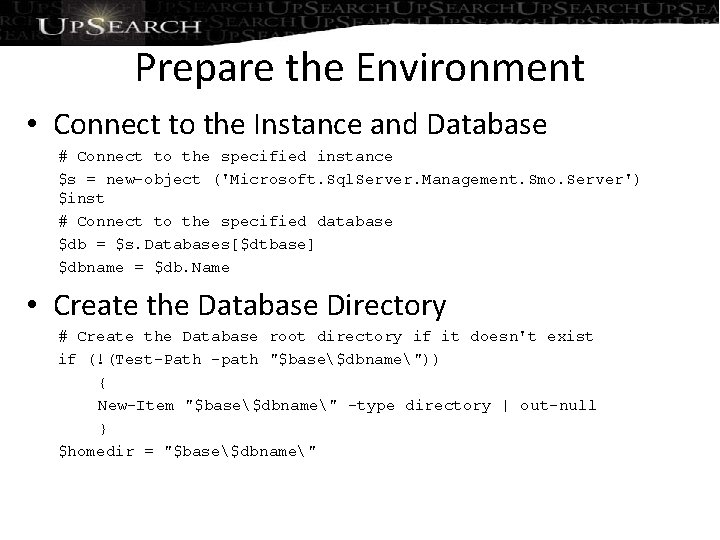
Prepare the Environment • Connect to the Instance and Database # Connect to the specified instance $s = new-object ('Microsoft. Sql. Server. Management. Smo. Server') $inst # Connect to the specified database $db = $s. Databases[$dtbase] $dbname = $db. Name • Create the Database Directory # Create the Database root directory if it doesn't exist if (!(Test-Path -path "$base$dbname")) { New-Item "$base$dbname" -type directory | out-null } $homedir = "$base$dbname"
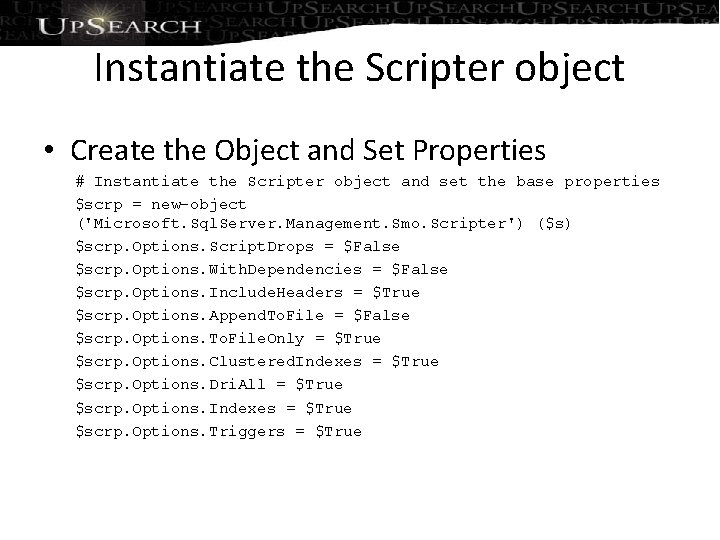
Instantiate the Scripter object • Create the Object and Set Properties # Instantiate the Scripter object and set the base properties $scrp = new-object ('Microsoft. Sql. Server. Management. Smo. Scripter') ($s) $scrp. Options. Script. Drops = $False $scrp. Options. With. Dependencies = $False $scrp. Options. Include. Headers = $True $scrp. Options. Append. To. File = $False $scrp. Options. To. File. Only = $True $scrp. Options. Clustered. Indexes = $True $scrp. Options. Dri. All = $True $scrp. Options. Indexes = $True $scrp. Options. Triggers = $True
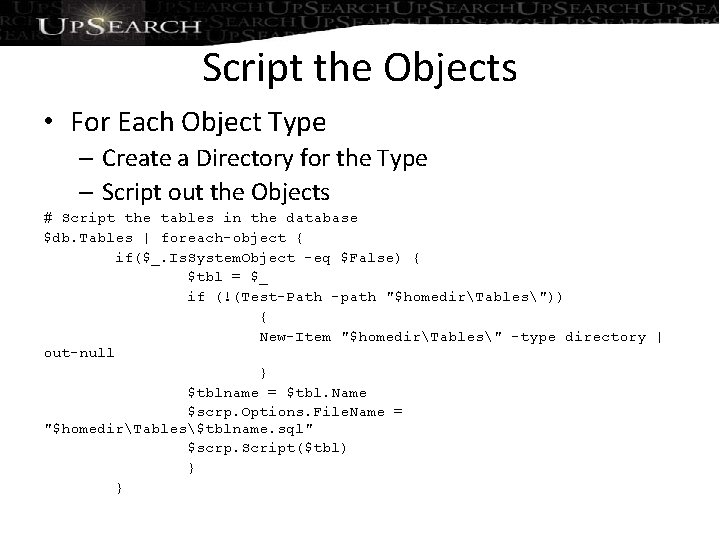
Script the Objects • For Each Object Type – Create a Directory for the Type – Script out the Objects # Script the tables in the database $db. Tables | foreach-object { if($_. Is. System. Object -eq $False) { $tbl = $_ if (!(Test-Path -path "$homedirTables")) { New-Item "$homedirTables" -type directory | out-null } $tblname = $tbl. Name $scrp. Options. File. Name = "$homedirTables$tblname. sql" $scrp. Script($tbl) } }
Demo
Load to Source Control • Load Scripts from Base Directory • Modify Script to add Date String to Base Name – Allows you to run script daily – Protects you from changes made in objects • “Documents” Database Objects for Auditors
Next Steps • 28 day free trial at red-gate. com • $99 license for all webinar registrants • Email Michael. Christofides@redgate. com • Quote code webinarssc 1811 • One license per organization • Offer open until November 25 th 2010 • More webinars – red-gate. com Any Questions?
- Slides: 37