
SQL Server 2012 Data Management Using Microsoft SQL

- Slides: 54
SQL Server 2012 Data Management Using Microsoft SQL Server Session: 8 Session: 1 Accessing Data Introduction to the Web
SQL Server 2012 ● ● ● Objectives Describe the SELECT statement, its syntax, and use Explain the various clauses used with SELECT State the use of ORDER BY clause Describe working with typed and untyped XML Explain the procedure to create, use, and view XML schemas Explain the use of Xquery to access XML data © Aptech Ltd. Accessing Data/ Session 8 2
SQL Server 2012 Introduction Ø The SELECT statement is a core command used to access data in SQL Server 2012. Ø XML allows developers to develop their own set of tags and makes it possible for other programs to understand these tags. Ø XML is the preferred means for developers to store, format, and manage data on the Web. © Aptech Ltd. Accessing Data/ Session 8 3
SQL Server 2012 SELECT Statement 1 -2 A table with its data can be viewed using the SELECT statement. The SELECT statement retrieves rows and columns from one or more tables. The output of the SELECT statement is another table called resultset. The SELECT statement also joins two tables or retrieves a subset of columns from one or more tables. The SELECT statement defines the columns to be used for a query. © Aptech Ltd. Accessing Data/ Session 8 4
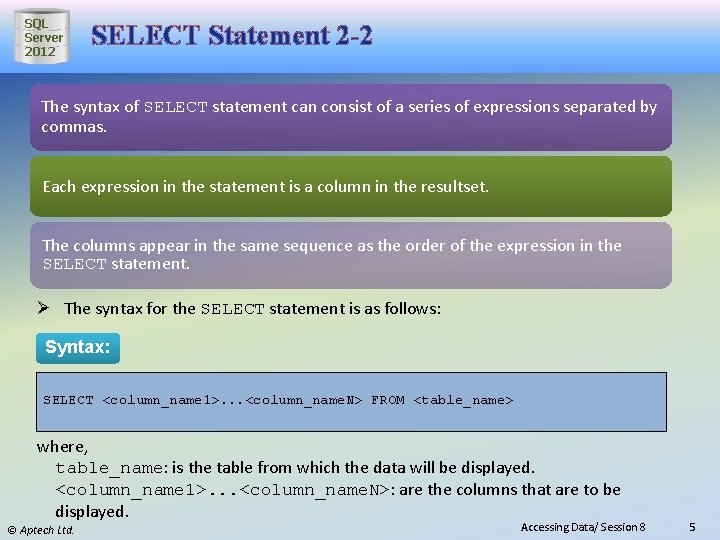
SQL Server 2012 SELECT Statement 2 -2 The syntax of SELECT statement can consist of a series of expressions separated by commas. Each expression in the statement is a column in the resultset. The columns appear in the same sequence as the order of the expression in the SELECT statement. Ø The syntax for the SELECT statement is as follows: Syntax: SELECT <column_name 1>. . . <column_name. N> FROM <table_name> where, table_name: is the table from which the data will be displayed. <column_name 1>. . . <column_name. N>: are the columns that are to be displayed. © Aptech Ltd. Accessing Data/ Session 8 5
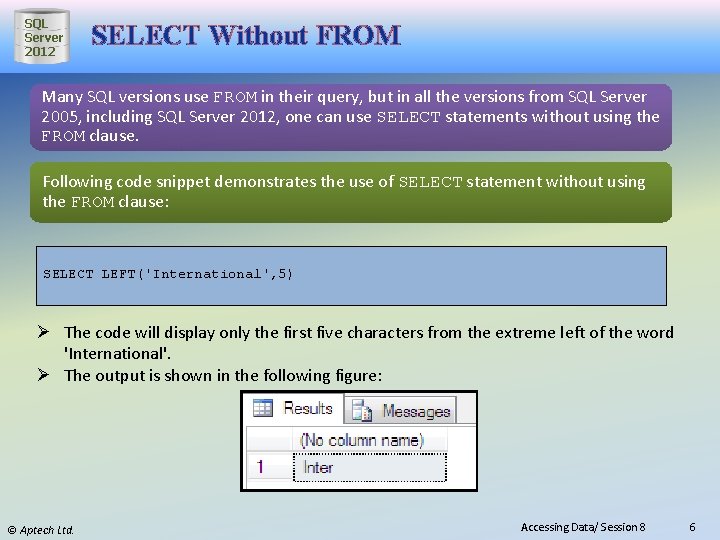
SQL Server 2012 SELECT Without FROM Many SQL versions use FROM in their query, but in all the versions from SQL Server 2005, including SQL Server 2012, one can use SELECT statements without using the FROM clause. Following code snippet demonstrates the use of SELECT statement without using the FROM clause: SELECT LEFT('International', 5) Ø The code will display only the first five characters from the extreme left of the word 'International'. Ø The output is shown in the following figure: © Aptech Ltd. Accessing Data/ Session 8 6
SQL Server 2012 Displaying All Columns 1 -2 The asterisk (*) is used in the SELECT statement to retrieve all the columns from the table. It is used as a shorthand to list all the column names in the tables named in the FROM clause. Ø The syntax for selecting all columns is as follows: Syntax: SELECT * FROM <table_name> where, *: specifies all columns of the named tables in the FROM clause. <table_name>: is the name of the table from which the information is to be retrieved. It is possible to include any number of tables. When two or more tables are used, the row of each table is mapped with the row of others. This activity takes a lot of time if the data in the tables are huge. Hence, it is recommended to use this syntax with a condition. © Aptech Ltd. Accessing Data/ Session 8 7
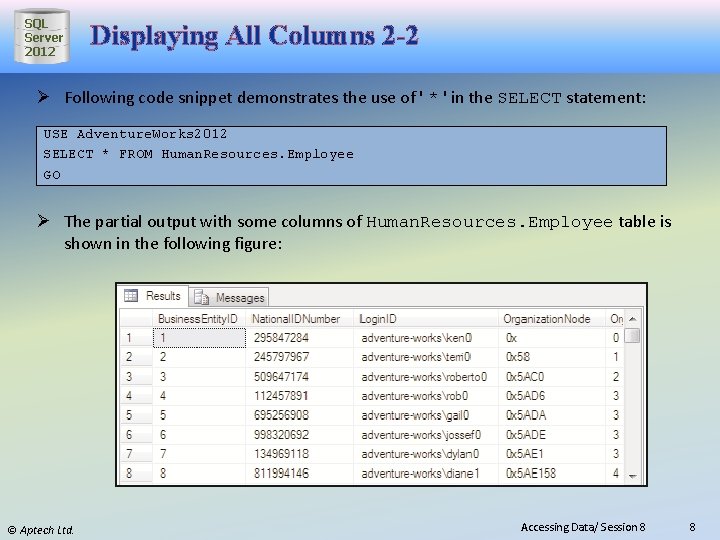
SQL Server 2012 Displaying All Columns 2 -2 Ø Following code snippet demonstrates the use of ' * ' in the SELECT statement: USE Adventure. Works 2012 SELECT * FROM Human. Resources. Employee GO Ø The partial output with some columns of Human. Resources. Employee table is shown in the following figure: © Aptech Ltd. Accessing Data/ Session 8 8
SQL Server 2012 Displaying Selected Columns 1 -2 The SELECT statement displays or returns certain relevant columns that are chosen by the user or mentioned in the statement. To display specific columns, the knowledge of the relevant column names in the table is needed. Ø The syntax for selecting specific columns is as follows: Syntax: SELECT <column_name 1>. . <column_name. N> FROM <table_name> where, <column_name 1>. . <column_name. N>: are the columns that are to be displayed. © Aptech Ltd. Accessing Data/ Session 8 9
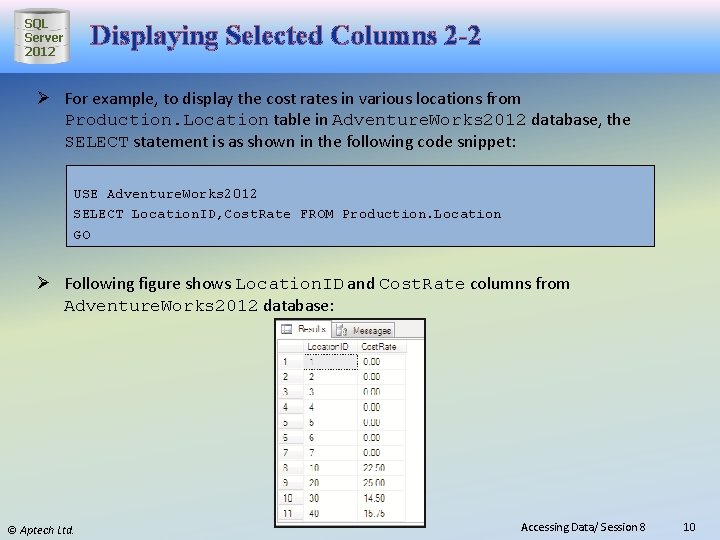
SQL Server 2012 Displaying Selected Columns 2 -2 Ø For example, to display the cost rates in various locations from Production. Location table in Adventure. Works 2012 database, the SELECT statement is as shown in the following code snippet: USE Adventure. Works 2012 SELECT Location. ID, Cost. Rate FROM Production. Location GO Ø Following figure shows Location. ID and Cost. Rate columns from Adventure. Works 2012 database: © Aptech Ltd. Accessing Data/ Session 8 10
SQL Server 2012 Using Constants in Result Sets 1 -2 Character string constants are used when character columns are joined. They help in proper formatting or readability. These constants are not specified as a separate column in the resultset. It is usually more efficient for an application to build the constant values into the results when they are displayed, rather than making use of the server to incorporate the constant values. © Aptech Ltd. Accessing Data/ Session 8 11
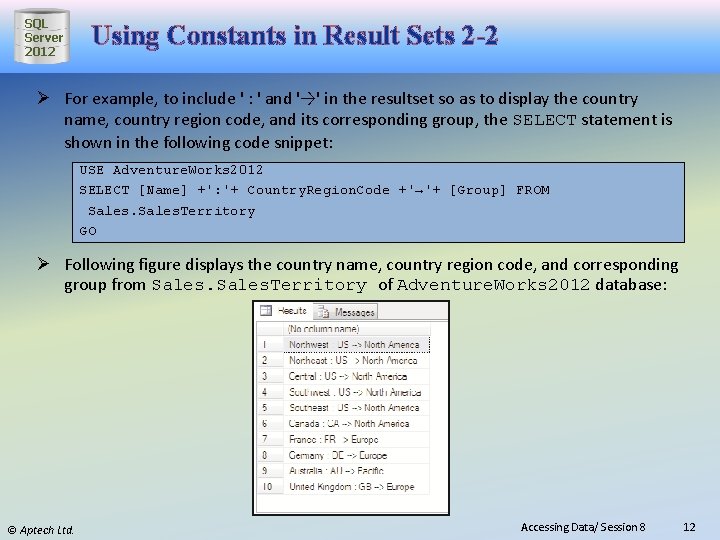
SQL Server 2012 Using Constants in Result Sets 2 -2 Ø For example, to include ' : ' and '→' in the resultset so as to display the country name, country region code, and its corresponding group, the SELECT statement is shown in the following code snippet: USE Adventure. Works 2012 SELECT [Name] +': '+ Country. Region. Code +'→'+ [Group] FROM Sales. Territory GO Ø Following figure displays the country name, country region code, and corresponding group from Sales. Territory of Adventure. Works 2012 database: © Aptech Ltd. Accessing Data/ Session 8 12
SQL Server 2012 Renaming Result. Set Column Names 1 -2 When columns are displayed in the resultset they come with corresponding headings specified in the table. These headings can be changed, renamed, or can be assigned a new name by using AS clause. Therefore, by customizing the headings, they become more understandable and meaningful. © Aptech Ltd. Accessing Data/ Session 8 13
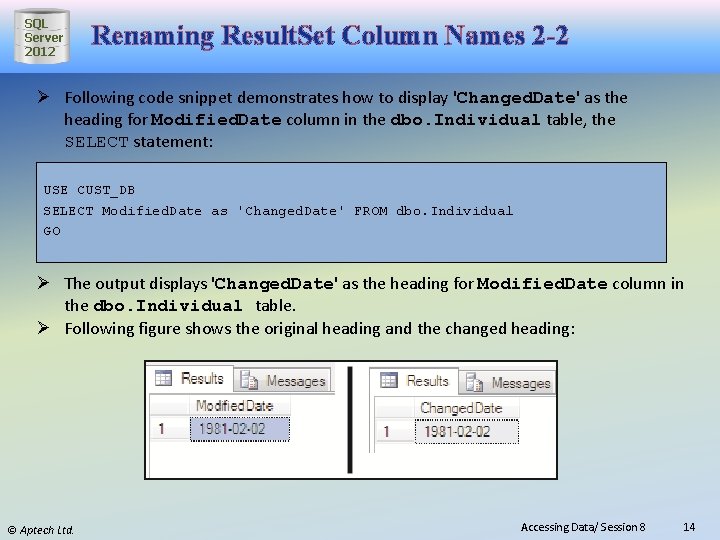
SQL Server 2012 Renaming Result. Set Column Names 2 -2 Ø Following code snippet demonstrates how to display 'Changed. Date' as the heading for Modified. Date column in the dbo. Individual table, the SELECT statement: USE CUST_DB SELECT Modified. Date as 'Changed. Date' FROM dbo. Individual GO Ø The output displays 'Changed. Date' as the heading for Modified. Date column in the dbo. Individual table. Ø Following figure shows the original heading and the changed heading: © Aptech Ltd. Accessing Data/ Session 8 14
SQL Server 2012 Computing Values in Result. Set 1 -2 A SELECT statement can contain mathematical expressions by applying operators to one or more columns. It allows a resultset to contain values that do not exist in the base table, but which are calculated from the values stored in the base table. For example, consider the table Production. Product. Cost. History from Adventure. Works 2012 database. Consider the example where the production people decide to give 15% discount on the standard cost of all the products. © Aptech Ltd. Accessing Data/ Session 8 15
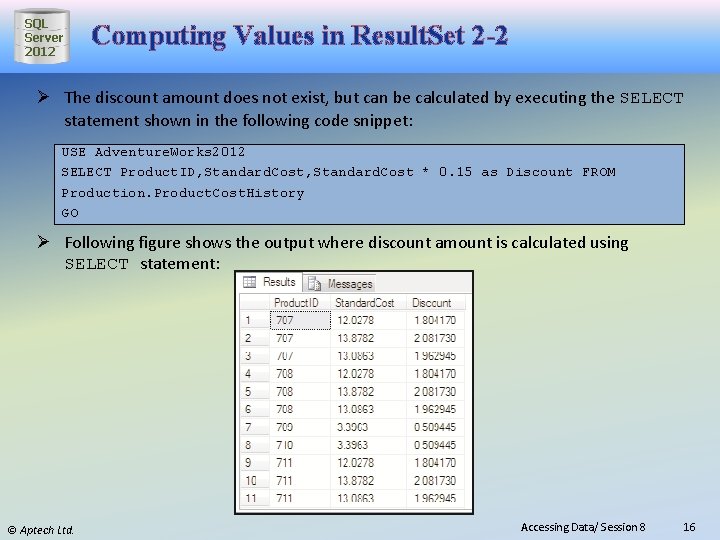
SQL Server 2012 Computing Values in Result. Set 2 -2 Ø The discount amount does not exist, but can be calculated by executing the SELECT statement shown in the following code snippet: USE Adventure. Works 2012 SELECT Product. ID, Standard. Cost * 0. 15 as Discount FROM Production. Product. Cost. History GO Ø Following figure shows the output where discount amount is calculated using SELECT statement: © Aptech Ltd. Accessing Data/ Session 8 16
SQL Server 2012 Using DISTINCT The keyword DISTINCT prevents the retrieval of duplicate records. It eliminates rows that are repeating from the resultset of a SELECT statement. For example, if the Standard. Cost column is selected without using the DISTINCT keyword, it will display all the standard costs present in the table. On using the DISTINCT keyword in the query, SQL Server will display every record of Standard. Cost only once as shown in the following code snippet: USE Adventure. Works 2012 SELECT DISTINCT Standard. Cost FROM Production. Product. Cost. History GO © Aptech Ltd. Accessing Data/ Session 8 17
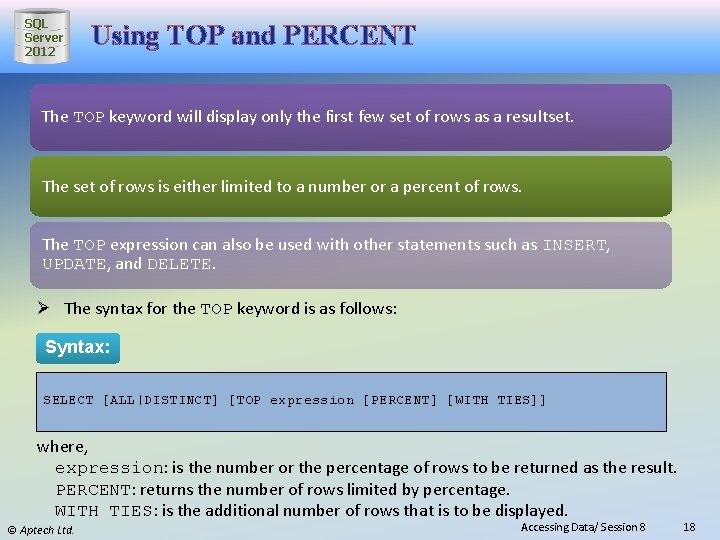
SQL Server 2012 Using TOP and PERCENT The TOP keyword will display only the first few set of rows as a resultset. The set of rows is either limited to a number or a percent of rows. The TOP expression can also be used with other statements such as INSERT, UPDATE, and DELETE. Ø The syntax for the TOP keyword is as follows: Syntax: SELECT [ALL|DISTINCT] [TOP expression [PERCENT] [WITH TIES]] where, expression: is the number or the percentage of rows to be returned as the result. PERCENT: returns the number of rows limited by percentage. WITH TIES: is the additional number of rows that is to be displayed. © Aptech Ltd. Accessing Data/ Session 8 18
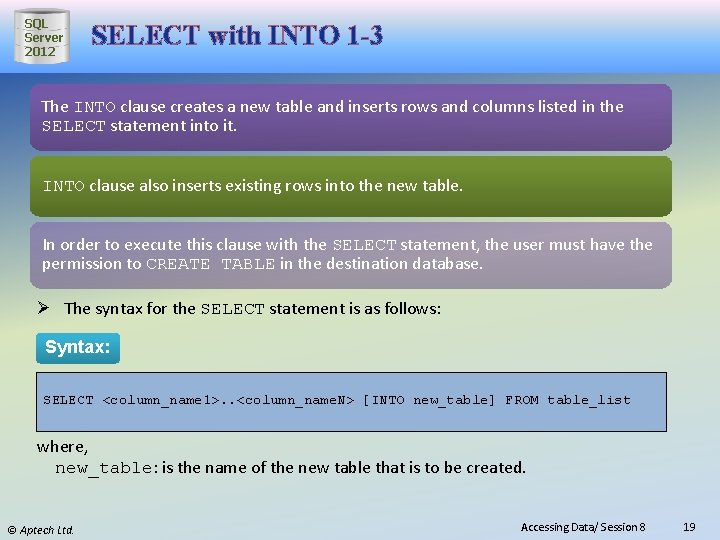
SQL Server 2012 SELECT with INTO 1 -3 The INTO clause creates a new table and inserts rows and columns listed in the SELECT statement into it. INTO clause also inserts existing rows into the new table. In order to execute this clause with the SELECT statement, the user must have the permission to CREATE TABLE in the destination database. Ø The syntax for the SELECT statement is as follows: Syntax: SELECT <column_name 1>. . <column_name. N> [INTO new_table] FROM table_list where, new_table: is the name of the new table that is to be created. © Aptech Ltd. Accessing Data/ Session 8 19
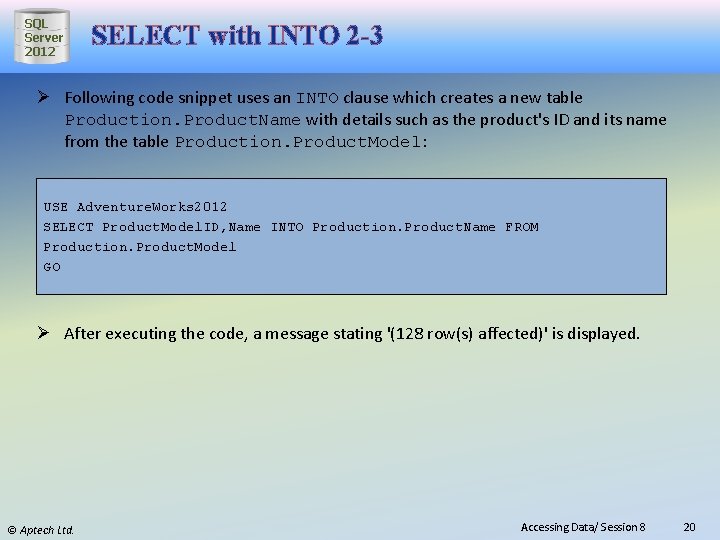
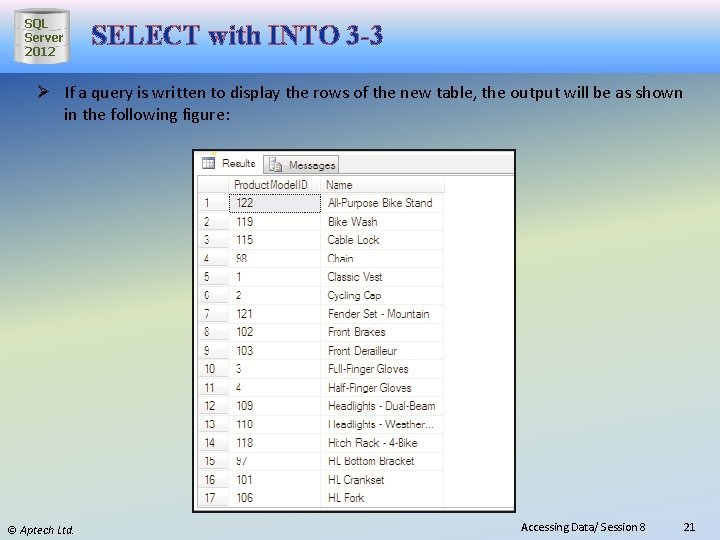
SQL Server 2012 SELECT with INTO 2 -3 Ø Following code snippet uses an INTO clause which creates a new table Production. Product. Name with details such as the product's ID and its name from the table Production. Product. Model: USE Adventure. Works 2012 SELECT Product. Model. ID, Name INTO Production. Product. Name FROM Production. Product. Model GO Ø After executing the code, a message stating '(128 row(s) affected)' is displayed. © Aptech Ltd. Accessing Data/ Session 8 20
SQL Server 2012 SELECT with INTO 3 -3 Ø If a query is written to display the rows of the new table, the output will be as shown in the following figure: © Aptech Ltd. Accessing Data/ Session 8 21
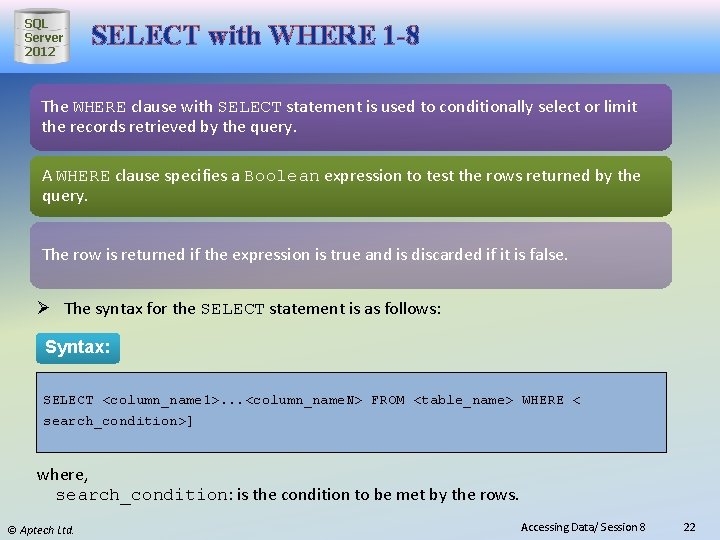
SQL Server 2012 SELECT with WHERE 1 -8 The WHERE clause with SELECT statement is used to conditionally select or limit the records retrieved by the query. A WHERE clause specifies a Boolean expression to test the rows returned by the query. The row is returned if the expression is true and is discarded if it is false. Ø The syntax for the SELECT statement is as follows: Syntax: SELECT <column_name 1>. . . <column_name. N> FROM <table_name> WHERE < search_condition>] where, search_condition: is the condition to be met by the rows. © Aptech Ltd. Accessing Data/ Session 8 22
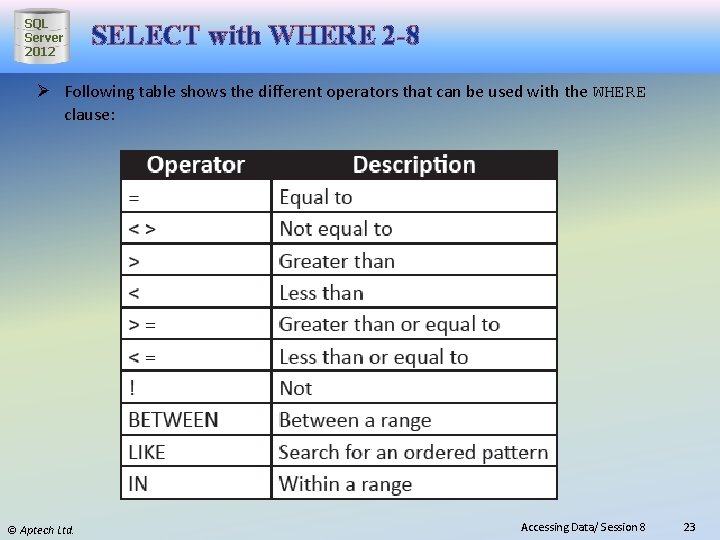
SQL Server 2012 SELECT with WHERE 2 -8 Ø Following table shows the different operators that can be used with the WHERE clause: © Aptech Ltd. Accessing Data/ Session 8 23
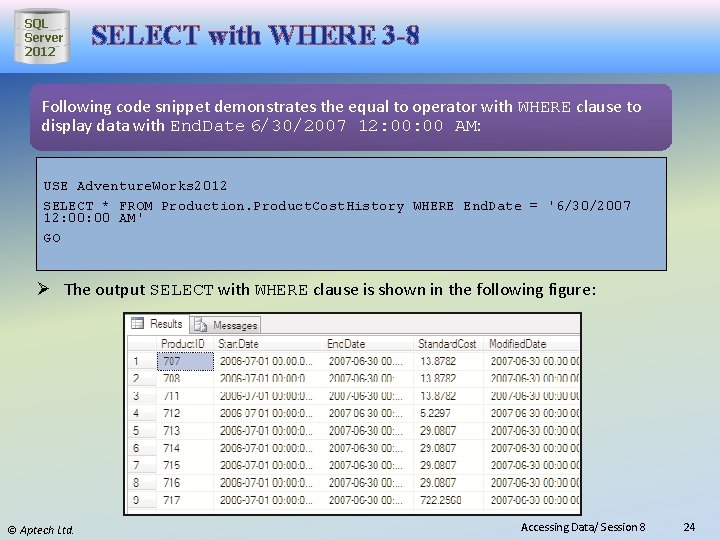
SQL Server 2012 SELECT with WHERE 3 -8 Following code snippet demonstrates the equal to operator with WHERE clause to display data with End. Date 6/30/2007 12: 00 AM: USE Adventure. Works 2012 SELECT * FROM Production. Product. Cost. History WHERE End. Date = '6/30/2007 12: 00 AM' GO Ø The output SELECT with WHERE clause is shown in the following figure: © Aptech Ltd. Accessing Data/ Session 8 24
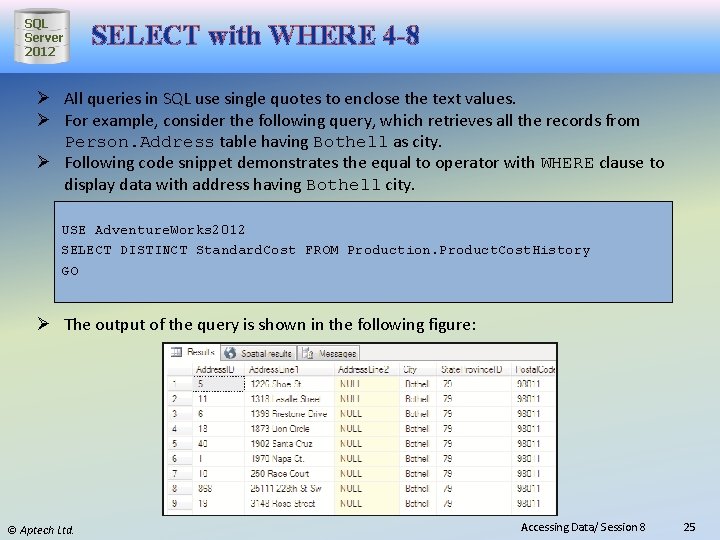
SQL Server 2012 SELECT with WHERE 4 -8 Ø All queries in SQL use single quotes to enclose the text values. Ø For example, consider the following query, which retrieves all the records from Person. Address table having Bothell as city. Ø Following code snippet demonstrates the equal to operator with WHERE clause to display data with address having Bothell city. USE Adventure. Works 2012 SELECT DISTINCT Standard. Cost FROM Production. Product. Cost. History GO Ø The output of the query is shown in the following figure: © Aptech Ltd. Accessing Data/ Session 8 25
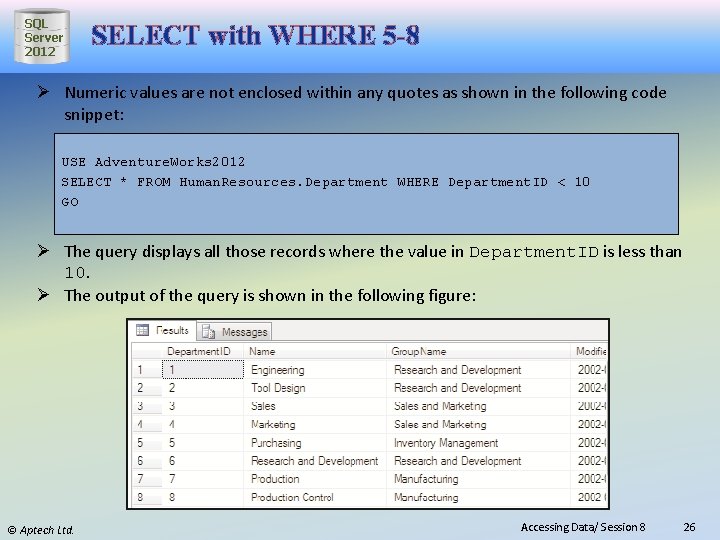
SQL Server 2012 SELECT with WHERE 5 -8 Ø Numeric values are not enclosed within any quotes as shown in the following code snippet: USE Adventure. Works 2012 SELECT * FROM Human. Resources. Department WHERE Department. ID < 10 GO Ø The query displays all those records where the value in Department. ID is less than 10. Ø The output of the query is shown in the following figure: © Aptech Ltd. Accessing Data/ Session 8 26
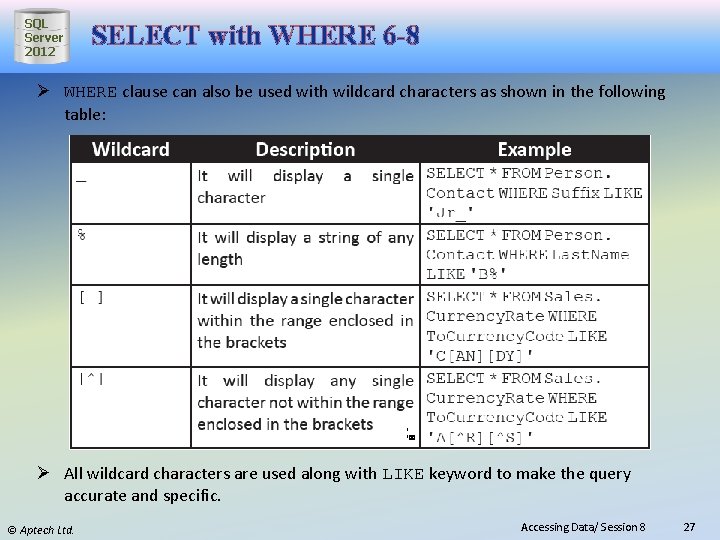
SQL Server 2012 SELECT with WHERE 6 -8 Ø WHERE clause can also be used with wildcard characters as shown in the following table: Ø All wildcard characters are used along with LIKE keyword to make the query accurate and specific. © Aptech Ltd. Accessing Data/ Session 8 27
SQL Server 2012 SELECT with WHERE 7 -8 WHERE clause also uses logical operators such as AND, OR, and NOT. These operators are used with search conditions in WHERE clauses. AND operator joins two or more conditions and returns TRUE only when both the conditions are TRUE. So, it returns all the rows from the tables where both the conditions that are listed are true. Following code snippet demonstrates the use of AND operator: USE Adventure. Works 2012 SELECT * FROM Sales. Customer. Address WHERE Address. ID > 900 AND Address. Type. ID = 5 GO © Aptech Ltd. Accessing Data/ Session 8 28
SQL Server 2012 SELECT with WHERE 8 -8 Ø OR operator returns TRUE and displays all the rows if it satisfies any one of the conditions. Following code snippet demonstrates the use of OR operator: USE Adventure. Works 2012 SELECT * FROM Sales. Customer. Address WHERE Address. ID < 900 OR Address. Type. ID = 5 GO Ø The query will display all the rows whose Address. ID is less than 900 or whose Address. Type. ID is equal to five. Ø The NOT operator negates the search condition. Ø Following code snippet demonstrates the use of NOT operator: USE Adventure. Works 2012 SELECT * FROM Sales. Customer. Address WHERE NOT Address. Type. ID = 5 GO Ø The code will display all the records whose Address. Type. ID is not equal to 5. Ø Multiple logical operators in a single SELECT statement can be used. Ø When more than one logical operator is used, NOT is evaluated first, then AND, and finally OR. © Aptech Ltd. Accessing Data/ Session 8 29
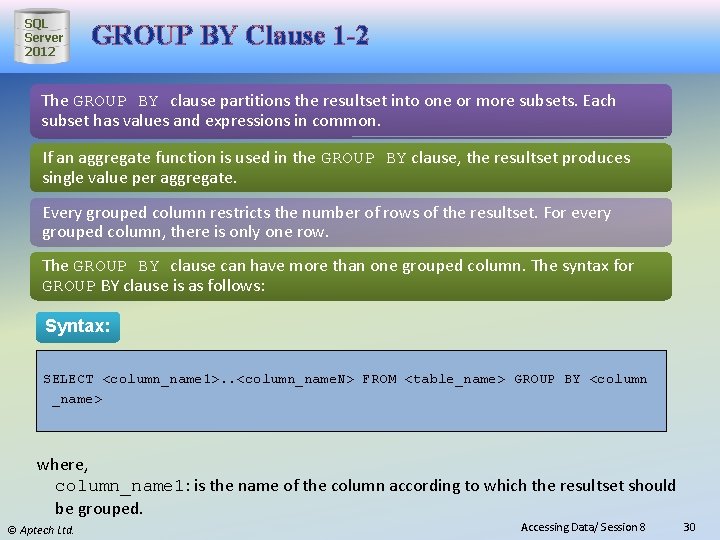
SQL Server 2012 GROUP BY Clause 1 -2 The GROUP BY clause partitions the resultset into one or more subsets. Each subset has values and expressions in common. If an aggregate function is used in the GROUP BY clause, the resultset produces single value per aggregate. Every grouped column restricts the number of rows of the resultset. For every grouped column, there is only one row. The GROUP BY clause can have more than one grouped column. The syntax for GROUP BY clause is as follows: Syntax: SELECT <column_name 1>. . <column_name. N> FROM <table_name> GROUP BY <column _name> where, column_name 1: is the name of the column according to which the resultset should be grouped. © Aptech Ltd. Accessing Data/ Session 8 30
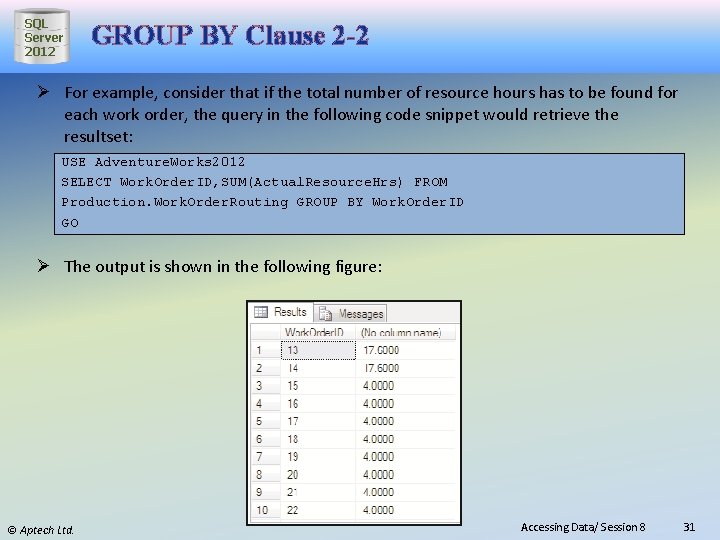
SQL Server 2012 GROUP BY Clause 2 -2 Ø For example, consider that if the total number of resource hours has to be found for each work order, the query in the following code snippet would retrieve the resultset: USE Adventure. Works 2012 SELECT Work. Order. ID, SUM(Actual. Resource. Hrs) FROM Production. Work. Order. Routing GROUP BY Work. Order. ID GO Ø The output is shown in the following figure: © Aptech Ltd. Accessing Data/ Session 8 31
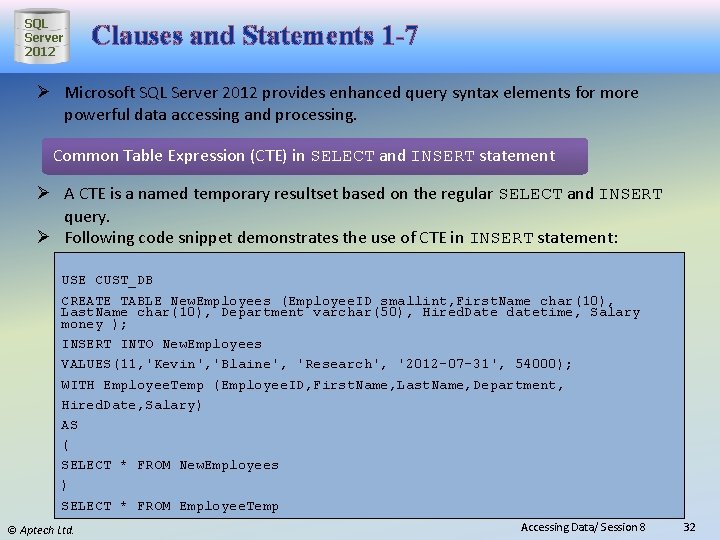
SQL Server 2012 Clauses and Statements 1 -7 Ø Microsoft SQL Server 2012 provides enhanced query syntax elements for more powerful data accessing and processing. Common Table Expression (CTE) in SELECT and INSERT statement Ø A CTE is a named temporary resultset based on the regular SELECT and INSERT query. Ø Following code snippet demonstrates the use of CTE in INSERT statement: USE CUST_DB CREATE TABLE New. Employees (Employee. ID smallint, First. Name char(10), Last. Name char(10), Department varchar(50), Hired. Date datetime, Salary money ); INSERT INTO New. Employees VALUES(11, 'Kevin', 'Blaine', 'Research', '2012 -07 -31', 54000); WITH Employee. Temp (Employee. ID, First. Name, Last. Name, Department, Hired. Date, Salary) AS ( SELECT * FROM New. Employees ) SELECT * FROM Employee. Temp © Aptech Ltd. Accessing Data/ Session 8 32
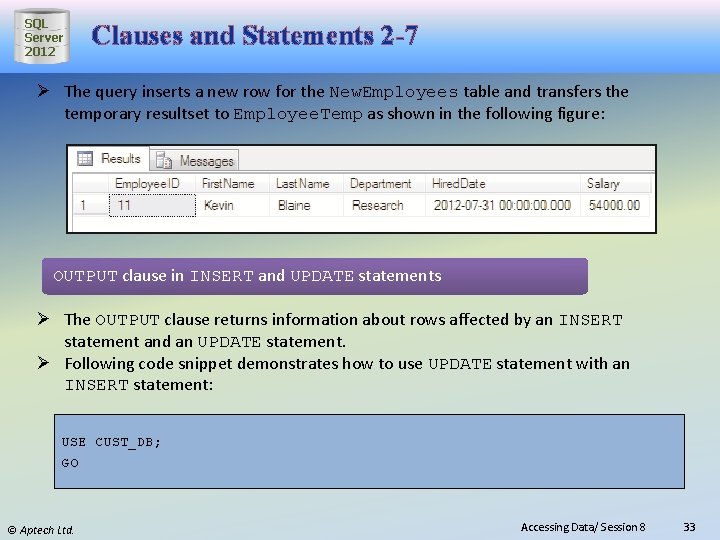
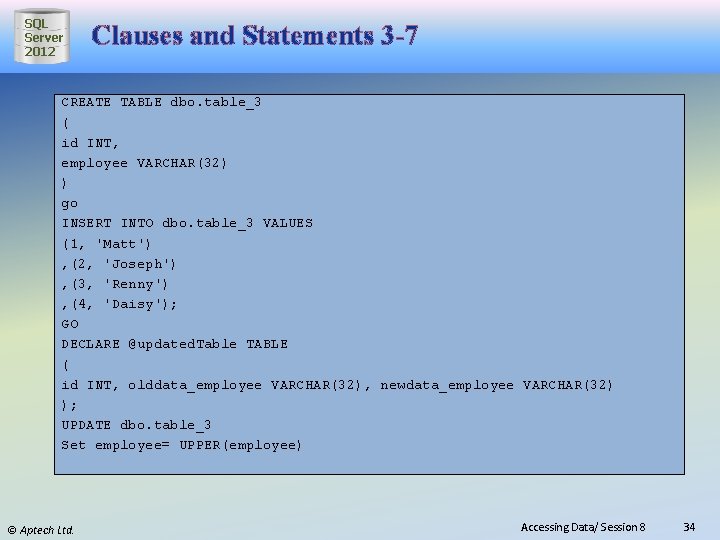
SQL Server 2012 Clauses and Statements 2 -7 Ø The query inserts a new row for the New. Employees table and transfers the temporary resultset to Employee. Temp as shown in the following figure: OUTPUT clause in INSERT and UPDATE statements Ø The OUTPUT clause returns information about rows affected by an INSERT statement and an UPDATE statement. Ø Following code snippet demonstrates how to use UPDATE statement with an INSERT statement: USE CUST_DB; GO © Aptech Ltd. Accessing Data/ Session 8 33
SQL Server 2012 Clauses and Statements 3 -7 CREATE TABLE dbo. table_3 ( id INT, employee VARCHAR(32) ) go INSERT INTO dbo. table_3 VALUES (1, 'Matt') , (2, 'Joseph') , (3, 'Renny') , (4, 'Daisy'); GO DECLARE @updated. Table TABLE ( id INT, olddata_employee VARCHAR(32), newdata_employee VARCHAR(32) ); UPDATE dbo. table_3 Set employee= UPPER(employee) © Aptech Ltd. Accessing Data/ Session 8 34
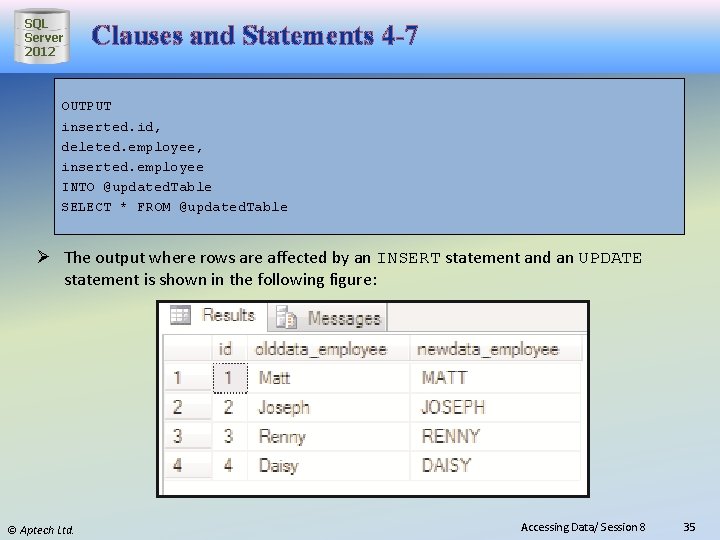
SQL Server 2012 Clauses and Statements 4 -7 OUTPUT inserted. id, deleted. employee, inserted. employee INTO @updated. Table SELECT * FROM @updated. Table Ø The output where rows are affected by an INSERT statement and an UPDATE statement is shown in the following figure: © Aptech Ltd. Accessing Data/ Session 8 35
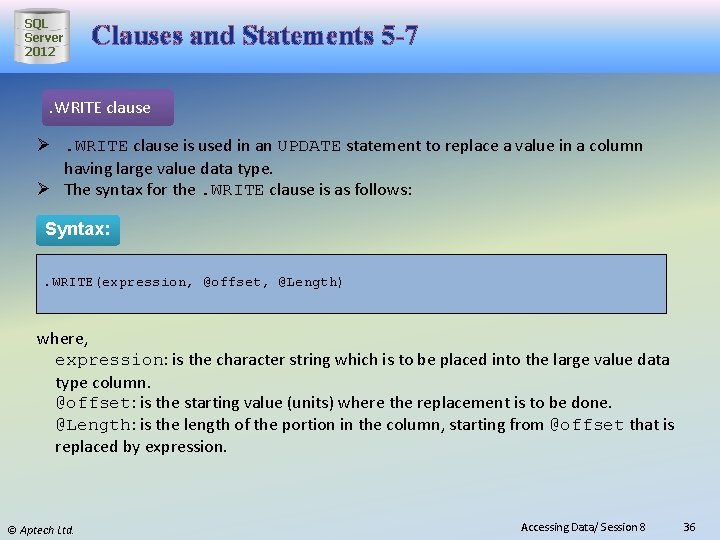
SQL Server 2012 Clauses and Statements 5 -7 . WRITE clause Ø. WRITE clause is used in an UPDATE statement to replace a value in a column having large value data type. Ø The syntax for the. WRITE clause is as follows: Syntax: . WRITE(expression, @offset, @Length) where, expression: is the character string which is to be placed into the large value data type column. @offset: is the starting value (units) where the replacement is to be done. @Length: is the length of the portion in the column, starting from @offset that is replaced by expression. © Aptech Ltd. Accessing Data/ Session 8 36
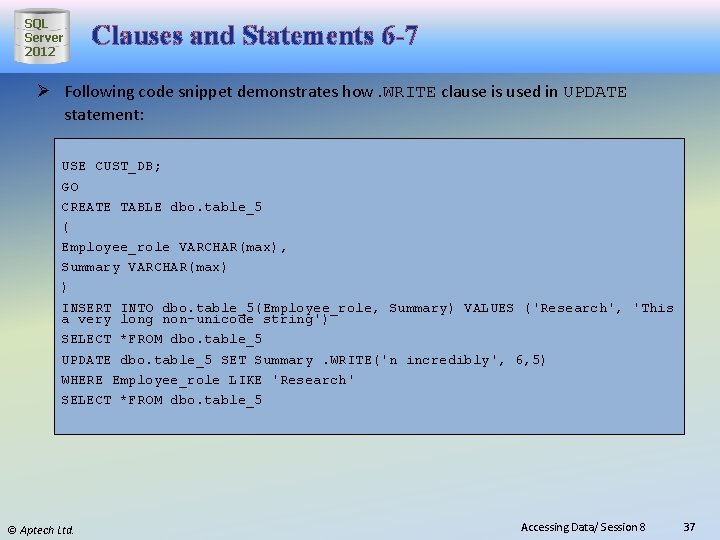
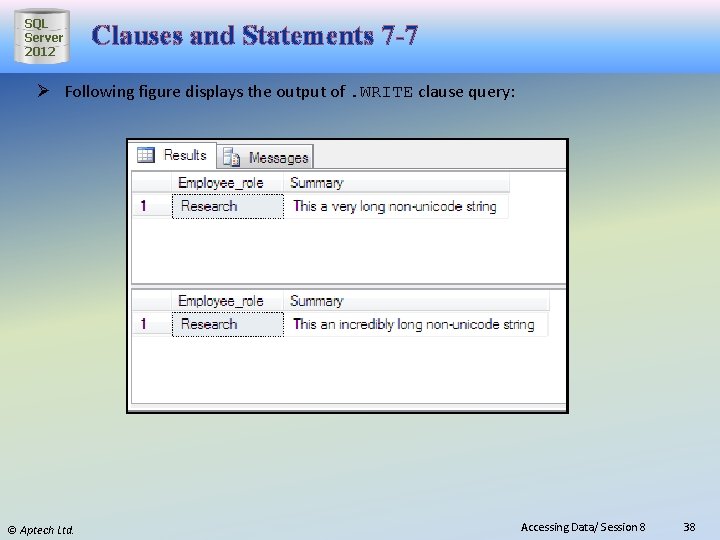
SQL Server 2012 Clauses and Statements 6 -7 Ø Following code snippet demonstrates how. WRITE clause is used in UPDATE statement: USE CUST_DB; GO CREATE TABLE dbo. table_5 ( Employee_role VARCHAR(max), Summary VARCHAR(max) ) INSERT INTO dbo. table_5(Employee_role, Summary) VALUES ('Research', 'This a very long non-unicode string') SELECT *FROM dbo. table_5 UPDATE dbo. table_5 SET Summary. WRITE('n incredibly', 6, 5) WHERE Employee_role LIKE 'Research' SELECT *FROM dbo. table_5 © Aptech Ltd. Accessing Data/ Session 8 37
SQL Server 2012 Clauses and Statements 7 -7 Ø Following figure displays the output of. WRITE clause query: © Aptech Ltd. Accessing Data/ Session 8 38
SQL Server 2012 ORDER BY Clause 1 -2 It specifies the order in which the columns should be sorted in a resultset. It sorts query results by one or more columns. A sort can be in either ascending (ASC) or descending (DESC) order. By default, records are sorted in an ASC order. To switch to the descending mode, use the optional keyword DESC. When multiple fields are used, SQL Server considers the leftmost field as the primary level of sort and others as lower levels of sort. Syntax: SELECT <column_name> FROM <table_name> ORDER BY column_name> {ASC|DESC} © Aptech Ltd. Accessing Data/ Session 8 39
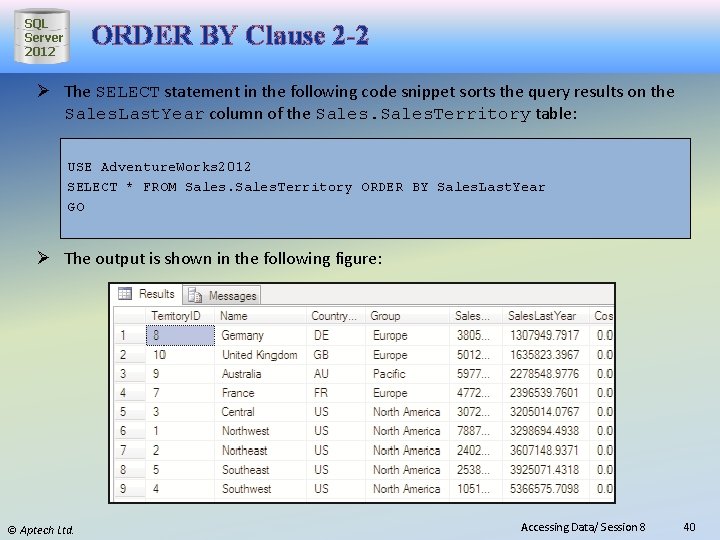
SQL Server 2012 ORDER BY Clause 2 -2 Ø The SELECT statement in the following code snippet sorts the query results on the Sales. Last. Year column of the Sales. Territory table: USE Adventure. Works 2012 SELECT * FROM Sales. Territory ORDER BY Sales. Last. Year GO Ø The output is shown in the following figure: © Aptech Ltd. Accessing Data/ Session 8 40
SQL Server 2012 Working with XML 1 -2 Extensible Markup Language (XML) allows developers to develop their own set of tags and makes it possible for other programs to understand these tags. XML is the preferred means for developers to store, format, and manage data on the Web. Applications of today have a mix of technologies such as ASP, Microsoft. NET technologies, XML, and SQL Server 2012 working in tandem. In such a scenario, it is better to store XML data within SQL Server 2012. © Aptech Ltd. Accessing Data/ Session 8 41
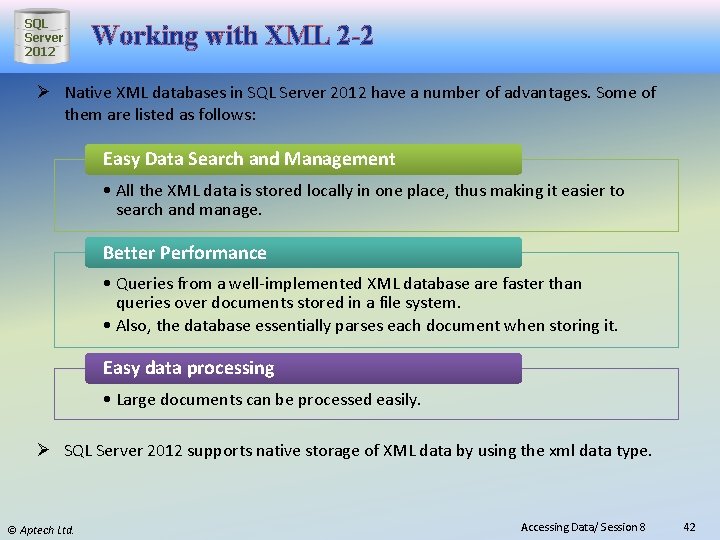
SQL Server 2012 Working with XML 2 -2 Ø Native XML databases in SQL Server 2012 have a number of advantages. Some of them are listed as follows: Easy Data Search and Management • All the XML data is stored locally in one place, thus making it easier to search and manage. Better Performance • Queries from a well-implemented XML database are faster than queries over documents stored in a file system. • Also, the database essentially parses each document when storing it. Easy data processing • Large documents can be processed easily. Ø SQL Server 2012 supports native storage of XML data by using the xml data type. © Aptech Ltd. Accessing Data/ Session 8 42
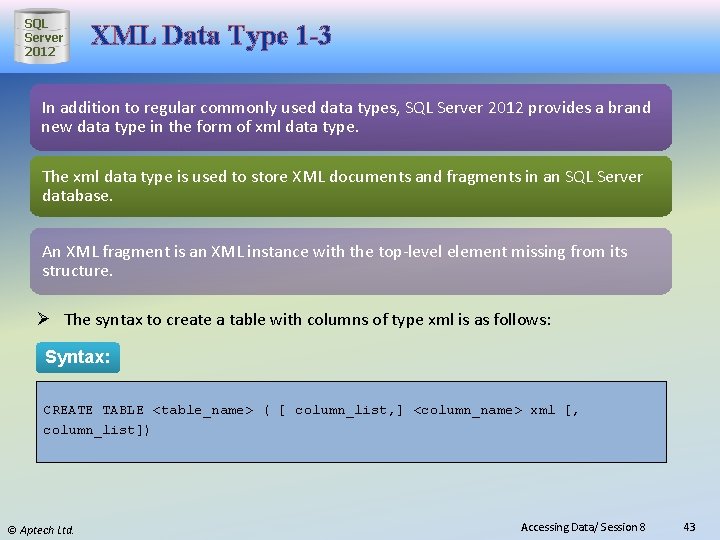
SQL Server 2012 XML Data Type 1 -3 In addition to regular commonly used data types, SQL Server 2012 provides a brand new data type in the form of xml data type. The xml data type is used to store XML documents and fragments in an SQL Server database. An XML fragment is an XML instance with the top-level element missing from its structure. Ø The syntax to create a table with columns of type xml is as follows: Syntax: CREATE TABLE <table_name> ( [ column_list, ] <column_name> xml [, column_list]) © Aptech Ltd. Accessing Data/ Session 8 43
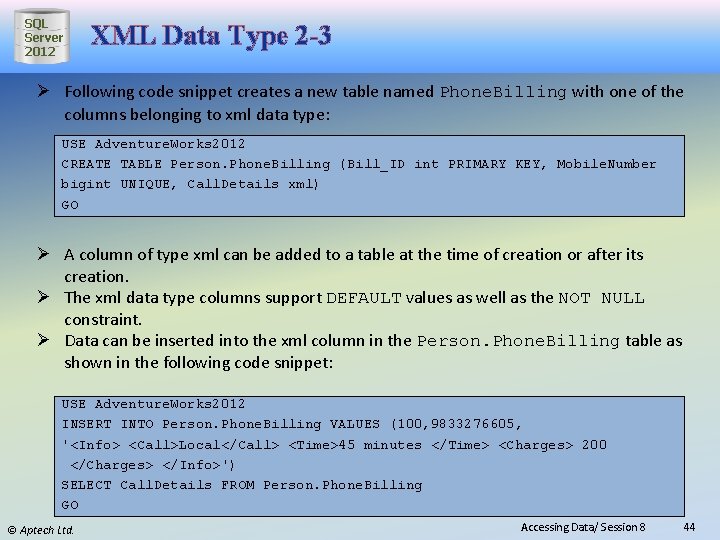
SQL Server 2012 XML Data Type 2 -3 Ø Following code snippet creates a new table named Phone. Billing with one of the columns belonging to xml data type: USE Adventure. Works 2012 CREATE TABLE Person. Phone. Billing (Bill_ID int PRIMARY KEY, Mobile. Number bigint UNIQUE, Call. Details xml) GO Ø A column of type xml can be added to a table at the time of creation or after its creation. Ø The xml data type columns support DEFAULT values as well as the NOT NULL constraint. Ø Data can be inserted into the xml column in the Person. Phone. Billing table as shown in the following code snippet: USE Adventure. Works 2012 INSERT INTO Person. Phone. Billing VALUES (100, 9833276605, '<Info> <Call>Local</Call> <Time>45 minutes </Time> <Charges> 200 </Charges> </Info>') SELECT Call. Details FROM Person. Phone. Billing GO © Aptech Ltd. Accessing Data/ Session 8 44
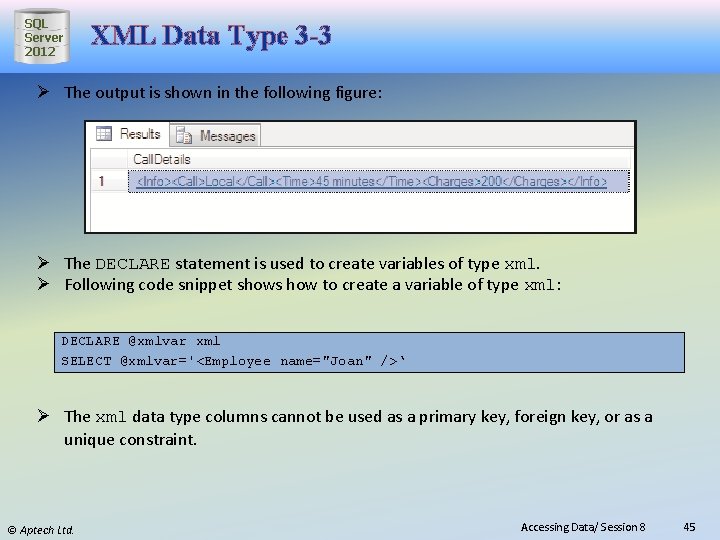
SQL Server 2012 XML Data Type 3 -3 Ø The output is shown in the following figure: Ø The DECLARE statement is used to create variables of type xml. Ø Following code snippet shows how to create a variable of type xml: DECLARE @xmlvar xml SELECT @xmlvar='<Employee name="Joan" />‘ Ø The xml data type columns cannot be used as a primary key, foreign key, or as a unique constraint. © Aptech Ltd. Accessing Data/ Session 8 45
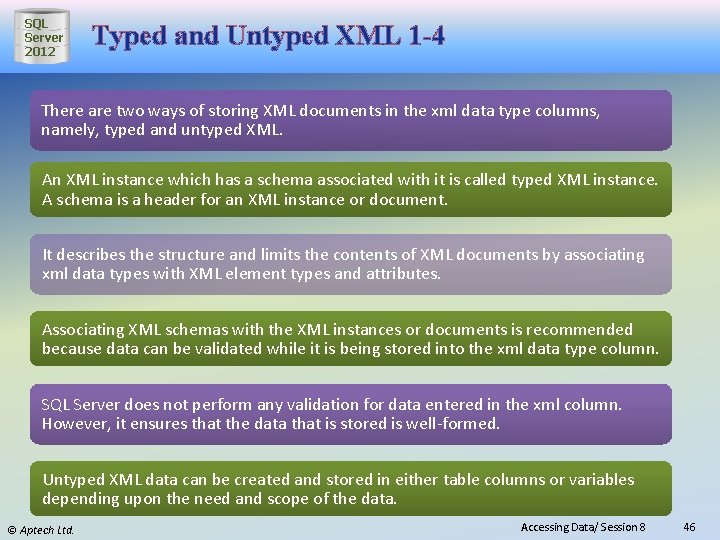
SQL Server 2012 Typed and Untyped XML 1 -4 There are two ways of storing XML documents in the xml data type columns, namely, typed and untyped XML. An XML instance which has a schema associated with it is called typed XML instance. A schema is a header for an XML instance or document. It describes the structure and limits the contents of XML documents by associating xml data types with XML element types and attributes. Associating XML schemas with the XML instances or documents is recommended because data can be validated while it is being stored into the xml data type column. SQL Server does not perform any validation for data entered in the xml column. However, it ensures that the data that is stored is well-formed. Untyped XML data can be created and stored in either table columns or variables depending upon the need and scope of the data. © Aptech Ltd. Accessing Data/ Session 8 46
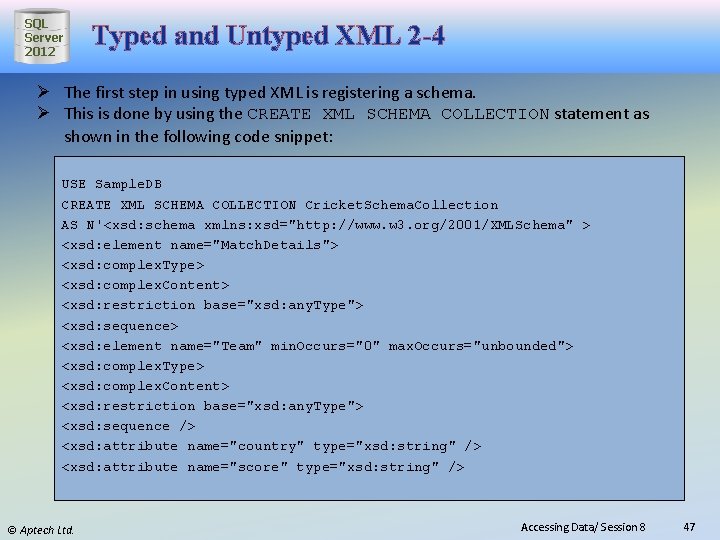
SQL Server 2012 Typed and Untyped XML 2 -4 Ø The first step in using typed XML is registering a schema. Ø This is done by using the CREATE XML SCHEMA COLLECTION statement as shown in the following code snippet: USE Sample. DB CREATE XML SCHEMA COLLECTION Cricket. Schema. Collection AS N'<xsd: schema xmlns: xsd="http: //www. w 3. org/2001/XMLSchema" > <xsd: element name="Match. Details"> <xsd: complex. Type> <xsd: complex. Content> <xsd: restriction base="xsd: any. Type"> <xsd: sequence> <xsd: element name="Team" min. Occurs="0" max. Occurs="unbounded"> <xsd: complex. Type> <xsd: complex. Content> <xsd: restriction base="xsd: any. Type"> <xsd: sequence /> <xsd: attribute name="country" type="xsd: string" /> <xsd: attribute name="score" type="xsd: string" /> © Aptech Ltd. Accessing Data/ Session 8 47
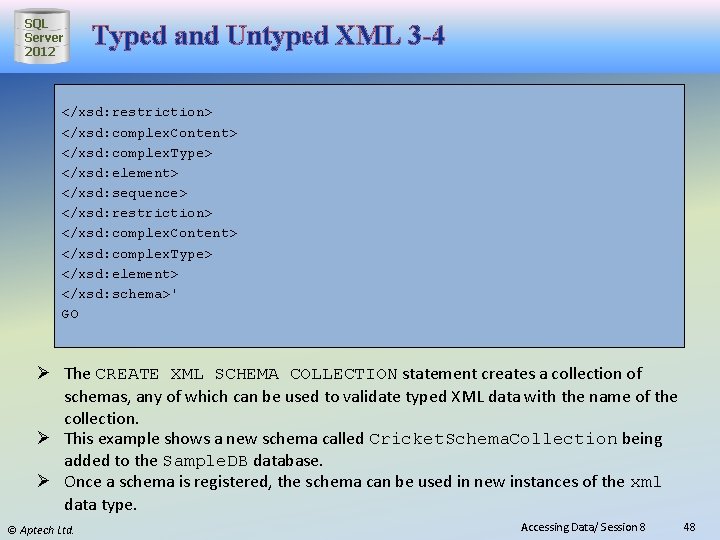
SQL Server 2012 Typed and Untyped XML 3 -4 </xsd: restriction> </xsd: complex. Content> </xsd: complex. Type> </xsd: element> </xsd: sequence> </xsd: restriction> </xsd: complex. Content> </xsd: complex. Type> </xsd: element> </xsd: schema>' GO Ø The CREATE XML SCHEMA COLLECTION statement creates a collection of schemas, any of which can be used to validate typed XML data with the name of the collection. Ø This example shows a new schema called Cricket. Schema. Collection being added to the Sample. DB database. Ø Once a schema is registered, the schema can be used in new instances of the xml data type. © Aptech Ltd. Accessing Data/ Session 8 48
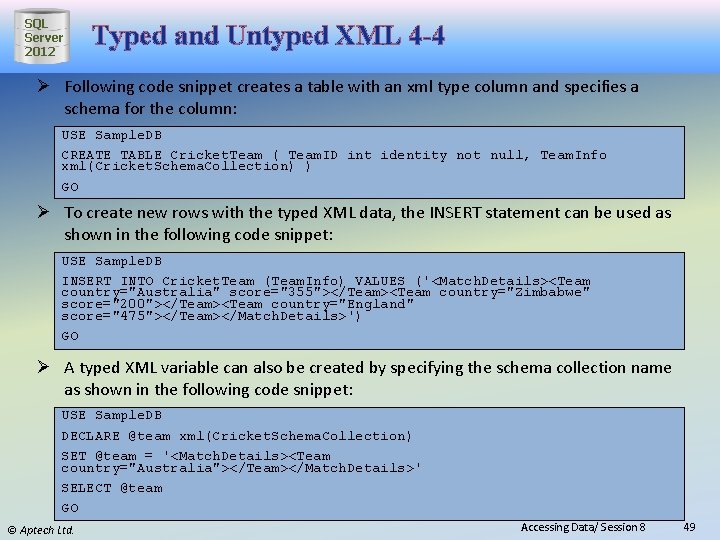
SQL Server 2012 Typed and Untyped XML 4 -4 Ø Following code snippet creates a table with an xml type column and specifies a schema for the column: USE Sample. DB CREATE TABLE Cricket. Team ( Team. ID int identity not null, Team. Info xml(Cricket. Schema. Collection) ) GO Ø To create new rows with the typed XML data, the INSERT statement can be used as shown in the following code snippet: USE Sample. DB INSERT INTO Cricket. Team (Team. Info) VALUES ('<Match. Details><Team country="Australia" score="355"></Team><Team country="Zimbabwe" score="200"></Team><Team country="England" score="475"></Team></Match. Details>') GO Ø A typed XML variable can also be created by specifying the schema collection name as shown in the following code snippet: USE Sample. DB DECLARE @team xml(Cricket. Schema. Collection) SET @team = '<Match. Details><Team country="Australia"></Team></Match. Details>' SELECT @team GO © Aptech Ltd. Accessing Data/ Session 8 49
SQL Server 2012 XQuery 1 -4 After XML data has been stored using the xml data type, it can be queried and retrieved using a language named XQuery. XML Query or XQuery is a new query language, which combines syntax of relational database and XPath language. XQuery can be query structured or semi-structured XML data. To query an XML instance stored in a variable or column of xml type, xml data type methods are used. Developers need to query XML documents, and this involves transforming XML documents in the required format. XQuery makes it possible to perform complex queries against an XML data source over the Web. © Aptech Ltd. Accessing Data/ Session 8 50
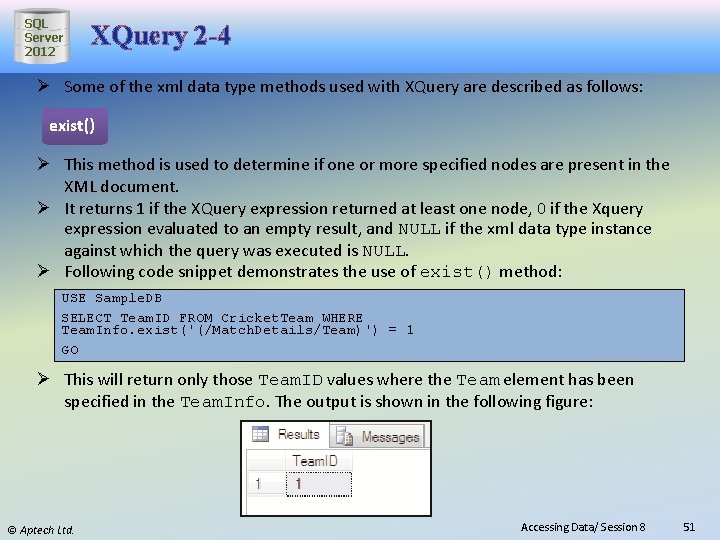
SQL Server 2012 XQuery 2 -4 Ø Some of the xml data type methods used with XQuery are described as follows: exist() Ø This method is used to determine if one or more specified nodes are present in the XML document. Ø It returns 1 if the XQuery expression returned at least one node, 0 if the Xquery expression evaluated to an empty result, and NULL if the xml data type instance against which the query was executed is NULL. Ø Following code snippet demonstrates the use of exist() method: USE Sample. DB SELECT Team. ID FROM Cricket. Team WHERE Team. Info. exist('(/Match. Details/Team)') = 1 GO Ø This will return only those Team. ID values where the Team element has been specified in the Team. Info. The output is shown in the following figure: © Aptech Ltd. Accessing Data/ Session 8 51
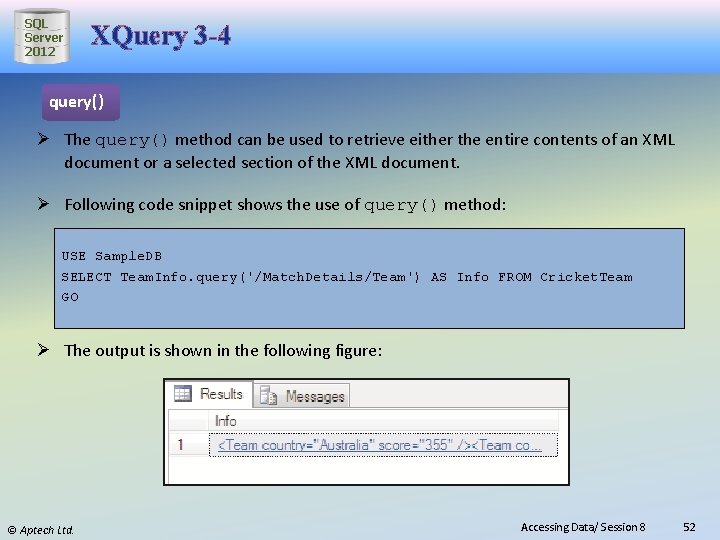
SQL Server 2012 XQuery 3 -4 query() Ø The query() method can be used to retrieve either the entire contents of an XML document or a selected section of the XML document. Ø Following code snippet shows the use of query() method: USE Sample. DB SELECT Team. Info. query('/Match. Details/Team') AS Info FROM Cricket. Team GO Ø The output is shown in the following figure: © Aptech Ltd. Accessing Data/ Session 8 52
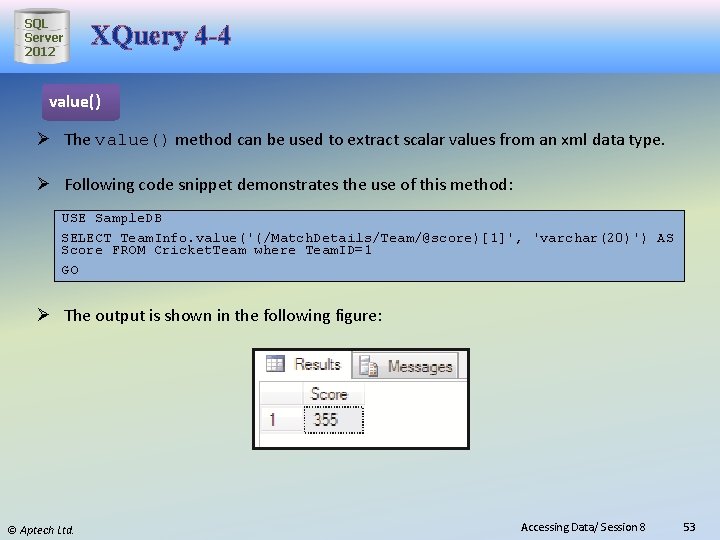
SQL Server 2012 XQuery 4 -4 value() Ø The value() method can be used to extract scalar values from an xml data type. Ø Following code snippet demonstrates the use of this method: USE Sample. DB SELECT Team. Info. value('(/Match. Details/Team/@score)[1]', 'varchar(20)') AS Score FROM Cricket. Team where Team. ID=1 GO Ø The output is shown in the following figure: © Aptech Ltd. Accessing Data/ Session 8 53
SQL Server 2012 Summary ● The SELECT statement retrieves rows and columns from tables. ● SELECT statement allows the users to specify different expressions in order to view the resultset in an ordered manner. ● A SELECT statement can contain mathematical expressions by applying operators to one or more columns. ● The keyword DISTINCT prevents the retrieval of duplicate records. ● XML allows developers to develop their own set of tags and makes it possible for other programs to understand these tags. ● A typed XML instance is an XML instance which has a schema associated with it. ● XML data can be queried and retrieved using XQuery language. © Aptech Ltd. Accessing Data/ Session 8 54