
SQL Server 2005 2 Developer Evangelist Microsoft Korea


- Slides: 32
개발자 관점에서 바라본 SQL Server 2005 (2) 강성재 Developer Evangelist Microsoft Korea D&PE
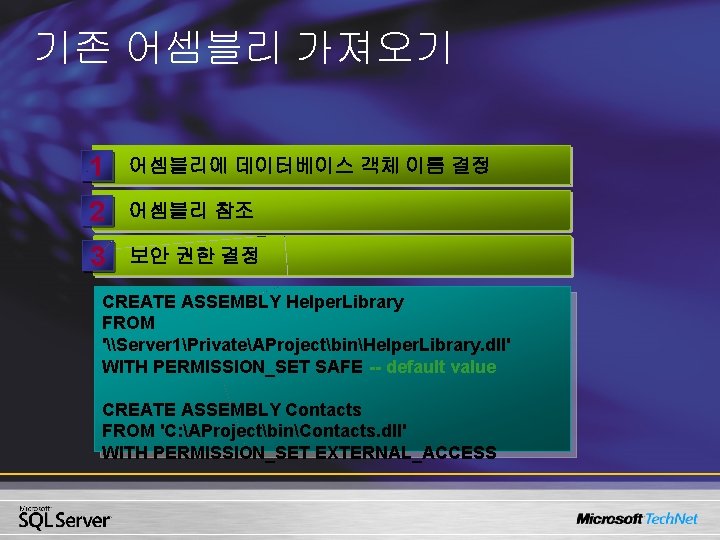
기존 어셈블리 가져오기 1 어셈블리에 데이터베이스 객체 이름 결정 2 어셈블리 참조 3 보안 권한 결정 CREATE ASSEMBLY Helper. Library FROM '\Server 1PrivateAProjectbinHelper. Library. dll' WITH PERMISSION_SET SAFE -- default value CREATE ASSEMBLY Contacts FROM 'C: AProjectbinContacts. dll' WITH PERMISSION_SET EXTERNAL_ACCESS
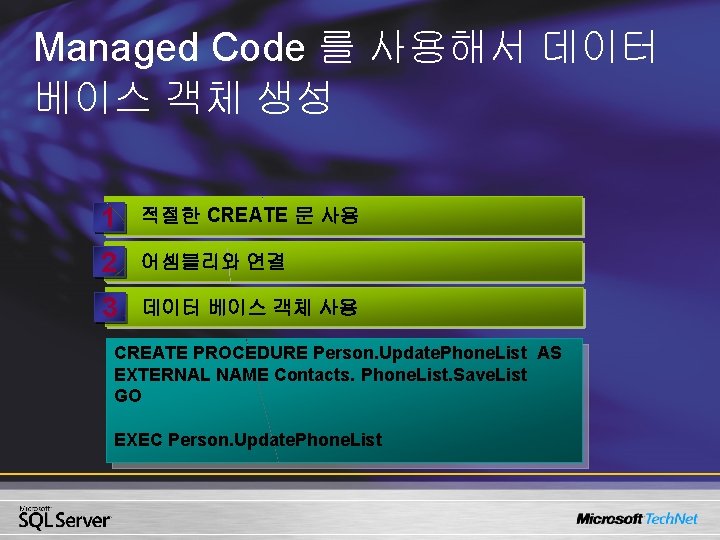
Managed Code 를 사용해서 데이터 베이스 객체 생성 1 적절한 CREATE 문 사용 2 어셈블리와 연결 3 데이터 베이스 객체 사용 CREATE PROCEDURE Person. Update. Phone. List AS EXTERNAL NAME Contacts. Phone. List. Save. List GO EXEC Person. Update. Phone. List
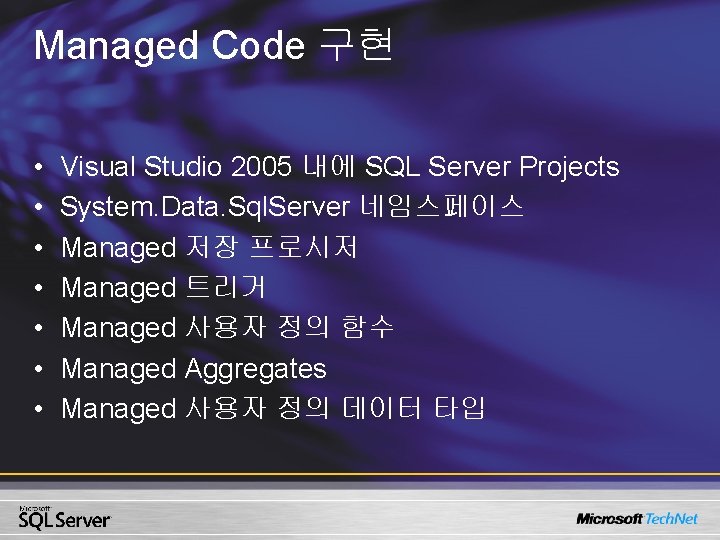
Managed Code 구현 • • Visual Studio 2005 내에 SQL Server Projects System. Data. Sql. Server 네임스페이스 Managed 저장 프로시저 Managed 트리거 Managed 사용자 정의 함수 Managed Aggregates Managed 사용자 정의 데이터 타입
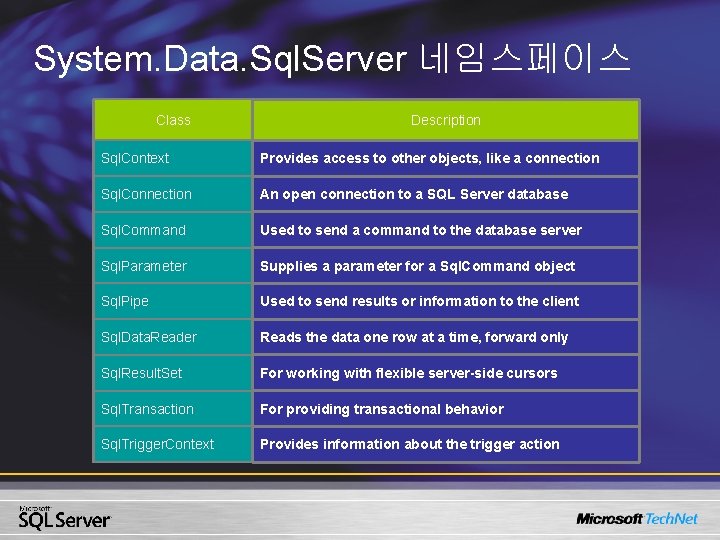
System. Data. Sql. Server 네임스페이스 Class Description Sql. Context Provides access to other objects, like a connection Sql. Connection An open connection to a SQL Server database Sql. Command Used to send a command to the database server Sql. Parameter Supplies a parameter for a Sql. Command object Sql. Pipe Used to send results or information to the client Sql. Data. Reader Reads the data one row at a time, forward only Sql. Result. Set For working with flexible server-side cursors Sql. Transaction For providing transactional behavior Sql. Trigger. Context Provides information about the trigger action
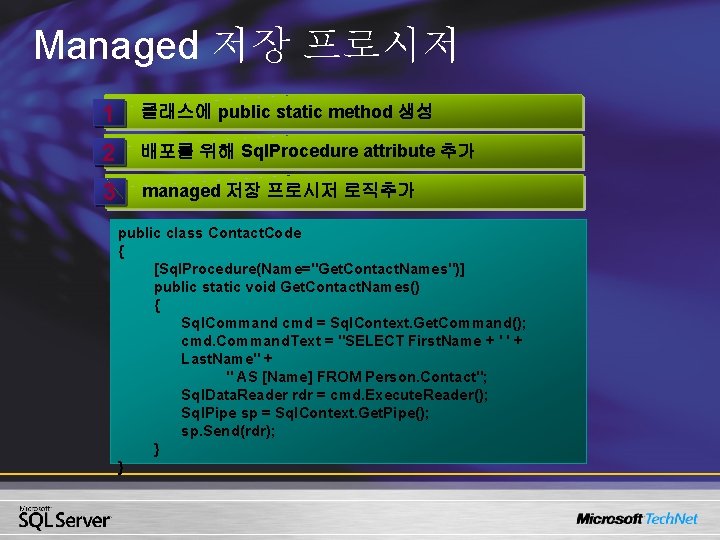
Managed 저장 프로시저 1 클래스에 public static method 생성 2 배포를 위해 Sql. Procedure attribute 추가 3 managed 저장 프로시저 로직추가 public class Contact. Code { [Sql. Procedure(Name="Get. Contact. Names")] public static void Get. Contact. Names() { Sql. Command cmd = Sql. Context. Get. Command(); cmd. Command. Text = "SELECT First. Name + ' ' + Last. Name" + " AS [Name] FROM Person. Contact"; Sql. Data. Reader rdr = cmd. Execute. Reader(); Sql. Pipe sp = Sql. Context. Get. Pipe(); sp. Send(rdr); } }
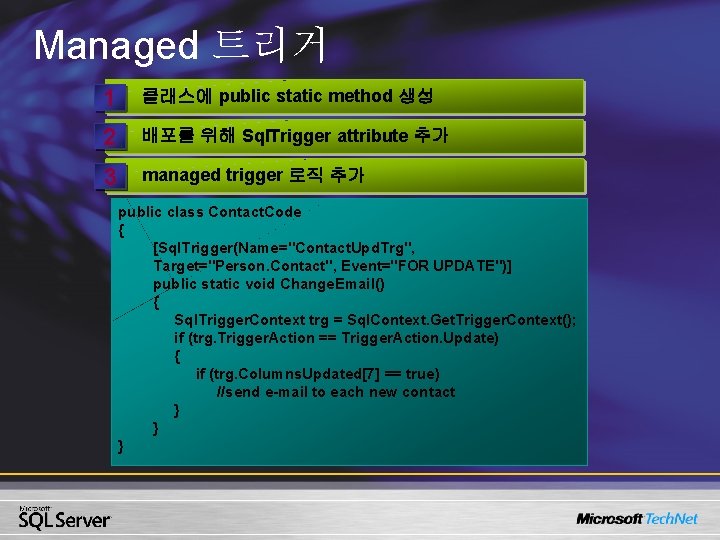
Managed 트리거 1 클래스에 public static method 생성 2 배포를 위해 Sql. Trigger attribute 추가 3 managed trigger 로직 추가 public class Contact. Code { [Sql. Trigger(Name="Contact. Upd. Trg", Target="Person. Contact", Event="FOR UPDATE")] public static void Change. Email() { Sql. Trigger. Context trg = Sql. Context. Get. Trigger. Context(); if (trg. Trigger. Action == Trigger. Action. Update) { if (trg. Columns. Updated[7] == true) //send e-mail to each new contact } } }
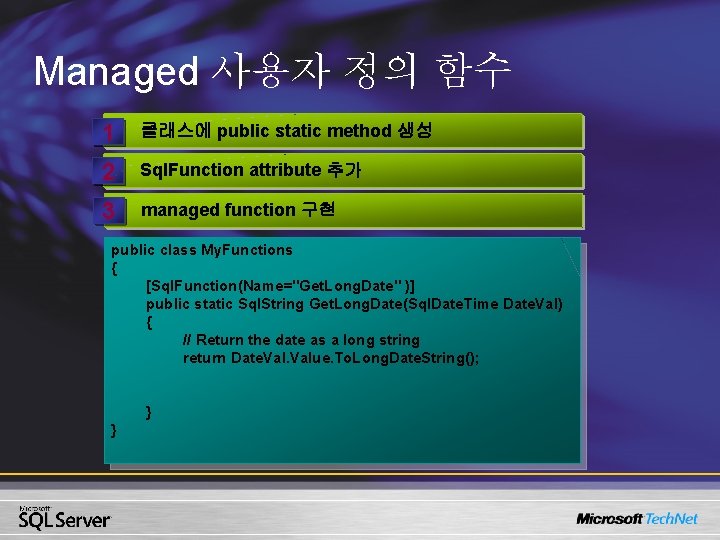
Managed 사용자 정의 함수 1 클래스에 public static method 생성 2 Sql. Function attribute 추가 3 managed function 구현 public class My. Functions { [Sql. Function(Name="Get. Long. Date" )] public static Sql. String Get. Long. Date(Sql. Date. Time Date. Val) { // Return the date as a long string return Date. Value. To. Long. Date. String(); } }
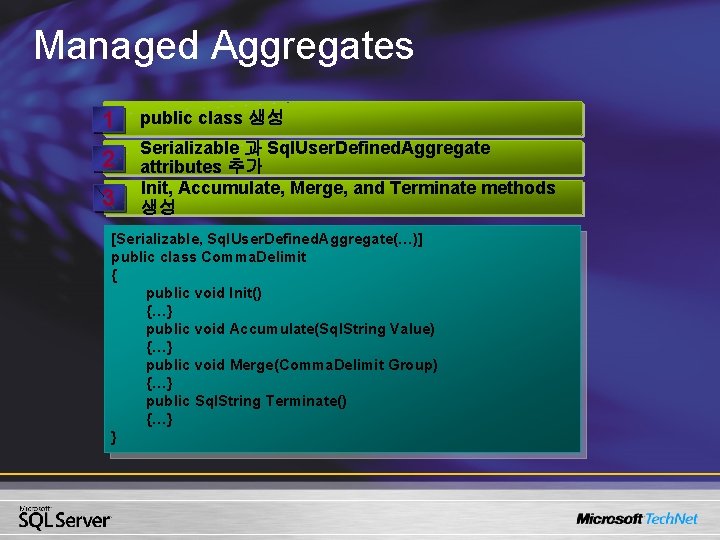
Managed Aggregates 1 public class 생성 2 Serializable 과 Sql. User. Defined. Aggregate attributes 추가 Init, Accumulate, Merge, and Terminate methods 생성 3 [Serializable, Sql. User. Defined. Aggregate(…)] public class Comma. Delimit { public void Init() {…} public void Accumulate(Sql. String Value) {…} public void Merge(Comma. Delimit Group) {…} public Sql. String Terminate() {…} }
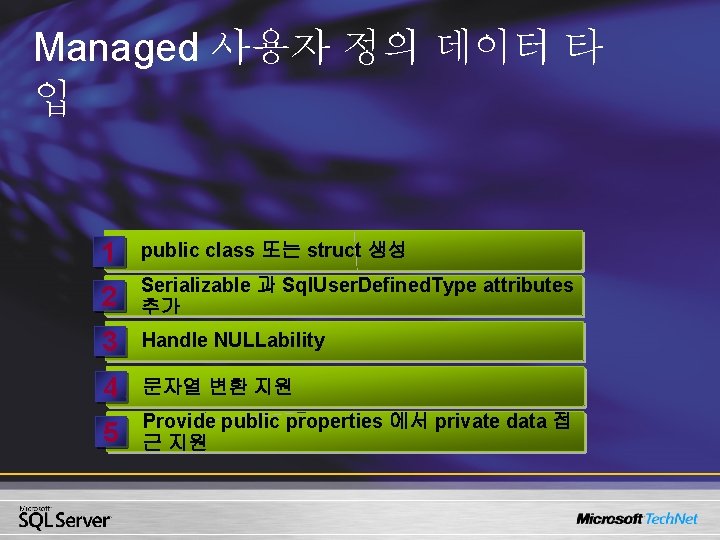
Managed 사용자 정의 데이터 타 입 1 public class 또는 struct 생성 2 Serializable 과 Sql. User. Defined. Type attributes 추가 3 Handle NULLability 4 문자열 변환 지원 5 Provide public properties 에서 private data 접 근 지원
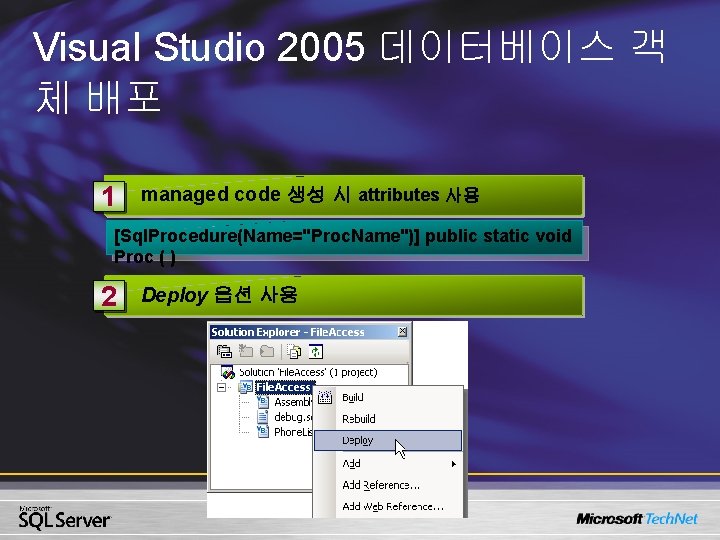
Visual Studio 2005 데이터베이스 객 체 배포 1 managed code 생성 시 attributes 사용 [Sql. Procedure(Name="Proc. Name")] public static void Proc ( ) 2 Deploy 옵션 사용
데모 Implementing Managed Code (VS. NET 2005)
2. 클라이언트 새로운 기능 • Multiple Active Result sets (MARS) • System. Transactions
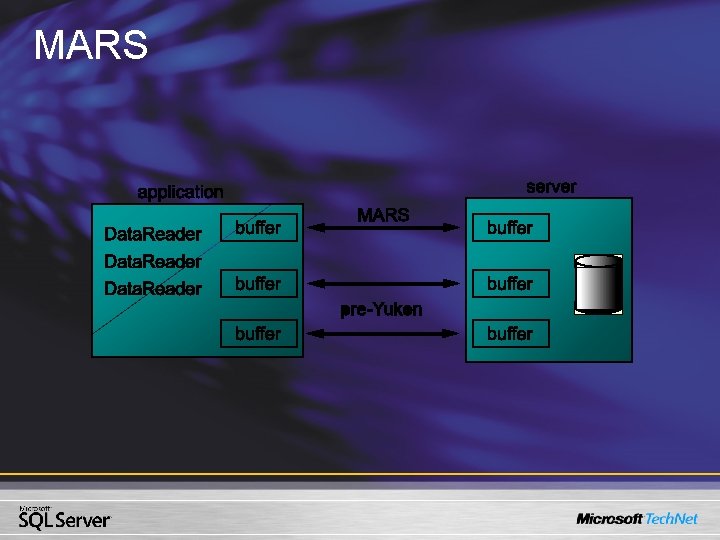
MARS
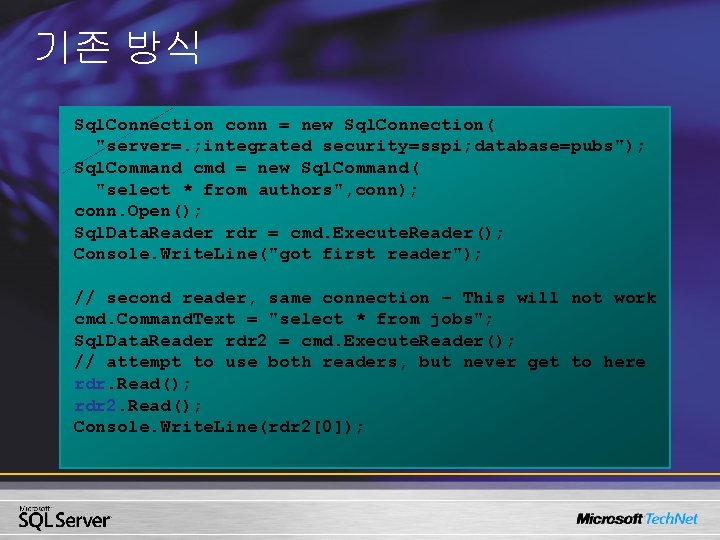
기존 방식 Sql. Connection conn = new Sql. Connection( "server=. ; integrated security=sspi; database=pubs"); Sql. Command cmd = new Sql. Command( "select * from authors", conn); conn. Open(); Sql. Data. Reader rdr = cmd. Execute. Reader(); Console. Write. Line("got first reader"); // second reader, same connection – This will not work cmd. Command. Text = "select * from jobs"; Sql. Data. Reader rdr 2 = cmd. Execute. Reader(); // attempt to use both readers, but never get to here rdr. Read(); rdr 2. Read(); Console. Write. Line(rdr 2[0]);
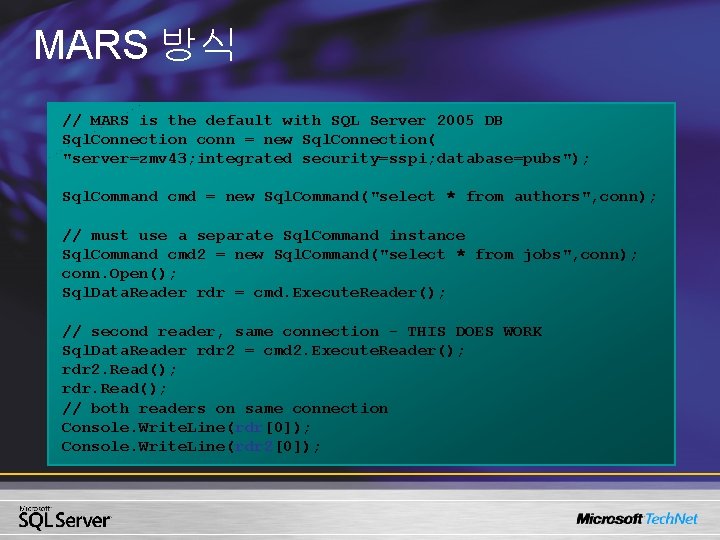
MARS 방식 // MARS is the default with SQL Server 2005 DB Sql. Connection conn = new Sql. Connection( "server=zmv 43; integrated security=sspi; database=pubs"); Sql. Command cmd = new Sql. Command("select * from authors", conn); // must use a separate Sql. Command instance Sql. Command cmd 2 = new Sql. Command("select * from jobs", conn); conn. Open(); Sql. Data. Reader rdr = cmd. Execute. Reader(); // second reader, same connection - THIS DOES WORK Sql. Data. Reader rdr 2 = cmd 2. Execute. Reader(); rdr 2. Read(); rdr. Read(); // both readers on same connection Console. Write. Line(rdr[0]); Console. Write. Line(rdr 2[0]);
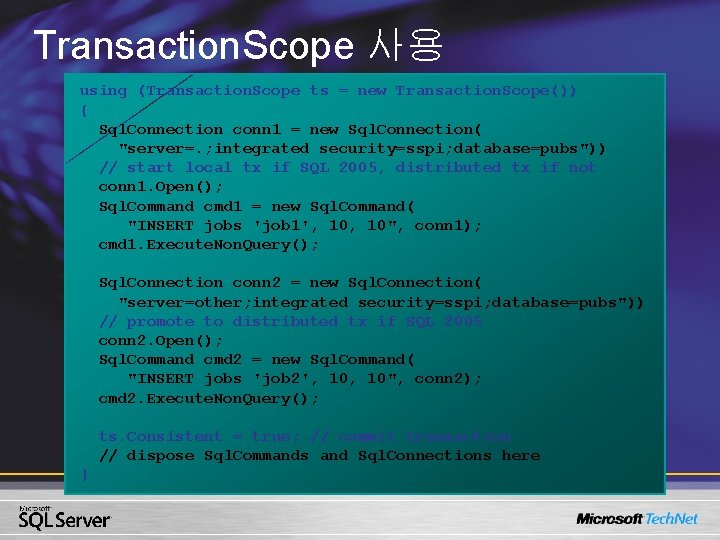
Transaction. Scope 사용 using (Transaction. Scope ts = new Transaction. Scope()) { Sql. Connection conn 1 = new Sql. Connection( "server=. ; integrated security=sspi; database=pubs")) // start local tx if SQL 2005, distributed tx if not conn 1. Open(); Sql. Command cmd 1 = new Sql. Command( "INSERT jobs 'job 1', 10", conn 1); cmd 1. Execute. Non. Query(); Sql. Connection conn 2 = new Sql. Connection( "server=other; integrated security=sspi; database=pubs")) // promote to distributed tx if SQL 2005 conn 2. Open(); Sql. Command cmd 2 = new Sql. Command( "INSERT jobs 'job 2', 10", conn 2); cmd 2. Execute. Non. Query(); ts. Consistent = true; // commit transaction // dispose Sql. Commands and Sql. Connections here }
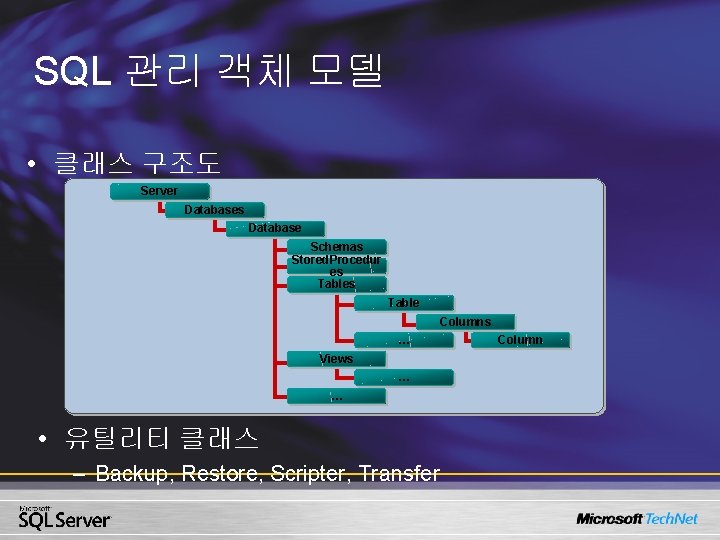
SQL 관리 객체 모델 • 클래스 구조도 Server Databases Database Schemas Stored. Procedur es Table Columns … Views … … • 유틸리티 클래스 – Backup, Restore, Scripter, Transfer Column
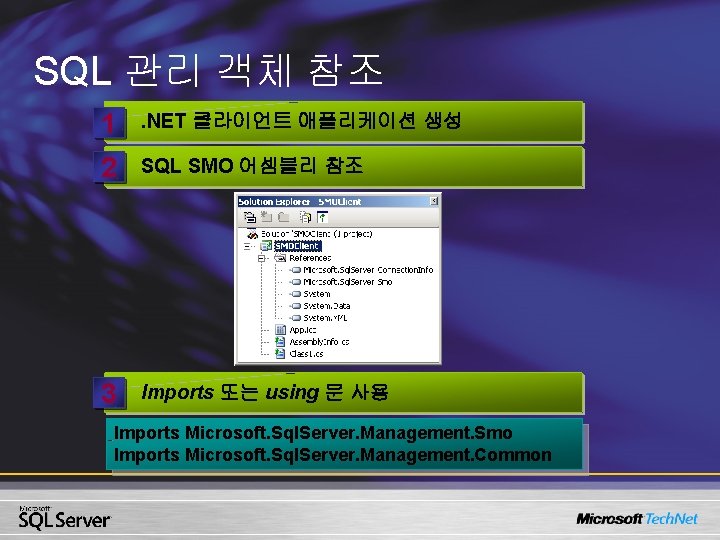
SQL 관리 객체 참조 1 . NET 클라이언트 애플리케이션 생성 2 SQL SMO 어셈블리 참조 3 Imports 또는 using 문 사용 Imports Microsoft. Sql. Server. Management. Smo Imports Microsoft. Sql. Server. Management. Common
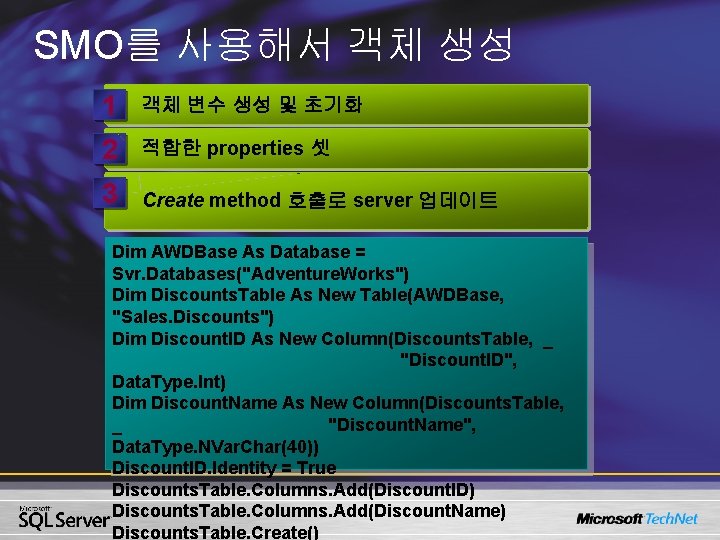
SMO를 사용해서 객체 생성 1 객체 변수 생성 및 초기화 2 적합한 properties 셋 3 Create method 호출로 server 업데이트 Dim AWDBase As Database = Svr. Databases("Adventure. Works") Dim Discounts. Table As New Table(AWDBase, "Sales. Discounts") Dim Discount. ID As New Column(Discounts. Table, _ "Discount. ID", Data. Type. Int) Dim Discount. Name As New Column(Discounts. Table, _ "Discount. Name", Data. Type. NVar. Char(40)) Discount. ID. Identity = True Discounts. Table. Columns. Add(Discount. ID) Discounts. Table. Columns. Add(Discount. Name) Discounts. Table. Create()