
SQL Part I Chapter 3 SQL n History


- Slides: 63
SQL (Part I) Chapter 3: SQL n History n Data Definition n Basic Structure of SQL Queries n Set Operations n Aggregate Functions n Null Values n Nested Subqueries n Modification of Database System Concepts - 5 th Edition 3. 1 ©Silberschatz, Korth and Sudarshan
History n IBM Sequel language developed as part of System R project at the IBM San Jose Research Laboratory n Renamed Structured Query Language (SQL) n ANSI and ISO standard SQL: l SQL-86 l SQL-89 l SQL-92 l SQL: 1999 (language name became Y 2 K compliant!) l SQL: 2003 n Commercial systems offer most, if not all, SQL-92 features, plus varying feature sets from later standards and special proprietary features. l Not all examples here may work on your particular system. Database System Concepts - 5 th Edition 3. 2 ©Silberschatz, Korth and Sudarshan
Data Definition Language Allows the specification of not only a set of relations but also information about each relation, including: n The schema for each relation. n The domain of values associated with each attribute. n Integrity constraints n The set of indices to be maintained for each relations. n Security and authorization information for each relation. n The physical storage structure of each relation on disk. Database System Concepts - 5 th Edition 3. 3 ©Silberschatz, Korth and Sudarshan
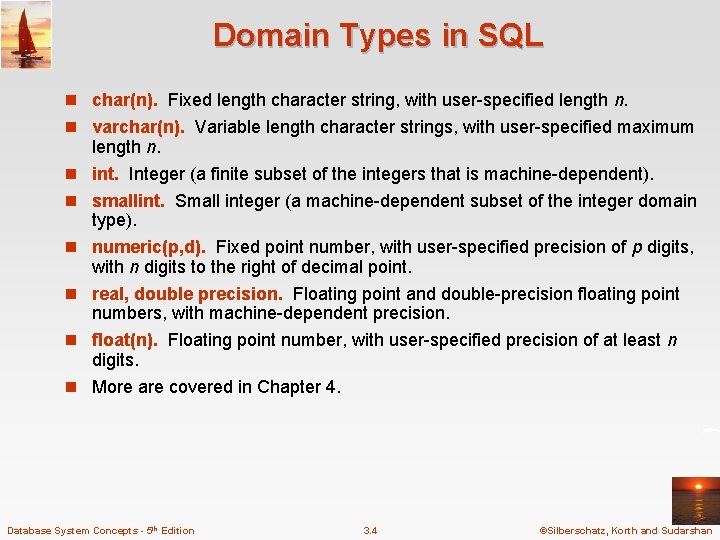
Domain Types in SQL n char(n). Fixed length character string, with user-specified length n. n varchar(n). Variable length character strings, with user-specified maximum n n n length n. int. Integer (a finite subset of the integers that is machine-dependent). smallint. Small integer (a machine-dependent subset of the integer domain type). numeric(p, d). Fixed point number, with user-specified precision of p digits, with n digits to the right of decimal point. real, double precision. Floating point and double-precision floating point numbers, with machine-dependent precision. float(n). Floating point number, with user-specified precision of at least n digits. More are covered in Chapter 4. Database System Concepts - 5 th Edition 3. 4 ©Silberschatz, Korth and Sudarshan
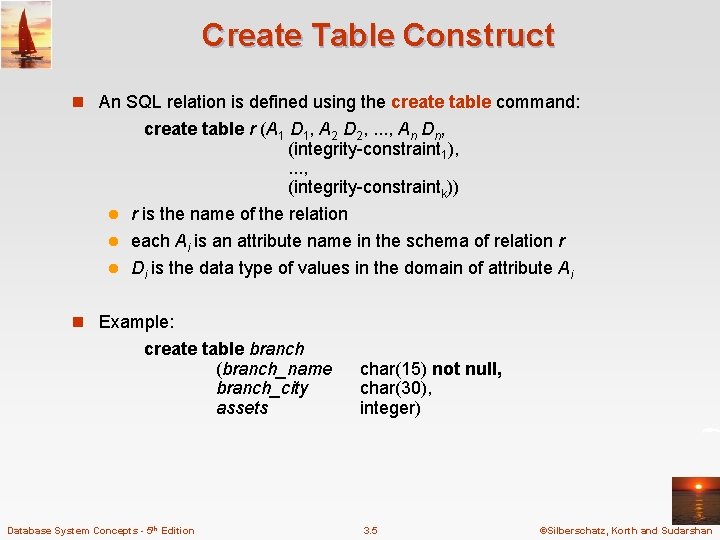
Create Table Construct n An SQL relation is defined using the create table command: create table r (A 1 D 1, A 2 D 2, . . . , An Dn, (integrity-constraint 1), . . . , (integrity-constraintk)) l r is the name of the relation l each Ai is an attribute name in the schema of relation r l Di is the data type of values in the domain of attribute Ai n Example: create table branch (branch_name branch_city assets Database System Concepts - 5 th Edition char(15) not null, char(30), integer) 3. 5 ©Silberschatz, Korth and Sudarshan
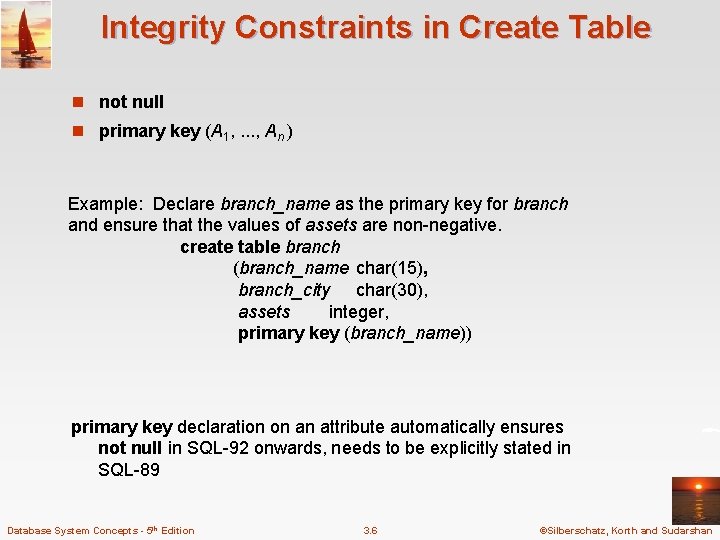
Integrity Constraints in Create Table n not null n primary key (A 1, . . . , An ) Example: Declare branch_name as the primary key for branch and ensure that the values of assets are non-negative. create table branch (branch_name char(15), branch_city char(30), assets integer, primary key (branch_name)) primary key declaration on an attribute automatically ensures not null in SQL-92 onwards, needs to be explicitly stated in SQL-89 Database System Concepts - 5 th Edition 3. 6 ©Silberschatz, Korth and Sudarshan
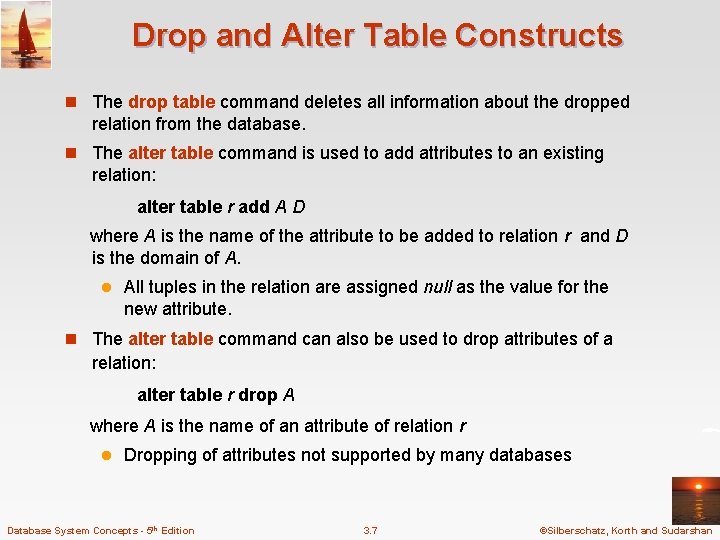
Drop and Alter Table Constructs n The drop table command deletes all information about the dropped relation from the database. n The alter table command is used to add attributes to an existing relation: alter table r add A D where A is the name of the attribute to be added to relation r and D is the domain of A. l All tuples in the relation are assigned null as the value for the new attribute. n The alter table command can also be used to drop attributes of a relation: alter table r drop A where A is the name of an attribute of relation r l Dropping of attributes not supported by many databases Database System Concepts - 5 th Edition 3. 7 ©Silberschatz, Korth and Sudarshan
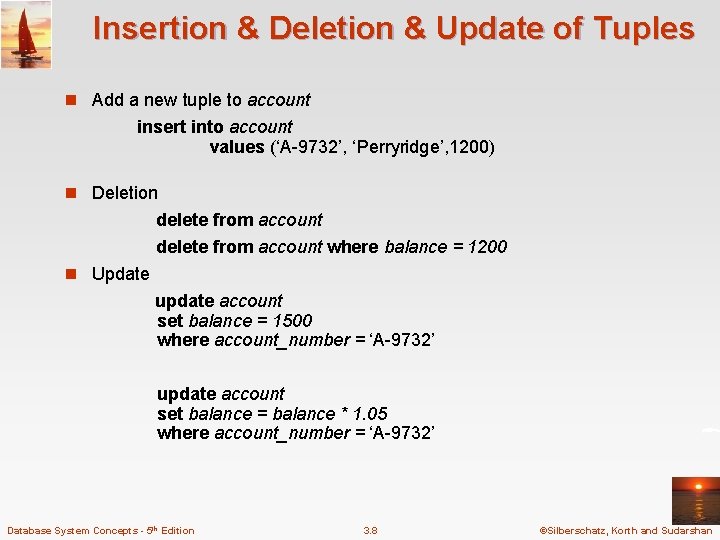
Insertion & Deletion & Update of Tuples n Add a new tuple to account insert into account values (‘A-9732’, ‘Perryridge’, 1200) n Deletion delete from account where balance = 1200 n Update update account set balance = 1500 where account_number = ‘A-9732’ update account set balance = balance * 1. 05 where account_number = ‘A-9732’ Database System Concepts - 5 th Edition 3. 8 ©Silberschatz, Korth and Sudarshan
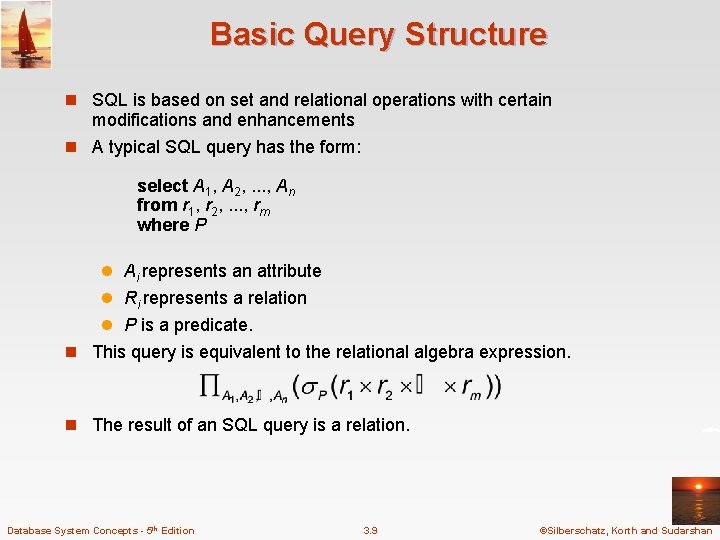
Basic Query Structure n SQL is based on set and relational operations with certain modifications and enhancements n A typical SQL query has the form: select A 1, A 2, . . . , An from r 1, r 2, . . . , rm where P l Ai represents an attribute l Ri represents a relation l P is a predicate. n This query is equivalent to the relational algebra expression. n The result of an SQL query is a relation. Database System Concepts - 5 th Edition 3. 9 ©Silberschatz, Korth and Sudarshan
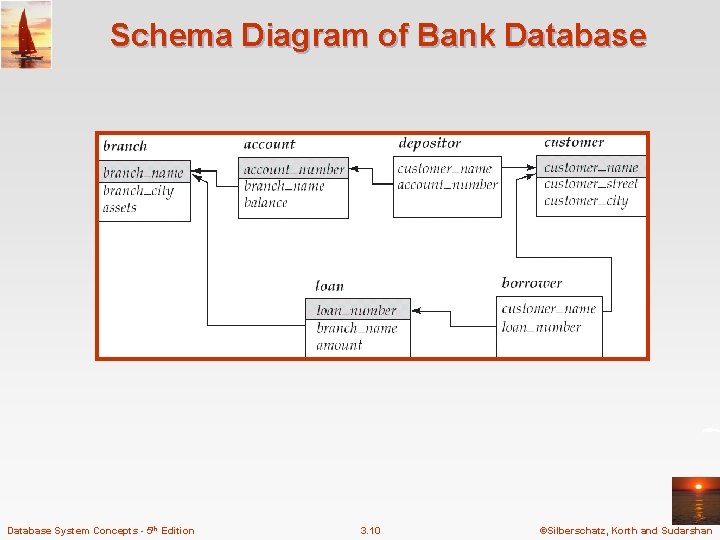
Schema Diagram of Bank Database System Concepts - 5 th Edition 3. 10 ©Silberschatz, Korth and Sudarshan
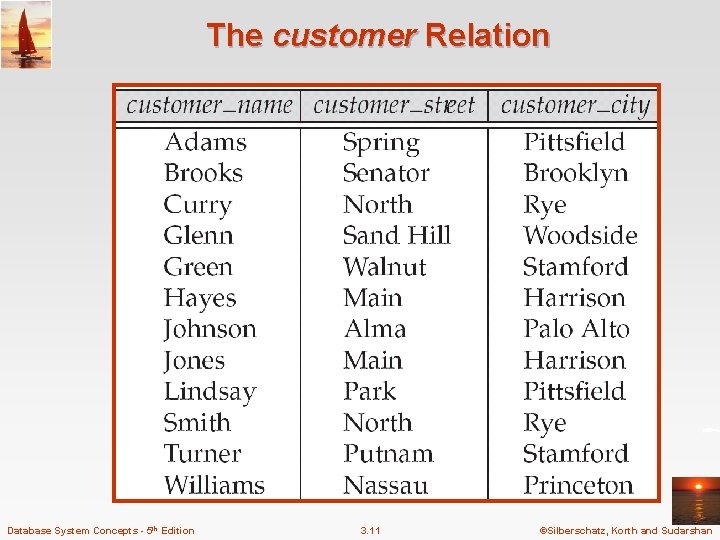
The customer Relation Database System Concepts - 5 th Edition 3. 11 ©Silberschatz, Korth and Sudarshan
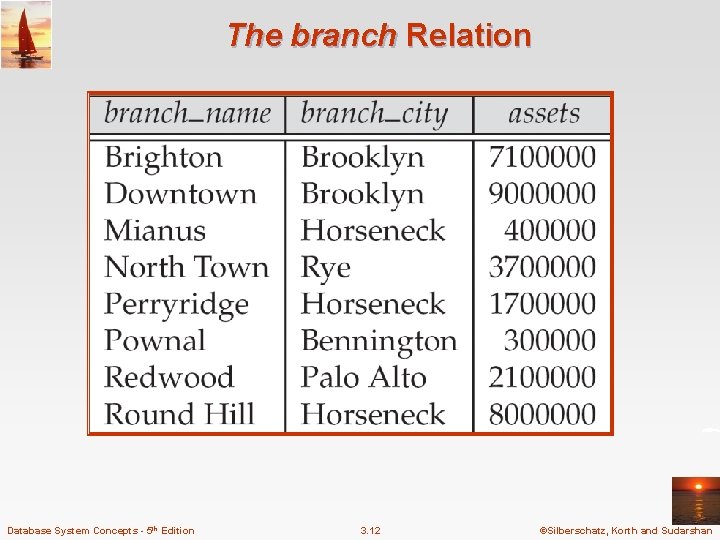
The branch Relation Database System Concepts - 5 th Edition 3. 12 ©Silberschatz, Korth and Sudarshan
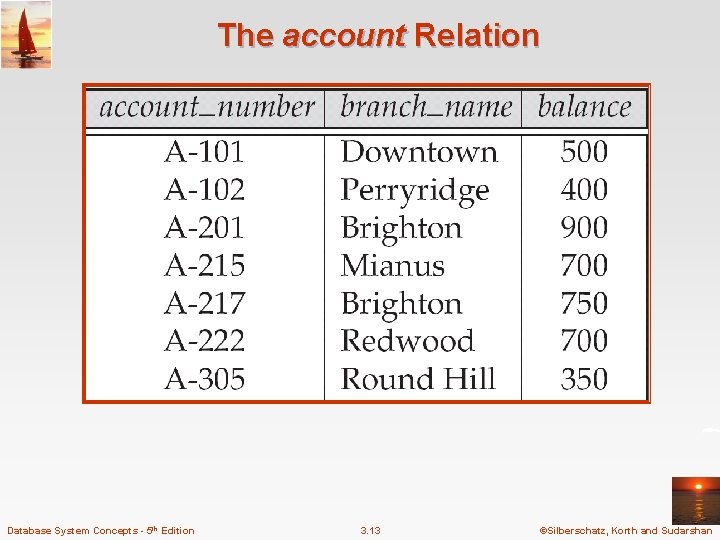
The account Relation Database System Concepts - 5 th Edition 3. 13 ©Silberschatz, Korth and Sudarshan
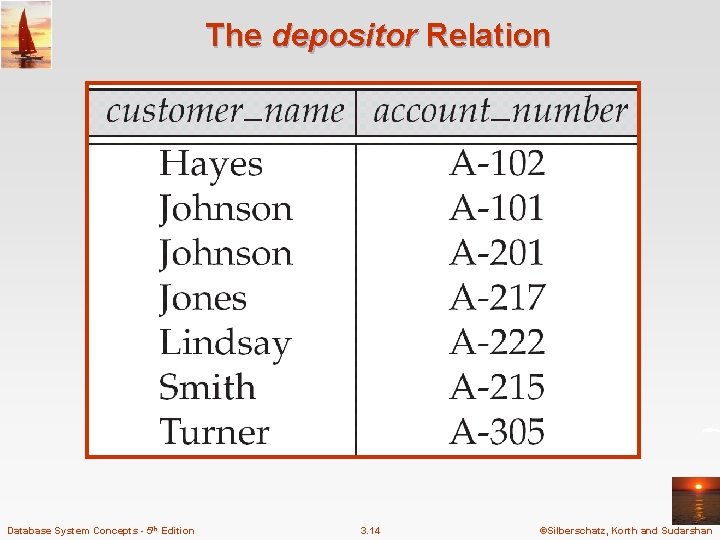
The depositor Relation Database System Concepts - 5 th Edition 3. 14 ©Silberschatz, Korth and Sudarshan
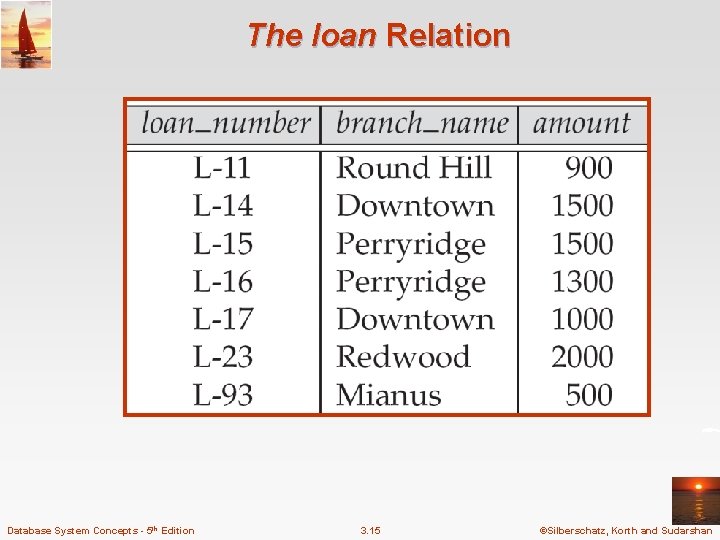
The loan Relation Database System Concepts - 5 th Edition 3. 15 ©Silberschatz, Korth and Sudarshan
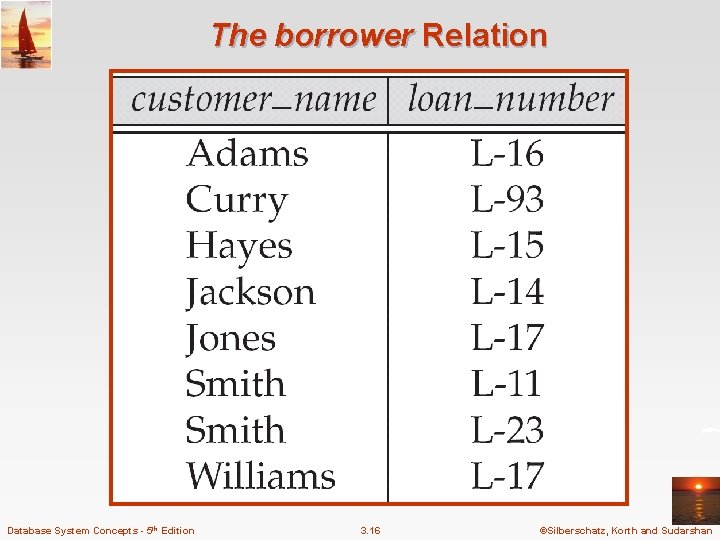
The borrower Relation Database System Concepts - 5 th Edition 3. 16 ©Silberschatz, Korth and Sudarshan
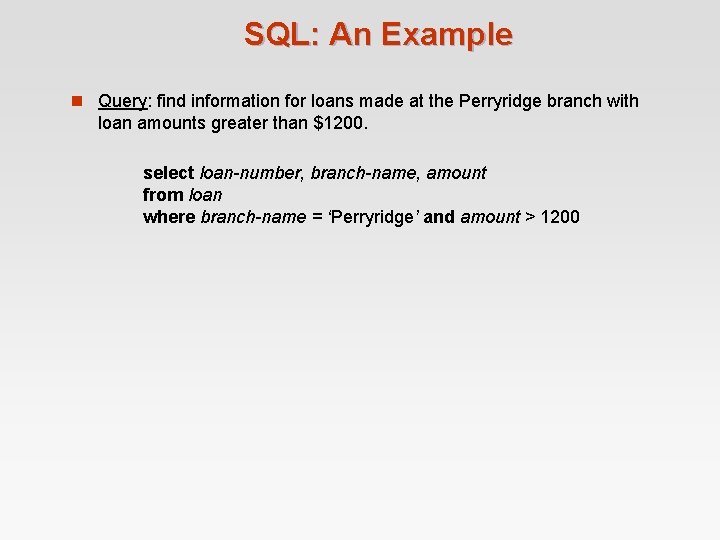
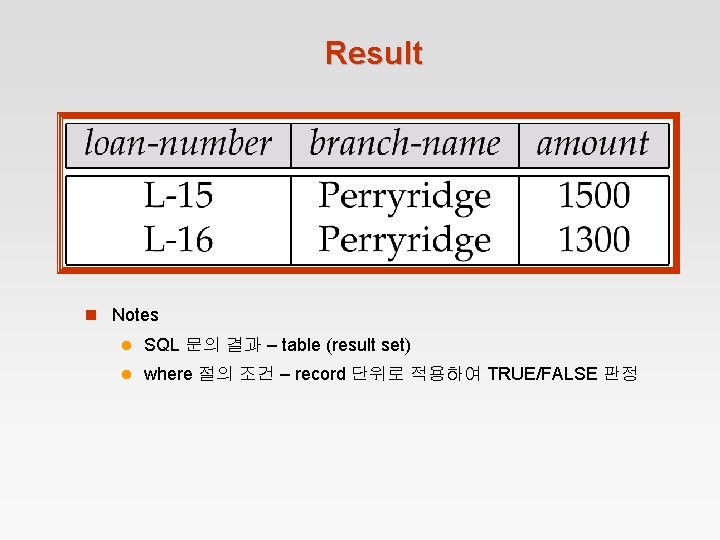
SQL: An Example n Query: find information for loans made at the Perryridge branch with loan amounts greater than $1200. select loan-number, branch-name, amount from loan where branch-name = ‘Perryridge’ and amount > 1200
Result n Notes l SQL 문의 결과 – table (result set) l where 절의 조건 – record 단위로 적용하여 TRUE/FALSE 판정
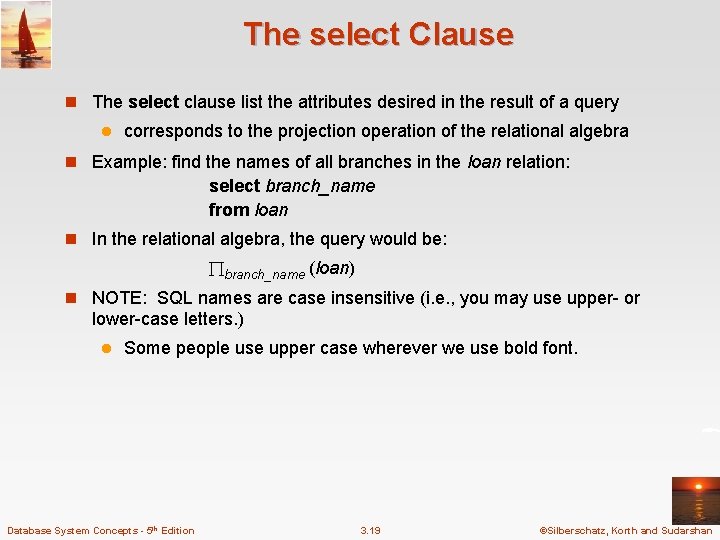
The select Clause n The select clause list the attributes desired in the result of a query l corresponds to the projection operation of the relational algebra n Example: find the names of all branches in the loan relation: select branch_name from loan n In the relational algebra, the query would be: branch_name (loan) n NOTE: SQL names are case insensitive (i. e. , you may use upper- or lower-case letters. ) l Some people use upper case wherever we use bold font. Database System Concepts - 5 th Edition 3. 19 ©Silberschatz, Korth and Sudarshan
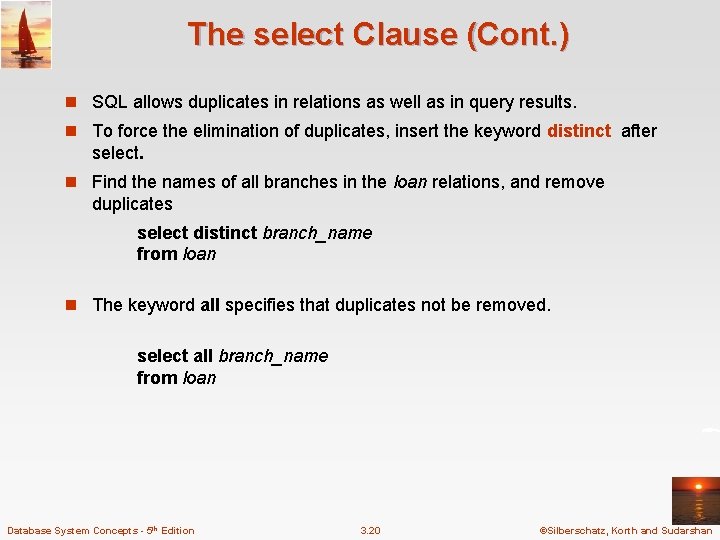
The select Clause (Cont. ) n SQL allows duplicates in relations as well as in query results. n To force the elimination of duplicates, insert the keyword distinct after select. n Find the names of all branches in the loan relations, and remove duplicates select distinct branch_name from loan n The keyword all specifies that duplicates not be removed. select all branch_name from loan Database System Concepts - 5 th Edition 3. 20 ©Silberschatz, Korth and Sudarshan
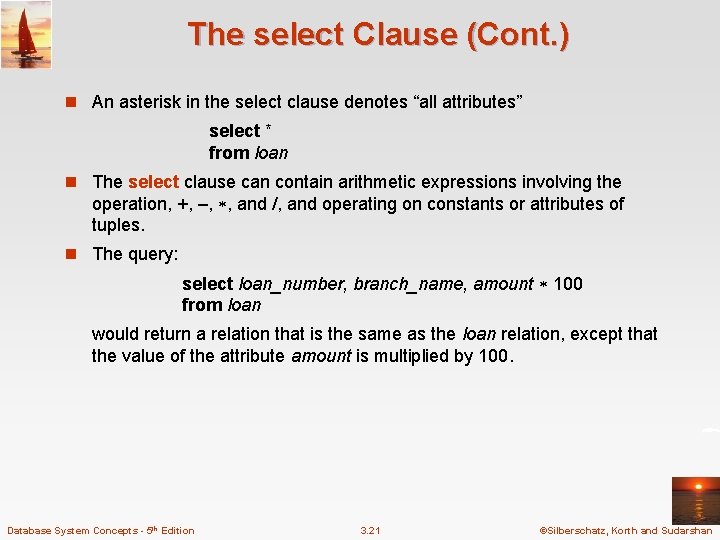
The select Clause (Cont. ) n An asterisk in the select clause denotes “all attributes” select * from loan n The select clause can contain arithmetic expressions involving the operation, +, –, , and /, and operating on constants or attributes of tuples. n The query: select loan_number, branch_name, amount 100 from loan would return a relation that is the same as the loan relation, except that the value of the attribute amount is multiplied by 100. Database System Concepts - 5 th Edition 3. 21 ©Silberschatz, Korth and Sudarshan
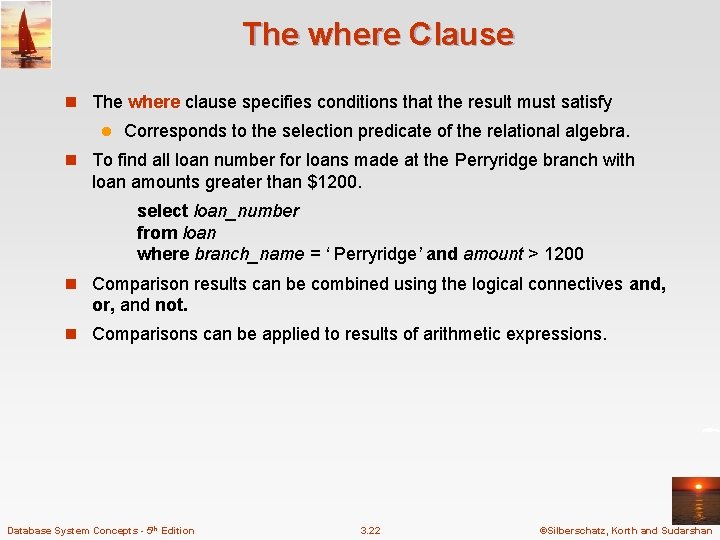
The where Clause n The where clause specifies conditions that the result must satisfy l Corresponds to the selection predicate of the relational algebra. n To find all loan number for loans made at the Perryridge branch with loan amounts greater than $1200. select loan_number from loan where branch_name = ‘ Perryridge’ and amount > 1200 n Comparison results can be combined using the logical connectives and, or, and not. n Comparisons can be applied to results of arithmetic expressions. Database System Concepts - 5 th Edition 3. 22 ©Silberschatz, Korth and Sudarshan
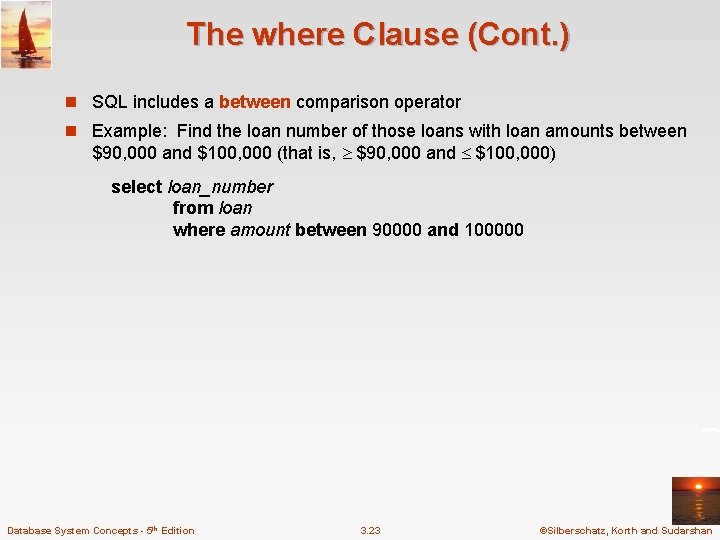
The where Clause (Cont. ) n SQL includes a between comparison operator n Example: Find the loan number of those loans with loan amounts between $90, 000 and $100, 000 (that is, $90, 000 and $100, 000) select loan_number from loan where amount between 90000 and 100000 Database System Concepts - 5 th Edition 3. 23 ©Silberschatz, Korth and Sudarshan
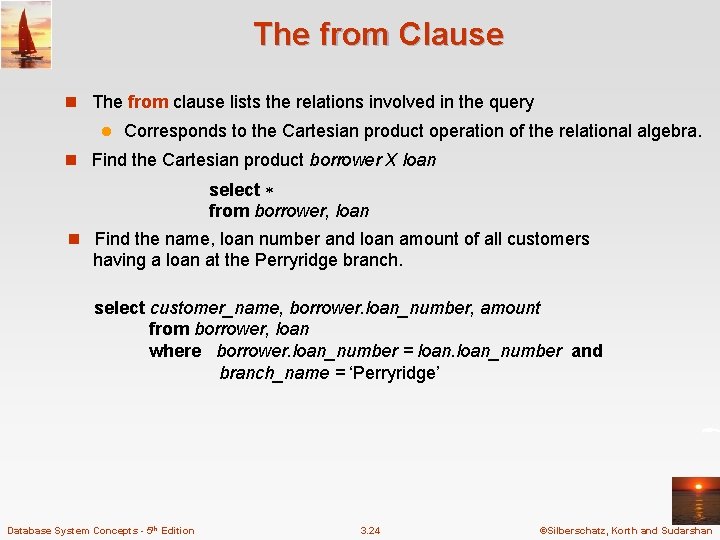
The from Clause n The from clause lists the relations involved in the query l Corresponds to the Cartesian product operation of the relational algebra. n Find the Cartesian product borrower X loan select from borrower, loan n Find the name, loan number and loan amount of all customers having a loan at the Perryridge branch. select customer_name, borrower. loan_number, amount from borrower, loan where borrower. loan_number = loan_number and branch_name = ‘Perryridge’ Database System Concepts - 5 th Edition 3. 24 ©Silberschatz, Korth and Sudarshan
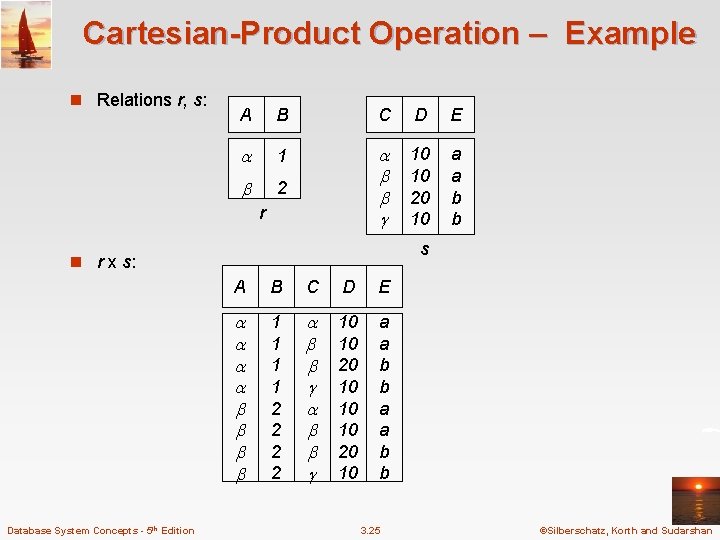
Cartesian-Product Operation – Example n Relations r, s: A B C D E 1 2 10 10 20 10 a a b b r s n r x s: Database System Concepts - 5 th Edition A B C D E 1 1 2 2 10 10 20 10 a a b b 3. 25 ©Silberschatz, Korth and Sudarshan
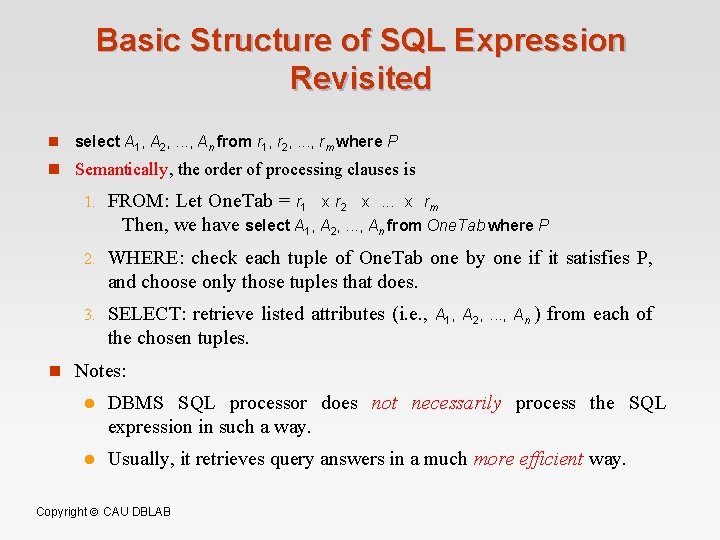
Basic Structure of SQL Expression Revisited n select A 1, A 2, . . . , An from r 1, r 2, . . . , rm where P n Semantically, the order of processing clauses is 1. FROM: Let One. Tab = r 1 x r 2 x. . . x rm Then, we have select A 1, A 2, . . . , An from One. Tab where P 2. WHERE: check each tuple of One. Tab one by one if it satisfies P, and choose only those tuples that does. 3. SELECT: retrieve listed attributes (i. e. , the chosen tuples. A 1, A 2, . . . , An ) from each of n Notes: l DBMS SQL processor does not necessarily process the SQL expression in such a way. l Usually, it retrieves query answers in a much more efficient way. Copyright CAU DBLAB
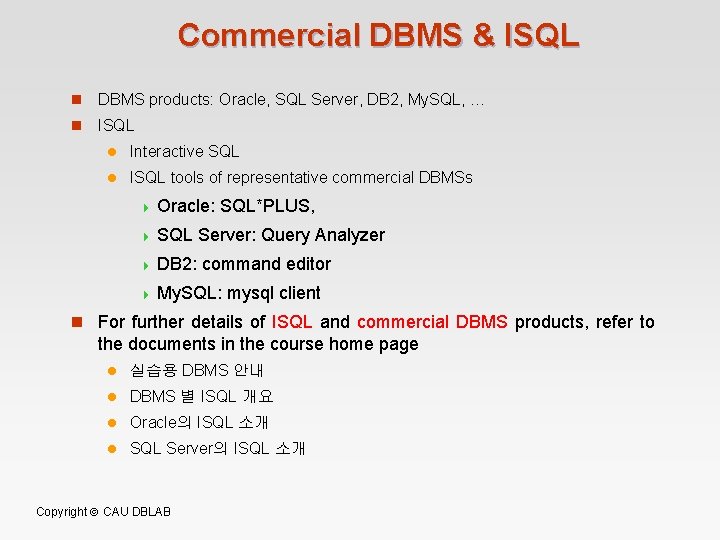
Commercial DBMS & ISQL n DBMS products: Oracle, SQL Server, DB 2, My. SQL, … n ISQL l Interactive SQL l ISQL tools of representative commercial DBMSs 4 Oracle: SQL*PLUS, 4 SQL Server: Query Analyzer 4 DB 2: command editor 4 My. SQL: mysql client n For further details of ISQL and commercial DBMS products, refer to the documents in the course home page l 실습용 DBMS 안내 l DBMS 별 ISQL 개요 l Oracle의 ISQL 소개 l SQL Server의 ISQL 소개 Copyright CAU DBLAB
SQL Exercises with Commercial DBMS & ISQL n Exercises n Table Creation n Tuple Insertion (Deletion, Update) n Data Retrieval & Update Copyright CAU DBLAB
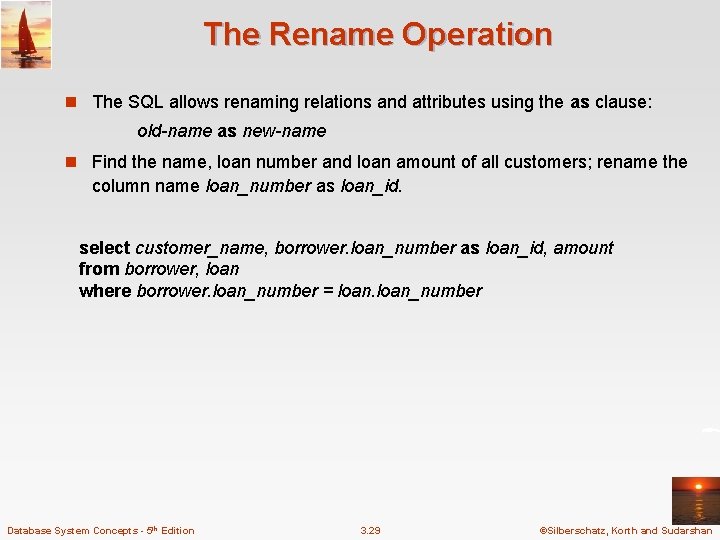
The Rename Operation n The SQL allows renaming relations and attributes using the as clause: old-name as new-name n Find the name, loan number and loan amount of all customers; rename the column name loan_number as loan_id. select customer_name, borrower. loan_number as loan_id, amount from borrower, loan where borrower. loan_number = loan_number Database System Concepts - 5 th Edition 3. 29 ©Silberschatz, Korth and Sudarshan
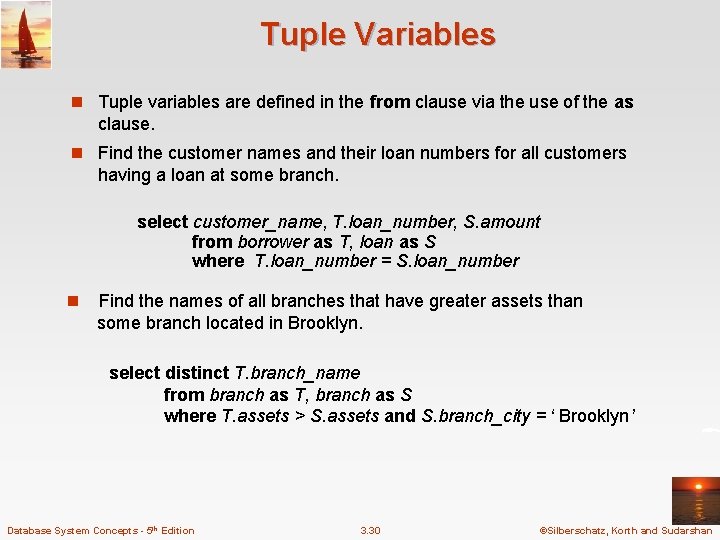
Tuple Variables n Tuple variables are defined in the from clause via the use of the as clause. n Find the customer names and their loan numbers for all customers having a loan at some branch. select customer_name, T. loan_number, S. amount from borrower as T, loan as S where T. loan_number = S. loan_number n Find the names of all branches that have greater assets than some branch located in Brooklyn. select distinct T. branch_name from branch as T, branch as S where T. assets > S. assets and S. branch_city = ‘ Brooklyn’ Database System Concepts - 5 th Edition 3. 30 ©Silberschatz, Korth and Sudarshan
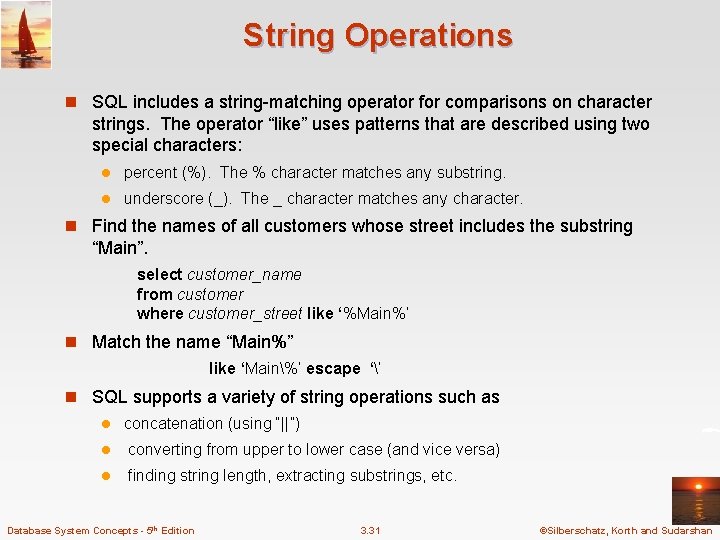
String Operations n SQL includes a string-matching operator for comparisons on character strings. The operator “like” uses patterns that are described using two special characters: l percent (%). The % character matches any substring. l underscore (_). The _ character matches any character. n Find the names of all customers whose street includes the substring “Main”. select customer_name from customer where customer_street like ‘%Main%’ n Match the name “Main%” like ‘Main%’ escape ‘’ n SQL supports a variety of string operations such as l concatenation (using “||”) l converting from upper to lower case (and vice versa) l finding string length, extracting substrings, etc. Database System Concepts - 5 th Edition 3. 31 ©Silberschatz, Korth and Sudarshan
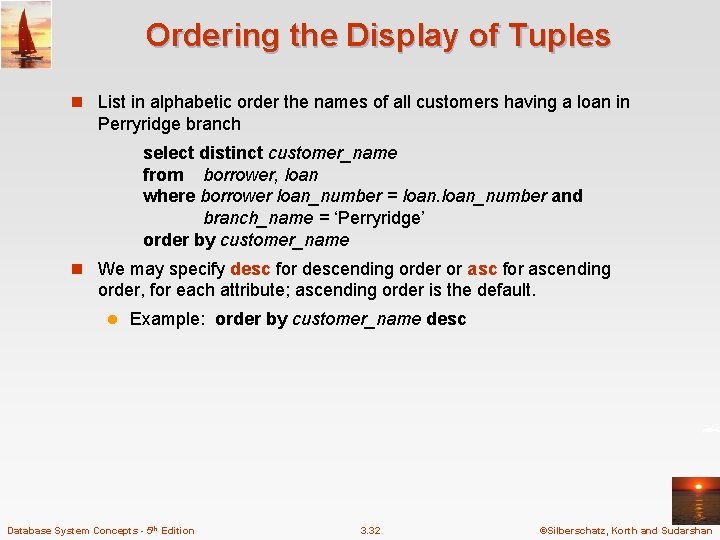
Ordering the Display of Tuples n List in alphabetic order the names of all customers having a loan in Perryridge branch select distinct customer_name from borrower, loan where borrower loan_number = loan_number and branch_name = ‘Perryridge’ order by customer_name n We may specify desc for descending order or asc for ascending order, for each attribute; ascending order is the default. l Example: order by customer_name desc Database System Concepts - 5 th Edition 3. 32 ©Silberschatz, Korth and Sudarshan
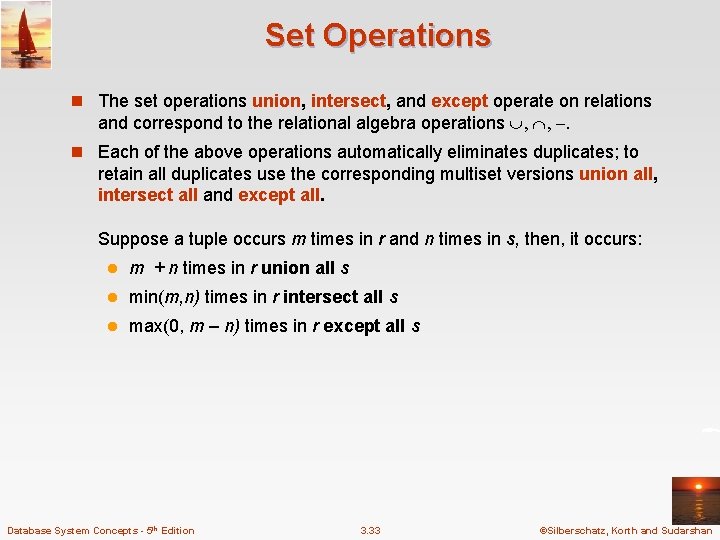
Set Operations n The set operations union, intersect, and except operate on relations and correspond to the relational algebra operations n Each of the above operations automatically eliminates duplicates; to retain all duplicates use the corresponding multiset versions union all, intersect all and except all. Suppose a tuple occurs m times in r and n times in s, then, it occurs: l m + n times in r union all s l min(m, n) times in r intersect all s l max(0, m – n) times in r except all s Database System Concepts - 5 th Edition 3. 33 ©Silberschatz, Korth and Sudarshan
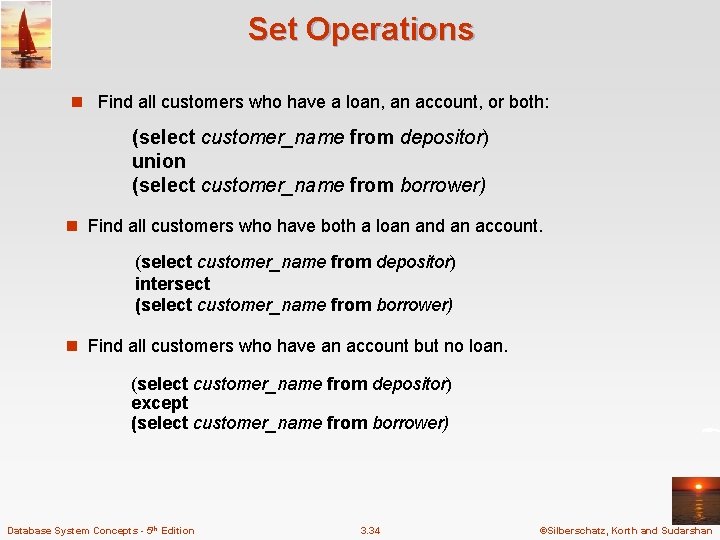
Set Operations n Find all customers who have a loan, an account, or both: (select customer_name from depositor) union (select customer_name from borrower) n Find all customers who have both a loan and an account. (select customer_name from depositor) intersect (select customer_name from borrower) n Find all customers who have an account but no loan. (select customer_name from depositor) except (select customer_name from borrower) Database System Concepts - 5 th Edition 3. 34 ©Silberschatz, Korth and Sudarshan
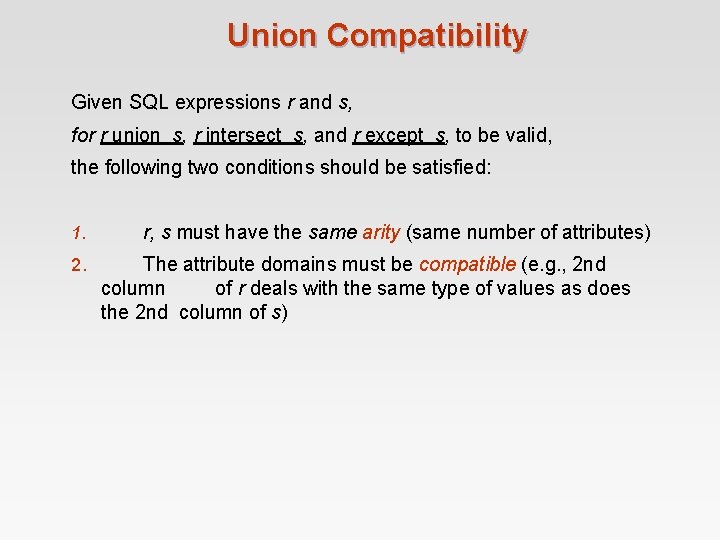
Union Compatibility Given SQL expressions r and s, for r union s, r intersect s, and r except s, to be valid, the following two conditions should be satisfied: 1. 2. r, s must have the same arity (same number of attributes) The attribute domains must be compatible (e. g. , 2 nd column of r deals with the same type of values as does the 2 nd column of s)
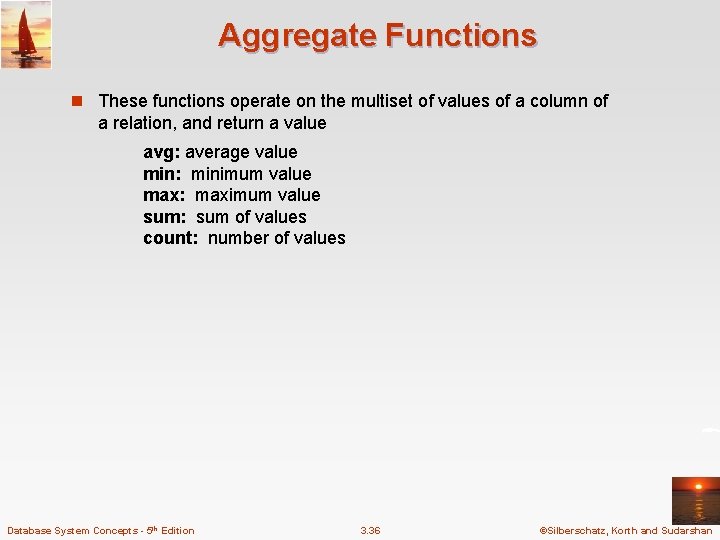
Aggregate Functions n These functions operate on the multiset of values of a column of a relation, and return a value avg: average value min: minimum value max: maximum value sum: sum of values count: number of values Database System Concepts - 5 th Edition 3. 36 ©Silberschatz, Korth and Sudarshan
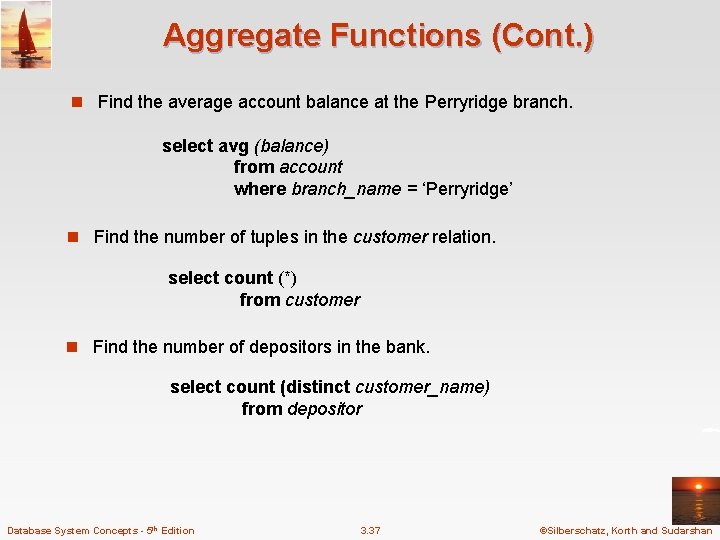
Aggregate Functions (Cont. ) n Find the average account balance at the Perryridge branch. select avg (balance) from account where branch_name = ‘Perryridge’ n Find the number of tuples in the customer relation. select count (*) from customer n Find the number of depositors in the bank. select count (distinct customer_name) from depositor Database System Concepts - 5 th Edition 3. 37 ©Silberschatz, Korth and Sudarshan
Aggregate Functions – Group By n Find the number of depositors for each branch. select branch_name, count (distinct customer_name) from depositor, account where depositor. account_number = account_number group by branch_name Note: Attributes in select clause outside of aggregate functions must appear in group by list Database System Concepts - 5 th Edition 3. 38 ©Silberschatz, Korth and Sudarshan
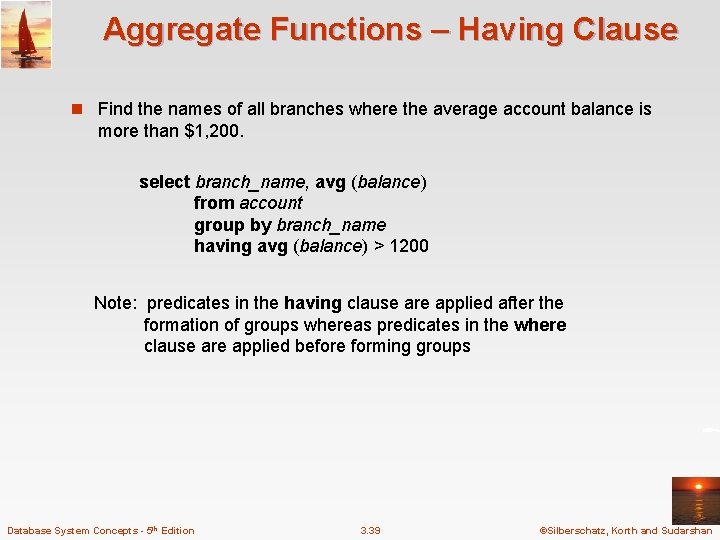
Aggregate Functions – Having Clause n Find the names of all branches where the average account balance is more than $1, 200. select branch_name, avg (balance) from account group by branch_name having avg (balance) > 1200 Note: predicates in the having clause are applied after the formation of groups whereas predicates in the where clause are applied before forming groups Database System Concepts - 5 th Edition 3. 39 ©Silberschatz, Korth and Sudarshan
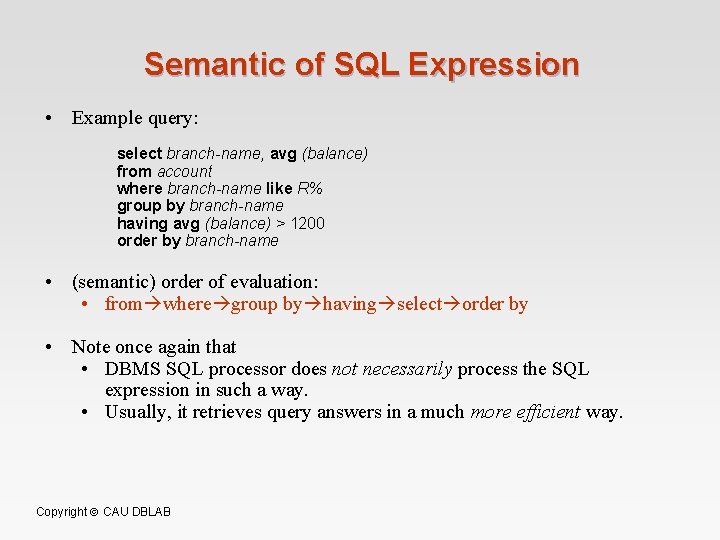
Semantic of SQL Expression • Example query: select branch-name, avg (balance) from account where branch-name like R% group by branch-name having avg (balance) > 1200 order by branch-name • (semantic) order of evaluation: • from where group by having select order by • Note once again that • DBMS SQL processor does not necessarily process the SQL expression in such a way. • Usually, it retrieves query answers in a much more efficient way. Copyright CAU DBLAB
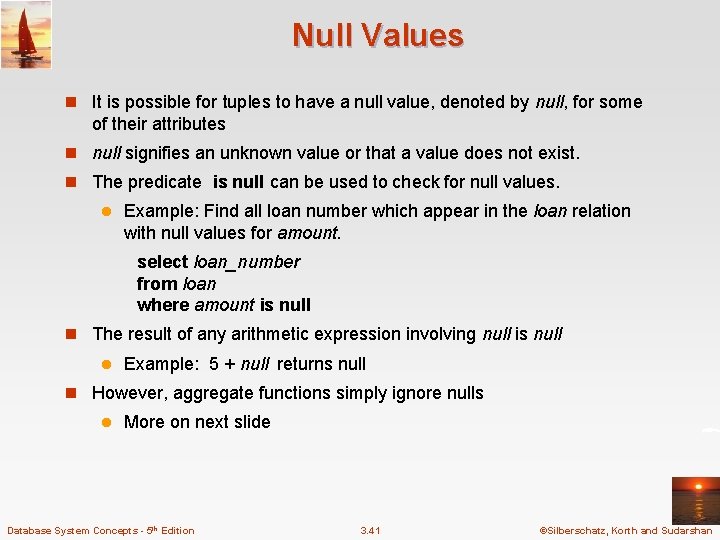
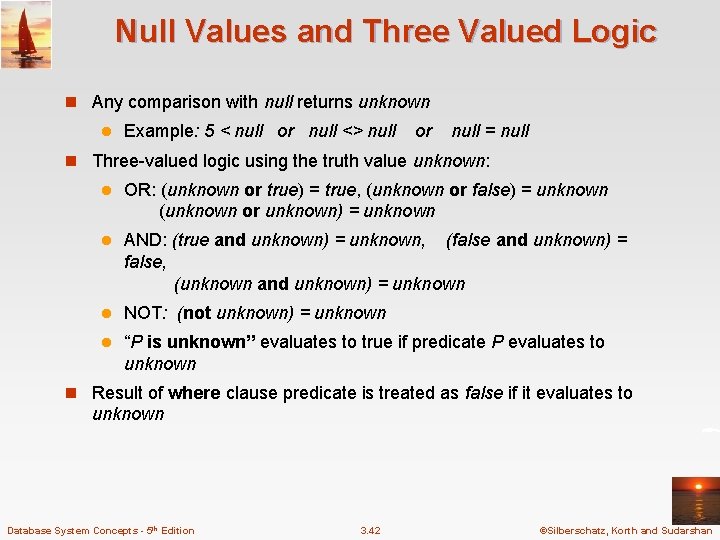
Null Values n It is possible for tuples to have a null value, denoted by null, for some of their attributes n null signifies an unknown value or that a value does not exist. n The predicate is null can be used to check for null values. l Example: Find all loan number which appear in the loan relation with null values for amount. select loan_number from loan where amount is null n The result of any arithmetic expression involving null is null l Example: 5 + null returns null n However, aggregate functions simply ignore nulls l More on next slide Database System Concepts - 5 th Edition 3. 41 ©Silberschatz, Korth and Sudarshan
Null Values and Three Valued Logic n Any comparison with null returns unknown l Example: 5 < null or null <> null or null = null n Three-valued logic using the truth value unknown: l OR: (unknown or true) = true, (unknown or false) = unknown (unknown or unknown) = unknown l AND: (true and unknown) = unknown, (false and unknown) = false, (unknown and unknown) = unknown l NOT: (not unknown) = unknown l “P is unknown” evaluates to true if predicate P evaluates to unknown n Result of where clause predicate is treated as false if it evaluates to unknown Database System Concepts - 5 th Edition 3. 42 ©Silberschatz, Korth and Sudarshan
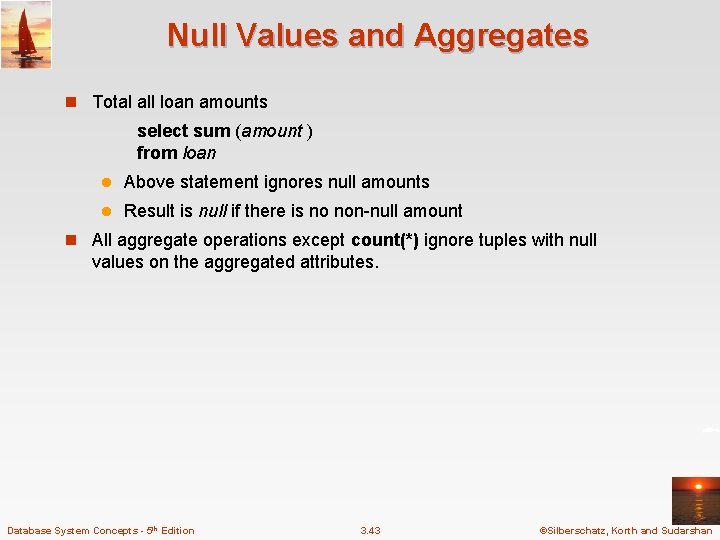
Null Values and Aggregates n Total all loan amounts select sum (amount ) from loan l Above statement ignores null amounts l Result is null if there is no non-null amount n All aggregate operations except count(*) ignore tuples with null values on the aggregated attributes. Database System Concepts - 5 th Edition 3. 43 ©Silberschatz, Korth and Sudarshan
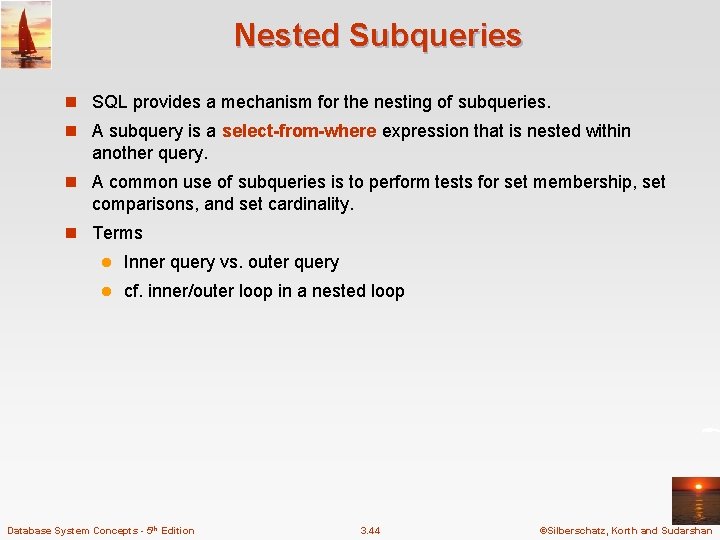
Nested Subqueries n SQL provides a mechanism for the nesting of subqueries. n A subquery is a select-from-where expression that is nested within another query. n A common use of subqueries is to perform tests for set membership, set comparisons, and set cardinality. n Terms l Inner query vs. outer query l cf. inner/outer loop in a nested loop Database System Concepts - 5 th Edition 3. 44 ©Silberschatz, Korth and Sudarshan
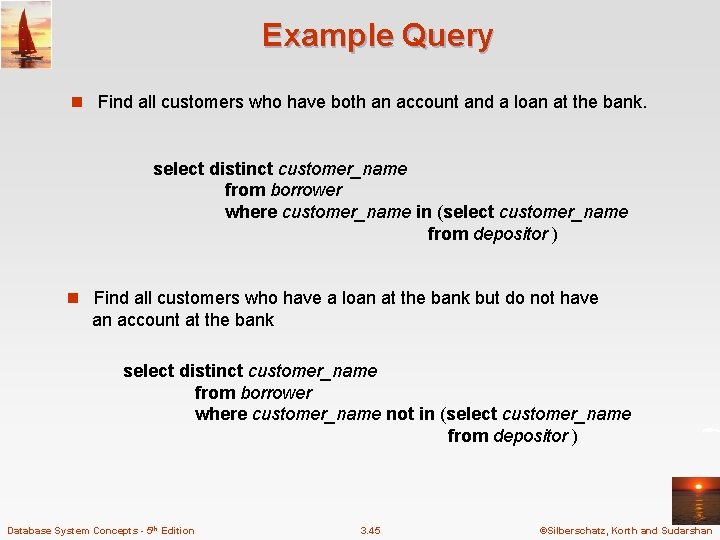
Example Query n Find all customers who have both an account and a loan at the bank. select distinct customer_name from borrower where customer_name in (select customer_name from depositor ) n Find all customers who have a loan at the bank but do not have an account at the bank select distinct customer_name from borrower where customer_name not in (select customer_name from depositor ) Database System Concepts - 5 th Edition 3. 45 ©Silberschatz, Korth and Sudarshan
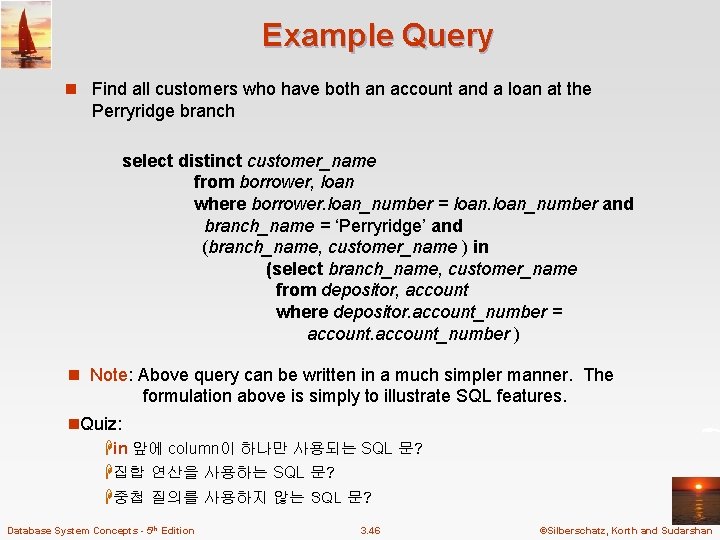
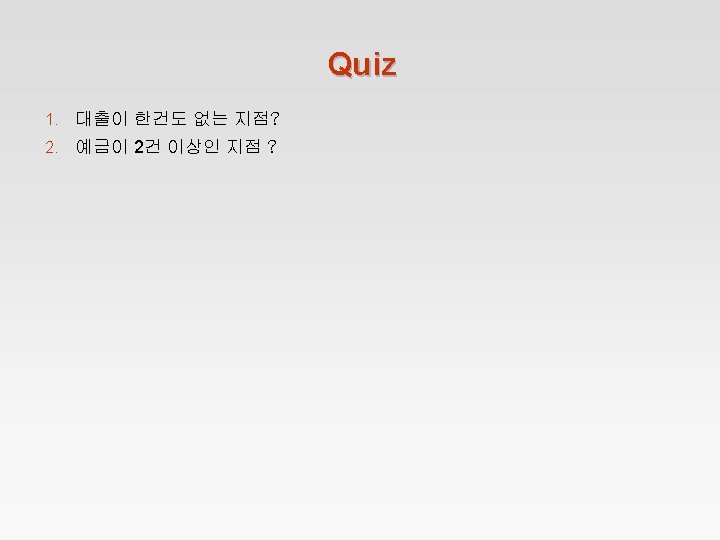
Example Query n Find all customers who have both an account and a loan at the Perryridge branch select distinct customer_name from borrower, loan where borrower. loan_number = loan_number and branch_name = ‘Perryridge’ and (branch_name, customer_name ) in (select branch_name, customer_name from depositor, account where depositor. account_number = account_number ) n Note: Above query can be written in a much simpler manner. The formulation above is simply to illustrate SQL features. n. Quiz: Hin 앞에 column이 하나만 사용되는 SQL 문? H집합 연산을 사용하는 SQL 문? H중첩 질의를 사용하지 않는 SQL 문? Database System Concepts - 5 th Edition 3. 46 ©Silberschatz, Korth and Sudarshan
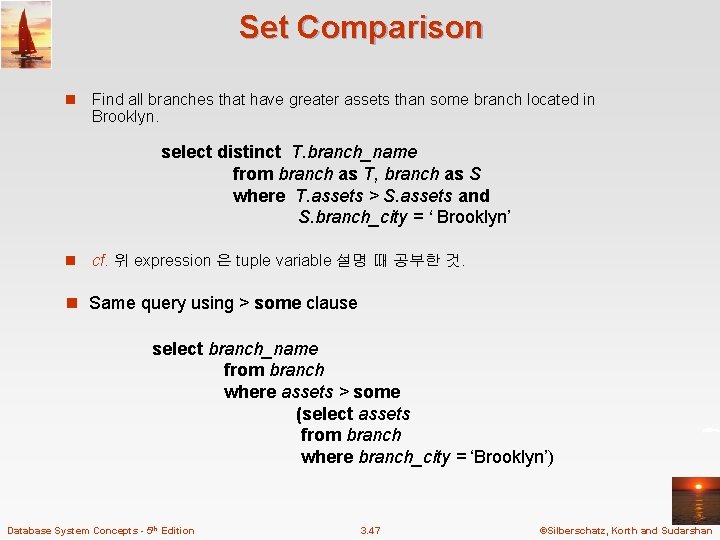
Set Comparison n Find all branches that have greater assets than some branch located in Brooklyn. select distinct T. branch_name from branch as T, branch as S where T. assets > S. assets and S. branch_city = ‘ Brooklyn’ n cf. 위 expression 은 tuple variable 설명 때 공부한 것. n Same query using > some clause select branch_name from branch where assets > some (select assets from branch where branch_city = ‘Brooklyn’) Database System Concepts - 5 th Edition 3. 47 ©Silberschatz, Korth and Sudarshan
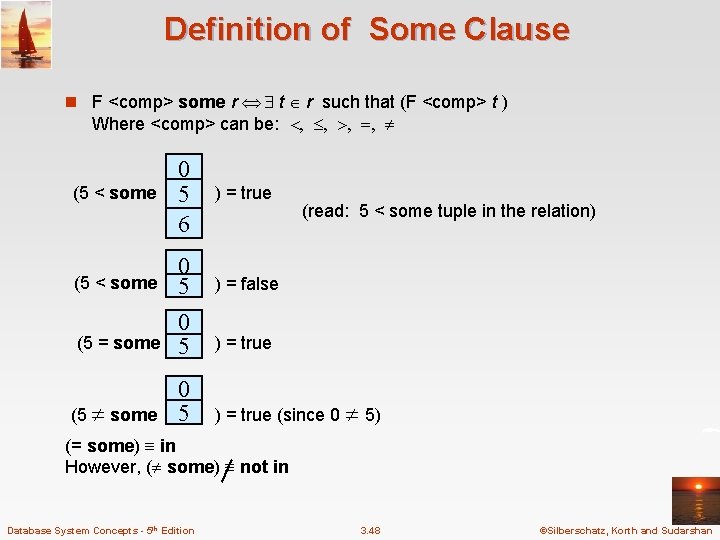
Definition of Some Clause n F <comp> some r t r such that (F <comp> t ) Where <comp> can be: (5 < some 0 5 6 ) = true (5 < some 0 5 ) = false (5 = some 0 5 ) = true (5 some 0 5 ) = true (since 0 5) (read: 5 < some tuple in the relation) (= some) in However, ( some) not in Database System Concepts - 5 th Edition 3. 48 ©Silberschatz, Korth and Sudarshan
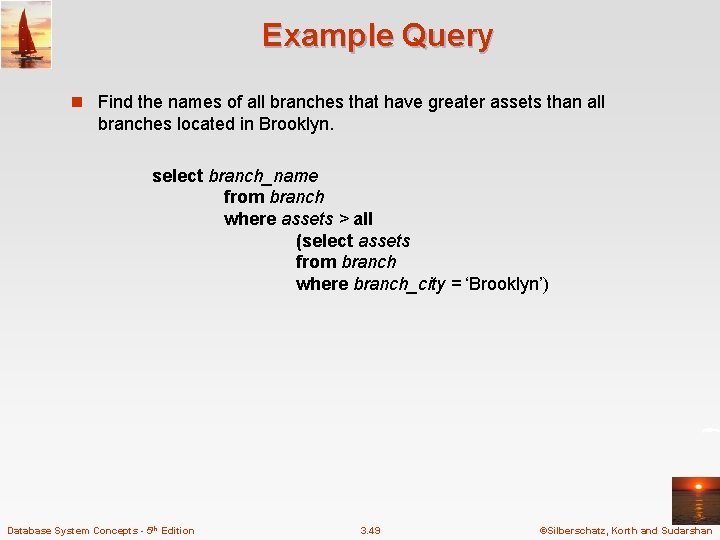
Example Query n Find the names of all branches that have greater assets than all branches located in Brooklyn. select branch_name from branch where assets > all (select assets from branch where branch_city = ‘Brooklyn’) Database System Concepts - 5 th Edition 3. 49 ©Silberschatz, Korth and Sudarshan
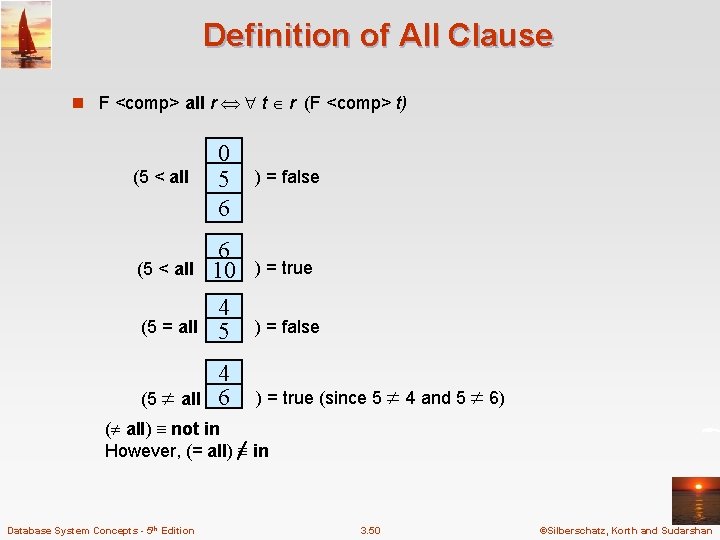
Definition of All Clause n F <comp> all r t r (F <comp> t) 0 5 6 ) = false (5 < all 6 10 ) = true (5 = all 4 5 ) = false (5 all 4 6 ) = true (since 5 4 and 5 6) (5 < all ( all) not in However, (= all) in Database System Concepts - 5 th Edition 3. 50 ©Silberschatz, Korth and Sudarshan
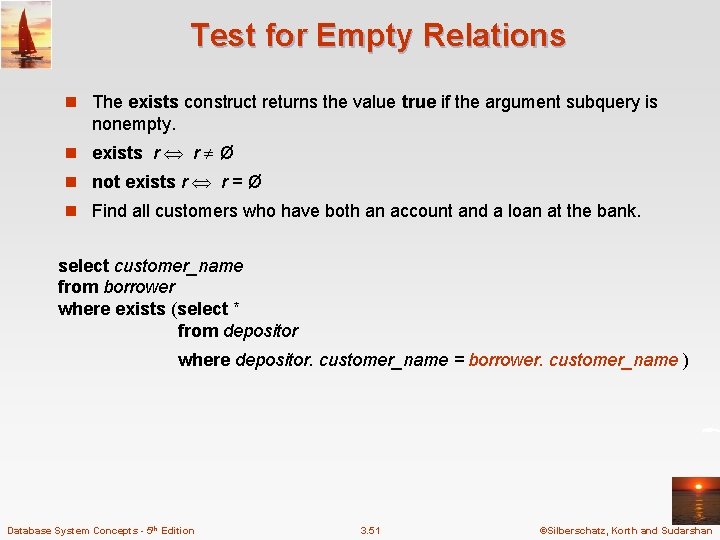
Test for Empty Relations n The exists construct returns the value true if the argument subquery is nonempty. n exists r r Ø n not exists r r = Ø n Find all customers who have both an account and a loan at the bank. select customer_name from borrower where exists (select * from depositor where depositor. customer_name = borrower. customer_name ) Database System Concepts - 5 th Edition 3. 51 ©Silberschatz, Korth and Sudarshan
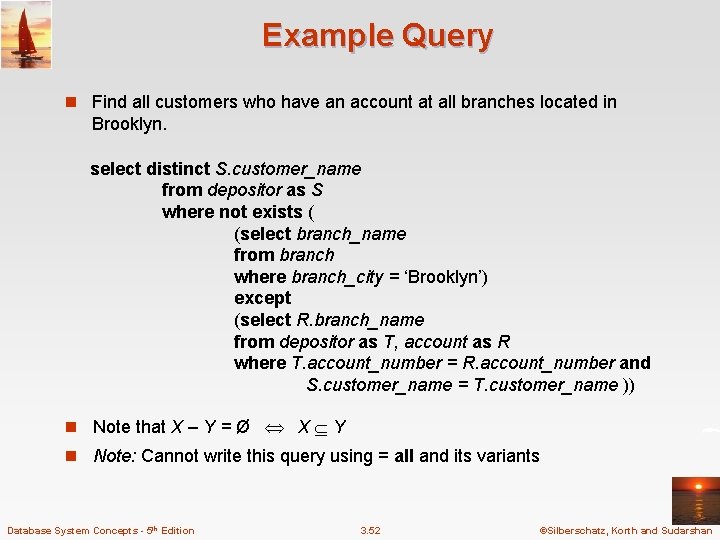
Example Query n Find all customers who have an account at all branches located in Brooklyn. select distinct S. customer_name from depositor as S where not exists ( (select branch_name from branch where branch_city = ‘Brooklyn’) except (select R. branch_name from depositor as T, account as R where T. account_number = R. account_number and S. customer_name = T. customer_name )) n Note that X – Y = Ø X Y n Note: Cannot write this query using = all and its variants Database System Concepts - 5 th Edition 3. 52 ©Silberschatz, Korth and Sudarshan
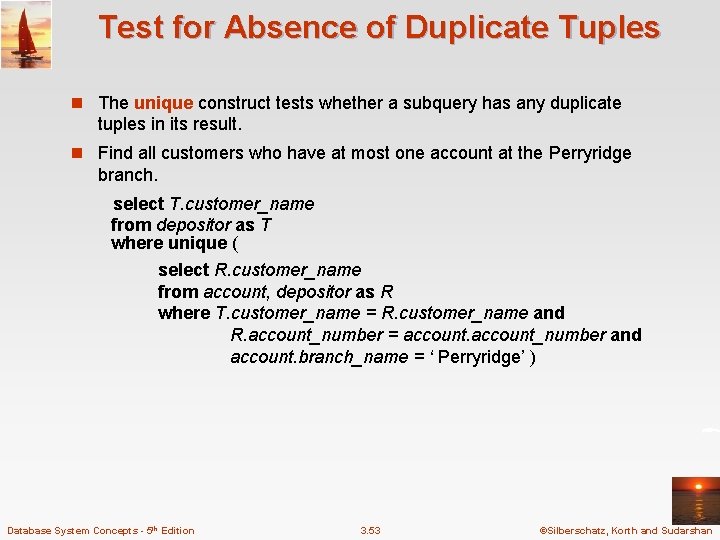
Test for Absence of Duplicate Tuples n The unique construct tests whether a subquery has any duplicate tuples in its result. n Find all customers who have at most one account at the Perryridge branch. select T. customer_name from depositor as T where unique ( select R. customer_name from account, depositor as R where T. customer_name = R. customer_name and R. account_number = account_number and account. branch_name = ‘ Perryridge’ ) Database System Concepts - 5 th Edition 3. 53 ©Silberschatz, Korth and Sudarshan
Example Query n Find all customers who have at least two accounts at the Perryridge branch. select distinct T. customer_name from depositor as T where not unique ( select R. customer_name from account, depositor as R where T. customer_name = R. customer_name and R. account_number = account_number and account. branch_name = ‘Perryridge’) Database System Concepts - 5 th Edition 3. 54 ©Silberschatz, Korth and Sudarshan
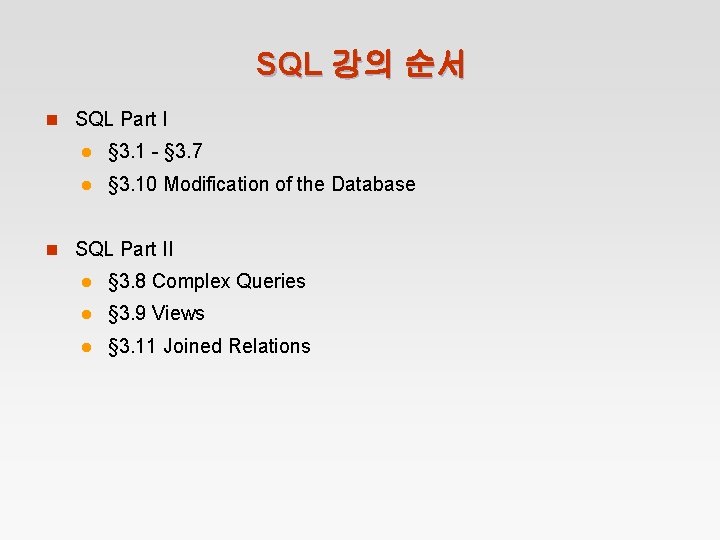
SQL 강의 순서 n SQL Part I l § 3. 1 - § 3. 7 l § 3. 10 Modification of the Database n SQL Part II l § 3. 8 Complex Queries l § 3. 9 Views l § 3. 11 Joined Relations
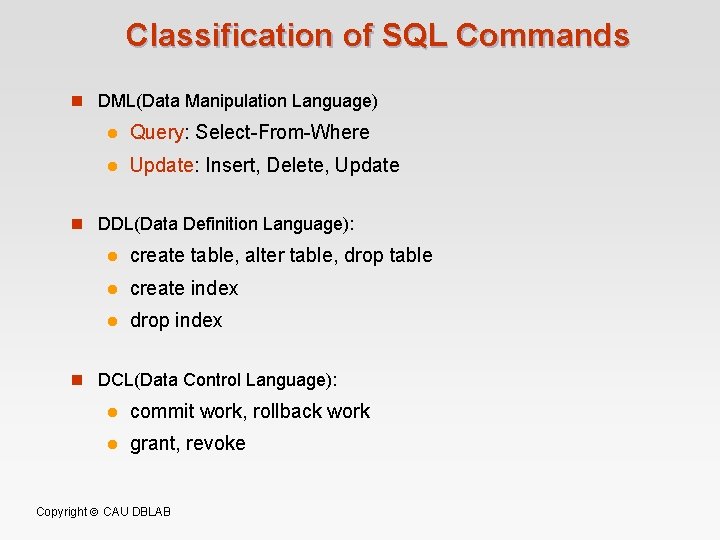
Classification of SQL Commands n DML(Data Manipulation Language) l Query: Select-From-Where l Update: Insert, Delete, Update n DDL(Data Definition Language): l create table, alter table, drop table l create index l drop index n DCL(Data Control Language): l commit work, rollback work l grant, revoke Copyright CAU DBLAB
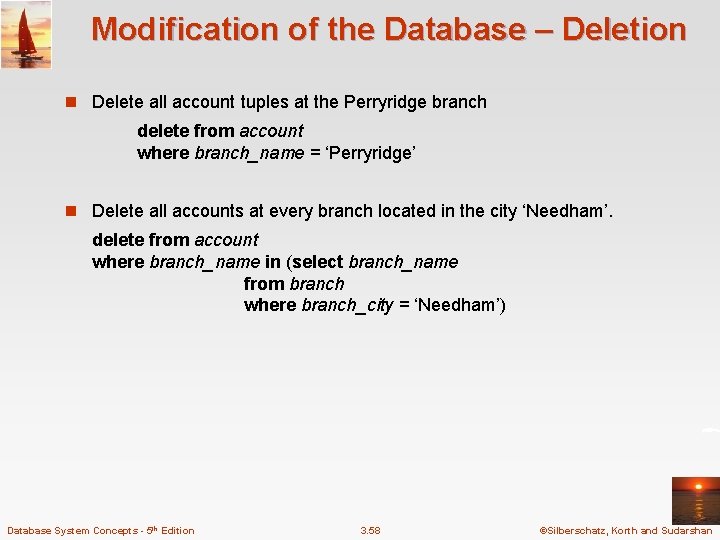
Modification of the Database – Deletion n Delete all account tuples at the Perryridge branch delete from account where branch_name = ‘Perryridge’ n Delete all accounts at every branch located in the city ‘Needham’. delete from account where branch_name in (select branch_name from branch where branch_city = ‘Needham’) Database System Concepts - 5 th Edition 3. 58 ©Silberschatz, Korth and Sudarshan
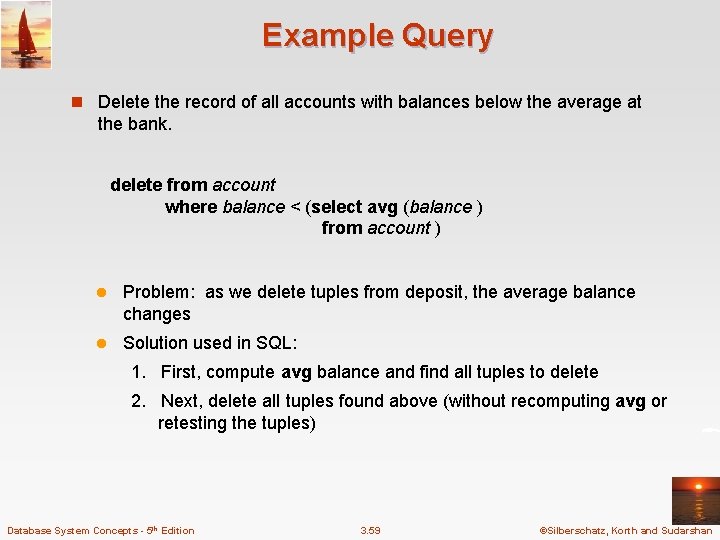
Example Query n Delete the record of all accounts with balances below the average at the bank. delete from account where balance < (select avg (balance ) from account ) l Problem: as we delete tuples from deposit, the average balance changes l Solution used in SQL: 1. First, compute avg balance and find all tuples to delete 2. Next, delete all tuples found above (without recomputing avg or retesting the tuples) Database System Concepts - 5 th Edition 3. 59 ©Silberschatz, Korth and Sudarshan
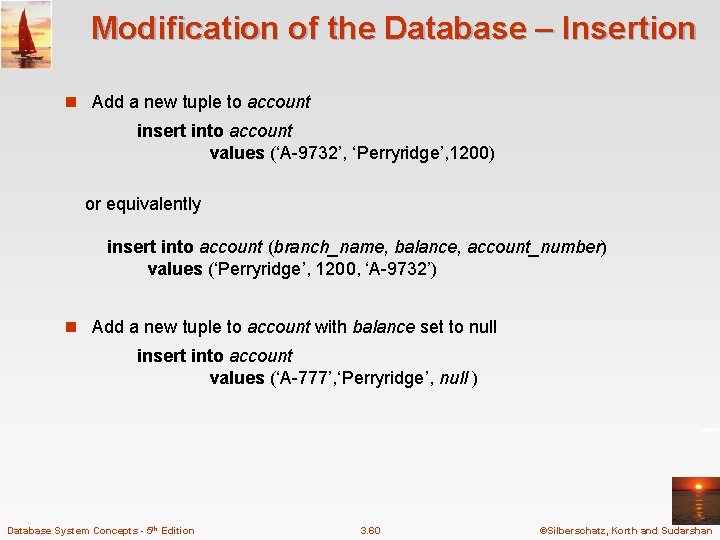
Modification of the Database – Insertion n Add a new tuple to account insert into account values (‘A-9732’, ‘Perryridge’, 1200) or equivalently insert into account (branch_name, balance, account_number) values (‘Perryridge’, 1200, ‘A-9732’) n Add a new tuple to account with balance set to null insert into account values (‘A-777’, ‘Perryridge’, null ) Database System Concepts - 5 th Edition 3. 60 ©Silberschatz, Korth and Sudarshan
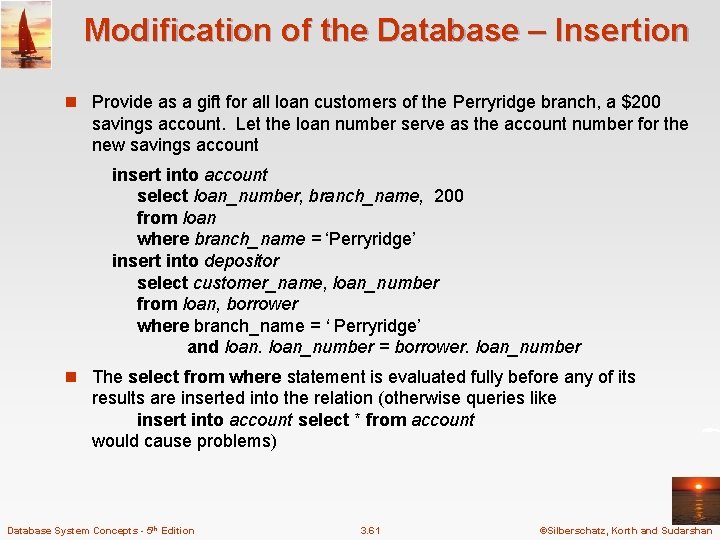
Modification of the Database – Insertion n Provide as a gift for all loan customers of the Perryridge branch, a $200 savings account. Let the loan number serve as the account number for the new savings account insert into account select loan_number, branch_name, 200 from loan where branch_name = ‘Perryridge’ insert into depositor select customer_name, loan_number from loan, borrower where branch_name = ‘ Perryridge’ and loan_number = borrower. loan_number n The select from where statement is evaluated fully before any of its results are inserted into the relation (otherwise queries like insert into account select * from account would cause problems) Database System Concepts - 5 th Edition 3. 61 ©Silberschatz, Korth and Sudarshan
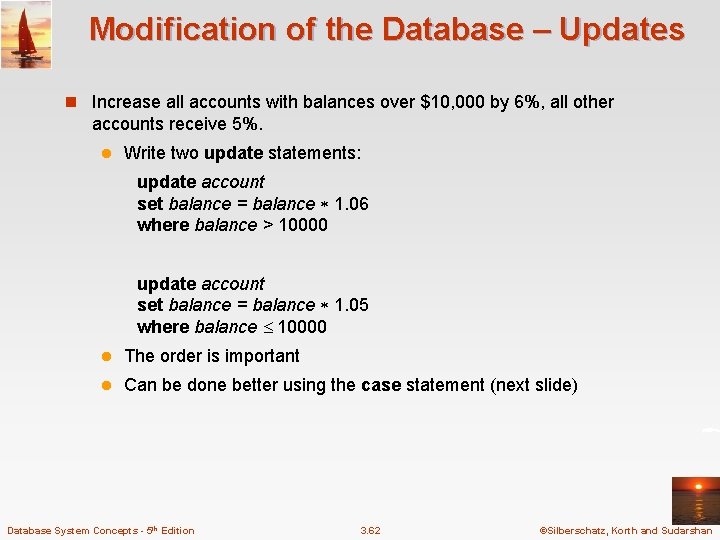
Modification of the Database – Updates n Increase all accounts with balances over $10, 000 by 6%, all other accounts receive 5%. l Write two update statements: update account set balance = balance 1. 06 where balance > 10000 update account set balance = balance 1. 05 where balance 10000 l The order is important l Can be done better using the case statement (next slide) Database System Concepts - 5 th Edition 3. 62 ©Silberschatz, Korth and Sudarshan
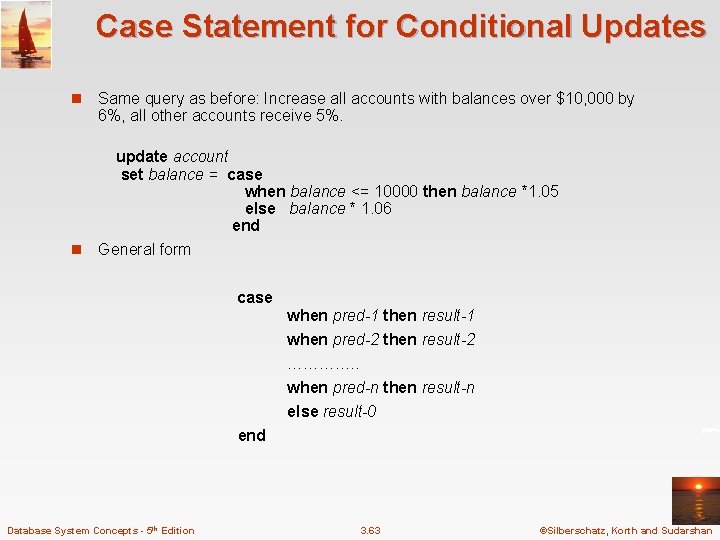
Case Statement for Conditional Updates n Same query as before: Increase all accounts with balances over $10, 000 by 6%, all other accounts receive 5%. update account set balance = case when balance <= 10000 then balance *1. 05 else balance * 1. 06 end n General form case when pred-1 then result-1 when pred-2 then result-2 …………. . when pred-n then result-n else result-0 end Database System Concepts - 5 th Edition 3. 63 ©Silberschatz, Korth and Sudarshan