
SQL on Fire Part 2 Tips and Tricks
![Merge Make Up MERGE {WHEN THEN [ELSE INTO <target> USING <source> ON <match-condition> [NOT]](https://slidetodoc.com/presentation_image/1953d1fe8116eb25e791e03ecdd7c982/image-25.jpg "Merge Make Up MERGE {WHEN THEN [ELSE INTO <target> USING <source> ON <match-condition> [NOT]")
- Slides: 38
SQL on Fire! Part 2 Tips and Tricks around SQL
Agenda Easy § Part § § § § I SQL vs. SQL PL example Error handling Tables out of nowhere Pivoting Aggregation Deleting duplicate rows Alternatives to Min and Max § Part § § Difficult § § II Mass deletes Order processing Moving rows between tables Recursion Merge Calculating nesting levels
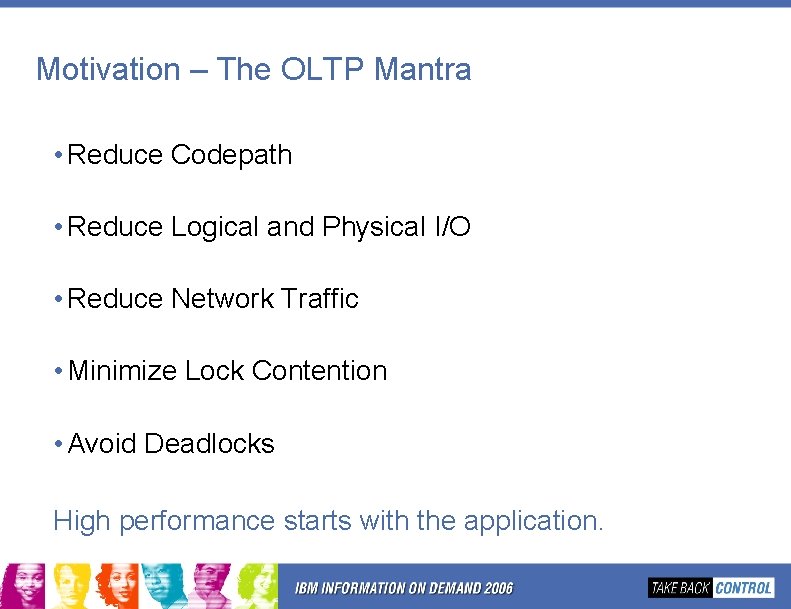
Motivation – The OLTP Mantra • Reduce Codepath • Reduce Logical and Physical I/O • Reduce Network Traffic • Minimize Lock Contention • Avoid Deadlocks High performance starts with the application.
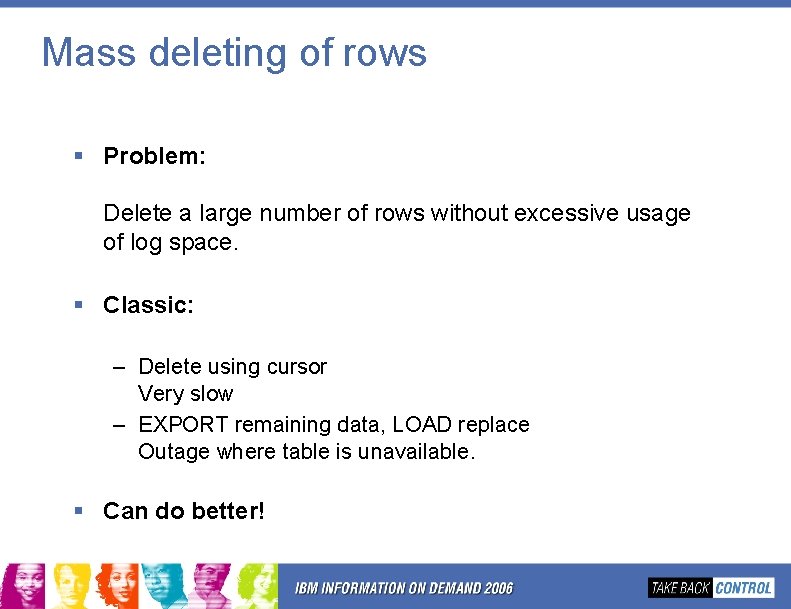
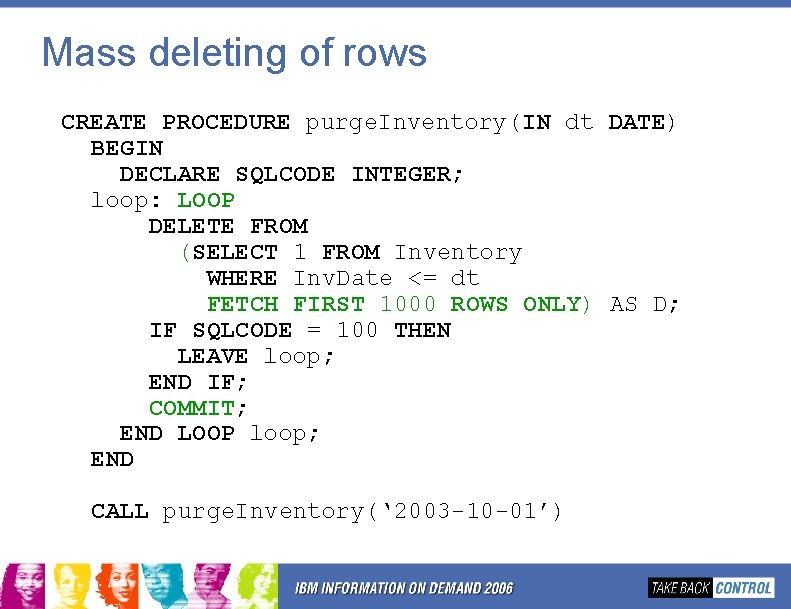
Mass deleting of rows § Problem: Delete a large number of rows without excessive usage of log space. § Classic: – Delete using cursor Very slow – EXPORT remaining data, LOAD replace Outage where table is unavailable. § Can do better!
Mass deleting of rows CREATE PROCEDURE purge. Inventory(IN dt DATE) BEGIN DECLARE SQLCODE INTEGER; loop: LOOP DELETE FROM (SELECT 1 FROM Inventory WHERE Inv. Date <= dt FETCH FIRST 1000 ROWS ONLY) AS D; IF SQLCODE = 100 THEN LEAVE loop; END IF; COMMIT; END LOOP loop; END CALL purge. Inventory(‘ 2003 -10 -01’)
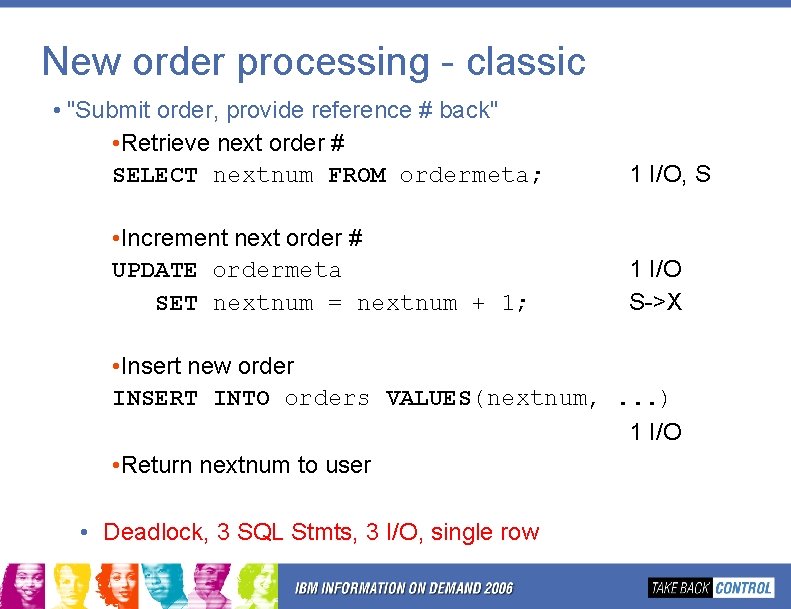
New order processing - classic • "Submit order, provide reference # back" • Retrieve next order # SELECT nextnum FROM ordermeta; • Increment next order # UPDATE ordermeta SET nextnum = nextnum + 1; 1 I/O, S 1 I/O S->X • Insert new order INSERT INTO orders VALUES(nextnum, . . . ) 1 I/O • Return nextnum to user • Deadlock, 3 SQL Stmts, 3 I/O, single row
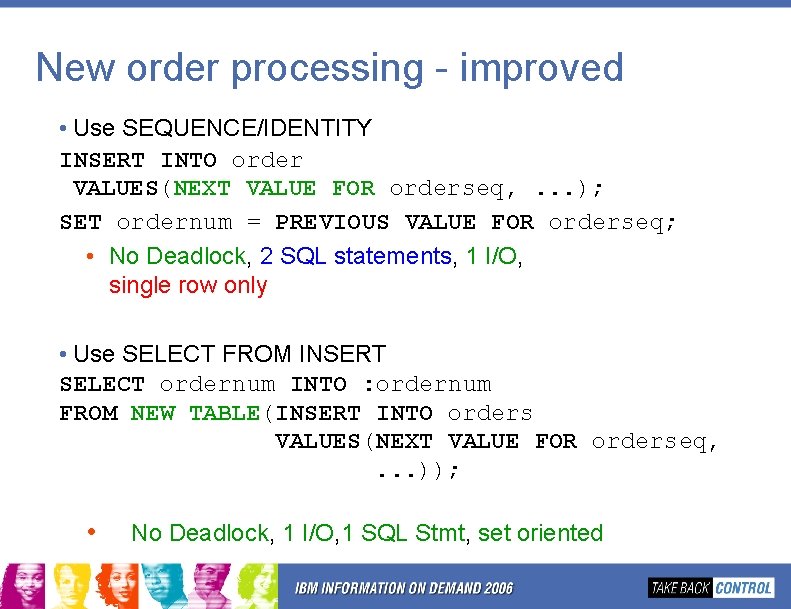
New order processing - improved • Use SEQUENCE/IDENTITY INSERT INTO order VALUES(NEXT VALUE FOR orderseq, . . . ); SET ordernum = PREVIOUS VALUE FOR orderseq; • No Deadlock, 2 SQL statements, 1 I/O, single row only • Use SELECT FROM INSERT SELECT ordernum INTO : ordernum FROM NEW TABLE(INSERT INTO orders VALUES(NEXT VALUE FOR orderseq, . . . )); • No Deadlock, 1 I/O, 1 SQL Stmt, set oriented
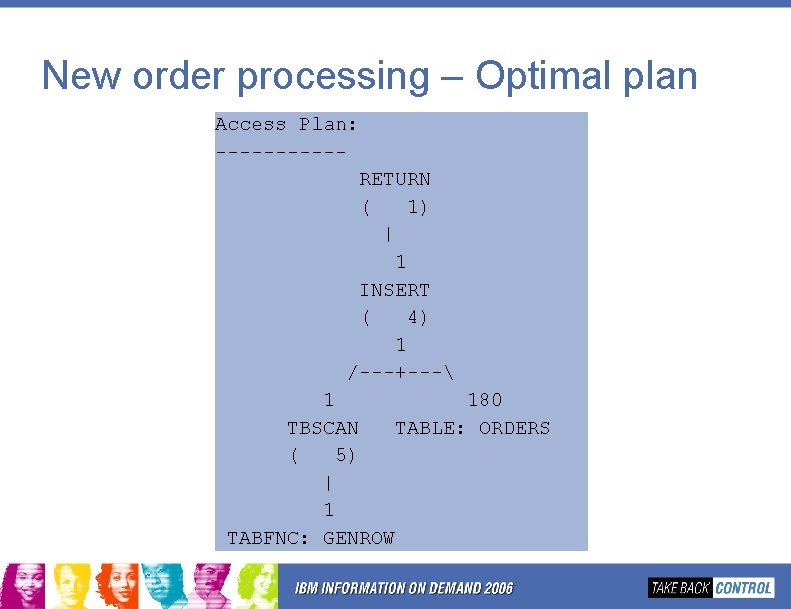
New order processing – Optimal plan Access Plan: -----RETURN ( 1) | 1 INSERT ( 4) 1 /---+--- 1 180 TBSCAN TABLE: ORDERS ( 5) | 1 TABFNC: GENROW
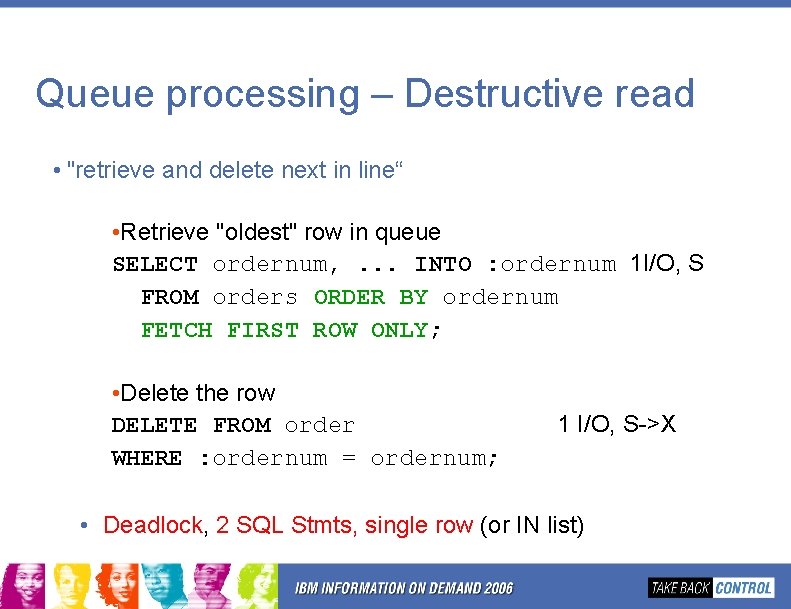
Queue processing – Destructive read • "retrieve and delete next in line“ • Retrieve "oldest" row in queue SELECT ordernum, . . . INTO : ordernum 1 I/O, S FROM orders ORDER BY ordernum FETCH FIRST ROW ONLY; • Delete the row DELETE FROM order WHERE : ordernum = ordernum; 1 I/O, S->X • Deadlock, 2 SQL Stmts, single row (or IN list)
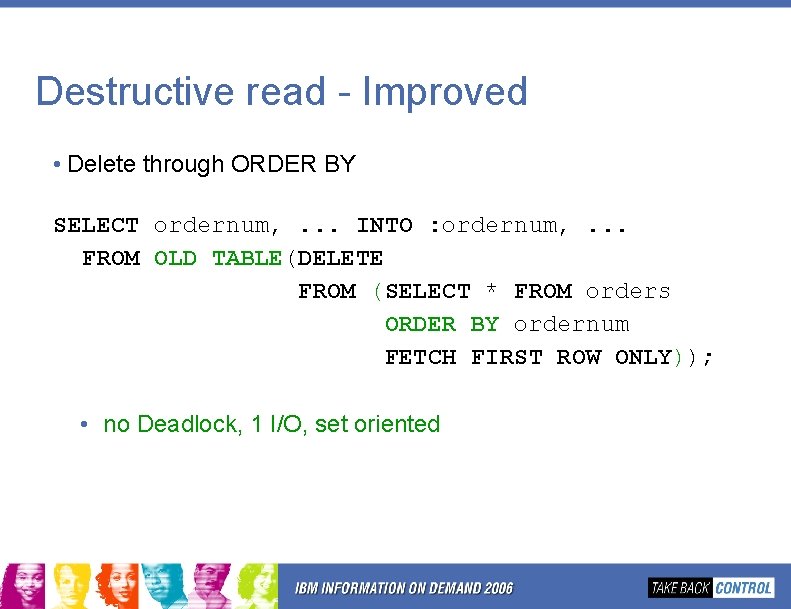
Destructive read - Improved • Delete through ORDER BY SELECT ordernum, . . . INTO : ordernum, . . . FROM OLD TABLE(DELETE FROM (SELECT * FROM orders ORDER BY ordernum FETCH FIRST ROW ONLY)); • no Deadlock, 1 I/O, set oriented
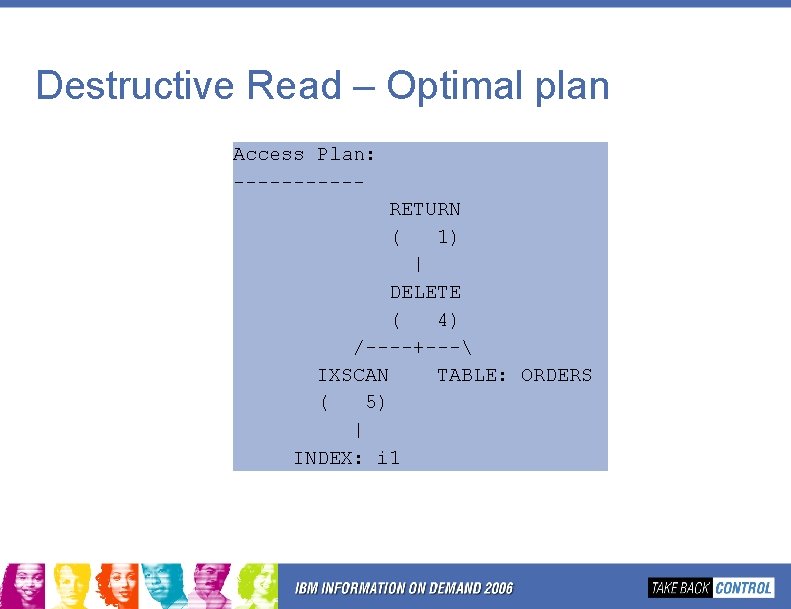
Destructive Read – Optimal plan Access Plan: -----RETURN ( 1) | DELETE ( 4) /----+--- IXSCAN TABLE: ORDERS ( 5) | INDEX: i 1
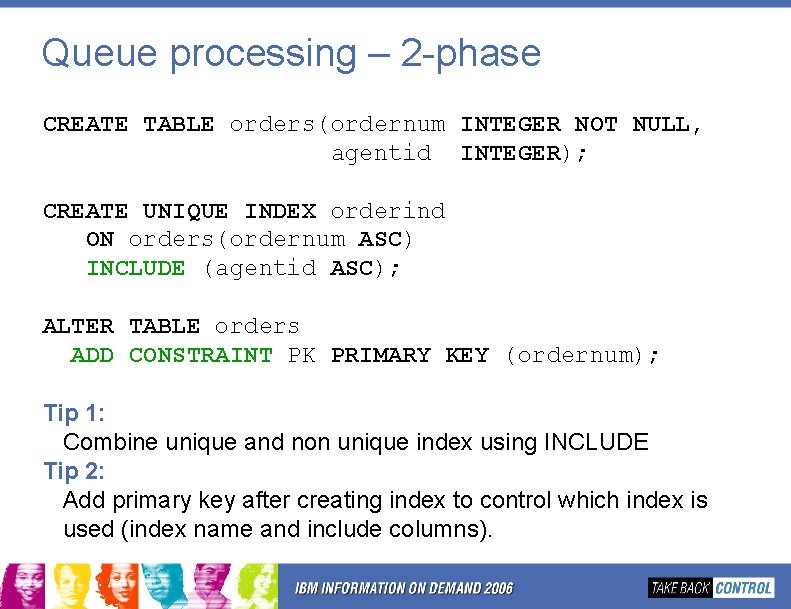
Queue processing – 2 -phase CREATE TABLE orders(ordernum INTEGER NOT NULL, agentid INTEGER); CREATE UNIQUE INDEX orderind ON orders(ordernum ASC) INCLUDE (agentid ASC); ALTER TABLE orders ADD CONSTRAINT PK PRIMARY KEY (ordernum); Tip 1: Combine unique and non unique index using INCLUDE. Tip 2: Add primary key after creating index to control which index is used (index name and include columns).
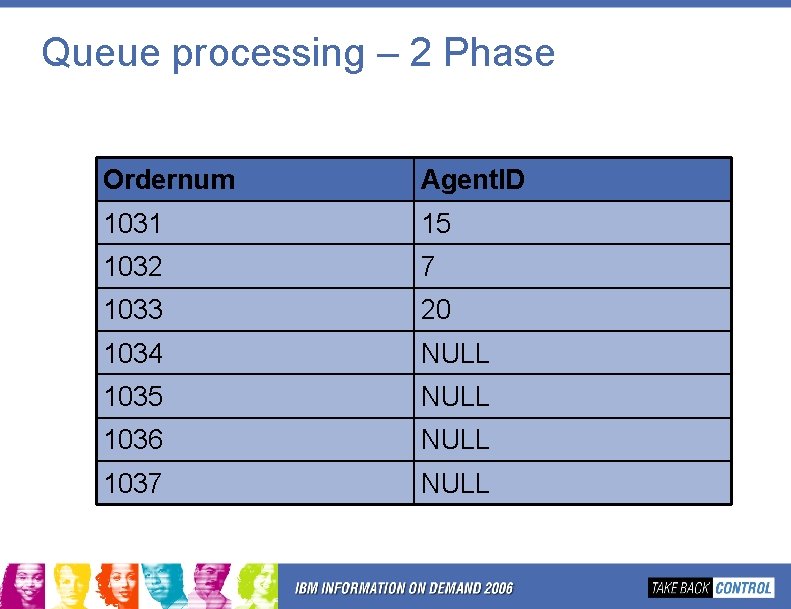
Queue processing – 2 Phase Ordernum Agent. ID 1031 15 1032 7 1033 20 1034 NULL 1035 NULL 1036 NULL 1037 NULL
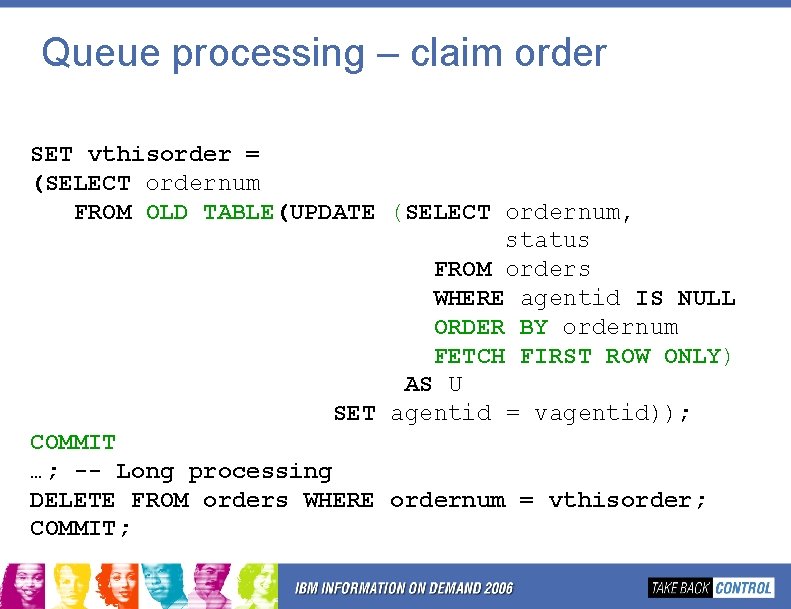
Queue processing – claim order SET vthisorder = (SELECT ordernum FROM OLD TABLE(UPDATE (SELECT ordernum, status FROM orders WHERE agentid IS NULL ORDER BY ordernum FETCH FIRST ROW ONLY) AS U SET agentid = vagentid)); COMMIT; …; -- Long processing DELETE FROM orders WHERE ordernum = vthisorder; COMMIT;
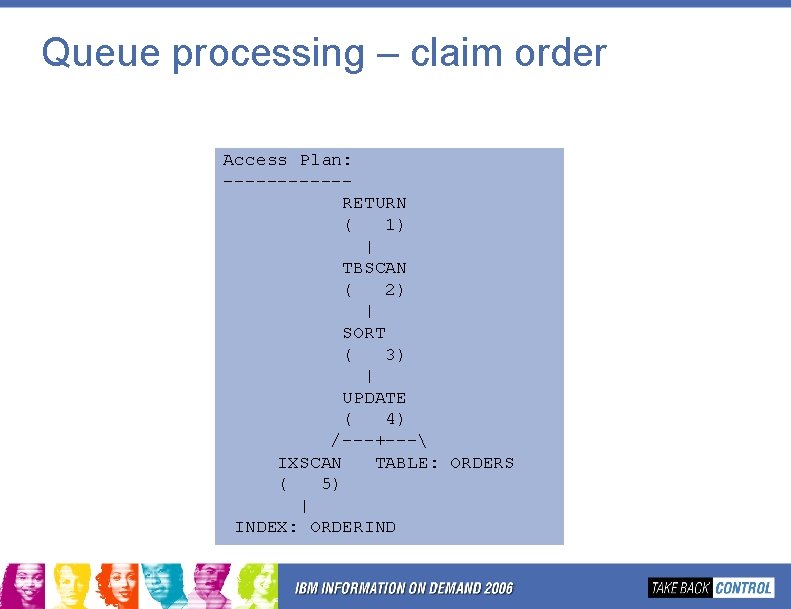
Queue processing – claim order Access Plan: ------RETURN ( 1) | TBSCAN ( 2) | SORT ( 3) | UPDATE ( 4) /---+--- IXSCAN TABLE: ORDERS ( 5) | INDEX: ORDERIND
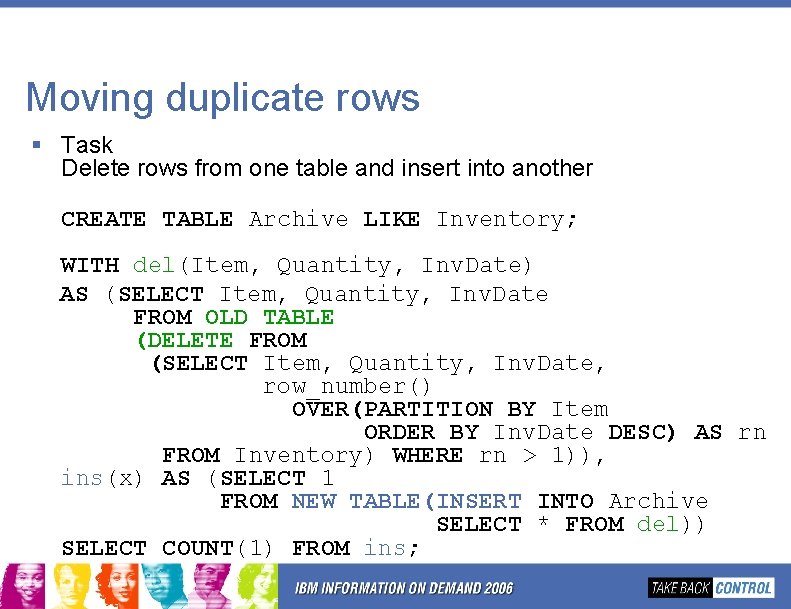
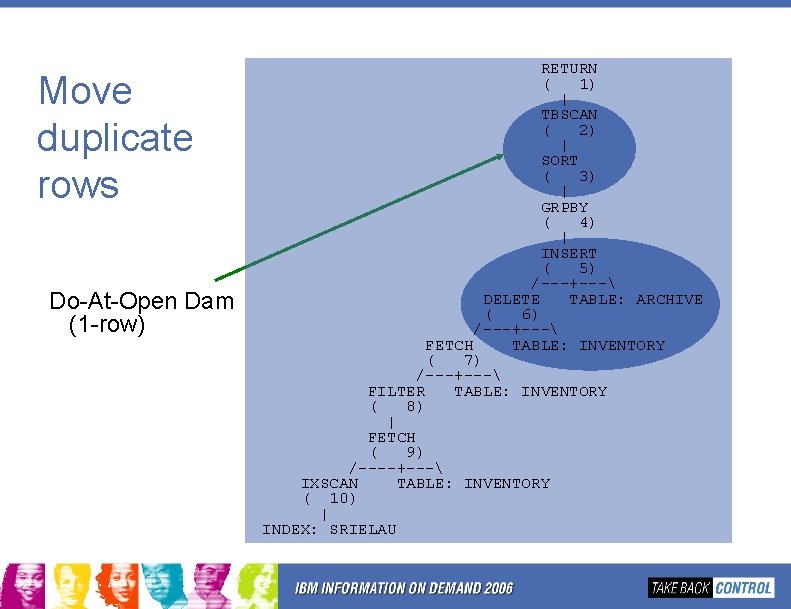
Moving duplicate rows § Task Delete rows from one table and insert into another CREATE TABLE Archive LIKE Inventory; WITH del(Item, Quantity, Inv. Date) AS (SELECT Item, Quantity, Inv. Date FROM OLD TABLE (DELETE FROM (SELECT Item, Quantity, Inv. Date, row_number() OVER(PARTITION BY Item ORDER BY Inv. Date DESC) AS rn FROM Inventory) WHERE rn > 1)), ins(x) AS (SELECT 1 FROM NEW TABLE(INSERT INTO Archive SELECT * FROM del)) SELECT COUNT(1) FROM ins;
Move duplicate rows Do-At-Open Dam (1 -row) RETURN ( 1) | TBSCAN ( 2) | SORT ( 3) | GRPBY ( 4) | INSERT ( 5) /---+--- DELETE TABLE: ARCHIVE ( 6) /---+--- FETCH TABLE: INVENTORY ( 7) /---+--- FILTER TABLE: INVENTORY ( 8) | FETCH ( 9) /----+--- IXSCAN TABLE: INVENTORY ( 10) | INDEX: SRIELAU
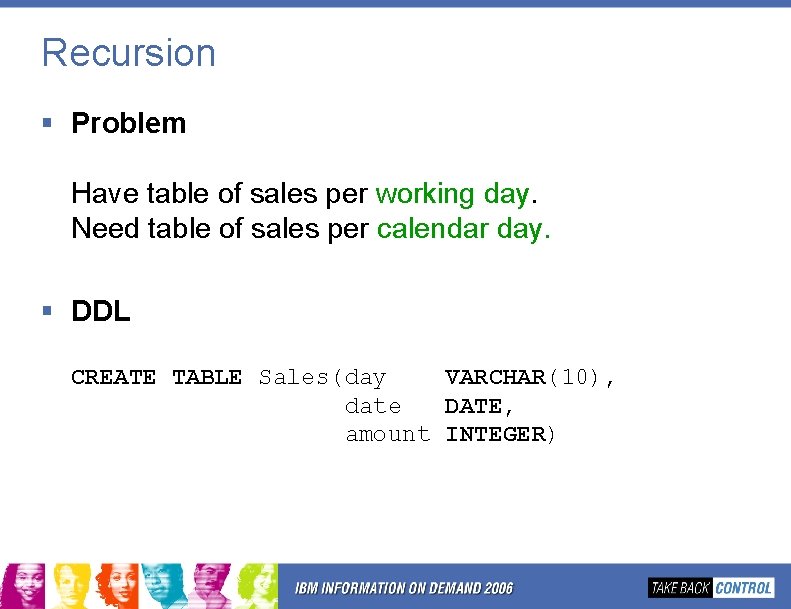
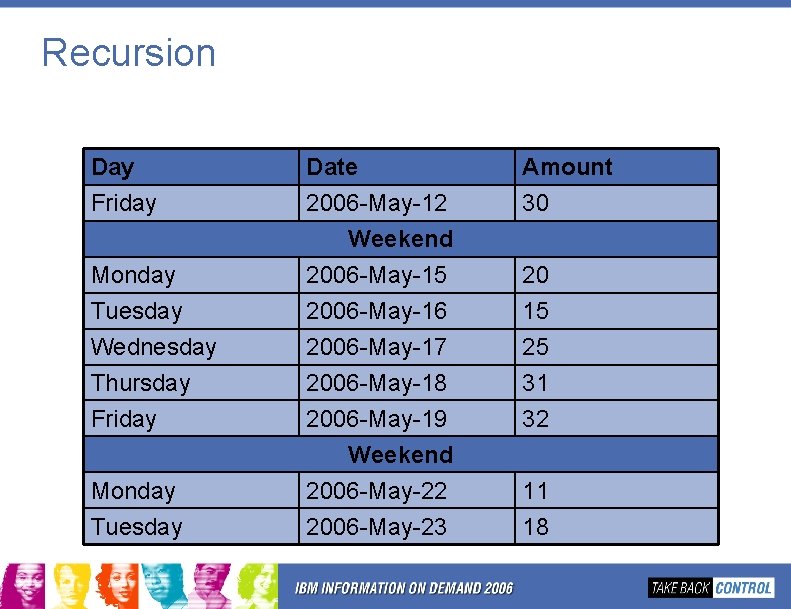
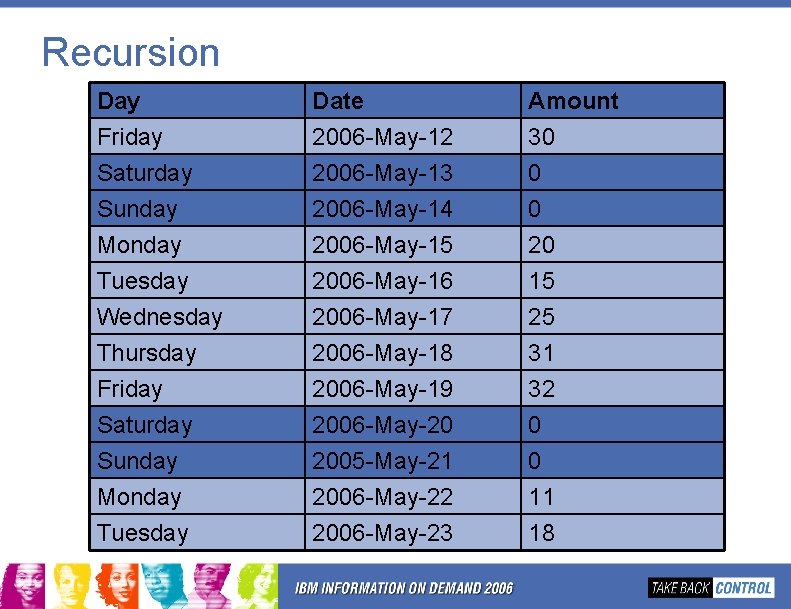
Recursion § Problem Have table of sales per working day. Need table of sales per calendar day. § DDL CREATE TABLE Sales(day VARCHAR(10), date DATE, amount INTEGER)
Recursion Day Friday Monday Tuesday Wednesday Thursday Friday Monday Tuesday Date 2006 -May-12 Weekend 2006 -May-15 2006 -May-16 2006 -May-17 2006 -May-18 2006 -May-19 Weekend 2006 -May-22 2006 -May-23 Amount 30 20 15 25 31 32 11 18
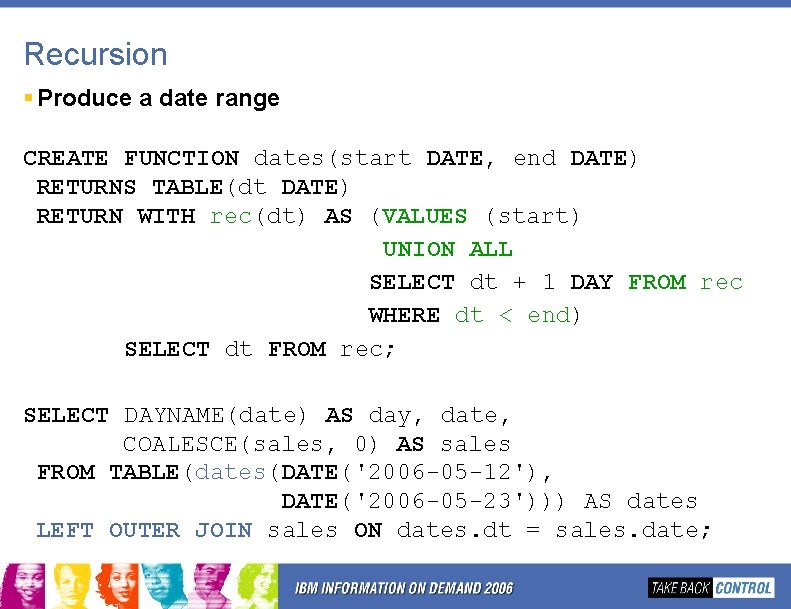
Recursion § Produce a date range CREATE FUNCTION dates(start DATE, end DATE) RETURNS TABLE(dt DATE) RETURN WITH rec(dt) AS (VALUES (start) UNION ALL SELECT dt + 1 DAY FROM rec WHERE dt < end) SELECT dt FROM rec; SELECT DAYNAME(date) AS day, date, COALESCE(sales, 0) AS sales FROM TABLE(dates(DATE('2006 -05 -12'), DATE('2006 -05 -23'))) AS dates LEFT OUTER JOIN sales ON dates. dt = sales. date;
Recursion Day Friday Saturday Sunday Monday Tuesday Wednesday Thursday Friday Saturday Sunday Monday Tuesday Date 2006 -May-12 2006 -May-13 2006 -May-14 2006 -May-15 2006 -May-16 2006 -May-17 2006 -May-18 2006 -May-19 2006 -May-20 2005 -May-21 2006 -May-22 2006 -May-23 Amount 30 0 0 20 15 25 31 32 0 0 11 18
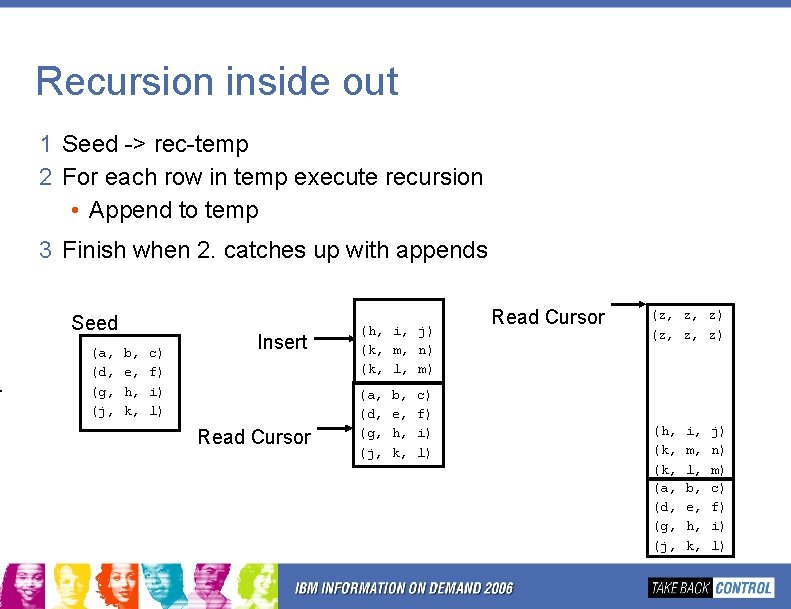
Recursion inside out 1 Seed -> rec-temp 2 For each row in temp execute recursion • Append to temp 3 Finish when 2. catches up with appends Seed (a, (d, (g, (j, b, e, h, k, c) f) i) l) Insert Read Cursor (h, i, j) (k, m, n) (k, l, m) (a, (d, (g, (j, b, e, h, k, c) f) i) l) Read Cursor (z, z, z) (h, (k, (a, (d, (g, (j, i, m, l, b, e, h, k, j) n) m) c) f) i) l)
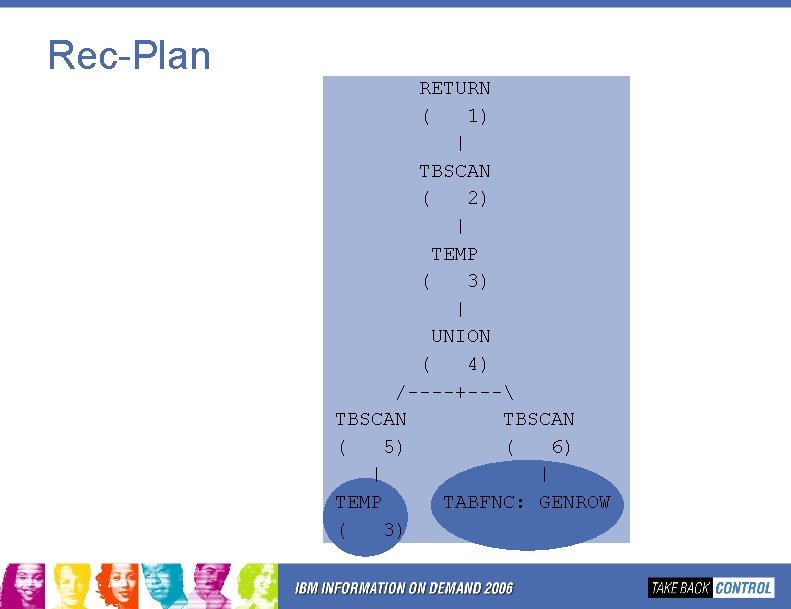
Rec-Plan RETURN ( 1) | TBSCAN ( 2) | TEMP ( 3) | UNION ( 4) /----+--- TBSCAN ( 5) ( 6) | | TEMP TABFNC: GENROW ( 3)
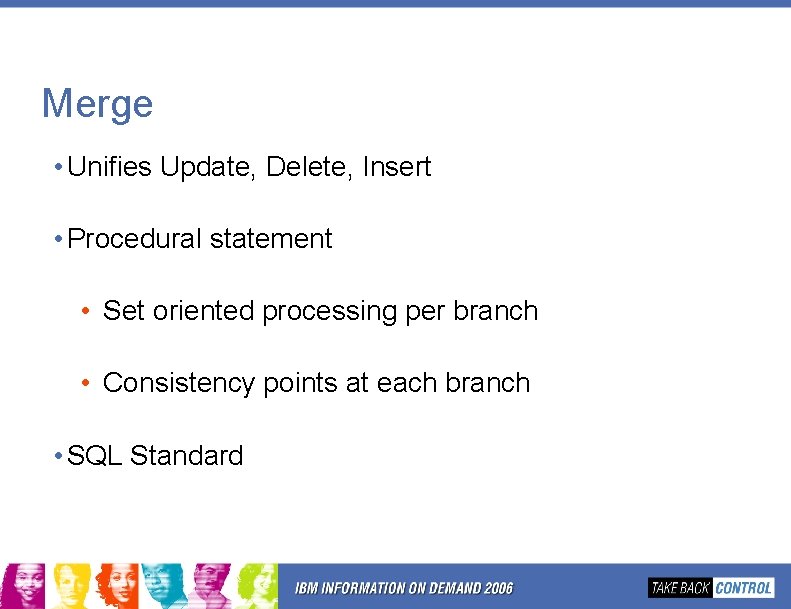
Merge • Unifies Update, Delete, Insert • Procedural statement • Set oriented processing per branch • Consistency points at each branch • SQL Standard
Merge Make Up MERGE {WHEN THEN [ELSE INTO <target> USING <source> ON <match-condition> [NOT] MATCHED [AND <predicate>] [UPDATE SET. . . |DELETE|INSERT VALUES. . |SIGNAL. . . ]} IGNORE] • <target> is any updatable query • <source> is whatever query you please • <match-condition> partitions <source> into MATCHED and NOT MATCHED Each target-row must only be matched once! • WHEN. . [<predicate>] executes THEN for subset of [not] matched rows. • each row in <source> is processed once in first qualifying WHEN only
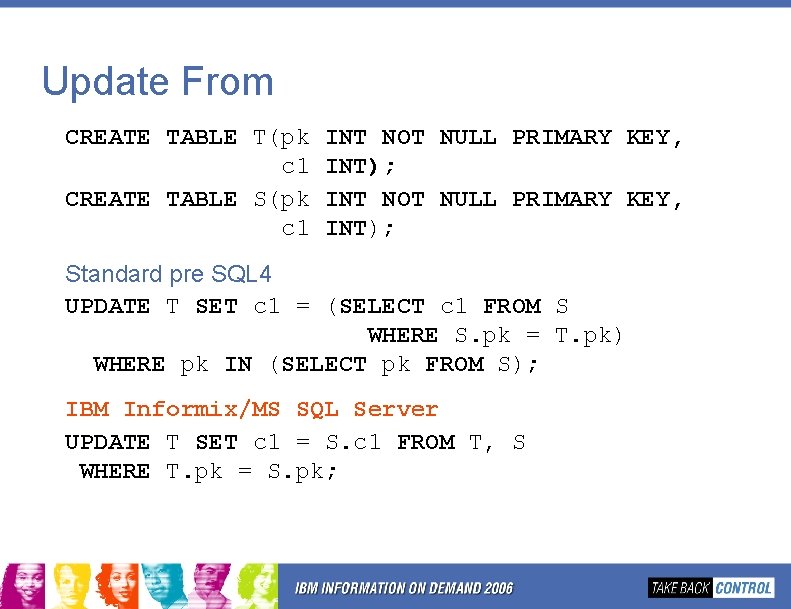
Update From CREATE TABLE T(pk c 1 CREATE TABLE S(pk c 1 INT NOT NULL PRIMARY KEY, INT); Standard pre SQL 4 UPDATE T SET c 1 = (SELECT c 1 FROM S WHERE S. pk = T. pk) WHERE pk IN (SELECT pk FROM S); IBM Informix/MS SQL Server UPDATE T SET c 1 = S. c 1 FROM T, S WHERE T. pk = S. pk;
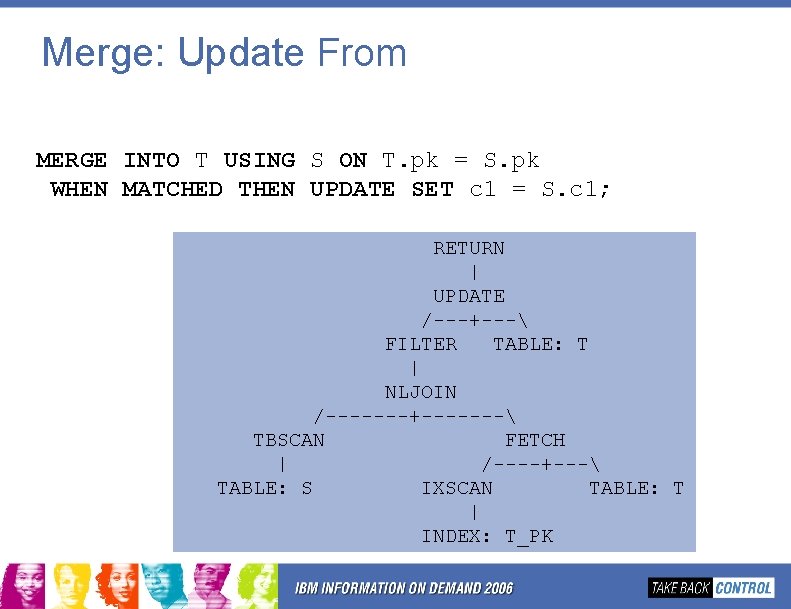
Merge: Update From MERGE INTO T USING S ON T. pk = S. pk WHEN MATCHED THEN UPDATE SET c 1 = S. c 1; RETURN | UPDATE /---+--- FILTER TABLE: T | NLJOIN /-------+------- TBSCAN FETCH | /----+--- TABLE: S IXSCAN TABLE: T | INDEX: T_PK
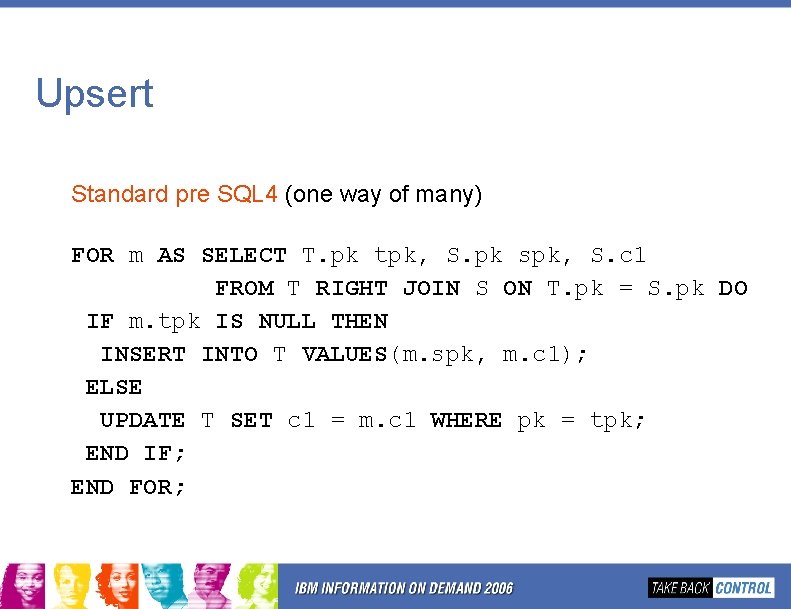
Upsert Standard pre SQL 4 (one way of many) FOR m AS SELECT T. pk tpk, S. pk spk, S. c 1 FROM T RIGHT JOIN S ON T. pk = S. pk DO IF m. tpk IS NULL THEN INSERT INTO T VALUES(m. spk, m. c 1); ELSE UPDATE T SET c 1 = m. c 1 WHERE pk = tpk; END IF; END FOR;
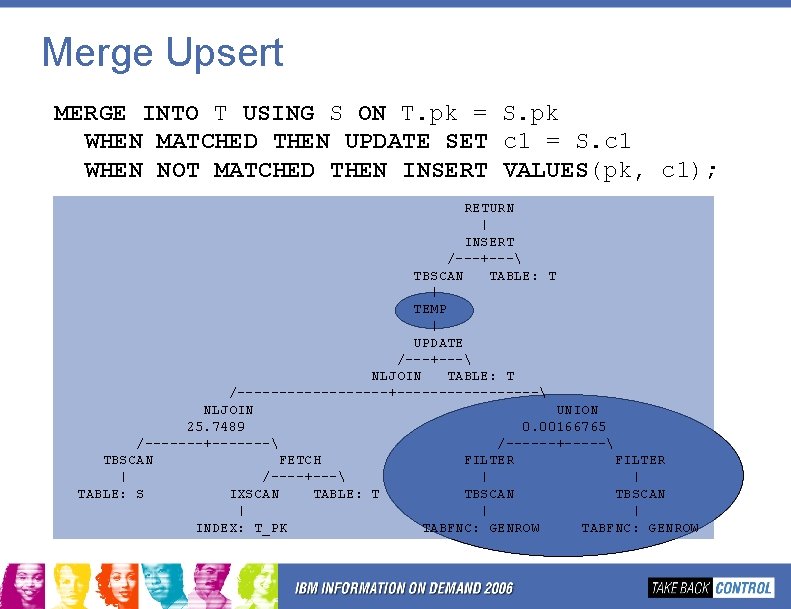
Merge Upsert MERGE INTO T USING S ON T. pk = S. pk WHEN MATCHED THEN UPDATE SET c 1 = S. c 1 WHEN NOT MATCHED THEN INSERT VALUES(pk, c 1); RETURN | INSERT /---+--- TBSCAN TABLE: T | TEMP | UPDATE /---+--- NLJOIN TABLE: T /---------+--------- NLJOIN UNION 25. 7489 0. 00166765 /-------+------- /------+----- TBSCAN FETCH FILTER | /----+--- | | TABLE: S IXSCAN TABLE: T TBSCAN | | | INDEX: T_PK TABFNC: GENROW
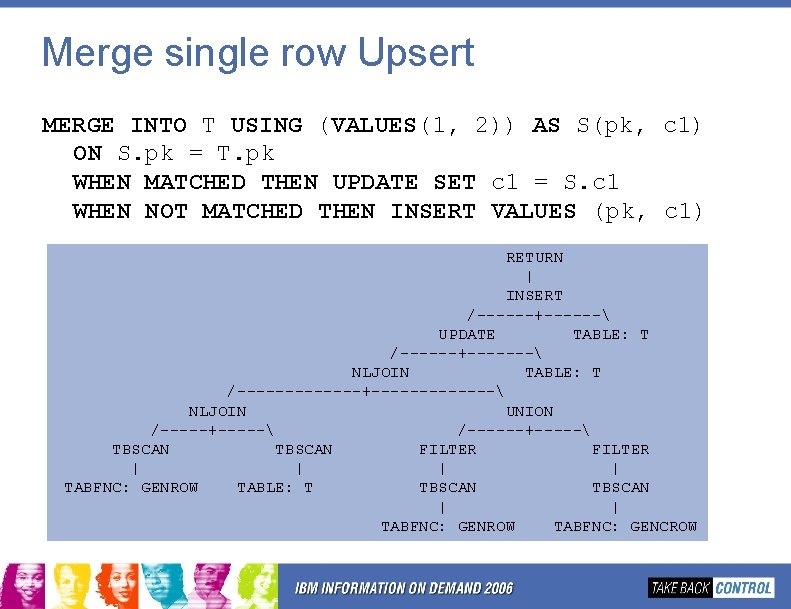
Merge single row Upsert MERGE INTO T USING (VALUES(1, 2)) AS S(pk, c 1) ON S. pk = T. pk WHEN MATCHED THEN UPDATE SET c 1 = S. c 1 WHEN NOT MATCHED THEN INSERT VALUES (pk, c 1) RETURN | INSERT /------+------ UPDATE TABLE: T /------+------- NLJOIN TABLE: T /-------+------- NLJOIN UNION /-----+----- /------+----- TBSCAN FILTER | | TABFNC: GENROW TABLE: T TBSCAN | | TABFNC: GENROW TABFNC: GENCROW
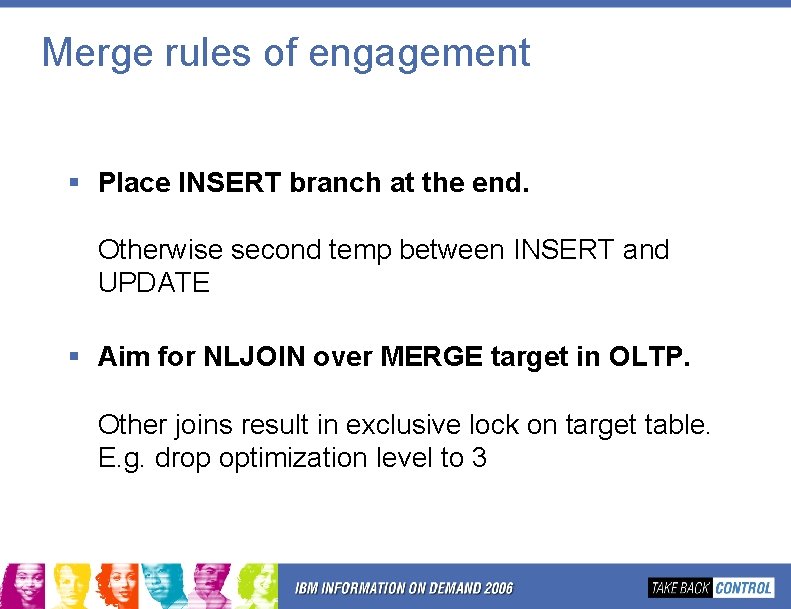
Merge rules of engagement § Place INSERT branch at the end. Otherwise second temp between INSERT and UPDATE § Aim for NLJOIN over MERGE target in OLTP. Other joins result in exclusive lock on target table. E. g. drop optimization level to 3
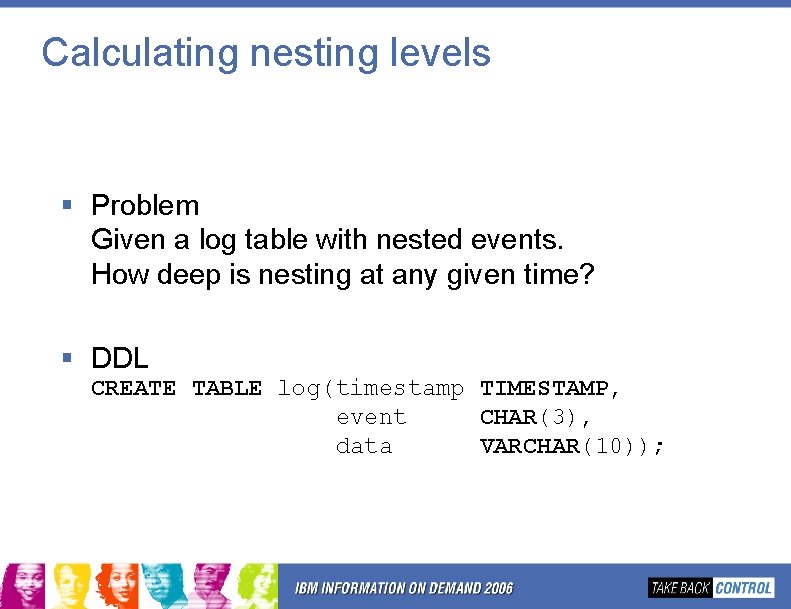
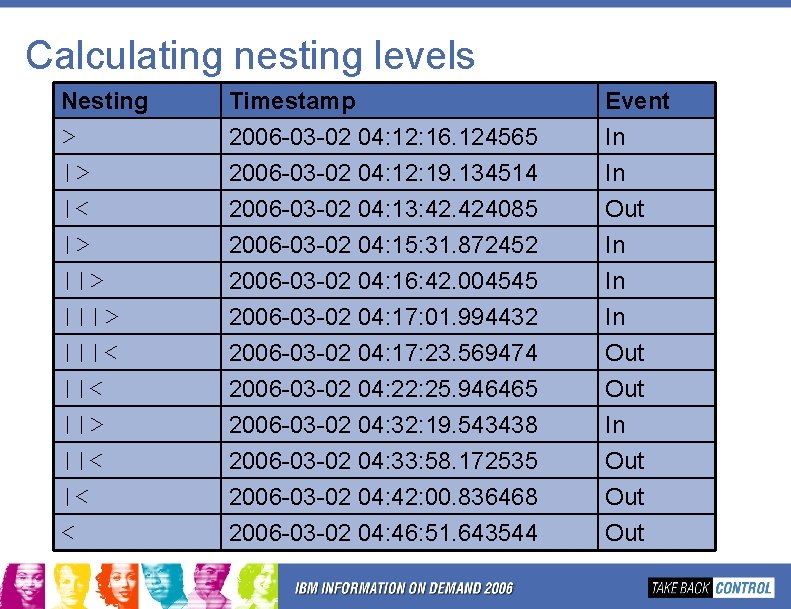
Calculating nesting levels § Problem Given a log table with nested events. How deep is nesting at any given time? § DDL CREATE TABLE log(timestamp TIMESTAMP, event CHAR(3), data VARCHAR(10));
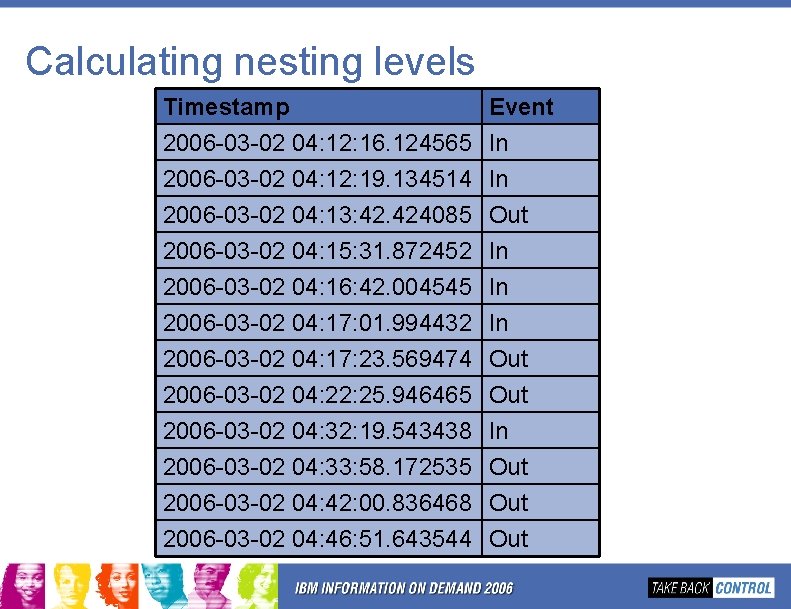
Calculating nesting levels Timestamp 2006 -03 -02 04: 12: 16. 124565 2006 -03 -02 04: 12: 19. 134514 2006 -03 -02 04: 13: 42. 424085 2006 -03 -02 04: 15: 31. 872452 2006 -03 -02 04: 16: 42. 004545 2006 -03 -02 04: 17: 01. 994432 2006 -03 -02 04: 17: 23. 569474 2006 -03 -02 04: 22: 25. 946465 2006 -03 -02 04: 32: 19. 543438 2006 -03 -02 04: 33: 58. 172535 2006 -03 -02 04: 42: 00. 836468 2006 -03 -02 04: 46: 51. 643544 Event In In Out In In In Out Out Out
Calculating nesting levels Nesting > |> |< |> |||> |||< ||> ||< |< < Timestamp 2006 -03 -02 04: 12: 16. 124565 2006 -03 -02 04: 12: 19. 134514 2006 -03 -02 04: 13: 42. 424085 2006 -03 -02 04: 15: 31. 872452 2006 -03 -02 04: 16: 42. 004545 2006 -03 -02 04: 17: 01. 994432 2006 -03 -02 04: 17: 23. 569474 2006 -03 -02 04: 22: 25. 946465 2006 -03 -02 04: 32: 19. 543438 2006 -03 -02 04: 33: 58. 172535 2006 -03 -02 04: 42: 00. 836468 2006 -03 -02 04: 46: 51. 643544 Event In In Out In In In Out Out Out
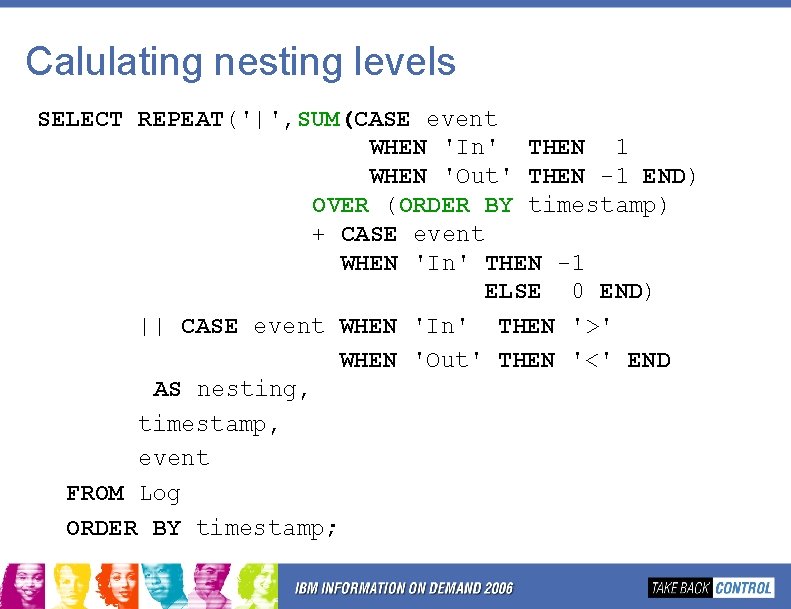
Calulating nesting levels SELECT REPEAT('|', SUM(CASE event WHEN 'In' THEN 1 WHEN 'Out' THEN -1 END) OVER (ORDER BY timestamp) + CASE event WHEN 'In' THEN -1 ELSE 0 END) || CASE event WHEN 'In' THEN '>' WHEN 'Out' THEN '<' END AS nesting, timestamp, event FROM Log ORDER BY timestamp;
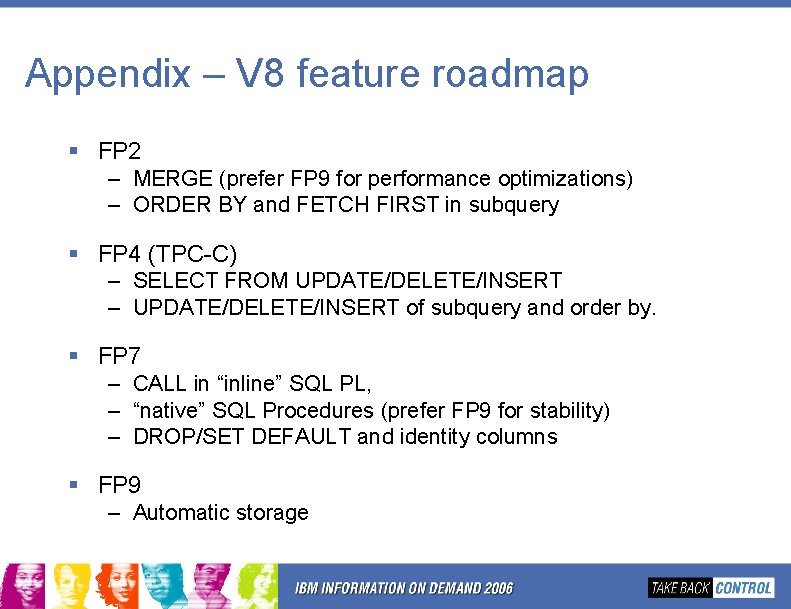
Appendix – V 8 feature roadmap § FP 2 – MERGE (prefer FP 9 for performance optimizations) – ORDER BY and FETCH FIRST in subquery § FP 4 (TPC-C) – SELECT FROM UPDATE/DELETE/INSERT – UPDATE/DELETE/INSERT of subquery and order by. § FP 7 – CALL in “inline” SQL PL, – “native” SQL Procedures (prefer FP 9 for stability) – DROP/SET DEFAULT and identity columns § FP 9 – Automatic storage
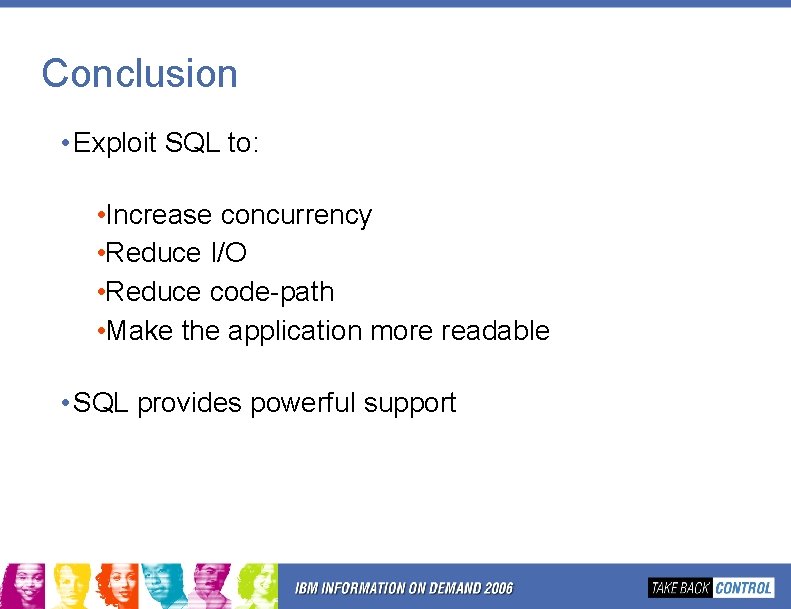
Conclusion • Exploit SQL to: • Increase concurrency • Reduce I/O • Reduce code-path • Make the application more readable • SQL provides powerful support
SQL on Fire! Part 2 Serge Rielau IBM srielau@ca. ibm. com