
SQL FUNDAMENTALS CDSE Days 2018 1 What is


- Slides: 28
SQL FUNDAMENTALS ‘- CDSE Days 2018 1
What is SQL? • Structured Querying Language – computer language for relational database management and data manipulation ‘ • Sequel • Cannot write complete applications All about the data Ø Read Ø Write Ø Update 2
SQL Syntax • Unlike other languages there are multiple variations • Data. Base Management Systems (DBMS) Ø SQL Server ‘Ø My. SQL Ø Microsoft SQL Server Ø Oracle (IBM DB 2) Ø… 3
Database • A container of organized data that is related ü Tables: a structured list of data ü Columns: single fields in a table ‘ü Rows: a record in a table 4
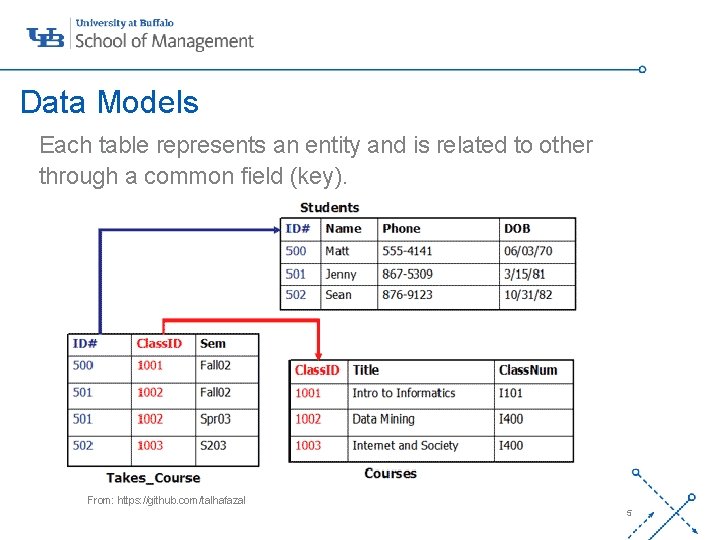
Data Models Each table represents an entity and is related to other through a common field (key). ‘- From: https: //github. com/talhafazal 5
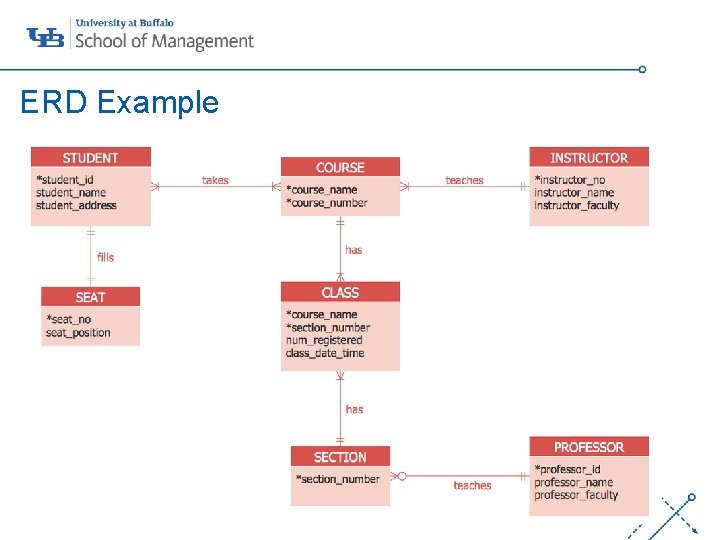
ERD Example ‘- 7
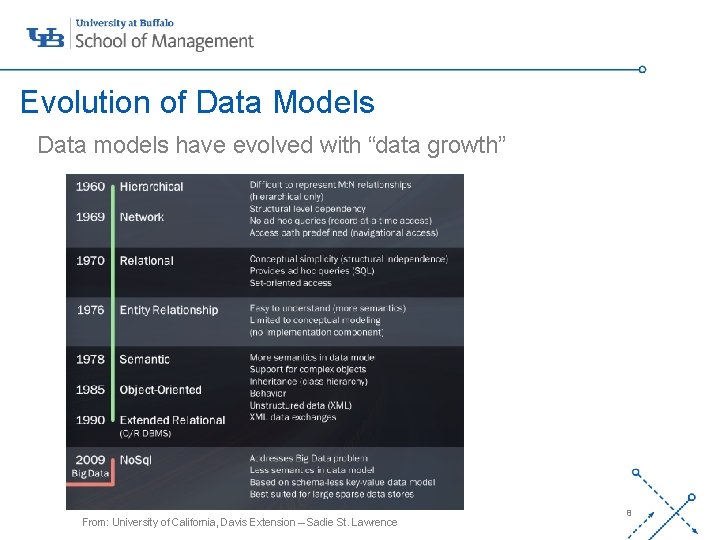
Evolution of Data Models Data models have evolved with “data growth” ‘- From: University of California, Davis Extension – Sadie St. Lawrence 8
Where to Start? ü Problem Identification ü Data Structure ü Business Rules ‘- • The Data Model is a great starting point 10
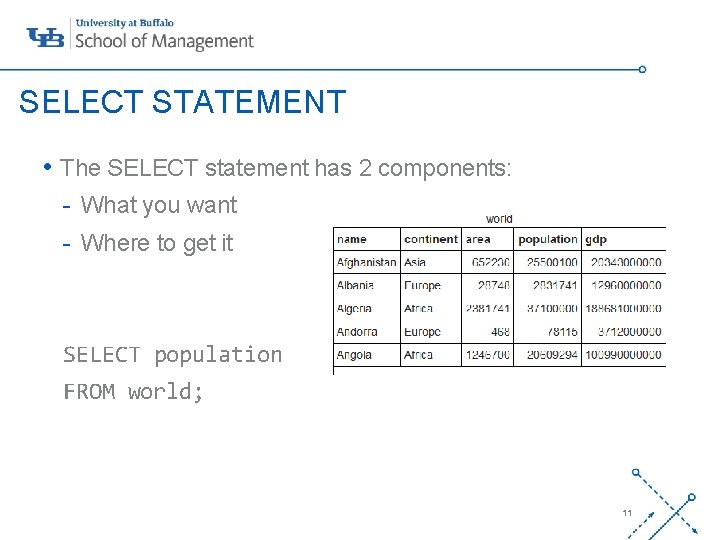
SELECT STATEMENT • The SELECT statement has 2 components: - What you want - Where to get it ‘- SELECT population FROM world; 11
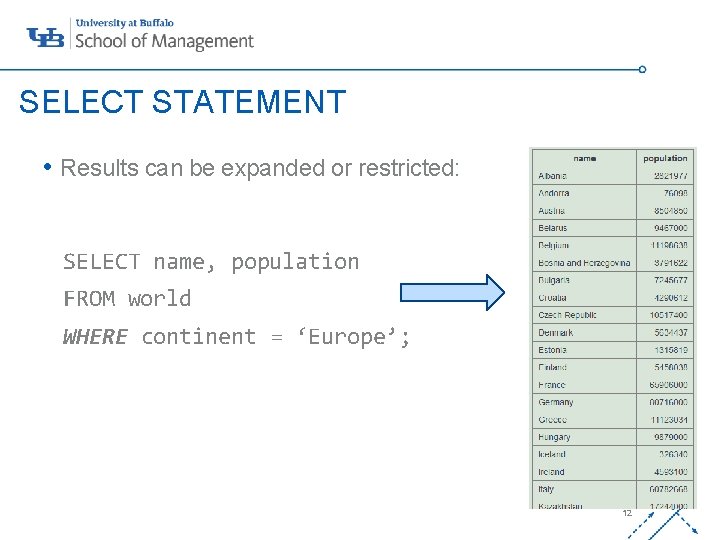
SELECT STATEMENT • Results can be expanded or restricted: SELECT name, population ‘- FROM world WHERE continent = ‘Europe’; 12
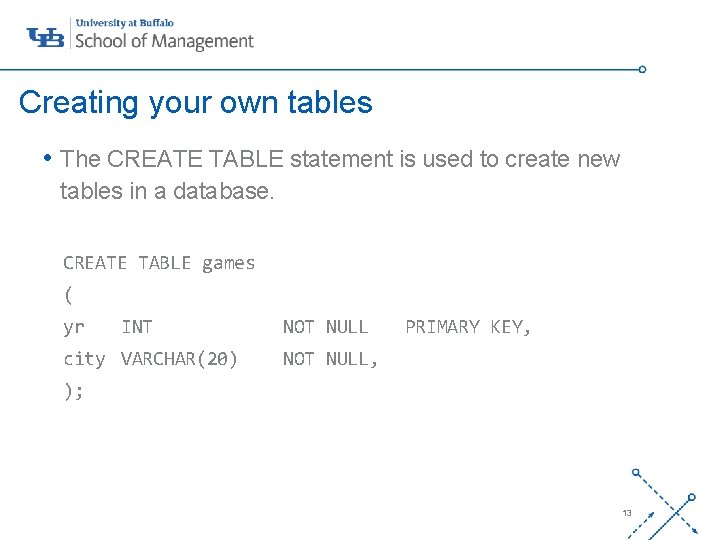
Creating your own tables • The CREATE TABLE statement is used to create new tables in a database. CREATE TABLE games ‘- ( yr INT city VARCHAR(20) NOT NULL PRIMARY KEY, NOT NULL, ); 13
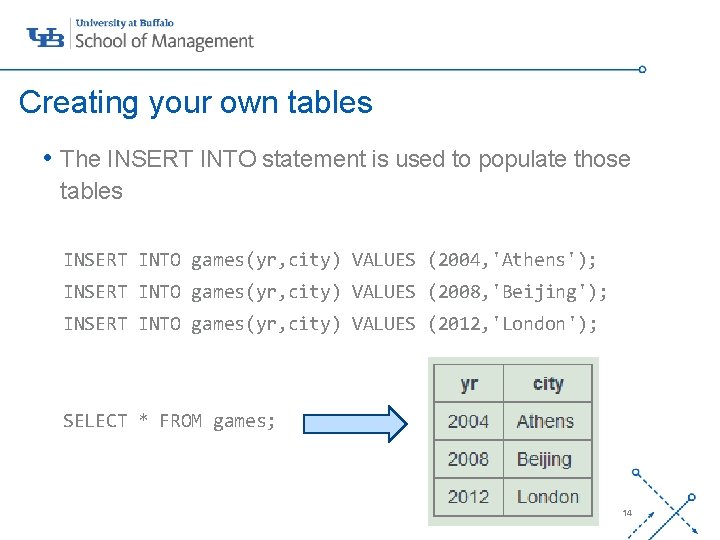
Creating your own tables • The INSERT INTO statement is used to populate those tables INSERT INTO games(yr, city) VALUES (2004, 'Athens'); ‘INSERT INTO games(yr, city) VALUES (2008, 'Beijing'); INSERT INTO games(yr, city) VALUES (2012, 'London'); SELECT * FROM games; 14
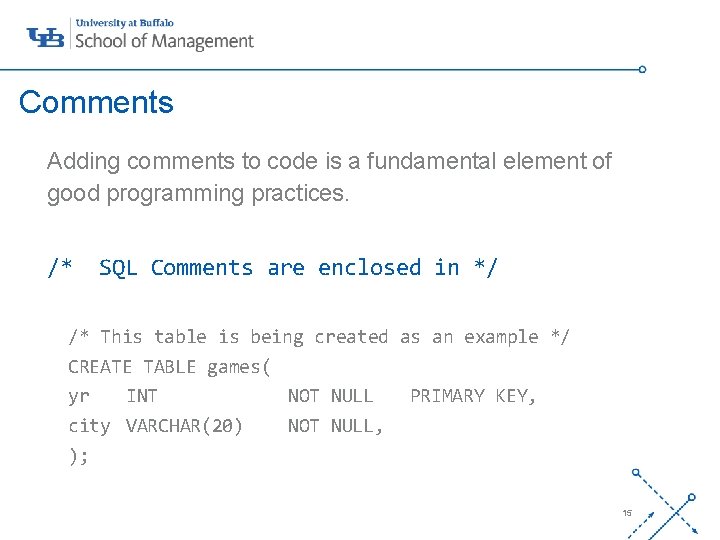
Comments Adding comments to code is a fundamental element of good programming practices. /* SQL Comments are enclosed in ‘-*/ /* This table is being created as an example */ CREATE TABLE games( yr INT NOT NULL PRIMARY KEY, city VARCHAR(20) NOT NULL, ); 15
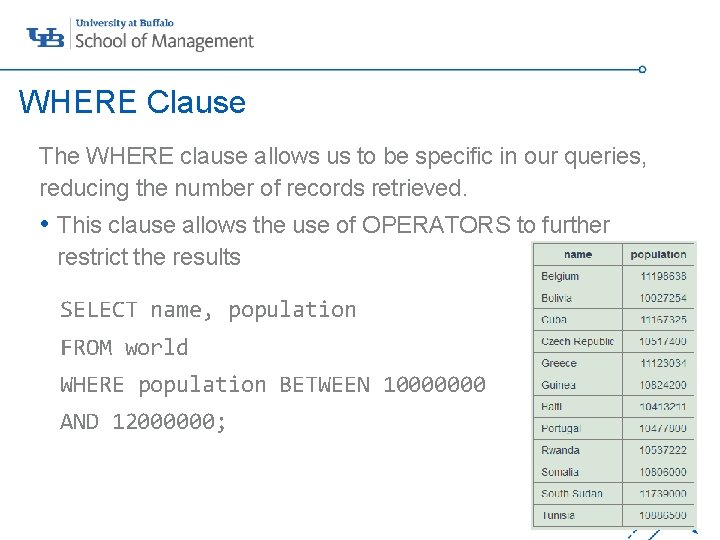
WHERE Clause The WHERE clause allows us to be specific in our queries, reducing the number of records retrieved. • This clause allows the use of OPERATORS to further restrict the results ‘- SELECT name, population FROM world WHERE population BETWEEN 10000000 AND 12000000; 16
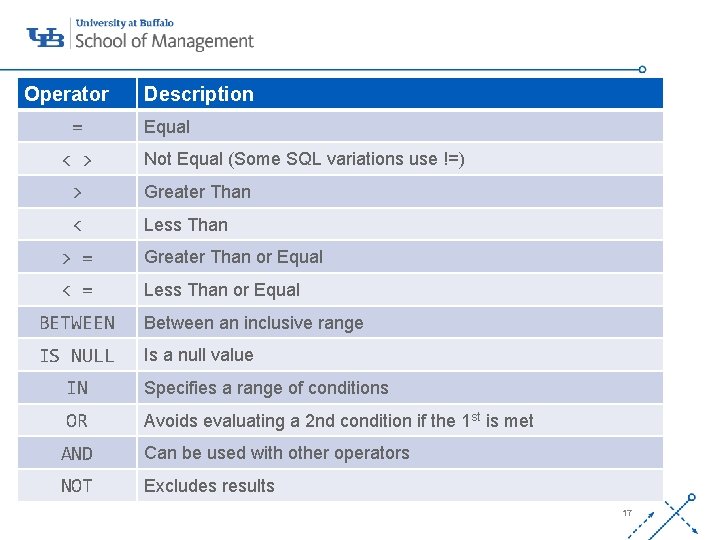
Operator = < > Description Equal Not Equal (Some SQL variations use !=) > Greater Than < Less Than > = Greater Than or Equal < = Less Than or Equal BETWEEN Between an inclusive range IS NULL Is a null value ‘- IN Specifies a range of conditions OR Avoids evaluating a 2 nd condition if the 1 st is met AND Can be used with other operators NOT Excludes results 17
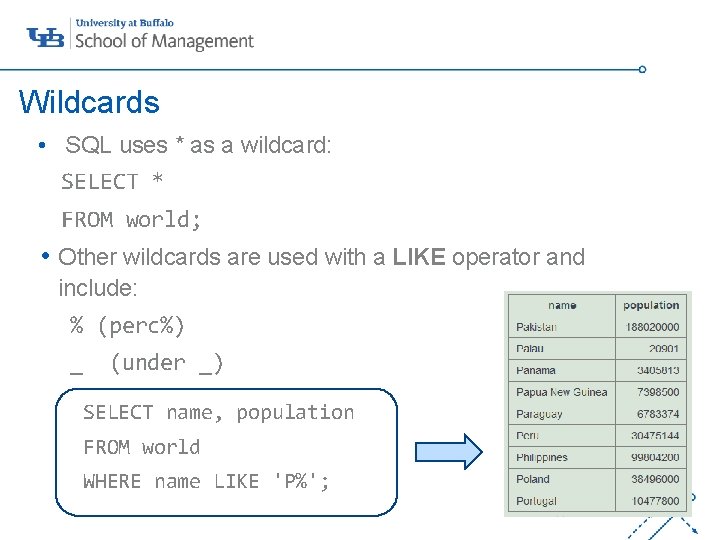
Wildcards • SQL uses * as a wildcard: SELECT * FROM world; • Other wildcards are used with a LIKE operator and ‘include: % (perc%) _ (under _) SELECT name, population FROM world WHERE name LIKE 'P%'; 18
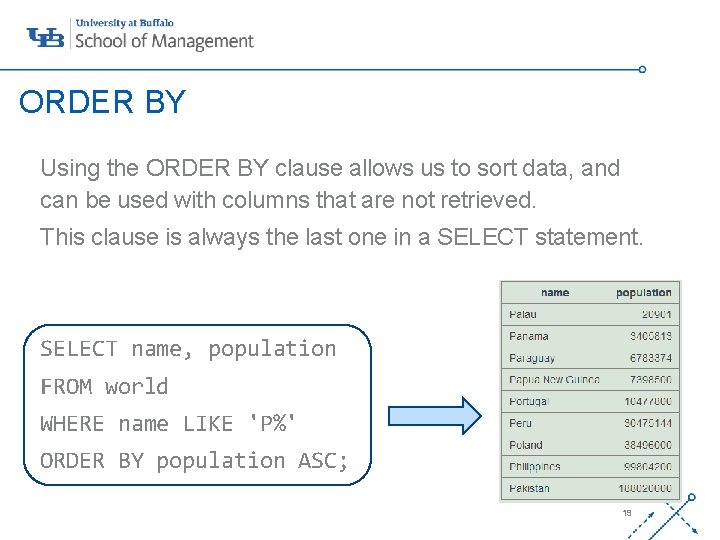
ORDER BY Using the ORDER BY clause allows us to sort data, and can be used with columns that are not retrieved. This clause is always the last one in a SELECT statement. ‘- SELECT name, population FROM world WHERE name LIKE 'P%' ORDER BY population ASC; 19
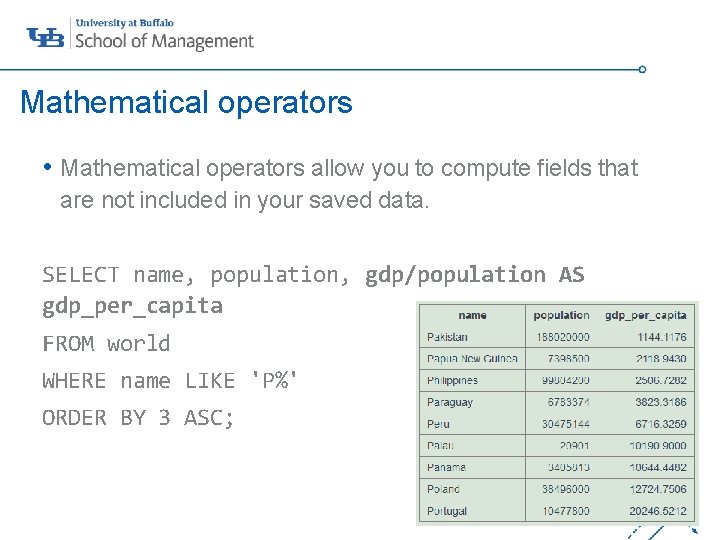
Mathematical operators • Mathematical operators allow you to compute fields that are not included in your saved data. ‘SELECT name, population, gdp/population AS gdp_per_capita FROM world WHERE name LIKE 'P%' ORDER BY 3 ASC; 20
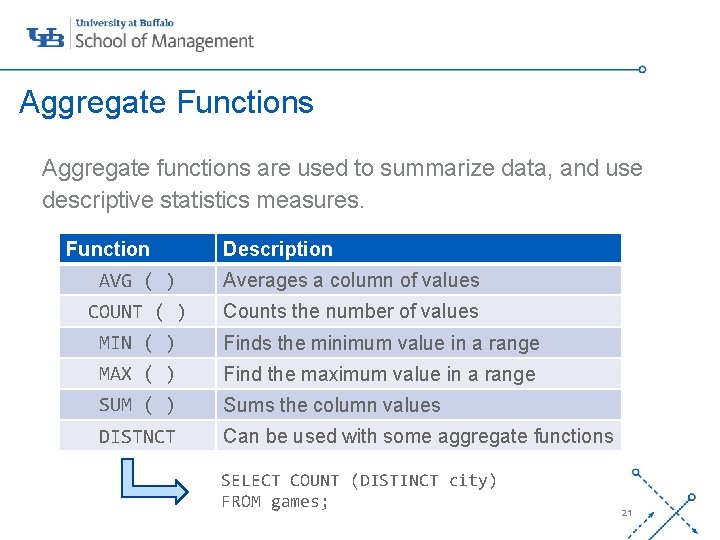
Aggregate Functions Aggregate functions are used to summarize data, and use descriptive statistics measures. Function Description ‘- AVG ( ) Averages a column of values COUNT ( ) Counts the number of values MIN ( ) Finds the minimum value in a range MAX ( ) Find the maximum value in a range SUM ( ) Sums the column values DISTNCT Can be used with some aggregate functions SELECT COUNT (DISTINCT city) FROM games; 21
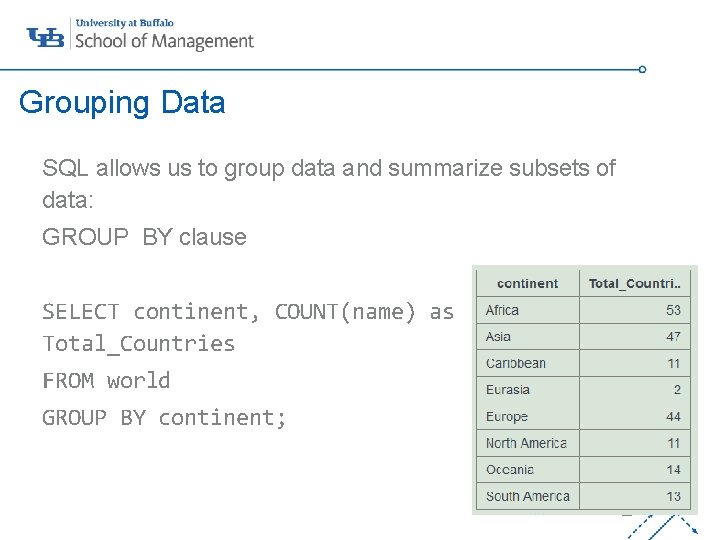
Grouping Data SQL allows us to group data and summarize subsets of data: GROUP BY clause ‘- SELECT continent, COUNT(name) as Total_Countries FROM world GROUP BY continent; 22
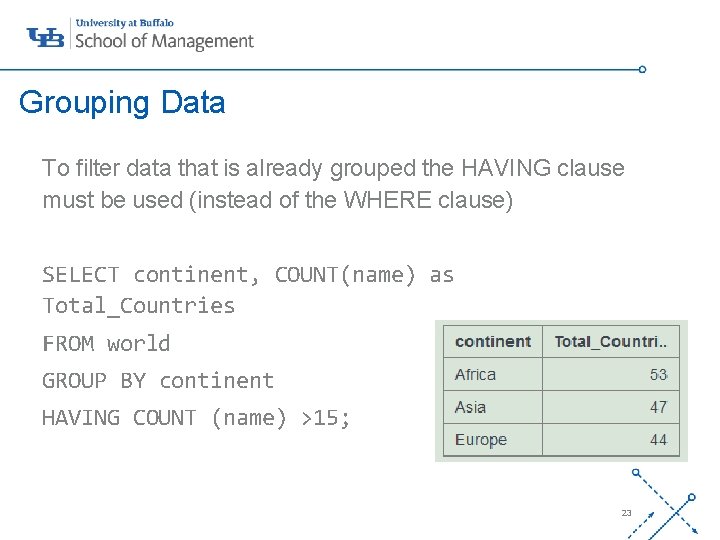
Grouping Data To filter data that is already grouped the HAVING clause must be used (instead of the WHERE clause) SELECT continent, COUNT(name) as Total_Countries ‘- FROM world GROUP BY continent HAVING COUNT (name) >15; 23
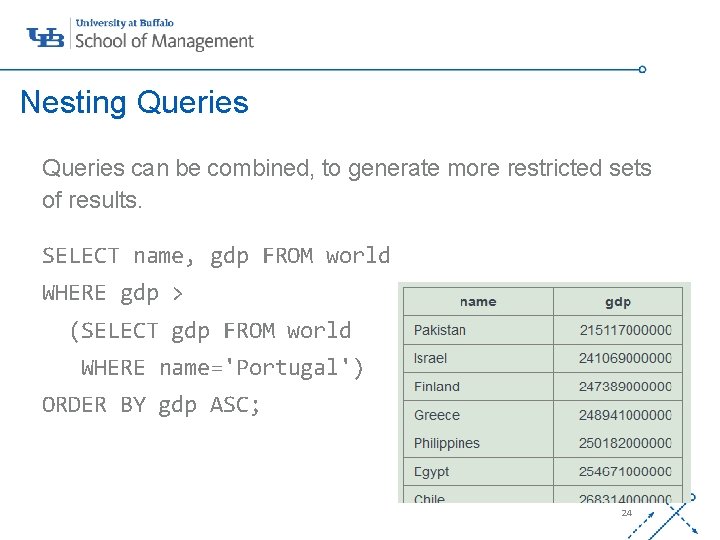
Nesting Queries can be combined, to generate more restricted sets of results. SELECT name, gdp FROM world ‘- WHERE gdp > (SELECT gdp FROM world WHERE name='Portugal') ORDER BY gdp ASC; 24
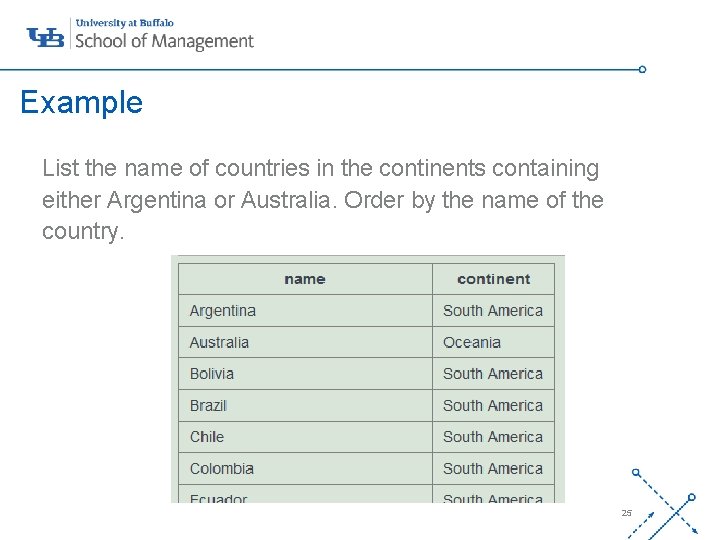
Example List the name of countries in the continents containing either Argentina or Australia. Order by the name of the country. ‘- SELECT name, continent FROM world WHERE continent IN (SELECT continent FROM world WHERE name IN ('Argentina', 'Australia')) ORDER BY name ASC; 25
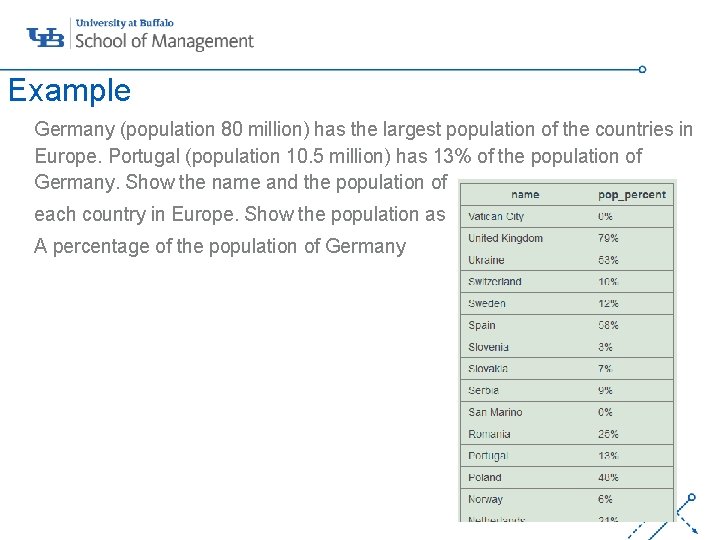
Example Germany (population 80 million) has the largest population of the countries in Europe. Portugal (population 10. 5 million) has 13% of the population of Germany. Show the name and the population of each country in Europe. Show the population as A percentage of the population of Germany ‘- SELECT name, CONCAT(ROUND(100*population/(SELECT population FROM world WHERE name = 'Germany')), '%') AS pop_percent FROM world WHERE continent = 'Europe' ORDER BY name DESC; 26
Nesting queries Best Practices • No limit to the number of subqueries that you can have • Performance is affected with deeply nested statements • Coding format is important ‘ü Notepad ++ ü www. poorsql. com ü commenting 27
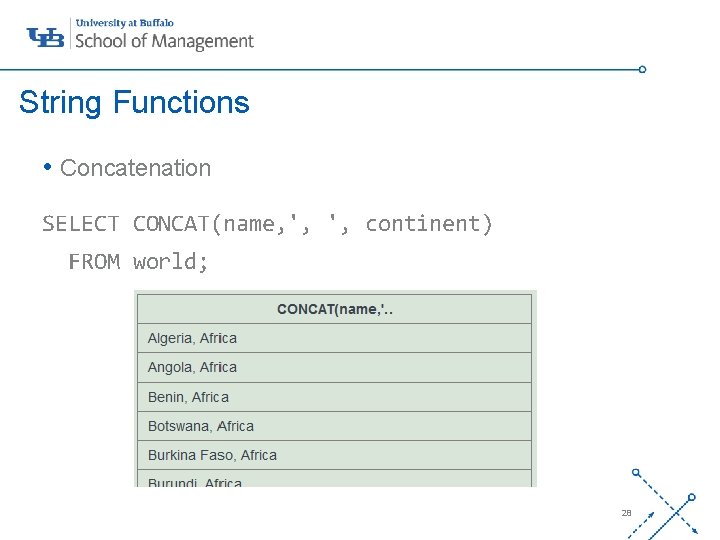
String Functions • Concatenation SELECT CONCAT(name, ', ', continent) FROM world; ‘- 28
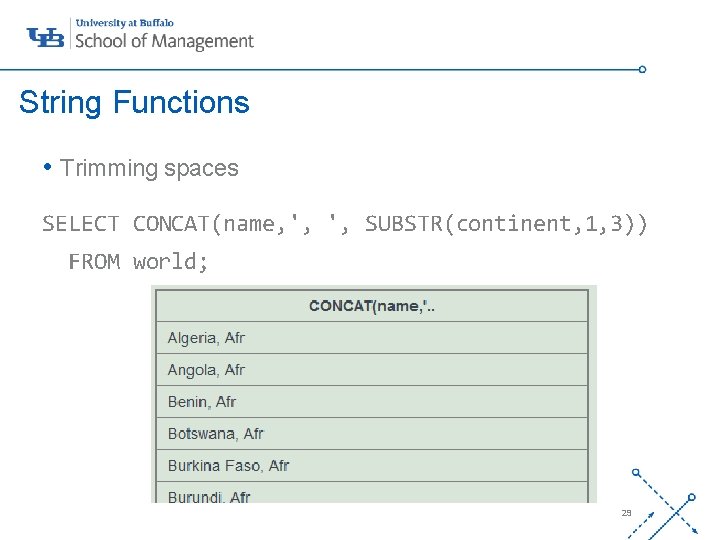
String Functions • Trimming spaces SELECT CONCAT(name, ', ', SUBSTR(continent, 1, 3)) FROM world; ‘- 29
Resources • https: //sqlzoo. net • https: //www. w 3 schools. com/ ‘- 30