
SQL From http www w 3 schools comsql



- Slides: 65
SQL From: http: //www. w 3 schools. com/sql
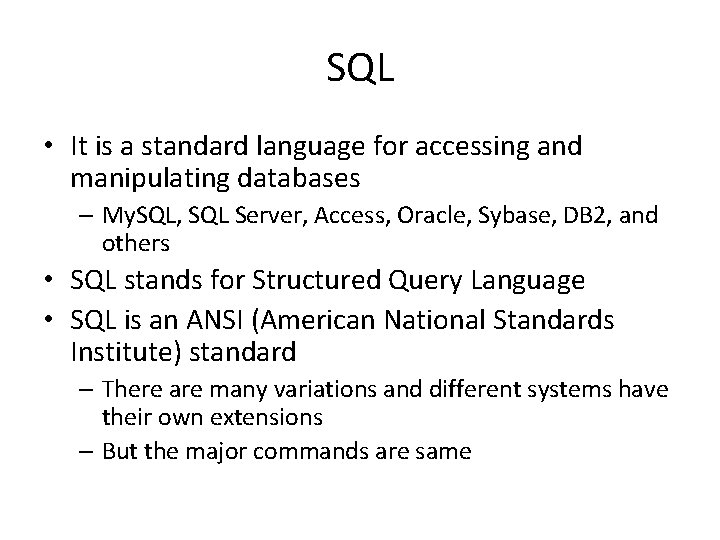
SQL • It is a standard language for accessing and manipulating databases – My. SQL, SQL Server, Access, Oracle, Sybase, DB 2, and others • SQL stands for Structured Query Language • SQL is an ANSI (American National Standards Institute) standard – There are many variations and different systems have their own extensions – But the major commands are same
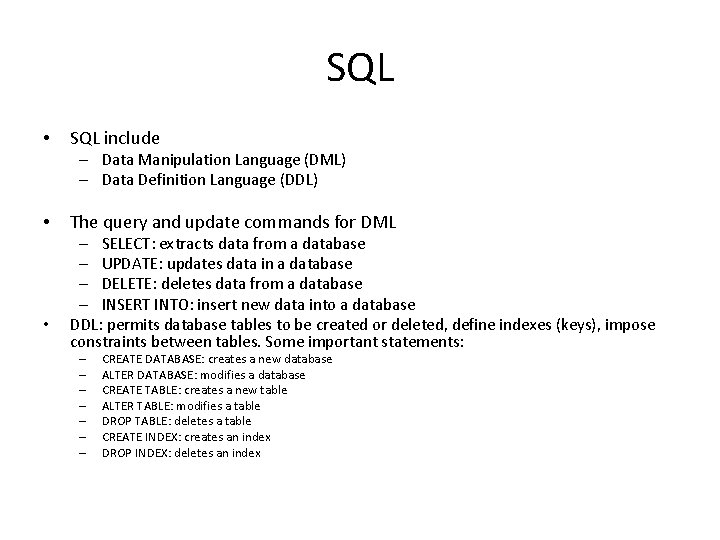
SQL • SQL include – Data Manipulation Language (DML) – Data Definition Language (DDL) • • The query and update commands for DML – SELECT: extracts data from a database – UPDATE: updates data in a database – DELETE: deletes data from a database – INSERT INTO: insert new data into a database DDL: permits database tables to be created or deleted, define indexes (keys), impose constraints between tables. Some important statements: – – – – CREATE DATABASE: creates a new database ALTER DATABASE: modifies a database CREATE TABLE: creates a new table ALTER TABLE: modifies a table DROP TABLE: deletes a table CREATE INDEX: creates an index DROP INDEX: deletes an index
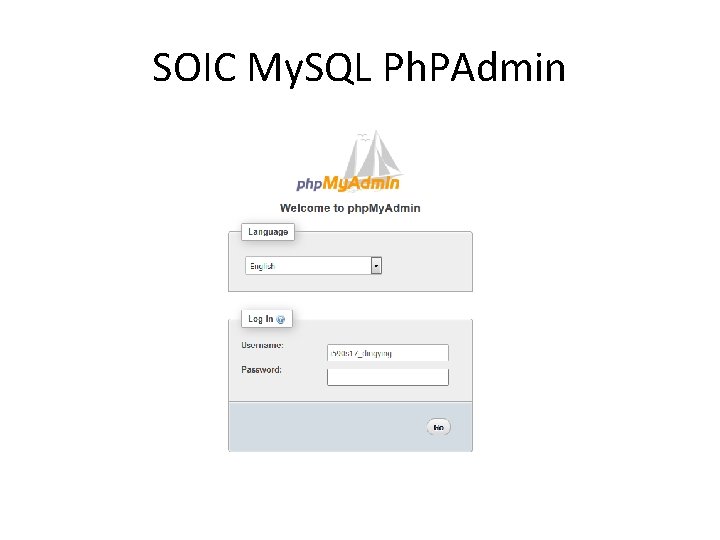
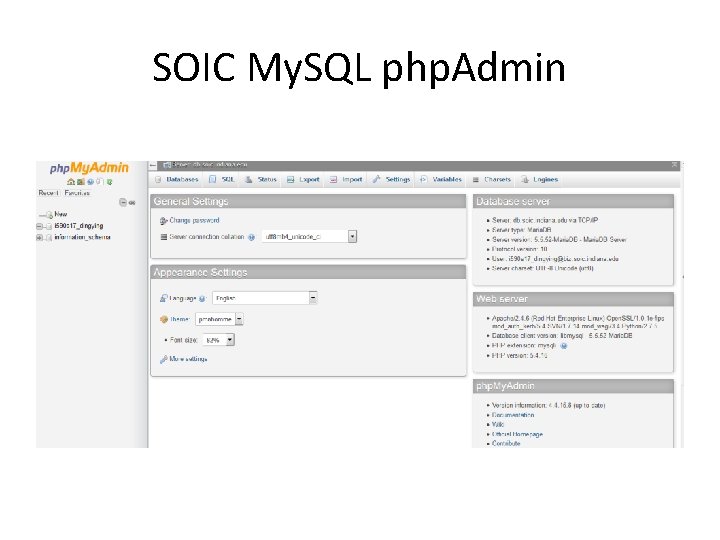
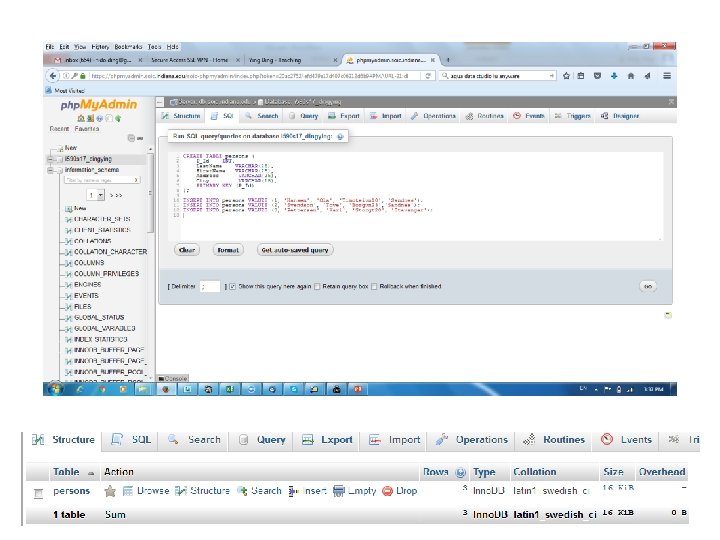
My. SQL Serve at SOIC • First, please login to IU VPN Groups if you are outside of IU (http: //vpn. iu. edu/groups) • Then, go to SOIC My. SQL Server via php. Admin (https: //phpmyadmin. soic. indiana. edu/soicphpmyadmin/), Login using your username and password
SOIC My. SQL Ph. PAdmin
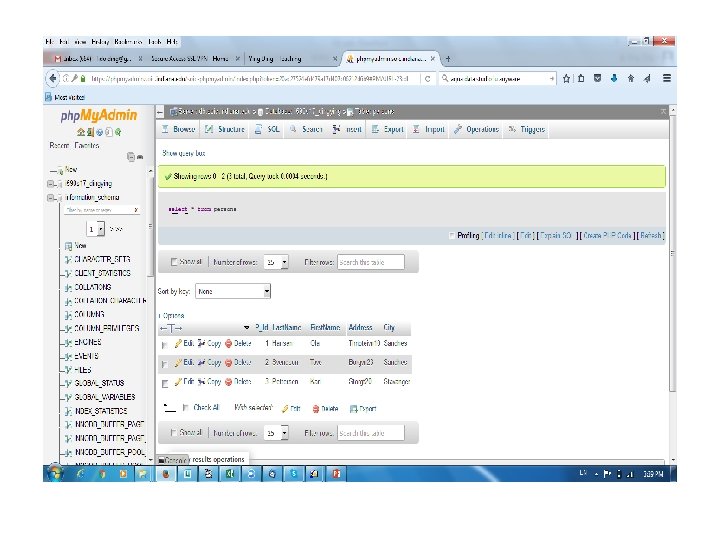
SOIC My. SQL php. Admin
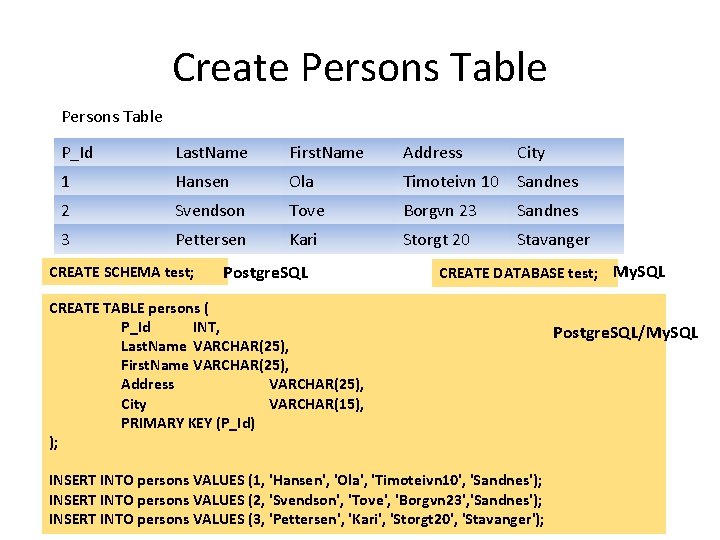
Create Persons Table P_Id Last. Name First. Name Address City 1 Hansen Ola Timoteivn 10 Sandnes 2 Svendson Tove Borgvn 23 Sandnes 3 Pettersen Kari Storgt 20 Stavanger CREATE SCHEMA test; Postgre. SQL CREATE DATABASE test; My. SQL CREATE TABLE persons ( P_Id INT, Last. Name VARCHAR(25), First. Name VARCHAR(25), Address VARCHAR(25), City VARCHAR(15), PRIMARY KEY (P_Id) ); INSERT INTO persons VALUES (1, 'Hansen', 'Ola', 'Timoteivn 10', 'Sandnes'); INSERT INTO persons VALUES (2, 'Svendson', 'Tove', 'Borgvn 23', 'Sandnes'); INSERT INTO persons VALUES (3, 'Pettersen', 'Kari', 'Storgt 20', 'Stavanger'); Postgre. SQL/My. SQL
SQL BASIC
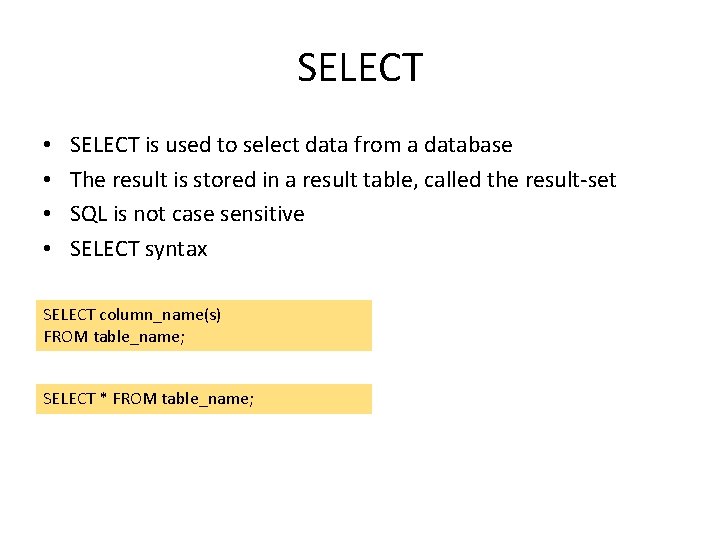
SELECT • • SELECT is used to select data from a database The result is stored in a result table, called the result-set SQL is not case sensitive SELECT syntax SELECT column_name(s) FROM table_name; SELECT * FROM table_name;
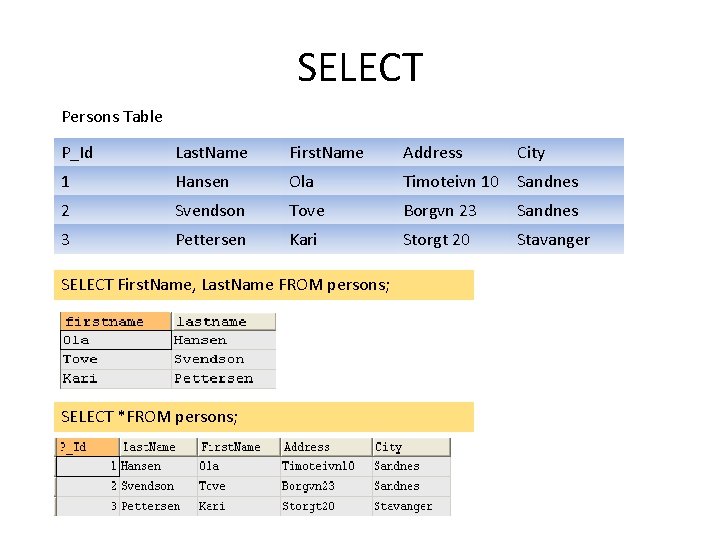
SELECT Persons Table P_Id Last. Name First. Name Address City 1 Hansen Ola Timoteivn 10 Sandnes 2 Svendson Tove Borgvn 23 Sandnes 3 Pettersen Kari Storgt 20 Stavanger SELECT First. Name, Last. Name FROM persons; SELECT *FROM persons;
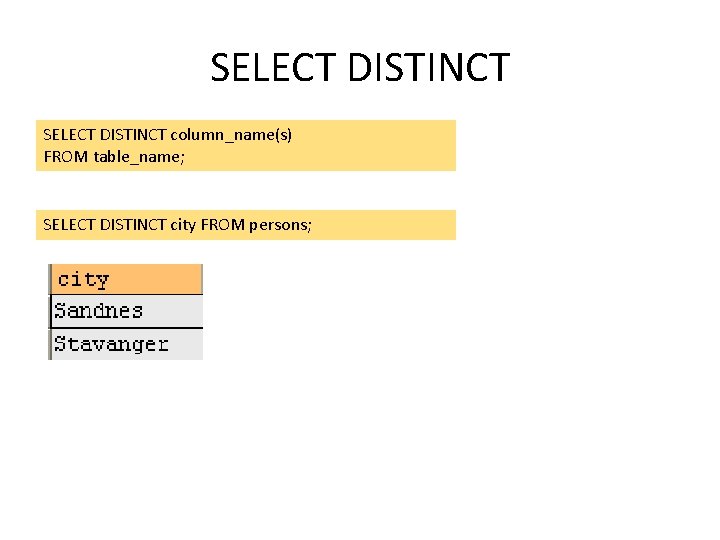
SELECT DISTINCT column_name(s) FROM table_name; SELECT DISTINCT city FROM persons;
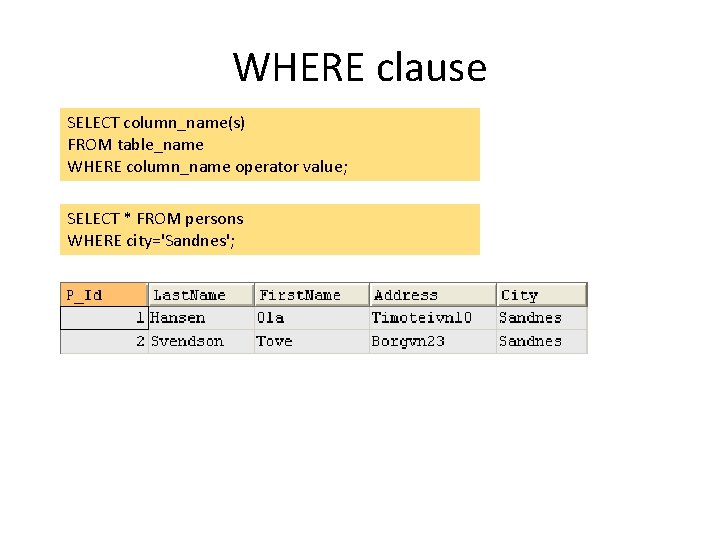
WHERE clause SELECT column_name(s) FROM table_name WHERE column_name operator value; SELECT * FROM persons WHERE city='Sandnes';
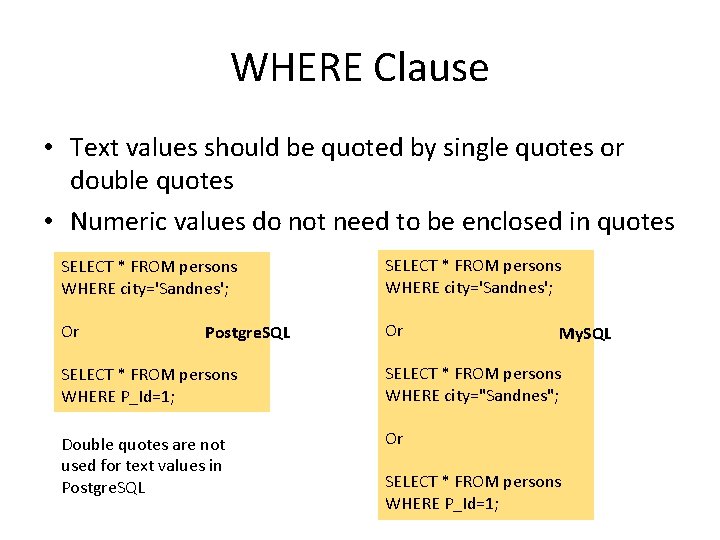
WHERE Clause • Text values should be quoted by single quotes or double quotes • Numeric values do not need to be enclosed in quotes SELECT * FROM persons WHERE city='Sandnes'; Or Or Postgre. SQL My. SQL SELECT * FROM persons WHERE P_Id=1; SELECT * FROM persons WHERE city="Sandnes"; Double quotes are not used for text values in Postgre. SQL Or SELECT * FROM persons WHERE P_Id=1;
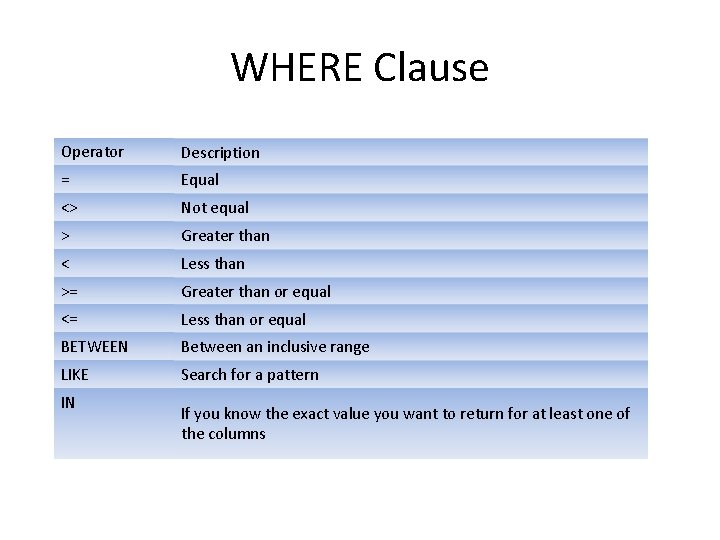
WHERE Clause Operator Description = Equal <> Not equal > Greater than < Less than >= Greater than or equal <= Less than or equal BETWEEN Between an inclusive range LIKE Search for a pattern IN If you know the exact value you want to return for at least one of the columns
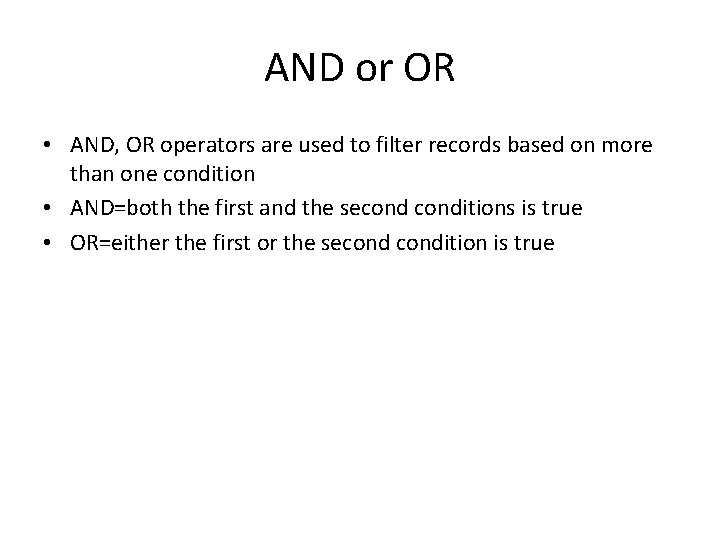
AND or OR • AND, OR operators are used to filter records based on more than one condition • AND=both the first and the seconditions is true • OR=either the first or the secondition is true
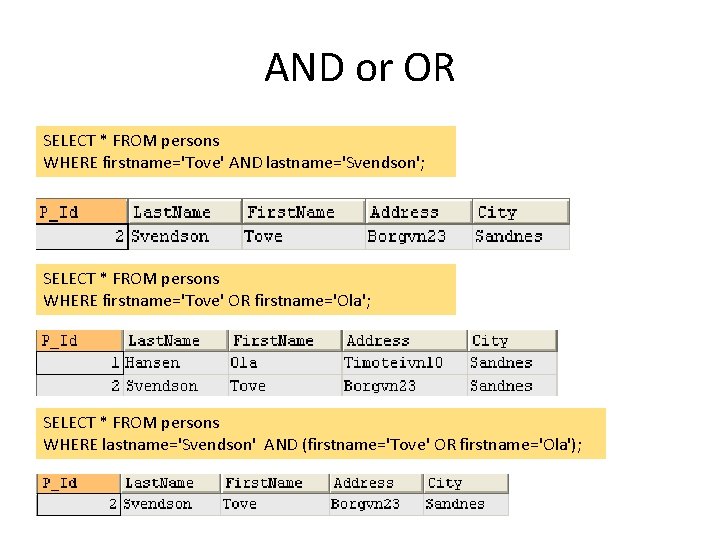
AND or OR SELECT * FROM persons WHERE firstname='Tove' AND lastname='Svendson'; SELECT * FROM persons WHERE firstname='Tove' OR firstname='Ola'; SELECT * FROM persons WHERE lastname='Svendson' AND (firstname='Tove' OR firstname='Ola');
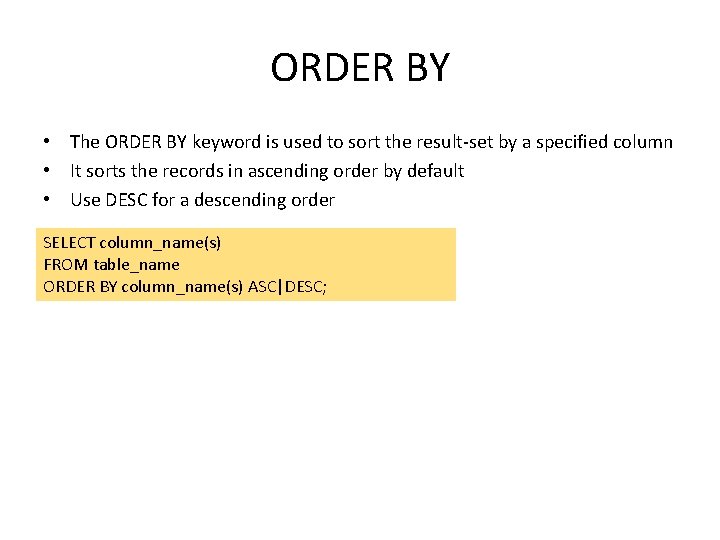
ORDER BY • The ORDER BY keyword is used to sort the result-set by a specified column • It sorts the records in ascending order by default • Use DESC for a descending order SELECT column_name(s) FROM table_name ORDER BY column_name(s) ASC|DESC;
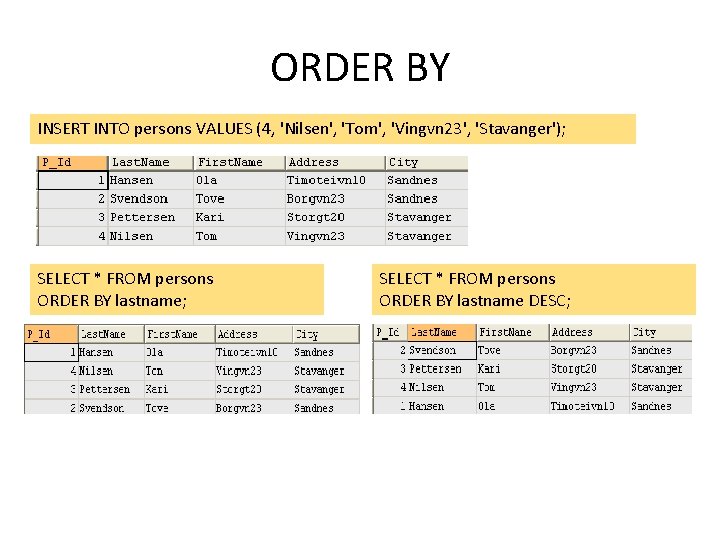
ORDER BY INSERT INTO persons VALUES (4, 'Nilsen', 'Tom', 'Vingvn 23', 'Stavanger'); SELECT * FROM persons ORDER BY lastname DESC;
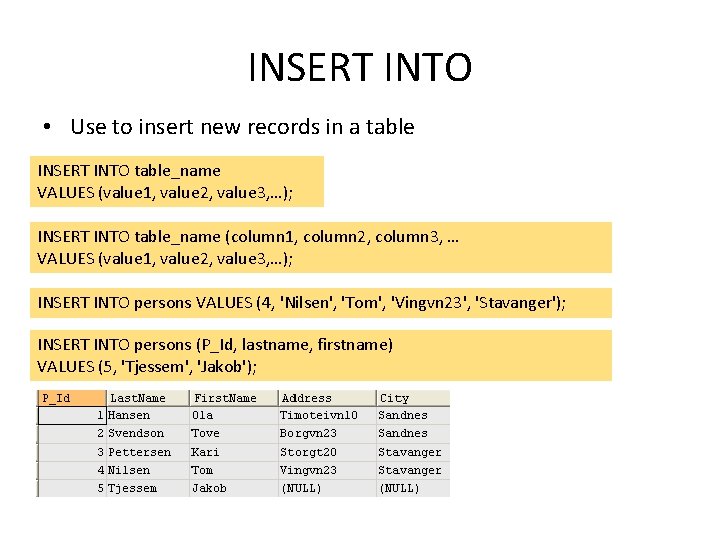
INSERT INTO • Use to insert new records in a table INSERT INTO table_name VALUES (value 1, value 2, value 3, …); INSERT INTO table_name (column 1, column 2, column 3, … VALUES (value 1, value 2, value 3, …); INSERT INTO persons VALUES (4, 'Nilsen', 'Tom', 'Vingvn 23', 'Stavanger'); INSERT INTO persons (P_Id, lastname, firstname) VALUES (5, 'Tjessem', 'Jakob');
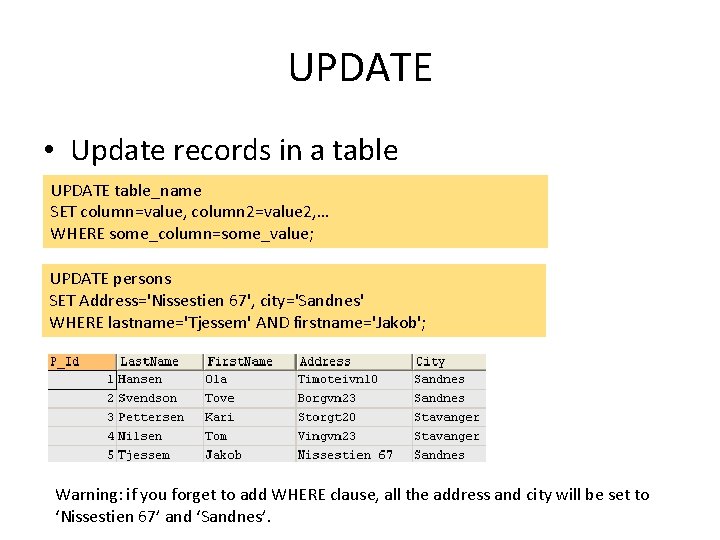
UPDATE • Update records in a table UPDATE table_name SET column=value, column 2=value 2, … WHERE some_column=some_value; UPDATE persons SET Address='Nissestien 67', city='Sandnes' WHERE lastname='Tjessem' AND firstname='Jakob'; Warning: if you forget to add WHERE clause, all the address and city will be set to ‘Nissestien 67’ and ‘Sandnes’.
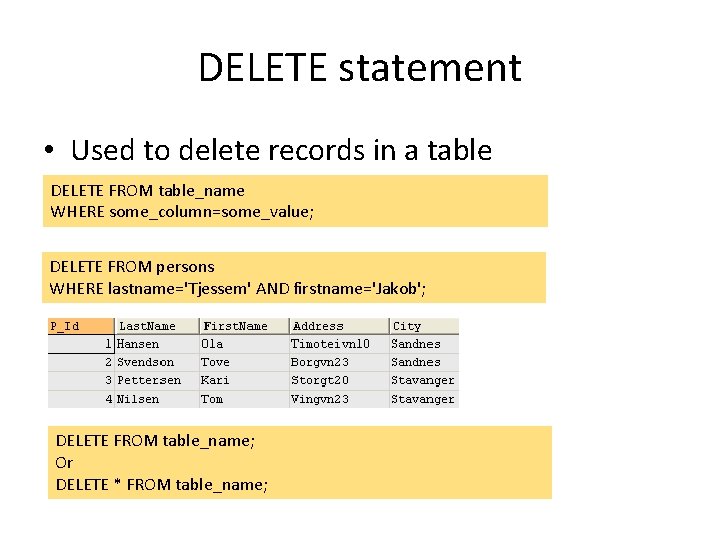
DELETE statement • Used to delete records in a table DELETE FROM table_name WHERE some_column=some_value; DELETE FROM persons WHERE lastname='Tjessem' AND firstname='Jakob'; DELETE FROM table_name; Or DELETE * FROM table_name;
SQL ADVANCED
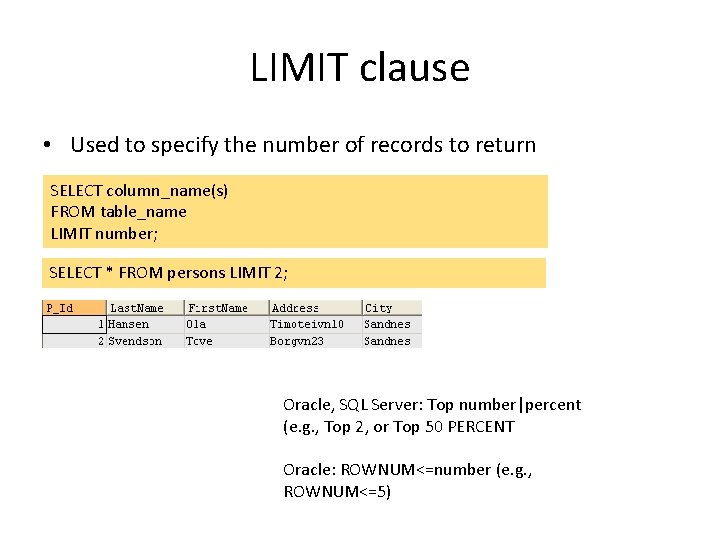
LIMIT clause • Used to specify the number of records to return SELECT column_name(s) FROM table_name LIMIT number; SELECT * FROM persons LIMIT 2; Oracle, SQL Server: Top number|percent (e. g. , Top 2, or Top 50 PERCENT Oracle: ROWNUM<=number (e. g. , ROWNUM<=5)
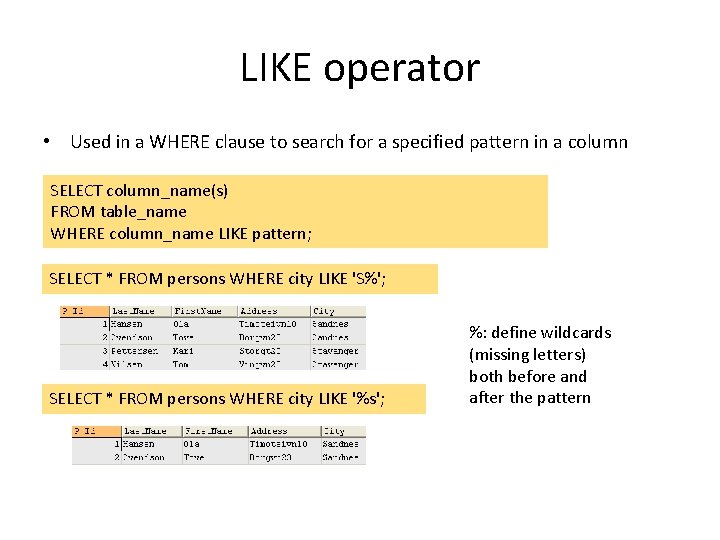
LIKE operator • Used in a WHERE clause to search for a specified pattern in a column SELECT column_name(s) FROM table_name WHERE column_name LIKE pattern; SELECT * FROM persons WHERE city LIKE 'S%'; SELECT * FROM persons WHERE city LIKE '%s'; %: define wildcards (missing letters) both before and after the pattern
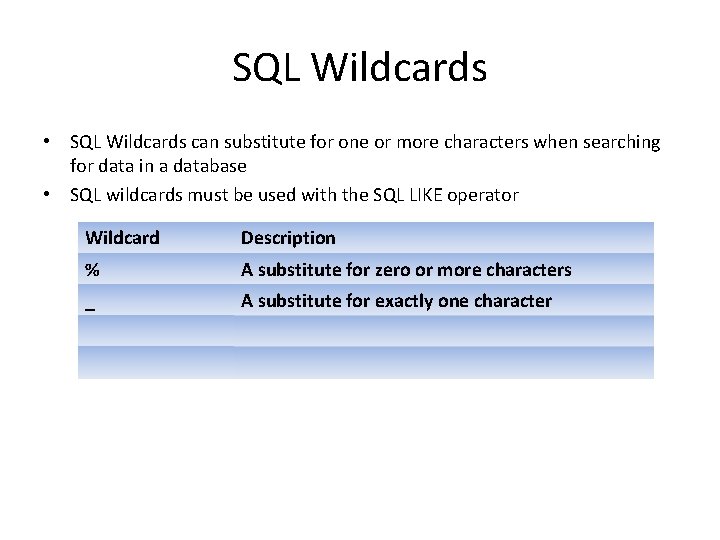
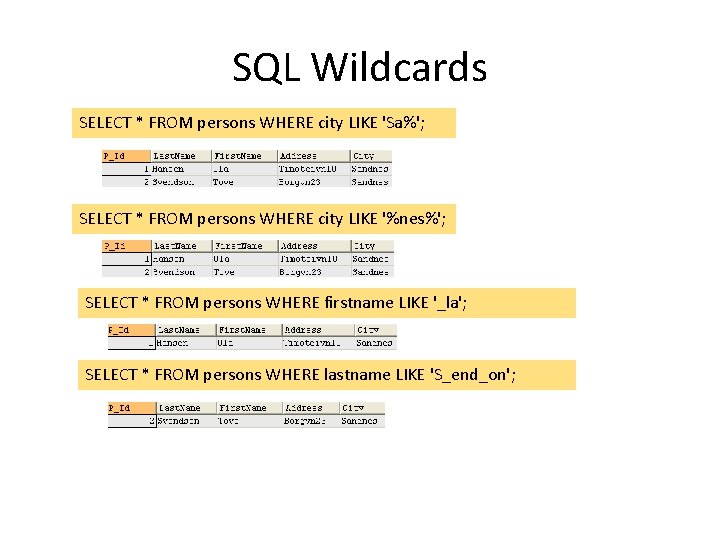
SQL Wildcards • SQL Wildcards can substitute for one or more characters when searching for data in a database • SQL wildcards must be used with the SQL LIKE operator Wildcard Description % A substitute for zero or more characters _ A substitute for exactly one character
SQL Wildcards SELECT * FROM persons WHERE city LIKE 'Sa%'; SELECT * FROM persons WHERE city LIKE '%nes%'; SELECT * FROM persons WHERE firstname LIKE '_la'; SELECT * FROM persons WHERE lastname LIKE 'S_end_on';
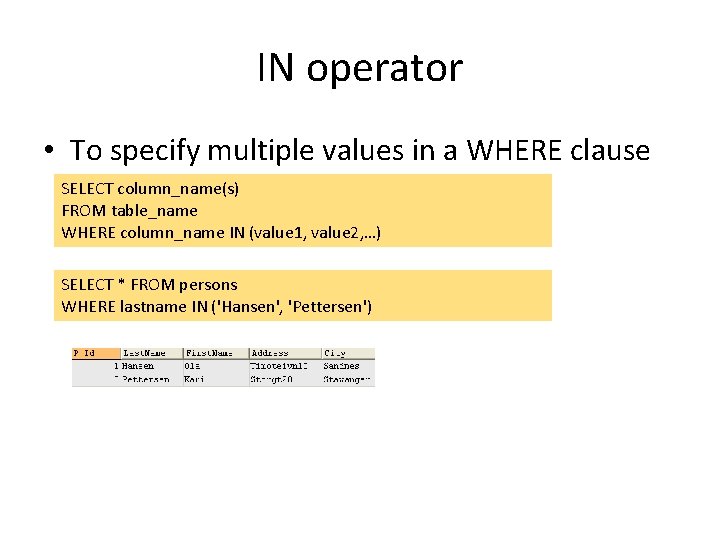
IN operator • To specify multiple values in a WHERE clause SELECT column_name(s) FROM table_name WHERE column_name IN (value 1, value 2, …) SELECT * FROM persons WHERE lastname IN ('Hansen', 'Pettersen')
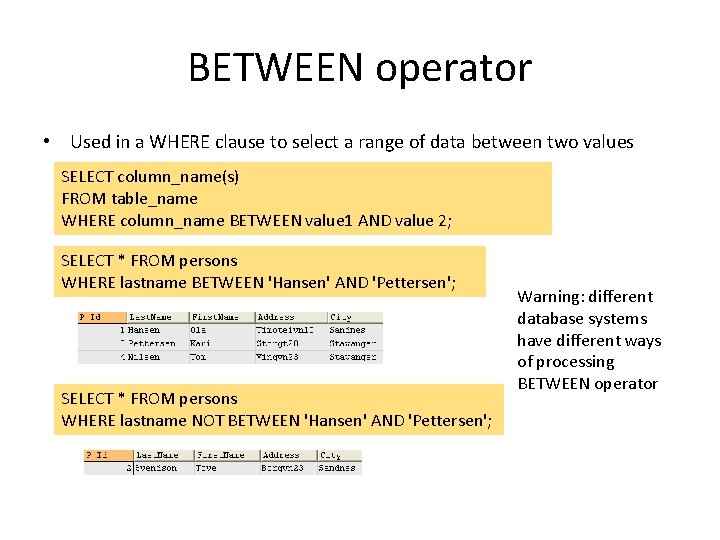
BETWEEN operator • Used in a WHERE clause to select a range of data between two values SELECT column_name(s) FROM table_name WHERE column_name BETWEEN value 1 AND value 2; SELECT * FROM persons WHERE lastname BETWEEN 'Hansen' AND 'Pettersen'; SELECT * FROM persons WHERE lastname NOT BETWEEN 'Hansen' AND 'Pettersen'; Warning: different database systems have different ways of processing BETWEEN operator
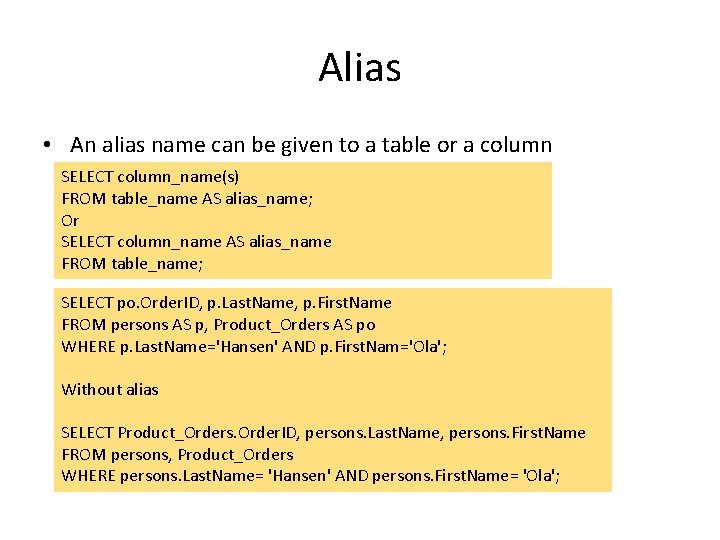
Alias • An alias name can be given to a table or a column SELECT column_name(s) FROM table_name AS alias_name; Or SELECT column_name AS alias_name FROM table_name; SELECT po. Order. ID, p. Last. Name, p. First. Name FROM persons AS p, Product_Orders AS po WHERE p. Last. Name='Hansen' AND p. First. Nam='Ola'; Without alias SELECT Product_Orders. Order. ID, persons. Last. Name, persons. First. Name FROM persons, Product_Orders WHERE persons. Last. Name= 'Hansen' AND persons. First. Name= 'Ola';
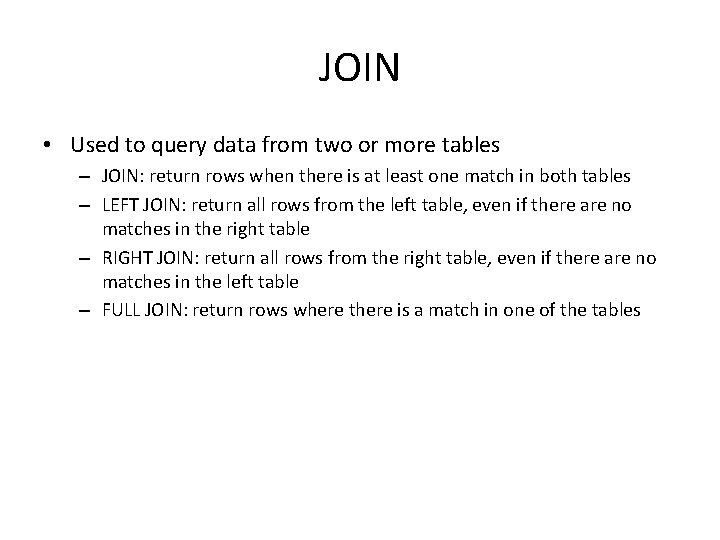
JOIN • Used to query data from two or more tables – JOIN: return rows when there is at least one match in both tables – LEFT JOIN: return all rows from the left table, even if there are no matches in the right table – RIGHT JOIN: return all rows from the right table, even if there are no matches in the left table – FULL JOIN: return rows where there is a match in one of the tables
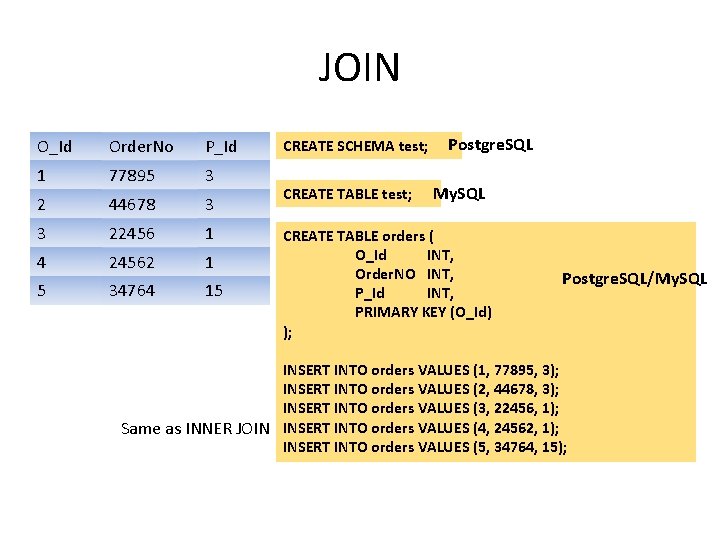
JOIN O_Id Order. No P_Id 1 77895 3 2 44678 3 3 22456 1 4 24562 1 5 34764 15 CREATE SCHEMA test; CREATE TABLE test; Postgre. SQL My. SQL CREATE TABLE orders ( O_Id INT, Order. NO INT, P_Id INT, PRIMARY KEY (O_Id) ); Postgre. SQL/My. SQL INSERT INTO orders VALUES (1, 77895, 3); INSERT INTO orders VALUES (2, 44678, 3); INSERT INTO orders VALUES (3, 22456, 1); Same as INNER JOIN INSERT INTO orders VALUES (4, 24562, 1); INSERT INTO orders VALUES (5, 34764, 15);
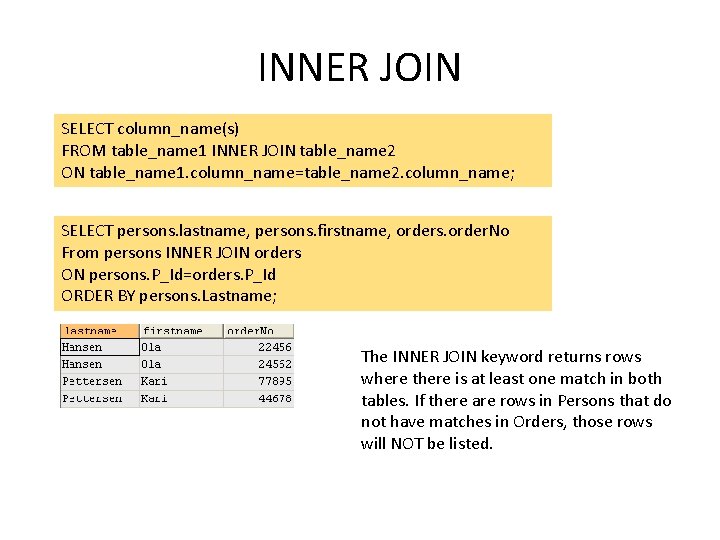
INNER JOIN SELECT column_name(s) FROM table_name 1 INNER JOIN table_name 2 ON table_name 1. column_name=table_name 2. column_name; SELECT persons. lastname, persons. firstname, orders. order. No From persons INNER JOIN orders ON persons. P_Id=orders. P_Id ORDER BY persons. Lastname; The INNER JOIN keyword returns rows where there is at least one match in both tables. If there are rows in Persons that do not have matches in Orders, those rows will NOT be listed.
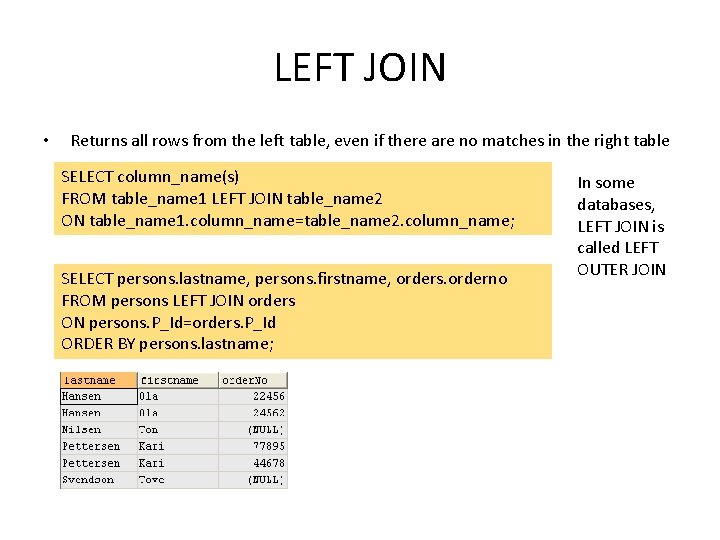
LEFT JOIN • Returns all rows from the left table, even if there are no matches in the right table SELECT column_name(s) FROM table_name 1 LEFT JOIN table_name 2 ON table_name 1. column_name=table_name 2. column_name; SELECT persons. lastname, persons. firstname, orders. orderno FROM persons LEFT JOIN orders ON persons. P_Id=orders. P_Id ORDER BY persons. lastname; In some databases, LEFT JOIN is called LEFT OUTER JOIN
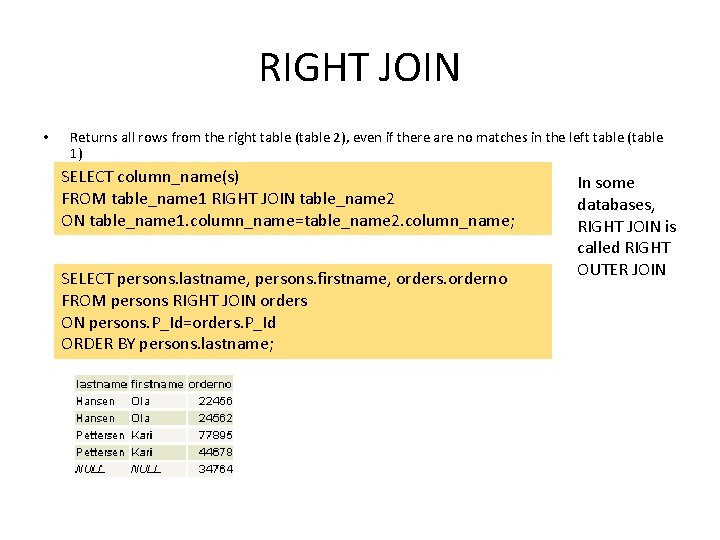
RIGHT JOIN • Returns all rows from the right table (table 2), even if there are no matches in the left table (table 1) SELECT column_name(s) FROM table_name 1 RIGHT JOIN table_name 2 ON table_name 1. column_name=table_name 2. column_name; SELECT persons. lastname, persons. firstname, orders. orderno FROM persons RIGHT JOIN orders ON persons. P_Id=orders. P_Id ORDER BY persons. lastname; In some databases, RIGHT JOIN is called RIGHT OUTER JOIN
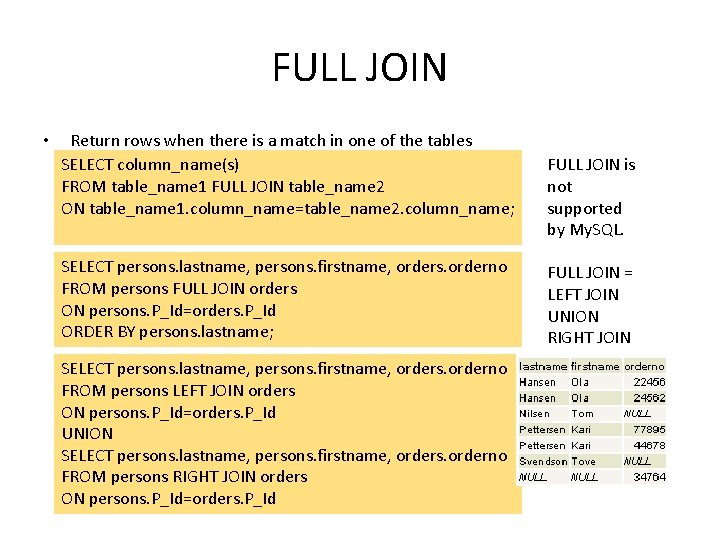
FULL JOIN • Return rows when there is a match in one of the tables SELECT column_name(s) FROM table_name 1 FULL JOIN table_name 2 ON table_name 1. column_name=table_name 2. column_name; SELECT persons. lastname, persons. firstname, orders. orderno FROM persons FULL JOIN orders ON persons. P_Id=orders. P_Id ORDER BY persons. lastname; SELECT persons. lastname, persons. firstname, orders. orderno FROM persons LEFT JOIN orders ON persons. P_Id=orders. P_Id UNION SELECT persons. lastname, persons. firstname, orders. orderno FROM persons RIGHT JOIN orders ON persons. P_Id=orders. P_Id FULL JOIN is not supported by My. SQL. FULL JOIN = LEFT JOIN UNION RIGHT JOIN
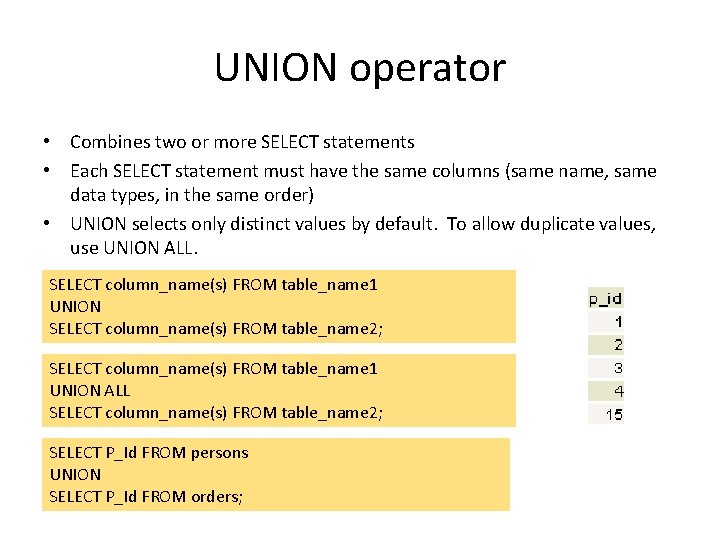
UNION operator • Combines two or more SELECT statements • Each SELECT statement must have the same columns (same name, same data types, in the same order) • UNION selects only distinct values by default. To allow duplicate values, use UNION ALL. SELECT column_name(s) FROM table_name 1 UNION SELECT column_name(s) FROM table_name 2; SELECT column_name(s) FROM table_name 1 UNION ALL SELECT column_name(s) FROM table_name 2; SELECT P_Id FROM persons UNION SELECT P_Id FROM orders;
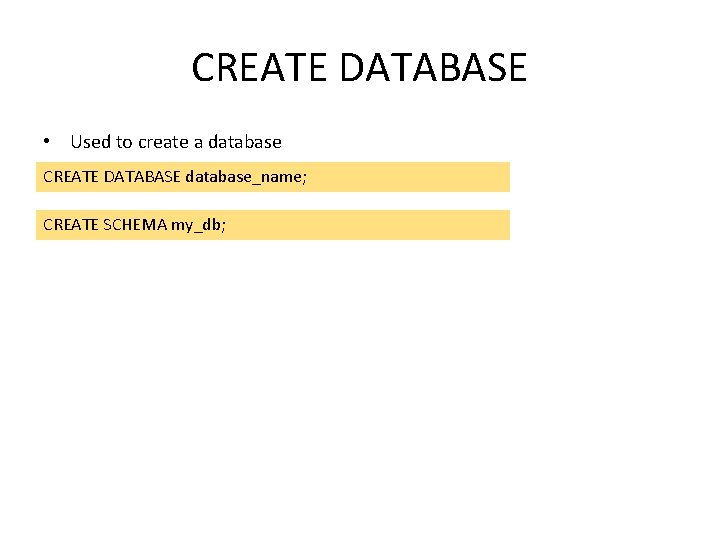
CREATE DATABASE • Used to create a database CREATE DATABASE database_name; CREATE SCHEMA my_db;
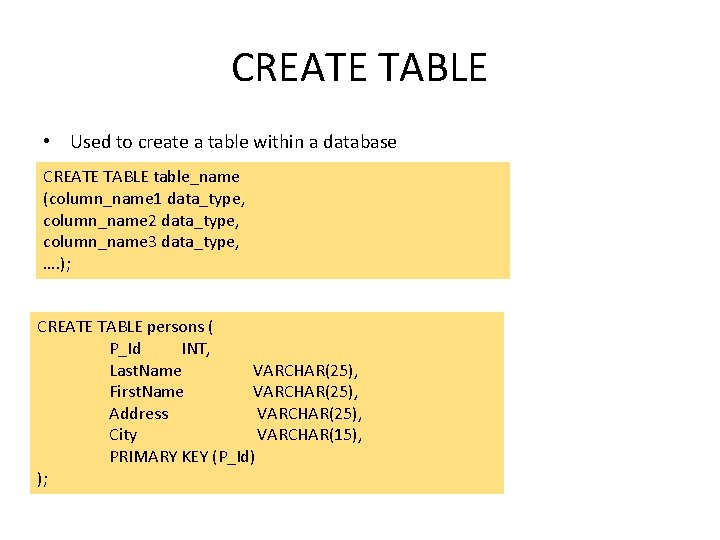
CREATE TABLE • Used to create a table within a database CREATE TABLE table_name (column_name 1 data_type, column_name 2 data_type, column_name 3 data_type, …. ); CREATE TABLE persons ( P_Id INT, Last. Name VARCHAR(25), First. Name VARCHAR(25), Address VARCHAR(25), City VARCHAR(15), PRIMARY KEY (P_Id) );
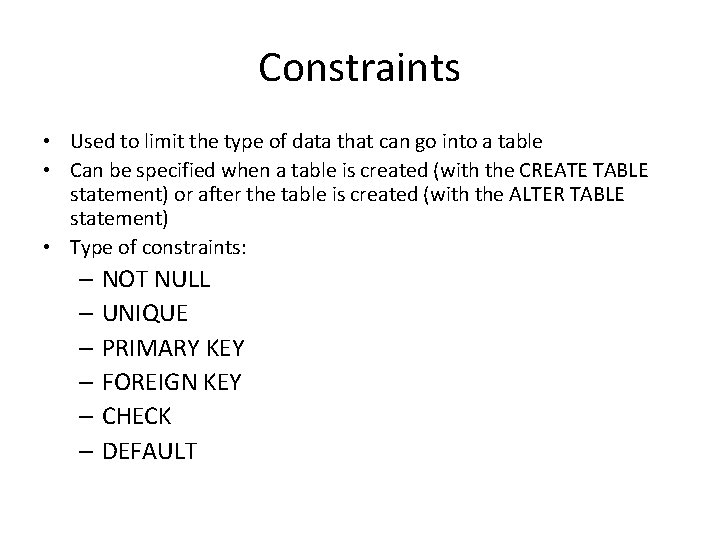
Constraints • Used to limit the type of data that can go into a table • Can be specified when a table is created (with the CREATE TABLE statement) or after the table is created (with the ALTER TABLE statement) • Type of constraints: – NOT NULL – UNIQUE – PRIMARY KEY – FOREIGN KEY – CHECK – DEFAULT
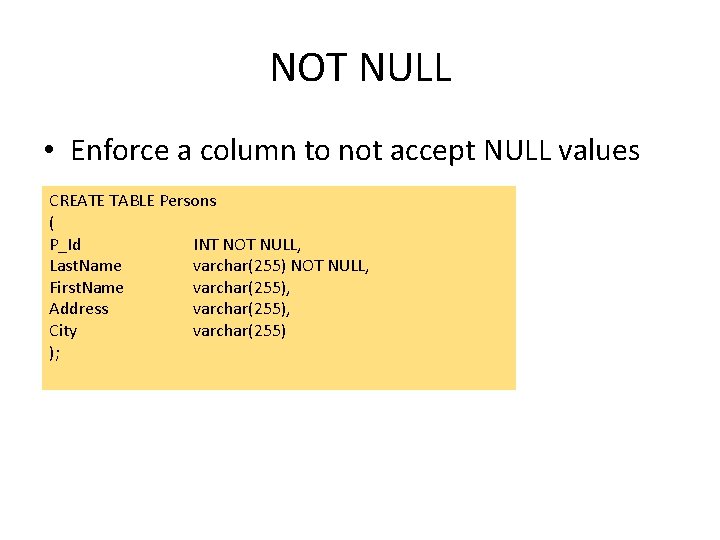
NOT NULL • Enforce a column to not accept NULL values CREATE TABLE Persons ( P_Id INT NOT NULL, Last. Name varchar(255) NOT NULL, First. Name varchar(255), Address varchar(255), City varchar(255) );
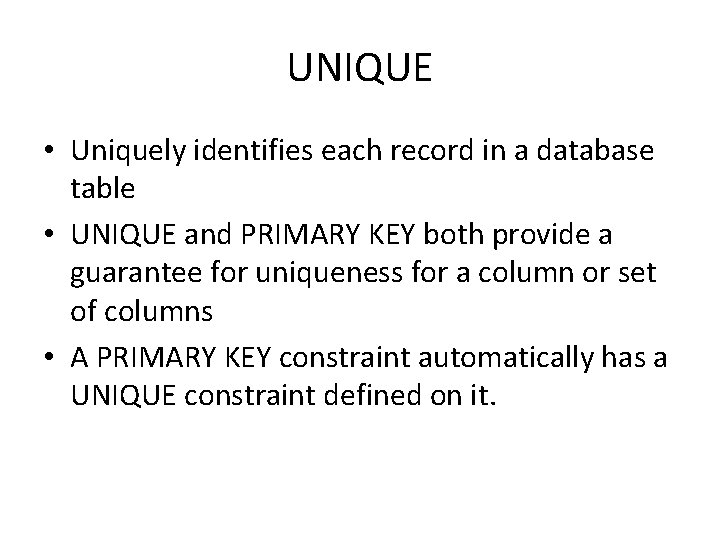
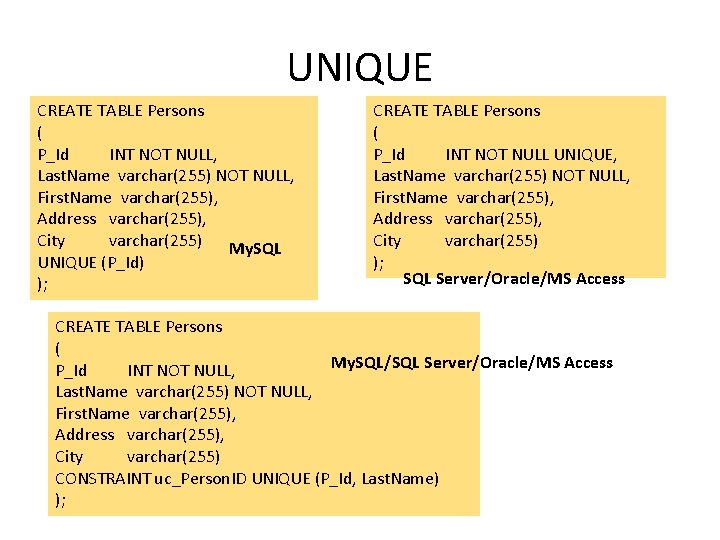
UNIQUE • Uniquely identifies each record in a database table • UNIQUE and PRIMARY KEY both provide a guarantee for uniqueness for a column or set of columns • A PRIMARY KEY constraint automatically has a UNIQUE constraint defined on it.
UNIQUE CREATE TABLE Persons ( P_Id INT NOT NULL, Last. Name varchar(255) NOT NULL, First. Name varchar(255), Address varchar(255), City varchar(255) My. SQL UNIQUE (P_Id) ); CREATE TABLE Persons ( P_Id INT NOT NULL UNIQUE, Last. Name varchar(255) NOT NULL, First. Name varchar(255), Address varchar(255), City varchar(255) ); SQL Server/Oracle/MS Access CREATE TABLE Persons ( My. SQL/SQL Server/Oracle/MS Access P_Id INT NOT NULL, Last. Name varchar(255) NOT NULL, First. Name varchar(255), Address varchar(255), City varchar(255) CONSTRAINT uc_Person. ID UNIQUE (P_Id, Last. Name) );
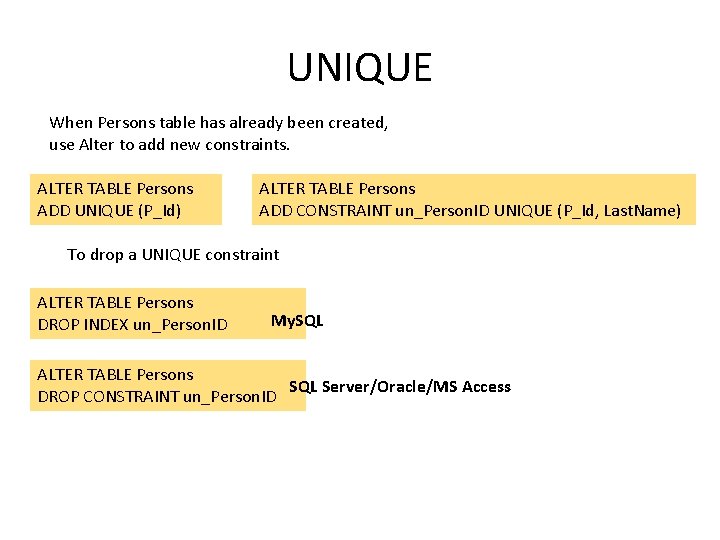
UNIQUE When Persons table has already been created, use Alter to add new constraints. ALTER TABLE Persons ADD UNIQUE (P_Id) ALTER TABLE Persons ADD CONSTRAINT un_Person. ID UNIQUE (P_Id, Last. Name) To drop a UNIQUE constraint ALTER TABLE Persons DROP INDEX un_Person. ID My. SQL ALTER TABLE Persons SQL Server/Oracle/MS Access DROP CONSTRAINT un_Person. ID
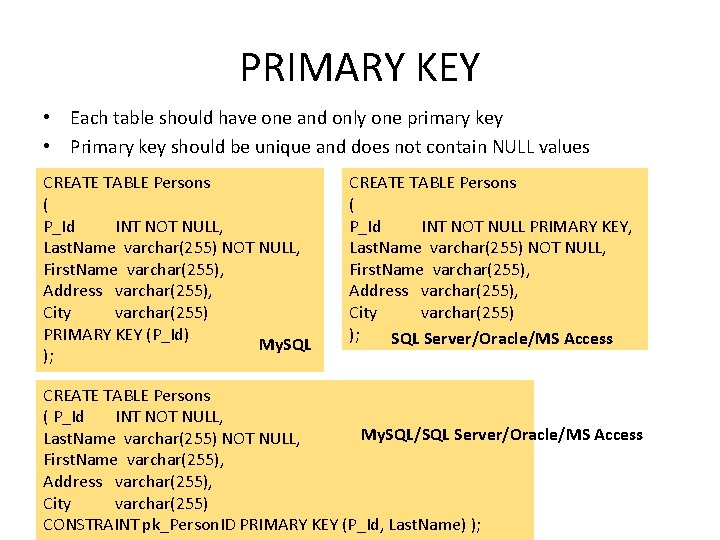
PRIMARY KEY • Each table should have one and only one primary key • Primary key should be unique and does not contain NULL values CREATE TABLE Persons ( P_Id INT NOT NULL, Last. Name varchar(255) NOT NULL, First. Name varchar(255), Address varchar(255), City varchar(255) PRIMARY KEY (P_Id) My. SQL ); CREATE TABLE Persons ( P_Id INT NOT NULL PRIMARY KEY, Last. Name varchar(255) NOT NULL, First. Name varchar(255), Address varchar(255), City varchar(255) ); SQL Server/Oracle/MS Access CREATE TABLE Persons ( P_Id INT NOT NULL, My. SQL/SQL Server/Oracle/MS Access Last. Name varchar(255) NOT NULL, First. Name varchar(255), Address varchar(255), City varchar(255) CONSTRAINT pk_Person. ID PRIMARY KEY (P_Id, Last. Name) );
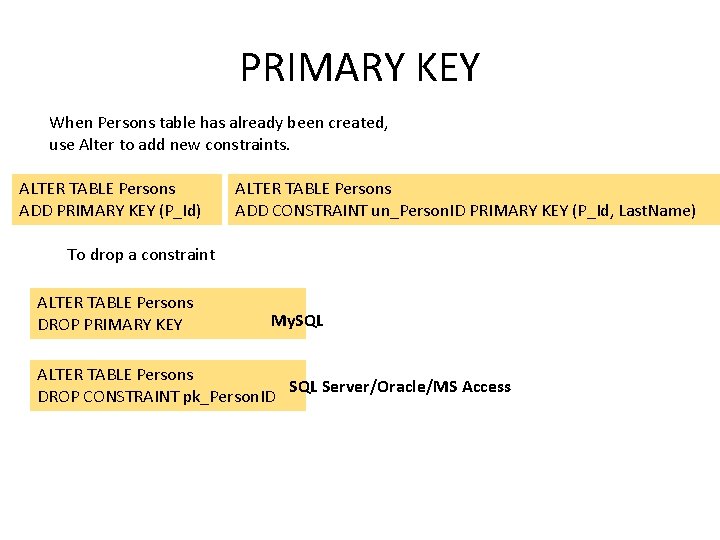
PRIMARY KEY When Persons table has already been created, use Alter to add new constraints. ALTER TABLE Persons ADD PRIMARY KEY (P_Id) ALTER TABLE Persons ADD CONSTRAINT un_Person. ID PRIMARY KEY (P_Id, Last. Name) To drop a constraint ALTER TABLE Persons DROP PRIMARY KEY My. SQL ALTER TABLE Persons SQL Server/Oracle/MS Access DROP CONSTRAINT pk_Person. ID
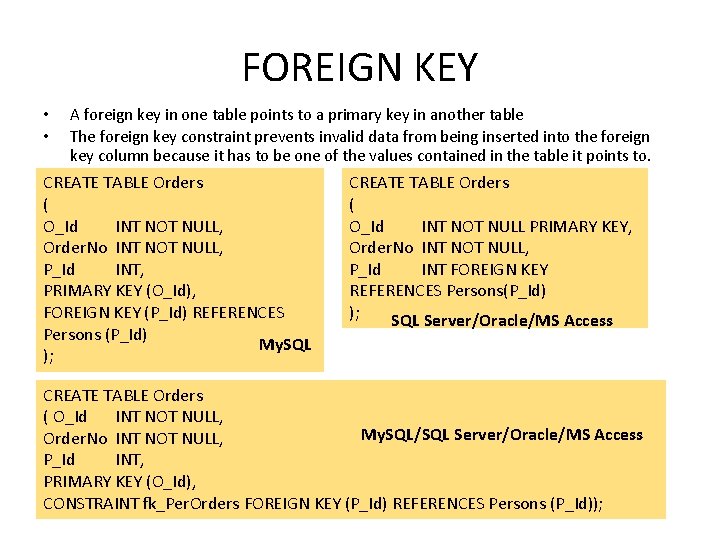
FOREIGN KEY • • A foreign key in one table points to a primary key in another table The foreign key constraint prevents invalid data from being inserted into the foreign key column because it has to be one of the values contained in the table it points to. CREATE TABLE Orders ( O_Id INT NOT NULL, Order. No INT NOT NULL, P_Id INT, PRIMARY KEY (O_Id), FOREIGN KEY (P_Id) REFERENCES Persons (P_Id) My. SQL ); CREATE TABLE Orders ( O_Id INT NOT NULL PRIMARY KEY, Order. No INT NOT NULL, P_Id INT FOREIGN KEY REFERENCES Persons(P_Id) ); SQL Server/Oracle/MS Access CREATE TABLE Orders ( O_Id INT NOT NULL, My. SQL/SQL Server/Oracle/MS Access Order. No INT NOT NULL, P_Id INT, PRIMARY KEY (O_Id), CONSTRAINT fk_Per. Orders FOREIGN KEY (P_Id) REFERENCES Persons (P_Id));
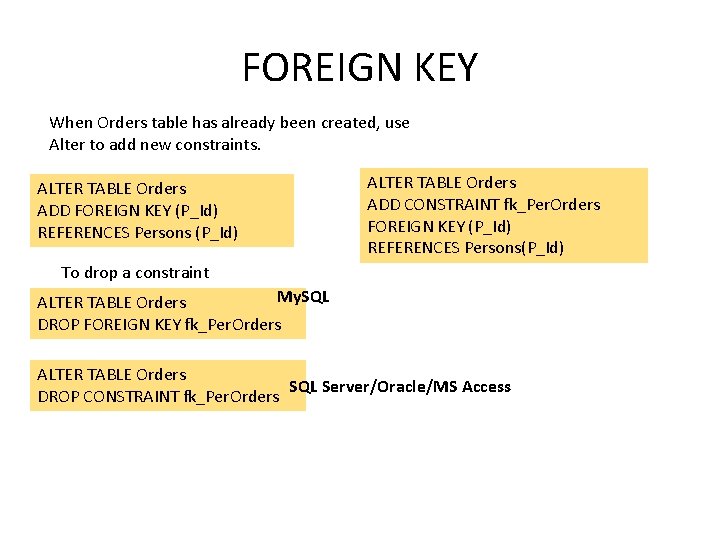
FOREIGN KEY When Orders table has already been created, use Alter to add new constraints. ALTER TABLE Orders ADD FOREIGN KEY (P_Id) REFERENCES Persons (P_Id) ALTER TABLE Orders ADD CONSTRAINT fk_Per. Orders FOREIGN KEY (P_Id) REFERENCES Persons(P_Id) To drop a constraint My. SQL ALTER TABLE Orders DROP FOREIGN KEY fk_Per. Orders ALTER TABLE Orders SQL Server/Oracle/MS Access DROP CONSTRAINT fk_Per. Orders
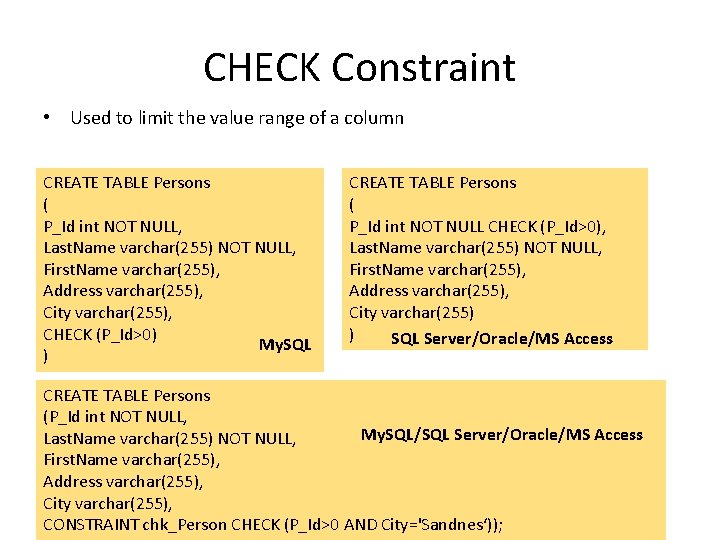
CHECK Constraint • Used to limit the value range of a column CREATE TABLE Persons ( P_Id int NOT NULL, Last. Name varchar(255) NOT NULL, First. Name varchar(255), Address varchar(255), City varchar(255), CHECK (P_Id>0) My. SQL ) CREATE TABLE Persons ( P_Id int NOT NULL CHECK (P_Id>0), Last. Name varchar(255) NOT NULL, First. Name varchar(255), Address varchar(255), City varchar(255) ) SQL Server/Oracle/MS Access CREATE TABLE Persons (P_Id int NOT NULL, My. SQL/SQL Server/Oracle/MS Access Last. Name varchar(255) NOT NULL, First. Name varchar(255), Address varchar(255), City varchar(255), CONSTRAINT chk_Person CHECK (P_Id>0 AND City='Sandnes‘));
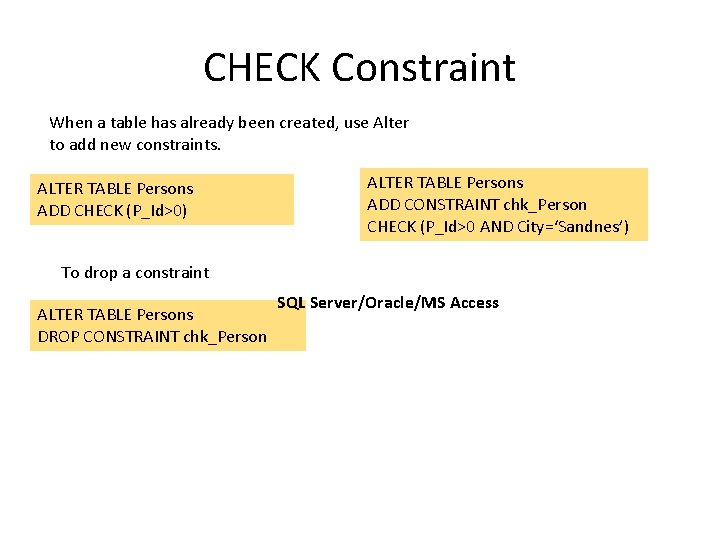
CHECK Constraint When a table has already been created, use Alter to add new constraints. ALTER TABLE Persons ADD CHECK (P_Id>0) ALTER TABLE Persons ADD CONSTRAINT chk_Person CHECK (P_Id>0 AND City=‘Sandnes’) To drop a constraint ALTER TABLE Persons DROP CONSTRAINT chk_Person SQL Server/Oracle/MS Access
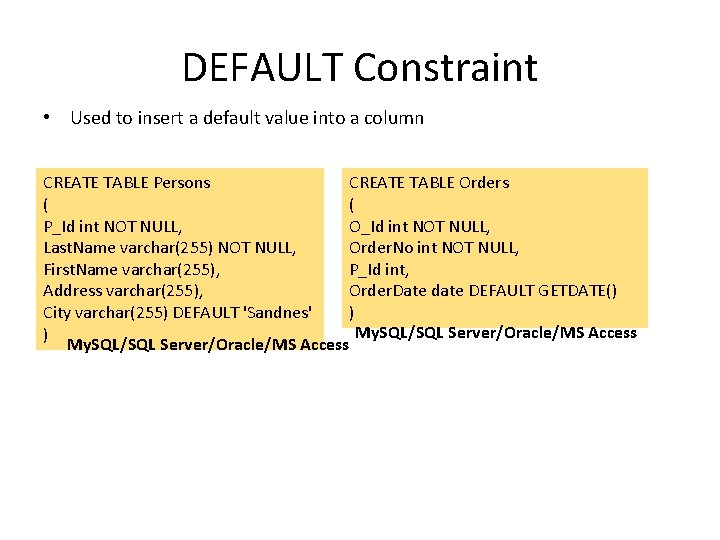
DEFAULT Constraint • Used to insert a default value into a column CREATE TABLE Persons CREATE TABLE Orders ( ( P_Id int NOT NULL, O_Id int NOT NULL, Last. Name varchar(255) NOT NULL, Order. No int NOT NULL, First. Name varchar(255), P_Id int, Address varchar(255), Order. Date date DEFAULT GETDATE() City varchar(255) DEFAULT 'Sandnes' ) My. SQL/SQL Server/Oracle/MS Access
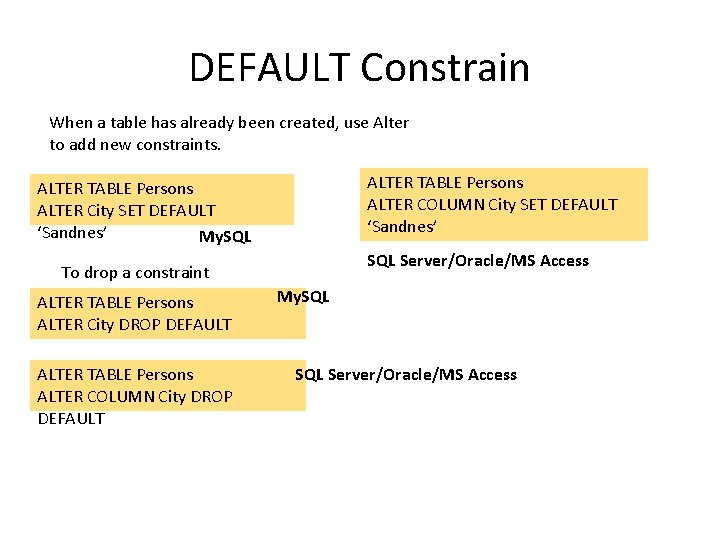
DEFAULT Constrain When a table has already been created, use Alter to add new constraints. ALTER TABLE Persons ALTER COLUMN City SET DEFAULT ‘Sandnes’ ALTER TABLE Persons ALTER City SET DEFAULT ‘Sandnes’ My. SQL Server/Oracle/MS Access To drop a constraint ALTER TABLE Persons ALTER City DROP DEFAULT ALTER TABLE Persons ALTER COLUMN City DROP DEFAULT My. SQL Server/Oracle/MS Access
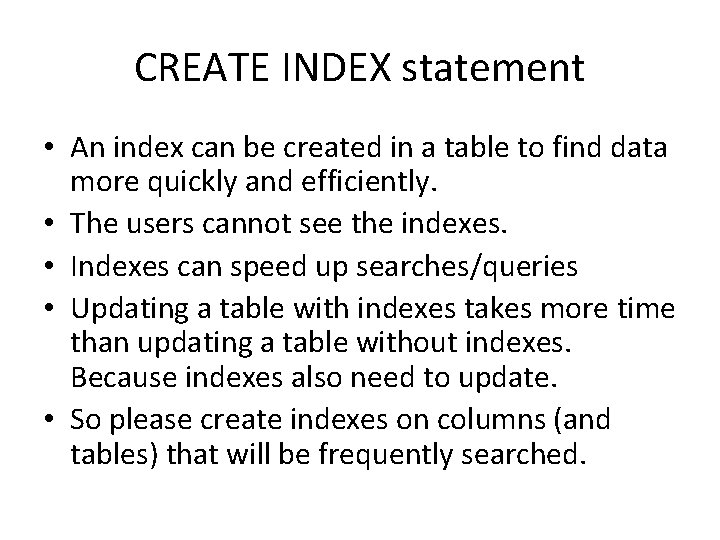
CREATE INDEX statement • An index can be created in a table to find data more quickly and efficiently. • The users cannot see the indexes. • Indexes can speed up searches/queries • Updating a table with indexes takes more time than updating a table without indexes. Because indexes also need to update. • So please create indexes on columns (and tables) that will be frequently searched.
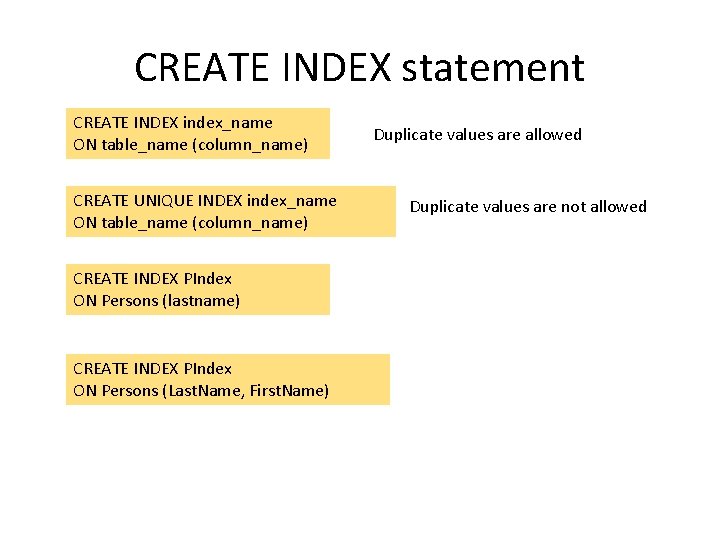
CREATE INDEX statement CREATE INDEX index_name ON table_name (column_name) CREATE UNIQUE INDEX index_name ON table_name (column_name) CREATE INDEX PIndex ON Persons (lastname) CREATE INDEX PIndex ON Persons (Last. Name, First. Name) Duplicate values are allowed Duplicate values are not allowed
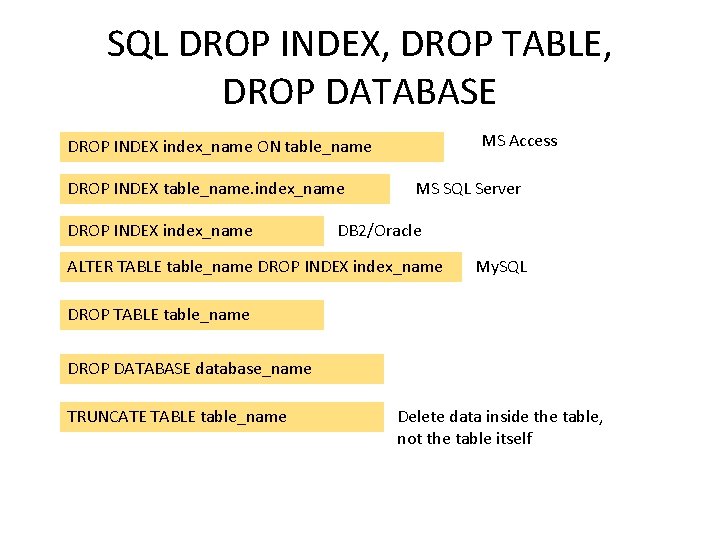
SQL DROP INDEX, DROP TABLE, DROP DATABASE MS Access DROP INDEX index_name ON table_name DROP INDEX table_name. index_name DROP INDEX index_name MS SQL Server DB 2/Oracle ALTER TABLE table_name DROP INDEX index_name My. SQL DROP TABLE table_name DROP DATABASE database_name TRUNCATE TABLE table_name Delete data inside the table, not the table itself
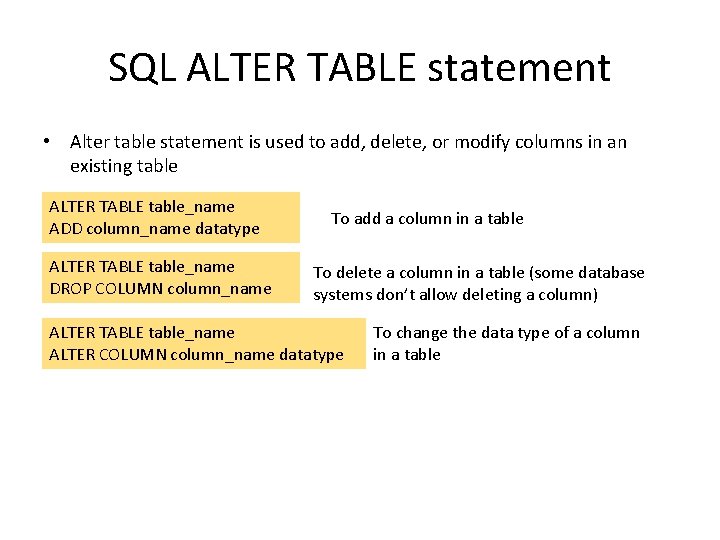
SQL ALTER TABLE statement • Alter table statement is used to add, delete, or modify columns in an existing table ALTER TABLE table_name ADD column_name datatype ALTER TABLE table_name DROP COLUMN column_name To add a column in a table To delete a column in a table (some database systems don’t allow deleting a column) ALTER TABLE table_name ALTER COLUMN column_name datatype To change the data type of a column in a table
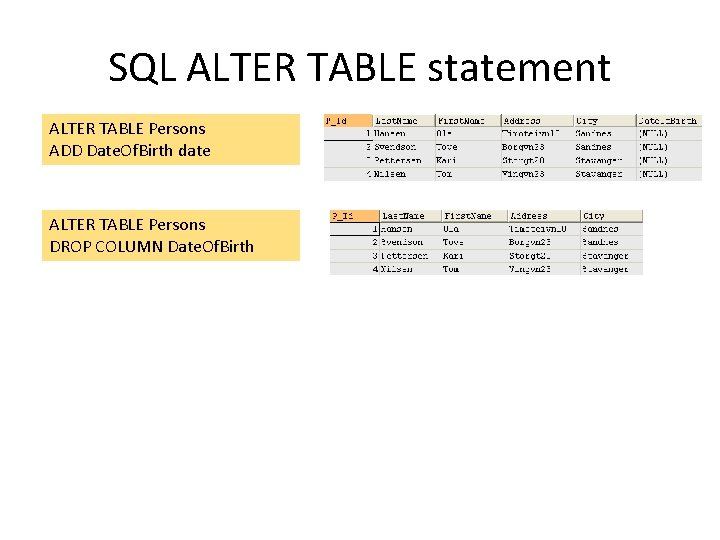
SQL ALTER TABLE statement ALTER TABLE Persons ADD Date. Of. Birth date ALTER TABLE Persons DROP COLUMN Date. Of. Birth
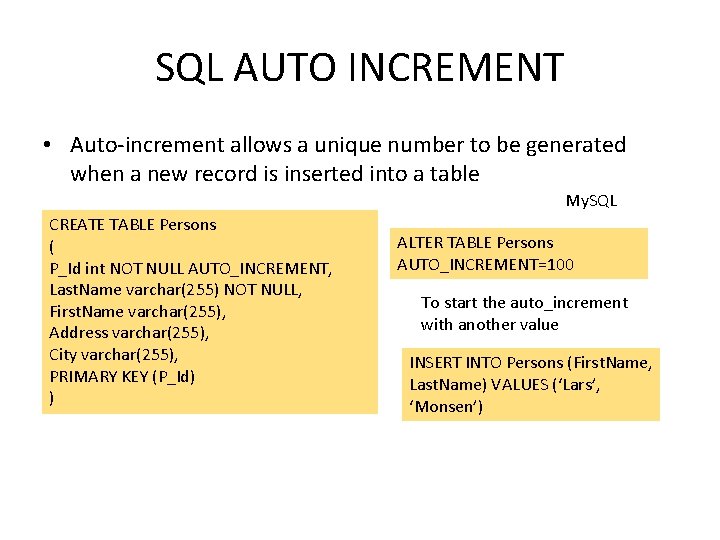
SQL AUTO INCREMENT • Auto-increment allows a unique number to be generated when a new record is inserted into a table My. SQL CREATE TABLE Persons ( P_Id int NOT NULL AUTO_INCREMENT, Last. Name varchar(255) NOT NULL, First. Name varchar(255), Address varchar(255), City varchar(255), PRIMARY KEY (P_Id) ) ALTER TABLE Persons AUTO_INCREMENT=100 To start the auto_increment with another value INSERT INTO Persons (First. Name, Last. Name) VALUES (‘Lars’, ‘Monsen’)
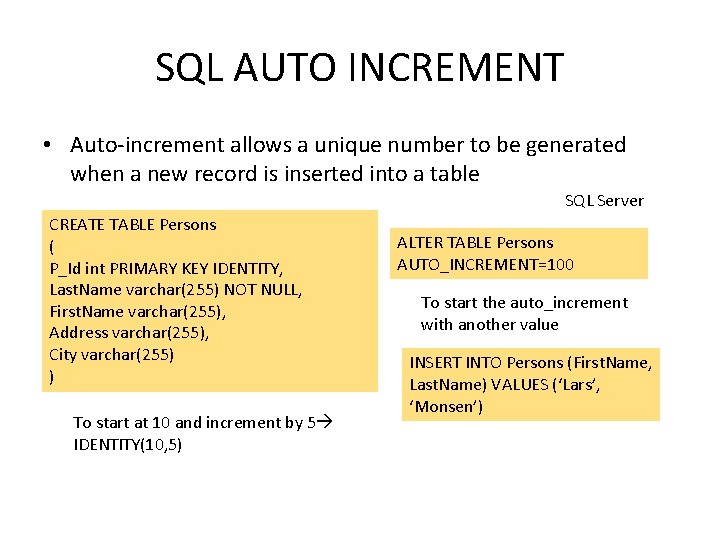
SQL AUTO INCREMENT • Auto-increment allows a unique number to be generated when a new record is inserted into a table SQL Server CREATE TABLE Persons ( P_Id int PRIMARY KEY IDENTITY, Last. Name varchar(255) NOT NULL, First. Name varchar(255), Address varchar(255), City varchar(255) ) To start at 10 and increment by 5 IDENTITY(10, 5) ALTER TABLE Persons AUTO_INCREMENT=100 To start the auto_increment with another value INSERT INTO Persons (First. Name, Last. Name) VALUES (‘Lars’, ‘Monsen’)
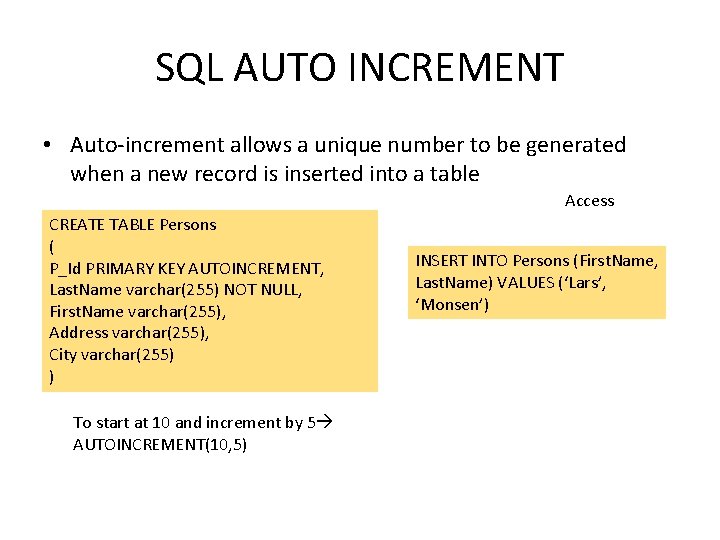
SQL AUTO INCREMENT • Auto-increment allows a unique number to be generated when a new record is inserted into a table Access CREATE TABLE Persons ( P_Id PRIMARY KEY AUTOINCREMENT, Last. Name varchar(255) NOT NULL, First. Name varchar(255), Address varchar(255), City varchar(255) ) To start at 10 and increment by 5 AUTOINCREMENT(10, 5) INSERT INTO Persons (First. Name, Last. Name) VALUES (‘Lars’, ‘Monsen’)
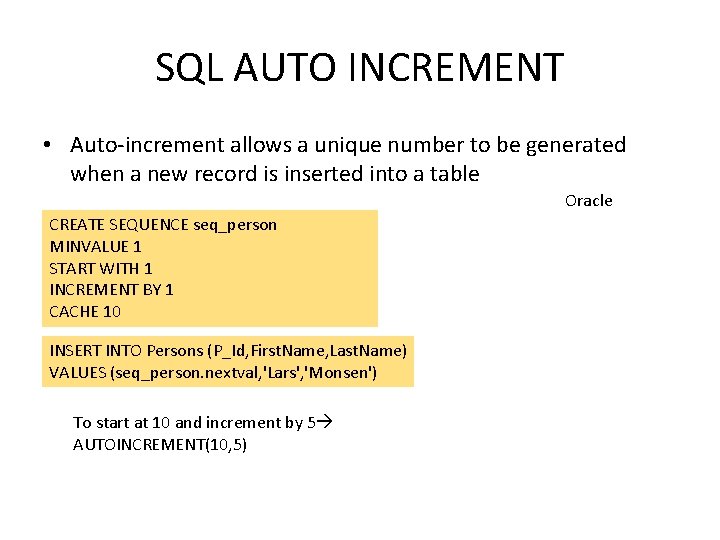
SQL AUTO INCREMENT • Auto-increment allows a unique number to be generated when a new record is inserted into a table Oracle CREATE SEQUENCE seq_person MINVALUE 1 START WITH 1 INCREMENT BY 1 CACHE 10 INSERT INTO Persons (P_Id, First. Name, Last. Name) VALUES (seq_person. nextval, 'Lars', 'Monsen') To start at 10 and increment by 5 AUTOINCREMENT(10, 5)
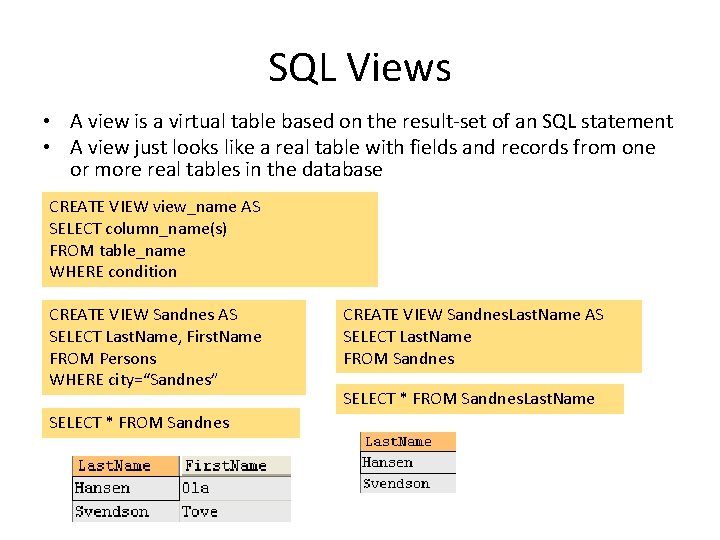
SQL Views • A view is a virtual table based on the result-set of an SQL statement • A view just looks like a real table with fields and records from one or more real tables in the database CREATE VIEW view_name AS SELECT column_name(s) FROM table_name WHERE condition CREATE VIEW Sandnes AS SELECT Last. Name, First. Name FROM Persons WHERE city=“Sandnes” SELECT * FROM Sandnes CREATE VIEW Sandnes. Last. Name AS SELECT Last. Name FROM Sandnes SELECT * FROM Sandnes. Last. Name
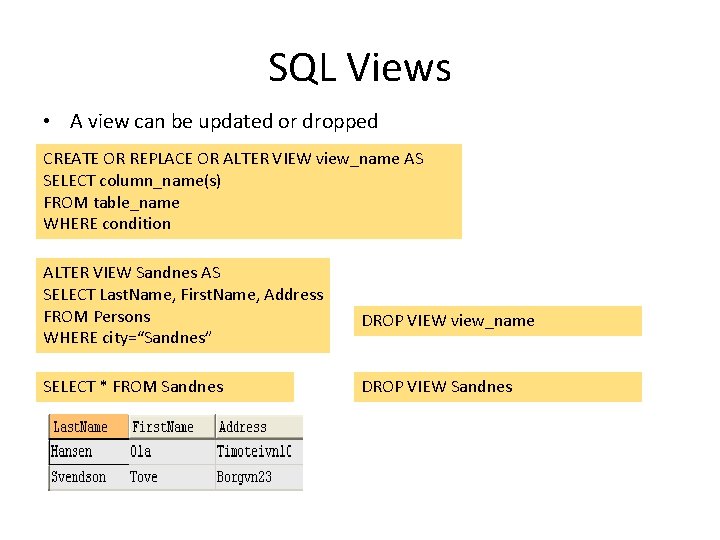
SQL Views • A view can be updated or dropped CREATE OR REPLACE OR ALTER VIEW view_name AS SELECT column_name(s) FROM table_name WHERE condition ALTER VIEW Sandnes AS SELECT Last. Name, First. Name, Address FROM Persons WHERE city=“Sandnes” SELECT * FROM Sandnes DROP VIEW view_name DROP VIEW Sandnes
SQL Quiz • http: //www. w 3 schools. com/sql_quiz. asp