
SPSS Statistical Product and Service Solutions Kruskal Wallis
- Slides: 12
SPSS (Statistical Product and Service Solutions) Kruskal Wallis Abdul Aziz Setiawan STF Muhammadiyah Tangerang 2020
Jika data normal dan tidak homogen Apa yang harus kita lakukan ? ? ?
Kruskal Wallis Jika data tidak bervariasi homogen, maka dilanjutkan dengan menggunakan uji Kruskal wallis. Tujuan Kruskal Wallis adalah untuk mengetahui ada atau tidak ada perbedaan antar variabel untuk data yang tidak memenuhi syarat pengujian Anova. Hasil signifikansi p < 0, 05, maka data berbeda secara bermakna. Dilanjutkan dengan uji BNT (Beda Nyata Terkecil) menggunakan metode LSD dengan tujuan untuk menentukkan kelompok perlakuan mana yang berbeda secara bermakna dengan kelompok perlakuan lainnya.
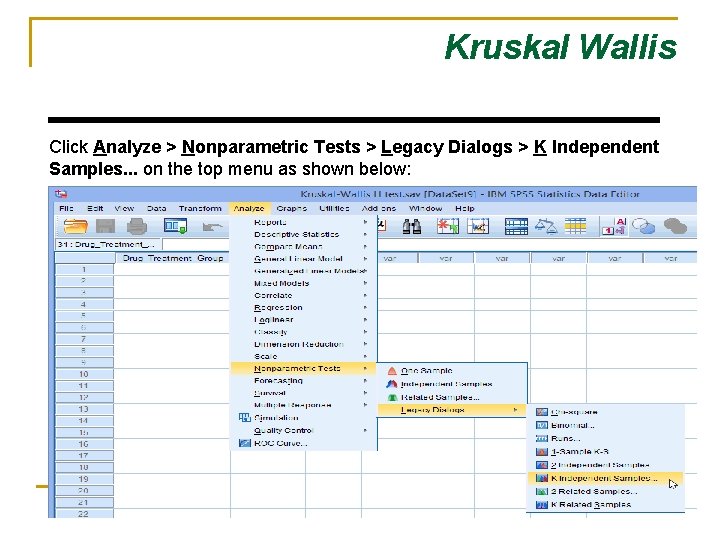
Kruskal Wallis Click Analyze > Nonparametric Tests > Legacy Dialogs > K Independent Samples. . . on the top menu as shown below:
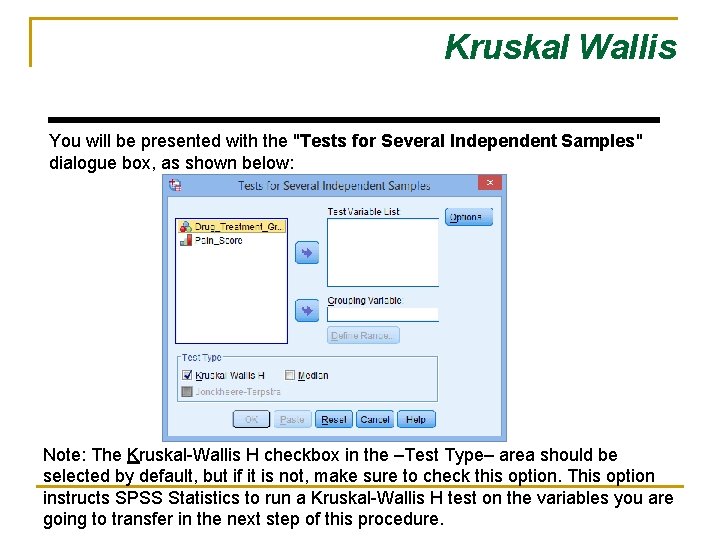
Kruskal Wallis You will be presented with the "Tests for Several Independent Samples" dialogue box, as shown below: Note: The Kruskal-Wallis H checkbox in the –Test Type– area should be selected by default, but if it is not, make sure to check this option. This option instructs SPSS Statistics to run a Kruskal-Wallis H test on the variables you are going to transfer in the next step of this procedure.
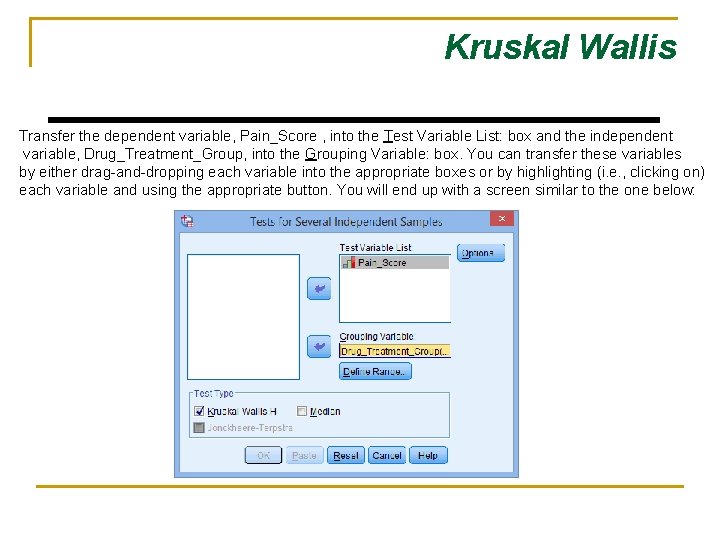
Kruskal Wallis Transfer the dependent variable, Pain_Score , into the Test Variable List: box and the independent variable, Drug_Treatment_Group, into the Grouping Variable: box. You can transfer these variables by either drag-and-dropping each variable into the appropriate boxes or by highlighting (i. e. , clicking on) each variable and using the appropriate button. You will end up with a screen similar to the one below:
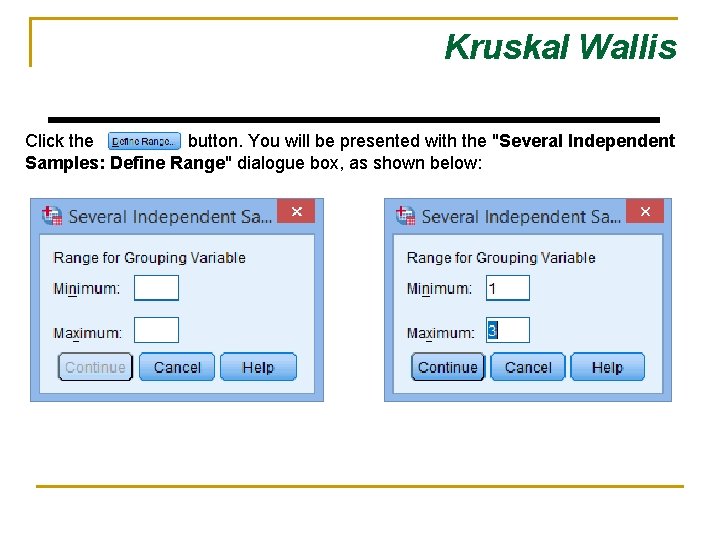
Kruskal Wallis Click the button. You will be presented with the "Several Independent Samples: Define Range" dialogue box, as shown below:
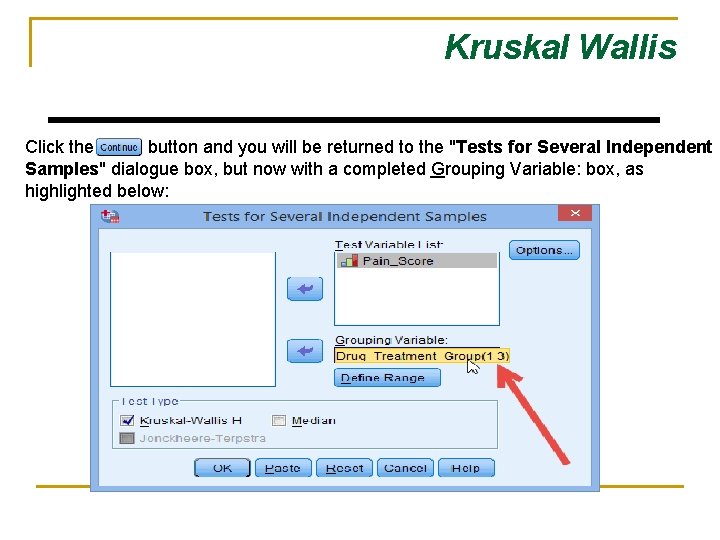
Kruskal Wallis Click the button and you will be returned to the "Tests for Several Independent Samples" dialogue box, but now with a completed Grouping Variable: box, as highlighted below:
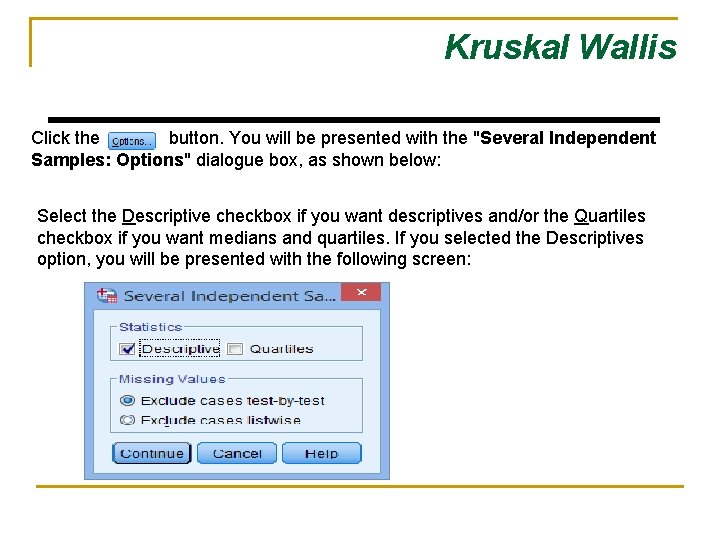
Kruskal Wallis Click the button. You will be presented with the "Several Independent Samples: Options" dialogue box, as shown below: Select the Descriptive checkbox if you want descriptives and/or the Quartiles checkbox if you want medians and quartiles. If you selected the Descriptives option, you will be presented with the following screen:
Kruskal Wallis Click the button. You will be returned to the "Tests for Several Independent Samples" dialogue box. Click the button. This will generate the results.
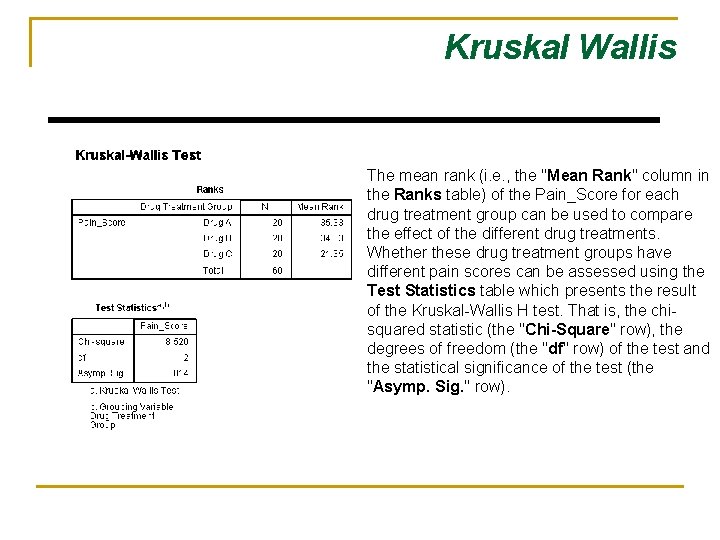
Kruskal Wallis The mean rank (i. e. , the "Mean Rank" column in the Ranks table) of the Pain_Score for each drug treatment group can be used to compare the effect of the different drug treatments. Whether these drug treatment groups have different pain scores can be assessed using the Test Statistics table which presents the result of the Kruskal-Wallis H test. That is, the chisquared statistic (the "Chi-Square" row), the degrees of freedom (the "df" row) of the test and the statistical significance of the test (the "Asymp. Sig. " row).
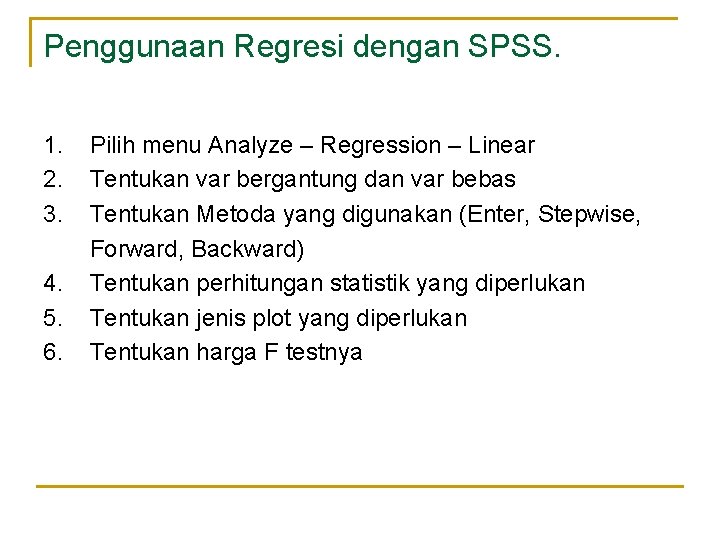
Penggunaan Regresi dengan SPSS. 1. 2. 3. 4. 5. 6. Pilih menu Analyze – Regression – Linear Tentukan var bergantung dan var bebas Tentukan Metoda yang digunakan (Enter, Stepwise, Forward, Backward) Tentukan perhitungan statistik yang diperlukan Tentukan jenis plot yang diperlukan Tentukan harga F testnya