
Spring 2009 Programming Fundamentals I Java Programming Lecture
- Slides: 27
Spring 2009 Programming Fundamentals I Java Programming Lecture No. 17 Xuan. Tung Hoang tung_hx@icu. ac. kr
Java GUI 1. 2. Introduction Handling events
GUI in a nutshell Part 2: Handle events from users
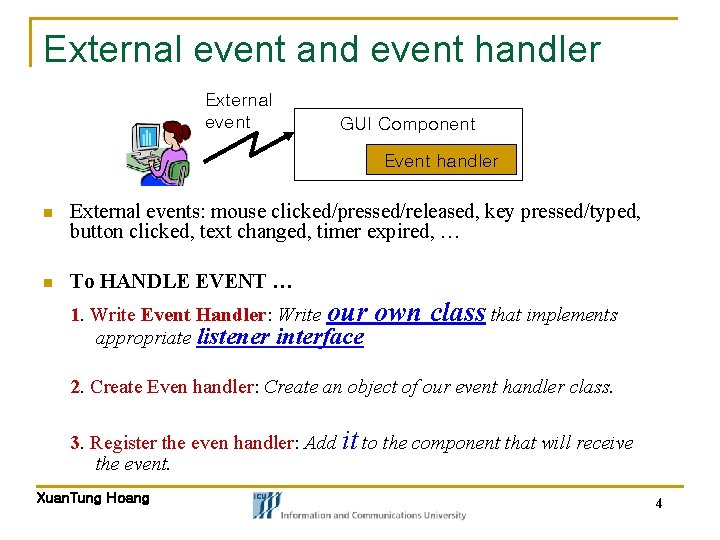
External event and event handler External event GUI Component Event handler n External events: mouse clicked/pressed/released, key pressed/typed, button clicked, text changed, timer expired, … n To HANDLE EVENT … 1. Write Event Handler: Write our appropriate listener interface own class that implements 2. Create Even handler: Create an object of our event handler class. 3. Register the even handler: Add it to the component that will receive the event. Xuan. Tung Hoang 4
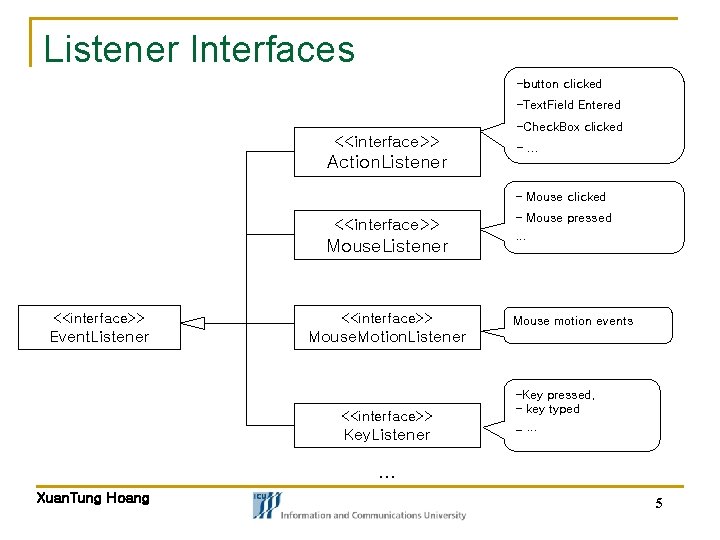
Listener Interfaces -button clicked -Text. Field Entered -Check. Box clicked <<interface>> Action. Listener -… - Mouse clicked <<interface>> Mouse. Listener <<interface>> Event. Listener Mouse. Motion. Listener <<interface>> Key. Listener - Mouse pressed … Mouse motion events -Key pressed, - key typed -… … Xuan. Tung Hoang 5
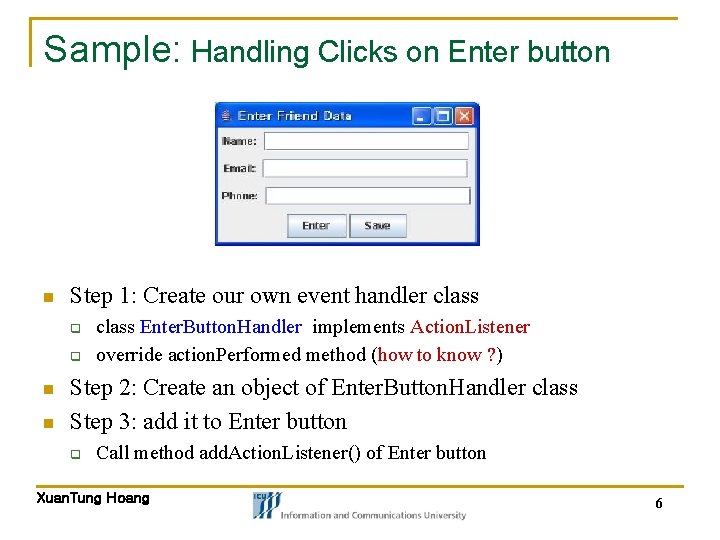
Sample: Handling Clicks on Enter button n Step 1: Create our own event handler class q q n n class Enter. Button. Handler implements Action. Listener override action. Performed method (how to know ? ) Step 2: Create an object of Enter. Button. Handler class Step 3: add it to Enter button q Call method add. Action. Listener() of Enter button Xuan. Tung Hoang 6
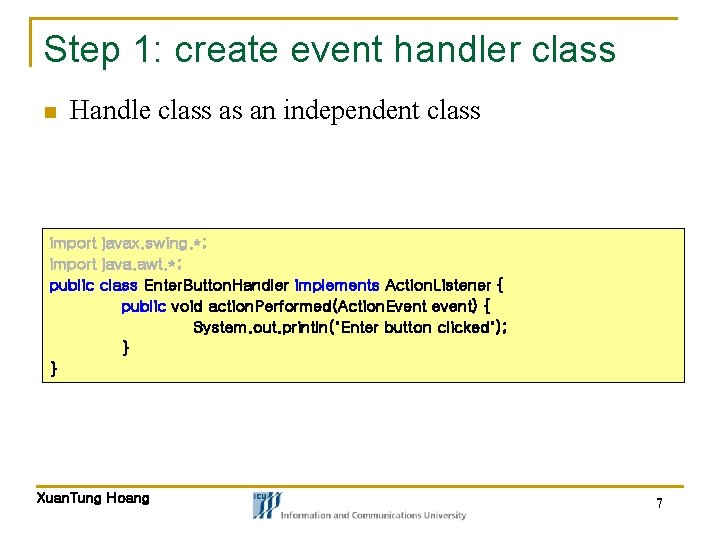
Step 1: create event handler class n Handle class as an independent class import javax. swing. *; import java. awt. *; public class Enter. Button. Handler implements Action. Listener { public void action. Performed(Action. Event event) { System. out. println("Enter button clicked"); } } Xuan. Tung Hoang 7
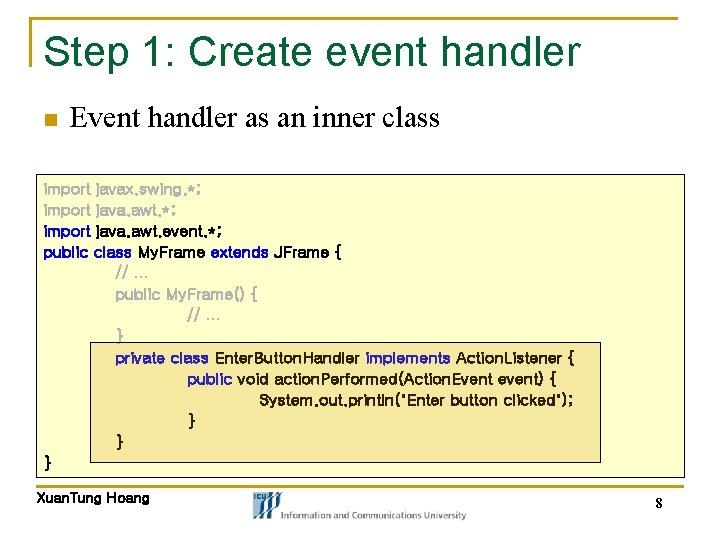
Step 1: Create event handler n Event handler as an inner class import javax. swing. *; import java. awt. event. *; public class My. Frame extends JFrame { // … public My. Frame() { // … } private class Enter. Button. Handler implements Action. Listener { public void action. Performed(Action. Event event) { System. out. println("Enter button clicked"); } } } Xuan. Tung Hoang 8
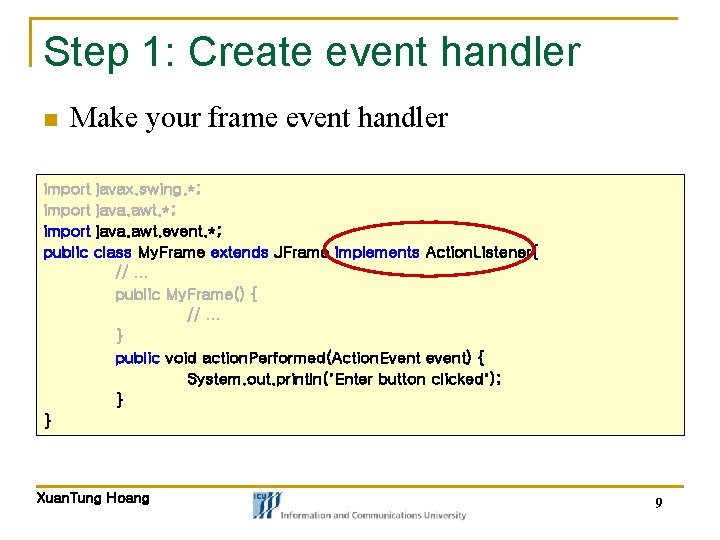
Step 1: Create event handler n Make your frame event handler import javax. swing. *; import java. awt. event. *; public class My. Frame extends JFrame implements Action. Listener{ // … public My. Frame() { // … } public void action. Performed(Action. Event event) { System. out. println("Enter button clicked"); } } Xuan. Tung Hoang 9
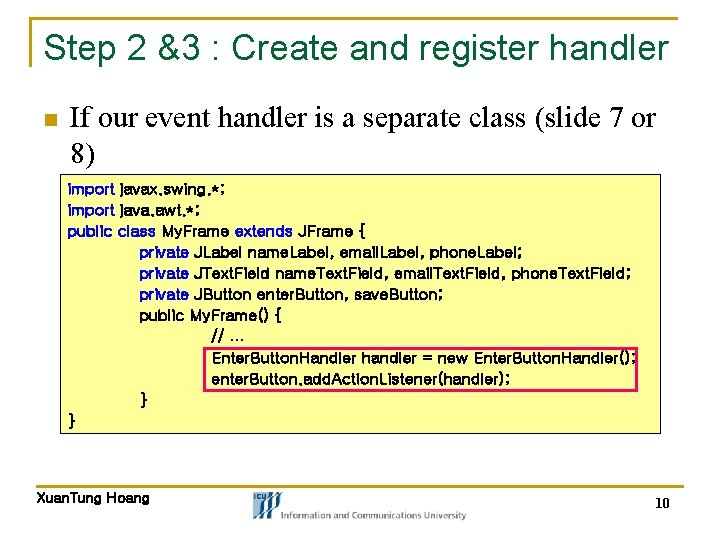
Step 2 &3 : Create and register handler n If our event handler is a separate class (slide 7 or 8) import javax. swing. *; import java. awt. *; public class My. Frame extends JFrame { private JLabel name. Label, email. Label, phone. Label; private JText. Field name. Text. Field, email. Text. Field, phone. Text. Field; private JButton enter. Button, save. Button; public My. Frame() { // … Enter. Button. Handler handler = new Enter. Button. Handler(); enter. Button. add. Action. Listener(handler); } } Xuan. Tung Hoang 10
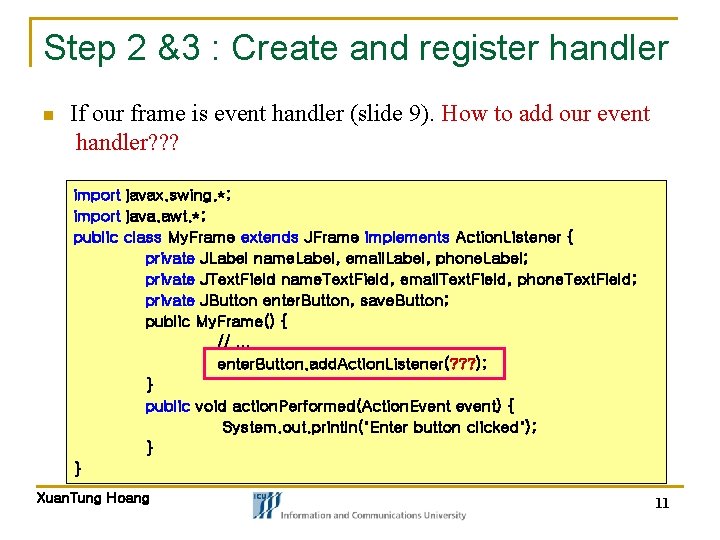
Step 2 &3 : Create and register handler n If our frame is event handler (slide 9). How to add our event handler? ? ? import javax. swing. *; import java. awt. *; public class My. Frame extends JFrame implements Action. Listener { private JLabel name. Label, email. Label, phone. Label; private JText. Field name. Text. Field, email. Text. Field, phone. Text. Field; private JButton enter. Button, save. Button; public My. Frame() { // … enter. Button. add. Action. Listener(? ? ? ); } public void action. Performed(Action. Event event) { System. out. println("Enter button clicked"); } } Xuan. Tung Hoang 11
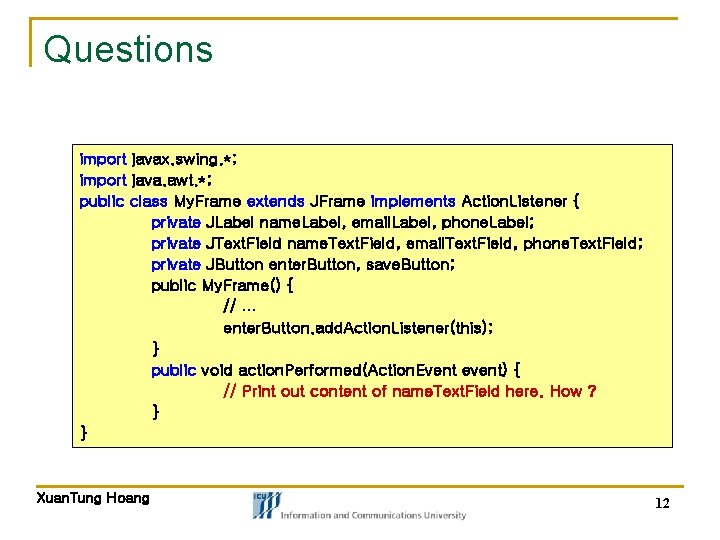
Questions import javax. swing. *; import java. awt. *; public class My. Frame extends JFrame implements Action. Listener { private JLabel name. Label, email. Label, phone. Label; private JText. Field name. Text. Field, email. Text. Field, phone. Text. Field; private JButton enter. Button, save. Button; public My. Frame() { // … enter. Button. add. Action. Listener(this); } public void action. Performed(Action. Event event) { // Print out content of name. Text. Field here. How ? } } Xuan. Tung Hoang 12
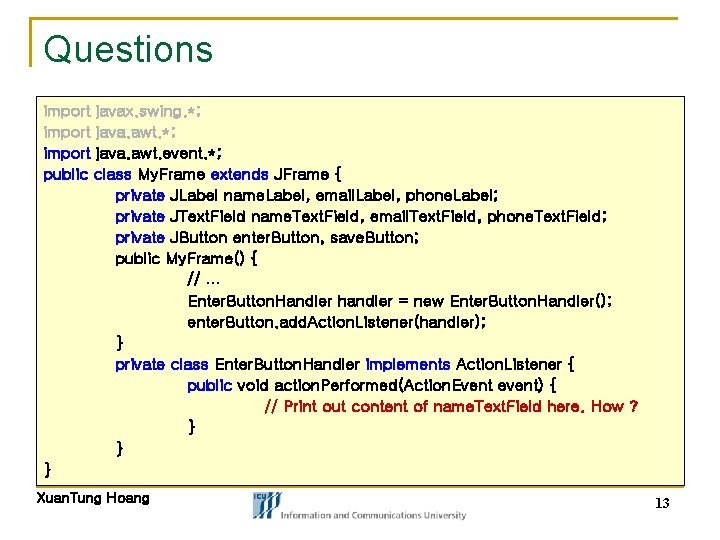
Questions import javax. swing. *; import java. awt. event. *; public class My. Frame extends JFrame { private JLabel name. Label, email. Label, phone. Label; private JText. Field name. Text. Field, email. Text. Field, phone. Text. Field; private JButton enter. Button, save. Button; public My. Frame() { // … Enter. Button. Handler handler = new Enter. Button. Handler(); enter. Button. add. Action. Listener(handler); } private class Enter. Button. Handler implements Action. Listener { public void action. Performed(Action. Event event) { // Print out content of name. Text. Field here. How ? } } } Xuan. Tung Hoang 13
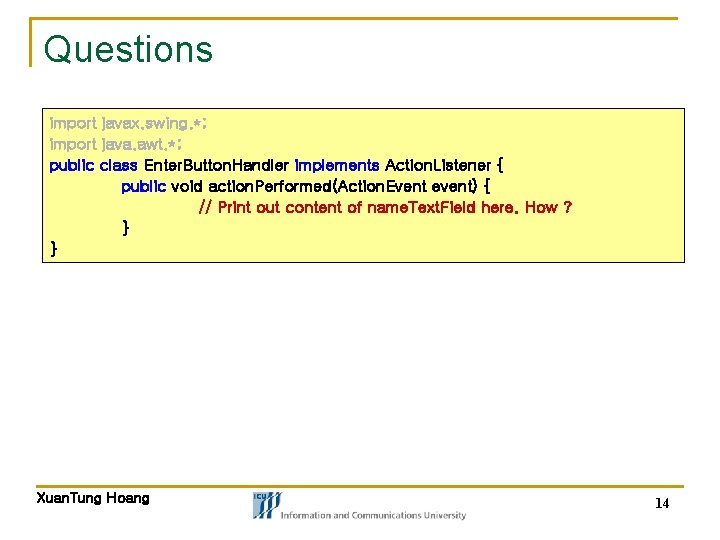
Questions import javax. swing. *; import java. awt. *; public class Enter. Button. Handler implements Action. Listener { public void action. Performed(Action. Event event) { // Print out content of name. Text. Field here. How ? } } Xuan. Tung Hoang 14
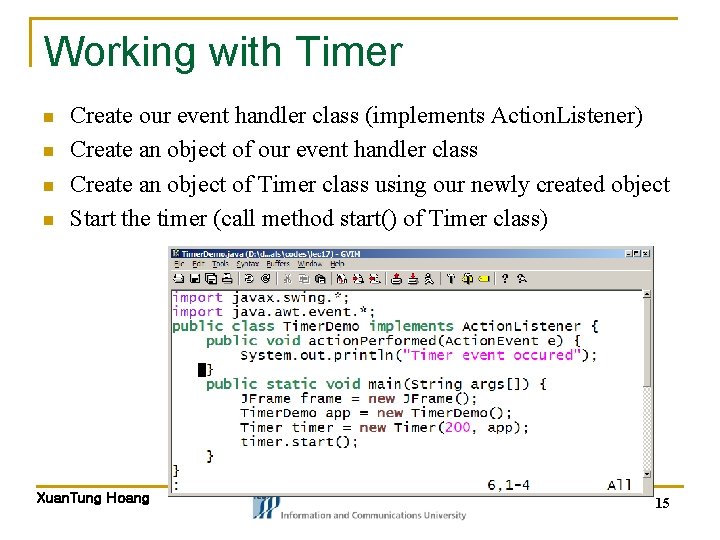
Working with Timer n n Create our event handler class (implements Action. Listener) Create an object of our event handler class Create an object of Timer class using our newly created object Start the timer (call method start() of Timer class) Xuan. Tung Hoang 15
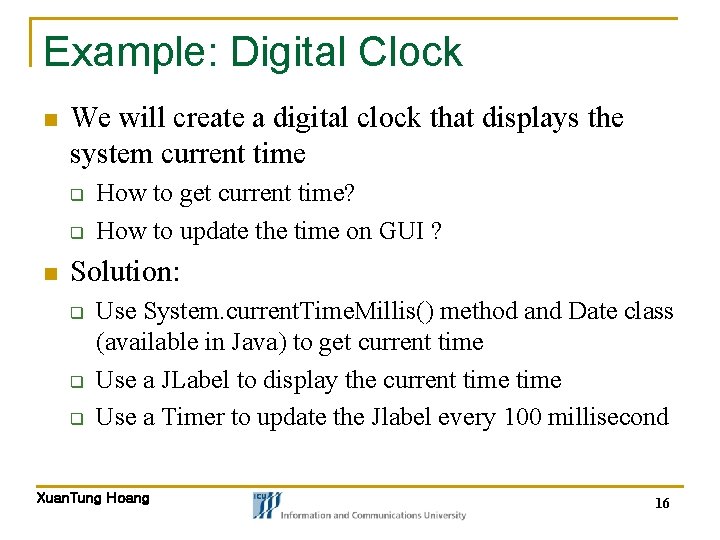
Example: Digital Clock n We will create a digital clock that displays the system current time q q n How to get current time? How to update the time on GUI ? Solution: q q q Use System. current. Time. Millis() method and Date class (available in Java) to get current time Use a JLabel to display the current time Use a Timer to update the Jlabel every 100 millisecond Xuan. Tung Hoang 16
GUI in a nutshell Other topics: Drawing Capabilities
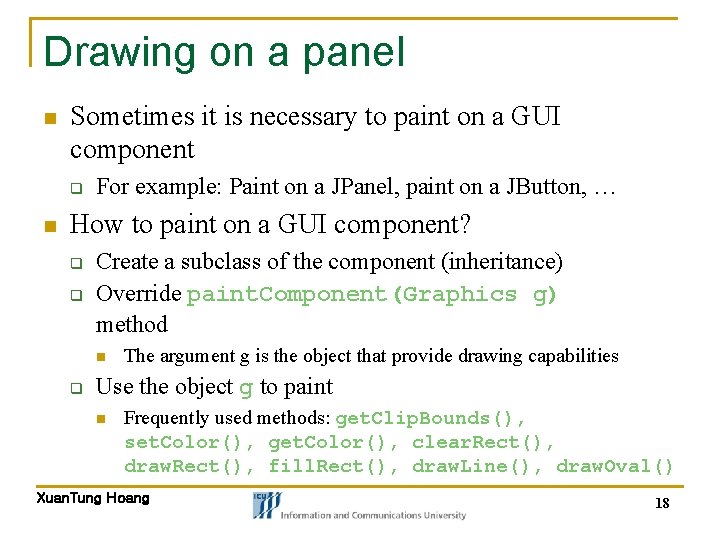
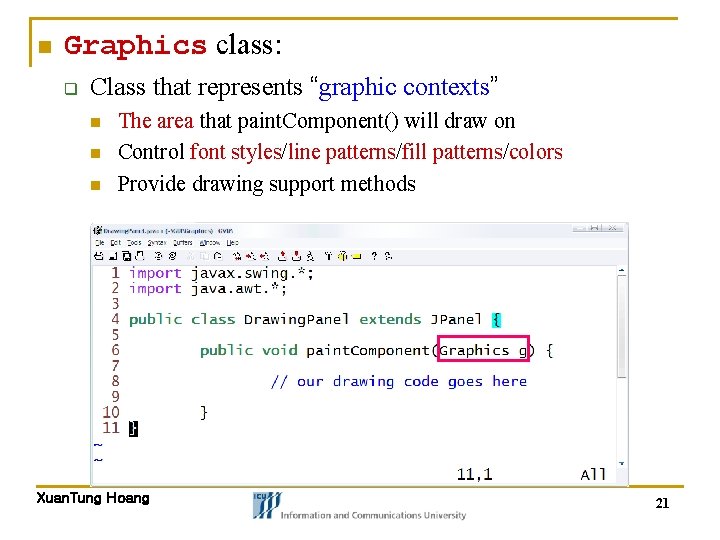
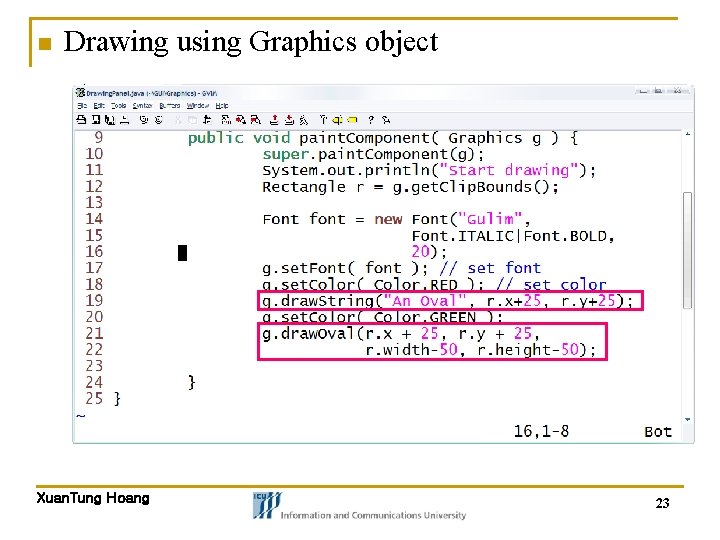
Drawing on a panel n Sometimes it is necessary to paint on a GUI component q n For example: Paint on a JPanel, paint on a JButton, … How to paint on a GUI component? q q Create a subclass of the component (inheritance) Override paint. Component(Graphics g) method n q The argument g is the object that provide drawing capabilities Use the object g to paint n Frequently used methods: get. Clip. Bounds(), set. Color(), get. Color(), clear. Rect(), draw. Rect(), fill. Rect(), draw. Line(), draw. Oval() Xuan. Tung Hoang 18
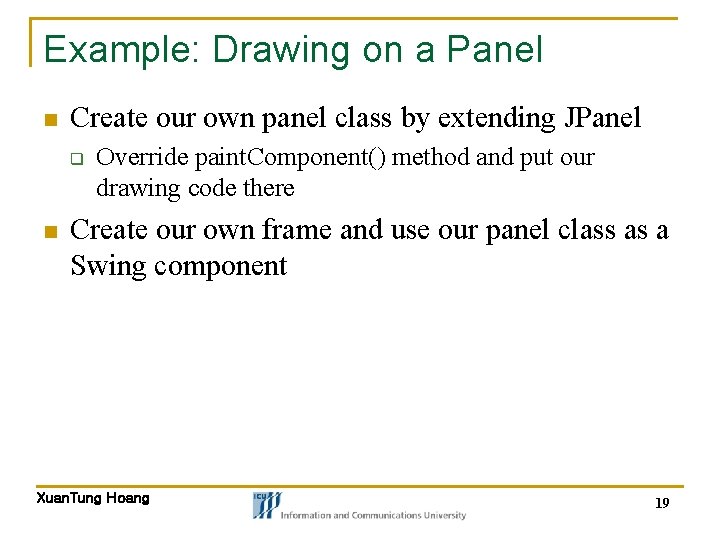
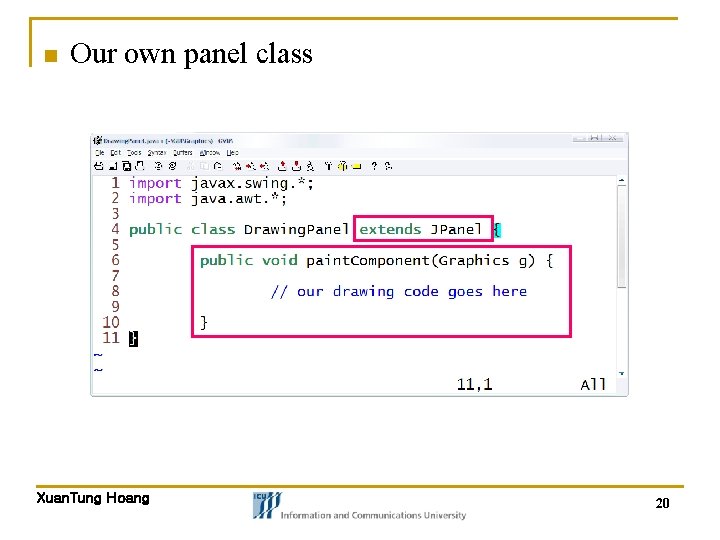
Example: Drawing on a Panel n Create our own panel class by extending JPanel q n Override paint. Component() method and put our drawing code there Create our own frame and use our panel class as a Swing component Xuan. Tung Hoang 19
n Our own panel class Xuan. Tung Hoang 20
n Graphics class: q Class that represents “graphic contexts” n n n The area that paint. Component() will draw on Control font styles/line patterns/fill patterns/colors Provide drawing support methods Xuan. Tung Hoang 21
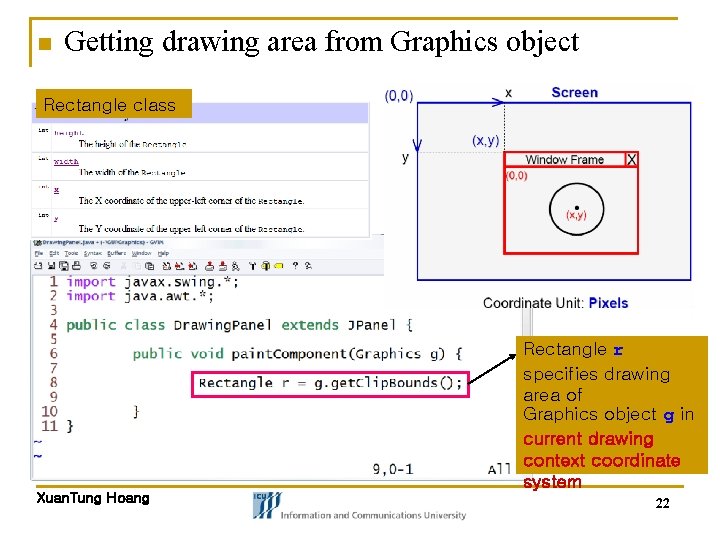
n Getting drawing area from Graphics object Rectangle class Rectangle r specifies drawing area of Graphics object g in current drawing context coordinate system Xuan. Tung Hoang 22
n Drawing using Graphics object Xuan. Tung Hoang 23
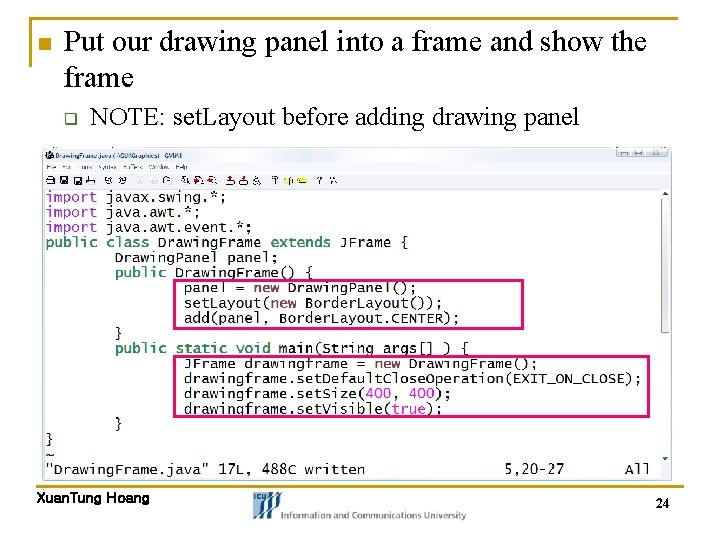
n Put our drawing panel into a frame and show the frame q NOTE: set. Layout before adding drawing panel Xuan. Tung Hoang 24
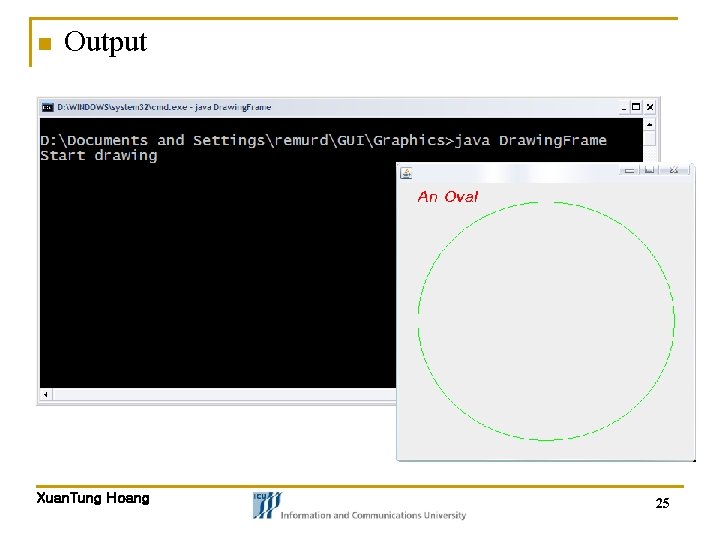
n Output Xuan. Tung Hoang 25
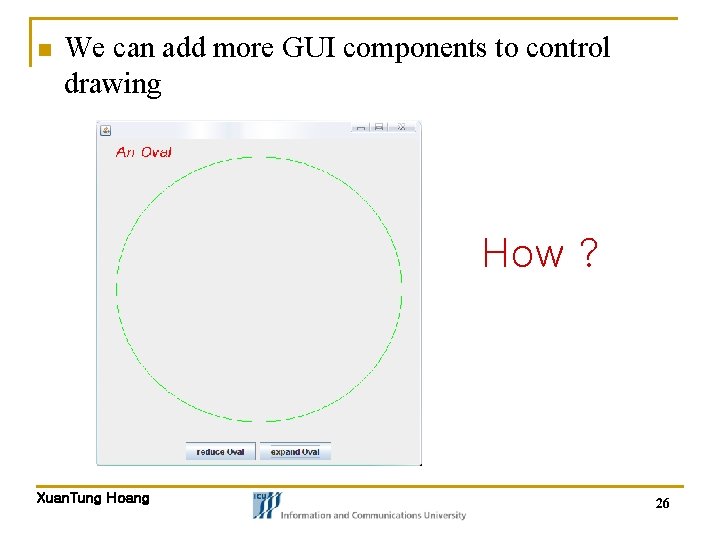
n We can add more GUI components to control drawing How ? Xuan. Tung Hoang 26
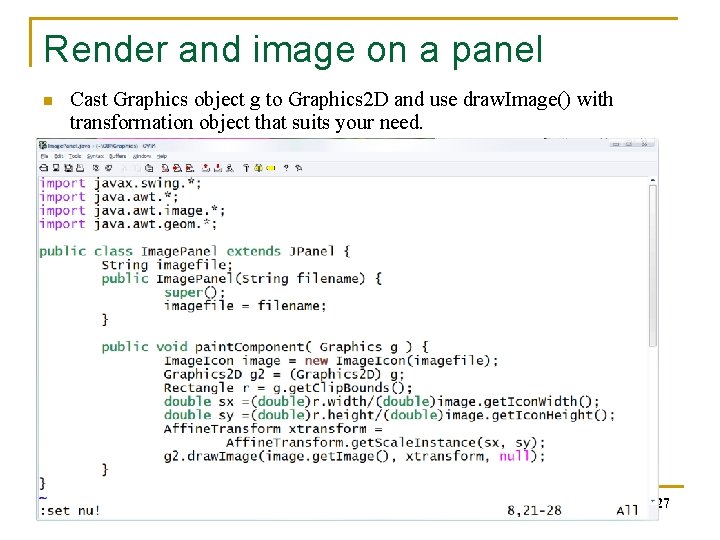
Render and image on a panel n Cast Graphics object g to Graphics 2 D and use draw. Image() with transformation object that suits your need. Xuan. Tung Hoang 27