
Spreadsheets Lesson 1 Introduction Lesson Objectives To understand
Spreadsheets Lesson 1: Introduction
Lesson Objectives • To understand what a spread sheet is and how it can be used • To identify the features of a spreadsheet • To use basic formulae within excel
What is a spreadsheet? • • A spreadsheet is used for storing information and data. Calculations can be performed on the data in a spreadsheet Will be using Microsoft Excel to create and edit spreadsheets http: //www. bbc. co. uk/bitesize/ks 3/ict/softw are_applications/spreadsheets/activity/ Section 1
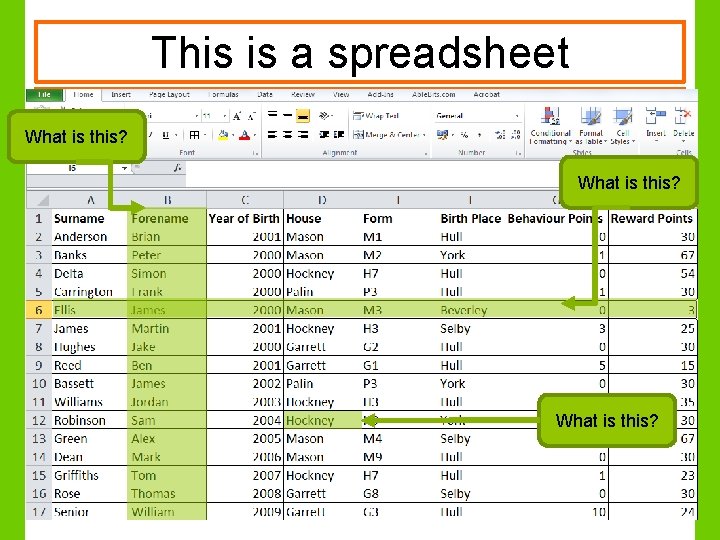
This is a spreadsheet What is this?
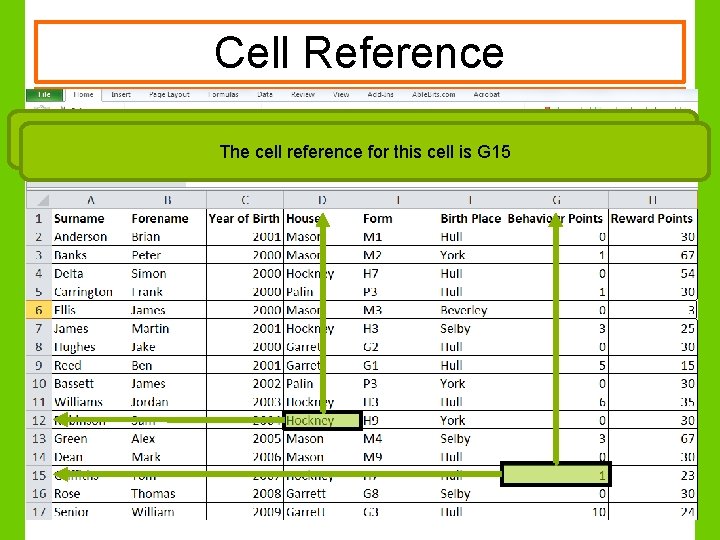
Cell Reference Every cell has a unique name called a Cell Reference. The cell reference for this cell is D 12 The cell reference for this cell is G 15
What do we use a spreadsheet for? • • • Spreadsheets aren’t just used to hold tables of data. We can use them to do calculations, like adding, subtracting, multiplying and dividing. We do this using a FORMULA
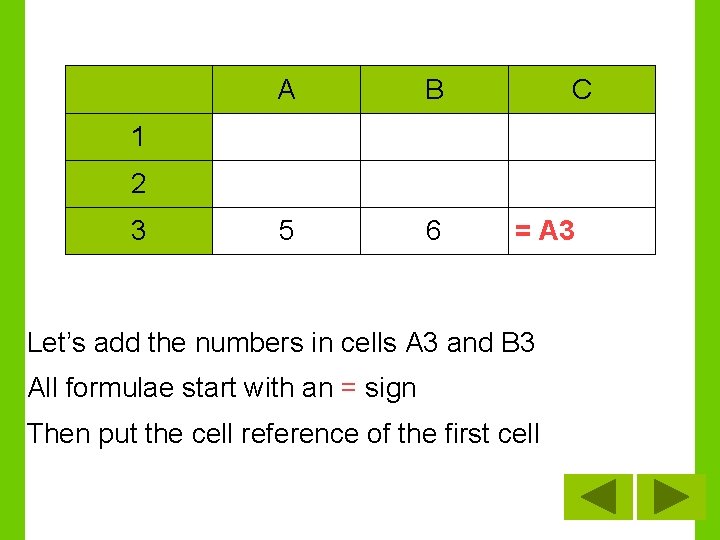
A B 5 6 C 1 2 3 = A 3 Let’s add the numbers in cells A 3 and B 3 All formulae start with an = sign Then put the cell reference of the first cell
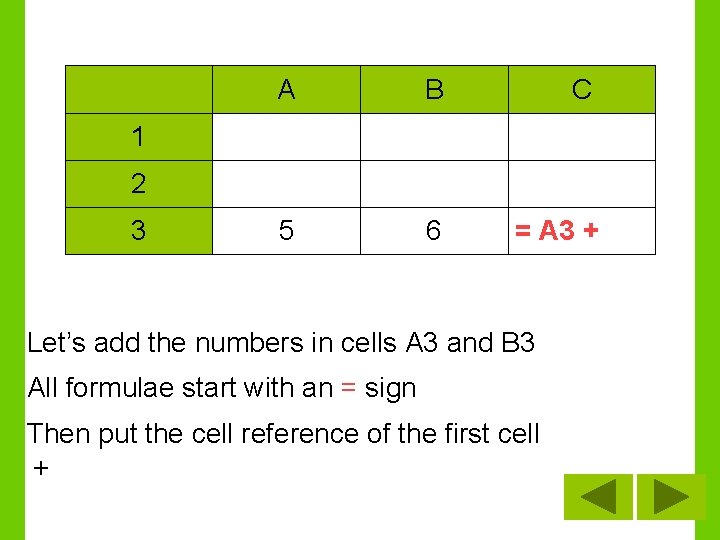
A B C 5 6 = A 3 + 1 2 3 Let’s add the numbers in cells A 3 and B 3 All formulae start with an = sign Then put the cell reference of the first cell +
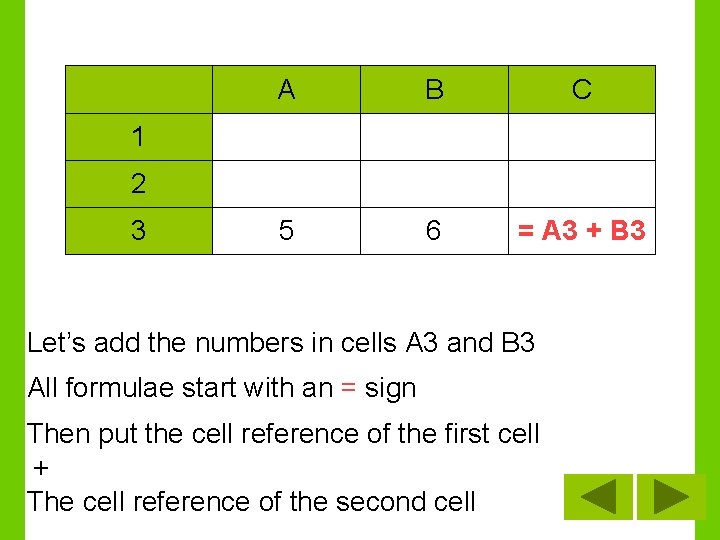
A B C 5 6 = A 3 + B 3 1 2 3 Let’s add the numbers in cells A 3 and B 3 All formulae start with an = sign Then put the cell reference of the first cell + The cell reference of the second cell
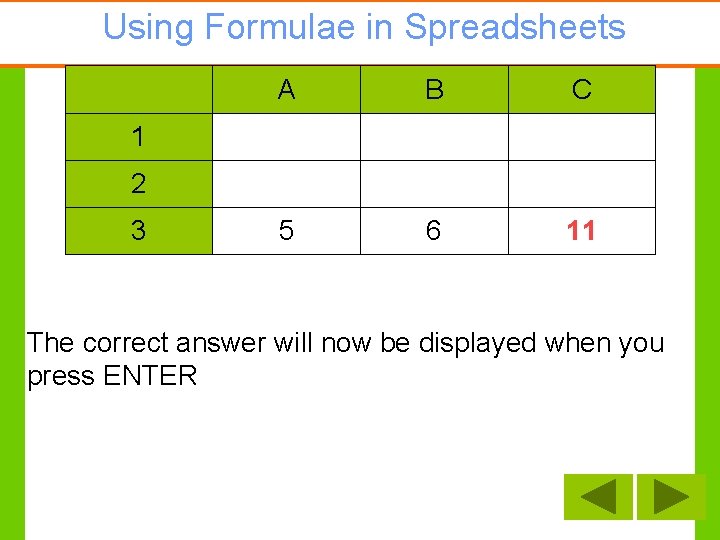
Using Formulae in Spreadsheets A B C 5 6 11 1 2 3 The correct answer will now be displayed when you press ENTER
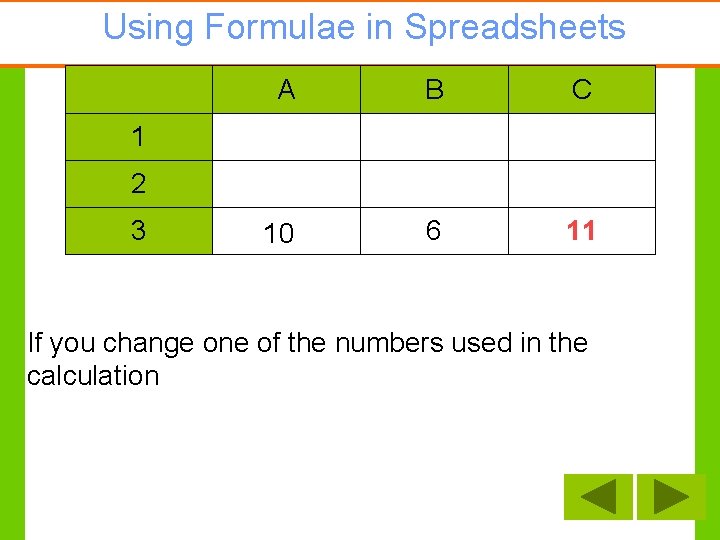
Using Formulae in Spreadsheets A B C 5 10 6 11 1 2 3 If you change one of the numbers used in the calculation
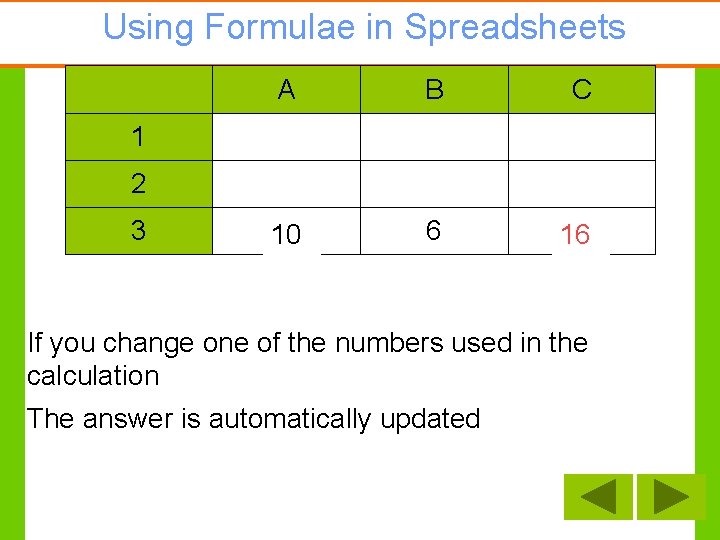
Using Formulae in Spreadsheets A B C 5 10 6 11 16 1 2 3 If you change one of the numbers used in the calculation The answer is automatically updated
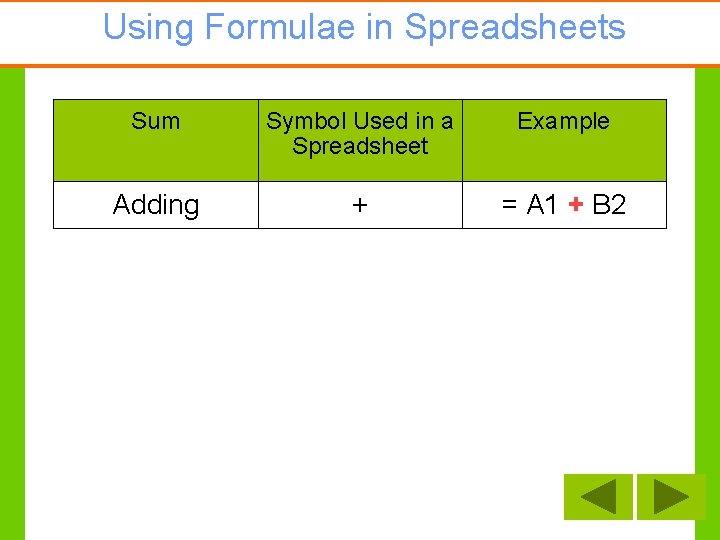
Using Formulae in Spreadsheets Sum Symbol Used in a Spreadsheet Example Adding + = A 1 + B 2
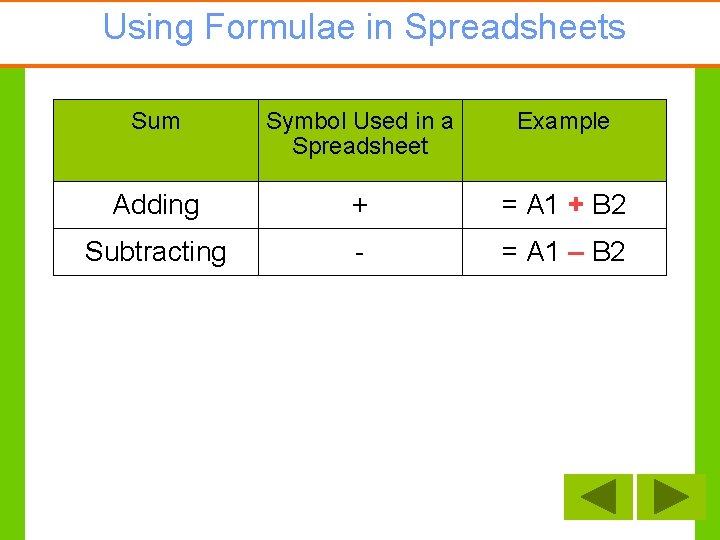
Using Formulae in Spreadsheets Sum Symbol Used in a Spreadsheet Example Adding + = A 1 + B 2 Subtracting - = A 1 – B 2

Using Formulae in Spreadsheets Sum Symbol Used in a Spreadsheet Example Adding + = A 1 + B 2 Subtracting - = A 1 – B 2 Multiplying * (star) = A 1 * B 2
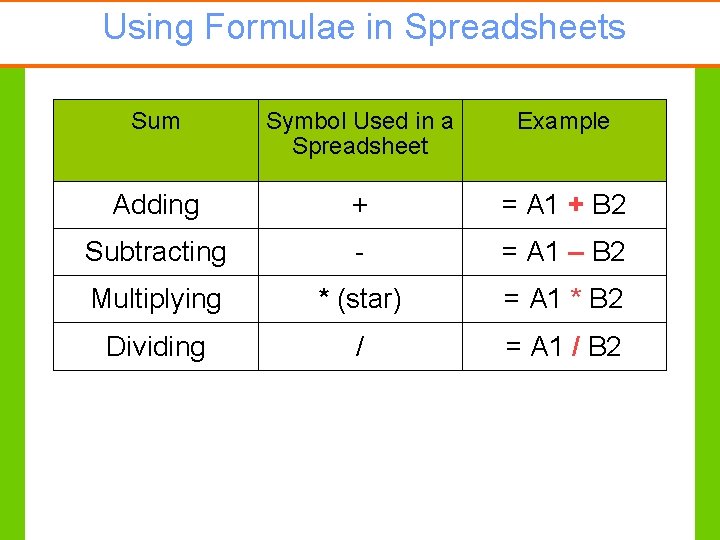
Using Formulae in Spreadsheets Sum Symbol Used in a Spreadsheet Example Adding + = A 1 + B 2 Subtracting - = A 1 – B 2 Multiplying * (star) = A 1 * B 2 Dividing / = A 1 / B 2
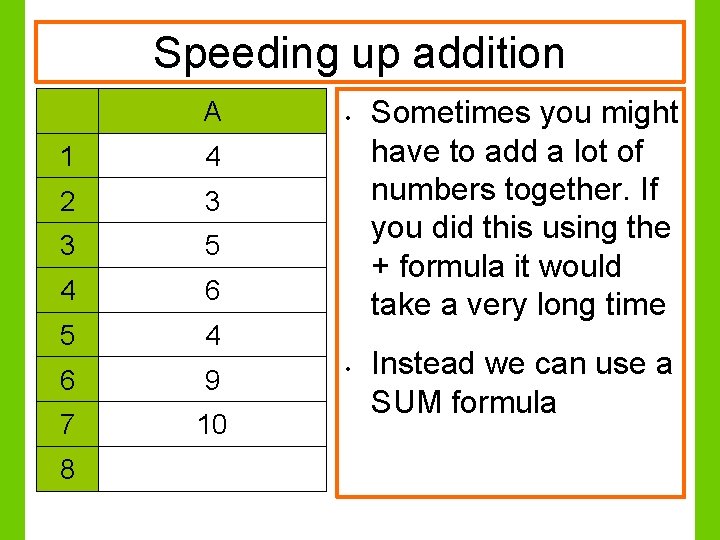
Speeding up addition A 1 4 2 3 3 5 4 6 9 7 10 8 • • Sometimes you might have to add a lot of numbers together. If you did this using the + formula it would take a very long time Instead we can use a SUM formula
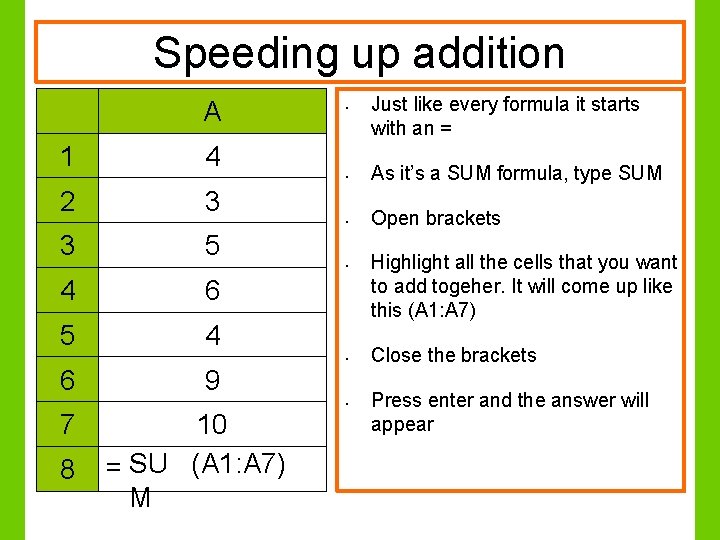
Speeding up addition A 1 4 2 3 3 5 4 6 5 4 • • As it’s a SUM formula, type SUM • Open brackets • • 6 9 • 7 8 10 = SU (A 1: A 7) M Just like every formula it starts with an = Highlight all the cells that you want to add togeher. It will come up like this (A 1: A 7) Close the brackets Press enter and the answer will appear
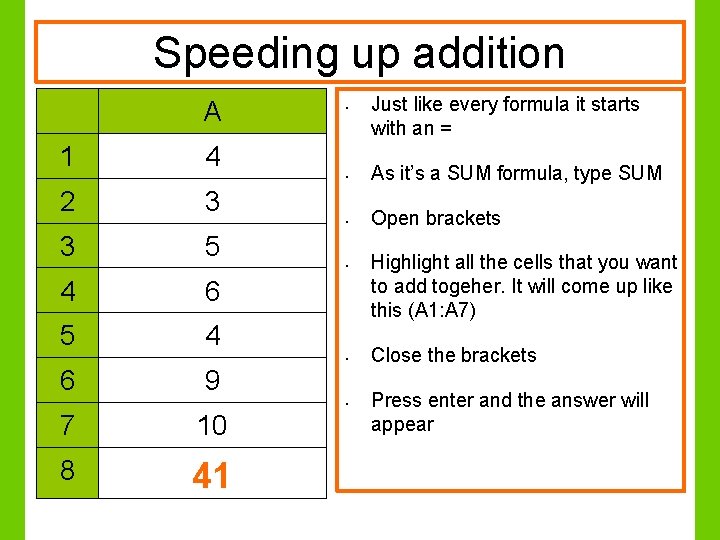
Speeding up addition A 1 4 2 3 3 5 4 6 5 4 • • As it’s a SUM formula, type SUM • Open brackets • • 6 9 • 7 10 8 41 Just like every formula it starts with an = Highlight all the cells that you want to add togeher. It will come up like this (A 1: A 7) Close the brackets Press enter and the answer will appear
- Slides: 19