
SPo RTs Model Evaluation Tools MET Scripting Package


![Thank you for your attention! Clear as mud now? [Prepared for MANY questions…]](https://slidetodoc.com/presentation_image_h/fc27f69e7d332bc558f685257f5adddc/image-40.jpg "Thank you for your attention! Clear as mud now? [Prepared for MANY questions…]")
- Slides: 40
SPo. RT’s Model Evaluation Tools (MET) Scripting Package Tutorial PREPARED BY JONATHAN CASE 1, BRADLEY ZAVODSKY 2, AND JAYANTHI SRIKISHEN 3 1 ENSCO, 3 UNIVERSITIES INC. , 2 NASA/MSFC, AND SPACE RESEARCH ASSOCIATION SHORT-TERM PREDICTION RESEARCH AND TRANSITION (SPORT) CENTER NASA/SERVIR
Purpose of SPo. RT MET Scripts �Effectively evaluating model performance requires a combination of quantitative metrics and case studies �SPo. RT transitions techniques, data and products �SPo. RT values transition of capabilities that enable its partners to perform evaluations that support forecaster-led conference presentations and journal articles SPo. RT directly interacts with U. S. National Weather Service (NWS) forecasters
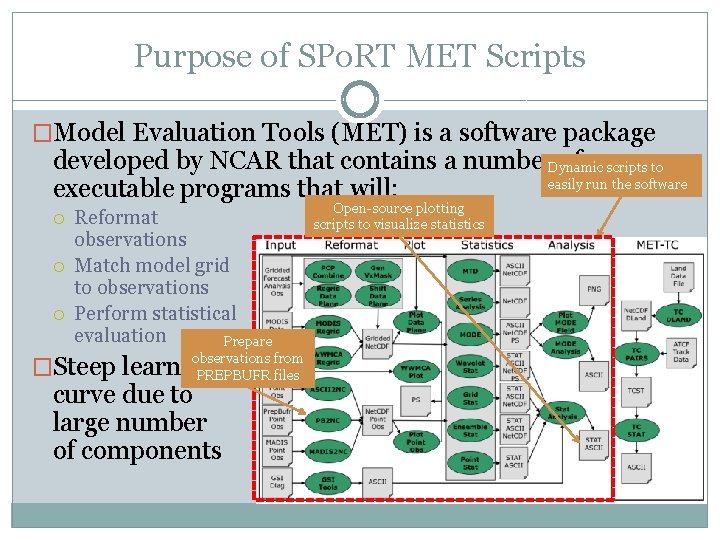
Purpose of SPo. RT MET Scripts �Model Evaluation Tools (MET) is a software package developed by NCAR that contains a number. Dynamic of scripts to easily run the software executable programs that will: Reformat observations Match model grid to observations Perform statistical evaluation Prepare observations from �Steep learning PREPBUFR files curve due to large number of components Open-source plotting scripts to visualize statistics
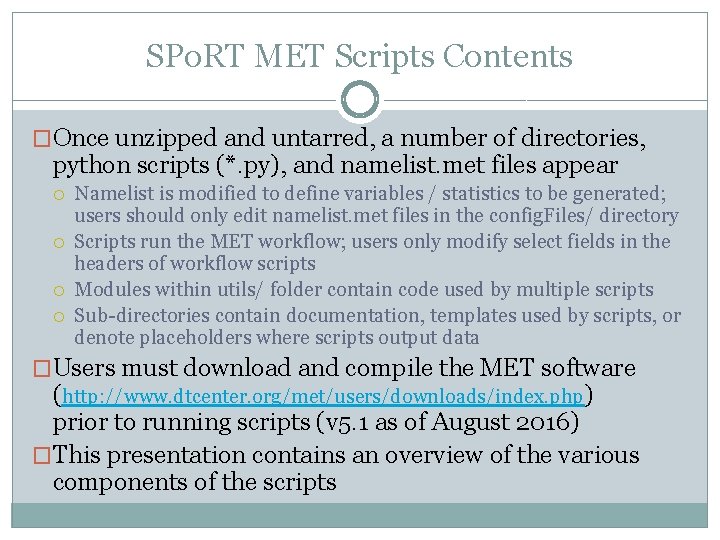
SPo. RT MET Scripts Contents �Once unzipped and untarred, a number of directories, python scripts (*. py), and namelist. met files appear Namelist is modified to define variables / statistics to be generated; users should only edit namelist. met files in the config. Files/ directory Scripts run the MET workflow; users only modify select fields in the headers of workflow scripts Modules within utils/ folder contain code used by multiple scripts Sub-directories contain documentation, templates used by scripts, or denote placeholders where scripts output data �Users must download and compile the MET software (http: //www. dtcenter. org/met/users/downloads/index. php) prior to running scripts (v 5. 1 as of August 2016) �This presentation contains an overview of the various components of the scripts
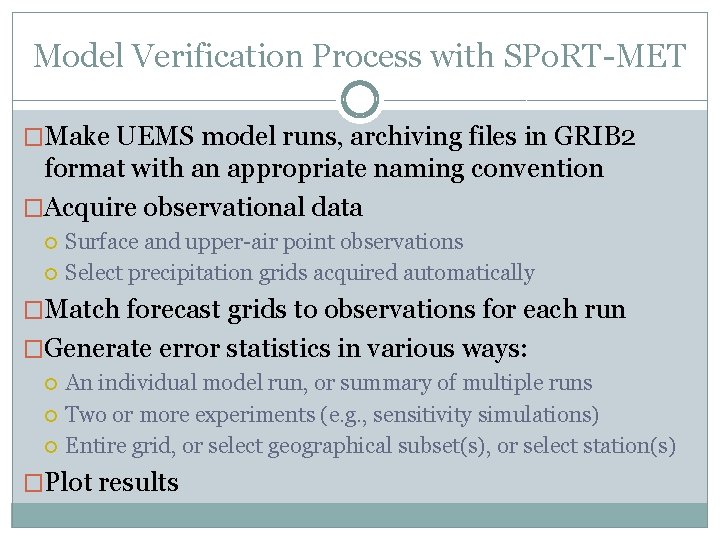
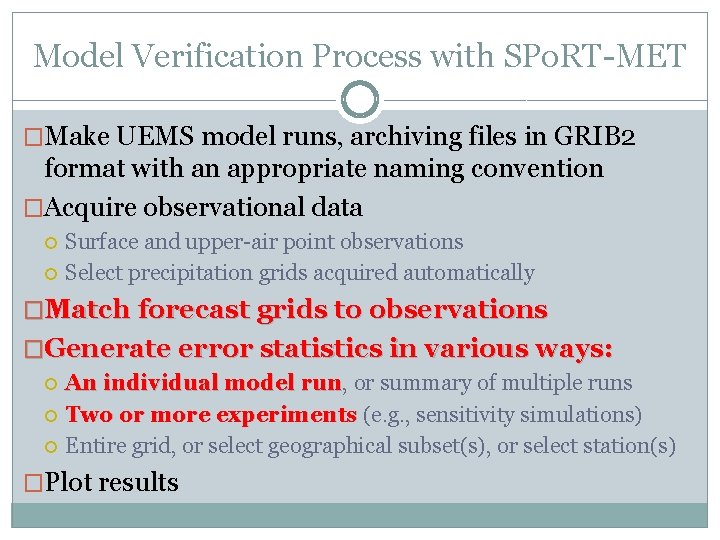
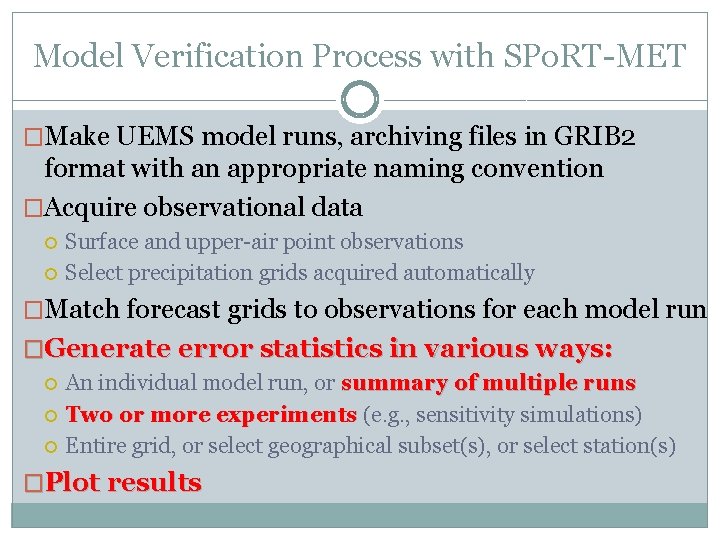
Model Verification Process with SPo. RT-MET �Make UEMS model runs, archiving files in GRIB 2 format with an appropriate naming convention �Acquire observational data Surface and upper-air point observations Select precipitation grids acquired automatically �Match forecast grids to observations for each run �Generate error statistics in various ways: An individual model run, or summary of multiple runs Two or more experiments (e. g. , sensitivity simulations) Entire grid, or select geographical subset(s), or select station(s) �Plot results
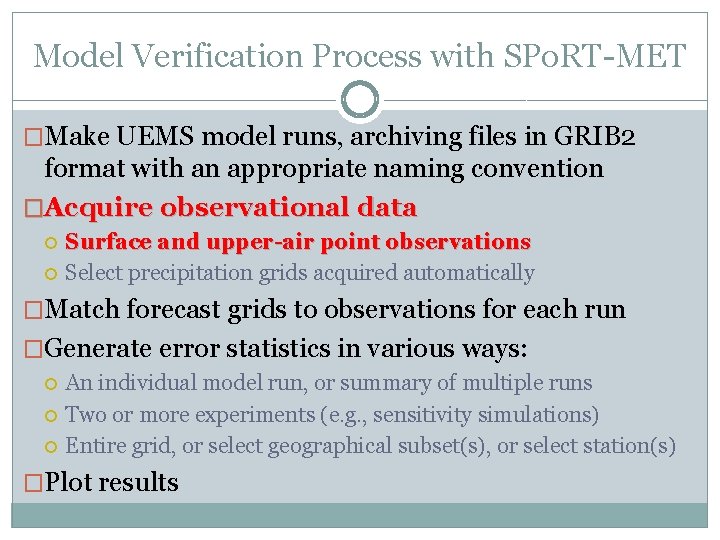
Model Verification Process with SPo. RT-MET �Make UEMS model runs, archiving files in GRIB 2 format with an appropriate naming convention �Acquire observational data Surface and upper-air point observations Select precipitation grids acquired automatically �Match forecast grids to observations for each run �Generate error statistics in various ways: An individual model run, or summary of multiple runs Two or more experiments (e. g. , sensitivity simulations) Entire grid, or select geographical subset(s), or select station(s) �Plot results
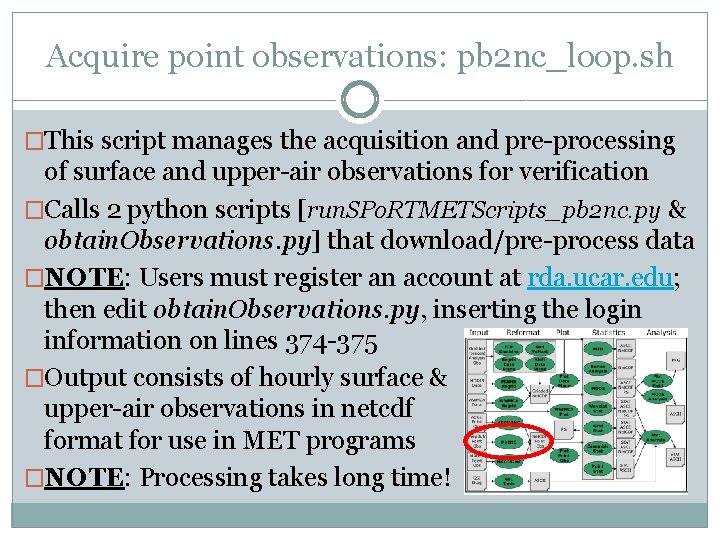
Acquire point observations: pb 2 nc_loop. sh �This script manages the acquisition and pre-processing of surface and upper-air observations for verification �Calls 2 python scripts [run. SPo. RTMETScripts_pb 2 nc. py & obtain. Observations. py] that download/pre-process data �NOTE: Users must register an account at rda. ucar. edu; then edit obtain. Observations. py, inserting the login information on lines 374 -375 �Output consists of hourly surface & upper-air observations in netcdf format for use in MET programs �NOTE: Processing takes long time!
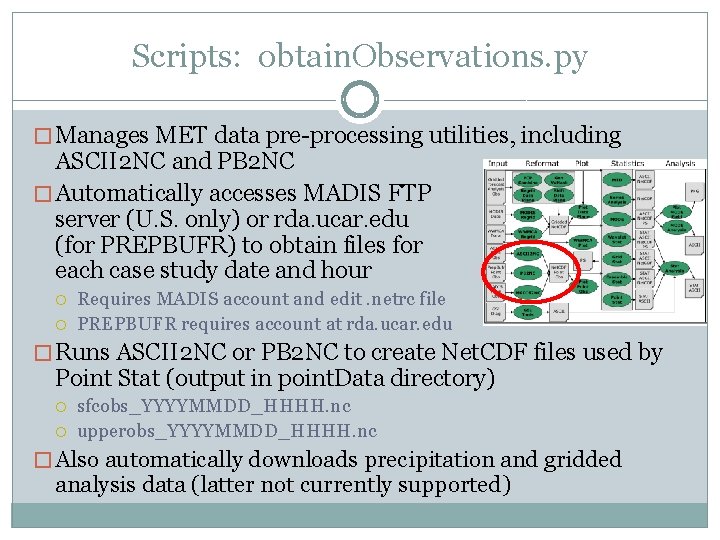
Scripts: obtain. Observations. py � Manages MET data pre-processing utilities, including ASCII 2 NC and PB 2 NC � Automatically accesses MADIS FTP server (U. S. only) or rda. ucar. edu (for PREPBUFR) to obtain files for each case study date and hour Requires MADIS account and edit. netrc file PREPBUFR requires account at rda. ucar. edu � Runs ASCII 2 NC or PB 2 NC to create Net. CDF files used by Point Stat (output in point. Data directory) sfcobs_YYYYMMDD_HHHH. nc upperobs_YYYYMMDD_HHHH. nc � Also automatically downloads precipitation and gridded analysis data (latter not currently supported)
Model Verification Process with SPo. RT-MET �Make UEMS model runs, archiving files in GRIB 2 format with an appropriate naming convention �Acquire observational data Surface and upper-air point observations Select precipitation grids acquired automatically �Match forecast grids to observations �Generate error statistics in various ways: An individual model run, run or summary of multiple runs Two or more experiments (e. g. , sensitivity simulations) Entire grid, or select geographical subset(s), or select station(s) �Plot results
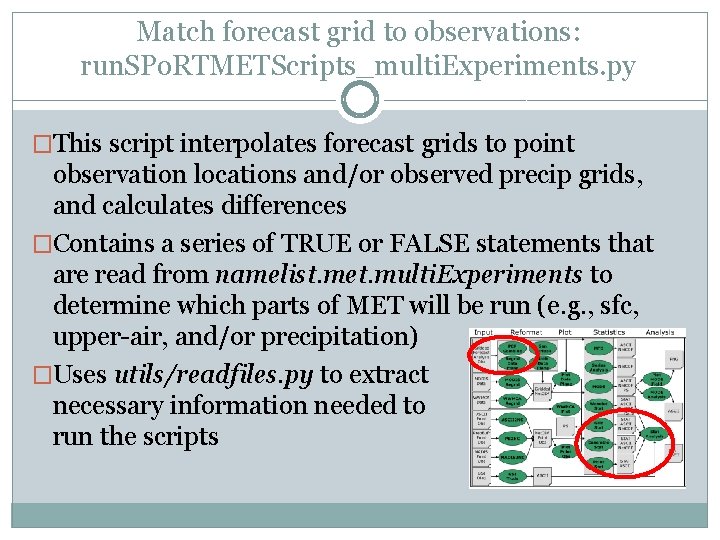
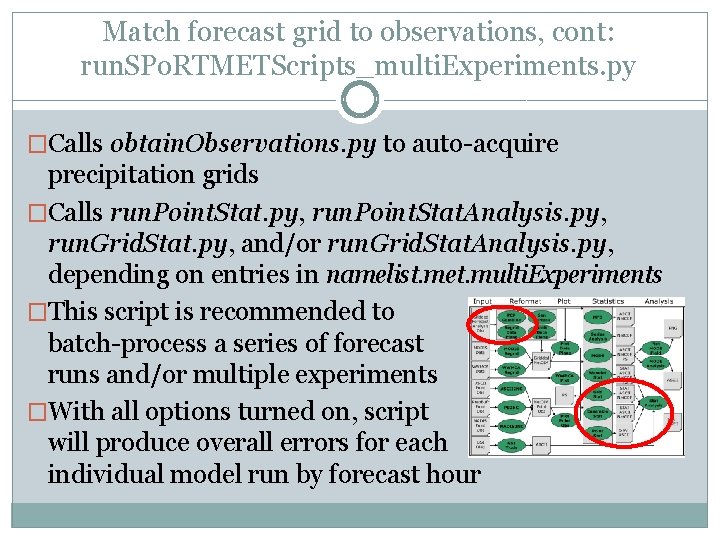
Match forecast grid to observations: run. SPo. RTMETScripts_multi. Experiments. py �This script interpolates forecast grids to point observation locations and/or observed precip grids, and calculates differences �Contains a series of TRUE or FALSE statements that are read from namelist. met. multi. Experiments to determine which parts of MET will be run (e. g. , sfc, upper-air, and/or precipitation) �Uses utils/readfiles. py to extract necessary information needed to run the scripts
Match forecast grid to observations, cont: run. SPo. RTMETScripts_multi. Experiments. py �Calls obtain. Observations. py to auto-acquire precipitation grids �Calls run. Point. Stat. py, run. Point. Stat. Analysis. py, run. Grid. Stat. py, and/or run. Grid. Stat. Analysis. py, depending on entries in namelist. met. multi. Experiments �This script is recommended to batch-process a series of forecast runs and/or multiple experiments �With all options turned on, script will produce overall errors for each individual model run by forecast hour
Model Verification Process with SPo. RT-MET �Make UEMS model runs, archiving files in GRIB 2 format with an appropriate naming convention �Acquire observational data Surface and upper-air point observations Select precipitation grids acquired automatically �Match forecast grids to observations for each model run �Generate error statistics in various ways: An individual model run, or summary of multiple runs Two or more experiments (e. g. , sensitivity simulations) Entire grid, or select geographical subset(s), or select station(s) �Plot results
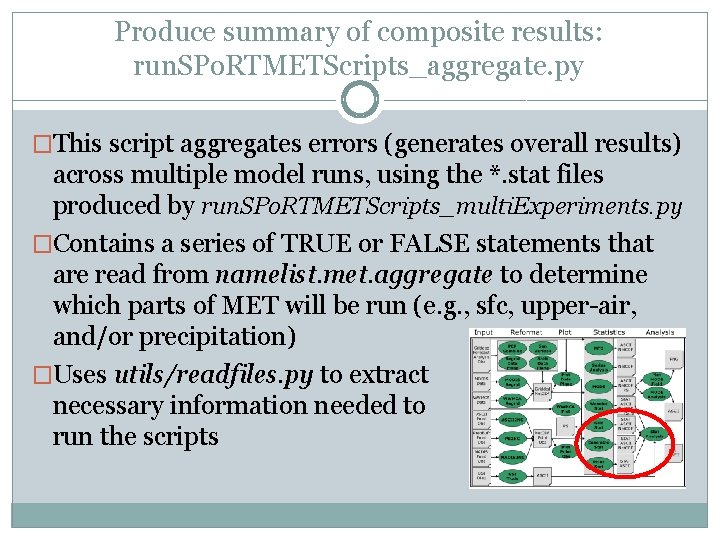
Produce summary of composite results: run. SPo. RTMETScripts_aggregate. py �This script aggregates errors (generates overall results) across multiple model runs, using the *. stat files produced by run. SPo. RTMETScripts_multi. Experiments. py �Contains a series of TRUE or FALSE statements that are read from namelist. met. aggregate to determine which parts of MET will be run (e. g. , sfc, upper-air, and/or precipitation) �Uses utils/readfiles. py to extract necessary information needed to run the scripts
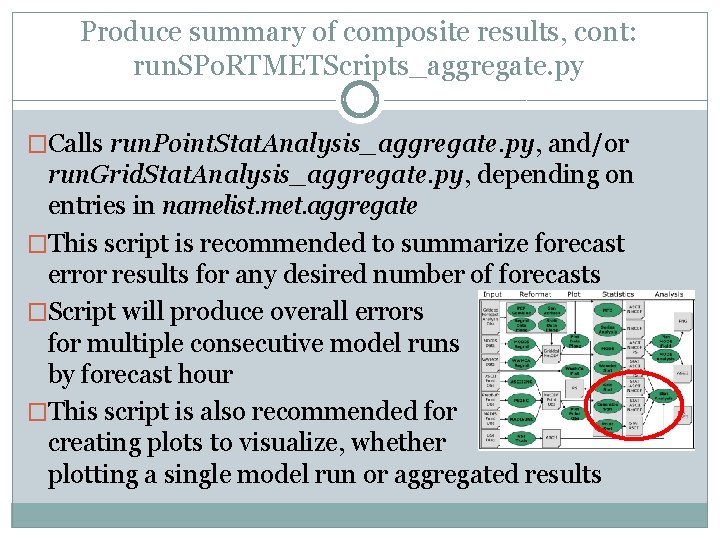
Produce summary of composite results, cont: run. SPo. RTMETScripts_aggregate. py �Calls run. Point. Stat. Analysis_aggregate. py, and/or run. Grid. Stat. Analysis_aggregate. py, depending on entries in namelist. met. aggregate �This script is recommended to summarize forecast error results for any desired number of forecasts �Script will produce overall errors for multiple consecutive model runs by forecast hour �This script is also recommended for creating plots to visualize, whether plotting a single model run or aggregated results
Individual script components PYTHON SCRIPTS CALLED BY THE MASTER RUN SCRIPTS ALREADY DESCRIBED
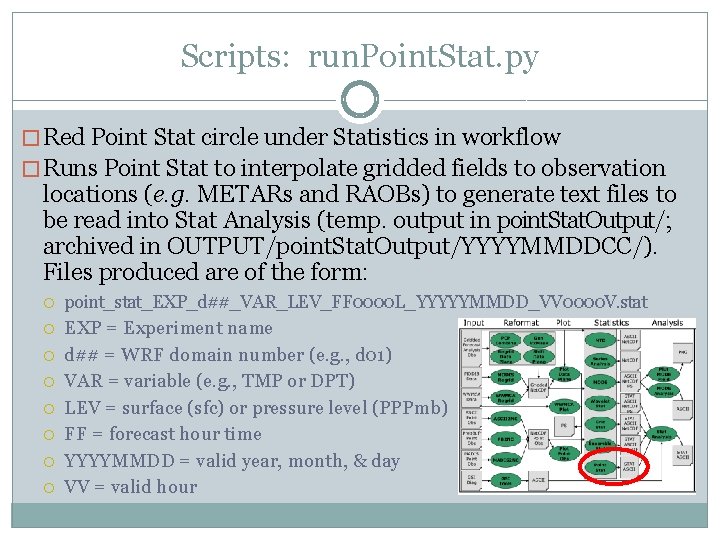
Scripts: run. Point. Stat. py � Red Point Stat circle under Statistics in workflow � Runs Point Stat to interpolate gridded fields to observation locations (e. g. METARs and RAOBs) to generate text files to be read into Stat Analysis (temp. output in point. Stat. Output/; archived in OUTPUT/point. Stat. Output/YYYYMMDDCC/). Files produced are of the form: point_stat_EXP_d##_VAR_LEV_FF 0000 L_YYYYYMMDD_VV 0000 V. stat EXP = Experiment name d## = WRF domain number (e. g. , d 01) VAR = variable (e. g. , TMP or DPT) LEV = surface (sfc) or pressure level (PPPmb) FF = forecast hour time YYYYMMDD = valid year, month, & day VV = valid hour
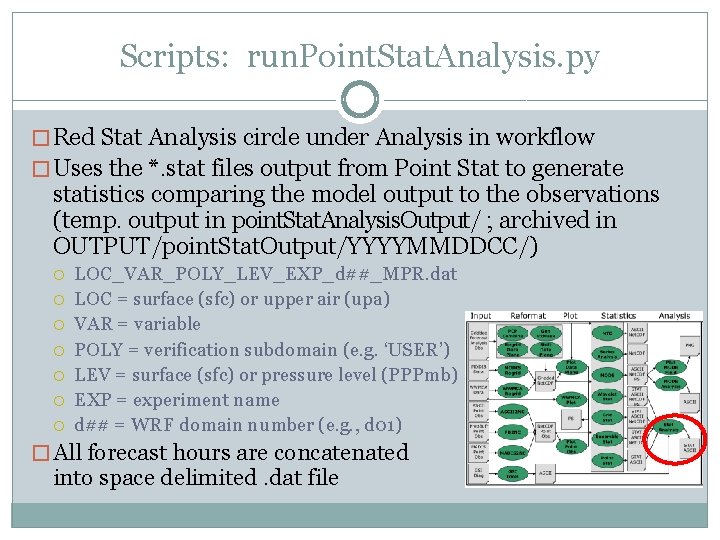
Scripts: run. Point. Stat. Analysis. py � Red Stat Analysis circle under Analysis in workflow � Uses the *. stat files output from Point Stat to generate statistics comparing the model output to the observations (temp. output in point. Stat. Analysis. Output/ ; archived in OUTPUT/point. Stat. Output/YYYYMMDDCC/) LOC_VAR_POLY_LEV_EXP_d##_MPR. dat LOC = surface (sfc) or upper air (upa) VAR = variable POLY = verification subdomain (e. g. ‘USER’) LEV = surface (sfc) or pressure level (PPPmb) EXP = experiment name d## = WRF domain number (e. g. , d 01) � All forecast hours are concatenated into space delimited. dat file
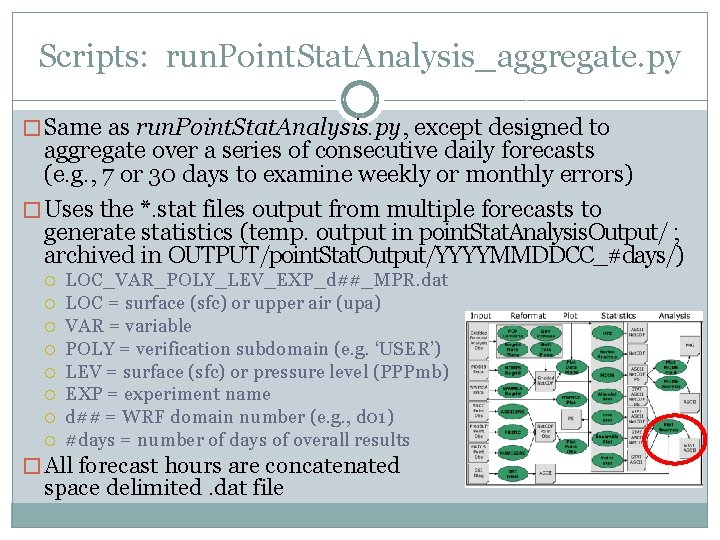
Scripts: run. Point. Stat. Analysis_aggregate. py � Same as run. Point. Stat. Analysis. py, except designed to aggregate over a series of consecutive daily forecasts (e. g. , 7 or 30 days to examine weekly or monthly errors) � Uses the *. stat files output from multiple forecasts to generate statistics (temp. output in point. Stat. Analysis. Output/ ; archived in OUTPUT/point. Stat. Output/YYYYMMDDCC_#days/) LOC_VAR_POLY_LEV_EXP_d##_MPR. dat LOC = surface (sfc) or upper air (upa) VAR = variable POLY = verification subdomain (e. g. ‘USER’) LEV = surface (sfc) or pressure level (PPPmb) EXP = experiment name d## = WRF domain number (e. g. , d 01) #days = number of days of overall results � All forecast hours are concatenated space delimited. dat file into
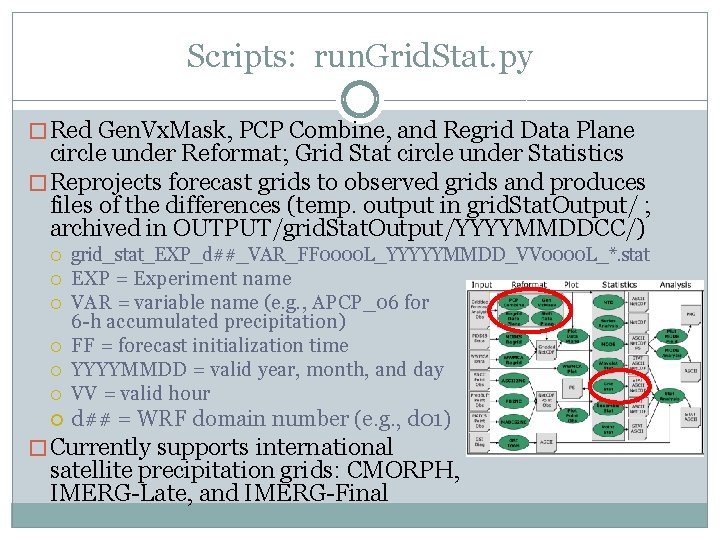
Scripts: run. Grid. Stat. py � Red Gen. Vx. Mask, PCP Combine, and Regrid Data Plane circle under Reformat; Grid Stat circle under Statistics � Reprojects forecast grids to observed grids and produces files of the differences (temp. output in grid. Stat. Output/ ; archived in OUTPUT/grid. Stat. Output/YYYYMMDDCC/) grid_stat_EXP_d##_VAR_FF 0000 L_YYYYYMMDD_VV 0000 L_*. stat EXP = Experiment name VAR = variable name (e. g. , APCP_06 for 6 -h accumulated precipitation) FF = forecast initialization time YYYYMMDD = valid year, month, and day VV = valid hour d## = WRF domain number (e. g. , d 01) � Currently supports international satellite precipitation grids: CMORPH, IMERG-Late, and IMERG-Final
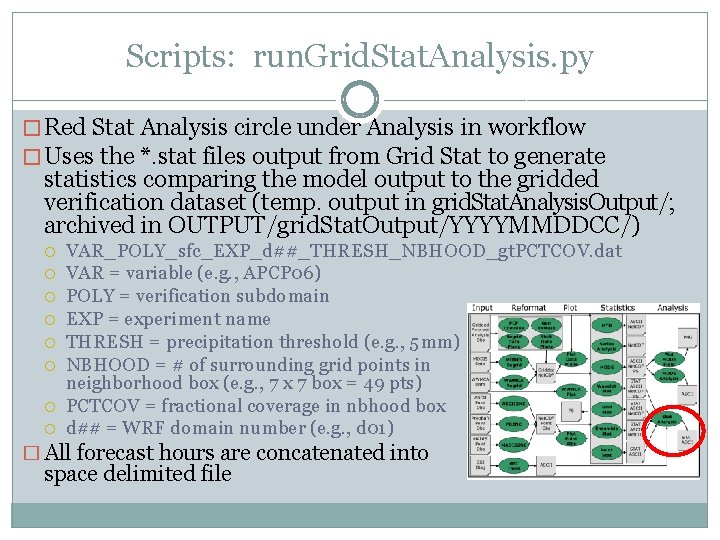
Scripts: run. Grid. Stat. Analysis. py � Red Stat Analysis circle under Analysis in workflow � Uses the *. stat files output from Grid Stat to generate statistics comparing the model output to the gridded verification dataset (temp. output in grid. Stat. Analysis. Output/; archived in OUTPUT/grid. Stat. Output/YYYYMMDDCC/) VAR_POLY_sfc_EXP_d##_THRESH_NBHOOD_gt. PCTCOV. dat VAR = variable (e. g. , APCP 06) POLY = verification subdomain EXP = experiment name THRESH = precipitation threshold (e. g. , 5 mm) NBHOOD = # of surrounding grid points in neighborhood box (e. g. , 7 x 7 box = 49 pts) PCTCOV = fractional coverage in nbhood box d## = WRF domain number (e. g. , d 01) � All forecast hours are concatenated into space delimited file
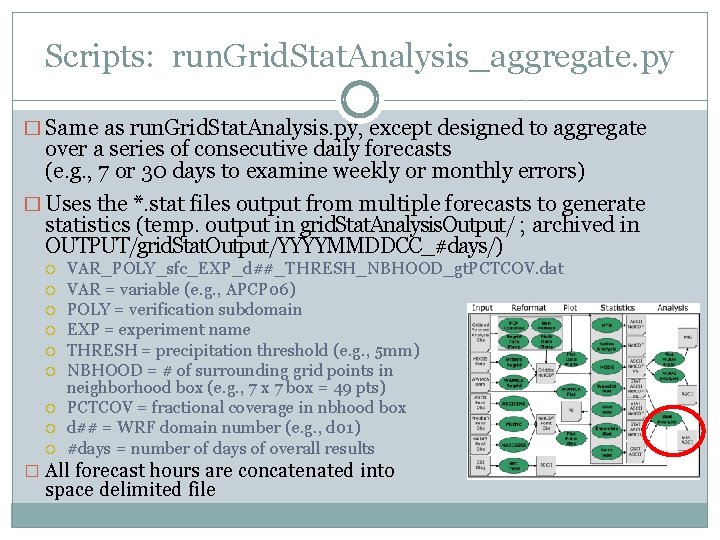
Scripts: run. Grid. Stat. Analysis_aggregate. py � Same as run. Grid. Stat. Analysis. py, except designed to aggregate over a series of consecutive daily forecasts (e. g. , 7 or 30 days to examine weekly or monthly errors) � Uses the *. stat files output from multiple forecasts to generate statistics (temp. output in grid. Stat. Analysis. Output/ ; archived in OUTPUT/grid. Stat. Output/YYYYMMDDCC_#days/) VAR_POLY_sfc_EXP_d##_THRESH_NBHOOD_gt. PCTCOV. dat VAR = variable (e. g. , APCP 06) POLY = verification subdomain EXP = experiment name THRESH = precipitation threshold (e. g. , 5 mm) NBHOOD = # of surrounding grid points in neighborhood box (e. g. , 7 x 7 box = 49 pts) PCTCOV = fractional coverage in nbhood box d## = WRF domain number (e. g. , d 01) #days = number of days of overall results � All forecast hours are concatenated into space delimited file
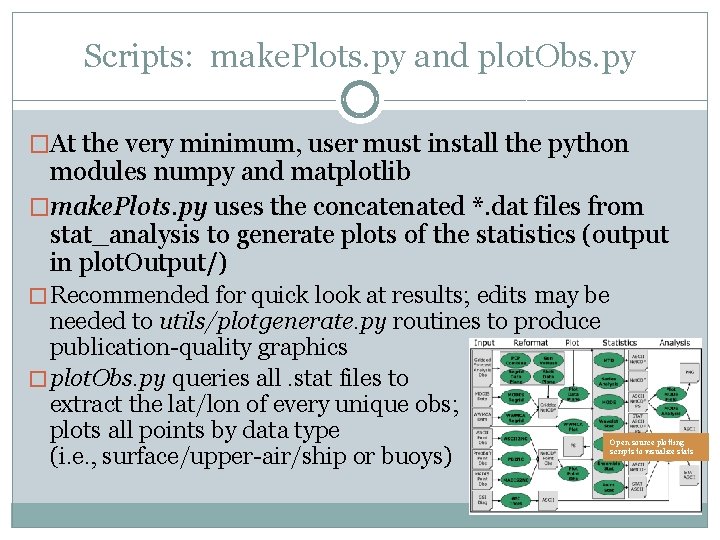
Scripts: make. Plots. py and plot. Obs. py �At the very minimum, user must install the python modules numpy and matplotlib �make. Plots. py uses the concatenated *. dat files from stat_analysis to generate plots of the statistics (output in plot. Output/) � Recommended for quick look at results; edits may be needed to utils/plotgenerate. py routines to produce publication-quality graphics � plot. Obs. py queries all. stat files to extract the lat/lon of every unique obs; plots all points by data type (i. e. , surface/upper-air/ship or buoys) Open source plotting scripts to visualize stats
Set up scripts and namelist. met files for acquiring point observations run. SPo. RTMETScripts_pb 2 nc. py, namelist. met. conf. pb 2 nc, and pb 2 nc_loop. sh
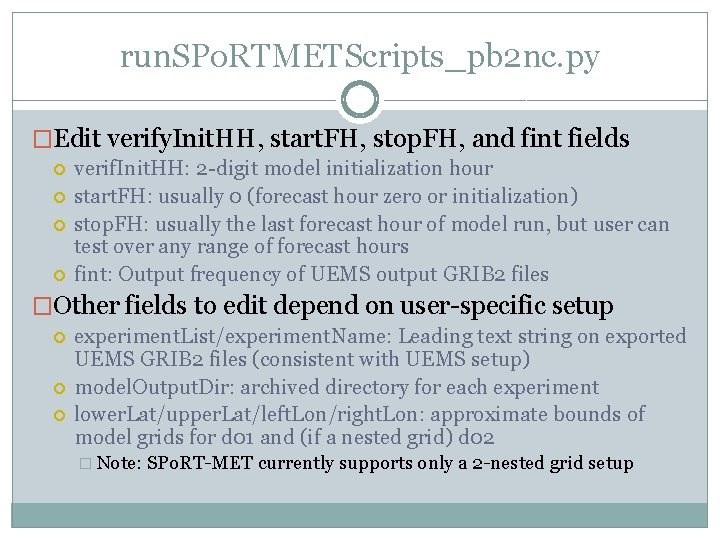
run. SPo. RTMETScripts_pb 2 nc. py �Edit verify. Init. HH, start. FH, stop. FH, and fint fields verif. Init. HH: 2 -digit model initialization hour start. FH: usually 0 (forecast hour zero or initialization) stop. FH: usually the last forecast hour of model run, but user can test over any range of forecast hours fint: Output frequency of UEMS output GRIB 2 files �Other fields to edit depend on user-specific setup experiment. List/experiment. Name: Leading text string on exported UEMS GRIB 2 files (consistent with UEMS setup) model. Output. Dir: archived directory for each experiment lower. Lat/upper. Lat/left. Lon/right. Lon: approximate bounds of model grids for d 01 and (if a nested grid) d 02 � Note: SPo. RT-MET currently supports only a 2 -nested grid setup
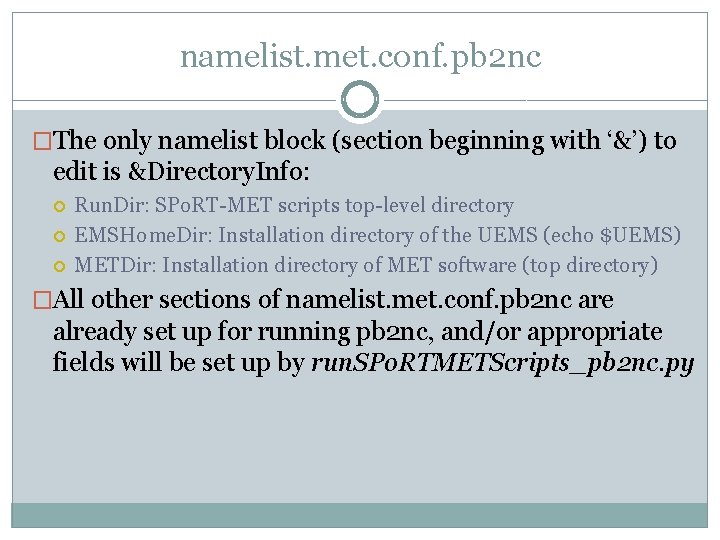
namelist. met. conf. pb 2 nc �The only namelist block (section beginning with ‘&’) to edit is &Directory. Info: Run. Dir: SPo. RT-MET scripts top-level directory EMSHome. Dir: Installation directory of the UEMS (echo $UEMS) METDir: Installation directory of MET software (top directory) �All other sections of namelist. met. conf. pb 2 nc are already set up for running pb 2 nc, and/or appropriate fields will be set up by run. SPo. RTMETScripts_pb 2 nc. py
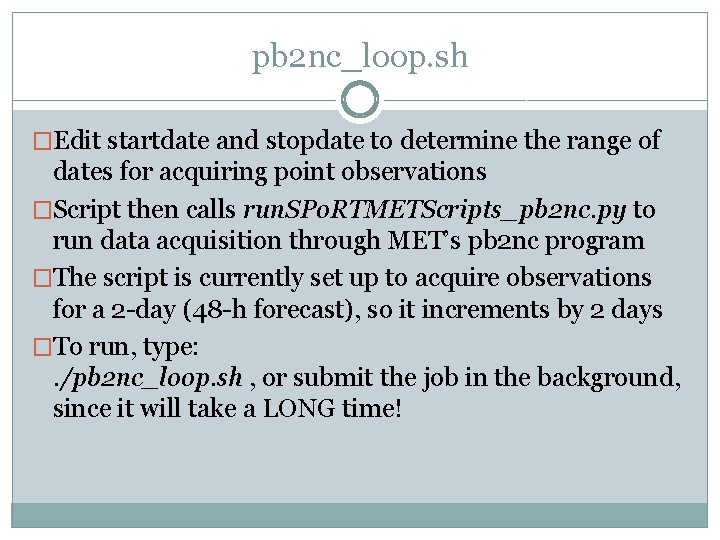
pb 2 nc_loop. sh �Edit startdate and stopdate to determine the range of dates for acquiring point observations �Script then calls run. SPo. RTMETScripts_pb 2 nc. py to run data acquisition through MET’s pb 2 nc program �The script is currently set up to acquire observations for a 2 -day (48 -h forecast), so it increments by 2 days �To run, type: . /pb 2 nc_loop. sh , or submit the job in the background, since it will take a LONG time!
Set up scripts and namelist. met files for matching forecasts with observations and computing differences namelist. met. conf. multi. Experiments and run. SPo. RTMETScripts_multi. Experiments. py
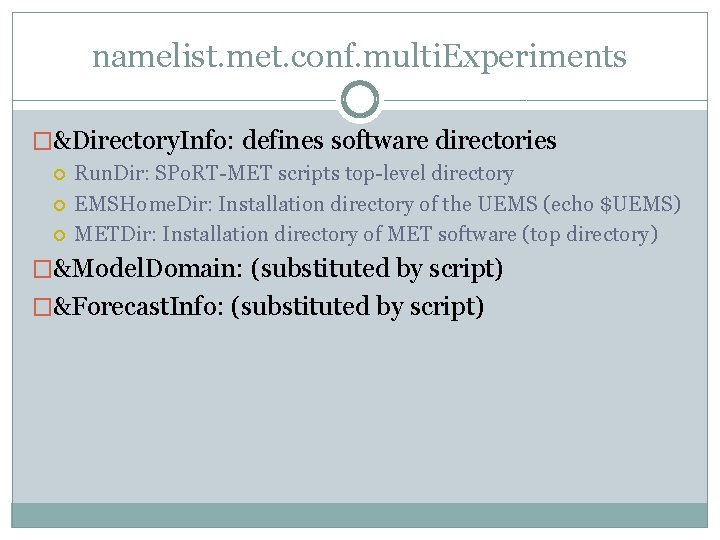
namelist. met. conf. multi. Experiments �&Directory. Info: defines software directories Run. Dir: SPo. RT-MET scripts top-level directory EMSHome. Dir: Installation directory of the UEMS (echo $UEMS) METDir: Installation directory of MET software (top directory) �&Model. Domain: (substituted by script) �&Forecast. Info: (substituted by script)
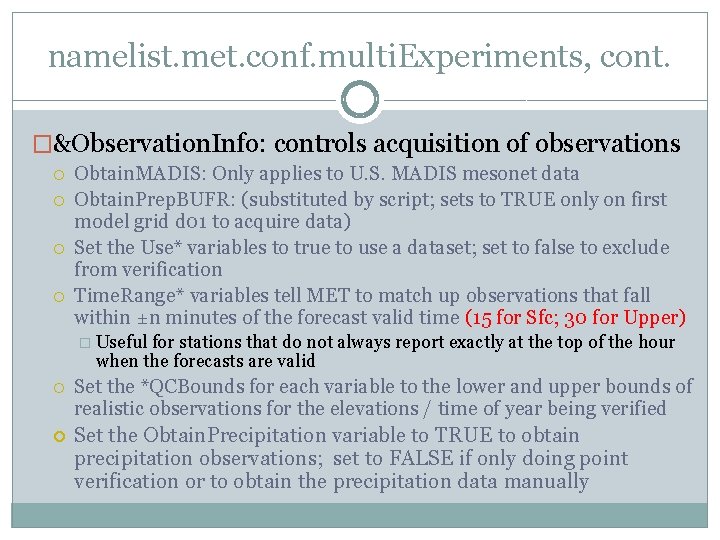
namelist. met. conf. multi. Experiments, cont. �&Observation. Info: controls acquisition of observations Obtain. MADIS: Only applies to U. S. MADIS mesonet data Obtain. Prep. BUFR: (substituted by script; sets to TRUE only on first model grid d 01 to acquire data) Set the Use* variables to true to use a dataset; set to false to exclude from verification Time. Range* variables tell MET to match up observations that fall within ±n minutes of the forecast valid time (15 for Sfc; 30 for Upper) � Useful for stations that do not always report exactly at the top of the hour when the forecasts are valid Set the *QCBounds for each variable to the lower and upper bounds of realistic observations for the elevations / time of year being verified Set the Obtain. Precipitation variable to TRUE to obtain precipitation observations; set to FALSE if only doing point verification or to obtain the precipitation data manually
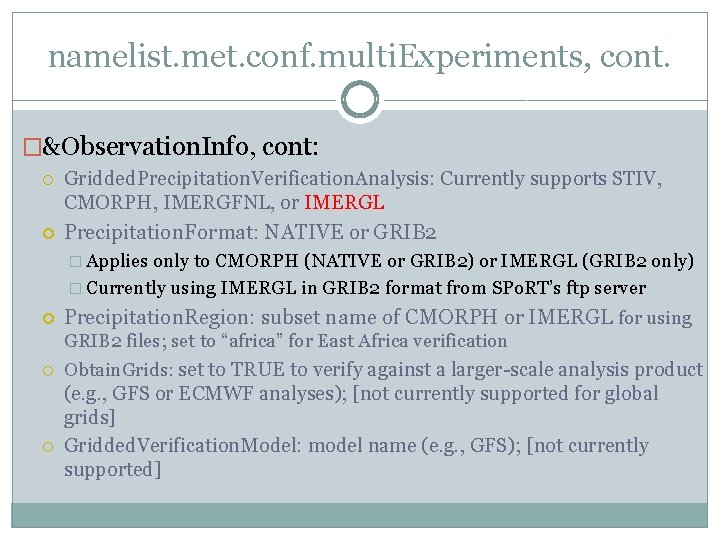
namelist. met. conf. multi. Experiments, cont. �&Observation. Info, cont: Gridded. Precipitation. Verification. Analysis: Currently supports STIV, CMORPH, IMERGFNL, or IMERGL Precipitation. Format: NATIVE or GRIB 2 � Applies only to CMORPH (NATIVE or GRIB 2) or IMERGL (GRIB 2 only) � Currently using IMERGL in GRIB 2 format from SPo. RT’s ftp server Precipitation. Region: subset name of CMORPH or IMERGL for using GRIB 2 files; set to “africa” for East Africa verification Obtain. Grids: set to TRUE to verify against a larger-scale analysis product (e. g. , GFS or ECMWF analyses); [not currently supported for global grids] Gridded. Verification. Model: model name (e. g. , GFS); [not currently supported]
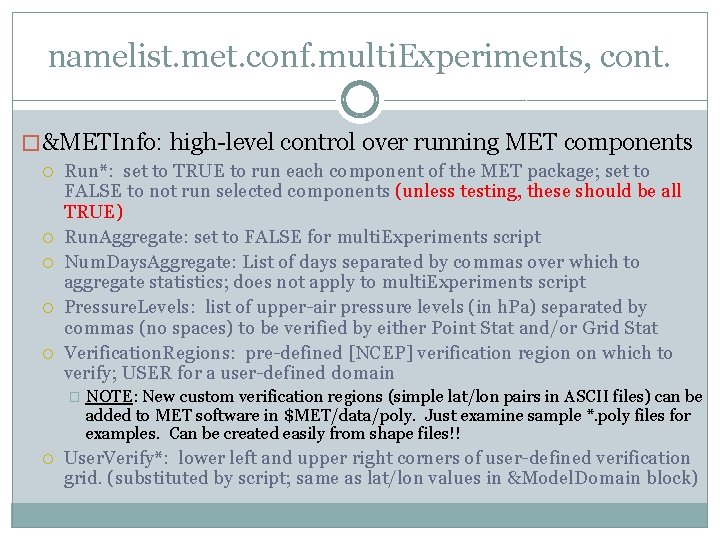
namelist. met. conf. multi. Experiments, cont. � &METInfo: high-level control over running MET components Run*: set to TRUE to run each component of the MET package; set to FALSE to not run selected components (unless testing, these should be all TRUE) Run. Aggregate: set to FALSE for multi. Experiments script Num. Days. Aggregate: List of days separated by commas over which to aggregate statistics; does not apply to multi. Experiments script Pressure. Levels: list of upper-air pressure levels (in h. Pa) separated by commas (no spaces) to be verified by either Point Stat and/or Grid Stat Verification. Regions: pre-defined [NCEP] verification region on which to verify; USER for a user-defined domain � NOTE: New custom verification regions (simple lat/lon pairs in ASCII files) can be added to MET software in $MET/data/poly. Just examine sample *. poly files for examples. Can be created easily from shape files!! User. Verify*: lower left and upper right corners of user-defined verification grid. (substituted by script; same as lat/lon values in &Model. Domain block)
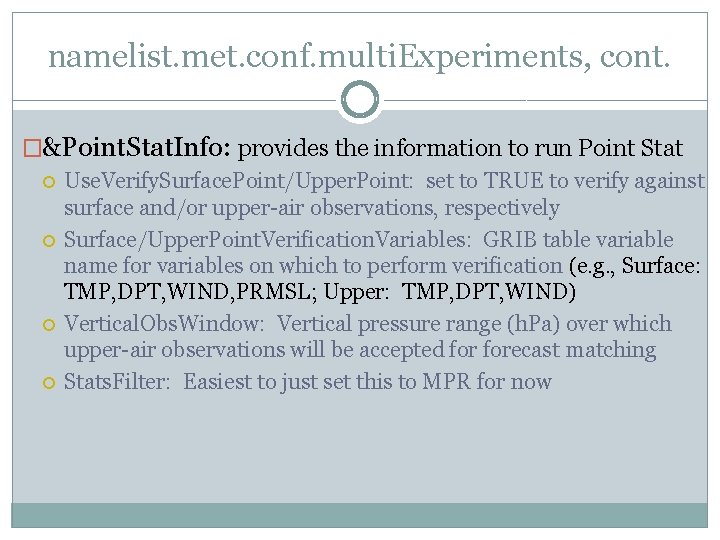
namelist. met. conf. multi. Experiments, cont. �&Point. Stat. Info: provides the information to run Point Stat Use. Verify. Surface. Point/Upper. Point: set to TRUE to verify against surface and/or upper-air observations, respectively Surface/Upper. Point. Verification. Variables: GRIB table variable name for variables on which to perform verification (e. g. , Surface: TMP, DPT, WIND, PRMSL; Upper: TMP, DPT, WIND) Vertical. Obs. Window: Vertical pressure range (h. Pa) over which upper-air observations will be accepted forecast matching Stats. Filter: Easiest to just set this to MPR for now
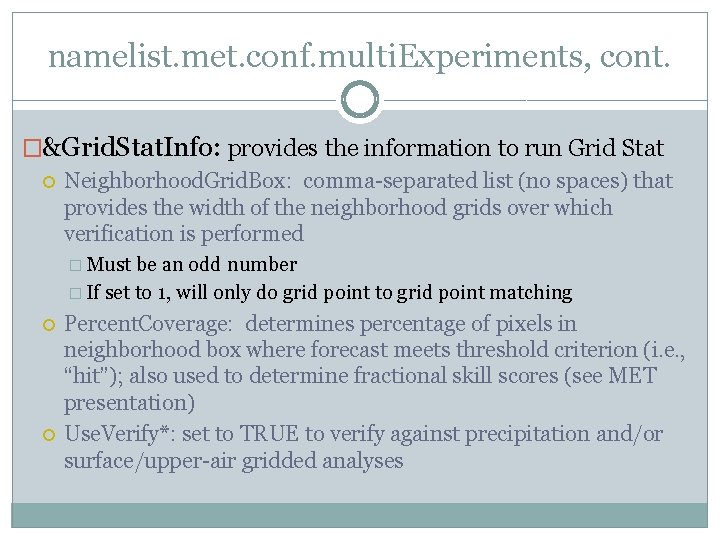
namelist. met. conf. multi. Experiments, cont. �&Grid. Stat. Info: provides the information to run Grid Stat Neighborhood. Grid. Box: comma-separated list (no spaces) that provides the width of the neighborhood grids over which verification is performed � Must be an odd number � If set to 1, will only do grid point to grid point matching Percent. Coverage: determines percentage of pixels in neighborhood box where forecast meets threshold criterion (i. e. , “hit”); also used to determine fractional skill scores (see MET presentation) Use. Verify*: set to TRUE to verify against precipitation and/or surface/upper-air gridded analyses
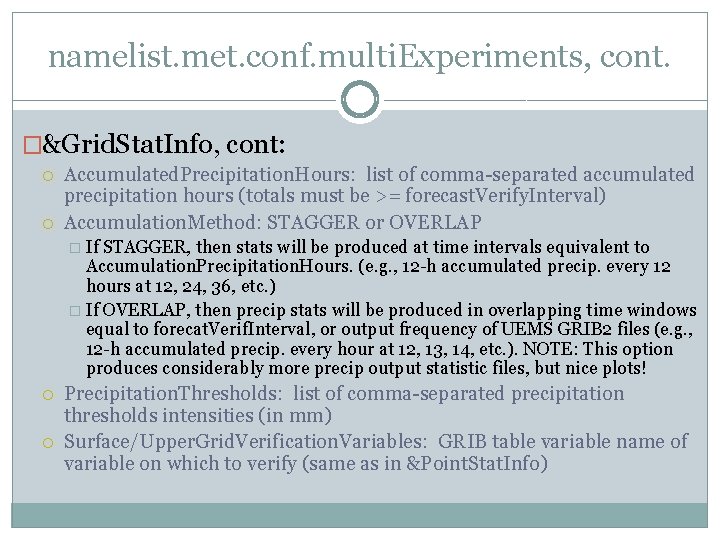
namelist. met. conf. multi. Experiments, cont. �&Grid. Stat. Info, cont: Accumulated. Precipitation. Hours: list of comma-separated accumulated precipitation hours (totals must be >= forecast. Verify. Interval) Accumulation. Method: STAGGER or OVERLAP � If STAGGER, then stats will be produced at time intervals equivalent to Accumulation. Precipitation. Hours. (e. g. , 12 -h accumulated precip. every 12 hours at 12, 24, 36, etc. ) � If OVERLAP, then precip stats will be produced in overlapping time windows equal to forecat. Verif. Interval, or output frequency of UEMS GRIB 2 files (e. g. , 12 -h accumulated precip. every hour at 12, 13, 14, etc. ). NOTE: This option produces considerably more precip output statistic files, but nice plots! Precipitation. Thresholds: list of comma-separated precipitation thresholds intensities (in mm) Surface/Upper. Grid. Verification. Variables: GRIB table variable name of variable on which to verify (same as in &Point. Stat. Info)
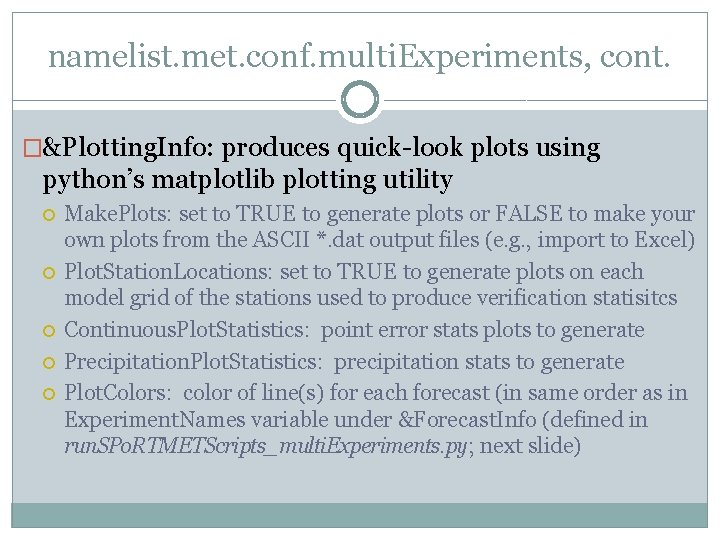
namelist. met. conf. multi. Experiments, cont. �&Plotting. Info: produces quick-look plots using python’s matplotlib plotting utility Make. Plots: set to TRUE to generate plots or FALSE to make your own plots from the ASCII *. dat output files (e. g. , import to Excel) Plot. Station. Locations: set to TRUE to generate plots on each model grid of the stations used to produce verification statisitcs Continuous. Plot. Statistics: point error stats plots to generate Precipitation. Plot. Statistics: precipitation stats to generate Plot. Colors: color of line(s) for each forecast (in same order as in Experiment. Names variable under &Forecast. Info (defined in run. SPo. RTMETScripts_multi. Experiments. py; next slide)
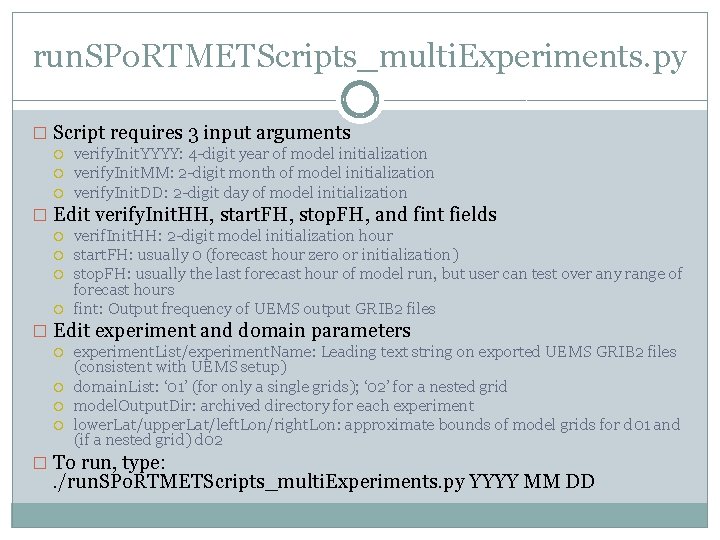
run. SPo. RTMETScripts_multi. Experiments. py � Script requires 3 input arguments verify. Init. YYYY: 4 -digit year of model initialization verify. Init. MM: 2 -digit month of model initialization verify. Init. DD: 2 -digit day of model initialization � Edit verify. Init. HH, start. FH, stop. FH, and fint fields verif. Init. HH: 2 -digit model initialization hour start. FH: usually 0 (forecast hour zero or initialization) stop. FH: usually the last forecast hour of model run, but user can test over any range of forecast hours fint: Output frequency of UEMS output GRIB 2 files � Edit experiment and domain parameters experiment. List/experiment. Name: Leading text string on exported UEMS GRIB 2 files (consistent with UEMS setup) domain. List: ‘ 01’ (for only a single grids); ‘ 02’ for a nested grid model. Output. Dir: archived directory for each experiment lower. Lat/upper. Lat/left. Lon/right. Lon: approximate bounds of model grids for d 01 and (if a nested grid) d 02 � To run, type: . /run. SPo. RTMETScripts_multi. Experiments. py YYYY MM DD
Finally, set up scripts and namelist. met for generating summary statistics across multiple forecast runs namelist. met. conf. aggregate and run. SPo. RTMETScripts_aggregate. py
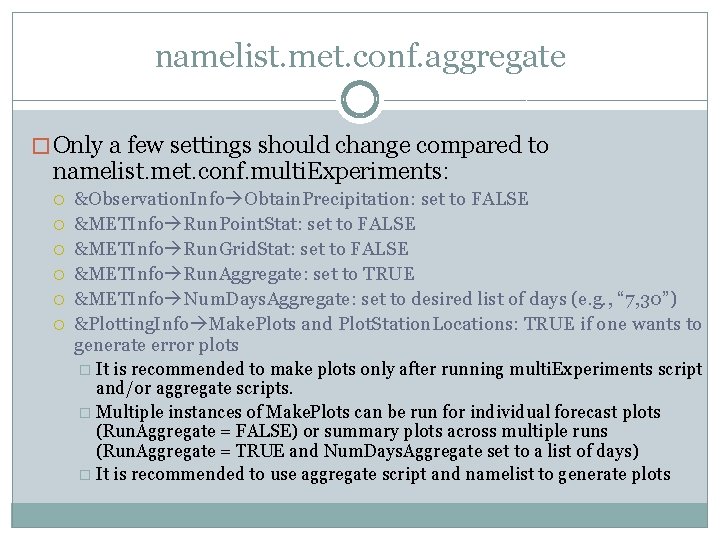
namelist. met. conf. aggregate � Only a few settings should change compared to namelist. met. conf. multi. Experiments: &Observation. Info Obtain. Precipitation: set to FALSE &METInfo Run. Point. Stat: set to FALSE &METInfo Run. Grid. Stat: set to FALSE &METInfo Run. Aggregate: set to TRUE &METInfo Num. Days. Aggregate: set to desired list of days (e. g. , “ 7, 30”) &Plotting. Info Make. Plots and Plot. Station. Locations: TRUE if one wants to generate error plots � It is recommended to make plots only after running multi. Experiments script and/or aggregate scripts. � Multiple instances of Make. Plots can be run for individual forecast plots (Run. Aggregate = FALSE) or summary plots across multiple runs (Run. Aggregate = TRUE and Num. Days. Aggregate set to a list of days) � It is recommended to use aggregate script and namelist to generate plots
run. SPo. RTMETScripts_aggregate. py � Script requires 3 input arguments verify. Init. YYYY: 4 -digit year of model initialization verify. Init. MM: 2 -digit month of model initialization verify. Init. DD: 2 -digit day of model initialization � Edit verify. Init. HH, start. FH, stop. FH, and fint fields verif. Init. HH: 2 -digit model initialization hour start. FH: usually 0 (forecast hour zero or initialization) stop. FH: usually the last forecast hour of model run, but user can test over any range of forecast hours fint: Output frequency of UEMS output GRIB 2 files � Edit experiment and domain parameters experiment. List/experiment. Name: Leading text string on exported UEMS GRIB 2 files (consistent with UEMS setup) domain. List: ‘ 01’ (for only a single grids); ‘ 02’ for a nested grid model. Output. Dir: archived directory for each experiment lower. Lat/upper. Lat/left. Lon/right. Lon: approximate bounds of model grids for d 01 and (if a nested grid) d 02 � To run, type: . /run. SPo. RTMETScripts_aggregate. py YYYY MM DD
Thank you for your attention! Clear as mud now? [Prepared for MANY questions…]