
Spectrum Finance Budget Transfer Self Service Banner SSB
Spectrum Finance Budget Transfer Self Service Banner (SSB) 1
Budget Training Agenda Log onto Spectrum Self Service Banner (SSB) Power Point Presentation Reviewing FOAPAL Reviewing Budget Transfer(s) Reviewing Document Approval Exercise – Users Hands-on Creating Budget Revisions Approving Budget Revisions 2
Budget Log on to Spectrum Self Service easy to use internet accessible user friendly point and click training site http: //spectrumtest. memphis. edu: 9099 3
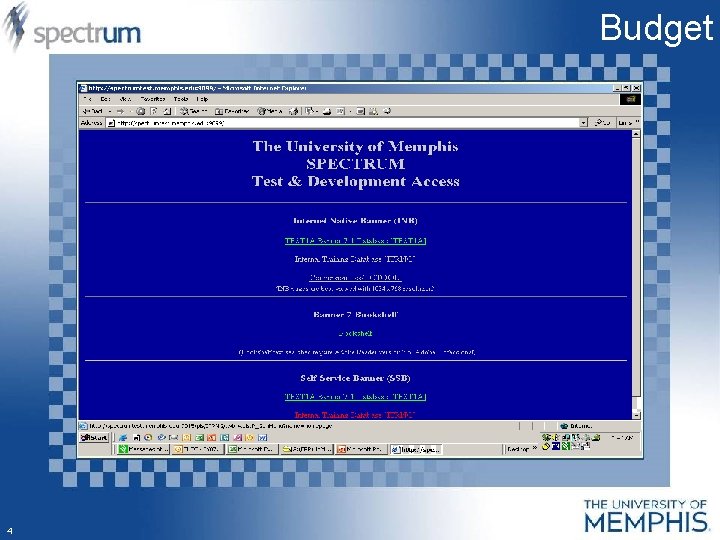
Budget 4
![Budget Select: Internal Training Database [ITRNG] 5](http://slidetodoc.com/presentation_image_h2/a24262f9f85f1d7a2e74df679a33f89b/image-5.jpg "Budget Select: Internal Training Database [ITRNG] 5")
Budget Select: Internal Training Database [ITRNG] 5
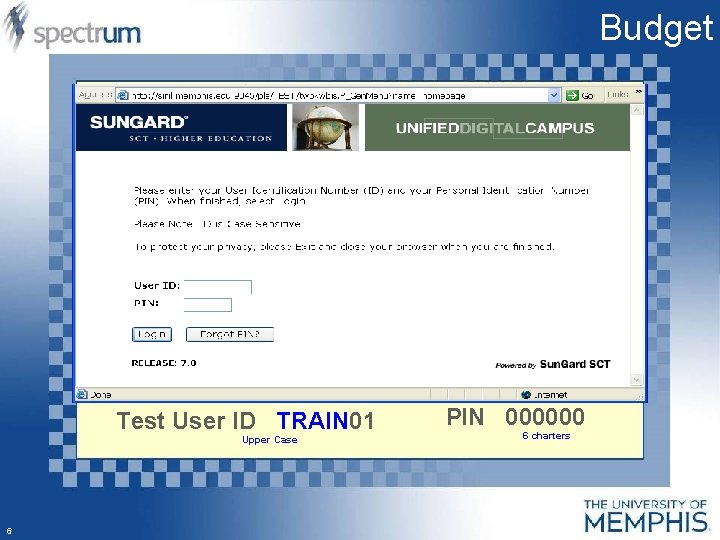
Budget Test User ID TRAIN 01 Upper Case 6 PIN 000000 6 charters
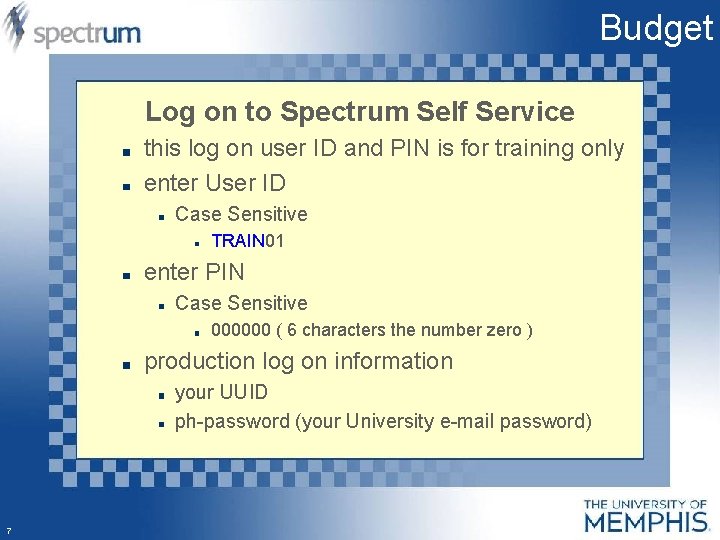
Budget Log on to Spectrum Self Service this log on user ID and PIN is for training only enter User ID Case Sensitive TRAIN 01 enter PIN Case Sensitive 000000 ( 6 characters the number zero ) production log on information your UUID ph-password (your University e-mail password) 7
Budget 8
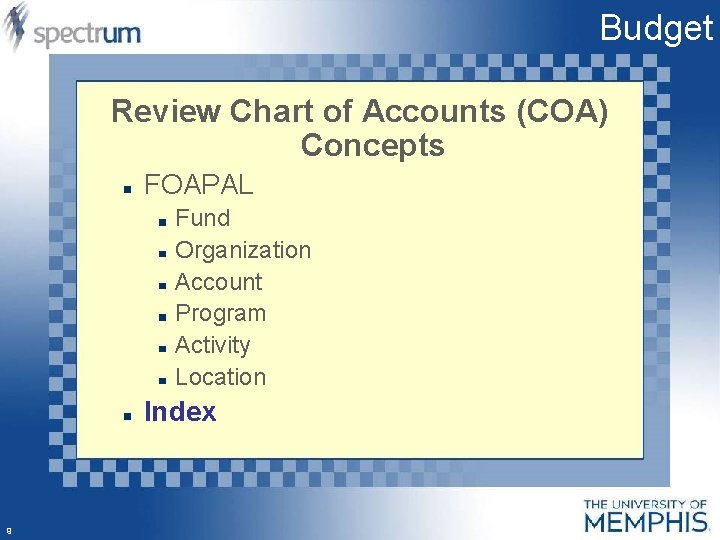
Budget Review Chart of Accounts (COA) Concepts FOAPAL Fund Organization Account Program Activity Location Index 9
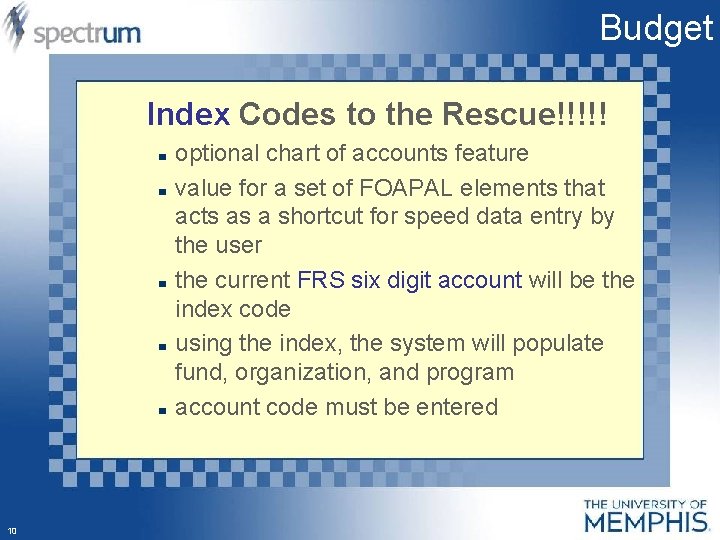
Budget Index Codes to the Rescue!!!!! optional chart of accounts feature value for a set of FOAPAL elements that acts as a shortcut for speed data entry by the user the current FRS six digit account will be the index code using the index, the system will populate fund, organization, and program account code must be entered 10
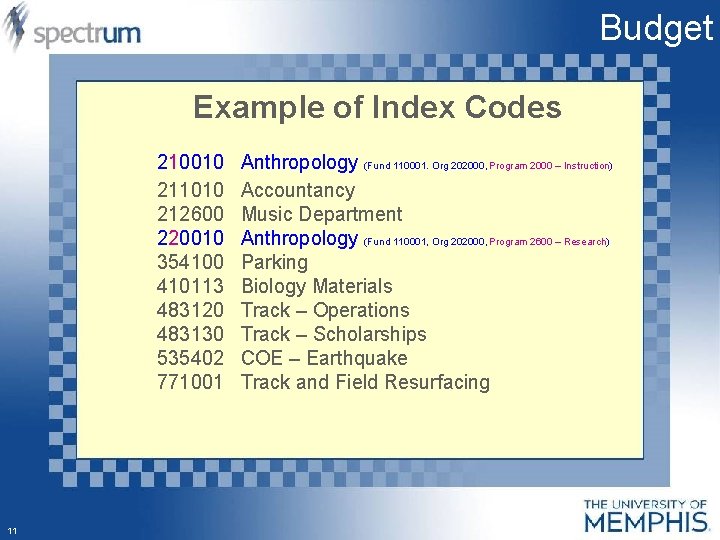
Budget Example of Index Codes 210010 211010 212600 220010 354100 410113 483120 483130 535402 771001 11 Anthropology (Fund 110001. Org 202000, Program 2000 – Instruction) Accountancy Music Department Anthropology (Fund 110001, Org 202000, Program 2600 – Research) Parking Biology Materials Track – Operations Track – Scholarships COE – Earthquake Track and Field Resurfacing
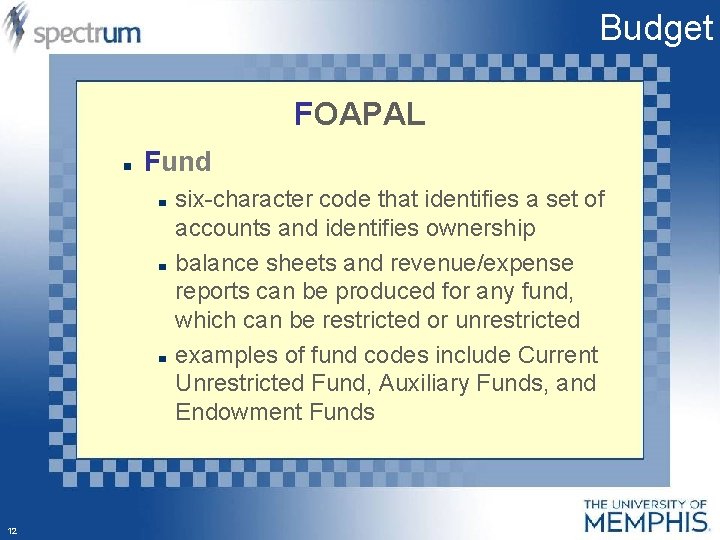
Budget FOAPAL Fund six-character code that identifies a set of accounts and identifies ownership balance sheets and revenue/expense reports can be produced for any fund, which can be restricted or unrestricted examples of fund codes include Current Unrestricted Fund, Auxiliary Funds, and Endowment Funds 12

Budget Example of Fund Codes 110001 112000 112300 200107 210002 220001 310000 320000 330000 380000 411000 412000 13 Unrestricted E & G Intercollegiate Athletics Network Services Scholarship-Theatre COE-Earthquake CWSP-Married Student Apartments University Service Court Food Services Student Housing Parking National Direct Student Loans Nursing Loans
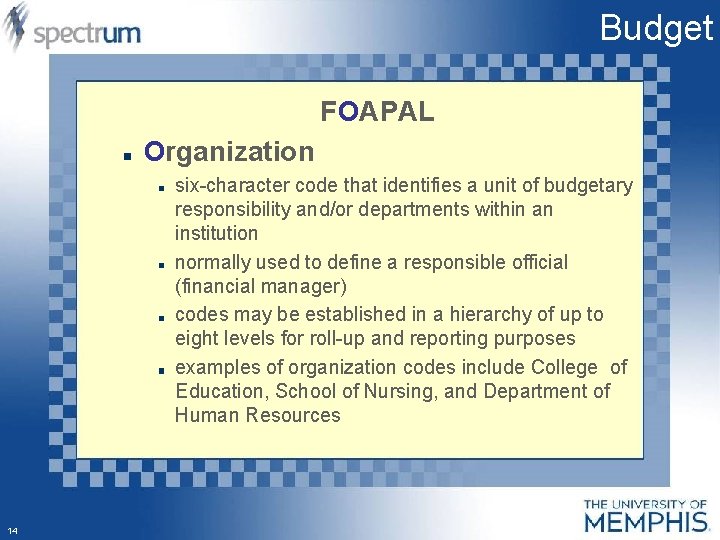
Budget FOAPAL Organization six-character code that identifies a unit of budgetary responsibility and/or departments within an institution normally used to define a responsible official (financial manager) codes may be established in a hierarchy of up to eight levels for roll-up and reporting purposes examples of organization codes include College of Education, School of Nursing, and Department of Human Resources 14
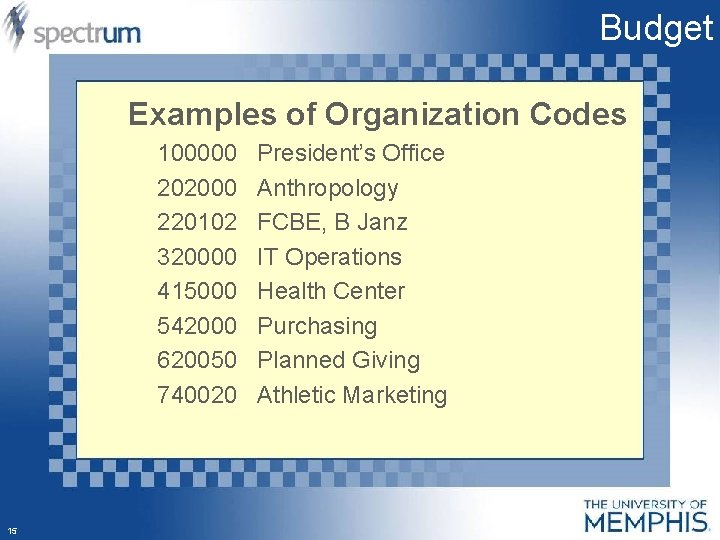
Budget Examples of Organization Codes 100000 202000 220102 320000 415000 542000 620050 740020 15 President’s Office Anthropology FCBE, B Janz IT Operations Health Center Purchasing Planned Giving Athletic Marketing
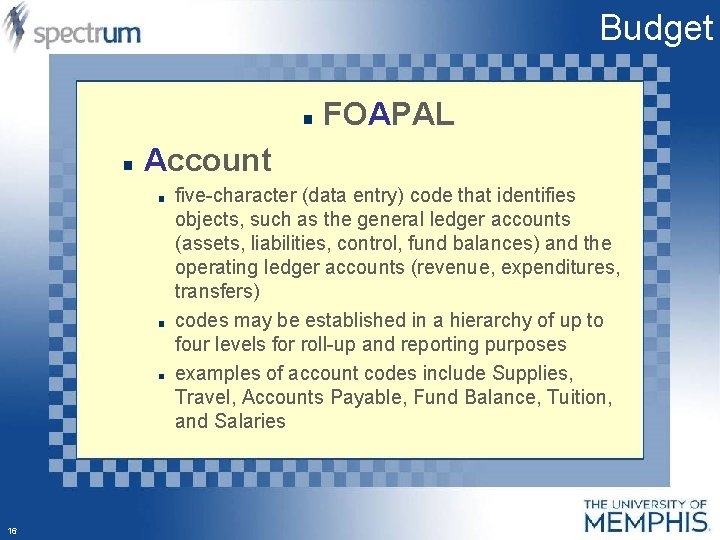
Budget FOAPAL Account five-character (data entry) code that identifies objects, such as the general ledger accounts (assets, liabilities, control, fund balances) and the operating ledger accounts (revenue, expenditures, transfers) codes may be established in a hierarchy of up to four levels for roll-up and reporting purposes examples of account codes include Supplies, Travel, Accounts Payable, Fund Balance, Tuition, and Salaries 16
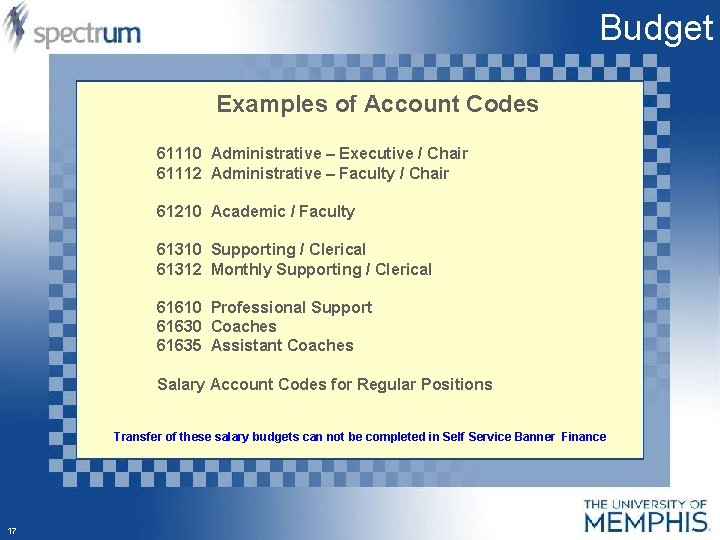
Budget Examples of Account Codes 61110 Administrative – Executive / Chair 61112 Administrative – Faculty / Chair 61210 Academic / Faculty 61310 Supporting / Clerical 61312 Monthly Supporting / Clerical 61610 Professional Support 61630 Coaches 61635 Assistant Coaches Salary Account Codes for Regular Positions Transfer of these salary budgets can not be completed in Self Service Banner Finance 17
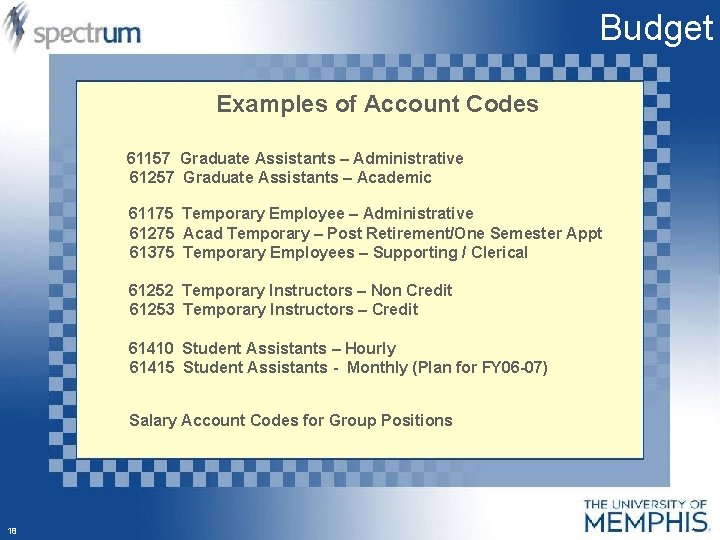
Budget Examples of Account Codes 61157 Graduate Assistants – Administrative 61257 Graduate Assistants – Academic 61175 Temporary Employee – Administrative 61275 Acad Temporary – Post Retirement/One Semester Appt 61375 Temporary Employees – Supporting / Clerical 61252 Temporary Instructors – Non Credit 61253 Temporary Instructors – Credit 61410 Student Assistants – Hourly 61415 Student Assistants - Monthly (Plan for FY 06 -07) Salary Account Codes for Group Positions 18
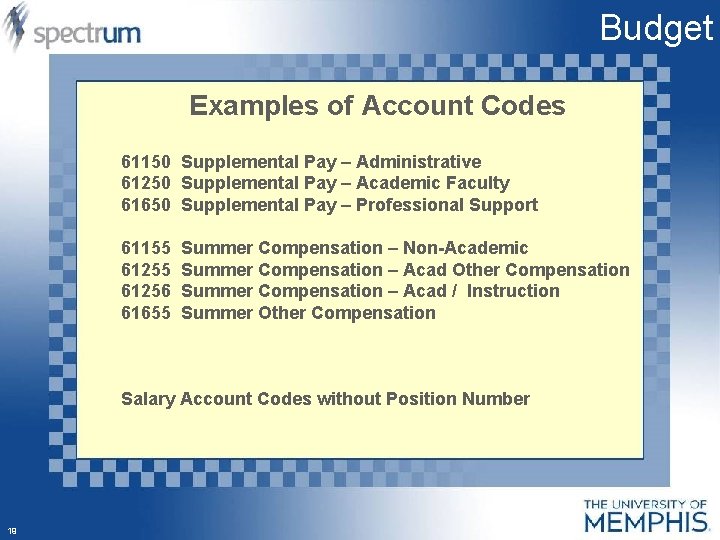
Budget Examples of Account Codes 61150 Supplemental Pay – Administrative 61250 Supplemental Pay – Academic Faculty 61650 Supplemental Pay – Professional Support 61155 61256 61655 Summer Compensation – Non-Academic Summer Compensation – Acad Other Compensation Summer Compensation – Acad / Instruction Summer Other Compensation Salary Account Codes without Position Number 19
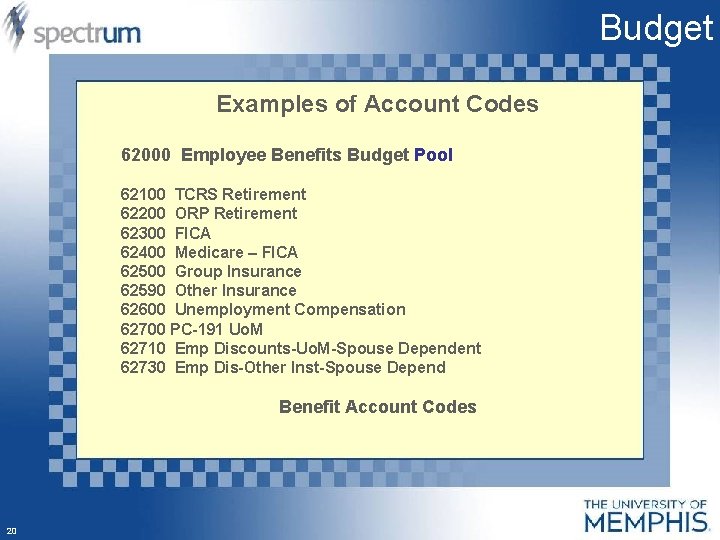
Budget Examples of Account Codes 62000 Employee Benefits Budget Pool 62100 TCRS Retirement 62200 ORP Retirement 62300 FICA 62400 Medicare – FICA 62500 Group Insurance 62590 Other Insurance 62600 Unemployment Compensation 62700 PC-191 Uo. M 62710 Emp Discounts-Uo. M-Spouse Dependent 62730 Emp Dis-Other Inst-Spouse Depend Benefit Account Codes 20
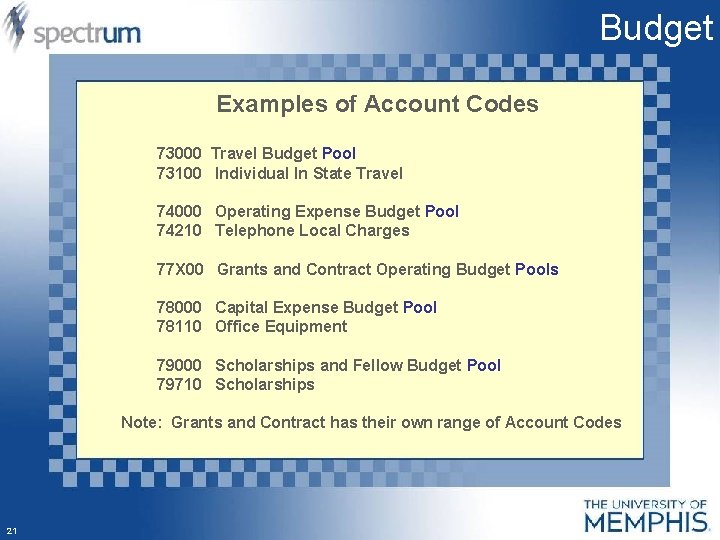
Budget Examples of Account Codes 73000 Travel Budget Pool 73100 Individual In State Travel 74000 Operating Expense Budget Pool 74210 Telephone Local Charges 77 X 00 Grants and Contract Operating Budget Pools 78000 Capital Expense Budget Pool 78110 Office Equipment 79000 Scholarships and Fellow Budget Pool 79710 Scholarships Note: Grants and Contract has their own range of Account Codes 21
Budget 22
Budget FOAPAL Program four-character (data entry) code that identifies a function and enables the institution to establish a method of classifying transactions across organizations and accounts codes follow the programs defined by the National Association of College and University Business Offices (NACUBO) codes may be established in a hierarchy of up to five levels for roll-up and reporting purposes examples of program codes include Instruction, Research, Academic Support, Student Services, and Plant Operations 23
Budget Examples of Program Code 1000 Revenue Transactions 2000 General Academic Instruction 2110 Materials Fees 3000 Public Service Activities and Ctrs 3400 Other Community Service 4000 Student Services Administration 4100 Social and Cultural Development 24
Budget Example of Program Codes 5000 Physical Plant Administration 5050 Building Maintenance 6000 Mandatory Retirement of Debt 6100 Nonmandatory Renewals and Replacement 7000 University Services Court 7100 Food Services 7200 Student Housing 9990 Nonprogram Transactions 25
Budget FOAPAL Activity optional six-character code that is nonhierarchical and can be used to further define an object of expenditure, such as, temporary units of work, subsidiary functional classifications, or short duration projects no budget checking code will be maintained at the departmental level 26
Budget FOAPAL Location six-character code that identifies physical locations primarily used with Fixed Asset module scheduled to go live this fall codes may be established in a hierarchy of up to five levels for roll-up and reporting purposes 27
Budget 28
Budget 29
Budget 30
Budget 31
Budget 32
Budget 33
Budget 34
Budget 35
Budget 36
Budget 37
Budget 38
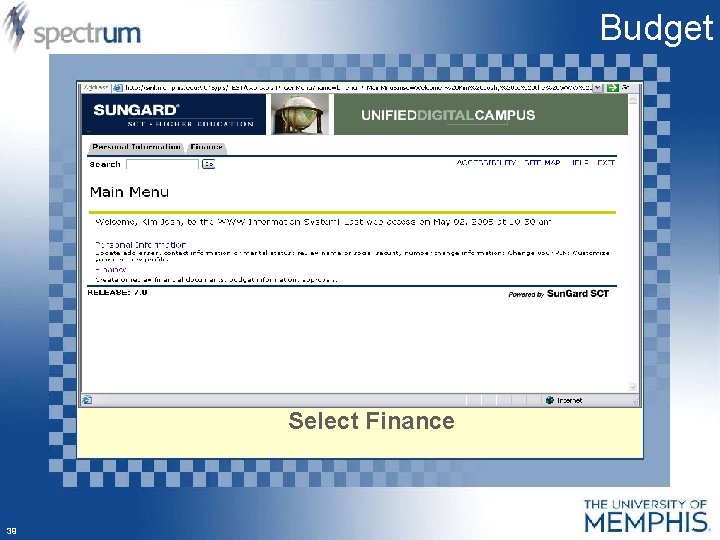
Budget Select Finance 39
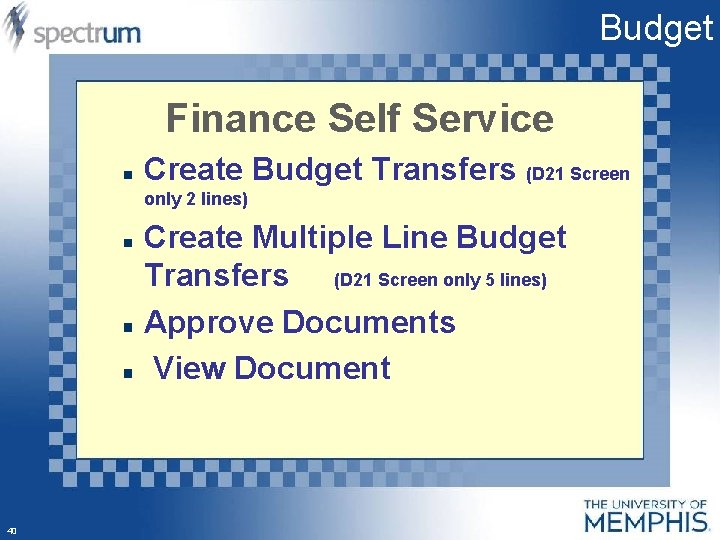
Budget Finance Self Service Create Budget Transfers (D 21 Screen only 2 lines) Create Multiple Line Budget Transfers (D 21 Screen only 5 lines) Approve Documents View Document 40
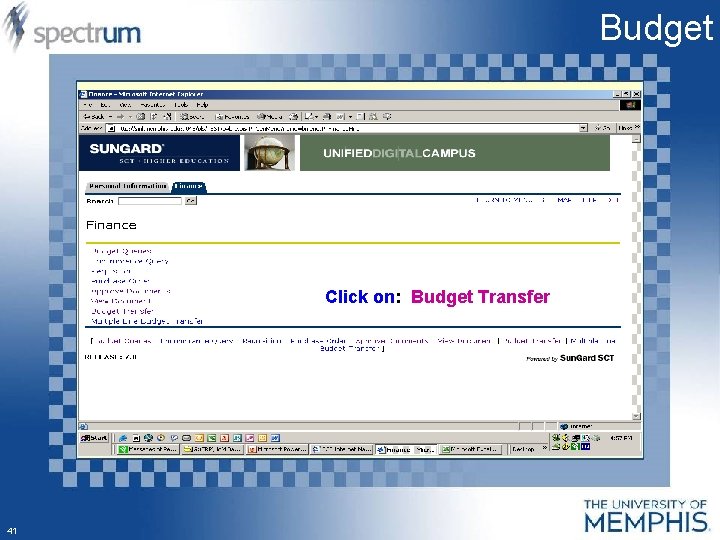
Budget Click on: Budget Transfer 41
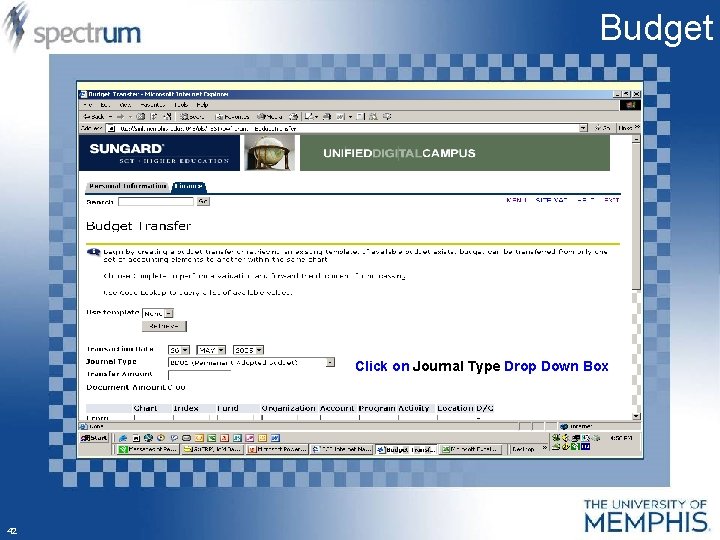
Budget Click on Journal Type Drop Down Box 42
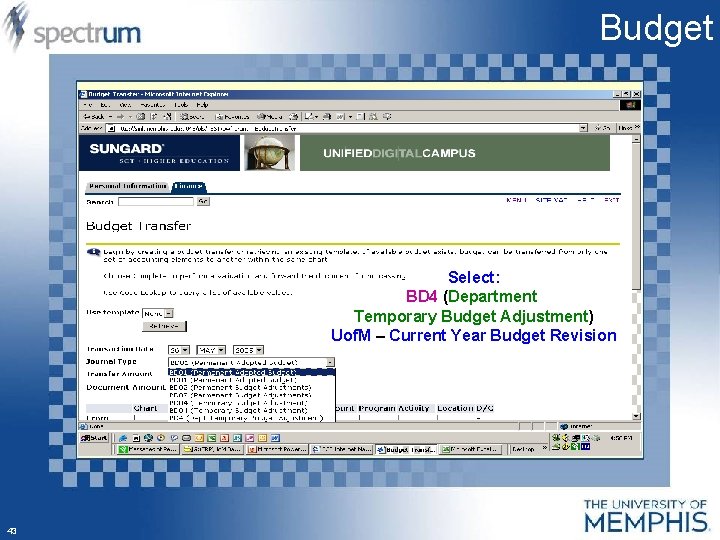
Budget Select: BD 4 (Department Temporary Budget Adjustment) Uof. M – Current Year Budget Revision 43
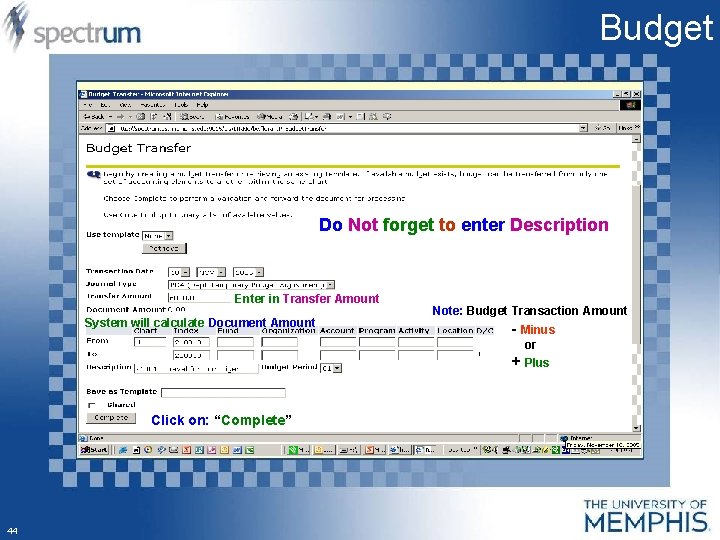
Budget Do Not forget to enter Description Enter in Transfer Amount System will calculate Document Amount Note: Budget Transaction Amount - Minus or + Plus Click on: “Complete” 44
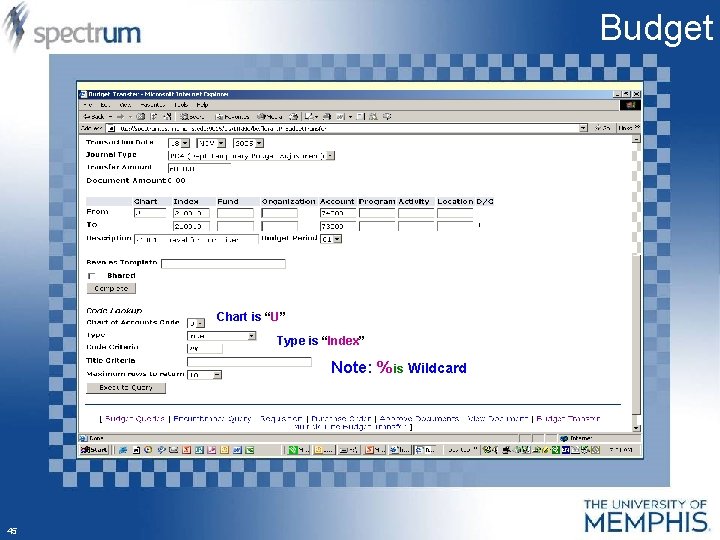
Budget Chart is “U” Type is “Index” Note: % is Wildcard 45
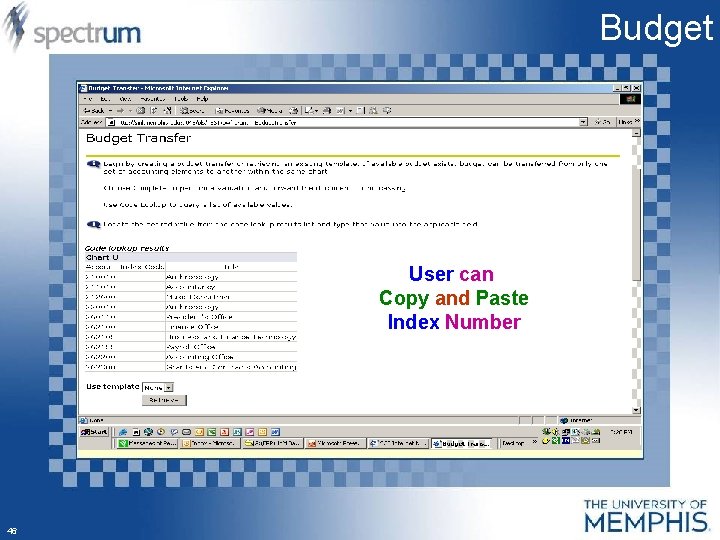
Budget User can Copy and Paste Index Number 46
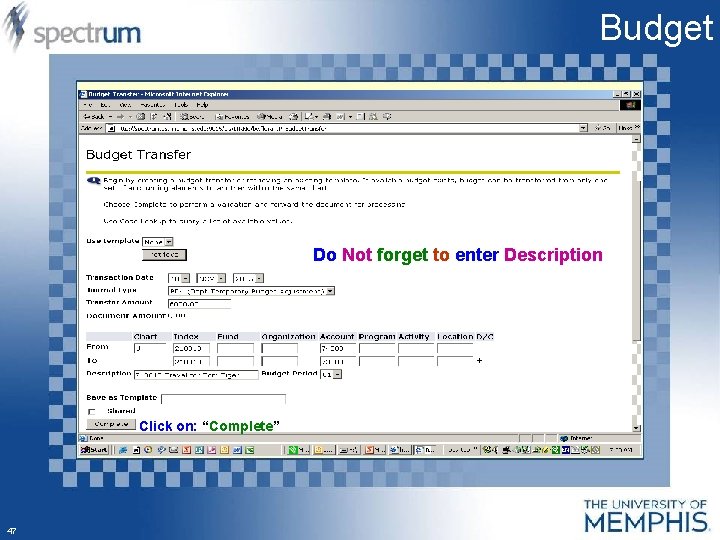
Budget Do Not forget to enter Description Click on: “Complete” 47
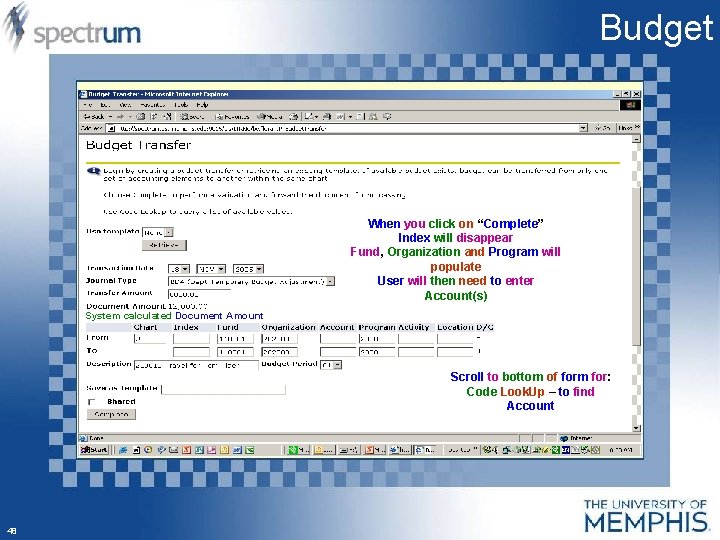
Budget When you click on “Complete” Index will disappear Fund, Organization and Program will populate User will then need to enter Account(s) System calculated Document Amount Scroll to bottom of form for: Code Look. Up – to find Account 48
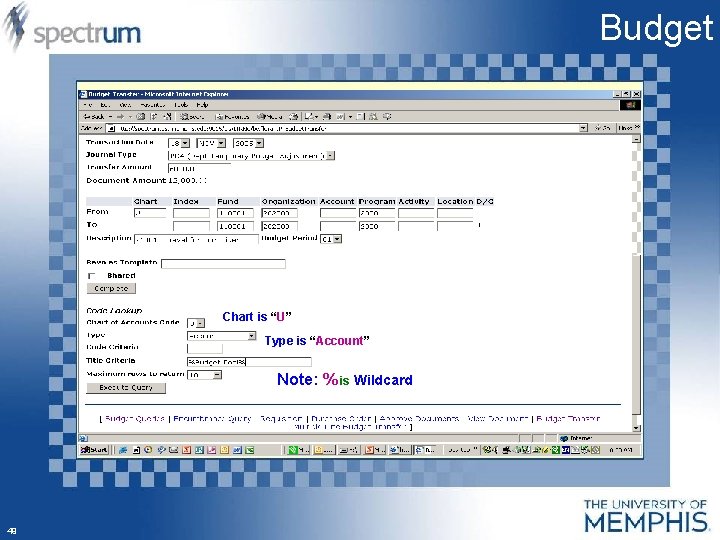
Budget Chart is “U” Type is “Account” Note: % is Wildcard 49
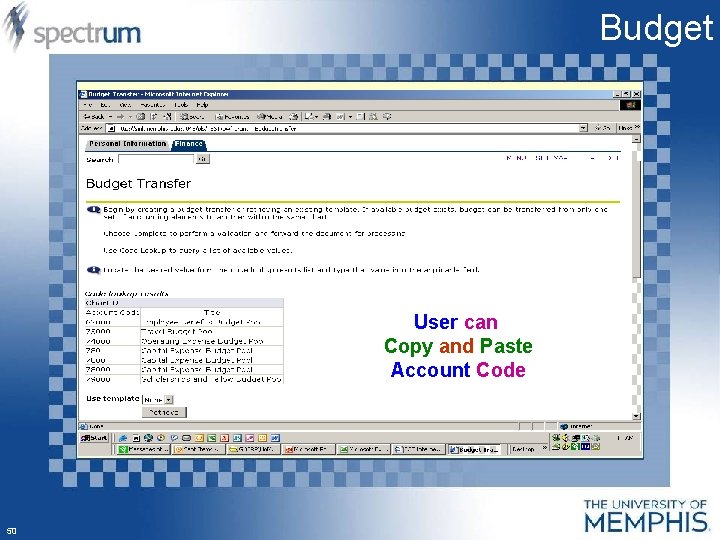
Budget User can Copy and Paste Account Code 50
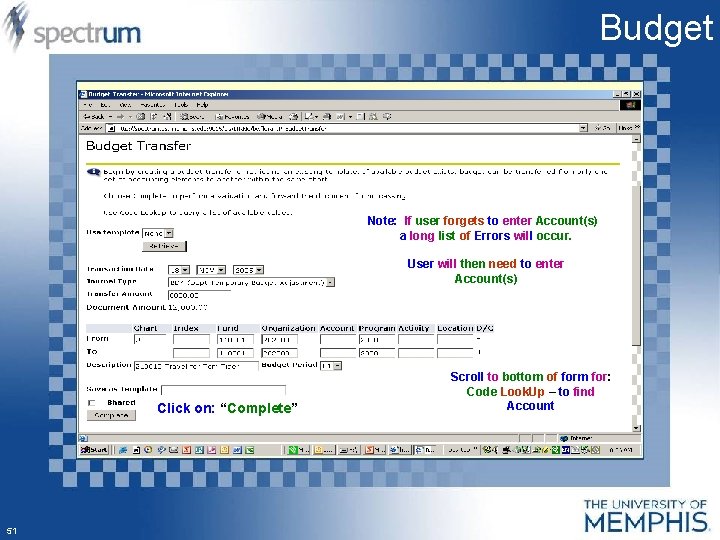
Budget Note: If user forgets to enter Account(s) a long list of Errors will occur. User will then need to enter Account(s) Click on: “Complete” 51 Scroll to bottom of form for: Code Look. Up – to find Account
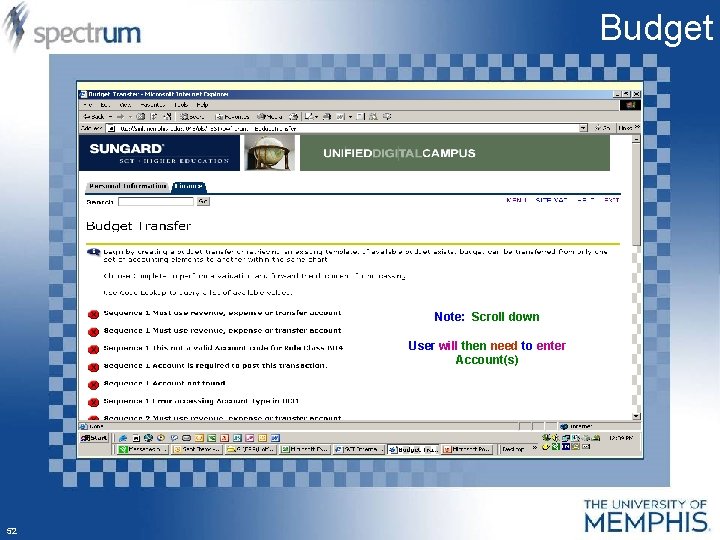
Budget Note: Scroll down User will then need to enter Account(s) 52
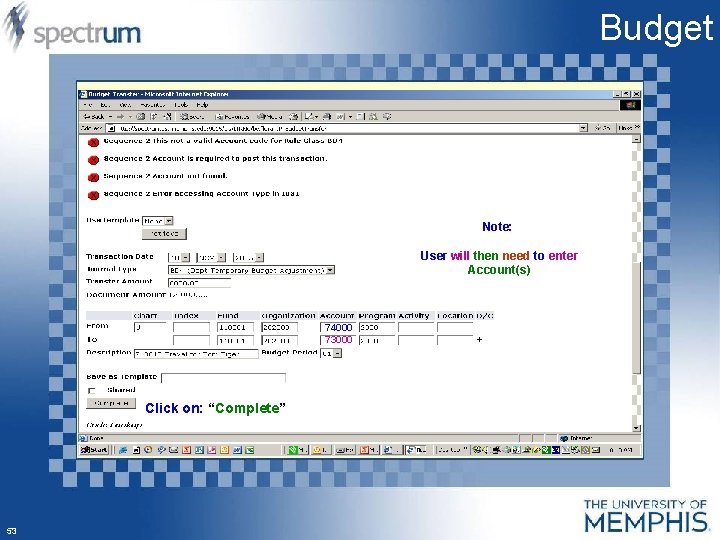
Budget Note: User will then need to enter Account(s) 74000 73000 Click on: “Complete” 53
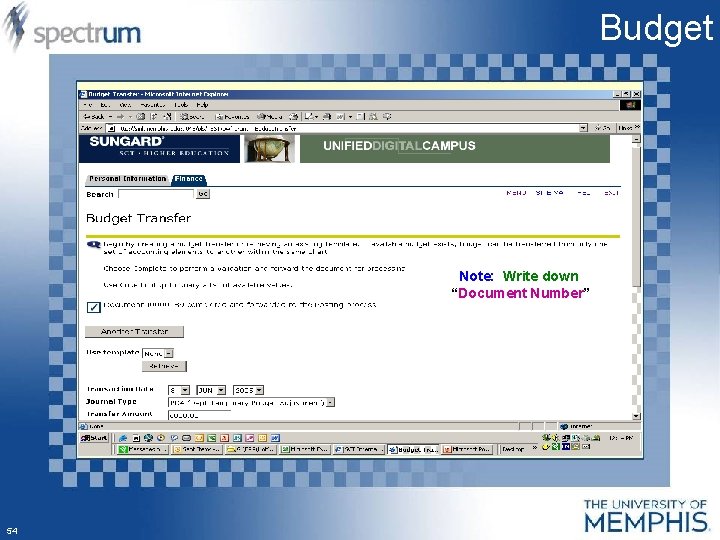
Budget Note: Write down “Document Number” 54
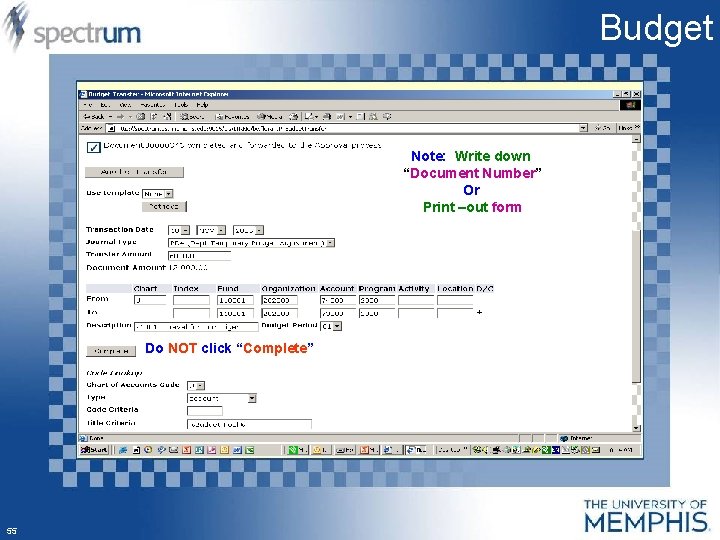
Budget Note: Write down “Document Number” Or Print –out form Do NOT click “Complete” 55
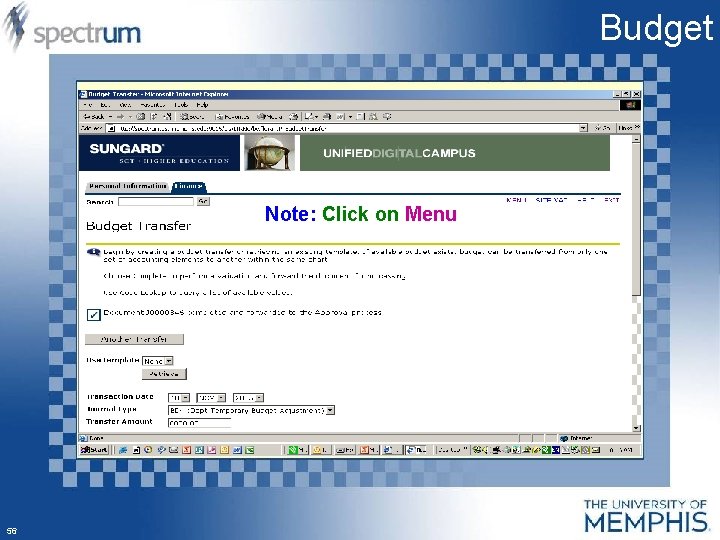
Budget Note: Click on Menu 56
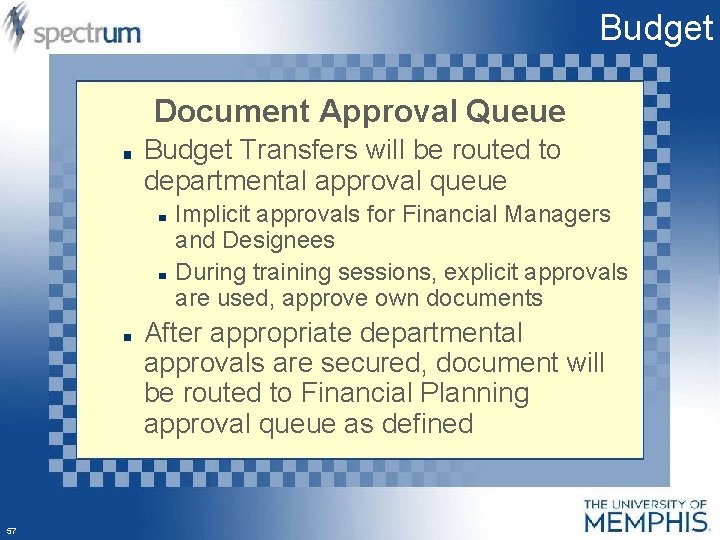
Budget Document Approval Queue Budget Transfers will be routed to departmental approval queue Implicit approvals for Financial Managers and Designees During training sessions, explicit approvals are used, approve own documents After appropriate departmental approvals are secured, document will be routed to Financial Planning approval queue as defined 57
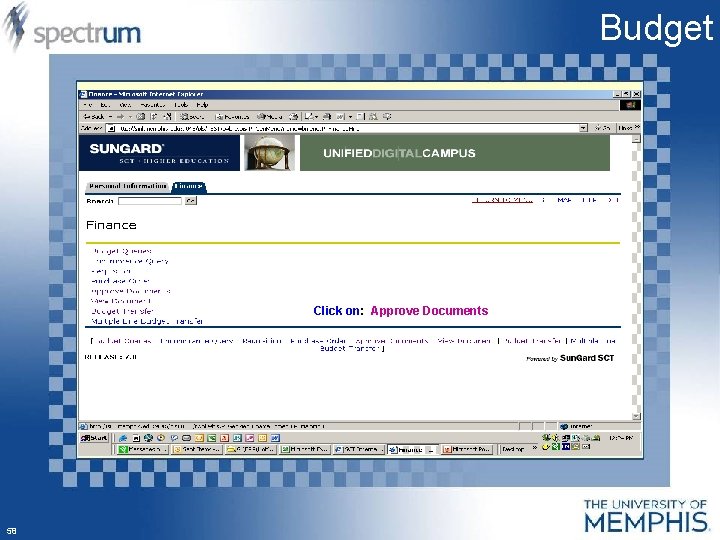
Budget Click on: Approve Documents 58
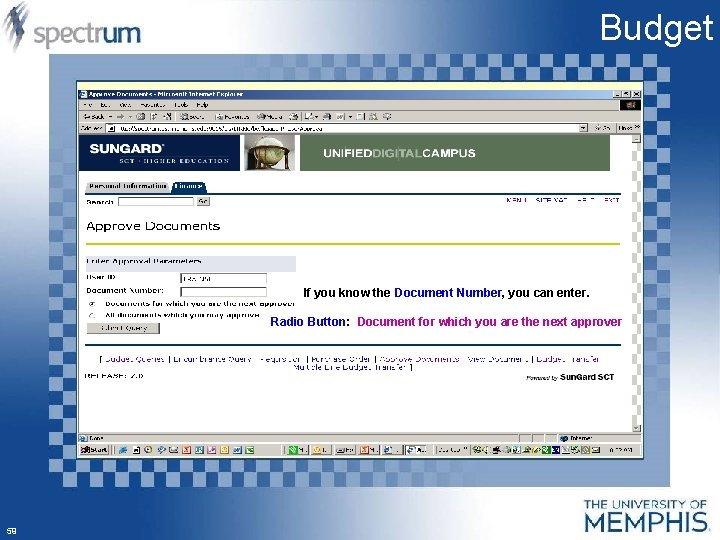
Budget If you know the Document Number, you can enter. Radio Button: Document for which you are the next approver 59
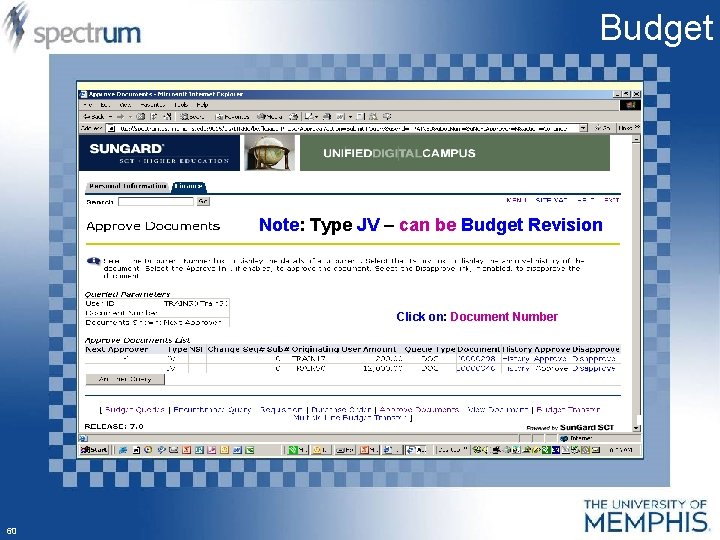
Budget Note: Type JV – can be Budget Revision Click on: Document Number 60
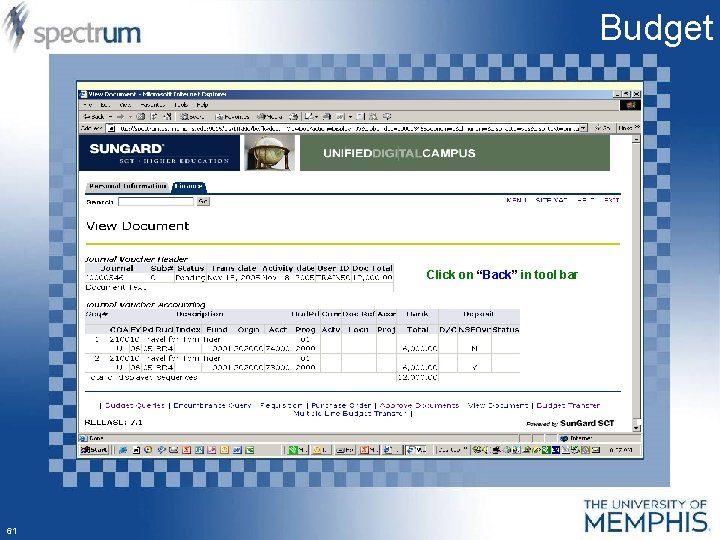
Budget Click on “Back” in tool bar 61
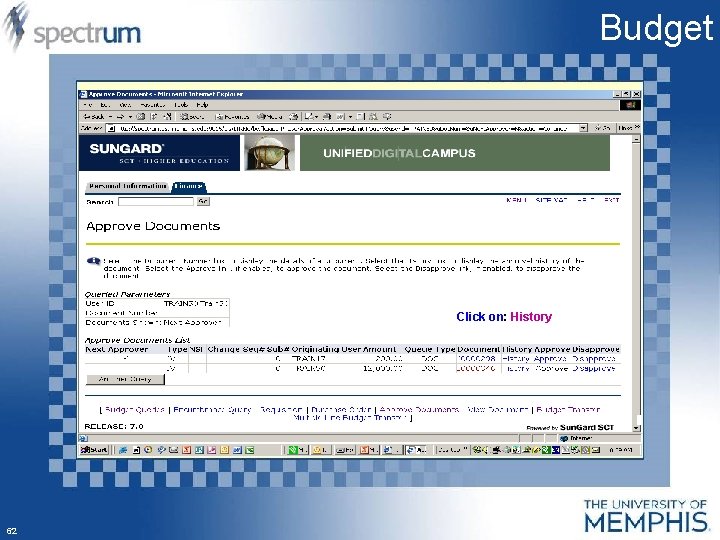
Budget Click on: History 62
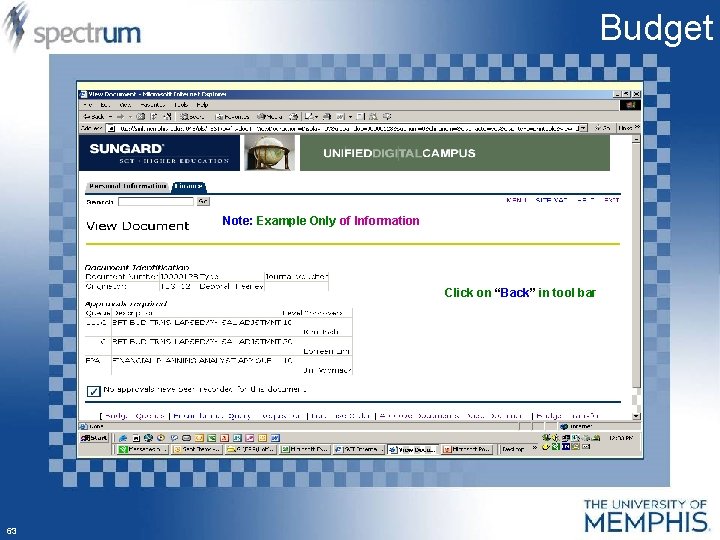
Budget Note: Example Only of Information Click on “Back” in tool bar 63
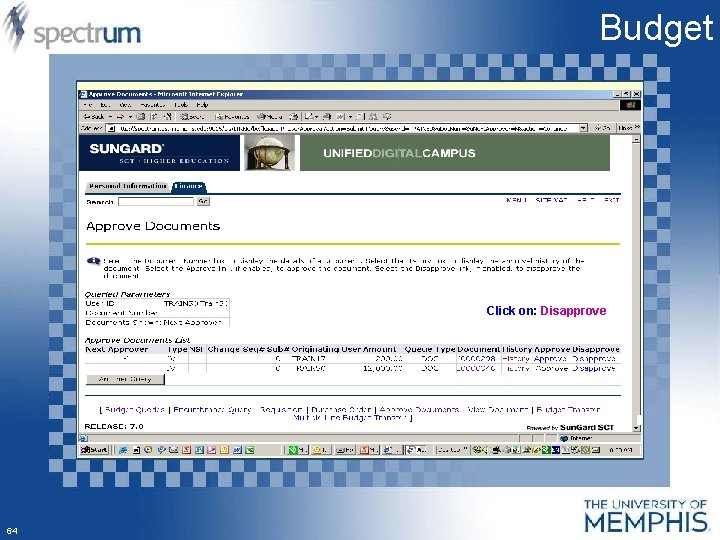
Budget Click on: Disapprove 64
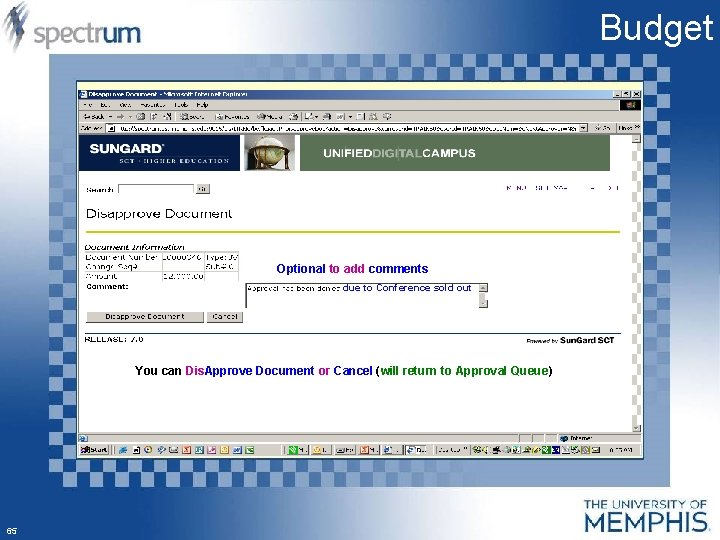
Budget Optional to add comments due to Conference sold out You can Dis. Approve Document or Cancel (will return to Approval Queue) 65
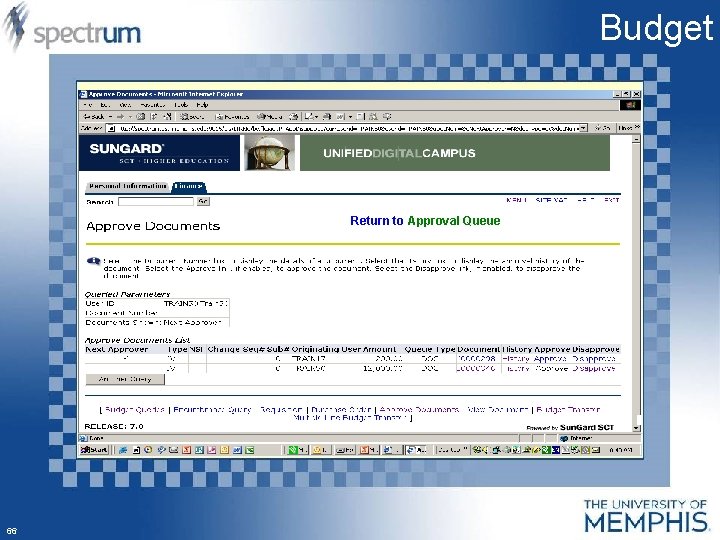
Budget Return to Approval Queue 66
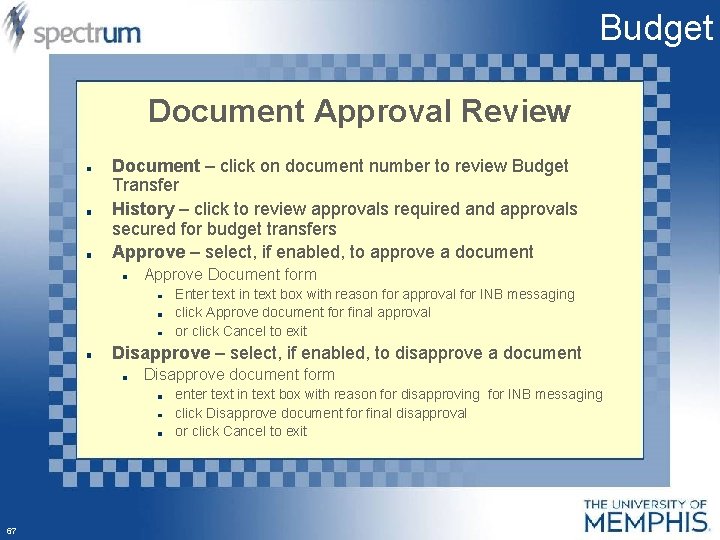
Budget Document Approval Review Document – click on document number to review Budget Transfer History – click to review approvals required and approvals secured for budget transfers Approve – select, if enabled, to approve a document Approve Document form Enter text in text box with reason for approval for INB messaging click Approve document for final approval or click Cancel to exit Disapprove – select, if enabled, to disapprove a document Disapprove document form enter text in text box with reason for disapproving for INB messaging click Disapprove document for final disapproval or click Cancel to exit 67
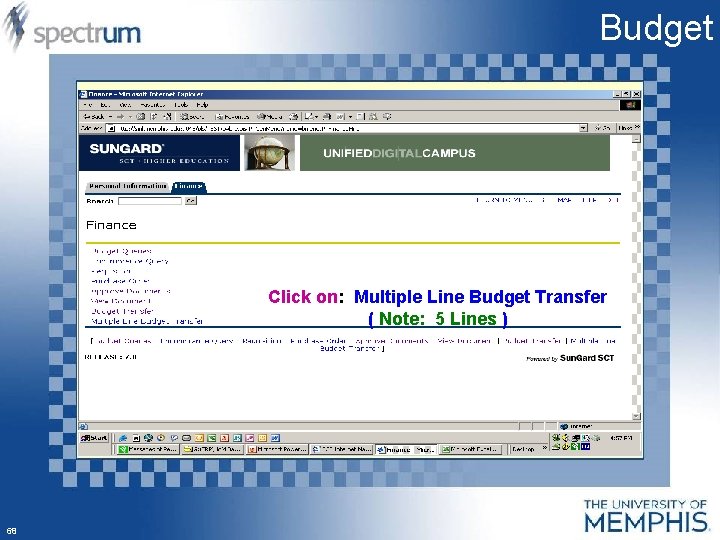
Budget Click on: Multiple Line Budget Transfer ( Note: 5 Lines ) 68
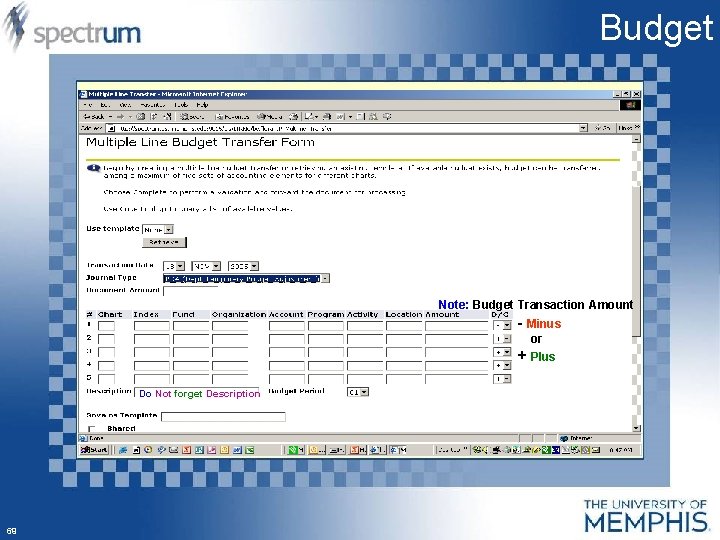
Budget Note: Budget Transaction Amount - Minus or + Plus Do Not forget Description 69
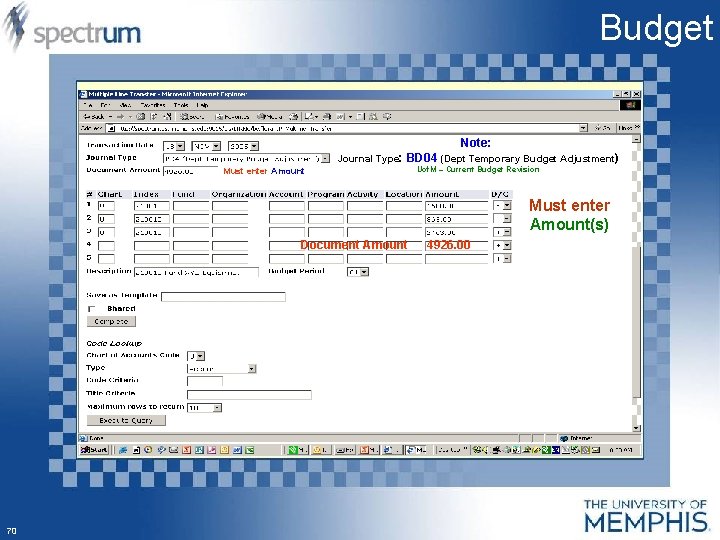
Budget Note: Journal Type: BD 04 (Dept Temporary Budget Adjustment) Must enter Amount Uof. M – Current Budget Revision Must enter Amount(s) Document Amount 70 4926. 00
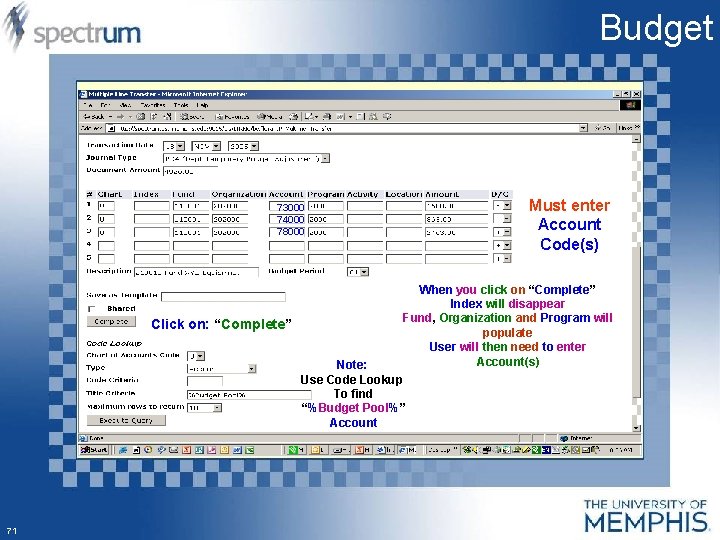
Budget Must enter Account Code(s) 73000 74000 78000 Click on: “Complete” When you click on “Complete” Index will disappear Fund, Organization and Program will populate User will then need to enter Account(s) Note: Use Code Lookup To find “%Budget Pool%” Account 71
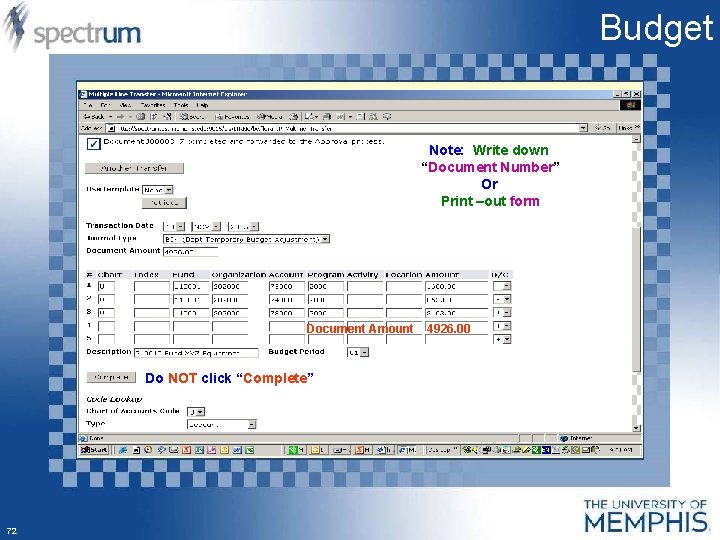
Budget Note: Write down “Document Number” Or Print –out form Document Amount Do NOT click “Complete” 72 4926. 00
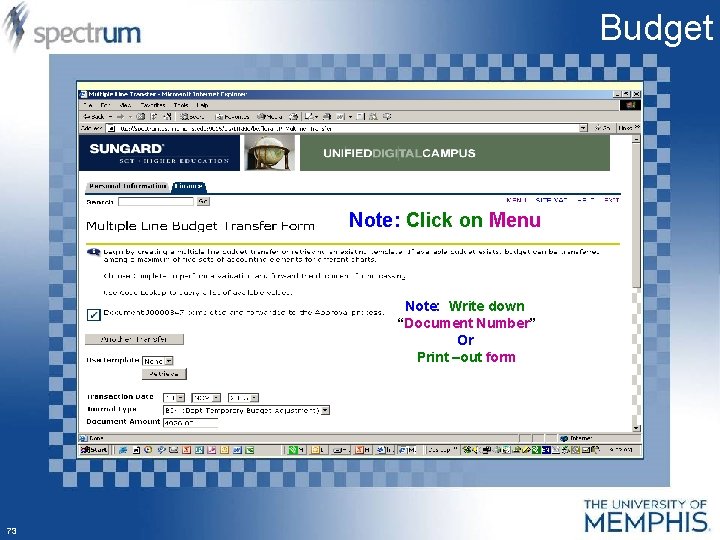
Budget Note: Click on Menu Note: Write down “Document Number” Or Print –out form 73
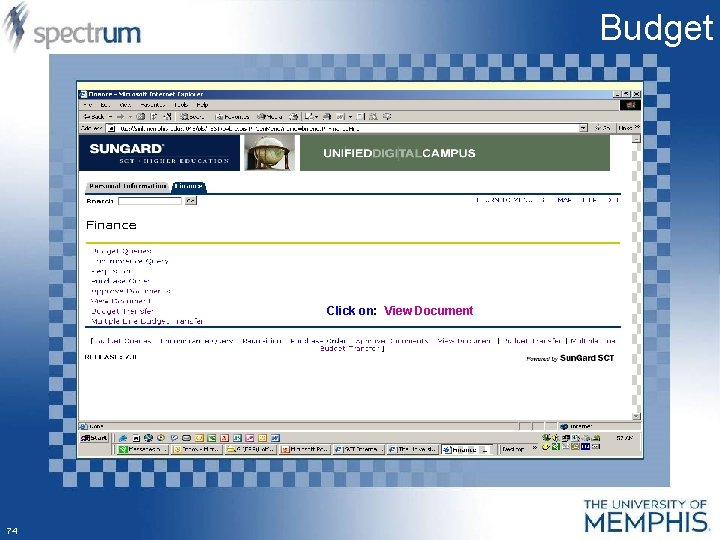
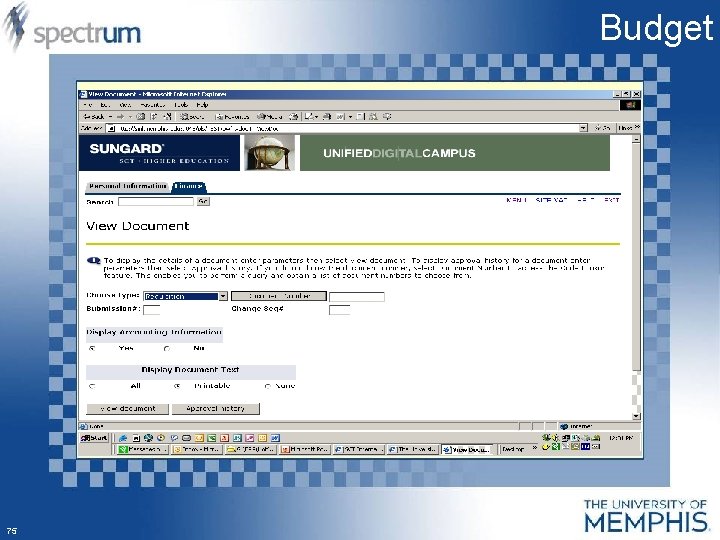
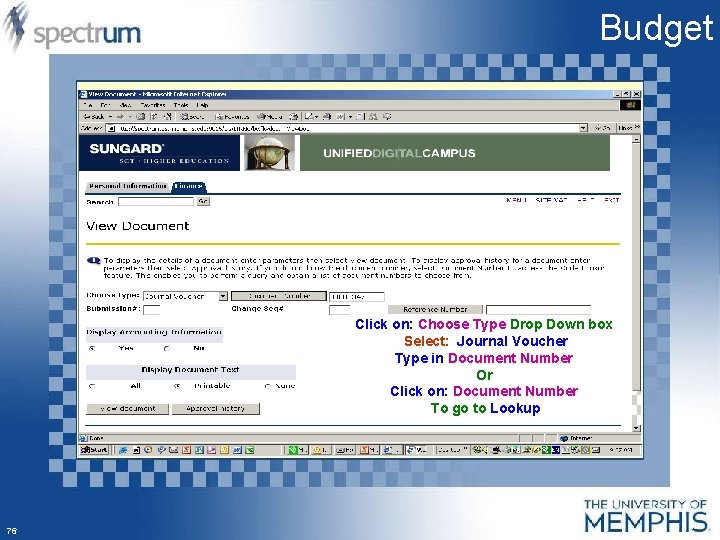
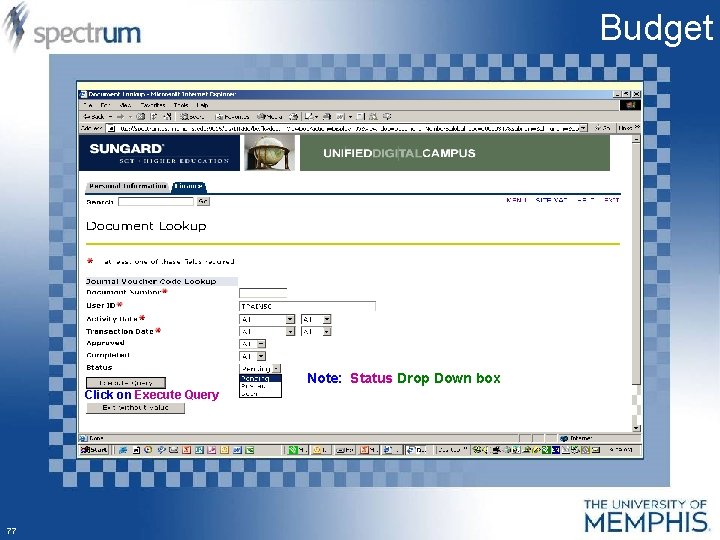
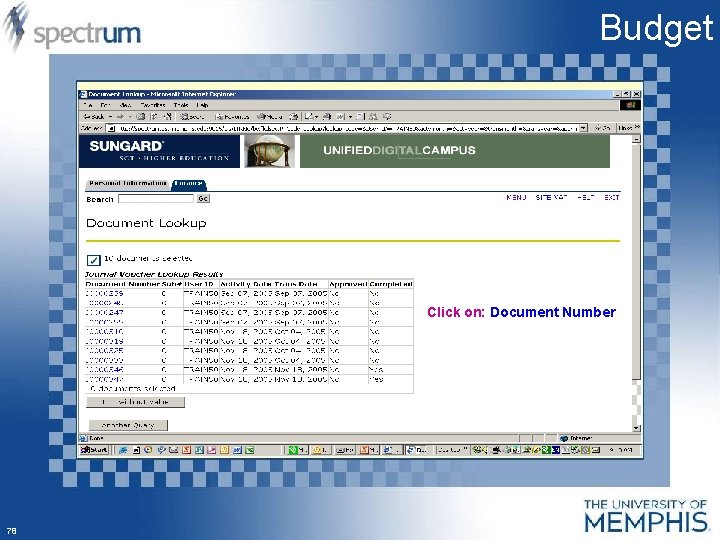
Budget Click on: View Document 74
Budget 75
Budget Click on: Choose Type Drop Down box Select: Journal Voucher Type in Document Number Or Click on: Document Number To go to Lookup 76
Budget Note: Status Drop Down box Click on Execute Query 77
Budget Click on: Document Number 78
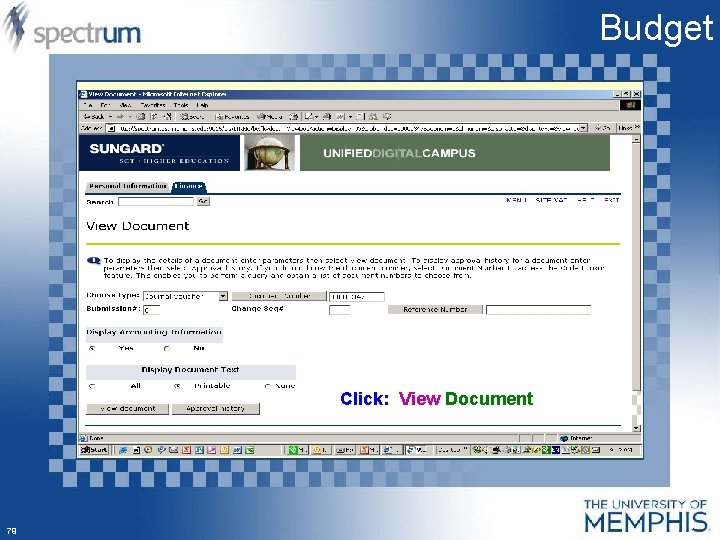
Budget Click: View Document 79
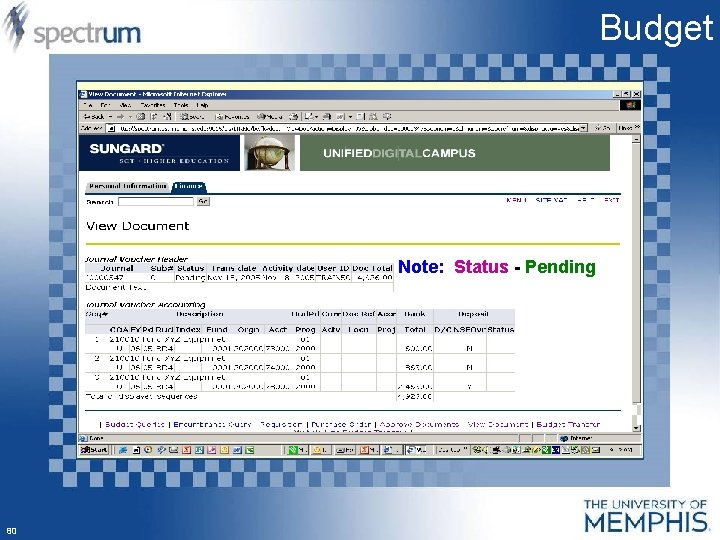
Budget Note: Status - Pending 80
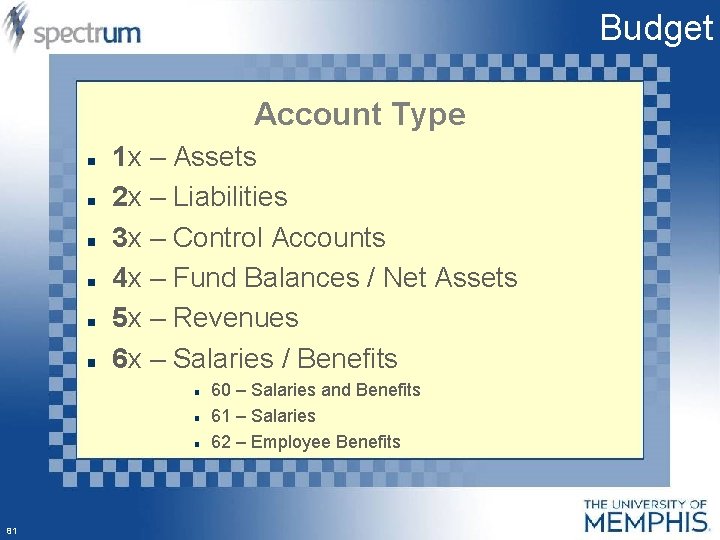
Budget Account Type 1 x – Assets 2 x – Liabilities 3 x – Control Accounts 4 x – Fund Balances / Net Assets 5 x – Revenues 6 x – Salaries / Benefits 60 – Salaries and Benefits 61 – Salaries 62 – Employee Benefits 81
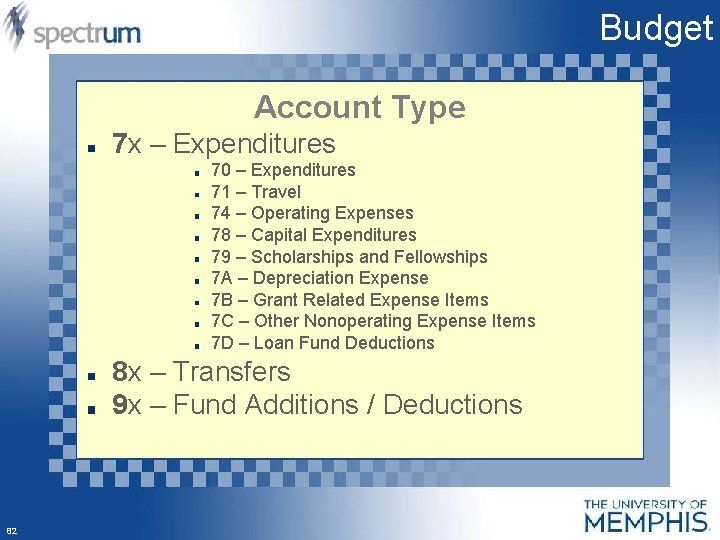
Budget Account Type 7 x – Expenditures 70 – Expenditures 71 – Travel 74 – Operating Expenses 78 – Capital Expenditures 79 – Scholarships and Fellowships 7 A – Depreciation Expense 7 B – Grant Related Expense Items 7 C – Other Nonoperating Expense Items 7 D – Loan Fund Deductions 8 x – Transfers 9 x – Fund Additions / Deductions 82
Budget Hands On Exercise 83
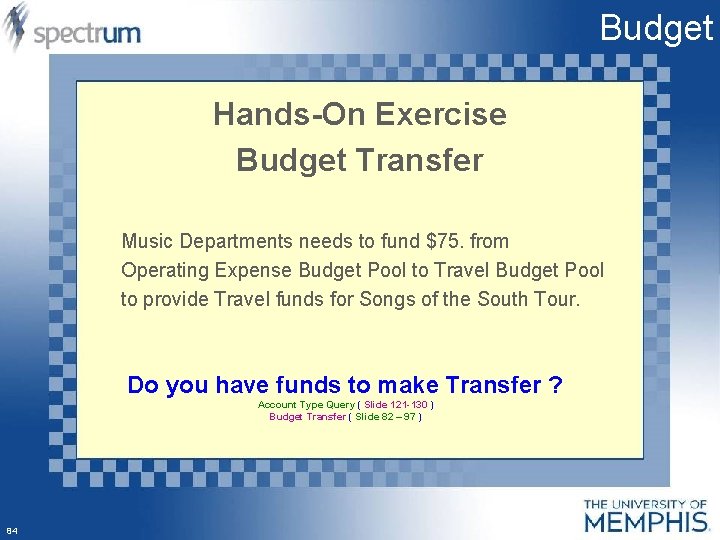
Budget Hands-On Exercise Budget Transfer Music Departments needs to fund $75. from Operating Expense Budget Pool to Travel Budget Pool to provide Travel funds for Songs of the South Tour. Do you have funds to make Transfer ? Account Type Query ( Slide 121 -130 ) Budget Transfer ( Slide 82 – 97 ) 84
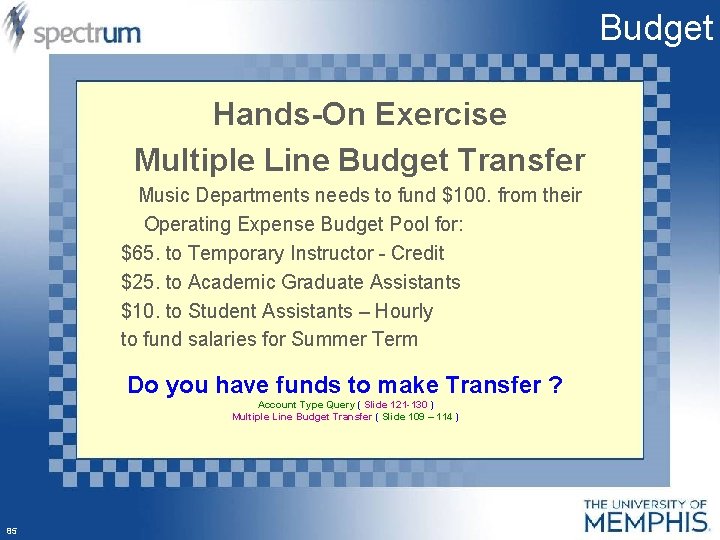
Budget Hands-On Exercise Multiple Line Budget Transfer Music Departments needs to fund $100. from their Operating Expense Budget Pool for: $65. to Temporary Instructor - Credit $25. to Academic Graduate Assistants $10. to Student Assistants – Hourly to fund salaries for Summer Term Do you have funds to make Transfer ? Account Type Query ( Slide 121 -130 ) Multiple Line Budget Transfer ( Slide 109 – 114 ) 85
Budget 86
- Slides: 86