
SPECIFICATIONS SDIDC 211 IR Image Sensor 13 Sony
- Slides: 2
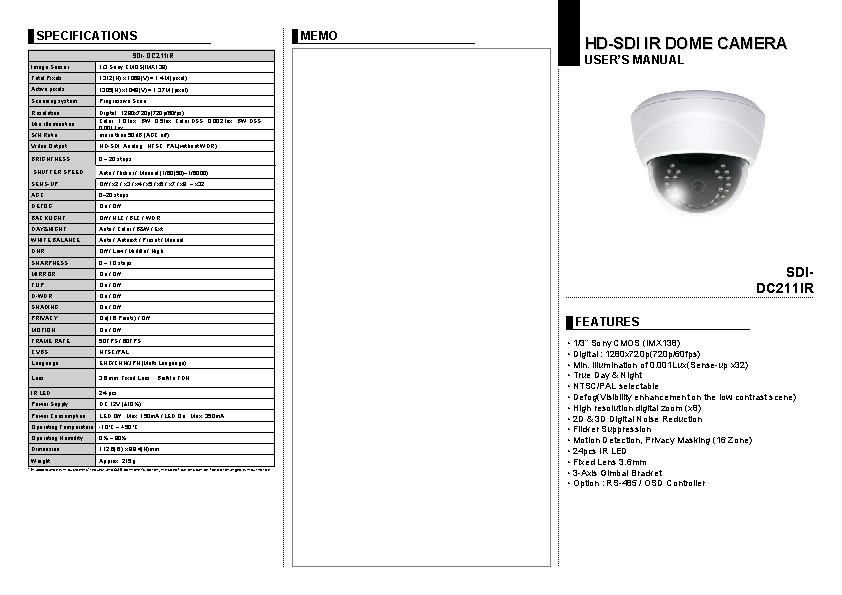
SPECIFICATIONS SDI-DC 211 IR Image Sensor 1/3 Sony CMOS(IMX 138) Total Pixels 1312(H) x 1069(V) = 1. 4 M (pixel) Active pixels 1305(H) x 1049(V) = 1. 37 M (pixel) Scanning system Progressive Scan Resolution Digital ; 1280 x 720 p(720 p/60 fps) Color : 1. 0 lux , BW : 0. 5 lux, Color DSS : 0. 002 lux , BW DSS : 0. 001 lux more than 50 d. B (AGC off) Min. illumination S/N Ratio Video Output HD-SDI, Analog : NTSC, PAL(without WDR) BRIGHTNESS 0 ~ 20 steps SHUTTER SPEED Auto / Flicker / Manual (1/60(50)~1/6000) SENS-UP Off / x 2 / x 3 / x 4 / x 5 / x 6 / x 7 / x 8 ~ x 32 AGC 0~20 steps DEFOG On / Off BACKLIGHT Off / HLC / BLC / WDR DAY&NIGHT Auto / Color / B&W / Ext WHITE BALANCE Auto / Autoext / Preset / Manual DNR Off / Low / Middle / High SHARPNESS 0 ~ 10 steps MIRROR On / Off FLIP On / Off D-WDR On / Off SHADING On / Off PRIVACY On(16 Points) / Off MOTION On / Off FRAME RATE 50 FPS / 60 FPS CVBS NTSC/PAL Language ENG/CHN/JPN (Multi Language) Lens 3. 6 mm Fixed Lens , Built-In TDN IR LED 24 pcs Power Supply DC 12 V (± 10%) Power Consumption LED Off : Max. 150 m. A / LED On : Max. 350 m. A Operating Temperature -10°C ~ +50°C Operating Humidity 0% ~ 90% Dimension 112. 6(Ø) x 89. 4(H)mm Weight Approx. 215 g * In accordance with customers’ request and OSD controller’s option, the specifications can be fixed or changed without notice. MEMO HD-SDI IR DOME CAMERA USER’S MANUAL SDIDC 211 IR FEATURES • 1/3” Sony CMOS (IMX 138) • Digital : 1280 x 720 p(720 p/60 fps) • Min. Illumination of 0. 001 Lux(Sense-up x 32) • True Day & Night • NTSC/PAL selectable • Defog(Visibility enhancement on the low contrast scene) • High resolution digital zoom (x 8) • 2 D & 3 D Digital Noise Reduction • Flicker Suppression • Motion Detection, Privacy Masking (16 Zone) • 24 pcs IR LED • Fixed Lens 3. 6 mm • 3 -Axis Gimbal Bracket • Option : RS-485 / OSD Controller
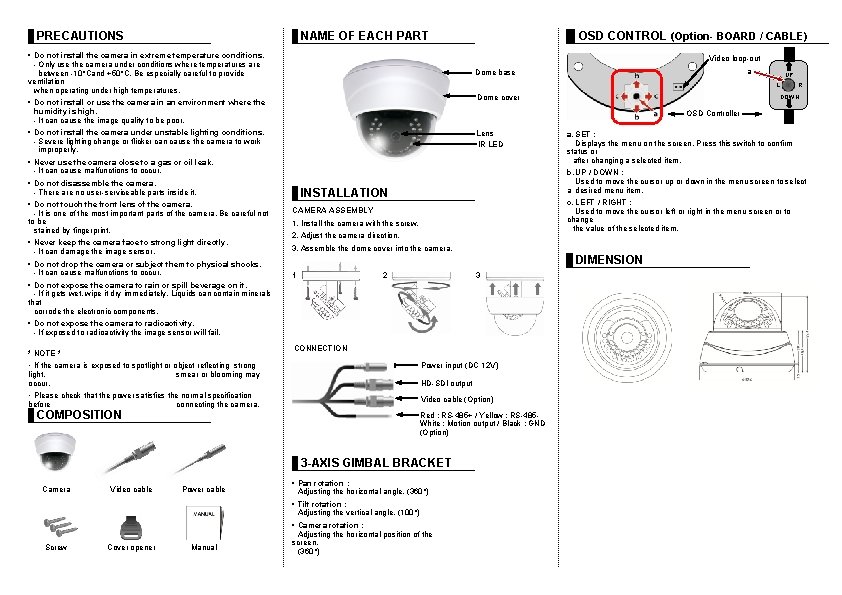
PRECAUTIONS NAME OF EACH PART • Do not install the camera in extreme temperature conditions. - Only use the camera under conditions where temperatures are between -10°Cand +50°C. Be especially careful to provide ventilation when operating under high temperatures. OSD CONTROL (Option- BOARD / CABLE) Video loop-out Dome cover Lens IR LED • Never use the camera close to a gas or oil leak. - It can cause malfunctions to occur. • Do not disassemble the camera. - There are no user-serviceable parts inside it. • Do not drop the camera or subject them to physical shocks. - It can cause malfunctions to occur. INSTALLATION c. LEFT / RIGHT : Used to move the cursor left or right in the menu screen or to change the value of the selected item. CAMERA ASSEMBLY 1. Install the camera with the screw. 2. Adjust the camera direction. 3. Assemble the dome cover into the camera. DIMENSION 1 2 3 • Do not expose the camera to radioactivity. - If exposed to radioactivity the image sensor will fail. CONNECTION • If the camera is exposed to spotlight or object reflecting strong light, smear or blooming may occur. Power input (DC 12 V) • Please check that the power satisfies the normal specification before connecting the camera. Video cable (Option) HD-SDI output COMPOSITION Red : RS-485+ / Yellow : RS-485 White : Motion output / Black : GND (Option) 3 -AXIS GIMBAL BRACKET Camera Video cable Power cable • Pan rotation : Adjusting the horizontal angle. (360°) • Tilt rotation : Adjusting the vertical angle. (100°) Screw Cover opener Manual a. SET : Displays the menu on the screen. Press this switch to confirm status or after changing a selected item. b. UP / DOWN : Used to move the cursor up or down in the menu screen to select a desired menu item. • Do not expose the camera to rain or spill beverage on it. - If it gets wet, wipe it dry immediately. Liquids can contain minerals that corrode the electronic components. * NOTE * R DOWN OSD Controller • Do not install the camera under unstable lighting conditions. - Severe lighting change or flicker can cause the camera to work improperly. • Never keep the camera face to strong light directly. - It can damage the image sensor. UP L • Do not install or use the camera in an environment where the humidity is high. - It can cause the image quality to be poor. • Do not touch the front lens of the camera. - It is one of the most important parts of the camera. Be careful not to be stained by fingerprint. a Dome base • Camera rotation : Adjusting the horizontal position of the screen. (360°)