
Specialist Rhapsody Getting Rhapsody In C generated code
- Slides: 50
Specialist Rhapsody Getting Rhapsody In C generated code to run on your target Rhapsody V 4. 2 "Specialist" Tool Training © I-Logix 1999 -2003 08/08/2003 1 www. ilogix. com
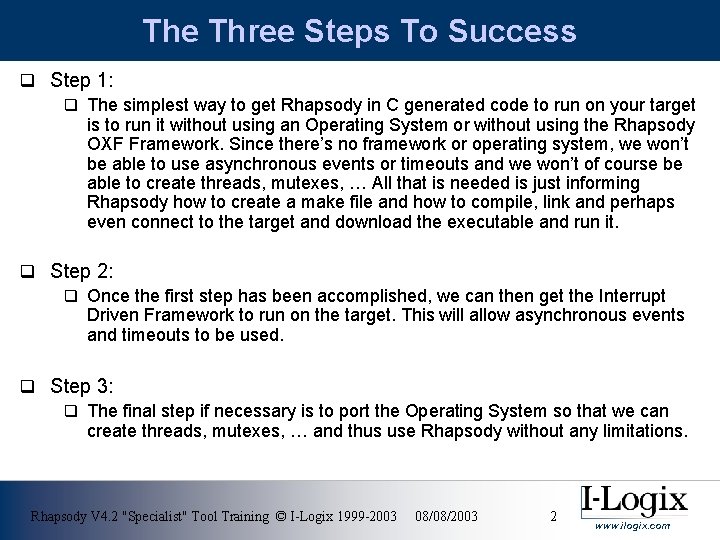
The Three Steps To Success q Step 1: q The simplest way to get Rhapsody in C generated code to run on your target is to run it without using an Operating System or without using the Rhapsody OXF Framework. Since there’s no framework or operating system, we won’t be able to use asynchronous events or timeouts and we won’t of course be able to create threads, mutexes, … All that is needed is just informing Rhapsody how to create a make file and how to compile, link and perhaps even connect to the target and download the executable and run it. q Step 2: q Once the first step has been accomplished, we can then get the Interrupt Driven Framework to run on the target. This will allow asynchronous events and timeouts to be used. q Step 3: q The final step if necessary is to port the Operating System so that we can create threads, mutexes, … and thus use Rhapsody without any limitations. Rhapsody V 4. 2 "Specialist" Tool Training © I-Logix 1999 -2003 08/08/2003 2 www. ilogix. com
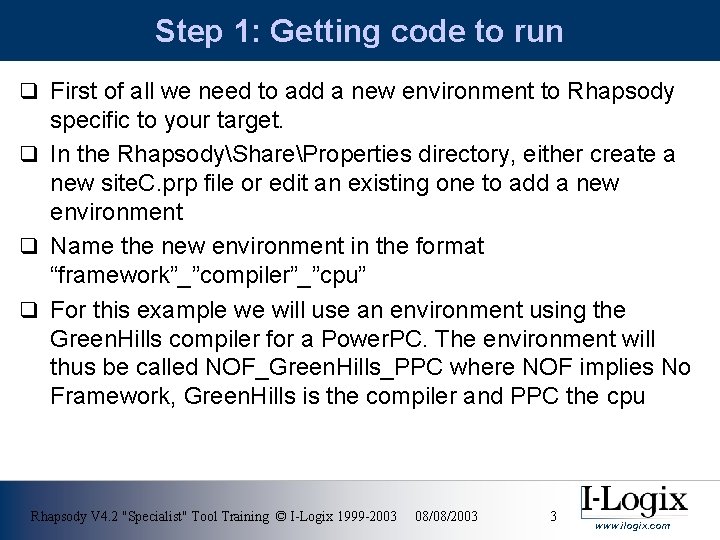
Step 1: Getting code to run q First of all we need to add a new environment to Rhapsody specific to your target. q In the RhapsodyShareProperties directory, either create a new site. C. prp file or edit an existing one to add a new environment q Name the new environment in the format “framework”_”compiler”_”cpu” q For this example we will use an environment using the Green. Hills compiler for a Power. PC. The environment will thus be called NOF_Green. Hills_PPC where NOF implies No Framework, Green. Hills is the compiler and PPC the cpu Rhapsody V 4. 2 "Specialist" Tool Training © I-Logix 1999 -2003 08/08/2003 3 www. ilogix. com
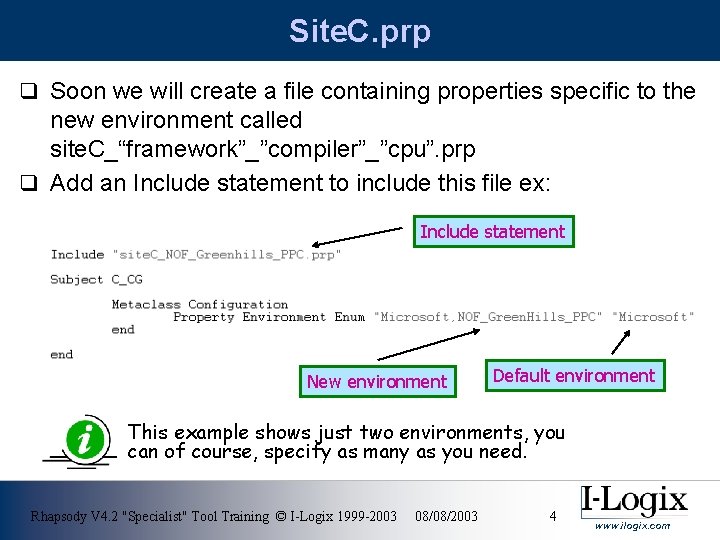
Site. C. prp q Soon we will create a file containing properties specific to the new environment called site. C_“framework”_”compiler”_”cpu”. prp q Add an Include statement to include this file ex: Include statement New environment Default environment This example shows just two environments, you can of course, specify as many as you need. Rhapsody V 4. 2 "Specialist" Tool Training © I-Logix 1999 -2003 08/08/2003 4 www. ilogix. com
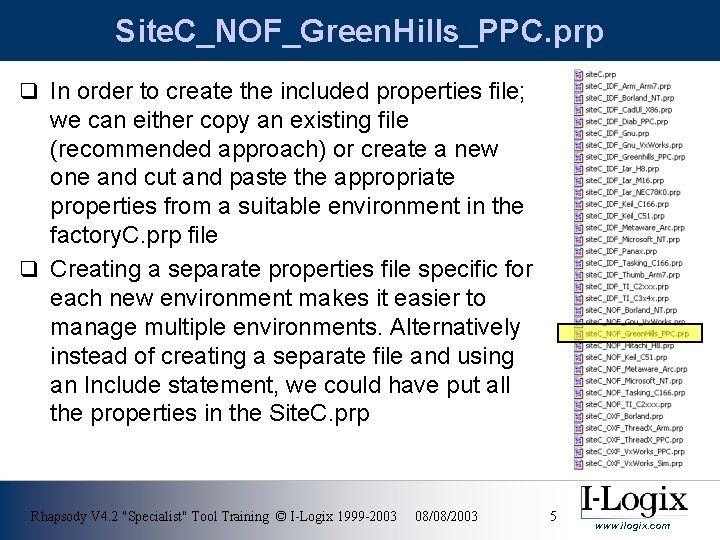
Site. C_NOF_Green. Hills_PPC. prp q In order to create the included properties file; we can either copy an existing file (recommended approach) or create a new one and cut and paste the appropriate properties from a suitable environment in the factory. C. prp file q Creating a separate properties file specific for each new environment makes it easier to manage multiple environments. Alternatively instead of creating a separate file and using an Include statement, we could have put all the properties in the Site. C. prp Rhapsody V 4. 2 "Specialist" Tool Training © I-Logix 1999 -2003 08/08/2003 5 www. ilogix. com
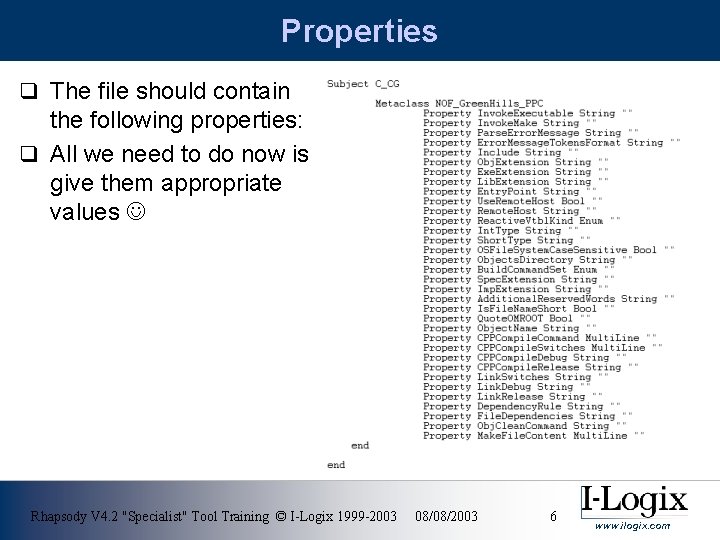
Properties q The file should contain the following properties: q All we need to do now is give them appropriate values Rhapsody V 4. 2 "Specialist" Tool Training © I-Logix 1999 -2003 08/08/2003 6 www. ilogix. com
Before we start q When setting the properties, if we need to add characters “ or to a property of type String, then we must precede the character by ex: ” or \ q If any paths have spaces in them, then the paths must be enclosed in “” Rhapsody V 4. 2 "Specialist" Tool Training © I-Logix 1999 -2003 08/08/2003 7 www. ilogix. com
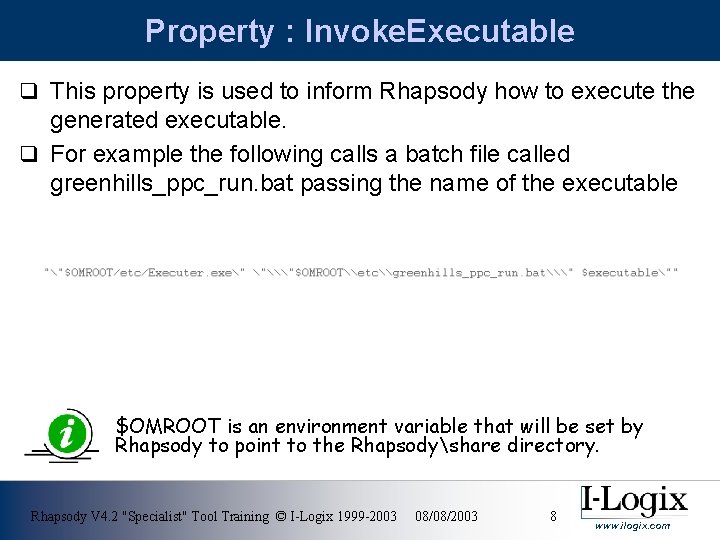
Property : Invoke. Executable q This property is used to inform Rhapsody how to execute the generated executable. q For example the following calls a batch file called greenhills_ppc_run. bat passing the name of the executable $OMROOT is an environment variable that will be set by Rhapsody to point to the Rhapsodyshare directory. Rhapsody V 4. 2 "Specialist" Tool Training © I-Logix 1999 -2003 08/08/2003 8 www. ilogix. com
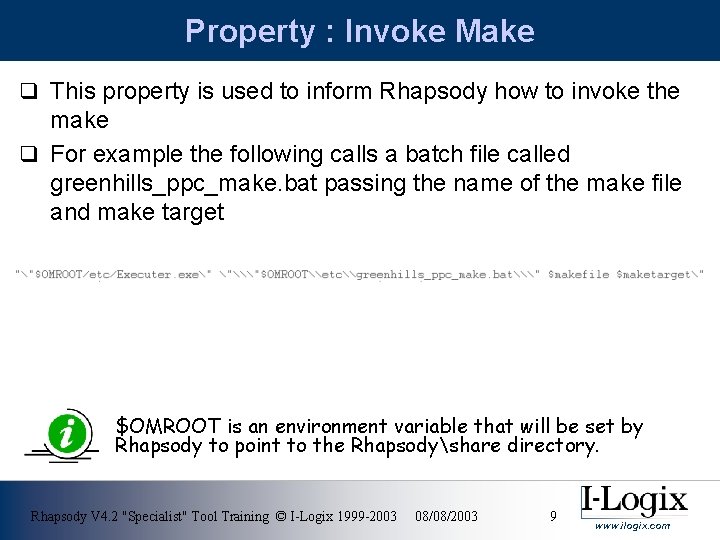
Property : Invoke Make q This property is used to inform Rhapsody how to invoke the make q For example the following calls a batch file called greenhills_ppc_make. bat passing the name of the make file and make target $OMROOT is an environment variable that will be set by Rhapsody to point to the Rhapsodyshare directory. Rhapsody V 4. 2 "Specialist" Tool Training © I-Logix 1999 -2003 08/08/2003 9 www. ilogix. com
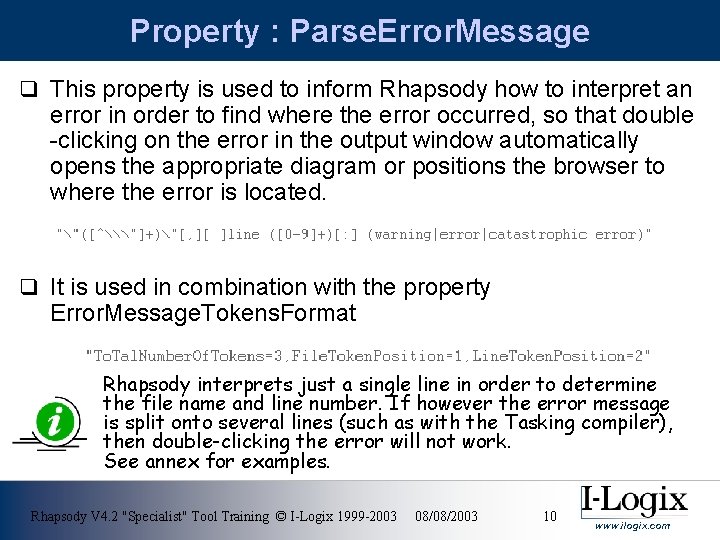
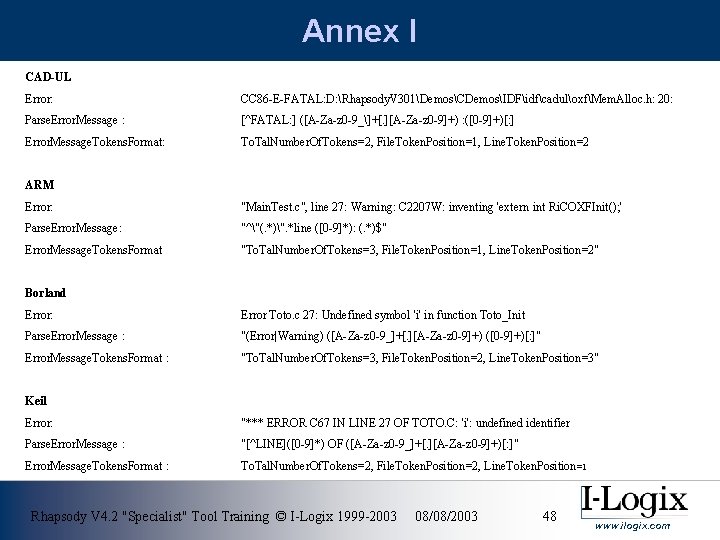
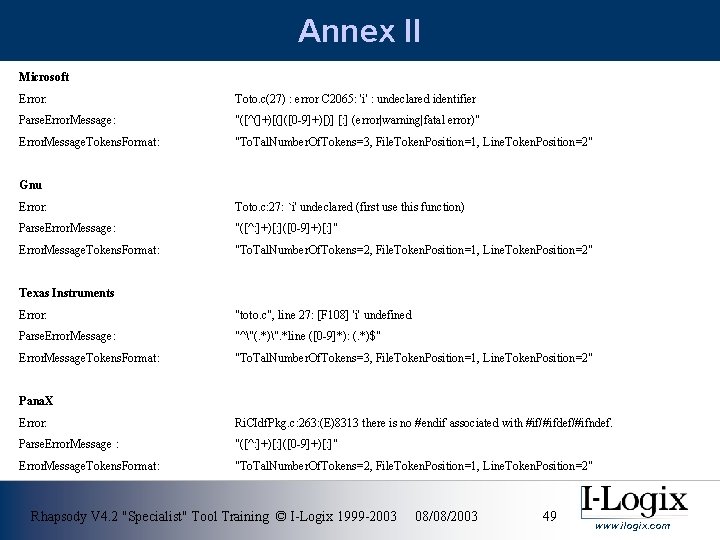
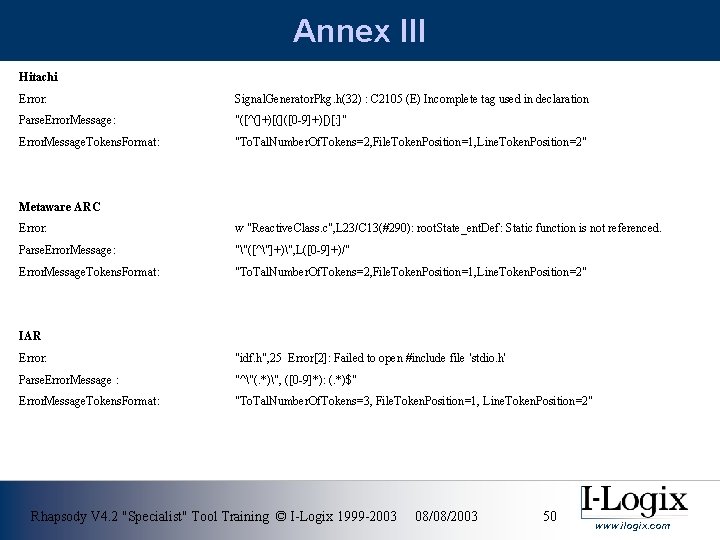
Property : Parse. Error. Message q This property is used to inform Rhapsody how to interpret an error in order to find where the error occurred, so that double -clicking on the error in the output window automatically opens the appropriate diagram or positions the browser to where the error is located. q It is used in combination with the property Error. Message. Tokens. Format Rhapsody interprets just a single line in order to determine the file name and line number. If however the error message is split onto several lines (such as with the Tasking compiler), then double-clicking the error will not work. See annex for examples. Rhapsody V 4. 2 "Specialist" Tool Training © I-Logix 1999 -2003 08/08/2003 10 www. ilogix. com
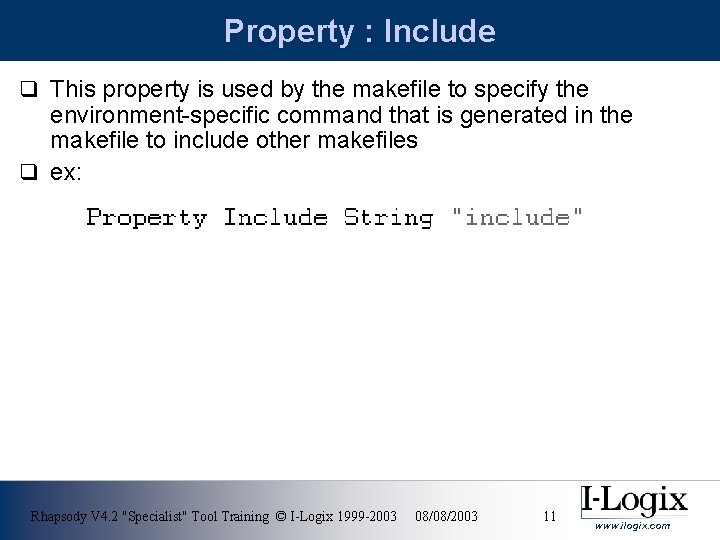
Property : Include q This property is used by the makefile to specify the environment-specific command that is generated in the makefile to include other makefiles q ex: Rhapsody V 4. 2 "Specialist" Tool Training © I-Logix 1999 -2003 08/08/2003 11 www. ilogix. com
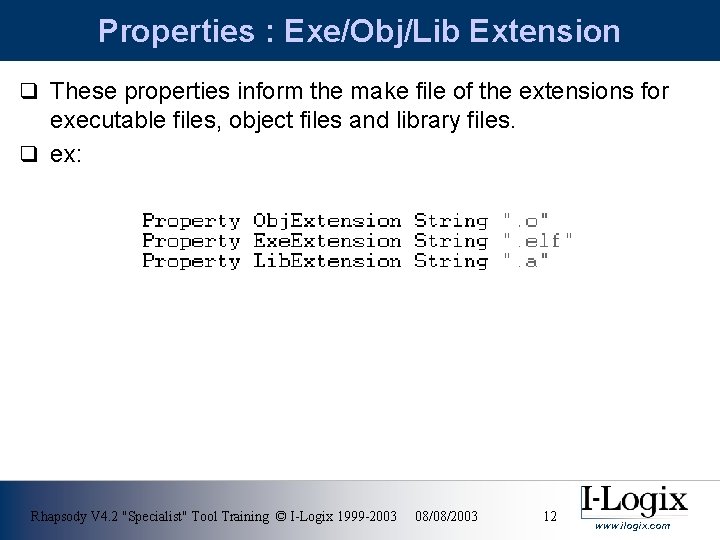
Properties : Exe/Obj/Lib Extension q These properties inform the make file of the extensions for executable files, object files and library files. q ex: Rhapsody V 4. 2 "Specialist" Tool Training © I-Logix 1999 -2003 08/08/2003 12 www. ilogix. com
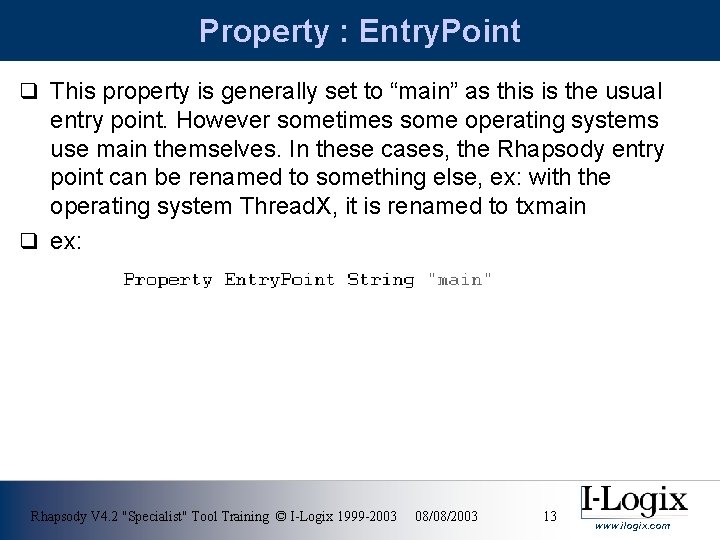
Property : Entry. Point q This property is generally set to “main” as this is the usual entry point. However sometimes some operating systems use main themselves. In these cases, the Rhapsody entry point can be renamed to something else, ex: with the operating system Thread. X, it is renamed to txmain q ex: Rhapsody V 4. 2 "Specialist" Tool Training © I-Logix 1999 -2003 08/08/2003 13 www. ilogix. com
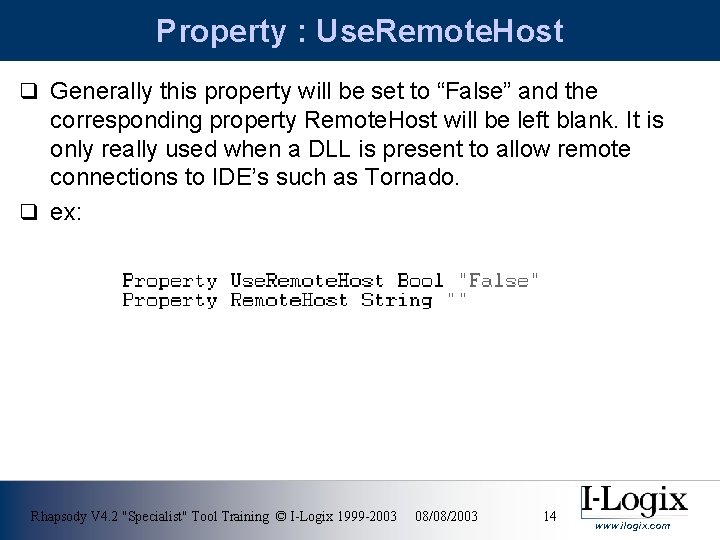
Property : Use. Remote. Host q Generally this property will be set to “False” and the corresponding property Remote. Host will be left blank. It is only really used when a DLL is present to allow remote connections to IDE’s such as Tornado. q ex: Rhapsody V 4. 2 "Specialist" Tool Training © I-Logix 1999 -2003 08/08/2003 14 www. ilogix. com
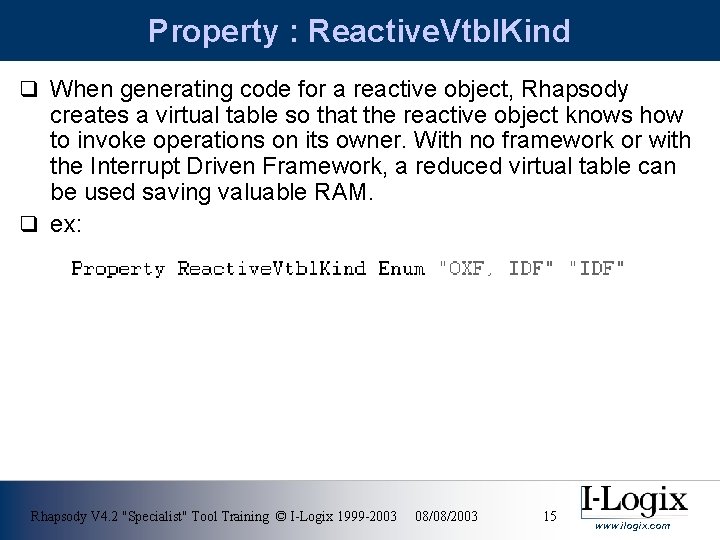
Property : Reactive. Vtbl. Kind q When generating code for a reactive object, Rhapsody creates a virtual table so that the reactive object knows how to invoke operations on its owner. With no framework or with the Interrupt Driven Framework, a reduced virtual table can be used saving valuable RAM. q ex: Rhapsody V 4. 2 "Specialist" Tool Training © I-Logix 1999 -2003 08/08/2003 15 www. ilogix. com
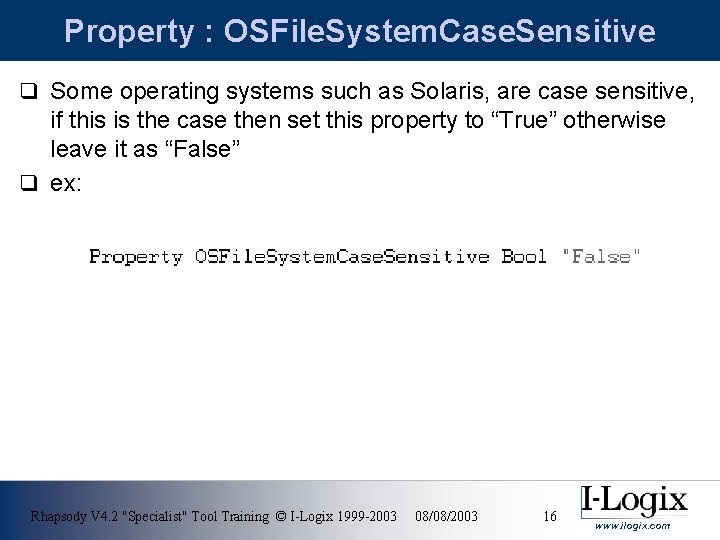
Property : OSFile. System. Case. Sensitive q Some operating systems such as Solaris, are case sensitive, if this is the case then set this property to “True” otherwise leave it as “False” q ex: Rhapsody V 4. 2 "Specialist" Tool Training © I-Logix 1999 -2003 08/08/2003 16 www. ilogix. com
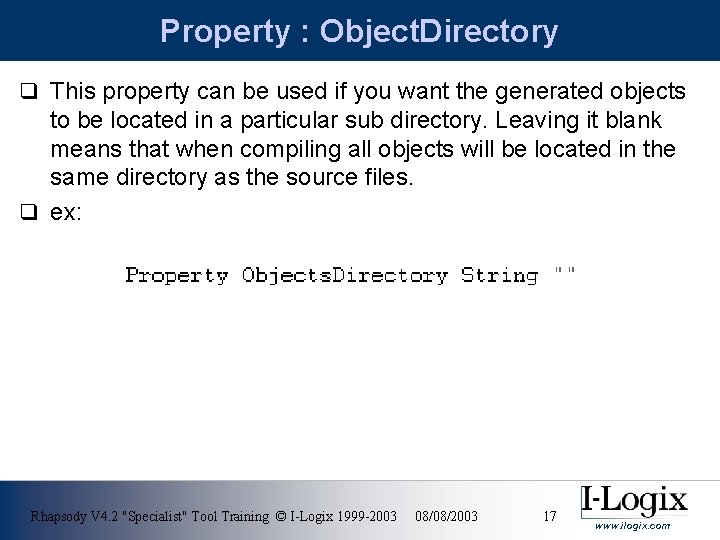
Property : Object. Directory q This property can be used if you want the generated objects to be located in a particular sub directory. Leaving it blank means that when compiling all objects will be located in the same directory as the source files. q ex: Rhapsody V 4. 2 "Specialist" Tool Training © I-Logix 1999 -2003 08/08/2003 17 www. ilogix. com
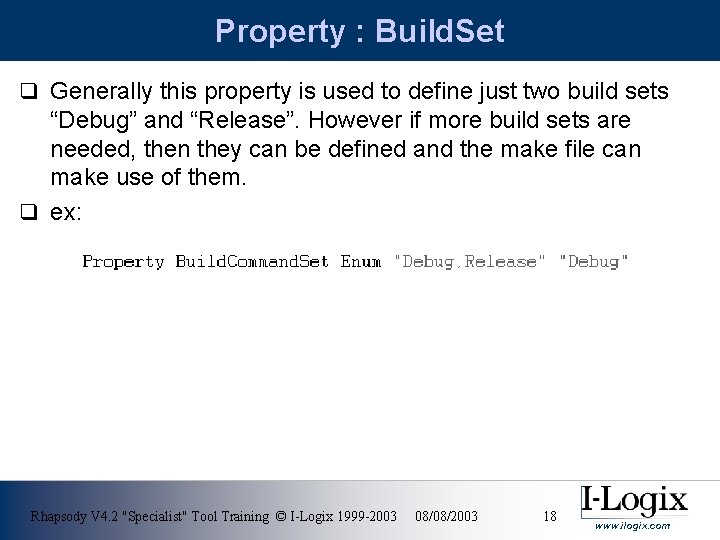
Property : Build. Set q Generally this property is used to define just two build sets “Debug” and “Release”. However if more build sets are needed, then they can be defined and the make file can make use of them. q ex: Rhapsody V 4. 2 "Specialist" Tool Training © I-Logix 1999 -2003 08/08/2003 18 www. ilogix. com
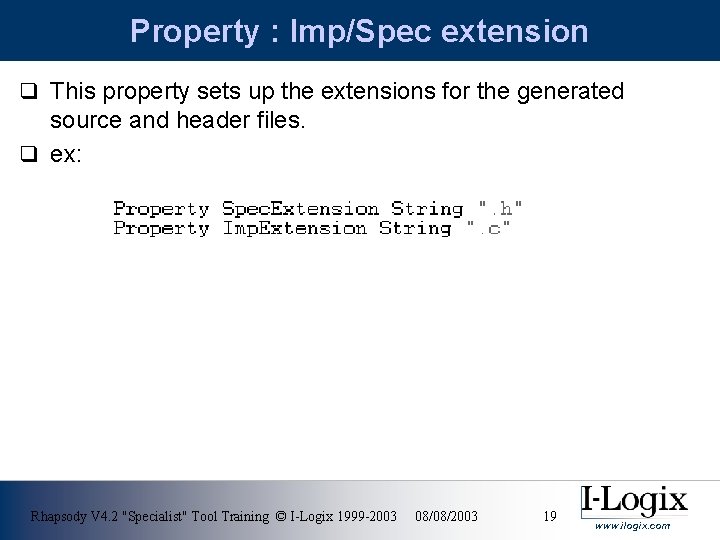
Property : Imp/Spec extension q This property sets up the extensions for the generated source and header files. q ex: Rhapsody V 4. 2 "Specialist" Tool Training © I-Logix 1999 -2003 08/08/2003 19 www. ilogix. com
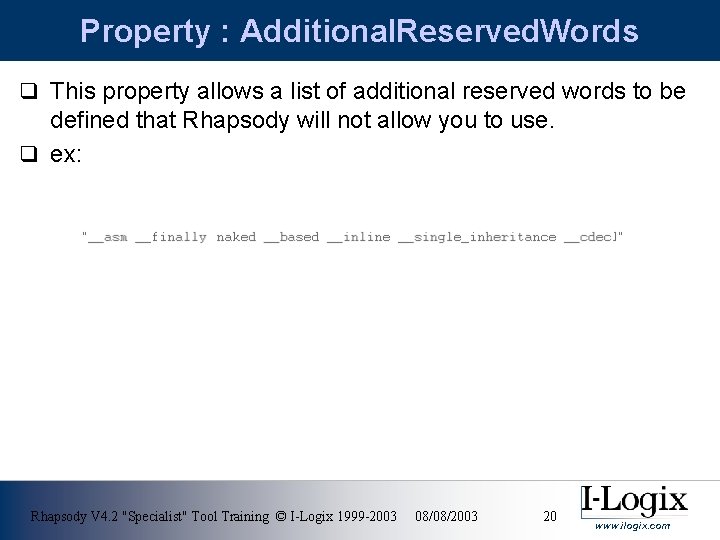
Property : Additional. Reserved. Words q This property allows a list of additional reserved words to be defined that Rhapsody will not allow you to use. q ex: Rhapsody V 4. 2 "Specialist" Tool Training © I-Logix 1999 -2003 08/08/2003 20 www. ilogix. com
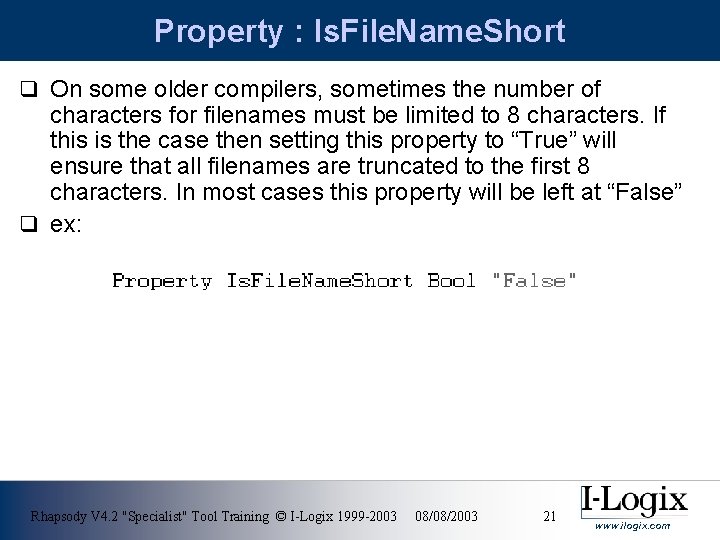
Property : Is. File. Name. Short q On some older compilers, sometimes the number of characters for filenames must be limited to 8 characters. If this is the case then setting this property to “True” will ensure that all filenames are truncated to the first 8 characters. In most cases this property will be left at “False” q ex: Rhapsody V 4. 2 "Specialist" Tool Training © I-Logix 1999 -2003 08/08/2003 21 www. ilogix. com
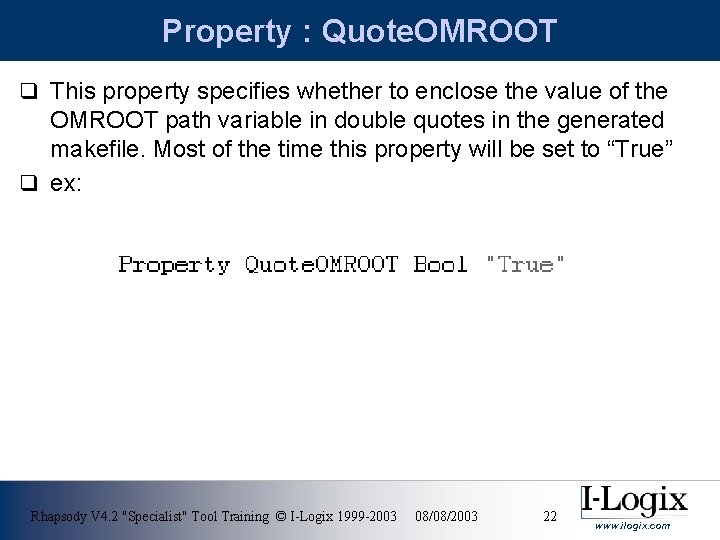
Property : Quote. OMROOT q This property specifies whether to enclose the value of the OMROOT path variable in double quotes in the generated makefile. Most of the time this property will be set to “True” q ex: Rhapsody V 4. 2 "Specialist" Tool Training © I-Logix 1999 -2003 08/08/2003 22 www. ilogix. com
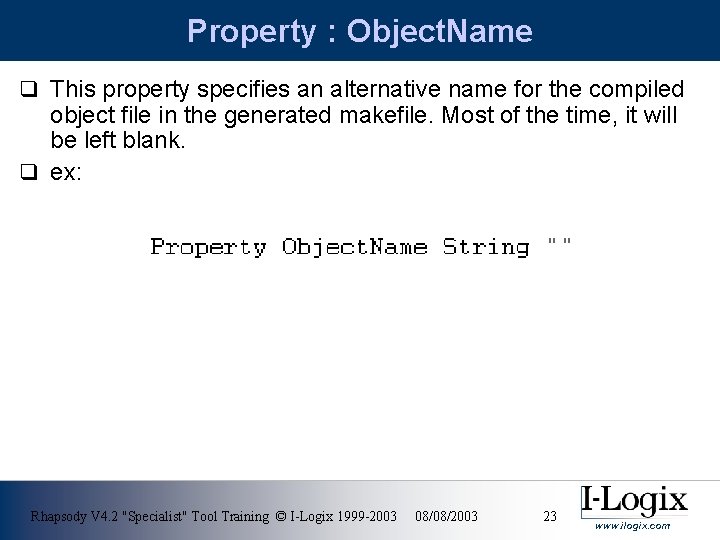
Property : Object. Name q This property specifies an alternative name for the compiled object file in the generated makefile. Most of the time, it will be left blank. q ex: Rhapsody V 4. 2 "Specialist" Tool Training © I-Logix 1999 -2003 08/08/2003 23 www. ilogix. com
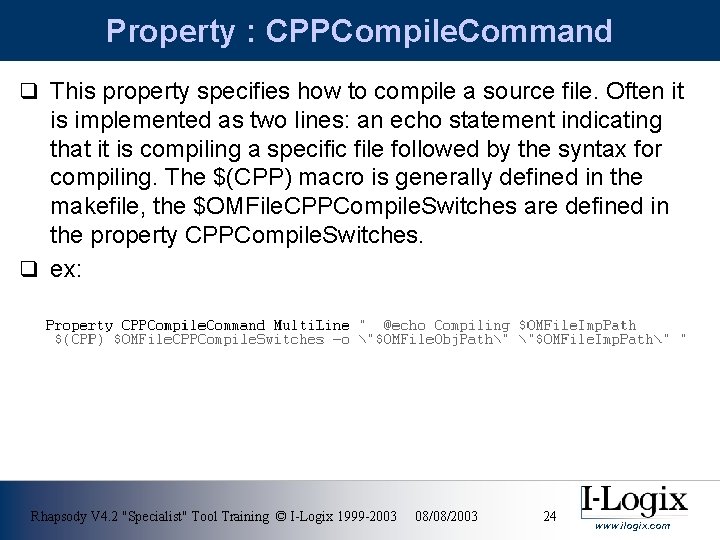
Property : CPPCompile. Command q This property specifies how to compile a source file. Often it is implemented as two lines: an echo statement indicating that it is compiling a specific file followed by the syntax for compiling. The $(CPP) macro is generally defined in the makefile, the $OMFile. CPPCompile. Switches are defined in the property CPPCompile. Switches. q ex: Rhapsody V 4. 2 "Specialist" Tool Training © I-Logix 1999 -2003 08/08/2003 24 www. ilogix. com
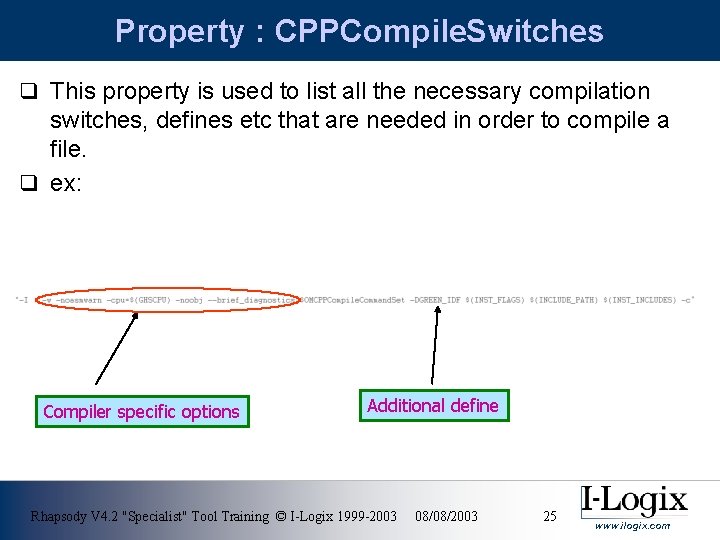
Property : CPPCompile. Switches q This property is used to list all the necessary compilation switches, defines etc that are needed in order to compile a file. q ex: Compiler specific options Additional define Rhapsody V 4. 2 "Specialist" Tool Training © I-Logix 1999 -2003 08/08/2003 25 www. ilogix. com
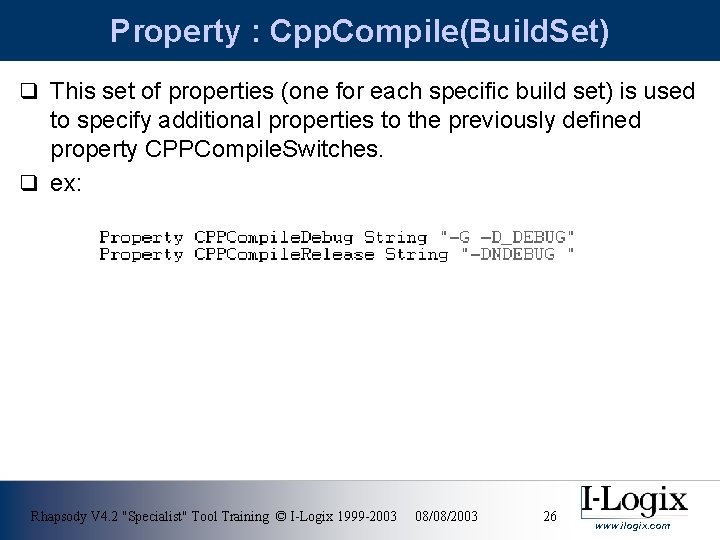
Property : Cpp. Compile(Build. Set) q This set of properties (one for each specific build set) is used to specify additional properties to the previously defined property CPPCompile. Switches. q ex: Rhapsody V 4. 2 "Specialist" Tool Training © I-Logix 1999 -2003 08/08/2003 26 www. ilogix. com
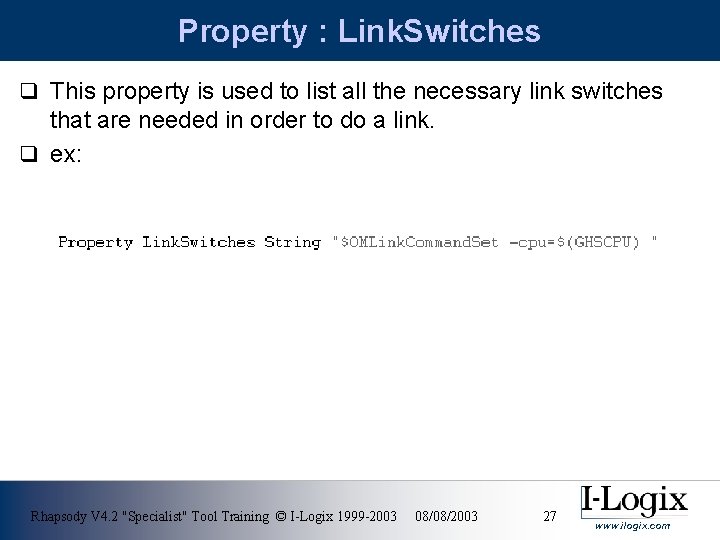
Property : Link. Switches q This property is used to list all the necessary link switches that are needed in order to do a link. q ex: Rhapsody V 4. 2 "Specialist" Tool Training © I-Logix 1999 -2003 08/08/2003 27 www. ilogix. com
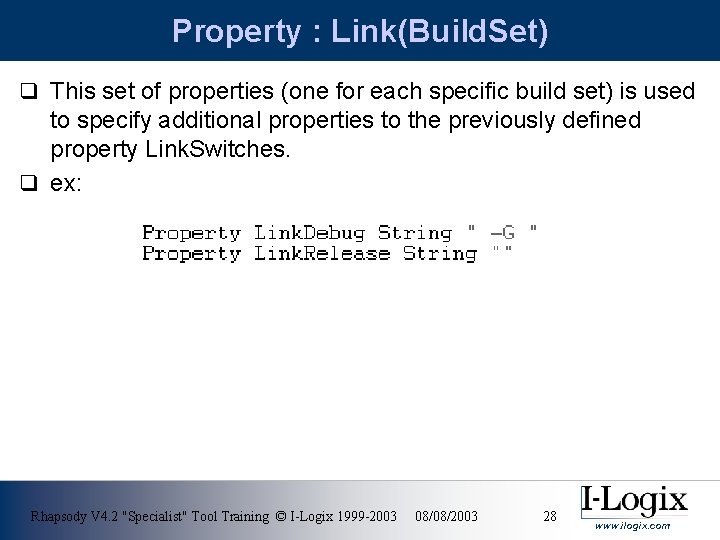
Property : Link(Build. Set) q This set of properties (one for each specific build set) is used to specify additional properties to the previously defined property Link. Switches. q ex: Rhapsody V 4. 2 "Specialist" Tool Training © I-Logix 1999 -2003 08/08/2003 28 www. ilogix. com
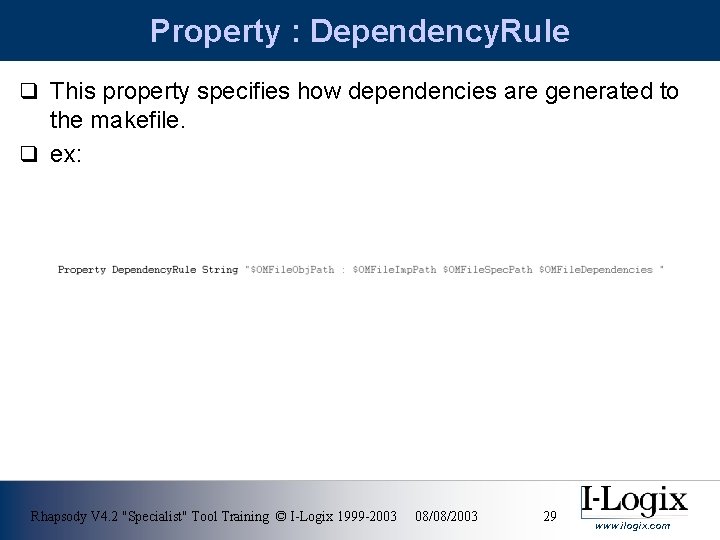
Property : Dependency. Rule q This property specifies how dependencies are generated to the makefile. q ex: Rhapsody V 4. 2 "Specialist" Tool Training © I-Logix 1999 -2003 08/08/2003 29 www. ilogix. com
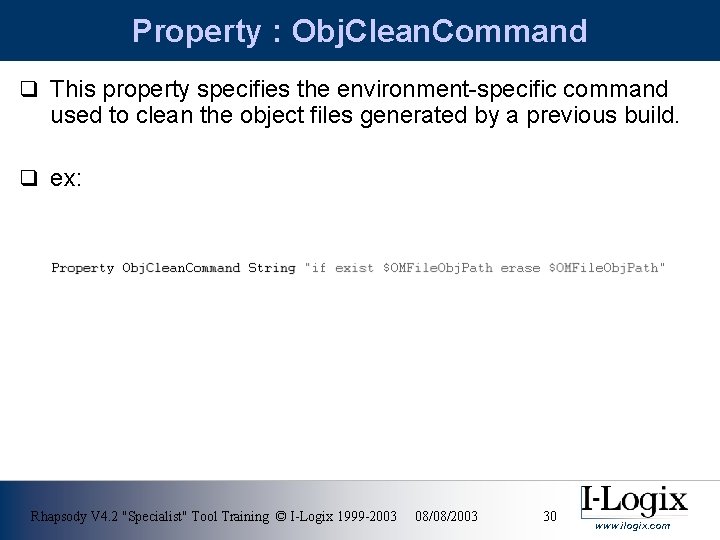
Property : Obj. Clean. Command q This property specifies the environment-specific command used to clean the object files generated by a previous build. q ex: Rhapsody V 4. 2 "Specialist" Tool Training © I-Logix 1999 -2003 08/08/2003 30 www. ilogix. com
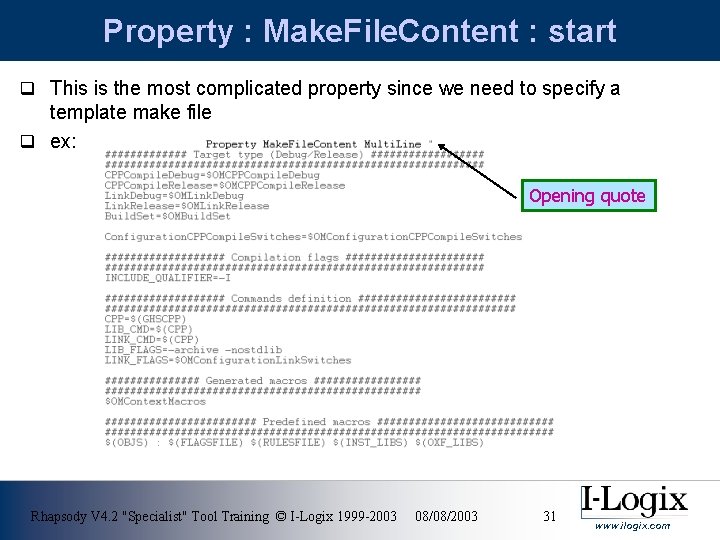
Property : Make. File. Content : start q This is the most complicated property since we need to specify a template make file q ex: Opening quote Rhapsody V 4. 2 "Specialist" Tool Training © I-Logix 1999 -2003 08/08/2003 31 www. ilogix. com
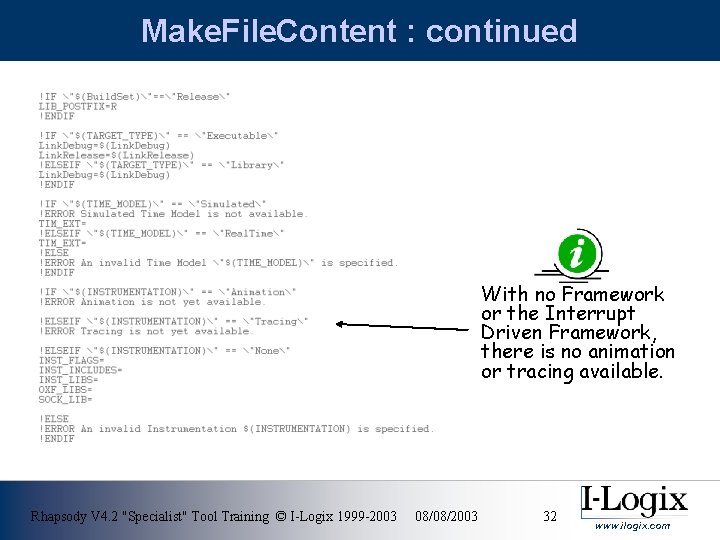
Make. File. Content : continued With no Framework or the Interrupt Driven Framework, there is no animation or tracing available. Rhapsody V 4. 2 "Specialist" Tool Training © I-Logix 1999 -2003 08/08/2003 32 www. ilogix. com
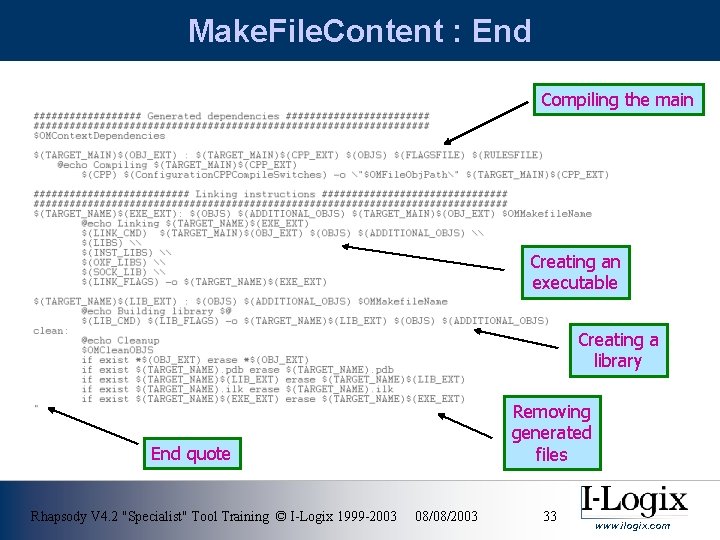
Make. File. Content : End Compiling the main Creating an executable Creating a library End quote Rhapsody V 4. 2 "Specialist" Tool Training © I-Logix 1999 -2003 08/08/2003 Removing generated files 33 www. ilogix. com
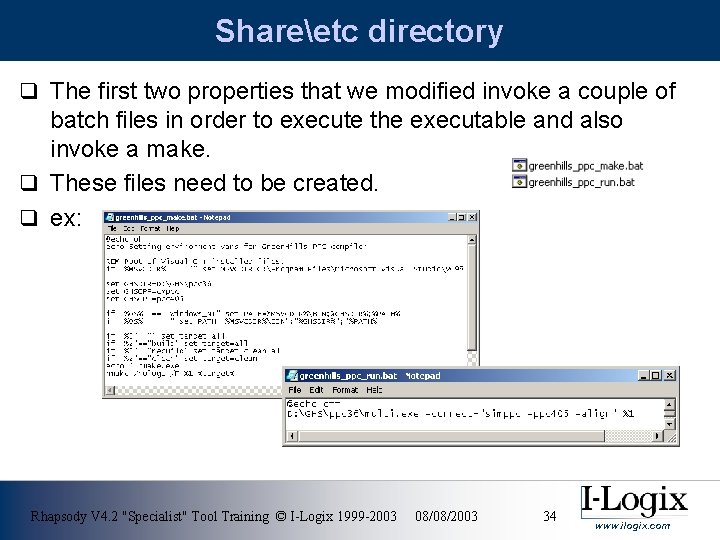
Shareetc directory q The first two properties that we modified invoke a couple of batch files in order to execute the executable and also invoke a make. q These files need to be created. q ex: Rhapsody V 4. 2 "Specialist" Tool Training © I-Logix 1999 -2003 08/08/2003 34 www. ilogix. com
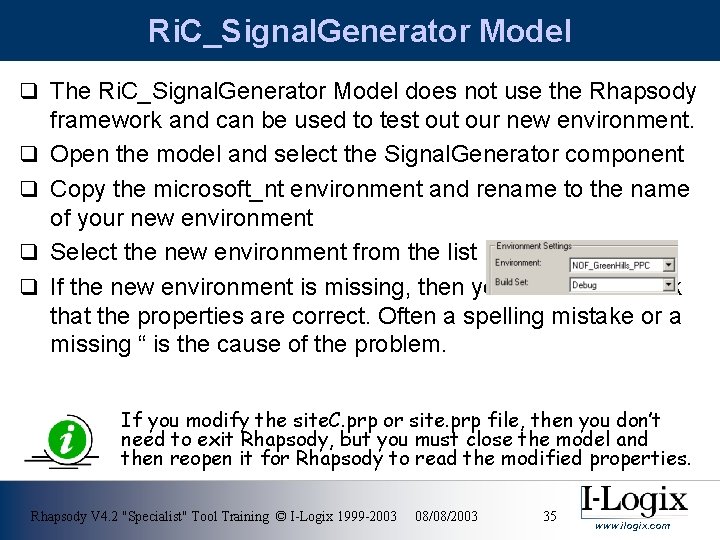
Ri. C_Signal. Generator Model q The Ri. C_Signal. Generator Model does not use the Rhapsody q q framework and can be used to test our new environment. Open the model and select the Signal. Generator component Copy the microsoft_nt environment and rename to the name of your new environment Select the new environment from the list If the new environment is missing, then you’ll need to check that the properties are correct. Often a spelling mistake or a missing “ is the cause of the problem. If you modify the site. C. prp or site. prp file, then you don’t need to exit Rhapsody, but you must close the model and then reopen it for Rhapsody to read the modified properties. Rhapsody V 4. 2 "Specialist" Tool Training © I-Logix 1999 -2003 08/08/2003 35 www. ilogix. com
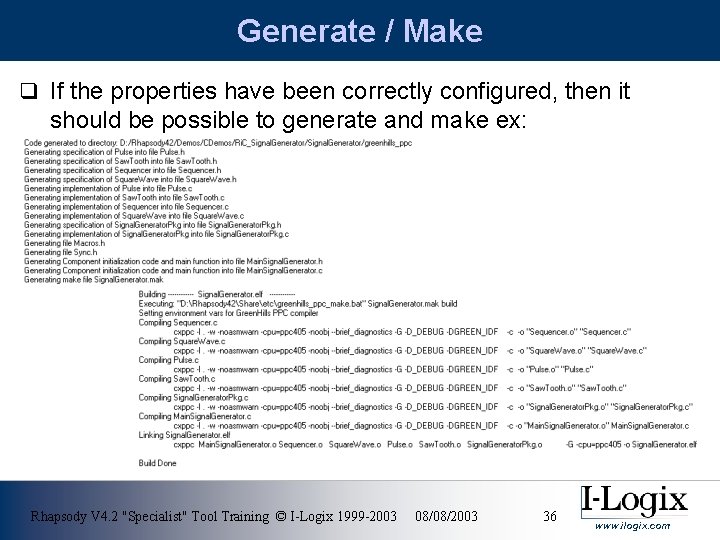
Generate / Make q If the properties have been correctly configured, then it should be possible to generate and make ex: Rhapsody V 4. 2 "Specialist" Tool Training © I-Logix 1999 -2003 08/08/2003 36 www. ilogix. com
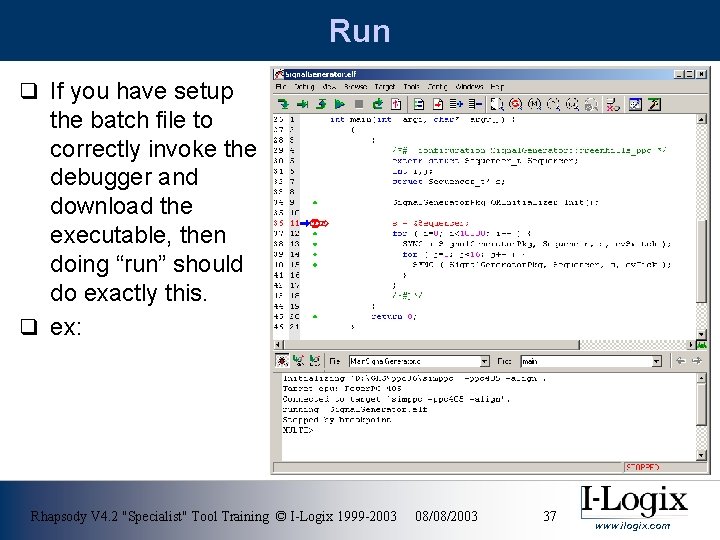
Run q If you have setup the batch file to correctly invoke the debugger and download the executable, then doing “run” should do exactly this. q ex: Rhapsody V 4. 2 "Specialist" Tool Training © I-Logix 1999 -2003 08/08/2003 37 www. ilogix. com
Step 2 q Once the Signal Generator model runs satisfactorily, it should be pretty straightforward to get the Interrupt Driven Framework to work. q As before a new environment needs to be created ex: IDF_Greenhills_PPC as well as an extra properties file such as site. C_IDF_Greenhills_PPC. prp q Just a few modifications will be needed to convert the NOF_Green. Hills_PPC. prp file into the IDF_Green. Hills_PPC. prp file. These modifications will mainly be in the Cpp. Compile. Switches and Make. File. Content property Rhapsody V 4. 2 "Specialist" Tool Training © I-Logix 1999 -2003 08/08/2003 38 www. ilogix. com
Property : CPPCompile. Switches q The property CPPCompile. Switches will need some extra include directives so as to be able to locate the IDF header files q ex: -I$(CIDF_ROOT)/greenhills_ppc/oxf The environmental variable CIDF_ROOT will need to be configured to point to the location of the IDF ex: D: Rhapsody 42DemosCDemosRi. C_Interrupt. Driven. Frameworkidf Rhapsody V 4. 2 "Specialist" Tool Training © I-Logix 1999 -2003 08/08/2003 39 www. ilogix. com
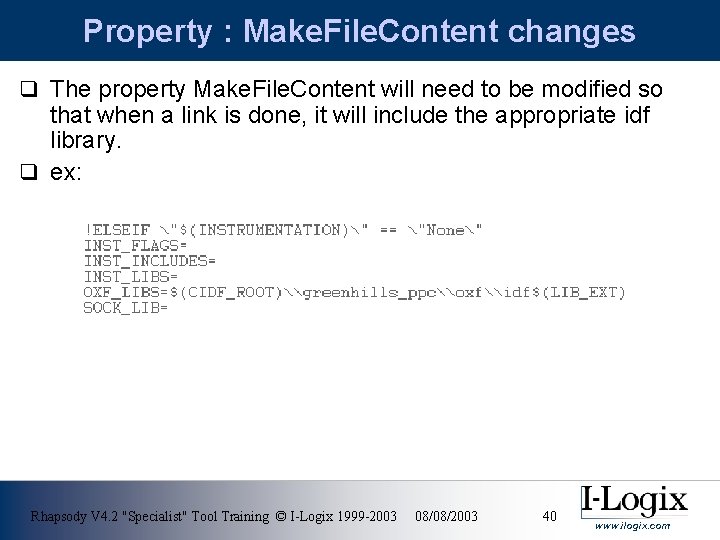
Property : Make. File. Content changes q The property Make. File. Content will need to be modified so that when a link is done, it will include the appropriate idf library. q ex: Rhapsody V 4. 2 "Specialist" Tool Training © I-Logix 1999 -2003 08/08/2003 40 www. ilogix. com
Additional Defines q If your target doesn’t support malloc/free or printf then you should add an extra couple of defines to the property CPPCompile. Switches q ex: NO_MALLOC NO_PRINT Rhapsody V 4. 2 "Specialist" Tool Training © I-Logix 1999 -2003 08/08/2003 41 www. ilogix. com
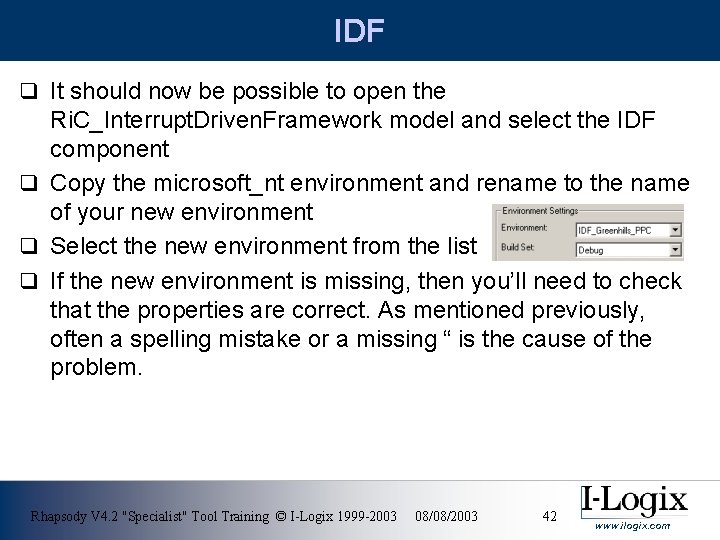
IDF q It should now be possible to open the Ri. C_Interrupt. Driven. Framework model and select the IDF component q Copy the microsoft_nt environment and rename to the name of your new environment q Select the new environment from the list q If the new environment is missing, then you’ll need to check that the properties are correct. As mentioned previously, often a spelling mistake or a missing “ is the cause of the problem. Rhapsody V 4. 2 "Specialist" Tool Training © I-Logix 1999 -2003 08/08/2003 42 www. ilogix. com
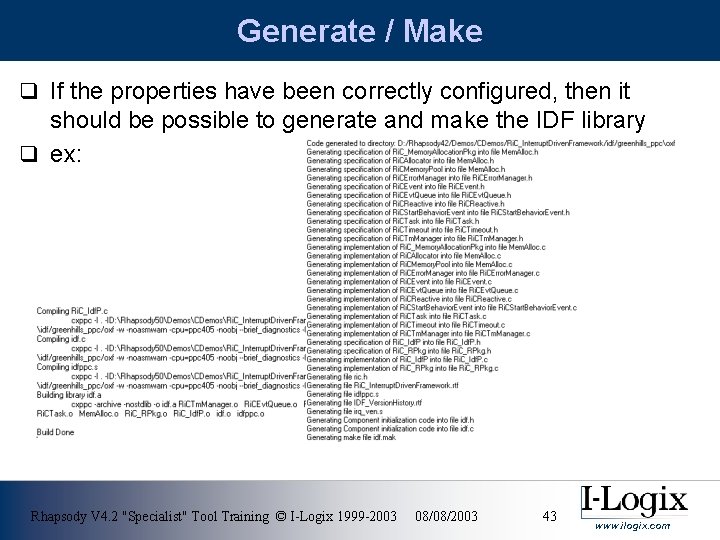
Generate / Make q If the properties have been correctly configured, then it should be possible to generate and make the IDF library q ex: Rhapsody V 4. 2 "Specialist" Tool Training © I-Logix 1999 -2003 08/08/2003 43 www. ilogix. com
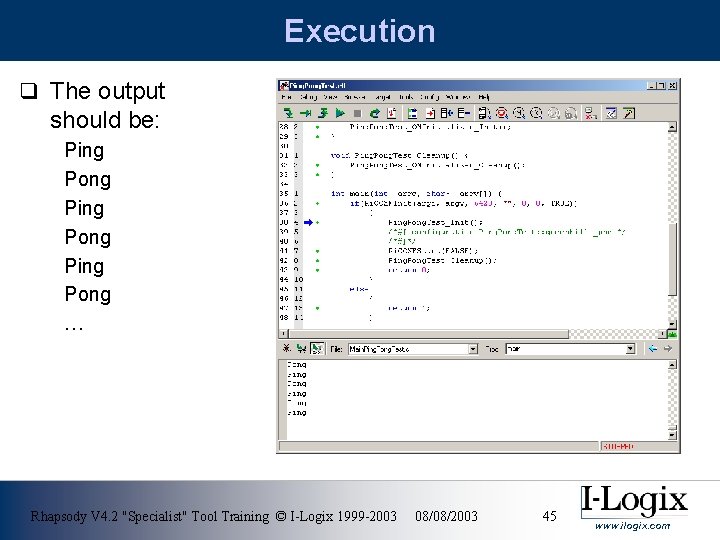
Ping. Pong. Test q Once the idf library has been created, we can now select the Ping. Pong. Test (This test doesn’t use timeouts, which we haven’t implemented yet for our new environment) q Once more, copy the microsoft_nt environment and rename and select the new environment q We should now be able to generate / make / run q If there are errors, then it is possible that the CIDF_ROOT is not pointing to the correct location Rhapsody V 4. 2 "Specialist" Tool Training © I-Logix 1999 -2003 08/08/2003 44 www. ilogix. com
Execution q The output should be: Ping Pong … Rhapsody V 4. 2 "Specialist" Tool Training © I-Logix 1999 -2003 08/08/2003 45 www. ilogix. com
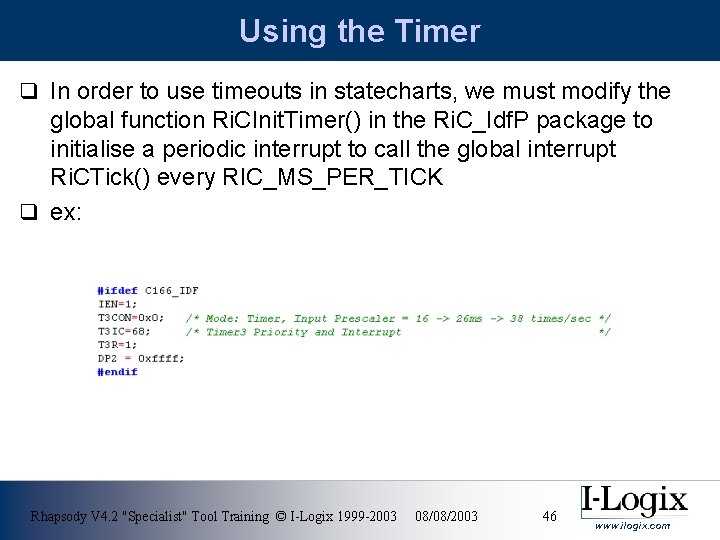
Using the Timer q In order to use timeouts in statecharts, we must modify the global function Ri. CInit. Timer() in the Ri. C_Idf. P package to initialise a periodic interrupt to call the global interrupt Ri. CTick() every RIC_MS_PER_TICK q ex: Rhapsody V 4. 2 "Specialist" Tool Training © I-Logix 1999 -2003 08/08/2003 46 www. ilogix. com
Annex q Examples of settings for properties: q Parse. Error. Message and Error. Message. Tokens. Format q used for extracting q Line number and file name from errors Proprietary and Confidential www. ilogix. com
Annex I CAD-UL Error: CC 86 -E-FATAL: D: Rhapsody. V 301DemosCDemosIDFidfcaduloxfMem. Alloc. h: 20: Parse. Error. Message : [^FATAL: ] ([A-Za-z 0 -9_]+[. ][A-Za-z 0 -9]+) : ([0 -9]+)[: ] Error. Message. Tokens. Format: To. Tal. Number. Of. Tokens=2, File. Token. Position=1, Line. Token. Position=2 ARM Error: Parse. Error. Message: Error. Message. Tokens. Format "Main. Test. c", line 27: Warning: C 2207 W: inventing 'extern int Ri. COXFInit(); ' "^"(. *)". *line ([0 -9]*): (. *)$" "To. Tal. Number. Of. Tokens=3, File. Token. Position=1, Line. Token. Position=2" Borland Error: Error Toto. c 27: Undefined symbol 'i' in function Toto_Init Parse. Error. Message : "(Error|Warning) ([A-Za-z 0 -9_]+[. ][A-Za-z 0 -9]+) ([0 -9]+)[: ]" Error. Message. Tokens. Format : "To. Tal. Number. Of. Tokens=3, File. Token. Position=2, Line. Token. Position=3" Keil Error: "*** ERROR C 67 IN LINE 27 OF TOTO. C: 'i': undefined identifier Parse. Error. Message : "[^LINE]([0 -9]*) OF ([A-Za-z 0 -9_]+[. ][A-Za-z 0 -9]+)[: ]" Error. Message. Tokens. Format : To. Tal. Number. Of. Tokens=2, File. Token. Position=2, Line. Token. Position=1 Rhapsody V 4. 2 "Specialist" Tool Training © I-Logix 1999 -2003 08/08/2003 48 www. ilogix. com
Annex II Microsoft Error: Toto. c(27) : error C 2065: 'i' : undeclared identifier Parse. Error. Message: "([^(]+)[(]([0 -9]+)[)] [: ] (error|warning|fatal error)" Error. Message. Tokens. Format: "To. Tal. Number. Of. Tokens=3, File. Token. Position=1, Line. Token. Position=2" Gnu Error: Toto. c: 27: `i' undeclared (first use this function) Parse. Error. Message: "([^: ]+)[: ]([0 -9]+)[: ]" Error. Message. Tokens. Format: "To. Tal. Number. Of. Tokens=2, File. Token. Position=1, Line. Token. Position=2" Texas Instruments Error: Parse. Error. Message: Error. Message. Tokens. Format: "toto. c", line 27: [F 108] 'i' undefined "^"(. *)". *line ([0 -9]*): (. *)$" "To. Tal. Number. Of. Tokens=3, File. Token. Position=1, Line. Token. Position=2" Pana. X Error: Ri. CIdf. Pkg. c: 263: (E)8313 there is no #endif associated with #if/#ifdef/#ifndef. Parse. Error. Message : "([^: ]+)[: ]([0 -9]+)[: ]" Error. Message. Tokens. Format: "To. Tal. Number. Of. Tokens=2, File. Token. Position=1, Line. Token. Position=2" Rhapsody V 4. 2 "Specialist" Tool Training © I-Logix 1999 -2003 08/08/2003 49 www. ilogix. com
Annex III Hitachi Error: Parse. Error. Message: Signal. Generator. Pkg. h(32) : C 2105 (E) Incomplete tag used in declaration Error. Message. Tokens. Format: "([^(]+)[(]([0 -9]+)[)[: ]" "To. Tal. Number. Of. Tokens=2, File. Token. Position=1, Line. Token. Position=2" Metaware ARC Error: w "Reactive. Class. c", L 23/C 13(#290): root. State_ent. Def: Static function is not referenced. Parse. Error. Message: ""([^"]+)", L([0 -9]+)/" Error. Message. Tokens. Format: "To. Tal. Number. Of. Tokens=2, File. Token. Position=1, Line. Token. Position=2" IAR Error: "idf. h", 25 Error[2]: Failed to open #include file 'stdio. h' Parse. Error. Message : "^"(. *)", ([0 -9]*): (. *)$" Error. Message. Tokens. Format: "To. Tal. Number. Of. Tokens=3, File. Token. Position=1, Line. Token. Position=2" Rhapsody V 4. 2 "Specialist" Tool Training © I-Logix 1999 -2003 08/08/2003 50 www. ilogix. com