
Spatial Resolution in Digital Images Digital Images Size
- Slides: 31
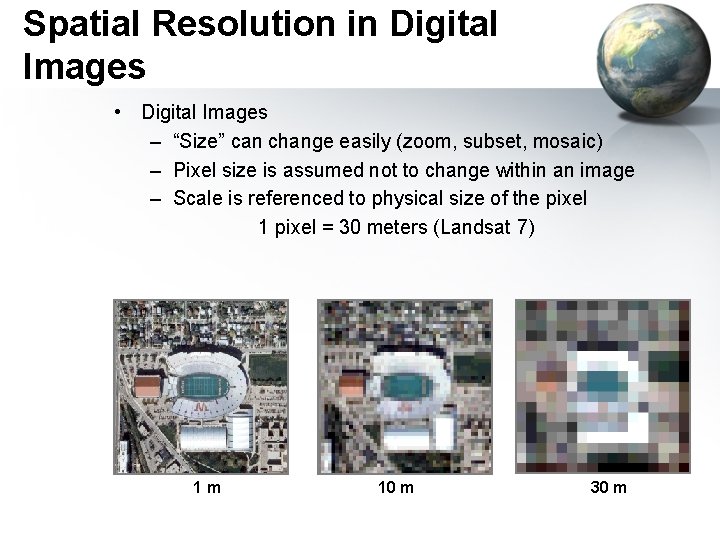
Spatial Resolution in Digital Images • Digital Images – “Size” can change easily (zoom, subset, mosaic) – Pixel size is assumed not to change within an image – Scale is referenced to physical size of the pixel 1 pixel = 30 meters (Landsat 7) 1 m 10 m 30 m
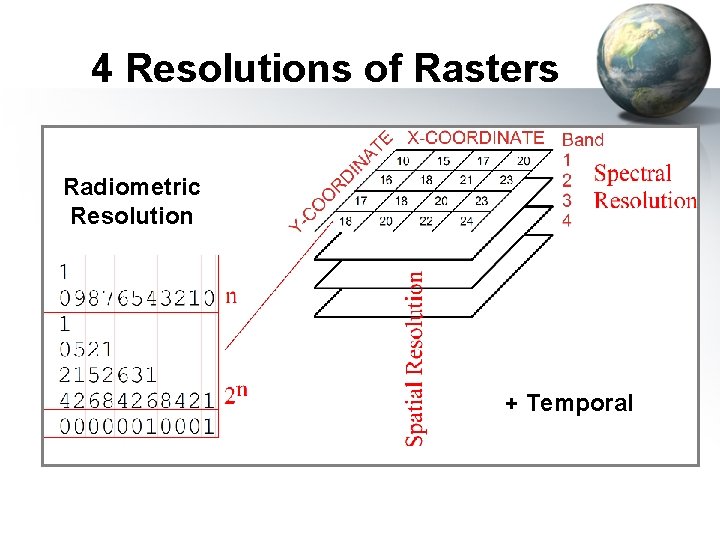
4 Resolutions of Rasters • Spatial: – X and Y resolution (10 cm to 1 km) • Spectral: – 3 for photos, 7 Landsat, 256 MODIS • Temporal: – Daily for MODIS, 15 days for Landsat, every few years for SRTM • Radiometric: – 8 bits=0 to 255 (256 shades)
4 Resolutions of Rasters Radiometric Resolution + Temporal
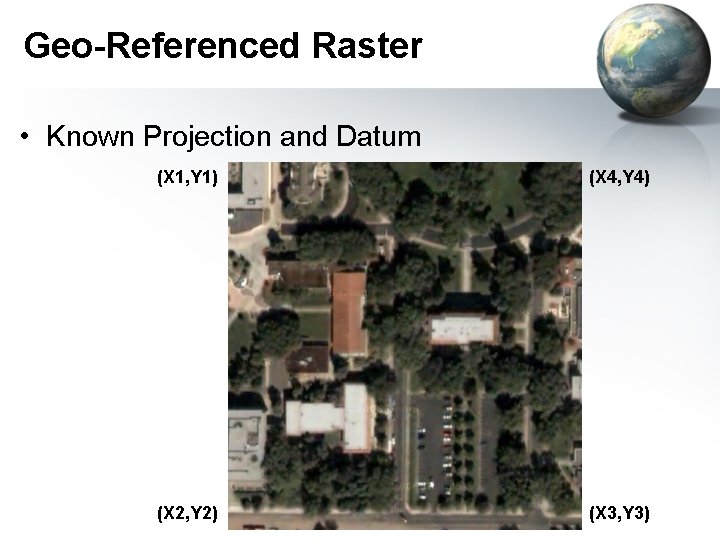
Geo-Referenced Raster • Known Projection and Datum (X 1, Y 1) (X 4, Y 4) (X 2, Y 2) (X 3, Y 3)
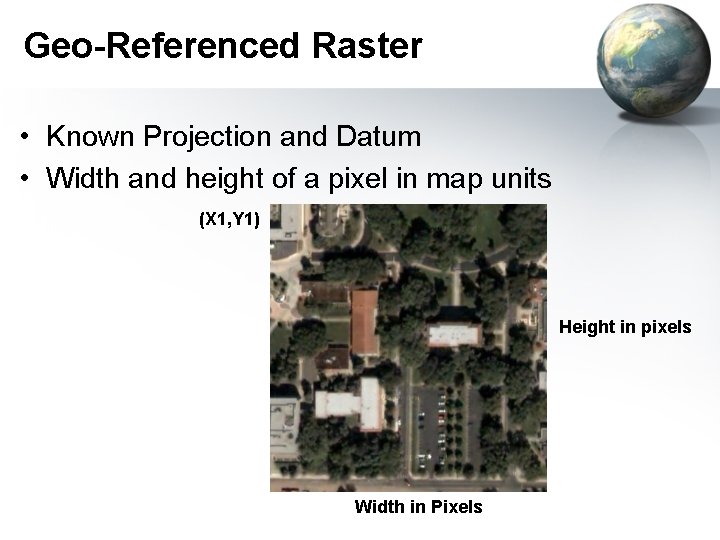
Geo-Referenced Raster • Known Projection and Datum • Width and height of a pixel in map units (X 1, Y 1) Height in pixels Width in Pixels
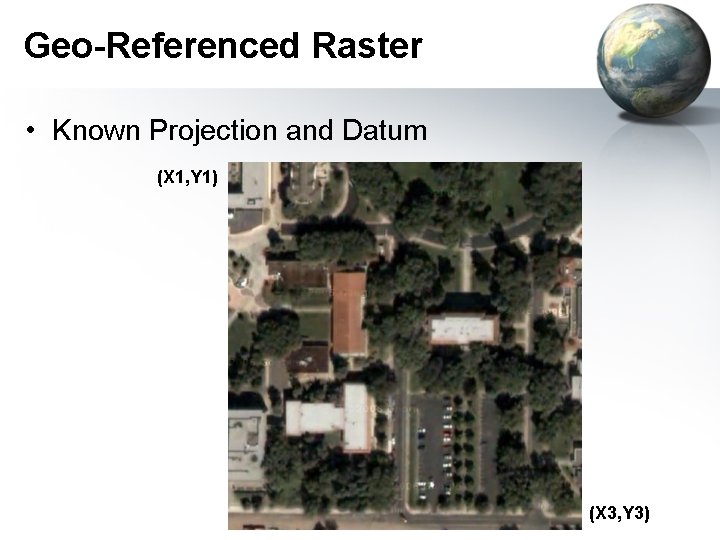
Geo-Referenced Raster • Known Projection and Datum (X 1, Y 1) (X 3, Y 3)
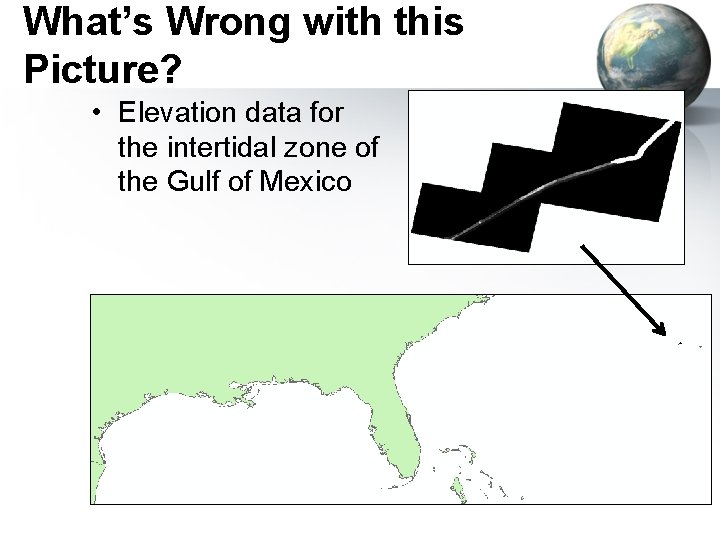
What’s Wrong with this Picture? • Elevation data for the intertidal zone of the Gulf of Mexico
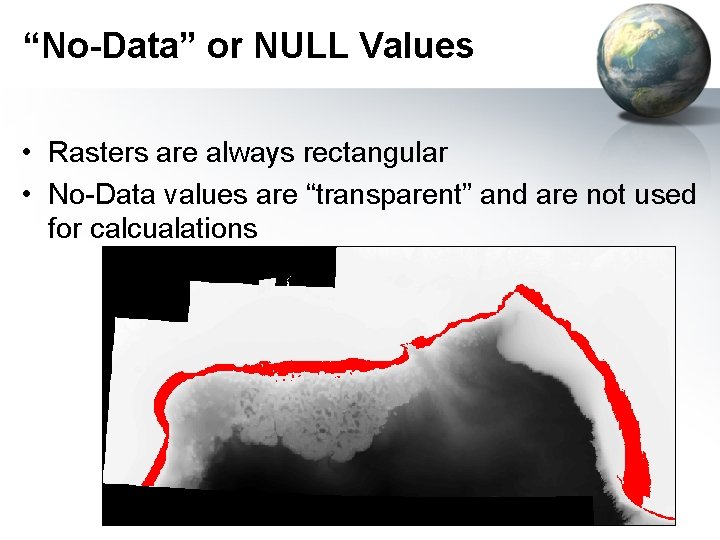
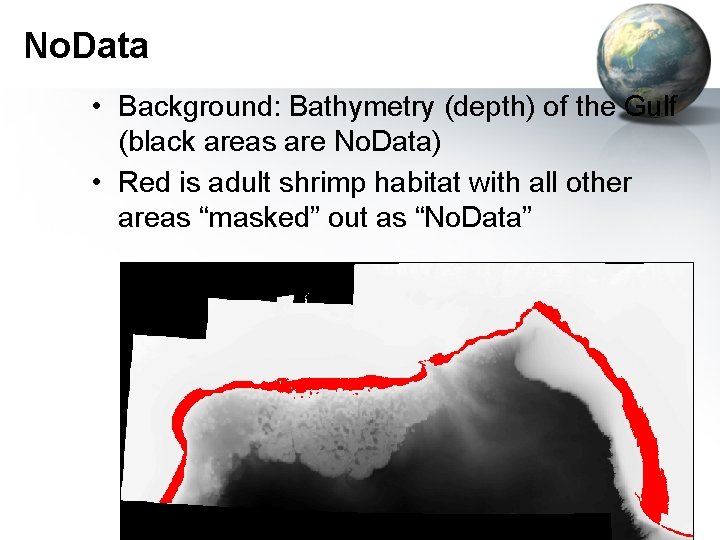
“No-Data” or NULL Values • Rasters are always rectangular • No-Data values are “transparent” and are not used for calcualations
No. Data • Background: Bathymetry (depth) of the Gulf (black areas are No. Data) • Red is adult shrimp habitat with all other areas “masked” out as “No. Data”
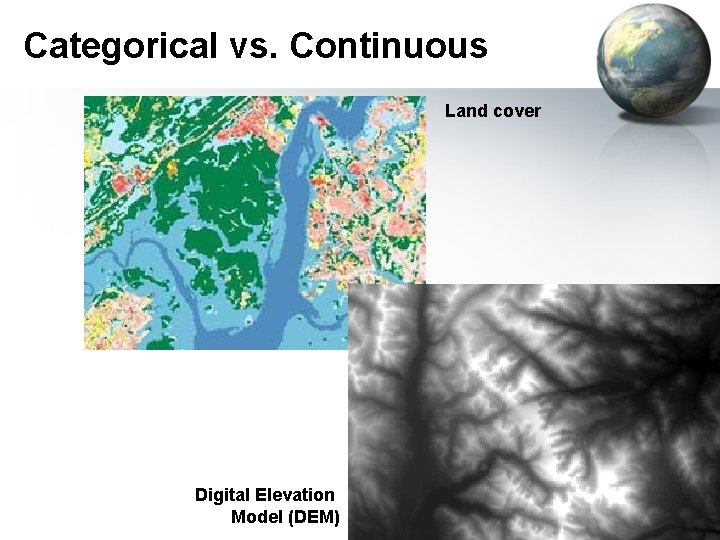
Continuous vs. Categorized • Continuous: – Like photographs – Satellite and aerial photos – Best for analysis • Categorized or discrete – – Land Cover Eco-regions Limited analysis Careful on precision and accuracy
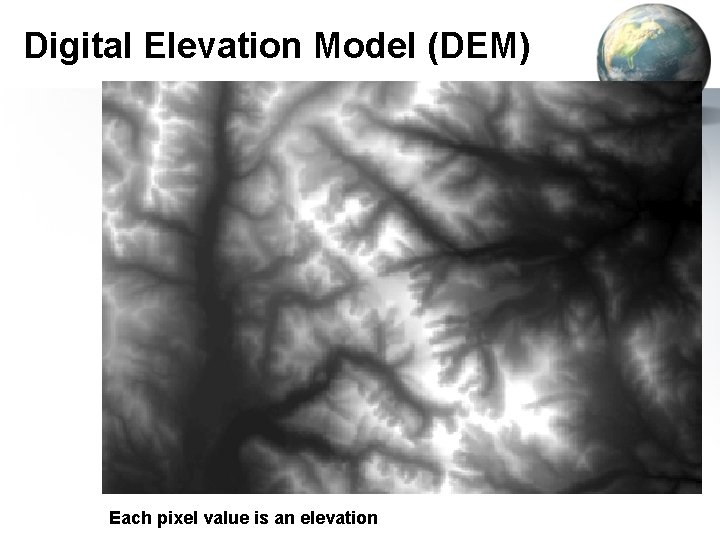
Categorical vs. Continuous Land cover Digital Elevation Model (DEM)
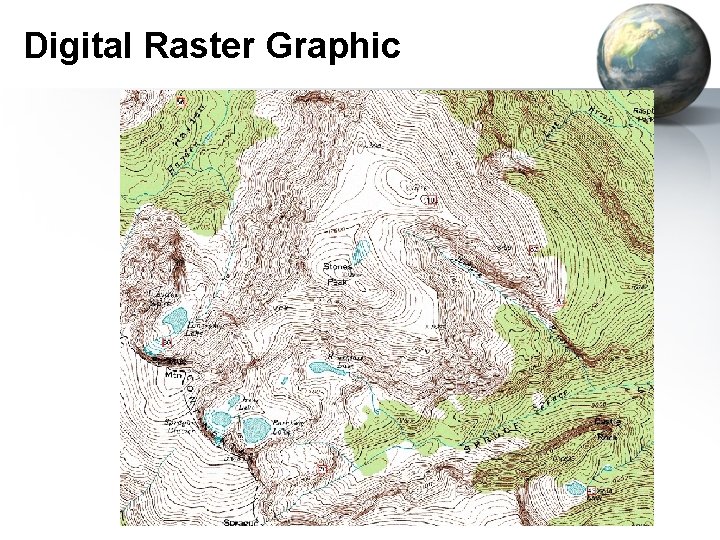
Raster Sources • Scanned – Topos • Remotely Sensed – Aerial Photos – Satellite Photos – Digital Elevation Models (DEM) • Derived Rasters – – Hill shade Slope Aspect Statistical Spatial Analysis
Digital Raster Graphic
Digital Elevation Model (DEM) Each pixel value is an elevation
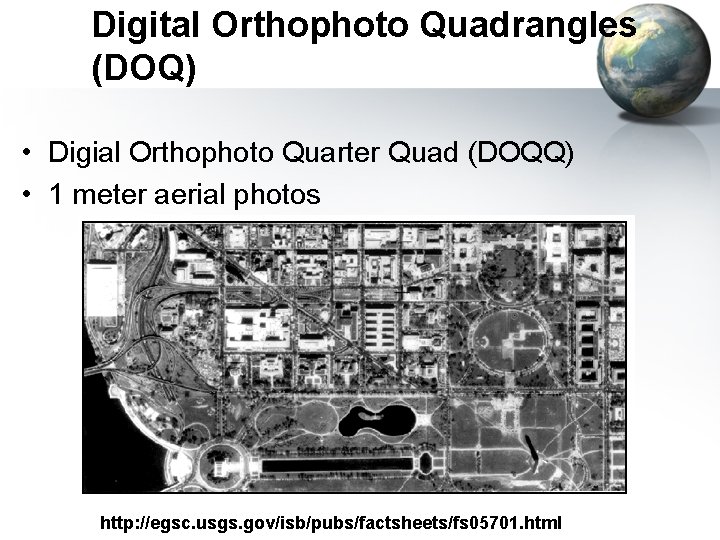
Digital Orthophoto Quadrangles (DOQ) • Digial Orthophoto Quarter Quad (DOQQ) • 1 meter aerial photos http: //egsc. usgs. gov/isb/pubs/factsheets/fs 05701. html
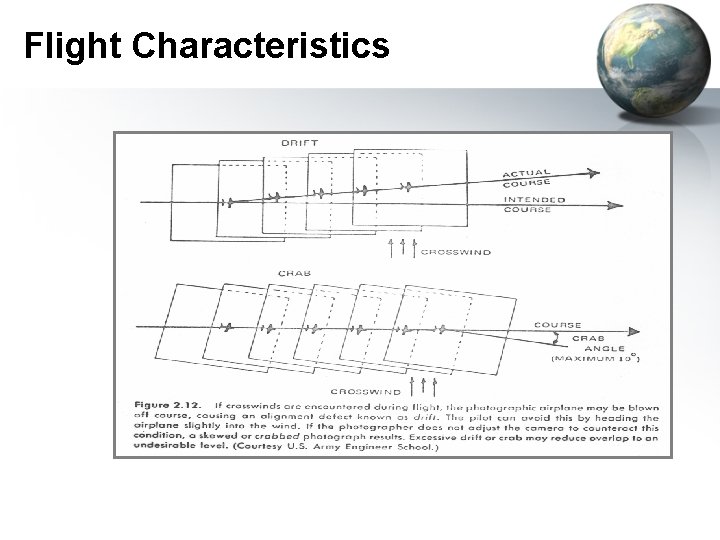
Flight Characteristics
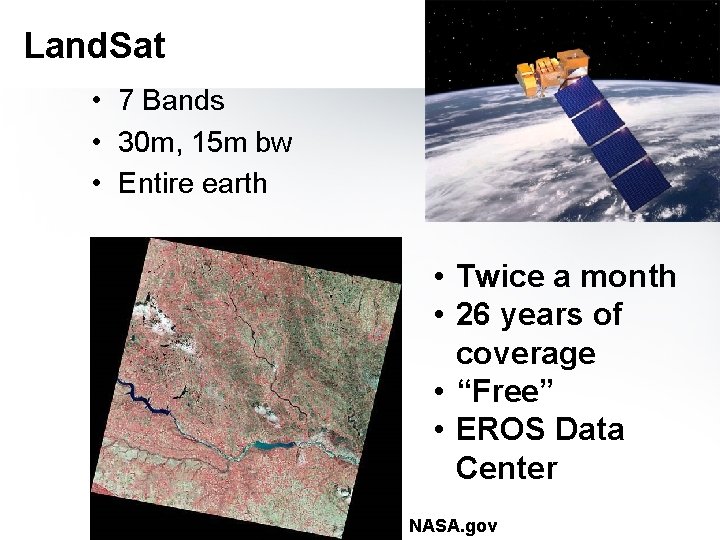
Land. Sat • 7 Bands • 30 m, 15 m bw • Entire earth • Twice a month • 26 years of coverage • “Free” • EROS Data Center NASA. gov
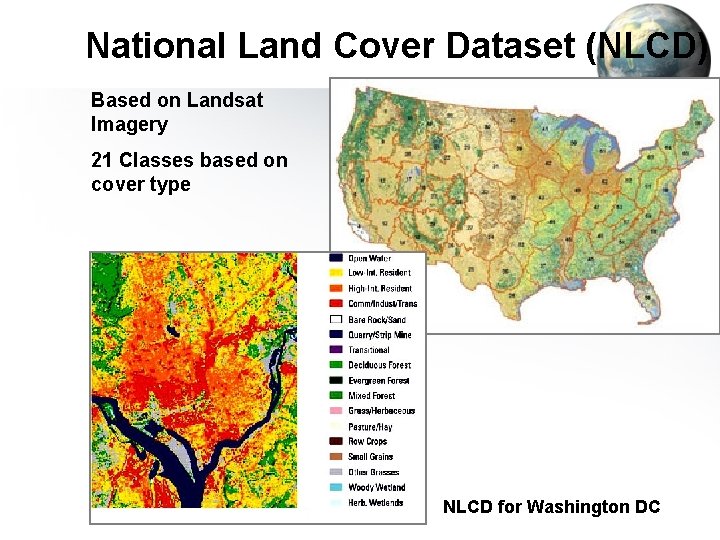
National Land Cover Dataset (NLCD) Based on Landsat Imagery 21 Classes based on cover type NLCD for Washington DC
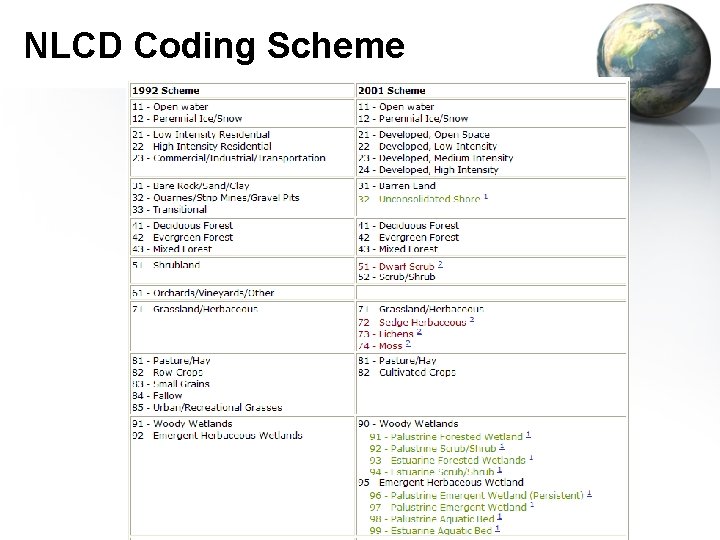
NLCD Coding Scheme
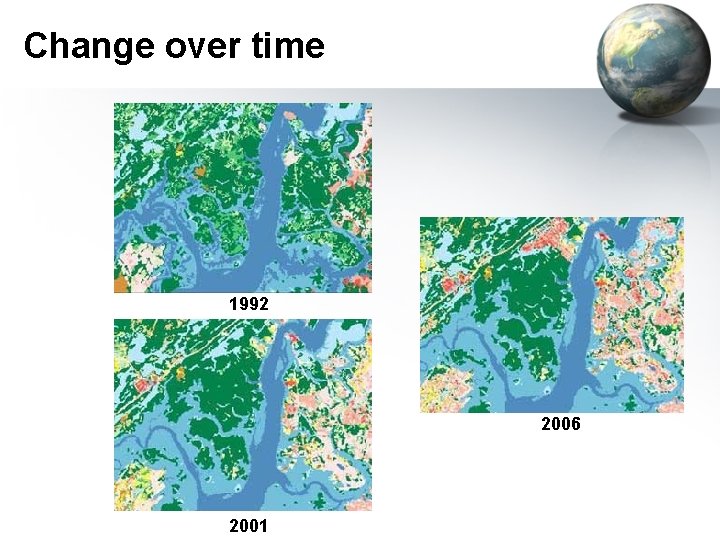
Change over time 1992 2006 2001
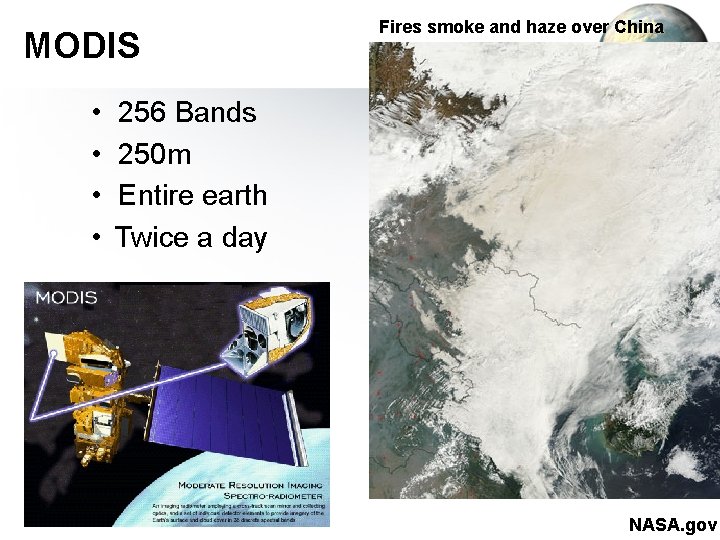
MODIS • • Fires smoke and haze over China 256 Bands 250 m Entire earth Twice a day NASA. gov
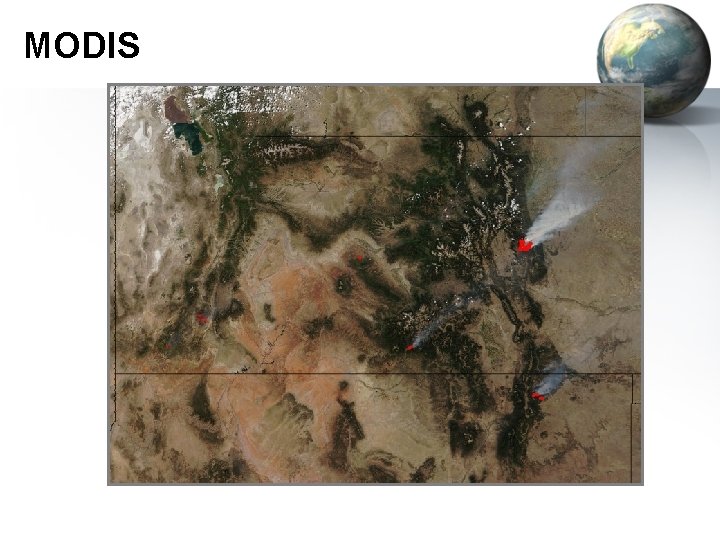
MODIS
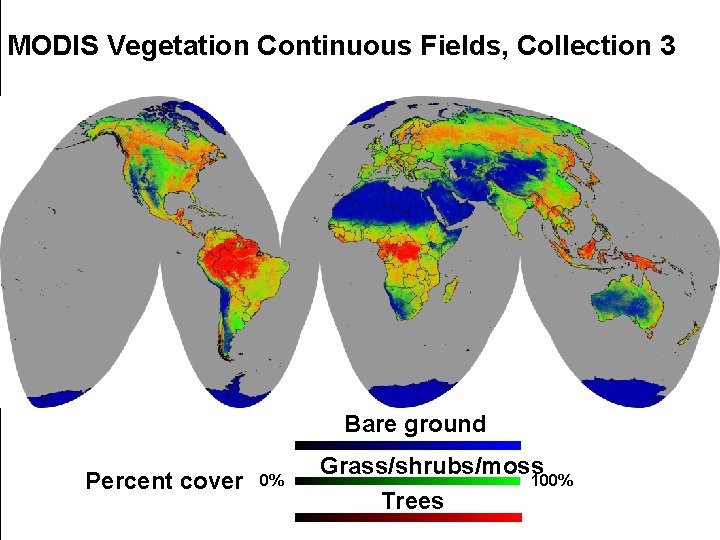
MODIS Vegetation Continuous Fields, Collection 3 Bare ground Percent cover 0% Grass/shrubs/moss 100% Trees
Derived Rasters • • • Land Cover from satellite and aerial Topography: Slope, aspect, hillshade Ecoregions Suitable Habitat Flood plains Geological Regions
Geo. Referenced File Formats • • GRID: ESRI’s format Geo. TIFF: Excellent support Mr. SID: Lizard. Tech IMG: ERDAS ECW: ERMapper BIL, BIP, BSQ: See header “ASCII” or “GRID ASCII” (asc) Lots of others… See: http: //www. gdal. org/formats_list. html http: //webhelp. esri. com/arcgisdesktop/9. 3/index. cfm? topicname=Technical_specifications_for_raster_dataset_
World Files • Contains: – – – X-dimension Pixel size in map units Y-axis rotation X-axis rotation Y- dimension Pixel size in map units (negative) X-coordinate of upper-left pixel Y-coordinate of upper-left pixel • Image file contains width and height • TIFF World File: “. tfw” • JPEG World File: “jfw”
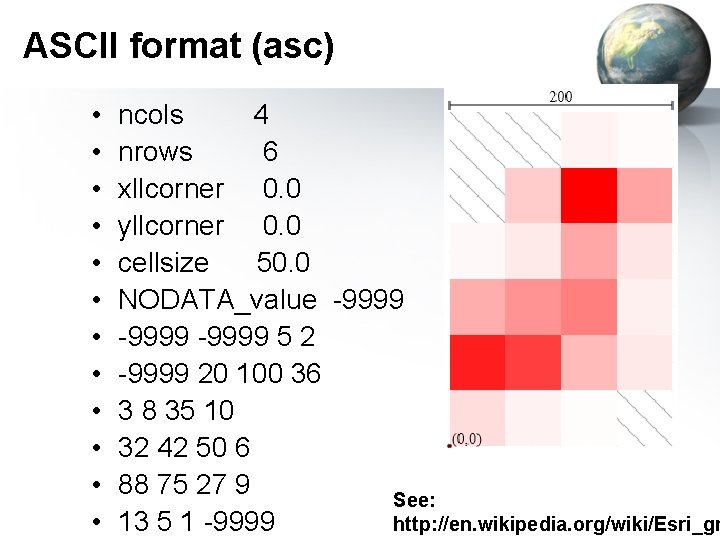
ASCII format (asc) • • • ncols 4 nrows 6 xllcorner 0. 0 yllcorner 0. 0 cellsize 50. 0 NODATA_value -9999 5 2 -9999 20 100 36 3 8 35 10 32 42 50 6 88 75 27 9 See: 13 5 1 -9999 http: //en. wikipedia. org/wiki/Esri_gr
Tagged Image File Format • TIFF • Can be georeferenced (Geo. TIFF) – Can tell in Arc. Catalog or Arc. Map • TIFF w/world file – Also need Projection and Datum (prj? ) • Can be compressed – – Run-length – Categorical data LZW – Categorical data Huffman encoding – Categorical data JPEG- Continuous data (don’t used on Categorical data!)
JPEG • Joint Photographic Experts Group • Widest used photo format • Can be Georeferened with a world file and a “prj” file • JPEG 2000 – Completely new format! – Can be georeferenced – Not really adopted
GRIDS • • ESRI’s native raster format Pyramids Not an exchange format! Lots of files, easy to corrupt by moving part of the files (always use Arc. Catalog to move these) • Being replaced by “IMG” files?
IMG – ERDAS Imagine • Esri’s new default • Internal geo-referencing • Recommended over Grids