
Spatial Analysis in R Points lines polygons raster
- Slides: 8
Spatial Analysis in R Points, lines, polygons, & raster! 06/16/2016 GUND institute for Ecological Economics University of Vermont Insu Koh (ikoh@uvm. edu)
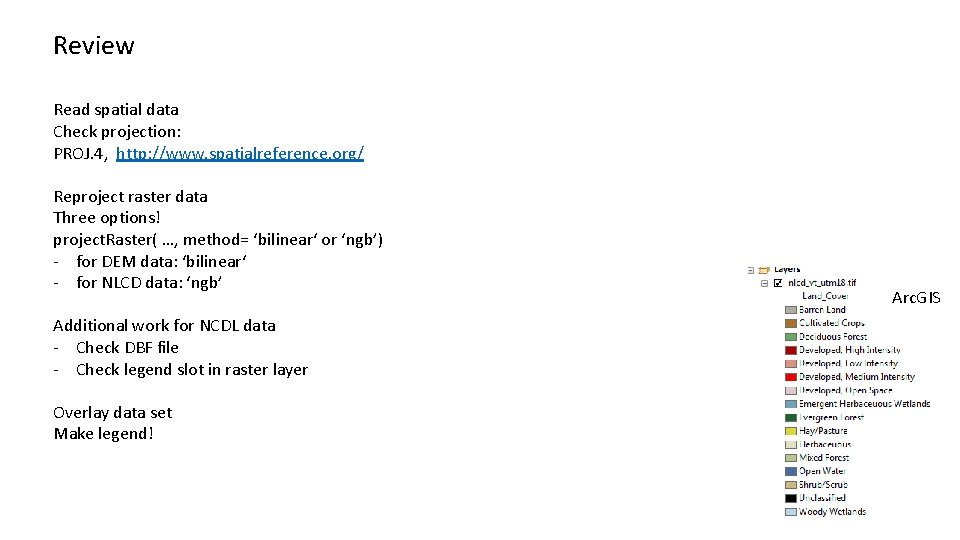
Review Read spatial data Check projection: PROJ. 4, http: //www. spatialreference. org/ Reproject raster data Three options! project. Raster( …, method= ‘bilinear‘ or ‘ngb’) - for DEM data: ‘bilinear‘ - for NLCD data: ‘ngb’ Additional work for NCDL data - Check DBF file - Check legend slot in raster layer Overlay data set Make legend! Arc. GIS
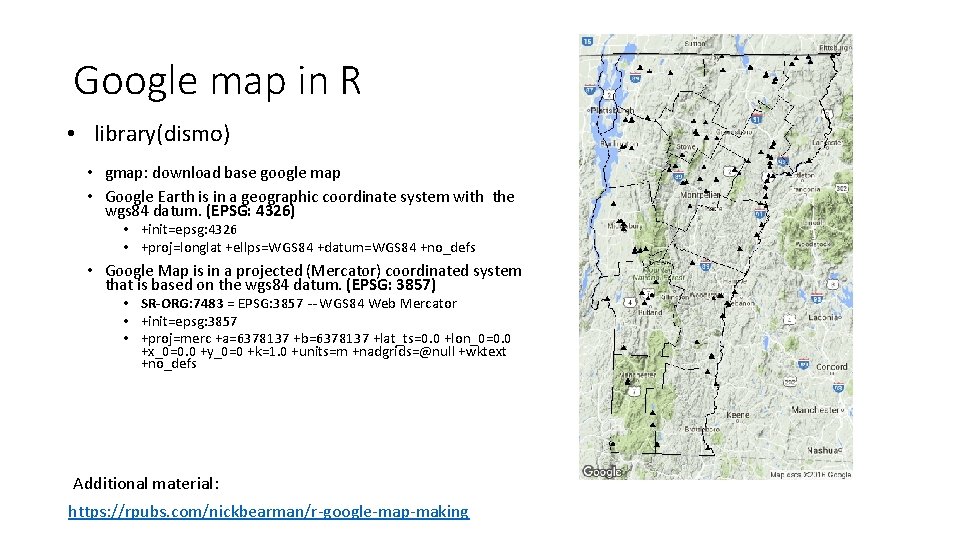
Google map in R • library(dismo) • gmap: download base google map • Google Earth is in a geographic coordinate system with the wgs 84 datum. (EPSG: 4326) • +init=epsg: 4326 • +proj=longlat +ellps=WGS 84 +datum=WGS 84 +no_defs • Google Map is in a projected (Mercator) coordinated system that is based on the wgs 84 datum. (EPSG: 3857) • SR-ORG: 7483 = EPSG: 3857 -- WGS 84 Web Mercator • +init=epsg: 3857 • +proj=merc +a=6378137 +b=6378137 +lat_ts=0. 0 +lon_0=0. 0 +x_0=0. 0 +y_0=0 +k=1. 0 +units=m +nadgrids=@null +wktext +no_defs Additional material: https: //rpubs. com/nickbearman/r-google-map-making
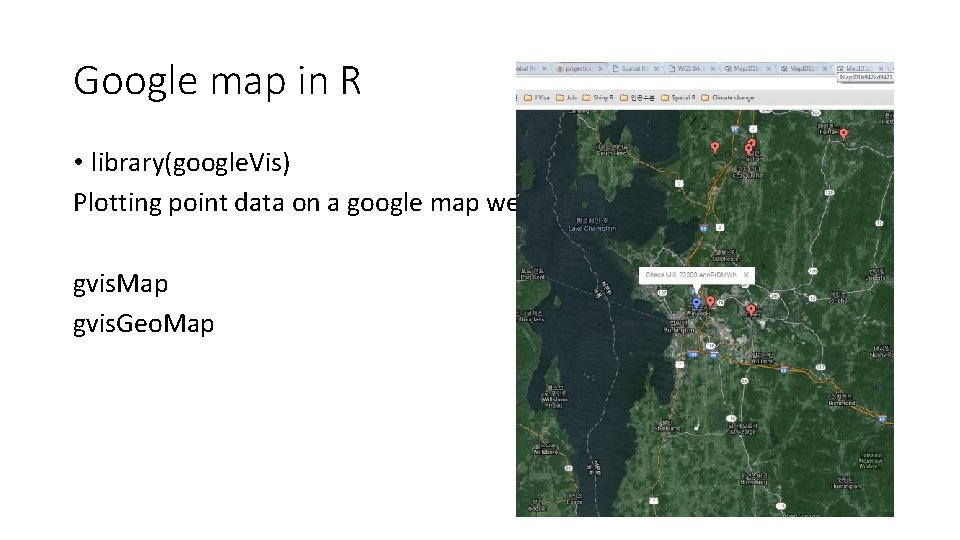
Google map in R • library(google. Vis) Plotting point data on a google map web gvis. Map gvis. Geo. Map
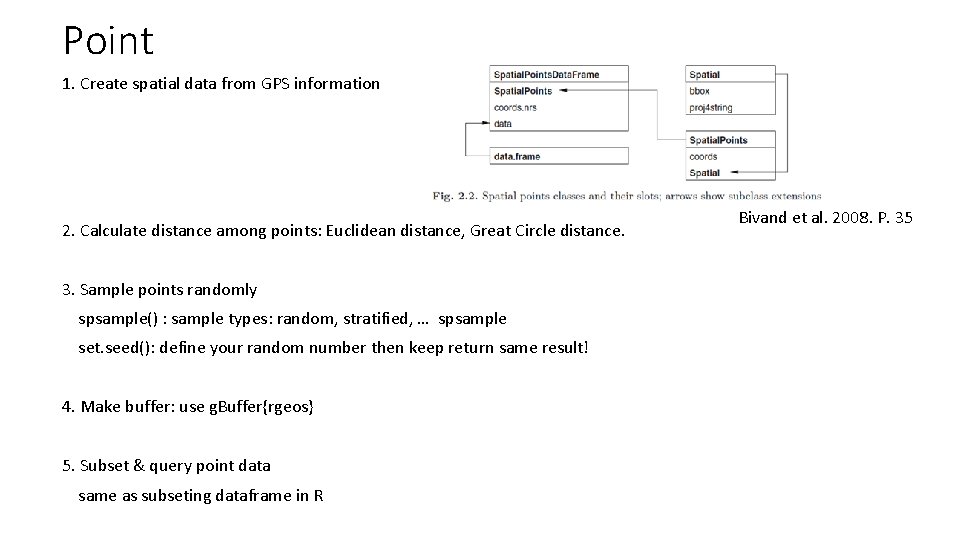
Point 1. Create spatial data from GPS information 2. Calculate distance among points: Euclidean distance, Great Circle distance. 3. Sample points randomly spsample() : sample types: random, stratified, … spsample set. seed(): define your random number then keep return same result! 4. Make buffer: use g. Buffer{rgeos} 5. Subset & query point data same as subseting dataframe in R Bivand et al. 2008. P. 35
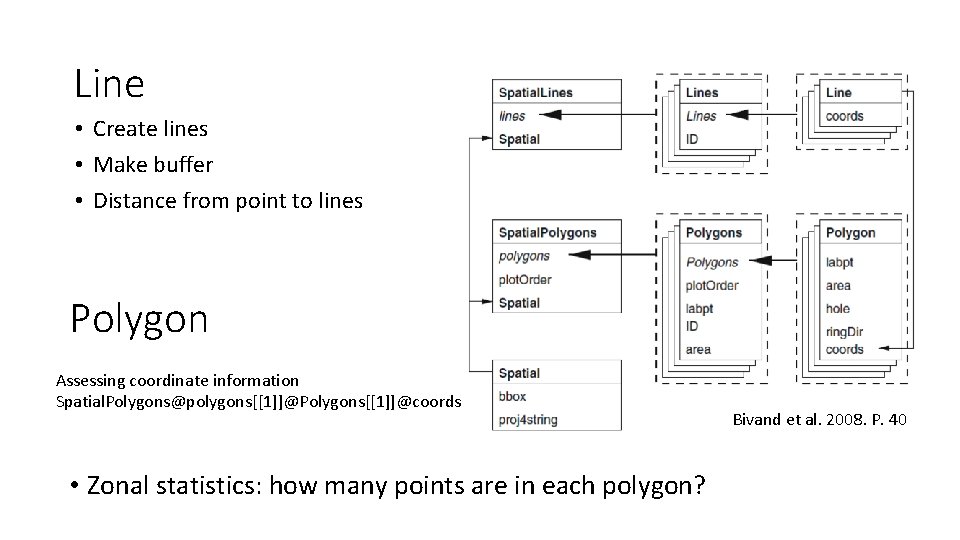
Line • Create lines • Make buffer • Distance from point to lines Polygon Assessing coordinate information Spatial. Polygons@polygons[[1]]@Polygons[[1]]@coords • Zonal statistics: how many points are in each polygon? Bivand et al. 2008. P. 40
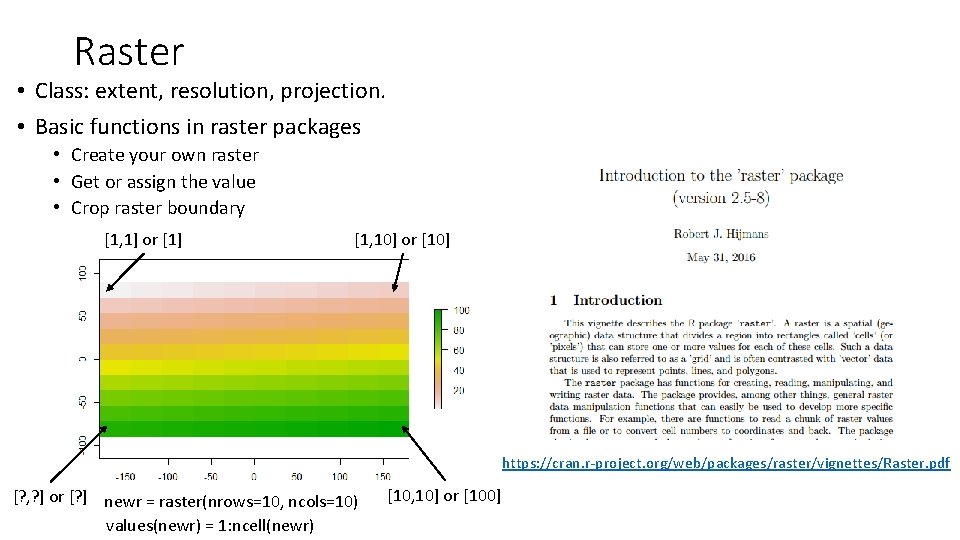
Raster • Class: extent, resolution, projection. • Basic functions in raster packages • Create your own raster • Get or assign the value • Crop raster boundary [1, 1] or [1] [1, 10] or [10] https: //cran. r-project. org/web/packages/raster/vignettes/Raster. pdf [? , ? ] or [? ] newr = raster(nrows=10, ncols=10) values(newr) = 1: ncell(newr) [10, 10] or [100]
Raster • Raster. Stack and the Raster. Brick • The principal difference between these two classes is that a Raster. Brick can only be linked to a single (multi-layer) file. In contrast, a Raster. Stack can be formed from separate files and/or from a few layers (’bands’) from a single file. • Raster algebra • Math • Aggregation/moving window • Overlay • Reclassification. • Zonal statistic