
SOTL Workshop Data collection analysis and dissemination Brad
SOTL Workshop Data collection, analysis, and dissemination Brad Wuetherick, GMCTE Krista Trinder, College of Medicine
Outline Data Collection ◦ Reminder about key issues discussed in previously Data Analysis ◦ Explore data analysis tools, and key issues to remember when analyzing SOTL data Dissemination ◦ Explore where and what to disseminate, and what to look out for Poster Tips ◦ Discuss what makes a good poster (and not so good poster)
Data Collection Prior to data collection ◦ Decide on your instruments and pilot test ◦ Try to use previously validated instruments when possible. ◦ When creating your own tools, have them reviewed by judges for clarity, content, etc.
Data Collection How many participants do you need? ◦ Sample size depends on the type of research and intended analyses. ◦ Quantitative methods should have a sample size of at least 30. ◦ Some analyses require sample sizes >100. ◦ Qualitative methods often need fewer participants.
Data Collection G*Power can help you estimate how large your sample needs to be to find a statistically significant result. ◦ ◦ ◦ Need to know your statistical test Effect size (d =. 2 is small, . 5 = medium, . 8 = large) Probability of error (0. 05) Power (. 80) Allocation ratio (whether groups are equal) ◦ http: //www. psycho. uni-duesseldorf. de/abteilungen/aap/gpower 3/
Data Collection Online vs. Paper/pencil Online Pros ◦ ◦ ◦ Ability to reach more participants Can be completed at participants’ convenience Greater sense of anonymity Less paper! Saves time – can upload results into Excel/SPSS Reduces data entry errors Online Cons ◦ Lower response rate ◦ Perceived privacy issues
Data Collection U of S Survey Tool The U of S offers a free survey tool that is very flexible and customizable – this survey works very well for small groups on campus (using an NSID login/password) http: //www. usask. ca/its/services/websurvey_t ool/create. php �
Data Collection Survey Monkey ◦ Free basic version Up to 10 questions per survey 100 responses per survey More limited options ◦ Professional version Many survey options Unlimited questions per survey Unlimited responses per survey $225/year – monthly rates of $25 available
Data Collection Hiring/Training a Research Assistant (undergrad or grad) Some key issues: ◦ Hiring a student from your discipline Pros: vested interest in the discipline, know the culture of the discipline, often known to the researcher Cons: may be new to this type of research, need training/support on methods/analysis ◦ Hiring a student from education/social sciences Pros: often know the research methods being used which can speed up project, can be a resource to researchers new to this area Cons: usually less connected to specific disciplines, usually new to the researchers (which may make them harder to find)
Data Analysis Quantitative Programs ◦ ◦ SPSS (PASW) Excel SAS R Qualitative Programs ◦ NVivo ◦ ATLAS ti
Data Analysis ITS offers training sessions in several data analysis programs SPSS Nvivo Excel ◦ January 18 & 20 ◦ January 18 & 25 ◦ By demand
Data Analysis Data screening Check that data set is accurate and complete ◦ RAs should code data as soon as possible ◦ Check for errors in coding Have 2 nd RA code some data independently to identify discrepancies. ◦ Make sure missing data is actually missing Go to raw data ◦ Run frequency counts for all variables to identify out of range responses
Data Analysis Missing data and outliers ◦ There are several options for dealing with missing data or with outliers. ◦ Options can be rather technical ◦ Please contact us or a statistician if you have any questions about your data.
Data Analysis Good to know your analyses before collecting data See handout Don’t fall into the following traps ◦ Quantitative – data mining ◦ Qualitative – finding what you want to find while ignoring other data
Dissemination There are three main ways to disseminate: ◦ Publications ◦ Conferences ◦ Public Talks (or College/Department Committees, institutional symposia, GMCTE presentations, etc. ) Publications: ◦ Discipline-specific Education journals ◦ General Higher Education ◦ General Education (often themed – ie. technology, international, etc. ) ◦ Monographs/Edited Volumes
Dissemination Conferences: ◦ Discipline-specific conferences ◦ Higher Education Teaching and Learning Conferences Practice-oriented SOTL-oriented Research-oriented Key things to remember: ◦ What type of audience? What type of session (concurrent session, roundtable, workshop, poster)? What are the conferences expectations (interactive, conference proceedings, etc. )?
Poster Design Can use Power. Point, Adobe Illustrator, or Adobe In. Design ITS offers training sessions: ◦ Power. Point – January 27 ◦ Illustrator – by demand ◦ In. Design – February 16
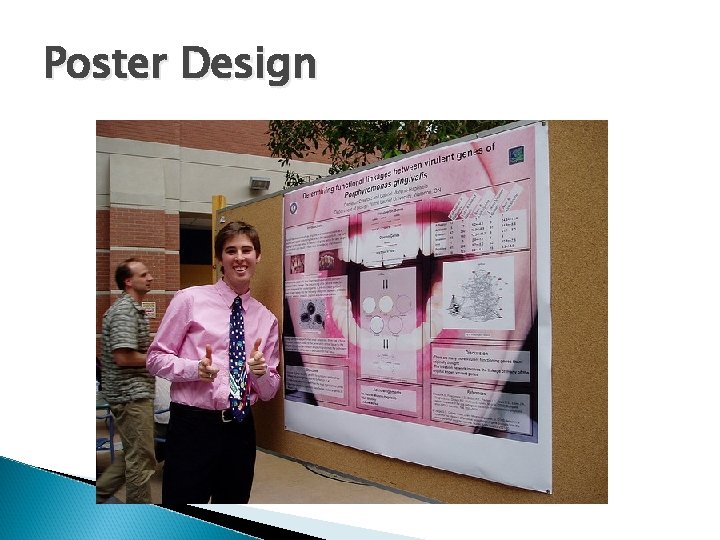
Poster Design Attract attention ◦ Draw people to your poster ◦ Should be able to review in less than 10 minutes Simple and uncluttered ◦ Don’t use too much text; at least a 24 pt serif font ◦ Summarize key points ◦ You can explain the rest Light background and dark font Use charts and images where appropriate
Poster Design General sections to include (may vary slightly by conference) ◦ ◦ ◦ ◦ Title Introduction Materials and methods Results Conclusions Literature cited Acknowledgments See: http: //www. swarthmore. edu/Nat. Sci/cpurrin 1/posteradvice. htm
Poster Design
Thank you!
- Slides: 21