
Sophos New Endpoint Protection Features and New Server

- Slides: 13
Sophos “New Endpoint Protection Features” and “New Server Protection Features” Early Access Program
Summary • The “New Endpoint Protection Features” and “New Server Protection Features” Early Access Programs are adding AMSI Protection and Malicious Network Traffic Prevention (IPS) to Windows endpoints and servers • Existing Central customers looking to trial these capabilities must join one or both Early Access Programs to access these features • New customers can start a new Sophos Central trial where Intercept X Advanced with EDR, including AMSI Protection and Malicious Network Traffic Prevention, will be provided as part of that trial • Three activities are required to join early access program 1. 2. 3. Prepare devices Enter the Early Access Program(s) in Sophos Central Manage Devices and Confirm deployment • This deck provides assistance to undertake these activities 2
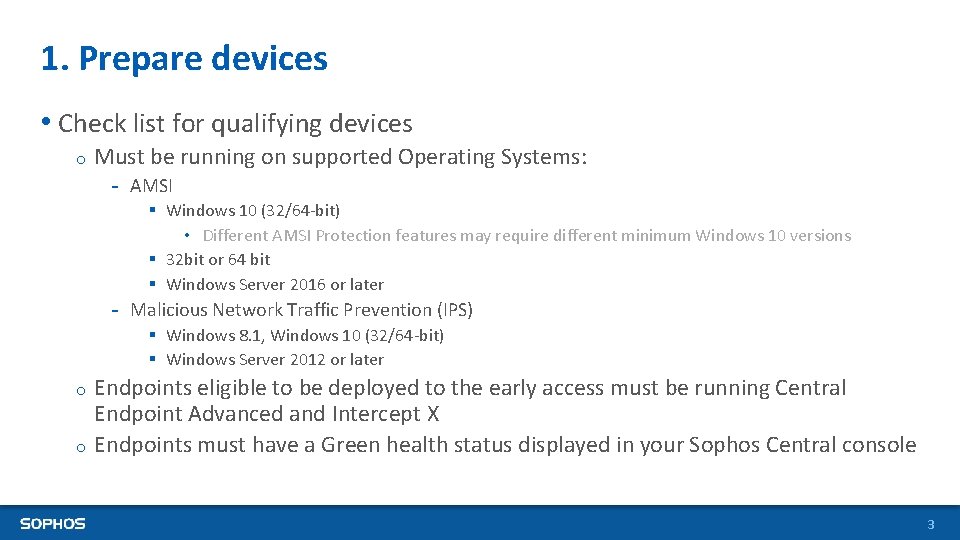
1. Prepare devices • Check list for qualifying devices o Must be running on supported Operating Systems: - AMSI § Windows 10 (32/64 -bit) • Different AMSI Protection features may require different minimum Windows 10 versions § 32 bit or 64 bit § Windows Server 2016 or later - Malicious Network Traffic Prevention (IPS) § Windows 8. 1, Windows 10 (32/64 -bit) § Windows Server 2012 or later Endpoints eligible to be deployed to the early access must be running Central Endpoint Advanced and Intercept X o Endpoints must have a Green health status displayed in your Sophos Central console o 3
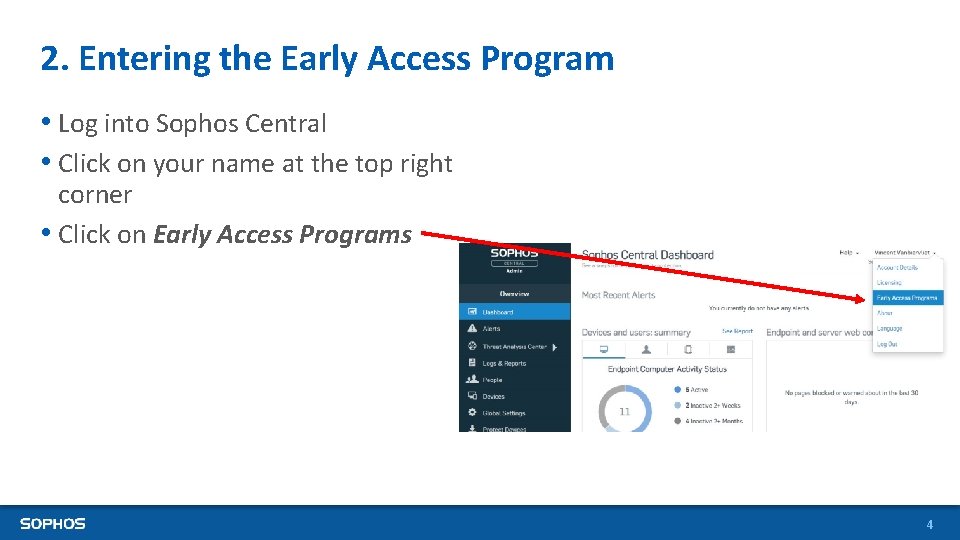
2. Entering the Early Access Program • Log into Sophos Central • Click on your name at the top right corner • Click on Early Access Programs 4
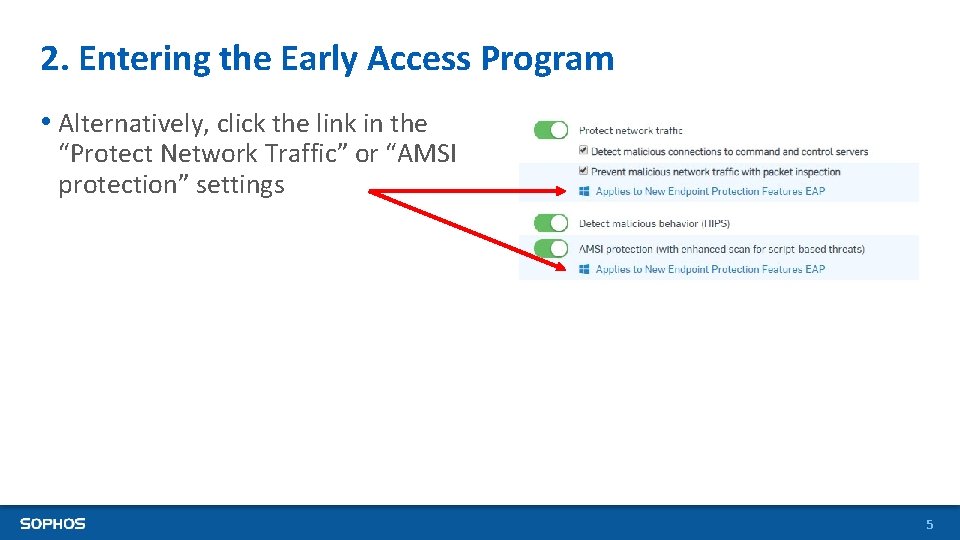
2. Entering the Early Access Program • Alternatively, click the link in the “Protect Network Traffic” or “AMSI protection” settings 5
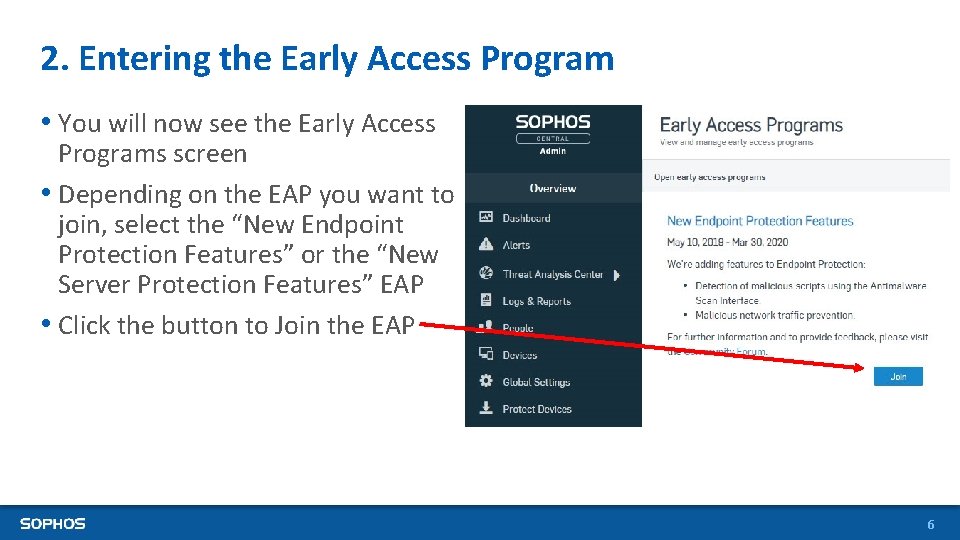
2. Entering the Early Access Program • You will now see the Early Access Programs screen • Depending on the EAP you want to join, select the “New Endpoint Protection Features” or the “New Server Protection Features” EAP • Click the button to Join the EAP 6
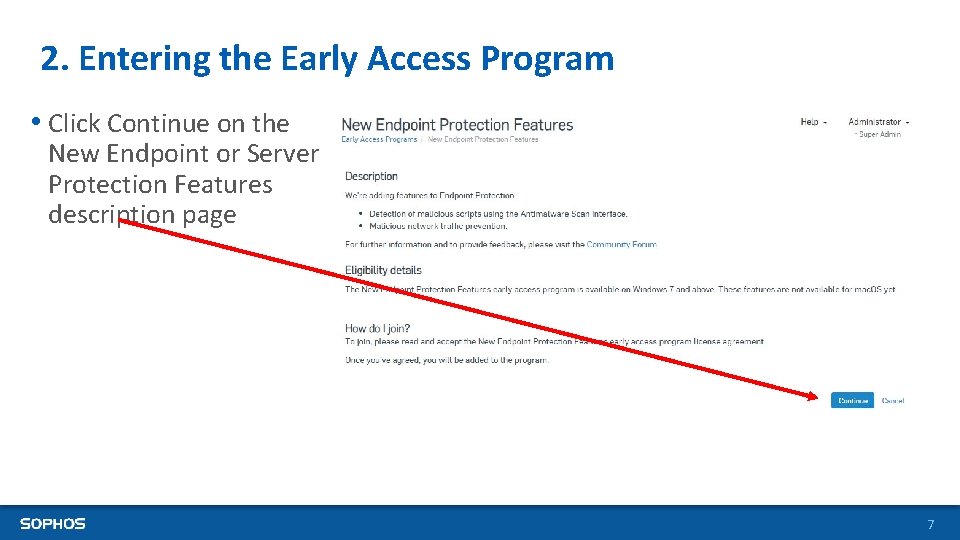
2. Entering the Early Access Program • Click Continue on the New Endpoint or Server Protection Features description page 7
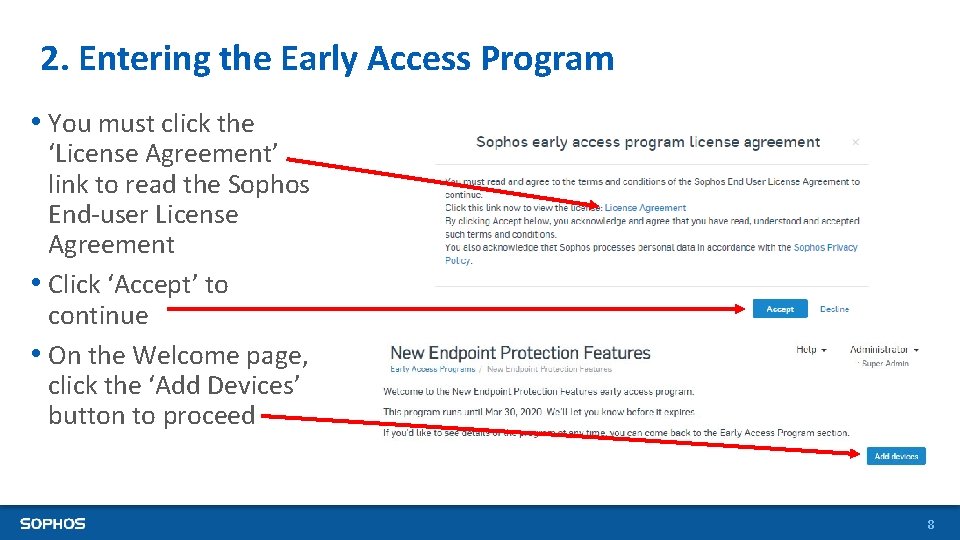
2. Entering the Early Access Program • You must click the ‘License Agreement’ link to read the Sophos End-user License Agreement • Click ‘Accept’ to continue • On the Welcome page, click the ‘Add Devices’ button to proceed 8
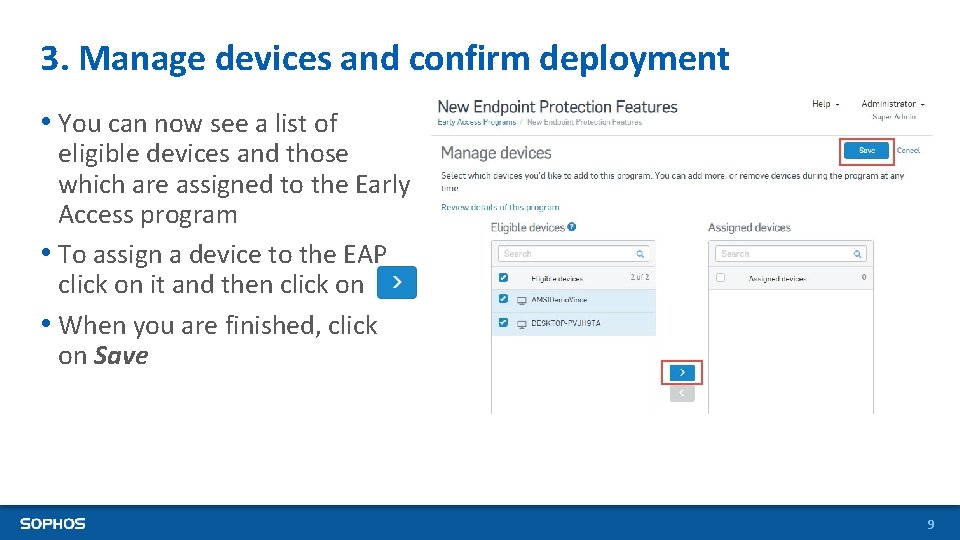
3. Manage devices and confirm deployment • You can now see a list of eligible devices and those which are assigned to the Early Access program • To assign a device to the EAP click on it and then click on • When you are finished, click on Save 9
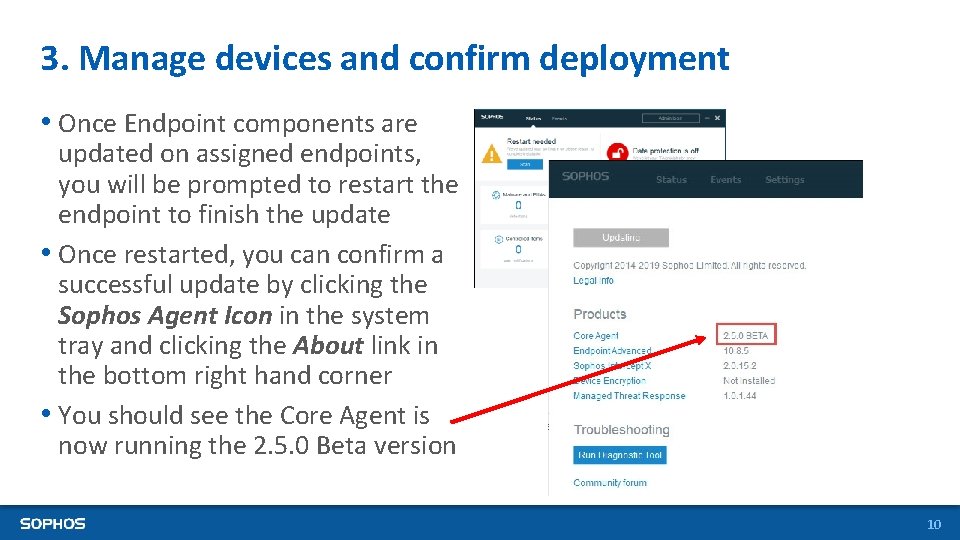
3. Manage devices and confirm deployment • Once Endpoint components are updated on assigned endpoints, you will be prompted to restart the endpoint to finish the update • Once restarted, you can confirm a successful update by clicking the Sophos Agent Icon in the system tray and clicking the About link in the bottom right hand corner • You should see the Core Agent is now running the 2. 5. 0 Beta version 10
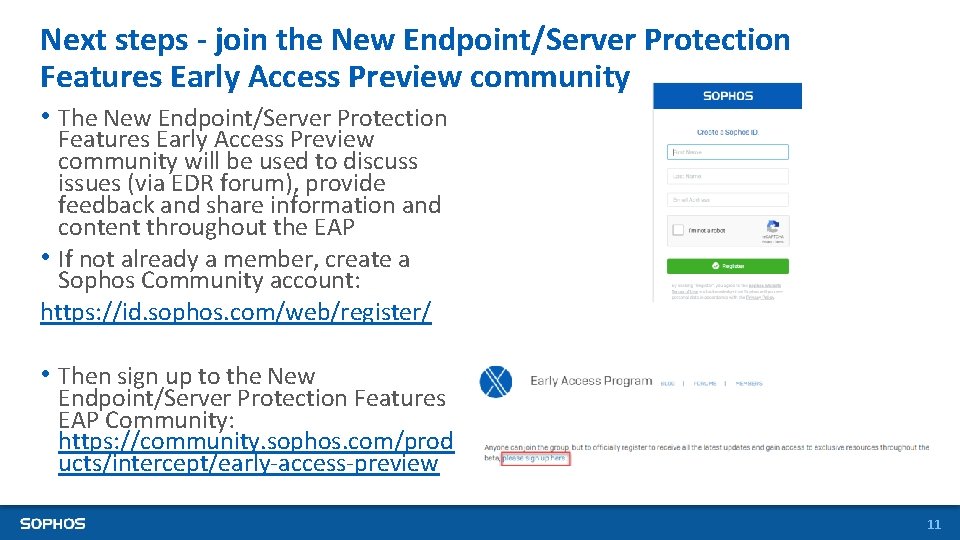
Next steps - join the New Endpoint/Server Protection Features Early Access Preview community • The New Endpoint/Server Protection Features Early Access Preview community will be used to discuss issues (via EDR forum), provide feedback and share information and content throughout the EAP • If not already a member, create a Sophos Community account: https: //id. sophos. com/web/register/ • Then sign up to the New Endpoint/Server Protection Features EAP Community: https: //community. sophos. com/prod ucts/intercept/early-access-preview 11
Need to provide feedback now? • Via the Intercept X EAP community: https: //community. sophos. com/products/intercept/early-access-preview 12
13