
Sophos New Endpoint Protection and EDR Features and

- Slides: 12
Sophos “New Endpoint Protection and EDR Features” and “New Server Protection and EDR Features” Early Access Program
Summary • The “New Endpoint Protection and EDR Features” and “New Server Protection and EDR Features” Early Access • • • Programs allow customers to test the latest and greatest endpoint features and functionality as they are being developed by Sophos. Existing Central customers looking to trial these capabilities must join one or both Early Access Programs to access these features Unless otherwise stated new features will only be available to devices enrolled in the Early Access program New customers can start a new Sophos Central Endpoint or Server trial and then enrol into the Early Access Program(s) for those products to get access to features in EAP The latest features available to the Early Access Program can be found in the Sophos Community Blog Post here Three activities are required to join early access program 1. 2. 3. Prepare devices Enter the Early Access Program(s) in Sophos Central Manage Devices and Confirm deployment • This deck provides assistance to undertake these activities Note: Use of all features and functionalities provided under the Early Access Program is subject to the Sophos End User License Agreement 2
1. Prepare devices • Check list for qualifying devices Devices eligible to be deployed to the early access program must be running the Central Endpoint or Server software. o Devices should have a Green health status displayed in your Sophos Central console o 3
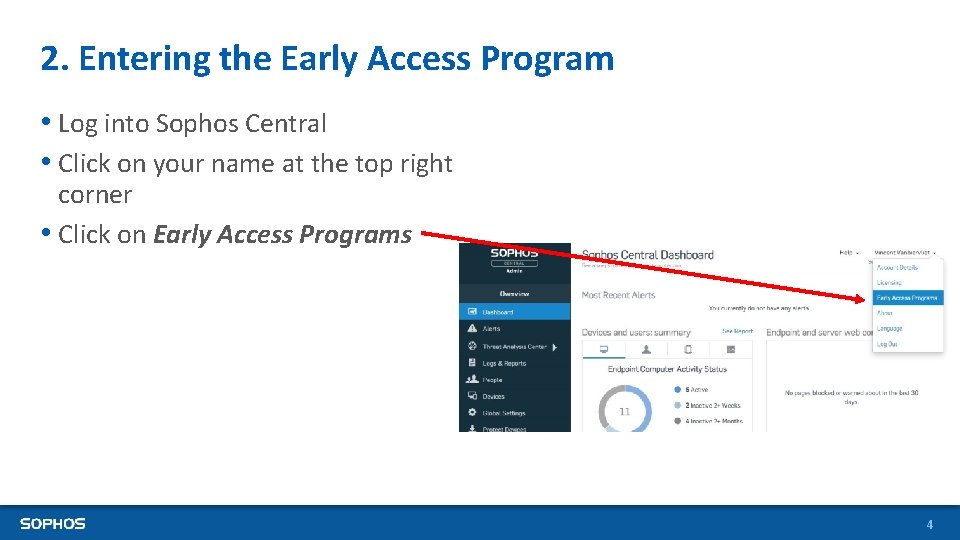
2. Entering the Early Access Program • Log into Sophos Central • Click on your name at the top right corner • Click on Early Access Programs 4
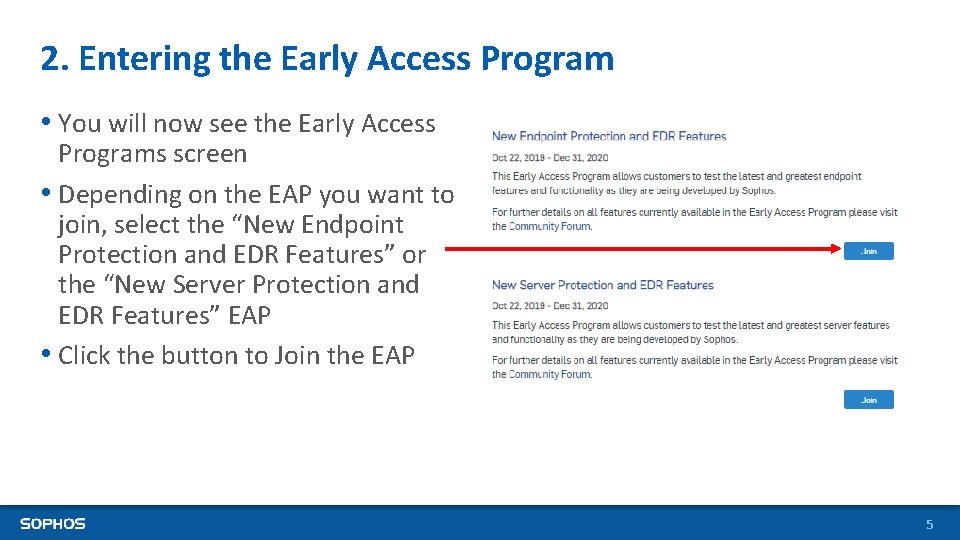
2. Entering the Early Access Program • You will now see the Early Access Programs screen • Depending on the EAP you want to join, select the “New Endpoint Protection and EDR Features” or the “New Server Protection and EDR Features” EAP • Click the button to Join the EAP 5
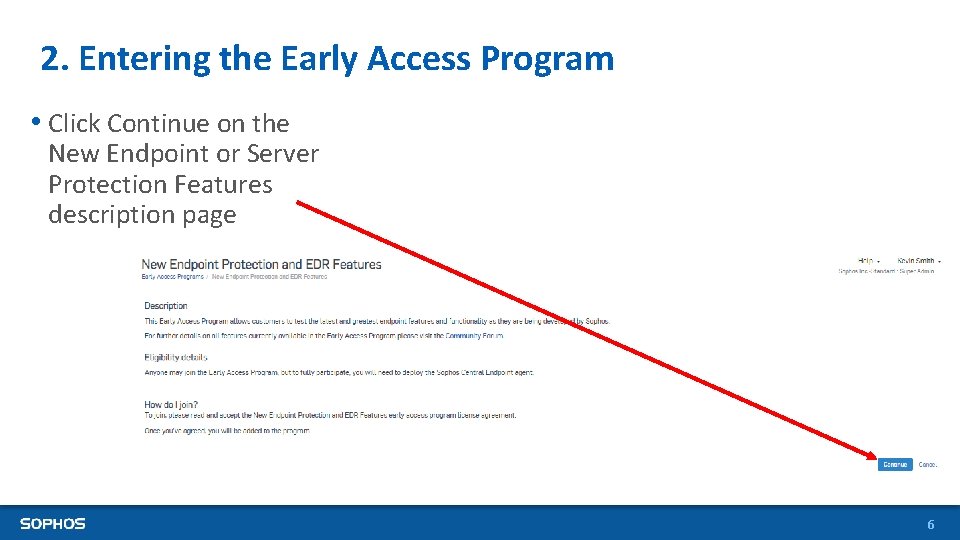
2. Entering the Early Access Program • Click Continue on the New Endpoint or Server Protection Features description page 6
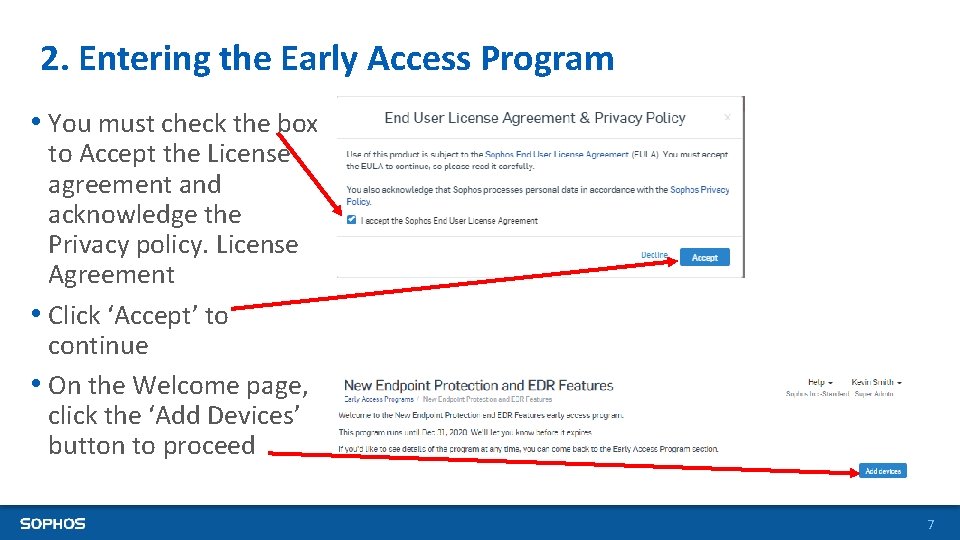
2. Entering the Early Access Program • You must check the box to Accept the License agreement and acknowledge the Privacy policy. License Agreement • Click ‘Accept’ to continue • On the Welcome page, click the ‘Add Devices’ button to proceed 7
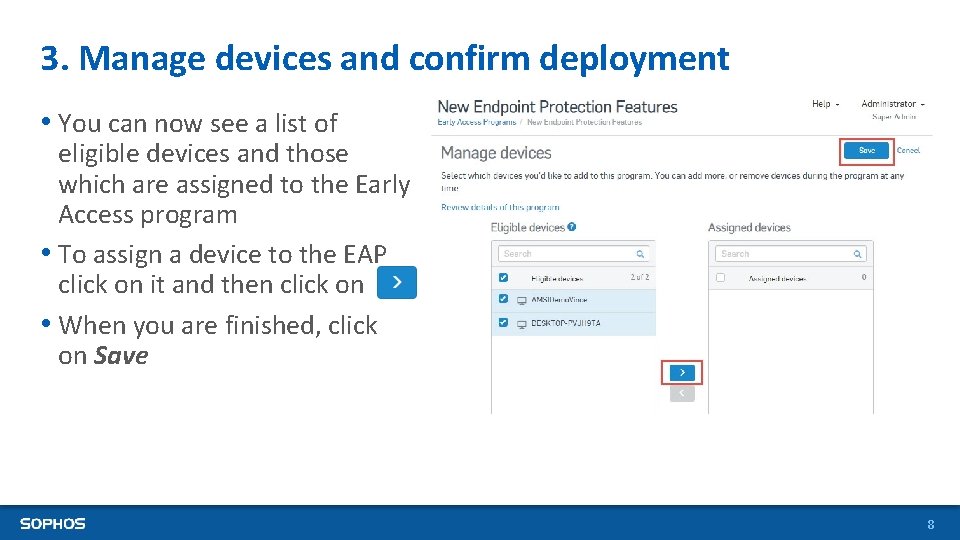
3. Manage devices and confirm deployment • You can now see a list of eligible devices and those which are assigned to the Early Access program • To assign a device to the EAP click on it and then click on • When you are finished, click on Save 8
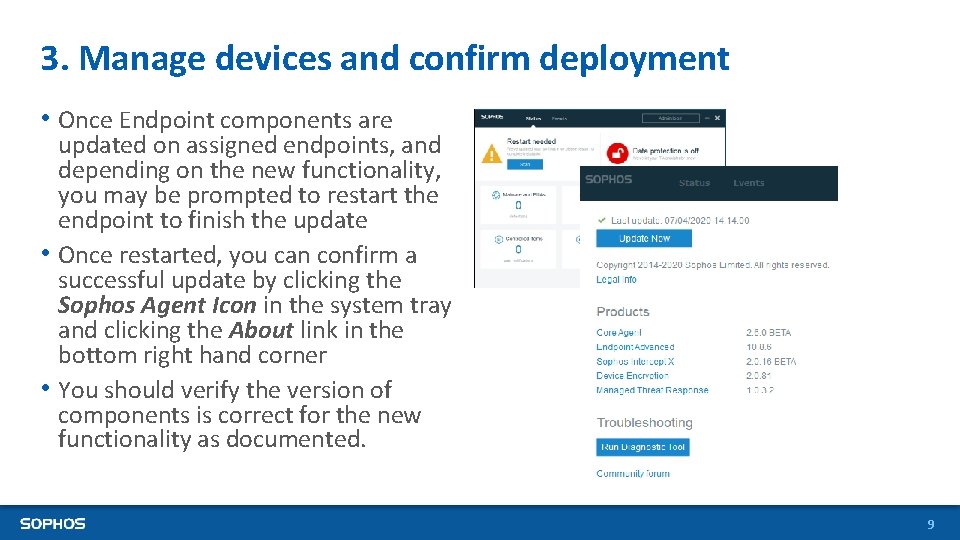
3. Manage devices and confirm deployment • Once Endpoint components are updated on assigned endpoints, and depending on the new functionality, you may be prompted to restart the endpoint to finish the update • Once restarted, you can confirm a successful update by clicking the Sophos Agent Icon in the system tray and clicking the About link in the bottom right hand corner • You should verify the version of components is correct for the new functionality as documented. 9
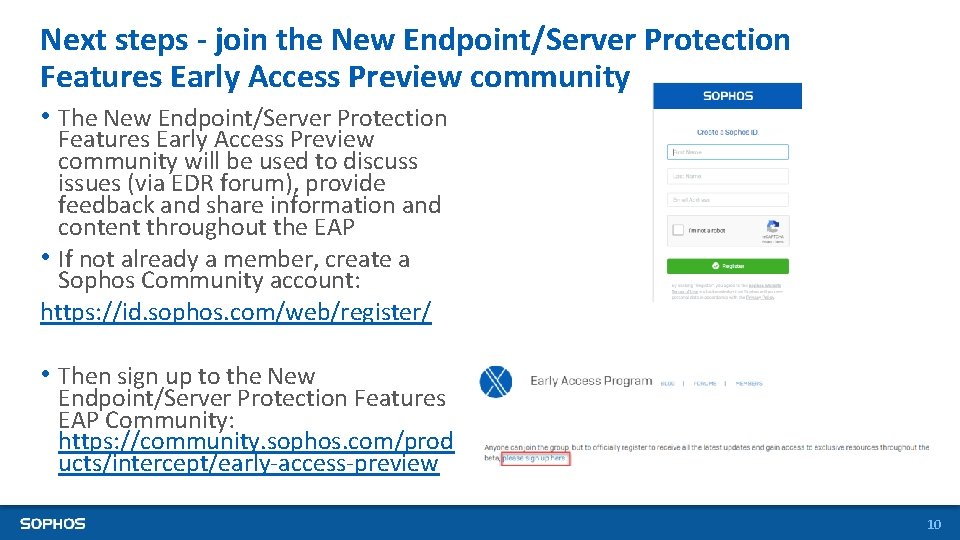
Next steps - join the New Endpoint/Server Protection Features Early Access Preview community • The New Endpoint/Server Protection Features Early Access Preview community will be used to discuss issues (via EDR forum), provide feedback and share information and content throughout the EAP • If not already a member, create a Sophos Community account: https: //id. sophos. com/web/register/ • Then sign up to the New Endpoint/Server Protection Features EAP Community: https: //community. sophos. com/prod ucts/intercept/early-access-preview 10
Have questions or want to give feedback? • Leverage the Sophos Endpoint Early Access Community where we’ll be providing blogs, videos documentation and forums where we’ll be sharing information and answering your technical questions. Via the Intercept X EAP community: https: //community. sophos. com/products/intercept/earlyaccess-preview 11
12