
Solving LPs using Microsoft Excel Common LP Solvers
- Slides: 9
Solving LP’s using Microsoft Excel™ Common LP Solvers: Commercial: LINDO, CPLEX, AMPL, OSL, … Free software: Several available on web, e. g. try: google search: java LP solver
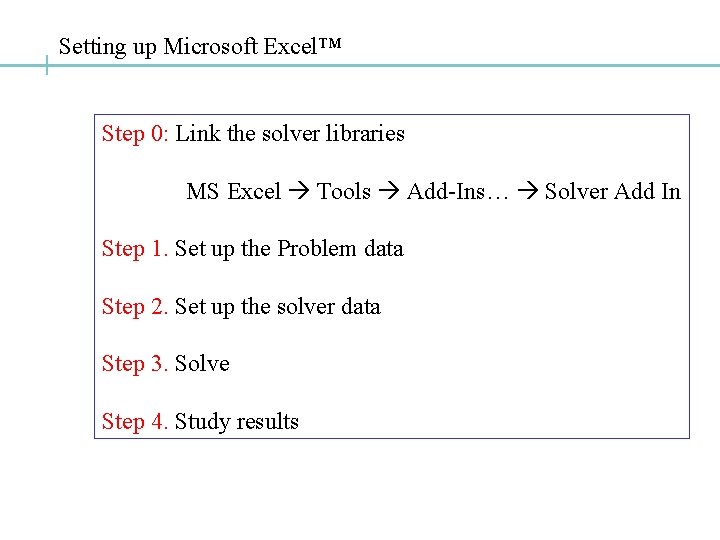
Setting up Microsoft Excel™ Step 0: Link the solver libraries MS Excel Tools Add-Ins… Solver Add In Step 1. Set up the Problem data Step 2. Set up the solver data Step 3. Solve Step 4. Study results
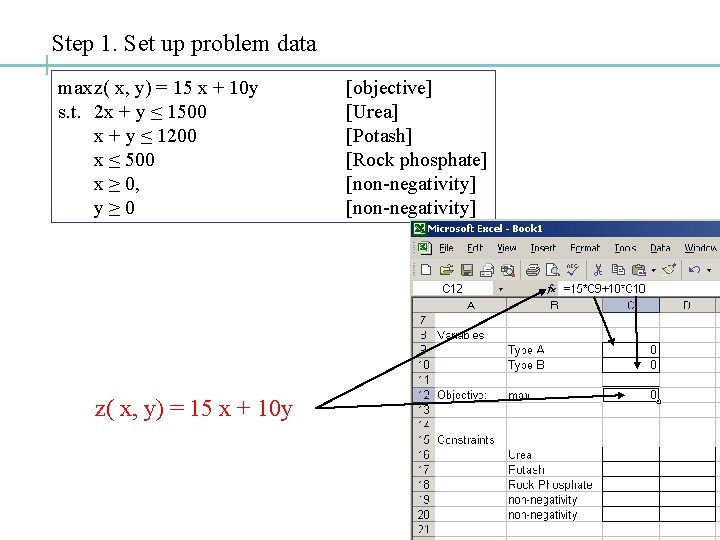
Step 1. Set up problem data maxz( x, y) = 15 x + 10 y s. t. 2 x + y ≤ 1500 x + y ≤ 1200 x ≤ 500 x ≥ 0, y≥ 0 z( x, y) = 15 x + 10 y [objective] [Urea] [Potash] [Rock phosphate] [non-negativity]
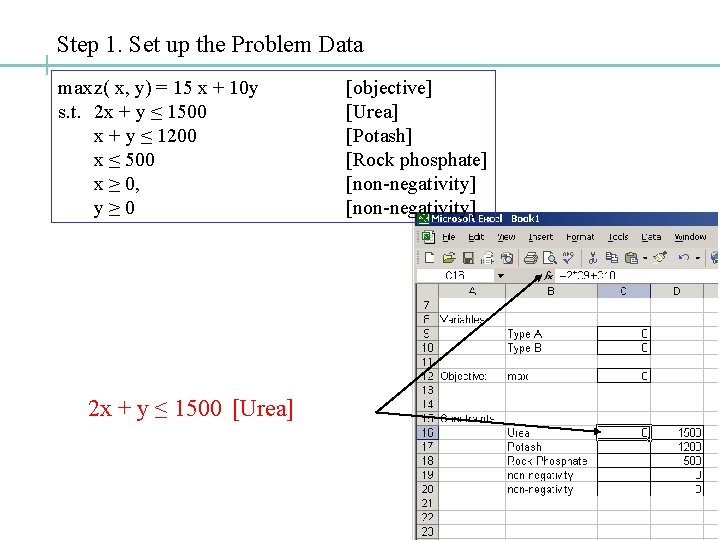
Step 1. Set up the Problem Data maxz( x, y) = 15 x + 10 y s. t. 2 x + y ≤ 1500 x + y ≤ 1200 x ≤ 500 x ≥ 0, y≥ 0 2 x + y ≤ 1500 [Urea] [objective] [Urea] [Potash] [Rock phosphate] [non-negativity]
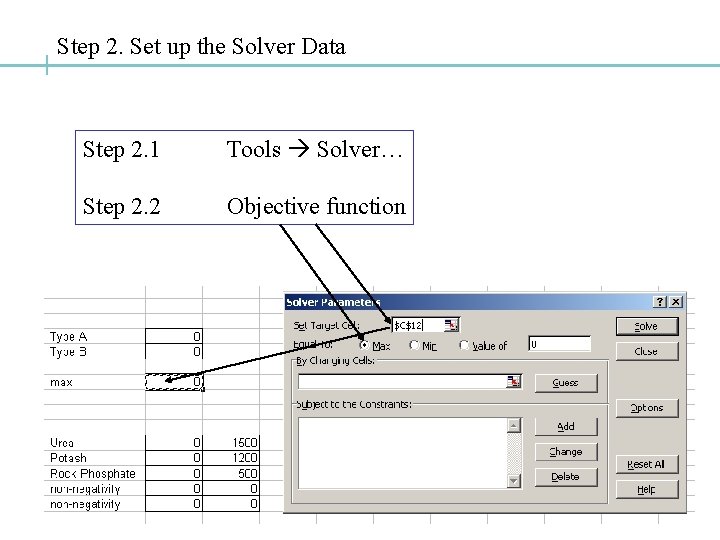
Step 2. Set up the Solver Data Step 2. 1 Tools Solver… Step 2. 2 Objective function
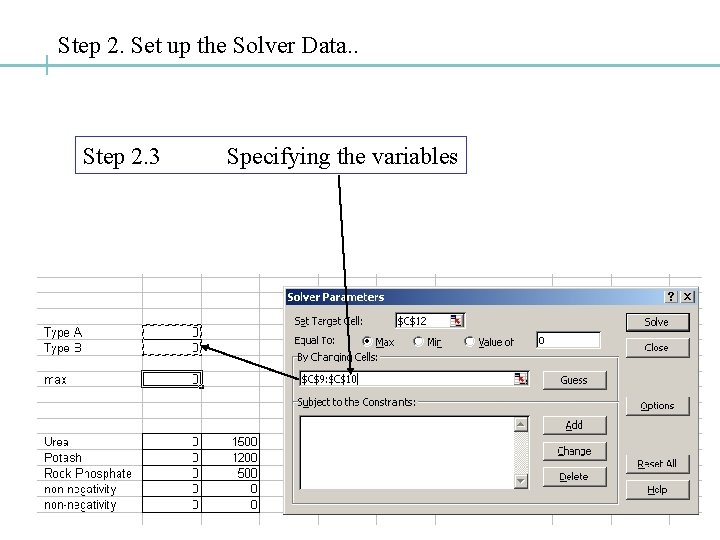
Step 2. Set up the Solver Data. . Step 2. 3 Specifying the variables
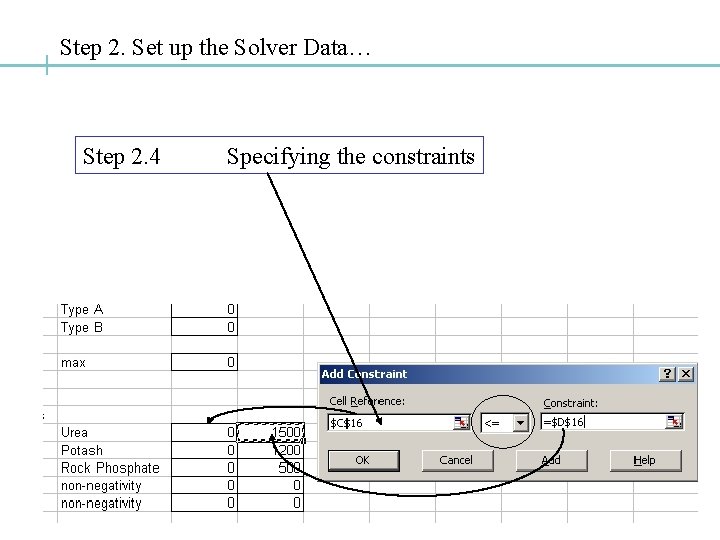
Step 2. Set up the Solver Data… Step 2. 4 Specifying the constraints
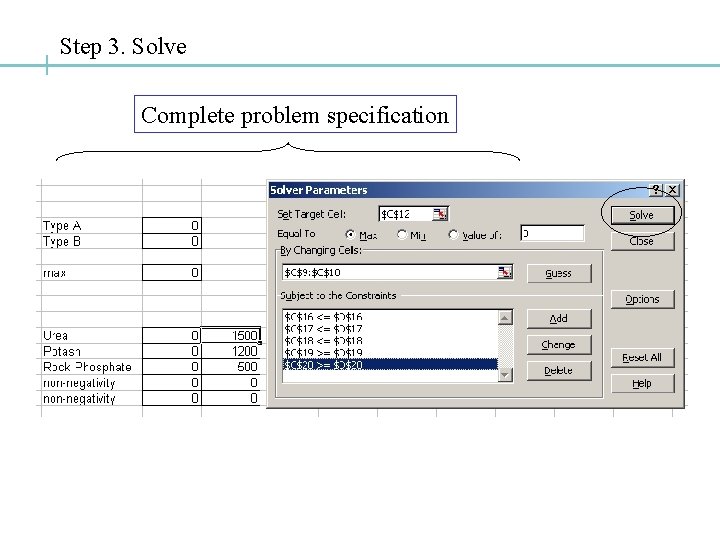
Step 3. Solve Complete problem specification
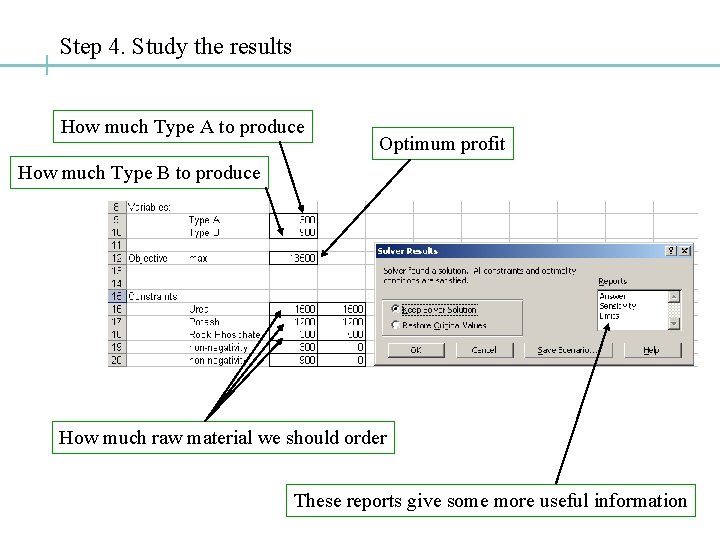
Step 4. Study the results How much Type A to produce Optimum profit How much Type B to produce How much raw material we should order These reports give some more useful information