
SOLUTIONS SECURITY COMPLIANCE PRODUCTIVITY MANAGEMENT PERFORMANCE Colin Wright
- Slides: 43
SOLUTIONS SECURITY COMPLIANCE PRODUCTIVITY MANAGEMENT PERFORMANCE Colin Wright Regional Manager, EMEA colin. wright@scriptlogic. com
Script. Logic • Publisher of Desktop Configuration Management, Server Administration & Active Directory Management software products • 16, 000+ customers • Deployed on more than 3. 5 Million PCs & more than 85, 000 servers • Security & Compliance • Administration • Profitable • Corporate headquarters in Boca Raton, Florida • Development Offices in Orlando & Boca Raton FL, Madrid Spain • Sales Offices in Boca Raton, Orlando, NYC, Chicago, So. Cal, Ohio, Atlanta, Washington D. C. , Texas, & London UK
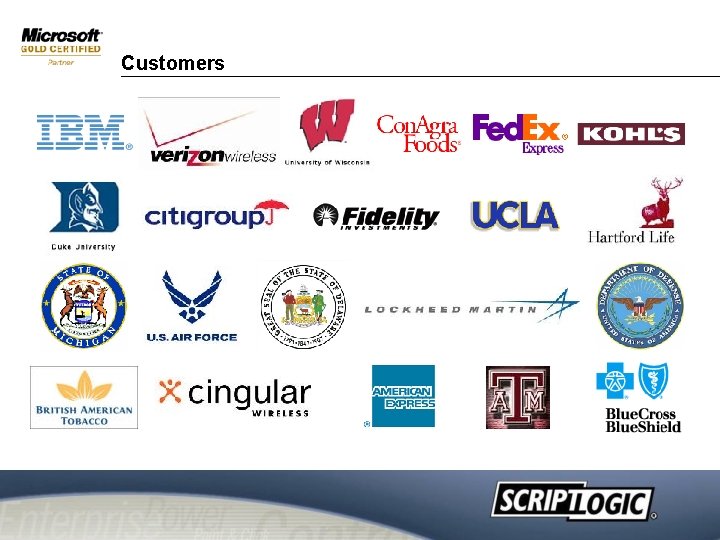
Customers
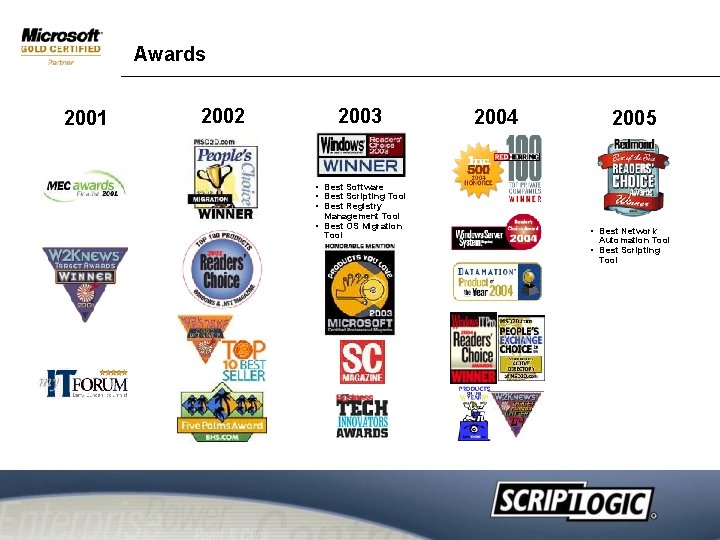
Awards 2001 2002 2003 2004 2005 • Best Software • Best Scripting Tool • Best Registry Management Tool • Best OS Migration Tool • Best Network Automation Tool • Best Scripting Tool
Script. Logic’s Vision Remove complexity within a Microsoft environment by automating time consuming and costly manual processes.
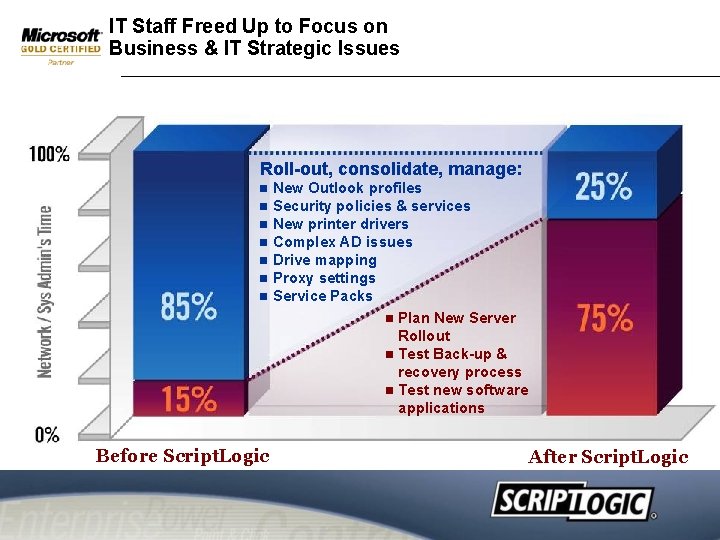
IT Staff Freed Up to Focus on Business & IT Strategic Issues Roll-out, consolidate, manage: n n n n Before Script. Logic New Outlook profiles Security policies & services New printer drivers Complex AD issues Drive mapping Proxy settings Service Packs n Plan New Server Rollout n Test Back-up & recovery process n Test new software applications After Script. Logic
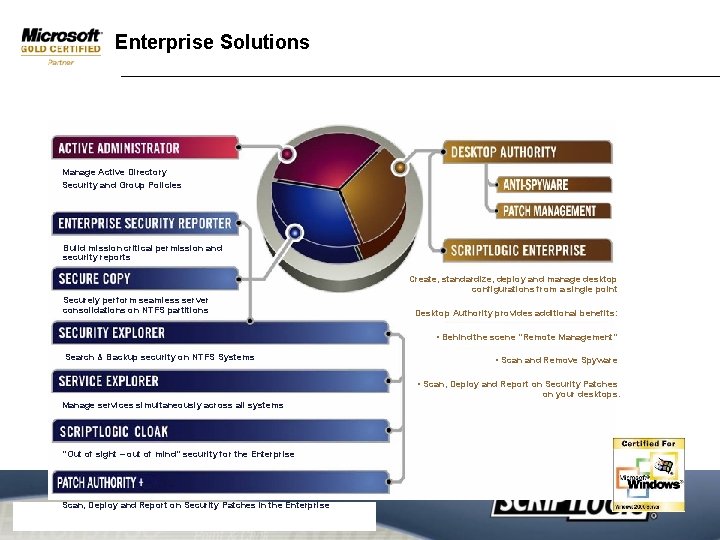
Enterprise Solutions Manage Active Directory Security and Group Policies Build mission critical permission and security reports Create, standardize, deploy and manage desktop configurations from a single point Securely perform seamless server consolidations on NTFS partitions Desktop Authority provides additional benefits: • Behind the scene “Remote Management” Search & Backup security on NTFS Systems • Scan and Remove Spyware • Scan, Deploy and Report on Security Patches on your desktops. Manage services simultaneously across all systems “Out of sight – out of mind” security for the Enterprise Scan, Deploy and Report on Security Patches in the Enterprise
What is Desktop Authority? • • Who’s new? Definition is changing!
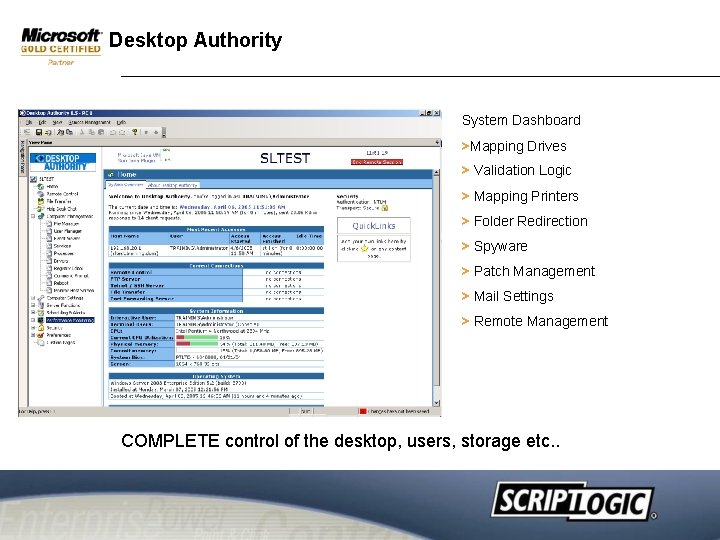
Desktop Authority System Dashboard >Mapping Drives > Validation Logic > Mapping Printers > Folder Redirection > Spyware > Patch Management > Mail Settings > Remote Management COMPLETE control of the desktop, users, storage etc. .
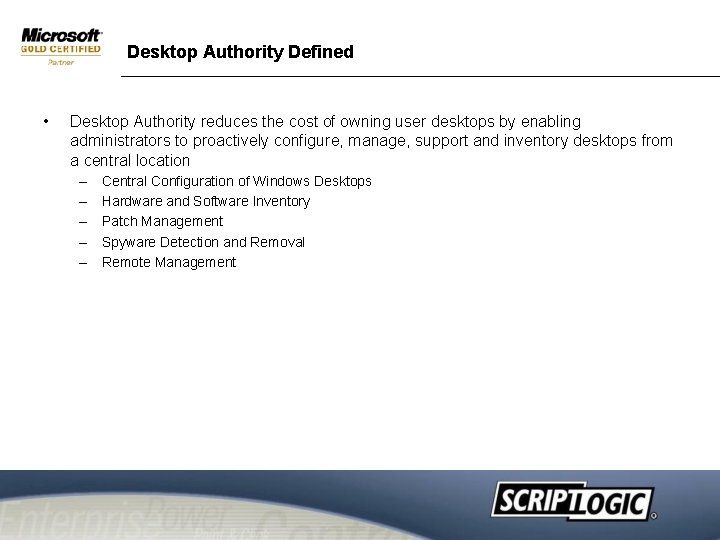
Desktop Authority Defined • Desktop Authority reduces the cost of owning user desktops by enabling administrators to proactively configure, manage, support and inventory desktops from a central location – – – Central Configuration of Windows Desktops Hardware and Software Inventory Patch Management Spyware Detection and Removal Remote Management
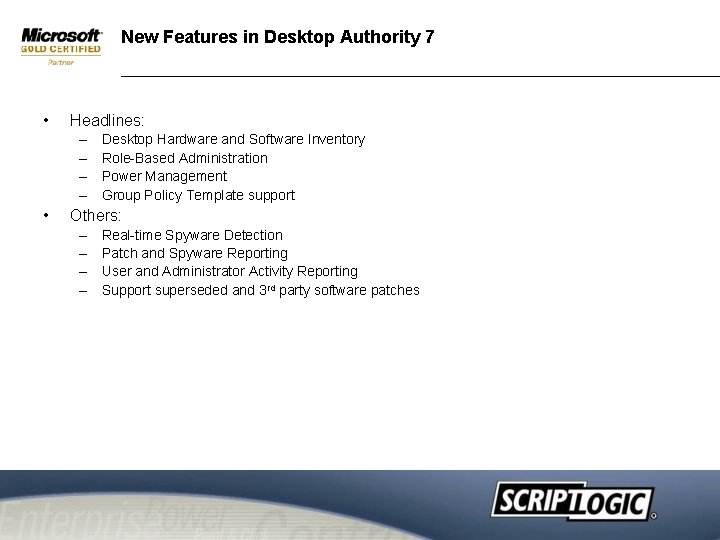
New Features in Desktop Authority 7 • Headlines: – – • Desktop Hardware and Software Inventory Role-Based Administration Power Management Group Policy Template support Others: – – Real-time Spyware Detection Patch and Spyware Reporting User and Administrator Activity Reporting Support superseded and 3 rd party software patches
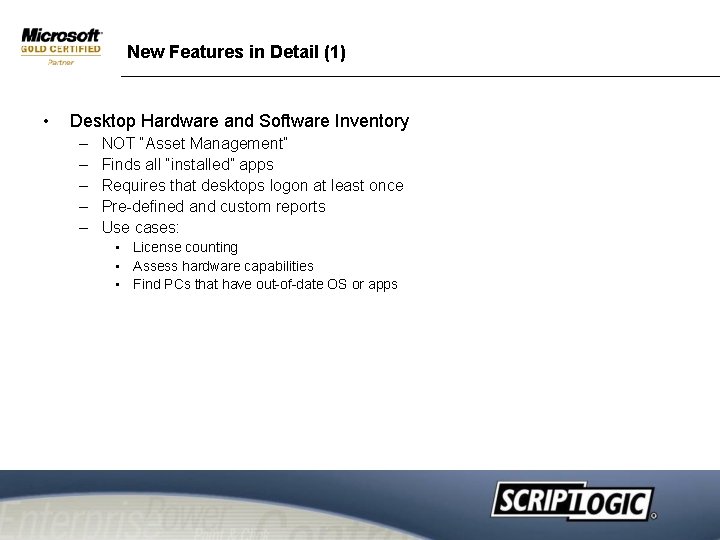
New Features in Detail (1) • Desktop Hardware and Software Inventory – – – NOT “Asset Management” Finds all “installed” apps Requires that desktops logon at least once Pre-defined and custom reports Use cases: • License counting • Assess hardware capabilities • Find PCs that have out-of-date OS or apps
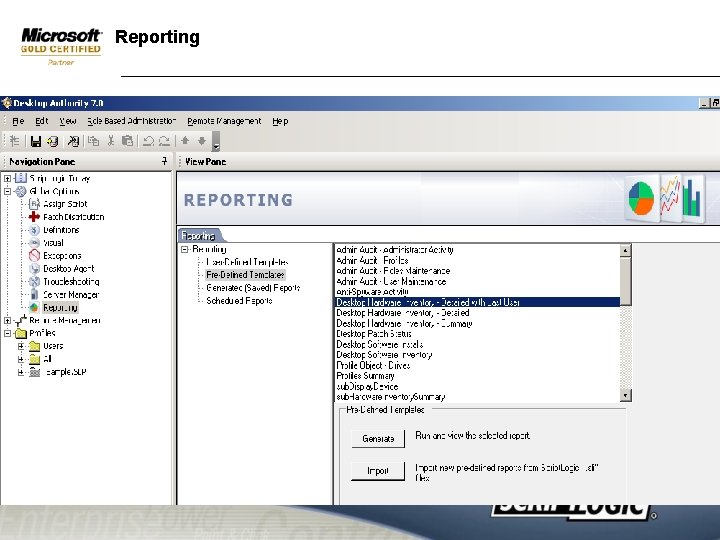
Reporting
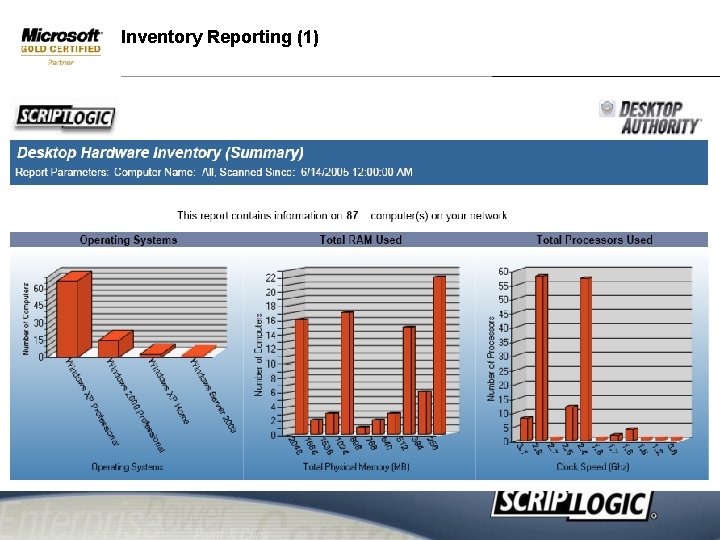
Inventory Reporting (1)
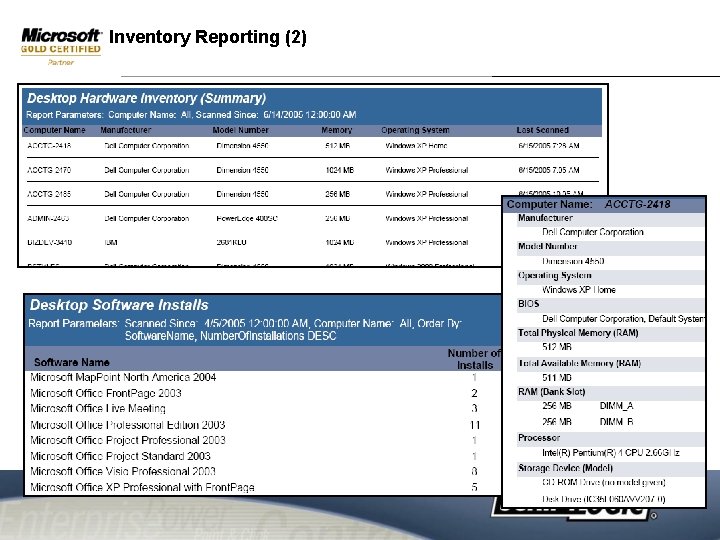
Inventory Reporting (2)
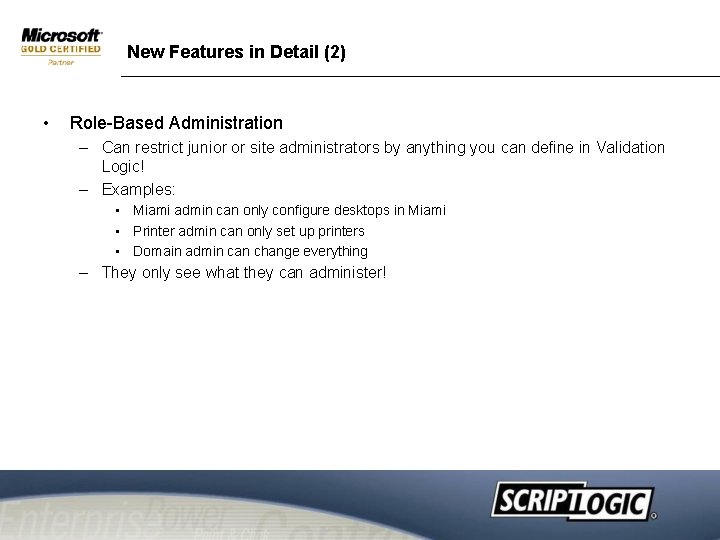
New Features in Detail (2) • Role-Based Administration – Can restrict junior or site administrators by anything you can define in Validation Logic! – Examples: • Miami admin can only configure desktops in Miami • Printer admin can only set up printers • Domain admin can change everything – They only see what they can administer!
New Features in Detail (3) • Power Management – Shutdown desktops when they are inactive … EVEN when no-one is logged on – Power savings in one year can pay for DA! – Advanced power settings
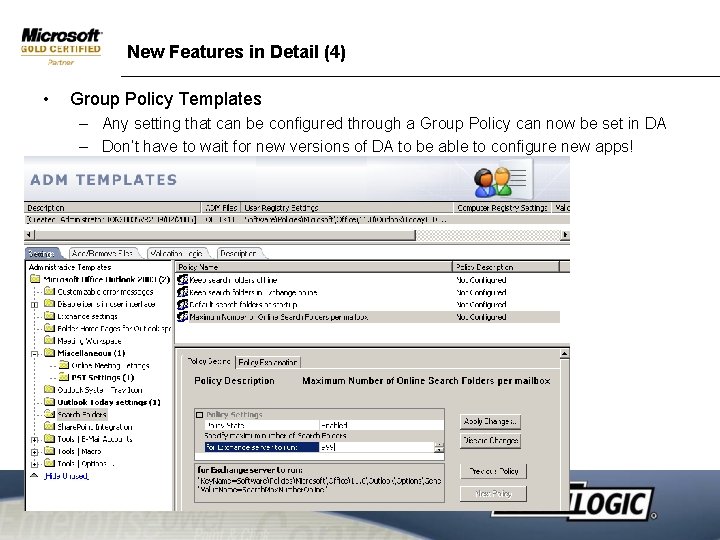
New Features in Detail (4) • Group Policy Templates – Any setting that can be configured through a Group Policy can now be set in DA – Don’t have to wait for new versions of DA to be able to configure new apps!
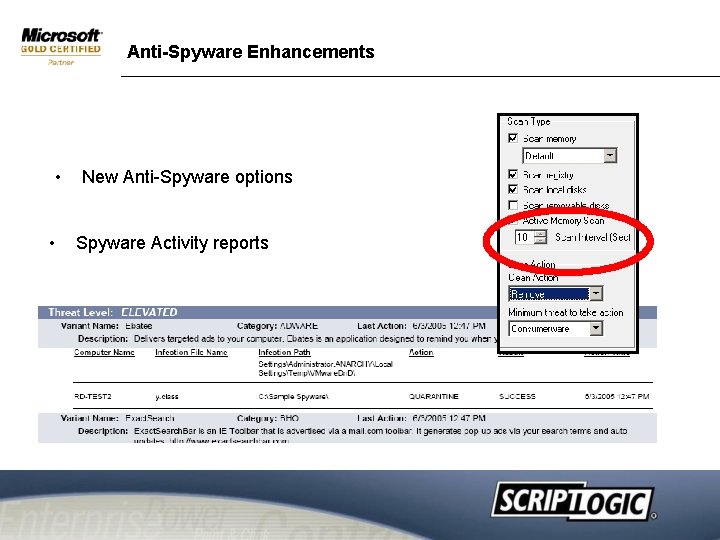
Anti-Spyware Enhancements • • New Anti-Spyware options Spyware Activity reports
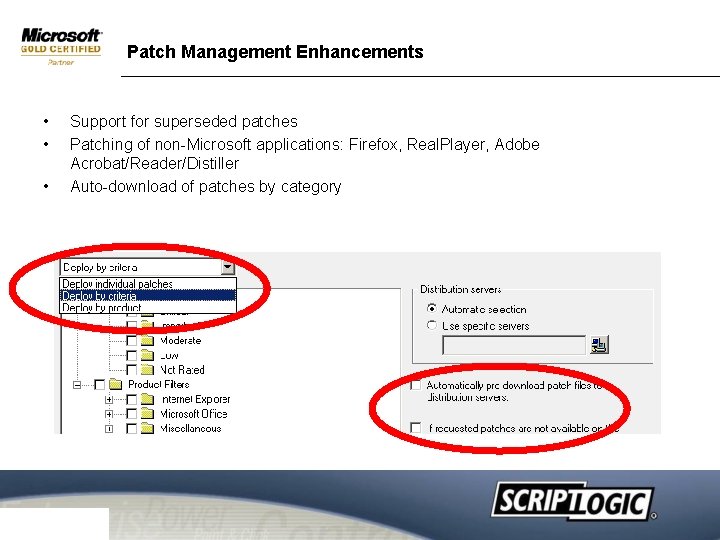
Patch Management Enhancements • • • Support for superseded patches Patching of non-Microsoft applications: Firefox, Real. Player, Adobe Acrobat/Reader/Distiller Auto-download of patches by category
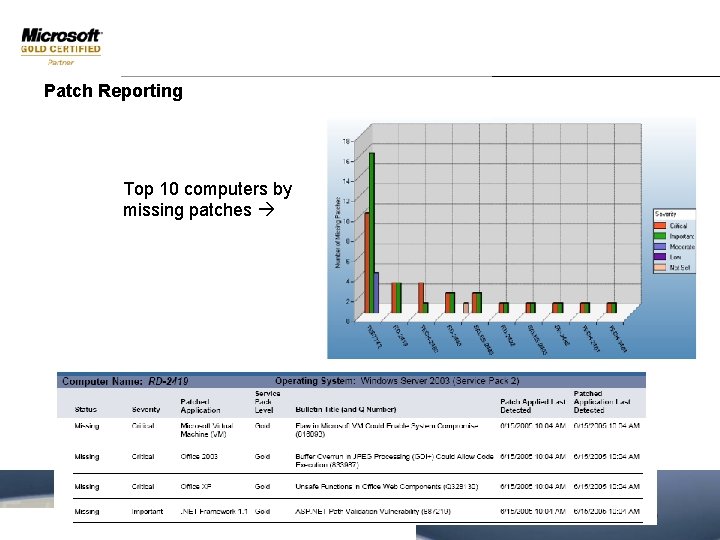
Patch Reporting Top 10 computers by missing patches
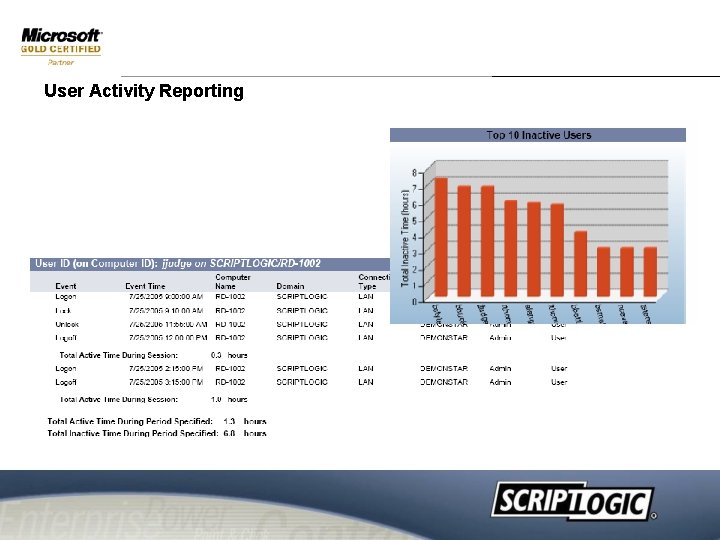
User Activity Reporting
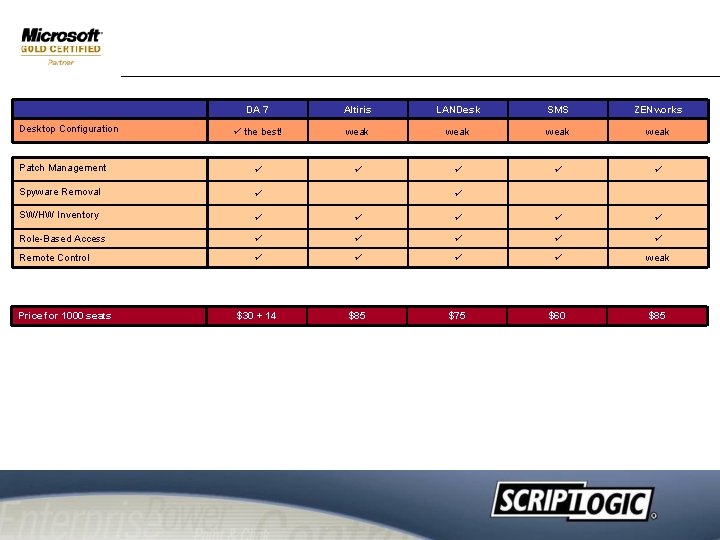
Positioning and Selling DA • The competitive landscape just got bumpy
DA 7 Altiris LANDesk SMS ZENworks the best! weak Patch Management Spyware Removal SW/HW Inventory Role-Based Access Remote Control weak $30 + 14 $85 $75 $60 $85 Desktop Configuration Price for 1000 seats
Confidential Server Management Solutions
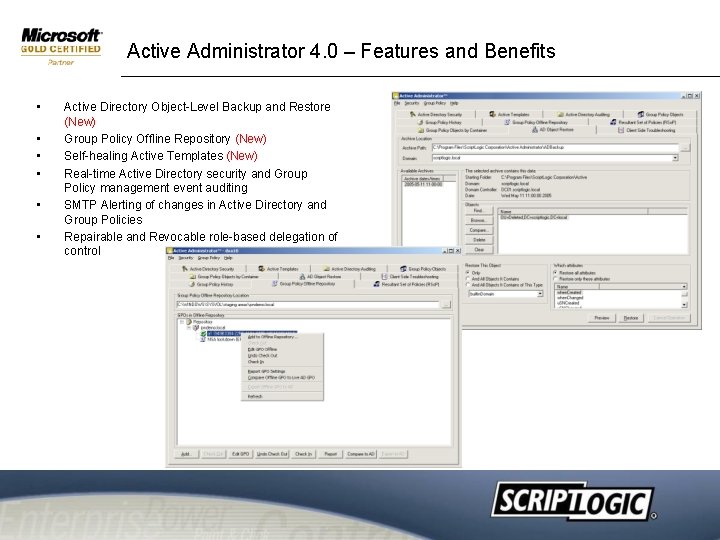
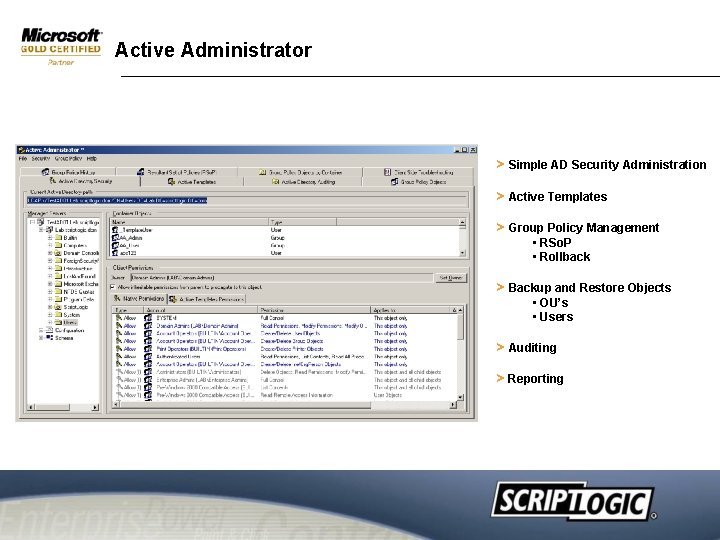
Active Administrator 4. 0 – Features and Benefits • • • Active Directory Object-Level Backup and Restore (New) Group Policy Offline Repository (New) Self-healing Active Templates (New) Real-time Active Directory security and Group Policy management event auditing SMTP Alerting of changes in Active Directory and Group Policies Repairable and Revocable role-based delegation of control
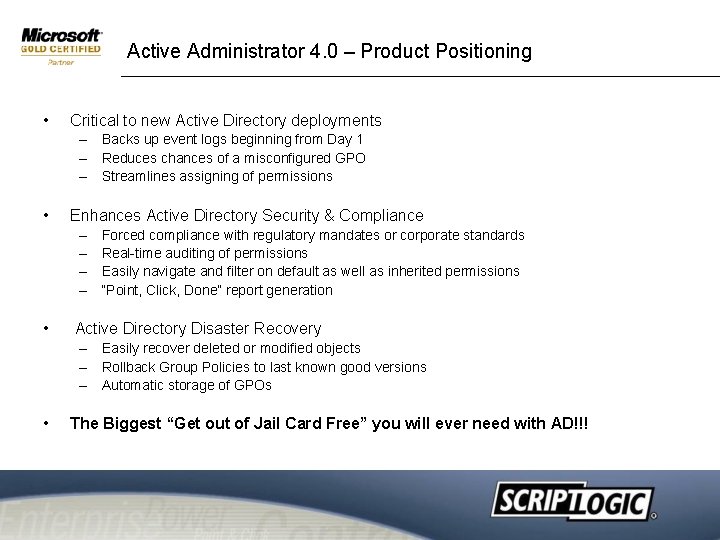
Active Administrator 4. 0 – Product Positioning • Critical to new Active Directory deployments – Backs up event logs beginning from Day 1 – Reduces chances of a misconfigured GPO – Streamlines assigning of permissions • Enhances Active Directory Security & Compliance – – • Forced compliance with regulatory mandates or corporate standards Real-time auditing of permissions Easily navigate and filter on default as well as inherited permissions “Point, Click, Done” report generation Active Directory Disaster Recovery – Easily recover deleted or modified objects – Rollback Group Policies to last known good versions – Automatic storage of GPOs • The Biggest “Get out of Jail Card Free” you will ever need with AD!!!
Active Administrator > Simple AD Security Administration > Active Templates > Group Policy Management • RSo. P • Rollback > Backup and Restore Objects • OU’s • Users > Auditing > Reporting
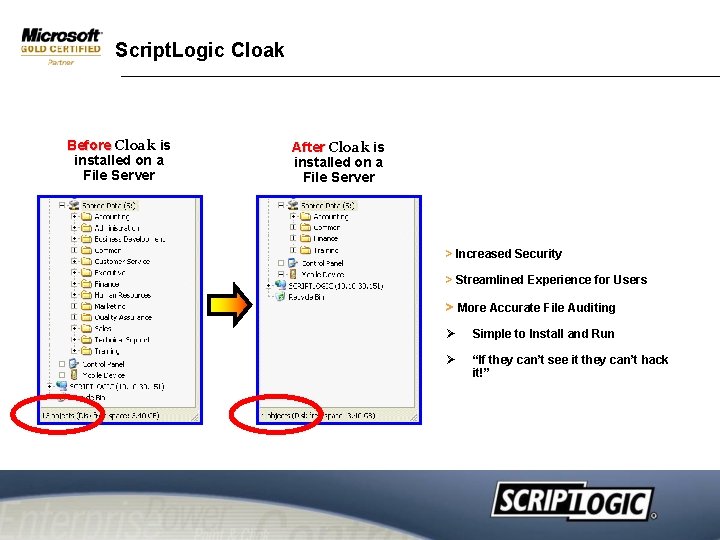
Script. Logic Cloak Before Cloak is installed on a File Server After Cloak is installed on a File Server > Increased Security > Streamlined Experience for Users > More Accurate File Auditing Ø Simple to Install and Run Ø “If they can’t see it they can’t hack it!”
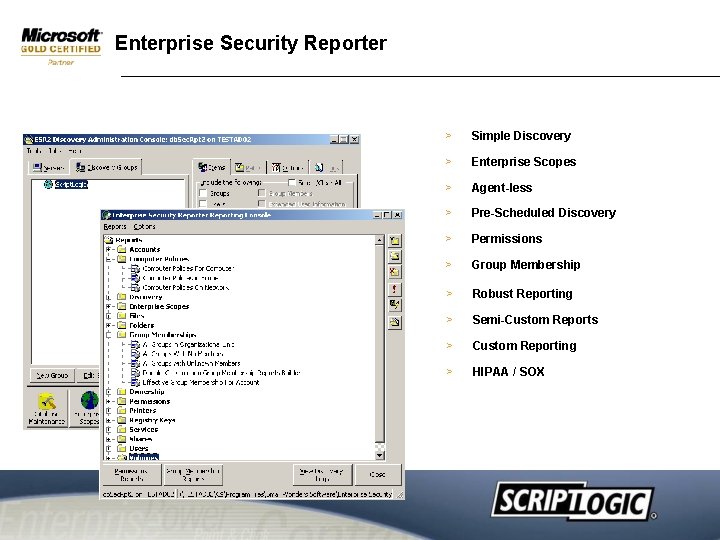
Enterprise Security Reporter > Simple Discovery > Enterprise Scopes > Agent-less > Pre-Scheduled Discovery > Permissions > Group Membership > Robust Reporting > Semi-Custom Reports > Custom Reporting > HIPAA / SOX
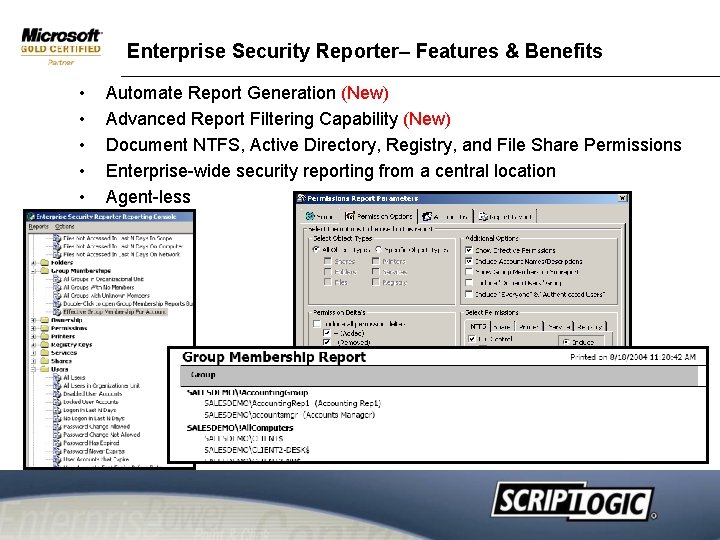
Enterprise Security Reporter– Features & Benefits • • • Automate Report Generation (New) Advanced Report Filtering Capability (New) Document NTFS, Active Directory, Registry, and File Share Permissions Enterprise-wide security reporting from a central location Agent-less
Enterprise Security Reporter 2. 5 – Product Positioning • Any organization facing mandatory compliance regulations – – • Sarbanes-Oxley, HIPAA, GLBA, SEC, FDA, etc. . , Streamline report generation Lower audit related costs Enable efficient regular checks of compliance status Organizations seeking to implement and maintain best practices – Identify and address vulnerabilities – Provide reports to senior management – Ensure standards are maintained • Consultants Licensing Model – Can be used as a tool within your professional services engagements
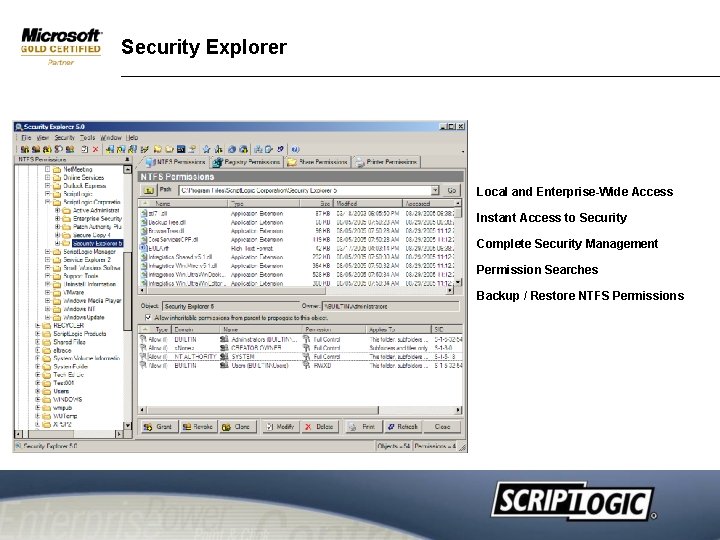
What is Security Explorer? • • Security Explorer is a powerful and intuitive solution that searches for and modifies Windows NT/2000/XP/2003 security on NTFS drives, the registry, printers and file shares. Secure resources on Windows servers by helping the admin manage permissions
Security Explorer 5. 0 – Security • Now manages printer permissions too – More comprehensive enterprise security • Enhanced “clone” features – Update security when migrating users between domains – Update security when migrating from NT 4 to AD • Enhanced backup and restore – Restore individual files – Backup registry and share permissions • • Centralize backups of remote computers Enhanced permissions searches – Find inherited and/or explicit permissions
Security Explorer > Local and Enterprise-Wide Access > Instant Access to Security > Complete Security Management > Permission Searches > Backup / Restore NTFS Permissions
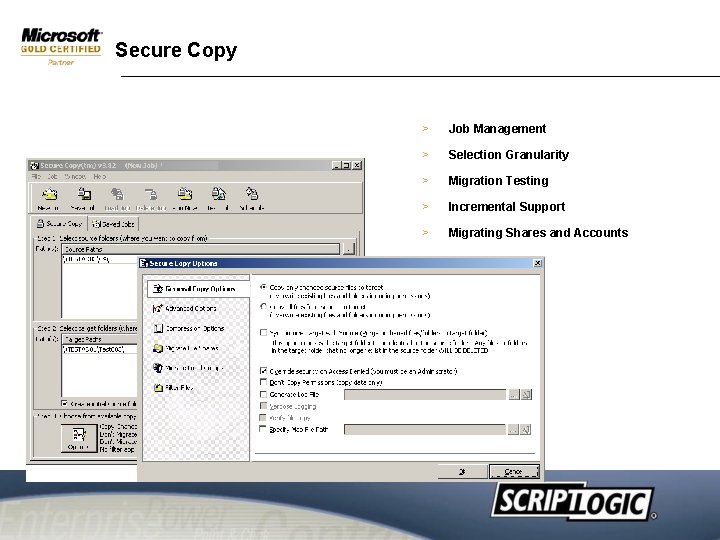
Secure Copy > Job Management > Selection Granularity > Migration Testing > Incremental Support > Migrating Shares and Accounts
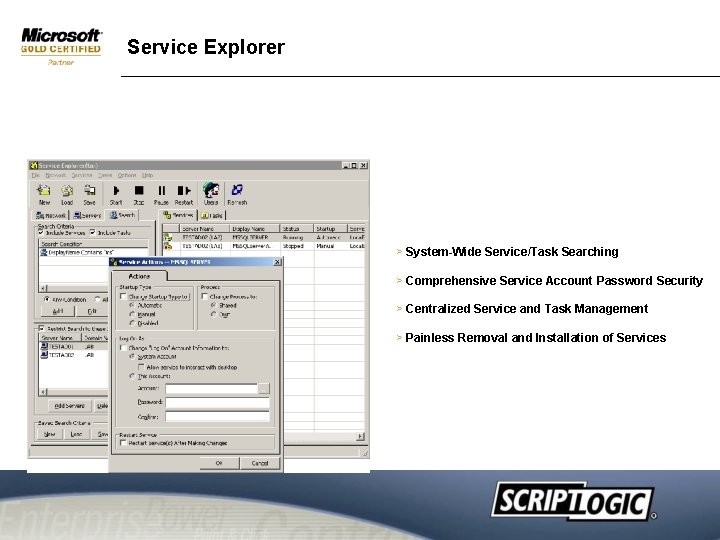
Service Explorer > System-Wide Service/Task Searching > Comprehensive Service Account Password Security > Centralized Service and Task Management > Painless Removal and Installation of Services
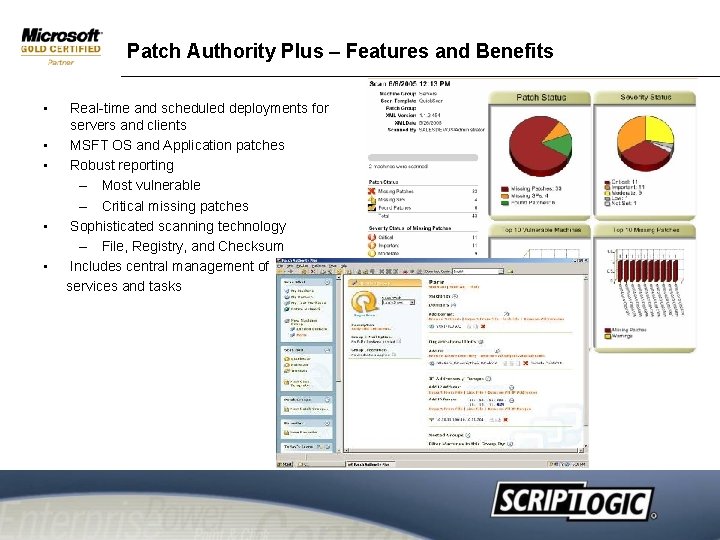
Patch Authority Plus – Features and Benefits • • • Real-time and scheduled deployments for servers and clients MSFT OS and Application patches Robust reporting – Most vulnerable – Critical missing patches Sophisticated scanning technology – File, Registry, and Checksum Includes central management of services and tasks
Patch Authority Plus – Product Positioning • Critical to Network Security – Ensure that patch status is up to date – Make sure that new vulnerabilities are addressed immediately – Update Service Account Passwords regularly • Addresses Compliance Mandates – HIPAA, Sarbanes-Oxley mandate patched systems – Reporting engine allows for quick presentation of status • Enhances productivity – Administrators can patch more systems in less time – Less time spent gathering data for reporting – Central services and task management delivers huge incremental time savings
Create & manage a stress free network! • • Predictable service Lower costs More control Greater security • • • Peace of mind! Reduce Complexity! Automate manual process Make your lives easier!
& QUESTIONS ANSWERS