
Solid Works Session 4 Ferdowsi University of Mashhad



- Slides: 15
Solid. Works Session 4 Ferdowsi University of Mashhad Dr. Behnam Moetakef Imani
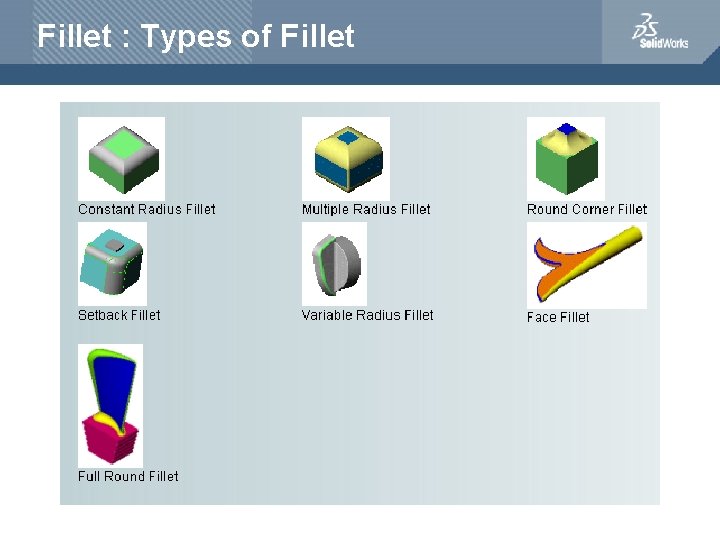
Fillet : Types of Fillet
Fillet Type : Constant Radius Constant radius. Creates fillets that have a constant radius for the entire length of the fillet. set the Property. Manager options to create these fillet types: a. Multiple radius fillets b. Round corner fillets. • Setback fillets
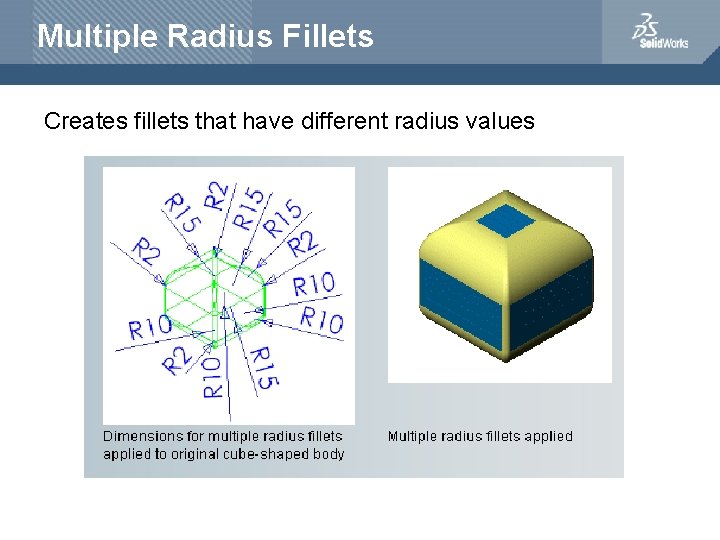
Multiple Radius Fillets Creates fillets that have different radius values
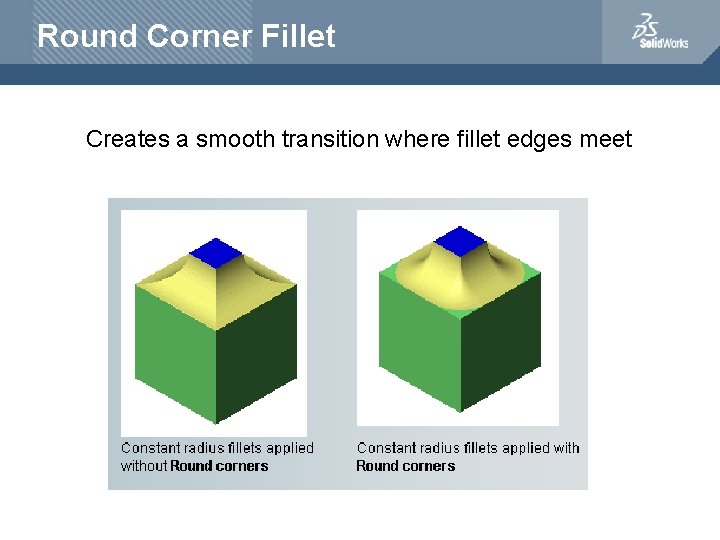
Round Corner Fillet Creates a smooth transition where fillet edges meet
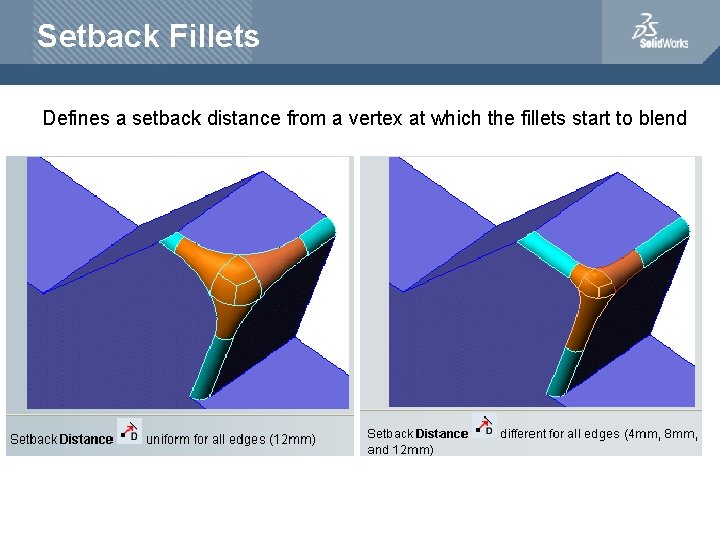
Setback Fillets Defines a setback distance from a vertex at which the fillets start to blend
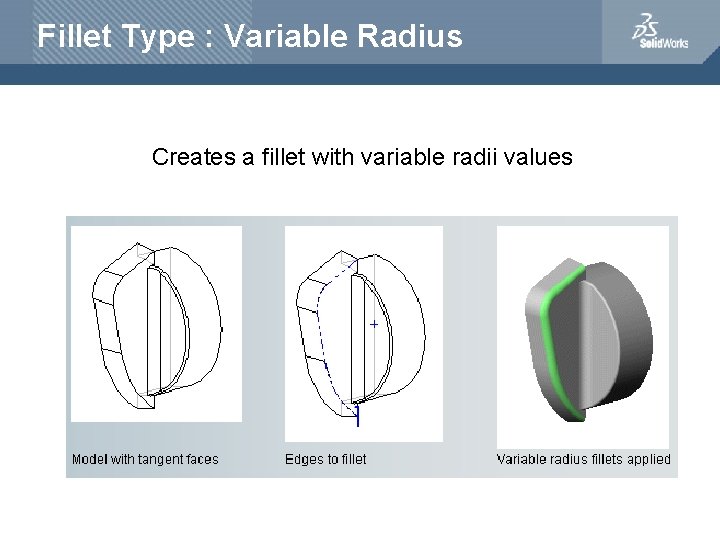
Fillet Type : Variable Radius Creates a fillet with variable radii values
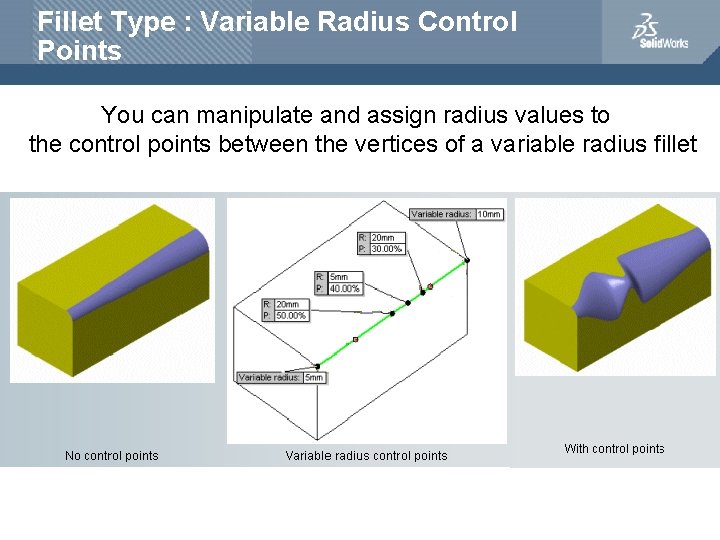
Fillet Type : Variable Radius Control Points You can manipulate and assign radius values to the control points between the vertices of a variable radius fillet
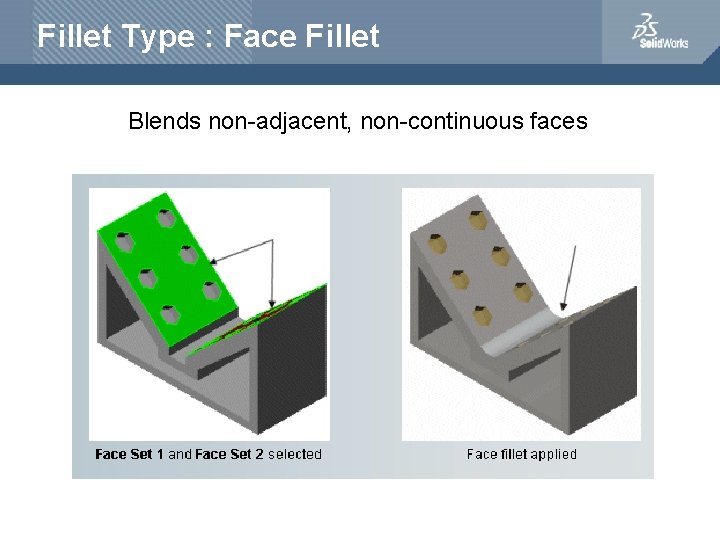
Fillet Type : Face Fillet Blends non-adjacent, non-continuous faces
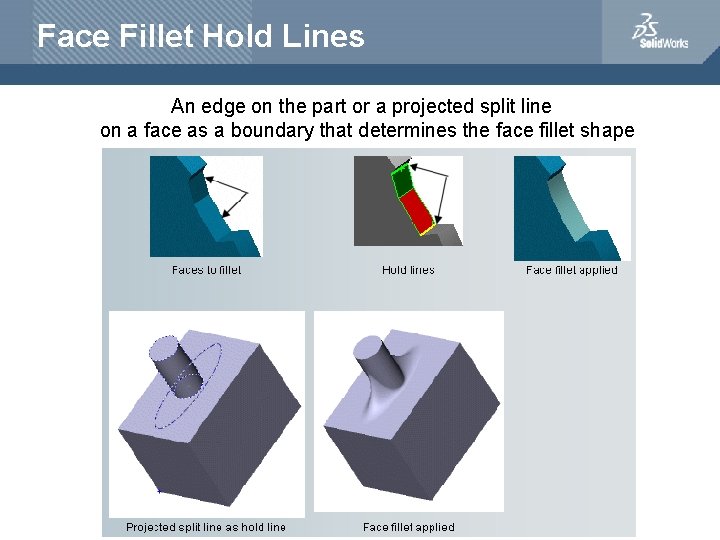
Face Fillet Hold Lines An edge on the part or a projected split line on a face as a boundary that determines the face fillet shape
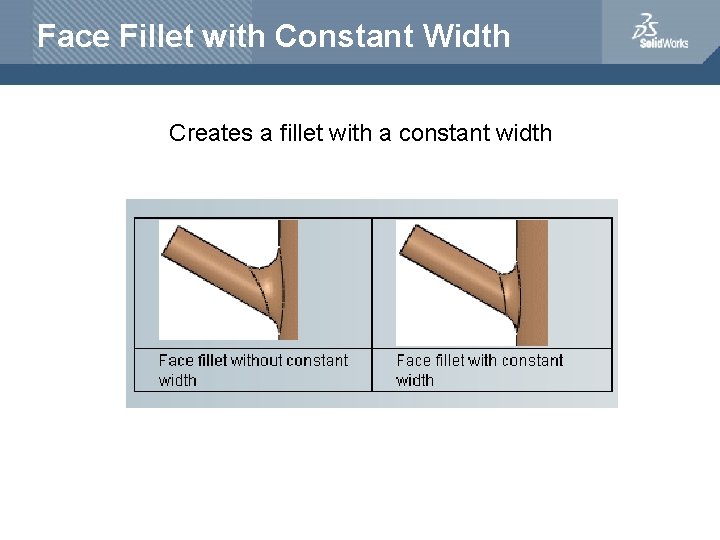
Face Fillet with Constant Width Creates a fillet with a constant width
Fillet Type : Full Round Fillet Creates fillets that are tangent to three adjacent faces sets (with one or more faces tangent )
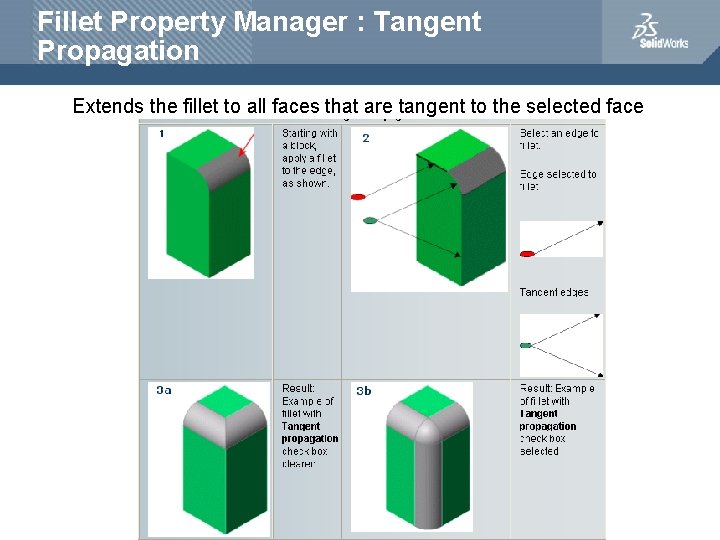
Fillet Property Manager : Tangent Propagation Extends the fillet to all faces that are tangent to the selected face
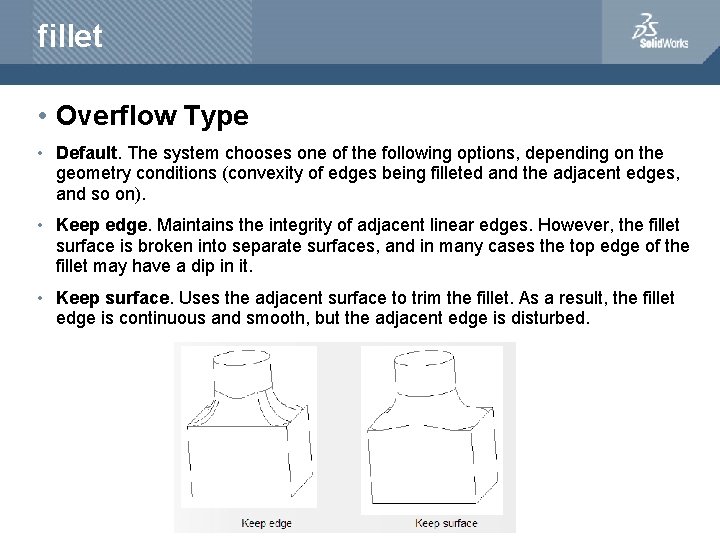
fillet • Overflow Type • Default. The system chooses one of the following options, depending on the geometry conditions (convexity of edges being filleted and the adjacent edges, and so on). • Keep edge. Maintains the integrity of adjacent linear edges. However, the fillet surface is broken into separate surfaces, and in many cases the top edge of the fillet may have a dip in it. • Keep surface. Uses the adjacent surface to trim the fillet. As a result, the fillet edge is continuous and smooth, but the adjacent edge is disturbed.
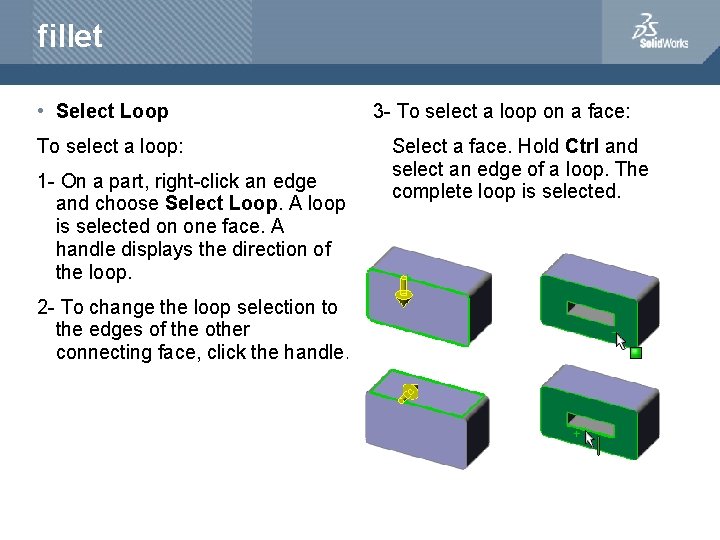
fillet • Select Loop To select a loop: 1 - On a part, right-click an edge and choose Select Loop. A loop is selected on one face. A handle displays the direction of the loop. 2 - To change the loop selection to the edges of the other connecting face, click the handle. 3 - To select a loop on a face: Select a face. Hold Ctrl and select an edge of a loop. The complete loop is selected.