
Solaris ZFS Boot on SPARC 2008 Dusan Baljevic

Solaris ZFS Boot on SPARC © 2008 Dusan Baljevic The information contained herein is subject to change without notice
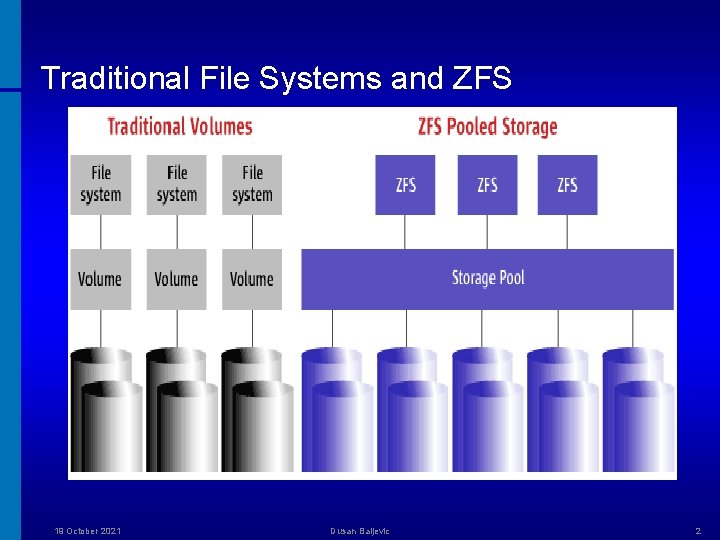
Traditional File Systems and ZFS 19 October 2021 Dusan Baljevic 2
ZFS Goals • Pooled storage design makes for easier administration • No need for a Volume Manager • Straightforward commands and a GUI • Snapshots & clones • Quotas and reservations • Compression • Pool migration • ACLs for security • Dynamic striping • Dynamic resilvering • Dynamic resizing 19 October 2021 Dusan Baljevic 3
ZFS Overheads • Compression • Checksum - It has been measured to consume very roughly 1 Ghz of CPU to checksum 500 MB/sec of data • RAID-Z As of the Solaris 10 11/06 release, checksum, compression, and RAID-Z parity computation all occur in the context of the thread synching pool data. Under load, that thread may be a performance choke point. It is expected that in future releases all these computations will be done in concurrent threads. Compression is no longer single-threaded via CR 6460622, and is part of the Solaris 10 8/07 release 19 October 2021 Dusan Baljevic 4
Solaris – ZFS Boot Project The ZFS Boot project has been divided into three areas: x 86 boot, SPARC boot, and install. The main phases of the project are: • A ZFS plug-in for the GRUB boot loader (available since Open. Solaris snv_62) • Development of a boot loader on SPARC • Enhancements necessary for implementing a ZFS root file systems • Enhancements to the Solaris install and Live. Upgrade features in order to set up and maintain root file systems in ZFS pools 19 October 2021 Dusan Baljevic 5
Solaris ZFS with AVS • • Sun Storage. Tek Availability Suite (AVS), Remote Mirror Copy and Point-in-Time Copy services, previously known as SNDR (Sun Network Data Replicator) and II (Instant Image), are similar to the Veritas VVR (volume replicator) and Flashsnap (point-in-time copy) products, is currently available in the Solaris Express release SNDR differs from the ZFS send and recv features, which are time-fixed replication features. For example, you can take a point-in-time snapshot, replicate it, or replicate it based on a differential of a prior snapshot. The combination of AVS II and SNDR features, also allows you to perform time-fixed replication. The other modes of the AVS SNDR replication feature allows you to obtain CDP (continuous data replication). ZFS does not currently have this feature 19 October 2021 Dusan Baljevic 6
Solaris ZFS – Third-Party Backups • Sun Stor. Edge Enterprise Backup Software (Legato Networker 7. 3. 2 and above) product can fully back up and restore ZFS files including ACLs • EMC Networker version 7. 3. 2 and above backs up and restores ZFS file systems, including ZFS ACLs • Veritas Net. Backup version 6. 5 and above can backup and restore ZFS file systems, including ZFS ACLs • IBM Tivoli Storage Manager client software (5. 4. 1. 2) backs up and restores ZFS file systems with both the CLI and the GUI. ZFS ACLs are also preserved • Computer Associates' Bright. Stor ARCserve product backs up and restores ZFS file systems, but ZFS ACLs are not preserved 19 October 2021 Dusan Baljevic 7

Solaris ZFS and Data Protector Back Agents (Disk Agents) ZFS support: Solaris 10 (including ACL support) 6. 0 Released ZFS support: Solaris 10 (excluding ACL support) 5. 5 Released Data Protector supports ZFS now. 19 October 2021 Dusan Baljevic 8
ZFS Boot Lab Server HOSTNAME sft 3 FQDN sft 3. mydom. dom MODEL SUNW, Sun-Fire-T 2000 UNAME -A Sun. OS 5. 11 snv_97 sun 4 v ARCH 64 -bit sparcv 9 kernel RUN LEVEL 3 PHYSICAL MEMORY 8 GB CPU 32 x 1000 MHz virtual CPUs PAGESIZE 8192 bytes VOLUME MANAGER COUNT SINGLE Volume Manager VOLUME MANAGER Zettabyte File System (ZFS) 19 October 2021 Dusan Baljevic 9
Solaris – ZFS Disks ZFS applies an EFI label when creating a storage pool with whole disks. Disks can be labelled with a traditional Solaris VTOC label when creating a storage pool with a disk slice. Slices should only be used under the following conditions: • The device name is non-standard • A single disk is shared between ZFS and another file system, such as UFS • A disk is used as a swap or a dump device • Disk is used for booting the operating system * 19 October 2021 Dusan Baljevic 10
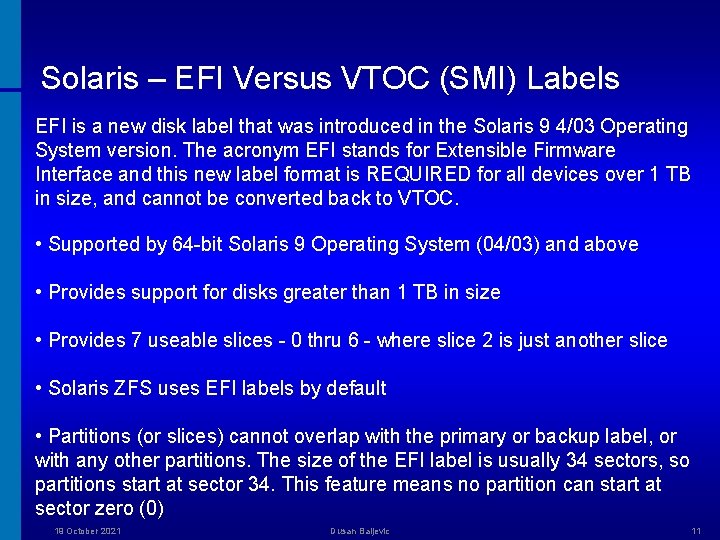
Solaris – EFI Versus VTOC (SMI) Labels EFI is a new disk label that was introduced in the Solaris 9 4/03 Operating System version. The acronym EFI stands for Extensible Firmware Interface and this new label format is REQUIRED for all devices over 1 TB in size, and cannot be converted back to VTOC. • Supported by 64 -bit Solaris 9 Operating System (04/03) and above • Provides support for disks greater than 1 TB in size • Provides 7 useable slices - 0 thru 6 - where slice 2 is just another slice • Solaris ZFS uses EFI labels by default • Partitions (or slices) cannot overlap with the primary or backup label, or with any other partitions. The size of the EFI label is usually 34 sectors, so partitions start at sector 34. This feature means no partition can start at sector zero (0) 19 October 2021 Dusan Baljevic 11
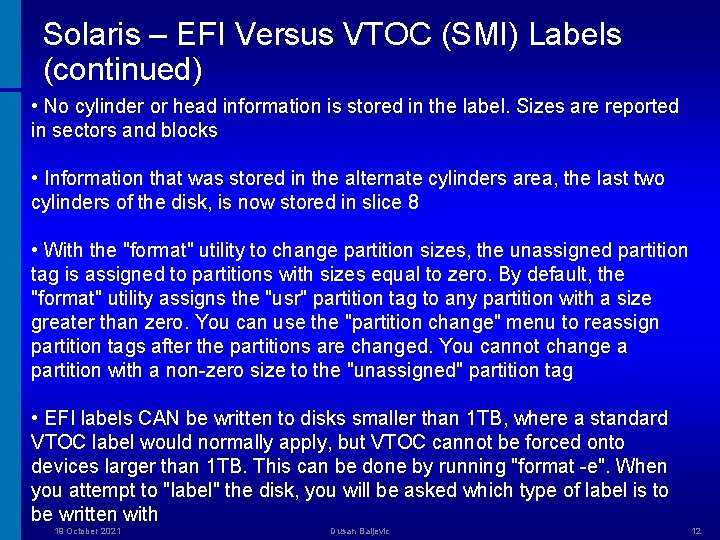
Solaris – EFI Versus VTOC (SMI) Labels (continued) • No cylinder or head information is stored in the label. Sizes are reported in sectors and blocks • Information that was stored in the alternate cylinders area, the last two cylinders of the disk, is now stored in slice 8 • With the "format" utility to change partition sizes, the unassigned partition tag is assigned to partitions with sizes equal to zero. By default, the "format" utility assigns the "usr" partition tag to any partition with a size greater than zero. You can use the "partition change" menu to reassign partition tags after the partitions are changed. You cannot change a partition with a non-zero size to the "unassigned" partition tag • EFI labels CAN be written to disks smaller than 1 TB, where a standard VTOC label would normally apply, but VTOC cannot be forced onto devices larger than 1 TB. This can be done by running "format -e". When you attempt to "label" the disk, you will be asked which type of label is to be written with 19 October 2021 Dusan Baljevic 12
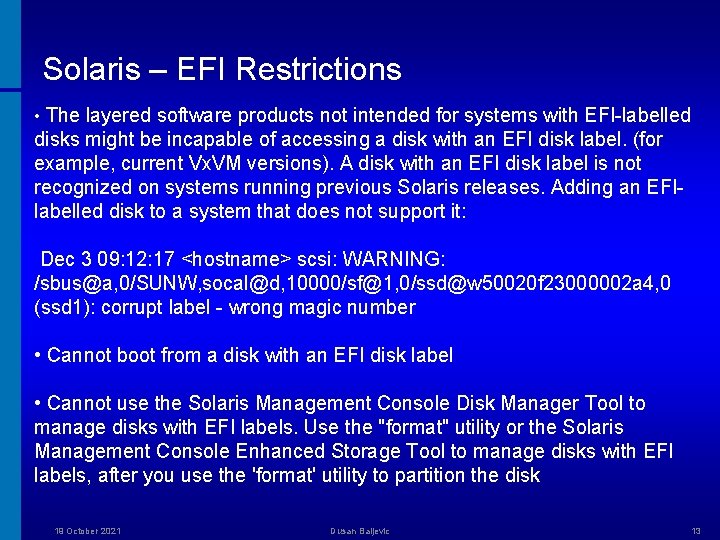
Solaris – EFI Restrictions • The layered software products not intended for systems with EFI-labelled disks might be incapable of accessing a disk with an EFI disk label. (for example, current Vx. VM versions). A disk with an EFI disk label is not recognized on systems running previous Solaris releases. Adding an EFIlabelled disk to a system that does not support it: Dec 3 09: 12: 17 <hostname> scsi: WARNING: /sbus@a, 0/SUNW, socal@d, 10000/sf@1, 0/ssd@w 50020 f 23000002 a 4, 0 (ssd 1): corrupt label - wrong magic number • Cannot boot from a disk with an EFI disk label • Cannot use the Solaris Management Console Disk Manager Tool to manage disks with EFI labels. Use the "format" utility or the Solaris Management Console Enhanced Storage Tool to manage disks with EFI labels, after you use the 'format' utility to partition the disk 19 October 2021 Dusan Baljevic 13
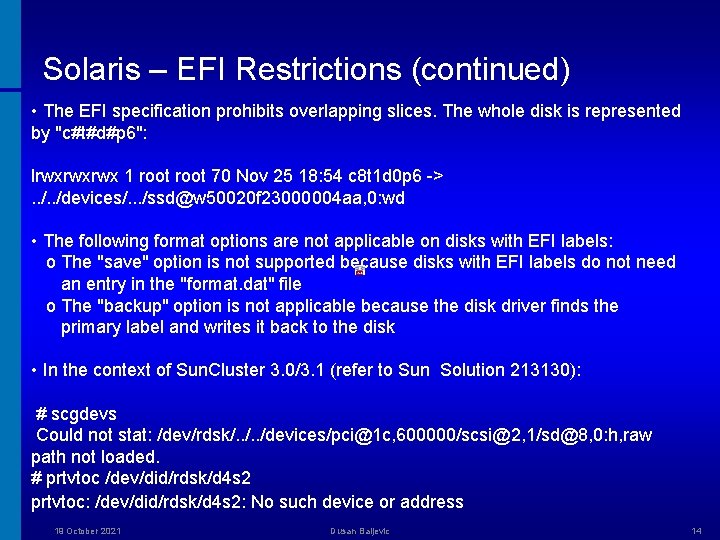
Solaris – EFI Restrictions (continued) • The EFI specification prohibits overlapping slices. The whole disk is represented by "c#t#d#p 6": lrwxrwxrwx 1 root 70 Nov 25 18: 54 c 8 t 1 d 0 p 6 ->. . /devices/. . . /ssd@w 50020 f 23000004 aa, 0: wd • The following format options are not applicable on disks with EFI labels: o The "save" option is not supported because disks with EFI labels do not need an entry in the "format. dat" file o The "backup" option is not applicable because the disk driver finds the primary label and writes it back to the disk • In the context of Sun. Cluster 3. 0/3. 1 (refer to Sun Solution 213130): # scgdevs Could not stat: /dev/rdsk/. . /devices/pci@1 c, 600000/scsi@2, 1/sd@8, 0: h, raw path not loaded. # prtvtoc /dev/did/rdsk/d 4 s 2 prtvtoc: /dev/did/rdsk/d 4 s 2: No such device or address 19 October 2021 Dusan Baljevic 14
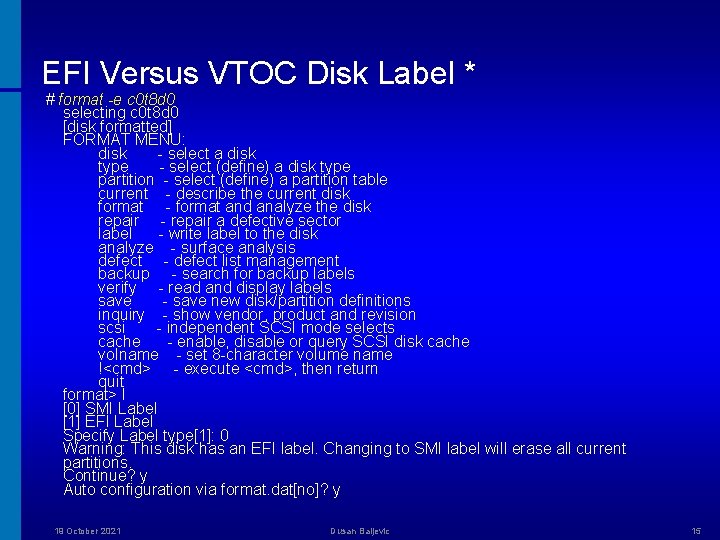
EFI Versus VTOC Disk Label * # format -e c 0 t 8 d 0 selecting c 0 t 8 d 0 [disk formatted] FORMAT MENU: disk - select a disk type - select (define) a disk type partition - select (define) a partition table current - describe the current disk format - format and analyze the disk repair - repair a defective sector label - write label to the disk analyze - surface analysis defect - defect list management backup - search for backup labels verify - read and display labels save - save new disk/partition definitions inquiry - show vendor, product and revision scsi - independent SCSI mode selects cache - enable, disable or query SCSI disk cache volname - set 8 -character volume name !<cmd> - execute <cmd>, then return quit format> l [0] SMI Label [1] EFI Label Specify Label type[1]: 0 Warning: This disk has an EFI label. Changing to SMI label will erase all current partitions. Continue? y Auto configuration via format. dat[no]? y 19 October 2021 Dusan Baljevic 15
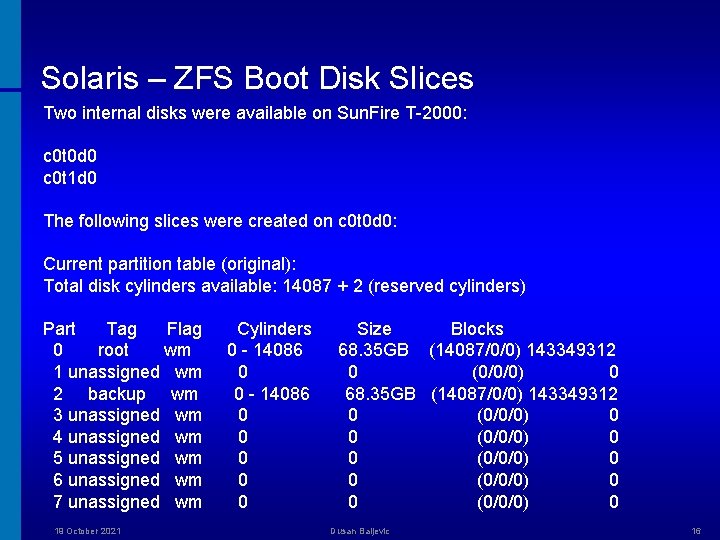
Solaris – ZFS Boot Disk Slices Two internal disks were available on Sun. Fire T-2000: c 0 t 0 d 0 c 0 t 1 d 0 The following slices were created on c 0 t 0 d 0: Current partition table (original): Total disk cylinders available: 14087 + 2 (reserved cylinders) Part Tag Flag 0 root wm 1 unassigned wm 2 backup wm 3 unassigned wm 4 unassigned wm 5 unassigned wm 6 unassigned wm 7 unassigned wm 19 October 2021 Cylinders 0 - 14086 0 0 0 Size Blocks 68. 35 GB (14087/0/0) 143349312 0 (0/0/0) 0 0 (0/0/0) 0 Dusan Baljevic 16
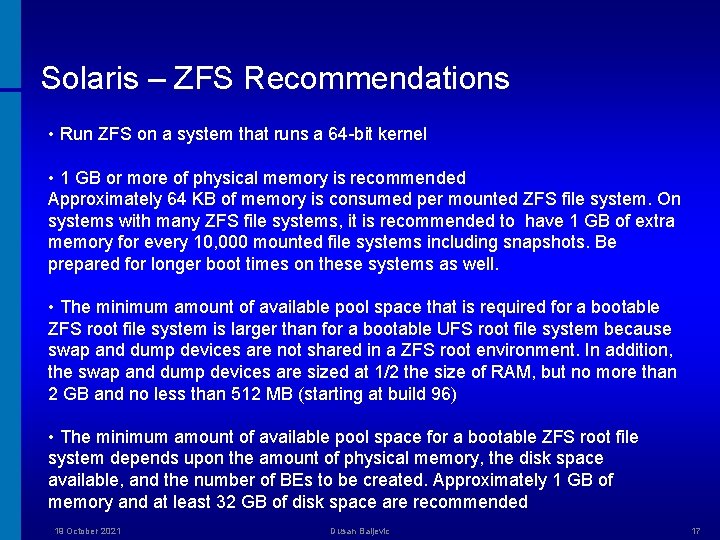
Solaris – ZFS Recommendations • Run ZFS on a system that runs a 64 -bit kernel • 1 GB or more of physical memory is recommended Approximately 64 KB of memory is consumed per mounted ZFS file system. On systems with many ZFS file systems, it is recommended to have 1 GB of extra memory for every 10, 000 mounted file systems including snapshots. Be prepared for longer boot times on these systems as well. • The minimum amount of available pool space that is required for a bootable ZFS root file system is larger than for a bootable UFS root file system because swap and dump devices are not shared in a ZFS root environment. In addition, the swap and dump devices are sized at 1/2 the size of RAM, but no more than 2 GB and no less than 512 MB (starting at build 96) • The minimum amount of available pool space for a bootable ZFS root file system depends upon the amount of physical memory, the disk space available, and the number of BEs to be created. Approximately 1 GB of memory and at least 32 GB of disk space are recommended 19 October 2021 Dusan Baljevic 17
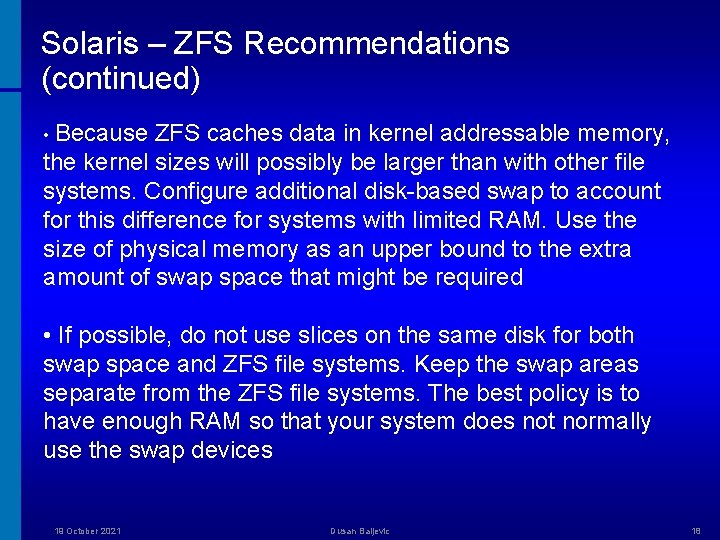
Solaris – ZFS Recommendations (continued) • Because ZFS caches data in kernel addressable memory, the kernel sizes will possibly be larger than with other file systems. Configure additional disk-based swap to account for this difference for systems with limited RAM. Use the size of physical memory as an upper bound to the extra amount of swap space that might be required • If possible, do not use slices on the same disk for both swap space and ZFS file systems. Keep the swap areas separate from the ZFS file systems. The best policy is to have enough RAM so that your system does not normally use the swap devices 19 October 2021 Dusan Baljevic 18
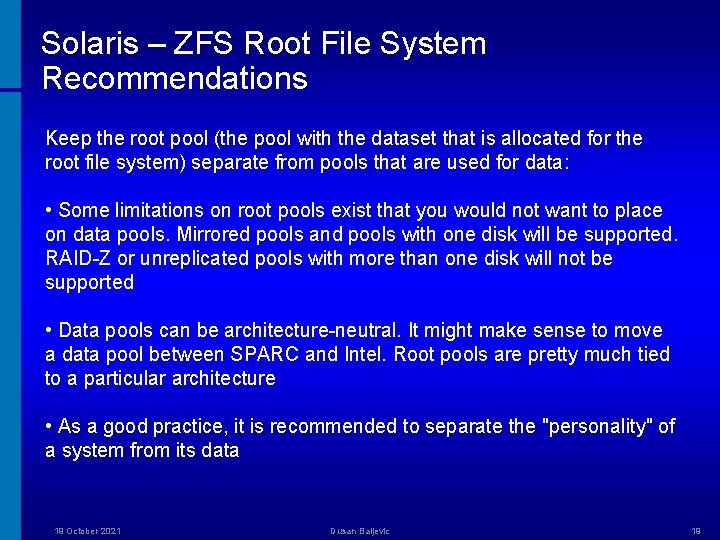
Solaris – ZFS Root File System Recommendations Keep the root pool (the pool with the dataset that is allocated for the root file system) separate from pools that are used for data: • Some limitations on root pools exist that you would not want to place on data pools. Mirrored pools and pools with one disk will be supported. RAID-Z or unreplicated pools with more than one disk will not be supported • Data pools can be architecture-neutral. It might make sense to move a data pool between SPARC and Intel. Root pools are pretty much tied to a particular architecture • As a good practice, it is recommended to separate the "personality" of a system from its data 19 October 2021 Dusan Baljevic 19
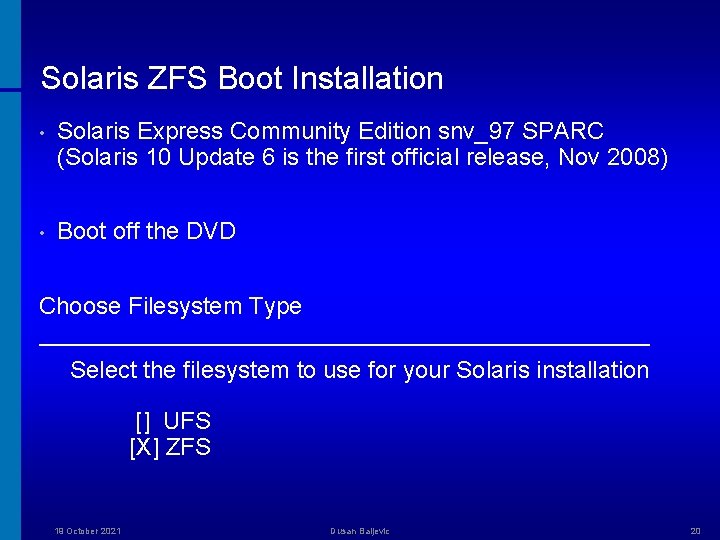
Solaris ZFS Boot Installation • Solaris Express Community Edition snv_97 SPARC (Solaris 10 Update 6 is the first official release, Nov 2008) • Boot off the DVD Choose Filesystem Type ────────────────── Select the filesystem to use for your Solaris installation [] UFS [X] ZFS 19 October 2021 Dusan Baljevic 20
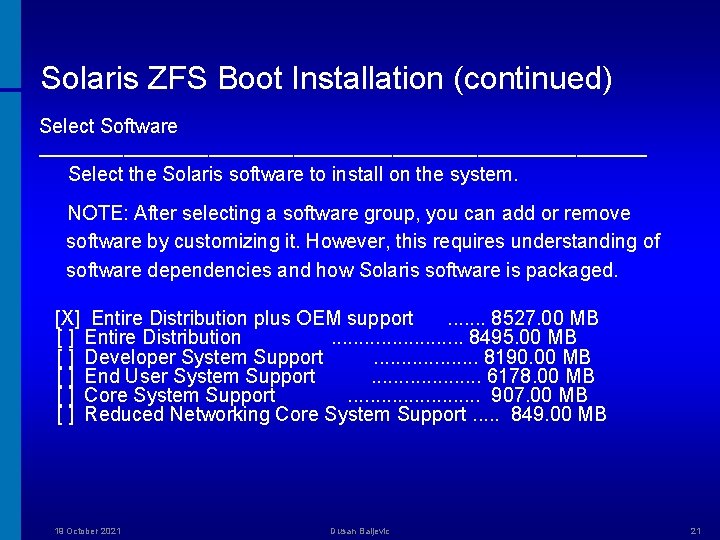
Solaris ZFS Boot Installation (continued) Select Software ────────────────────── Select the Solaris software to install on the system. NOTE: After selecting a software group, you can add or remove software by customizing it. However, this requires understanding of software dependencies and how Solaris software is packaged. [X] Entire Distribution plus OEM support. . . . 8527. 00 MB [ ] Entire Distribution. . . 8495. 00 MB [ ] Developer System Support. . . . . 8190. 00 MB [ ] End User System Support. . . . . 6178. 00 MB [ ] Core System Support. . . 907. 00 MB [ ] Reduced Networking Core System Support. . . 849. 00 MB 19 October 2021 Dusan Baljevic 21
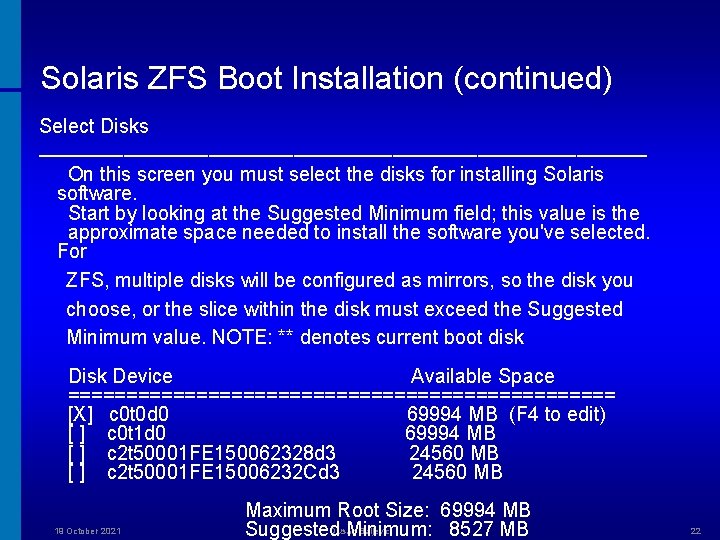
Solaris ZFS Boot Installation (continued) Select Disks ────────────────────── On this screen you must select the disks for installing Solaris software. Start by looking at the Suggested Minimum field; this value is the approximate space needed to install the software you've selected. For ZFS, multiple disks will be configured as mirrors, so the disk you choose, or the slice within the disk must exceed the Suggested Minimum value. NOTE: ** denotes current boot disk Device Available Space ======================== [X] c 0 t 0 d 0 69994 MB (F 4 to edit) [ ] c 0 t 1 d 0 69994 MB [ ] c 2 t 50001 FE 150062328 d 3 24560 MB [ ] c 2 t 50001 FE 15006232 Cd 3 24560 MB 19 October 2021 Maximum Root Size: 69994 MB Dusan Baljevic Suggested Minimum: 8527 MB 22
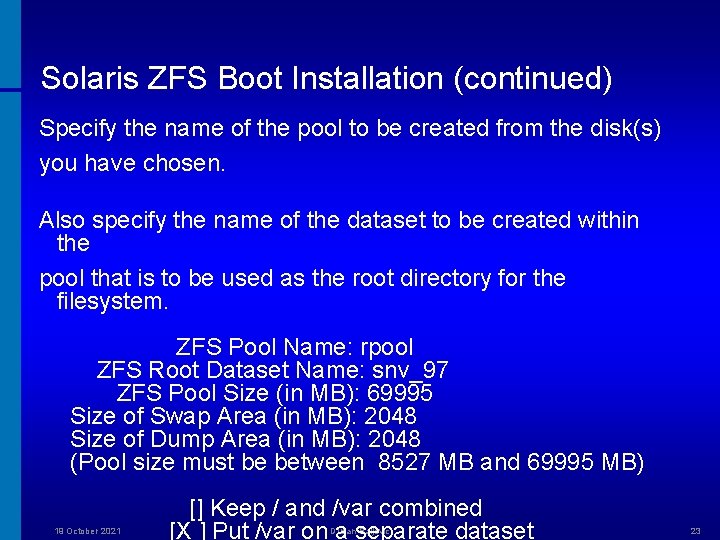
Solaris ZFS Boot Installation (continued) Specify the name of the pool to be created from the disk(s) you have chosen. Also specify the name of the dataset to be created within the pool that is to be used as the root directory for the filesystem. ZFS Pool Name: rpool ZFS Root Dataset Name: snv_97 ZFS Pool Size (in MB): 69995 Size of Swap Area (in MB): 2048 Size of Dump Area (in MB): 2048 (Pool size must be between 8527 MB and 69995 MB) 19 October 2021 [] Keep / and /var combined [X ] Put /var on a separate dataset Dusan Baljevic 23
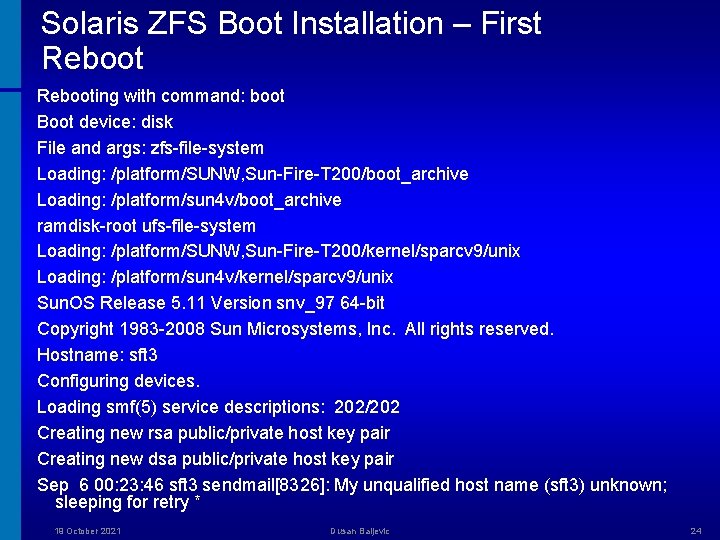
Solaris ZFS Boot Installation – First Rebooting with command: boot Boot device: disk File and args: zfs-file-system Loading: /platform/SUNW, Sun-Fire-T 200/boot_archive Loading: /platform/sun 4 v/boot_archive ramdisk-root ufs-file-system Loading: /platform/SUNW, Sun-Fire-T 200/kernel/sparcv 9/unix Loading: /platform/sun 4 v/kernel/sparcv 9/unix Sun. OS Release 5. 11 Version snv_97 64 -bit Copyright 1983 -2008 Sun Microsystems, Inc. All rights reserved. Hostname: sft 3 Configuring devices. Loading smf(5) service descriptions: 202/202 Creating new rsa public/private host key pair Creating new dsa public/private host key pair Sep 6 00: 23: 46 sft 3 sendmail[8326]: My unqualified host name (sft 3) unknown; sleeping for retry * 19 October 2021 Dusan Baljevic 24
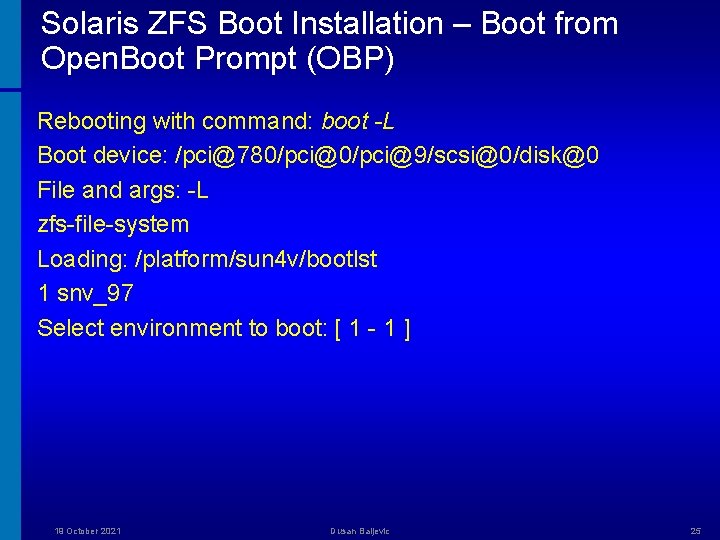
Solaris ZFS Boot Installation – Boot from Open. Boot Prompt (OBP) Rebooting with command: boot -L Boot device: /pci@780/pci@9/scsi@0/disk@0 File and args: -L zfs-file-system Loading: /platform/sun 4 v/bootlst 1 snv_97 Select environment to boot: [ 1 - 1 ] 19 October 2021 Dusan Baljevic 25
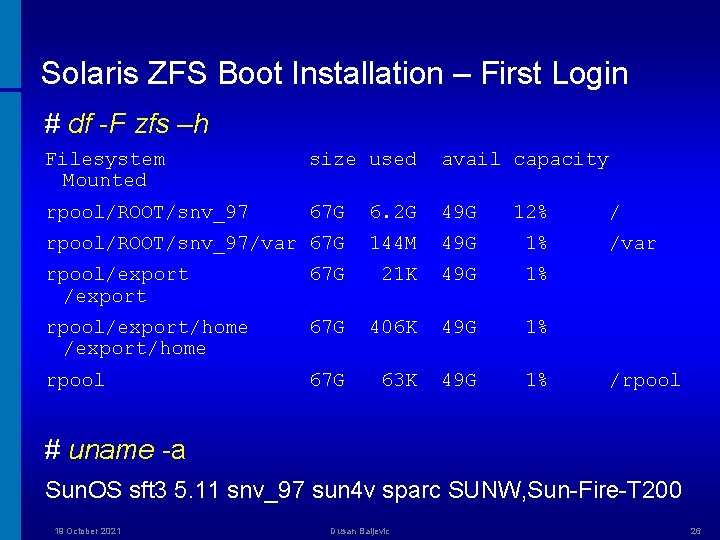
Solaris ZFS Boot Installation – First Login # df -F zfs –h Filesystem Mounted size used avail capacity rpool/ROOT/snv_97 67 G 6. 2 G 49 G 12% rpool/ROOT/snv_97/var 67 G 144 M 49 G 1% rpool/export 67 G 21 K 49 G 1% rpool/export/home 67 G 406 K 49 G 1% rpool 67 G 63 K 49 G 1% / /var /rpool # uname -a Sun. OS sft 3 5. 11 snv_97 sun 4 v sparc SUNW, Sun-Fire-T 200 19 October 2021 Dusan Baljevic 26
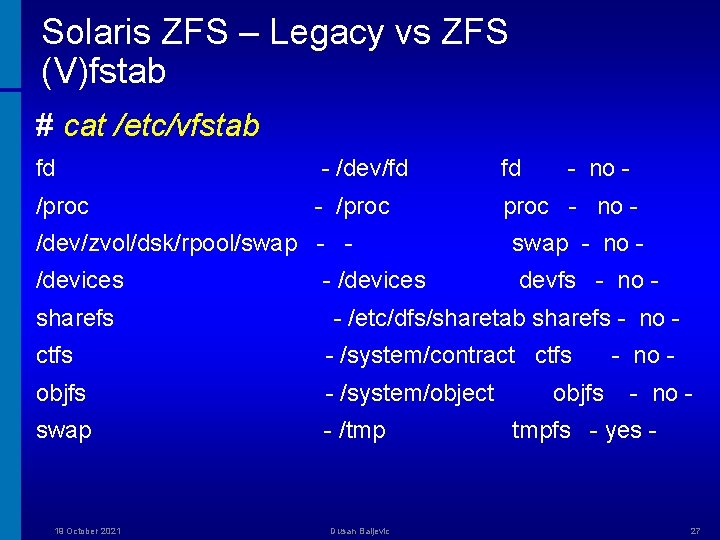
Solaris ZFS – Legacy vs ZFS (V)fstab # cat /etc/vfstab fd - /dev/fd fd - no - /proc - no - /dev/zvol/dsk/rpool/swap - - swap - no - /devices devfs - no - sharefs - /devices - /etc/dfs/sharetab sharefs - no - ctfs - /system/contract ctfs objfs - /system/object swap - /tmp 19 October 2021 Dusan Baljevic objfs - no - tmpfs - yes - 27
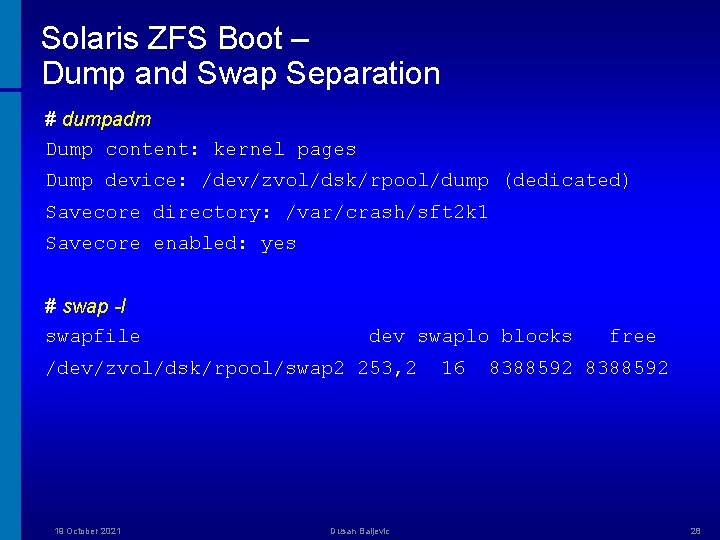
Solaris ZFS Boot – Dump and Swap Separation # dumpadm Dump content: kernel pages Dump device: /dev/zvol/dsk/rpool/dump (dedicated) Savecore directory: /var/crash/sft 2 k 1 Savecore enabled: yes # swap -l swapfile dev swaplo blocks /dev/zvol/dsk/rpool/swap 2 253, 2 19 October 2021 Dusan Baljevic 16 free 8388592 28
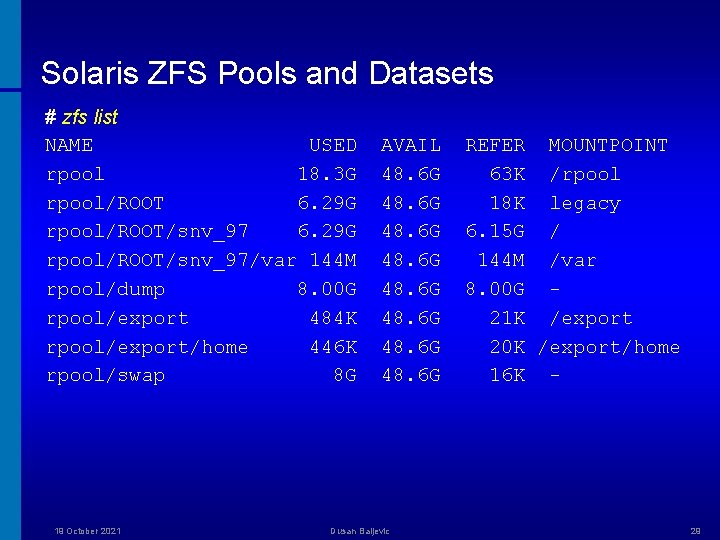
Solaris ZFS Pools and Datasets # zfs list NAME USED rpool 18. 3 G rpool/ROOT 6. 29 G rpool/ROOT/snv_97/var 144 M rpool/dump 8. 00 G rpool/export 484 K rpool/export/home 446 K rpool/swap 8 G 19 October 2021 AVAIL 48. 6 G 48. 6 G Dusan Baljevic REFER MOUNTPOINT 63 K /rpool 18 K legacy 6. 15 G / 144 M /var 8. 00 G 21 K /export 20 K /export/home 16 K - 29
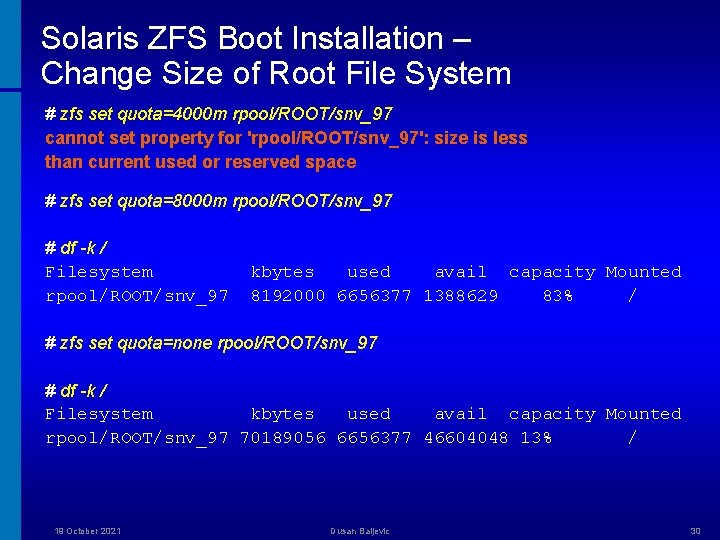
Solaris ZFS Boot Installation – Change Size of Root File System # zfs set quota=4000 m rpool/ROOT/snv_97 cannot set property for 'rpool/ROOT/snv_97': size is less than current used or reserved space # zfs set quota=8000 m rpool/ROOT/snv_97 # df -k / Filesystem rpool/ROOT/snv_97 kbytes used avail capacity Mounted 8192000 6656377 1388629 83% / # zfs set quota=none rpool/ROOT/snv_97 # df -k / Filesystem kbytes used avail capacity Mounted rpool/ROOT/snv_97 70189056 6656377 46604048 13% / 19 October 2021 Dusan Baljevic 30
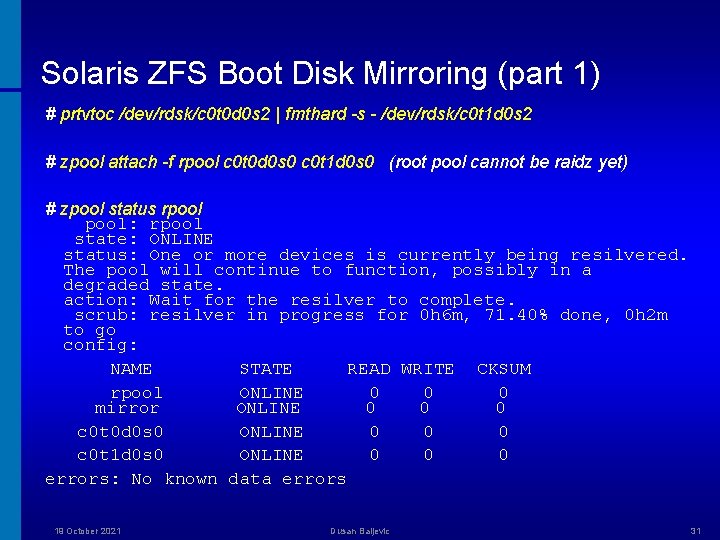
Solaris ZFS Boot Disk Mirroring (part 1) # prtvtoc /dev/rdsk/c 0 t 0 d 0 s 2 | fmthard -s - /dev/rdsk/c 0 t 1 d 0 s 2 # zpool attach -f rpool c 0 t 0 d 0 s 0 c 0 t 1 d 0 s 0 (root pool cannot be raidz yet) # zpool status rpool: rpool state: ONLINE status: One or more devices is currently being resilvered. The pool will continue to function, possibly in a degraded state. action: Wait for the resilver to complete. scrub: resilver in progress for 0 h 6 m, 71. 40% done, 0 h 2 m to go config: NAME STATE READ WRITE CKSUM rpool ONLINE 0 0 0 mirror ONLINE 0 0 0 c 0 t 0 d 0 s 0 ONLINE 0 0 0 c 0 t 1 d 0 s 0 ONLINE 0 0 0 errors: No known data errors 19 October 2021 Dusan Baljevic 31
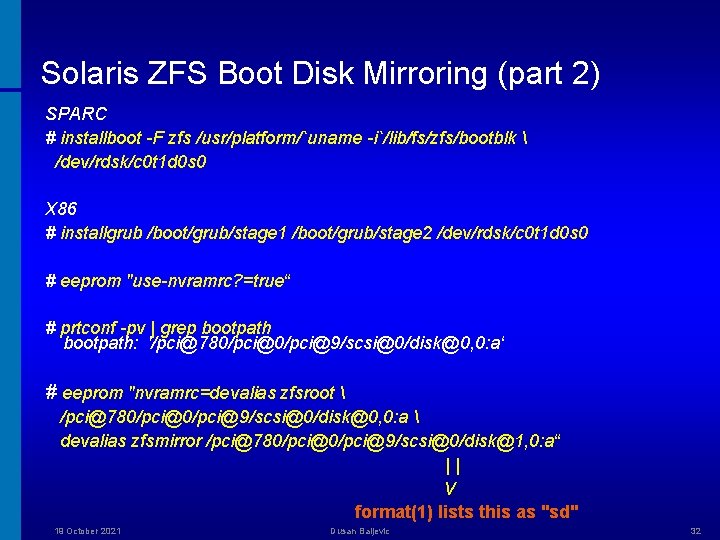
Solaris ZFS Boot Disk Mirroring (part 2) SPARC # installboot -F zfs /usr/platform/`uname -i`/lib/fs/zfs/bootblk /dev/rdsk/c 0 t 1 d 0 s 0 X 86 # installgrub /boot/grub/stage 1 /boot/grub/stage 2 /dev/rdsk/c 0 t 1 d 0 s 0 # eeprom "use-nvramrc? =true“ # prtconf -pv | grep bootpath: '/pci@780/pci@9/scsi@0/disk@0, 0: a‘ # eeprom "nvramrc=devalias zfsroot /pci@780/pci@9/scsi@0/disk@0, 0: a devalias zfsmirror /pci@780/pci@9/scsi@0/disk@1, 0: a“ || / format(1) lists this as "sd" 19 October 2021 Dusan Baljevic 32
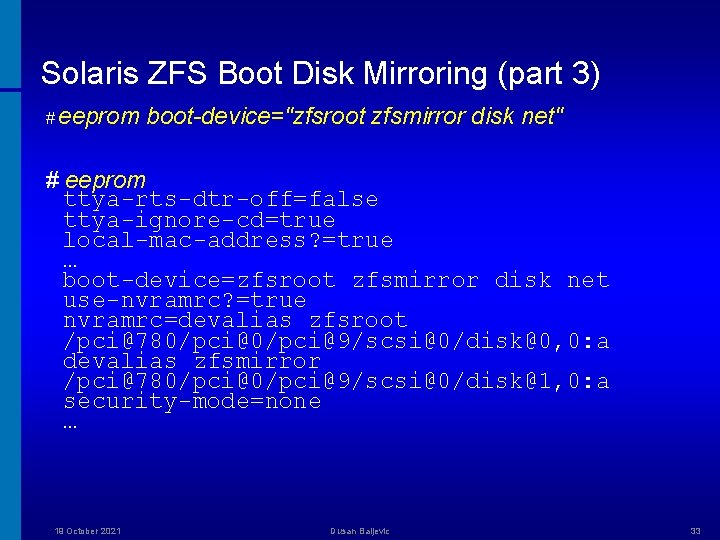
Solaris ZFS Boot Disk Mirroring (part 3) # eeprom boot-device="zfsroot zfsmirror disk net" # eeprom ttya-rts-dtr-off=false ttya-ignore-cd=true local-mac-address? =true … boot-device=zfsroot zfsmirror disk net use-nvramrc? =true nvramrc=devalias zfsroot /pci@780/pci@9/scsi@0/disk@0, 0: a devalias zfsmirror /pci@780/pci@9/scsi@0/disk@1, 0: a security-mode=none … 19 October 2021 Dusan Baljevic 33
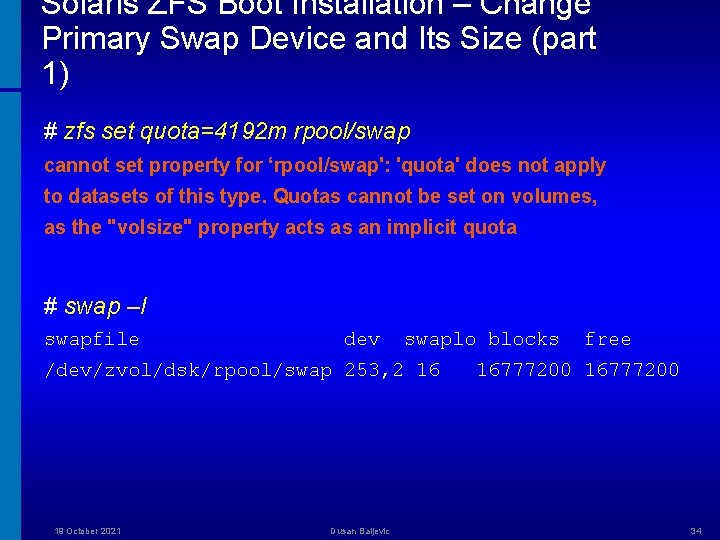
Solaris ZFS Boot Installation – Change Primary Swap Device and Its Size (part 1) # zfs set quota=4192 m rpool/swap cannot set property for ‘rpool/swap': 'quota' does not apply to datasets of this type. Quotas cannot be set on volumes, as the "volsize" property acts as an implicit quota # swap –l swapfile dev swaplo blocks /dev/zvol/dsk/rpool/swap 253, 2 16 19 October 2021 Dusan Baljevic free 16777200 34
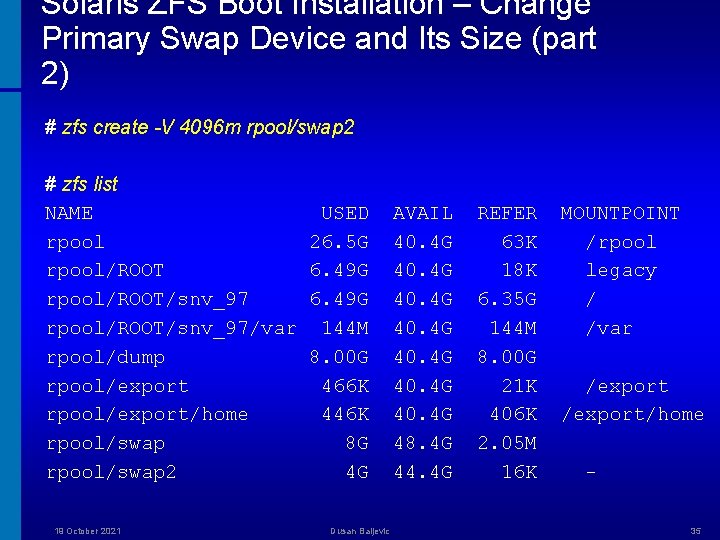
Solaris ZFS Boot Installation – Change Primary Swap Device and Its Size (part 2) # zfs create -V 4096 m rpool/swap 2 # zfs list NAME rpool/ROOT/snv_97/var rpool/dump rpool/export/home rpool/swap 2 19 October 2021 USED 26. 5 G 6. 49 G 144 M 8. 00 G 466 K 446 K 8 G 4 G Dusan Baljevic AVAIL 40. 4 G 40. 4 G 48. 4 G 44. 4 G REFER 63 K 18 K 6. 35 G 144 M 8. 00 G 21 K 406 K 2. 05 M 16 K MOUNTPOINT /rpool legacy / /var /export/home 35
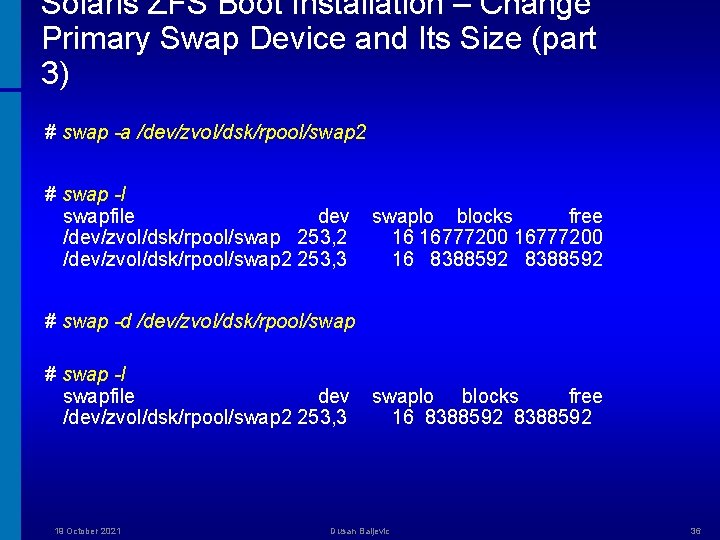
Solaris ZFS Boot Installation – Change Primary Swap Device and Its Size (part 3) # swap -a /dev/zvol/dsk/rpool/swap 2 # swap -l swapfile dev /dev/zvol/dsk/rpool/swap 253, 2 /dev/zvol/dsk/rpool/swap 2 253, 3 swaplo blocks free 16 16777200 16 8388592 # swap -d /dev/zvol/dsk/rpool/swap # swap -l swapfile dev /dev/zvol/dsk/rpool/swap 2 253, 3 19 October 2021 swaplo blocks free 16 8388592 Dusan Baljevic 36
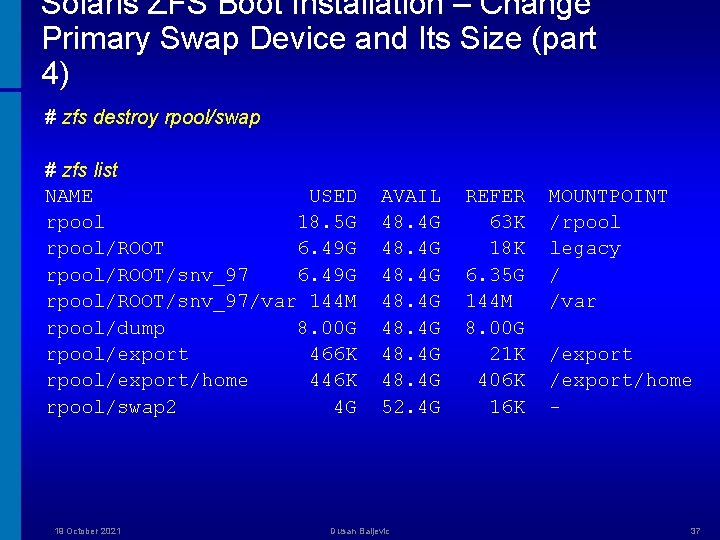
Solaris ZFS Boot Installation – Change Primary Swap Device and Its Size (part 4) # zfs destroy rpool/swap # zfs list NAME USED rpool 18. 5 G rpool/ROOT 6. 49 G rpool/ROOT/snv_97/var 144 M rpool/dump 8. 00 G rpool/export 466 K rpool/export/home 446 K rpool/swap 2 4 G 19 October 2021 AVAIL 48. 4 G 48. 4 G 52. 4 G Dusan Baljevic REFER 63 K 18 K 6. 35 G 144 M 8. 00 G 21 K 406 K 16 K MOUNTPOINT /rpool legacy / /var /export/home - 37
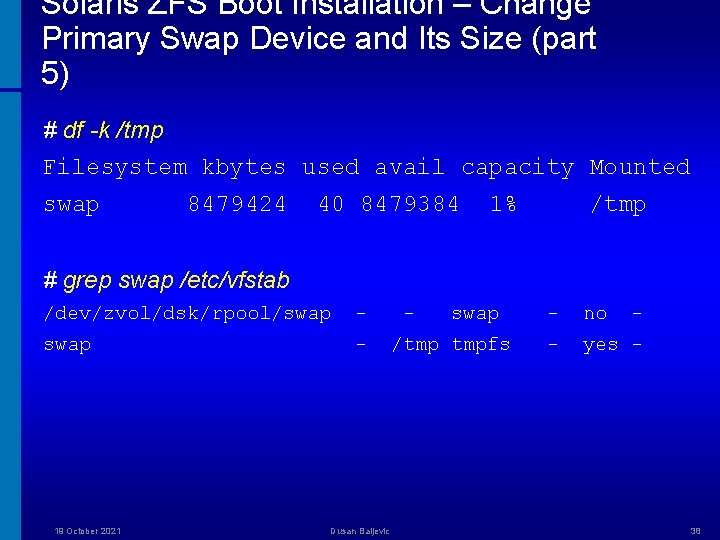
Solaris ZFS Boot Installation – Change Primary Swap Device and Its Size (part 5) # df -k /tmp Filesystem kbytes used avail capacity Mounted swap 8479424 40 8479384 1% /tmp # grep swap /etc/vfstab /dev/zvol/dsk/rpool/swap - 19 October 2021 Dusan Baljevic - swap /tmp tmpfs - no - - yes - 38

Solaris ZFS – Root Pool Detach Mirror # zpool offline rpool c 0 t 1 d 0 s 0 * # zpool detach rpool c 0 t 1 d 0 s 0 # zpool status pool: rpool state: ONLINE scrub: none requested config: NAME STATE rpool ONLINE c 0 t 1 d 0 s 0 ONLINE READ WRITE CKSUM 0 0 0 errors: No known data errors Two potential problems: • When booting the mirror disk, if the primary disk is online, it will be resilvered with the old data • There is no easy way to access the mirror disk data without rebooting 19 October 2021 Dusan Baljevic 39
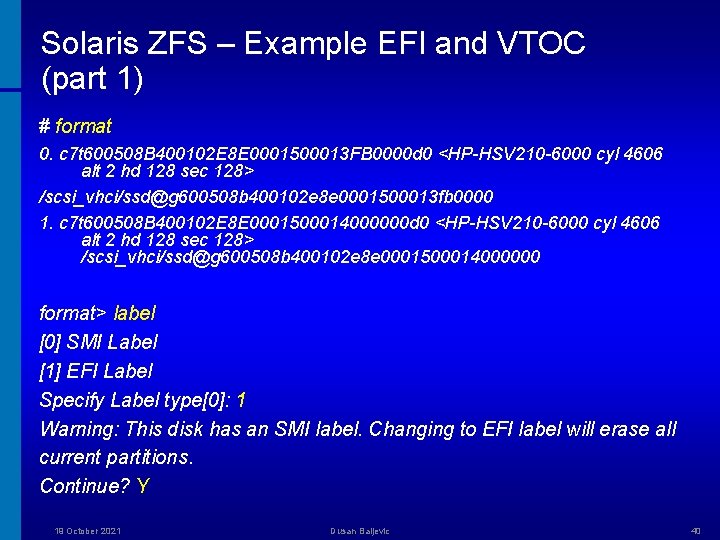
Solaris ZFS – Example EFI and VTOC (part 1) # format 0. c 7 t 600508 B 400102 E 8 E 0001500013 FB 0000 d 0 <HP-HSV 210 -6000 cyl 4606 alt 2 hd 128 sec 128> /scsi_vhci/ssd@g 600508 b 400102 e 8 e 0001500013 fb 0000 1. c 7 t 600508 B 400102 E 8 E 0001500014000000 d 0 <HP-HSV 210 -6000 cyl 4606 alt 2 hd 128 sec 128> /scsi_vhci/ssd@g 600508 b 400102 e 8 e 0001500014000000 format> label [0] SMI Label [1] EFI Label Specify Label type[0]: 1 Warning: This disk has an SMI label. Changing to EFI label will erase all current partitions. Continue? Y 19 October 2021 Dusan Baljevic 40
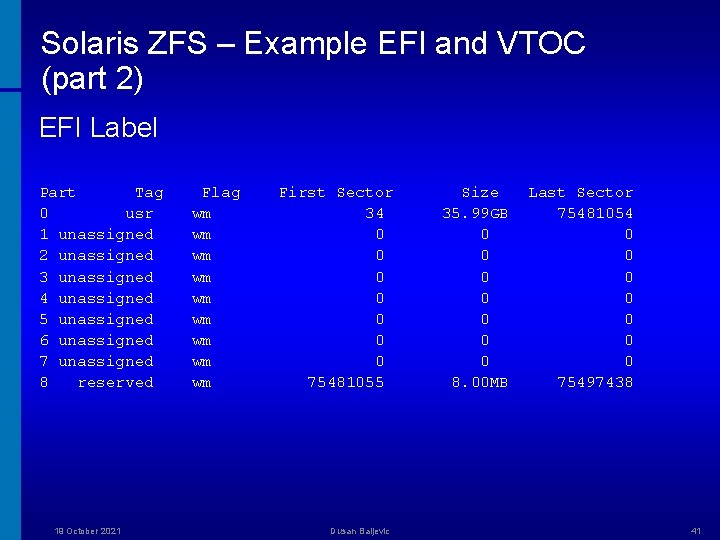
Solaris ZFS – Example EFI and VTOC (part 2) EFI Label Part Tag 0 usr 1 unassigned 2 unassigned 3 unassigned 4 unassigned 5 unassigned 6 unassigned 7 unassigned 8 reserved 19 October 2021 Flag wm wm wm First Sector 34 0 0 0 0 75481055 Dusan Baljevic Size 35. 99 GB 0 0 0 0 8. 00 MB Last Sector 75481054 0 0 0 0 75497438 41
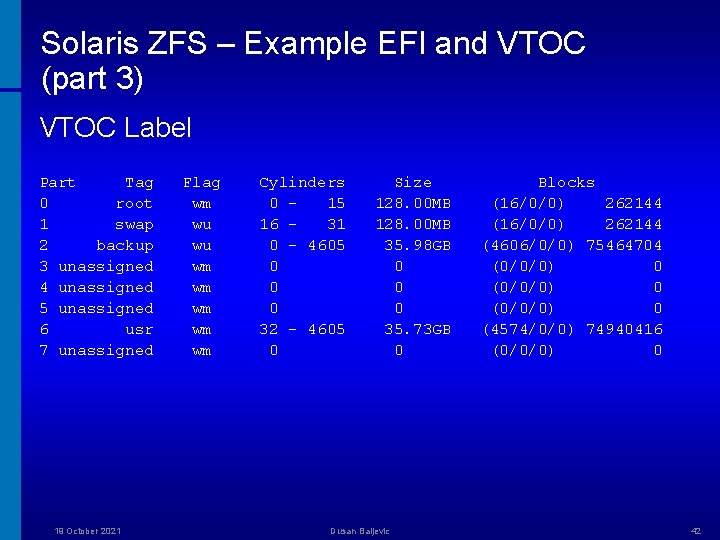
Solaris ZFS – Example EFI and VTOC (part 3) VTOC Label Part Tag 0 root 1 swap 2 backup 3 unassigned 4 unassigned 5 unassigned 6 usr 7 unassigned 19 October 2021 Flag wm wu wu wm wm wm Cylinders 0 15 16 31 0 - 4605 0 0 0 32 - 4605 0 Size 128. 00 MB 35. 98 GB 0 0 0 35. 73 GB 0 Dusan Baljevic Blocks (16/0/0) 262144 (4606/0/0) 75464704 (0/0/0) 0 (4574/0/0) 74940416 (0/0/0) 0 42
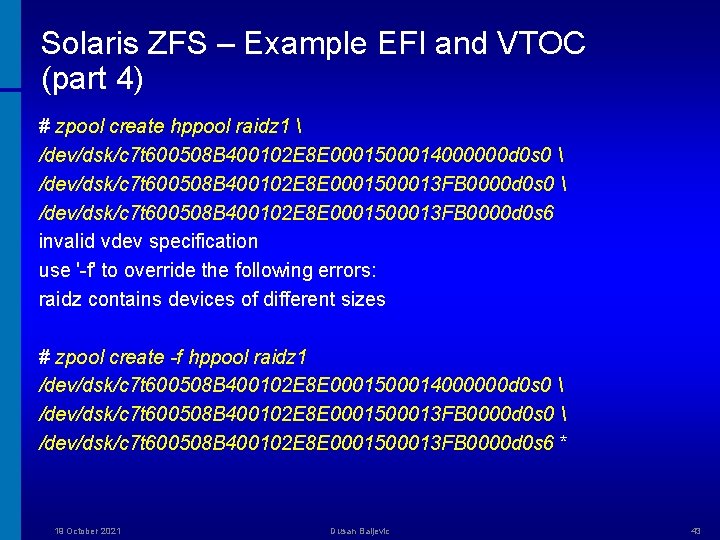
Solaris ZFS – Example EFI and VTOC (part 4) # zpool create hppool raidz 1 /dev/dsk/c 7 t 600508 B 400102 E 8 E 0001500014000000 d 0 s 0 /dev/dsk/c 7 t 600508 B 400102 E 8 E 0001500013 FB 0000 d 0 s 6 invalid vdev specification use '-f' to override the following errors: raidz contains devices of different sizes # zpool create -f hppool raidz 1 /dev/dsk/c 7 t 600508 B 400102 E 8 E 0001500014000000 d 0 s 0 /dev/dsk/c 7 t 600508 B 400102 E 8 E 0001500013 FB 0000 d 0 s 6 * 19 October 2021 Dusan Baljevic 43
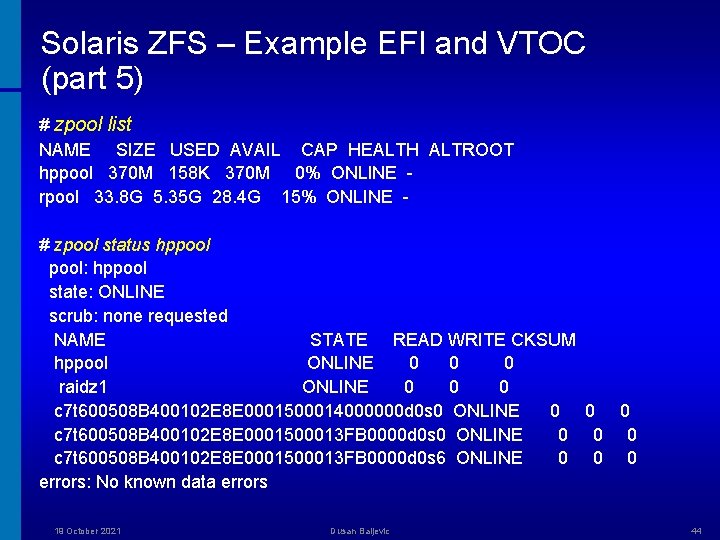
Solaris ZFS – Example EFI and VTOC (part 5) # zpool list NAME SIZE USED AVAIL CAP HEALTH ALTROOT hppool 370 M 158 K 370 M 0% ONLINE rpool 33. 8 G 5. 35 G 28. 4 G 15% ONLINE # zpool status hppool: hppool state: ONLINE scrub: none requested NAME STATE READ WRITE CKSUM hppool ONLINE 0 0 0 raidz 1 ONLINE 0 0 0 c 7 t 600508 B 400102 E 8 E 0001500014000000 d 0 s 0 ONLINE 0 0 0 c 7 t 600508 B 400102 E 8 E 0001500013 FB 0000 d 0 s 6 ONLINE 0 0 0 errors: No known data errors 19 October 2021 Dusan Baljevic 44
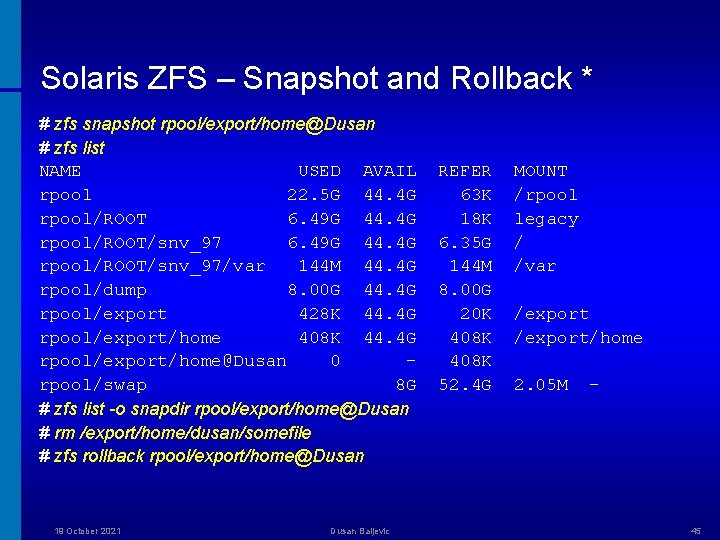
Solaris ZFS – Snapshot and Rollback * # zfs snapshot rpool/export/home@Dusan # zfs list NAME USED AVAIL rpool 22. 5 G 44. 4 G rpool/ROOT 6. 49 G 44. 4 G rpool/ROOT/snv_97/var 144 M 44. 4 G rpool/dump 8. 00 G 44. 4 G rpool/export 428 K 44. 4 G rpool/export/home 408 K 44. 4 G rpool/export/home@Dusan 0 rpool/swap 8 G # zfs list -o snapdir rpool/export/home@Dusan # rm /export/home/dusan/somefile # zfs rollback rpool/export/home@Dusan 19 October 2021 Dusan Baljevic REFER 63 K 18 K 6. 35 G 144 M 8. 00 G 20 K 408 K 52. 4 G MOUNT /rpool legacy / /var /export/home 2. 05 M - 45
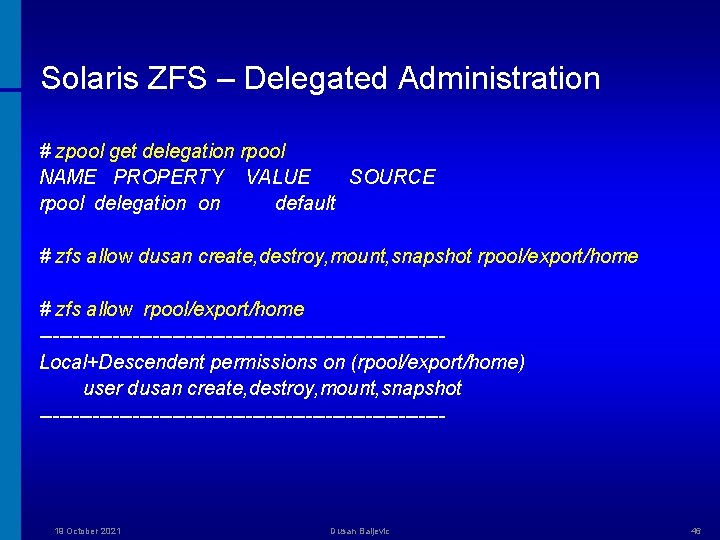
Solaris ZFS – Delegated Administration # zpool get delegation rpool NAME PROPERTY VALUE SOURCE rpool delegation on default # zfs allow dusan create, destroy, mount, snapshot rpool/export/home # zfs allow rpool/export/home ------------------------------Local+Descendent permissions on (rpool/export/home) user dusan create, destroy, mount, snapshot ------------------------------- 19 October 2021 Dusan Baljevic 46
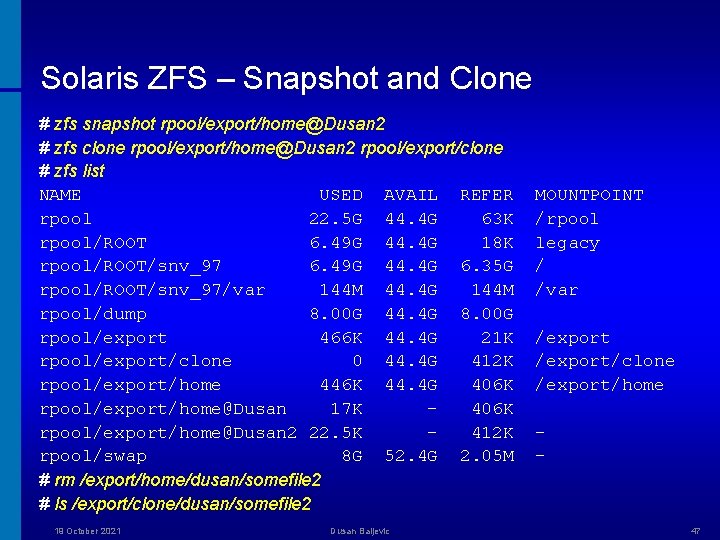
Solaris ZFS – Snapshot and Clone # zfs snapshot rpool/export/home@Dusan 2 # zfs clone rpool/export/home@Dusan 2 rpool/export/clone # zfs list NAME USED AVAIL REFER rpool 22. 5 G 44. 4 G 63 K rpool/ROOT 6. 49 G 44. 4 G 18 K rpool/ROOT/snv_97 6. 49 G 44. 4 G 6. 35 G rpool/ROOT/snv_97/var 144 M 44. 4 G 144 M rpool/dump 8. 00 G 44. 4 G 8. 00 G rpool/export 466 K 44. 4 G 21 K rpool/export/clone 0 44. 4 G 412 K rpool/export/home 446 K 44. 4 G 406 K rpool/export/home@Dusan 17 K 406 K rpool/export/home@Dusan 2 22. 5 K 412 K rpool/swap 8 G 52. 4 G 2. 05 M # rm /export/home/dusan/somefile 2 # ls /export/clone/dusan/somefile 2 19 October 2021 Dusan Baljevic MOUNTPOINT /rpool legacy / /var /export/clone /export/home - 47
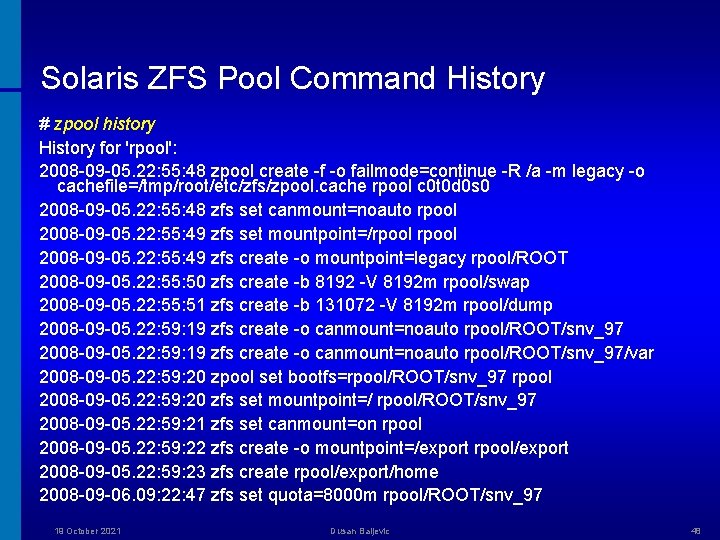
Solaris ZFS Pool Command History # zpool history History for 'rpool': 2008 -09 -05. 22: 55: 48 zpool create -f -o failmode=continue -R /a -m legacy -o cachefile=/tmp/root/etc/zfs/zpool. cache rpool c 0 t 0 d 0 s 0 2008 -09 -05. 22: 55: 48 zfs set canmount=noauto rpool 2008 -09 -05. 22: 55: 49 zfs set mountpoint=/rpool 2008 -09 -05. 22: 55: 49 zfs create -o mountpoint=legacy rpool/ROOT 2008 -09 -05. 22: 55: 50 zfs create -b 8192 -V 8192 m rpool/swap 2008 -09 -05. 22: 55: 51 zfs create -b 131072 -V 8192 m rpool/dump 2008 -09 -05. 22: 59: 19 zfs create -o canmount=noauto rpool/ROOT/snv_97/var 2008 -09 -05. 22: 59: 20 zpool set bootfs=rpool/ROOT/snv_97 rpool 2008 -09 -05. 22: 59: 20 zfs set mountpoint=/ rpool/ROOT/snv_97 2008 -09 -05. 22: 59: 21 zfs set canmount=on rpool 2008 -09 -05. 22: 59: 22 zfs create -o mountpoint=/export rpool/export 2008 -09 -05. 22: 59: 23 zfs create rpool/export/home 2008 -09 -06. 09: 22: 47 zfs set quota=8000 m rpool/ROOT/snv_97 19 October 2021 Dusan Baljevic 48
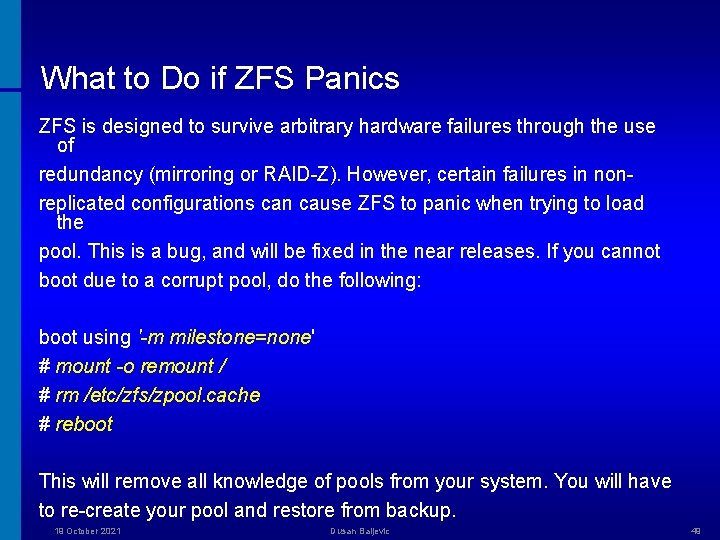
What to Do if ZFS Panics ZFS is designed to survive arbitrary hardware failures through the use of redundancy (mirroring or RAID-Z). However, certain failures in nonreplicated configurations can cause ZFS to panic when trying to load the pool. This is a bug, and will be fixed in the near releases. If you cannot boot due to a corrupt pool, do the following: boot using '-m milestone=none' # mount -o remount / # rm /etc/zfs/zpool. cache # reboot This will remove all knowledge of pools from your system. You will have to re-create your pool and restore from backup. 19 October 2021 Dusan Baljevic 49
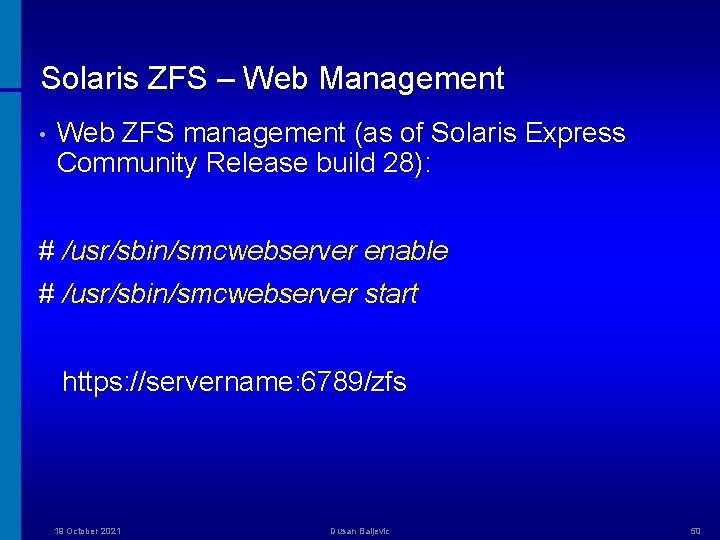
Solaris ZFS – Web Management • Web ZFS management (as of Solaris Express Community Release build 28): # /usr/sbin/smcwebserver enable # /usr/sbin/smcwebserver start https: //servername: 6789/zfs 19 October 2021 Dusan Baljevic 50

Solaris ZFS – Redundant Copies for Data* # zfs create -o copies=1 mypool 3/single # zfs create -o copies=2 mypool 3/double # zfs create -o copies=3 mypool 3/triple # cp -rp /etc /mypool 3/single # cp -rp /etc /mypool 3/double # cp -rp /etc /mypool 3/triple # zfs list -r mypool 3 NAME mypool 3/double mypool 3/single mypool 3/triple 19 October 2021 USED 48. 2 M 16. 0 M 8. 09 M 23. 8 M AVAIL 310 M REFER 33. 5 K 16. 0 M 8. 09 M 23. 8 M Dusan Baljevic MOUNTPOINT /mypool 3/double /mypool 3/single /mypool 3/triple 51
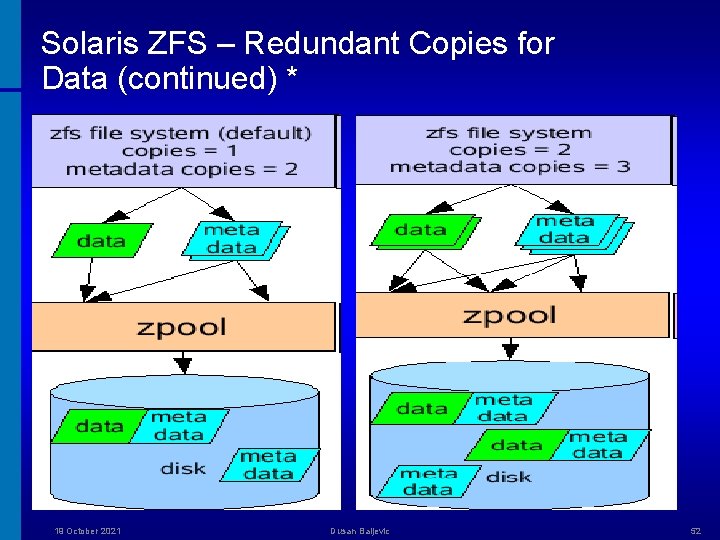
Solaris ZFS – Redundant Copies for Data (continued) * 19 October 2021 Dusan Baljevic 52
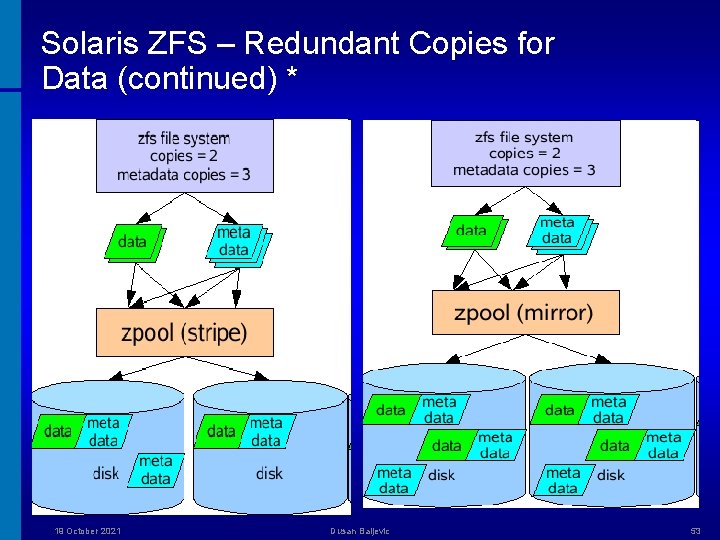
Solaris ZFS – Redundant Copies for Data (continued) * 19 October 2021 Dusan Baljevic 53
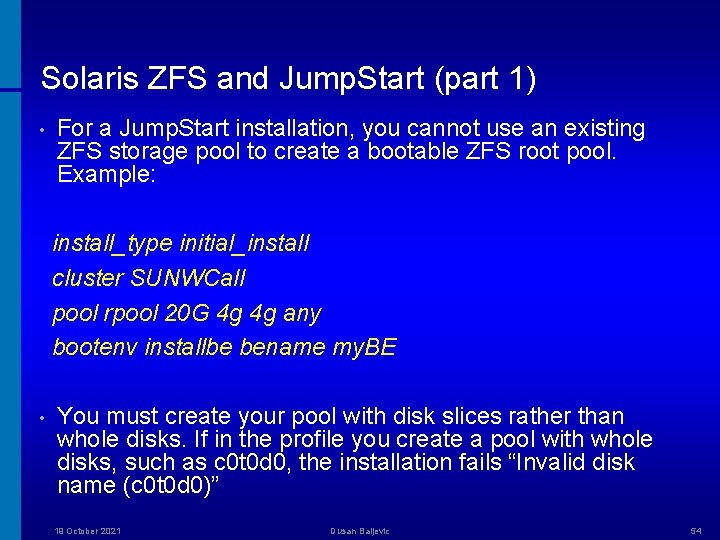
Solaris ZFS and Jump. Start (part 1) • For a Jump. Start installation, you cannot use an existing ZFS storage pool to create a bootable ZFS root pool. Example: install_type initial_install cluster SUNWCall pool rpool 20 G 4 g 4 g any bootenv installbe bename my. BE • You must create your pool with disk slices rather than whole disks. If in the profile you create a pool with whole disks, such as c 0 t 0 d 0, the installation fails “Invalid disk name (c 0 t 0 d 0)” 19 October 2021 Dusan Baljevic 54
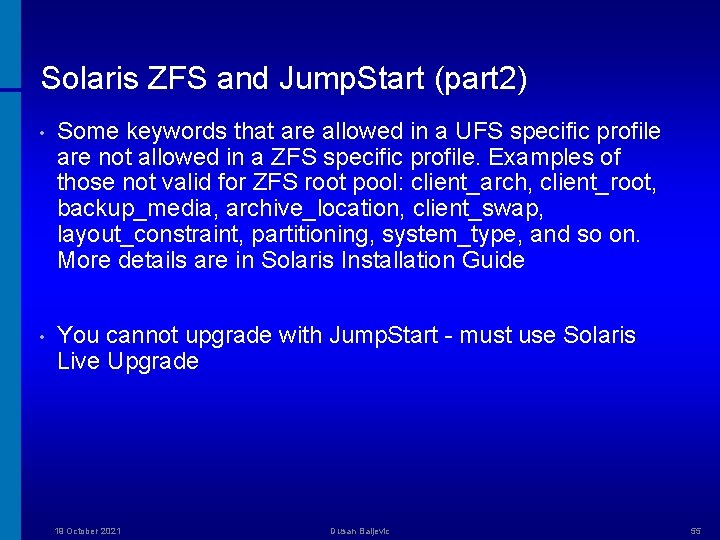
Solaris ZFS and Jump. Start (part 2) • Some keywords that are allowed in a UFS specific profile are not allowed in a ZFS specific profile. Examples of those not valid for ZFS root pool: client_arch, client_root, backup_media, archive_location, client_swap, layout_constraint, partitioning, system_type, and so on. More details are in Solaris Installation Guide • You cannot upgrade with Jump. Start - must use Solaris Live Upgrade 19 October 2021 Dusan Baljevic 55
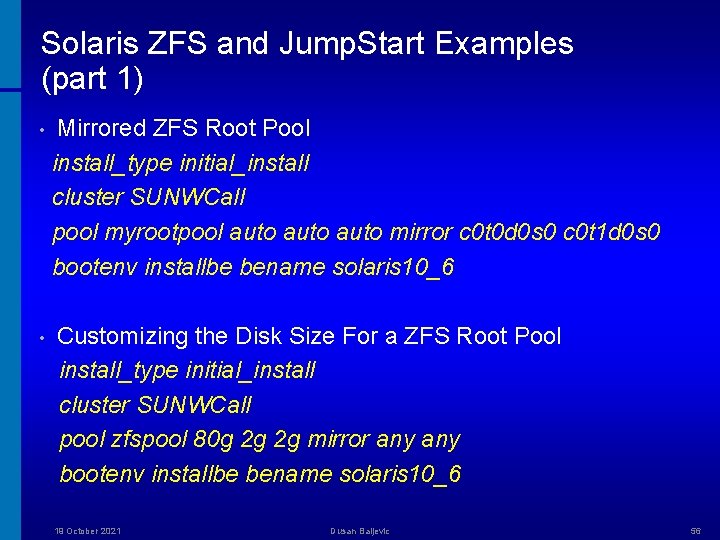
Solaris ZFS and Jump. Start Examples (part 1) • Mirrored ZFS Root Pool install_type initial_install cluster SUNWCall pool myrootpool auto mirror c 0 t 0 d 0 s 0 c 0 t 1 d 0 s 0 bootenv installbe bename solaris 10_6 • Customizing the Disk Size For a ZFS Root Pool install_type initial_install cluster SUNWCall pool zfspool 80 g 2 g 2 g mirror any bootenv installbe bename solaris 10_6 19 October 2021 Dusan Baljevic 56
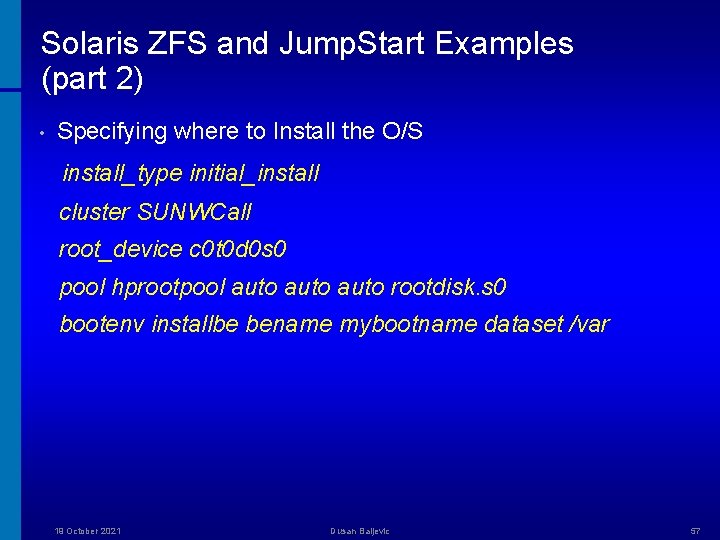
Solaris ZFS and Jump. Start Examples (part 2) • Specifying where to Install the O/S install_type initial_install cluster SUNWCall root_device c 0 t 0 d 0 s 0 pool hprootpool auto rootdisk. s 0 bootenv installbe bename mybootname dataset /var 19 October 2021 Dusan Baljevic 57
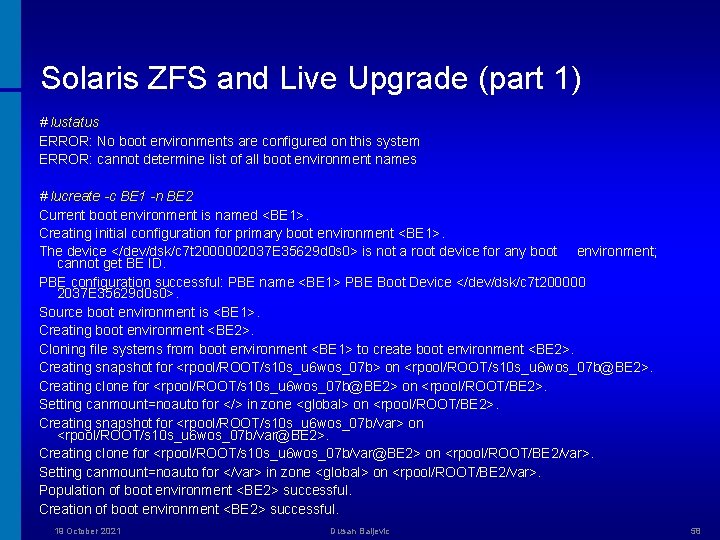
Solaris ZFS and Live Upgrade (part 1) # lustatus ERROR: No boot environments are configured on this system ERROR: cannot determine list of all boot environment names # lucreate -c BE 1 -n BE 2 Current boot environment is named <BE 1>. Creating initial configuration for primary boot environment <BE 1>. The device </dev/dsk/c 7 t 2000002037 E 35629 d 0 s 0> is not a root device for any boot environment; cannot get BE ID. PBE configuration successful: PBE name <BE 1> PBE Boot Device </dev/dsk/c 7 t 200000 2037 E 35629 d 0 s 0>. Source boot environment is <BE 1>. Creating boot environment <BE 2>. Cloning file systems from boot environment <BE 1> to create boot environment <BE 2>. Creating snapshot for <rpool/ROOT/s 10 s_u 6 wos_07 b> on <rpool/ROOT/s 10 s_u 6 wos_07 b@BE 2>. Creating clone for <rpool/ROOT/s 10 s_u 6 wos_07 b@BE 2> on <rpool/ROOT/BE 2>. Setting canmount=noauto for </> in zone <global> on <rpool/ROOT/BE 2>. Creating snapshot for <rpool/ROOT/s 10 s_u 6 wos_07 b/var> on <rpool/ROOT/s 10 s_u 6 wos_07 b/var@BE 2>. Creating clone for <rpool/ROOT/s 10 s_u 6 wos_07 b/var@BE 2> on <rpool/ROOT/BE 2/var>. Setting canmount=noauto for </var> in zone <global> on <rpool/ROOT/BE 2/var>. Population of boot environment <BE 2> successful. Creation of boot environment <BE 2> successful. 19 October 2021 Dusan Baljevic 58
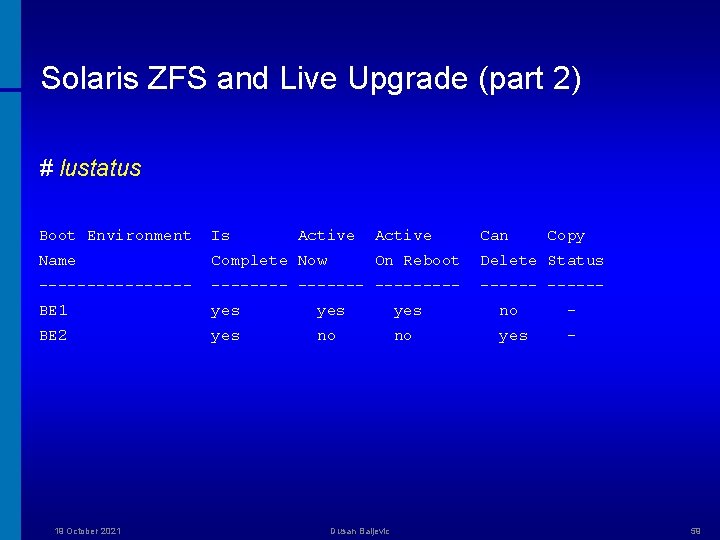
Solaris ZFS and Live Upgrade (part 2) # lustatus Boot Environment Is Active Can Name Complete Now On Reboot Delete Status -------- --------- BE 1 yes yes no - BE 2 yes no no yes - 19 October 2021 Active Dusan Baljevic Copy 59
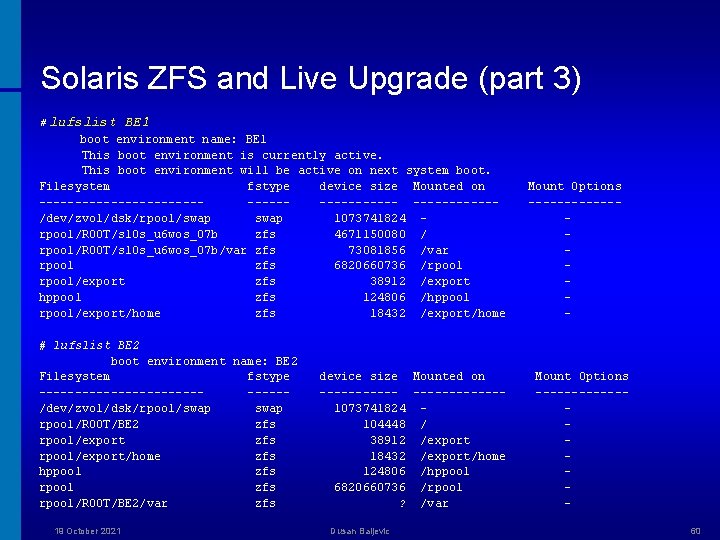
Solaris ZFS and Live Upgrade (part 3) # lufslist BE 1 boot environment name: BE 1 This boot environment is currently active. This boot environment will be active on next system boot. Filesystem fstype device size Mounted on -------------------/dev/zvol/dsk/rpool/swap 1073741824 rpool/ROOT/s 10 s_u 6 wos_07 b zfs 4671150080 / rpool/ROOT/s 10 s_u 6 wos_07 b/var zfs 73081856 /var rpool zfs 6820660736 /rpool/export zfs 38912 /export hppool zfs 124806 /hppool rpool/export/home zfs 18432 /export/home # lufslist BE 2 boot environment name: BE 2 Filesystem fstype --------------/dev/zvol/dsk/rpool/swap rpool/ROOT/BE 2 zfs rpool/export/home zfs hppool zfs rpool/ROOT/BE 2/var zfs 19 October 2021 device size Mounted on ------------1073741824 104448 / 38912 /export 18432 /export/home 124806 /hppool 6820660736 /rpool ? /var Dusan Baljevic Mount Options ------- Mount Options ------60
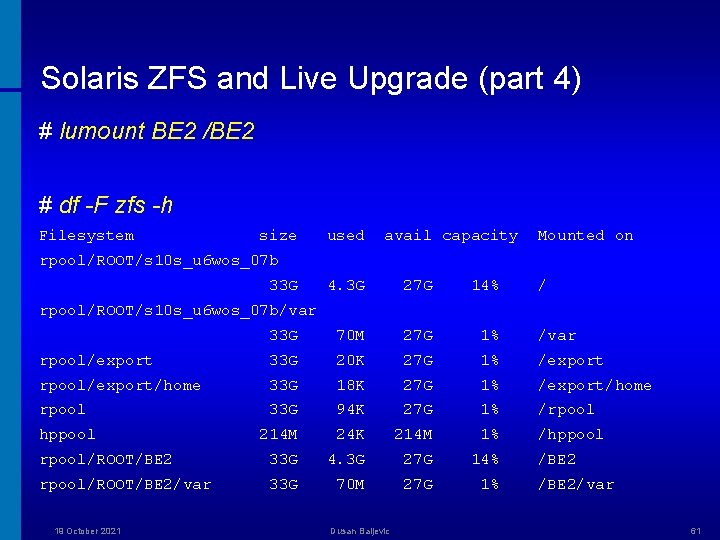
Solaris ZFS and Live Upgrade (part 4) # lumount BE 2 /BE 2 # df -F zfs -h Filesystem size used avail capacity Mounted on rpool/ROOT/s 10 s_u 6 wos_07 b 33 G 4. 3 G 27 G 14% / 33 G 70 M 27 G 1% /var rpool/export 33 G 20 K 27 G 1% /export rpool/export/home 33 G 18 K 27 G 1% /export/home rpool 33 G 94 K 27 G 1% /rpool hppool 214 M 24 K 214 M 1% /hppool rpool/ROOT/BE 2 33 G 4. 3 G 27 G 14% rpool/ROOT/BE 2/var 33 G 70 M 27 G 1% rpool/ROOT/s 10 s_u 6 wos_07 b/var 19 October 2021 Dusan Baljevic /BE 2/var 61
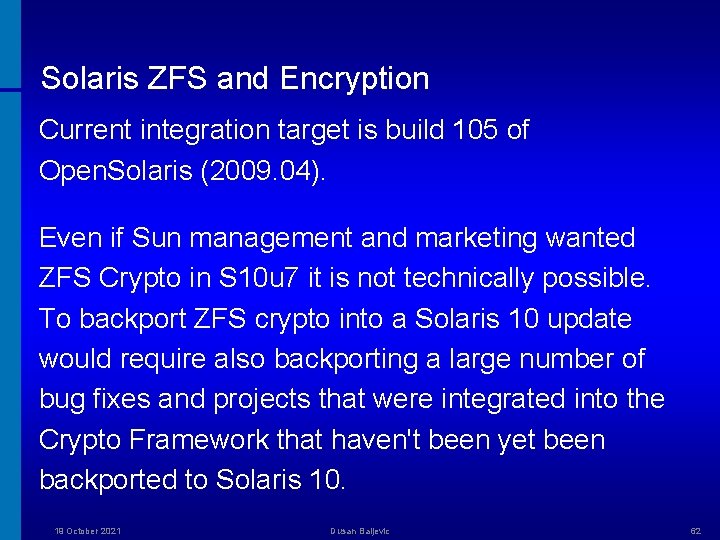
Solaris ZFS and Encryption Current integration target is build 105 of Open. Solaris (2009. 04). Even if Sun management and marketing wanted ZFS Crypto in S 10 u 7 it is not technically possible. To backport ZFS crypto into a Solaris 10 update would require also backporting a large number of bug fixes and projects that were integrated into the Crypto Framework that haven't been yet been backported to Solaris 10. 19 October 2021 Dusan Baljevic 62
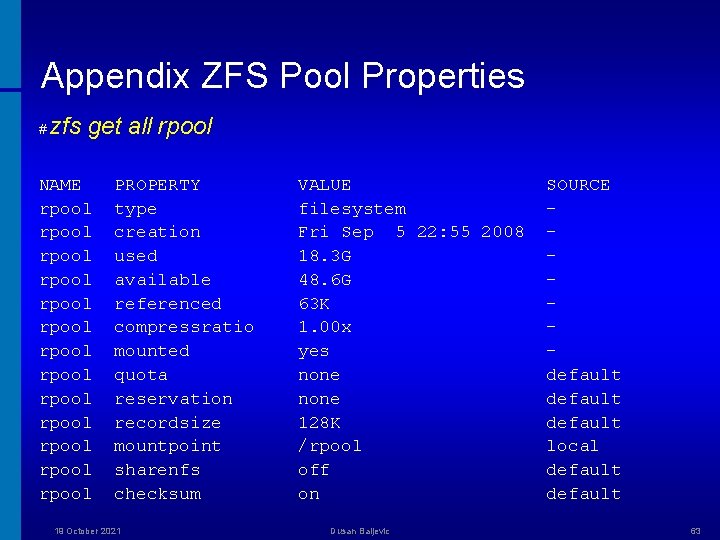
Appendix ZFS Pool Properties # zfs get all rpool NAME rpool rpool rpool rpool PROPERTY type creation used available referenced compressratio mounted quota reservation recordsize mountpoint sharenfs checksum 19 October 2021 VALUE filesystem Fri Sep 5 22: 55 2008 18. 3 G 48. 6 G 63 K 1. 00 x yes none 128 K /rpool off on Dusan Baljevic SOURCE default local default 63
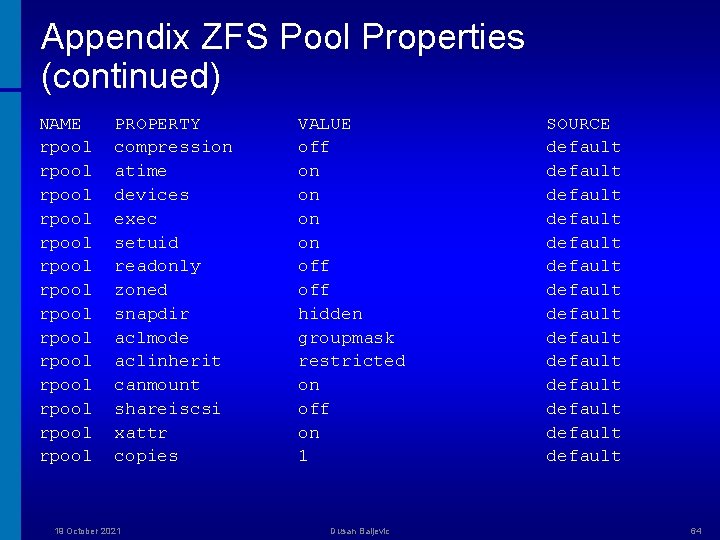
Appendix ZFS Pool Properties (continued) NAME rpool rpool rpool rpool PROPERTY compression atime devices exec setuid readonly zoned snapdir aclmode aclinherit canmount shareiscsi xattr copies 19 October 2021 VALUE off on on off hidden groupmask restricted on off on 1 Dusan Baljevic SOURCE default default default default 64
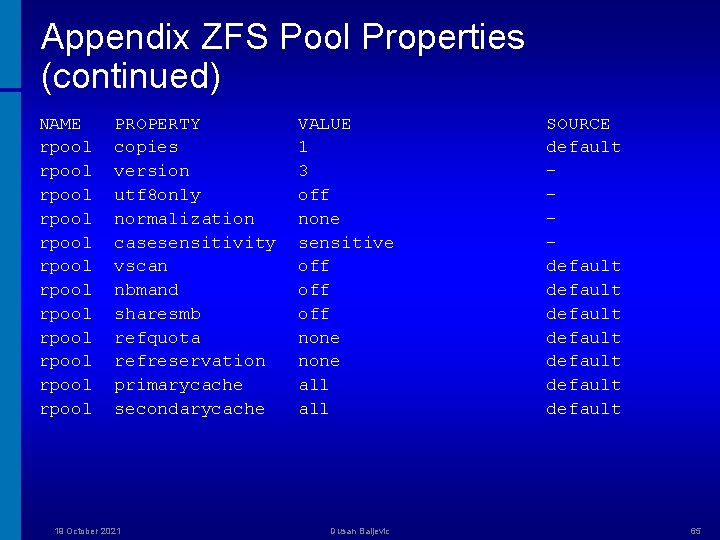
Appendix ZFS Pool Properties (continued) NAME rpool rpool rpool PROPERTY copies version utf 8 only normalization casesensitivity vscan nbmand sharesmb refquota refreservation primarycache secondarycache 19 October 2021 VALUE 1 3 off none sensitive off off none all Dusan Baljevic SOURCE default default 65
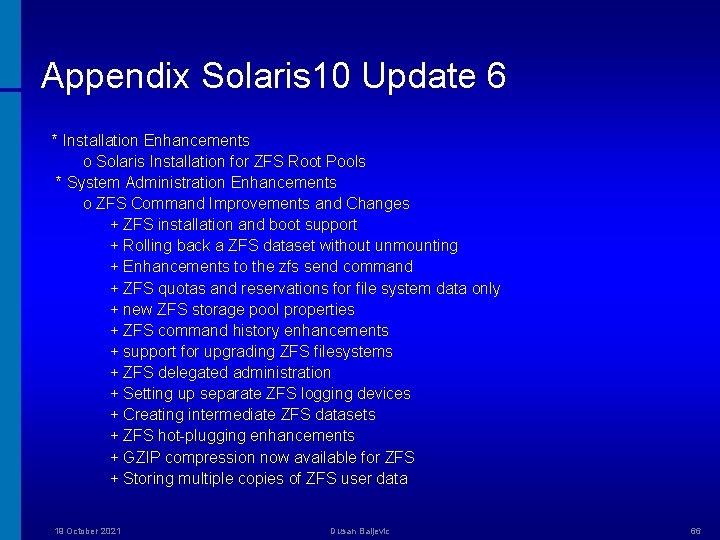
Appendix Solaris 10 Update 6 * Installation Enhancements o Solaris Installation for ZFS Root Pools * System Administration Enhancements o ZFS Command Improvements and Changes + ZFS installation and boot support + Rolling back a ZFS dataset without unmounting + Enhancements to the zfs send command + ZFS quotas and reservations for file system data only + new ZFS storage pool properties + ZFS command history enhancements + support for upgrading ZFS filesystems + ZFS delegated administration + Setting up separate ZFS logging devices + Creating intermediate ZFS datasets + ZFS hot-plugging enhancements + GZIP compression now available for ZFS + Storing multiple copies of ZFS user data 19 October 2021 Dusan Baljevic 66
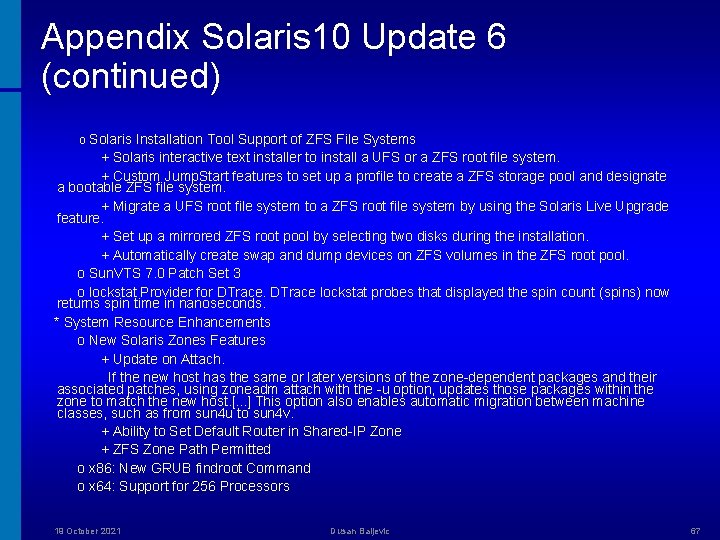
Appendix Solaris 10 Update 6 (continued) o Solaris Installation Tool Support of ZFS File Systems + Solaris interactive text installer to install a UFS or a ZFS root file system. + Custom Jump. Start features to set up a profile to create a ZFS storage pool and designate a bootable ZFS file system. + Migrate a UFS root file system to a ZFS root file system by using the Solaris Live Upgrade feature. + Set up a mirrored ZFS root pool by selecting two disks during the installation. + Automatically create swap and dump devices on ZFS volumes in the ZFS root pool. o Sun. VTS 7. 0 Patch Set 3 o lockstat Provider for DTrace lockstat probes that displayed the spin count (spins) now returns spin time in nanoseconds. * System Resource Enhancements o New Solaris Zones Features + Update on Attach. If the new host has the same or later versions of the zone-dependent packages and their associated patches, using zoneadm attach with the -u option, updates those packages within the zone to match the new host. [. . . ] This option also enables automatic migration between machine classes, such as from sun 4 u to sun 4 v. + Ability to Set Default Router in Shared-IP Zone + ZFS Zone Path Permitted o x 86: New GRUB findroot Command o x 64: Support for 256 Processors 19 October 2021 Dusan Baljevic 67
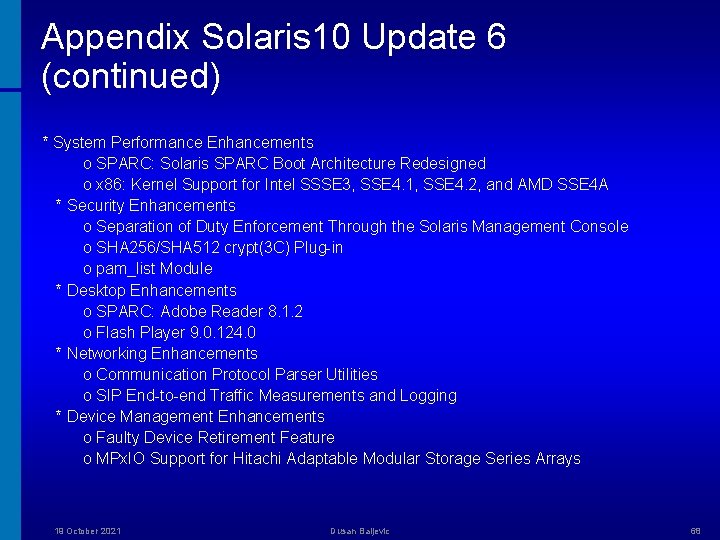
Appendix Solaris 10 Update 6 (continued) * System Performance Enhancements o SPARC: Solaris SPARC Boot Architecture Redesigned o x 86: Kernel Support for Intel SSSE 3, SSE 4. 1, SSE 4. 2, and AMD SSE 4 A * Security Enhancements o Separation of Duty Enforcement Through the Solaris Management Console o SHA 256/SHA 512 crypt(3 C) Plug-in o pam_list Module * Desktop Enhancements o SPARC: Adobe Reader 8. 1. 2 o Flash Player 9. 0. 124. 0 * Networking Enhancements o Communication Protocol Parser Utilities o SIP End-to-end Traffic Measurements and Logging * Device Management Enhancements o Faulty Device Retirement Feature o MPx. IO Support for Hitachi Adaptable Modular Storage Series Arrays 19 October 2021 Dusan Baljevic 68
Appendix Solaris 10 Update 6 (continued) * Driver Enhancements o x 86: NVIDIA ck 804/mcp 55 SATA Controller Driver o x 86: LSI Mega. RAID SAS Controllers Driver o ixgbe Driver. The ixgbe is a 10 Gigabit PCI Express Ethernet driver that supports Intel 82598 10 Gigabit Ethernet controller. o SPARC: Support for aac Driver * Additional Software Enhancements o Perl Database Interface and Perl Postgre. SQL Driver o Postgre. SQL 8. 3 * Language Support Enhancements o IIIMF Hangul Language Engine. The Hangul LE (Language Engine) is a new Korean input method. * Freeware Enhancements o C-URL - The C-URL Wrappers Library o Libidn - Internationalized Domain Library o Lib. GD - The Graphics Draw Library o TIDY HTML Library 19 October 2021 Dusan Baljevic 69
Appendix Sun Versus Net. App * (part 1) http: //www. groklaw. net/article. php? story=20081007160707649&query=Net. App-Sun • • After Net. App filed its lawsuit to halt adoption of Sun's open source ZFS technology, Sun responded by filing re-examination requests with the PTO citing the extensive amount of highly relevant prior art that was not disclosed or considered when Net. App originally filed its patents. The patent office clearly agreed with the relevance of this prior art, as demonstrated by its rejection of the claims across all of the re-examinations. Of these patents, three have been described by Net. App as "core" (US Patent Nos. 6, 857, 001; 6, 892, 211; and 5, 819, 292). Here's the current status of each of them: Net. App Patent No. 6, 857, 001 - The PTO rejected all 63 claims of the patent based on 10 prior art references provided by Sun. In addition, the trial court has agreed to remove that patent from the litigation for now pending the final reexamination by the PTO. Net. App Patent No. 6, 892, 211 - The PTO rejected all 24 claims of the patent based on 12 prior art references provided by Sun. There is currently a request pending before the trial judge to stay this patent from the litigation as well. Net. App Patent No. 5, 819, 292 – The PTO has rejected all of the asserted claims of this patent relying on at least two separate prior art references out of the many provided by Sun. (The examiner felt that to consider the other references would be "redundant". ) 19 October 2021 Dusan Baljevic 70
Appendix Sun Versus Net. App (part 2) The Markman Order: • In summary, the court agreed with Sun's interpretation on six of the disputed terms (two of which the court adopted with slight modification) and with Net. App on one. As to the remaining terms, the court either formulated its own interpretation or requested that the parties propose a further construction (i. e. definition). Most significantly, the Court found each of the asserted claims in Net. App's 7, 200, 715 patent relating to RAID technology to be "indefinite" meaning that someone with experience in this area of technology could not understand the limits of the claimed invention. With regard to Net. App's '715 patent, the court agreed with Sun's position that the claims of the patent are flatly inconsistent with and impossible under the teaching of the patent specification. In effect, unless Net. App appeals and this finding is reversed, the '715 patent is effectively invalidated in this case and against others in the future. • In addition, the Court's findings on the terms "server identification data", "domain name", "portion of a communication" "element of a communication" and "completing a write operation within a local processing node" further strengthen our position that the processors, network interface and systems management software used across Net. App's product line infringe Sun's patents. 19 October 2021 Dusan Baljevic 71
Thank You! © 2008 Dusan Baljevic The information contained herein is subject to change without notice
- Slides: 72