
Softwaredriven Pneumatic Beating Heart Simulator and ECG Display
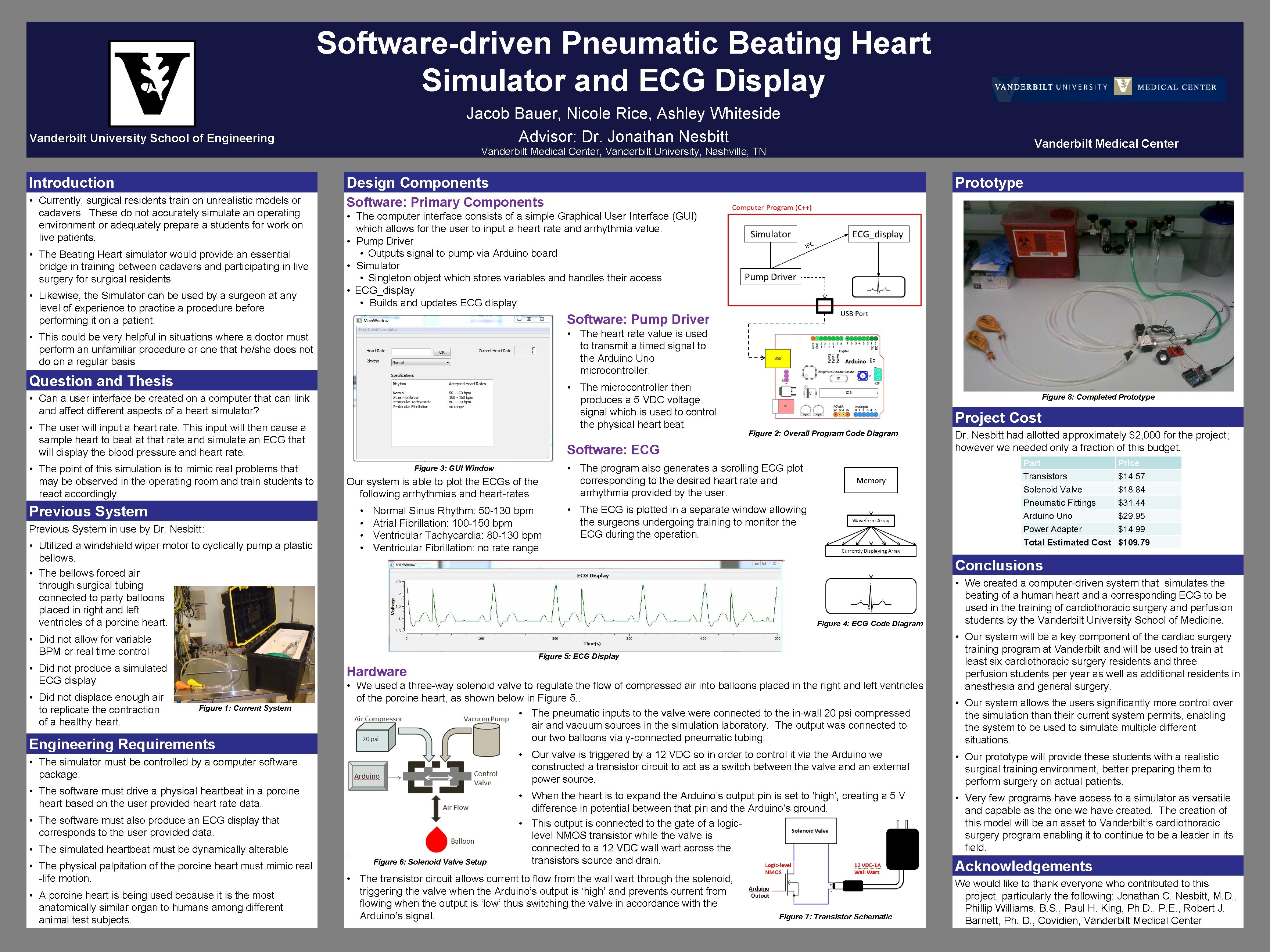
Software-driven Pneumatic Beating Heart Simulator and ECG Display Jacob Bauer, Nicole Rice, Ashley Whiteside Advisor: Dr. Jonathan Nesbitt Vanderbilt University School of Engineering Vanderbilt Medical Center, Vanderbilt University, Nashville, TN Introduction Design Components • Currently, surgical residents train on unrealistic models or cadavers. These do not accurately simulate an operating environment or adequately prepare a students for work on live patients. Software: Primary Components • The Beating Heart simulator would provide an essential bridge in training between cadavers and participating in live surgery for surgical residents. • Likewise, the Simulator can be used by a surgeon at any level of experience to practice a procedure before performing it on a patient. Prototype • The computer interface consists of a simple Graphical User Interface (GUI) which allows for the user to input a heart rate and arrhythmia value. • Pump Driver • Outputs signal to pump via Arduino board • Simulator • Singleton object which stores variables and handles their access • ECG_display • Builds and updates ECG display Software: Pump Driver • The heart rate value is used to transmit a timed signal to the Arduino Uno microcontroller. • This could be very helpful in situations where a doctor must perform an unfamiliar procedure or one that he/she does not do on a regular basis Question and Thesis • The microcontroller then produces a 5 VDC voltage signal which is used to control the physical heart beat. • Can a user interface be created on a computer that can link and affect different aspects of a heart simulator? • The user will input a heart rate. This input will then cause a sample heart to beat at that rate and simulate an ECG that will display the blood pressure and heart rate. • The point of this simulation is to mimic real problems that may be observed in the operating room and train students to react accordingly. Previous System in use by Dr. Nesbitt: • Utilized a windshield wiper motor to cyclically pump a plastic bellows. • The bellows forced air through surgical tubing connected to party balloons placed in right and left ventricles of a porcine heart. Project Cost Figure 2: Overall Program Code Diagram Software: ECG Figure 3: GUI Window Our system is able to plot the ECGs of the following arrhythmias and heart-rates • • Normal Sinus Rhythm: 50 -130 bpm Atrial Fibrillation: 100 -150 bpm Ventricular Tachycardia: 80 -130 bpm Ventricular Fibrillation: no rate range Part Transistors Solenoid Valve Pneumatic Fittings Arduino Uno Power Adapter Total Estimated Cost • The program also generates a scrolling ECG plot corresponding to the desired heart rate and arrhythmia provided by the user. • The ECG is plotted in a separate window allowing the surgeons undergoing training to monitor the ECG during the operation. Figure 4: ECG Code Diagram Figure 5: ECG Display • Did not produce a simulated ECG display Hardware Figure 1: Current System Engineering Requirements • We used a three-way solenoid valve to regulate the flow of compressed air into balloons placed in the right and left ventricles of the porcine heart, as shown below in Figure 5. . • The pneumatic inputs to the valve were connected to the in-wall 20 psi compressed air and vacuum sources in the simulation laboratory. The output was connected to our two balloons via y-connected pneumatic tubing. • The simulator must be controlled by a computer software package. • The software must drive a physical heartbeat in a porcine heart based on the user provided heart rate data. • The software must also produce an ECG display that corresponds to the user provided data. • The simulated heartbeat must be dynamically alterable • The physical palpitation of the porcine heart must mimic real -life motion. • A porcine heart is being used because it is the most anatomically similar organ to humans among different animal test subjects. Dr. Nesbitt had allotted approximately $2, 000 for the project; however we needed only a fraction of this budget. Price $14. 57 $18. 84 $31. 44 $29. 95 $14. 99 $109. 79 Conclusions • Did not allow for variable BPM or real time control • Did not displace enough air to replicate the contraction of a healthy heart. Figure 8: Completed Prototype Figure 6: Solenoid Valve Setup • We created a computer-driven system that simulates the beating of a human heart and a corresponding ECG to be used in the training of cardiothoracic surgery and perfusion students by the Vanderbilt University School of Medicine. • Our system will be a key component of the cardiac surgery training program at Vanderbilt and will be used to train at least six cardiothoracic surgery residents and three perfusion students per year as well as additional residents in anesthesia and general surgery. • Our system allows the users significantly more control over the simulation than their current system permits, enabling the system to be used to simulate multiple different situations. • Our valve is triggered by a 12 VDC so in order to control it via the Arduino we constructed a transistor circuit to act as a switch between the valve and an external power source. • Our prototype will provide these students with a realistic surgical training environment, better preparing them to perform surgery on actual patients. • When the heart is to expand the Arduino’s output pin is set to ‘high’, creating a 5 V difference in potential between that pin and the Arduino’s ground. • This output is connected to the gate of a logiclevel NMOS transistor while the valve is connected to a 12 VDC wall wart across the transistors source and drain. • Very few programs have access to a simulator as versatile and capable as the one we have created. The creation of this model will be an asset to Vanderbilt’s cardiothoracic surgery program enabling it to continue to be a leader in its field. • The transistor circuit allows current to flow from the wall wart through the solenoid, triggering the valve when the Arduino’s output is ‘high’ and prevents current from flowing when the output is ‘low’ thus switching the valve in accordance with the Arduino’s signal. Figure 7: Transistor Schematic Acknowledgements We would like to thank everyone who contributed to this project, particularly the following: Jonathan C. Nesbitt, M. D. , Phillip Williams, B. S. , Paul H. King, Ph. D. , P. E. , Robert J. Barnett, Ph. D. , Covidien, Vanderbilt Medical Center
- Slides: 1