
Software Visualization Space Filling Approach Semantic Zooming Siva



- Slides: 58
Software Visualization Space Filling Approach & Semantic Zooming Siva Venkatachalam 03/23/2004
Articles covered ► Marla J. Baker, Stephen G. Eick, Space-Filling Software Visualization, Journal of Visual Languages and Computing, 6(2), 1995, p 119133. ► K. L. Summers, T. E. Goldsmith, S. Kubica, T. P. Caudell, An Experimental Evaluation of Continuous Semantic Zooming in Program Visualization, IEEE Symposium on Information Visualization, 2003.
Software Visualization ► Software visualization is the use of computer graphics and animation to help illustrate and present computer programs, processes, and algorithms.
Space filling approach The space filling approach used in this paper is based on the generalized idea of treemaps developed by Shneirderman, which aids in showing hierarchical data. ► The hierarchy for a software system is Software system subsystems directories files. ►
Motivation The main motivation for such a system is to gather information on: § Subsystem information § Directory information § Error-prone code § Recurring problems § System evolution
Typical software system information Non-commentary source lines (NCSL) ► Software complexity metrics ► Number and scope of modifications ► Number of programmers making modifications ► Number and type of bugs ►
Approach ► ► The approach adopted in this paper is very similar to that of a treemap approach. A rectangular space is partitioned into subsystems depending on its total NCSL. A subsystem is in-turn divided into directories, which in-turn contain files. The software visualization technique developed is implemented in a system called See. Sys.
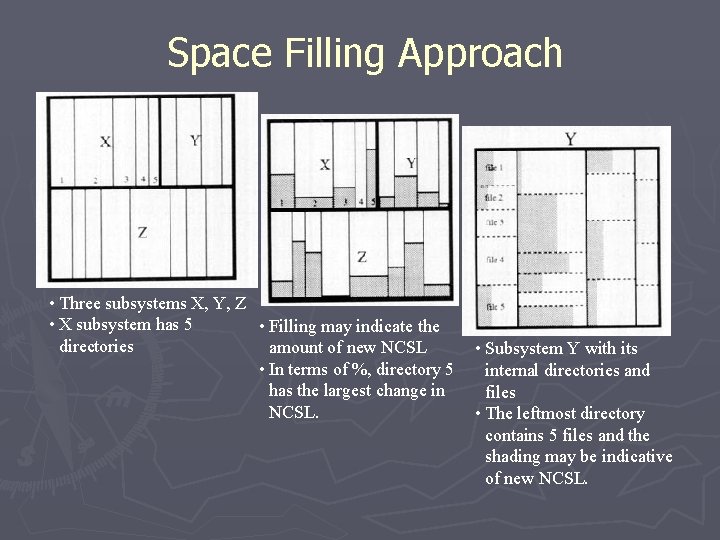
Space Filling Approach • Three subsystems X, Y, Z • X subsystem has 5 • Filling may indicate the directories amount of new NCSL • In terms of %, directory 5 has the largest change in NCSL. • Subsystem Y with its internal directories and files • The leftmost directory contains 5 files and the shading may be indicative of new NCSL.
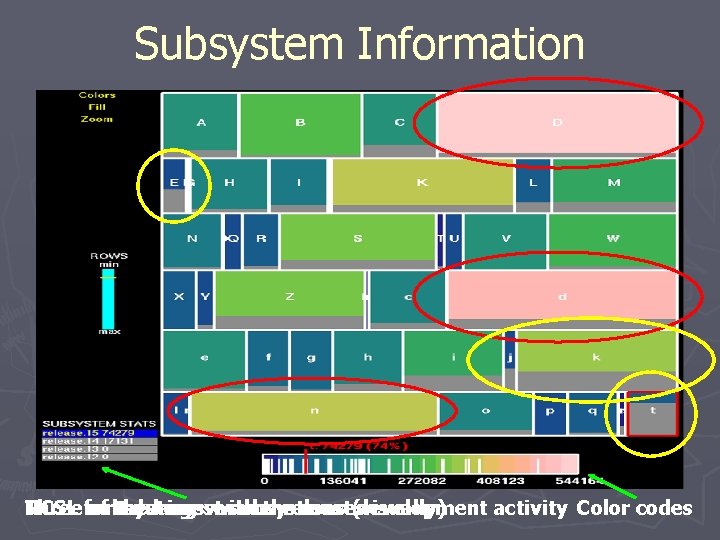
1. Subsystem information ► Questions: § Which subsystems are the largest? § Where is the new development activity? ► Procedure: § The outermost rectangle represents the total size of the system. § The individual rectangles denote the size of the subsystems in NCSL. § Color coding is used to encode the size of the individual subsystems.
Subsystem Information Three for NCSL of subsystems the t during largest various with subsystems the releases most(visually) development activity Color codes
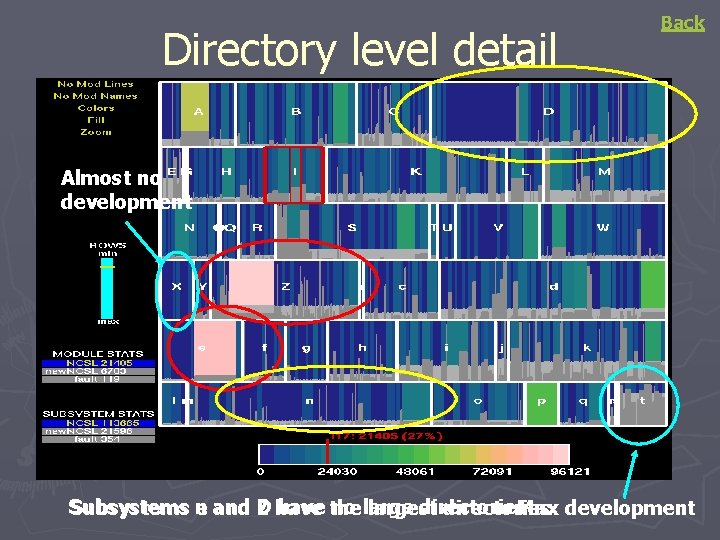
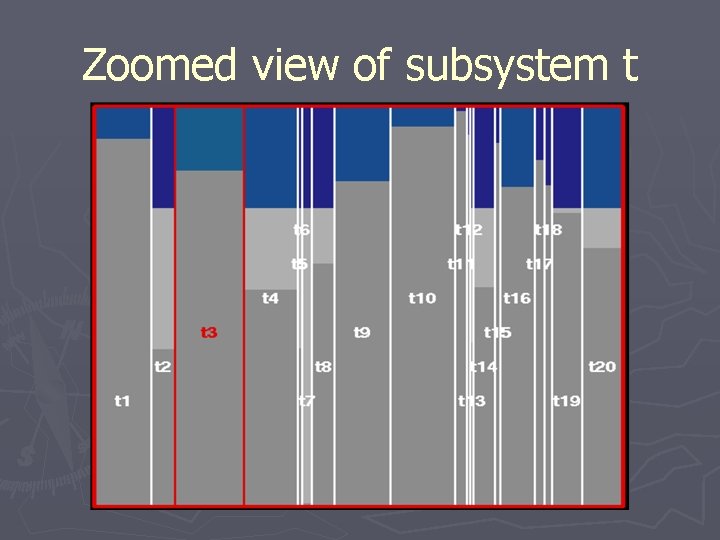
2. Directory information ► Questions: § Where are the large directories? § Is there even distribution of ►Large and small directories ►New development between directories § Which directories are stable? § Which directories have the most activity?
Directory level detail Back Almost no development Subsystems n have the no large directories e and D Z have largest directories Max development
Zoomed view of subsystem t
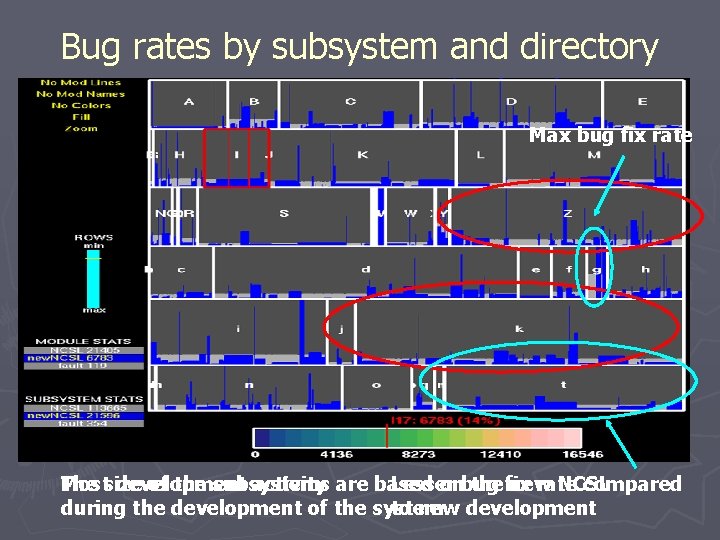
3. Errors in code ► Questions: § Which subsystems and directories have the most errors (bugs)? § How much of the development activity is apportioned to. ►Fixing bugs. ►Adding new functionality.
Bug rates by subsystem and directory Max bug fix rate Most The size development of the subsystems activity are based Lesser onbug the fix new rate NCSL compared during the development of the system to new development
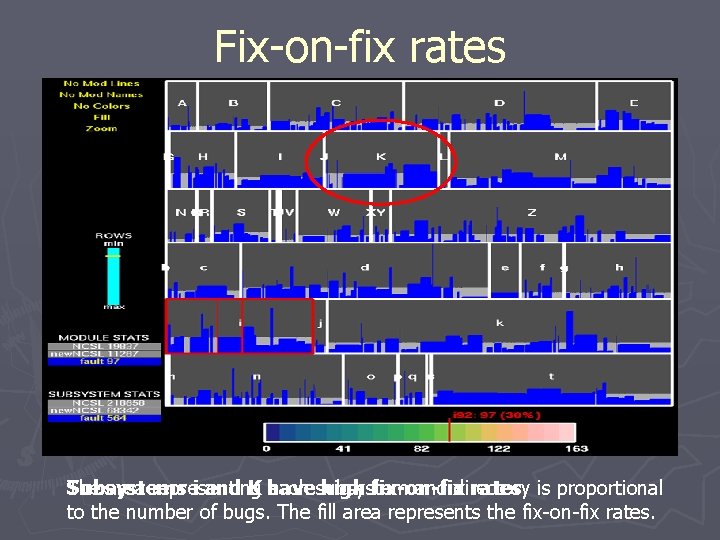
4. Recurring error problems ► Questions: § Are the bugs really fixed or are they a recurring problem? § Are there any components that would need complete restructuring or reconstruction? ► Fix-on-fix rate § A fix-on-fix bug is a software bug correction that modifies an earlier bug fix.
Fix-on-fix rates The area representing each subsystem and directory Subsystems i and K have high fix-on-fix rates is proportional to the number of bugs. The fill area represents the fix-on-fix rates.
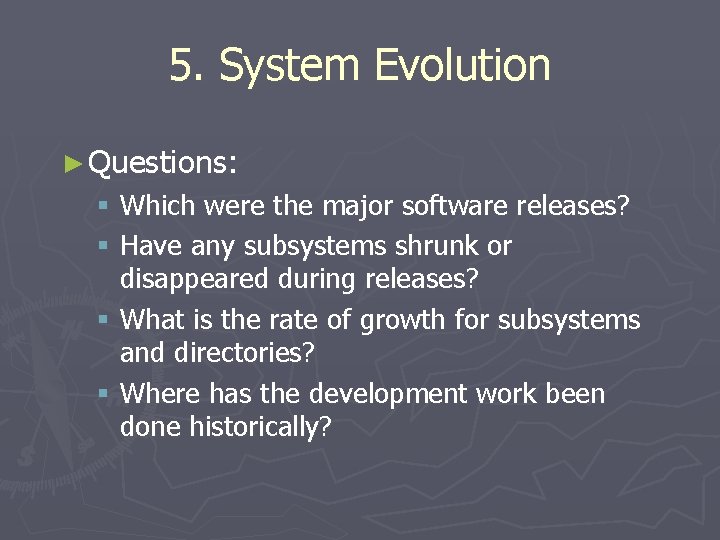
5. System Evolution ► Questions: § Which were the major software releases? § Have any subsystems shrunk or disappeared during releases? § What is the rate of growth for subsystems and directories? § Where has the development work been done historically?
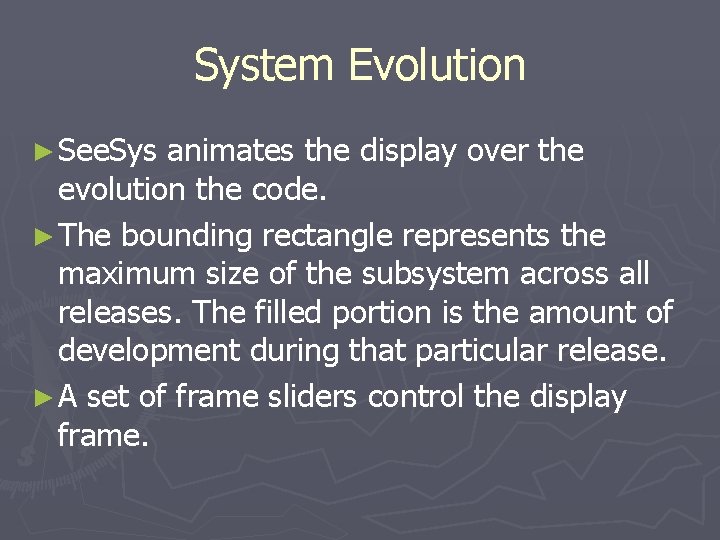
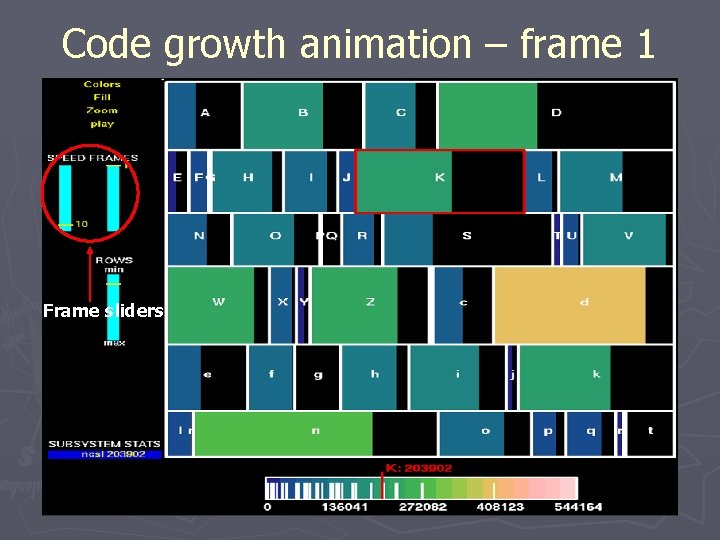
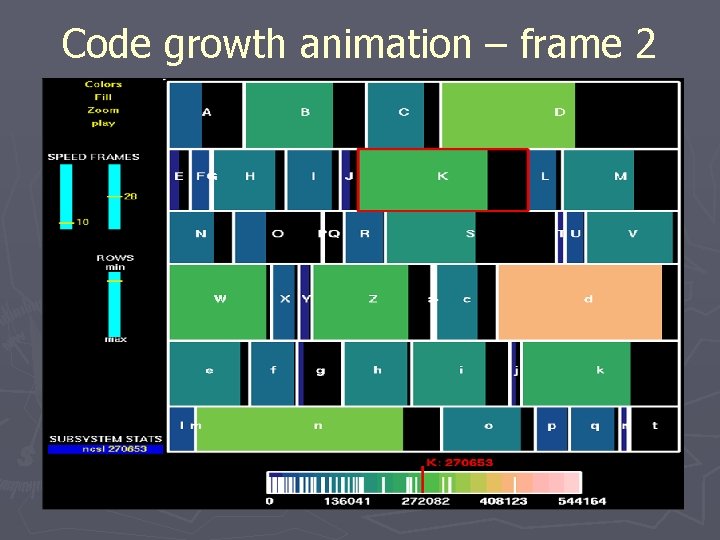
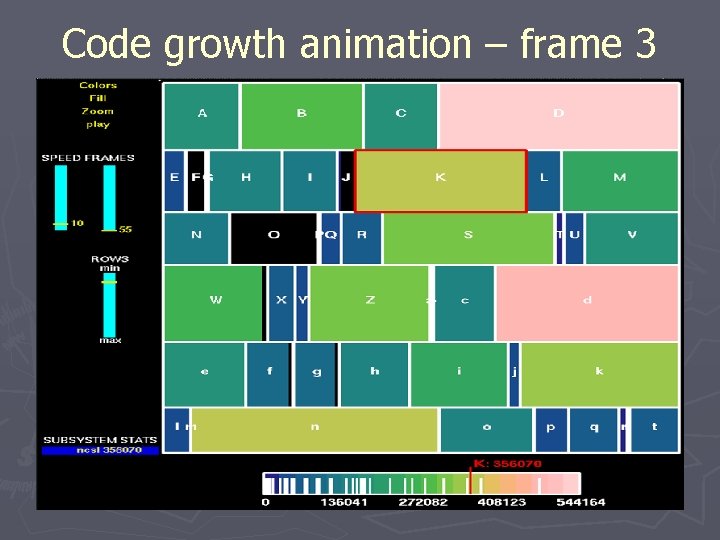
System Evolution ► See. Sys animates the display over the evolution the code. ► The bounding rectangle represents the maximum size of the subsystem across all releases. The filled portion is the amount of development during that particular release. ► A set of frame sliders control the display frame.
Code growth animation – frame 1 Frame sliders
Code growth animation – frame 2
Code growth animation – frame 3
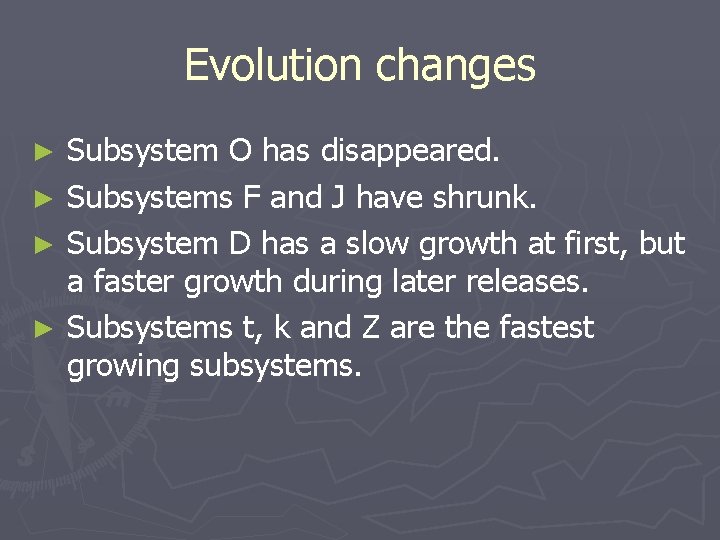
Evolution changes Subsystem O has disappeared. ► Subsystems F and J have shrunk. ► Subsystem D has a slow growth at first, but a faster growth during later releases. ► Subsystems t, k and Z are the fastest growing subsystems. ►
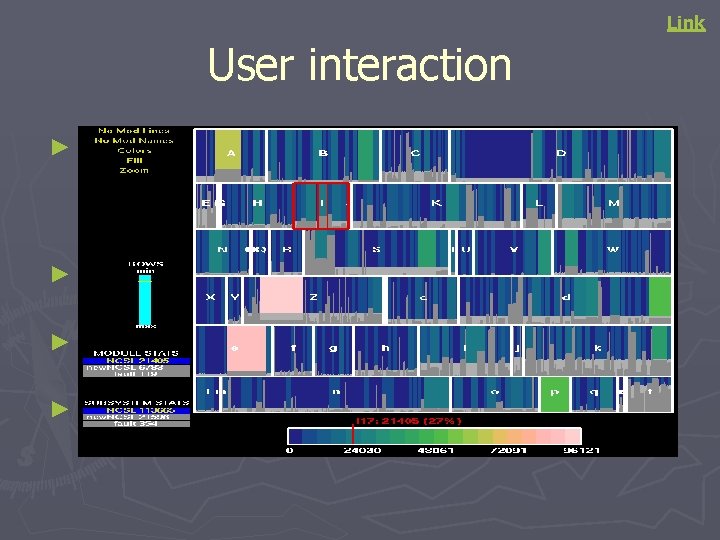
Link User interaction See. Sys uses mouse movements to interact with the system. The active component at any particular time is indicated by a red highlighted boundary. ► The available statistics are displayed on the lower left corner. ► There are five buttons that can be used to change the appearance on the screen. ► There are sliders that control the number of rows to be displayed and the animation. ►
Display principles ► The visualization principles used in See. Sys § The individual components can be assembled to form the whole. § Pairs of components can be compared to see how they differ. § The components can be disassembled into smaller components namely subsystems and directories.
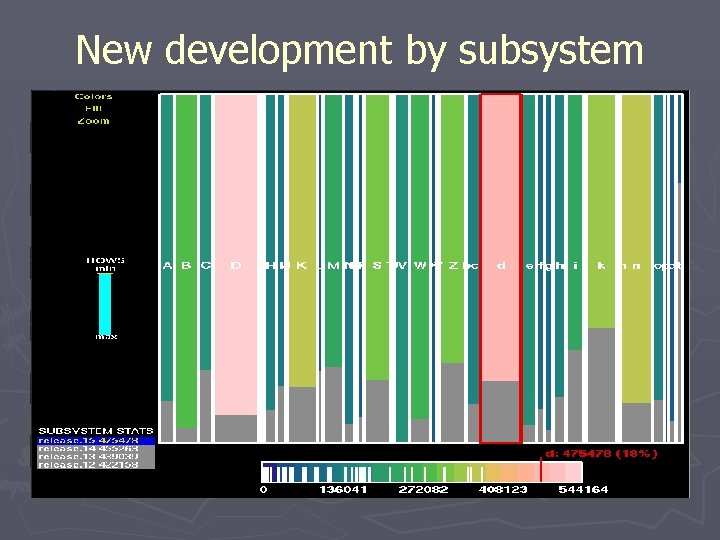
See. Sys properties ► Screen real estate § The total screen space (100%) is utilized as the rectangles are placed next to each other. § To view the smaller components in greater detail, the zoom feature can be used. ► Spatial Relationship § Example: Comparing the new development activity by subsystem involves making all subsystems of the same size. ► Color § Color could be used to encode various attributes like NCSL, age, complexity, activity, number of programmers etc of the software system.
New development by subsystem
Continuous Semantic Zooming An Experimental Evaluation
Zooming ► Geometric Zooming § This kind of zooming simply provides a blowup of graph content. (E. g. Zooming a picture) ► Semantic Zooming § This kind of zooming means that the information content changes and more details are shown when approaching a particular area of the graph. (E. g. plots in Matlab) § Issues ►Providing the appropriate level of detail is a challenge.
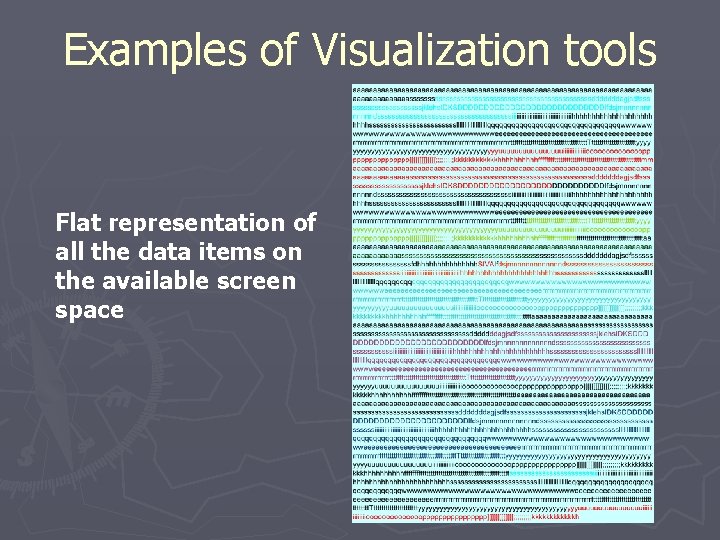
Examples of Visualization tools Flat representation of all the data items on the available screen space
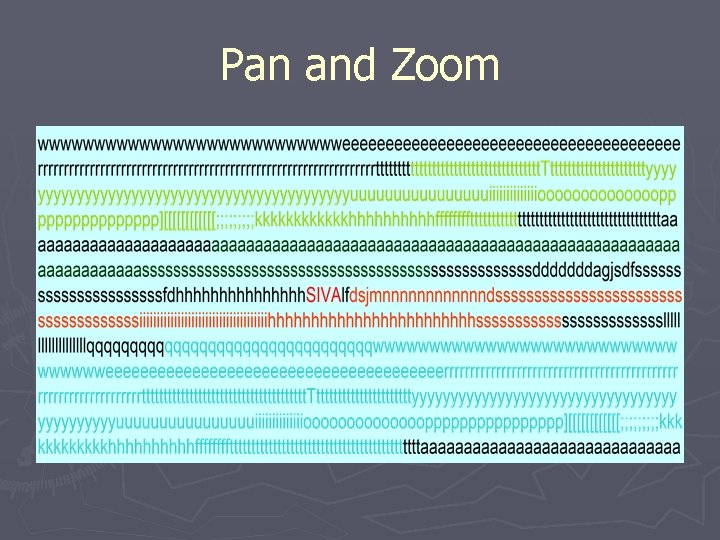
Pan and Zoom
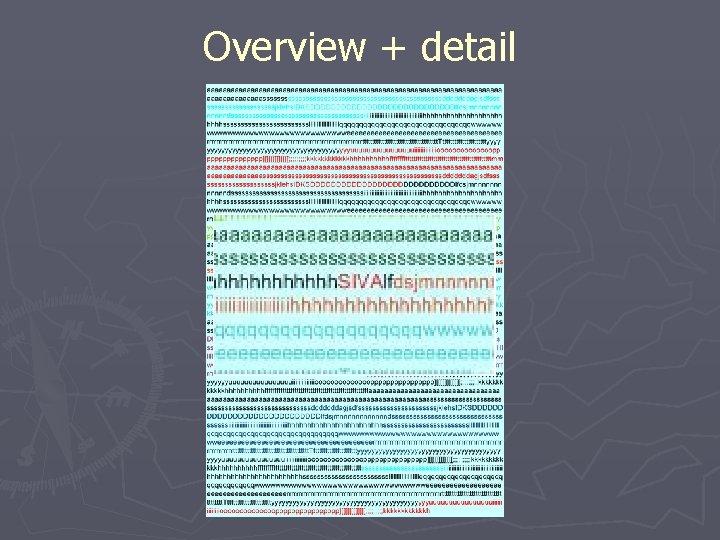
Overview + detail
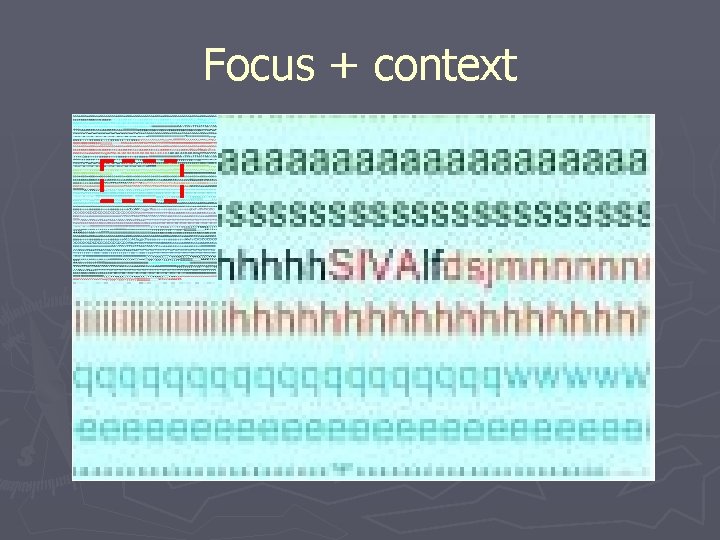
Focus + context
Objective ► Study the effect of viewing visual programs on the users’ understanding. ► Comparison of three methods § Flat zooming § Semantic zooming § Continuous semantic zooming
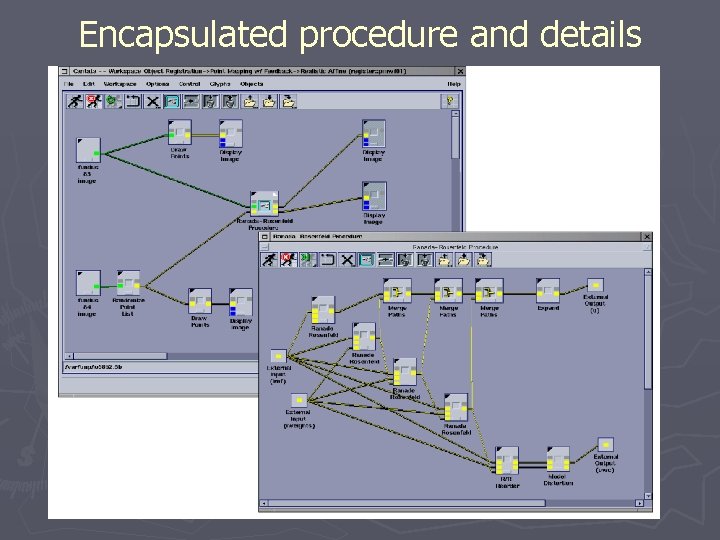
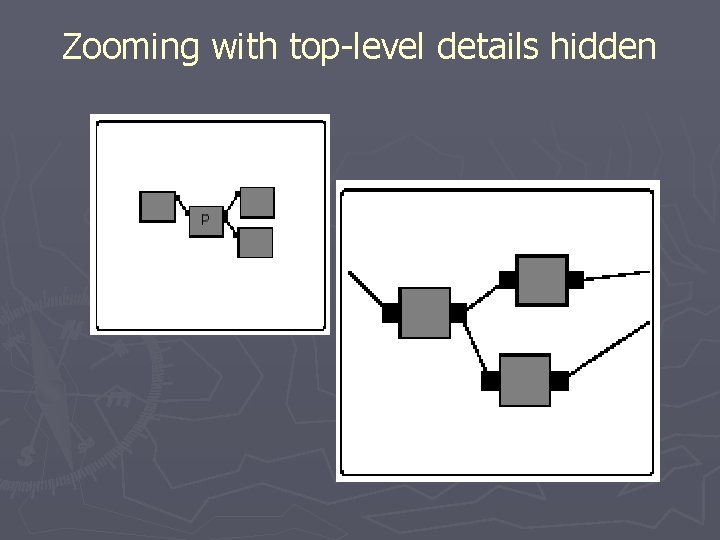
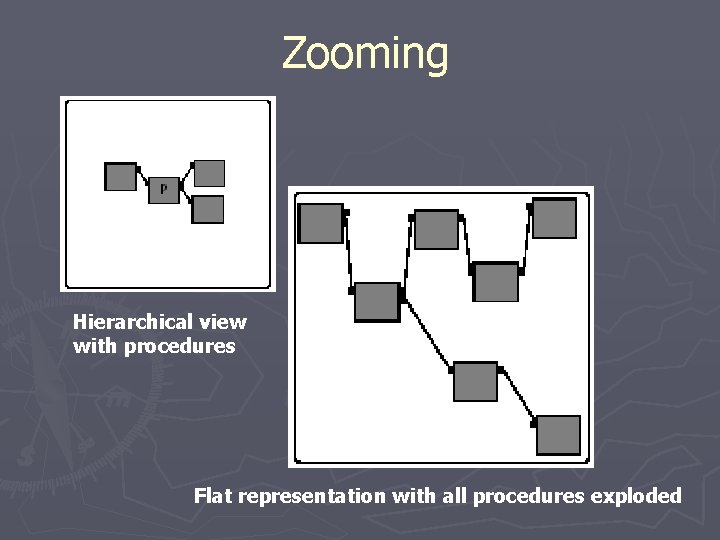
Semantic Zooming ► Details in the zoom area become more distinct. ► Changes in the representation as the result of the zoom. ► Example: Procedural programming ► Drawback: § When viewing the top-level program, the contents of the procedures are hidden and viceversa.
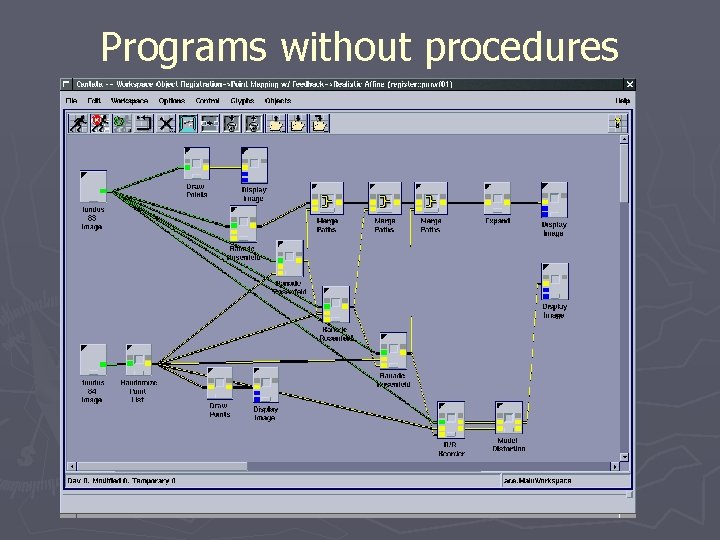
Programs without procedures
Encapsulated procedure and details
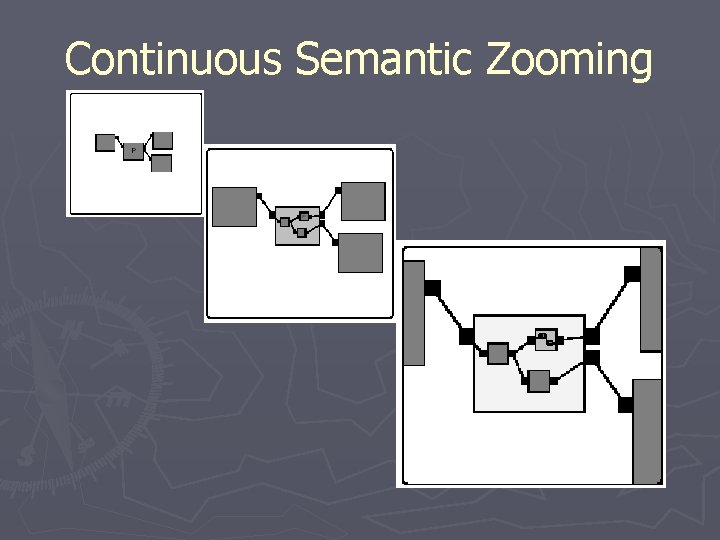
Continuous Semantic Zooming (CSZ) ► CSZ uses the concept of semantic zooming with blending and proximity. ► This allows the user to view both the procedure details and the details of the higher levels (focus + context). ► The smooth transition between levels helps maintain the mental map of the representations.
Continuous Semantic Zooming
Zooming with top-level details hidden
Evaluating CSZ ► The evaluation of the CSZ method is done by comparing it with flat and semantic zooming. § Flat representation contains no procedures. § Semantic representations have procedures.
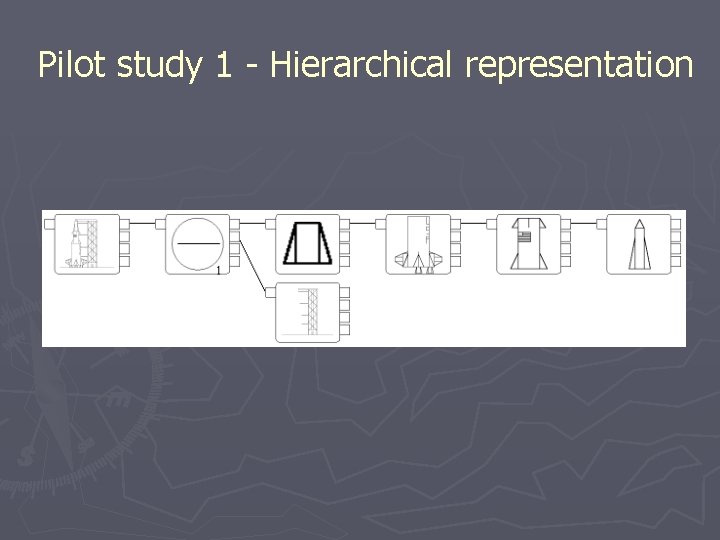
Zooming Hierarchical view with procedures Flat representation with all procedures exploded
Evaluation Study ► The evaluation consisted of two pilot studies and one main study. ► Metrics § Time to find the elements. § Accuracy ► Pilot studies were mainly done to calibrate the metrics. § Compares only the flat and semantic representations.
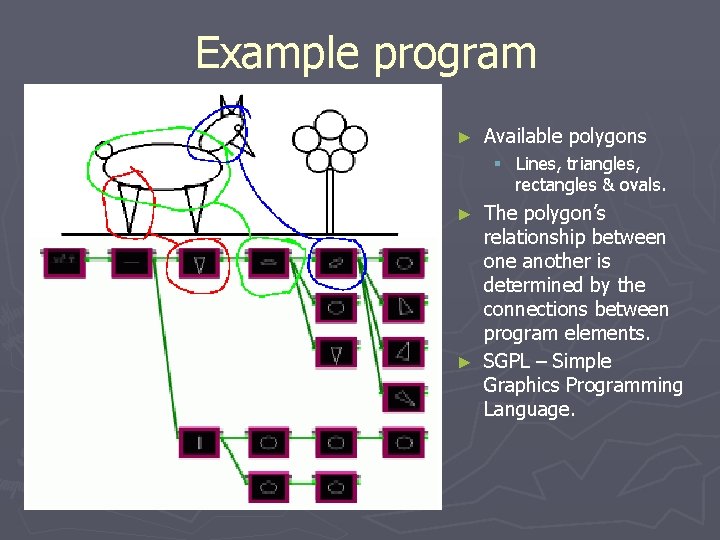
Example program ► Available polygons § Lines, triangles, rectangles & ovals. The polygon’s relationship between one another is determined by the connections between program elements. ► SGPL – Simple Graphics Programming Language. ►
Pilot Study 1 – Program output
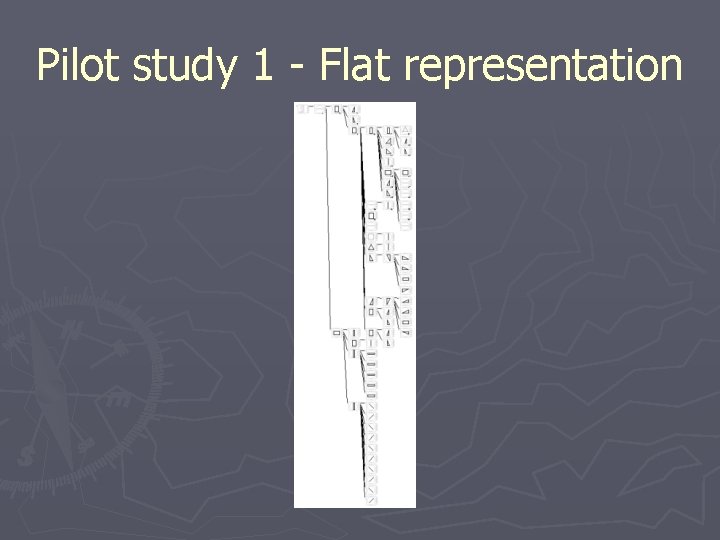
Pilot study 1 - Flat representation
Pilot study 1 - Hierarchical representation
Pilot Study 2 - Program output
Pilot studies - Observations ► The pilot studies were conducted to corroborate that the measures were sensitive enough to detect differences in time and accuracy. ► Observations § Pattern matching was used for simple polygon identification. § Remedies ►Add more similar features ►Add complexity
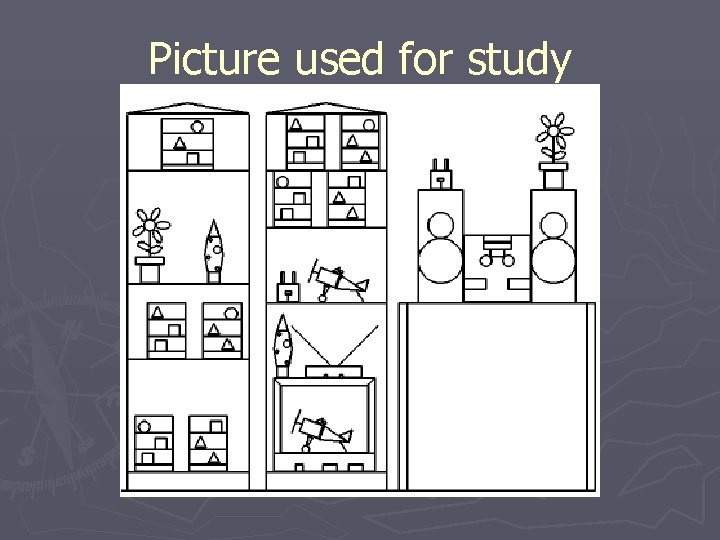
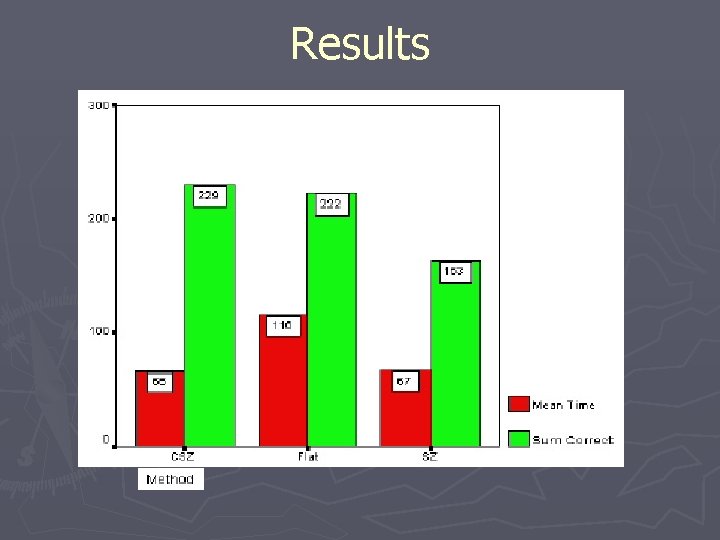
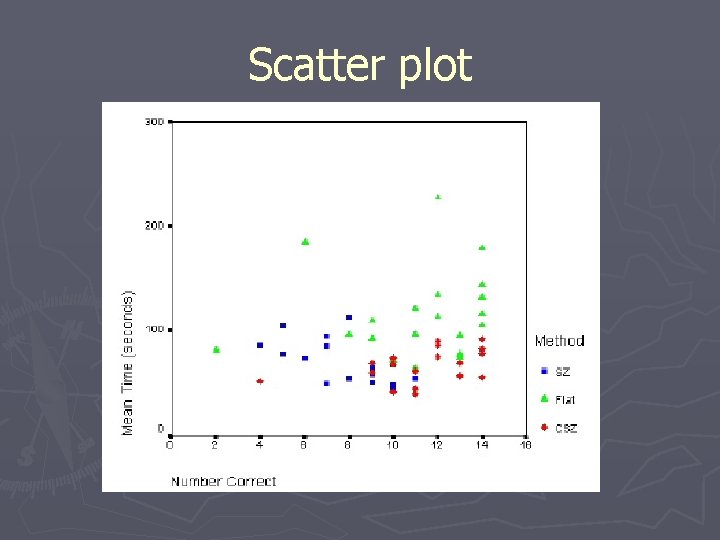
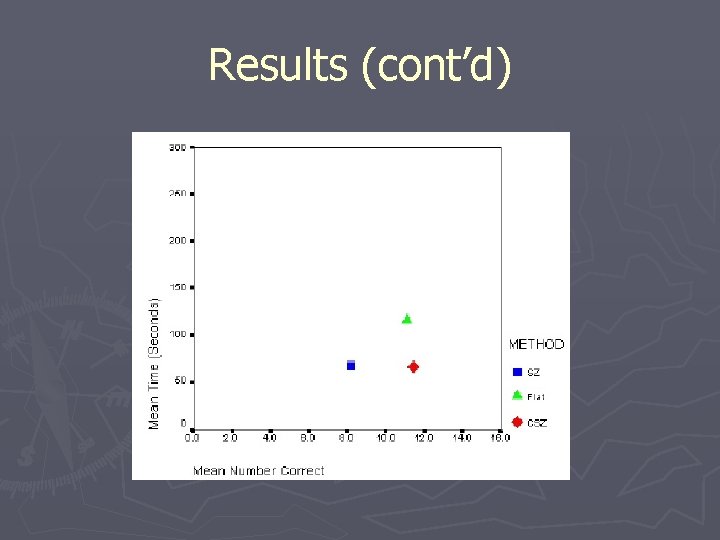
Main study ► Comparisons between flat, SZ and CSZ representations. ► 60 subjects, 20 per method ► 14 tasks ► The picture contained 164 polygons and the corresponding program contained around 200 elements.
Picture used for study
Results
Scatter plot
Results (cont’d)
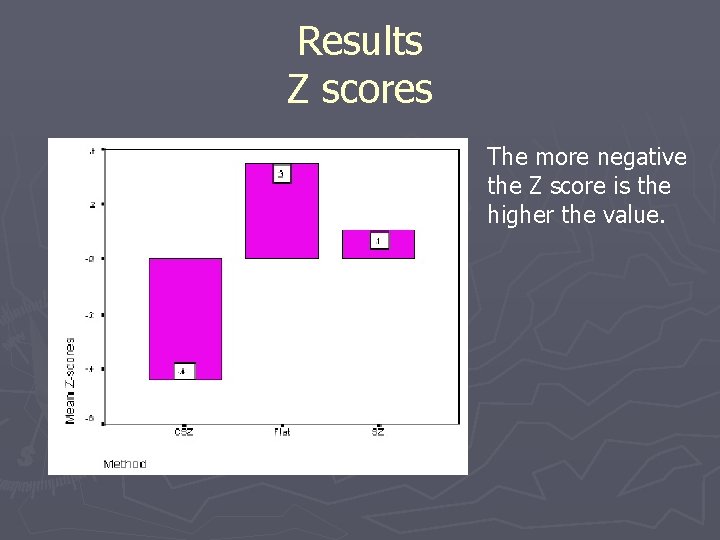
Results Z scores The more negative the Z score is the higher the value.
Conclusions ► CSZ is a better method for visualizing complex programs when compared to flat and SZ representations. ► Distinct advantages § The context is not lost (multi-level views possible) § Smoother transition between views § The more complex the program gets, the better the method is over the others.
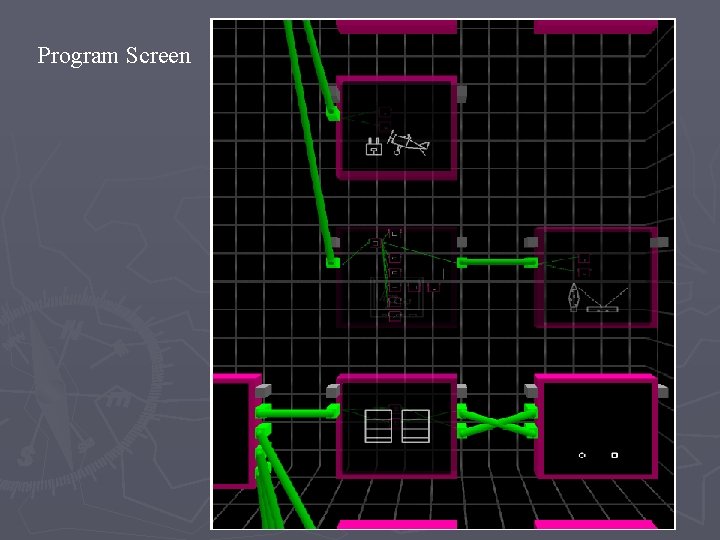
Program Screen
Future work ► The user’s understanding of textual programs could be tested using this procedure. ► The reasons for the difference between SZ and CSZ need to be ascertained and also whether the subjects made use of all the information given to them (these would provide new venues for research). ► Extension of CSZ to real world problems (visualizing parallel programs).