
Software Testing Fundamentals There are two general approaches
- Slides: 31
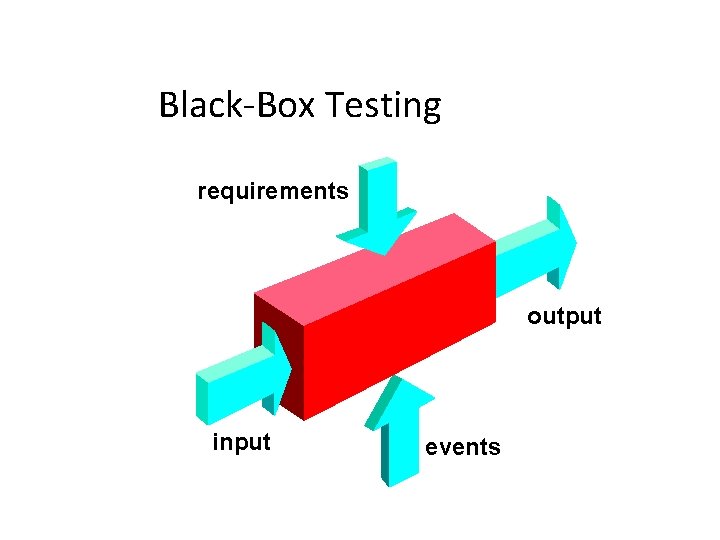
Software Testing Fundamentals • There are two general approaches for software testing • Black Box Testing proper functioning of the s/w is tested whether the s/w accepts the i/p properly & generates proper o/p. external interfaces, external data & information – is tested. • White Box Testing procedural details are closely examined internals of s/w are tested. i. e. internal structures, logic paths, control flows, data flows, internal data structures, conditional loops etc.
White Box Testing 1. Basis Path Testing 2. Control Structure Testing
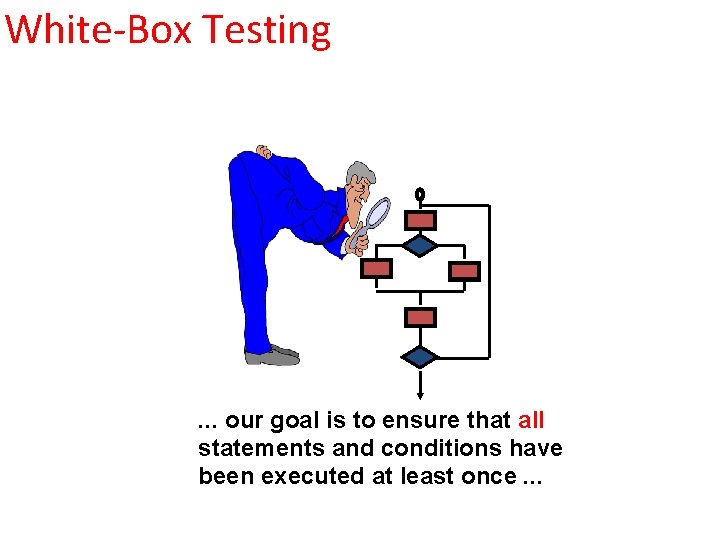
White-Box Testing . . . our goal is to ensure that all statements and conditions have been executed at least once. . .
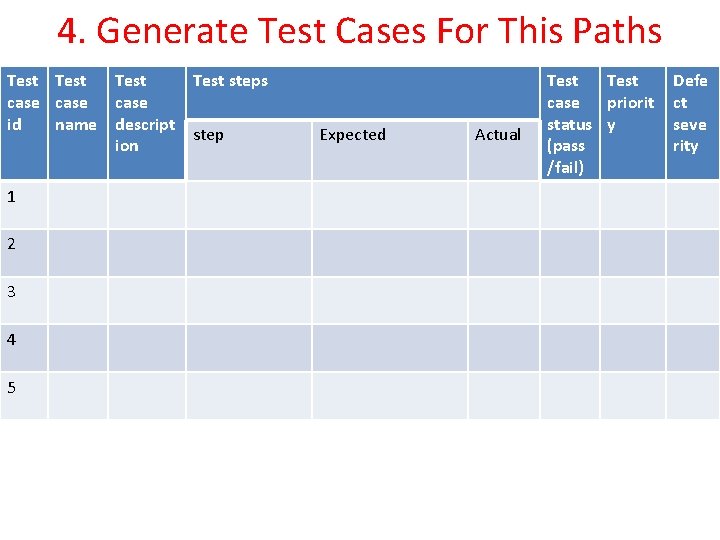
1. Basis Path Testing • Every execution path will be tested at least once • Steps – 1. Design flow graph for the program or a component 2. Calculate cyclomatic complexity 3. Select a basis set of path 4. Generate test cases for this paths 4
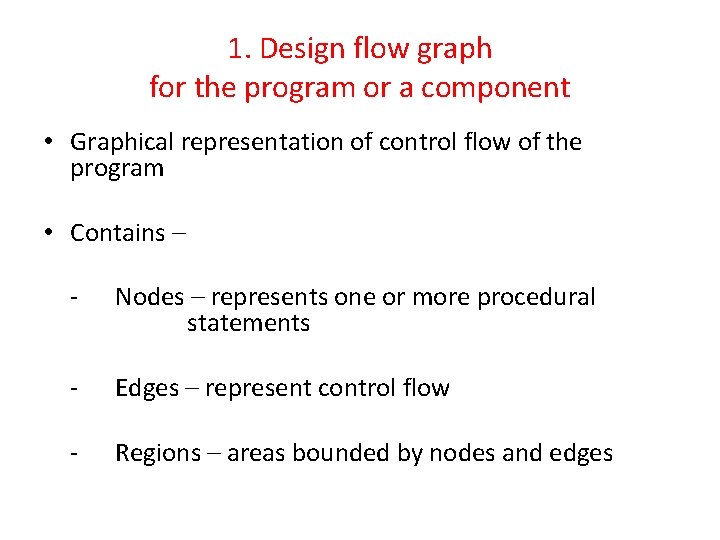
1. Design flow graph for the program or a component • Graphical representation of control flow of the program • Contains – - Nodes – represents one or more procedural statements - Edges – represent control flow - Regions – areas bounded by nodes and edges
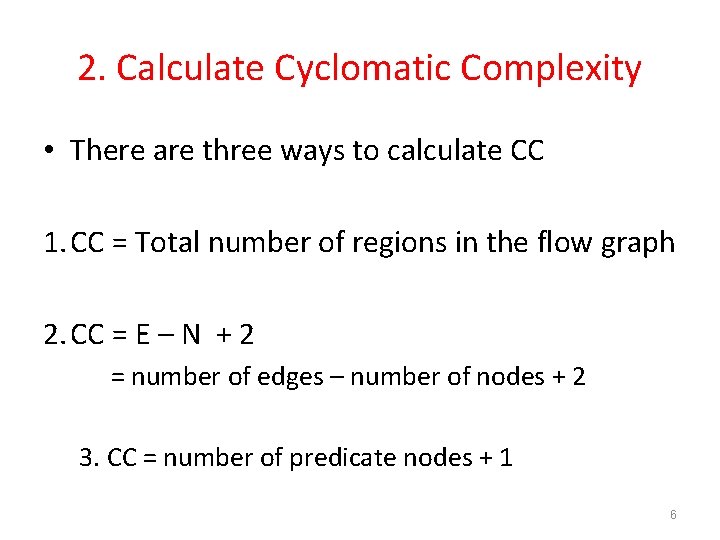
2. Calculate Cyclomatic Complexity • There are three ways to calculate CC 1. CC = Total number of regions in the flow graph 2. CC = E – N + 2 = number of edges – number of nodes + 2 3. CC = number of predicate nodes + 1 6
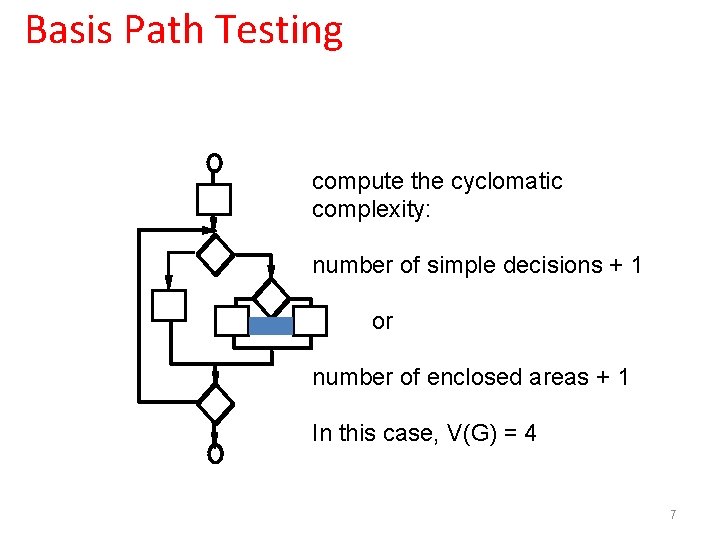
Basis Path Testing compute the cyclomatic complexity: number of simple decisions + 1 or number of enclosed areas + 1 In this case, V(G) = 4 7
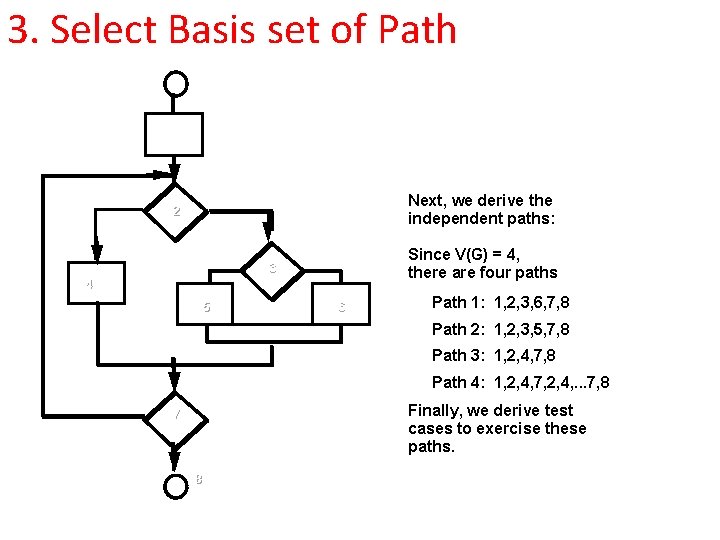
3. Select Basis set of Path 1 Next, we derive the independent paths: 2 Since V(G) = 4, there are four paths 3 4 5 6 Path 1: 1, 2, 3, 6, 7, 8 Path 2: 1, 2, 3, 5, 7, 8 Path 3: 1, 2, 4, 7, 8 Path 4: 1, 2, 4, 7, 2, 4, . . . 7, 8 Finally, we derive test cases to exercise these paths. 7 8
4. Generate Test Cases For This Paths Test steps case id name descript step ion 1 2 3 4 5 Expected Actual Test case priorit status y (pass /fail) Defe ct seve rity
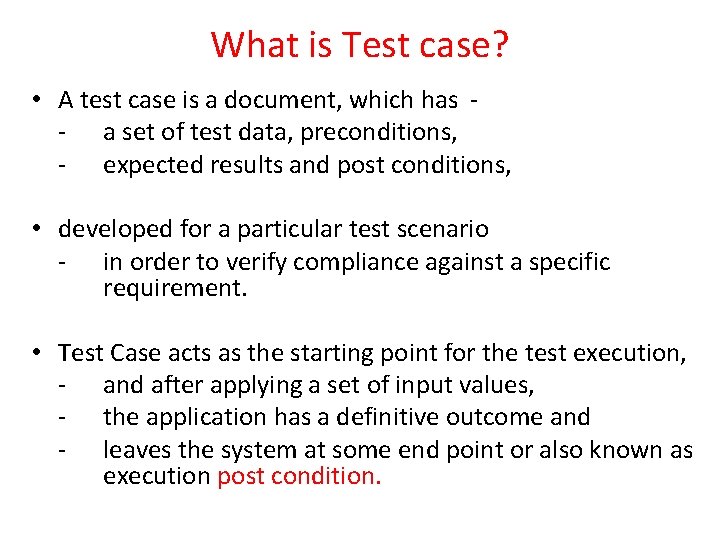
What is Test case? • A test case is a document, which has - a set of test data, preconditions, - expected results and post conditions, • developed for a particular test scenario - in order to verify compliance against a specific requirement. • Test Case acts as the starting point for the test execution, - and after applying a set of input values, - the application has a definitive outcome and - leaves the system at some end point or also known as execution post condition.
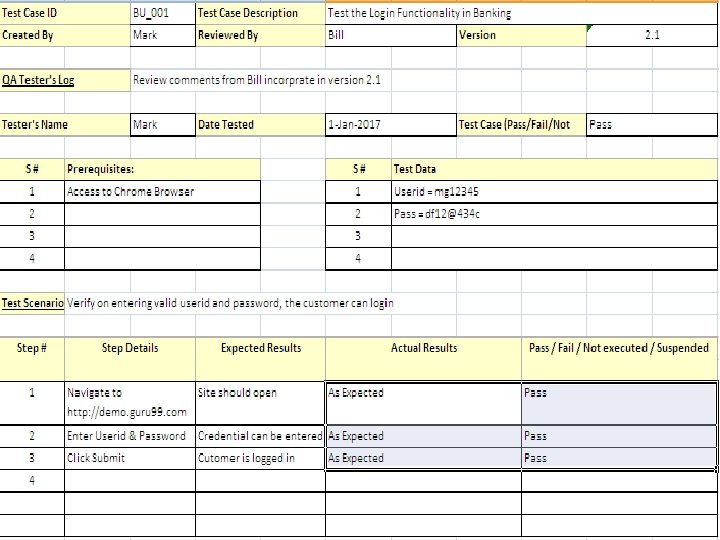
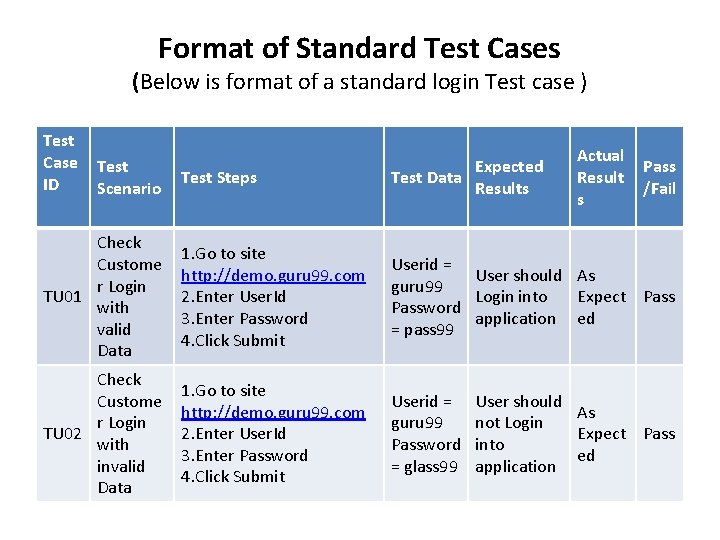
Format of Standard Test Cases (Below is format of a standard login Test case ) Test Case ID Test Scenario Actual Result s Test Steps Expected Test Data Results Pass /Fail Check Custome r Login TU 01 with valid Data 1. Go to site http: //demo. guru 99. com 2. Enter User. Id 3. Enter Password 4. Click Submit Userid = User should As guru 99 Login into Expect Password application ed = pass 99 Check Custome r Login TU 02 with invalid Data 1. Go to site http: //demo. guru 99. com 2. Enter User. Id 3. Enter Password 4. Click Submit Userid = guru 99 Password = glass 99 User should As not Login Expect Pass into ed application
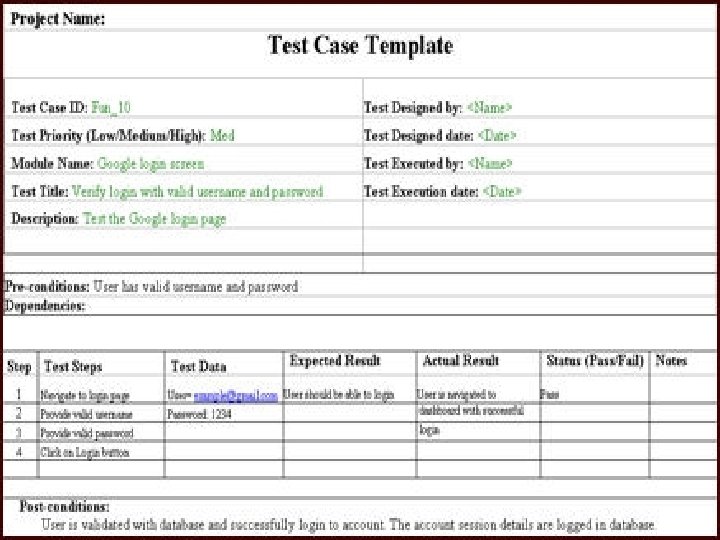
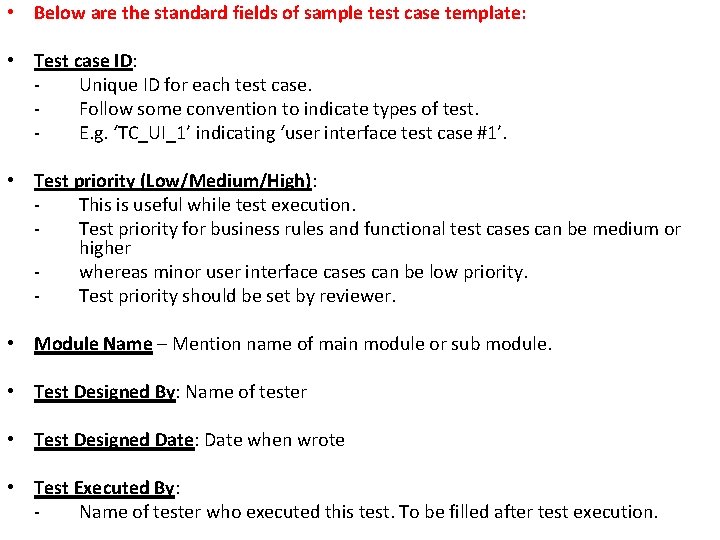
• Below are the standard fields of sample test case template: • Test case ID: Unique ID for each test case. Follow some convention to indicate types of test. E. g. ‘TC_UI_1’ indicating ‘user interface test case #1’. • Test priority (Low/Medium/High): This is useful while test execution. Test priority for business rules and functional test cases can be medium or higher whereas minor user interface cases can be low priority. Test priority should be set by reviewer. • Module Name – Mention name of main module or sub module. • Test Designed By: Name of tester • Test Designed Date: Date when wrote • Test Executed By: Name of tester who executed this test. To be filled after test execution.
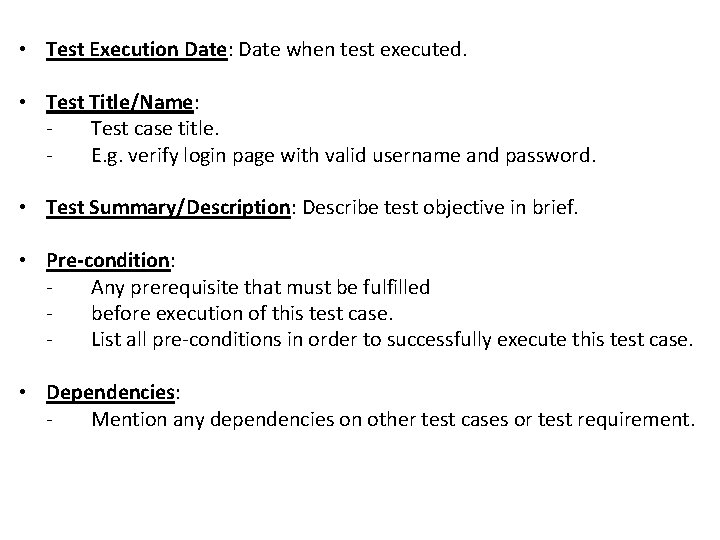
• Test Execution Date: Date when test executed. • Test Title/Name: Test case title. E. g. verify login page with valid username and password. • Test Summary/Description: Describe test objective in brief. • Pre-condition: Any prerequisite that must be fulfilled before execution of this test case. List all pre-conditions in order to successfully execute this test case. • Dependencies: Mention any dependencies on other test cases or test requirement.
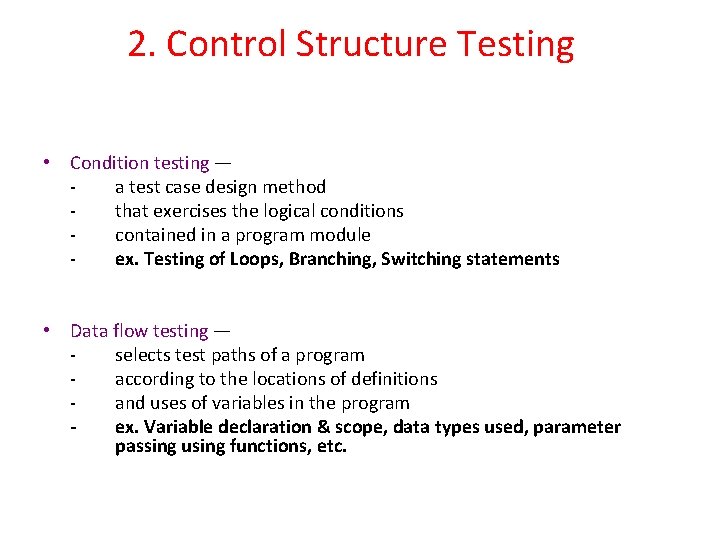
2. Control Structure Testing • Condition testing — a test case design method that exercises the logical conditions contained in a program module ex. Testing of Loops, Branching, Switching statements • Data flow testing — selects test paths of a program according to the locations of definitions and uses of variables in the program ex. Variable declaration & scope, data types used, parameter passing using functions, etc.
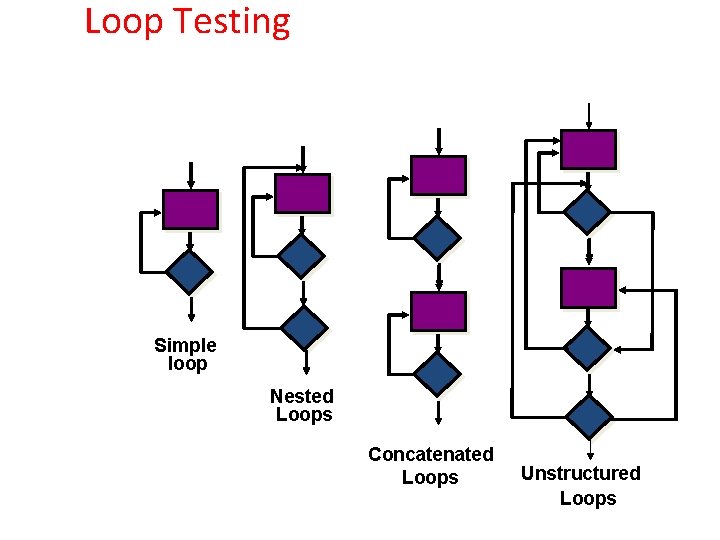
Loop Testing Simple loop Nested Loops Concatenated Loops Unstructured Loops
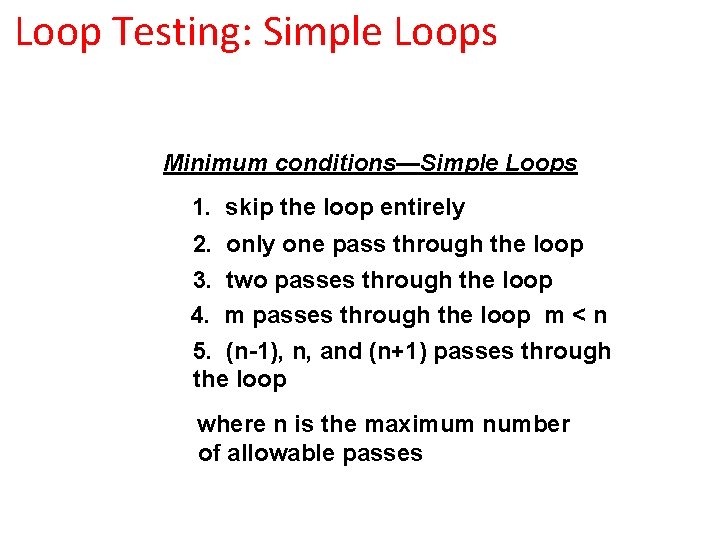
Loop Testing: Simple Loops Minimum conditions—Simple Loops 1. skip the loop entirely 2. only one pass through the loop 3. two passes through the loop 4. m passes through the loop m < n 5. (n-1), n, and (n+1) passes through the loop where n is the maximum number of allowable passes
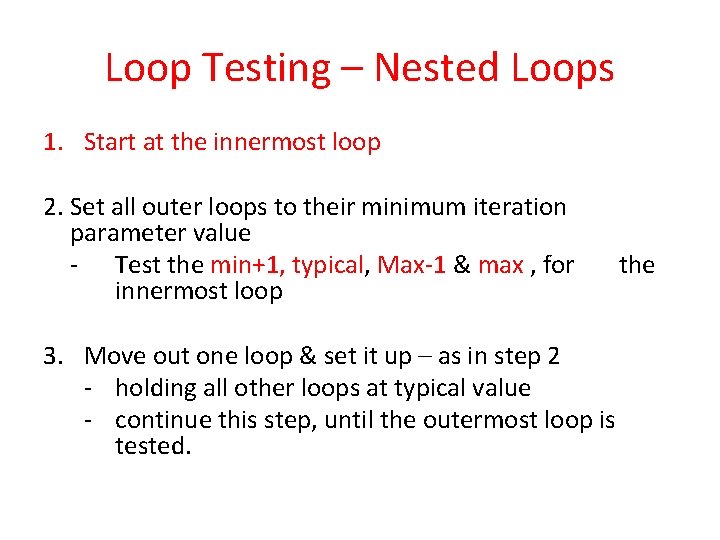
Loop Testing – Nested Loops 1. Start at the innermost loop 2. Set all outer loops to their minimum iteration parameter value - Test the min+1, typical, Max-1 & max , for innermost loop 3. Move out one loop & set it up – as in step 2 - holding all other loops at typical value - continue this step, until the outermost loop is tested. the
Black Box Testing
• Also called – behavioral testing • Functional requirements of the software tested. • Uncovers following type of errors – - incorrect or missing functions - interface errors - errors in data structure - performance errors - initialization or termination errors
Black-Box Testing requirements output input events
Black Box Testing - Techniques 1. Equivalence Partitioning 2. Boundary Value Analysis 3. Graph Based Testing
1. Equivalence Partitioning • Divides input domain into classes of data • From this data test cases can be derived • Equivalence classes are evaluated for given input condition • Equivalence class represents a set of valid or invalid states for input conditions 24
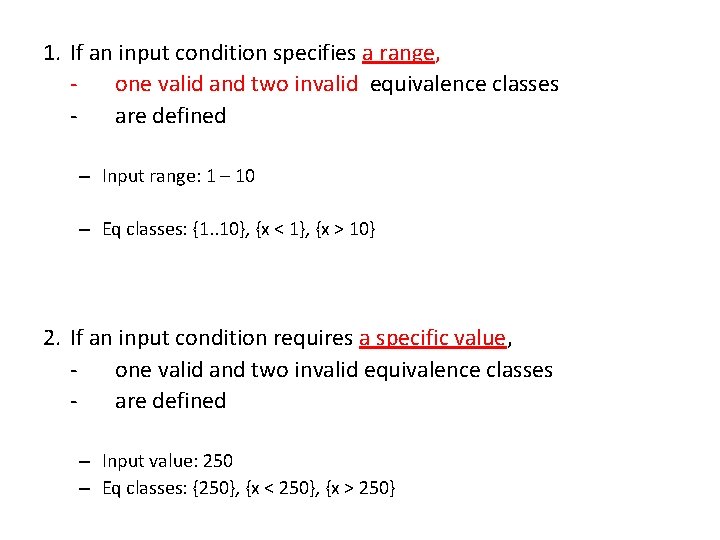
1. If an input condition specifies a range, one valid and two invalid equivalence classes are defined – Input range: 1 – 10 – Eq classes: {1. . 10}, {x < 1}, {x > 10} 2. If an input condition requires a specific value, one valid and two invalid equivalence classes are defined – Input value: 250 – Eq classes: {250}, {x < 250}, {x > 250}
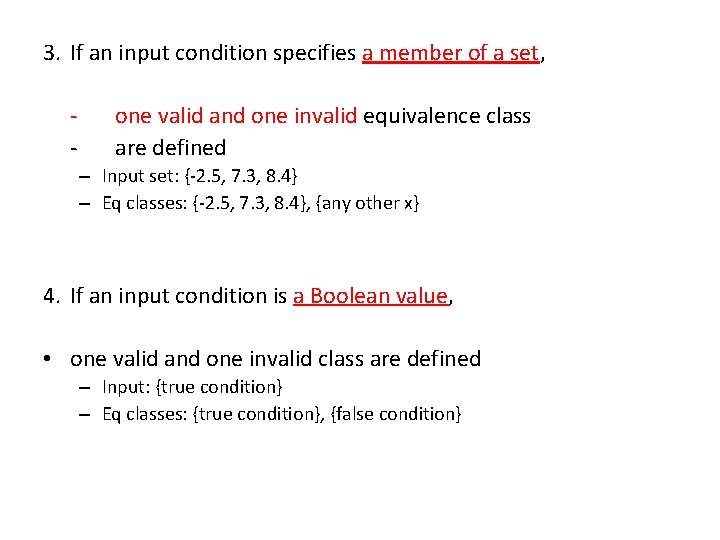
3. If an input condition specifies a member of a set, - one valid and one invalid equivalence class are defined – Input set: {-2. 5, 7. 3, 8. 4} – Eq classes: {-2. 5, 7. 3, 8. 4}, {any other x} 4. If an input condition is a Boolean value, • one valid and one invalid class are defined – Input: {true condition} – Eq classes: {true condition}, {false condition}
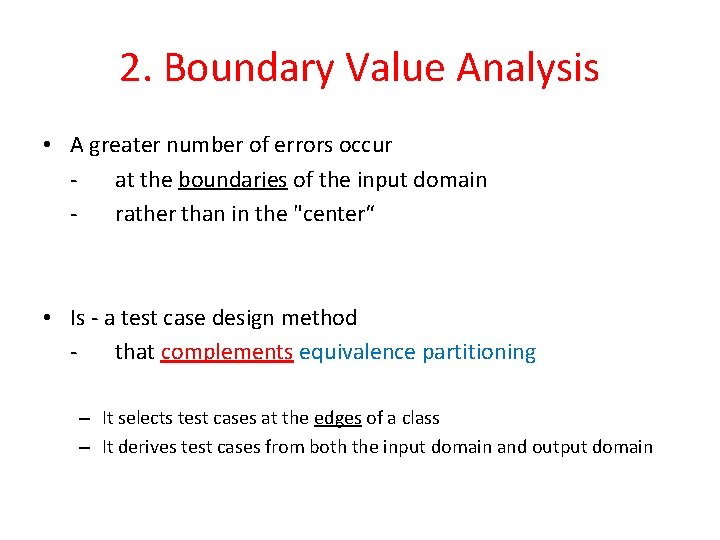
2. Boundary Value Analysis • A greater number of errors occur at the boundaries of the input domain rather than in the "center“ • Is - a test case design method that complements equivalence partitioning – It selects test cases at the edges of a class – It derives test cases from both the input domain and output domain
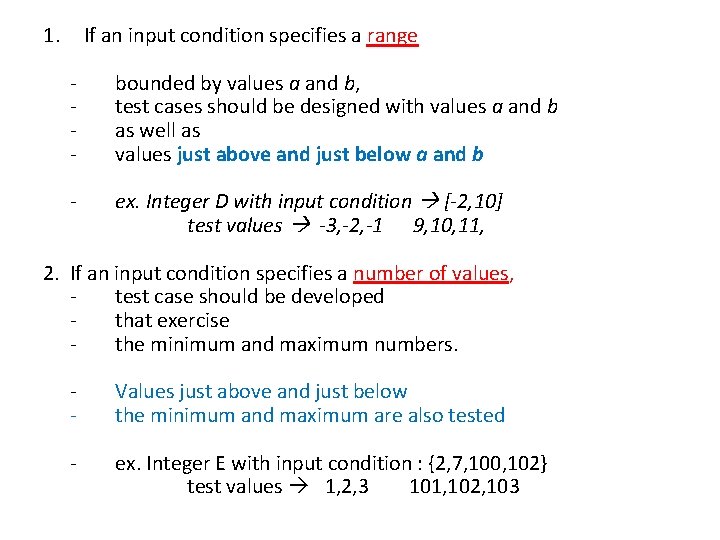
1. If an input condition specifies a range - bounded by values a and b, test cases should be designed with values a and b as well as values just above and just below a and b - ex. Integer D with input condition [-2, 10] test values -3, -2, -1 9, 10, 11, 2. If an input condition specifies a number of values, test case should be developed that exercise the minimum and maximum numbers. - Values just above and just below the minimum and maximum are also tested - ex. Integer E with input condition : {2, 7, 100, 102} test values 1, 2, 3 101, 102, 103
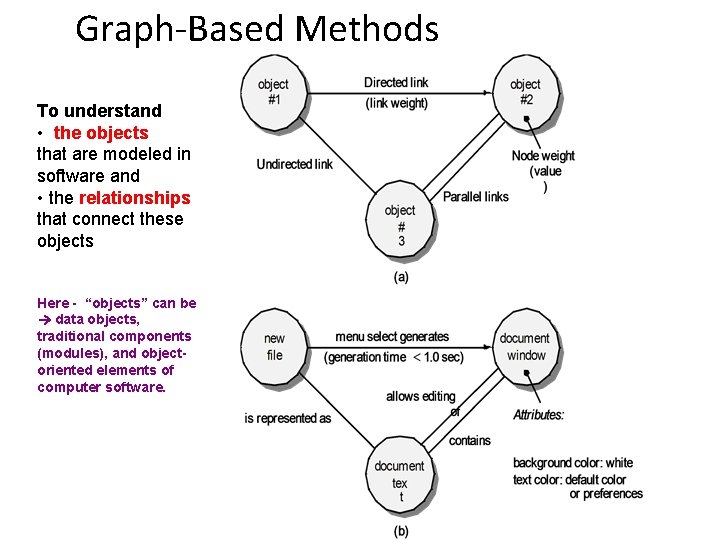
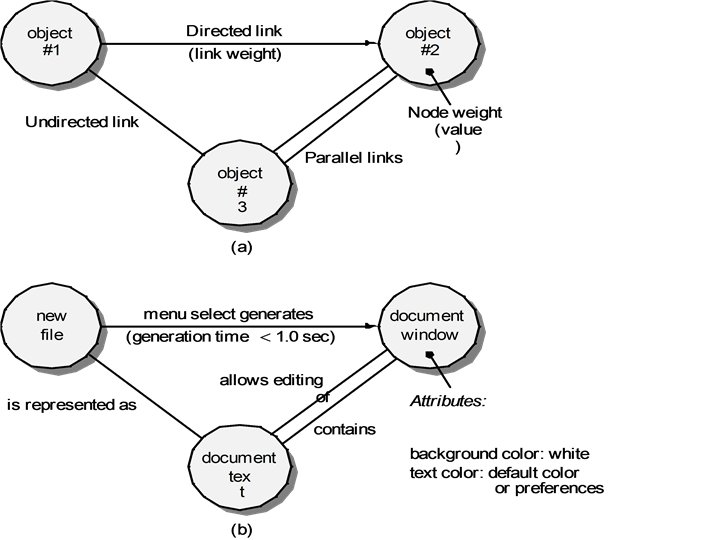
3. Graph Based Testing • Objects and their relationships are tested, • By Creating – • Graph of - objects and their relationships, • Node weight represents – - properties of an object • Link weight – represents – - properties of relationships of the objects
Graph-Based Methods To understand • the objects that are modeled in software and • the relationships that connect these objects Here - “objects” can be data objects, traditional components (modules), and objectoriented elements of computer software.