
Software Engineering I Session 6 Software Design and


- Slides: 55
Software Engineering I Session 6 Software Design and Implementation
Recap • Fundamental development activities – – specification development validation maintenance • Software modelling using UML (before the reading week) – Interaction model (user case, sequence diagram) – Behavioural model (activity diagram, state diagram) – Structural model (class diagram) • This week – Moving from requirement to design and implementation
Software design and implementation • Software design and implementation is the stage – an executable software system is developed • Design and implementation activities are invariably interleaved. – Software design is a creative activity in which software components and their relationships are identified • based on a customer’s requirements – Implementation is the process of realising the design as a program.
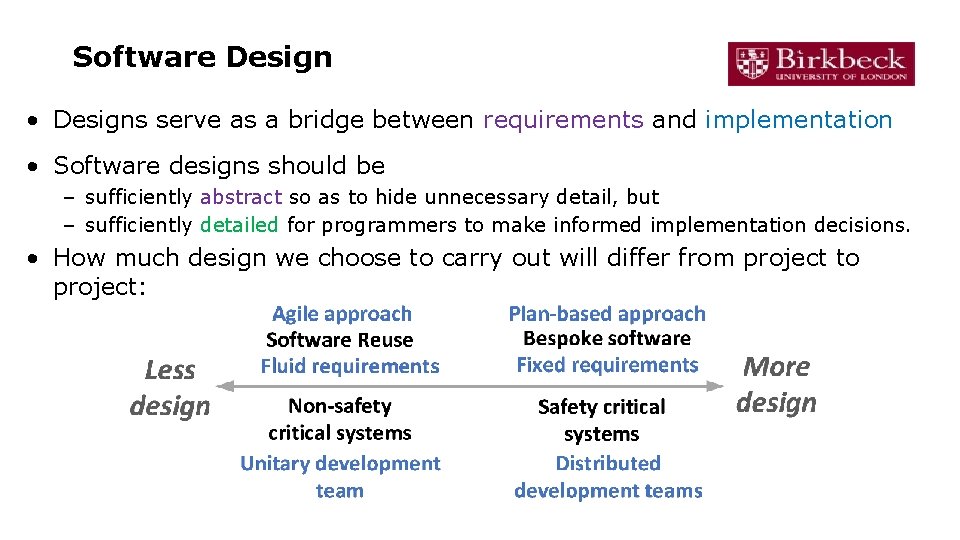
Software Design • Designs serve as a bridge between requirements and implementation • Software designs should be – sufficiently abstract so as to hide unnecessary detail, but – sufficiently detailed for programmers to make informed implementation decisions. • How much design we choose to carry out will differ from project to project:
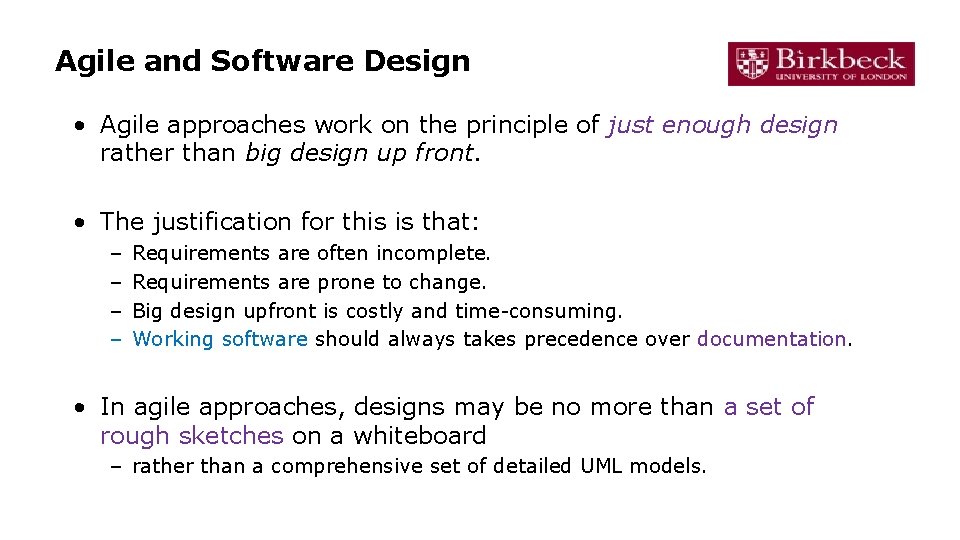
Agile and Software Design • Agile approaches work on the principle of just enough design rather than big design up front. • The justification for this is that: – – Requirements are often incomplete. Requirements are prone to change. Big design upfront is costly and time-consuming. Working software should always takes precedence over documentation. • In agile approaches, designs may be no more than a set of rough sketches on a whiteboard – rather than a comprehensive set of detailed UML models.
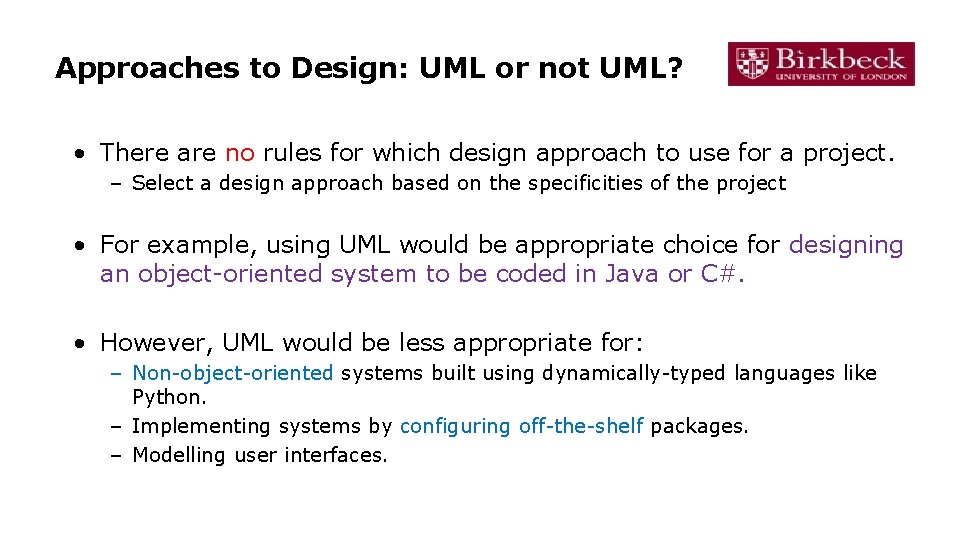
Approaches to Design: UML or not UML? • There are no rules for which design approach to use for a project. – Select a design approach based on the specificities of the project • For example, using UML would be appropriate choice for designing an object-oriented system to be coded in Java or C#. • However, UML would be less appropriate for: – Non-object-oriented systems built using dynamically-typed languages like Python. – Implementing systems by configuring off-the-shelf packages. – Modelling user interfaces.
What we will discuss today on design • Architectural design • Application architecture • Design models (UML) • User interface design • Data storage design
Architectural Design
Architectural design • Architectural design is concerned with – understanding how a software system should be organised – designing the overall structure of that system • Architectural design is the critical link between design and requirements engineering – it identifies the main structural components and the relationships between them. • The output of the architectural design process is an architectural model that describes – how the system is organised as a set of communicating components.
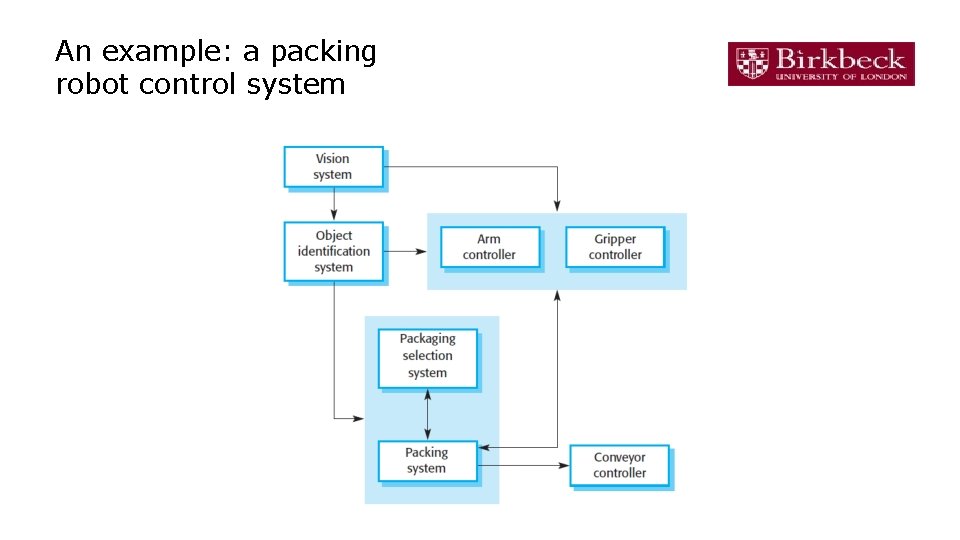
An example: a packing robot control system
Why? • Advantages of explicit architecture – Stakeholder communication • Architecture may be used as a focus of discussion by system stakeholders. – System analysis • Means that analysis of whether the system can meet its non-functional requirements is possible. • Software performance engineering – Large-scale reuse • The architecture may be reusable across a range of systems • Product-line architectures may be developed.
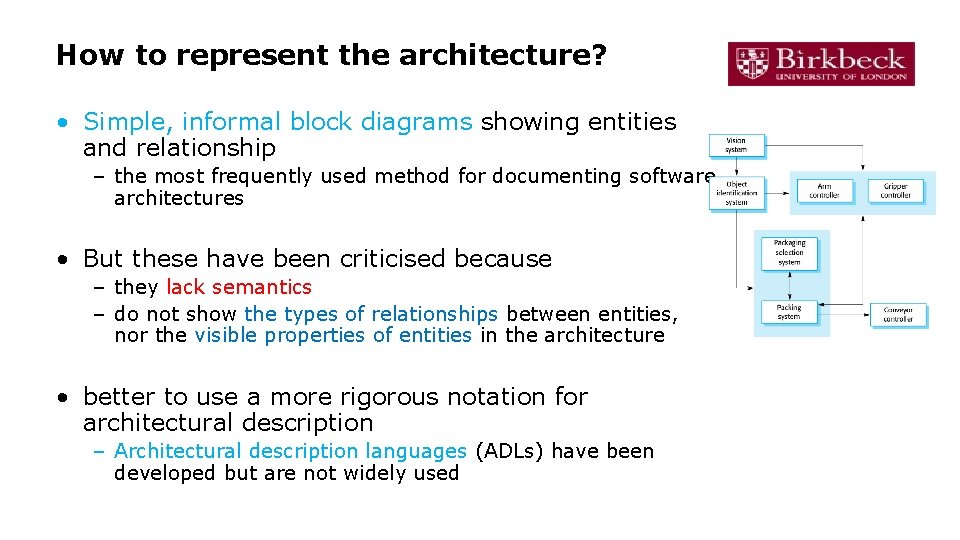
How to represent the architecture? • Simple, informal block diagrams showing entities and relationship – the most frequently used method for documenting software architectures • But these have been criticised because – they lack semantics – do not show the types of relationships between entities, nor the visible properties of entities in the architecture • better to use a more rigorous notation for architectural description – Architectural description languages (ADLs) have been developed but are not widely used
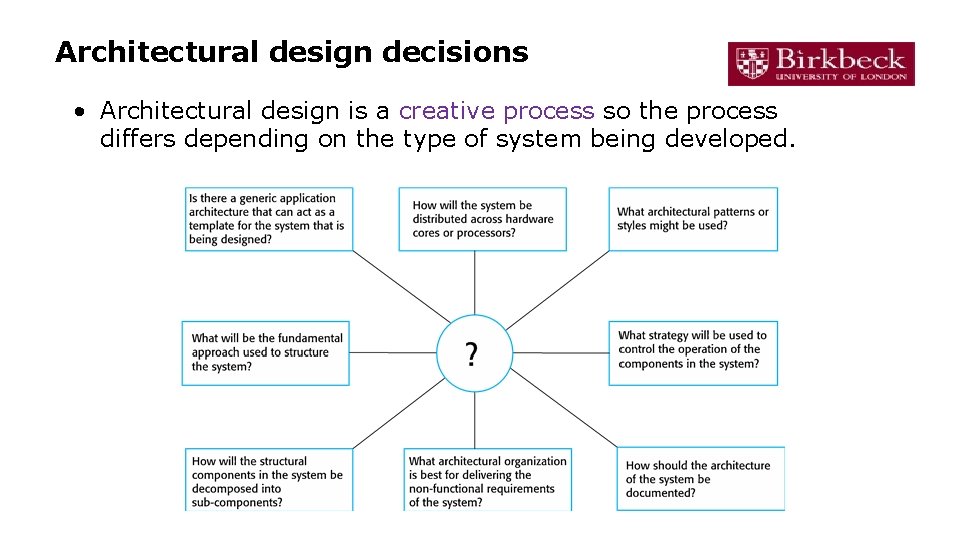
Architectural design decisions • Architectural design is a creative process so the process differs depending on the type of system being developed.
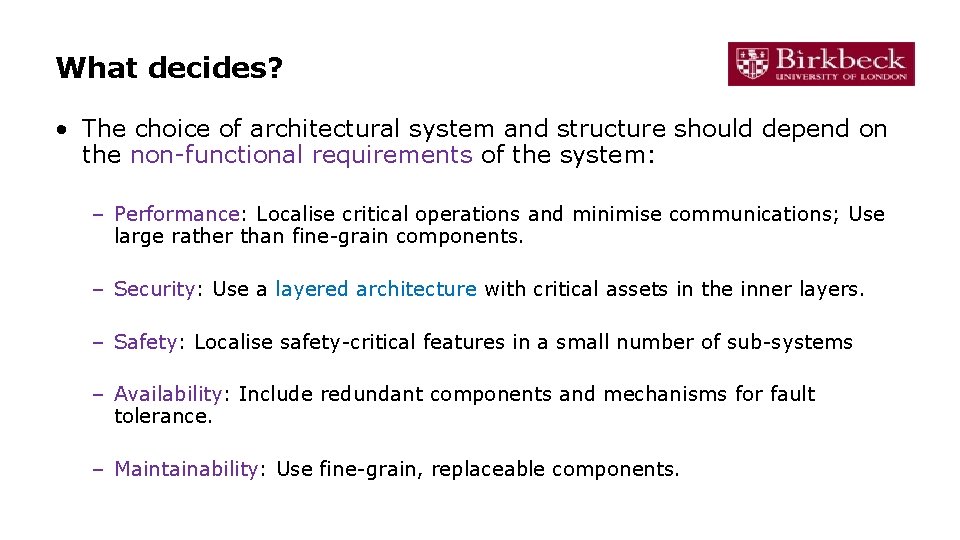
What decides? • The choice of architectural system and structure should depend on the non-functional requirements of the system: – Performance: Localise critical operations and minimise communications; Use large rather than fine-grain components. – Security: Use a layered architecture with critical assets in the inner layers. – Safety: Localise safety-critical features in a small number of sub-systems – Availability: Include redundant components and mechanisms for fault tolerance. – Maintainability: Use fine-grain, replaceable components.
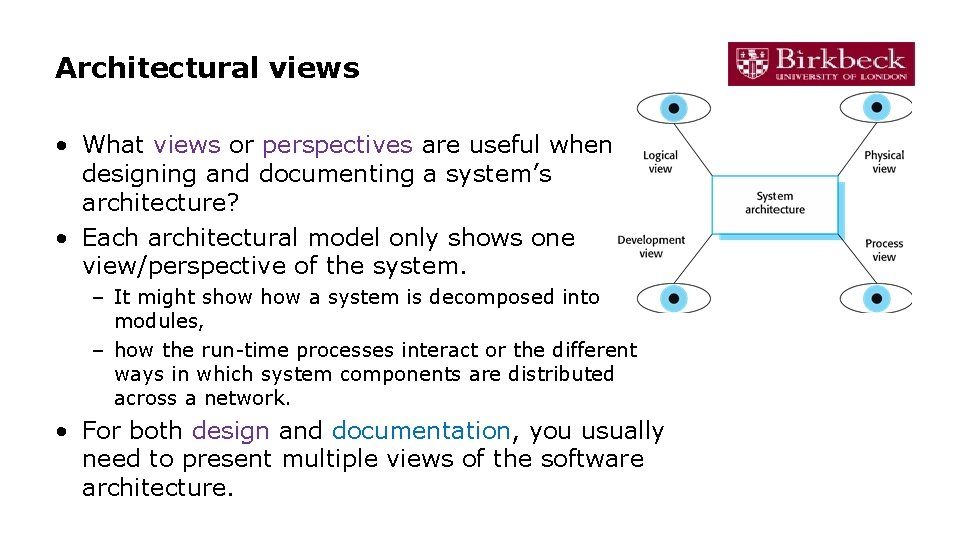
Architectural views • What views or perspectives are useful when designing and documenting a system’s architecture? • Each architectural model only shows one view/perspective of the system. – It might show a system is decomposed into modules, – how the run-time processes interact or the different ways in which system components are distributed across a network. • For both design and documentation, you usually need to present multiple views of the software architecture.
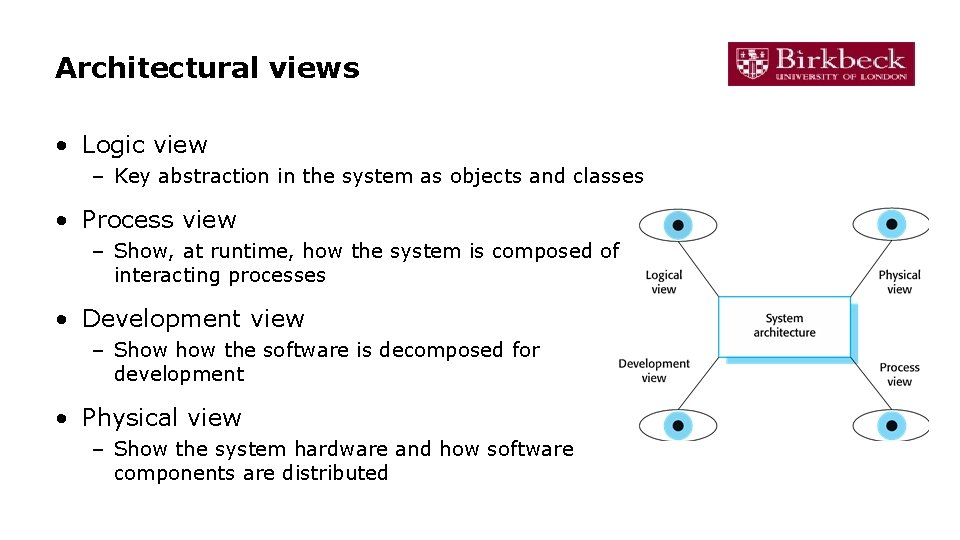
Architectural views • Logic view – Key abstraction in the system as objects and classes • Process view – Show, at runtime, how the system is composed of interacting processes • Development view – Show the software is decomposed for development • Physical view – Show the system hardware and how software components are distributed
Architectural reuse • Systems in the same domain often have similar architectures that reflect domain concepts. – Application product lines are built around a core architecture with variants that satisfy particular customer requirements. • The architecture of a system may be designed around one of more architectural patterns or ‘styles’. – These capture the essence of an architecture and can be instantiated in different ways.
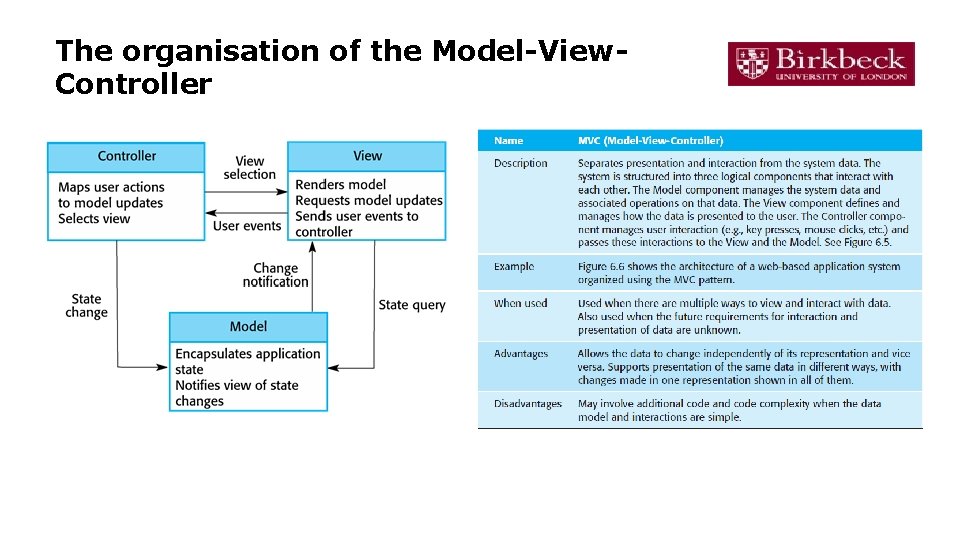
Architectural patterns • Patterns are a means of representing, sharing and reusing knowledge about software systems • An architectural pattern is a stylised description of good design practice, – has been tried and tested in different environments. • Patterns should include information about when they are and when the are not useful. • Patterns may be represented using tabular and graphical descriptions.
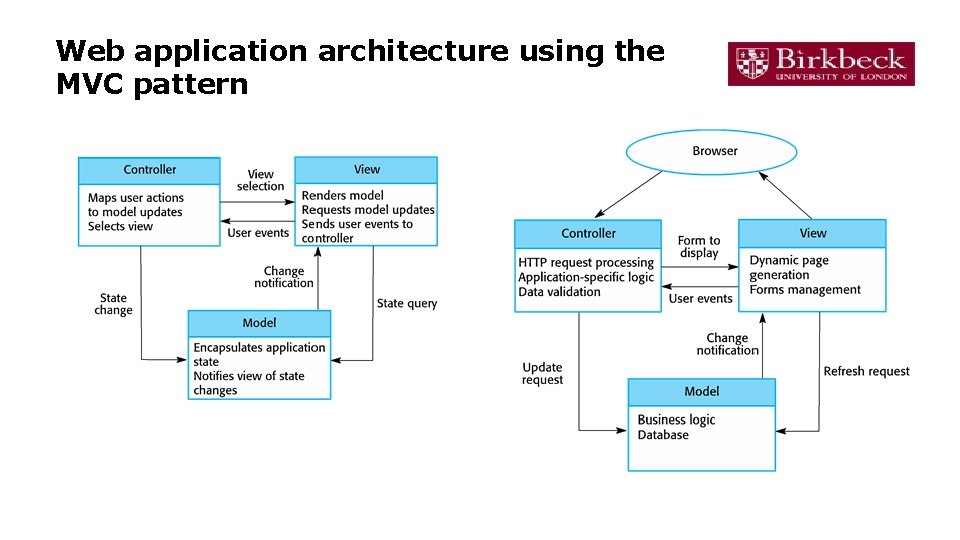
The organisation of the Model-View. Controller
Web application architecture using the MVC pattern
A summary of software architecture • Layered architecture • Repository architecture • Client-server architecture • Pipe and filter architecture • VERY important: Read chapter 6. 3 of the textbook carefully!
References • Paul Clements, Felix Bachmann, Len Bass, David Garlan, James Ivers, Reed Little, Paulo Merson, Robert Nord, Judith Stafford: Documenting Software Architectures: Views and Beyond, Second Edition. Addison-Wesley, 2010. • Len Bass, Paul Clements, Rick Kazman: Software Architecture in Practice, Third Edition. Addison Wesley, 2012. Amnon H. Eden, Rick • Kazman. Architecture, Design, Implementation. On the distinction between architectural design and detailed design. • Bell, Michael (2008). Service-Oriented Modeling: Service Analysis, Design, and Architecture. Wiley. • Handbook of Software Architecture https: //handbookofsoftwarearchitecture. com/
Application architectures • Application systems are designed to meet • Software designer can use a business/organisational need – businesses have much in common • their application systems also tend to have a common architecture – that reflects the application requirements • A generic application architecture is an architecture for a type of software system – that may be configured and adapted to create a system that meets specific requirements – As a starting point for architectural design – As a design checklist – As a way of organising the work of the development team – As a means of assessing components for reuse – As a vocabulary for talking about application types
Examples of application types • Data processing applications – Data driven applications that process data in batches without explicit user intervention during the processing. • Transaction processing applications – Data-centred applications that process user requests and update information in a system database. • Event processing systems – Applications where system actions depend on interpreting events from the system’s environment. • Language processing systems – Applications where the users’ intentions are specified in a formal language that is processed and interpreted by the system. • VERY important: read chapter 6. 4 carefully!
Moving on … • Object-oriented design by UML
Process stages • An object-oriented system is made up interacting objects that maintain their own local state and provide operations on that state. • There a variety of different OO design processes – that depend on the organisation using the process. • Common activities in these processes include: – – – Define the context and modes of the system; Design the system architecture; Identify the principal system objects; Develop design models; Specify object interfaces.
Design models • Design models show the objects and object classes and relationships between these entities. • There are two kinds of design model: – Structural models describe the static structure of the system in terms of object classes and relationships. – Dynamic models describe the dynamic interactions between objects. • Examples – Subsystem models: show logical groupings of objects into coherent subsystems – Sequence models: show the sequence of object interactions. – State machine models: show individual objects change their state in response to events – Other models include use-case models, aggregation models, generalisation models, etc.
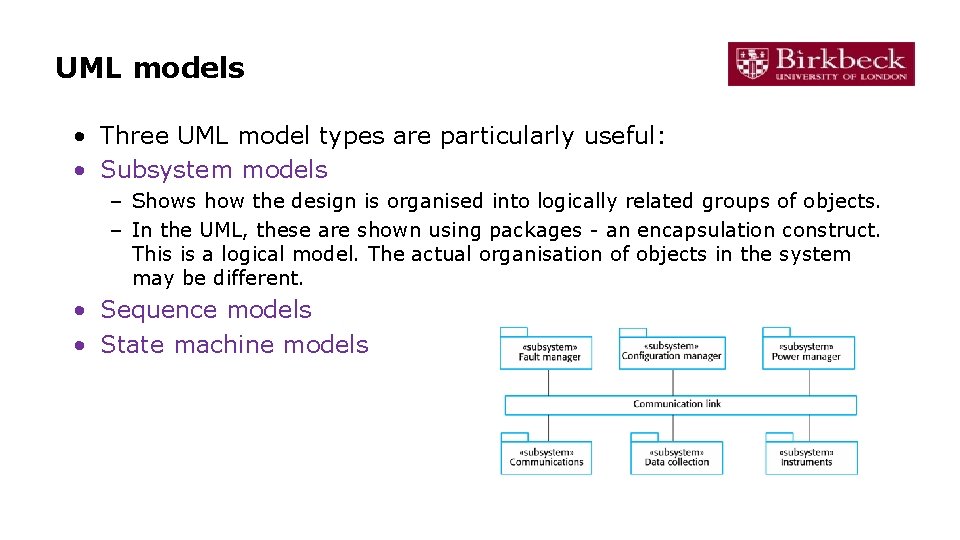
UML models • Three UML model types are particularly useful: • Subsystem models – Shows how the design is organised into logically related groups of objects. – In the UML, these are shown using packages - an encapsulation construct. This is a logical model. The actual organisation of objects in the system may be different. • Sequence models • State machine models
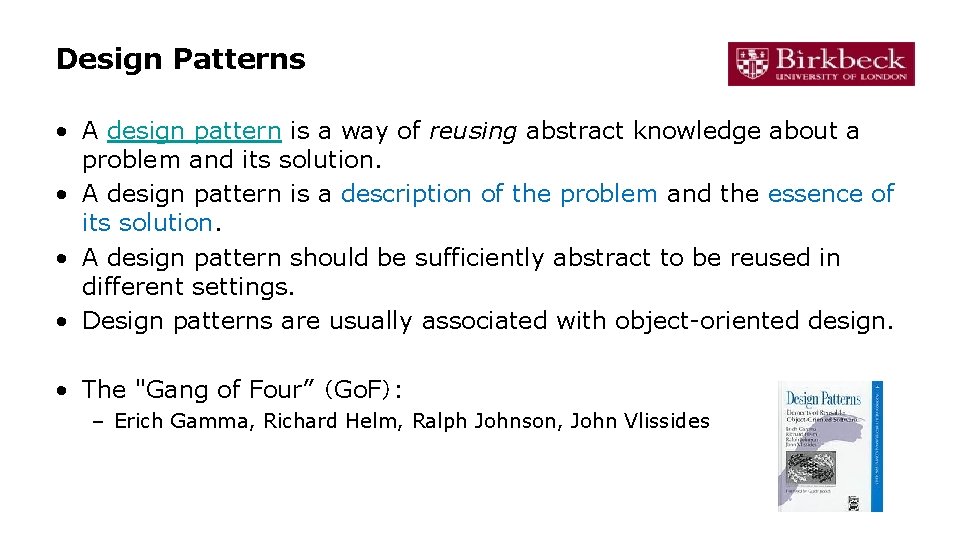
Design Patterns • A design pattern is a way of reusing abstract knowledge about a problem and its solution. • A design pattern is a description of the problem and the essence of its solution. • A design pattern should be sufficiently abstract to be reused in different settings. • Design patterns are usually associated with object-oriented design. • The "Gang of Four” (Go. F): – Erich Gamma, Richard Helm, Ralph Johnson, John Vlissides
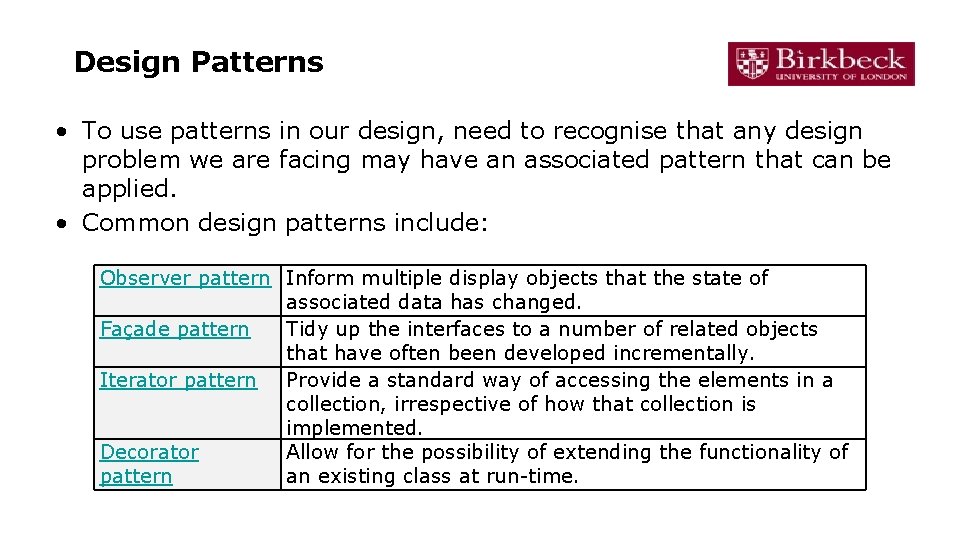
Design Patterns • To use patterns in our design, need to recognise that any design problem we are facing may have an associated pattern that can be applied. • Common design patterns include: Observer pattern Inform multiple display objects that the state of associated data has changed. Façade pattern Tidy up the interfaces to a number of related objects that have often been developed incrementally. Iterator pattern Provide a standard way of accessing the elements in a collection, irrespective of how that collection is implemented. Decorator Allow for the possibility of extending the functionality of pattern an existing class at run-time.
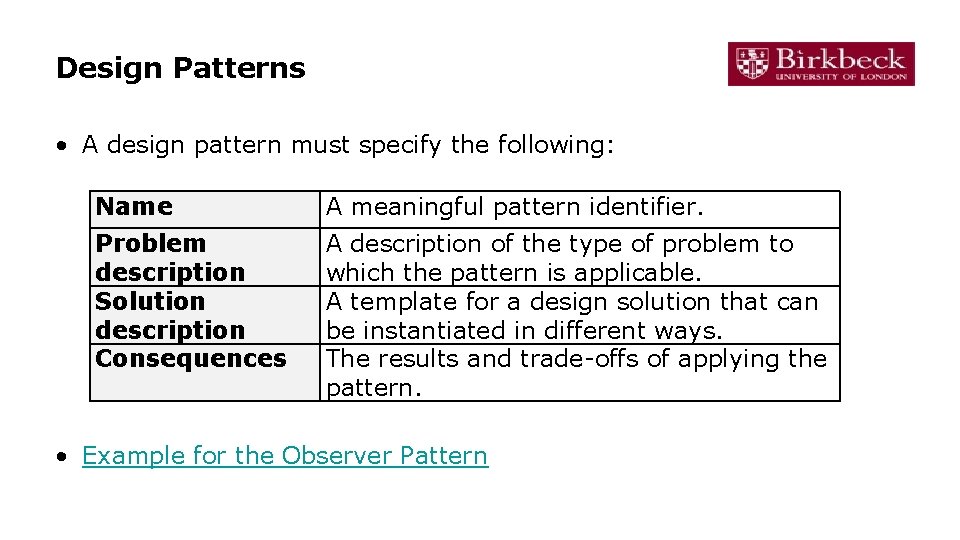
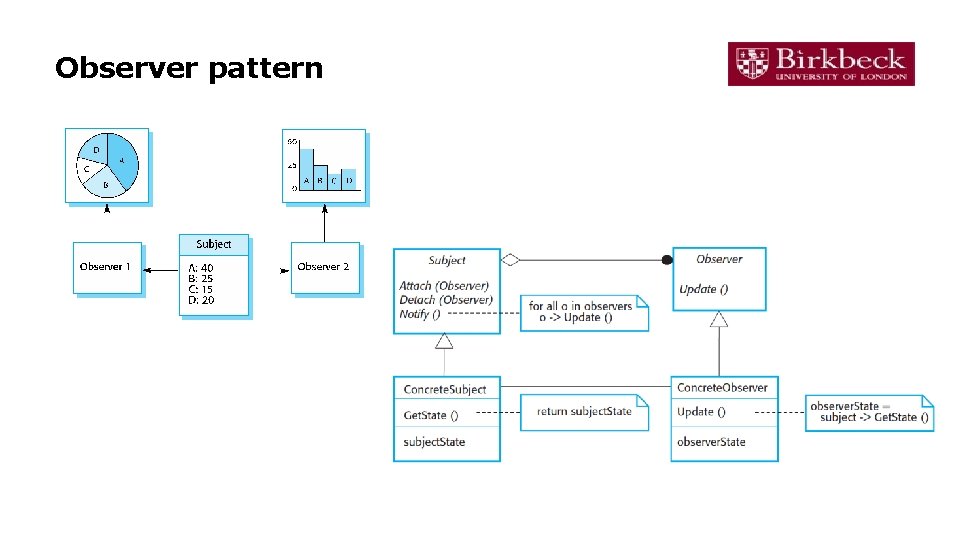
Design Patterns • A design pattern must specify the following: Name A meaningful pattern identifier. Problem description Solution description Consequences A description of the type of problem to which the pattern is applicable. A template for a design solution that can be instantiated in different ways. The results and trade-offs of applying the pattern. • Example for the Observer Pattern
Observer pattern
Implementation
Software Implementation • Software Implementation involves – taking models produced during design work and – turning these into executable versions of the required software system. • Implementation is most often associated with programming. • However, not all software implementation is programming centric! – Where software reuse is the preferred approach, then implementation is more about integration and configuration than coding. – Also, in model-driven engineering, models become the principal outputs of the software specification phase, and programs are generated automatically using specialist tools (e. g. Rational Rose).
Agile and Implementation • In agile approaches, the division between design and implementation is not nearly as rigid as in other software development approaches. • In agile methods, such as SCRUM, design and implementation are closely interleaved into a unitary, iterative activity called a sprint. • In an agile sprint: – – The division of labour between designers and developers is minimised. Designs are emergent. Change to designs is embraced. Working software has precedence over detailed design.
Implementation issues • Reuse • Configuration management – During the development process, you have to keep track of the many different versions of each software component in a configuration management system. (to be discussed in Session 10) • Host-target development
Software Reuse • From the 1960 s to the 1990 s, most new software was bespoke (e. g. developed from scratch). • The only significant software reuse was the reuse of functions and objects in programming language libraries. • Costs and schedule pressure mean that this approach became increasingly unviable, – especially for commercial and internet-based systems. • An approach to development based around the reuse of existing software emerged – is now generally used for business and scientific software.
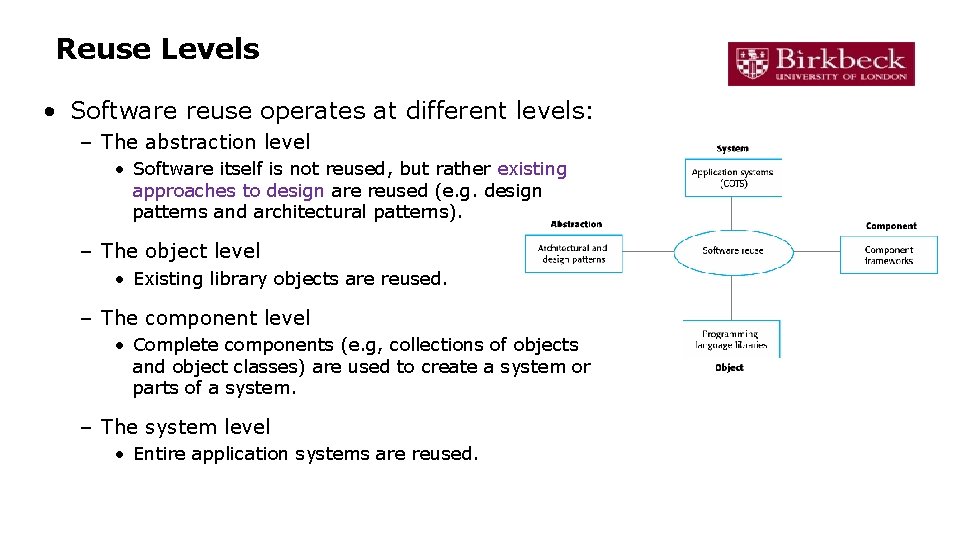
Reuse Levels • Software reuse operates at different levels: – The abstraction level • Software itself is not reused, but rather existing approaches to design are reused (e. g. design patterns and architectural patterns). – The object level • Existing library objects are reused. – The component level • Complete components (e. g, collections of objects and object classes) are used to create a system or parts of a system. – The system level • Entire application systems are reused.
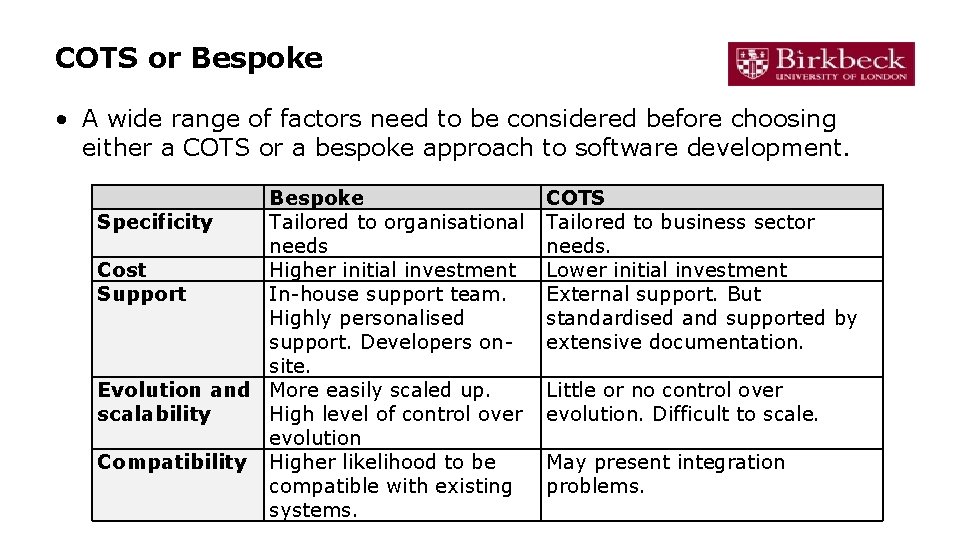
COTS • Commercial Off-The-Shelf software (COTS) is a common term for system level software reuse. • COTS systems are designed to deliver a common set of functions, generally for a particular business domain. • Some COTS systems are designed to be used as is. • Other COTS systems provide the means to customise, configure or extend the software, based upon a client’s specific organisational needs.
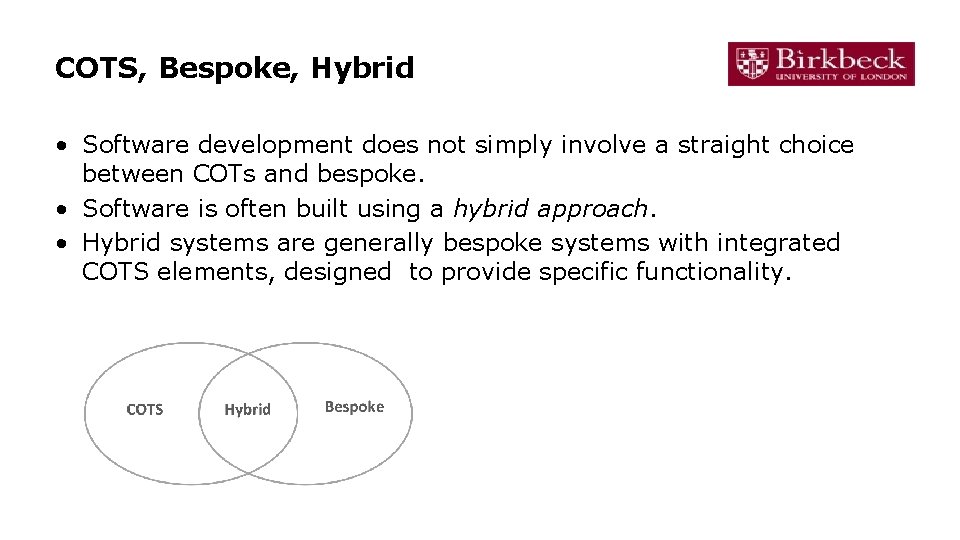
COTS, Bespoke, Hybrid • Software development does not simply involve a straight choice between COTs and bespoke. • Software is often built using a hybrid approach. • Hybrid systems are generally bespoke systems with integrated COTS elements, designed to provide specific functionality.
COTS or Bespoke • A wide range of factors need to be considered before choosing either a COTS or a bespoke approach to software development. Bespoke Specificity Tailored to organisational needs Cost Higher initial investment Support In-house support team. Highly personalised support. Developers onsite. Evolution and More easily scaled up. scalability High level of control over evolution Compatibility Higher likelihood to be compatible with existing systems. COTS Tailored to business sector needs. Lower initial investment External support. But standardised and supported by extensive documentation. Little or no control over evolution. Difficult to scale. May present integration problems.
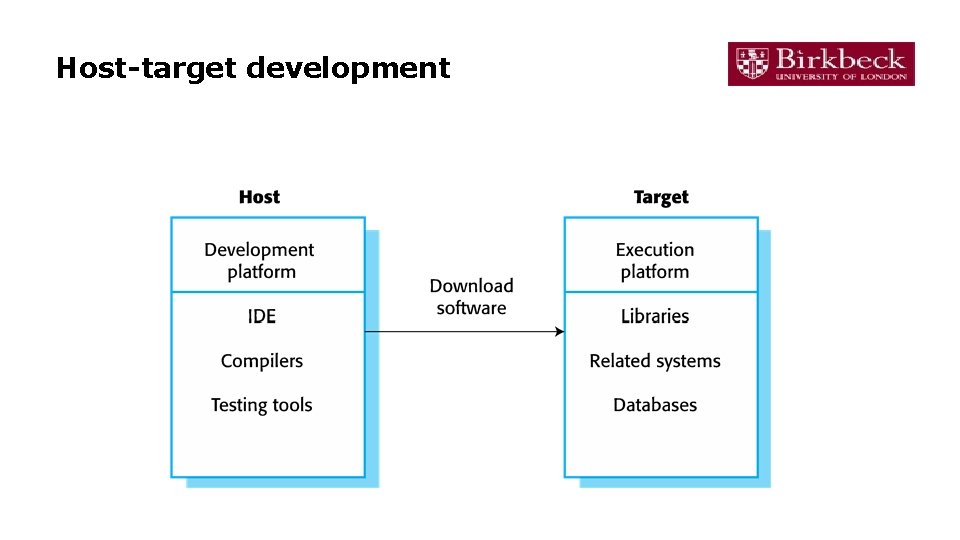
Host-target development • Most software is developed on one computer (the host), but runs on a separate machine (the target). • More generally, we can talk about a development platform and an execution platform. – A platform is more than just hardware. – It includes the installed operating system plus other supporting software such as a database management system or, for development platforms, an interactive development environment. • Development platform usually has different installed software than execution platform; these platforms may have different architectures.
Development platform tools • An integrated compiler and syntax-directed editing system – that allows you to create, edit and compile code. • A language debugging system. • Graphical editing tools, such as tools to edit UML models. • Testing tools, such as Junit that can automatically run a set of tests on a new version of a program. • Project support tools that help you organize the code for different development projects.
Integrated development environments (IDEs) • Software development tools are often grouped to create an integrated development environment (IDE). • An IDE is a set of software tools that supports different aspects of software development, within some common framework and user interface. • IDEs are created to support development in a specific programming language such as Java. • The language IDE may be developed specially, or may be an instantiation of a general-purpose IDE, with specific languagesupport tools.
Host-target development
Open Source Development
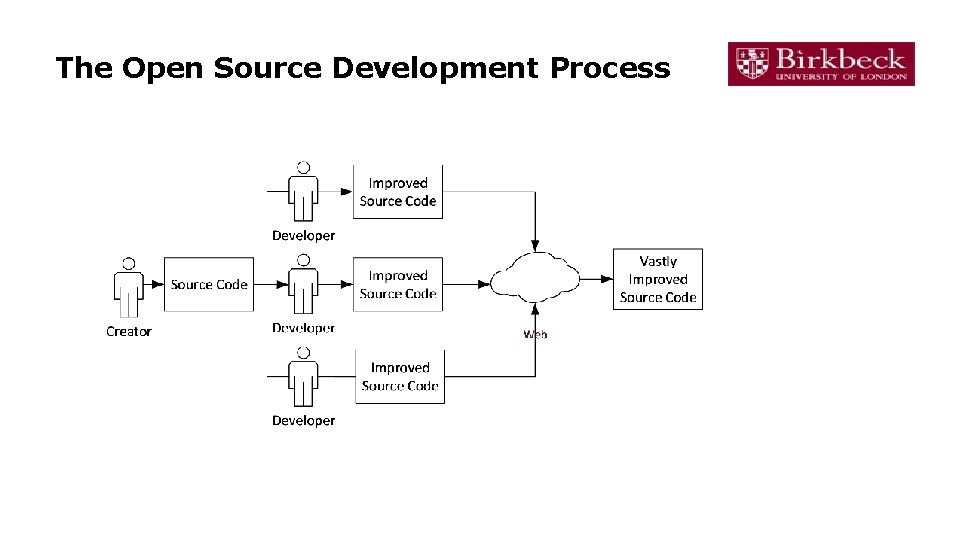
Open Source Development • Open-source development is an approach to software development – the software source code is made publicly available, and – the software creator allows individuals and organisations to modify the source code and distribute the software. • Open source development is based not solely on the principle of open exchange of source code, but also on the principles of: – – Collaborative participation Transparency Community-oriented development. Mutual support • Full Open Source Definition
Open Source Software • Examples of open source software include the following: – – – Linux Android Moodle Apache My. SQL • Many small business make use of open source software to bring down costs • However, the use of open source software is not limited to small businesses. – A growing number of large businesses and global players base part or all of their software implementation practice around open source technologies (e. g. Facebook, Fujitsu, IBM, Toyota, etc. )
The Open Source Development Process
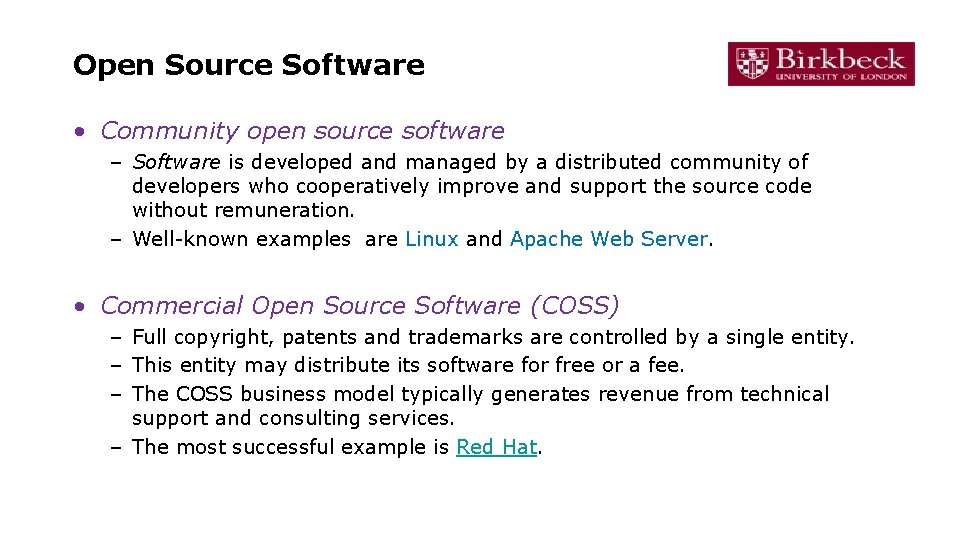
Open Source Software • Community open source software – Software is developed and managed by a distributed community of developers who cooperatively improve and support the source code without remuneration. – Well-known examples are Linux and Apache Web Server. • Commercial Open Source Software (COSS) – Full copyright, patents and trademarks are controlled by a single entity. – This entity may distribute its software for free or a fee. – The COSS business model typically generates revenue from technical support and consulting services. – The most successful example is Red Hat.
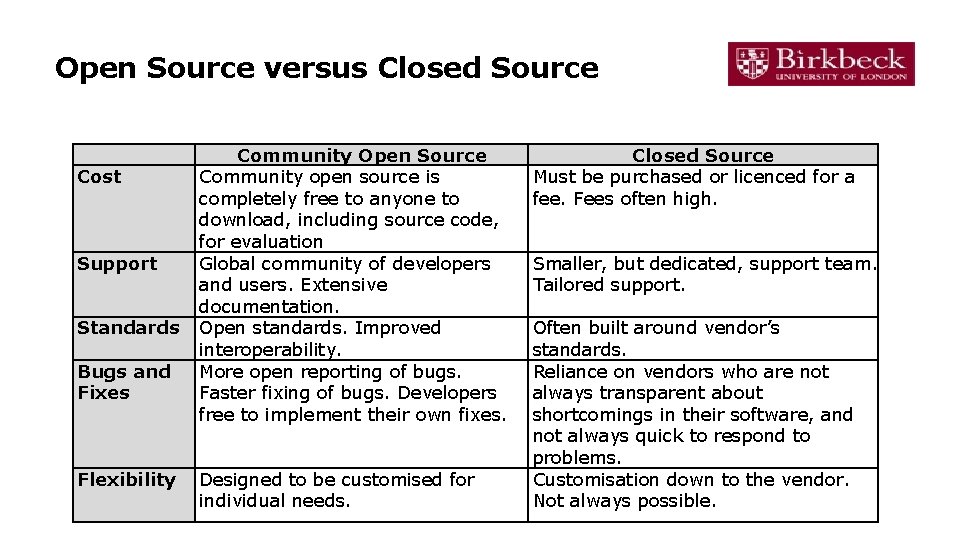
Open Source versus Closed Source Cost Support Standards Bugs and Fixes Flexibility Community Open Source Community open source is completely free to anyone to download, including source code, for evaluation Global community of developers and users. Extensive documentation. Open standards. Improved interoperability. More open reporting of bugs. Faster fixing of bugs. Developers free to implement their own fixes. Designed to be customised for individual needs. Closed Source Must be purchased or licenced for a fee. Fees often high. Smaller, but dedicated, support team. Tailored support. Often built around vendor’s standards. Reliance on vendors who are not always transparent about shortcomings in their software, and not always quick to respond to problems. Customisation down to the vendor. Not always possible.
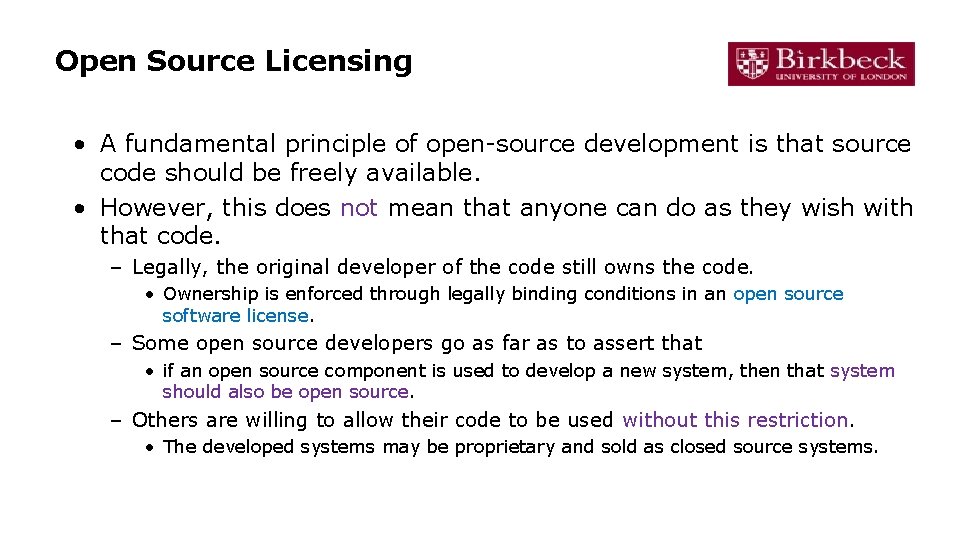
Open Source Licensing • A fundamental principle of open-source development is that source code should be freely available. • However, this does not mean that anyone can do as they wish with that code. – Legally, the original developer of the code still owns the code. • Ownership is enforced through legally binding conditions in an open source software license. – Some open source developers go as far as to assert that • if an open source component is used to develop a new system, then that system should also be open source. – Others are willing to allow their code to be used without this restriction. • The developed systems may be proprietary and sold as closed source systems.
Open Source Licensing • The GNU General Public License (GPL). – This is a so-called ‘reciprocal’ license that means that if you use open source software that is licensed under the GPL license, then you must make that software open source. • The GNU Lesser General Public License (LGPL) – A variant of the GPL license where you can write components that link to open source code without having to publish the source of these components. • The Berkley Standard Distribution (BSD) License. – This is a non-reciprocal license, which means you are not obliged to republish any changes or modifications made to open source code. You can include the code in proprietary systems that are sold.
Portfolio Task…
Class activities …