
Software Engineering I Session 5 Software Design Implementation
- Slides: 87
Software Engineering I Session 5 Software Design, Implementation, and Evolution
Recap • Fundamental development activities – – specification development validation evolution • Requirement engineering and software modelling (UML) – Interaction model (user case diagram, sequence diagram) – Behavioural model (activity diagram, state diagram) – Structural model (class diagram) • This week – Moving from requirement to design, implementation, and evolution
Software design and implementation • Software design and implementation is the stage – an executable software system is developed • Design and implementation activities are invariably interleaved. – Software design is a creative activity in which software components and their relationships are identified • based on a customer’s requirements – Implementation is the process of realising the design as a program.
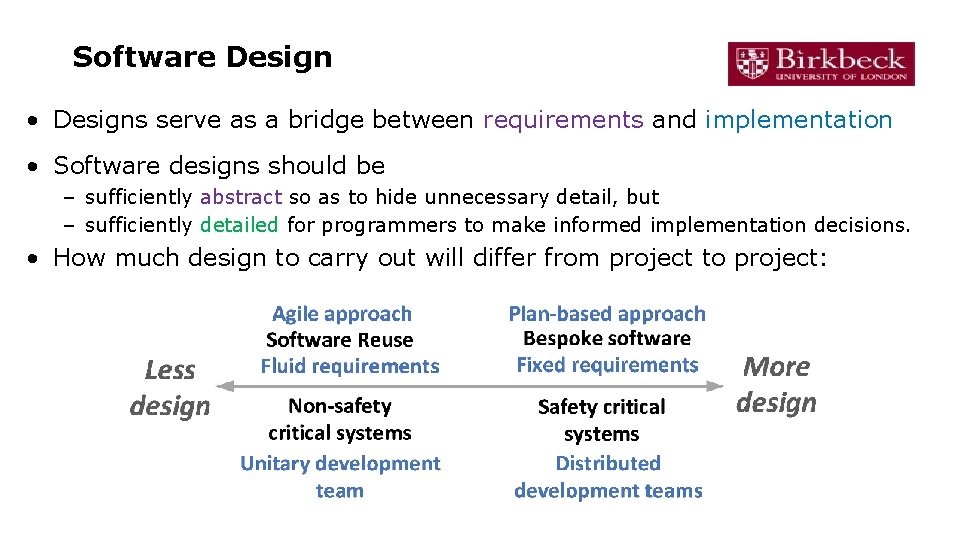
Software Design • Designs serve as a bridge between requirements and implementation • Software designs should be – sufficiently abstract so as to hide unnecessary detail, but – sufficiently detailed for programmers to make informed implementation decisions. • How much design to carry out will differ from project to project:
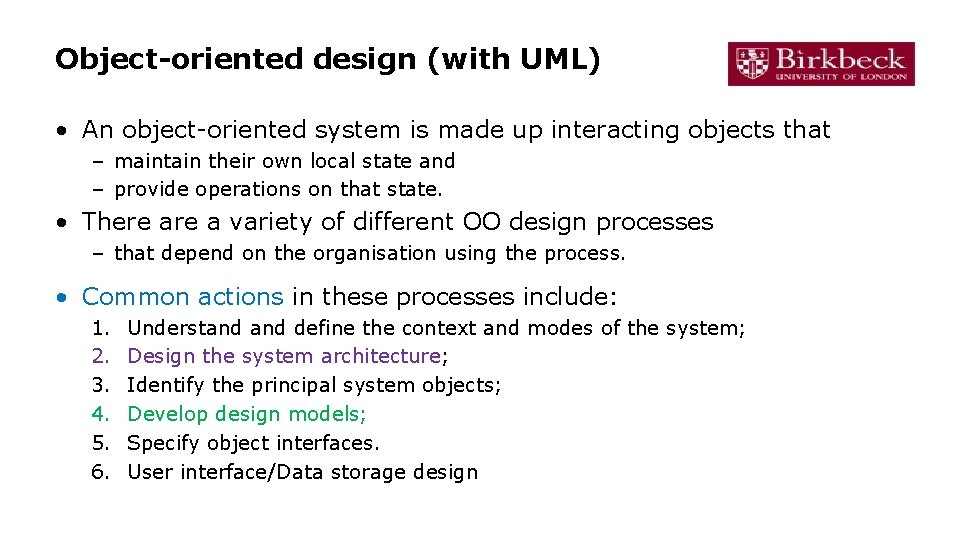
Object-oriented design (with UML) • An object-oriented system is made up interacting objects that – maintain their own local state and – provide operations on that state. • There a variety of different OO design processes – that depend on the organisation using the process. • Common actions in these processes include: 1. 2. 3. 4. 5. 6. Understand define the context and modes of the system; Design the system architecture; Identify the principal system objects; Develop design models; Specify object interfaces. User interface/Data storage design
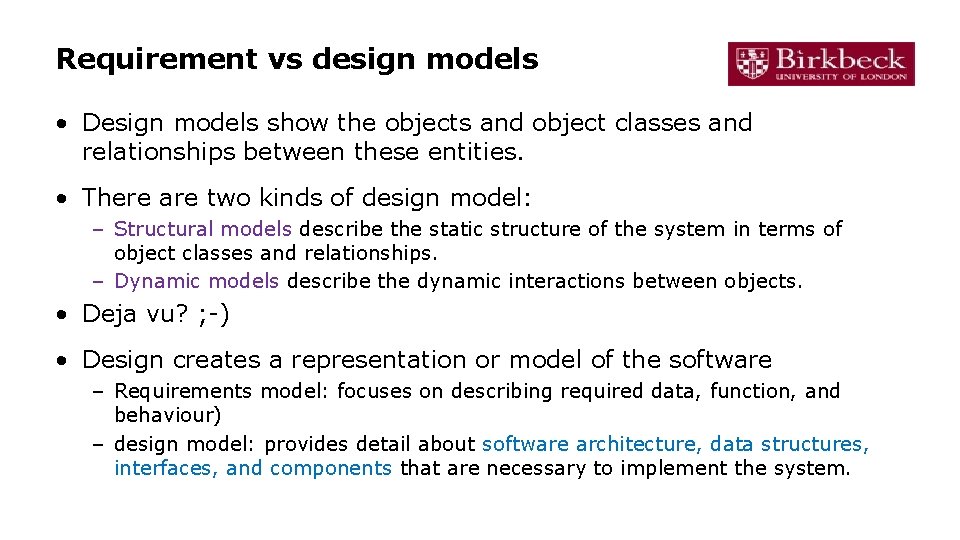
Requirement vs design models • Design models show the objects and object classes and relationships between these entities. • There are two kinds of design model: – Structural models describe the static structure of the system in terms of object classes and relationships. – Dynamic models describe the dynamic interactions between objects. • Deja vu? ; -) • Design creates a representation or model of the software – Requirements model: focuses on describing required data, function, and behaviour) – design model: provides detail about software architecture, data structures, interfaces, and components that are necessary to implement the system.
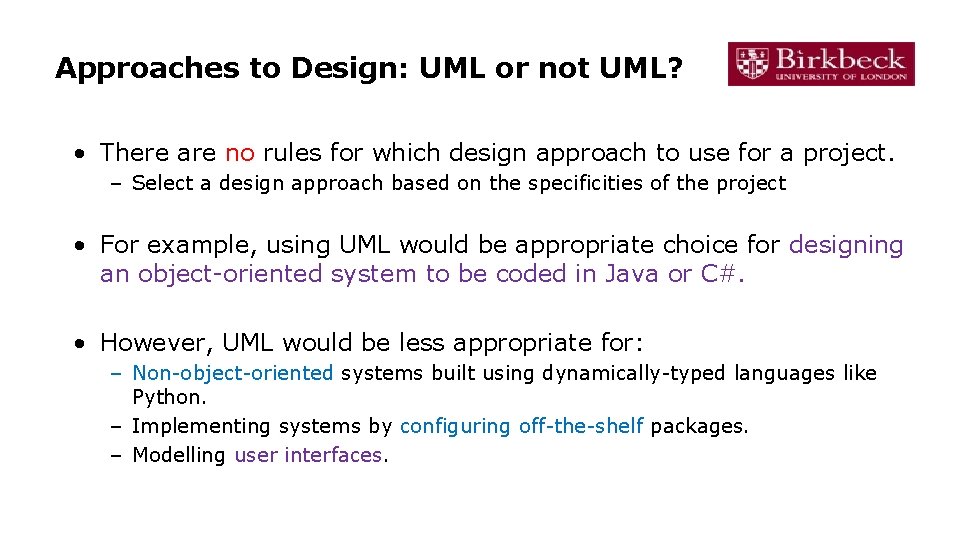
Approaches to Design: UML or not UML? • There are no rules for which design approach to use for a project. – Select a design approach based on the specificities of the project • For example, using UML would be appropriate choice for designing an object-oriented system to be coded in Java or C#. • However, UML would be less appropriate for: – Non-object-oriented systems built using dynamically-typed languages like Python. – Implementing systems by configuring off-the-shelf packages. – Modelling user interfaces.
Further concepts • Architectural design • Application architecture • Design patterns • And: abstraction, separation of concerns, modularity, information hiding, functional independence, refinement, aspects, refactoring, see chapter 12 -16 of
Architectural design • Architectural design is concerned with – understanding how a software system should be organised – designing the overall structure of that system • Architectural design is the critical link between design and requirements engineering – it identifies the main structural components and the relationships between them. • The output of the architectural design process is an architectural model that describes – how the system is organised as a set of communicating components.
An example: a packing robot control system
Architectural patterns • Patterns are a means of representing, sharing and reusing knowledge about software systems • An architectural pattern is a stylised description of good design practice, – has been tried and tested in different environments. • Patterns should include information about when they are and when the are not useful. • Patterns may be represented using tabular and graphical descriptions.
A summary of software architecture • Architecture patterns: – Layered architecture – Repository architecture – Client-server architecture – Pipe and filter architecture • Refer to chapter 6. 3
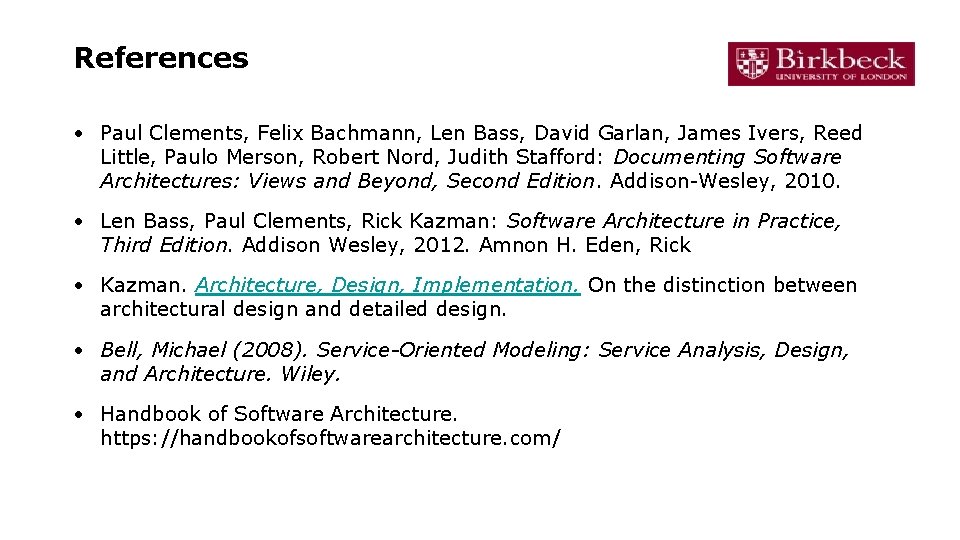
References • Paul Clements, Felix Bachmann, Len Bass, David Garlan, James Ivers, Reed Little, Paulo Merson, Robert Nord, Judith Stafford: Documenting Software Architectures: Views and Beyond, Second Edition. Addison-Wesley, 2010. • Len Bass, Paul Clements, Rick Kazman: Software Architecture in Practice, Third Edition. Addison Wesley, 2012. Amnon H. Eden, Rick • Kazman. Architecture, Design, Implementation. On the distinction between architectural design and detailed design. • Bell, Michael (2008). Service-Oriented Modeling: Service Analysis, Design, and Architecture. Wiley. • Handbook of Software Architecture. https: //handbookofsoftwarearchitecture. com/
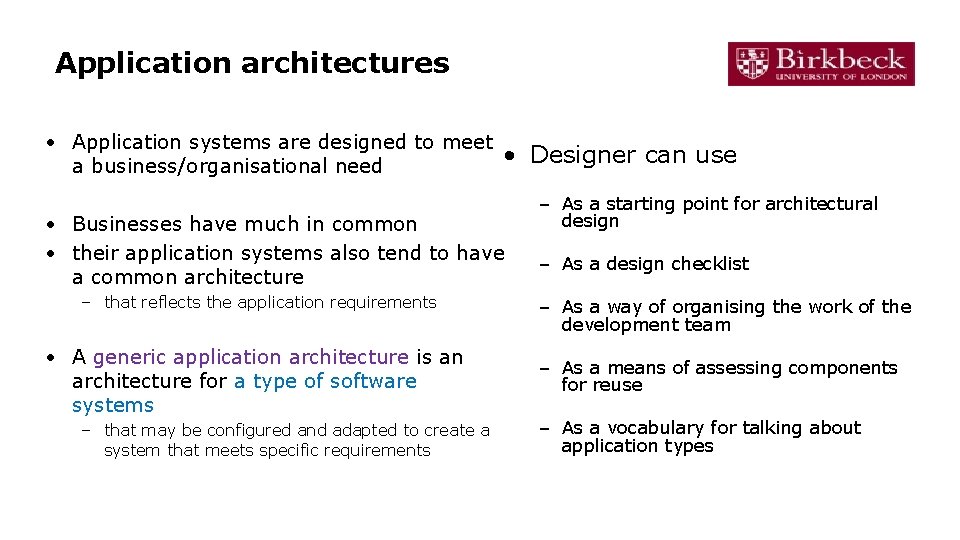
Application architectures • Application systems are designed to meet • Designer can use a business/organisational need • Businesses have much in common • their application systems also tend to have a common architecture – that reflects the application requirements • A generic application architecture is an architecture for a type of software systems – that may be configured and adapted to create a system that meets specific requirements – As a starting point for architectural design – As a design checklist – As a way of organising the work of the development team – As a means of assessing components for reuse – As a vocabulary for talking about application types
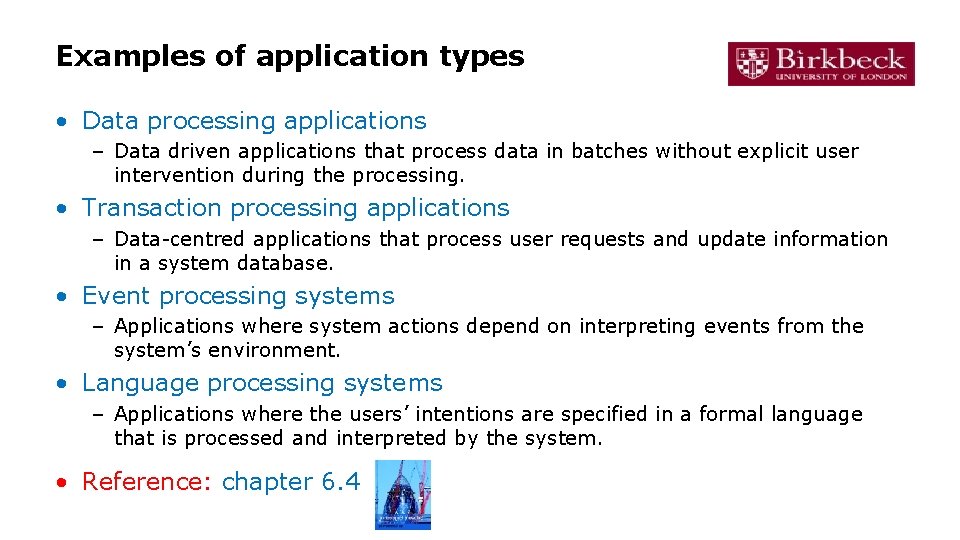
Examples of application types • Data processing applications – Data driven applications that process data in batches without explicit user intervention during the processing. • Transaction processing applications – Data-centred applications that process user requests and update information in a system database. • Event processing systems – Applications where system actions depend on interpreting events from the system’s environment. • Language processing systems – Applications where the users’ intentions are specified in a formal language that is processed and interpreted by the system. • Reference: chapter 6. 4
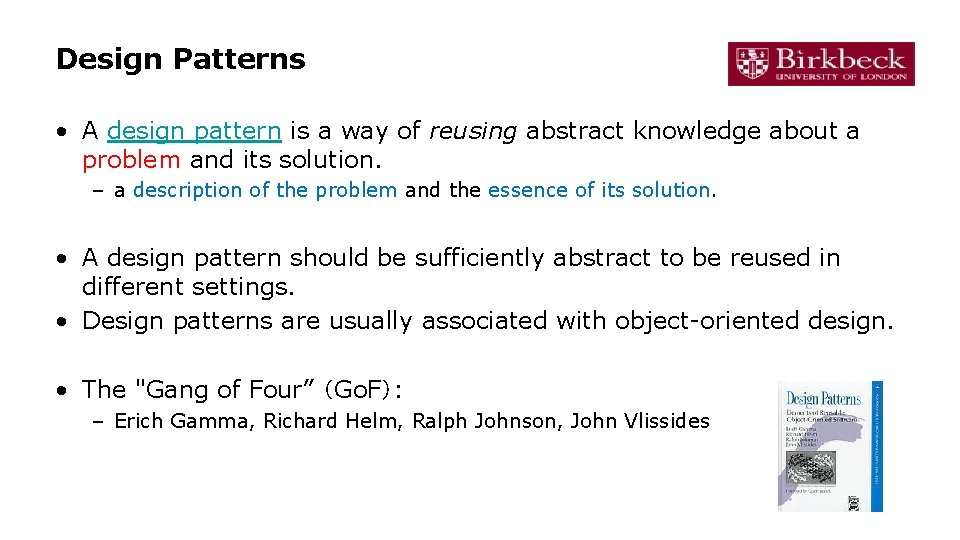
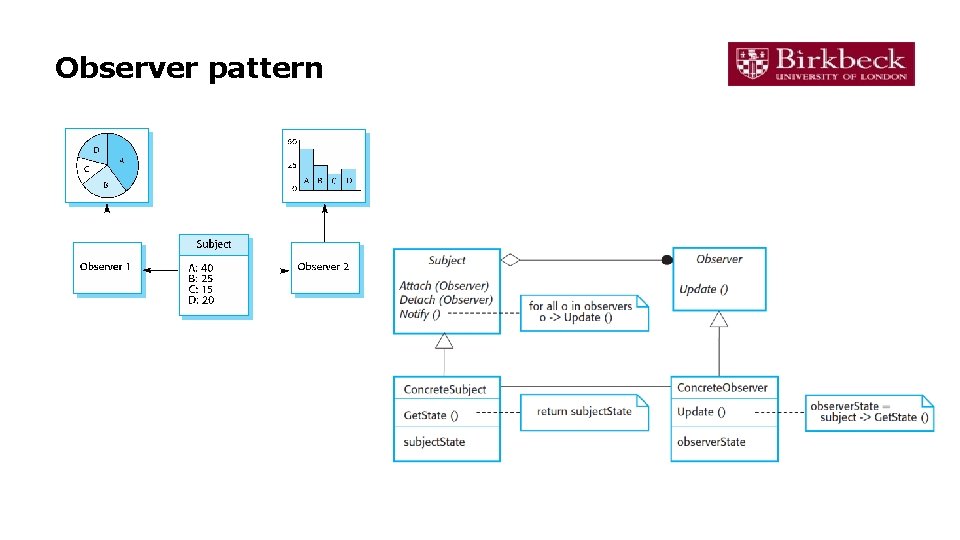
Design Patterns • A design pattern is a way of reusing abstract knowledge about a problem and its solution. – a description of the problem and the essence of its solution. • A design pattern should be sufficiently abstract to be reused in different settings. • Design patterns are usually associated with object-oriented design. • The "Gang of Four” (Go. F): – Erich Gamma, Richard Helm, Ralph Johnson, John Vlissides
Observer pattern
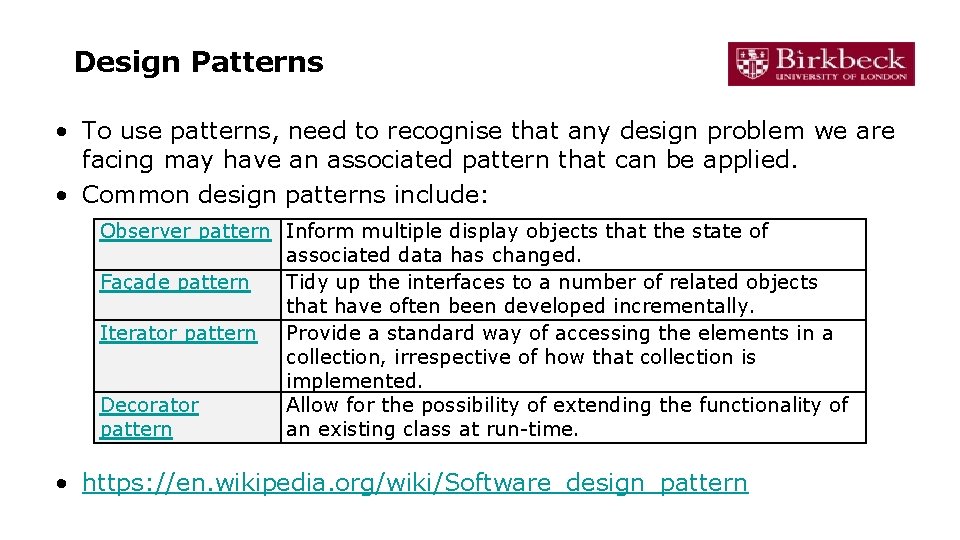
Design Patterns • To use patterns, need to recognise that any design problem we are facing may have an associated pattern that can be applied. • Common design patterns include: Observer pattern Inform multiple display objects that the state of associated data has changed. Façade pattern Tidy up the interfaces to a number of related objects that have often been developed incrementally. Iterator pattern Provide a standard way of accessing the elements in a collection, irrespective of how that collection is implemented. Decorator Allow for the possibility of extending the functionality of pattern an existing class at run-time. • https: //en. wikipedia. org/wiki/Software_design_pattern
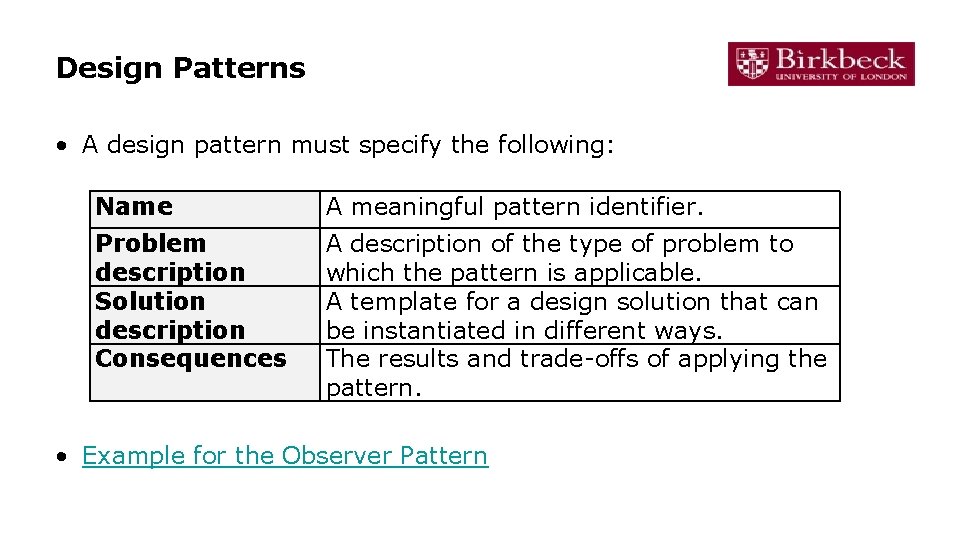
Design Patterns • A design pattern must specify the following: Name A meaningful pattern identifier. Problem description Solution description Consequences A description of the type of problem to which the pattern is applicable. A template for a design solution that can be instantiated in different ways. The results and trade-offs of applying the pattern. • Example for the Observer Pattern
Implementation
Software Implementation • Software Implementation involves – taking models produced during design work and – turning these into executable versions of the required software system. • Implementation is most often associated with programming. • However, not all software implementation is programming centric! – Where software reuse is the preferred approach, then implementation is more about integration and configuration than coding. – Also, in model-driven engineering, models become the principal outputs of the software specification phase, and programs are generated automatically using specialist tools (e. g. Rational Rose).
First thing: Development platform tools • An integrated compiler and syntax-directed editing system – that allows you to create, edit and compile code. • A language debugging system. • Graphical editing tools, such as tools to edit UML models. • Testing tools, such as Junit that can automatically run a set of tests on a new version of a program. • Project support tools that help you organize the code for different development projects.
Integrated development environments (IDEs) • Software development tools are often grouped to create an integrated development environment (IDE). • An IDE is a set of software tools that supports different aspects of software development, within some common framework and user interface. • IDEs are created to support development in a specific programming language such as Java. • The language IDE may – be developed specially, or – be an instantiation of a general-purpose IDE, with specific language-support tools.
Implementation issues • Reuse • Configuration management – During the development process, you have to keep track of the many different versions of each software component – Including version management, system integration, issue tracking, change management, release management, etc. – (One of the umbrella activities; to be discussed in later sessions) – System building • Host-target development (chapter 7. 3. 3, read yourself)
Software Reuse • From the 1960 s to the 1990 s, most new software was bespoke (e. g. , developed from scratch). • The only significant software reuse was the reuse of functions and objects in programming language libraries. • Costs and schedule pressure mean that this approach became increasingly unviable, – especially for commercial and internet-based systems. • An approach to development based around the reuse of existing software emerged – is now generally used for business and scientific software.
Reuse Levels • Software reuse operates at different levels: – The abstraction level • Software itself is not reused, but rather existing approaches to design are reused (e. g. design patterns and architectural patterns). – The object level • Existing library objects are reused. – The component level • Complete components (e. g, collections of objects and object classes) are used to create a system or parts of a system. – The system level • Entire application systems are reused.
COTS • Commercial Off-The-Shelf software (COTS) is a common term for system level software reuse. • COTS systems are designed to deliver a common set of functions, generally for a particular business domain. • Some COTS systems are designed to be used as is. • Other COTS systems provide the means to customise, configure or extend the software, based upon a client’s specific organisational needs. • Software is often built using a hybrid approach.
COTS or Bespoke • A wide range of factors need to be considered before choosing either a COTS or a bespoke approach to software development. Specificity Cost Support Bespoke COTS Tailored to organisational needs Higher initial investment Tailored to business sector needs. In-house support team. Highly personalised support. Developers on-site. External support. But standardised and supported by extensive documentation. Lower initial investment Little or no control over evolution. Evolution and More easily scaled up. High level of control over evolution Difficult to scale. scalability Compatibility Higher likelihood to be compatible with existing systems. May present integration problems.
Build Systems
What do developers do • • Get the source code Install dependencies Compile the code Run static analysis Generate documentation Run tests Create artifacts for customers Ship! • Which should be handled manually? None!
What to do instead? • Automate with a build system! • A tool for automating SE tasks – – – – Getting the source code Installing dependencies Compiling the code Running static analysis Generating documentation Running tests Creating artifacts for customers Shipping! • A good build tool handles all these
Tasks are code! • Should be checked into version control • Should be code-reviewed • Should be tested
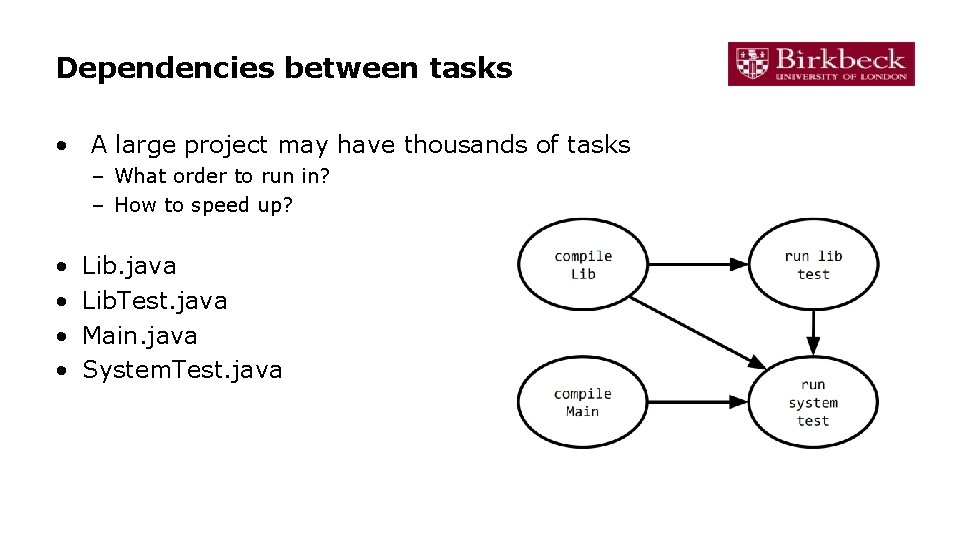
Dependencies between tasks • A large project may have thousands of tasks – What order to run in? – How to speed up? • • Lib. java Lib. Test. java Main. java System. Test. java
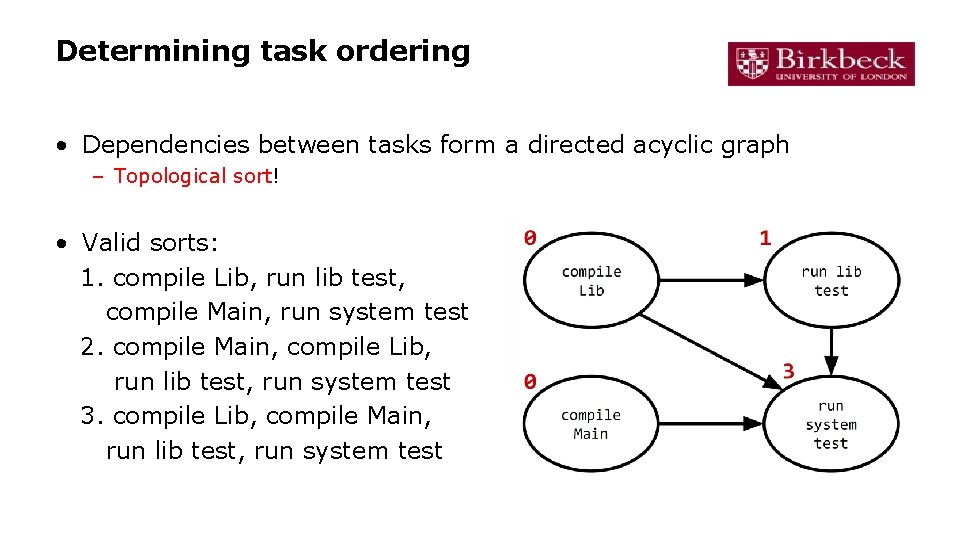
Determining task ordering • Dependencies between tasks form a directed acyclic graph – Topological sort! • Valid sorts: 1. compile Lib, run lib test, compile Main, run system test 2. compile Main, compile Lib, run lib test, run system test 3. compile Lib, compile Main, run lib test, run system test
Examples of modern build systems • Gradle – https: //gradle. org/ – Apache’s open-source successor to ant, maven • Bazel – https: //www. bazel. build/ – Google’s internal build tool, open-sourced
How to speed up builds? • How to speed up builds? – Incrementalise - only rebuild what you have to – Execute many tasks in parallel – Cache artifacts in the cloud • Best practices – Automate everything – Always use a build tool – Have a build server that builds and tests your code on every commit (continuous integration) – Don’t break the build
Open Source Development
Open Source Development • Open-source development is an approach to software development – the software source code is made publicly available, and – the software creator allows individuals and organisations to modify the source code and distribute the software. • Open source development is based not solely on the principle of open exchange of source code, but also on the principles of: – – Collaborative participation Transparency Community-oriented development. Mutual support • Full Open Source Definition
Open Source Software • Examples of open source software include the following: – – – Linux Android Moodle Apache My. SQL • Many small business make use of open source software to bring down costs • However, the use of open source software is not limited to small businesses. – A growing number of large businesses and global players base part or all of their software implementation practice around open source technologies (e. g. Facebook, Fujitsu, IBM, Toyota, etc. )
The Open Source Development Process
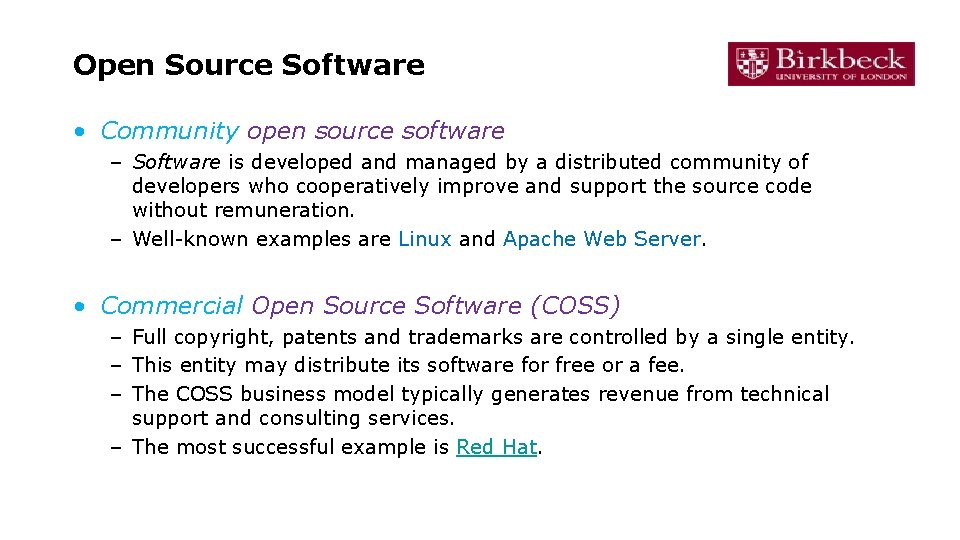
Open Source Software • Community open source software – Software is developed and managed by a distributed community of developers who cooperatively improve and support the source code without remuneration. – Well-known examples are Linux and Apache Web Server. • Commercial Open Source Software (COSS) – Full copyright, patents and trademarks are controlled by a single entity. – This entity may distribute its software for free or a fee. – The COSS business model typically generates revenue from technical support and consulting services. – The most successful example is Red Hat.
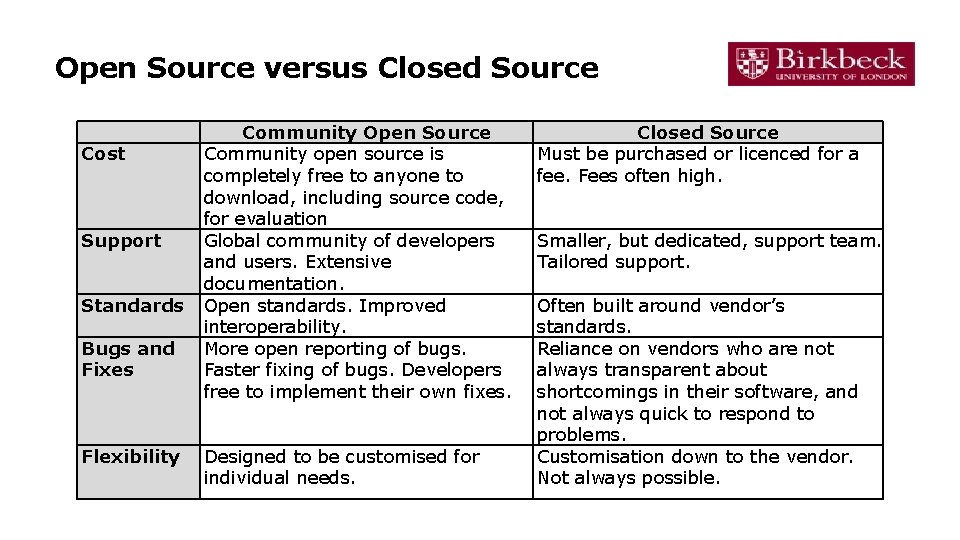
Open Source versus Closed Source Cost Support Standards Bugs and Fixes Flexibility Community Open Source Community open source is completely free to anyone to download, including source code, for evaluation Global community of developers and users. Extensive documentation. Open standards. Improved interoperability. More open reporting of bugs. Faster fixing of bugs. Developers free to implement their own fixes. Designed to be customised for individual needs. Closed Source Must be purchased or licenced for a fee. Fees often high. Smaller, but dedicated, support team. Tailored support. Often built around vendor’s standards. Reliance on vendors who are not always transparent about shortcomings in their software, and not always quick to respond to problems. Customisation down to the vendor. Not always possible.
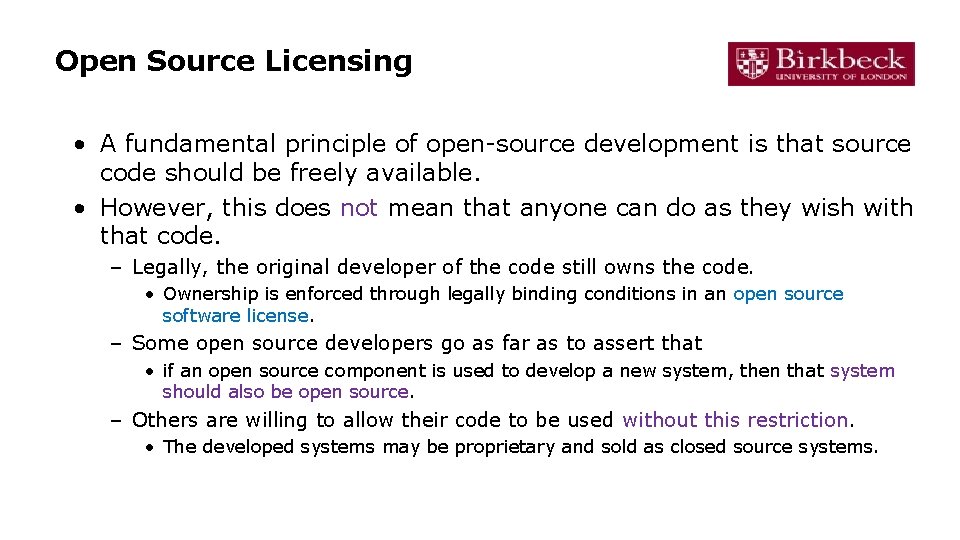
Open Source Licensing • A fundamental principle of open-source development is that source code should be freely available. • However, this does not mean that anyone can do as they wish with that code. – Legally, the original developer of the code still owns the code. • Ownership is enforced through legally binding conditions in an open source software license. – Some open source developers go as far as to assert that • if an open source component is used to develop a new system, then that system should also be open source. – Others are willing to allow their code to be used without this restriction. • The developed systems may be proprietary and sold as closed source systems.
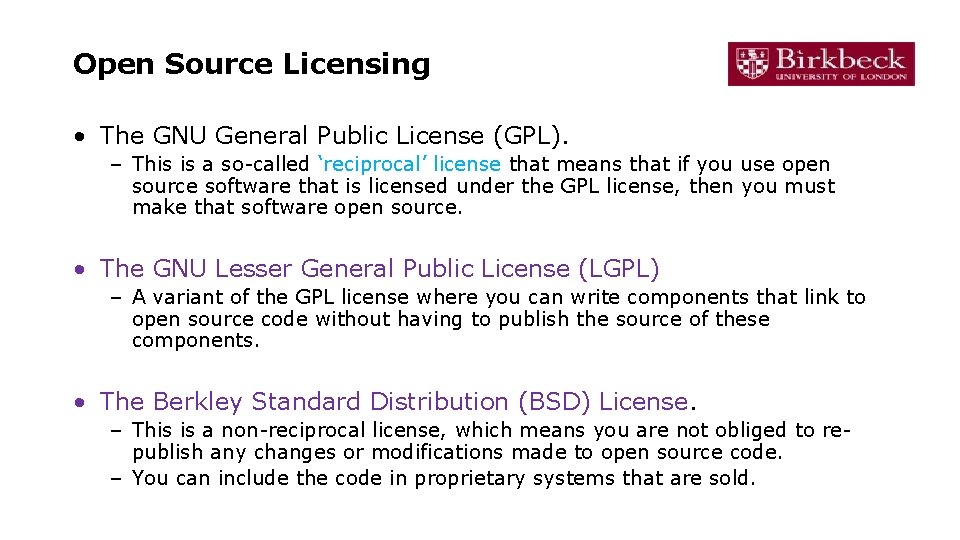
Open Source Licensing • The GNU General Public License (GPL). – This is a so-called ‘reciprocal’ license that means that if you use open source software that is licensed under the GPL license, then you must make that software open source. • The GNU Lesser General Public License (LGPL) – A variant of the GPL license where you can write components that link to open source code without having to publish the source of these components. • The Berkley Standard Distribution (BSD) License. – This is a non-reciprocal license, which means you are not obliged to republish any changes or modifications made to open source code. – You can include the code in proprietary systems that are sold.
Software Evolution
Outline • Different models for software evolution – Generic software vs Custom software • Legacy systems • Custom software: maintenance • Software reengineering and refactoring
Software Evolution • The evolution of existing software systems is inevitable: – – – New requirements emerge during use. Errors must be repaired. The performance or reliability of the system may be below expected levels. The business environment changes. New hardware is added to the system. • A key problem for all organisations is implementing and managing software evolution. • The older and more complex a system is, the more difficult it generally is to implement and manage software evolution.
Software Evolution – Importance • Organisations often have huge investments in their software systems – they are critical business assets. • To maintain the value of software systems, they must be periodically monitored and updated. • The majority of the software budget in large companies is devoted to changing and evolving existing software rather than developing new software. – Approximately 75%
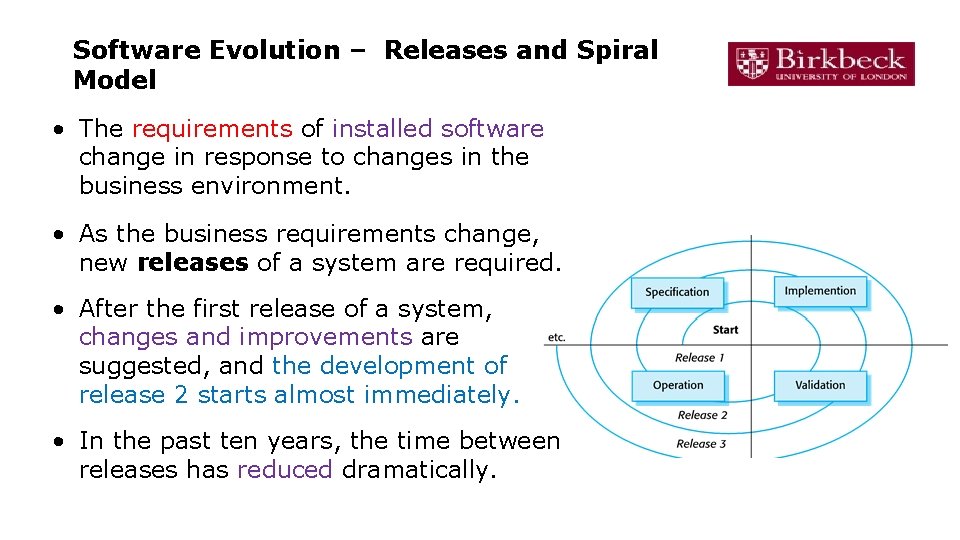
Software Evolution – Releases and Spiral Model • The requirements of installed software change in response to changes in the business environment. • As the business requirements change, new releases of a system are required. • After the first release of a system, changes and improvements are suggested, and the development of release 2 starts almost immediately. • In the past ten years, the time between releases has reduced dramatically.
Evolution of custom software • This spiral model is applicable when – the same company is responsible for the software throughout its lifetime – Mostly generic products • Custom software may follow a different model – Take over responsibilities for support and evolution using its own staff – May issue a separate contract to a different software company • There may be discontinuities in the evolution process – Requirement and design documents may not be passed • When the transition from development to evolution is not seamless, the process of changing the software after delivery is called software maintenance. – Involves extra activities such as program understanding
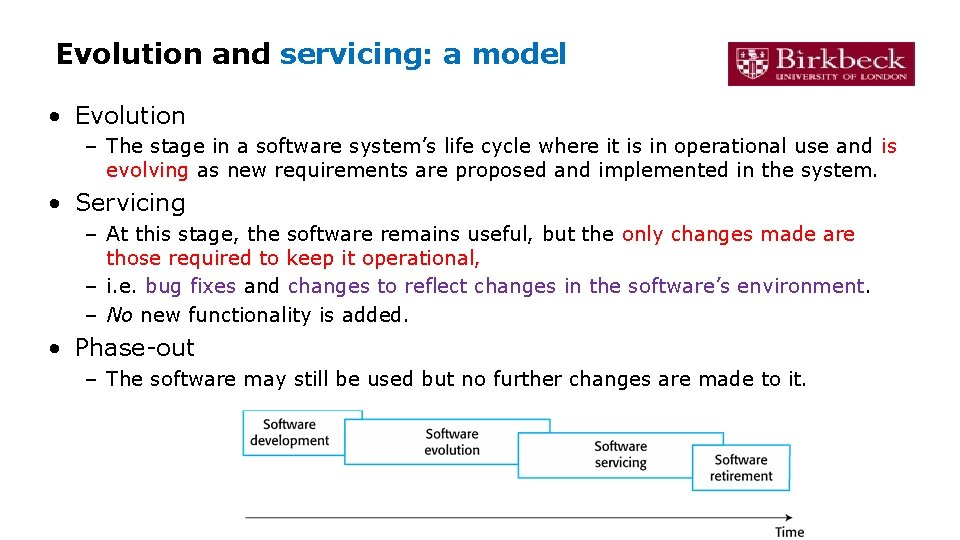
Evolution and servicing: a model • Evolution – The stage in a software system’s life cycle where it is in operational use and is evolving as new requirements are proposed and implemented in the system. • Servicing – At this stage, the software remains useful, but the only changes made are those required to keep it operational, – i. e. bug fixes and changes to reflect changes in the software’s environment. – No new functionality is added. • Phase-out – The software may still be used but no further changes are made to it.
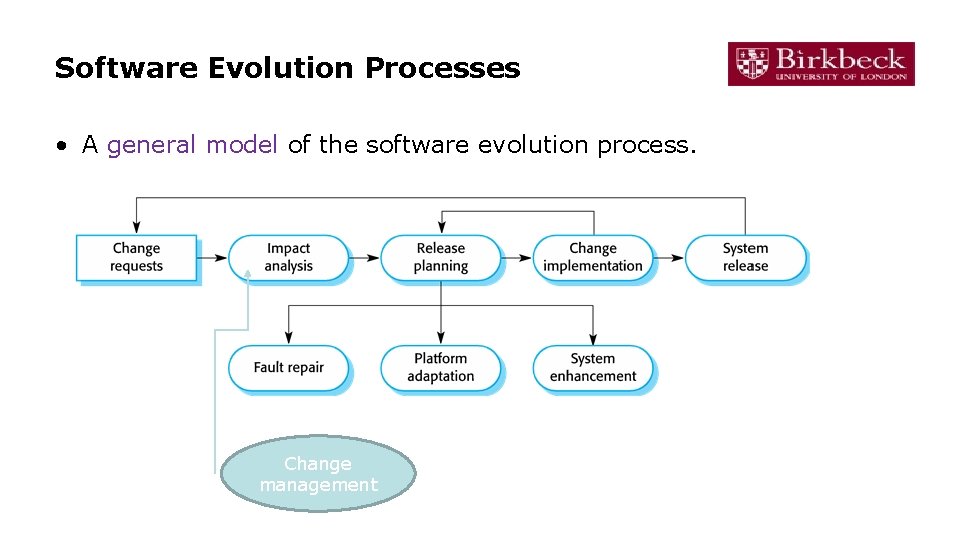
Software Evolution Processes • A general model of the software evolution process. Change management
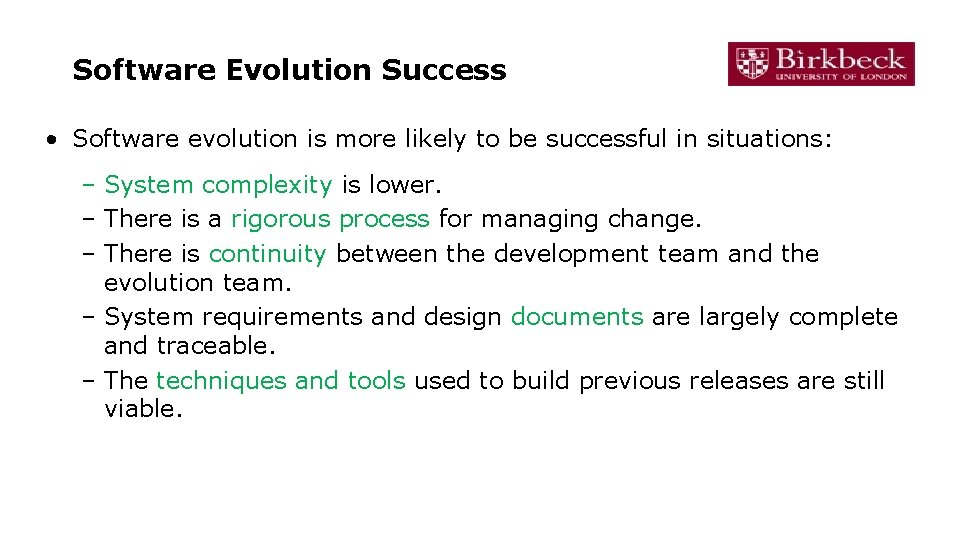
Software Evolution Success • Software evolution is more likely to be successful in situations: – System complexity is lower. – There is a rigorous process for managing change. – There is continuity between the development team and the evolution team. – System requirements and design documents are largely complete and traceable. – The techniques and tools used to build previous releases are still viable.
Software Maintenance
Software maintenance • Software maintenance the general process of changing a system after it has been delivered – involves modifying a program after it has been put into use. • The term is mostly used for changing custom software. – Generic software products are said to evolve to create new versions. • Maintenance does not normally involve major changes to the system’s architecture. • Changes are implemented by modifying existing components and adding new components to the system. – Studies have shown that most maintenance cost and effort is spent on a relatively small number of system components.
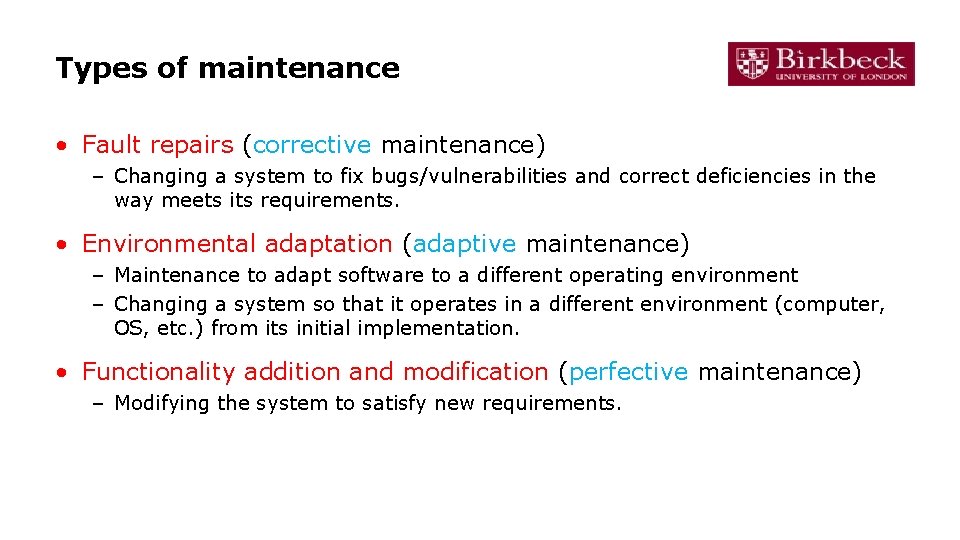
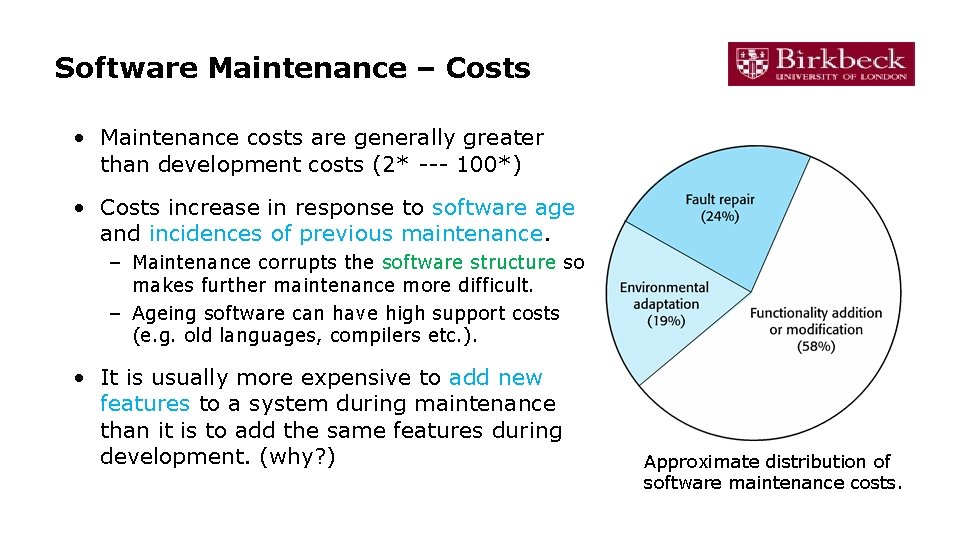
Types of maintenance • Fault repairs (corrective maintenance) – Changing a system to fix bugs/vulnerabilities and correct deficiencies in the way meets its requirements. • Environmental adaptation (adaptive maintenance) – Maintenance to adapt software to a different operating environment – Changing a system so that it operates in a different environment (computer, OS, etc. ) from its initial implementation. • Functionality addition and modification (perfective maintenance) – Modifying the system to satisfy new requirements.
Software Maintenance – Costs • Maintenance costs are generally greater than development costs (2* --- 100*) • Costs increase in response to software age and incidences of previous maintenance. – Maintenance corrupts the software structure so makes further maintenance more difficult. – Ageing software can have high support costs (e. g. old languages, compilers etc. ). • It is usually more expensive to add new features to a system during maintenance than it is to add the same features during development. (why? ) Approximate distribution of software maintenance costs.
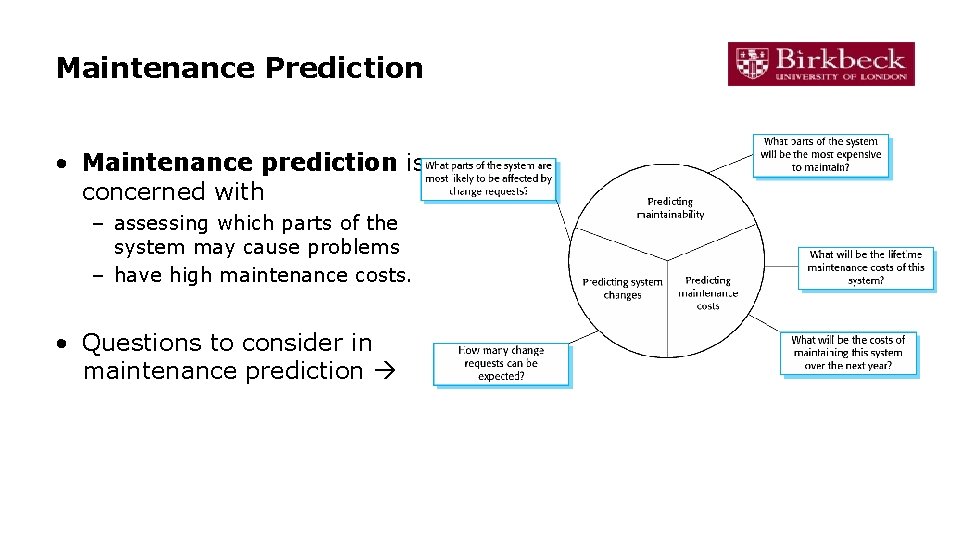
Maintenance Prediction • Maintenance prediction is concerned with – assessing which parts of the system may cause problems – have high maintenance costs. • Questions to consider in maintenance prediction
Maintainability Prediction – Metrics • Complexity metrics: assess the maintainability of a system • Complexity metrics measures: – Lines of code. – Complexity of control structures. – Complexity of data structures. – Object, method (procedure) and module size. • Process metrics measures – Number of requests for corrective maintenance. – Average time required for impact analysis. – Average time taken to implement a change request. – Number of outstanding change requests. – If one or more of these factors is increasing, this may indicate a decline in system maintainability.
Legacy systems
Legacy Systems • Legacy systems are older systems that rely on languages and technologies that are no longer used for new systems development. • Legacy software may – be dependent on older hardware, such as mainframe computers and – have associated legacy processes and procedures. • Typically, legacy systems have been changed and fixed over a long period and their performance has degraded as a result.
Elements of Legacy Systems • Legacy systems are not just software systems but are broader socio-technical systems that – include hardware, software, libraries and other supporting software and business processes.
Legacy Systems dilemma • Legacy system use is still common in large and medium enterprises in many sectors. Risky to be replaced: • Lack of complete system specification • Tight integration of system and business processes • Undocumented business rules embedded in the legacy system • New software development may be late and/or over budget Expensive to change: • No consistent programming style • Use of obsolete programming languages with few people available with these language skills • Inadequate system documentation • System structure degradation • Program optimisations may make them hard to understand • Data errors, duplication and inconsistency
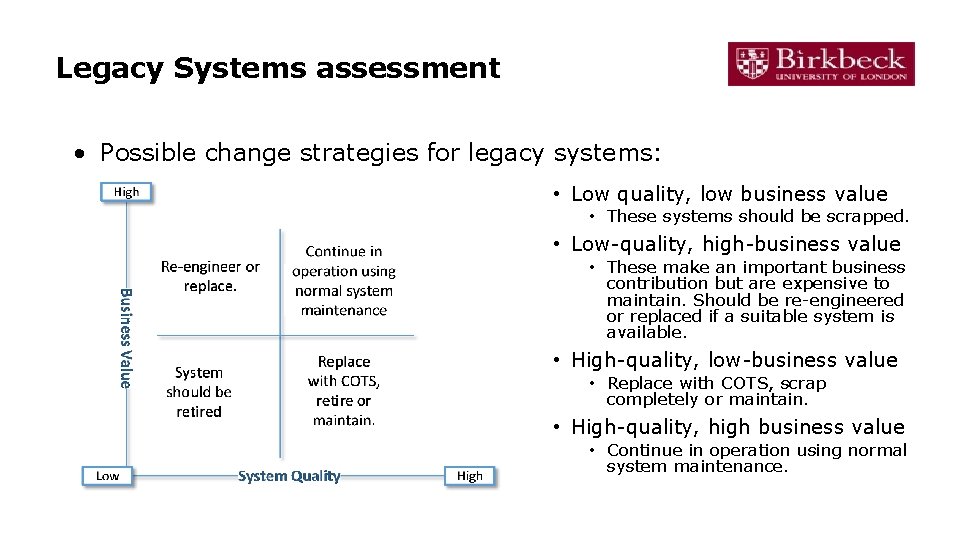
Legacy Systems Evolution Strategies • Organisations that rely on legacy systems must choose a strategy for evolving these systems: 1. Scrap the system completely and modify business processes so that it is no longer required. 2. Continue maintaining the system. 3. Transform the system by re-engineering it to improve its maintainability. 4. Replace the system with a new system. • The evolution strategy chosen will depend on the business value and technical quality of a system.
Legacy Systems assessment • Possible change strategies for legacy systems: • Low quality, low business value • These systems should be scrapped. • Low-quality, high-business value • These make an important business contribution but are expensive to maintain. Should be re-engineered or replaced if a suitable system is available. • High-quality, low-business value • Replace with COTS, scrap completely or maintain. • High-quality, high business value • Continue in operation using normal system maintenance.
Two techniques: Software Reengineering and refactoring
Software Re-engineering • Why? Many systems (legacy systems) are difficult to understand change • Software re-engineering is concerned with re-implementing legacy systems to make them more maintainable. This includes: – Re-documenting system (improve understandability) – Restructuring system and data (structure improvement) • Re-engineering does not involve changing or adding to system functionality. • It is applicable where some, but not all, sub-systems of a larger system require frequent maintenance.
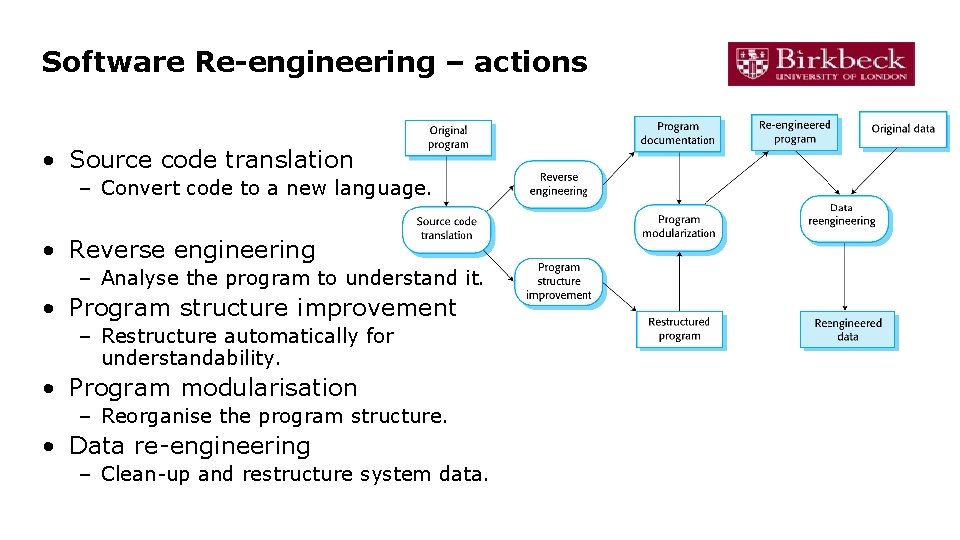
Software Re-engineering – actions • Source code translation – Convert code to a new language. • Reverse engineering – Analyse the program to understand it. • Program structure improvement – Restructure automatically for understandability. • Program modularisation – Reorganise the program structure. • Data re-engineering – Clean-up and restructure system data.
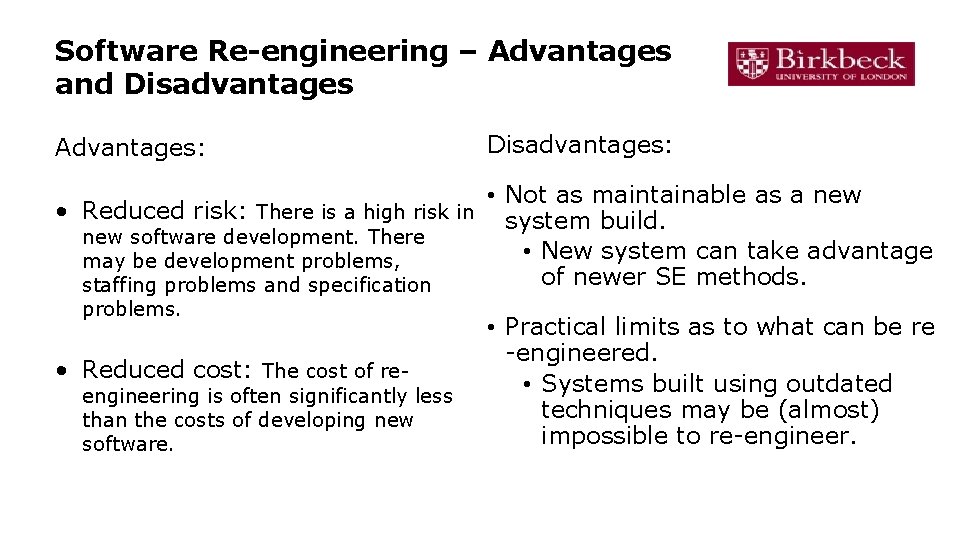
Software Re-engineering – Advantages and Disadvantages Advantages: Disadvantages: • Not as maintainable as a new • Reduced risk: There is a high risk in system build. new software development. There • New system can take advantage may be development problems, of newer SE methods. staffing problems and specification problems. • Reduced cost: The cost of re- engineering is often significantly less than the costs of developing new software. • Practical limits as to what can be re -engineered. • Systems built using outdated techniques may be (almost) impossible to re-engineer.
Refactoring
Problem: "Bit rot" • Code maintenance is hard! • After several months and new versions, many codebases reach one of the following states: – rewritten: Nothing remains from the original code. – abandoned: The original code is thrown out and rewritten from scratch. – …even if the code was initially reviewed and well-designed at the time of commit, and even if changes are reviewed • Why is this? – Systems evolve to meet new needs and add new features – If the code's structure does not also evolve, it will "rot"
Code maintenance … • Code maintenance: modification of a software product after it has been delivered. – – – Purposes: fixing bugs improving performance improving design adding features • ~80% of maintenance is for non-bug-fix-related activities such as adding functionality (Pigosky 1997)
Code maintenance is hard • It's harder to maintain code than write new code. – You must understand code written by another developer, or code you wrote at a different time with a different mindset – Danger of errors in fragile, hard-to-understand code • Maintenance is how developers spend most of their time – Many developers hate code maintenance. Why? • It pays to design software well and plan ahead so that later maintenance will be less painful – Capacity for future change must be anticipated
What is Refactoring? • refactoring: Improving a piece of software's internal structure without altering its external behaviour. – Incurs a short-term time/work cost to reap long-term benefits – A long-term investment in the overall quality of your system. • refactoring is not the same thing as: – rewriting code – adding features – debugging code
Why refactor? • Why fix a part of your system that isn't broken? • Each part of your system's code has 3 purposes: – to execute its functionality, – to allow change, – to communicate well to developers who read it. • If the code does not do one or more of these, it is broken. • Refactoring improves software's design – To make it more extensible, flexible, understandable, performant, … – But every design improvement has costs (and risks)
When to refactor? • When is it best for a team to refactor their code? – Best done continuously (like testing) as part of the process – Hard to do well late in a project (like testing) • Refactor when you identify an area of your system that: – isn't well designed – isn't thoroughly tested, but seems to work so far – now needs new features to be added
‘Bad smells’: signs you should refactor • • • Duplicated code; dead code Poor abstraction Large loop, method, class, parameter list Module has too little cohesion Modules have too much coupling Module has poor encapsulation A "middle man" object doesn't do much A “weak subclass” doesn’t use inherited functionality Design is unnecessarily general or too specific
Low-level refactoring • Names: – Renaming (methods, variables) – Naming (extracting) “magic” constants • Procedures: – Extracting code into a method – Extracting common functionality (including duplicate code) into a module/method/etc. – Inlining a method/procedure – Changing method signatures • Reordering: – Splitting one method into several to improve cohesion and readability (by reducing its size) – Putting statements that semantically belong together near each other • See also http: //www. refactoring. org/catalog/
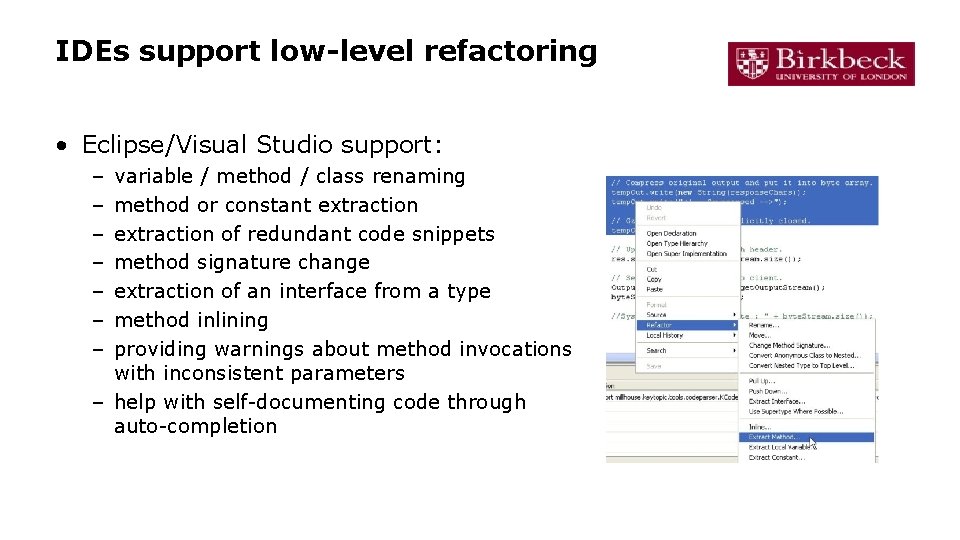
IDEs support low-level refactoring • Eclipse/Visual Studio support: – – – – variable / method / class renaming method or constant extraction of redundant code snippets method signature change extraction of an interface from a type method inlining providing warnings about method invocations with inconsistent parameters – help with self-documenting code through auto-completion
Higher-level refactoring • Deep implementation and design changes – – Refactoring to design patterns Changing language idioms (safety, brevity) Performance optimisation Clarifying a statement that has evolved over time or is unclear • Compared to low-level refactoring, high-level is: – Not as well-supported by tools – Much more important!
How to refactor? • When you identify an area of your system that: – is poorly designed – is poorly tested, but seems to work so far – now needs new features • What should you do?
Refactoring plan (1/2) • Write unit tests that verify the code's external correctness. – They should pass on the current poorly designed code. – Having unit tests helps make sure any refactor doesn't break existing behaviour (regressions). • Analyse the code to decide the risk and benefit of refactoring. – If it is too risky, not enough time remains, or the refactor will not produce enough benefit to the project, don't do it.
Refactoring plan (2/2) • Refactor the code. – Some tests may break. Fix the bugs. • Code review the changes. • Check in your refactored code. – Keep each refactoring small; refactor one unit at a time. • Helps isolate new bugs and regressions. – Your checkin should contain only your refactor. – Your checkin should not contain other changes such as new features, fixes to unrelated bugs, and other tweaks.
Barriers to refactoring: “I don’t have time!” • Refactoring incurs an up-front cost. – Some developers don't want to do it – Most managers don't like it, because they lose time and gain “nothing” (no new features). • However … – Clean code is more conducive to rapid development • Estimates put ROI at >500% for well-done code – Finishing refactoring increases programmer morale • Developers prefer working in a “clean house”
Barriers to refactoring: company/team culture • Many small companies and startups skip refactoring. – “We're too small to need it!” – “We can't afford it!” • Reality: – Refactoring is an investment in quality of the company’s product and code base, often their prime assets. – Many web startups are using the most cutting-edge technologies, which evolve rapidly. So should the code. – If a key team member leaves (common in startups) … – If a new team member joins (also common) …
Refactoring and teamwork: communicate! • Amount of overhead/communication needed depends on size of refactor. – Small: just do it, check it in, get it code reviewed. – Medium: possibly loop in tech lead or another dev. – Large: meet with team, flush out ideas, do a design doc or design review, get approval before beginning, and do a phased refactoring. • Avoids possible bad scenarios: – – – Two devs refactor same code simultaneously. Refactor breaks another dev's new feature they are adding. Refactor actually is not a very good design; doesn't help. Refactor ignores future use cases, needs of code/app. Tons of merge conflicts and pain for other devs.
Refactoring and reengineering • Re-engineering takes place after a system has been maintained for some time and maintenance costs are increasing. – You use automated tools to process and re-engineer a legacy system to create a new system that is more maintainable. • Refactoring is a continuous process of improvement throughout the development and evolution process. – It is intended to avoid the structure and code degradation that increases the costs and difficulties of maintaining a system.