
Software Engineering Chapter 3 Requirement Gathering Payam Wali

- Slides: 31
Software Engineering Chapter 3: Requirement Gathering Payam Wali 1
Previous Lecture − Document Managements − Historical Documents − Email Documents − Code Documents − Application Documents − Executive Support − Project Management − PERT Charts − Critical Path Methods − Gantt Charts − Risk Management 2
Outline − Requirements Gathering − Requirements Definition − Clear − Unambiguous − Consistent − Prioritized − Mo. SCo. W Method − Verifiable − Words to Avoid − Requirements Categories − Audience‐Oriented Requirements/ FURPS+ − Common Requirements 3
Chapter Objectives v What You Will Learn in this Chapter? − Why requirements are important? − The characteristics of good requirements − The MOSCOW method for prioritizing requirements − Audience‐oriented, FURPS, and FURPS+ methods for categorizing requirements − Methods for gathering customer goals and turning them into requirements 4
Importance − Requirement Gathering is the most important part of a software project − if you get the requirements wrong, the resulting application won’t solve the users’ problems. − Requirement gathering is the first link in the development task chain, so it’s the first place where you can screw things up badly. 5
Requirements Gathering v Plan − Every big project needs a plan − The plan tells the project members what they should be doing v Goal − Goals give direction to the project v Requirements − What customers want − What customers need − Definitions of needs are made − A time-consuming process v Who's the customer 6
Requirements Definition − Requirements are the features that your application must provide. − At the beginning of the project, you gather requirements from the customers to figure out what you need to build. − Throughout development, you use the requirements to guide development and ensure that you’re heading in the right direction − At the end of the project, you use the requirements to verify that the finished application actually does what it’s supposed to do. − Ex: Your Graduation Projects 7
Requirements Definition − Depending on the project’s scope and complexity, you might need only a few requirements, or you might need hundreds of pages of requirements. − The number and type of requirements can also depend on the level of formality the customers want. − The following sections describe some of the properties that requirements should have to be useful. 8
Clear − Good requirements are clear, concise, and easy to understand. − EX: suppose you’re working on a program to schedule appointments for utility repair people. (Those appointments that typically say, “We’ll be there sometime between 6: 00 a. m. and midnight during the next 2 weeks. ”) − A requirement such as, “Improve appointment scheduling, ” is too vague to be useful. 9
Unambiguous − In addition to being clear and concrete, a requirement must be unambiguous. − Ex: − suppose you’re building a street map application for inline skaters, and you have a requirement that says the program will, “Find the best route from a start location to a destination location. ” This can’t be all that hard. − Google Maps, Yahoo Maps, Map. Quest, Bing Maps, and other sites all do something like this. − But how do you define − the “best” route? − The shortest route? 10
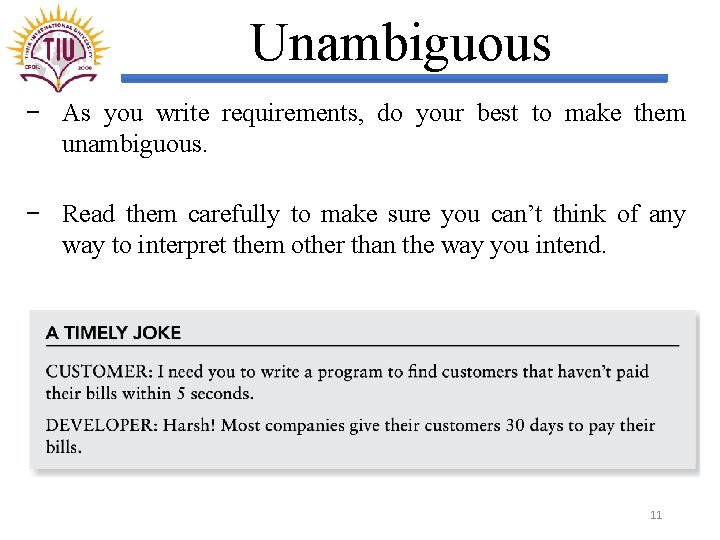
Unambiguous − As you write requirements, do your best to make them unambiguous. − Read them carefully to make sure you can’t think of any way to interpret them other than the way you intend. 11
Consistent − A project’s requirements must be consistent with each other − That means not only that they cannot contradict each other, but that they also don’t provide so many constraints that the problem is unsolvable. 12
Consistent − A common software engineering expression is, “Fast, good, cheap. Pick two. ” − The idea is you can trade development speed, development quality, and cost, but you can’t win in all three dimensions. − Only three possible combinations work: Ø Build something quickly with high quality and high cost. Ø Build something quickly and inexpensively but with low quality. Ø Build with high quality and low cost but over a long time. 13
Prioritized − When you start working on the project’s schedule, it’s likely you’ll need to cut a few nice‐to‐haves from the design − At this point, you need to prioritize the requirements. − If you’ve assigned costs and priorities to the requirements, then you can defer the high‐cost, low‐priority requirements until a later release. 14
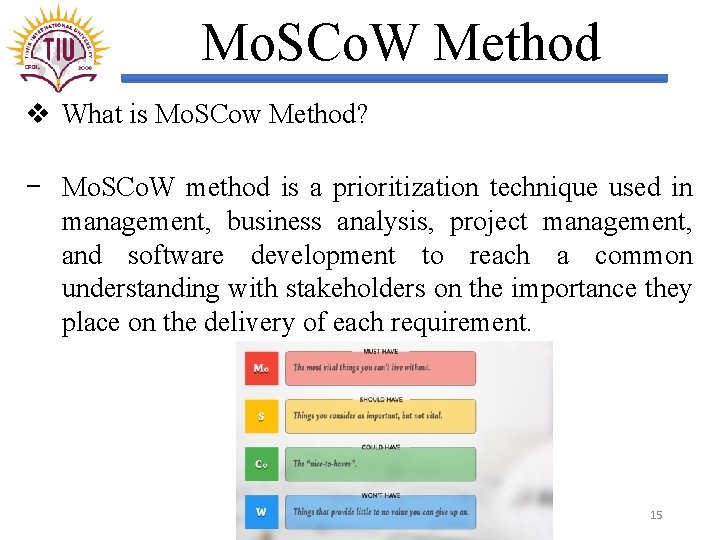
Mo. SCo. W Method v What is Mo. SCow Method? − Mo. SCo. W method is a prioritization technique used in management, business analysis, project management, and software development to reach a common understanding with stakeholders on the importance they place on the delivery of each requirement. 15
Prioritized v What is Mo. SCo. W Method? − M—Must. These are required features that must be included. They are necessary for the project to be considered a success. − S—Should. These are important features that should be included if possible. If there’s a work-around and there’s no room in the release 1 schedule, these may be deferred until release 2. − C—Could. These are desirable features that can be omitted if they won’t fi t in the schedule. They can be pushed back into release 2, but they’re not as important as the “should” features, so they may not make it into release 2, either. − W—Won’t. These are completely optional l features that the customers have agreed will not be included in the current release. They may be included in a future release if time permits. (Or they may just be included in the requirements list to make a particularly loud and politically connected customer happy, and you have no intention of ever 16 including these features. )
Verifiable − Requirements must be verifiable. If you can’t verify a requirement, how do you know whether you’ve met it? − The requirements must be limited and precisely defined. − They can’t be open‐ended statements such as, “Process more work orders per hour than are currently being processed. ” − How many work orders is “more? ” Technically, processing one more work order per hour is “more, ” but that probably won’t satisfy your customer. What about 100? Or 1, 000? − A better requirement would say, “Process at least 100 work orders per hour. ” It should be relatively easy to determine whether your program meets this requirement. 17
Words to Avoid − Some words are ambiguous or subjective, and adding them to a requirement can make the whole thing fuzzy and imprecise: Ø Comparatives: Words like faster, better, more, and shinier. How much faster? Define “better. ” How much more? These need to be quantified. Ø Imprecise adjectives: Words like fast, robust, user‐friendly, efficient, flexible, and glorious. These are just other forms of the comparatives. Ø Vague commands: Words like minimize, maximize, improve, and optimize. (Ex, “Do your best. ”). Provide some numbers or other criteria you can use to determine whether a requirement has been met. . 18
Requirement Categories − Requirements tell what an application is supposed to do. − Good requirements share certain characteristics (they’re clear, unambiguous, consistent, prioritized, and verifiable) − There are several kinds of requirements that are aimed at different audiences or that focus on different aspects of the application. − For example, business requirements focus on a project’s high‐level objectives and functional requirements give the developers more detailed lists of goals to accomplish. − You can use the categories as a checklist to make sure you’ve created requirements for the most important parts of the project. 19
Requirement Categories − Audience‐Oriented Requirements are: 1. Business Requirements: Business requirements lay out the project’s high‐level goals. They explain what the customer hopes to achieve with the project. 2. User Requirements (also called stakeholder requirements by managers): describe how the project will be used by the eventual end users. They often include things like sketches of forms, scripts that show the steps users will perform to accomplish specific tasks, use cases, and prototypes. 3. Functional Requirements are detailed statements of the project’s desired capabilities. They’re similar to the user requirements but they may also include things that the users won’t see directly. Ex, they might describe reports that the application produces, interfaces to other applications, and workflows that route orders from one user to another during processing. . 20
Requirement Categories − Audience‐Oriented Requirements are: 4. Nonfunctional Requirements: are statements about the quality of the application’s behavior or constraints on how it produces a desired result. They specify things such as the application’s performance, reliability, and security characteristics. 5. Implementation Requirements are temporary features that are needed to transition to using the new system but that will be later discarded. Ex, suppose you’re designing an invoice‐tracking system to replace an existing system. After you finish testing the system and are ready to use it full time, you need a method to copy any pending invoices from the old database into the new one. That method is an implementation requirement. 21
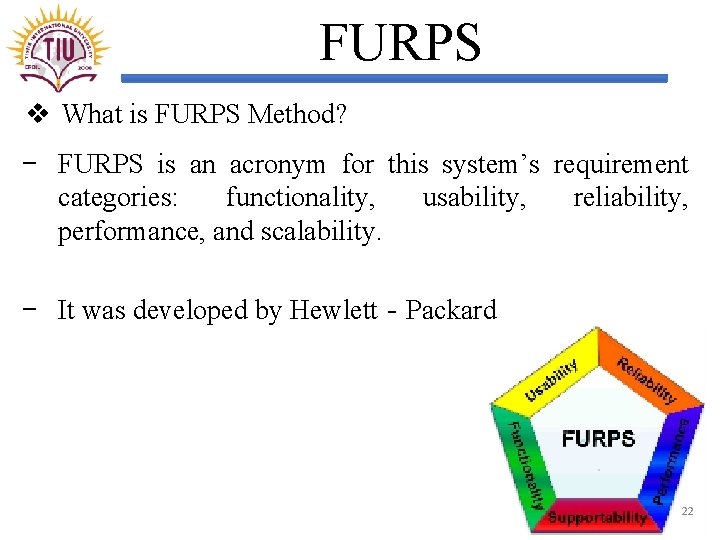
FURPS v What is FURPS Method? − FURPS is an acronym for this system’s requirement categories: functionality, usability, reliability, performance, and scalability. − It was developed by Hewlett‐Packard 22
FURPS v What is FURPS Method? Ø Functionality: What the application should do. These requirements describe the system’s general features including what it does, interfaces with other systems, security, and so forth. Ø Usability : What the program should look like. These requirements describe user‐oriented features such as the application’s general appearance, ease of use, navigation methods, and responsiveness. Ø Reliability: How reliable the system should be. These requirements indicate such things as when the system should be available (12 hours per day from 7: 00 a. m to 8: 00 p. m. ), how often it can fail (3 times per year for no more than 1 hour each time), and how accurate the system is (80 percent of the service calls must start within 23 their predicted delivery windows).
FURPS v What is FURPS Method? Ø Performance: How efficient the system should be. These requirements describe such things as the application’s speed, memory usage, disk usage, and database capacity. Ø Supportability: How easy it is to support the application. These requirements include such things as how easy it will be to maintain the application, how easy it is to test the code, and how flexible the application is. (For example, the application might let users set parameters to determine how it behaves. ) 24
FURPS+ v What is FURPS+ Method? − FURPS was extended into FURPS+ to add a few requirements categories that software engineers thought were missing. − The following list summarizes the new categories: Ø Design constraints: These are constraints on the design that are driven by other factors such as the hardware platform, software platform, network characteristics, or database. Ø Implementation requirements : These are constraints on the way the software is built. Ex, you might require developers to meet the ISO 9000 standards. 25
FURPS+ v What is FURPS+ Method? − The following list summarizes the new categories: Ø Interface requirements : These are constraints on the system’s interfaces with other systems. Ø Physical requirements : These are constraints on the hardware and physical devices that the system will use. 26
Common Requirements v The following list summarizes some requirements that arise in many applications. specific Ø Screens —What screens are needed? Ø Menus —What menus will the screens have? Ø Navigation —How will the users navigate through different parts of the system? Will they click buttons, use menus, or click forward and backward arrows? Or some combination of those methods? Ø Work flow —How does data (work orders, purchase requests, invoices, and other data) move through the system? Ø Login —How is login information stored and validated? 27
Common Requirements v The following list summarizes some requirements that arise in many applications. specific Ø User types —Are there different kinds of users such as order entry clerk, shipping clerk, supervisor, and admin? Do they need different privileges? Ø Audit tracking and history —Does the system need to keep track of who made changes to the data? Archiving —Does the system need to archive older data to free up space in the database? Does it need to copy data into a data warehouse for analysis? Ø Configuration —Should the application provide configuration screens that let the system administrators change the way the program works? 28
Gathering Requirements 1. Listen to Customers (and Users) 2. Use the Five Ws (and One H) (who, what, when, where, and why) and (how) − WHO will be using the software − WHAT the customers need the application to do. − WHEN the application is needed. − WHERE the application will be used. − WHY the customers need the application. − HOW the application do its work. 3. Study Users 29
Summary − Requirements gathering may not be the mostt important stage of a project, but it certainly is an important stage. − Good requirements must satisfy some basic requirements of their own. For example, they must be clear and consistent. − Some developers group requirements into categories. For example, you can use audience‐oriented categories, FURPS, or FURPS+ to organize requirements − There are several ways you can gather requirements. Obviously, you should talk with the customers and, if possible, the users. You can use the five Ws and one H to help guide the conversation. 30
What You Learned − Requirements are important to a project because they set the project’s goals and direction. Requirements must be clear, unambiguous, consistent, prioritized, and verifiable. − The MOSCOW method provides one way to prioritize requirements. − FURPS stands for Functionality, Usability, Reliability, Performance, and Supportability. FURPS+ also adds design constraints, implementation requirements, interface requirements, and physical requirements. − You can gather requirements by talking to customers and users, watching users at work, and studying existing systems. 31