
Software Effort Estimation Presentation Summary Introduction Why do



- Slides: 44
Software Effort Estimation
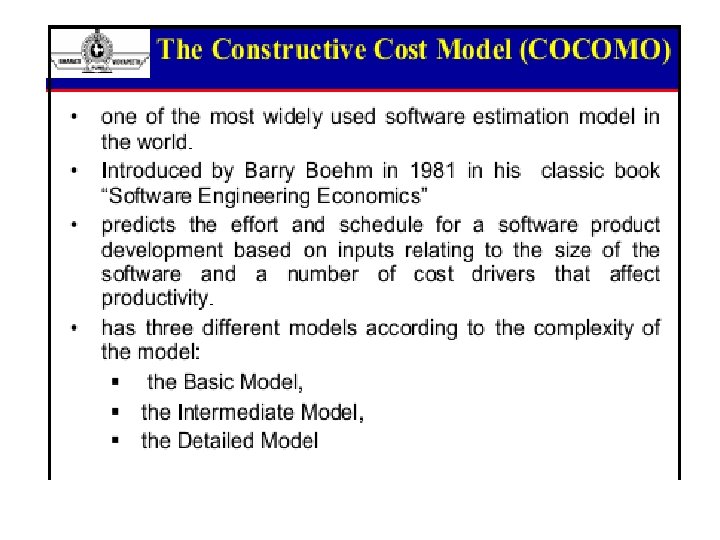
Presentation Summary • Introduction – Why do we Estimate? – When do we Estimate? – What do we Estimate? – Guidelines for Estimation • Estimation Techniques – LOC – COCOMO-I and II – Function Points 2
Introduction – Why? • Industry has a reputation for software being over budget, late in delivery and low quality. • Unreasonable time and budget • Client satisfaction cannot be achieved with poor quality software even if it is on time and on budget. SENG 621 - Software Size Estimation 3
…Introduction – Why? • To avoid this, means must be developed to accurately predict: – The resources needed to generate the deliverables • Accurately predicting the size of a project results in better project planning. SENG 621 - Software Size Estimation 4
…Introduction – Why? • To analyze past projects and apply lessons learned from bad estimates. SENG 621 - Software Size Estimation 5
…Introduction – When? • As early as possible in the project. – “At no other time are the estimates so important than at the beginning of a project” • Estimation is an iterative process, occurring many times though out development. • After requirements, analysis, design, coding, testing, etc… SENG 621 - Software Size Estimation 6
…Introduction – When? • Whenever new information that affects the project becomes available. – “Predicting the size of a software system becomes progressively easier as the project advances” SENG 621 - Software Size Estimation 7
…Introduction – What? • Different phases in development can be estimated: – – Requirements Documents Design Documents Code Test Cases • Generally what is needed is an idea of the scope of the project. • Getting a feel for the size of project can indicate how much of everything else is needed. SENG 621 - Software Size Estimation 8
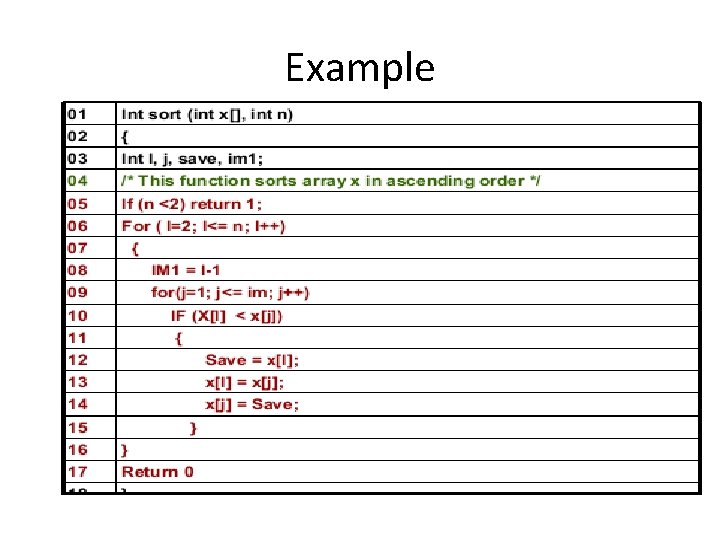
Example
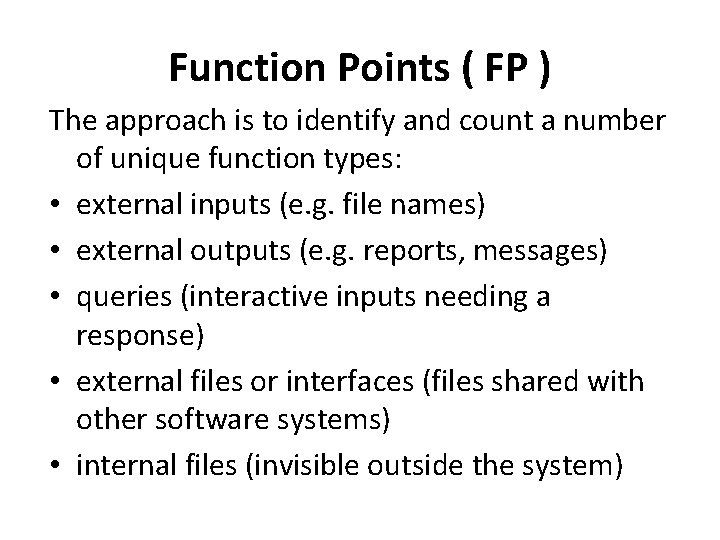
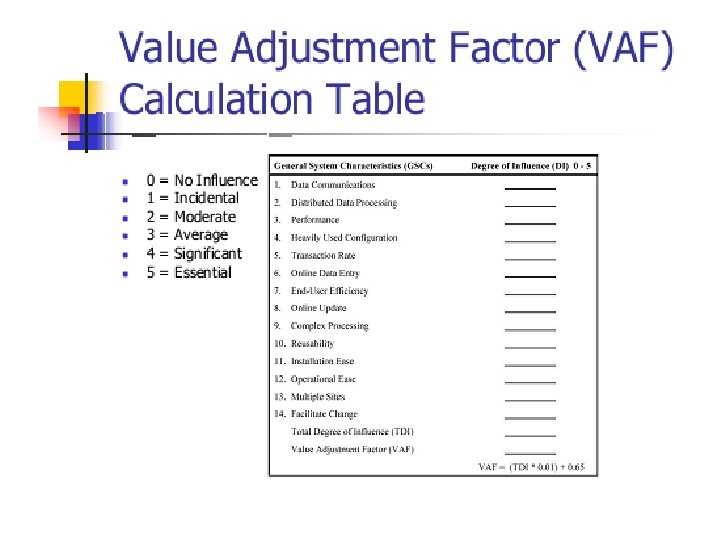
Function Points ( FP ) The approach is to identify and count a number of unique function types: • external inputs (e. g. file names) • external outputs (e. g. reports, messages) • queries (interactive inputs needing a response) • external files or interfaces (files shared with other software systems) • internal files (invisible outside the system)
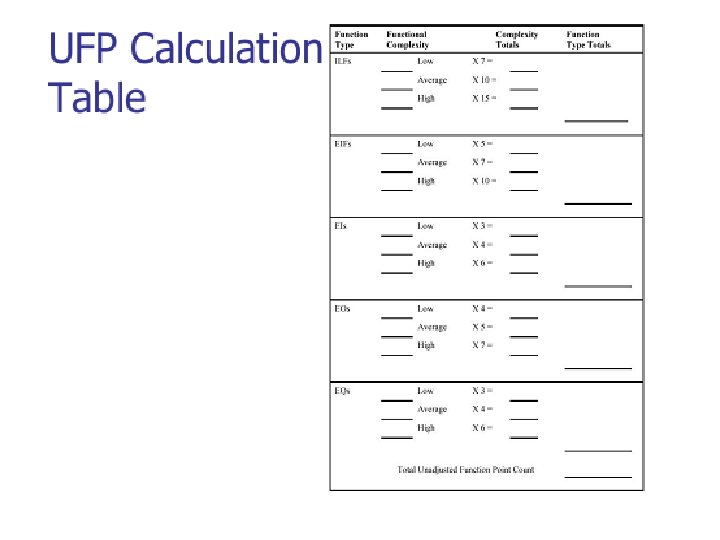
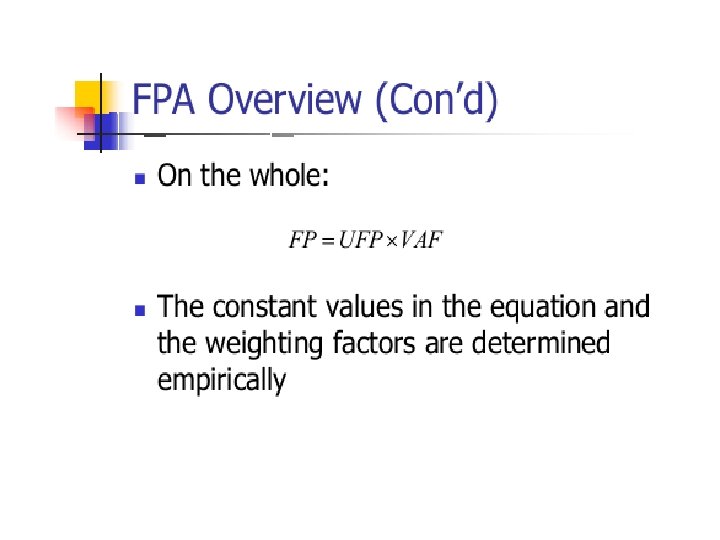
Unadjusted function points • Unadjusted function points ( UFP ) is calculated as follows : • The sum of all the occurrences is computed by multiplying each function count with a weighting and then adding up all the values.
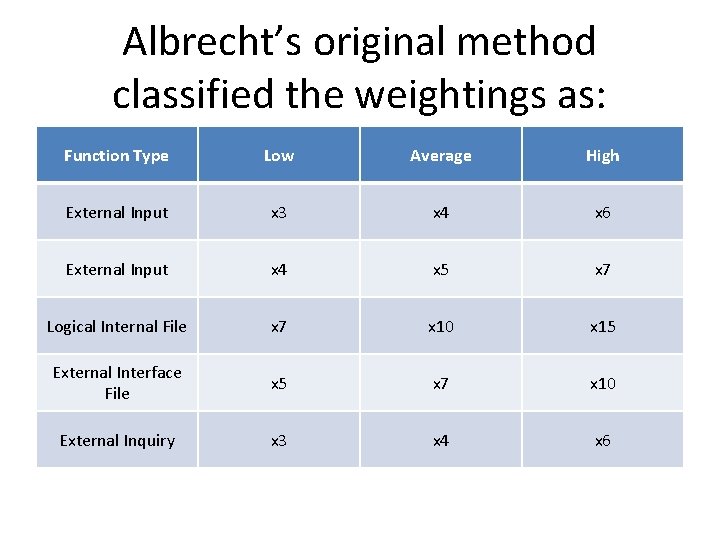
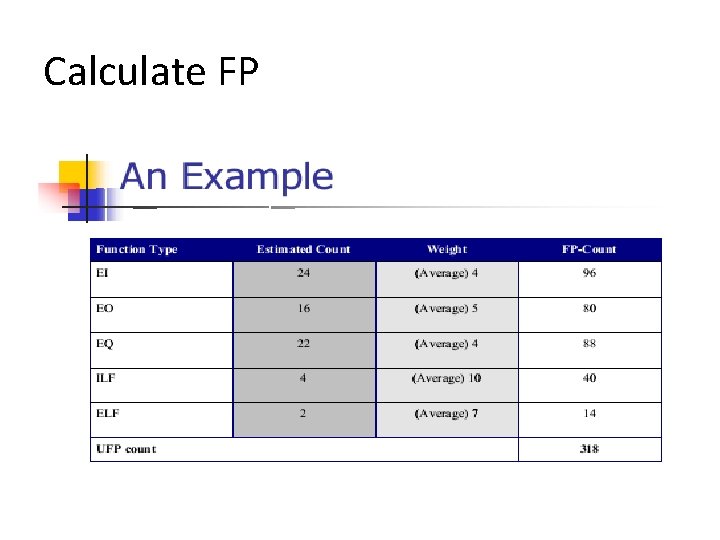
Albrecht’s original method classified the weightings as: Function Type Low Average High External Input x 3 x 4 x 6 External Input x 4 x 5 x 7 Logical Internal File x 7 x 10 x 15 External Interface File x 5 x 7 x 10 External Inquiry x 3 x 4 x 6
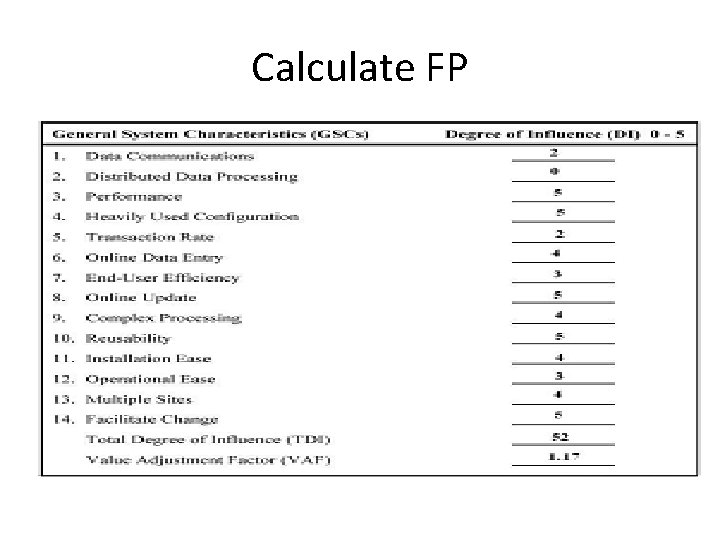
Calculate FP
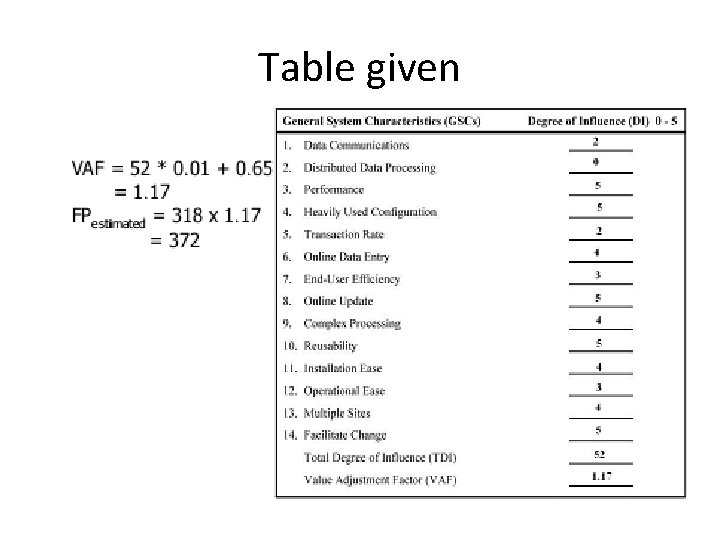
Table given
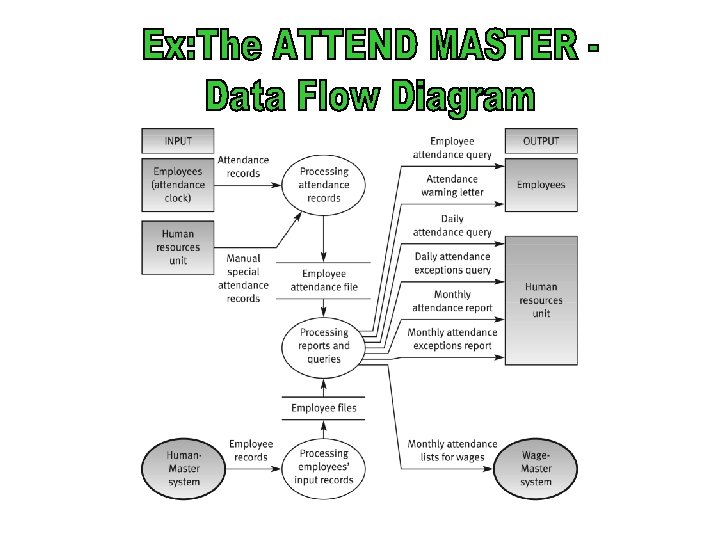
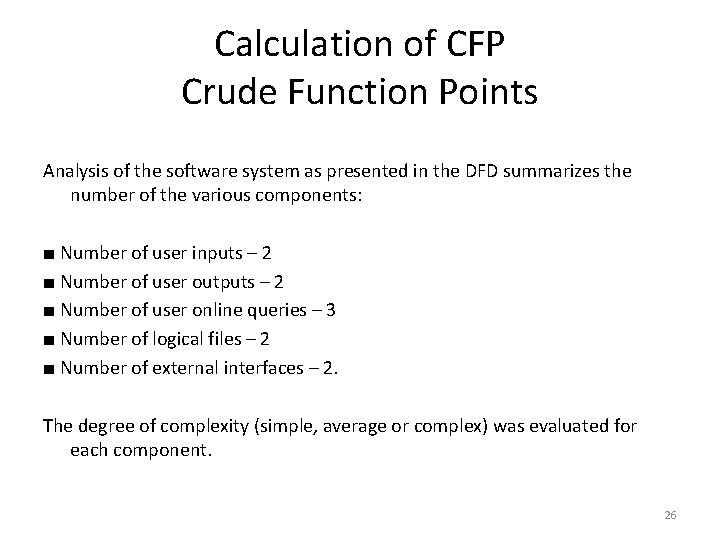
Calculation of CFP Crude Function Points Analysis of the software system as presented in the DFD summarizes the number of the various components: ■ Number of user inputs – 2 ■ Number of user outputs – 2 ■ Number of user online queries – 3 ■ Number of logical files – 2 ■ Number of external interfaces – 2. The degree of complexity (simple, average or complex) was evaluated for each component. 26
Calculate FP