
Software Development Techniques Topic 6 Functions V 1
- Slides: 39
Software Development Techniques Topic 6: Functions V 1. 0 © NCC Education Limited
Functions Topic 6 - 6. 2 Scope of Topic • We can now develop algorithms of considerable complexity. – However, our programs can get big very quickly • And sometimes difficult to navigate • In this lecture, we are going to talk about the idea of a function. – And how we can express this in our pseudocode syntax. • Functions simplify the task of building complex algorithms. V 1. 0 © NCC Education Limited
Functions Topic 6 - 6. 3 Our Current Problem • There are few limitations as with regards to what we can code. – At this point, we can solve all sorts of very complex problems with algorithms. • However, the more complex the flow of execution, the more difficult it is to work with our pseudocode. – Desk-checks become more difficult – Changes become more difficult • Complexity is an enemy of good program design. V 1. 0 © NCC Education Limited
Functions Topic 6 - 6. 4 Complexity • The complexity of many algorithms comes from the flow of execution contained within its structures. – Many nested structures can create a flow of logic that is extremely difficult for humans to understand. • We resolve this complexity by subdividing our pseudocode programs into multiple parts. – Each handling only a single responsibility. • These parts are called functions. – Or methods, depending on who you talk to. V 1. 0 © NCC Education Limited
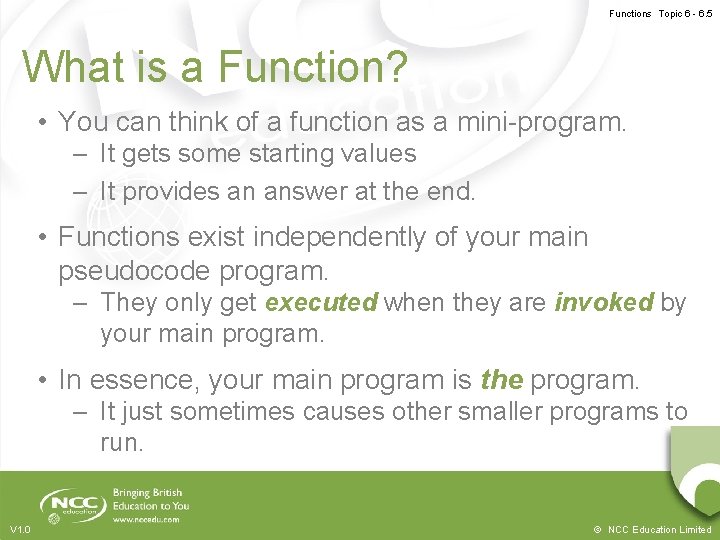
Functions Topic 6 - 6. 5 What is a Function? • You can think of a function as a mini-program. – It gets some starting values – It provides an answer at the end. • Functions exist independently of your main pseudocode program. – They only get executed when they are invoked by your main program. • In essence, your main program is the program. – It just sometimes causes other smaller programs to run. V 1. 0 © NCC Education Limited
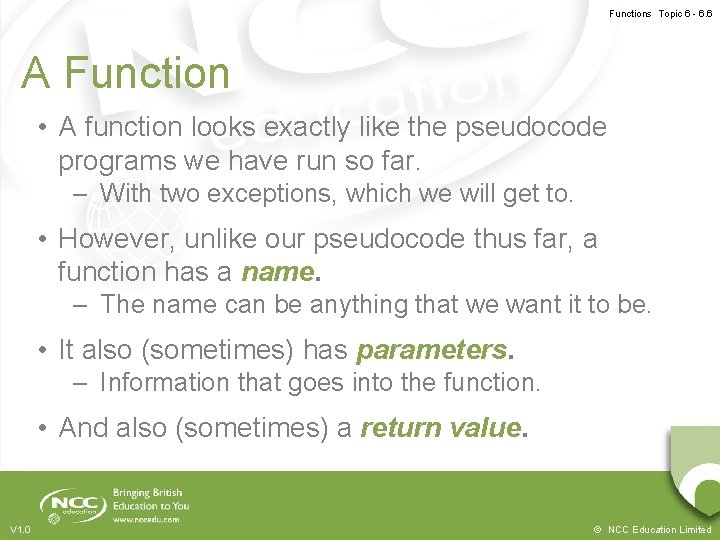
Functions Topic 6 - 6. 6 A Function • A function looks exactly like the pseudocode programs we have run so far. – With two exceptions, which we will get to. • However, unlike our pseudocode thus far, a function has a name. – The name can be anything that we want it to be. • It also (sometimes) has parameters. – Information that goes into the function. • And also (sometimes) a return value. V 1. 0 © NCC Education Limited
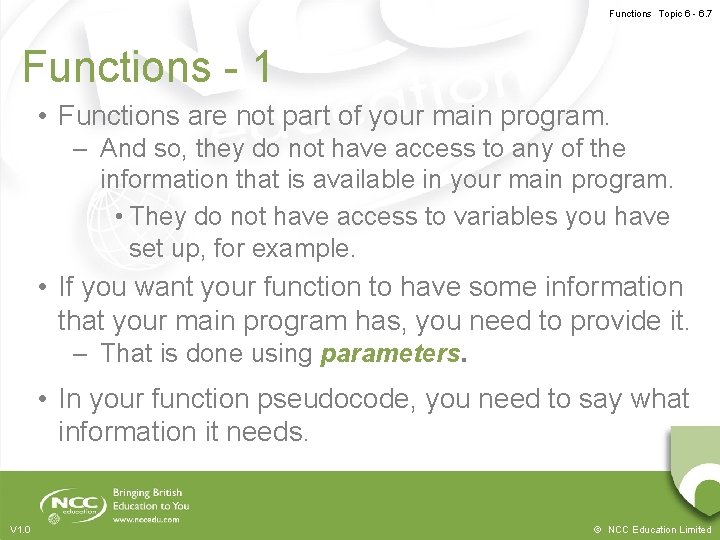
Functions Topic 6 - 6. 7 Functions - 1 • Functions are not part of your main program. – And so, they do not have access to any of the information that is available in your main program. • They do not have access to variables you have set up, for example. • If you want your function to have some information that your main program has, you need to provide it. – That is done using parameters. • In your function pseudocode, you need to say what information it needs. V 1. 0 © NCC Education Limited
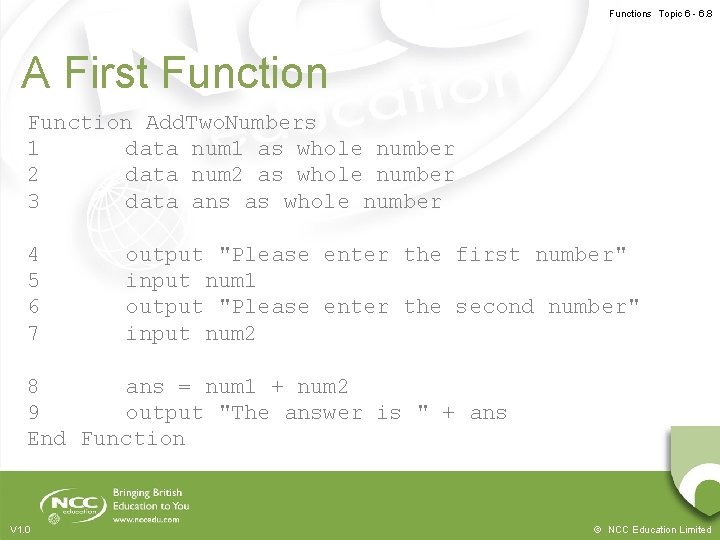
Functions Topic 6 - 6. 8 A First Function Add. Two. Numbers 1 data num 1 as whole number 2 data num 2 as whole number 3 data ans as whole number 4 5 6 7 output "Please enter the first number" input num 1 output "Please enter the second number" input num 2 8 ans = num 1 + num 2 9 output "The answer is " + ans End Function V 1. 0 © NCC Education Limited
Functions Topic 6 - 6. 9 Functions -2 • The syntax in our pseudocode is that we begin with the word Function, followed by the function’s name. • When we have finished with the function, we use the words End Function. • Everything between those two should be indented. – That way, it is easy to see what the code of the function is. • When we wish to use the function, we must call it. V 1. 0 © NCC Education Limited
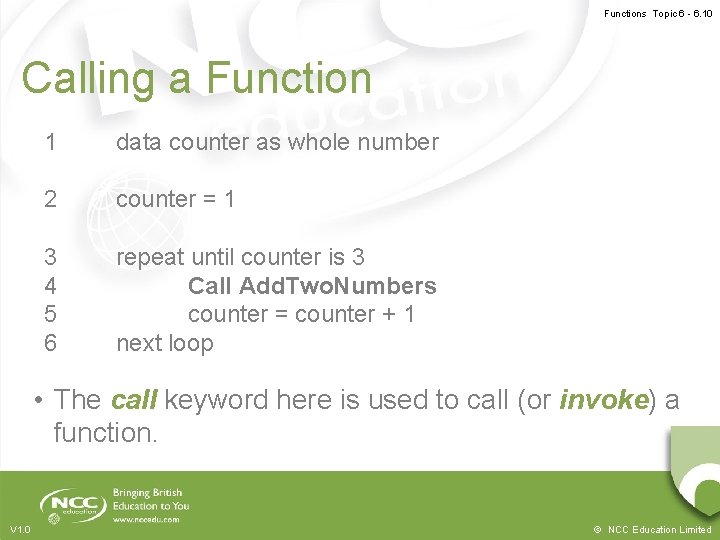
Functions Topic 6 - 6. 10 Calling a Function 1 data counter as whole number 2 counter = 1 3 4 5 6 repeat until counter is 3 Call Add. Two. Numbers counter = counter + 1 next loop • The call keyword here is used to call (or invoke) a function. V 1. 0 © NCC Education Limited
Functions Topic 6 - 6. 11 Communication • This example function is not very well designed. – It cannot communicate with our main program. – We cannot tell it what numbers to add. – We cannot use the result of the sum in our main program. • It is isolated, and that limits usefulness. – Functions exist to help us reduce the complexity of our programs. – In order to do that, they usually need to relate to the rest of our programs in some way. V 1. 0 © NCC Education Limited
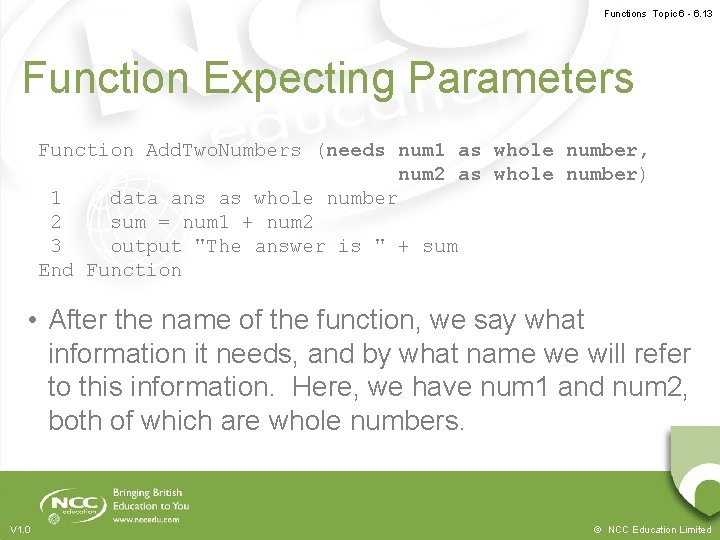
Functions Topic 6 - 6. 12 Parameters • We can resolve part of this problem using parameters. – Also known as arguments • In our function, we say ‘we expect to be provided with some information before we can work’. • Then, when the function is called, we provide that information. • This information then becomes available like variables in the function. V 1. 0 © NCC Education Limited
Functions Topic 6 - 6. 13 Function Expecting Parameters Function Add. Two. Numbers (needs num 1 as whole number, num 2 as whole number) 1 data ans as whole number 2 sum = num 1 + num 2 3 output "The answer is " + sum End Function • After the name of the function, we say what information it needs, and by what name we will refer to this information. Here, we have num 1 and num 2, both of which are whole numbers. V 1. 0 © NCC Education Limited
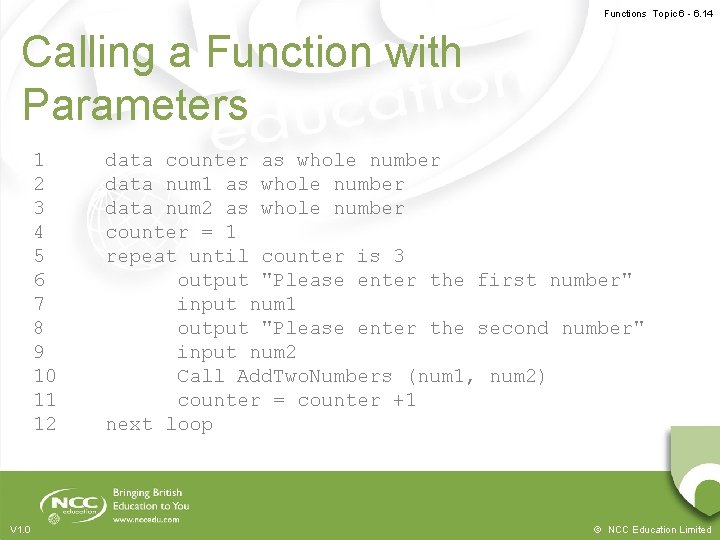
Functions Topic 6 - 6. 14 Calling a Function with Parameters 1 2 3 4 5 6 7 8 9 10 11 12 V 1. 0 data counter as whole number data num 1 as whole number data num 2 as whole number counter = 1 repeat until counter is 3 output "Please enter the first number" input num 1 output "Please enter the second number" input num 2 Call Add. Two. Numbers (num 1, num 2) counter = counter +1 next loop © NCC Education Limited
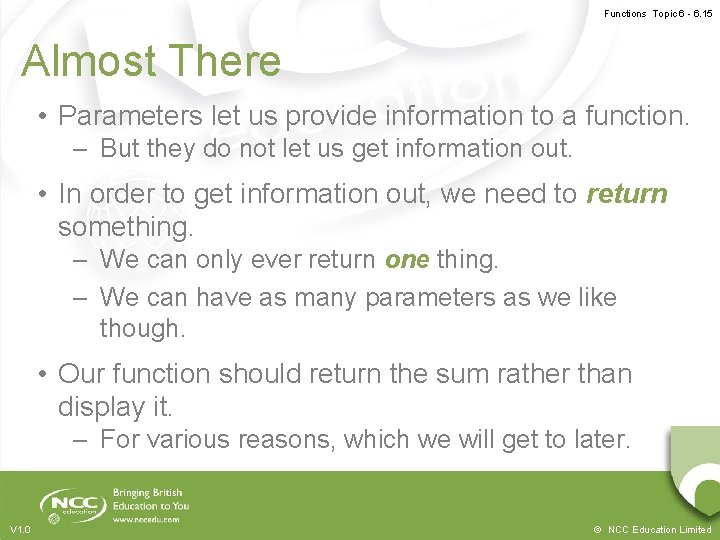
Functions Topic 6 - 6. 15 Almost There • Parameters let us provide information to a function. – But they do not let us get information out. • In order to get information out, we need to return something. – We can only ever return one thing. – We can have as many parameters as we like though. • Our function should return the sum rather than display it. – For various reasons, which we will get to later. V 1. 0 © NCC Education Limited
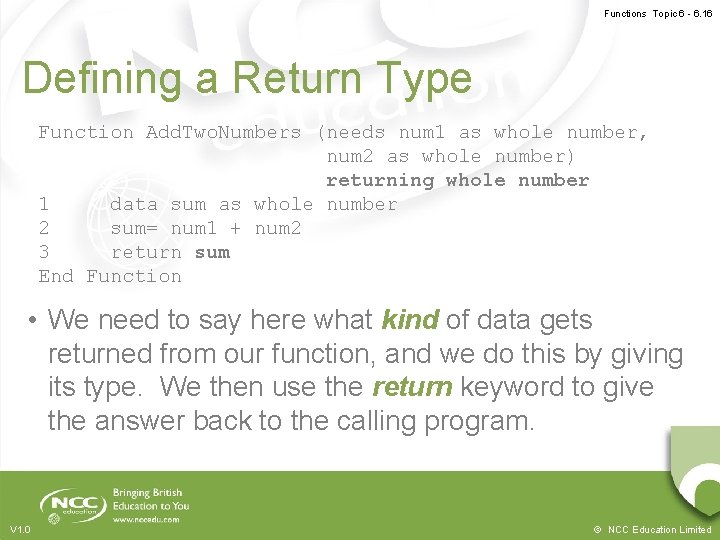
Functions Topic 6 - 6. 16 Defining a Return Type Function Add. Two. Numbers (needs num 1 as whole number, num 2 as whole number) returning whole number 1 data sum as whole number 2 sum= num 1 + num 2 3 return sum End Function • We need to say here what kind of data gets returned from our function, and we do this by giving its type. We then use the return keyword to give the answer back to the calling program. V 1. 0 © NCC Education Limited
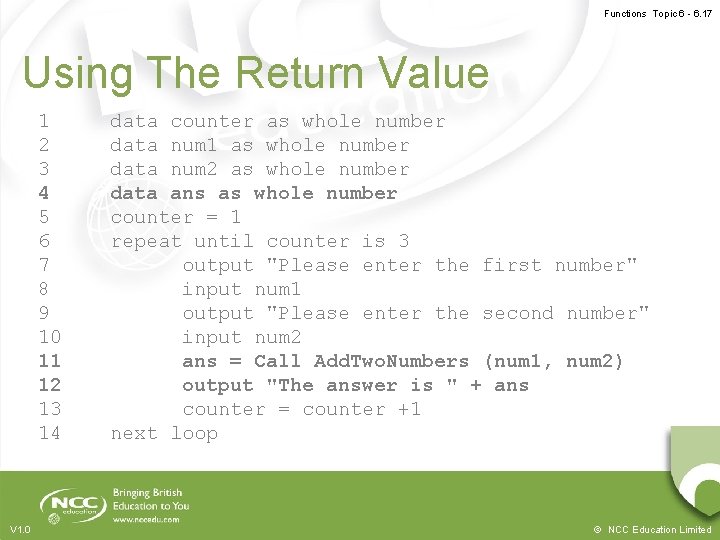
Functions Topic 6 - 6. 17 Using The Return Value 1 2 3 4 5 6 7 8 9 10 11 12 13 14 V 1. 0 data counter as whole number data num 1 as whole number data num 2 as whole number data ans as whole number counter = 1 repeat until counter is 3 output "Please enter the first number" input num 1 output "Please enter the second number" input num 2 ans = Call Add. Two. Numbers (num 1, num 2) output "The answer is " + ans counter = counter +1 next loop © NCC Education Limited
Functions Topic 6 - 6. 18 Function – Activity Research about Function on the following: • What is Function in Java Language – Provide a proper syntax • What is Function in C# – Provide a proper syntax • What is Function in C++ – Provide a proper syntax • What is the importance of Functions V 1. 0 © NCC Education Limited
Functions Topic 6 - 6. 19 Desk-Checking A Function Call • Note that functions have their own numbering. – They do not continue on from the main program’s numbering. • They should be treated as separate programs. – That is, they should get their own separate deskcheck. • This will become important in a later lecture, so make sure you do this. • We desk-check them exactly as we desk check other programs. – Except that parameters will have a starting value. V 1. 0 © NCC Education Limited
Functions Topic 6 - 6. 20 Desk-Checking A Function Call • When we reach the call statement in a pseudocode program, we need to note it. – Note what information goes in. – If relevant, note what data comes out. • Make sure you do the desk-check for the function on a separate table though. – Just start the parameters off with whatever values they got from the function call. – If they did not get enough of these (or got too many), note an error. V 1. 0 © NCC Education Limited
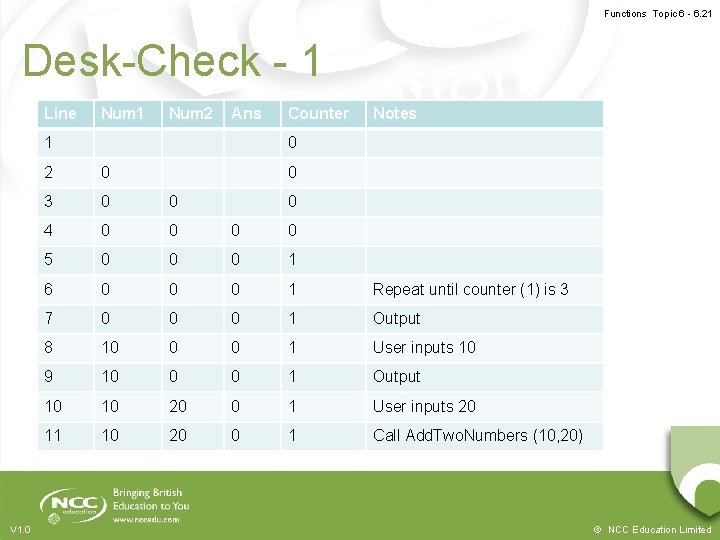
Functions Topic 6 - 6. 21 Desk-Check - 1 Line Num 1 Num 2 Ans 1 V 1. 0 Counter Notes 0 2 0 0 3 0 0 4 0 0 5 0 0 0 1 6 0 0 0 1 Repeat until counter (1) is 3 7 0 0 0 1 Output 8 10 0 0 1 User inputs 10 9 10 0 0 1 Output 10 10 20 0 1 User inputs 20 11 10 20 0 1 Call Add. Two. Numbers (10, 20) 0 © NCC Education Limited
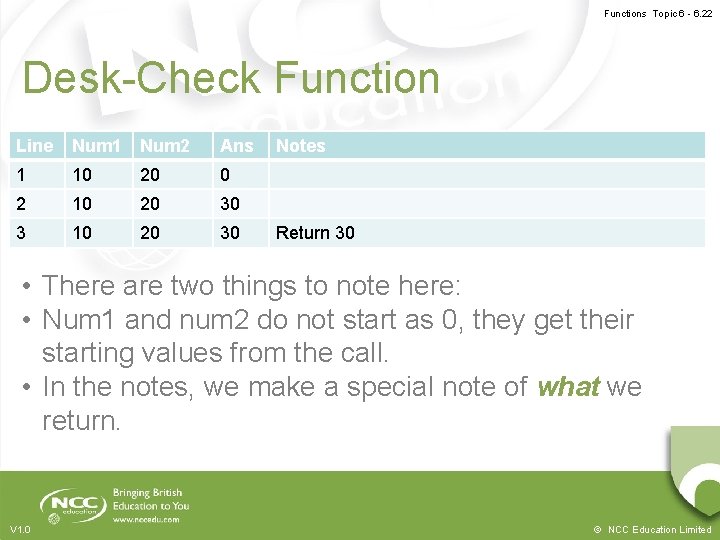
Functions Topic 6 - 6. 22 Desk-Check Function Line Num 1 Num 2 Ans 1 10 20 0 2 10 20 30 3 10 20 30 Notes Return 30 • There are two things to note here: • Num 1 and num 2 do not start as 0, they get their starting values from the call. • In the notes, we make a special note of what we return. V 1. 0 © NCC Education Limited
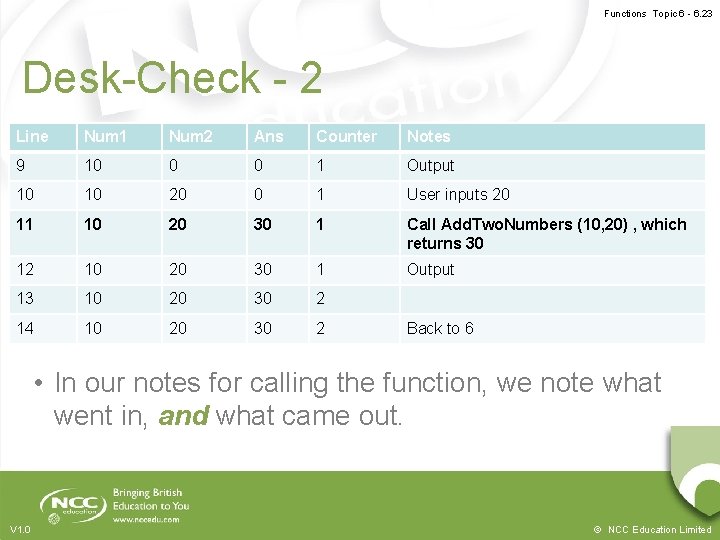
Functions Topic 6 - 6. 23 Desk-Check - 2 Line Num 1 Num 2 Ans Counter Notes 9 10 0 0 1 Output 10 10 20 0 1 User inputs 20 11 10 20 30 1 Call Add. Two. Numbers (10, 20) , which returns 30 12 10 20 30 1 Output 13 10 20 30 2 14 10 20 30 2 Back to 6 • In our notes for calling the function, we note what went in, and what came out. V 1. 0 © NCC Education Limited
Functions Topic 6 - 6. 24 Why do it like this? - 1 • Functions should be as small as possible. – They should do one well defined thing. • They should also be reusable. – That is done by making their functionality as general as possible. • Functions become reusable by being as simple as possible. V 1. 0 © NCC Education Limited
Functions Topic 6 - 6. 25 Why do it like this? - 2 • Imagine for example that we wanted to change our example program. – The first time around it says ‘Okay, give me the first number’. – The second time around it says ‘Now, give me the first number’. – The third time around it says ‘Last time! Give me the first number!’ • If we include the output in our function, we would need a different function for each (or would we? ) V 1. 0 © NCC Education Limited
Functions Topic 6 - 6. 26 Why do it like this? - 3 • Instead, we reduce the function to the smallest amount of functionality. – The functionality that is likely to be generalised. • We do the rest of the work in the main program. – Or in different functions, if necessary. • You should get into the habit of this, because it is good function design. – And you will be thankful later when you start doing larger and more complex programs. V 1. 0 © NCC Education Limited
Functions Topic 6 - 6. 27 The Benefits of Functions • Functions have all sorts of benefits beyond what we have talked about so far. – They make it easier to change your programs. • Instead of changing the logic in five different places, you change it in the function and everything is fixed. – They make it easier to follow your programs. • The human mind has cognitive limits, and it is easier to understand two simple things than one very complex thing. – They allow for expandability. • If you need to make your function more complicated in the future, everything gets the benefit. V 1. 0 © NCC Education Limited
Functions Topic 6 - 6. 28 Flow of Execution • Mostly though, functions simplify the flow of execution. – It is easy to understand what is happening in a single loop. – It is mostly understandable to follow what is happening in a nested loop. – It is difficult to follow what is happening in a doubly nested loop. – It is all but impossible to follow what is happening in an if within a loop within two nested loops within an in. V 1. 0 © NCC Education Limited
Functions Topic 6 - 6. 29 Functions • Functions should be considered your primary mechanism for implementing functionality in your pseudocode. – Any time you are performing a calculation. • This will make otherwise very complicated problems much easier to solve. – Such as, for example, listing every prime number up to 100. • You could do this already, but the pseudocode and desk-check are horrible to do. V 1. 0 © NCC Education Limited
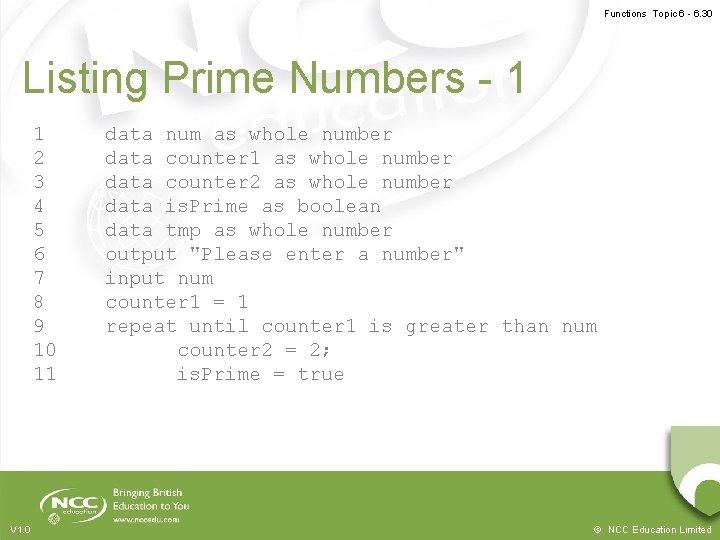
Functions Topic 6 - 6. 30 Listing Prime Numbers - 1 1 2 3 4 5 6 7 8 9 10 11 V 1. 0 data num as whole number data counter 1 as whole number data counter 2 as whole number data is. Prime as boolean data tmp as whole number output "Please enter a number" input num counter 1 = 1 repeat until counter 1 is greater than num counter 2 = 2; is. Prime = true © NCC Education Limited
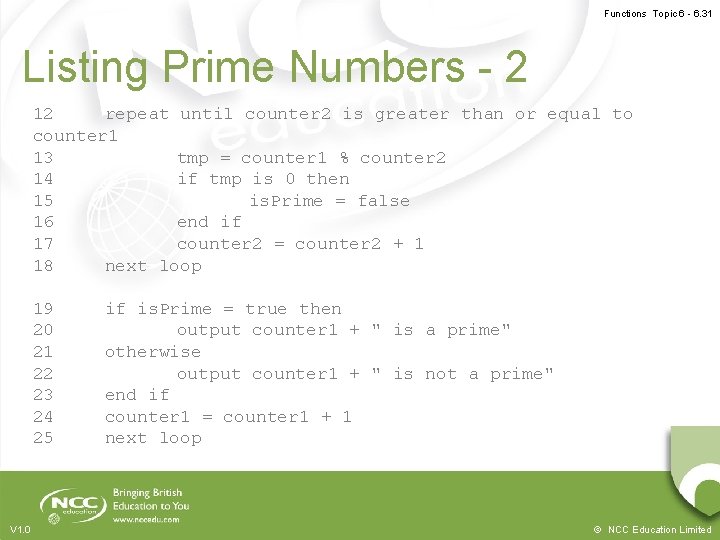
Functions Topic 6 - 6. 31 Listing Prime Numbers - 2 12 repeat until counter 2 is greater than or equal to counter 1 13 tmp = counter 1 % counter 2 14 if tmp is 0 then 15 is. Prime = false 16 end if 17 counter 2 = counter 2 + 1 18 next loop 19 20 21 22 23 24 25 V 1. 0 if is. Prime = true then output counter 1 + " is a prime" otherwise output counter 1 + " is not a prime" end if counter 1 = counter 1 + 1 next loop © NCC Education Limited
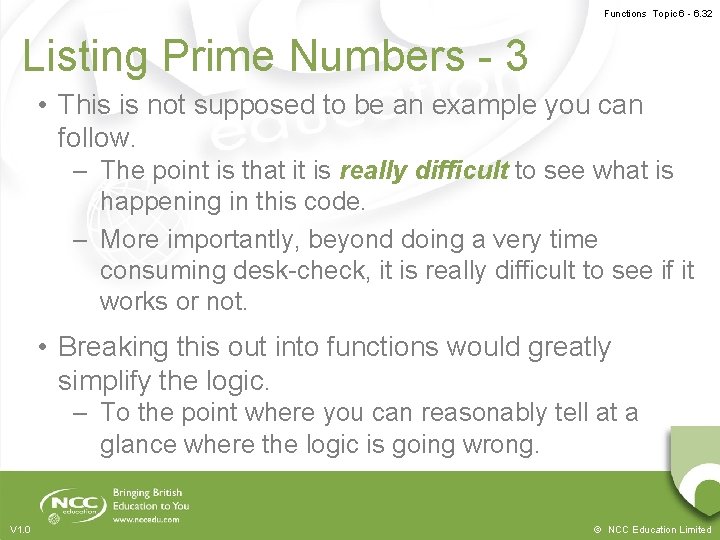
Functions Topic 6 - 6. 32 Listing Prime Numbers - 3 • This is not supposed to be an example you can follow. – The point is that it is really difficult to see what is happening in this code. – More importantly, beyond doing a very time consuming desk-check, it is really difficult to see if it works or not. • Breaking this out into functions would greatly simplify the logic. – To the point where you can reasonably tell at a glance where the logic is going wrong. V 1. 0 © NCC Education Limited
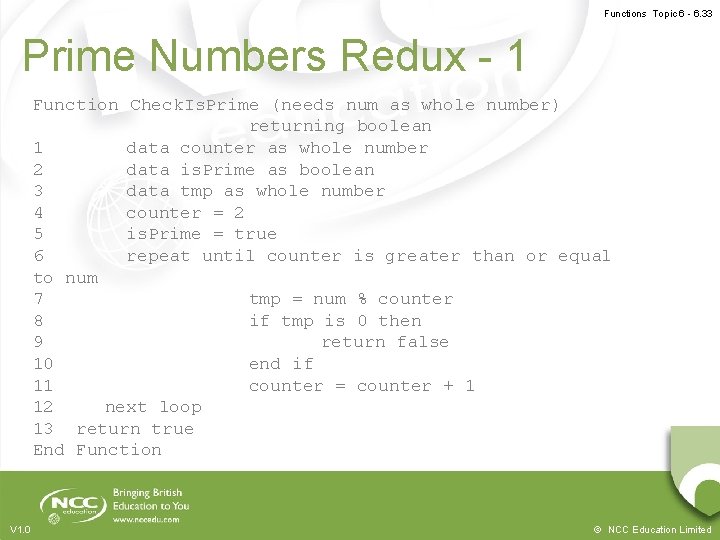
Functions Topic 6 - 6. 33 Prime Numbers Redux - 1 Function Check. Is. Prime (needs num as whole number) returning boolean 1 data counter as whole number 2 data is. Prime as boolean 3 data tmp as whole number 4 counter = 2 5 is. Prime = true 6 repeat until counter is greater than or equal to num 7 tmp = num % counter 8 if tmp is 0 then 9 return false 10 end if 11 counter = counter + 1 12 next loop 13 return true End Function V 1. 0 © NCC Education Limited
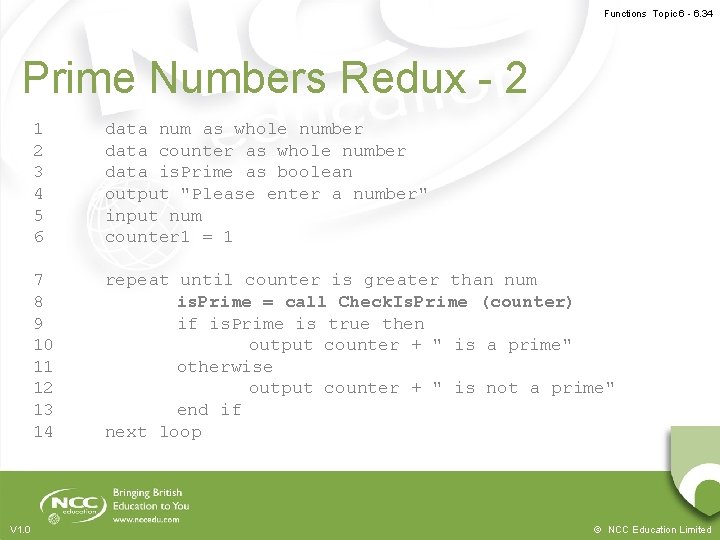
Functions Topic 6 - 6. 34 Prime Numbers Redux - 2 V 1. 0 1 2 3 4 5 6 data num as whole number data counter as whole number data is. Prime as boolean output "Please enter a number" input num counter 1 = 1 7 8 9 10 11 12 13 14 repeat until counter is greater than num is. Prime = call Check. Is. Prime (counter) if is. Prime is true then output counter + " is a prime" otherwise output counter + " is not a prime" end if next loop © NCC Education Limited
Functions Topic 6 - 6. 35 Prime Numbers Redux - 3 • Hopefully the latter version is easier to understand. – The main program simply passes each number in turn into the function. – The function handles all the logic for determining if a number is a prime. • It returns a false value if it is not • It returns a true value if it is – The main program then uses that Boolean value to determine what the output should be. • It is also easier to desk-check. V 1. 0 © NCC Education Limited
Functions Topic 6 - 6. 36 One Final Benefit • Having parts of your program offloaded onto functions simplifies your desk-checking. – You can desk-check the functionality without needing to go through the rest of the program. • This is going to become very important later in the module. – When we start talking about formal testing routines. • For now, you can use it to fine tune algorithms without worrying about context. V 1. 0 © NCC Education Limited
Functions Topic 6 - 6. 37 Conclusion • Functions give us a way to greatly reduce the logical complexity of our programs. • They require more adaptations to our pseudocode and desk-checks. • Functions (sometimes) have parameters and a return type. – These need represented in our pseudocode. • Functions should be the predominant method you use to build your programs. V 1. 0 © NCC Education Limited
Functions Topic 6 - 6. 38 Terminology • Function – A self contained mini-program that can be used by the rest of your pseudocode. • Parameter – A piece of information provided to a function • Return – A value that is given back from a function to wherever it was called. • Call – To make use of the pseudocode contained within a function. V 1. 0 © NCC Education Limited
Functions Topic 6 - 6. 39 Topic 6 – Functions Any Questions? V 1. 0 © NCC Education Limited