
Software Design F 28 SD 2 ObjectOriented Design
Software Design (F 28 SD 2): Object-Oriented Design Andrew Ireland School of Mathematical & Computer Sciences Heriot-Watt University Edinburgh Software Design F 28 SD 2 © Andrew Ireland
Outline • • • Characteristics of Object Oriented (OO) Design Basic Ingredients of OOD Methods Focus on Class (Object) identification Software Design F 28 SD 2 © Andrew Ireland
Characteristics OOD • Abstraction: Objects provide a useful and natural abstraction for many engineered artefacts and realworld systems • Encapsulation: Hiding within an Object those details which are not essential to an abstraction • Modularity: Separation of concerns (often merged with encapsulation) • Hierarchy: Ranking between abstractions – class structure, includes, … Software Design F 28 SD 2 © Andrew Ireland
Many OOD Methods! • • • The Booch Method The Coad & Yourdon Method The Rambaugh Method The Wirfs-Brock Method … Software Design F 28 SD 2 © Andrew Ireland

OOD: Common Ingredients • Understanding required behaviour: • Use cases (actor-system interactions) • Identification of static perspective: • • Identification of classes (objects) Class diagrams (associations & structures) • Identification of dynamic perspective: • • Activity diagrams Sequence diagrams • State machine diagrams Note: focus here on identification of classes Software Design F 28 SD 2 © Andrew Ireland
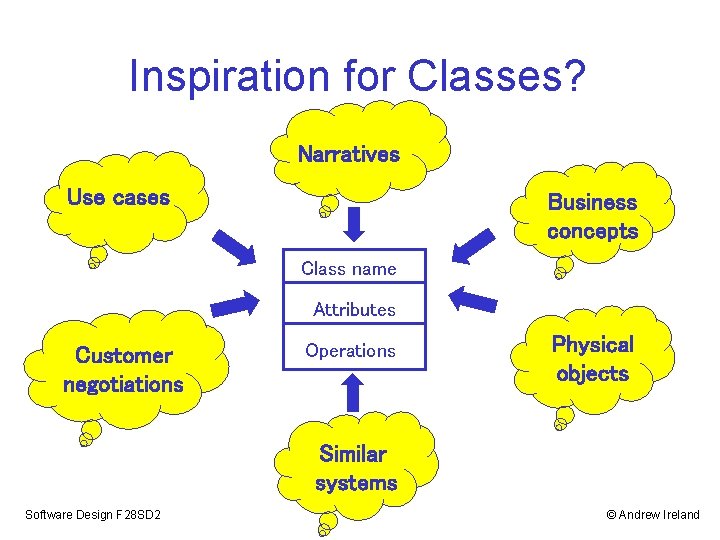
Inspiration for Classes? Narratives Use cases Business concepts Class name Attributes Customer negotiations Operations Physical objects Similar systems Software Design F 28 SD 2 © Andrew Ireland
Noun-Verb Analysis • An approach to discovering classes that involves light weight grammatical analysis • Applicable to any documents, e. g. requirements document, project glossary, narrative style scenarios • For the given documents highlight: • Nouns - ticket, invoice, • Noun phrases – ticket code, invoice number • Verbs – verify, issue • Verb phrases – verify code, issue invoice Note: synonyms – different ways of saying the same thing Software Design F 28 SD 2 © Andrew Ireland
Noun-Verb Analysis • Nouns and noun phrases suggest classes and class attributes • Verbs and verb phrases suggest operations • Example: “A customer’s smartcard holds a PIN, account number and a credit value. When inserted into a card reader, the smartcard will reveal the credit on card if the PIN supplied by the user is validated. Moreover, if the customer has enough funds in their bank account, the bank will approve an increase to the credit on the smartcard. ’’ Software Design F 28 SD 2 © Andrew Ireland
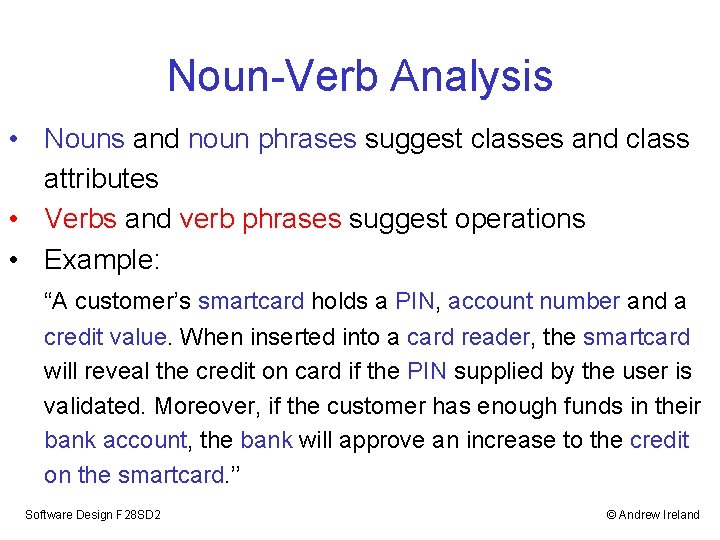
Noun-Verb Analysis • Nouns and noun phrases suggest classes and class attributes • Verbs and verb phrases suggest operations • Example: “A customer’s smartcard holds a PIN, account number and a credit value. When inserted into a card reader, the smartcard will reveal the credit on card if the PIN supplied by the user is validated. Moreover, if the customer has enough funds in their bank account, the bank will approve an increase to the credit on the smartcard. ’’ Software Design F 28 SD 2 © Andrew Ireland
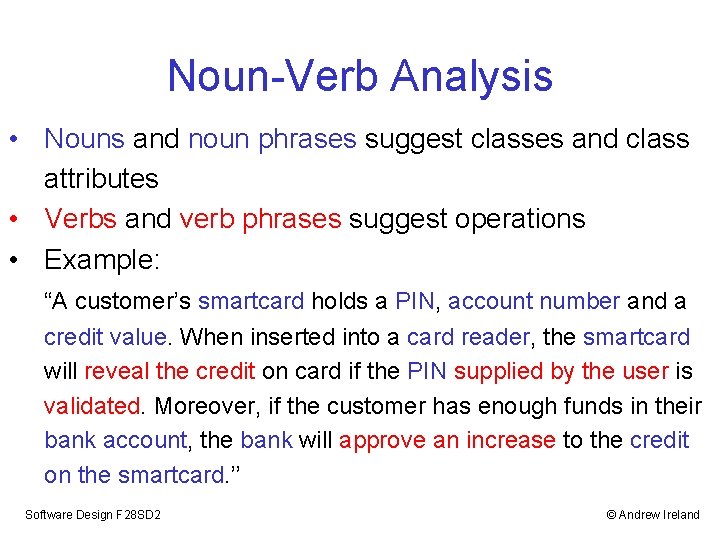
Noun-Verb Analysis • Nouns and noun phrases suggest classes and class attributes • Verbs and verb phrases suggest operations • Example: “A customer’s smartcard holds a PIN, account number and a credit value. When inserted into a card reader, the smartcard will reveal the credit on card if the PIN supplied by the user is validated. Moreover, if the customer has enough funds in their bank account, the bank will approve an increase to the credit on the smartcard. ’’ Software Design F 28 SD 2 © Andrew Ireland
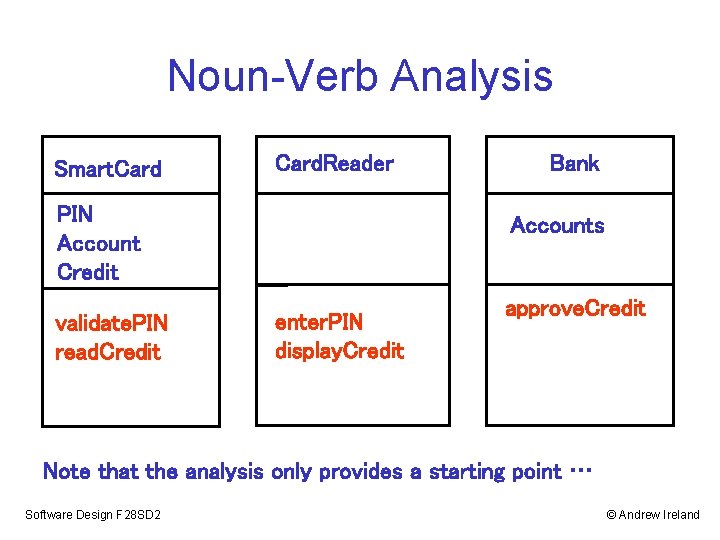
Noun-Verb Analysis Smart. Card. Reader PIN Account Credit validate. PIN read. Credit Bank Accounts enter. PIN display. Credit approve. Credit Note that the analysis only provides a starting point … Software Design F 28 SD 2 © Andrew Ireland
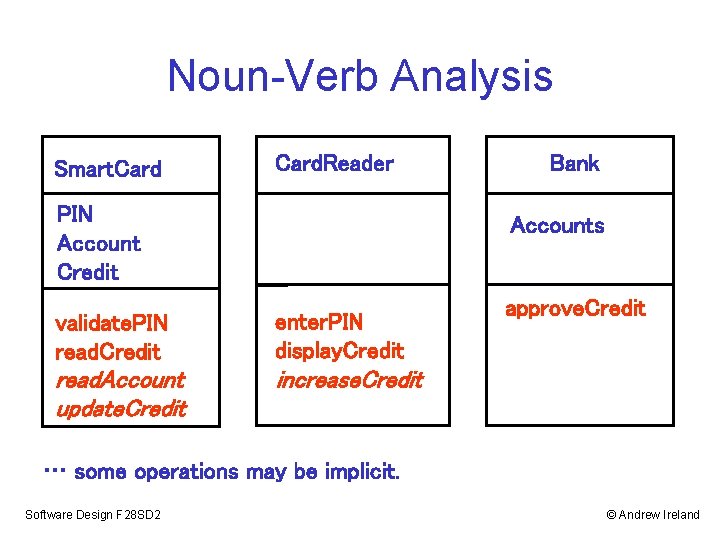
Noun-Verb Analysis Smart. Card. Reader PIN Account Credit Bank Accounts validate. PIN read. Credit enter. PIN display. Credit read. Account update. Credit increase. Credit approve. Credit … some operations may be implicit. Software Design F 28 SD 2 © Andrew Ireland
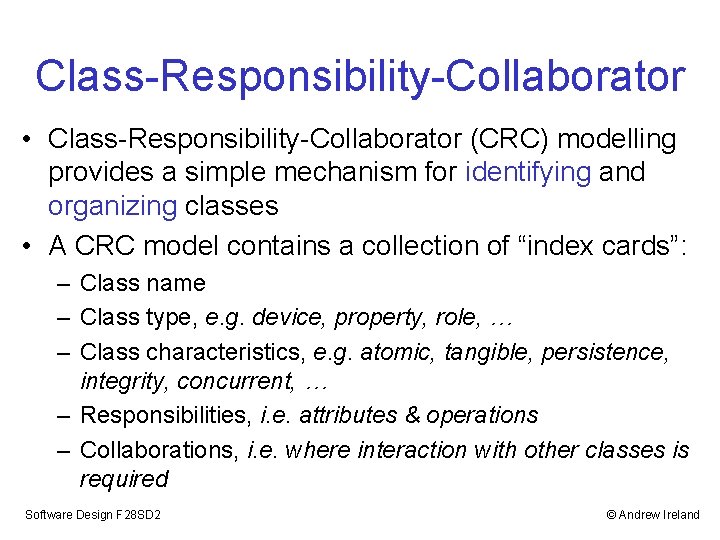
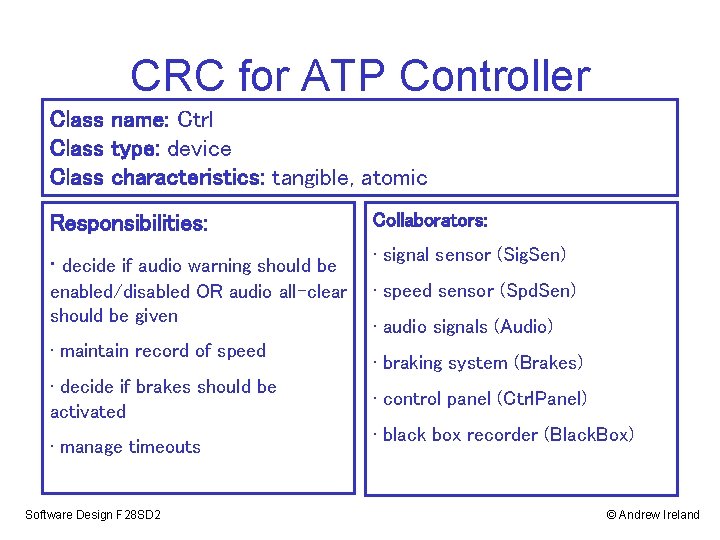
Class-Responsibility-Collaborator • Class-Responsibility-Collaborator (CRC) modelling provides a simple mechanism for identifying and organizing classes • A CRC model contains a collection of “index cards”: – Class name – Class type, e. g. device, property, role, … – Class characteristics, e. g. atomic, tangible, persistence, integrity, concurrent, … – Responsibilities, i. e. attributes & operations – Collaborations, i. e. where interaction with other classes is required Software Design F 28 SD 2 © Andrew Ireland
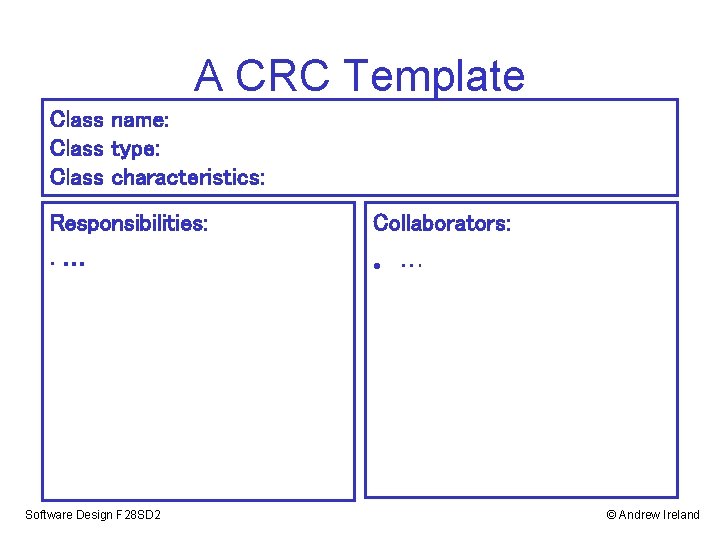
A CRC Template Class name: Class type: Class characteristics: Responsibilities: Collaborators: • … Software Design F 28 SD 2 © Andrew Ireland
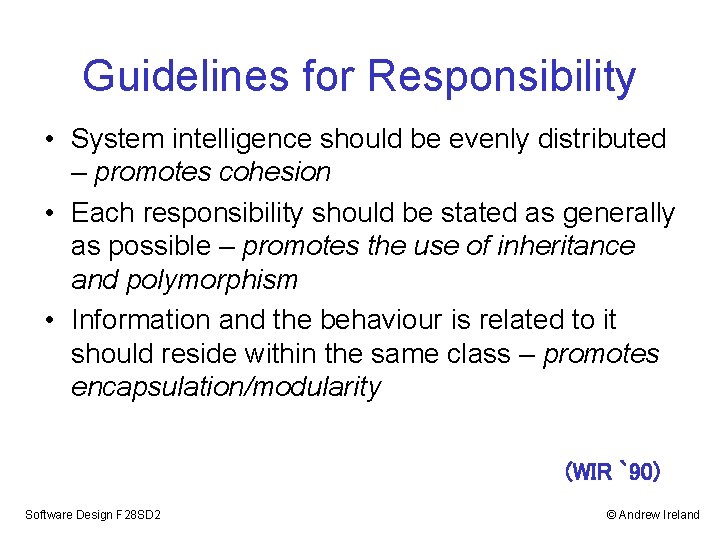
Guidelines for Responsibility • System intelligence should be evenly distributed – promotes cohesion • Each responsibility should be stated as generally as possible – promotes the use of inheritance and polymorphism • Information and the behaviour is related to it should reside within the same class – promotes encapsulation/modularity (WIR `90) Software Design F 28 SD 2 © Andrew Ireland
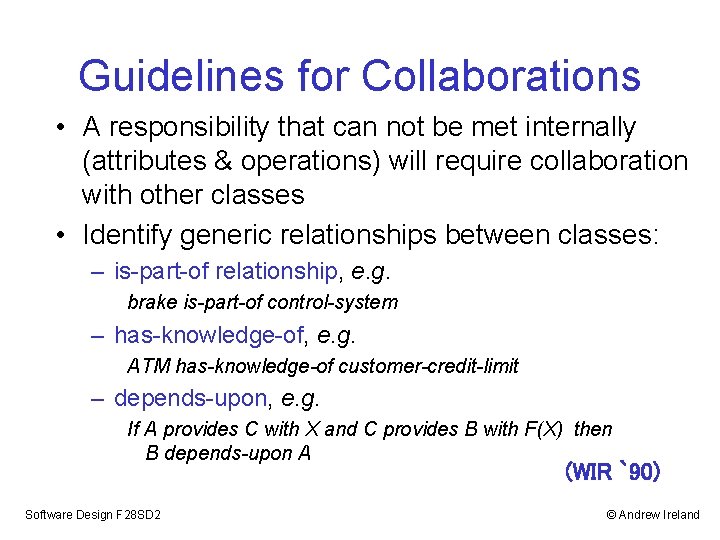
Guidelines for Collaborations • A responsibility that can not be met internally (attributes & operations) will require collaboration with other classes • Identify generic relationships between classes: – is-part-of relationship, e. g. brake is-part-of control-system – has-knowledge-of, e. g. ATM has-knowledge-of customer-credit-limit – depends-upon, e. g. If A provides C with X and C provides B with F(X) then B depends-upon A (WIR `90) Software Design F 28 SD 2 © Andrew Ireland
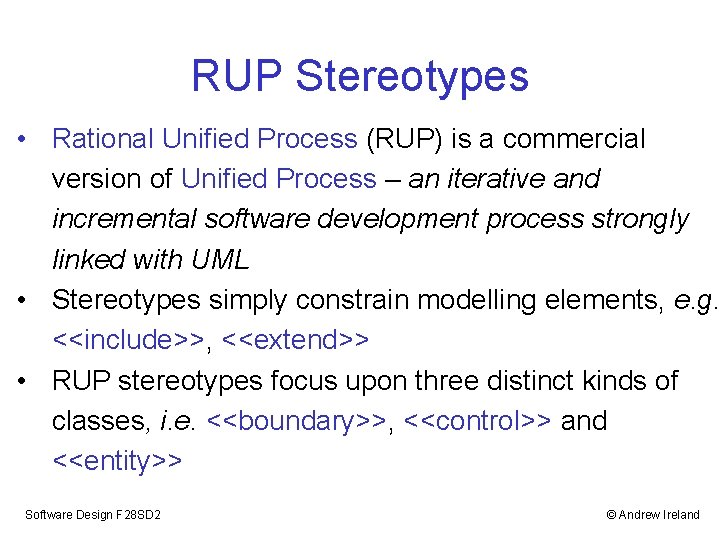
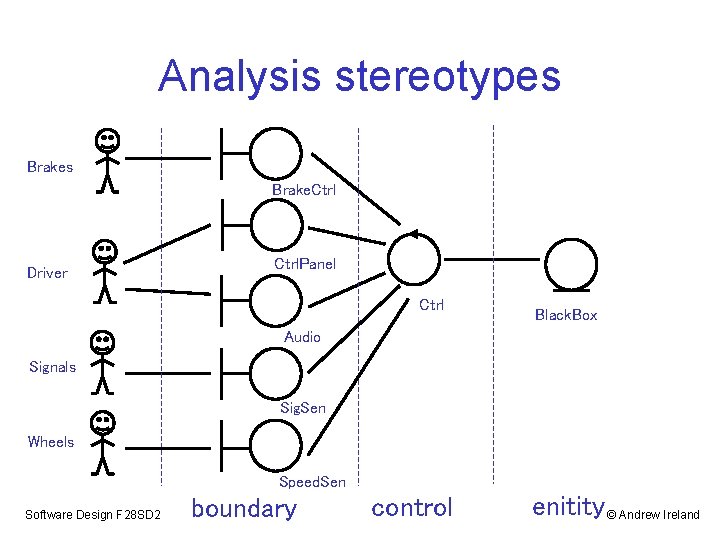
RUP Stereotypes • Rational Unified Process (RUP) is a commercial version of Unified Process – an iterative and incremental software development process strongly linked with UML • Stereotypes simply constrain modelling elements, e. g. <<include>>, <<extend>> • RUP stereotypes focus upon three distinct kinds of classes, i. e. <<boundary>>, <<control>> and <<entity>> Software Design F 28 SD 2 © Andrew Ireland
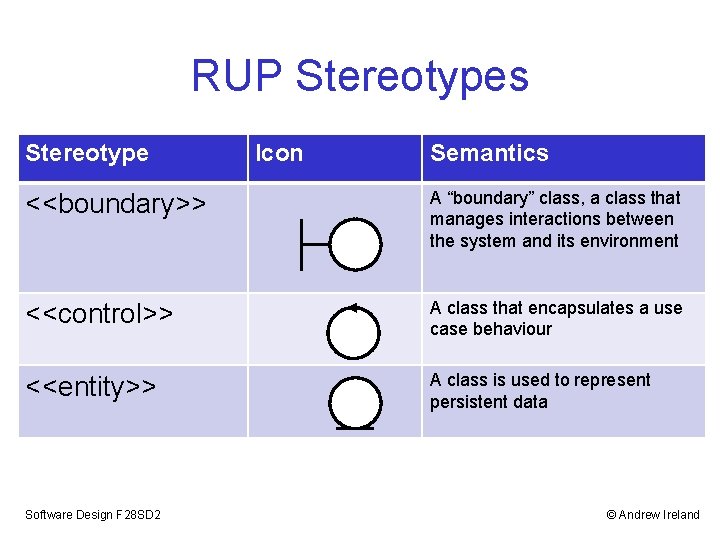
RUP Stereotypes Stereotype Icon Semantics <<boundary>> A “boundary” class, a class that manages interactions between the system and its environment <<control>> A class that encapsulates a use case behaviour <<entity>> A class is used to represent persistent data Software Design F 28 SD 2 © Andrew Ireland
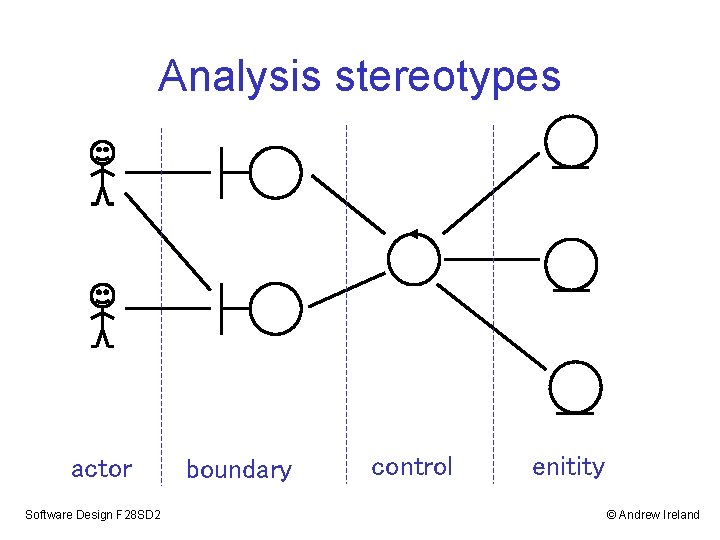
Analysis stereotypes actor Software Design F 28 SD 2 boundary control enitity © Andrew Ireland
Discovering Boundary Classes • Boundary classes represent the parts of the system that interface with the system’s environment, i. e. the actors • Common classification: • User interfaces – GUI, control console, voice activated, palm reader, … • System interfaces – communication protocols • Device interfaces – device drivers, sensors, actuator controllers… Software Design F 28 SD 2 © Andrew Ireland
Discovering Control Classes • Control classes represent the core decision making parts of the system - discovered by working out how use case behaviours should be mapped onto classes • A control class may: • cut across a number of use cases, or • represent just one aspect of a use case Software Design F 28 SD 2 © Andrew Ireland
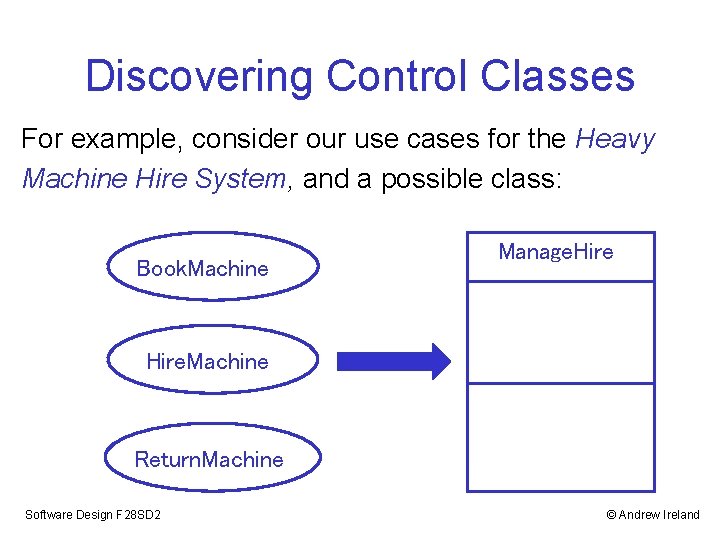
Discovering Control Classes For example, consider our use cases for the Heavy Machine Hire System, and a possible class: Book. Machine Manage. Hire. Machine Return. Machine Software Design F 28 SD 2 © Andrew Ireland
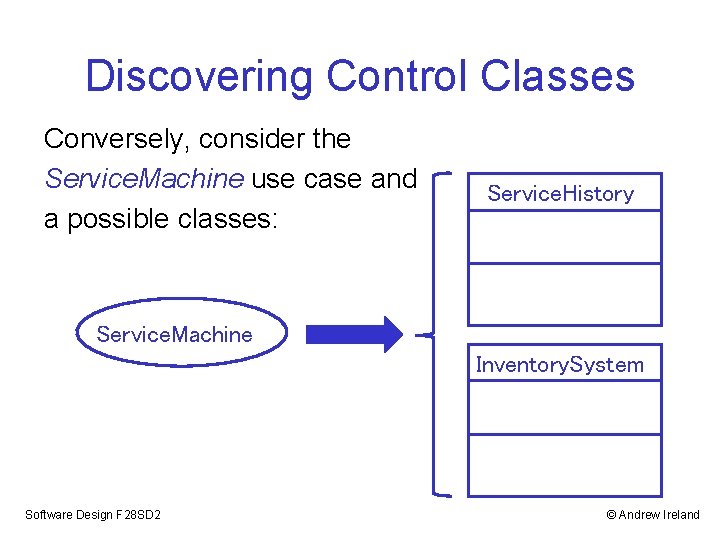
Discovering Control Classes Conversely, consider the Service. Machine use case and a possible classes: Service. History Service. Machine Inventory. System Software Design F 28 SD 2 © Andrew Ireland
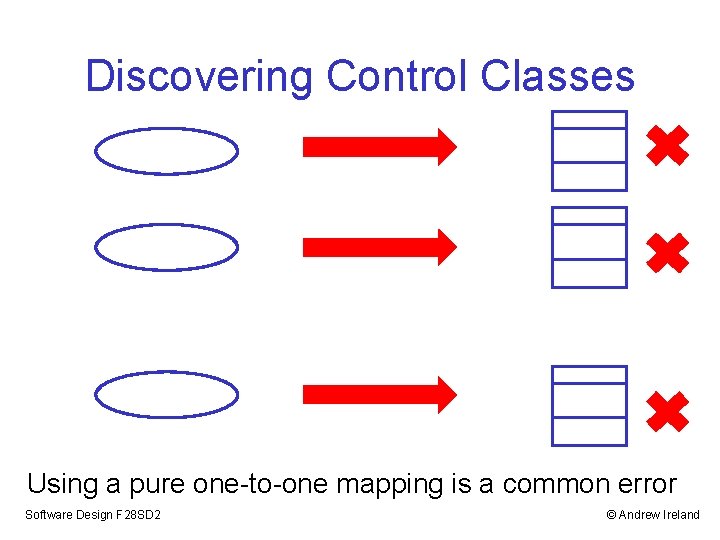
Discovering Control Classes Using a pure one-to-one mapping is a common error Software Design F 28 SD 2 © Andrew Ireland
Discovering Entity Classes • Entity classes model information, e. g. customer data, archive data, etc • An entity class: • may cut across a number of use cases • will typically be manipulated by control classes • may provide and accept information from boundary classes • typically models persistent information Software Design F 28 SD 2 © Andrew Ireland
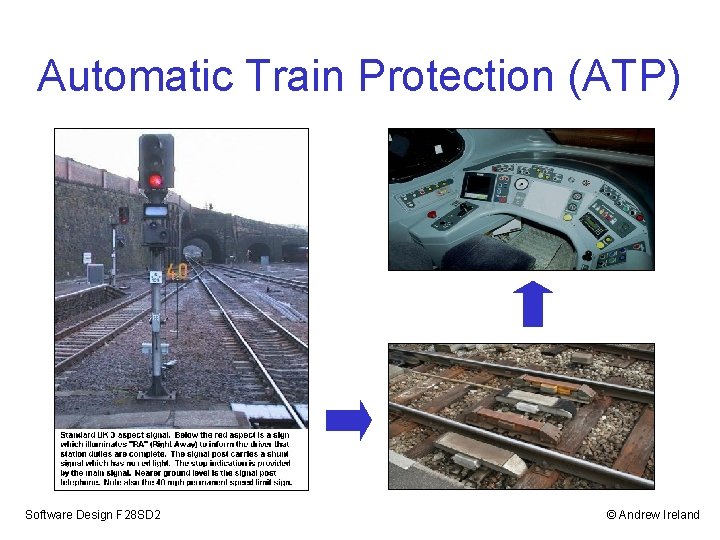
Automatic Train Protection (ATP) Software Design F 28 SD 2 © Andrew Ireland
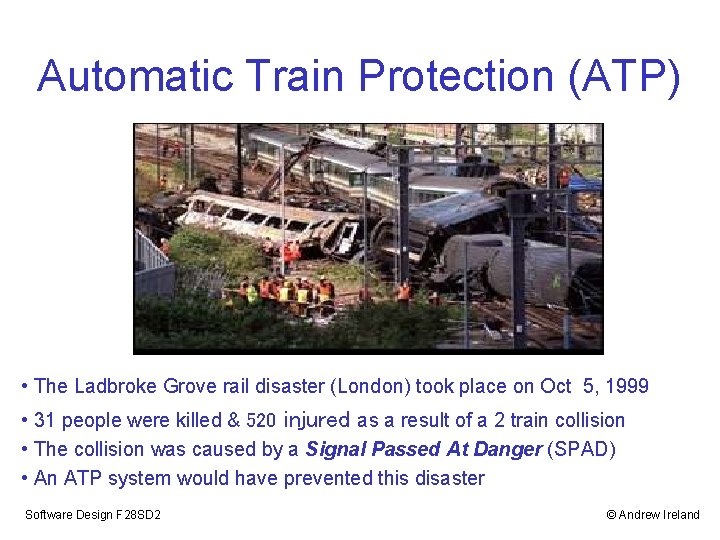
Automatic Train Protection (ATP) • The Ladbroke Grove rail disaster (London) took place on Oct 5, 1999 • 31 people were killed & 520 injured as a result of a 2 train collision • The collision was caused by a Signal Passed At Danger (SPAD) • An ATP system would have prevented this disaster Software Design F 28 SD 2 © Andrew Ireland
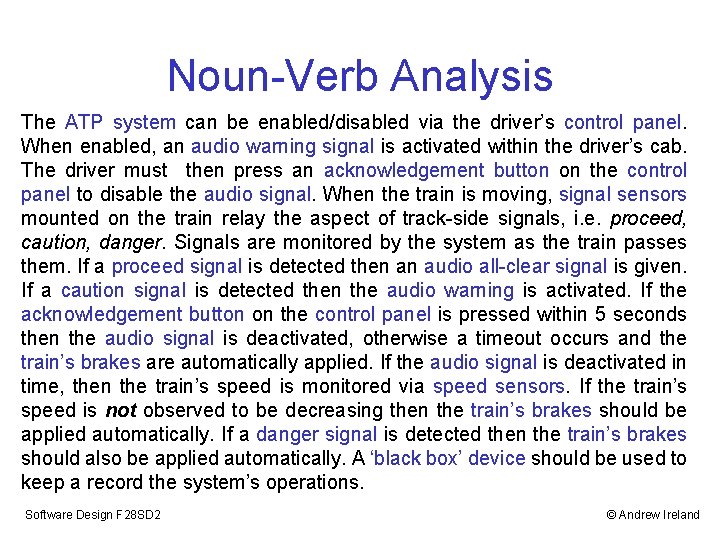
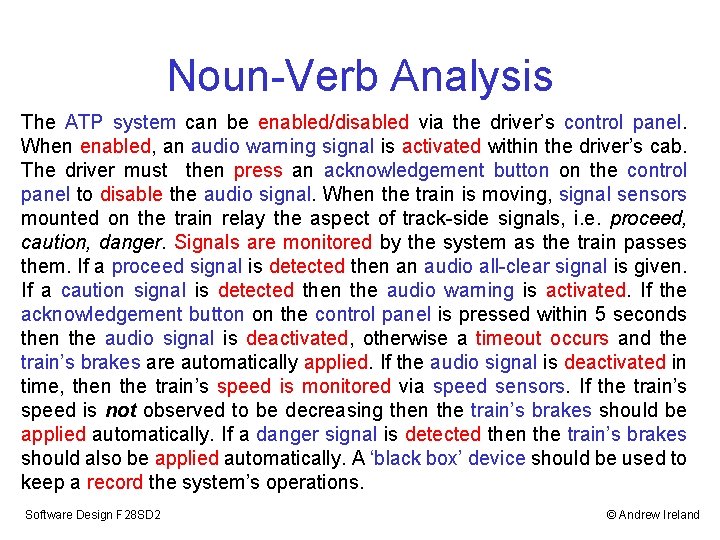
Noun-Verb Analysis The ATP system can be enabled/disabled via the driver’s control panel. When enabled, an audio warning signal is activated within the driver’s cab. The driver must then press an acknowledgement button on the control panel to disable the audio signal. When the train is moving, signal sensors mounted on the train relay the aspect of track-side signals, i. e. proceed, caution, danger. Signals are monitored by the system as the train passes them. If a proceed signal is detected then an audio all-clear signal is given. If a caution signal is detected then the audio warning is activated. If the acknowledgement button on the control panel is pressed within 5 seconds then the audio signal is deactivated, otherwise a timeout occurs and the train’s brakes are automatically applied. If the audio signal is deactivated in time, then the train’s speed is monitored via speed sensors. If the train’s speed is not observed to be decreasing then the train’s brakes should be applied automatically. If a danger signal is detected then the train’s brakes should also be applied automatically. A ‘black box’ device should be used to keep a record the system’s operations. Software Design F 28 SD 2 © Andrew Ireland
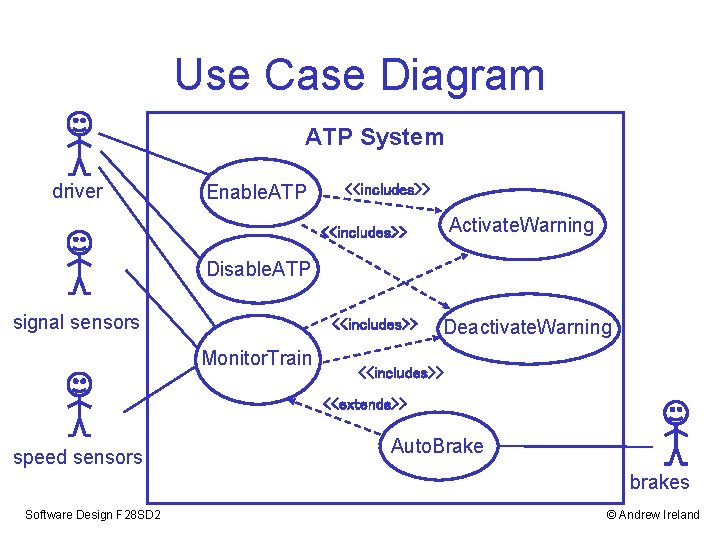
Use Case Diagram ATP System driver Enable. ATP <<includes>> Activate. Warning <<includes>> Disable. ATP signal sensors <<includes>> Monitor. Train Deactivate. Warning <<includes>> <<extends>> speed sensors Auto. Brake brakes Software Design F 28 SD 2 © Andrew Ireland
Noun-Verb Analysis The ATP system can be enabled/disabled via the driver’s control panel. When enabled, an audio warning signal is activated within the driver’s cab. The driver must then press an acknowledgement button on the control panel to disable the audio signal. When the train is moving, signal sensors mounted on the train relay the aspect of track-side signals, i. e. proceed, caution, danger. Signals are monitored by the system as the train passes them. If a proceed signal is detected then an audio all-clear signal is given. If a caution signal is detected then the audio warning is activated. If the acknowledgement button on the control panel is pressed within 5 seconds then the audio signal is deactivated, otherwise a timeout occurs and the train’s brakes are automatically applied. If the audio signal is deactivated in time, then the train’s speed is monitored via speed sensors. If the train’s speed is not observed to be decreasing then the train’s brakes should be applied automatically. If a danger signal is detected then the train’s brakes should also be applied automatically. A ‘black box’ device should be used to keep a record the system’s operations. Software Design F 28 SD 2 © Andrew Ireland
Noun-Verb Analysis The ATP system can be enabled/disabled via the driver’s control panel. When enabled, an audio warning signal is activated within the driver’s cab. The driver must then press an acknowledgement button on the control panel to disable the audio signal. When the train is moving, signal sensors mounted on the train relay the aspect of track-side signals, i. e. proceed, caution, danger. Signals are monitored by the system as the train passes them. If a proceed signal is detected then an audio all-clear signal is given. If a caution signal is detected then the audio warning is activated. If the acknowledgement button on the control panel is pressed within 5 seconds then the audio signal is deactivated, otherwise a timeout occurs and the train’s brakes are automatically applied. If the audio signal is deactivated in time, then the train’s speed is monitored via speed sensors. If the train’s speed is not observed to be decreasing then the train’s brakes should be applied automatically. If a danger signal is detected then the train’s brakes should also be applied automatically. A ‘black box’ device should be used to keep a record the system’s operations. Software Design F 28 SD 2 © Andrew Ireland
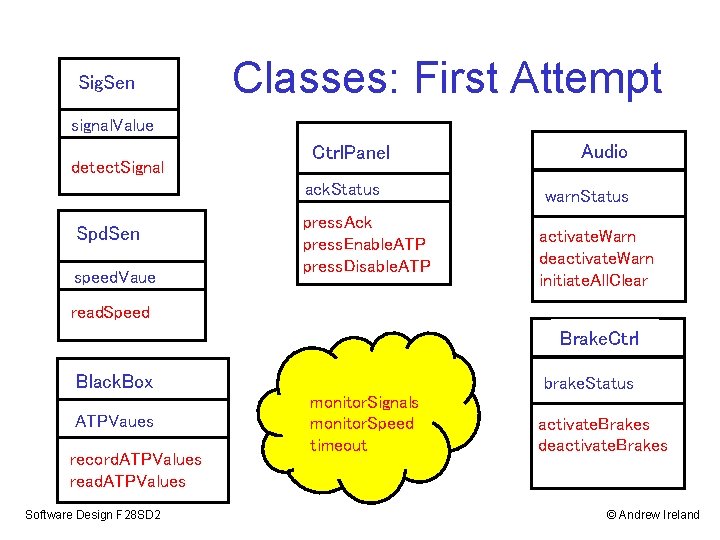
Sig. Sen Classes: First Attempt signal. Value detect. Signal Ctrl. Panel ack. Status Spd. Sen speed. Vaue press. Ack press. Enable. ATP press. Disable. ATP Audio warn. Status activate. Warn deactivate. Warn initiate. All. Clear read. Speed Brake. Ctrl Black. Box ATPVaues record. ATPValues read. ATPValues Software Design F 28 SD 2 brake. Status monitor. Signals monitor. Speed timeout activate. Brakes deactivate. Brakes © Andrew Ireland
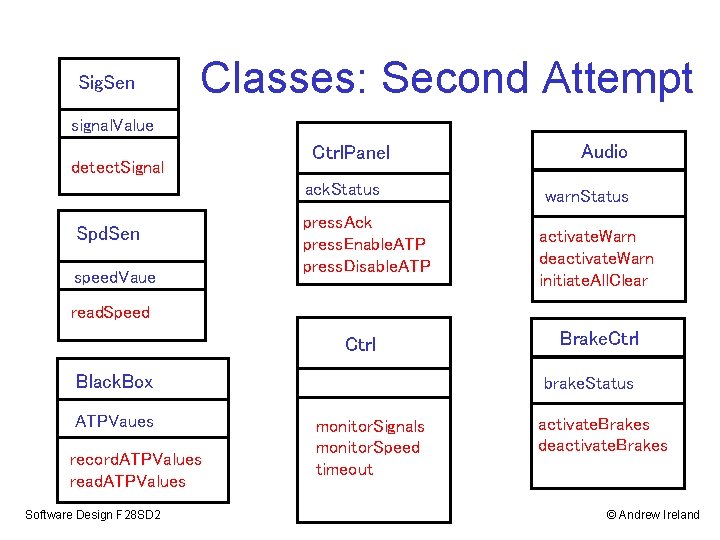
Sig. Sen Classes: Second Attempt signal. Value detect. Signal Ctrl. Panel ack. Status Spd. Sen speed. Vaue press. Ack press. Enable. ATP press. Disable. ATP Audio warn. Status activate. Warn deactivate. Warn initiate. All. Clear read. Speed Ctrl Black. Box ATPVaues record. ATPValues read. ATPValues Software Design F 28 SD 2 Brake. Ctrl brake. Status monitor. Signals monitor. Speed timeout activate. Brakes deactivate. Brakes © Andrew Ireland
Analysis stereotypes Brake. Ctrl Driver Ctrl. Panel Ctrl Black. Box Audio Signals Sig. Sen Wheels Speed. Sen Software Design F 28 SD 2 boundary control enitity © Andrew Ireland
CRC for ATP Controller Class name: Ctrl Class type: device Class characteristics: tangible, atomic Responsibilities: Collaborators: • decide if audio warning should be • signal sensor (Sig. Sen) enabled/disabled OR audio all-clear should be given • speed sensor (Spd. Sen) • maintain record of speed • decide if brakes should be activated • manage timeouts Software Design F 28 SD 2 • audio signals (Audio) • braking system (Brakes) • control panel (Ctrl. Panel) • black box recorder (Black. Box) © Andrew Ireland
![Sig. Sen Class Associations? [ more details on associations in the next lecture ]](http://slidetodoc.com/presentation_image_h2/60fb9266efcd8a103297cb7c99b48352/image-36.jpg "Sig. Sen Class Associations? [ more details on associations in the next lecture ]")
Sig. Sen Class Associations? [ more details on associations in the next lecture ] signal. Value detect. Signal Ctrl. Panel ack. Status Spd. Sen speed. Vaue press. Ack press. Enable. ATP press. Disable. ATP Audio warn. Status activate. Warn deactivate. Warn initiate. All. Clear read. Speed Ctrl Black. Box speed. Record ATPVaues monitor. Signals monitor. Speed timeout record. ATPValues read. ATPValues Software Design F 28 SD 2 Brake. Ctrl brake. Status activate. Brakes deactivate. Brakes © Andrew Ireland
Summary • Learning outcomes: – Basic ingredients of an OOD methods – Approaches to Class identification: • Verb-Noun Analysis • CRC • RUP Stereotypes • Recommended reading: – J. Arlow & I. Neustadt, “UML 2 and the Unified Process”, (2 nd Edition), Addison Wesley 2011 – R. Wirfs-Brock, B. Wilkerson, L. Weiner, “Deigning Object-Oriented Software”, Prentice-Hall 1990 Software Design F 28 SD 2 © Andrew Ireland
- Slides: 37