
Software Design Designing the overall structure architecture of
- Slides: 20
Software Design • Designing the overall structure (architecture) of a software system • Designing small pieces of computation • Designing non-automated processes • Use DFDs as a starting point
Structure Charts • Used to create a high-level, or architectural, design • Shows the thread of control in a system as a whole • Breaks up the system into modules • Shows the order in which processing takes place • Includes both data and processes, but more emphasis on processes
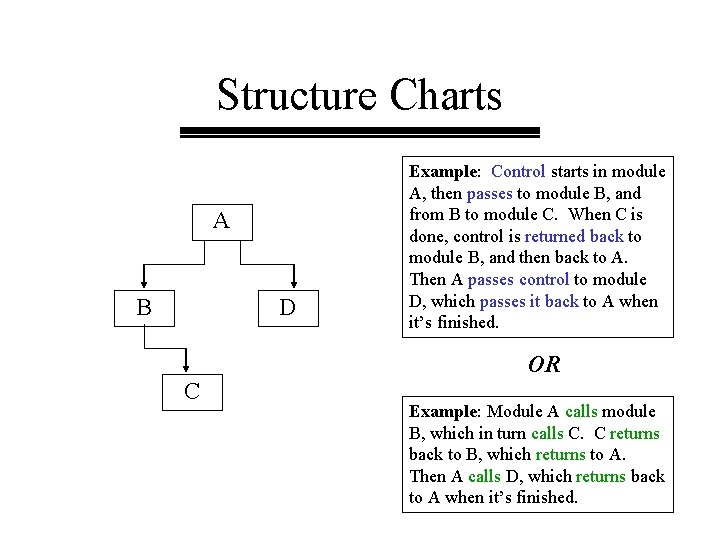
Structure Charts A B D Example: Control starts in module A, then passes to module B, and from B to module C. When C is done, control is returned back to module B, and then back to A. Then A passes control to module D, which passes it back to A when it’s finished. OR C Example: Module A calls module B, which in turn calls C. C returns back to B, which returns to A. Then A calls D, which returns back to A when it’s finished.
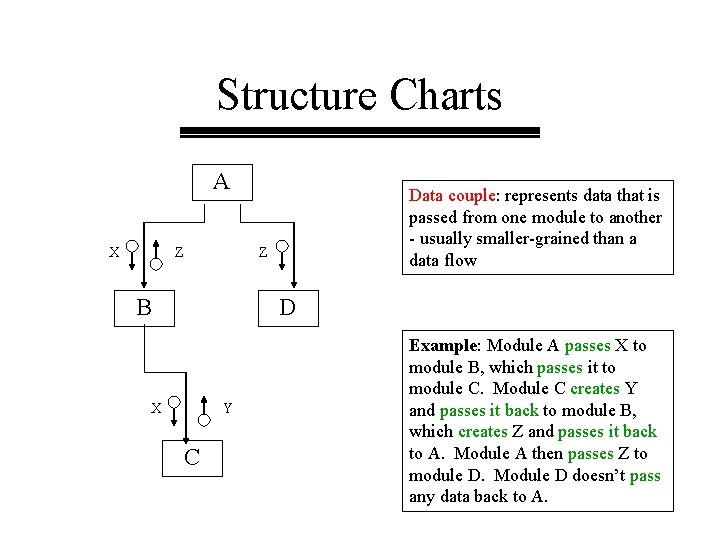
Structure Charts A X Z Data couple: represents data that is passed from one module to another - usually smaller-grained than a data flow Z B D X Y C Example: Module A passes X to module B, which passes it to module C. Module C creates Y and passes it back to module B, which creates Z and passes it back to A. Module A then passes Z to module D. Module D doesn’t pass any data back to A.
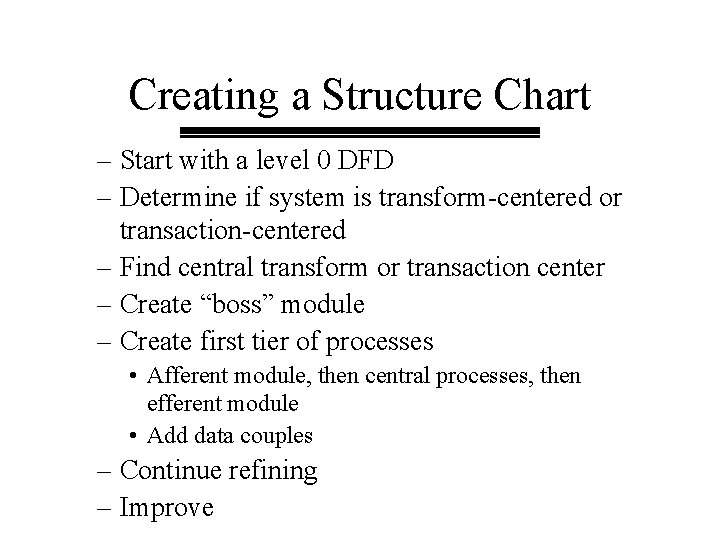
Creating a Structure Chart – Start with a level 0 DFD – Determine if system is transform-centered or transaction-centered – Find central transform or transaction center – Create “boss” module – Create first tier of processes • Afferent module, then central processes, then efferent module • Add data couples – Continue refining – Improve
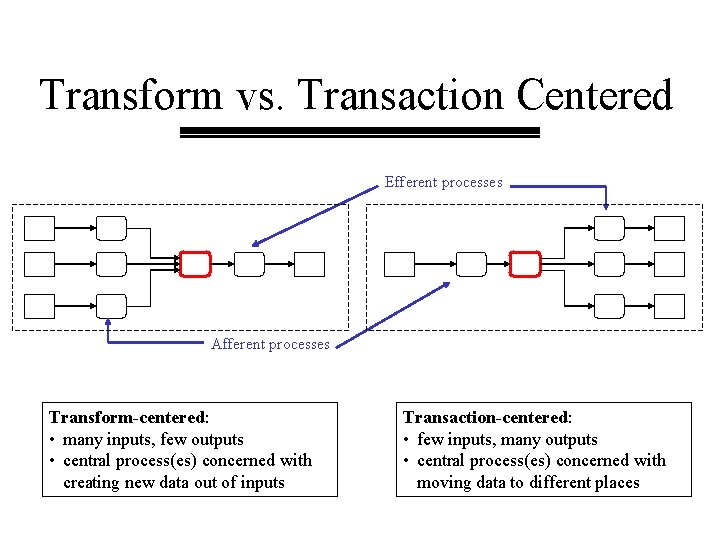
Transform vs. Transaction Centered Efferent processes Afferent processes Transform-centered: • many inputs, few outputs • central process(es) concerned with creating new data out of inputs Transaction-centered: • few inputs, many outputs • central process(es) concerned with moving data to different places
Finding the Central Process(es) • Start at each external entity and follow data flows forward or backward until you find processes that represent the “essence” of the processing of the system – where routing takes place (transaction center) – where data is transformed and created (central transform) • Can be more than one (usually independent) processes) • Appropriate numbers of inputs and outputs
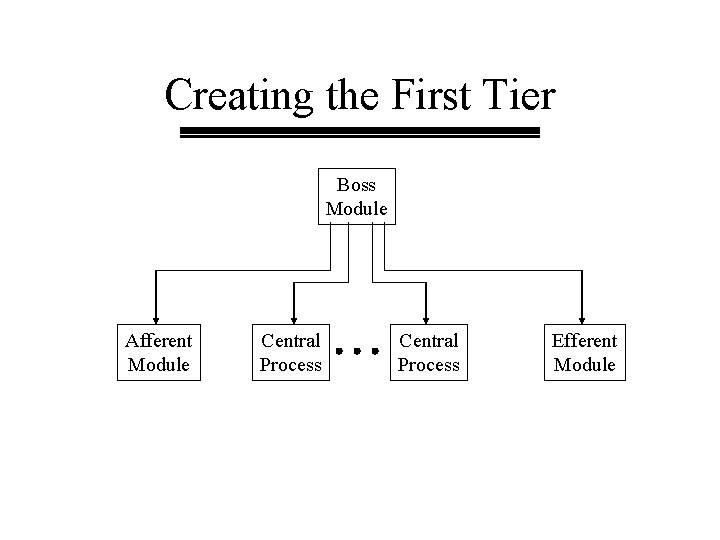
Creating the First Tier Boss Module Afferent Module Central Process Efferent Module
Identifying Data Couples • Data couples usually correspond to data elements, not data flows • Look at data flows going into and out of afferent, central, and efferent processes on the DFD • Pick out the relevant data elements • Put them in the appropriate place on the structure chart
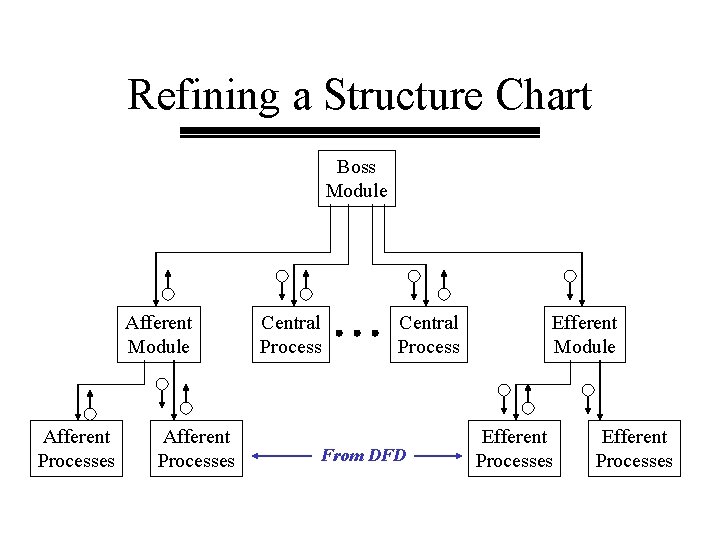
Refining a Structure Chart Boss Module Afferent Processes Central Process From DFD Efferent Module Efferent Processes
Improving a Structure Chart • • • Check modularity Take advantage of shared modules Decrease coupling Increase cohesion Consider alternative architectures
Modularity • Factoring - breaking the system up into modules • Span of control - rule of thumb is that no module should control more than 7 subordinate modules • Reasonable size - a module should fit on a page or a screen
Reuse • At the lower levels of the structure chart, there are often modules that performs the same function in different parts of the system • These modules can be reused in different parts of the design • Can make the arrows tangled up
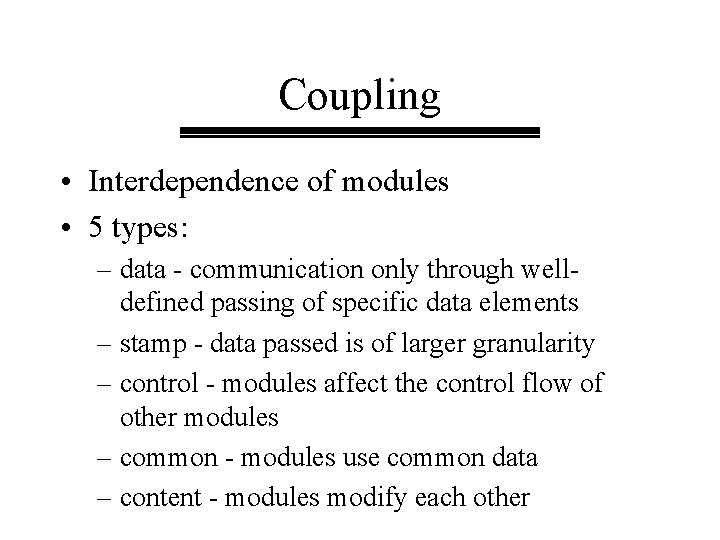
Coupling • Interdependence of modules • 5 types: – data - communication only through welldefined passing of specific data elements – stamp - data passed is of larger granularity – control - modules affect the control flow of other modules – common - modules use common data – content - modules modify each other
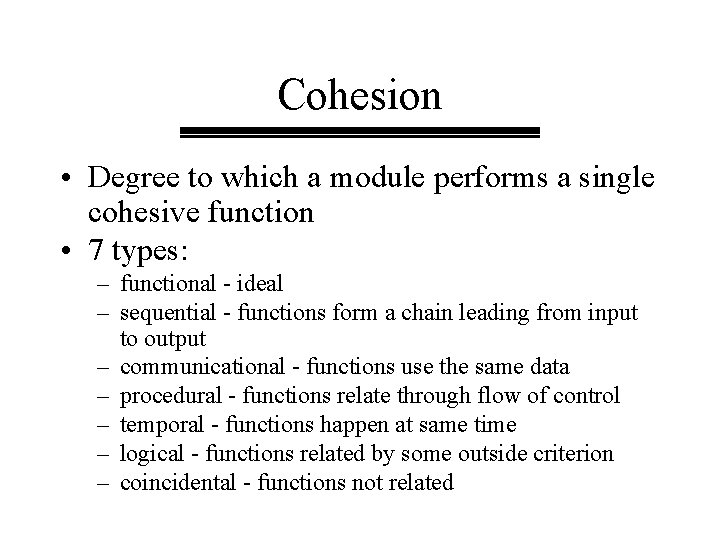
Cohesion • Degree to which a module performs a single cohesive function • 7 types: – functional - ideal – sequential - functions form a chain leading from input to output – communicational - functions use the same data – procedural - functions relate through flow of control – temporal - functions happen at same time – logical - functions related by some outside criterion – coincidental - functions not related
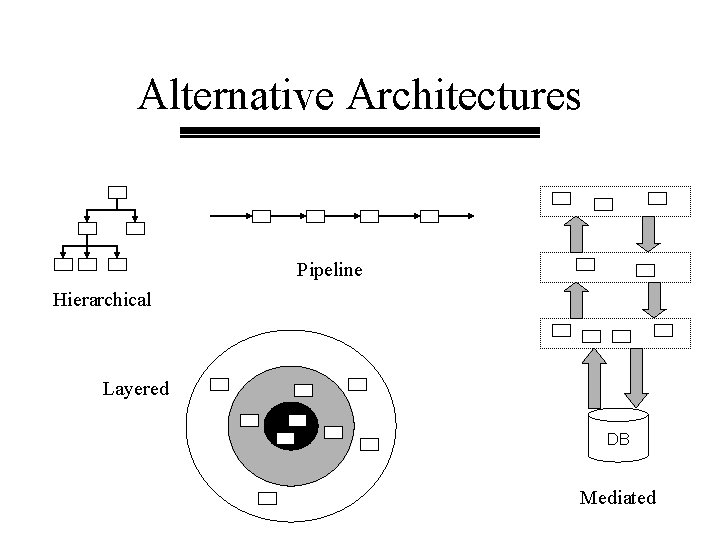
Alternative Architectures Pipeline Hierarchical Layered DB Mediated
Process or Program Design • Start with one process on a DFD or module on a structure chart • Continue decomposing • Introduce concept of time – process steps – control flow • Define all decision conditions • Include error and exception conditions
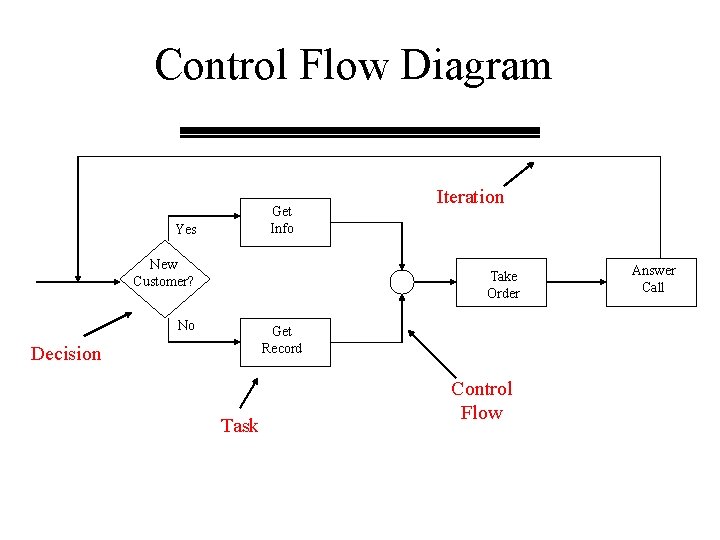
Control Flow Diagram Get Info Yes New Customer? Iteration Take Order No Get Record Decision Task Control Flow Answer Call
Other Notations for Process Design • • • Decision tables Decision graphs Structured English (pseudocode) 4 GL Specification Language Mathematical notation
Pseudocode • A little more structured than Structured English • Pay close attention to data – must reference, by name, specific data elements – must be consistent with data flows and elements on the DFD • Decision and iteration conditions should be precisely defined