
Software Architecture Styles Simple Case Study Three vendors
- Slides: 70
Software Architecture Styles
Simple Case Study • Three vendors have been asked to submit bids for work that tracks student credentials… • All vendors supply demonstration systems that: – Seem to meet the requirements – Are all within similar cost estimates. – All other things being equal … Who do you pick ? • You ask them to come in and describe their architecture so as to get a better understanding of the long term costs to maintain and adapt the system to your planned expansions. 2
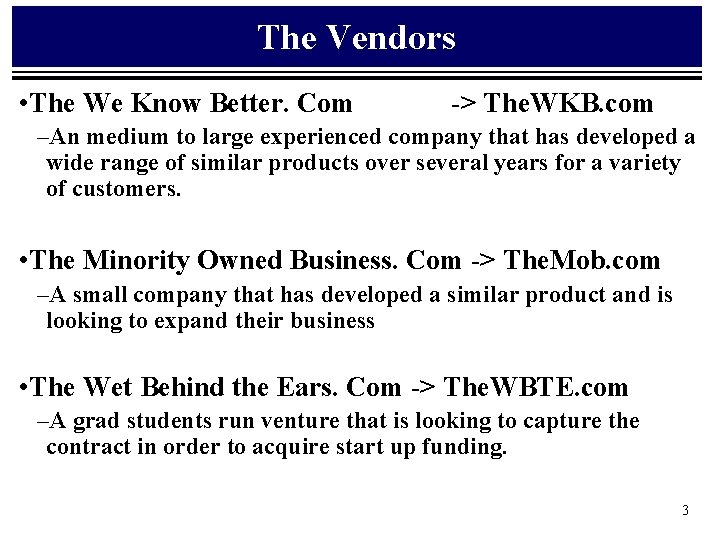
The Vendors • The We Know Better. Com -> The. WKB. com –An medium to large experienced company that has developed a wide range of similar products over several years for a variety of customers. • The Minority Owned Business. Com -> The. Mob. com –A small company that has developed a similar product and is looking to expand their business • The Wet Behind the Ears. Com -> The. WBTE. com –A grad students run venture that is looking to capture the contract in order to acquire start up funding. 3
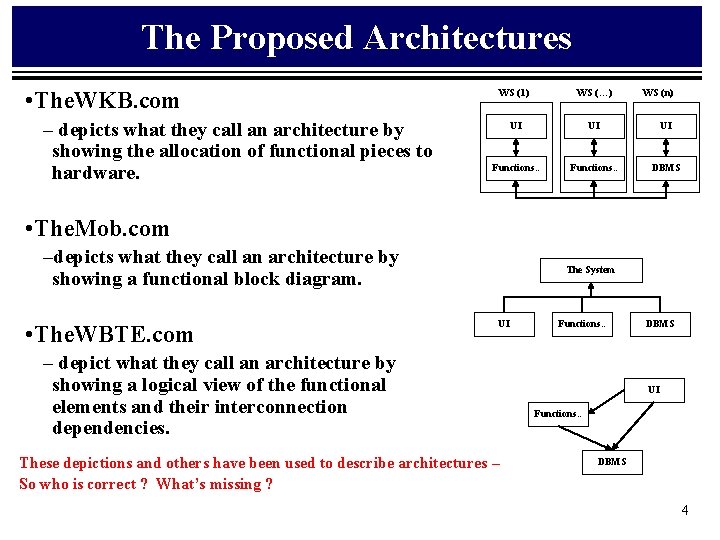
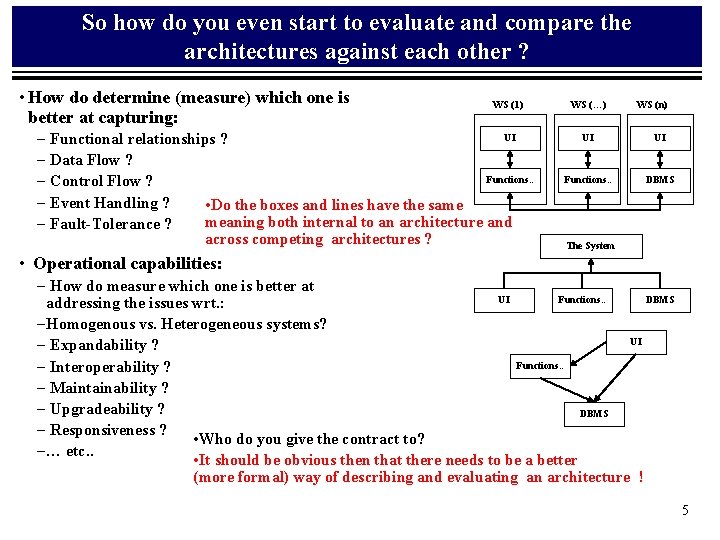
The Proposed Architectures • The. WKB. com – depicts what they call an architecture by showing the allocation of functional pieces to hardware. WS (1) WS (…) WS (n) UI UI UI Functions. . DBMS • The. Mob. com –depicts what they call an architecture by showing a functional block diagram. • The. WBTE. com The System UI – depict what they call an architecture by showing a logical view of the functional elements and their interconnection dependencies. These depictions and others have been used to describe architectures – So who is correct ? What’s missing ? Functions. . DBMS UI Functions. . DBMS 4
So how do you even start to evaluate and compare the architectures against each other ? • How do determine (measure) which one is better at capturing: WS (1) UI – Functional relationships ? – Data Flow ? Functions. . – Control Flow ? – Event Handling ? • Do the boxes and lines have the same meaning both internal to an architecture and – Fault-Tolerance ? across competing architectures ? WS (…) WS (n) UI UI Functions. . DBMS The System • Operational capabilities: – How do measure which one is better at UI Functions. . DBMS addressing the issues wrt. : – Homogenous vs. Heterogeneous systems? UI – Expandability ? Functions. . – Interoperability ? – Maintainability ? – Upgradeability ? DBMS – Responsiveness ? • Who do you give the contract to? – … etc. . • It should be obvious then that there needs to be a better (more formal) way of describing and evaluating an architecture ! 5
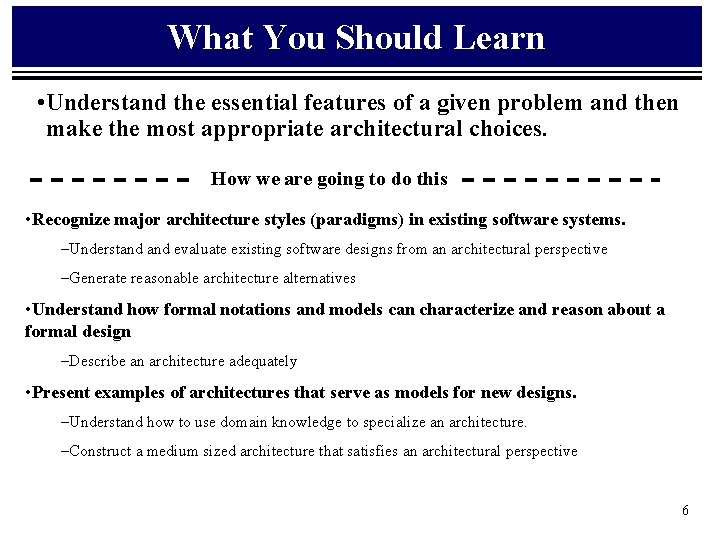
What You Should Learn • Understand the essential features of a given problem and then make the most appropriate architectural choices. How we are going to do this • Recognize major architecture styles (paradigms) in existing software systems. –Understand evaluate existing software designs from an architectural perspective –Generate reasonable architecture alternatives • Understand how formal notations and models can characterize and reason about a formal design –Describe an architecture adequately • Present examples of architectures that serve as models for new designs. –Understand how to use domain knowledge to specialize an architecture. –Construct a medium sized architecture that satisfies an architectural perspective 6
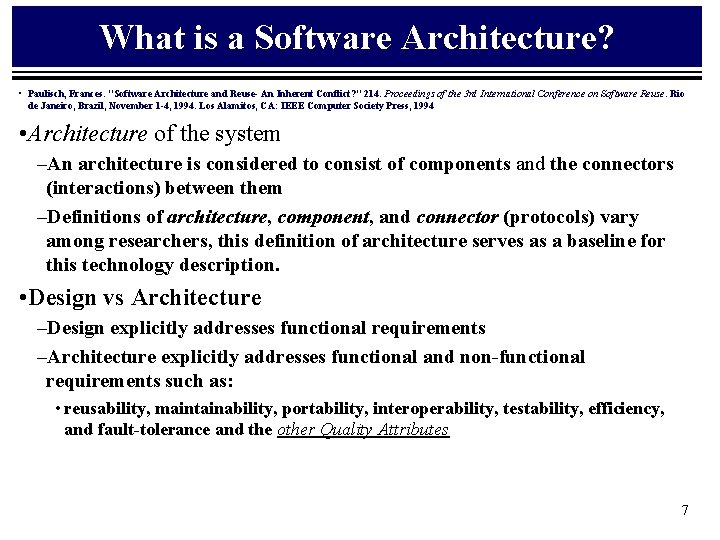
What is a Software Architecture? • Paulisch, Frances. "Software Architecture and Reuse- An Inherent Conflict? " 214. Proceedings of the 3 rd International Conference on Software Reuse. Rio de Janeiro, Brazil, November 1 -4, 1994. Los Alamitos, CA: IEEE Computer Society Press, 1994 • Architecture of the system –An architecture is considered to consist of components and the connectors (interactions) between them –Definitions of architecture, component, and connector (protocols) vary among researchers, this definition of architecture serves as a baseline for this technology description. • Design vs Architecture –Design explicitly addresses functional requirements –Architecture explicitly addresses functional and non-functional requirements such as: • reusability, maintainability, portability, interoperability, testability, efficiency, and fault-tolerance and the other Quality Attributes 7
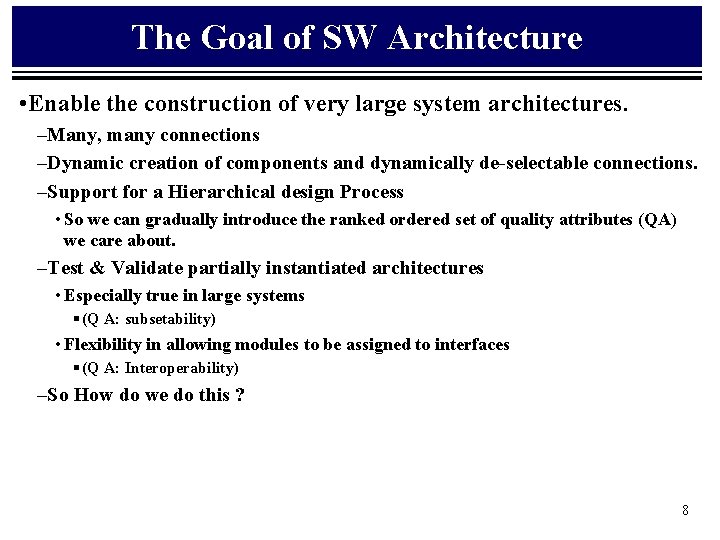
The Goal of SW Architecture • Enable the construction of very large system architectures. –Many, many connections –Dynamic creation of components and dynamically de-selectable connections. –Support for a Hierarchical design Process • So we can gradually introduce the ranked ordered set of quality attributes (QA) we care about. –Test & Validate partially instantiated architectures • Especially true in large systems § (Q A: subsetability) • Flexibility in allowing modules to be assigned to interfaces § (Q A: Interoperability) –So How do we do this ? 8
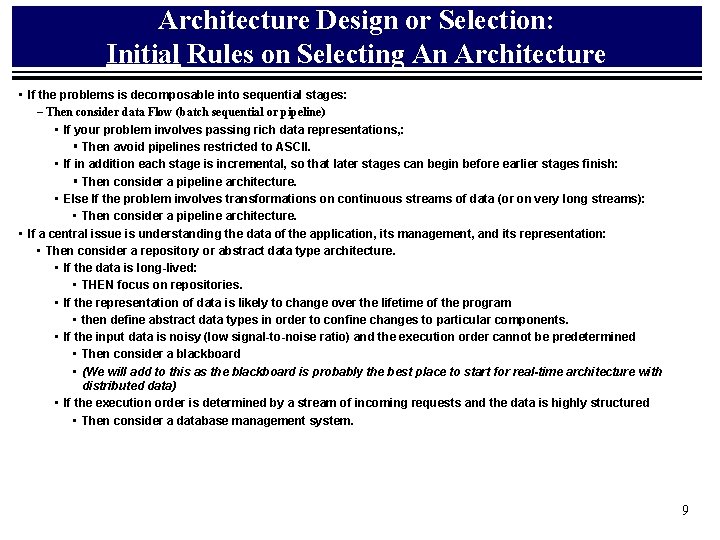
Architecture Design or Selection: Initial Rules on Selecting An Architecture • If the problems is decomposable into sequential stages: – Then consider data Flow (batch sequential or pipeline) • If your problem involves passing rich data representations, : § Then avoid pipelines restricted to ASCII. • If in addition each stage is incremental, so that later stages can begin before earlier stages finish: § Then consider a pipeline architecture. • Else If the problem involves transformations on continuous streams of data (or on very long streams): • Then consider a pipeline architecture. • If a central issue is understanding the data of the application, its management, and its representation: • Then consider a repository or abstract data type architecture. • If the data is long-lived: • THEN focus on repositories. • If the representation of data is likely to change over the lifetime of the program • then define abstract data types in order to confine changes to particular components. • If the input data is noisy (low signal-to-noise ratio) and the execution order cannot be predetermined • Then consider a blackboard • (We will add to this as the blackboard is probably the best place to start for real-time architecture with distributed data) • If the execution order is determined by a stream of incoming requests and the data is highly structured • Then consider a database management system. 9
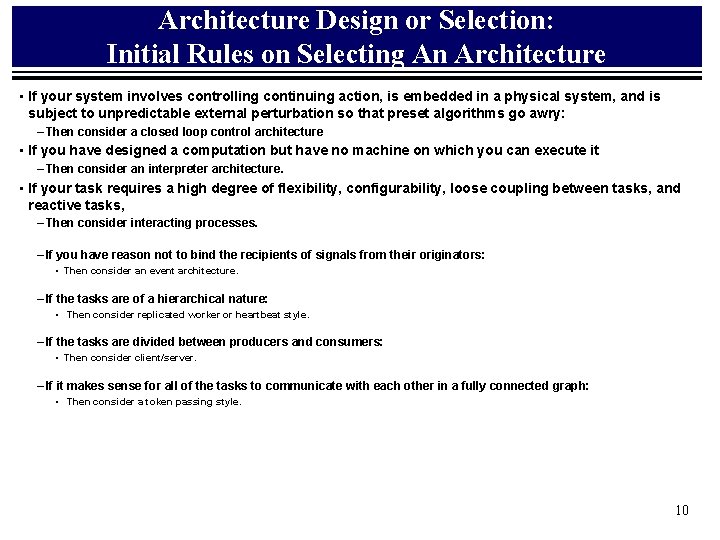
Architecture Design or Selection: Initial Rules on Selecting An Architecture • If your system involves controlling continuing action, is embedded in a physical system, and is subject to unpredictable external perturbation so that preset algorithms go awry: – Then consider a closed loop control architecture • If you have designed a computation but have no machine on which you can execute it – Then consider an interpreter architecture. • If your task requires a high degree of flexibility, configurability, loose coupling between tasks, and reactive tasks, – Then consider interacting processes. – If you have reason not to bind the recipients of signals from their originators: • Then consider an event architecture. – If the tasks are of a hierarchical nature: • Then consider replicated worker or heartbeat style. – If the tasks are divided between producers and consumers: • Then consider client/server. – If it makes sense for all of the tasks to communicate with each other in a fully connected graph: • Then consider a token passing style. 10
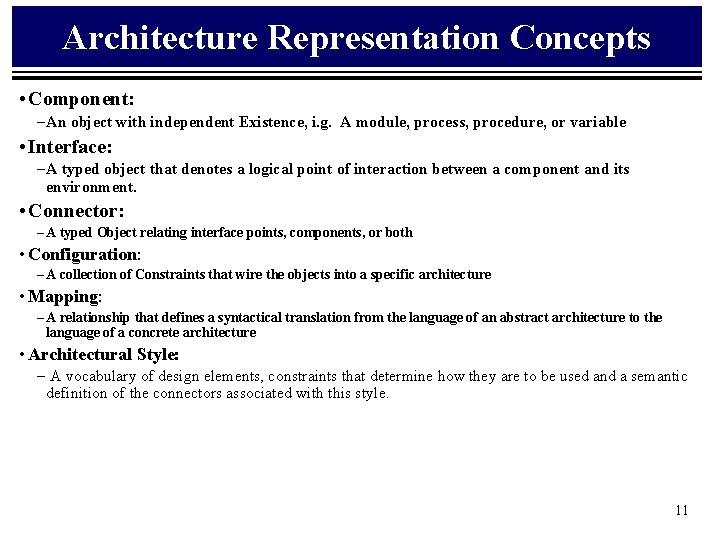
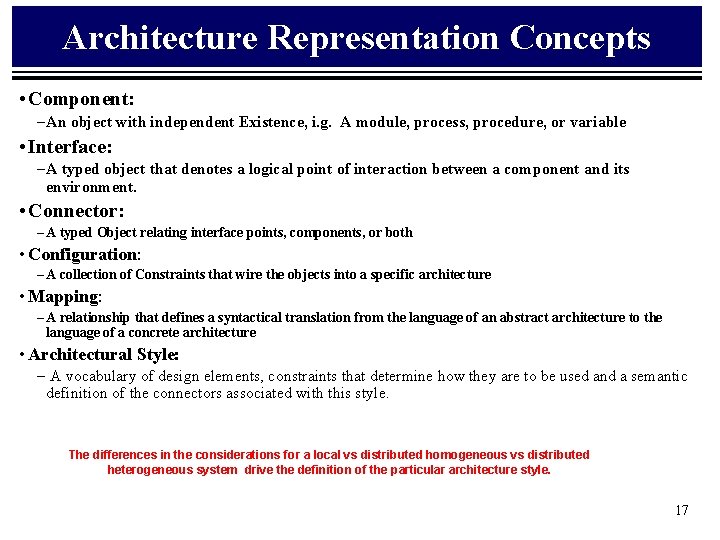
Architecture Representation Concepts • Component: – An object with independent Existence, i. g. A module, process, procedure, or variable • Interface: – A typed object that denotes a logical point of interaction between a component and its environment. • Connector: – A typed Object relating interface points, components, or both • Configuration: – A collection of Constraints that wire the objects into a specific architecture • Mapping: – A relationship that defines a syntactical translation from the language of an abstract architecture to the language of a concrete architecture • Architectural Style: – A vocabulary of design elements, constraints that determine how they are to be used and a semantic definition of the connectors associated with this style. 11
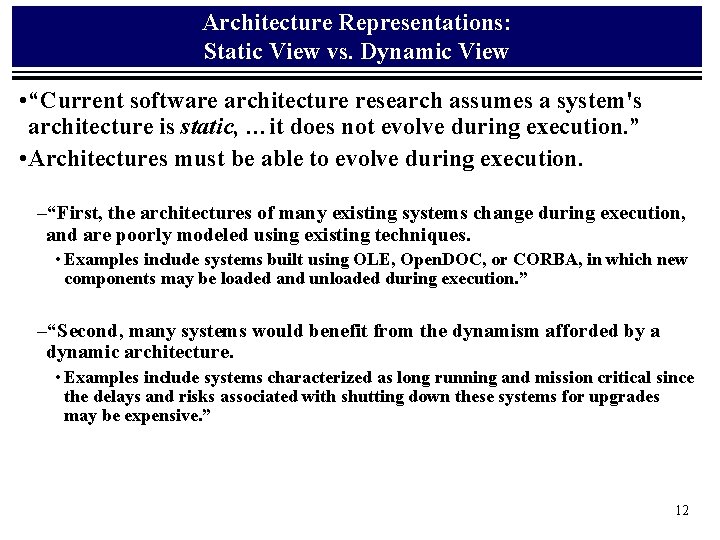
Architecture Representations: Static View vs. Dynamic View • “Current software architecture research assumes a system's architecture is static, …it does not evolve during execution. ” • Architectures must be able to evolve during execution. –“First, the architectures of many existing systems change during execution, and are poorly modeled using existing techniques. • Examples include systems built using OLE, Open. DOC, or CORBA, in which new components may be loaded and unloaded during execution. ” –“Second, many systems would benefit from the dynamism afforded by a dynamic architecture. • Examples include systems characterized as long running and mission critical since the delays and risks associated with shutting down these systems for upgrades may be expensive. ” 12
Architectural Styles
Industry Concerns • Industry - We need to be able to: – Construct the Best Architecture to meet the requirements – Evaluate Competing Product Architectures – Share methods, techniques, patterns, idioms for structuring complex systems – Exploit commonalities in specific domains to provide a reusable framework for product families. – Educate ourselves on technique and formal methods 14
What is a Software Architecture? • Architecture of the system –There is no standard, universally-accepted definition of the term, for software architecture is a field in its infancy, although its roots run deep in software engineering –An architecture is considered to consist of components and the connectors (interactions) between them. –Architecture explicitly addresses functional and non-functional requirements such as: • reusability, maintainability, portability, interoperability, testability, efficiency, and fault-tolerance and the other Quality Attributes • Design vs Architecture –Design explicitly addresses functional requirements 15
Issues in Software Architecture • Architecture representation: (this session) – How does one communicate an architecture? • How does one represent an architectures? • How does one select the set of information represented with a language. • Architecture design or selection: – How does one create or select an architecture based on a set of functional, performance, and quality requirements? • Architecture evaluation and analysis: – How does one analyze an architecture to predict qualities about the systems How does one compare and choose between competing architectures • Architecture-based development and evolution: – How does one build and maintain a system where components may not exist or are incompatible • Architecture recovery: – How does one evolve a legacy system when changes may affects its architecture? – How does one extract architecture from supplied documentation. • Architecture: Static vs Dynamic View 16
Architecture Representation Concepts • Component: – An object with independent Existence, i. g. A module, process, procedure, or variable • Interface: – A typed object that denotes a logical point of interaction between a component and its environment. • Connector: – A typed Object relating interface points, components, or both • Configuration: – A collection of Constraints that wire the objects into a specific architecture • Mapping: – A relationship that defines a syntactical translation from the language of an abstract architecture to the language of a concrete architecture • Architectural Style: – A vocabulary of design elements, constraints that determine how they are to be used and a semantic definition of the connectors associated with this style. The differences in the considerations for a local vs distributed homogeneous vs distributed heterogeneous system drive the definition of the particular architecture style. 17
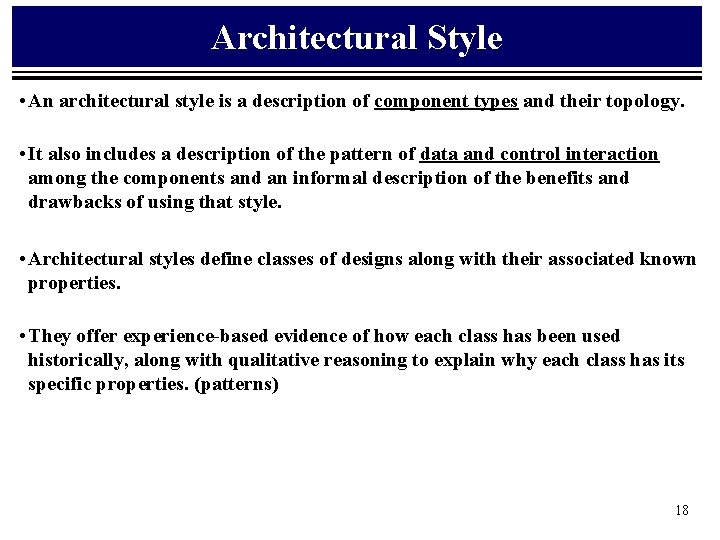
Architectural Style • An architectural style is a description of component types and their topology. • It also includes a description of the pattern of data and control interaction among the components and an informal description of the benefits and drawbacks of using that style. • Architectural styles define classes of designs along with their associated known properties. • They offer experience-based evidence of how each class has been used historically, along with qualitative reasoning to explain why each class has its specific properties. (patterns) 18
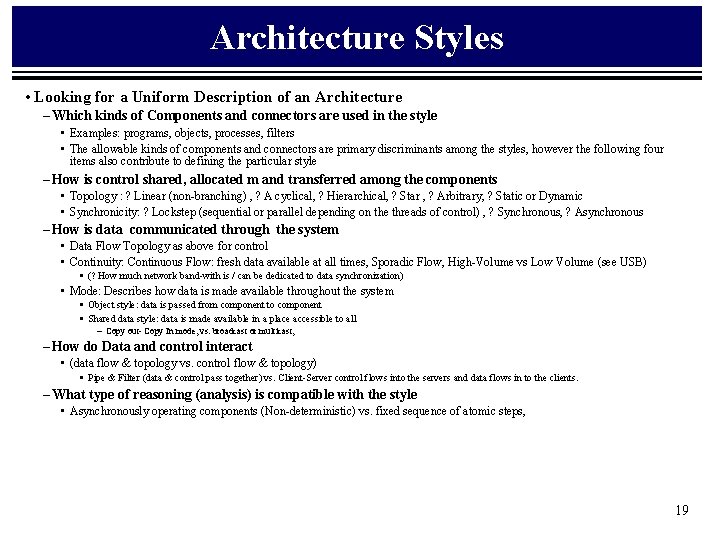
Architecture Styles • Looking for a Uniform Description of an Architecture – Which kinds of Components and connectors are used in the style • Examples: programs, objects, processes, filters • The allowable kinds of components and connectors are primary discriminants among the styles, however the following four items also contribute to defining the particular style – How is control shared, allocated m and transferred among the components • Topology : ? Linear (non-branching) , ? A cyclical, ? Hierarchical, ? Star , ? Arbitrary, ? Static or Dynamic • Synchronicity: ? Lockstep (sequential or parallel depending on the threads of control) , ? Synchronous, ? Asynchronous – How is data communicated through the system • Data Flow Topology as above for control • Continuity: Continuous Flow: fresh data available at all times, Sporadic Flow, High-Volume vs Low Volume (see USB) § (? How much network band-with is / can be dedicated to data synchronization) • Mode: Describes how data is made available throughout the system § Object style: data is passed from component to component § Shared data style: data is made available in a place accessible to all – Copy out- Copy In mode, vs. broadcast or multicast, – How do Data and control interact • (data flow & topology vs. control flow & topology) § Pipe & Filter (data & control pass together) vs. Client-Server control flows into the servers and data flows in to the clients. – What type of reasoning (analysis) is compatible with the style • Asynchronously operating components (Non-deterministic) vs. fixed sequence of atomic steps, 19
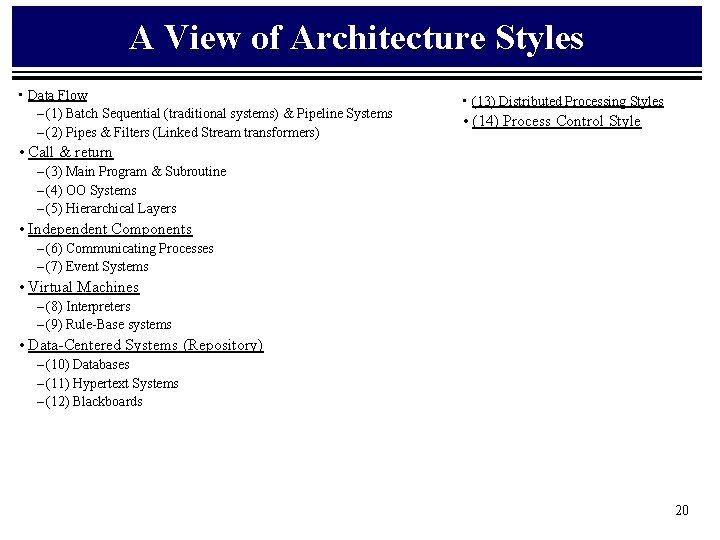
A View of Architecture Styles • Data Flow – (1) Batch Sequential (traditional systems) & Pipeline Systems – (2) Pipes & Filters (Linked Stream transformers) • (13) Distributed Processing Styles • (14) Process Control Style • Call & return – (3) Main Program & Subroutine – (4) OO Systems – (5) Hierarchical Layers • Independent Components – (6) Communicating Processes – (7) Event Systems • Virtual Machines – (8) Interpreters – (9) Rule-Base systems • Data-Centered Systems (Repository) – (10) Databases – (11) Hypertext Systems – (12) Blackboards 20
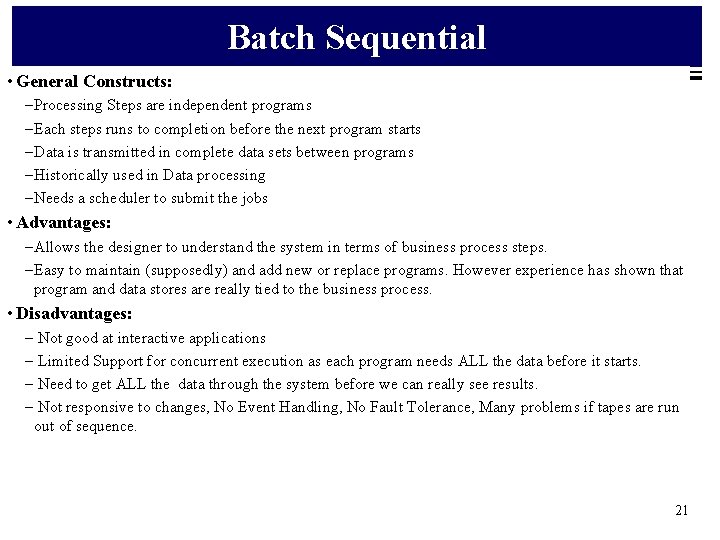
Batch Sequential • General Constructs: – Processing Steps are independent programs – Each steps runs to completion before the next program starts – Data is transmitted in complete data sets between programs – Historically used in Data processing – Needs a scheduler to submit the jobs • Advantages: – Allows the designer to understand the system in terms of business process steps. – Easy to maintain (supposedly) and add new or replace programs. However experience has shown that program and data stores are really tied to the business process. • Disadvantages: – Not good at interactive applications – Limited Support for concurrent execution as each program needs ALL the data before it starts. – Need to get ALL the data through the system before we can really see results. – Not responsive to changes, No Event Handling, No Fault Tolerance, Many problems if tapes are run out of sequence. 21
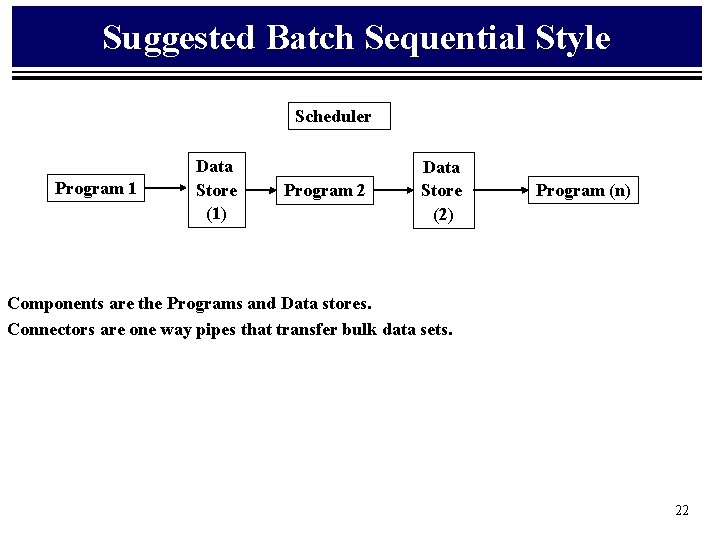
Suggested Batch Sequential Style Scheduler Program 1 Data Store (1) Program 2 Data Store (2) Program (n) Components are the Programs and Data stores. Connectors are one way pipes that transfer bulk data sets. 22
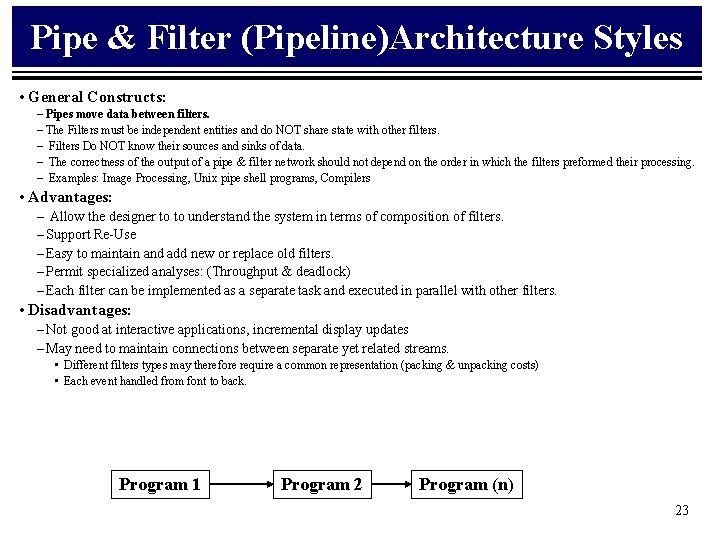
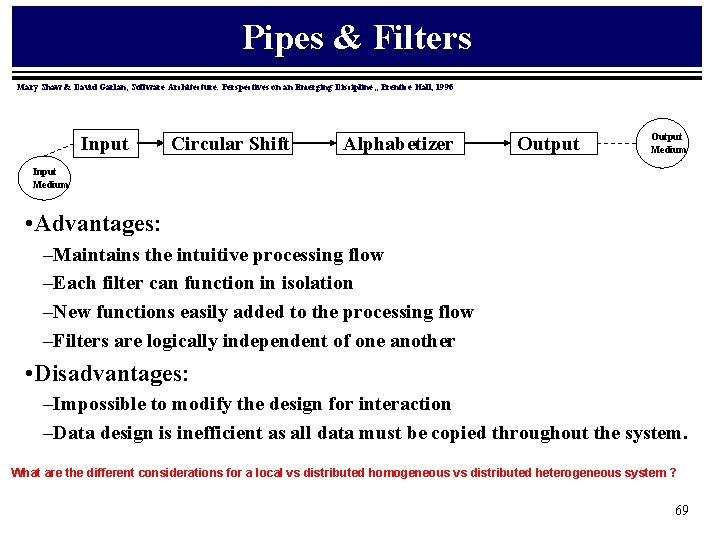
Pipe & Filter (Pipeline)Architecture Styles • General Constructs: – Pipes move data between filters. – The Filters must be independent entities and do NOT share state with other filters. – Filters Do NOT know their sources and sinks of data. – The correctness of the output of a pipe & filter network should not depend on the order in which the filters preformed their processing. – Examples: Image Processing, Unix pipe shell programs, Compilers • Advantages: – Allow the designer to to understand the system in terms of composition of filters. – Support Re-Use – Easy to maintain and add new or replace old filters. – Permit specialized analyses: (Throughput & deadlock) – Each filter can be implemented as a separate task and executed in parallel with other filters. • Disadvantages: – Not good at interactive applications, incremental display updates – May need to maintain connections between separate yet related streams. • Different filters types may therefore require a common representation (packing & unpacking costs) • Each event handled from font to back. Program 1 Program 2 Program (n) 23
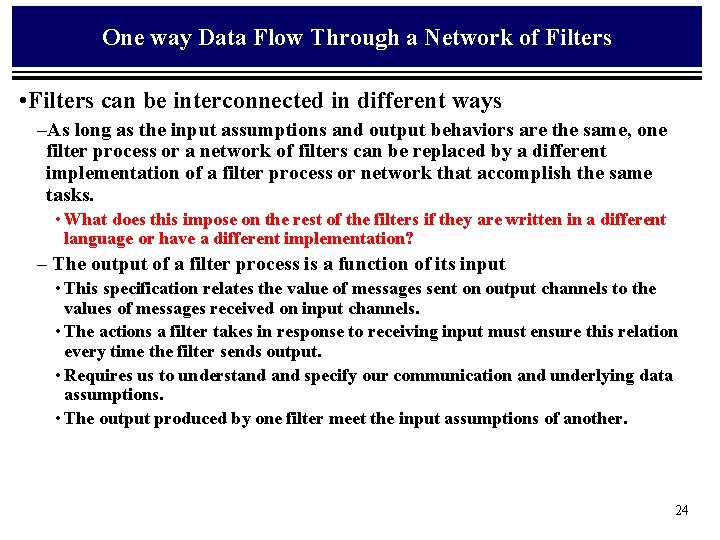
One way Data Flow Through a Network of Filters • Filters can be interconnected in different ways –As long as the input assumptions and output behaviors are the same, one filter process or a network of filters can be replaced by a different implementation of a filter process or network that accomplish the same tasks. • What does this impose on the rest of the filters if they are written in a different language or have a different implementation? – The output of a filter process is a function of its input • This specification relates the value of messages sent on output channels to the values of messages received on input channels. • The actions a filter takes in response to receiving input must ensure this relation every time the filter sends output. • Requires us to understand specify our communication and underlying data assumptions. • The output produced by one filter meet the input assumptions of another. 24
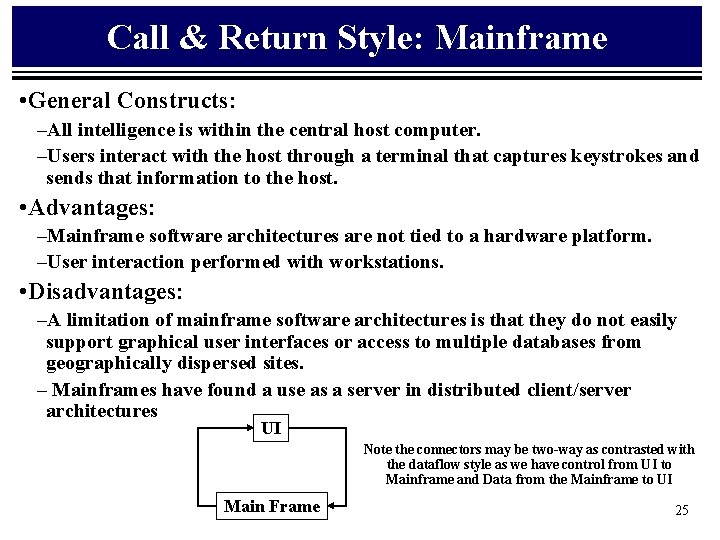
Call & Return Style: Mainframe • General Constructs: –All intelligence is within the central host computer. –Users interact with the host through a terminal that captures keystrokes and sends that information to the host. • Advantages: –Mainframe software architectures are not tied to a hardware platform. –User interaction performed with workstations. • Disadvantages: –A limitation of mainframe software architectures is that they do not easily support graphical user interfaces or access to multiple databases from geographically dispersed sites. – Mainframes have found a use as a server in distributed client/server architectures UI Note the connectors may be two-way as contrasted with the dataflow style as we have control from UI to Mainframe and Data from the Mainframe to UI Main Frame 25
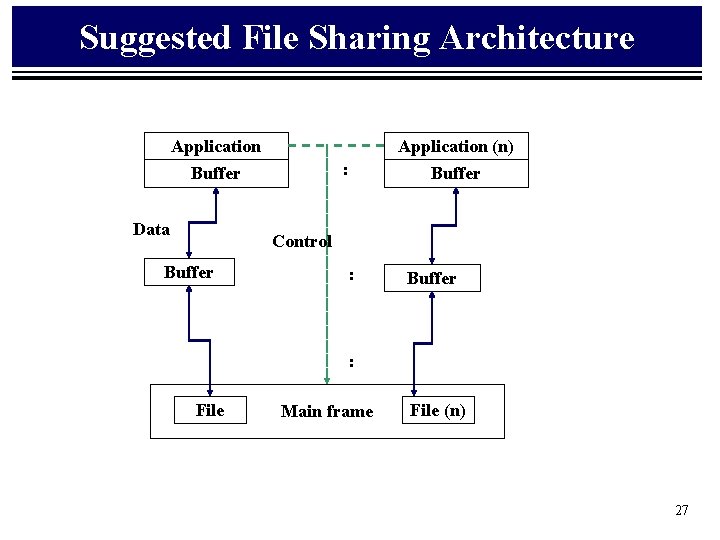
Call & Return Style: File Sharing • http: //www. dafscollaborative. org/press/whitepaper. pdf • General Constructs: –The original PC networks were based on file sharing architectures, where the server downloads files from the shared location to the desktop environment. –The requested user job is then run (including logic and data) in the desktop environment. • Advantages: –File sharing architectures work if shared usage is low, update contention is low, and the volume of data to be transferred is low. • Disadvantages: –In the 1990 s, PC LAN (local area network) computing changed because the capacity of the file sharing was strained as the number of online user grew (it can only satisfy about 12 users simultaneously) and graphical user interfaces (GUIs) became popular (making mainframe and terminal displays appear out of date). • Addendum: –PCs are now being used in client/server architectures. 26
Suggested File Sharing Architecture Application (n) : Buffer Data Buffer Control Buffer : File Main frame File (n) 27
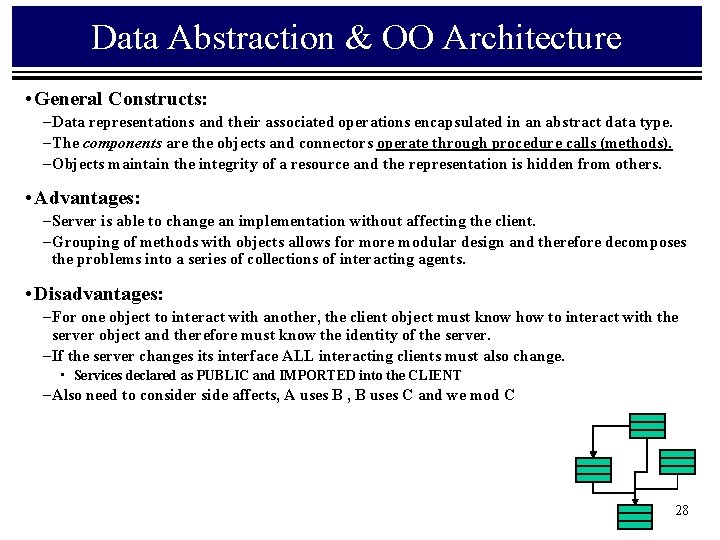
Data Abstraction & OO Architecture • General Constructs: – Data representations and their associated operations encapsulated in an abstract data type. – The components are the objects and connectors operate through procedure calls (methods). – Objects maintain the integrity of a resource and the representation is hidden from others. • Advantages: – Server is able to change an implementation without affecting the client. – Grouping of methods with objects allows for more modular design and therefore decomposes the problems into a series of collections of interacting agents. • Disadvantages: – For one object to interact with another, the client object must know how to interact with the server object and therefore must know the identity of the server. – If the server changes its interface ALL interacting clients must also change. • Services declared as PUBLIC and IMPORTED into the CLIENT – Also need to consider side affects, A uses B , B uses C and we mod C 28
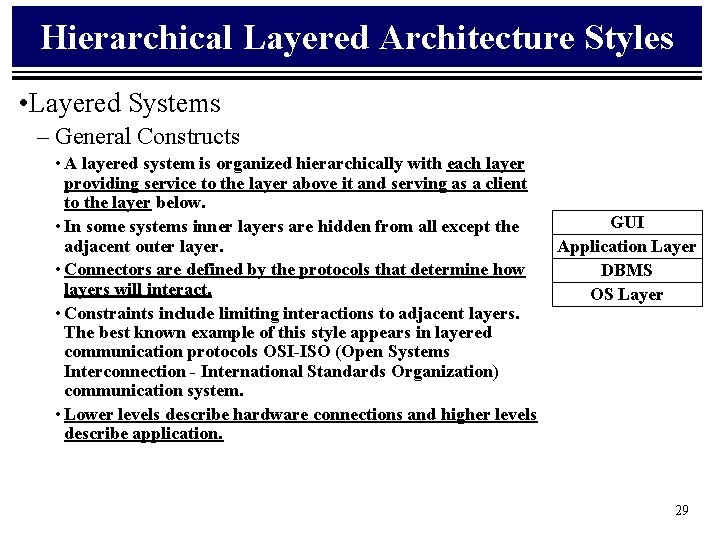
Hierarchical Layered Architecture Styles • Layered Systems – General Constructs • A layered system is organized hierarchically with each layer providing service to the layer above it and serving as a client to the layer below. • In some systems inner layers are hidden from all except the adjacent outer layer. • Connectors are defined by the protocols that determine how layers will interact. • Constraints include limiting interactions to adjacent layers. The best known example of this style appears in layered communication protocols OSI-ISO (Open Systems Interconnection - International Standards Organization) communication system. • Lower levels describe hardware connections and higher levels describe application. GUI Application Layer DBMS OS Layer 29
Hierarchical Layered Architecture Styles • Issues: –No one agrees exactly on what a 'layer' is. • For example, some layering schemes have very little relationship to the runtime. • Others confuse layers with a 'tiered' runtime architecture where the various layers are not only split by build-time packaging, but by running in different processes and possibly different nodes at run time. • Clearly separate the idea of 'tiers' from ‘layers'. –A tier is a structure for runtime component interaction that implies nothing about the construction of the build time. • For example, a 3 tier system may be composed of a web browser, web server/asp pages, and database. • Note that each tier runs in a different process and possibly many different system nodes. 30
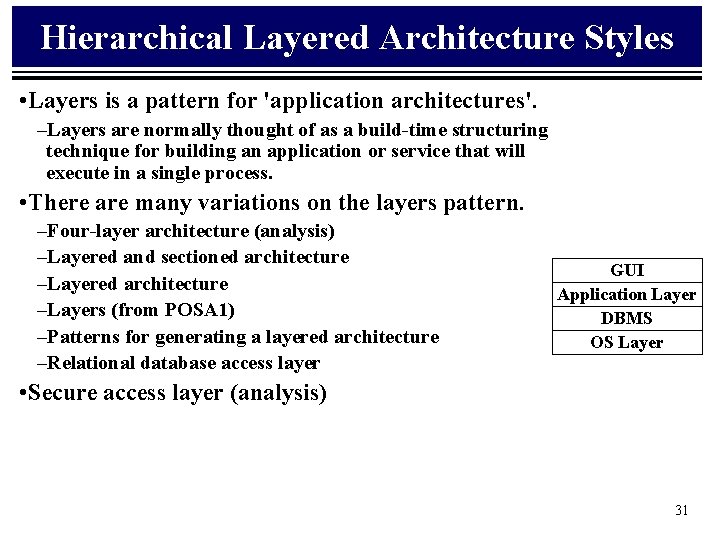
Hierarchical Layered Architecture Styles • Layers is a pattern for 'application architectures'. –Layers are normally thought of as a build-time structuring technique for building an application or service that will execute in a single process. • There are many variations on the layers pattern. –Four-layer architecture (analysis) –Layered and sectioned architecture –Layers (from POSA 1) –Patterns for generating a layered architecture –Relational database access layer GUI Application Layer DBMS OS Layer • Secure access layer (analysis) 31
Hierarchical Layered Architecture Styles • Layered Systems –Advantages: • Layered systems support designs based on increasing levels of abstraction. • Complex problems may be partitioned into a series of steps. • Enhancement is supported through limiting the number of other layers with which communication occurs. –Disadvantages: • Disadvantages include the difficulty in structuring some systems into a layers. • Performance considerations may not be well served by layered systems especially when high level functions require close coupling to low level implementations. • It may be difficult to find the right level of abstraction especially if existing systems cross several layers. 32
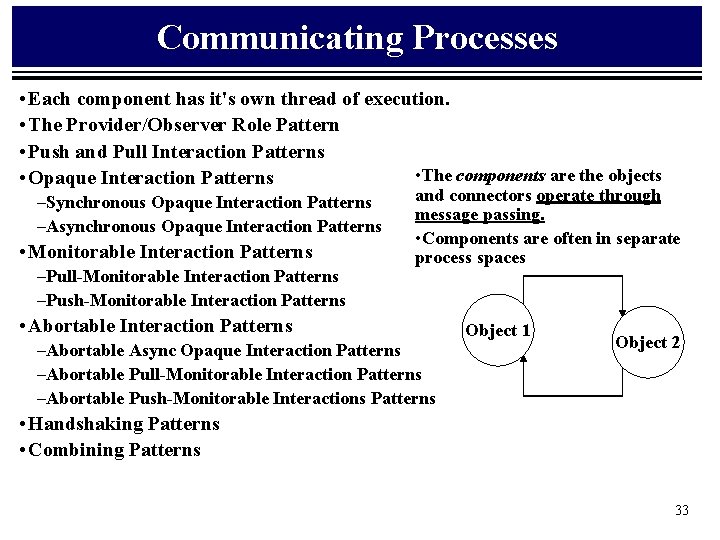
Communicating Processes • Each component has it's own thread of execution. • The Provider/Observer Role Pattern • Push and Pull Interaction Patterns • The components are the objects • Opaque Interaction Patterns –Synchronous Opaque Interaction Patterns –Asynchronous Opaque Interaction Patterns • Monitorable Interaction Patterns –Pull-Monitorable Interaction Patterns –Push-Monitorable Interaction Patterns and connectors operate through message passing. • Components are often in separate process spaces • Abortable Interaction Patterns –Abortable Async Opaque Interaction Patterns –Abortable Pull-Monitorable Interaction Patterns –Abortable Push-Monitorable Interactions Patterns Object 1 Object 2 • Handshaking Patterns • Combining Patterns 33
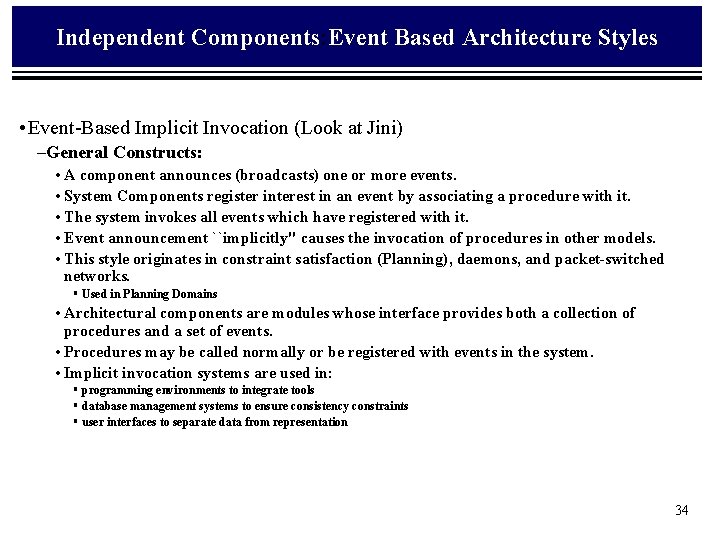
Independent Components: Event Based Architecture Styles • Event-Based Implicit Invocation (Look at Jini) –General Constructs: • A component announces (broadcasts) one or more events. • System Components register interest in an event by associating a procedure with it. • The system invokes all events which have registered with it. • Event announcement ``implicitly'' causes the invocation of procedures in other models. • This style originates in constraint satisfaction (Planning), daemons, and packet-switched networks. § Used in Planning Domains • Architectural components are modules whose interface provides both a collection of procedures and a set of events. • Procedures may be called normally or be registered with events in the system. • Implicit invocation systems are used in: § programming environments to integrate tools § database management systems to ensure consistency constraints § user interfaces to separate data from representation 34
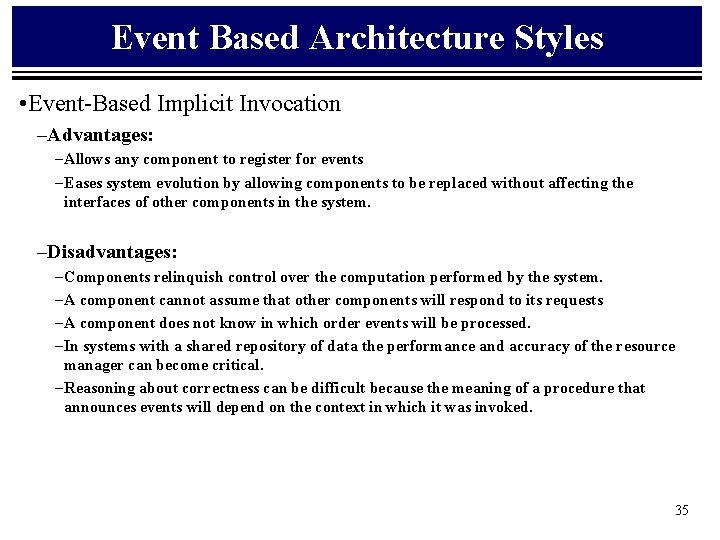
Event Based Architecture Styles • Event-Based Implicit Invocation –Advantages: – Allows any component to register for events – Eases system evolution by allowing components to be replaced without affecting the interfaces of other components in the system. –Disadvantages: – Components relinquish control over the computation performed by the system. – A component cannot assume that other components will respond to its requests – A component does not know in which order events will be processed. – In systems with a shared repository of data the performance and accuracy of the resource manager can become critical. – Reasoning about correctness can be difficult because the meaning of a procedure that announces events will depend on the context in which it was invoked. 35
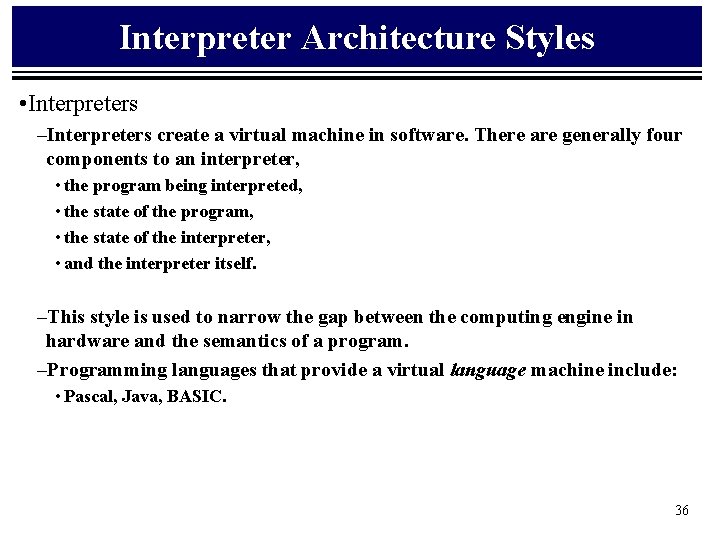
Interpreter Architecture Styles • Interpreters –Interpreters create a virtual machine in software. There are generally four components to an interpreter, • the program being interpreted, • the state of the program, • the state of the interpreter, • and the interpreter itself. –This style is used to narrow the gap between the computing engine in hardware and the semantics of a program. –Programming languages that provide a virtual language machine include: • Pascal, Java, BASIC. 36
Data Repository Architecture Styles • Repositories –General Constructs: • Repository style systems have two distinct components: § A central data structure which represents the current state, and § A collection of independent components which operate on the data-store. • Two methods of control exist for these systems. § If input transactions select the processes to execute then a traditional database can be used as a repository. (Client-Server) § If the state of the data-store is the main trigger for selecting processes then the repository can be a blackboard. 37
Client-Server: Continued • Client/server architecture. –C/S architecture emerged due to file sharing architectures limitations • This approach introduced a database server to replace the file server. • Using a relational database management system (DBMS), user queries could be answered directly. • The C/S architecture reduced network traffic by providing a query response rather than total file transfer. • C/S improves multi-user updating through a GUI front end to a shared database. • C/S architectures, use (RPCs) or standard query language (SQL) statements to communicate between the client and server. 38
Repository: Client-Server Cont. • The term client/server was first used in the 1980 s in reference to personal computers (PCs) on a network. • The client/server model started gaining acceptance in the late 1980 s. • The client/server software architecture is a versatile, message-based and modular infrastructure that is intended to improve usability, flexibility, interoperability, and scalability as compared to centralized, mainframe, time sharing computing • A client is defined as a requester of services and a server is defined as the provider of services. • A single machine can be both a client and a server depending on the software configuration. 39
Client Server Architecture Types • Two Tiered –Three components distributed in two tiers: • User System Interface • Processing Management process development, process enactment, process monitoring, and process resource services) • Database Management (such as data and file services) • Three Tiered –Three tier with transaction processing monitor technology –Three tier with message server. –Three tier with an application server. –Three tier with an ORB architecture. –Distributed/collaborative enterprise architecture. 40
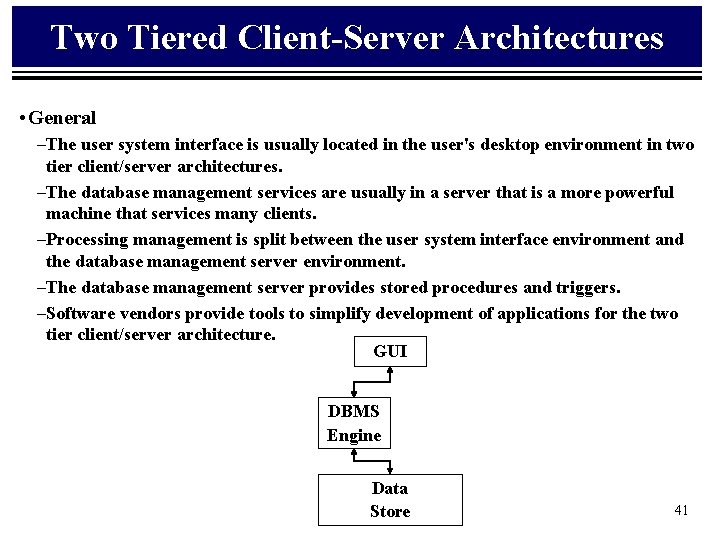
Two Tiered Client-Server Architectures • General –The user system interface is usually located in the user's desktop environment in two tier client/server architectures. –The database management services are usually in a server that is a more powerful machine that services many clients. –Processing management is split between the user system interface environment and the database management server environment. –The database management server provides stored procedures and triggers. –Software vendors provide tools to simplify development of applications for the two tier client/server architecture. GUI DBMS Engine Data Store 41
Two Tiered Client-Server Architectures • Advantages: –Good solution for distributed computing when work groups are defined as a dozen to 100 people interacting on a LAN simultaneously. • Disadvantages: –Server performance deteriorates as number of clients increases as a result of maintaining a connection with each client • (even when no work is being done) –Vendor proprietary database implementations restricts flexibility and choice of DBMS for applications. – Current implementations provide limited flexibility in repartitioning program functionality from one server to another without manually regenerating procedural code. 42
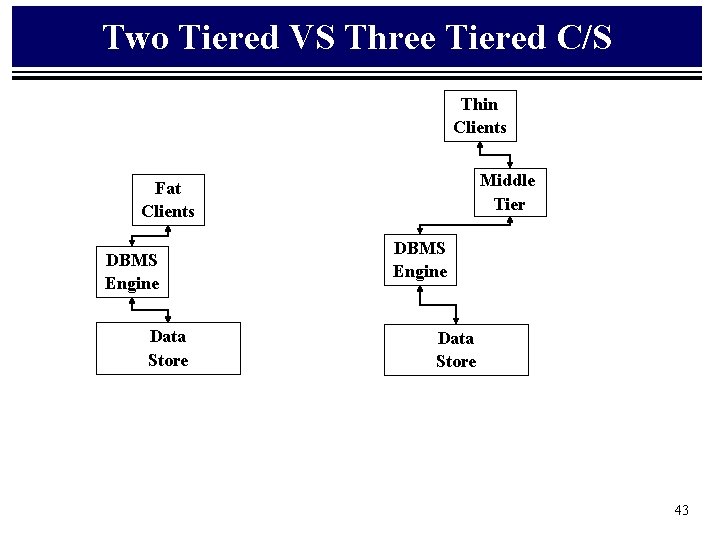
Two Tiered VS Three Tiered C/S Thin Clients Middle Tier Fat Clients DBMS Engine Data Store 43
Three Tiered Client-Server Architectures • Proposed to overcome two tier architecture limitations • A middle tier added between the UI client environment and the DBMS. –There a variety of ways of implementing this middle tier, such as transaction processing monitors, message servers, or application servers. –Middle tier performs queuing, application execution, and DB staging. • For example, if the middle tier provides queuing, the client can deliver its request to the middle layer and disengage because the middle tier will access the data and return the answer to the client. –Middle layer adds scheduling and prioritization for work in progress. –The three tier client/server architecture improves performance for groups with a large number of users (in the thousands) and improves flexibility when compared to the two tier approach. –Flexibility in partitioning can be a simple as "dragging and dropping" application code modules onto different computers in some three tier architectures. • Difficult Development environments 44
Three tier with message server • Messaging is a way to implement three tier architectures. • Messages are prioritized and processed asynchronously. • Messages consist of headers that contain priority information, and the address and identification number. • The message server connects to the relational DBMS and other data sources. • The difference between TP monitor technology and message server is that: –the message server architecture focuses on intelligent messages, –TP Monitor environment has the intelligence in the monitor, and treats transactions as dumb data packets. • Messaging systems are good solutions for wireless infrastructures. 45
Blackboard Style • BB Metaphor: –A group of specialists work cooperatively to solve a problem, using a blackboard as the workplace for developing the solution. –The problem and initial data are written on the blackboard. –The specialists watch the blackboard, and when a specialist finds sufficient information on the board to make a contribution, he records his contribution on the blackboard. 46
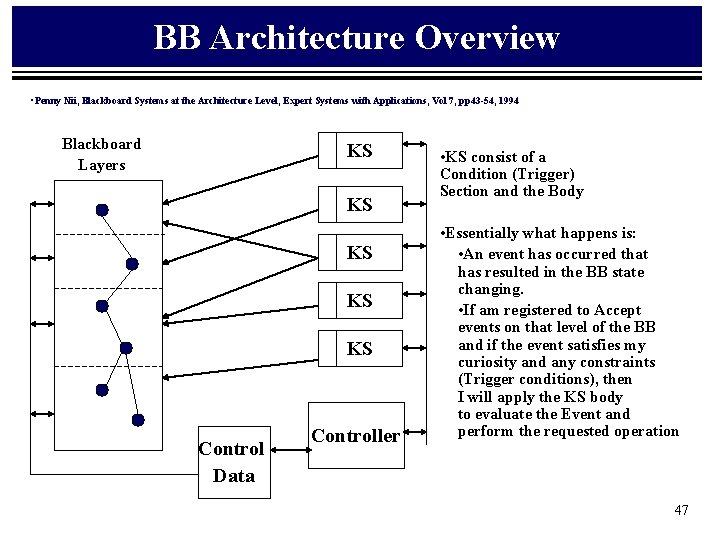
BB Architecture Overview • Penny Nii, Blackboard Systems at the Architecture Level, Expert Systems with Applications, Vol 7, pp 43 -54, 1994 Blackboard Layers KS KS KS Control Data Controller • KS consist of a Condition (Trigger) Section and the Body • Essentially what happens is: • An event has occurred that has resulted in the BB state changing. • If am registered to Accept events on that level of the BB and if the event satisfies my curiosity and any constraints (Trigger conditions), then I will apply the KS body to evaluate the Event and perform the requested operation 47
Repository Architecture Styles: Blackboard • A blackboard model usually has three components: – General Constructs • The knowledge source: independent pieces of application specific knowledge. Interaction between knowledge sources takes place only through the blackboard. • The blackboard data structure: state data, organized into an application-dependent hierarchy. Knowledge sources make changes to the blackboard that lead incrementally to a solution to the problem. • Control: driven by the state of the blackboard. Knowledge sources respond opportunistically when changes in the blackboard make them applicable. – General Operation • Invocation of a knowledge source is dependent upon the state of the blackboard. • Control can be implemented in the knowledge source, the blackboard, externally, or a combination of these. • Blackboard systems have traditionally been used for applications requiring complex interpretations of signal processing. • Programming environments can be considered as having a shared repository of programs and program fragments. 48
Repository Architecture Styles: Blackboard • http: //www. cs. virginia. edu/~acc 2 a/techie/notes/blkbrds. htm • Independence of Expertise – Each knowledge source is a specialist at solving certain aspects of the problem. – No KS requires other KSs in making its contribution. – Once it finds the information it needs on the blackboard, it can proceed without any assistance from other KSs. – KSs can be added, removed, and changed without affecting other KSs. • (Actually A Primary key to evolving a product’s functionality and architecture) • Diversity in Problem Solving Techniques – Internal KS representation and inference machinery is hidden from view. • Flexible Representation of Blackboard Information – The blackboard model does not place any prior restrictions on what information can be placed on the blackboard. – One blackboard application might require consistency, another might allow incompatible alternatives. • Common Interaction Language – There must be a common understanding of the representation of the information on the blackboard, understood by all KSs. – There's a tradeoff between representational expressiveness of a specialized representation shared by only a few KSs and a representation understood by all. 49
Repository Architecture Styles: Blackboard • http: //www. cs. virginia. edu/~acc 2 a/techie/notes/blkbrds. htm • Positioning Metrics –When the blackboard gets full, we must still have a way for the KSs to immediately see the information important to them. –Often we have multiple or subdivided blackboards, or information is sorted alphabetically or by reference. –Efficient retrieval is also important. • Event Based Activation –KSs are triggered in response to events (they don't actively watch the blackboard). –The board knows what kind of event each KS is looking for, and considers it for activation whenever that kind of event occurs. • Need for Control –A control component separate from the individual KSs is responsible for managing the course of problem solving. –The control component doesn't share the specialties of the KS's, but looks at each KSs evaluation of its own contribution to decide which one gets to go. 50
Repository Architecture Styles: Blackboard • http: //www. cs. virginia. edu/~acc 2 a/techie/notes/blkbrds. htm • The Blackboard Model of Problem Solving –Incremental Solution Generation • Blackboard systems are effective when there are many steps towards the solution and many potential paths involving these steps. • It works opportunistically, exploring the paths most effective in solving the particular problem and can outperform a solver that uses a predetermined approach –Knowledge Sources • Each KS is separate and independent of all other KSs. • Each KS does not need to know of their expertise or even existence. • KSs must understand the state of the problem-solving process and the representation of relevant information on the blackboard. • Each KS knows its triggering conditions -- the conditions under which it can contribute. • KSs are not active, but KS activations -- combinations of KS knowledge and a specific triggering condition -- are the active entities competing for executing instances. KSs are static repositories of knowledge. • Ks activations are the active processes. 51
Repository Architecture Styles: Blackboard • http: //www. cs. virginia. edu/~acc 2 a/techie/notes/blkbrds. htm • The Blackboard –The blackboard is a global structure available to all KSs. –It is a community memory of raw input data, partial solutions, alternatives, final solutions, and control information. It is a communication medium and buffer. –It is a KS trigger mechanism. • Control Component –An explicit control mechanism directs the problem solving process by allowing KSs to respond opportunistically to changes on the blackboard. –On the basis of the state of the blackboard and the set of triggered KSs, the control mechanism chooses a course of action. –At each step to the solution, the system can execute any triggered KS, or choose a different focus of attention, on the basis of the state of the solution. 52
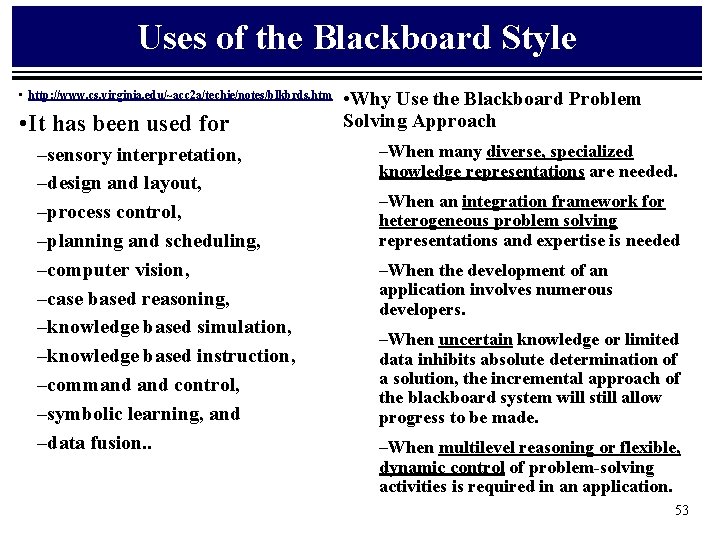
Uses of the Blackboard Style • http: //www. cs. virginia. edu/~acc 2 a/techie/notes/blkbrds. htm • It has been used for –sensory interpretation, –design and layout, –process control, –planning and scheduling, –computer vision, –case based reasoning, –knowledge based simulation, –knowledge based instruction, –command control, –symbolic learning, and –data fusion. . • Why Use the Blackboard Problem Solving Approach –When many diverse, specialized knowledge representations are needed. –When an integration framework for heterogeneous problem solving representations and expertise is needed –When the development of an application involves numerous developers. –When uncertain knowledge or limited data inhibits absolute determination of a solution, the incremental approach of the blackboard system will still allow progress to be made. –When multilevel reasoning or flexible, dynamic control of problem-solving activities is required in an application. 53
Repository Architecture Styles: Blackboard • Advantages: – Provides an explicit forum for the discussion of data access, distribution, synchronization – Provides an explicit forum for the discussion of Task Allocation Policies – Provides an explicit for the discussion of control and task sequencing and prioritization –Provides an explicit forum for the discussion of Load Redistribution. • Disadvantages: –Blackboard systems to not seem to scale down to simple problems, but are only worth using for complex applications 54
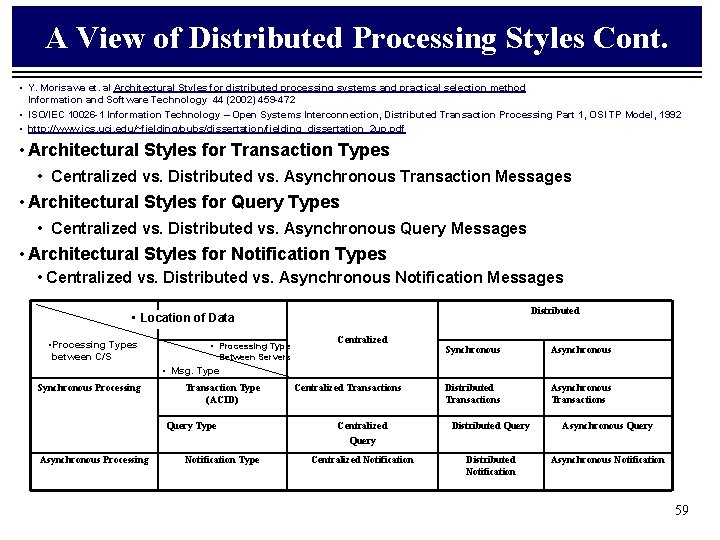
A View of Distributed Architecture Styles • Y. Morisawa et. al Architectural Styles for distributed processing systems and practical selection method, Information and Software Technology 44 (2002) 459 -472 • ISO/IEC 10026 -1 Information Technology – Open Systems Interconnection, Distributed Transaction Processing Part 1, OSI TP Model, 1992 • Distributed Processing is classified into nine styles from the viewpoint of the location of data and the processing type between client and server. • Data is classified as Centralized or Distributed • Processing as either synchronous or asynchronous • Transaction Type • Atomic, Consistency, Isolation, Durability • Query Type • A reply from the server is synchronized with a request from the client • For Asynchronous processing: • A Notification type indicates that the server process is not synchronized with a client request 55
A View of Distributed Architecture Styles Cont: • Y. Morisawa et. al Architectural Styles for distributed processing systems and practical selection method Information and Software Technology 44 (2002) 459 -472 • ISO/IEC 10026 -1 Information Technology – Open Systems Interconnection, Distributed Transaction Processing Part 1, OSI TP Model, 1992 • Transaction Types • Centralized: Single DB, Single Server • Distributed: Multiple DBs on Multiple Servers with Synchronous processing between Servers. • Asynchronous: Multiple DB on Multiple Servers with Asynchronous processing between Servers. • Query Types • Centralized: Query and Reply Processing • Distributed: Simultaneous access to to multiple data bases and support query intensive immediate processing • Asynchronous: Suited to asynchronous sharing of data (partial DB downloads) • Notification Types – Centralized: Automation of simple workflow, shipping memos, etc. – Distributed: Distributed transaction and data processing from mobile clients – Asynchronous: Supports loose integration of independent multiple applications or systems. 56
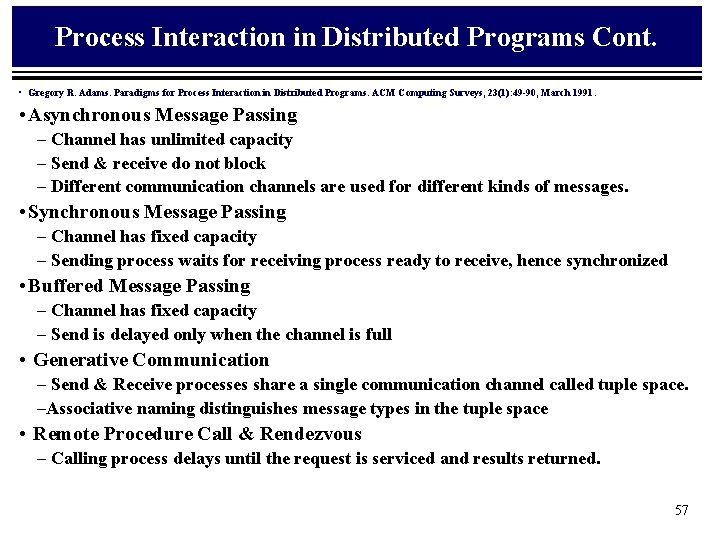
Process Interaction in Distributed Programs Cont. • Gregory R. Adams. Paradigms for Process Interaction in Distributed Programs. ACM Computing Surveys, 23(1): 49 -90, March 1991. • Asynchronous Message Passing – Channel has unlimited capacity – Send & receive do not block – Different communication channels are used for different kinds of messages. • Synchronous Message Passing – Channel has fixed capacity – Sending process waits for receiving process ready to receive, hence synchronized • Buffered Message Passing – Channel has fixed capacity – Send is delayed only when the channel is full • Generative Communication – Send & Receive processes share a single communication channel called tuple space. –Associative naming distinguishes message types in the tuple space • Remote Procedure Call & Rendezvous – Calling process delays until the request is serviced and results returned. 57
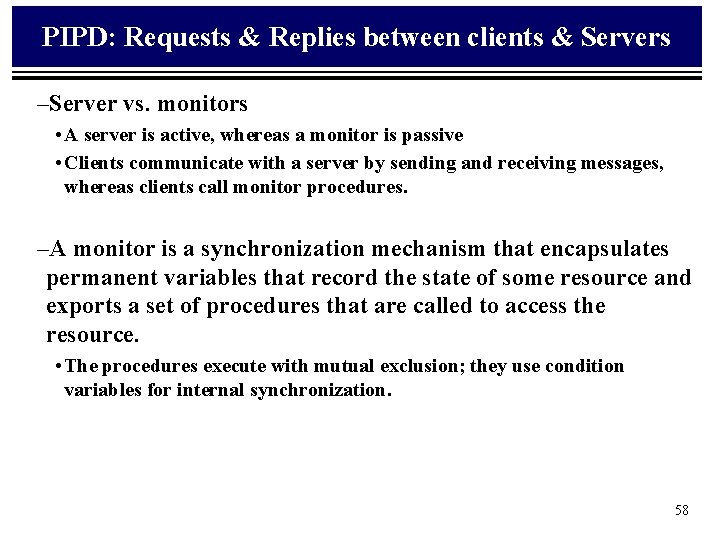
PIPD: Requests & Replies between clients & Servers –Server vs. monitors • A server is active, whereas a monitor is passive • Clients communicate with a server by sending and receiving messages, whereas clients call monitor procedures. –A monitor is a synchronization mechanism that encapsulates permanent variables that record the state of some resource and exports a set of procedures that are called to access the resource. • The procedures execute with mutual exclusion; they use condition variables for internal synchronization. 58
A View of Distributed Processing Styles Cont. • Y. Morisawa et. al Architectural Styles for distributed processing systems and practical selection method Information and Software Technology 44 (2002) 459 -472 • ISO/IEC 10026 -1 Information Technology – Open Systems Interconnection, Distributed Transaction Processing Part 1, OSI TP Model, 1992 • http: //www. ics. uci. edu/~fielding/pubs/dissertation/fielding_dissertation_2 up. pdf • Architectural Styles for Transaction Types • Centralized vs. Distributed vs. Asynchronous Transaction Messages • Architectural Styles for Query Types • Centralized vs. Distributed vs. Asynchronous Query Messages • Architectural Styles for Notification Types • Centralized vs. Distributed vs. Asynchronous Notification Messages Distributed • Location of Data • Processing Types between C/S • Processing Type Centralized Between Servers Synchronous Asynchronous Distributed Transactions Asynchronous Transactions • Msg. Type Synchronous Processing Transaction Type (ACID) Query Type Asynchronous Processing Notification Type Centralized Transactions Centralized Query Distributed Query Asynchronous Query Centralized Notification Distributed Notification Asynchronous Notification 59
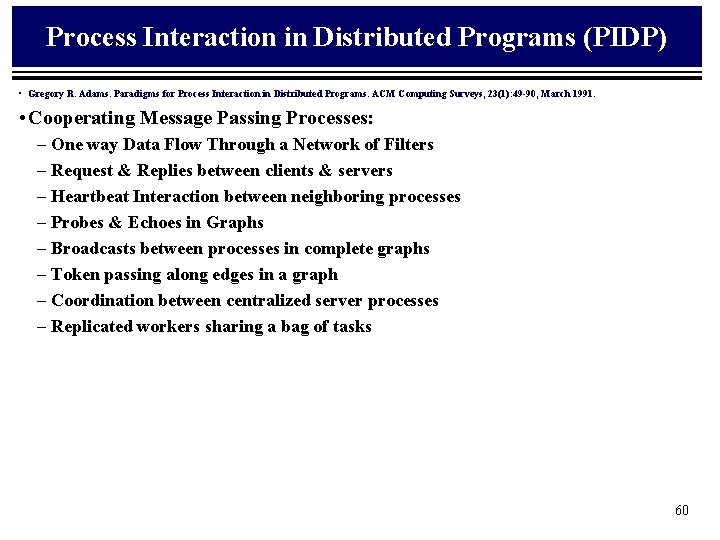
Process Interaction in Distributed Programs (PIDP) • Gregory R. Adams. Paradigms for Process Interaction in Distributed Programs. ACM Computing Surveys, 23(1): 49 -90, March 1991. • Cooperating Message Passing Processes: – One way Data Flow Through a Network of Filters – Request & Replies between clients & servers – Heartbeat Interaction between neighboring processes – Probes & Echoes in Graphs – Broadcasts between processes in complete graphs – Token passing along edges in a graph – Coordination between centralized server processes – Replicated workers sharing a bag of tasks 60
Distributed Processes Architecture Styles • Mary Shaw & David Garlan, Software Architecture: Perspectives on an Emerging Discipline; , Prentice Hall, 1996. • http: //hebb. cis. uoguelph. ca/~dave/27320/new/architec. html • Y. Morisawa et. al Architectural Styles for distributed processing systems and practical selection method • Other familiar architectures –Distributed processes – • have developed a number of common organizations for multi-process systems. • Some are defined by their topology (e. g. ring, star) • Others are characterized in terms of the kind of inter-process protocols that are used (e. g. heartbeat algorithms). • A common form of distributed system architecture is client-server. § A server provides services to the clients. § The server does not usually know the number or identity of the clients which will access it. § The clients know the identity of the server (or can find it out through another name-server) and access it through a remote procedure call. –Main program/subroutine organizations: The primary organization of many systems mirrors the programming language in which the system is written. – Domain Specific Software Architectures (DSSA) –State-transition systems: A common organization for many reactive systems. Define in terms of a set of states and a set of named transitions 61
Process Control Architecture Styles • Mary Shaw & David Garlan, Software Architecture: Perspectives on an Emerging Discipline; , Prentice Hall, 1996. • http: //hebb. cis. uoguelph. ca/~dave/27320/new/architec. html • Process Control –Process Control Paradigms • Usually associated with real-time control of physical processes. The system maintains specified properties of the output process near a reference value § Open Loop Systems: If the process is completely defined, repeatable, and the process runs without surveillance – Space Heater § Closed Loop Systems: Output is used to control the inputs to maintain a monitored value – Speed Control, etc. Feed back and Feed Forward controller. –General Constructs: • Computational Elements • Data Elements • Control Loop Paradigm – Concerns • We need to worry about the physical control laws (s-domain) versus the time sampled control laws (Z-Domain) and the introduction of poles and zeroes into the transfer function. 62
Heterogeneous Architecture Styles • Heterogeneous Architectures –Most systems involve the combination of several styles. –Components of a hierarchical system may have an internal structure developed using a different method. –Connectors may also be decomposed into other systems (e. g. pipes can be implemented internally as FIFO queues). –A single component may also use a mixture of architectural connectors. • An example of this is Unix pipes-and-filter system in which the file system acts as the repository, receives control through initialization switches, and interacts with other components through pipes. 63
Case Studies (Domain Specific Architectures)
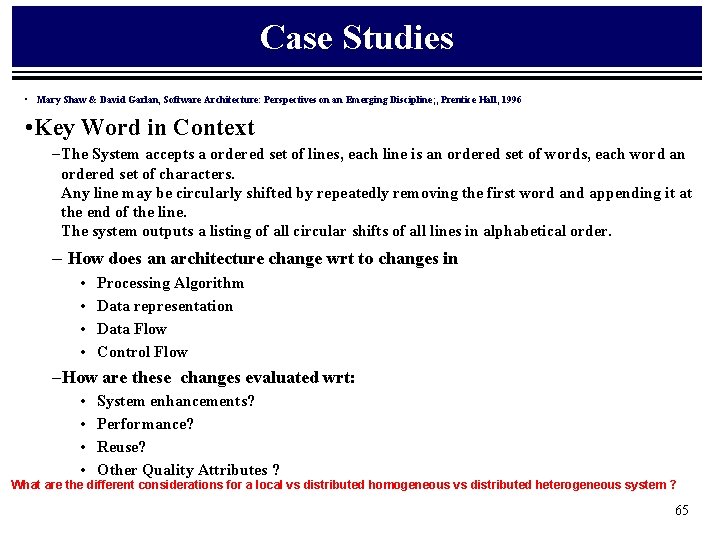
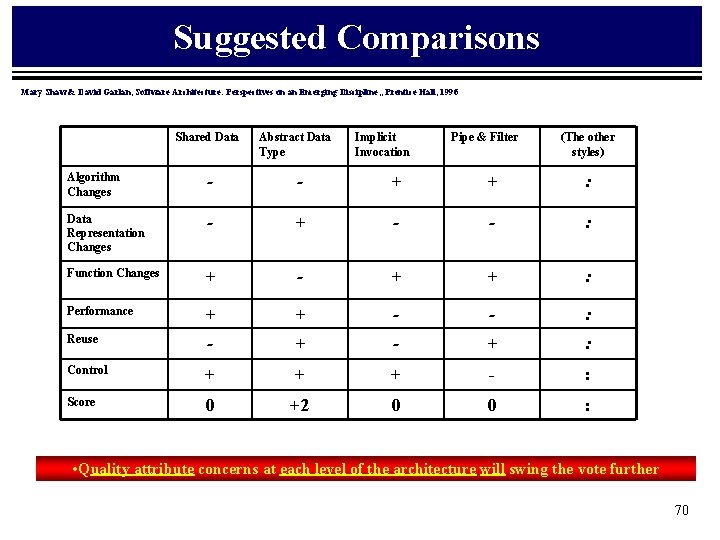
Case Studies • Mary Shaw & David Garlan, Software Architecture: Perspectives on an Emerging Discipline; , Prentice Hall, 1996 • Key Word in Context – The System accepts a ordered set of lines, each line is an ordered set of words, each word an ordered set of characters. Any line may be circularly shifted by repeatedly removing the first word and appending it at the end of the line. The system outputs a listing of all circular shifts of all lines in alphabetical order. – How does an architecture change wrt to changes in • • Processing Algorithm Data representation Data Flow Control Flow –How are these changes evaluated wrt: • • System enhancements? Performance? Reuse? Other Quality Attributes ? What are the different considerations for a local vs distributed homogeneous vs distributed heterogeneous system ? 65
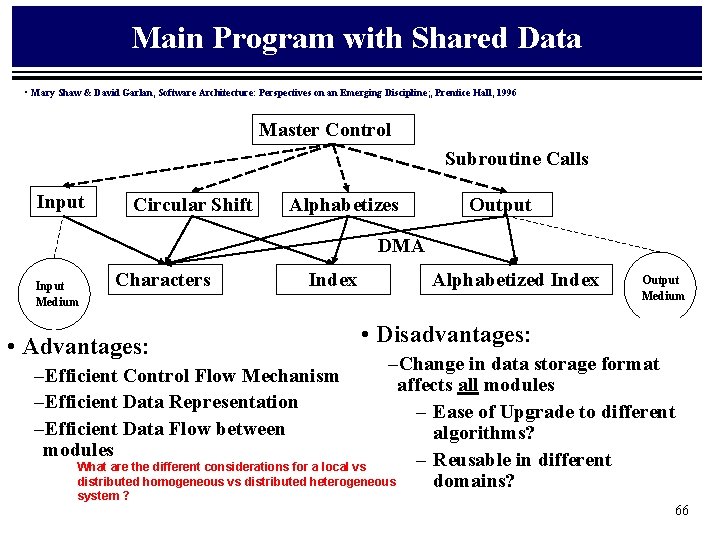
Main Program with Shared Data • Mary Shaw & David Garlan, Software Architecture: Perspectives on an Emerging Discipline; , Prentice Hall, 1996 Master Control Subroutine Calls Input Circular Shift Alphabetizes Output DMA Input Medium Characters Index • Advantages: Alphabetized Index Output Medium • Disadvantages: –Change in data storage format affects all modules – Ease of Upgrade to different algorithms? – Reusable in different What are the different considerations for a local vs distributed homogeneous vs distributed heterogeneous domains? –Efficient Control Flow Mechanism –Efficient Data Representation –Efficient Data Flow between modules system ? 66
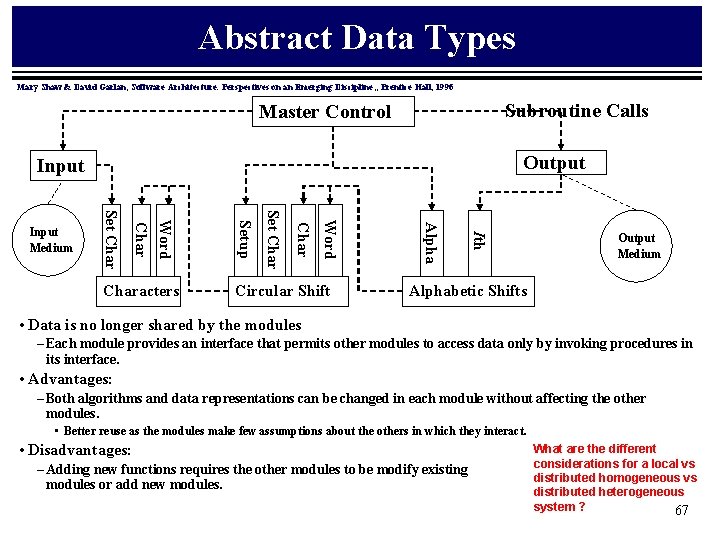
Abstract Data Types Mary Shaw & David Garlan, Software Architecture: Perspectives on an Emerging Discipline; , Prentice Hall, 1996 Subroutine Calls Master Control Output Input Ith Circular Shift Alpha Word Char Set Characters Setup Word Char Set Char Input Medium Output Medium Alphabetic Shifts • Data is no longer shared by the modules – Each module provides an interface that permits other modules to access data only by invoking procedures in its interface. • Advantages: – Both algorithms and data representations can be changed in each module without affecting the other modules. • Better reuse as the modules make few assumptions about the others in which they interact. • Disadvantages: – Adding new functions requires the other modules to be modify existing modules or add new modules. What are the different considerations for a local vs distributed homogeneous vs distributed heterogeneous system ? 67
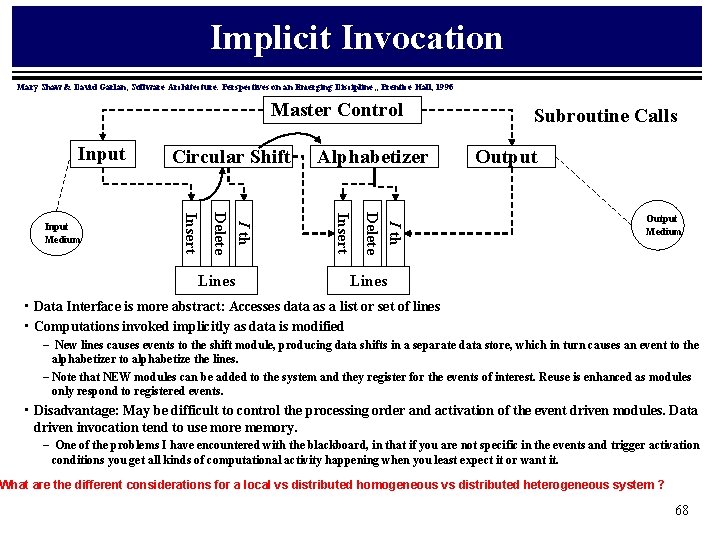
Implicit Invocation Mary Shaw & David Garlan, Software Architecture: Perspectives on an Emerging Discipline; , Prentice Hall, 1996 Master Control Input I th Delete Lines Alphabetizer Insert I th Delete Insert Input Medium Circular Shift Subroutine Calls Output Medium Lines • Data Interface is more abstract: Accesses data as a list or set of lines • Computations invoked implicitly as data is modified – New lines causes events to the shift module, producing data shifts in a separate data store, which in turn causes an event to the alphabetizer to alphabetize the lines. – Note that NEW modules can be added to the system and they register for the events of interest. Reuse is enhanced as modules only respond to registered events. • Disadvantage: May be difficult to control the processing order and activation of the event driven modules. Data driven invocation tend to use more memory. – One of the problems I have encountered with the blackboard, in that if you are not specific in the events and trigger activation conditions you get all kinds of computational activity happening when you least expect it or want it. What are the different considerations for a local vs distributed homogeneous vs distributed heterogeneous system ? 68
Pipes & Filters Mary Shaw & David Garlan, Software Architecture: Perspectives on an Emerging Discipline; , Prentice Hall, 1996 Input Circular Shift Alphabetizer Output Medium Input Medium • Advantages: –Maintains the intuitive processing flow –Each filter can function in isolation –New functions easily added to the processing flow –Filters are logically independent of one another • Disadvantages: –Impossible to modify the design for interaction –Data design is inefficient as all data must be copied throughout the system. What are the different considerations for a local vs distributed homogeneous vs distributed heterogeneous system ? 69
Suggested Comparisons Mary Shaw & David Garlan, Software Architecture: Perspectives on an Emerging Discipline; , Prentice Hall, 1996 Shared Data Abstract Data Type Implicit Invocation Pipe & Filter (The other styles) Algorithm Changes - - + + : Data Representation Changes - + - - : Function Changes + - + + : Performance + + - - : Reuse - + : Control + + + - : Score 0 +2 0 0 : • Quality attribute concerns at each level of the architecture will swing the vote further 70