
Software Architecture Design 6 CCS 3 SAD Dr

![Architectural Styles • Design Patterns for Architectures – “[. . ] are recurring organizational](https://slidetodoc.com/presentation_image_h2/c95ab6a07154c4d1ee770e0dc91767cf/image-22.jpg "Architectural Styles • Design Patterns for Architectures – “[. . ] are recurring organizational")
- Slides: 34
Software Architecture & Design 6 CCS 3 SAD Dr Kevin Lano
Session 3: Compound Components, Basic Styles January 31 st, 2020
Learning Outcomes At the end of this session you should be able to: – Explain the need for complex architectures and compound components; – Represent complex architectures in UML 2; – Explain the concept of architectural styles; – Apply the pipes-and-filters style to architecture design. 04/02/2016 3
So far. . . • Components and connectors as design abstractions – Components: • Software packages (modular, cohesive, encapsulated, sometimes reusable) • Expose provided and required functionality – Connections: • Usage relations between components • Simple architectures – One way to implement in Java • A simple architecture design process 04/02/2016 4
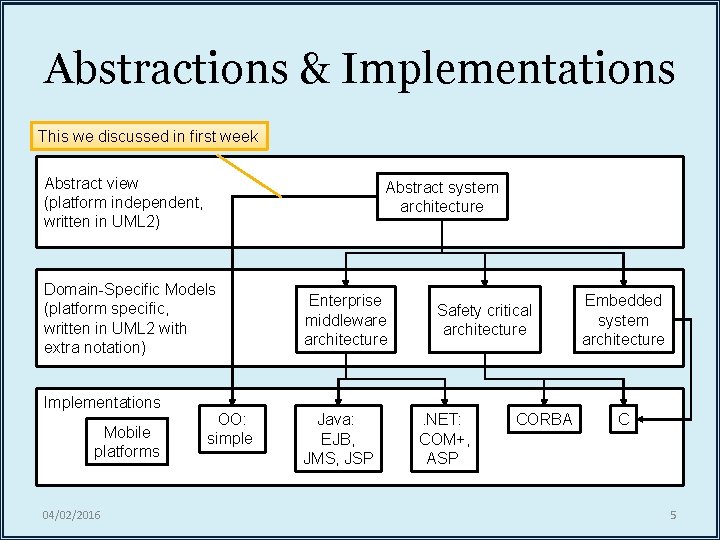
Abstractions & Implementations This we discussed in first week Abstract view (platform independent, written in UML 2) Abstract system architecture Domain-Specific Models (platform specific, written in UML 2 with extra notation) Implementations Mobile platforms 04/02/2016 OO: simple Enterprise middleware architecture Java: EJB, JMS, JSP Safety critical architecture . NET: COM+, ASP CORBA Embedded system architecture C 5
Today • We stay at the abstract level – Conclude tour of UML 2 superstructure • Compound components and complex architectures – Make a start on simple architectural styles • Next week: – Continue to catalogue architectural styles 04/02/2016 6
Advanced architectural constructs: Compound components Delegation connectors PART I 04/02/2016 7
Encapsulation • Components are encapsulated – How functions are implemented is hidden from component clients – Clients do not need to know the code to use the component – so are not affected if the code changes • Can think about components as black boxes – Functionality only to be understood via exposed interfaces • But sometimes insides are important! 04/02/2016 8
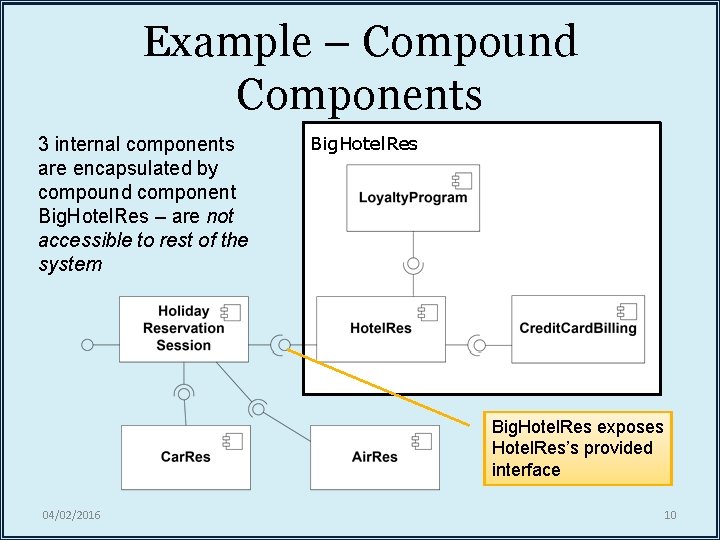
When are Insides Important? • Structure complex architectures into subsystems – Each subsystem is a compound component • Architecture details expressed by its internal structure – Restrict potential component interaction • Greater encapsulation – Reuse entire sections of an architecture • Not just its basic components – Modularize the architecture • Aid to project management, maintenance of code, . . . • Zoom-in – Zoom-out 04/02/2016 9
Example – Compound Components 3 internal components are encapsulated by compound component Big. Hotel. Res – are not accessible to rest of the system Big. Hotel. Res exposes Hotel. Res’s provided interface 04/02/2016 10
When are Insides Important? (2) • Unless components are bought off-theshelf, they still need to be implemented – Architecture should detail semantics of components to be implemented • By defining finer-grain parts of a system 04/02/2016 11
Compound Components in UML 2 • In all ADLs, there are two kinds of component: – Basic • “Black box”, no internal composition specified – Composite or compound • “White box”, with an internal view • UML 2 has several notations for compound components – We will use composite structure diagrams • Specify a mini architecture 04/02/2016 12
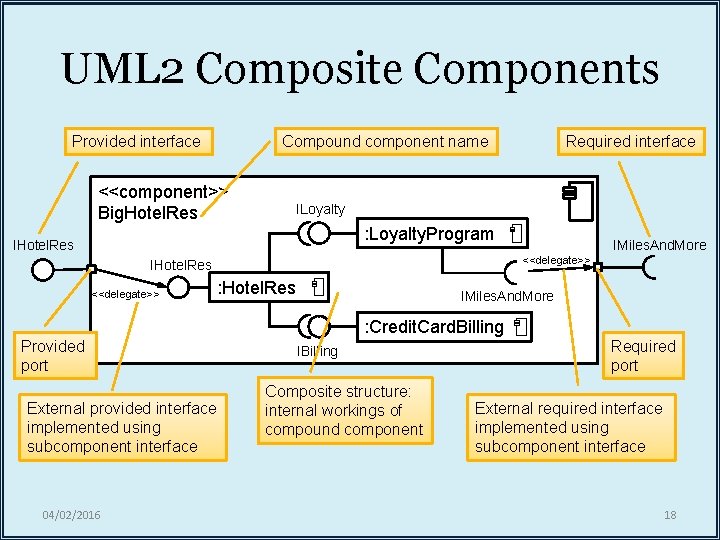
UML 2 Composite Components Provided interface Compound component name <<component>> Big. Hotel. Res Required interface ILoyalty : Loyalty. Program IHotel. Res <<delegate>> IMiles. And. More : Hotel. Res IMiles. And. More : Credit. Card. Billing Provided port External provided interface implemented using subcomponent interface 04/02/2016 IBilling Composite structure: internal workings of compound component Required port External required interface implemented using subcomponent interface 18
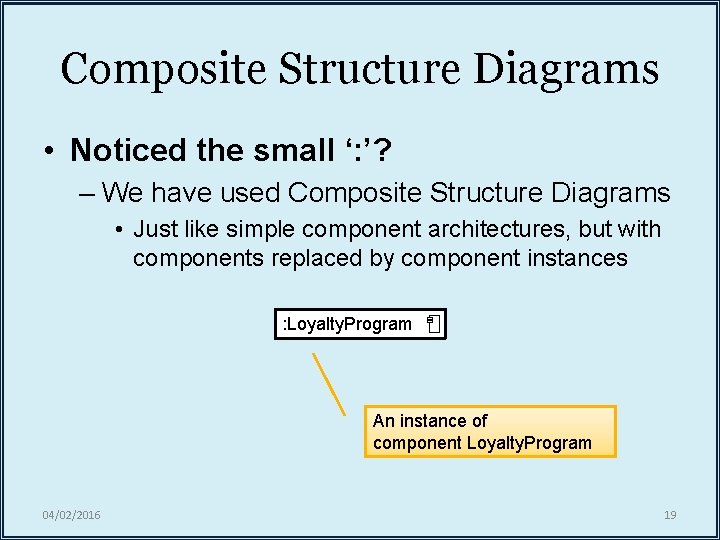
Composite Structure Diagrams • Noticed the small ‘: ’? – We have used Composite Structure Diagrams • Just like simple component architectures, but with components replaced by component instances : Loyalty. Program An instance of component Loyalty. Program 04/02/2016 19
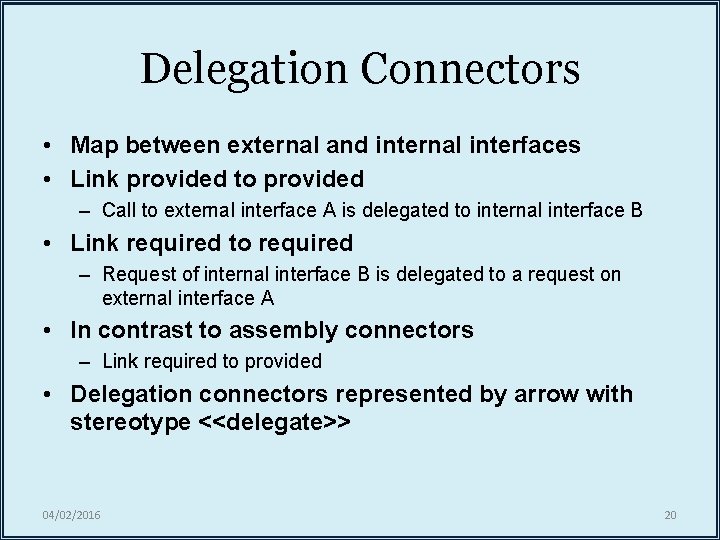
Delegation Connectors • Map between external and internal interfaces • Link provided to provided – Call to external interface A is delegated to internal interface B • Link required to required – Request of internal interface B is delegated to a request on external interface A • In contrast to assembly connectors – Link required to provided • Delegation connectors represented by arrow with stereotype <<delegate>> 04/02/2016 20
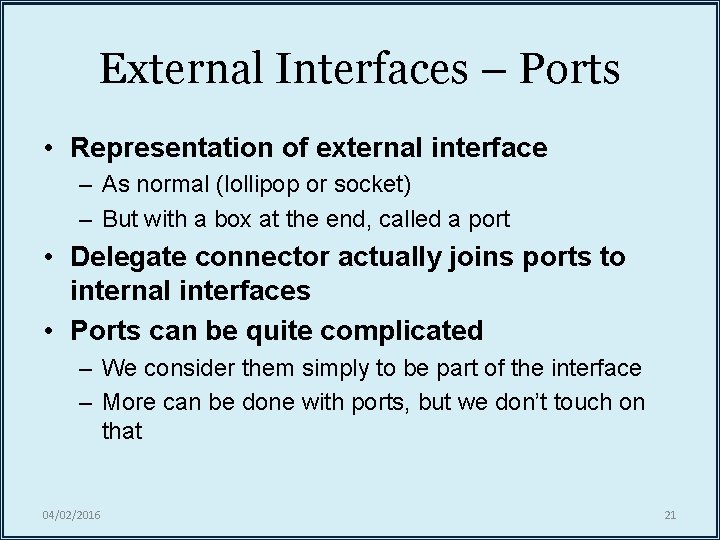
External Interfaces – Ports • Representation of external interface – As normal (lollipop or socket) – But with a box at the end, called a port • Delegate connector actually joins ports to internal interfaces • Ports can be quite complicated – We consider them simply to be part of the interface – More can be done with ports, but we don’t touch on that 04/02/2016 21
Loose Ends • We’ve covered the main concepts and diagrams – Many subtle points we have not had time for • Whenever you are in doubt on how to use the standard: – Consult the standard itself – Failing this, do what everyone does • Guess how best to specify what you want using the notation • If necessary, annotate your use of the notation with an explanation 04/02/2016 http: //www. omg. org/spec/UML/
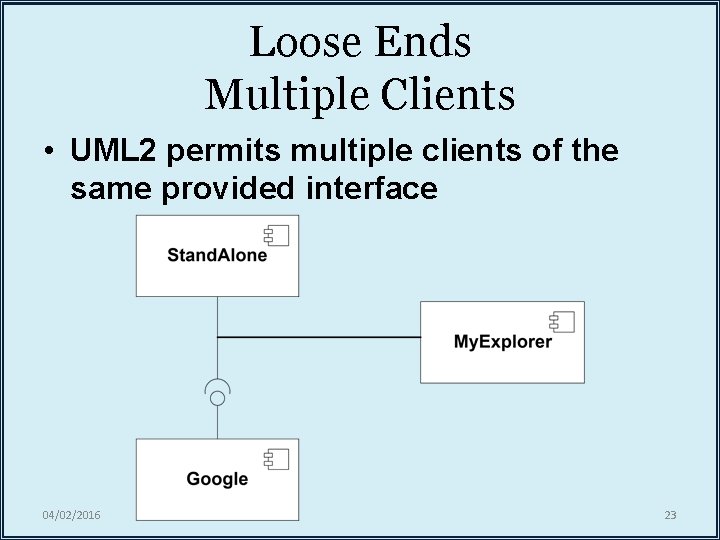
Loose Ends Multiple Clients • UML 2 permits multiple clients of the same provided interface 04/02/2016 23
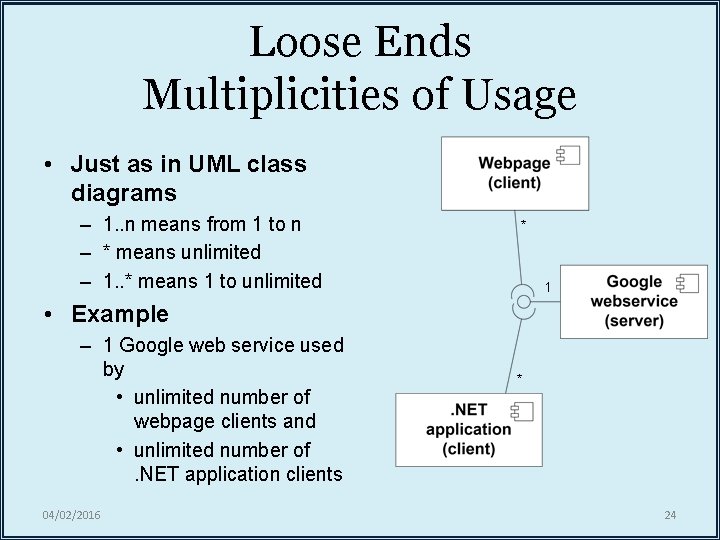
Loose Ends Multiplicities of Usage • Just as in UML class diagrams – 1. . n means from 1 to n – * means unlimited – 1. . * means 1 to unlimited * 1 • Example – 1 Google web service used by • unlimited number of webpage clients and • unlimited number of. NET application clients 04/02/2016 * 24
BREAK 04/02/2016 25
Architectural styles: What are styles? Style #1: Pipes-and-filters PART II 04/02/2016 26
Architectural Styles • Design Patterns for Architectures – “[. . ] are recurring organizational patterns and idioms. ” Shaw & Garlan • “Established, shared understanding of common design forms is a mark of a mature engineering field. ” Shaw & Garlan – “[. . ] is an abstraction of recurring composition and interaction characteristics of a set of architectures. ” Taylor – “[. . ] are key design idioms that enable exploitation of suitable structural and evolution patterns and facilitate component, connector, and process reuse. ” Medvidovic 04/02/2016 27
Architectural Styles (2) • Styles – Deal with global organizational structures – Generic: applicable across a wide range of architectures – Domain/platform-independent (now) – Domain/platform-specific (later) • Warning! – Some architectural styles are actually O-O designpatterns (e. g. , model-view-controller) – But not all O-O design-patterns are architectural styles 04/02/2016 28
Core Elements of Styles • Vocabulary of design elements – Component and connector types • e. g. , pipes, filters, objects, servers • Set of configuration rules – Topological constraints • Determine allowed compositions of elements • e. g. , “a component may be connected to at most two other components” • Semantic interpretation – Compositions of design elements have well-defined meanings – Explanation of what components are supposed to do in general – Explanation of how connections are meant to work 04/02/2016 29
Benefits of Styles • Design reuse – Well-understood solutions applied to new problems • Code reuse – Shared implementations of invariant aspects of a style • Understandability of system organization – “Client-server” conveys a lot of information 04/02/2016 30
Benefits of Styles (2) • Interoperability – Supported by style standardization – Components can be independently developed with a particular style in mind • Style-specific analyses – Aided by the constrained design space (e. g. , reliability, efficiency) • Visualizations – Style-specific depictions matching engineers’ mental models 04/02/2016 31
Simple Architectural Styles • We cover the following domain/platform -independent styles – Pipes and filters – 2 -tiered – N-tiered – Layered – Blackboard – Model-view-controller 04/02/2016 32
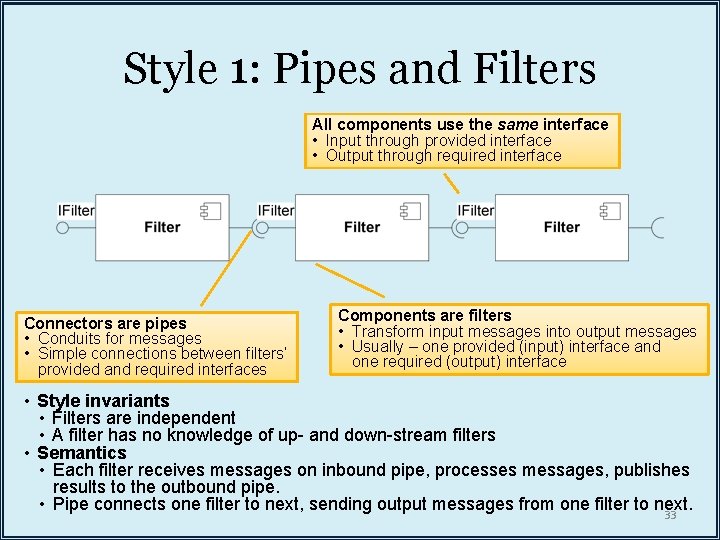
Style 1: Pipes and Filters All components use the same interface • Input through provided interface • Output through required interface Connectors are pipes • Conduits for messages • Simple connections between filters’ provided and required interfaces Components are filters • Transform input messages into output messages • Usually – one provided (input) interface and one required (output) interface • Style invariants • Filters are independent • A filter has no knowledge of up- and down-stream filters • Semantics • Each filter receives messages on inbound pipe, processes messages, publishes results to the outbound pipe. • Pipe connects one filter to next, sending output messages from one filter to next. 33
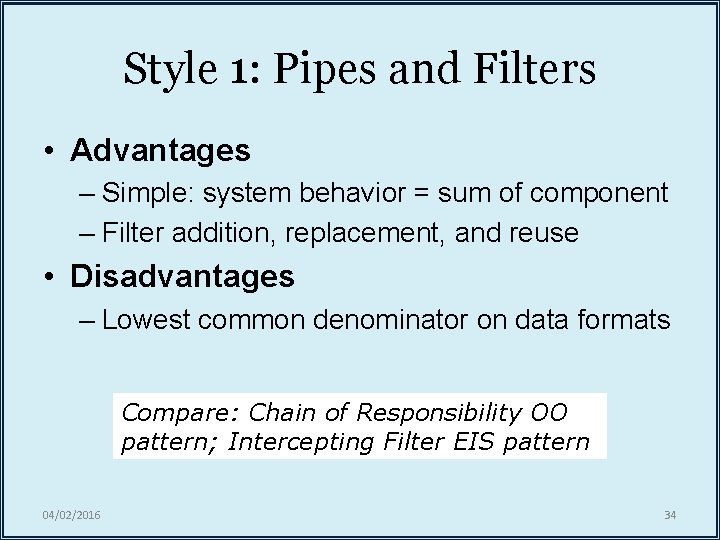
Style 1: Pipes and Filters • Advantages – Simple: system behavior = sum of component – Filter addition, replacement, and reuse • Disadvantages – Lowest common denominator on data formats Compare: Chain of Responsibility OO pattern; Intercepting Filter EIS pattern 04/02/2016 34
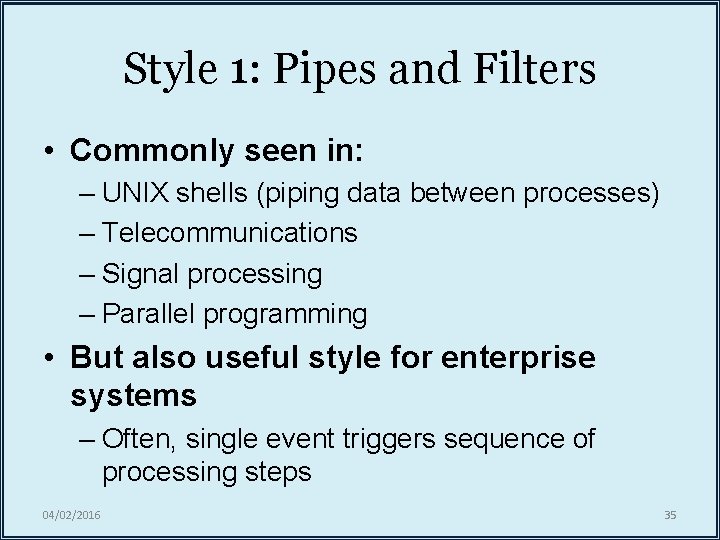
Style 1: Pipes and Filters • Commonly seen in: – UNIX shells (piping data between processes) – Telecommunications – Signal processing – Parallel programming • But also useful style for enterprise systems – Often, single event triggers sequence of processing steps 04/02/2016 35
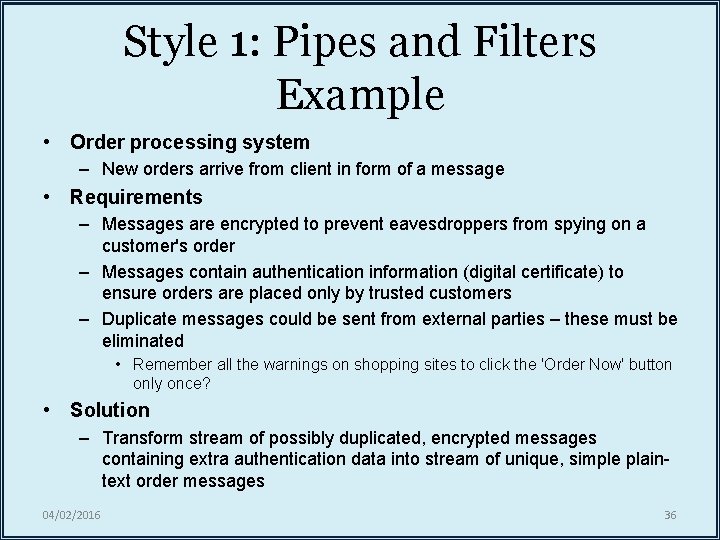
Style 1: Pipes and Filters Example • Order processing system – New orders arrive from client in form of a message • Requirements – Messages are encrypted to prevent eavesdroppers from spying on a customer's order – Messages contain authentication information (digital certificate) to ensure orders are placed only by trusted customers – Duplicate messages could be sent from external parties – these must be eliminated • Remember all the warnings on shopping sites to click the 'Order Now' button only once? • Solution – Transform stream of possibly duplicated, encrypted messages containing extra authentication data into stream of unique, simple plaintext order messages 04/02/2016 36
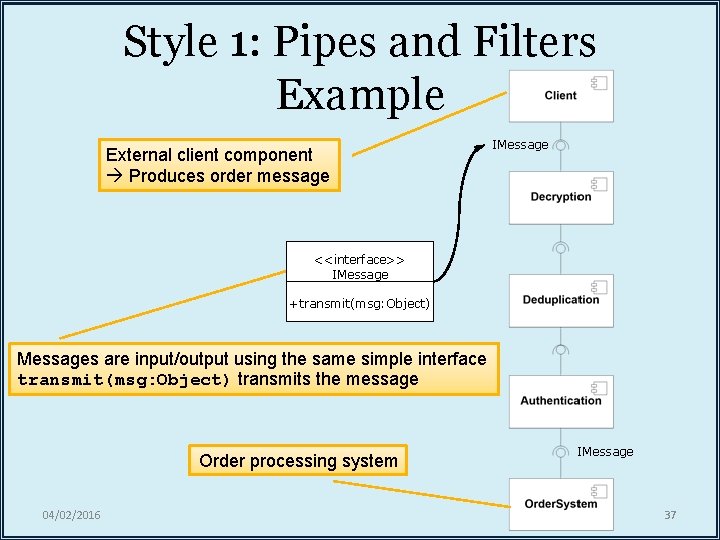
Style 1: Pipes and Filters Example External client component Produces order message IMessage <<interface>> IMessage +transmit(msg: Object) Messages are input/output using the same simple interface transmit(msg: Object) transmits the message Order processing system 04/02/2016 IMessage 37
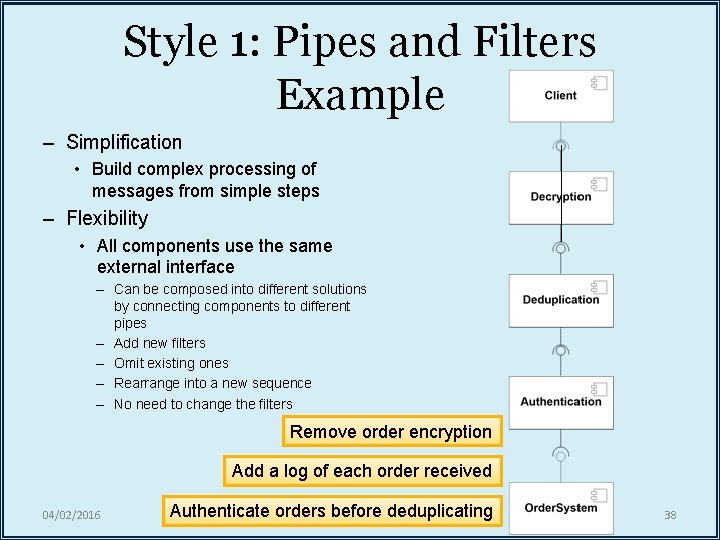
Style 1: Pipes and Filters Example – Simplification • Build complex processing of messages from simple steps – Flexibility • All components use the same external interface – Can be composed into different solutions by connecting components to different pipes – Add new filters – Omit existing ones – Rearrange into a new sequence – No need to change the filters Remove order encryption Add a log of each order received 04/02/2016 Authenticate orders before deduplicating 38
Coming Up • More styles – More basic styles – Domain-specific styles • Implementation of components and component architectures – Beyond basic Java classes – Complex forms of communication – Domain-specific modelling issues 04/02/2016 39