
SOFTWARE AND PROGRAMMING 1 Lecture MB 33 7
SOFTWARE AND PROGRAMMING 1 Lecture: MB 33 7: 30 -9: 00 (11&18. 01. 06 – from 6: 00) Lab: B 43, MB 321, MB 536 6: 00 -7: 30 (from 25. 01. 06) EACH student must have obtained access to Birkbeck computing by 25. 01. 06 – otherwise no use in the lab Instructor: Prof. Boris Mirkin SCSIS, room 111, tel. 020 7631 6746 E-mail: mirkin@dcs. bbk. ac. uk Course Assistants: 1) Two of the labs: SCSIS Ph. D students 2) Web. CT/Tests/Assignments: Marie-Helene Ng SCSIS, room NG 26, tel. 0207 631 6550 E-mail: marie-helene@dcs. bbk. ac. uk
SOFTWARE AND PROGRAMMING 1 Lecture: MB 33 7: 30 -9: 00 (except 11&18. 01. 06) Lab: SHB 43, MB 321, MB 536 6: 00 -7: 30 (from 25. 01. 06) Each student must have obtained access to Birkbeck computing to be able to learn programming in real at lab sessions. To be able to submit your assignment you must send your CCS username to Marie-Helene Ng by 31 January. E-mail: marie-helene@dcs. bbk. ac. uk
Webpages The course web page is at www. webct. bbk. ac. uk Please check it regularly. It will be used for announcements and assignments. Another, open, page at my website will function with lecture notes and other relevant materials: www. dcs. bbk. ac. uk/~mirkin/sp 105 3
Texts 1. David J. Barnes & Michael Kölling Objects First with Java: A Practical Introduction using Blue. J, Second edition, Pearson Education, 2005, ISBN 0 -13 -124933 -9 The publisher supplies a helpline (team’s telephone included) in installing the related software 2. J. Farrell Java Programming, Second edition, Course Technology, Thompson, 2003, ISBN 0 -619 -21500 -3 3. I. Pohl, C. Mc. Dowell Java by dissection, Addison-Wesley, 2000, ISBN 0201751585 4. Free: ON-LINE text by D. Eck (on my web site) and other useful URLs 4
Teaching Goal: Coding in Real FRAMEWORK: 1. the work of a compiler and an interpreter; 2. classes and instances; 3. variables and static variables; 4. data and number types in Java; 5. arithmetic and Boolean expressions; 6. for/while and if…else structures; 7. processing strings; 8. elements of input/output in Java; 9. methods and constructors; 10. arrays and their usage. 5
Teaching Goal PRACTICE: To have developed skills in practical programming of small but real-world problems e. g. keeping transaction records, assigning seats to customers, managing a bus schedule, etc. 6
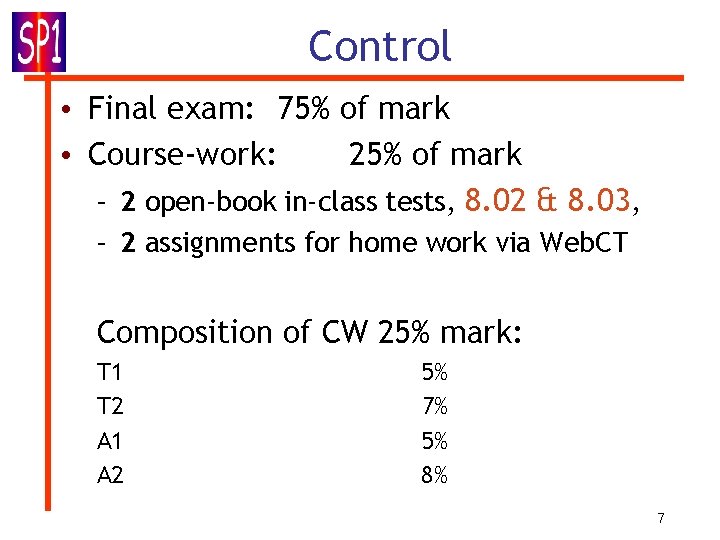
Control • Final exam: 75% of mark • Course-work: 25% of mark – 2 open-book in-class tests, 8. 02 & 8. 03, – 2 assignments for home work via Web. CT Composition of CW 25% mark: T 1 T 2 A 1 A 2 5% 7% 5% 8% 7
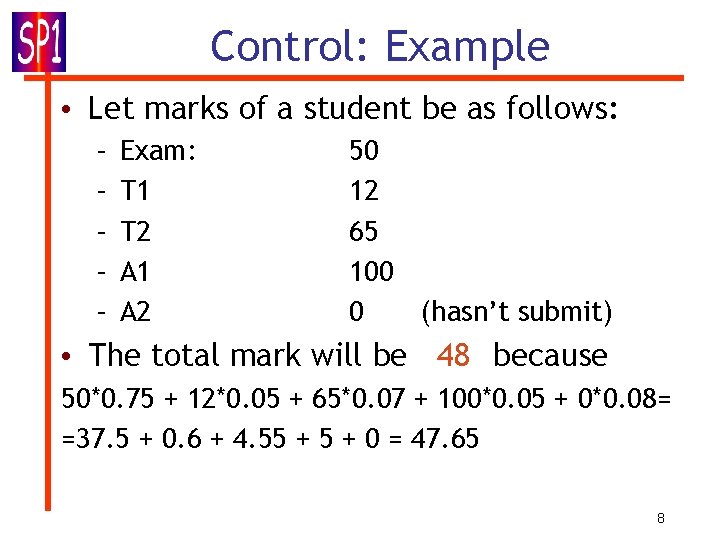
Control: Example • Let marks of a student be as follows: – – – Exam: T 1 T 2 A 1 A 2 50 12 65 100 0 (hasn’t submit) • The total mark will be 48 because 50*0. 75 + 12*0. 05 + 65*0. 07 + 100*0. 05 + 0*0. 08= =37. 5 + 0. 6 + 4. 55 + 0 = 47. 65 8
Teaching Philosophy (extracts) • Huge respect for part-time students • The bulk of students to get taught • No student’s question is stupid • Simple things learnt well: rather than complex things not learnt well • Instructor’s small errors: OK as a teaching device if noticed and corrected • Instructor’s slowness: a device to raise students’ awareness (no time waste) 9
Why Java • Object-oriented (a program is a set of classes sending messages to each other with methods within to process inputs), which is useful for code transfer and maintenance • Network-oriented (server-to-clients) • Works within Internet browsers [devices viewing HTML (hyper-text markup-language) documents via HTTP (hyper-text transfer protocol) links] 10
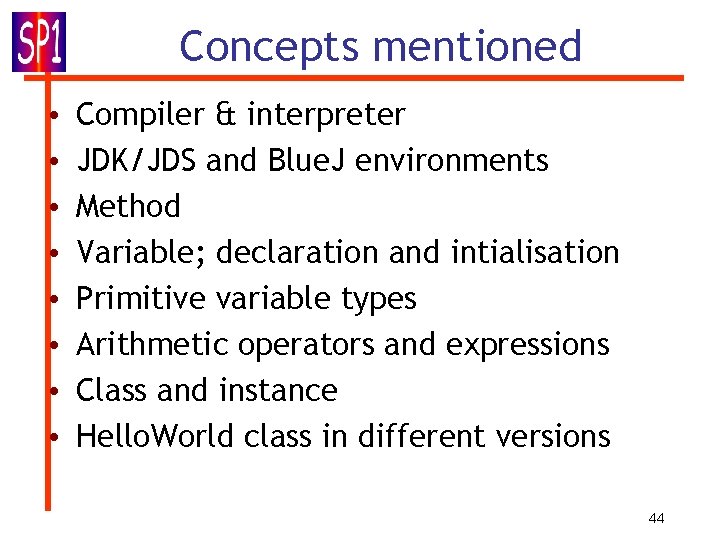
Fundamental concepts • Java as is and Java with Blue. J • Object • Class • • Method Parameter Variable Data type 11

High-language code to machine code translated A compiler takes a high-level-language program and translates it as a whole into an executable machine-language program. Once the translation is done, the machine-language program can be run any number of times, but of course it can only be run on one type of computer. Thus, each type of computer requires a specific translator. An interpreter is a program that runs in a loop in which it repeatedly reads one instruction from the program, decides what is necessary to carry out of that instruction, and then performs the appropriate machine-language commands to do so. This is slow but universal. 12
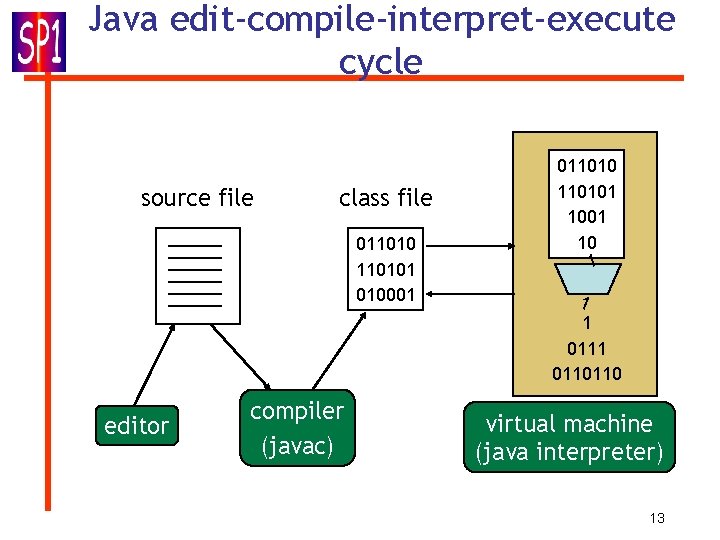
Java edit-compile-interpret-execute cycle source file class file 0110101 010001 editor compiler (javac) 0110101 10 1 1 1 0110110 virtual machine (java interpreter) 13
Two JAVA environments • Java Developer Kit JDK (currently, J 2 SE) (Conventional) • Blue J (A public project to make JAVA coding easier) – Both available in Birkbeck 14
Conventional JDK: Editing • A source code can be edited in any text editor: Notepad, emacs, PFE, . . . • MS Word caveat: by default, Word does not save in ASCII text format • Make sure to save the code before compiling! The file name: the same as that of the class, with extension: say, class Nic. Te{…} must be saved as file Nic. Te. java, case sensitive 15
Command line invocation • compilation and execution of Java in JDK are done from a command line • On Microsoft systems: DOS shell • On Unix: Unix shell • Must make sure that the commands for compiler and runtime (JVM) are in the command path. 16
Compiling with JDK • Name of the JDK compiler: javac • To invoke: javac <source name> • compiles <source name> and all classes it depends on into an executable on JVM file <source name>. class • Example: javac Nic. Te. java produces file Nic. Te. class 17
Execution • “java” starts the Java virtual machine: java Nic. Te • The named class is loaded and execution is started. • Other classes are loaded as needed. • Only possible if class has been compiled into a file, say, Nic. Te. class 18
JDK Problem: Execute what? How does the system know which method to execute? 19
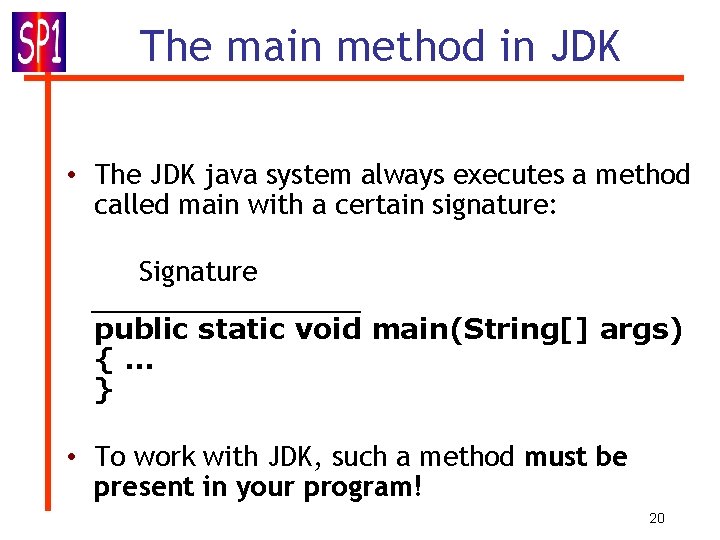
The main method in JDK • The JDK java system always executes a method called main with a certain signature: Signature ____________ public static void main(String[] args) {. . . } • To work with JDK, such a method must be present in your program! 20
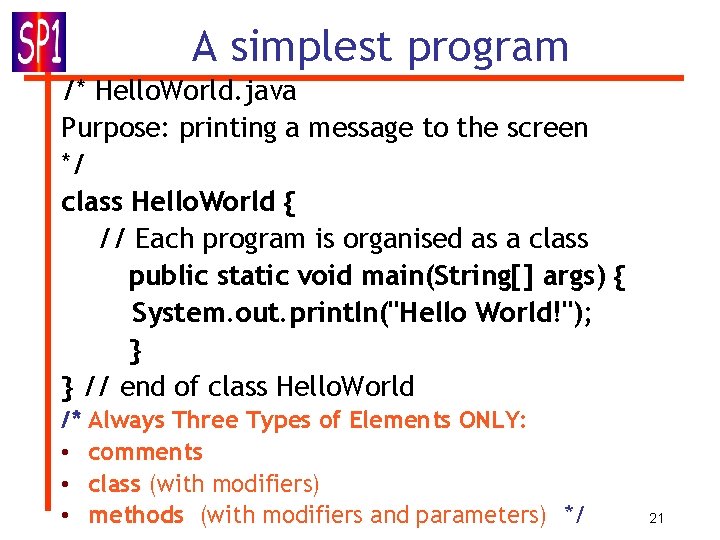
A simplest program /* Hello. World. java Purpose: printing a message to the screen */ class Hello. World { // Each program is organised as a class public static void main(String[] args) { System. out. println("Hello World!"); } } // end of class Hello. World /* • • • Always Three Types of Elements ONLY: comments class (with modifiers) methods (with modifiers and parameters) */ 21
Blue. J coding • Blue. J programs are organised in the so-called projects • A Blue. J project is stored in a directory on disk • Some files store the source code, some store the compiled code, some store additional information. 22
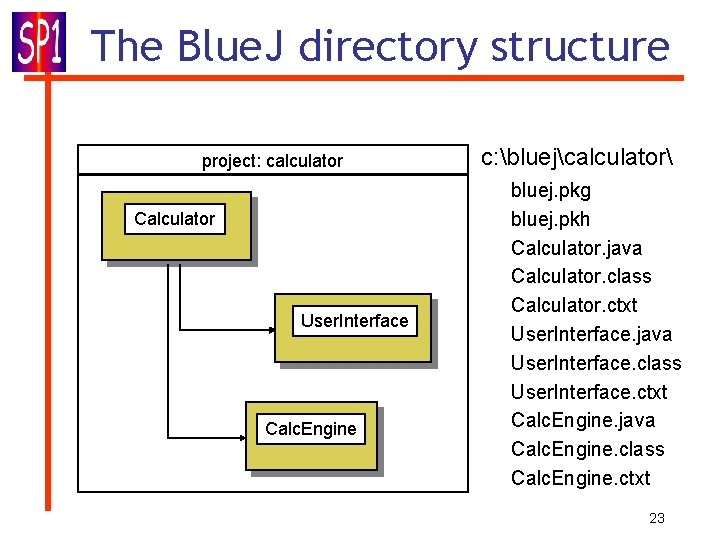
The Blue. J directory structure project: calculator Calculator User. Interface Calc. Engine c: bluejcalculator bluej. pkg bluej. pkh Calculator. java Calculator. class Calculator. ctxt User. Interface. java User. Interface. class User. Interface. ctxt Calc. Engine. java Calc. Engine. class Calc. Engine. ctxt 23
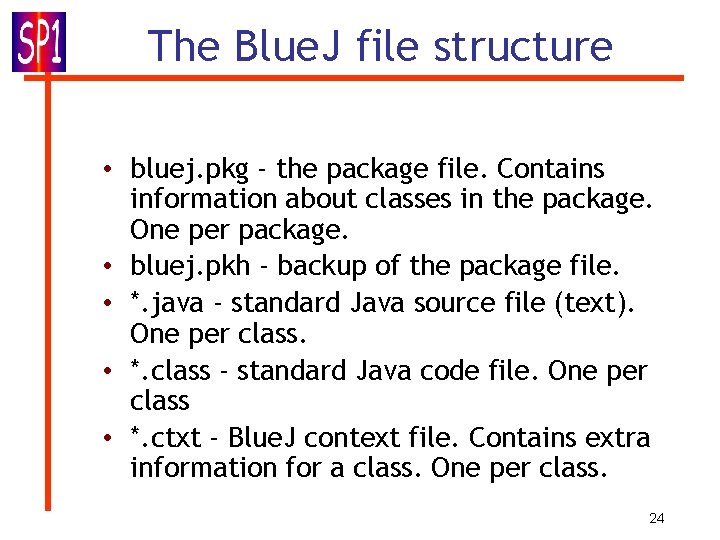
The Blue. J file structure • bluej. pkg - the package file. Contains information about classes in the package. One per package. • bluej. pkh - backup of the package file. • *. java - standard Java source file (text). One per class. • *. class - standard Java code file. One per class • *. ctxt - Blue. J context file. Contains extra information for a class. One per class. 24
Software is free • Available on BBK’s network – Java JDK (which allows you to compile and execute your program) – Blue. J (Preferred editor) • Installing Blue. J (for home use) – First download the Java JDK from http: //java. sun. com/j 2 se/1. 5. 0/download. jsp – Download Blue. J from http: //www. bluej. org/download. html – Run “bluejsetup-202. exe” and follow the given instructions 25
Objects and classes • Classes: program templates – represent all objects of a kind (example: “student”) • Objects = instances – A template copy to represent a specific element of the class (“an individual student”) – Instances are created with the so-called constructors, explicit in JDK or somewhat easier in Blue. J 26
Variables, methods and parameters • classes contain data stored in the socalled variables and operations which can be invoked (they are called methods in Java) • methods may have inputs (they are called parameters in Java) to get additional data needed to get them executed 27
Remarks • Many instances can be created from a single class • An object has attributes/variables: values stored in fields (memory locations). • The class defines what fields any its object has (a template), but each object may store its own set of values (the state of the object) • A variable is initialised with assigning it a value, an object – with a constructor 28
More on Method in Java is a named set of instructions that transforms some input into an output. This is, actually, a machine implementation of the concept of algorithm which itself is a computational analogue to the mathematical concept of function. Static method: is shared by all instances. 29
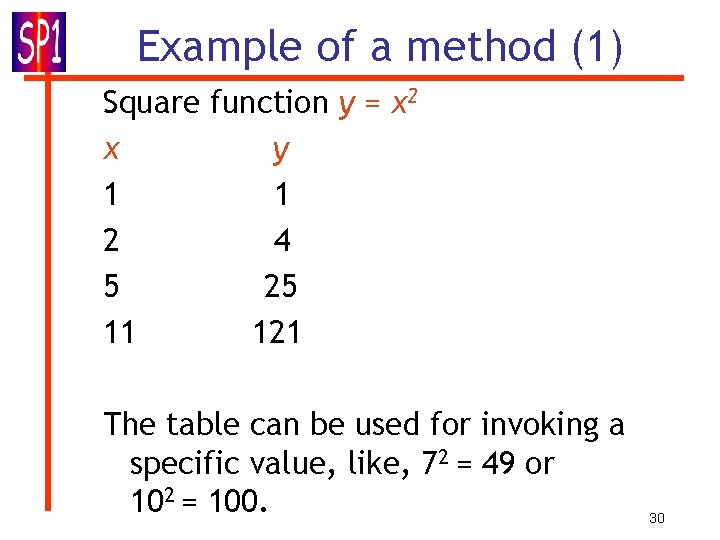
Example of a method (1) Square function y = x 2 x y 1 1 2 4 5 25 11 121 The table can be used for invoking a specific value, like, 72 = 49 or 102 = 100. 30
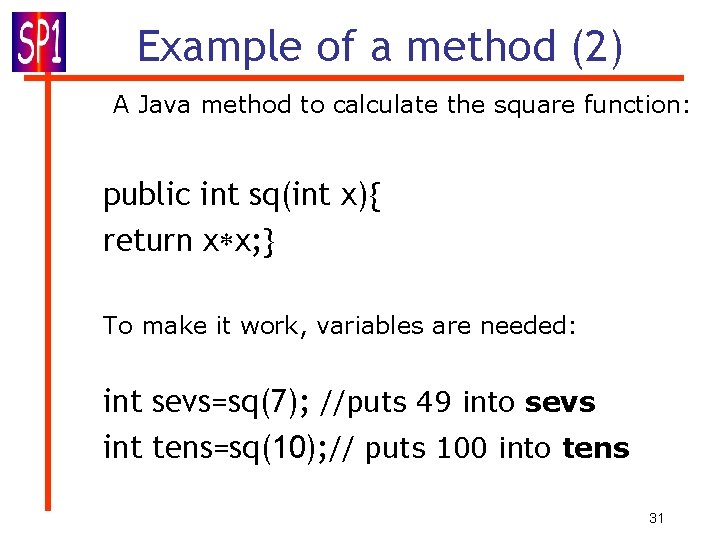
Example of a method (2) A Java method to calculate the square function: public int sq(int x){ return x x; } To make it work, variables are needed: int sevs=sq(7); //puts 49 into sevs int tens=sq(10); // puts 100 into tens 31
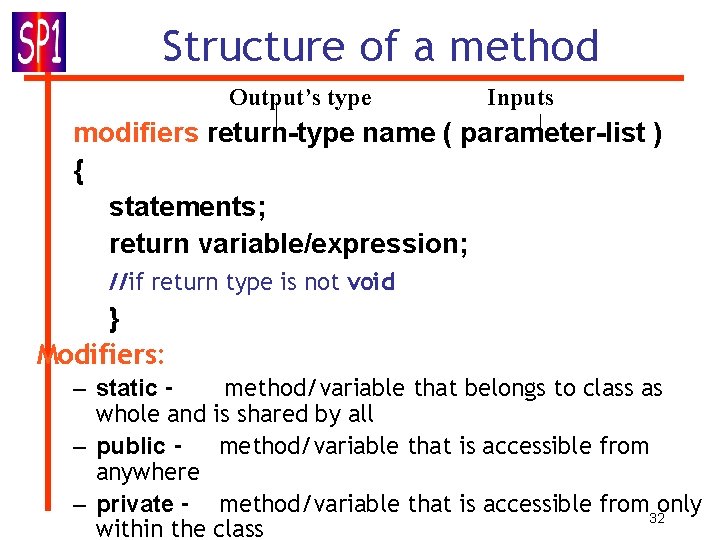
Structure of a method Output’s type Inputs modifiers return-type name ( parameter-list ) { statements; return variable/expression; //if return type is not void } Modifiers: – static method/variable that belongs to class as whole and is shared by all – public - method/variable that is accessible from anywhere – private - method/variable that is accessible from 32 only within the class
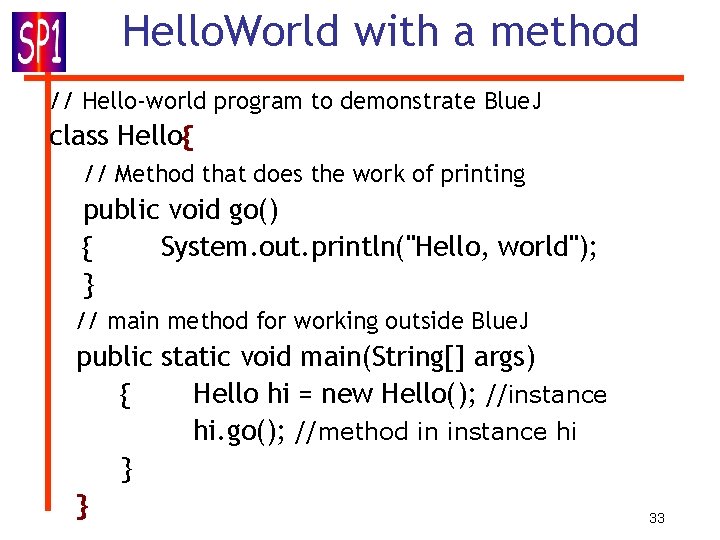
Hello. World with a method // Hello-world program to demonstrate Blue. J class Hello{ // Method that does the work of printing public void go() { System. out. println("Hello, world"); } // main method for working outside Blue. J public static void main(String[] args) { Hello hi = new Hello(); //instance hi. go(); //method in instance hi } } 33
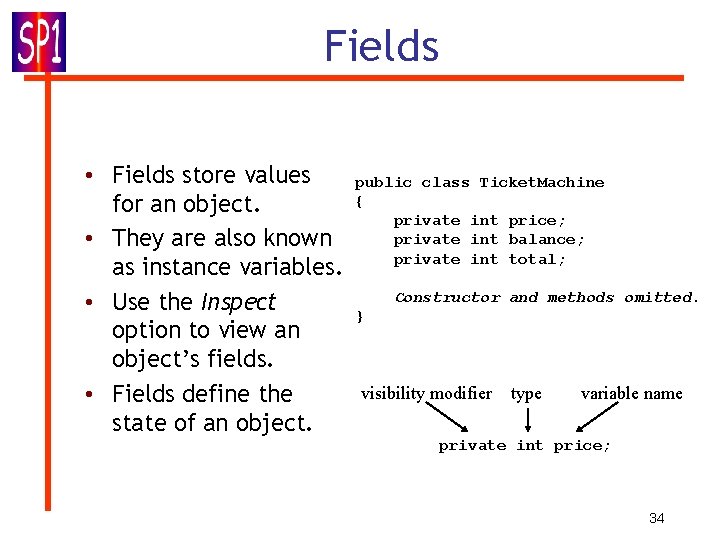
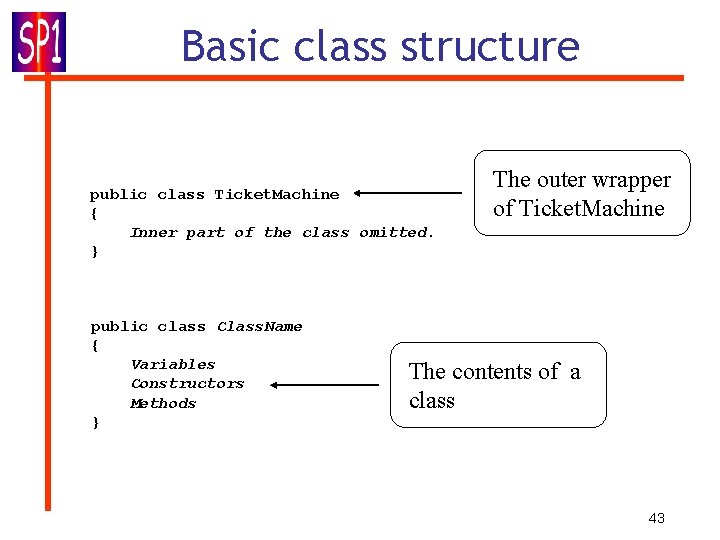
Fields • Fields store values for an object. • They are also known as instance variables. • Use the Inspect option to view an object’s fields. • Fields define the state of an object. public class Ticket. Machine { private int price; private int balance; private int total; Constructor and methods omitted. } visibility modifier type variable name private int price; 34
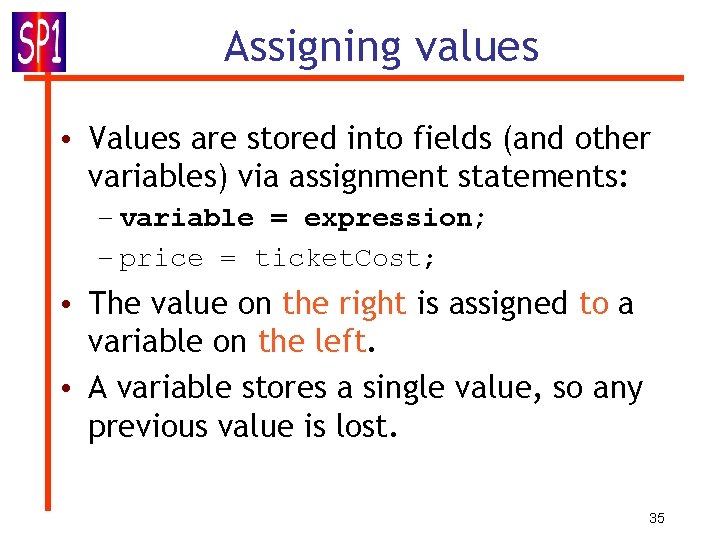
Assigning values • Values are stored into fields (and other variables) via assignment statements: – variable = expression; – price = ticket. Cost; • The value on the right is assigned to a variable on the left. • A variable stores a single value, so any previous value is lost. 35
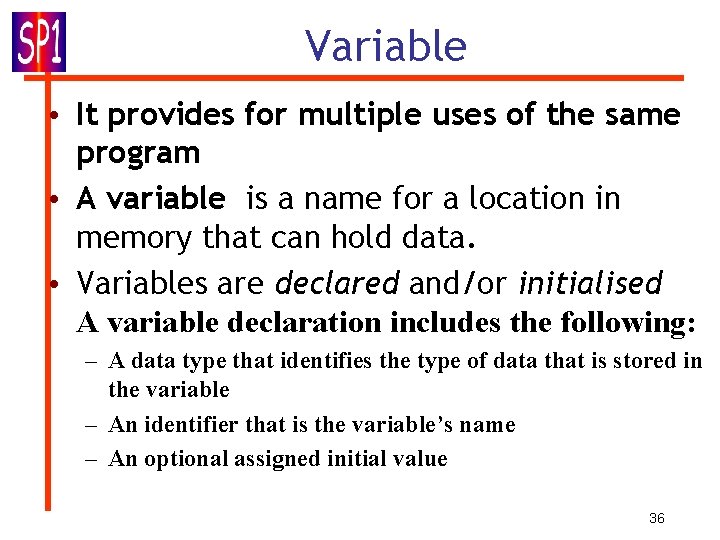
Variable • It provides for multiple uses of the same program • A variable is a name for a location in memory that can hold data. • Variables are declared and/or initialised A variable declaration includes the following: – A data type that identifies the type of data that is stored in the variable – An identifier that is the variable’s name – An optional assigned initial value 36
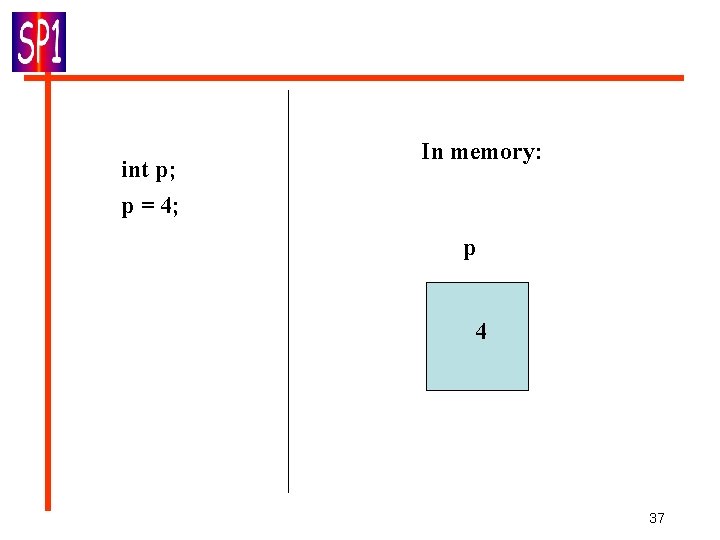
int p; p = 4; In memory: p 4 37
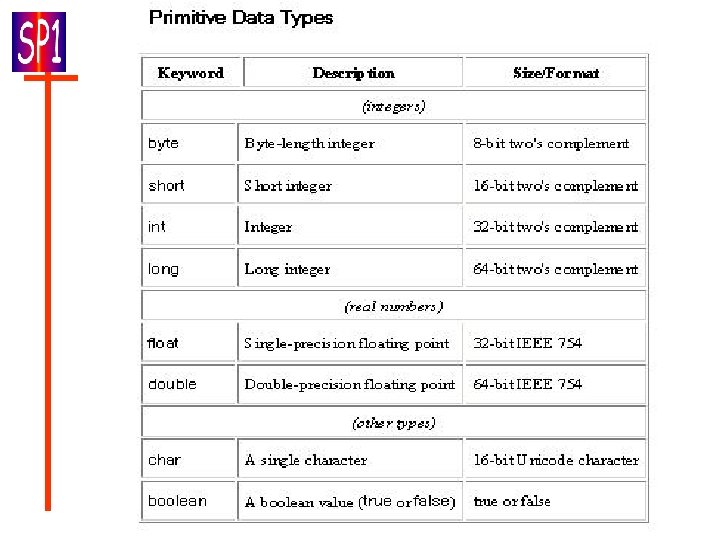
38
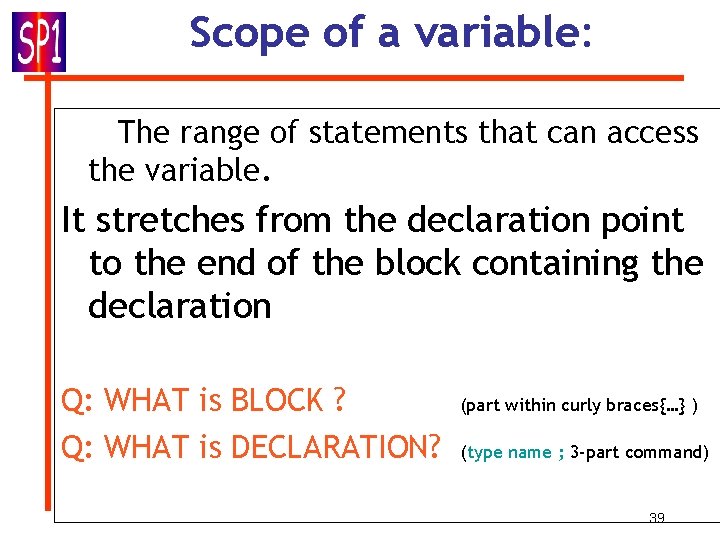
Scope of a variable: The range of statements that can access the variable. It stretches from the declaration point to the end of the block containing the declaration Q: WHAT is BLOCK ? Q: WHAT is DECLARATION? (part within curly braces{…} ) (type name ; 3 -part command) 39

Blue. J Hello. World N times public class Hello. N { int number; \ variable declared public void go() { System. out. println("Hello, world"); } public Hello. N(int howmany) {number=howmany; } \constr-r to initialise an object public void prrt() \printing number times { for(int i=1; i<=number; i++) \loop go(); System. out. println("ok"); } 40
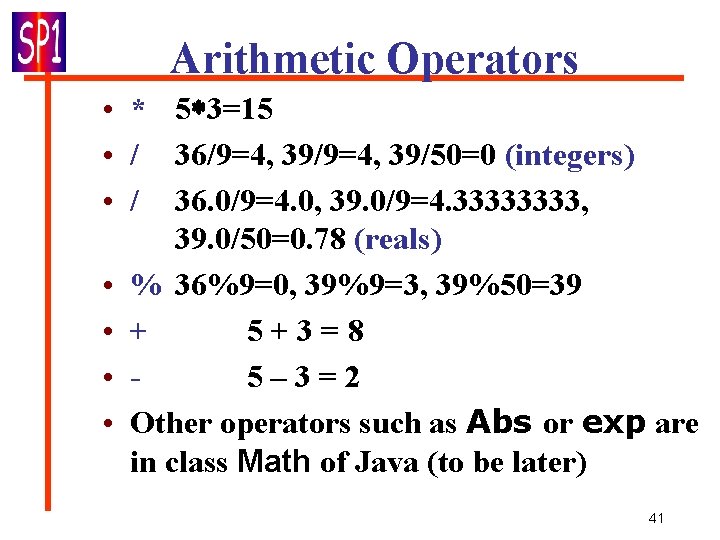
Arithmetic Operators • * 5 3=15 • / 36/9=4, 39/50=0 (integers) • / 36. 0/9=4. 0, 39. 0/9=4. 3333, 39. 0/50=0. 78 (reals) • % 36%9=0, 39%9=3, 39%50=39 • + 5+3=8 • 5– 3=2 • Other operators such as Abs or exp are in class Math of Java (to be later) 41
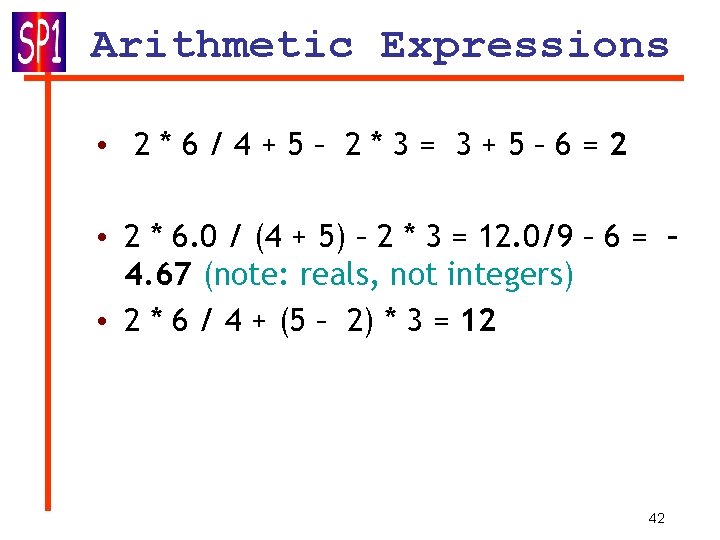
Arithmetic Expressions • 2*6/4+5– 2*3= 3+5– 6=2 • 2 * 6. 0 / (4 + 5) – 2 * 3 = 12. 0/9 – 6 = – 4. 67 (note: reals, not integers) • 2 * 6 / 4 + (5 – 2) * 3 = 12 42
Basic class structure public class Ticket. Machine { Inner part of the class omitted. } public class Class. Name { Variables Constructors Methods } The outer wrapper of Ticket. Machine The contents of a class 43
Concepts mentioned • • Compiler & interpreter JDK/JDS and Blue. J environments Method Variable; declaration and intialisation Primitive variable types Arithmetic operators and expressions Class and instance Hello. World class in different versions 44
- Slides: 44