
Sockets r process sendsreceives messages tofrom its socket
- Slides: 17
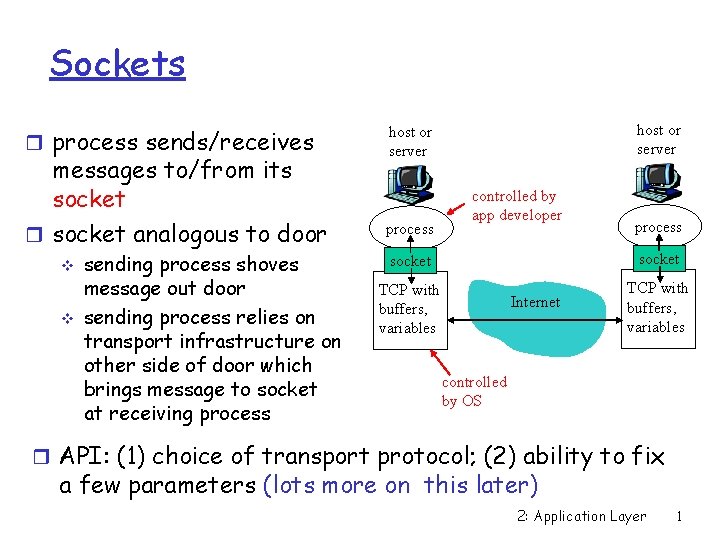
Sockets r process sends/receives messages to/from its socket r socket analogous to door v v sending process shoves message out door sending process relies on transport infrastructure on other side of door which brings message to socket at receiving process host or server process controlled by app developer process socket TCP with buffers, variables Internet TCP with buffers, variables controlled by OS r API: (1) choice of transport protocol; (2) ability to fix a few parameters (lots more on this later) 2: Application Layer 1
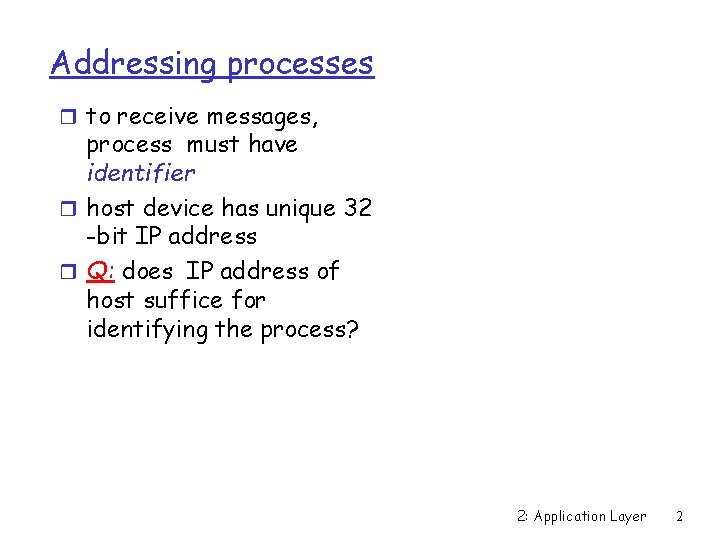
Addressing processes r to receive messages, process must have identifier r host device has unique 32 -bit IP address r Q: does IP address of host suffice for identifying the process? 2: Application Layer 2
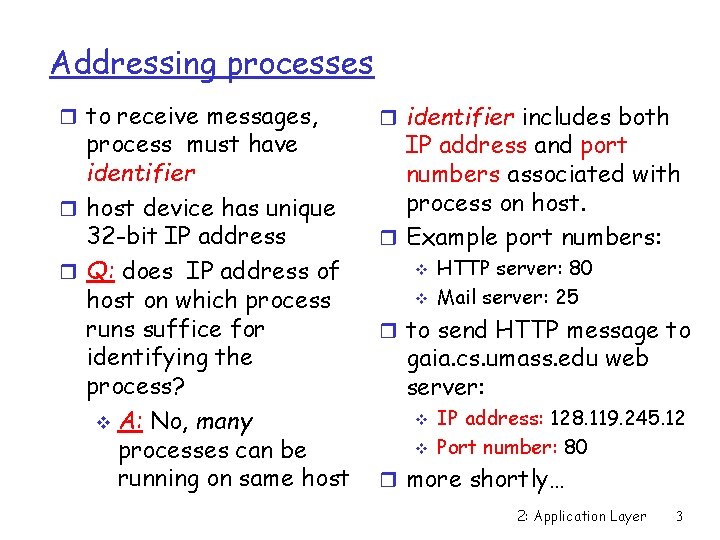
Addressing processes r to receive messages, process must have identifier r host device has unique 32 -bit IP address r Q: does IP address of host on which process runs suffice for identifying the process? v A: No, many processes can be running on same host r identifier includes both IP address and port numbers associated with process on host. r Example port numbers: v v HTTP server: 80 Mail server: 25 r to send HTTP message to gaia. cs. umass. edu web server: v v IP address: 128. 119. 245. 12 Port number: 80 r more shortly… 2: Application Layer 3
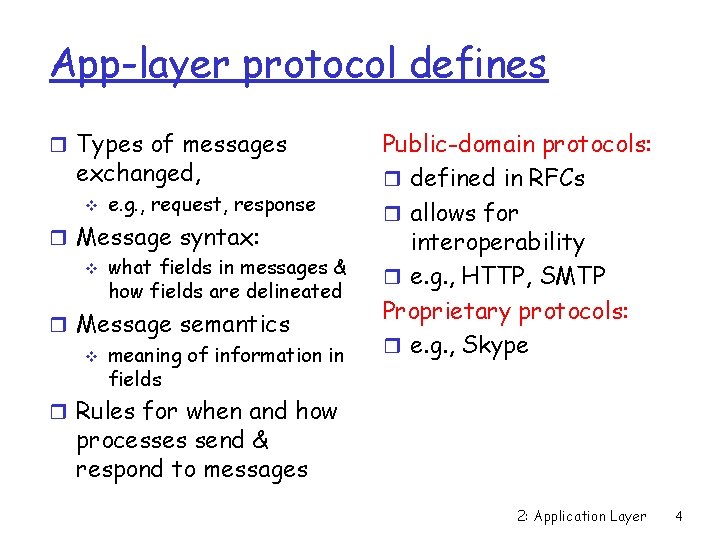
App-layer protocol defines r Types of messages exchanged, v e. g. , request, response r Message syntax: v what fields in messages & how fields are delineated r Message semantics v meaning of information in fields Public-domain protocols: r defined in RFCs r allows for interoperability r e. g. , HTTP, SMTP Proprietary protocols: r e. g. , Skype r Rules for when and how processes send & respond to messages 2: Application Layer 4
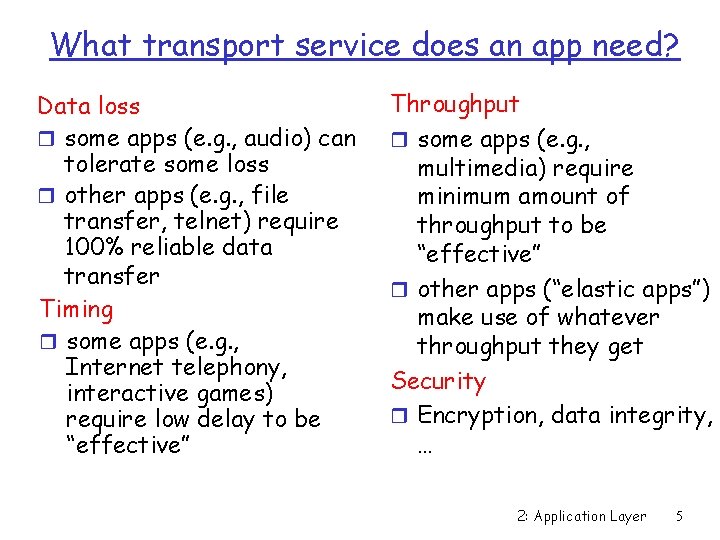
What transport service does an app need? Data loss r some apps (e. g. , audio) can tolerate some loss r other apps (e. g. , file transfer, telnet) require 100% reliable data transfer Timing r some apps (e. g. , Internet telephony, interactive games) require low delay to be “effective” Throughput r some apps (e. g. , multimedia) require minimum amount of throughput to be “effective” r other apps (“elastic apps”) make use of whatever throughput they get Security r Encryption, data integrity, … 2: Application Layer 5
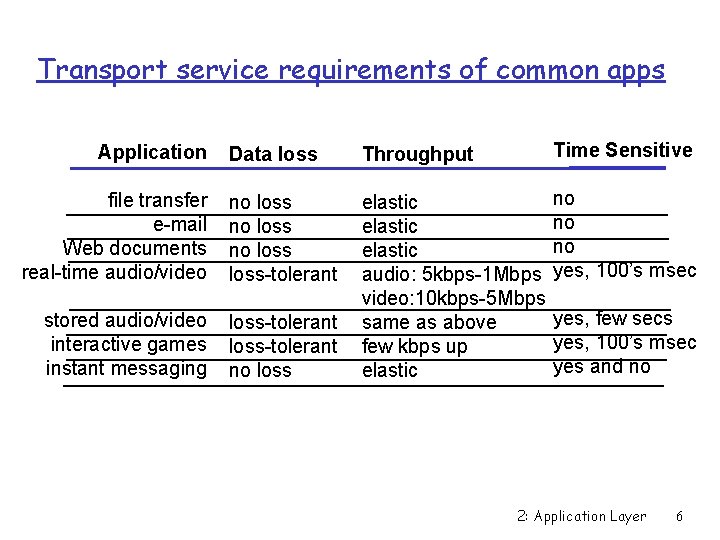
Transport service requirements of common apps Data loss Throughput Time Sensitive file transfer e-mail Web documents real-time audio/video no loss-tolerant no no no yes, 100’s msec stored audio/video interactive games instant messaging loss-tolerant no loss elastic audio: 5 kbps-1 Mbps video: 10 kbps-5 Mbps same as above few kbps up elastic Application yes, few secs yes, 100’s msec yes and no 2: Application Layer 6
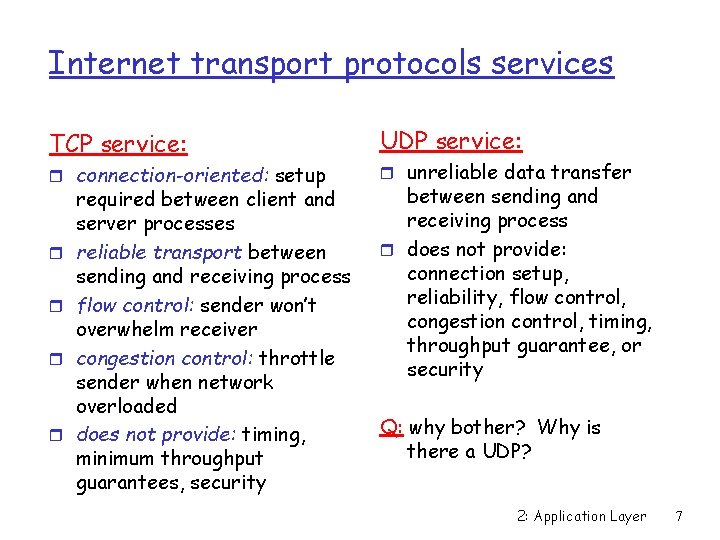
Internet transport protocols services TCP service: r connection-oriented: setup r r required between client and server processes reliable transport between sending and receiving process flow control: sender won’t overwhelm receiver congestion control: throttle sender when network overloaded does not provide: timing, minimum throughput guarantees, security UDP service: r unreliable data transfer between sending and receiving process r does not provide: connection setup, reliability, flow control, congestion control, timing, throughput guarantee, or security Q: why bother? Why is there a UDP? 2: Application Layer 7
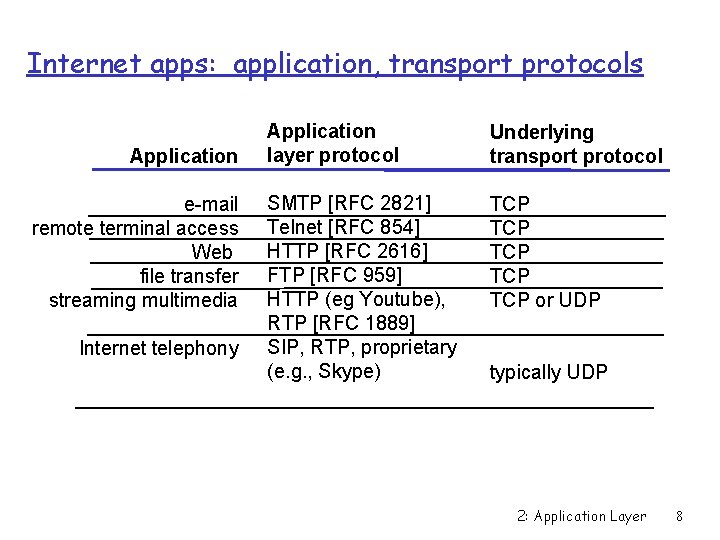
Internet apps: application, transport protocols Application e-mail remote terminal access Web file transfer streaming multimedia Internet telephony Application layer protocol Underlying transport protocol SMTP [RFC 2821] Telnet [RFC 854] HTTP [RFC 2616] FTP [RFC 959] HTTP (eg Youtube), RTP [RFC 1889] SIP, RTP, proprietary (e. g. , Skype) TCP TCP TCP or UDP typically UDP 2: Application Layer 8
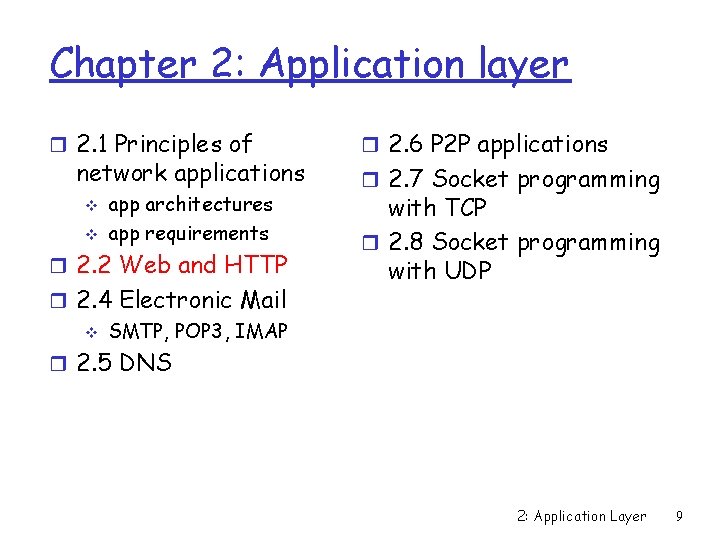
Chapter 2: Application layer r 2. 1 Principles of network applications v v app architectures app requirements r 2. 2 Web and HTTP r 2. 4 Electronic Mail v SMTP, POP 3, IMAP r 2. 6 P 2 P applications r 2. 7 Socket programming with TCP r 2. 8 Socket programming with UDP r 2. 5 DNS 2: Application Layer 9
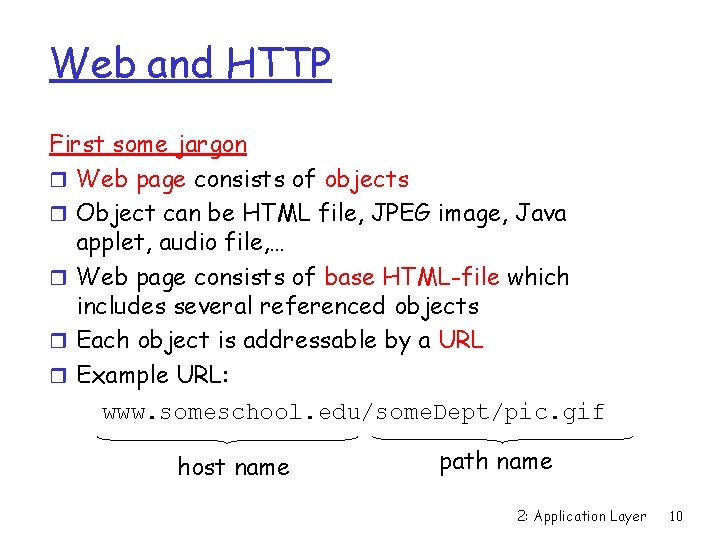
Web and HTTP First some jargon r Web page consists of objects r Object can be HTML file, JPEG image, Java applet, audio file, … r Web page consists of base HTML-file which includes several referenced objects r Each object is addressable by a URL r Example URL: www. someschool. edu/some. Dept/pic. gif host name path name 2: Application Layer 10
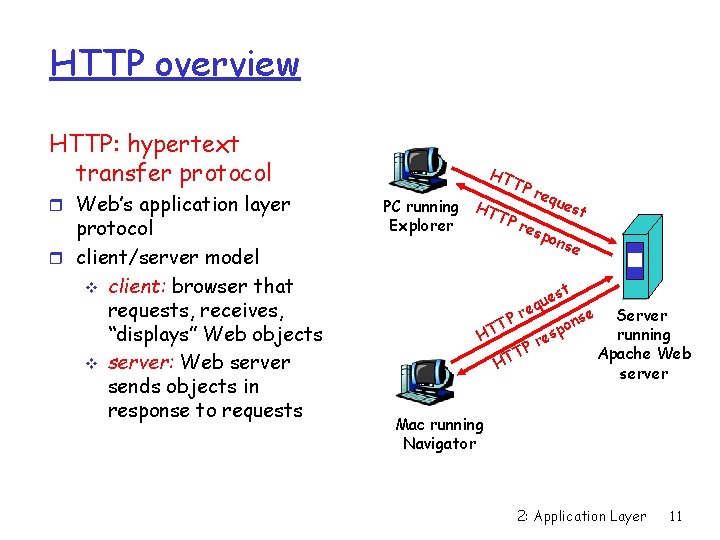
HTTP overview HTTP: hypertext transfer protocol r Web’s application layer protocol r client/server model v client: browser that requests, receives, “displays” Web objects v server: Web server sends objects in response to requests HT TP req ues PC running HT t TP res Explorer pon se st ue q e r P nse Server T o p running HT es r P T Apache Web HT server Mac running Navigator 2: Application Layer 11
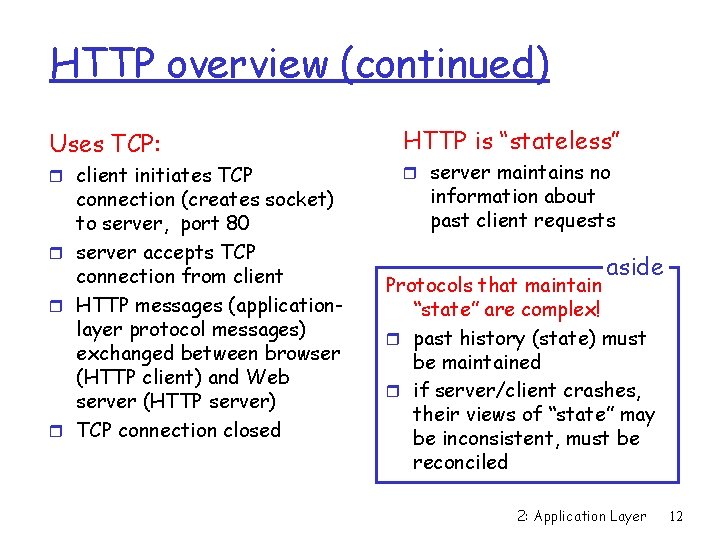
HTTP overview (continued) Uses TCP: r client initiates TCP connection (creates socket) to server, port 80 r server accepts TCP connection from client r HTTP messages (applicationlayer protocol messages) exchanged between browser (HTTP client) and Web server (HTTP server) r TCP connection closed HTTP is “stateless” r server maintains no information about past client requests aside Protocols that maintain “state” are complex! r past history (state) must be maintained r if server/client crashes, their views of “state” may be inconsistent, must be reconciled 2: Application Layer 12
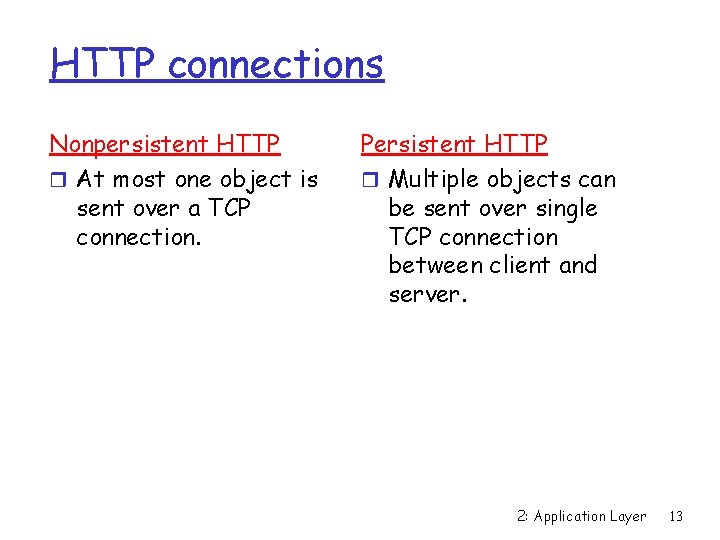
HTTP connections Nonpersistent HTTP r At most one object is sent over a TCP connection. Persistent HTTP r Multiple objects can be sent over single TCP connection between client and server. 2: Application Layer 13
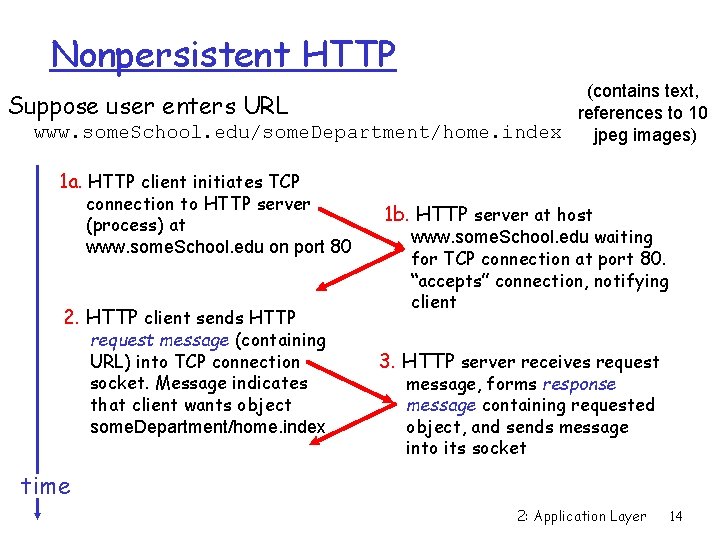
Nonpersistent HTTP (contains text, Suppose user enters URL references to 10 www. some. School. edu/some. Department/home. index jpeg images) 1 a. HTTP client initiates TCP connection to HTTP server (process) at www. some. School. edu on port 80 2. HTTP client sends HTTP request message (containing URL) into TCP connection socket. Message indicates that client wants object some. Department/home. index 1 b. HTTP server at host www. some. School. edu waiting for TCP connection at port 80. “accepts” connection, notifying client 3. HTTP server receives request message, forms response message containing requested object, and sends message into its socket time 2: Application Layer 14
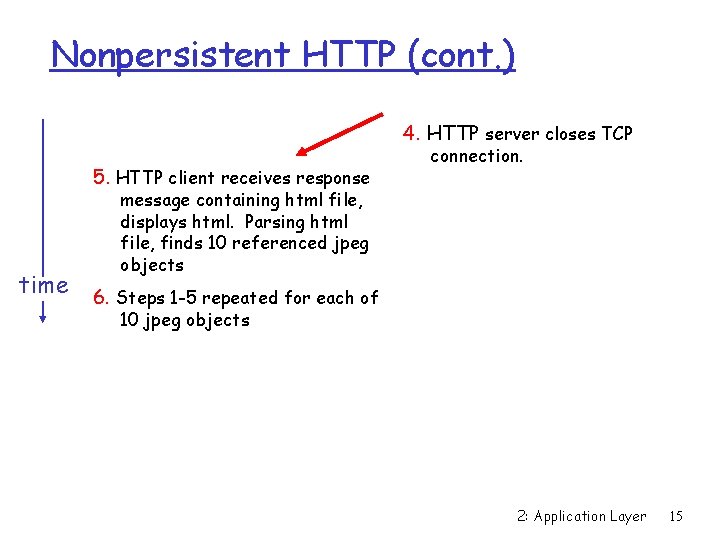
Nonpersistent HTTP (cont. ) 4. HTTP server closes TCP 5. HTTP client receives response connection. message containing html file, displays html. Parsing html file, finds 10 referenced jpeg objects time 6. Steps 1 -5 repeated for each of 10 jpeg objects 2: Application Layer 15
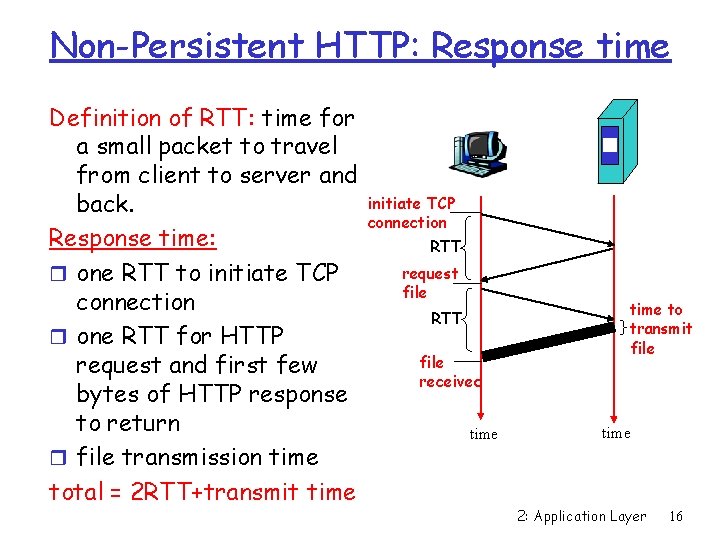
Non-Persistent HTTP: Response time Definition of RTT: time for a small packet to travel from client to server and back. Response time: r one RTT to initiate TCP connection r one RTT for HTTP request and first few bytes of HTTP response to return r file transmission time total = 2 RTT+transmit time initiate TCP connection RTT request file RTT file received time to transmit file time 2: Application Layer 16
Persistent HTTP Nonpersistent HTTP issues: r requires 2 RTTs per object r OS overhead for each TCP connection r browsers often open parallel TCP connections to fetch referenced objects Persistent HTTP r server leaves connection open after sending response r subsequent HTTP messages between same client/server sent over open connection r client sends requests as soon as it encounters a referenced object r as little as one RTT for all the referenced objects 2: Application Layer 17